http://mymedia.library.utoronto.ca
sian.meikle@utoronto.ca
gordon.belray@utoronto.ca
bilal.khalid@utoronto.ca
graham.stewart@utoronto.ca
Sian Meikle
Digital Services Librarian
Information Technology Services
University of Toronto Libraries
sian.meikle@utoronto.ca
Overview
• How the media server came to be
• How to use the media server
• How the media server was built
• Rapid application deployment:
media server as a case study
• What’s next
Why a media server?
• Give university a home for media
storage
• Provide tools for publishing media
to web pages easily
• Integrate media resources into
discovery tools such as library’s
discovery layer, university search
engine
Why a media server? File format
Creators can make video in many formats
13 very common formats
.3g2 .3gp .asf .asx .avi .flv .mov .mp4 .mpg .rm .swf .vob .wmv

23 common formats
.diva .dream .dvr-ms .f4v .fbr .hdmov .m4v .mkv .moi .mpeg .mts .mxf .
ogm .rcproject .rmvb .scm .smil .srt .stx .ts .vro .wtv .xvid

172 average or less common file formats
.3gp2

.3gpp .3mm .aep .ajp .amv .amx .arf .avb .avs .avs .axm .bik .bin .bix .box .bsf .byu .camrec .cvc .d2v .d3v
.dat .dce .dir .dmb .dpg .dv .dvx .dxr .evo .eye .fbz .fcp .flc .flh .fli .flx .gl .grasp .hkm .ifo .imovieproj .
imovieproject .ivf .ivr .ivs .izz .izzy .lsf .m1pg .m21 .m21 .m2t .m2ts .m2v .m4u .mgv .mj2 .mjp .mnv .moov .
mp21 .mp21 .mpv .mqv .msdvd .msh .mswmm .mtv .mvb .mvc .mvd .ncor .nsv .nvc .ogv .par .pds .piv .playlist
.pmf .prel .pro .prproj .pxv .qtch .qtl .qtz .rdb .rec .roq .rp .rts .rts .rum .rv .sbk .scn .sfvidcap .smi .smk .spl .ssm
.svi .swi .swt .tda3mt .tivo .tod .tp .tpr .trp .vc1 .vcv .vdo .veg .vf .vgz .vid .viewlet .viv .vivo .vlab .vp6 .vp7 .w32
.wcp .wm .wmd .wmmp .wmx .wp3 .wvx .yuv .zm1 .zm2 .zm3 .zmv .dsy .gvi .m4e .mmv .mod .mpf .mpg2 .
mpv2 .scm .60d .dav .ddat .dif .gvp .iva .lsx .m1v .m2a .meta .mjpg .modd .movie .mp2v .mp4v .mpe .pva .qt .
sbt .smv .str .vem .vfw

MyMedia converts media to just 3
formats for users
flash
mp4
mp3
Why a media server? File size.
Text: 5 MB / 1000 pgs (5 kb / pg)

Sound: 460 MB / hour (128 kb / s)

Video: 5 GB / hour ( 1.4 Mb / s)
Why a media server NOW?
• Exploratory work since early 2008
• Commercial options megalithic, expensive
• August 2009: pandemic preparedness
• Media server built and deployed in 4 weeks
1.

Upload media
a) Got media?
Upload it to MyMedia
b) Need to make media?
Use a tool like Camtasia
Relay to capture video.
Camtasia Relay saves
your media to the media
server.

2.

Describe media
Fill in a web form:
i) rights: UofT / world
ii) play type:
stream / download
iii) metadata:
keywords title description

3.

Publish media
i) Embed it in your web
page
ii) Link to it on media
server

Capture media
(eg Camtasia Relay)

Upload
media

1

2

Describe
media

Library
Media Server

Media creator

3

Publish
media

UofT Portal (Blackboard)
University web sites
Any web page
How people use the media server
•

Instruction
– Lecture capture
– 3rd party content
– How-to:
Library, Blackboard, …

•

Public
access
38%
UofT only
62%

Scholarship
– Conferences, invited lectures

•

University life
– Video contests

•

NOT live web casting

Download
/ stream
36%
Stream
only
64%
Gordon Belray
Systems and Interface Designer
Information Technology Services
University of Toronto Libraries
gordon.belray@utoronto.ca
• Pandemic planning required rapid integration with
Camtasia Relay server
• https://eclasscam1.erin.utoronto.ca/Relay
•
•
•
•
•
•
•

What is streaming?
Checks the connection speed of the user and buffers a small
portion of the video using a Flash player
Uses RTMP (real time messaging protocol) on a Flash Media
Server
File formats: Flash (.flv) MPEG4 (.mp4) encoded with H.264
codec, and MP3s
Progressive Downloads
Media must be downloaded to the end user’s browser
Cannot scrub beyond point of download
•

Demo
•

Login using UTORid
•

Home page showing processed and unprocessed media
•

Media management page
•

Example of published media using the myMedia links
•

Permanent link to play media
Bilal Khalid
Senior Application Developer,
Information Technology Services
University of Toronto
bilal.khalid@utoronto.ca
Software Components
• Database Schema (MySQL 5)
• Monitoring script for Camtasia (perl)
• MyMedia administrative interface
(Java/WebObjects)
• Video encoding using ffmpeg
• Media viewing interface (PHP)
Database Schema
filedump

t_user

t_media

• Temporary staging area for files
uploaded through Camtasia
• Populated by perl script
• Stores user information
• Populated using LDAP feed, after
WebLogin
• Maintains media information
• Populated by user input/video file
analysis

Note: A transition to a more comprehensive schema is planned for the next
phase of development.
Camtasia Monitor
• Camtasia has been setup to
transfer uploaded user videos to
our server
• Perl script detects any newly
transferred files, creates entry in
filedump table
• Media file is renamed using
randomized string token
• Accompanying xml file contains
file information (e.g. duration,
resolution etc.)
• Email sent to user, pointing them
to MyMedia application
Comic Source: http://www.agileali.com/myblog/2009/10/02/script-to-see-if-perl-is-working-e/
MyMedia Application
•
•
•
•

http://mymedia.library.utoronto.ca
Media administration
Developed in Java/WebObjects
Source can be Camtasia OR direct user
uploads
• WebLogin-based authentication, followed by
user profile creation
• Media metadata management (e.g. title,
description, keywords etc.)
Media Access Options

• Four profiles offered, analogous to server-side
directories with permissions
–
–
–
–

uoft + stream-only
uoft + download/stream
public + stream-only
public + download/stream
User Uploads/Media Encoding
• Alternative to Camtasia
• Incoming files encoded using ffmpeg (http://www.
ffmpeg.org/)

• Many supported file formats

(e.g. .avi, .mov, .m4v, .

m4a .wmv)
"/opt/local/bin/ffmpeg -i /upload-dir/incoming_file -acodec libfaac ab 128k -ar 44100 -r 20 -vcodec libx264 -b 256000 -s 800x600 cmp +chroma -partitions +parti4x4+partp8x8+partb8x8 me_method umh -subq 5 -trellis 1 -refs 2 -bf 1 -coder 1 -me_range
16 -g 300 -keyint_min 25 -sc_threshold 40 -i_qfactor 0.71 -bt
256000 -maxrate 4M -bufsize 4M -rc_eq 'blurCplx^(1-qComp)' qcomp 0.6 -qmin 10 -qmax 51 -qdiff 4 -level 21 /encoded-outputdir/output_file.mp4";
Media Viewing
•
•
•
•
•

http://media.library.utoronto.ca
Written in PHP
WebLogin layer activated
depending on access
permissions of media
Basic metadata displayed on
page below media
LongTail Video - open source
player used for media display
(http://www.longtailvideo.com/)
Scenario 1: Camtasia Recording

1. User generates
video via local
Camtasia Relay
Client

8. Media made
viewable at
media.library

2. Media uploaded
to Camtasia
Server, encoded
into mp4

3. Media transferred
to stream.library
Server via SMB
mount

7. User edits
Media info (stored
in ‘t_mediaᾼ)

6. User logs
onto MyMedia
(via WebLogin)

6b. Profile creation
for first-time login
(stored in ‘t_userᾼ)

4. Perl script
detects file,
creates entry in
‘filedumpᾼ

5. Email with
link to MyMedia
sent to user
Scenario 2: Direct File Upload

1. User obtains
Media by own
means

2. User logs
onto MyMedia
(via WebLogin)

3. User uploads
Media to Server

4. User edits
Media info (stored
in ‘t_mediaᾼ)

2b. Profile creation
for first-time login
(stored in ‘t_userᾼ)

6. Media made
viewable at
media.library

5. Media encoded
using ffmpeg
Graham Stewart
Network and Storage Services Manager,
Information Technology Services
University of Toronto graham.
stewart@utoronto.ca
MyMedia hardware
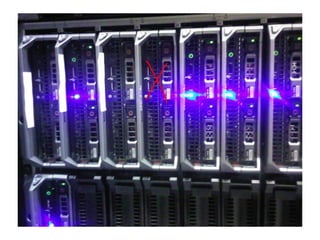
• Servers: Apple XServe / Dell
PowerEdge
• OS: Mac OS X / Redhat Linux
• Storage: Pillar Data Systems SAN
• Network: gigabit Ethernet from MyMedia
servers to campus backbone and
gateway.
Modular service design
•
•
•
•

6 services: front end, upload, conversion, stream, download,
database.
Currently running on 3 servers: can expand to 6 or more as
demand increases.
Target for Fall 2010: file conversion on separate server.
Target for January 2011: full virtualization of most services
allowing for quicker resource allocation. We do virtualization on
Ubuntu Linux using KVM/QEMU.
MyMedia components
UTORauth
MyMedia

stream.library

Storage

media.library
MySQL

User: HTTP, HTTPS
Inter-server: iSCSI, NFS, MySQL, SMB

Media
Conversion
Open Source vs. Proprietary
Rapid application deployment
•
•
•
•
•
•
•

Sudden requirement
Staff pulled away from other projects
Intensive 4 week schedule
Several versions / iterations
Modular application development and testing
Staff flexibility
Management support
What’s next?
• Deepen metadata:
– Preservation metadata (PREMIS)
– Rights metadata: more granular
– Descriptive metadata (CanCore, IEEE LOM)

• Integrate content:
– Build feeds for public content to university search
engines
– Build embed tools for selected targets
(FADIS, Blackboard)

• More tools for content creators:
– Batch upload
– File conversion tailored to purpose
Questions?
Web address:

http://mymedia.library.utoronto.ca
Media server support:
mymedia@library.utoronto.ca
Camtasia video production support:
camtasia.support@utoronto.ca

We welcome your input, suggestions and videos!

My Media at University of Toronto Libraries

  • 1.
  • 2.
    Sian Meikle Digital ServicesLibrarian Information Technology Services University of Toronto Libraries sian.meikle@utoronto.ca
  • 3.
    Overview • How themedia server came to be • How to use the media server • How the media server was built • Rapid application deployment: media server as a case study • What’s next
  • 4.
    Why a mediaserver? • Give university a home for media storage • Provide tools for publishing media to web pages easily • Integrate media resources into discovery tools such as library’s discovery layer, university search engine
  • 5.
    Why a mediaserver? File format Creators can make video in many formats 13 very common formats .3g2 .3gp .asf .asx .avi .flv .mov .mp4 .mpg .rm .swf .vob .wmv 23 common formats .diva .dream .dvr-ms .f4v .fbr .hdmov .m4v .mkv .moi .mpeg .mts .mxf . ogm .rcproject .rmvb .scm .smil .srt .stx .ts .vro .wtv .xvid 172 average or less common file formats .3gp2 .3gpp .3mm .aep .ajp .amv .amx .arf .avb .avs .avs .axm .bik .bin .bix .box .bsf .byu .camrec .cvc .d2v .d3v .dat .dce .dir .dmb .dpg .dv .dvx .dxr .evo .eye .fbz .fcp .flc .flh .fli .flx .gl .grasp .hkm .ifo .imovieproj . imovieproject .ivf .ivr .ivs .izz .izzy .lsf .m1pg .m21 .m21 .m2t .m2ts .m2v .m4u .mgv .mj2 .mjp .mnv .moov . mp21 .mp21 .mpv .mqv .msdvd .msh .mswmm .mtv .mvb .mvc .mvd .ncor .nsv .nvc .ogv .par .pds .piv .playlist .pmf .prel .pro .prproj .pxv .qtch .qtl .qtz .rdb .rec .roq .rp .rts .rts .rum .rv .sbk .scn .sfvidcap .smi .smk .spl .ssm .svi .swi .swt .tda3mt .tivo .tod .tp .tpr .trp .vc1 .vcv .vdo .veg .vf .vgz .vid .viewlet .viv .vivo .vlab .vp6 .vp7 .w32 .wcp .wm .wmd .wmmp .wmx .wp3 .wvx .yuv .zm1 .zm2 .zm3 .zmv .dsy .gvi .m4e .mmv .mod .mpf .mpg2 . mpv2 .scm .60d .dav .ddat .dif .gvp .iva .lsx .m1v .m2a .meta .mjpg .modd .movie .mp2v .mp4v .mpe .pva .qt . sbt .smv .str .vem .vfw MyMedia converts media to just 3 formats for users flash mp4 mp3
  • 6.
    Why a mediaserver? File size. Text: 5 MB / 1000 pgs (5 kb / pg) Sound: 460 MB / hour (128 kb / s) Video: 5 GB / hour ( 1.4 Mb / s)
  • 7.
    Why a mediaserver NOW? • Exploratory work since early 2008 • Commercial options megalithic, expensive • August 2009: pandemic preparedness • Media server built and deployed in 4 weeks
  • 8.
    1. Upload media a) Gotmedia? Upload it to MyMedia b) Need to make media? Use a tool like Camtasia Relay to capture video. Camtasia Relay saves your media to the media server. 2. Describe media Fill in a web form: i) rights: UofT / world ii) play type: stream / download iii) metadata: keywords title description 3. Publish media i) Embed it in your web page ii) Link to it on media server Capture media (eg Camtasia Relay) Upload media 1 2 Describe media Library Media Server Media creator 3 Publish media UofT Portal (Blackboard) University web sites Any web page
  • 9.
    How people usethe media server • Instruction – Lecture capture – 3rd party content – How-to: Library, Blackboard, … • Public access 38% UofT only 62% Scholarship – Conferences, invited lectures • University life – Video contests • NOT live web casting Download / stream 36% Stream only 64%
  • 10.
    Gordon Belray Systems andInterface Designer Information Technology Services University of Toronto Libraries gordon.belray@utoronto.ca
  • 11.
    • Pandemic planningrequired rapid integration with Camtasia Relay server • https://eclasscam1.erin.utoronto.ca/Relay
  • 12.
    • • • • • • • What is streaming? Checksthe connection speed of the user and buffers a small portion of the video using a Flash player Uses RTMP (real time messaging protocol) on a Flash Media Server File formats: Flash (.flv) MPEG4 (.mp4) encoded with H.264 codec, and MP3s Progressive Downloads Media must be downloaded to the end user’s browser Cannot scrub beyond point of download
  • 13.
  • 14.
  • 15.
    • Home page showingprocessed and unprocessed media
  • 16.
  • 17.
    • Example of publishedmedia using the myMedia links
  • 18.
  • 19.
    Bilal Khalid Senior ApplicationDeveloper, Information Technology Services University of Toronto bilal.khalid@utoronto.ca
  • 20.
    Software Components • DatabaseSchema (MySQL 5) • Monitoring script for Camtasia (perl) • MyMedia administrative interface (Java/WebObjects) • Video encoding using ffmpeg • Media viewing interface (PHP)
  • 21.
    Database Schema filedump t_user t_media • Temporarystaging area for files uploaded through Camtasia • Populated by perl script • Stores user information • Populated using LDAP feed, after WebLogin • Maintains media information • Populated by user input/video file analysis Note: A transition to a more comprehensive schema is planned for the next phase of development.
  • 22.
    Camtasia Monitor • Camtasiahas been setup to transfer uploaded user videos to our server • Perl script detects any newly transferred files, creates entry in filedump table • Media file is renamed using randomized string token • Accompanying xml file contains file information (e.g. duration, resolution etc.) • Email sent to user, pointing them to MyMedia application Comic Source: http://www.agileali.com/myblog/2009/10/02/script-to-see-if-perl-is-working-e/
  • 23.
    MyMedia Application • • • • http://mymedia.library.utoronto.ca Media administration Developedin Java/WebObjects Source can be Camtasia OR direct user uploads • WebLogin-based authentication, followed by user profile creation • Media metadata management (e.g. title, description, keywords etc.)
  • 24.
    Media Access Options •Four profiles offered, analogous to server-side directories with permissions – – – – uoft + stream-only uoft + download/stream public + stream-only public + download/stream
  • 25.
    User Uploads/Media Encoding •Alternative to Camtasia • Incoming files encoded using ffmpeg (http://www. ffmpeg.org/) • Many supported file formats (e.g. .avi, .mov, .m4v, . m4a .wmv) "/opt/local/bin/ffmpeg -i /upload-dir/incoming_file -acodec libfaac ab 128k -ar 44100 -r 20 -vcodec libx264 -b 256000 -s 800x600 cmp +chroma -partitions +parti4x4+partp8x8+partb8x8 me_method umh -subq 5 -trellis 1 -refs 2 -bf 1 -coder 1 -me_range 16 -g 300 -keyint_min 25 -sc_threshold 40 -i_qfactor 0.71 -bt 256000 -maxrate 4M -bufsize 4M -rc_eq 'blurCplx^(1-qComp)' qcomp 0.6 -qmin 10 -qmax 51 -qdiff 4 -level 21 /encoded-outputdir/output_file.mp4";
  • 26.
    Media Viewing • • • • • http://media.library.utoronto.ca Written inPHP WebLogin layer activated depending on access permissions of media Basic metadata displayed on page below media LongTail Video - open source player used for media display (http://www.longtailvideo.com/)
  • 27.
    Scenario 1: CamtasiaRecording 1. User generates video via local Camtasia Relay Client 8. Media made viewable at media.library 2. Media uploaded to Camtasia Server, encoded into mp4 3. Media transferred to stream.library Server via SMB mount 7. User edits Media info (stored in ‘t_mediaᾼ) 6. User logs onto MyMedia (via WebLogin) 6b. Profile creation for first-time login (stored in ‘t_userᾼ) 4. Perl script detects file, creates entry in ‘filedumpᾼ 5. Email with link to MyMedia sent to user
  • 28.
    Scenario 2: DirectFile Upload 1. User obtains Media by own means 2. User logs onto MyMedia (via WebLogin) 3. User uploads Media to Server 4. User edits Media info (stored in ‘t_mediaᾼ) 2b. Profile creation for first-time login (stored in ‘t_userᾼ) 6. Media made viewable at media.library 5. Media encoded using ffmpeg
  • 29.
    Graham Stewart Network andStorage Services Manager, Information Technology Services University of Toronto graham. stewart@utoronto.ca
  • 30.
    MyMedia hardware • Servers:Apple XServe / Dell PowerEdge • OS: Mac OS X / Redhat Linux • Storage: Pillar Data Systems SAN • Network: gigabit Ethernet from MyMedia servers to campus backbone and gateway.
  • 31.
    Modular service design • • • • 6services: front end, upload, conversion, stream, download, database. Currently running on 3 servers: can expand to 6 or more as demand increases. Target for Fall 2010: file conversion on separate server. Target for January 2011: full virtualization of most services allowing for quicker resource allocation. We do virtualization on Ubuntu Linux using KVM/QEMU.
  • 51.
    MyMedia components UTORauth MyMedia stream.library Storage media.library MySQL User: HTTP,HTTPS Inter-server: iSCSI, NFS, MySQL, SMB Media Conversion
  • 52.
    Open Source vs.Proprietary
  • 53.
    Rapid application deployment • • • • • • • Suddenrequirement Staff pulled away from other projects Intensive 4 week schedule Several versions / iterations Modular application development and testing Staff flexibility Management support
  • 54.
    What’s next? • Deepenmetadata: – Preservation metadata (PREMIS) – Rights metadata: more granular – Descriptive metadata (CanCore, IEEE LOM) • Integrate content: – Build feeds for public content to university search engines – Build embed tools for selected targets (FADIS, Blackboard) • More tools for content creators: – Batch upload – File conversion tailored to purpose
  • 55.
    Questions? Web address: http://mymedia.library.utoronto.ca Media serversupport: mymedia@library.utoronto.ca Camtasia video production support: camtasia.support@utoronto.ca We welcome your input, suggestions and videos!