26th
Mar 2022
Thiruvananthapuram MuleSoft
Meetup Group
Anypoint DataGraph and Async APIs
2
● Introductions
● Anypoint Datagraph
● Async API
● Networking time
Agenda
3
● About the organizer:
○ Vikalp Bhalia (Apisero - Associate Solution Architect)
○ Snehal Kulat (Persistent Systems)
○ Dinesh Garg (Apisero - Solution Architect)
Introductions
A SHOW OF HANDS:
Who is new to this Meetup?
Overview and Demo
Anypoint DataGraph
5
● Anypoint DataGraph is a component of Anypoint Platform which allows us to unify APIs into one
data service. Enterprise architects can easily unify APIs into one data service — all without
writing more code. Developers can consume multiple APIs from the data service in a single
GraphQL request.
● Create a unified schema of your APIs to democratize data access across your org
● Run the DataGraph as a SaaS app to reduce overhead and maintenance
● Consume and reuse multiple APIs in a single GraphQL request to innovate faster
● With Anypoint DataGraph you can: 
○ Dynamically query data from a unified schema
○ Explore your application network from a single UI
○ Discover, reuse, and serve information from your application network without writing new code
Anypoint DataGraph Overview
6
● A query language for your API
● GraphQL is a query language for APIs and a runtime for fulfilling those queries with your
existing data.
● GraphQL provides a complete and understandable description of the data in your API, gives
clients the power to ask for exactly what they need and nothing more, makes it easier to
evolve APIs over time, and enables powerful developer tools.
What is GraphQL?
7
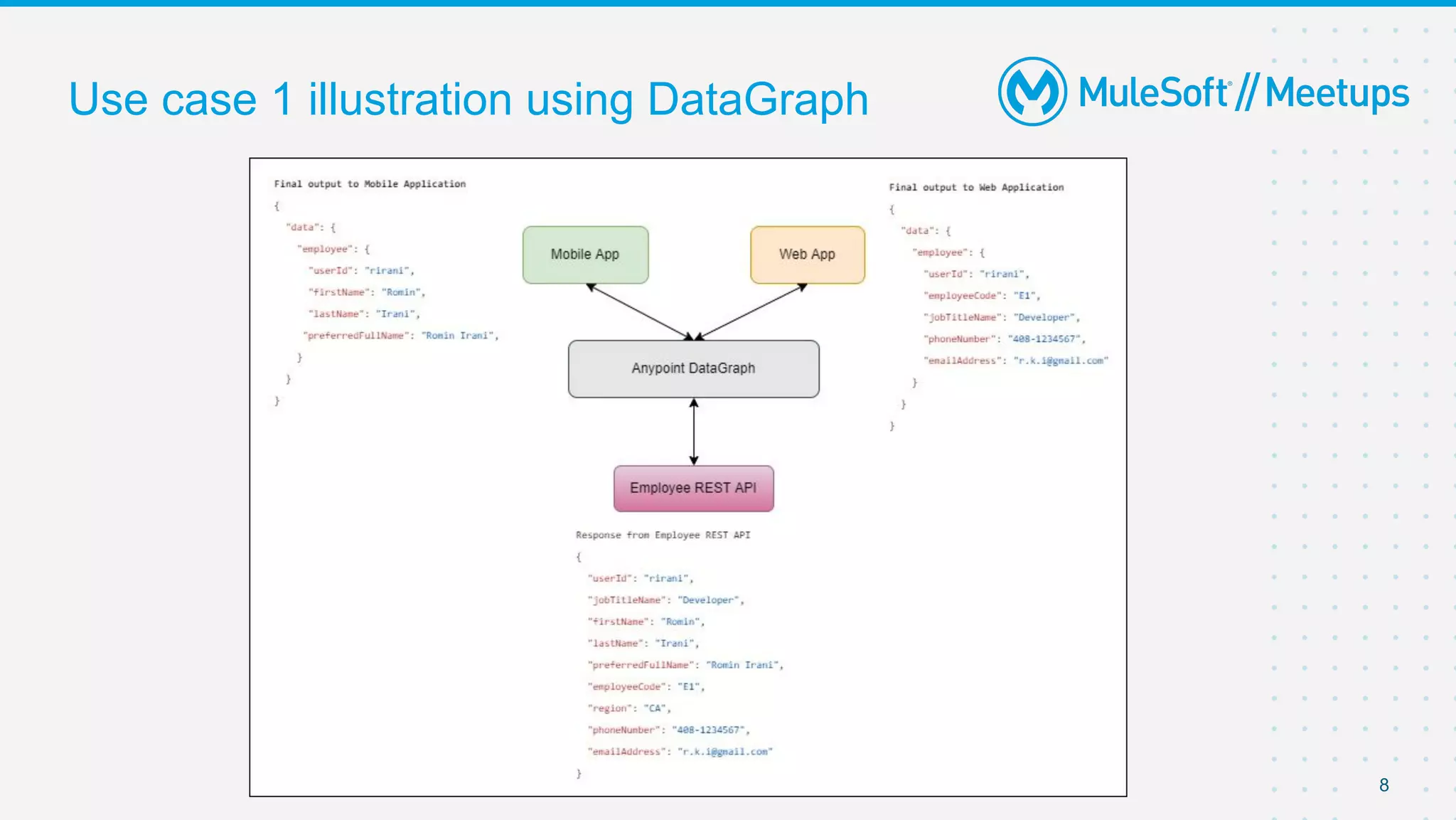
● Let’s consider a scenario, you have REST API that returns 10 fields in response but mobile
application requires only 4 fields whereas web application requires 5 fields. In such cases
DataGraph is one of the most optimal options where the client can pass whatever data
required
as input request, and DataGraph will return the required fields to the mobile application and
web
application. Below is the illustration of Use case 1.
Use case 1
8
Use case 1 illustration using DataGraph
9
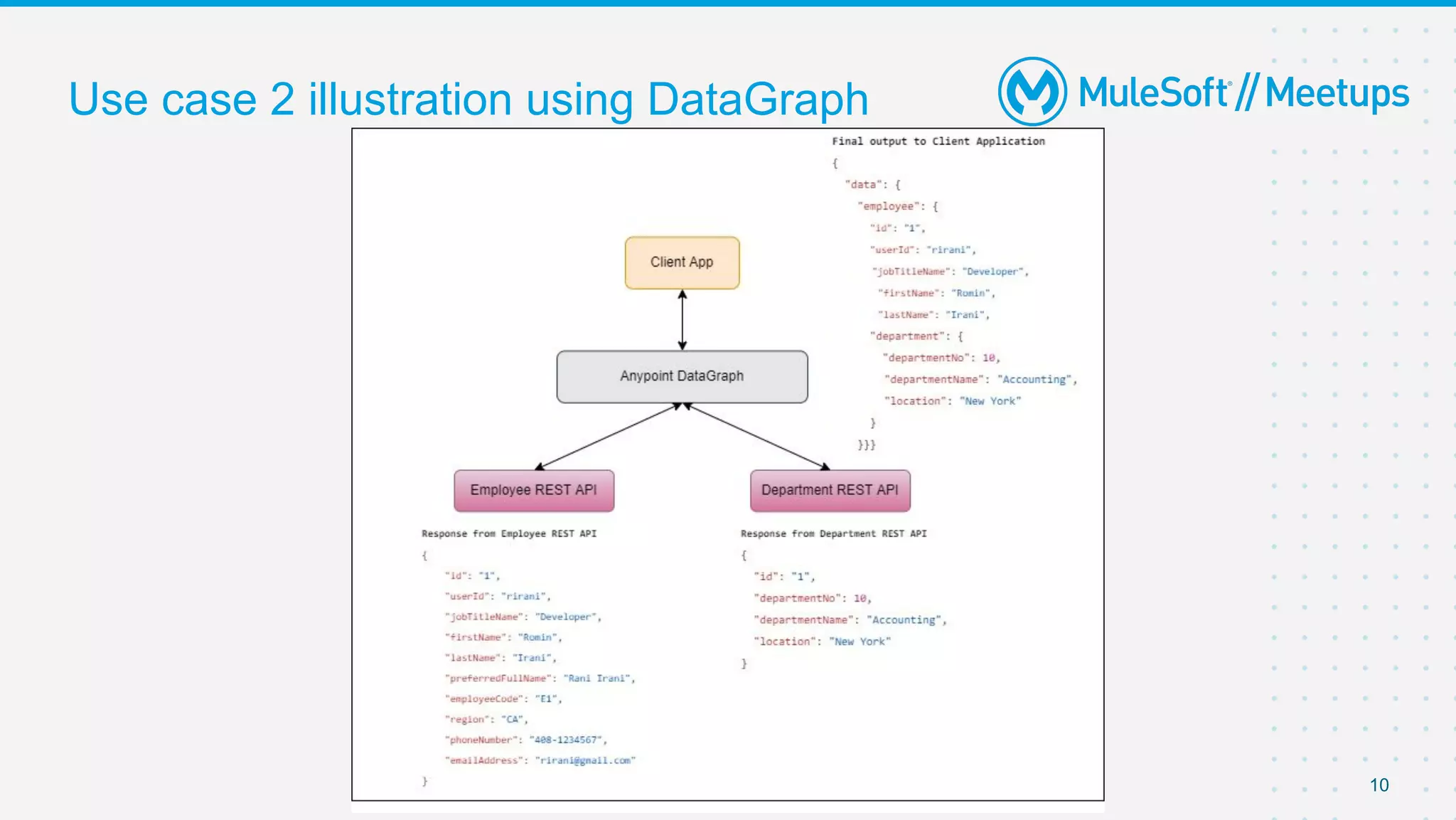
● Let’s consider a scenario, where you have to call multiple REST APIs or want to fetch data
from multiple REST APIs and each API will respond with JSON payload. GraphQL will
aggregate all the responses and send back the required data to the client. Below is the
illustration of Use case 2.
Use case 2
10
Use case 2 illustration using DataGraph
11
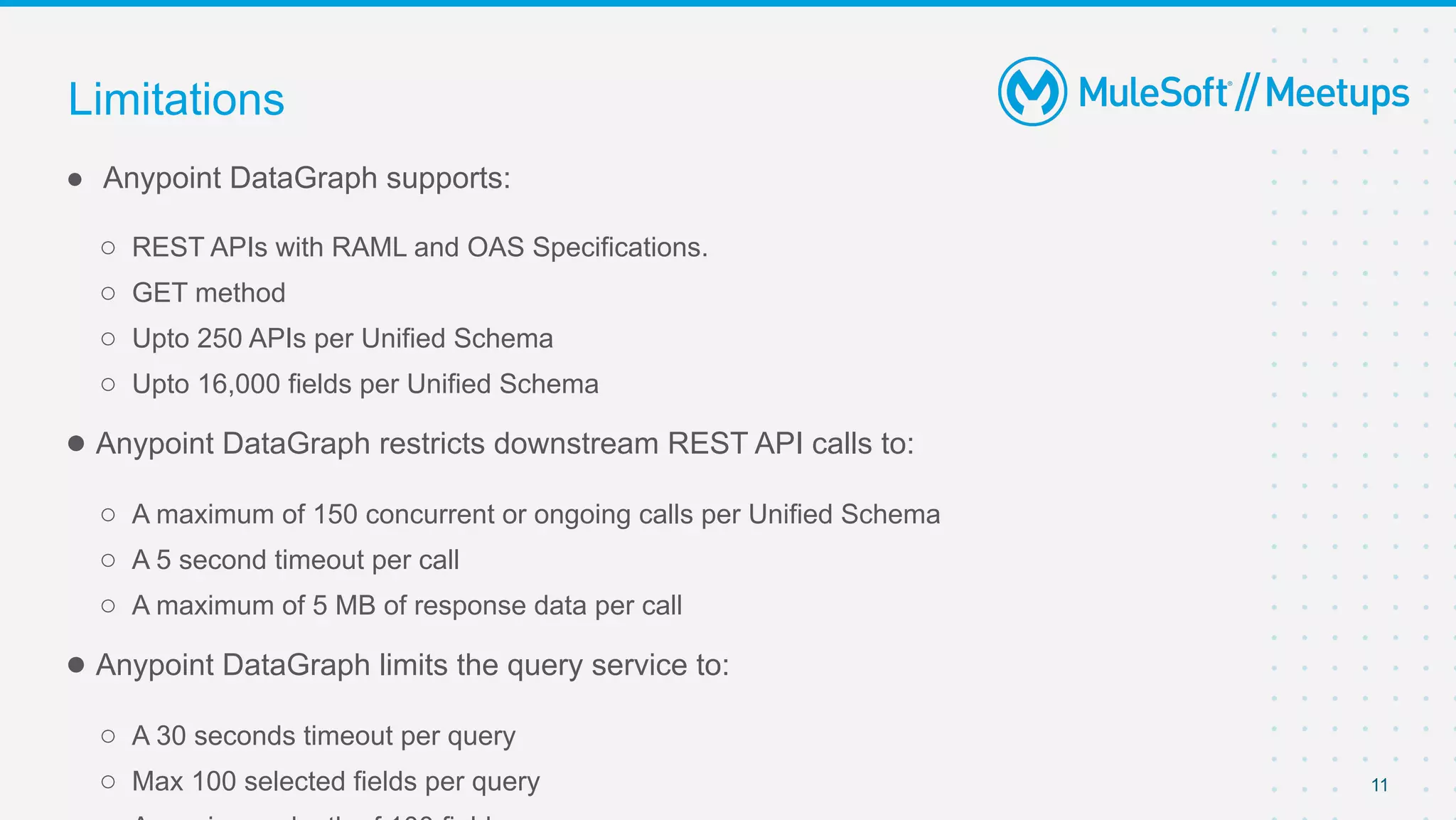
● Anypoint DataGraph supports:
○ REST APIs with RAML and OAS Specifications.
○ GET method
○ Upto 250 APIs per Unified Schema
○ Upto 16,000 fields per Unified Schema
● Anypoint DataGraph restricts downstream REST API calls to:
○ A maximum of 150 concurrent or ongoing calls per Unified Schema
○ A 5 second timeout per call
○ A maximum of 5 MB of response data per call
● Anypoint DataGraph limits the query service to:
○ A 30 seconds timeout per query
○ Max 100 selected fields per query
Limitations
12
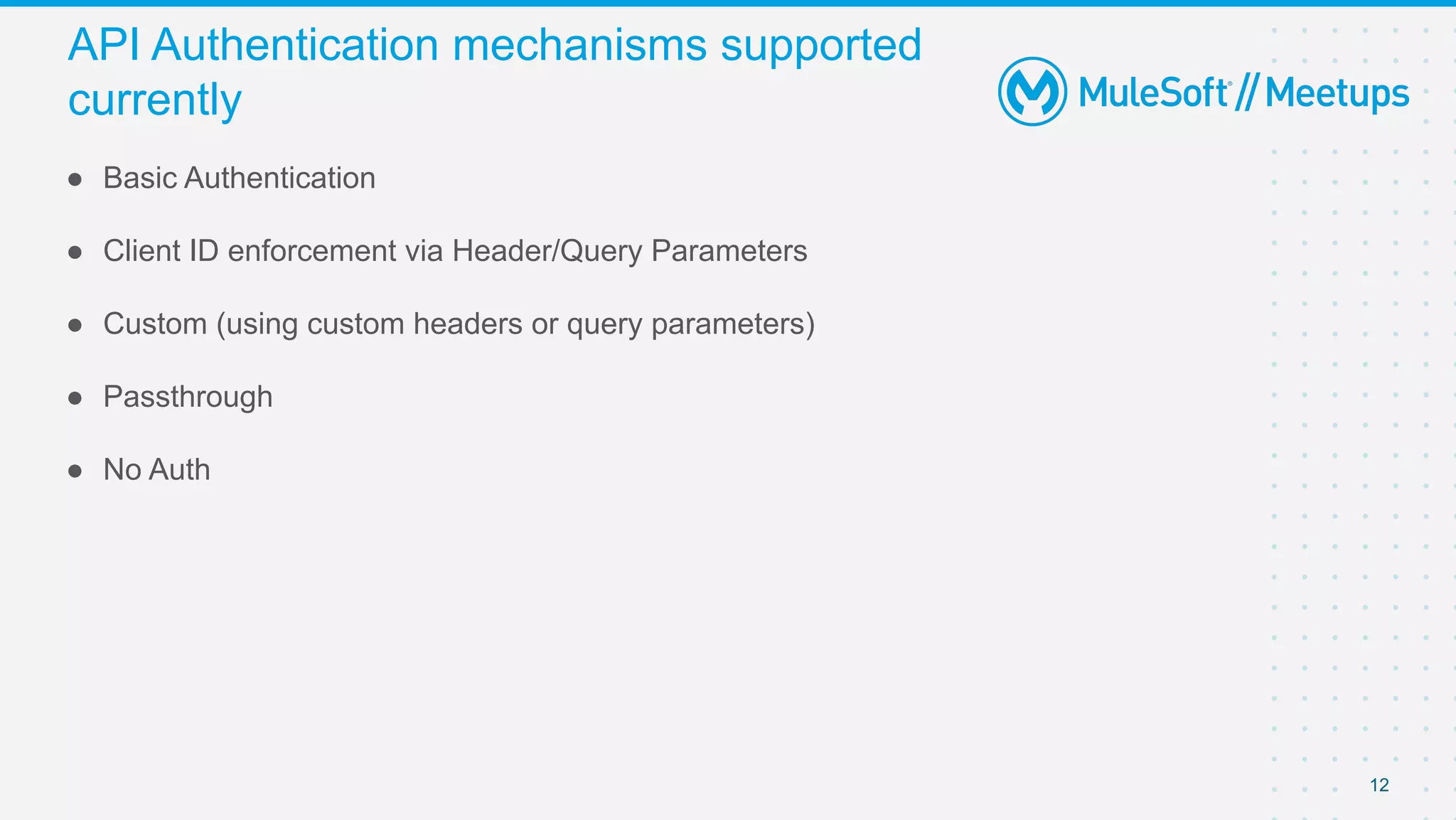
● Basic Authentication
● Client ID enforcement via Header/Query Parameters
● Custom (using custom headers or query parameters)
● Passthrough
● No Auth
API Authentication mechanisms supported
currently
Overview and Demo
Async API
14
● 98.5% of API polls do not return any new information
● Excessive coupling limits flexibility to add new services
● Failures cascade through all the coupled services
● Response times to the customer are slow
Common problems with synchronous
communication
15
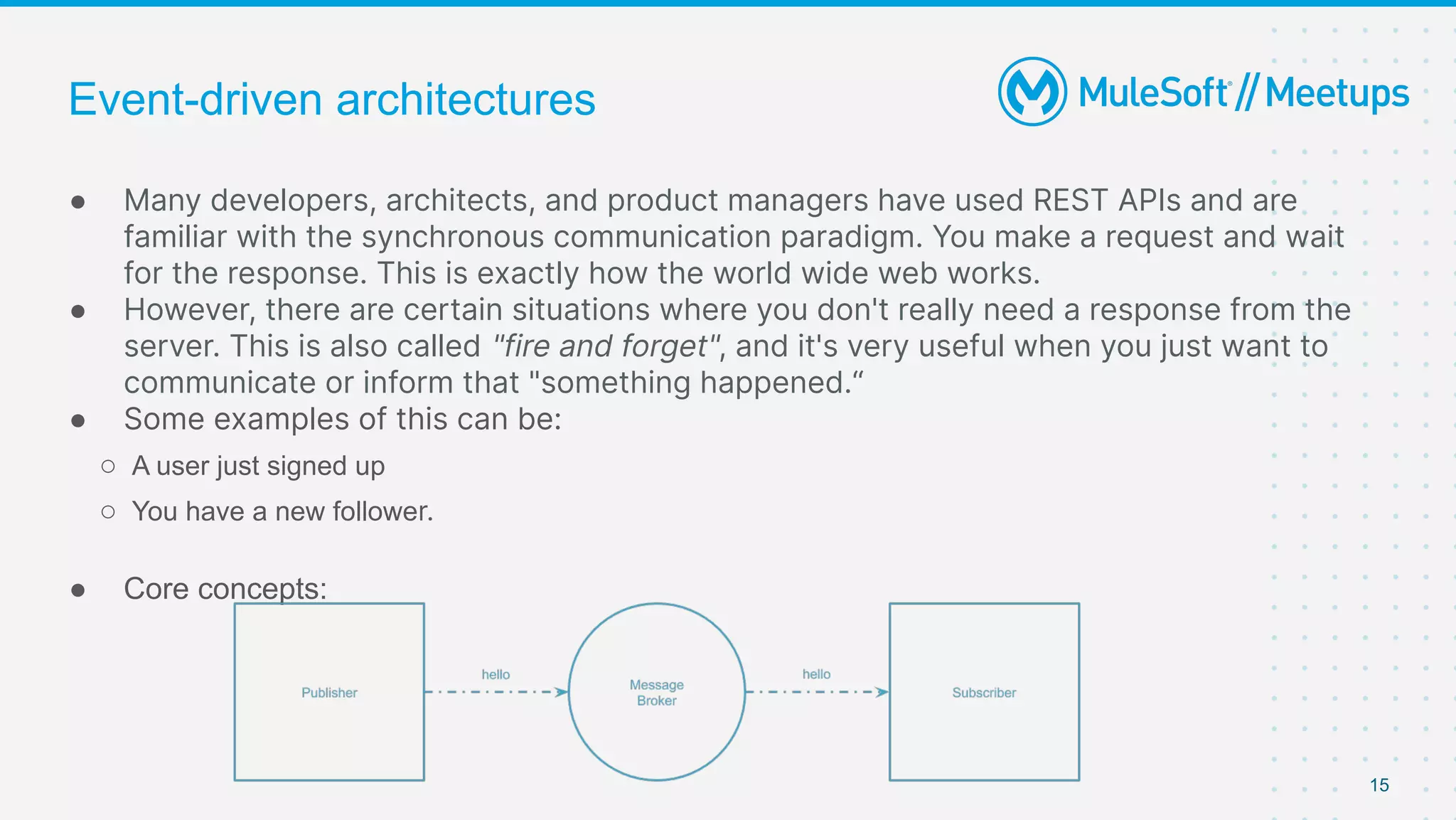
● Many developers, architects, and product managers have used REST APIs and are
familiar with the synchronous communication paradigm. You make a request and wait
for the response. This is exactly how the world wide web works.
● However, there are certain situations where you don't really need a response from the
server. This is also called "fire and forget", and it's very useful when you just want to
communicate or inform that "something happened.“
● Some examples of this can be:
○ A user just signed up
○ You have a new follower.
● Core concepts:
Event-driven architectures
16
Event-driven architectures have existed for decades, promising to deliver powerful, loosely
coupled experiences which are highly adaptable and responsive.
Unfortunately, the biggest challenges impeding the widespread adoption of event-driven
architectures have been three-fold:
● Visibility: Developers lack visibility into existing events, their current use, and details on how
to reuse an existing event.
● Governance: IT teams lack industry-standard best practices and conventions for defining
machine and human-readable event-driven APIs.
● Discovery: Developers need to work with multiple protocols (JMS, MQTT, AMQP, Kafka, etc.),
which can be challenging.
Challenges with event-driven architectures
17
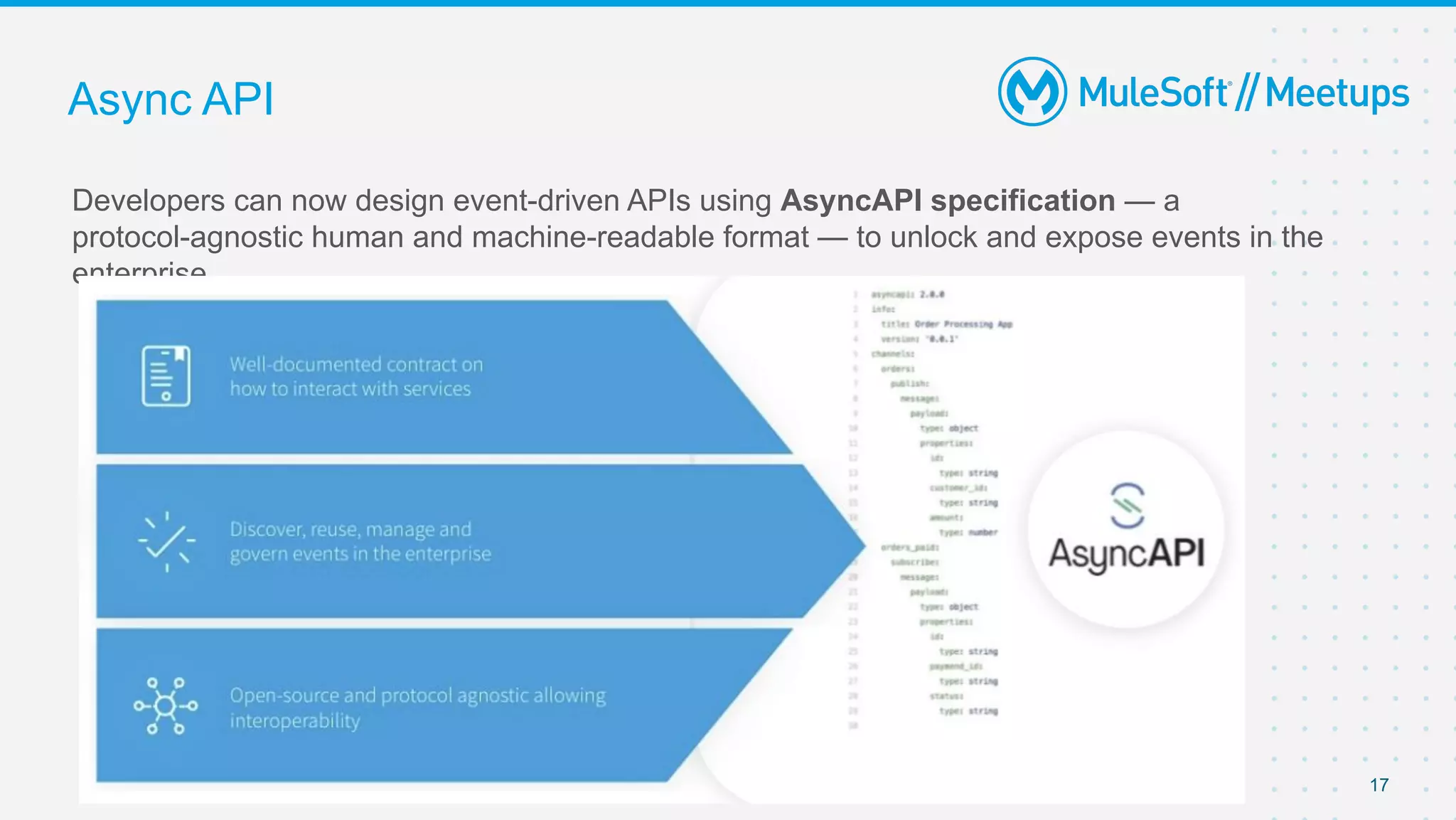
Developers can now design event-driven APIs using AsyncAPI specification — a
protocol-agnostic human and machine-readable format — to unlock and expose events in the
enterprise.
Async API
18
Async API – Mulesoft scope
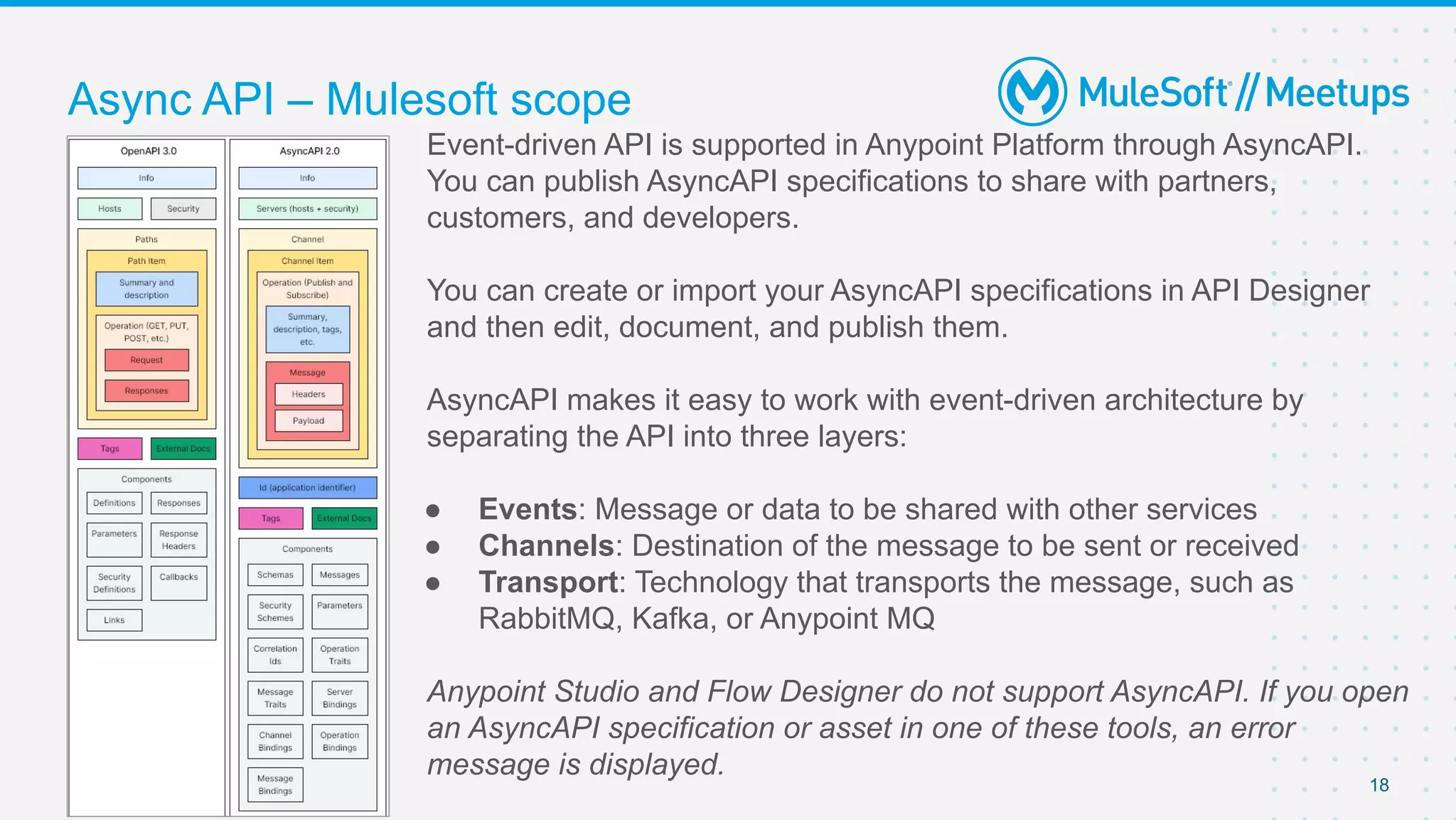
Event-driven API is supported in Anypoint Platform through AsyncAPI.
You can publish AsyncAPI specifications to share with partners,
customers, and developers.
You can create or import your AsyncAPI specifications in API Designer
and then edit, document, and publish them.
AsyncAPI makes it easy to work with event-driven architecture by
separating the API into three layers:
● Events: Message or data to be shared with other services
● Channels: Destination of the message to be sent or received
● Transport: Technology that transports the message, such as
RabbitMQ, Kafka, or Anypoint MQ
Anypoint Studio and Flow Designer do not support AsyncAPI. If you open
an AsyncAPI specification or asset in one of these tools, an error
message is displayed.
19
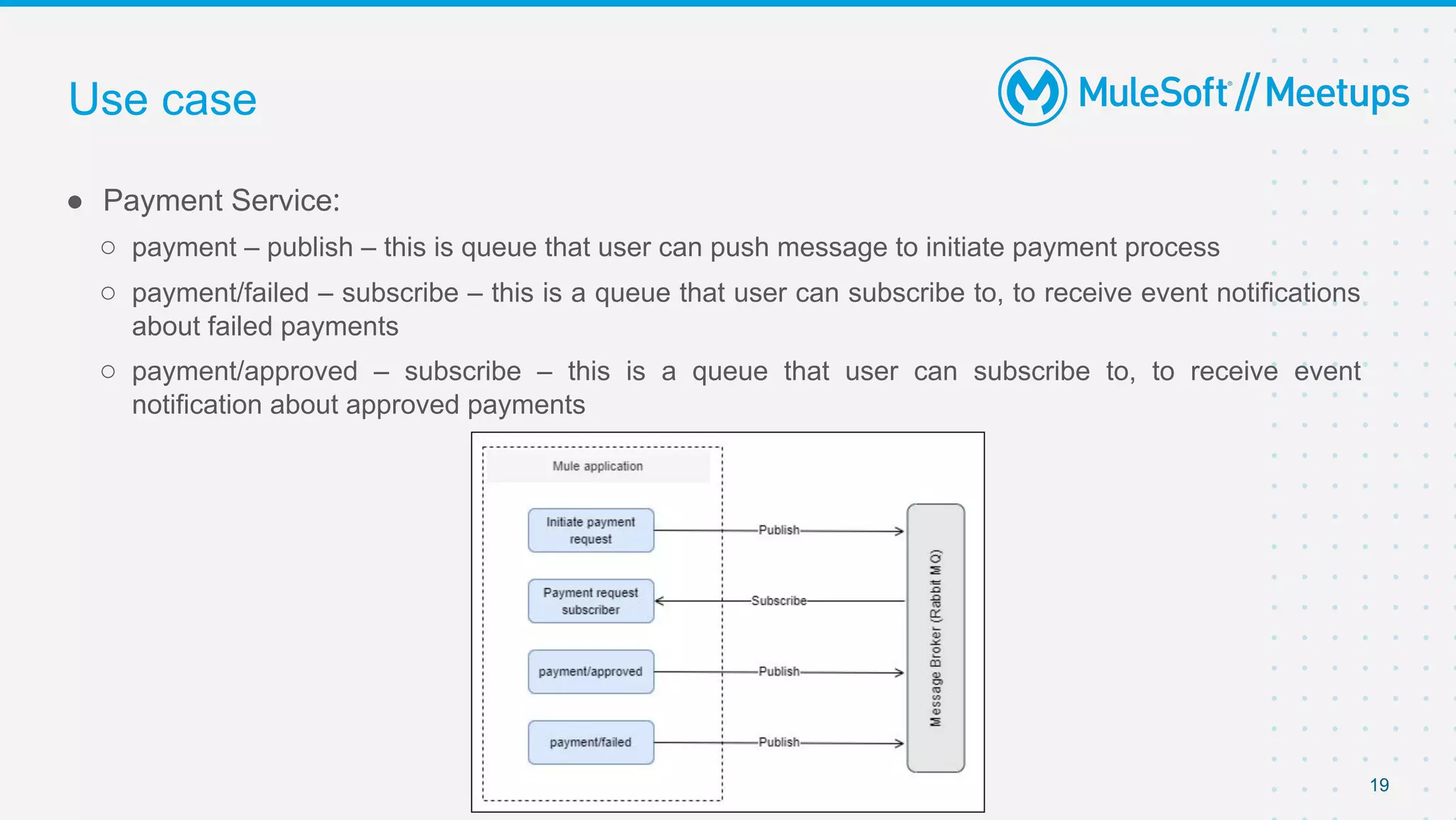
● Payment Service: 
○ payment – publish – this is queue that user can push message to initiate payment process
○ payment/failed – subscribe – this is a queue that user can subscribe to, to receive event notifications
about failed payments
○ payment/approved – subscribe – this is a queue that user can subscribe to, to receive event
notification about approved payments
Use case
20
● Share:
○ Tweet using the hashtag #MuleSoftMeetups
○ https://meetups.mulesoft.com/thiruvananthapuram/
● Feedback:
○ Fill out the survey feedback and suggest topics for upcoming events
○ Contact MuleSoft at meetups@mulesoft.com for ways to improve the program
What’s next?
Introduce yourself to your neighbor
Networking time
Thank you

MuleSoft_Meetup_Datagraph and Async APIs.pptx.pdf

  • 1.
    26th Mar 2022 Thiruvananthapuram MuleSoft MeetupGroup Anypoint DataGraph and Async APIs
  • 2.
    2 ● Introductions ● AnypointDatagraph ● Async API ● Networking time Agenda
  • 3.
    3 ● About theorganizer: ○ Vikalp Bhalia (Apisero - Associate Solution Architect) ○ Snehal Kulat (Persistent Systems) ○ Dinesh Garg (Apisero - Solution Architect) Introductions A SHOW OF HANDS: Who is new to this Meetup?
  • 4.
  • 5.
    5 ● Anypoint DataGraphis a component of Anypoint Platform which allows us to unify APIs into one data service. Enterprise architects can easily unify APIs into one data service — all without writing more code. Developers can consume multiple APIs from the data service in a single GraphQL request. ● Create a unified schema of your APIs to democratize data access across your org ● Run the DataGraph as a SaaS app to reduce overhead and maintenance ● Consume and reuse multiple APIs in a single GraphQL request to innovate faster ● With Anypoint DataGraph you can:  ○ Dynamically query data from a unified schema ○ Explore your application network from a single UI ○ Discover, reuse, and serve information from your application network without writing new code Anypoint DataGraph Overview
  • 6.
    6 ● A querylanguage for your API ● GraphQL is a query language for APIs and a runtime for fulfilling those queries with your existing data. ● GraphQL provides a complete and understandable description of the data in your API, gives clients the power to ask for exactly what they need and nothing more, makes it easier to evolve APIs over time, and enables powerful developer tools. What is GraphQL?
  • 7.
    7 ● Let’s considera scenario, you have REST API that returns 10 fields in response but mobile application requires only 4 fields whereas web application requires 5 fields. In such cases DataGraph is one of the most optimal options where the client can pass whatever data required as input request, and DataGraph will return the required fields to the mobile application and web application. Below is the illustration of Use case 1. Use case 1
  • 8.
    8 Use case 1illustration using DataGraph
  • 9.
    9 ● Let’s considera scenario, where you have to call multiple REST APIs or want to fetch data from multiple REST APIs and each API will respond with JSON payload. GraphQL will aggregate all the responses and send back the required data to the client. Below is the illustration of Use case 2. Use case 2
  • 10.
    10 Use case 2illustration using DataGraph
  • 11.
    11 ● Anypoint DataGraphsupports: ○ REST APIs with RAML and OAS Specifications. ○ GET method ○ Upto 250 APIs per Unified Schema ○ Upto 16,000 fields per Unified Schema ● Anypoint DataGraph restricts downstream REST API calls to: ○ A maximum of 150 concurrent or ongoing calls per Unified Schema ○ A 5 second timeout per call ○ A maximum of 5 MB of response data per call ● Anypoint DataGraph limits the query service to: ○ A 30 seconds timeout per query ○ Max 100 selected fields per query Limitations
  • 12.
    12 ● Basic Authentication ●Client ID enforcement via Header/Query Parameters ● Custom (using custom headers or query parameters) ● Passthrough ● No Auth API Authentication mechanisms supported currently
  • 13.
  • 14.
    14 ● 98.5% ofAPI polls do not return any new information ● Excessive coupling limits flexibility to add new services ● Failures cascade through all the coupled services ● Response times to the customer are slow Common problems with synchronous communication
  • 15.
    15 ● Many developers,architects, and product managers have used REST APIs and are familiar with the synchronous communication paradigm. You make a request and wait for the response. This is exactly how the world wide web works. ● However, there are certain situations where you don't really need a response from the server. This is also called "fire and forget", and it's very useful when you just want to communicate or inform that "something happened.“ ● Some examples of this can be: ○ A user just signed up ○ You have a new follower. ● Core concepts: Event-driven architectures
  • 16.
    16 Event-driven architectures haveexisted for decades, promising to deliver powerful, loosely coupled experiences which are highly adaptable and responsive. Unfortunately, the biggest challenges impeding the widespread adoption of event-driven architectures have been three-fold: ● Visibility: Developers lack visibility into existing events, their current use, and details on how to reuse an existing event. ● Governance: IT teams lack industry-standard best practices and conventions for defining machine and human-readable event-driven APIs. ● Discovery: Developers need to work with multiple protocols (JMS, MQTT, AMQP, Kafka, etc.), which can be challenging. Challenges with event-driven architectures
  • 17.
    17 Developers can nowdesign event-driven APIs using AsyncAPI specification — a protocol-agnostic human and machine-readable format — to unlock and expose events in the enterprise. Async API
  • 18.
    18 Async API –Mulesoft scope Event-driven API is supported in Anypoint Platform through AsyncAPI. You can publish AsyncAPI specifications to share with partners, customers, and developers. You can create or import your AsyncAPI specifications in API Designer and then edit, document, and publish them. AsyncAPI makes it easy to work with event-driven architecture by separating the API into three layers: ● Events: Message or data to be shared with other services ● Channels: Destination of the message to be sent or received ● Transport: Technology that transports the message, such as RabbitMQ, Kafka, or Anypoint MQ Anypoint Studio and Flow Designer do not support AsyncAPI. If you open an AsyncAPI specification or asset in one of these tools, an error message is displayed.
  • 19.
    19 ● Payment Service:  ○payment – publish – this is queue that user can push message to initiate payment process ○ payment/failed – subscribe – this is a queue that user can subscribe to, to receive event notifications about failed payments ○ payment/approved – subscribe – this is a queue that user can subscribe to, to receive event notification about approved payments Use case
  • 20.
    20 ● Share: ○ Tweetusing the hashtag #MuleSoftMeetups ○ https://meetups.mulesoft.com/thiruvananthapuram/ ● Feedback: ○ Fill out the survey feedback and suggest topics for upcoming events ○ Contact MuleSoft at meetups@mulesoft.com for ways to improve the program What’s next?
  • 21.
    Introduce yourself toyour neighbor Networking time
  • 22.