Pune MuleSoft Meetup Group
Build Smooth FLOW-ING Solution using Mulesoft
Hyperautomation
15th July 2023
Safe Harbour Statement
● Both the speaker and the host are organizing this meet-up in individual capacity
only. We are not representing our companies here.
● This presentation is strictly for learning purposes only. Organizer/Presenter do not
hold any responsibility that same solution will work for your business
requirements.
● This presentation is not meant for any promotional activities.
A recording of this meetup will be uploaded to events page within 24 hours.
Questions can be submitted/asked at any time in the Chat/Questions & Answers Tab.
Make it more Interactive!!!
Give us feedback! Rate this meetup session by filling feedback form at the end of the day.
We Love Feedbacks!!! Its Bread & Butter for Meetup.
Housekeeping
3
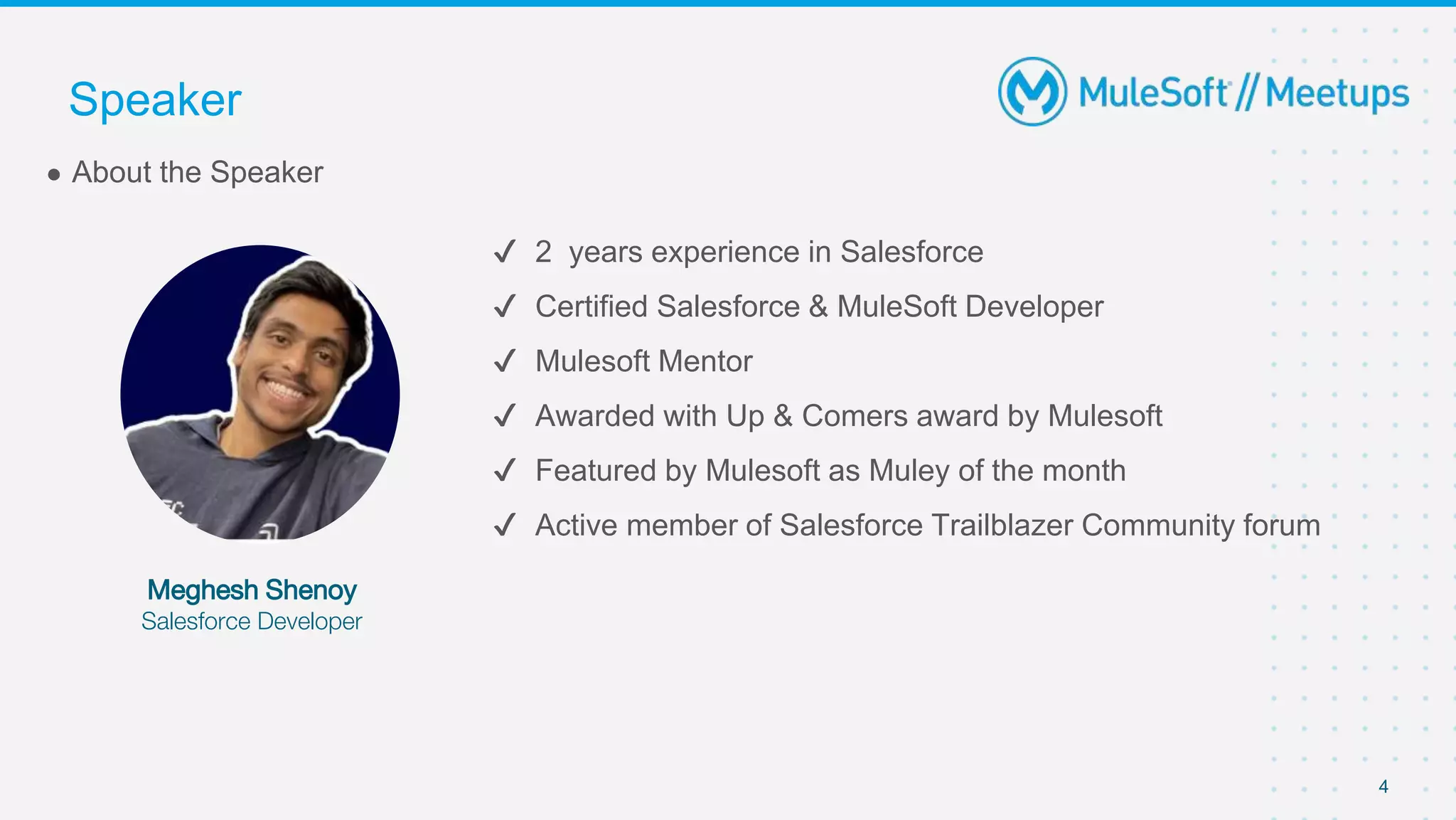
✔ 2 years experience in Salesforce
✔ Certified Salesforce & MuleSoft Developer
✔ Mulesoft Mentor
✔ Awarded with Up & Comers award by Mulesoft
✔ Featured by Mulesoft as Muley of the month
✔ Active member of Salesforce Trailblazer Community forum
● About the Speaker
Meghesh Shenoy
Salesforce Developer
Speaker
4
5
● Explore the components in Salesforce Hyperautomation
● What are Salesforce Lightning Flows
● Different types of Lightning Flows
● Explore few scenarios using the Flows
● What are Mulesoft Composer Flows
● Demo using Mulesoft Composer Flows
● Q/A
Agenda
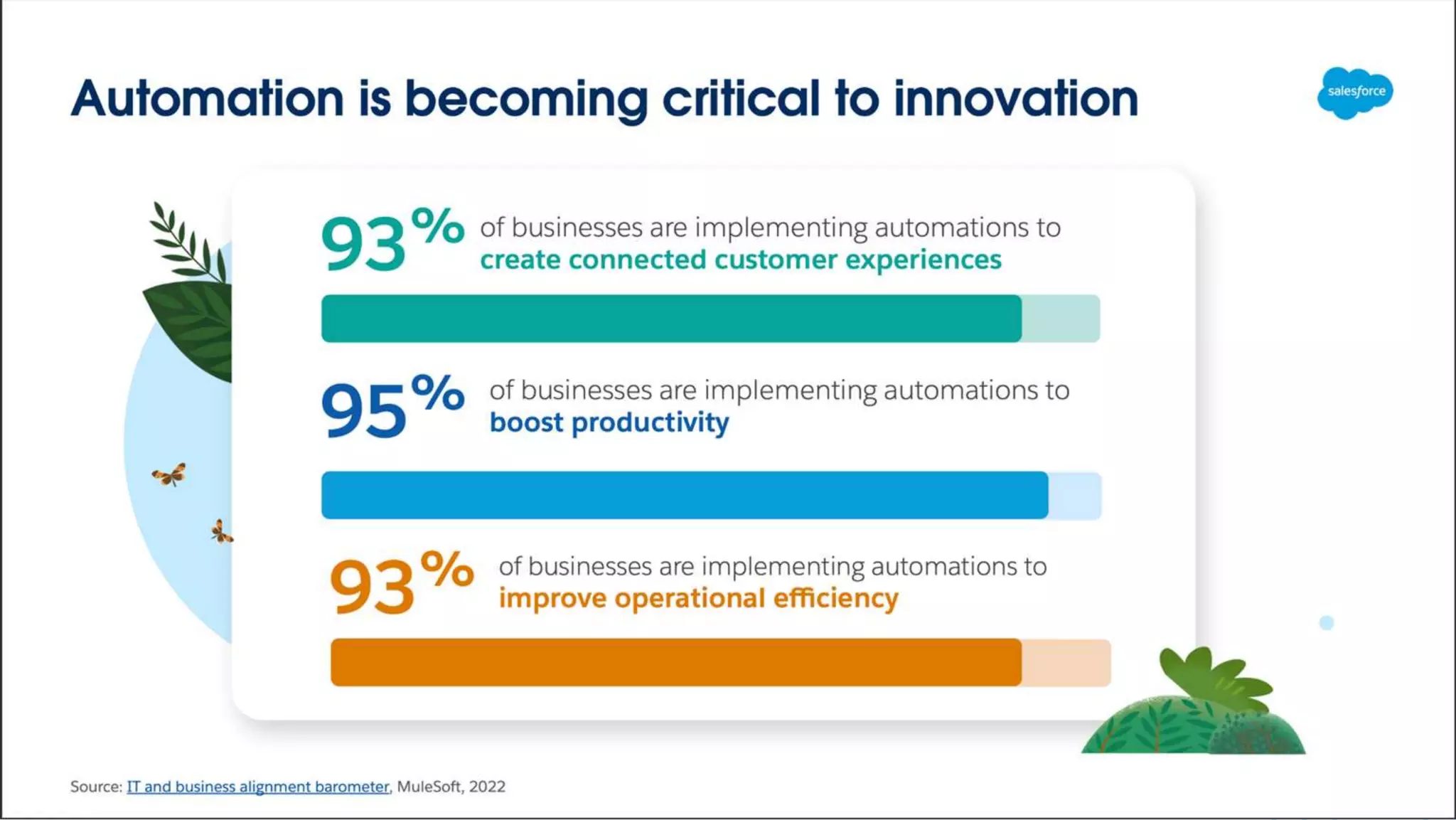
Why to use Automation ?
Components of Salesforce
Hyperautomation
Components of Salesforce Hyperautomation
9
● Mulesoft Anypoint Platform
● Mulesoft RPA
● Mulesoft Composer
● Salesforce Lightning Flows
● Salesforce Einstein Bot
● Flow Orchestrator
Salesforce Lightning Flows
● There are 5 different types of Flows
a. Screen Flow
b. Record Triggered Flow
c. Autolaunched Flow
d. Schedule - Triggered Flow
e. Platform Event - Triggered Flow
11
Salesforce Lightning Flows
Sales Manager at Northern Trail Outfitters has requested for a form
where they can quickly fill up the Customer details and create Leads
for those Customers in their Salesforce Org.
12
Salesforce Lightning Flows
Screen Flow
Salesforce Lightning Flows
● A screen is a page that the user sees on their screen.
● Each page is defined by a single Screen element on the flow canvas. It doesn’t
have to take up the user’s whole monitor screen.
● Even if the flow is embedded in just a small part of your Salesforce window, it’s
still called a screen.
● The Elements which the user can see and interact with are embedded into the
screen flows
14
Salesforce Lightning Flows
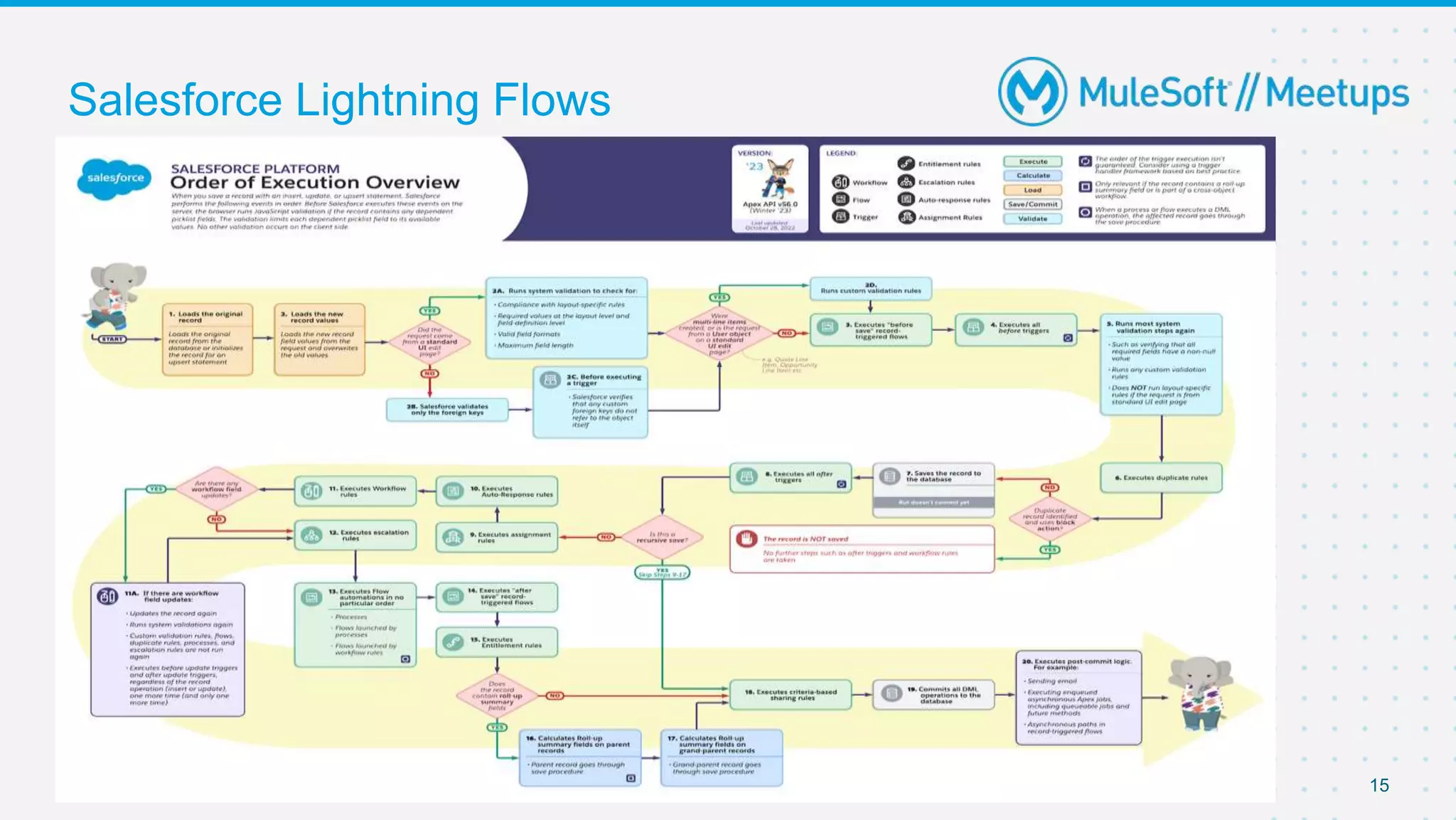
15
Salesforce Lightning Flows
● Sales Manager at Northern Trail Outfitters has now requested
that whenever a Lead is created in their Salesforce Org with
Lead Status as “Hot” when the customer user knows someone
from your company.
16
Salesforce Lightning Flows
Record Triggered
Flow
Salesforce Lightning Flows
● Sales Manager at Northern Trail Outfitters has now demanded
that the Lead having Rating as Hot should also receive a
acknowledgement email after having the customer entered their
details.
18
Salesforce Lightning Flows
Record Triggered
Flow
Salesforce Lightning Flows
Sales Manager at Northern Trail Outfitters has now demanded
that the an email should be sent to all the Customer Leads on
their Birthday !
20
Salesforce Lightning Flows
21
Sch. Triggered
Flow
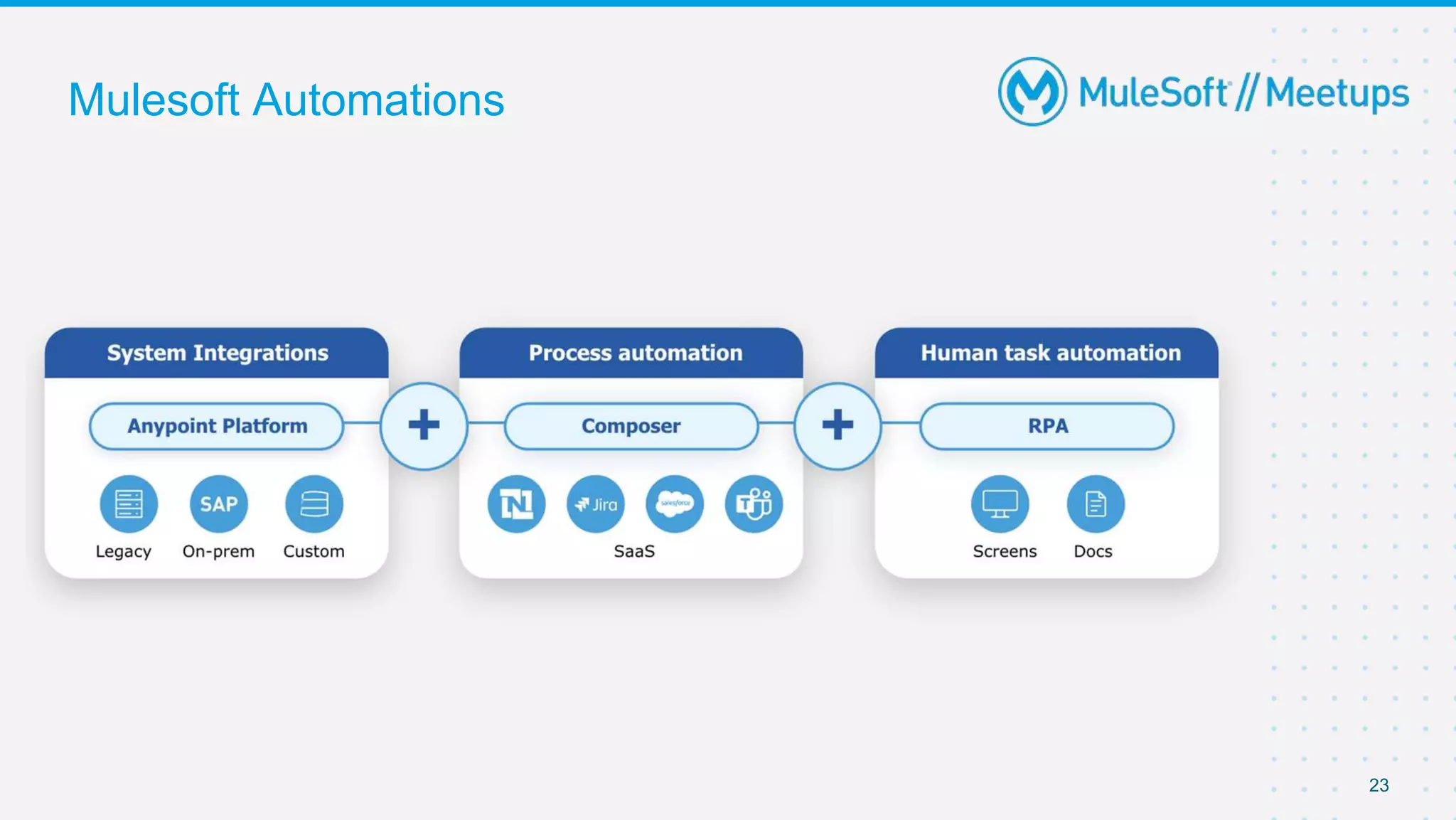
Mulesoft Automation
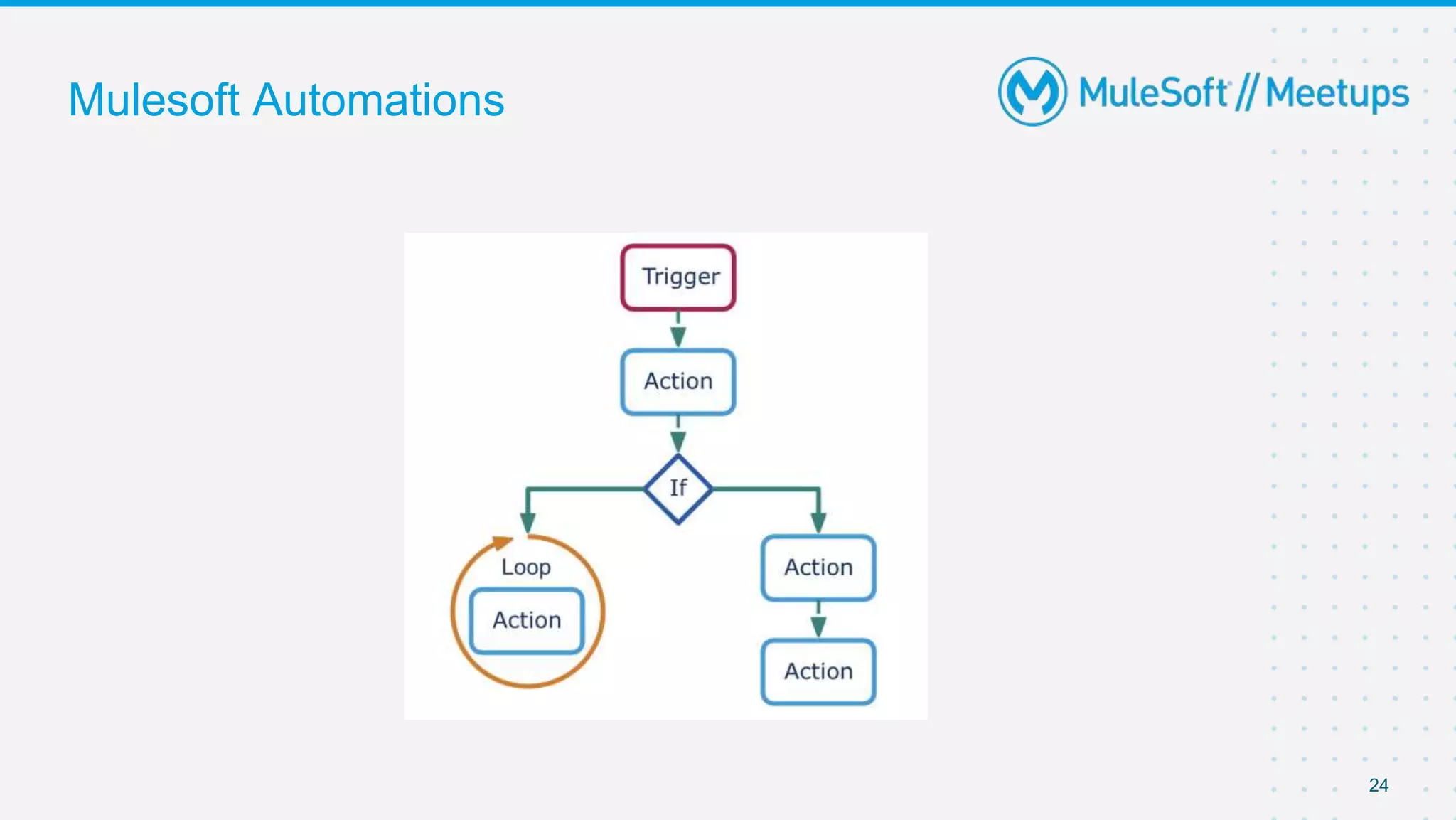
Mulesoft Automations
23
Mulesoft Automations
24
Implementation Demo
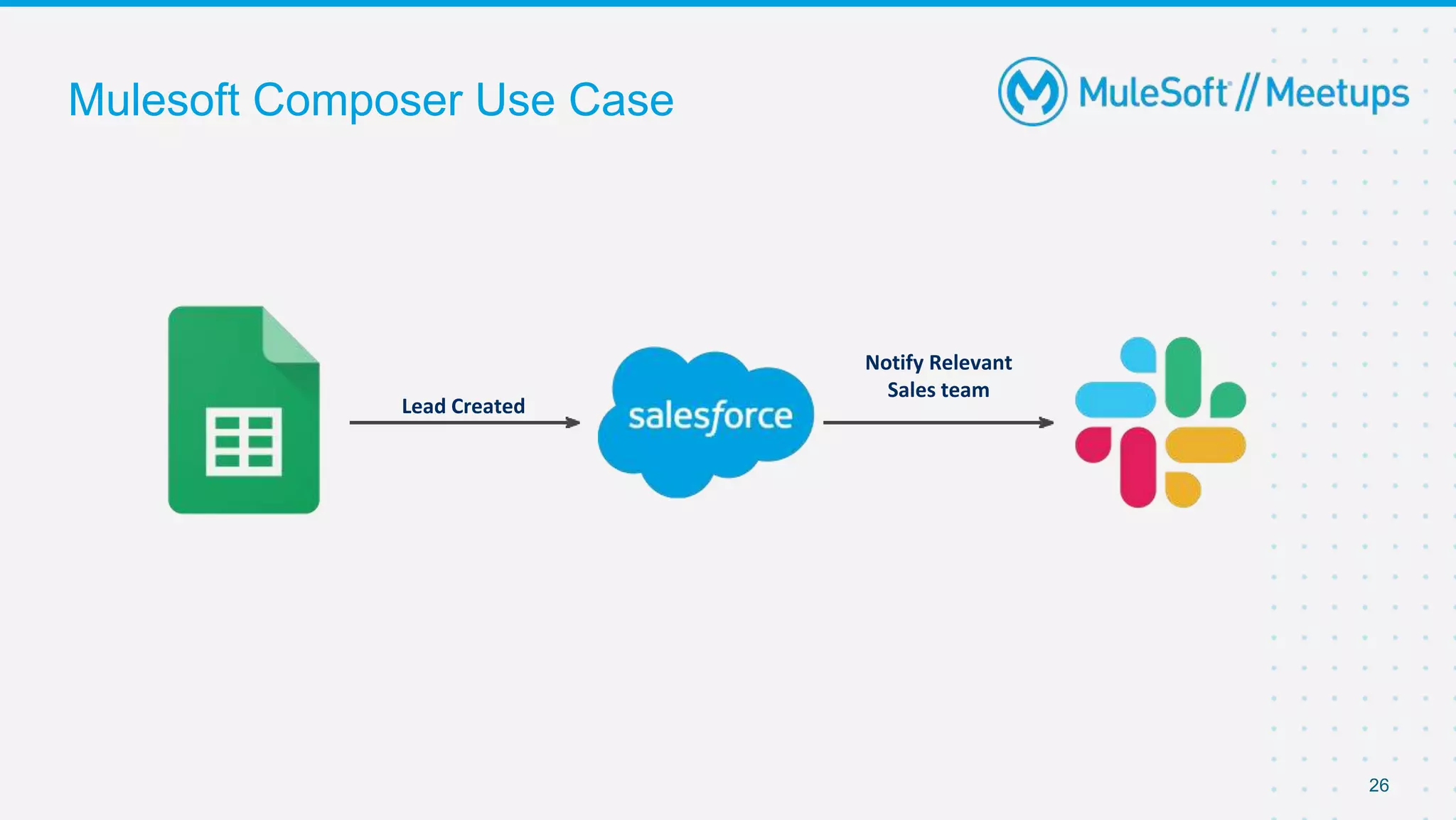
Mulesoft Composer Use Case
26
Lead Created
Notify Relevant
Sales team
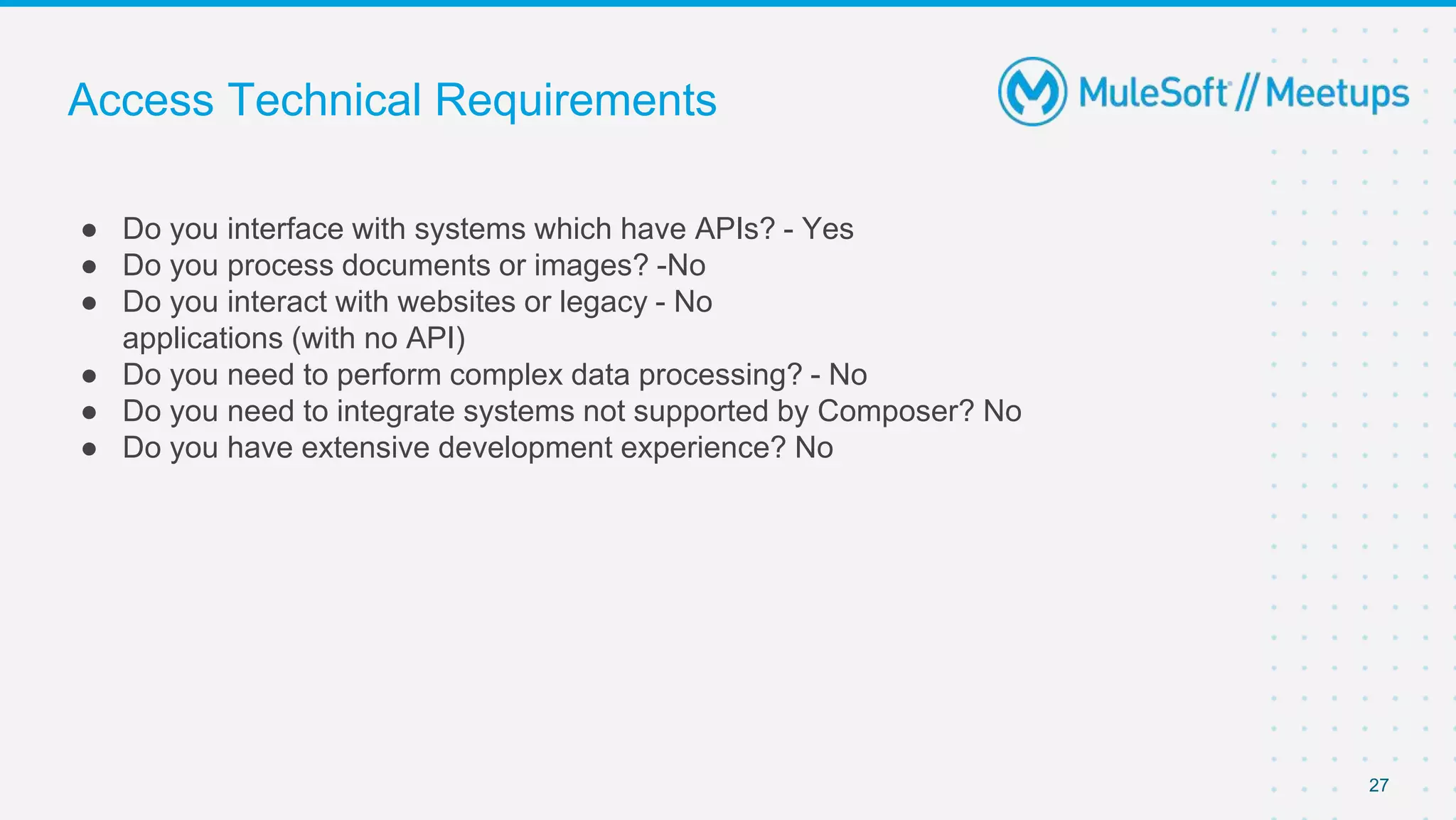
Access Technical Requirements
● Do you interface with systems which have APIs? - Yes
● Do you process documents or images? -No
● Do you interact with websites or legacy - No
applications (with no API)
● Do you need to perform complex data processing? - No
● Do you need to integrate systems not supported by Composer? No
● Do you have extensive development experience? No
27
Checklist Before Starting Automations
✓ Answer the following questions:
✓ Where does the data come from and where does it go?
✓ Does the data need to be filtered?
✓ What transformations must be performed?
✓ Do different circumstances require different actions?
✓ Determine the trigger/run schedule
✓ Outline automation
28
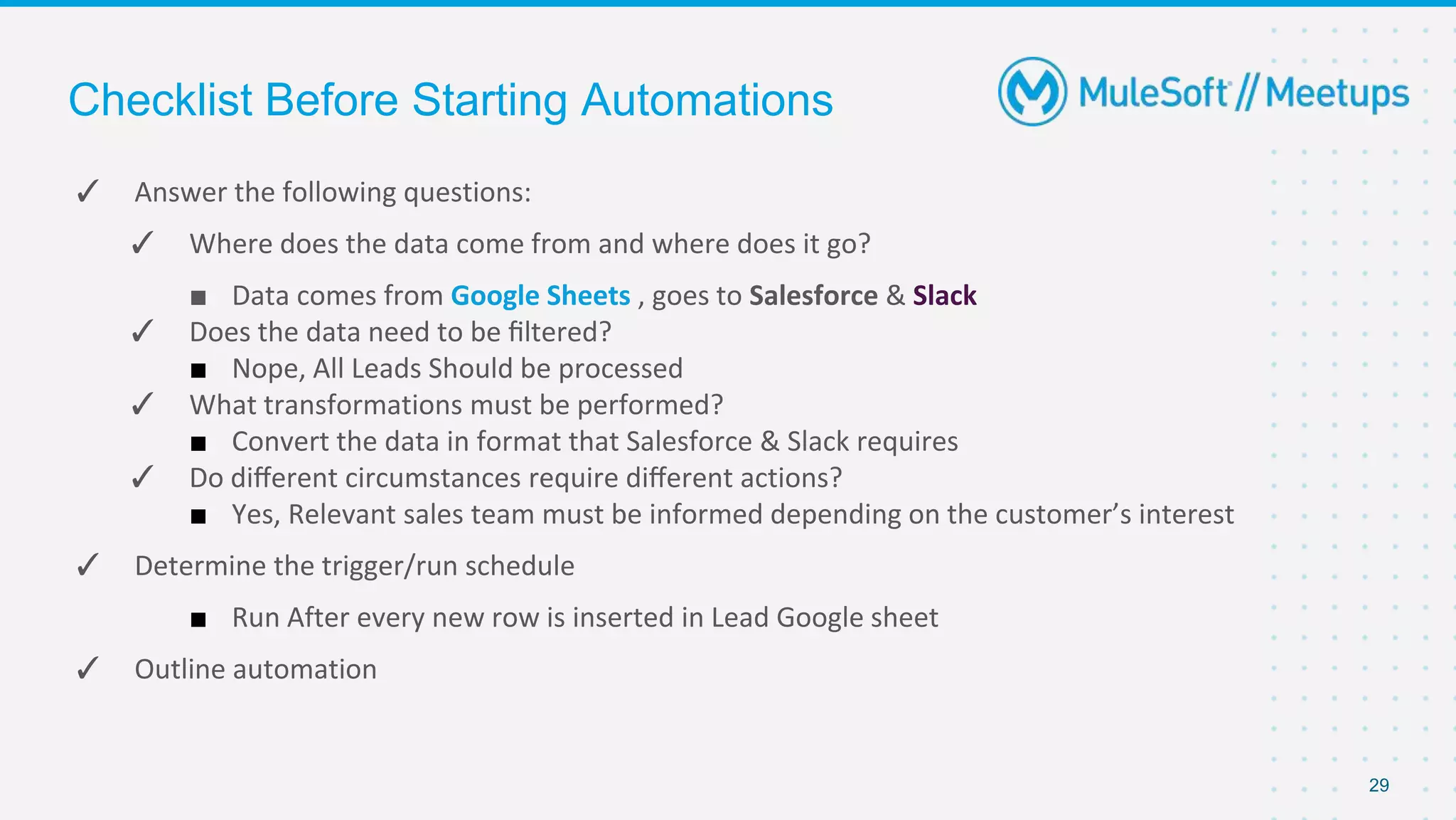
Checklist Before Starting Automations
✓ Answer the following questions:
✓ Where does the data come from and where does it go?
■ Data comes from Google Sheets , goes to Salesforce & Slack
✓ Does the data need to be filtered?
■ Nope, All Leads Should be processed
✓ What transformations must be performed?
■ Convert the data in format that Salesforce & Slack requires
✓ Do different circumstances require different actions?
■ Yes, Relevant sales team must be informed depending on the customer’s interest
✓ Determine the trigger/run schedule
■ Run After every new row is inserted in Lead Google sheet
✓ Outline automation
29
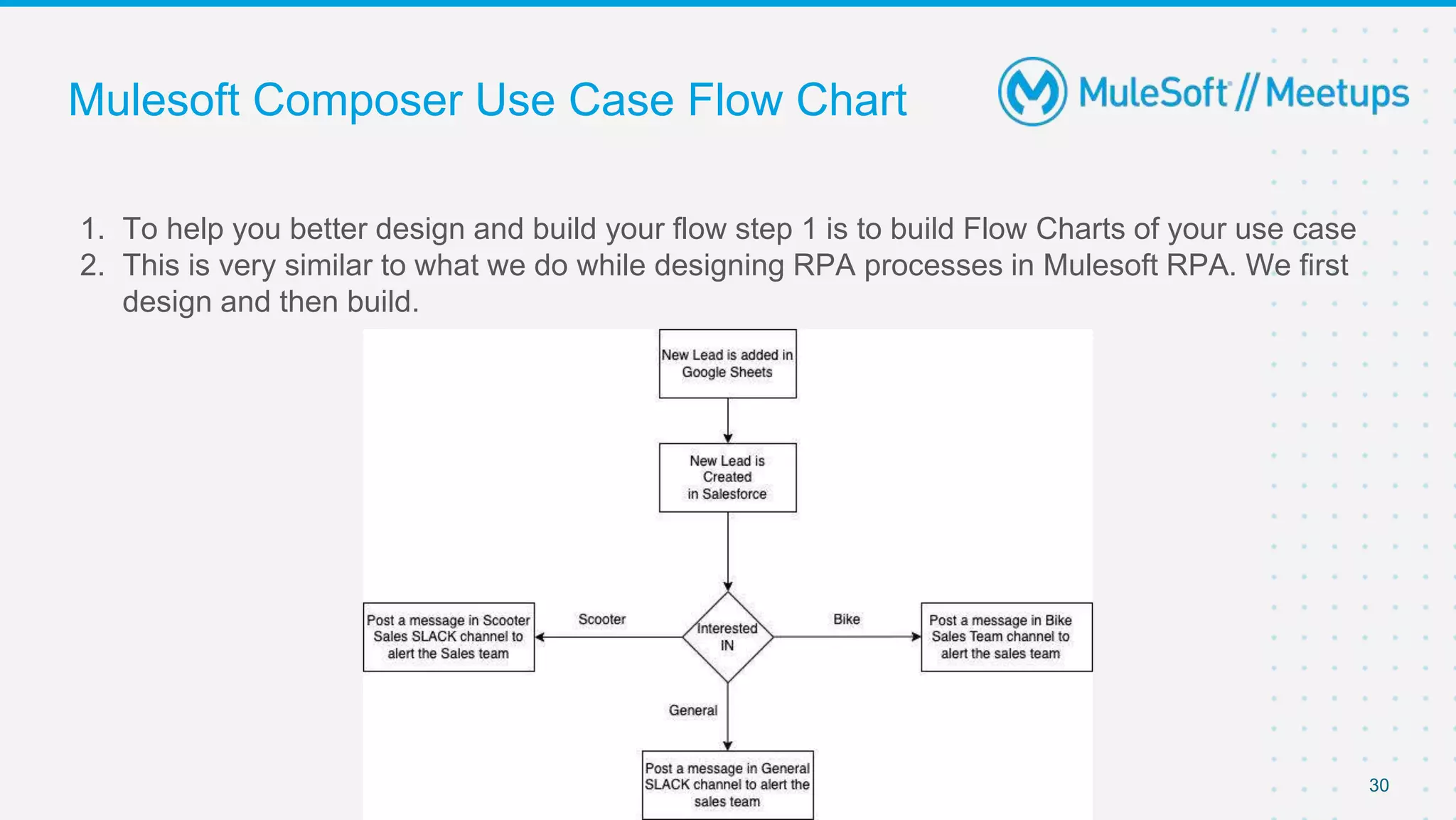
Mulesoft Composer Use Case Flow Chart
1. To help you better design and build your flow step 1 is to build Flow Charts of your use case
2. This is very similar to what we do while designing RPA processes in Mulesoft RPA. We first
design and then build.
30
31
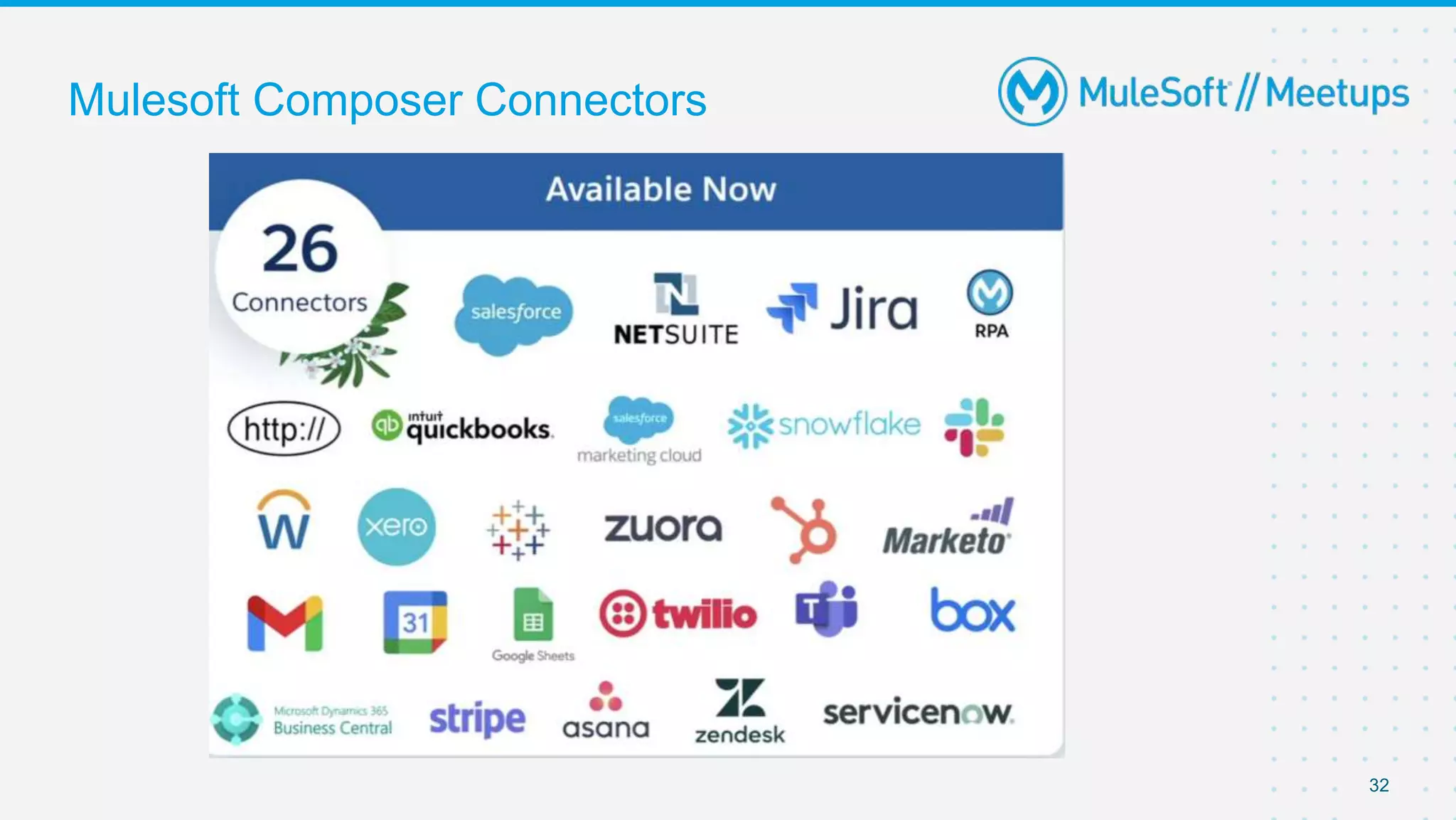
Mulesoft Composer Connectors
32
Key Considerations
Mulesoft Composer Key Considerations
1. Reusability - Reusable Composer Flows currently not possible
2. No sandbox to production concept that means the composer flows needs to developed in my
target org directly.
3. No versioning
4. It’s near real time and not 100% real time
5. Each Record processed to a target system would count as each task
6. Not meant for bulk data operations or for very high data intensive operations.
34
How to get started ?
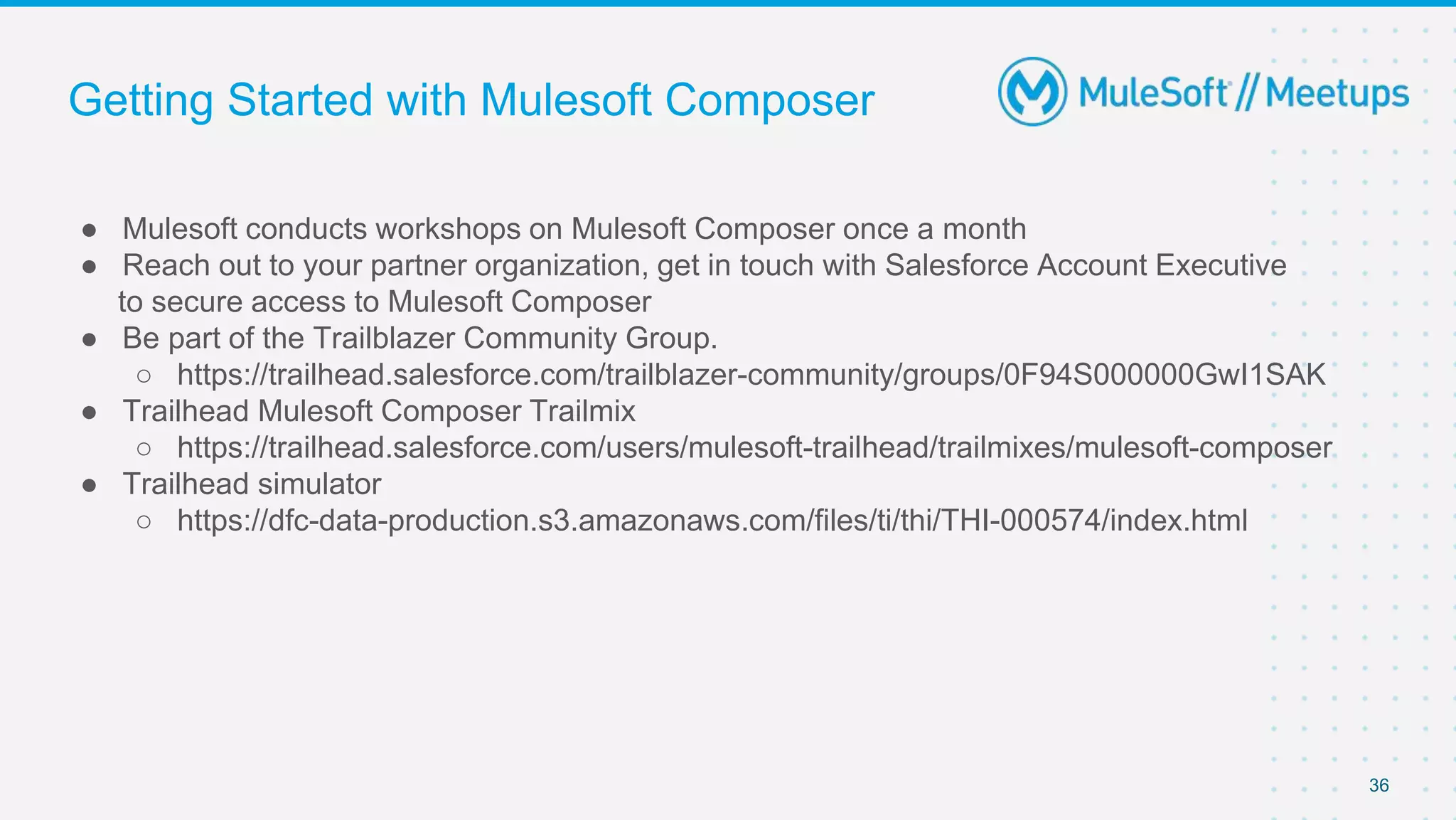
Getting Started with Mulesoft Composer
● Mulesoft conducts workshops on Mulesoft Composer once a month
● Reach out to your partner organization, get in touch with Salesforce Account Executive
to secure access to Mulesoft Composer
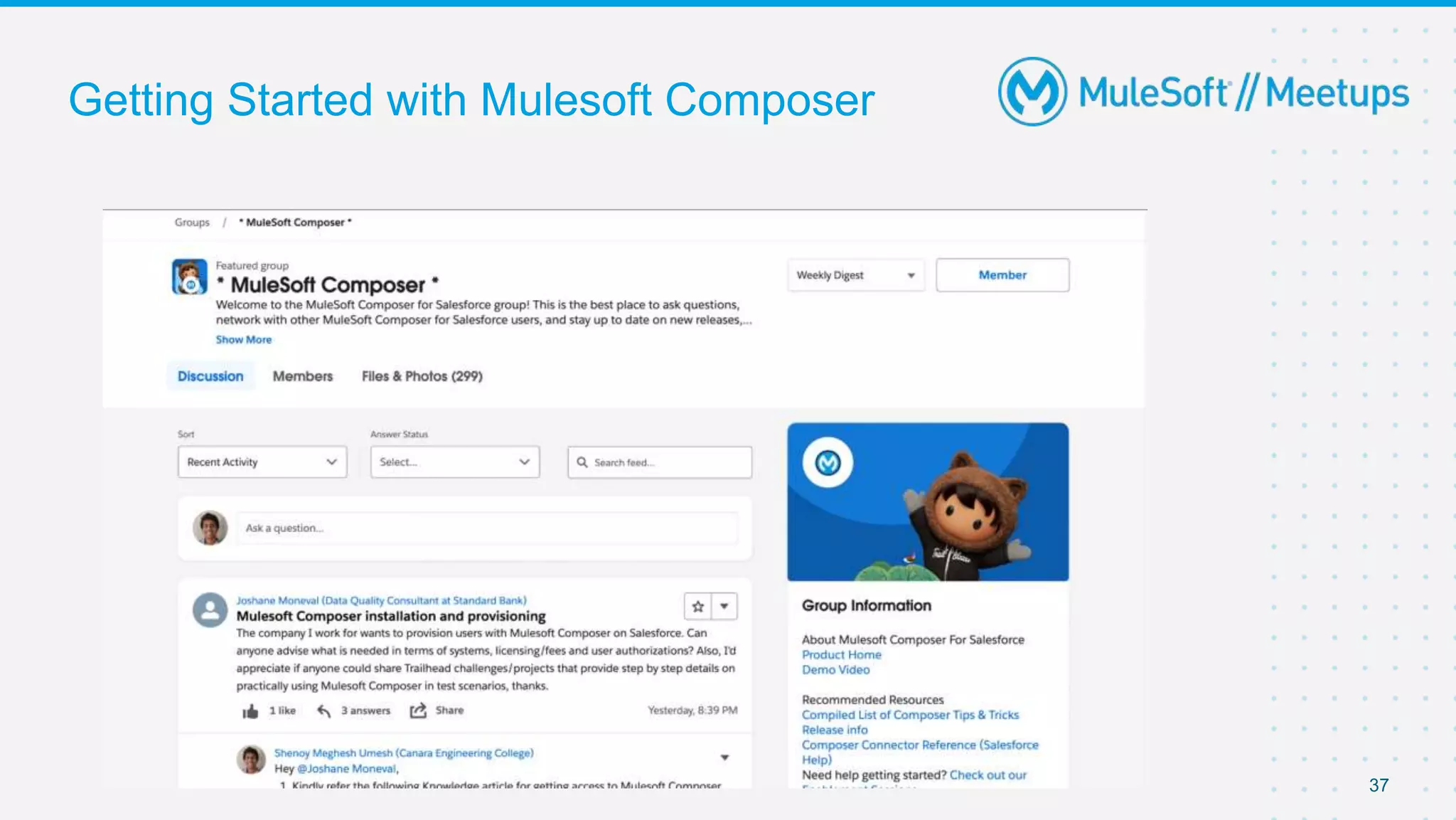
● Be part of the Trailblazer Community Group.
○ https://trailhead.salesforce.com/trailblazer-community/groups/0F94S000000GwI1SAK
● Trailhead Mulesoft Composer Trailmix
○ https://trailhead.salesforce.com/users/mulesoft-trailhead/trailmixes/mulesoft-composer
● Trailhead simulator
○ https://dfc-data-production.s3.amazonaws.com/files/ti/thi/THI-000574/index.html
36
Getting Started with Mulesoft Composer
37
Q&A
Join the MuleSoft Community on
LinkedIn
Join your local MuleSoft Meetup Group
Continue Learning
MuleSoft Community - General
Join the MuleSoft Composer Community
on Trailhead
Get started with the MuleSoft Composer
Trail
Continue Learning
MuleSoft Community - Composer
Apply to become a MuleSoft Mentor Start your MuleSoft Training &
Certification Journey
Up-Skill with MuleSoft
Scan here to read the latest SF Knowledge
Article
Feedback
Take a stand !
44
●Nominate yourself for the next meetup speaker and suggest a topic as well.
45
● Share:
○ Tweet using the hashtag #MuleSoftMeetups
○ Invite your network to join: https://meetups.mulesoft.com/guwahati/
● Feedback:
○ Fill out the survey feedback and suggest topics for upcoming events
○ Contact MuleSoft at meetups@mulesoft.com for ways to improve the program
○ Reach out to Pune Meetup Leaders (Vikalp, Santosh, Mukesh, Kunal , Ravi)
to suggest topics for next Meetup
What’s next?
MuleSoft HyperAutomation

MuleSoft HyperAutomation

  • 1.
    Pune MuleSoft MeetupGroup Build Smooth FLOW-ING Solution using Mulesoft Hyperautomation 15th July 2023
  • 2.
    Safe Harbour Statement ●Both the speaker and the host are organizing this meet-up in individual capacity only. We are not representing our companies here. ● This presentation is strictly for learning purposes only. Organizer/Presenter do not hold any responsibility that same solution will work for your business requirements. ● This presentation is not meant for any promotional activities.
  • 3.
    A recording ofthis meetup will be uploaded to events page within 24 hours. Questions can be submitted/asked at any time in the Chat/Questions & Answers Tab. Make it more Interactive!!! Give us feedback! Rate this meetup session by filling feedback form at the end of the day. We Love Feedbacks!!! Its Bread & Butter for Meetup. Housekeeping 3
  • 4.
    ✔ 2 yearsexperience in Salesforce ✔ Certified Salesforce & MuleSoft Developer ✔ Mulesoft Mentor ✔ Awarded with Up & Comers award by Mulesoft ✔ Featured by Mulesoft as Muley of the month ✔ Active member of Salesforce Trailblazer Community forum ● About the Speaker Meghesh Shenoy Salesforce Developer Speaker 4
  • 5.
    5 ● Explore thecomponents in Salesforce Hyperautomation ● What are Salesforce Lightning Flows ● Different types of Lightning Flows ● Explore few scenarios using the Flows ● What are Mulesoft Composer Flows ● Demo using Mulesoft Composer Flows ● Q/A Agenda
  • 6.
    Why to useAutomation ?
  • 8.
  • 9.
    Components of SalesforceHyperautomation 9 ● Mulesoft Anypoint Platform ● Mulesoft RPA ● Mulesoft Composer ● Salesforce Lightning Flows ● Salesforce Einstein Bot ● Flow Orchestrator
  • 10.
  • 11.
    Salesforce Lightning Flows ●There are 5 different types of Flows a. Screen Flow b. Record Triggered Flow c. Autolaunched Flow d. Schedule - Triggered Flow e. Platform Event - Triggered Flow 11
  • 12.
    Salesforce Lightning Flows SalesManager at Northern Trail Outfitters has requested for a form where they can quickly fill up the Customer details and create Leads for those Customers in their Salesforce Org. 12
  • 13.
  • 14.
    Salesforce Lightning Flows ●A screen is a page that the user sees on their screen. ● Each page is defined by a single Screen element on the flow canvas. It doesn’t have to take up the user’s whole monitor screen. ● Even if the flow is embedded in just a small part of your Salesforce window, it’s still called a screen. ● The Elements which the user can see and interact with are embedded into the screen flows 14
  • 15.
  • 16.
    Salesforce Lightning Flows ●Sales Manager at Northern Trail Outfitters has now requested that whenever a Lead is created in their Salesforce Org with Lead Status as “Hot” when the customer user knows someone from your company. 16
  • 17.
  • 18.
    Salesforce Lightning Flows ●Sales Manager at Northern Trail Outfitters has now demanded that the Lead having Rating as Hot should also receive a acknowledgement email after having the customer entered their details. 18
  • 19.
  • 20.
    Salesforce Lightning Flows SalesManager at Northern Trail Outfitters has now demanded that the an email should be sent to all the Customer Leads on their Birthday ! 20
  • 21.
  • 22.
  • 23.
  • 24.
  • 25.
  • 26.
    Mulesoft Composer UseCase 26 Lead Created Notify Relevant Sales team
  • 27.
    Access Technical Requirements ●Do you interface with systems which have APIs? - Yes ● Do you process documents or images? -No ● Do you interact with websites or legacy - No applications (with no API) ● Do you need to perform complex data processing? - No ● Do you need to integrate systems not supported by Composer? No ● Do you have extensive development experience? No 27
  • 28.
    Checklist Before StartingAutomations ✓ Answer the following questions: ✓ Where does the data come from and where does it go? ✓ Does the data need to be filtered? ✓ What transformations must be performed? ✓ Do different circumstances require different actions? ✓ Determine the trigger/run schedule ✓ Outline automation 28
  • 29.
    Checklist Before StartingAutomations ✓ Answer the following questions: ✓ Where does the data come from and where does it go? ■ Data comes from Google Sheets , goes to Salesforce & Slack ✓ Does the data need to be filtered? ■ Nope, All Leads Should be processed ✓ What transformations must be performed? ■ Convert the data in format that Salesforce & Slack requires ✓ Do different circumstances require different actions? ■ Yes, Relevant sales team must be informed depending on the customer’s interest ✓ Determine the trigger/run schedule ■ Run After every new row is inserted in Lead Google sheet ✓ Outline automation 29
  • 30.
    Mulesoft Composer UseCase Flow Chart 1. To help you better design and build your flow step 1 is to build Flow Charts of your use case 2. This is very similar to what we do while designing RPA processes in Mulesoft RPA. We first design and then build. 30
  • 31.
  • 32.
  • 33.
  • 34.
    Mulesoft Composer KeyConsiderations 1. Reusability - Reusable Composer Flows currently not possible 2. No sandbox to production concept that means the composer flows needs to developed in my target org directly. 3. No versioning 4. It’s near real time and not 100% real time 5. Each Record processed to a target system would count as each task 6. Not meant for bulk data operations or for very high data intensive operations. 34
  • 35.
    How to getstarted ?
  • 36.
    Getting Started withMulesoft Composer ● Mulesoft conducts workshops on Mulesoft Composer once a month ● Reach out to your partner organization, get in touch with Salesforce Account Executive to secure access to Mulesoft Composer ● Be part of the Trailblazer Community Group. ○ https://trailhead.salesforce.com/trailblazer-community/groups/0F94S000000GwI1SAK ● Trailhead Mulesoft Composer Trailmix ○ https://trailhead.salesforce.com/users/mulesoft-trailhead/trailmixes/mulesoft-composer ● Trailhead simulator ○ https://dfc-data-production.s3.amazonaws.com/files/ti/thi/THI-000574/index.html 36
  • 37.
    Getting Started withMulesoft Composer 37
  • 39.
  • 40.
    Join the MuleSoftCommunity on LinkedIn Join your local MuleSoft Meetup Group Continue Learning MuleSoft Community - General
  • 41.
    Join the MuleSoftComposer Community on Trailhead Get started with the MuleSoft Composer Trail Continue Learning MuleSoft Community - Composer
  • 42.
    Apply to becomea MuleSoft Mentor Start your MuleSoft Training & Certification Journey Up-Skill with MuleSoft
  • 43.
    Scan here toread the latest SF Knowledge Article Feedback
  • 44.
    Take a stand! 44 ●Nominate yourself for the next meetup speaker and suggest a topic as well.
  • 45.
    45 ● Share: ○ Tweetusing the hashtag #MuleSoftMeetups ○ Invite your network to join: https://meetups.mulesoft.com/guwahati/ ● Feedback: ○ Fill out the survey feedback and suggest topics for upcoming events ○ Contact MuleSoft at meetups@mulesoft.com for ways to improve the program ○ Reach out to Pune Meetup Leaders (Vikalp, Santosh, Mukesh, Kunal , Ravi) to suggest topics for next Meetup What’s next?