6th March 2021
Bangalore Mulesoft Meetup Group
All contents © MuleSoft Inc.
Agenda
2
• Introduction and Networking
• Analyze and Resolve Heap Memory issues
• Building Custom Connector in Mule 4
• Q&A
• Trivia Quiz with Exciting Prizes
• Networking time
• Wrap-up & agenda for the next meetup
All contents © MuleSoft Inc. 3
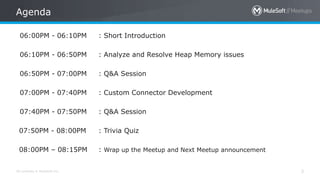
06:00PM - 06:10PM : Short Introduction
06:10PM - 06:50PM : Analyze and Resolve Heap Memory issues
06:50PM - 07:00PM : Q&A Session
07:00PM - 07:40PM : Custom Connector Development
07:40PM - 07:50PM : Q&A Session
07:50PM - 08:00PM : Trivia Quiz
08:00PM – 08:15PM : Wrap up the Meetup and Next Meetup announcement
Agenda
All contents © MuleSoft Inc.
Introductions
4
• About the organizers:
• About the Speakers:
A SHOW OF HANDS:
Who is new to this MeetUp?
All contents © MuleSoft Inc.
CHEERS..!!
5
We have prizes to give away!
As a Token for your Positive Participation and Enthusiasm
A SHOW OF HANDS:
New Members With Us.!!
Performance Tuning –
Heap Memory
Rectifying memory leak using Jmeter & YourKit
All contents © MuleSoft Inc.
Background
7
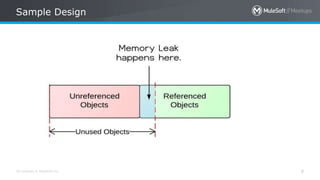
● Terminology used for heap memory
Heap memory, GC, Memory leak, Heap dump
● Problem statement
Symptom – Heap memory keeps on increasing and never goes down,
ultimately resulting in server shutdown
Cause - connectors used try-catch inside scatter-gather without error
handler inside catch block
Solution - tools used to rectify JMeter and YourKit
All contents © MuleSoft Inc.
Sample Design
8
Proof Of Concept
All contents © MuleSoft Inc.
Quiz
15
Note : This is not Trivia Quiz.
All contents © MuleSoft Inc.
Quiz Question 1
11
• 1. Which tool can be used to analyze
heap dump?
Options
1. Jmeter
2. Postman
3. YourKit
4. SOAP UI
All contents © MuleSoft Inc.
Quiz Answer 1
12
All contents © MuleSoft Inc.
Quiz Question 2
13
• Which of the following is not related
with heap memory ?
Options
1. GC
2. CPU USAGE
3. HEAP DUMP
4. MEMORY LEAK
All contents © MuleSoft Inc.
Quiz Answer 2
14
All contents © MuleSoft Inc.
Questions??
Custom Connector
Using Mule SDK
All contents © MuleSoft Inc.
Custom Connector
17
Intro
 Mulesoft has a range of inbuilt connectors, You can use this connector as
per the Requirement.
 you can develop your own connector using the new Mule SDK platform
for Mule Runtime 4. This is different from the options using Mule
runtime 3 where Mule Connector Devkit was needed
All contents © MuleSoft Inc.
Custom Connector
18
Pros of Custom Connectors
 Could be reused at all integration points to that system
 Hide the integration complexity
 Could connect to any API or protocol
All contents © MuleSoft Inc.
Custom Connector
19
LifeCycle of Custom Connectors
 Setting up a Connector Project
 Writing Connector Code
 Writing Connector Tests
 Documenting a Connector Project
 Packaging a Connector
All contents © MuleSoft Inc.
Custom Connector
20
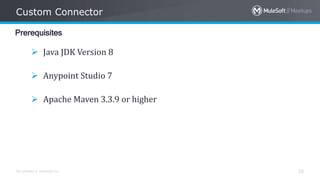
Prerequisites
 Java JDK Version 8
 Anypoint Studio 7
 Apache Maven 3.3.9 or higher
All contents © MuleSoft Inc.
Custom Connector
21
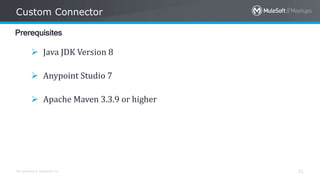
Prerequisites
 Java JDK Version 8
 Anypoint Studio 7
 Apache Maven 3.3.9 or higher
All contents © MuleSoft Inc.
Custom Connector
22
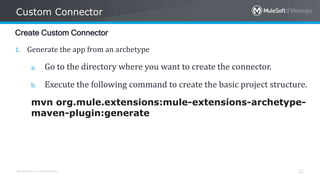
Create Custom Connector
1. Generate the app from an archetype
a. Go to the directory where you want to create the connector.
b. Execute the following command to create the basic project structure.

mvn org.mule.extensions:mule-extensions-archetype-
maven-plugin:generate
All contents © MuleSoft Inc.

Custom Connector
23
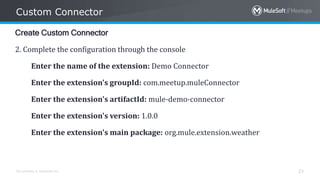
Create Custom Connector
2. Complete the configuration through the console
Enter the name of the extension: Demo Connector
Enter the extension's groupId: com.meetup.muleConnector
Enter the extension's artifactId: mule-demo-connector
Enter the extension's version: 1.0.0
Enter the extension's main package: org.mule.extension.weather
All contents © MuleSoft Inc.
Custom Connector
24
Create Custom Connector
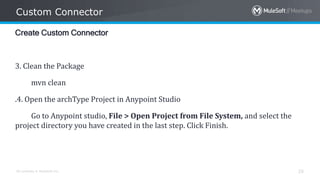
3. Clean the Package
mvn clean
All contents © MuleSoft Inc.
Custom Connector
25
Create Custom Connector
3. Clean the Package
mvn clean
.4. Open the archType Project in Anypoint Studio
Go to Anypoint studio, File > Open Project from File System, and select the
project directory you have created in the last step. Click Finish.
All contents © MuleSoft Inc.
Custom Connector
26
Create Custom Connector
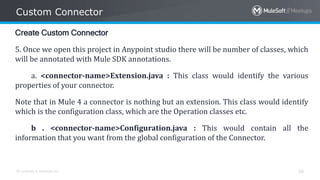
5. Once we open this project in Anypoint studio there will be number of classes, which
will be annotated with Mule SDK annotations.
a. <connector-name>Extension.java : This class would identify the various
properties of your connector.
Note that in Mule 4 a connector is nothing but an extension. This class would identify
which is the configuration class, which are the Operation classes etc.
b . <connector-name>Configuration.java : This would contain all the
information that you want from the global configuration of the Connector.
All contents © MuleSoft Inc.
Custom Connector
27
Create Custom Connector
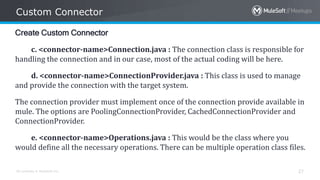
c. <connector-name>Connection.java : The connection class is responsible for
handling the connection and in our case, most of the actual coding will be here.
d. <connector-name>ConnectionProvider.java : This class is used to manage
and provide the connection with the target system.
The connection provider must implement once of the connection provide available in
mule. The options are PoolingConnectionProvider, CachedConnectionProvider and
ConnectionProvider.
e. <connector-name>Operations.java : This would be the class where you
would define all the necessary operations. There can be multiple operation class files.
All contents © MuleSoft Inc.
Custom Connector
28
Create Custom Connector
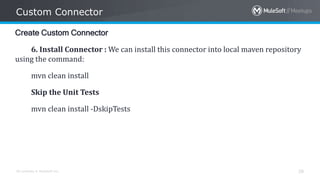
6. Install Connector : We can install this connector into local maven repository
using the command:
mvn clean install
Skip the Unit Tests
mvn clean install -DskipTests
All contents © MuleSoft Inc.
Custom Connector
29
Create Custom Connector
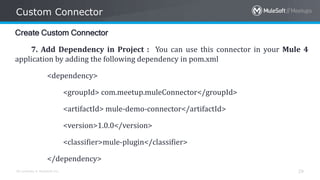
7. Add Dependency in Project : You can use this connector in your Mule 4
application by adding the following dependency in pom.xml
<dependency>
<groupId> com.meetup.muleConnector</groupId>
<artifactId> mule-demo-connector</artifactId>
<version>1.0.0</version>
<classifier>mule-plugin</classifier>
</dependency>
All contents © MuleSoft Inc.
Custom Connector
30
Create Custom Connector
8. Use in Project : Now let us use the connector in the Mulesoft App
All contents © MuleSoft Inc.
Custom Connector References
31
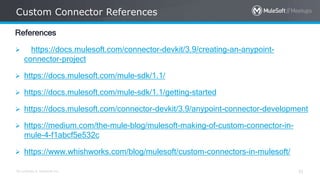
References
 https://docs.mulesoft.com/connector-devkit/3.9/creating-an-anypoint-
connector-project
 https://docs.mulesoft.com/mule-sdk/1.1/
 https://docs.mulesoft.com/mule-sdk/1.1/getting-started
 https://docs.mulesoft.com/connector-devkit/3.9/anypoint-connector-development
 https://medium.com/the-mule-blog/mulesoft-making-of-custom-connector-in-
mule-4-f1abcf5e532c
 https://www.whishworks.com/blog/mulesoft/custom-connectors-in-mulesoft/
All contents © MuleSoft Inc.
Questions??
All contents © MuleSoft Inc.
Quiz
15
Note : This is not Trivia Quiz.
All contents © MuleSoft Inc.
Quiz Question 1
34
1. What is the use of <connector-name>Extension Class ?
All contents © MuleSoft Inc.
Quiz Answer 1
35
All contents © MuleSoft Inc.
Quiz Question 2
36
2. How to Create Connector Configuration ?
All contents © MuleSoft Inc.
Quiz Answer 2
37
All contents © MuleSoft Inc.
Trivia Quiz
15
All contents © MuleSoft Inc.
Trivia Question 1
39
1. Which object causes the memory leak ? And how to preserve the
memory leak ?
All contents © MuleSoft Inc.
Trivia Answer 1
40
All contents © MuleSoft Inc.
Trivia Question 2
41
2. How to create multiple Operation in one Custom Connector and in which
configuration File we must add the Functions?
All contents © MuleSoft Inc.
Trivia Answer 2
42
All contents © MuleSoft Inc.
Trivia Question 3
43
3. How to Install the Custom Connector in Anypoint Studio ? And In which file we
have to provide the Path of the Connector Icon Image ?
All contents © MuleSoft Inc.
Trivia Answer 3
44
See you next time
Please send topic suggestions to the organizers
Next Meet up: April 2021
Networking time
Engage yourself in interesting discussions with your neighbors!
Thank You !!

MuleSoft Meetup Bangalore - March 6 2021

  • 1.
    6th March 2021 BangaloreMulesoft Meetup Group
  • 2.
    All contents ©MuleSoft Inc. Agenda 2 • Introduction and Networking • Analyze and Resolve Heap Memory issues • Building Custom Connector in Mule 4 • Q&A • Trivia Quiz with Exciting Prizes • Networking time • Wrap-up & agenda for the next meetup
  • 3.
    All contents ©MuleSoft Inc. 3 06:00PM - 06:10PM : Short Introduction 06:10PM - 06:50PM : Analyze and Resolve Heap Memory issues 06:50PM - 07:00PM : Q&A Session 07:00PM - 07:40PM : Custom Connector Development 07:40PM - 07:50PM : Q&A Session 07:50PM - 08:00PM : Trivia Quiz 08:00PM – 08:15PM : Wrap up the Meetup and Next Meetup announcement Agenda
  • 4.
    All contents ©MuleSoft Inc. Introductions 4 • About the organizers: • About the Speakers: A SHOW OF HANDS: Who is new to this MeetUp?
  • 5.
    All contents ©MuleSoft Inc. CHEERS..!! 5 We have prizes to give away! As a Token for your Positive Participation and Enthusiasm A SHOW OF HANDS: New Members With Us.!!
  • 6.
    Performance Tuning – HeapMemory Rectifying memory leak using Jmeter & YourKit
  • 7.
    All contents ©MuleSoft Inc. Background 7 ● Terminology used for heap memory Heap memory, GC, Memory leak, Heap dump ● Problem statement Symptom – Heap memory keeps on increasing and never goes down, ultimately resulting in server shutdown Cause - connectors used try-catch inside scatter-gather without error handler inside catch block Solution - tools used to rectify JMeter and YourKit
  • 8.
    All contents ©MuleSoft Inc. Sample Design 8
  • 9.
  • 10.
    All contents ©MuleSoft Inc. Quiz 15 Note : This is not Trivia Quiz.
  • 11.
    All contents ©MuleSoft Inc. Quiz Question 1 11 • 1. Which tool can be used to analyze heap dump? Options 1. Jmeter 2. Postman 3. YourKit 4. SOAP UI
  • 12.
    All contents ©MuleSoft Inc. Quiz Answer 1 12
  • 13.
    All contents ©MuleSoft Inc. Quiz Question 2 13 • Which of the following is not related with heap memory ? Options 1. GC 2. CPU USAGE 3. HEAP DUMP 4. MEMORY LEAK
  • 14.
    All contents ©MuleSoft Inc. Quiz Answer 2 14
  • 15.
    All contents ©MuleSoft Inc. Questions??
  • 16.
  • 17.
    All contents ©MuleSoft Inc. Custom Connector 17 Intro  Mulesoft has a range of inbuilt connectors, You can use this connector as per the Requirement.  you can develop your own connector using the new Mule SDK platform for Mule Runtime 4. This is different from the options using Mule runtime 3 where Mule Connector Devkit was needed
  • 18.
    All contents ©MuleSoft Inc. Custom Connector 18 Pros of Custom Connectors  Could be reused at all integration points to that system  Hide the integration complexity  Could connect to any API or protocol
  • 19.
    All contents ©MuleSoft Inc. Custom Connector 19 LifeCycle of Custom Connectors  Setting up a Connector Project  Writing Connector Code  Writing Connector Tests  Documenting a Connector Project  Packaging a Connector
  • 20.
    All contents ©MuleSoft Inc. Custom Connector 20 Prerequisites  Java JDK Version 8  Anypoint Studio 7  Apache Maven 3.3.9 or higher
  • 21.
    All contents ©MuleSoft Inc. Custom Connector 21 Prerequisites  Java JDK Version 8  Anypoint Studio 7  Apache Maven 3.3.9 or higher
  • 22.
    All contents ©MuleSoft Inc. Custom Connector 22 Create Custom Connector 1. Generate the app from an archetype a. Go to the directory where you want to create the connector. b. Execute the following command to create the basic project structure. mvn org.mule.extensions:mule-extensions-archetype- maven-plugin:generate
  • 23.
    All contents ©MuleSoft Inc. Custom Connector 23 Create Custom Connector 2. Complete the configuration through the console Enter the name of the extension: Demo Connector Enter the extension's groupId: com.meetup.muleConnector Enter the extension's artifactId: mule-demo-connector Enter the extension's version: 1.0.0 Enter the extension's main package: org.mule.extension.weather
  • 24.
    All contents ©MuleSoft Inc. Custom Connector 24 Create Custom Connector 3. Clean the Package mvn clean
  • 25.
    All contents ©MuleSoft Inc. Custom Connector 25 Create Custom Connector 3. Clean the Package mvn clean .4. Open the archType Project in Anypoint Studio Go to Anypoint studio, File > Open Project from File System, and select the project directory you have created in the last step. Click Finish.
  • 26.
    All contents ©MuleSoft Inc. Custom Connector 26 Create Custom Connector 5. Once we open this project in Anypoint studio there will be number of classes, which will be annotated with Mule SDK annotations. a. <connector-name>Extension.java : This class would identify the various properties of your connector. Note that in Mule 4 a connector is nothing but an extension. This class would identify which is the configuration class, which are the Operation classes etc. b . <connector-name>Configuration.java : This would contain all the information that you want from the global configuration of the Connector.
  • 27.
    All contents ©MuleSoft Inc. Custom Connector 27 Create Custom Connector c. <connector-name>Connection.java : The connection class is responsible for handling the connection and in our case, most of the actual coding will be here. d. <connector-name>ConnectionProvider.java : This class is used to manage and provide the connection with the target system. The connection provider must implement once of the connection provide available in mule. The options are PoolingConnectionProvider, CachedConnectionProvider and ConnectionProvider. e. <connector-name>Operations.java : This would be the class where you would define all the necessary operations. There can be multiple operation class files.
  • 28.
    All contents ©MuleSoft Inc. Custom Connector 28 Create Custom Connector 6. Install Connector : We can install this connector into local maven repository using the command: mvn clean install Skip the Unit Tests mvn clean install -DskipTests
  • 29.
    All contents ©MuleSoft Inc. Custom Connector 29 Create Custom Connector 7. Add Dependency in Project : You can use this connector in your Mule 4 application by adding the following dependency in pom.xml <dependency> <groupId> com.meetup.muleConnector</groupId> <artifactId> mule-demo-connector</artifactId> <version>1.0.0</version> <classifier>mule-plugin</classifier> </dependency>
  • 30.
    All contents ©MuleSoft Inc. Custom Connector 30 Create Custom Connector 8. Use in Project : Now let us use the connector in the Mulesoft App
  • 31.
    All contents ©MuleSoft Inc. Custom Connector References 31 References  https://docs.mulesoft.com/connector-devkit/3.9/creating-an-anypoint- connector-project  https://docs.mulesoft.com/mule-sdk/1.1/  https://docs.mulesoft.com/mule-sdk/1.1/getting-started  https://docs.mulesoft.com/connector-devkit/3.9/anypoint-connector-development  https://medium.com/the-mule-blog/mulesoft-making-of-custom-connector-in- mule-4-f1abcf5e532c  https://www.whishworks.com/blog/mulesoft/custom-connectors-in-mulesoft/
  • 32.
    All contents ©MuleSoft Inc. Questions??
  • 33.
    All contents ©MuleSoft Inc. Quiz 15 Note : This is not Trivia Quiz.
  • 34.
    All contents ©MuleSoft Inc. Quiz Question 1 34 1. What is the use of <connector-name>Extension Class ?
  • 35.
    All contents ©MuleSoft Inc. Quiz Answer 1 35
  • 36.
    All contents ©MuleSoft Inc. Quiz Question 2 36 2. How to Create Connector Configuration ?
  • 37.
    All contents ©MuleSoft Inc. Quiz Answer 2 37
  • 38.
    All contents ©MuleSoft Inc. Trivia Quiz 15
  • 39.
    All contents ©MuleSoft Inc. Trivia Question 1 39 1. Which object causes the memory leak ? And how to preserve the memory leak ?
  • 40.
    All contents ©MuleSoft Inc. Trivia Answer 1 40
  • 41.
    All contents ©MuleSoft Inc. Trivia Question 2 41 2. How to create multiple Operation in one Custom Connector and in which configuration File we must add the Functions?
  • 42.
    All contents ©MuleSoft Inc. Trivia Answer 2 42
  • 43.
    All contents ©MuleSoft Inc. Trivia Question 3 43 3. How to Install the Custom Connector in Anypoint Studio ? And In which file we have to provide the Path of the Connector Icon Image ?
  • 44.
    All contents ©MuleSoft Inc. Trivia Answer 3 44
  • 45.
    See you nexttime Please send topic suggestions to the organizers Next Meet up: April 2021
  • 46.
    Networking time Engage yourselfin interesting discussions with your neighbors!
  • 47.