Speakers
Padma Bandi
• SeniorMulesoft Integration Developer
• 10+ years of experience in Integrations
• MuleSoft Certified Professional
• MuleSoft Delivery Champion
• https://medium.com/@padma.bandi
Sevket Ozturk
• Senior Mulesoft Integration Architect
• 12+ years of experience in Integrations
• MuleSoft Certified Professional
• Dataweave Specialist
4.
AGENDA
● Welcome &Introduction
● Java 17 Upgrade Overview
● SAP connectors upgrade to Java 17
● Demo
● Next Meetup Ideas
5.
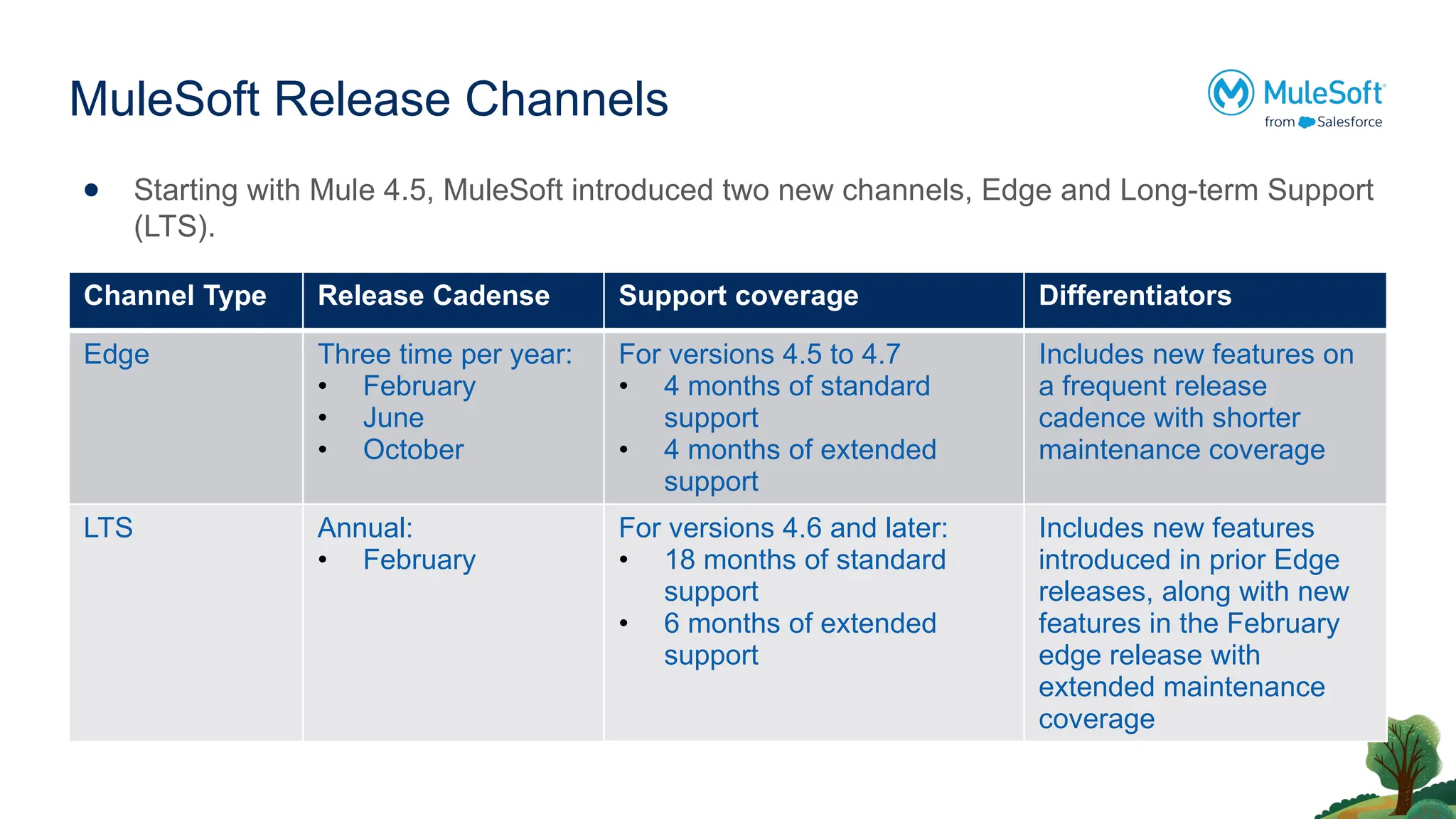
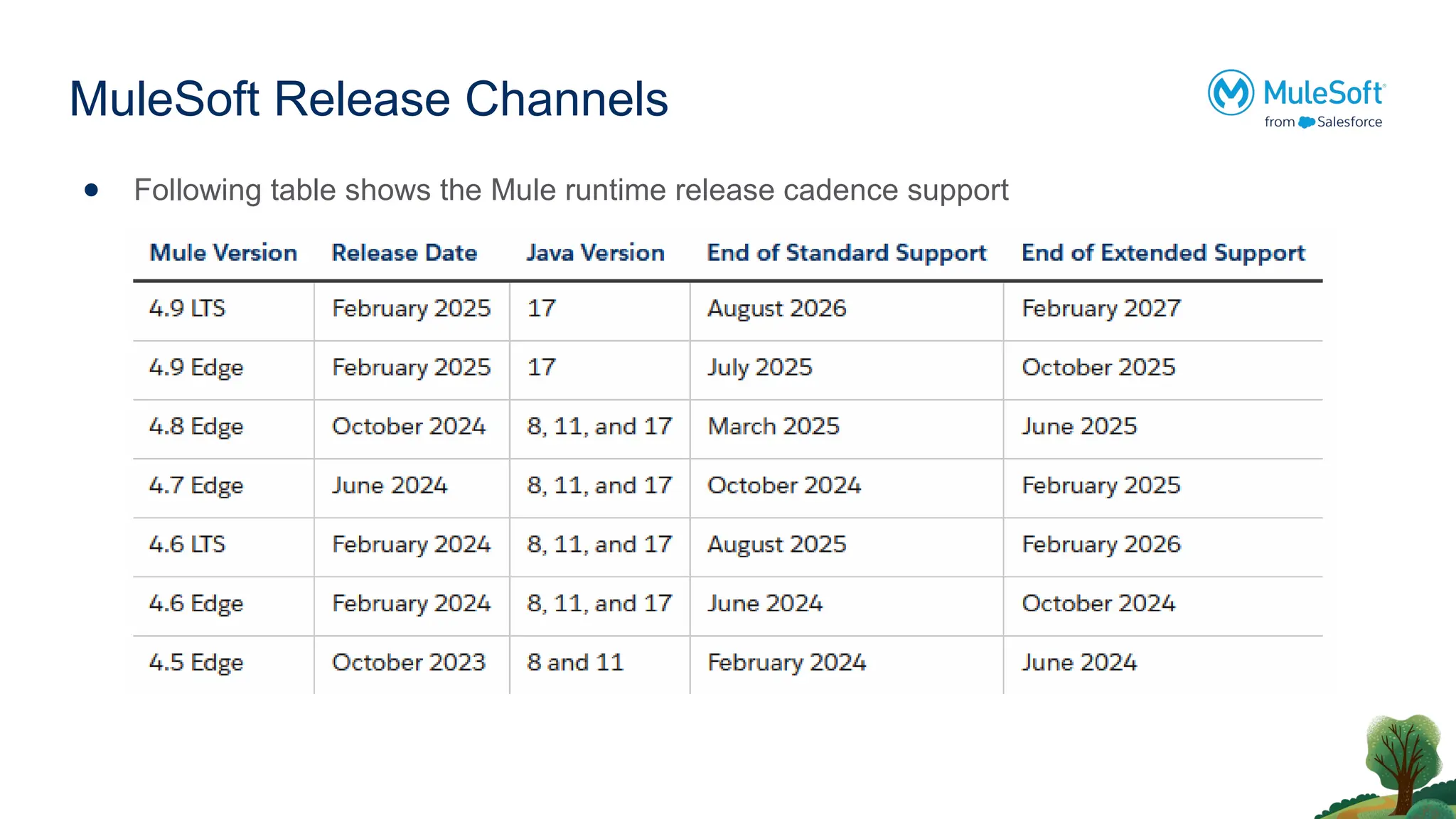
MuleSoft Release Channels
●Starting with Mule 4.5, MuleSoft introduced two new channels, Edge and Long-term Support
(LTS).
Channel Type Release Cadense Support coverage Differentiators
Edge Three time per year:
• February
• June
• October
For versions 4.5 to 4.7
• 4 months of standard
support
• 4 months of extended
support
Includes new features on
a frequent release
cadence with shorter
maintenance coverage
LTS Annual:
• February
For versions 4.6 and later:
• 18 months of standard
support
• 6 months of extended
support
Includes new features
introduced in prior Edge
releases, along with new
features in the February
edge release with
extended maintenance
coverage
Upgrading to Java17
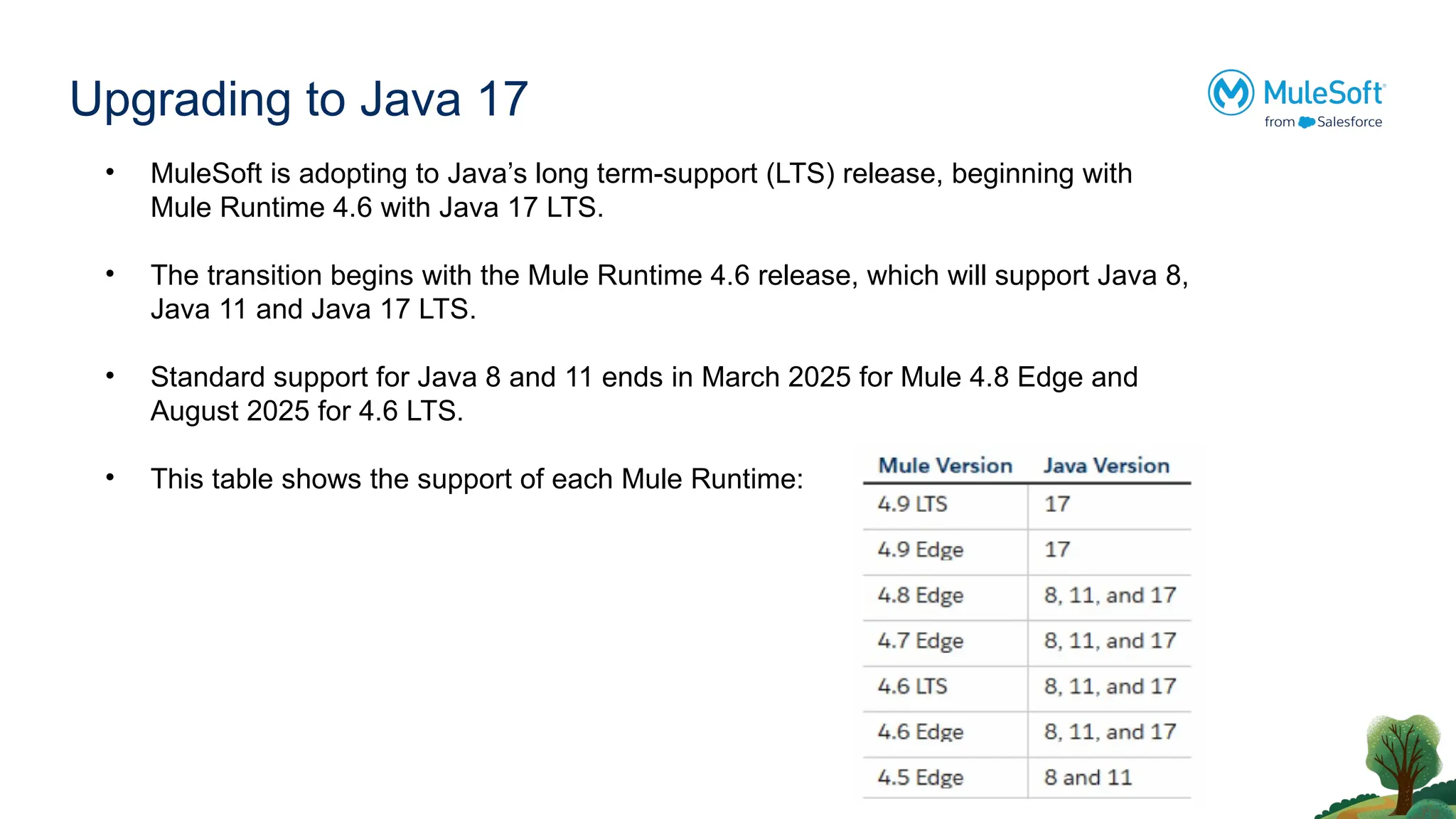
• MuleSoft is adopting to Java’s long term-support (LTS) release, beginning with
Mule Runtime 4.6 with Java 17 LTS.
• The transition begins with the Mule Runtime 4.6 release, which will support Java 8,
Java 11 and Java 17 LTS.
• Standard support for Java 8 and 11 ends in March 2025 for Mule 4.8 Edge and
August 2025 for 4.6 LTS.
• This table shows the support of each Mule Runtime:
8.
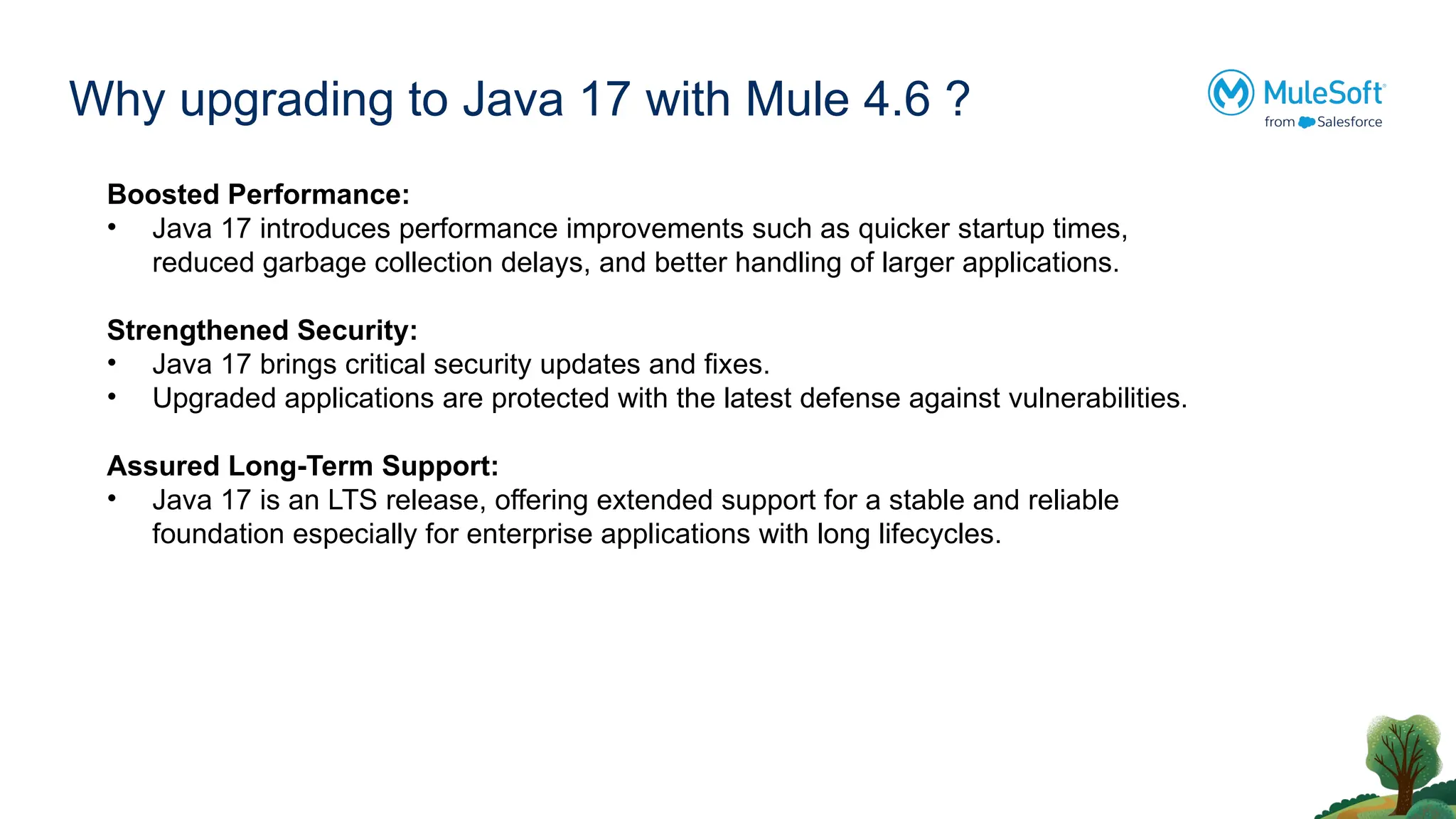
Why upgrading toJava 17 with Mule 4.6 ?
Boosted Performance:
• Java 17 introduces performance improvements such as quicker startup times,
reduced garbage collection delays, and better handling of larger applications.
Strengthened Security:
• Java 17 brings critical security updates and fixes.
• Upgraded applications are protected with the latest defense against vulnerabilities.
Assured Long-Term Support:
• Java 17 is an LTS release, offering extended support for a stable and reliable
foundation especially for enterprise applications with long lifecycles.
9.
Steps for Upgrade
1.Anypoint Studio Update
Upgrade Anypoint Studio to 7.17 or later.
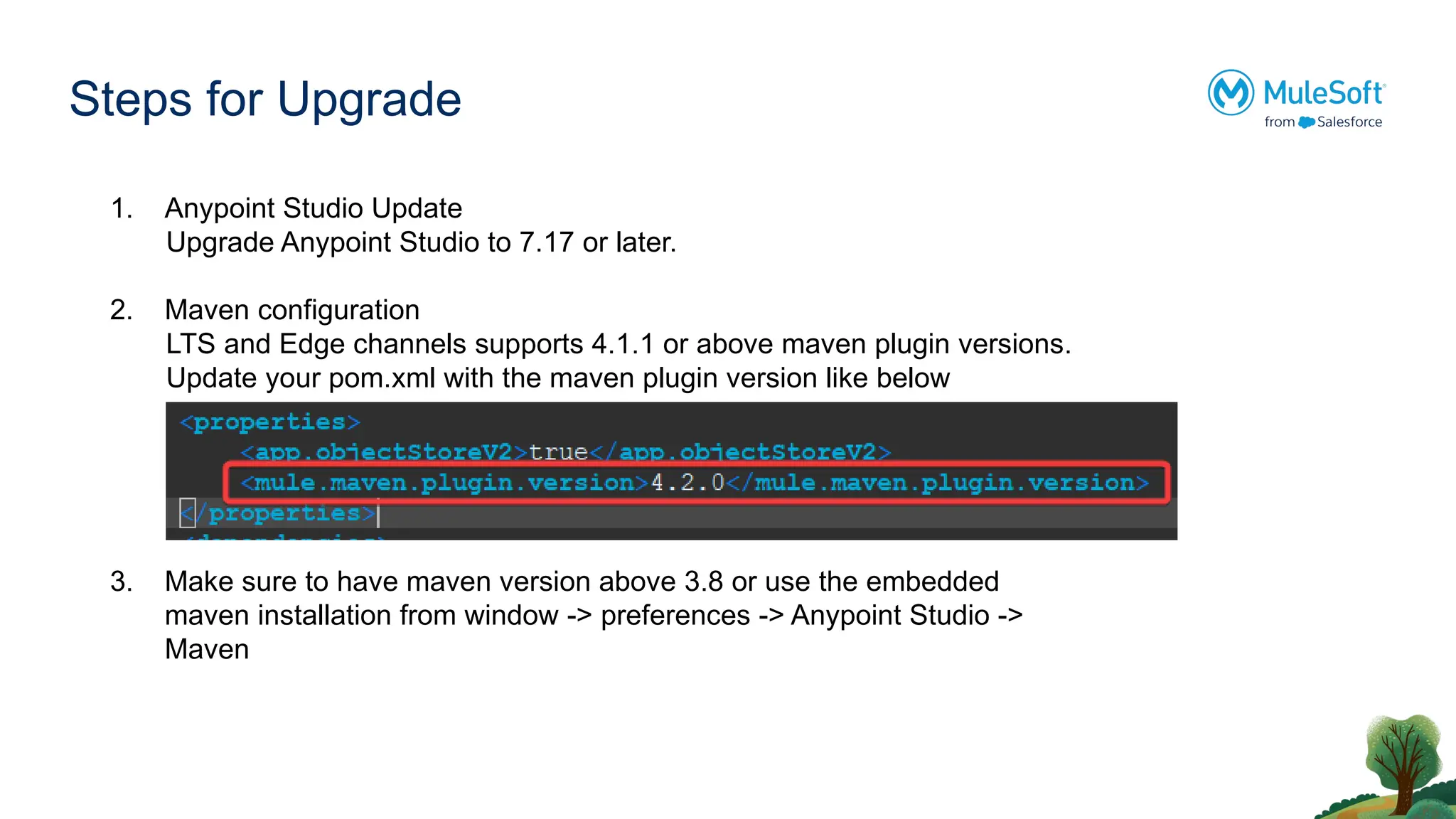
2. Maven configuration
LTS and Edge channels supports 4.1.1 or above maven plugin versions.
Update your pom.xml with the maven plugin version like below
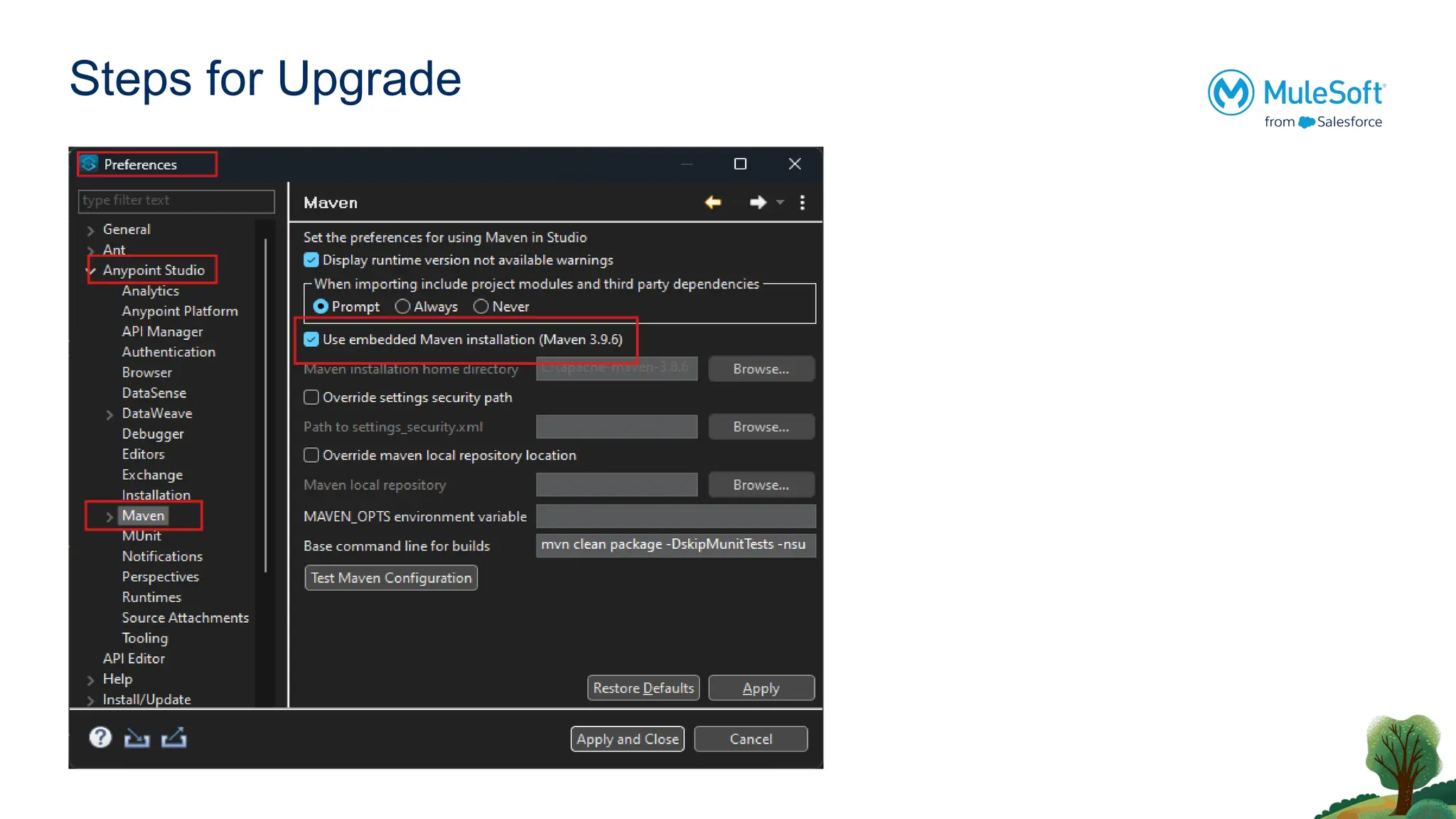
3. Make sure to have maven version above 3.8 or use the embedded
maven installation from window -> preferences -> Anypoint Studio ->
Maven
Steps for Upgrade
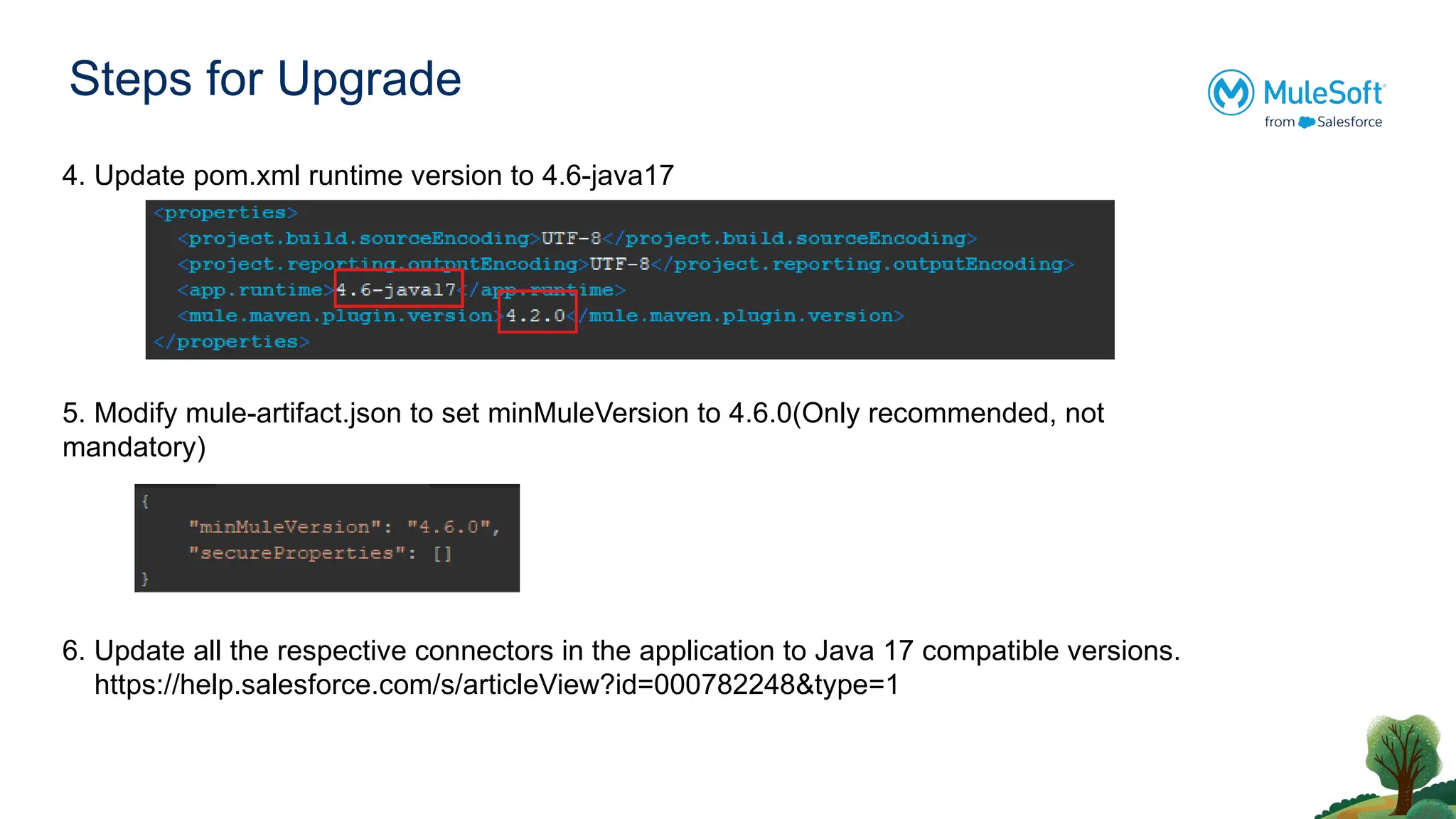
4.Update pom.xml runtime version to 4.6-java17
5. Modify mule-artifact.json to set minMuleVersion to 4.6.0(Only recommended, not
mandatory)
6. Update all the respective connectors in the application to Java 17 compatible versions.
https://help.salesforce.com/s/articleView?id=000782248&type=1
Steps for Upgrade
7.Make sure all custom connectors used in your project are supporting java 17.
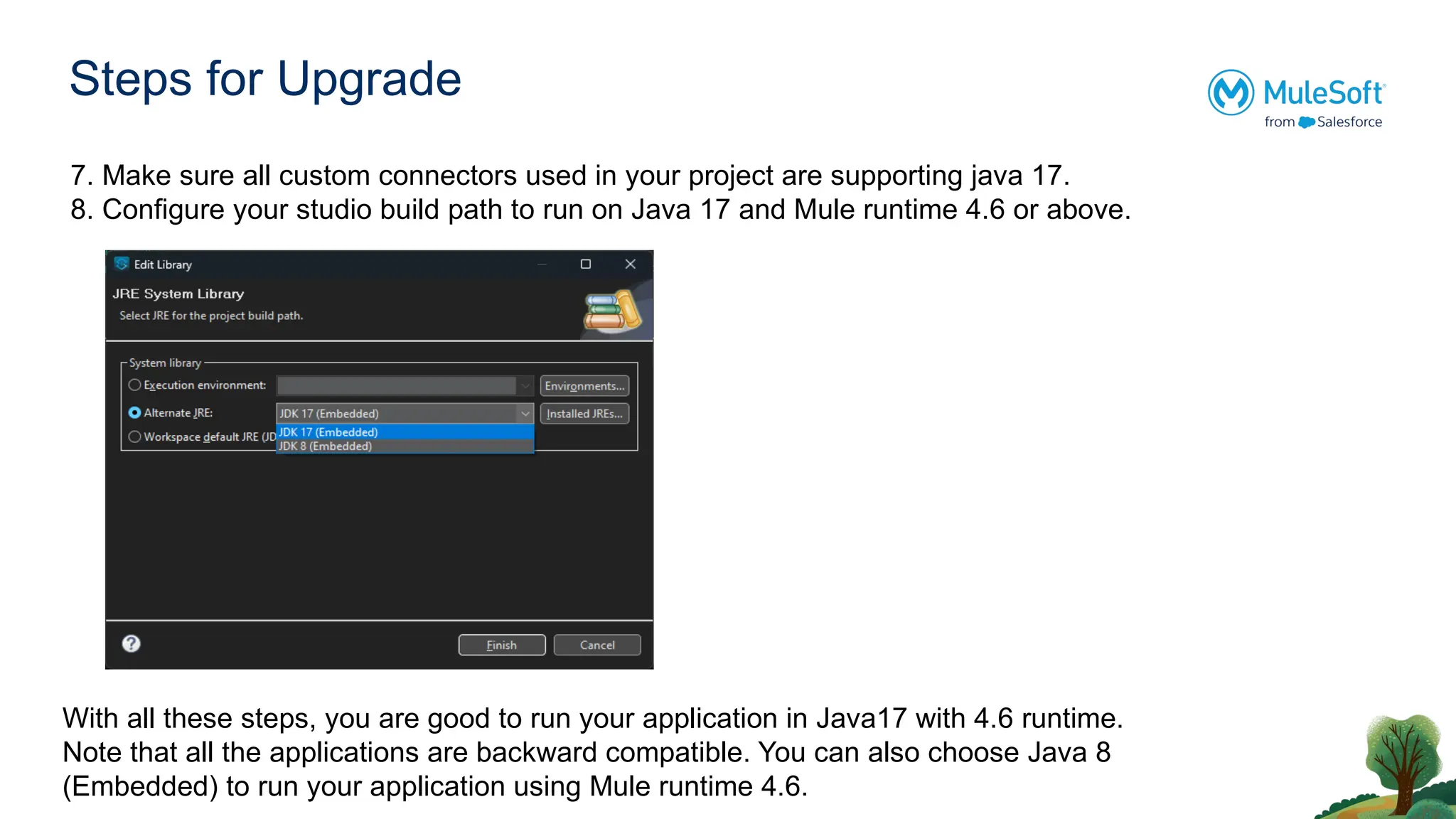
8. Configure your studio build path to run on Java 17 and Mule runtime 4.6 or above.
With all these steps, you are good to run your application in Java17 with 4.6 runtime.
Note that all the applications are backward compatible. You can also choose Java 8
(Embedded) to run your application using Mule runtime 4.6.
14.
Java 17 MigrationConsiderations
Error Handling Updates :
1. If you are using “error.errorType.asString” -> Results in an exception in Java 17.
Alternatively use : error.errorType.namespace ++ ":" ++ error.errorType.identifier
2. If you are using error.muleMessage -> Results in an exception
Alternatively use : error.errorMessage
3. If you are using error.errors -> change it to error.childErrors
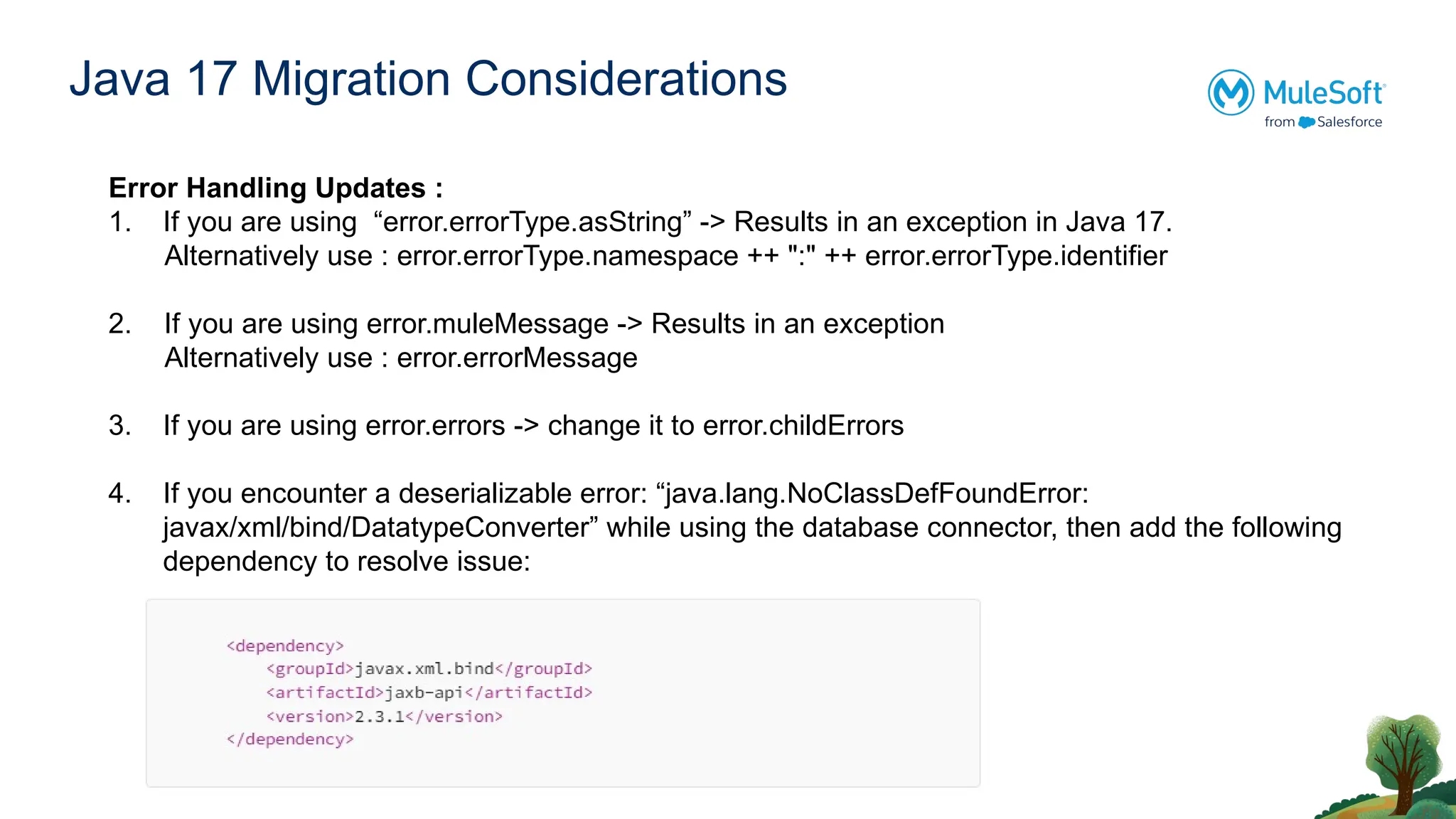
4. If you encounter a deserializable error: “java.lang.NoClassDefFoundError:
javax/xml/bind/DatatypeConverter” while using the database connector, then add the following
dependency to resolve issue:
15.
Java 17 MigrationConsiderations
Policies Updates :
1. If you are using any policies in API Manager like client-id enforcement etc.. Update the policy
otherwise you will see an error : “Error occurred registering policy 'client-id-enforcement-mule” in
the runtime logs.
2. To make a custom policy visible in API manager for a Mule app running on Java 17, you first
need to upgrade the custom policy.
Configuring the Java version of custom policy documentation
16.
After Successful Migration
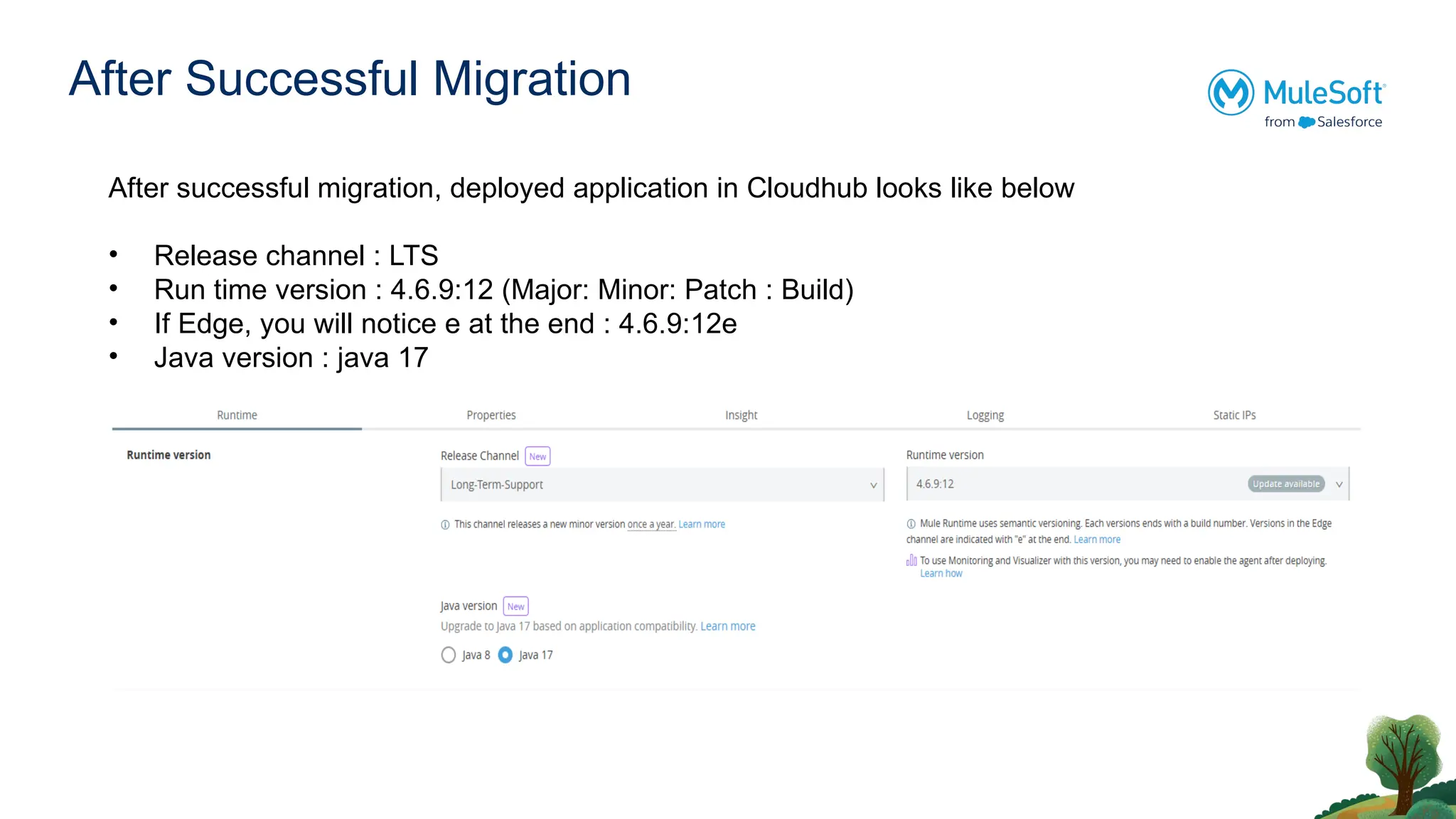
Aftersuccessful migration, deployed application in Cloudhub looks like below
• Release channel : LTS
• Run time version : 4.6.9:12 (Major: Minor: Patch : Build)
• If Edge, you will notice e at the end : 4.6.9:12e
• Java version : java 17
17.
Use case withSAP connector
Are you connecting with SAP ?
Then below are the considerations while upgrading to 4.6 Runtime and Java 17.
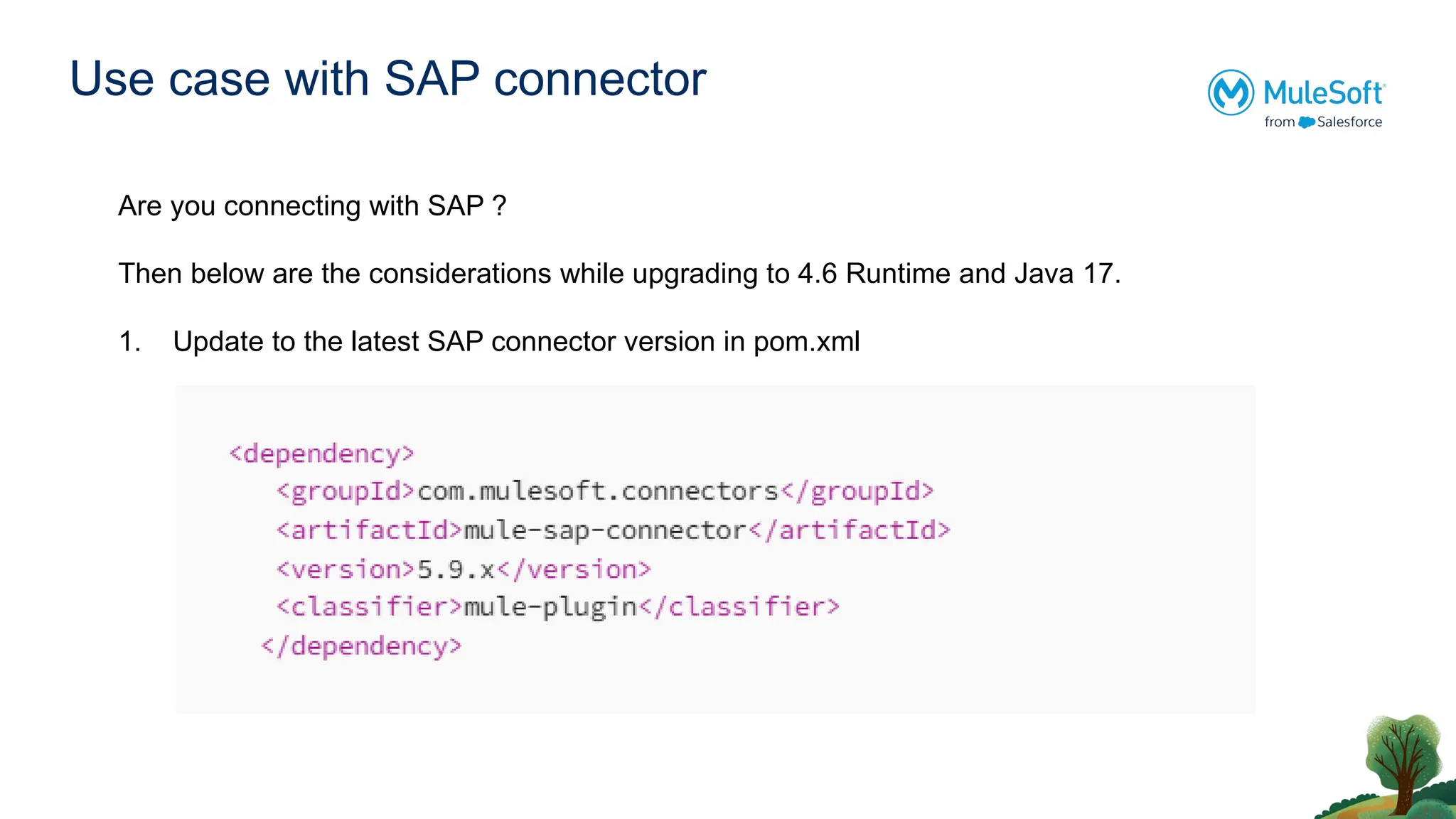
1. Update to the latest SAP connector version in pom.xml
18.
Use case withSAP connector
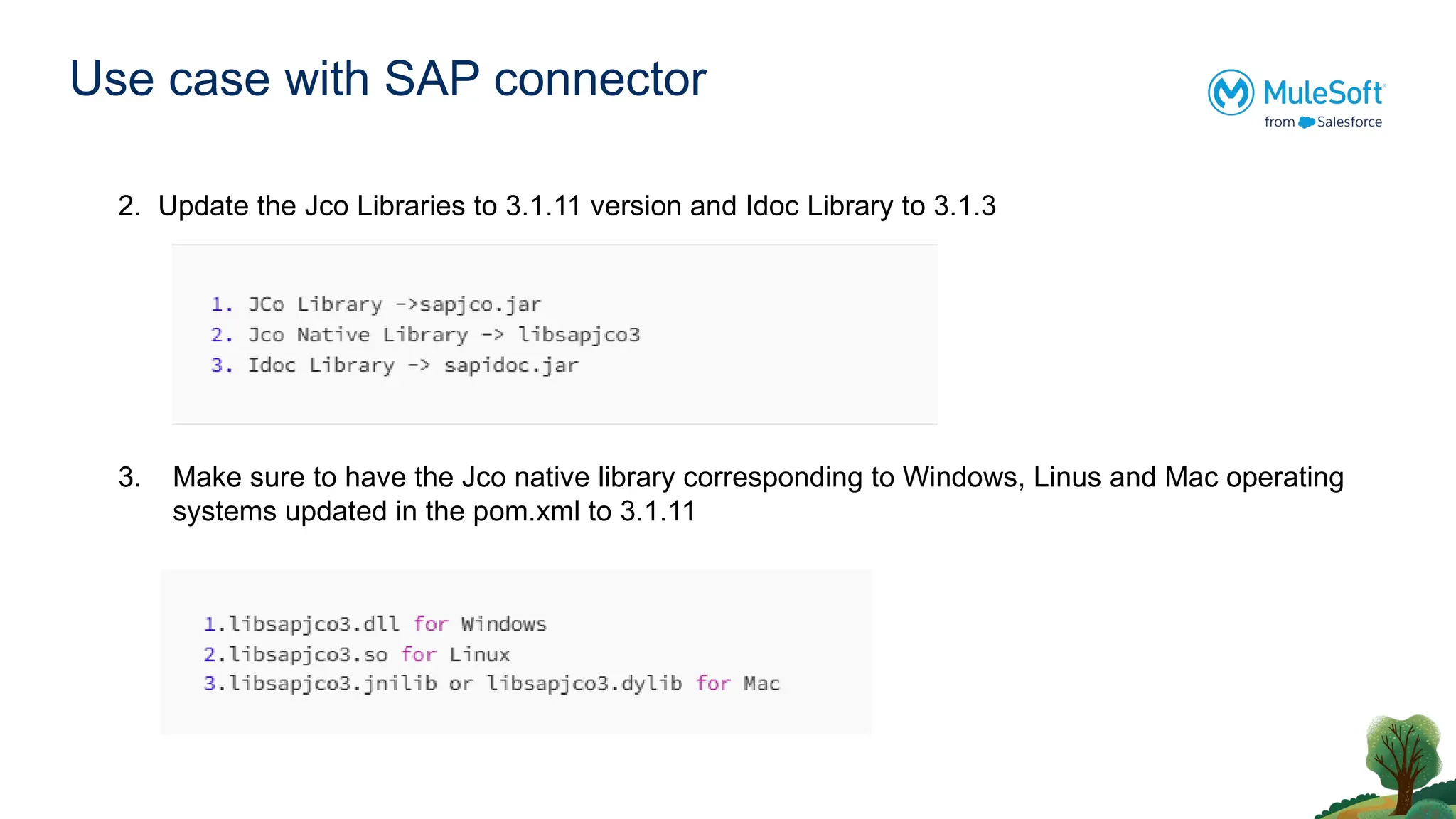
2. Update the Jco Libraries to 3.1.11 version and Idoc Library to 3.1.3
3. Make sure to have the Jco native library corresponding to Windows, Linus and Mac operating
systems updated in the pom.xml to 3.1.11
19.
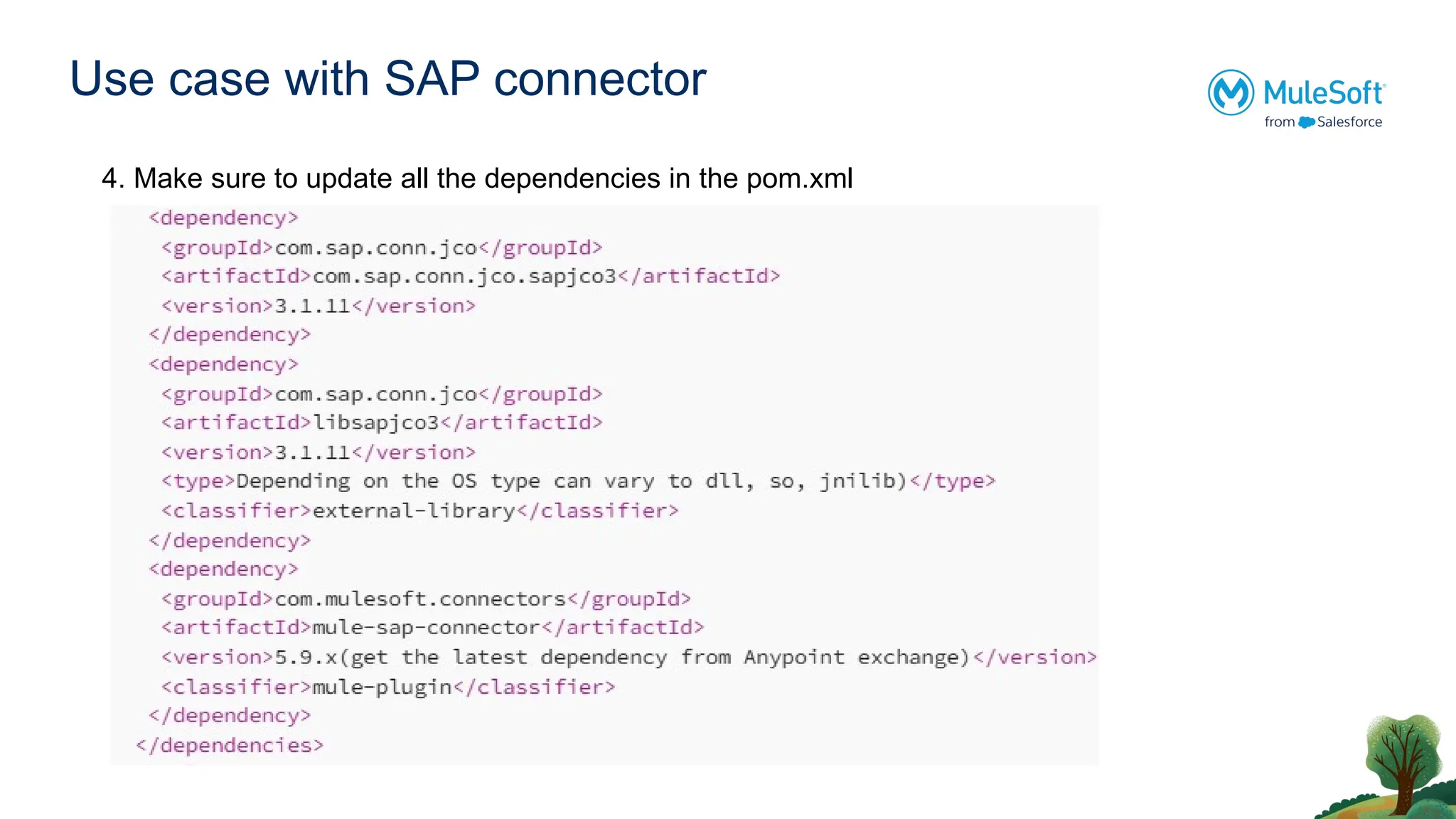
Use case withSAP connector
4. Make sure to update all the dependencies in the pom.xml
20.
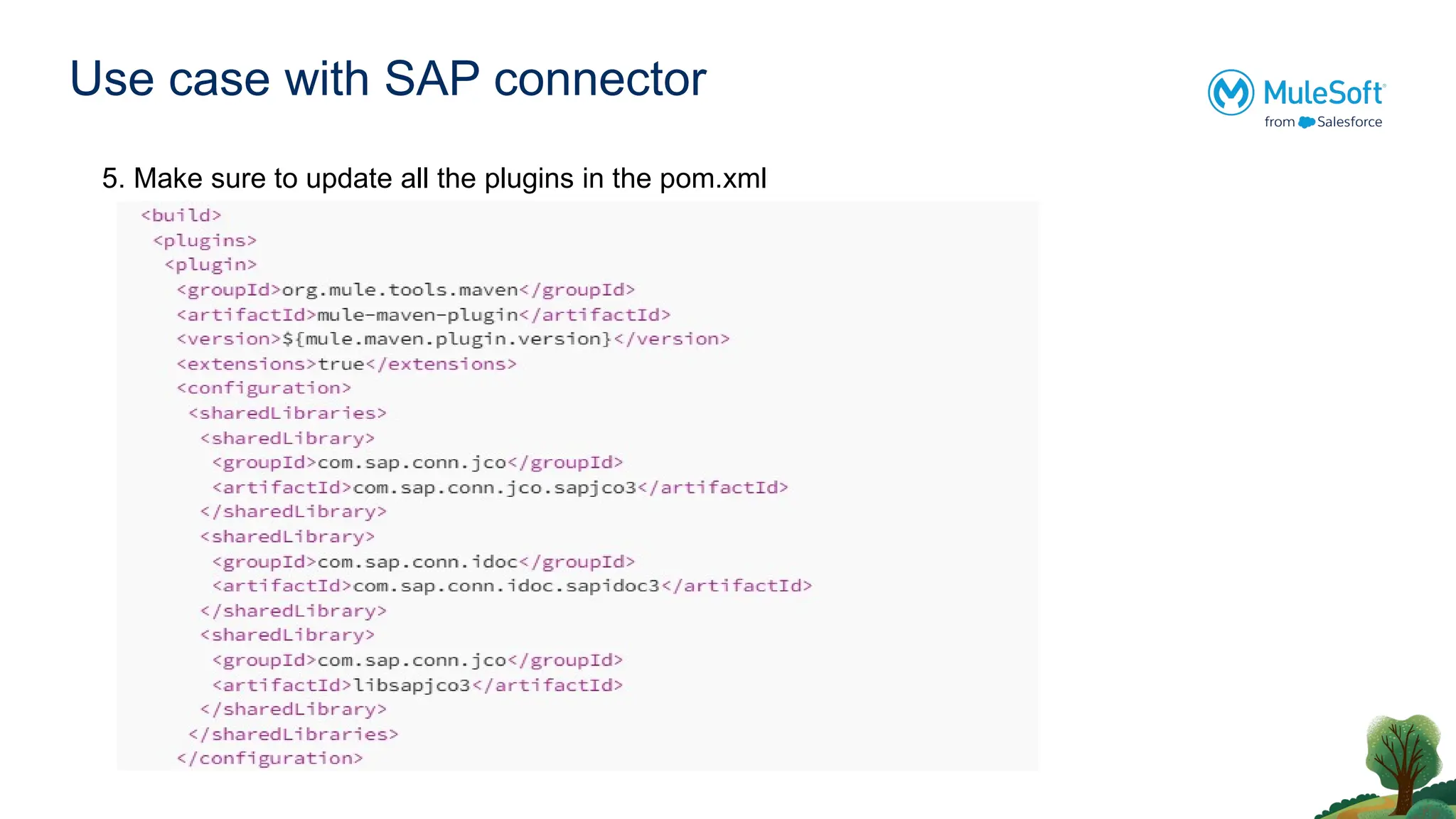
Use case withSAP connector
5. Make sure to update all the plugins in the pom.xml
21.
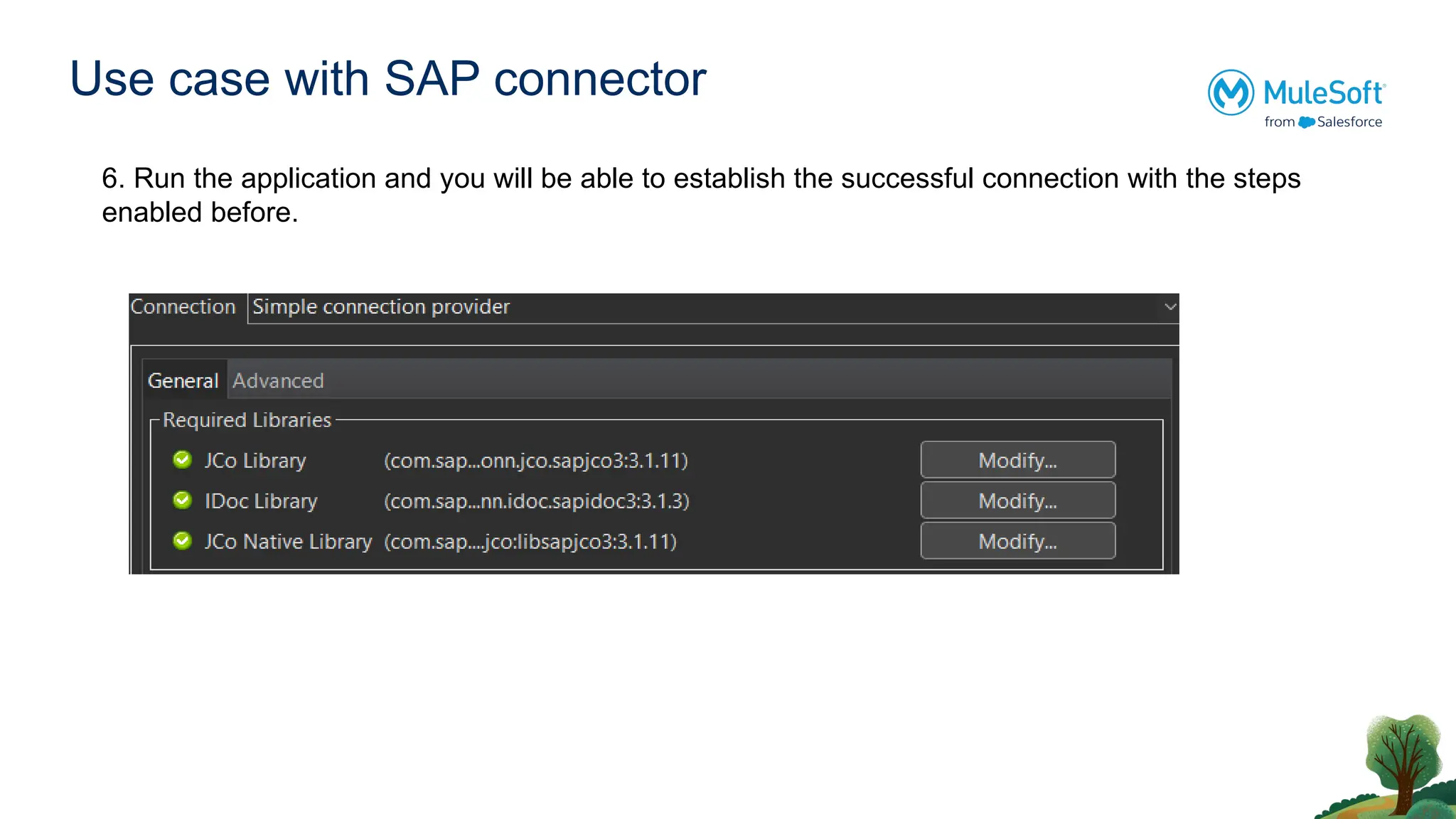
Use case withSAP connector
6. Run the application and you will be able to establish the successful connection with the steps
enabled before.
22.
Useful Reference Links
●Upgrading MuleSoft to Java 17: A Comprehensive Guide
● MuleSoft Java 17 Upgrade FAQ
● Mule Runtime Engine 4.6.0 Release Notes | MuleSoft Documentation
● Automating-mule-migration-4.4.0-to-4.6.0
● https://docs.mulesoft.com/mule-runtime/latest/deploy-to-cloudhub
● https://docs.mulesoft.com/general/java-support#dataweave
● Key updates and changes to SAP





![Acmp study guide_d[1]](https://cdn.slidesharecdn.com/ss_thumbnails/acmpstudyguided1-130813141231-phpapp01-thumbnail.jpg?width=640&height=640&fit=bounds)


