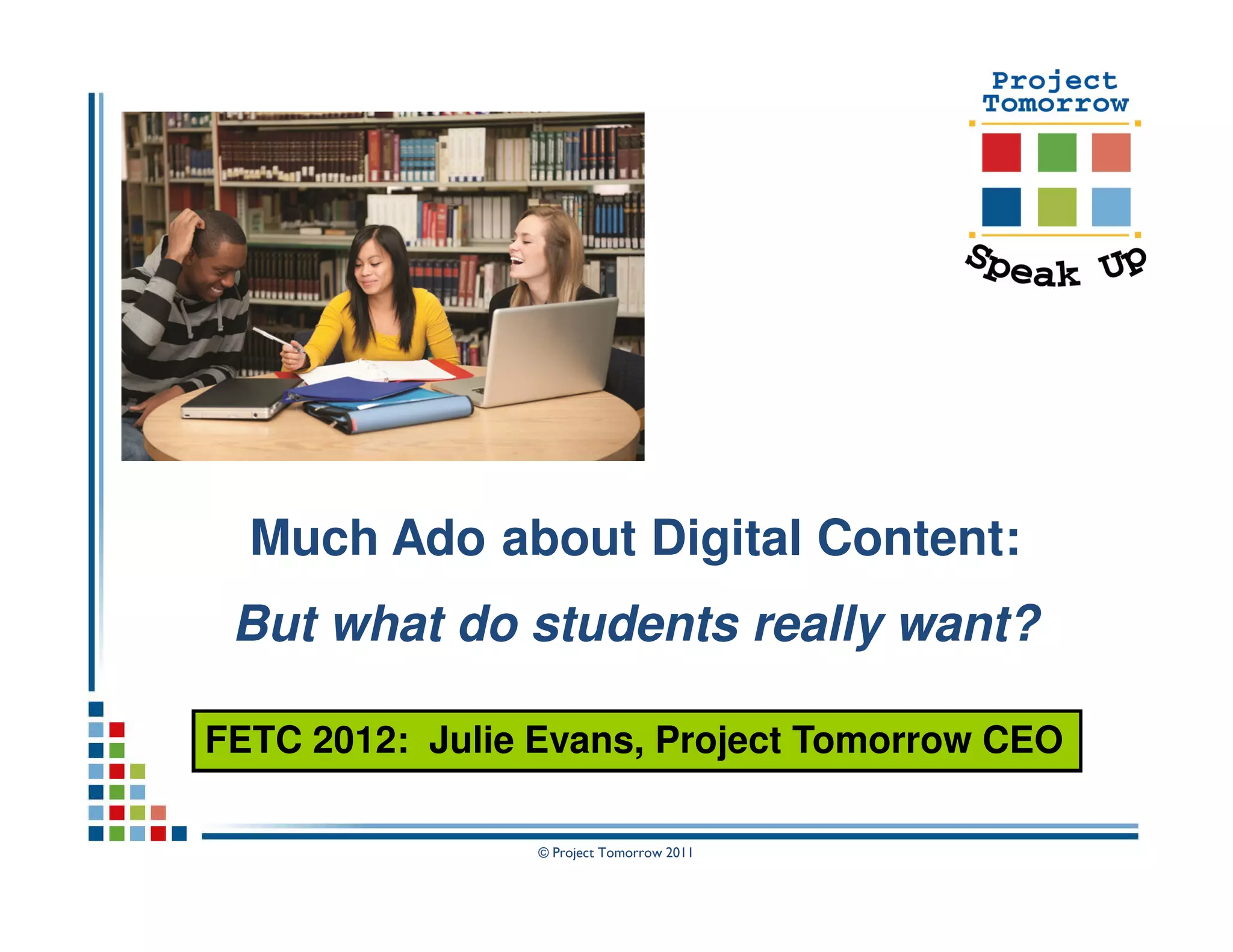
Much Ado about Digital Content:
 But what do students really want?

FETC 2012: Julie Evans, Project Tomorrow CEO

                 © Project Tomorrow 2011
Today’s Discussion: The Big Questions


• What are the expectations of K-12 students for
  leveraging digital content for learning?

• How are teachers, librarians and administrators
  addressing this student vision for digital content?

• What are the barriers and the opportunities?

• What does the e-textbook discussion tell us about
  the future of teaching and learning?


                      © Project Tomorrow 2011
Discussion Agenda:

  About the Speak Up Project
  Introduction to the Student Vision
  Speak Up Highlights: Digital Content
  Trends to Watch
  Discussion


       Speak Up 2010 & 2011 National Findings
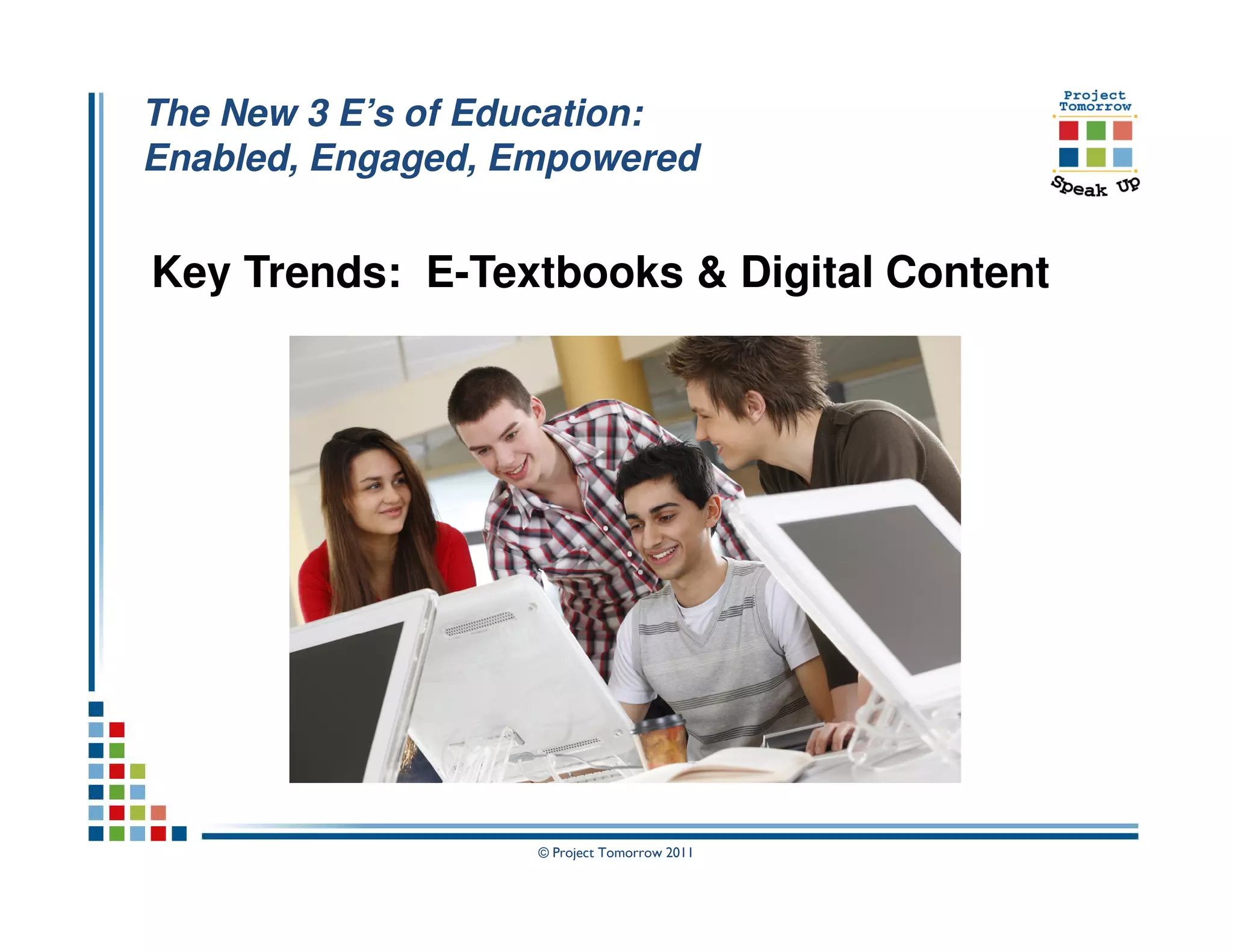
         Views of K-12 Students, Teachers,
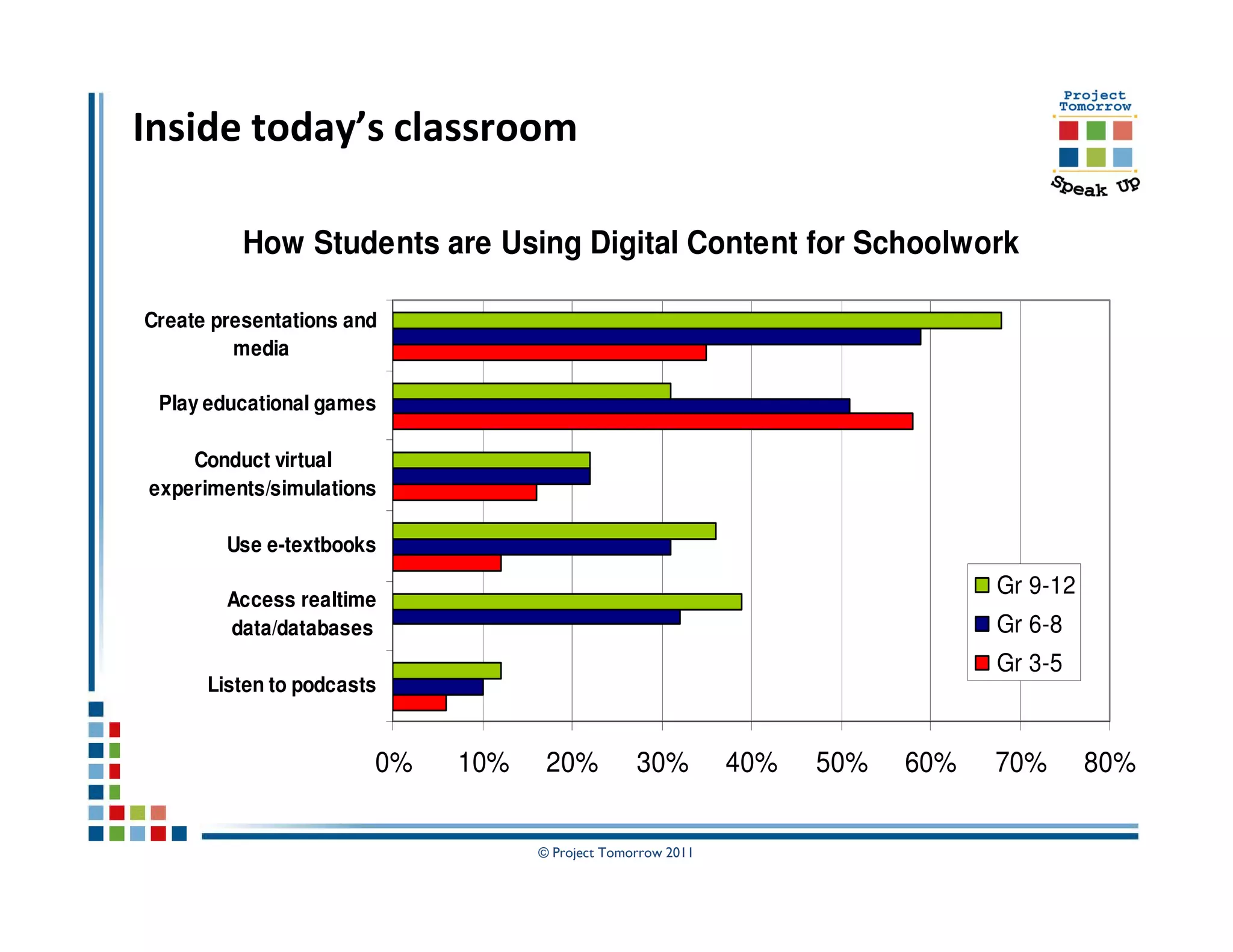
            Parents and Administrators


                     © Project Tomorrow 2011
Speak Up National Research Project

Annual national research project
   Online surveys + focus groups
   Open for all K-12 schools and schools of education
   Institutions receive free report with their own data

Collect ideas ↔ Stimulate conversations
    K-12 Students, Teachers, Parents, Administrators
    Pre-Service Teachers in Schools of Education

Inform policies & programs
     Analysis and reporting of findings and trends
     Consulting services to help transform teaching and learning


       + 2.6 million surveys since 2003
                            © Project Tomorrow 2011
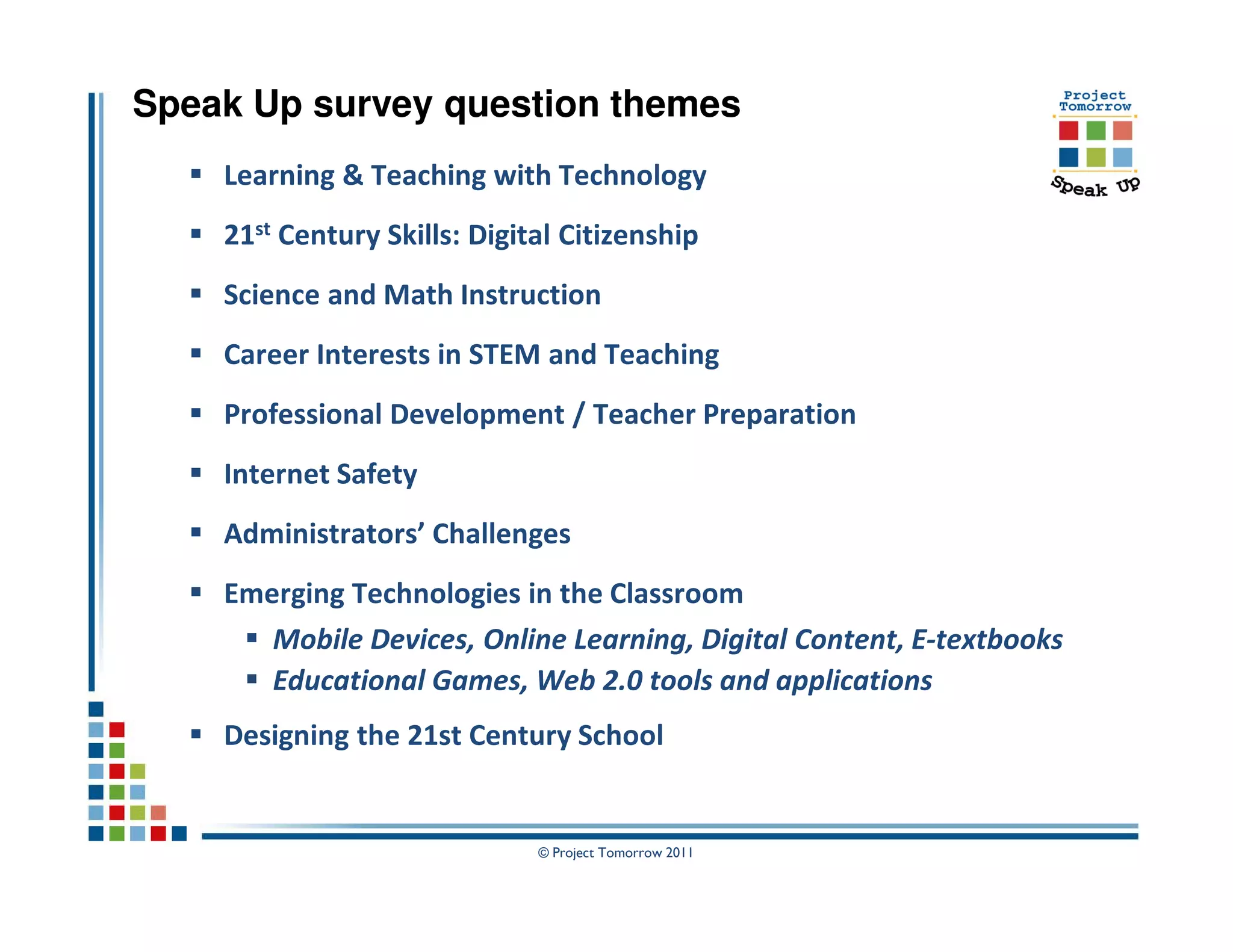
Speak Up survey question themes
    Learning & Teaching with Technology
    21st Century Skills: Digital Citizenship
    Science and Math Instruction
    Career Interests in STEM and Teaching
    Professional Development / Teacher Preparation
    Internet Safety
    Administrators’ Challenges
    Emerging Technologies in the Classroom
       Mobile Devices, Online Learning, Digital Content, E-textbooks
       Educational Games, Web 2.0 tools and applications
    Designing the 21st Century School


                              © Project Tomorrow 2011
What can the Speak Up
findings tell us about the
   future of learning?


        © Project Tomorrow 2011
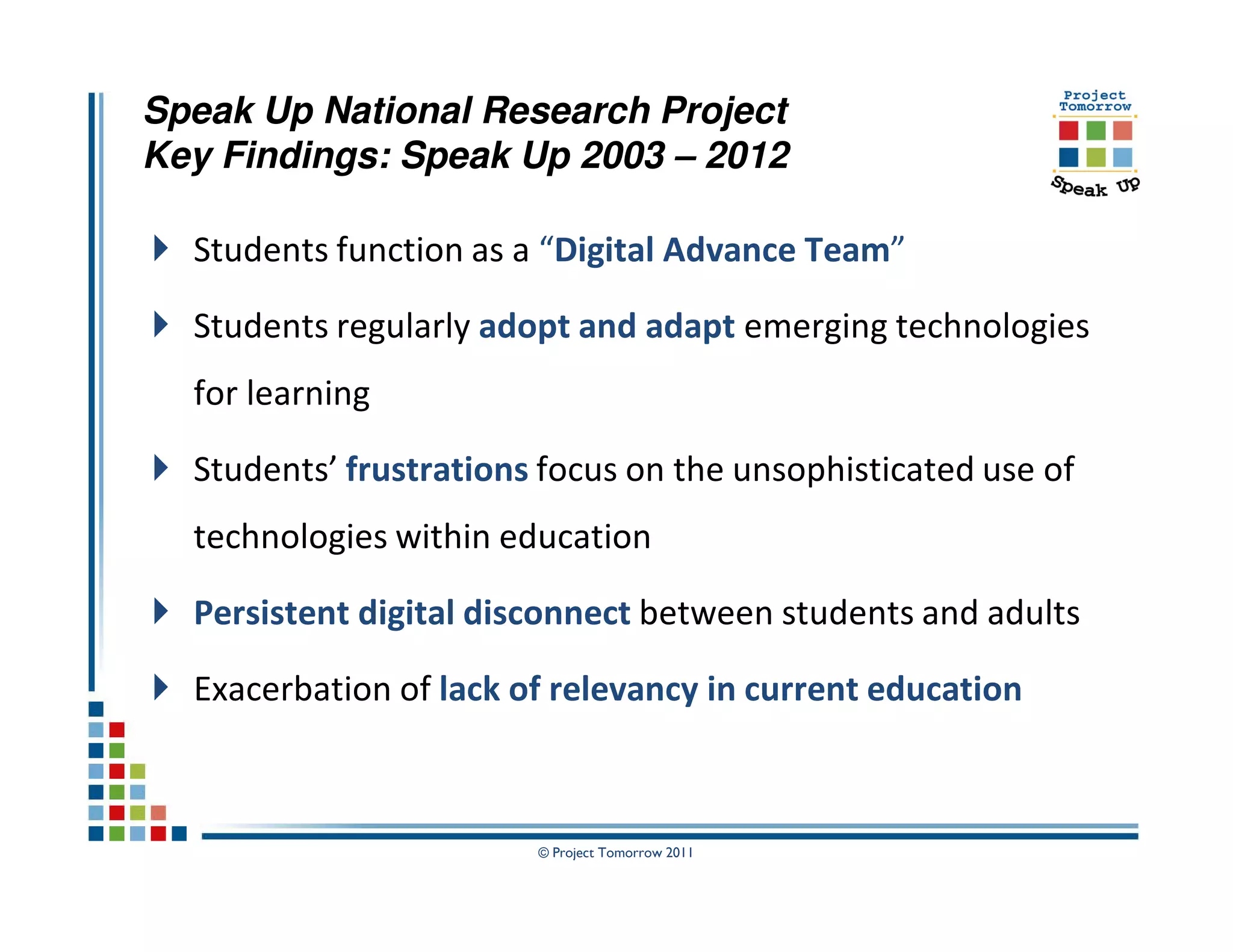
Speak Up National Research Project
Key Findings: Speak Up 2003 – 2012

  Students function as a “Digital Advance Team”

  Students regularly adopt and adapt emerging technologies
  for learning

  Students’ frustrations focus on the unsophisticated use of
  technologies within education

  Persistent digital disconnect between students and adults

  Exacerbation of lack of relevancy in current education


                        © Project Tomorrow 2011
Warm Up
Interactive Exercise


       © Project Tomorrow 2011
© Project Tomorrow 2011
A
STUDENT’S
   LIFE


  © Project Tomorrow 2011
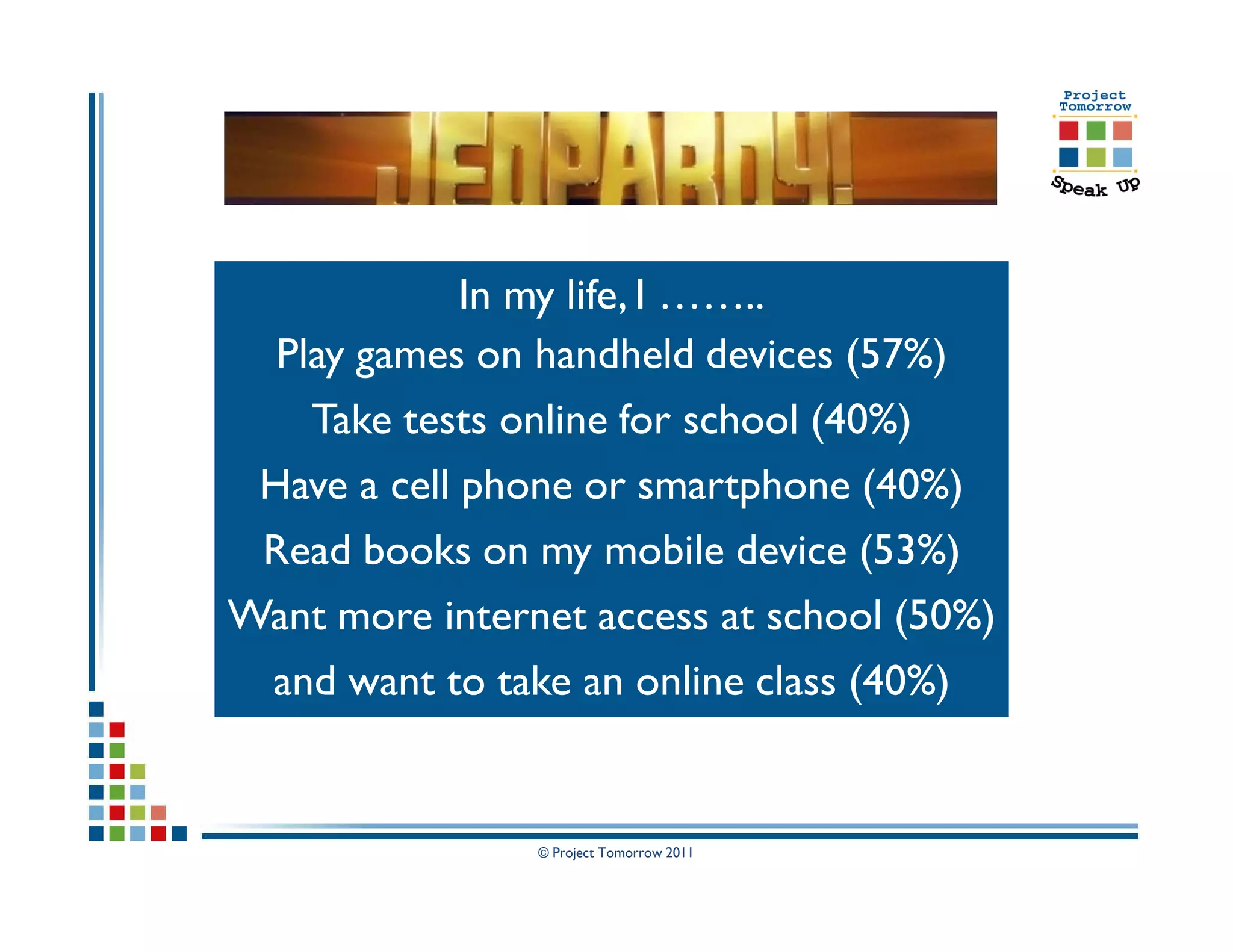
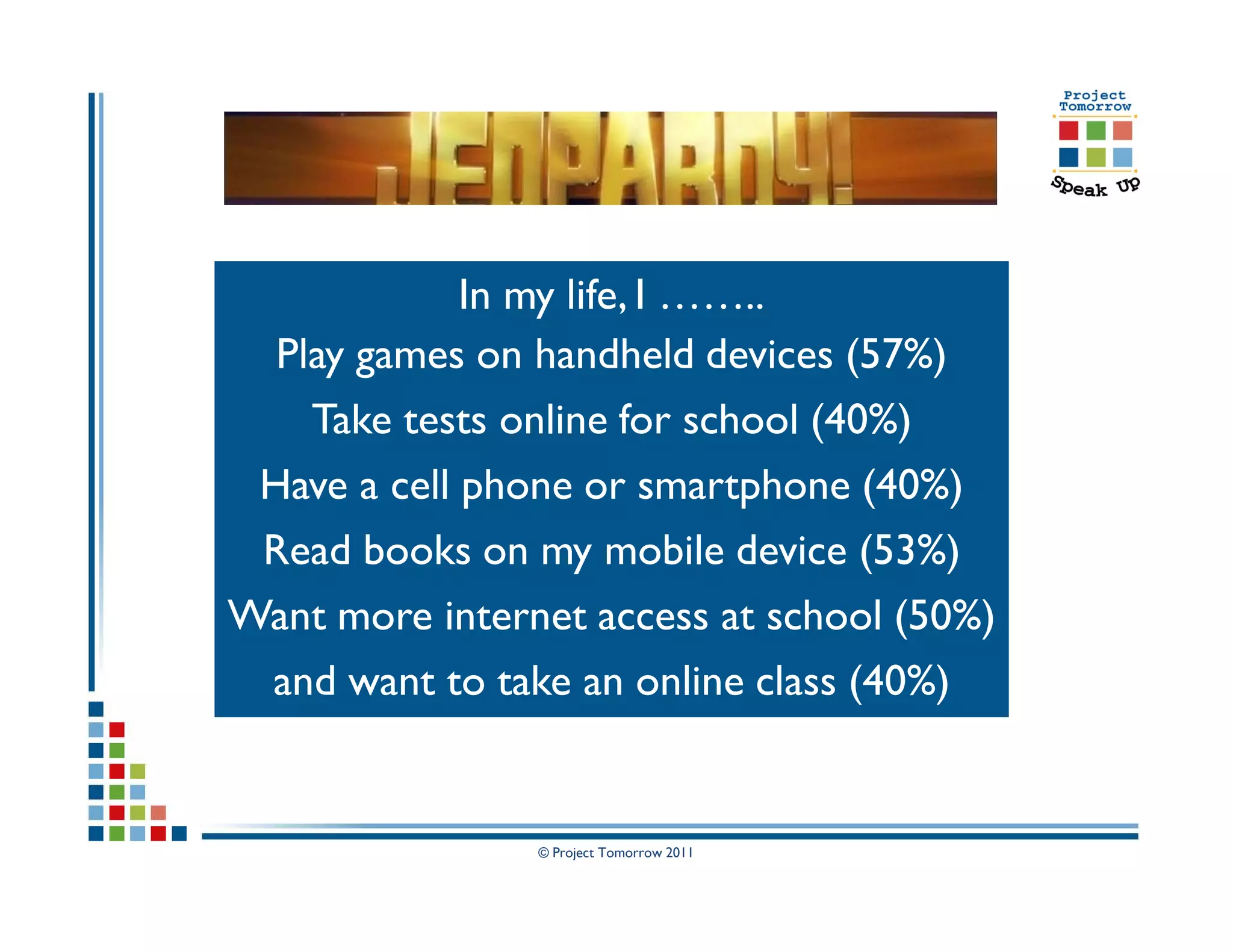
In my life, I ……..
  Play games on handheld devices (57%)
    Take tests online for school (40%)
 Have a cell phone or smartphone (40%)
 Read books on my mobile device (53%)
Want more internet access at school (50%)
 and want to take an online class (40%)


                © Project Tomorrow 2011
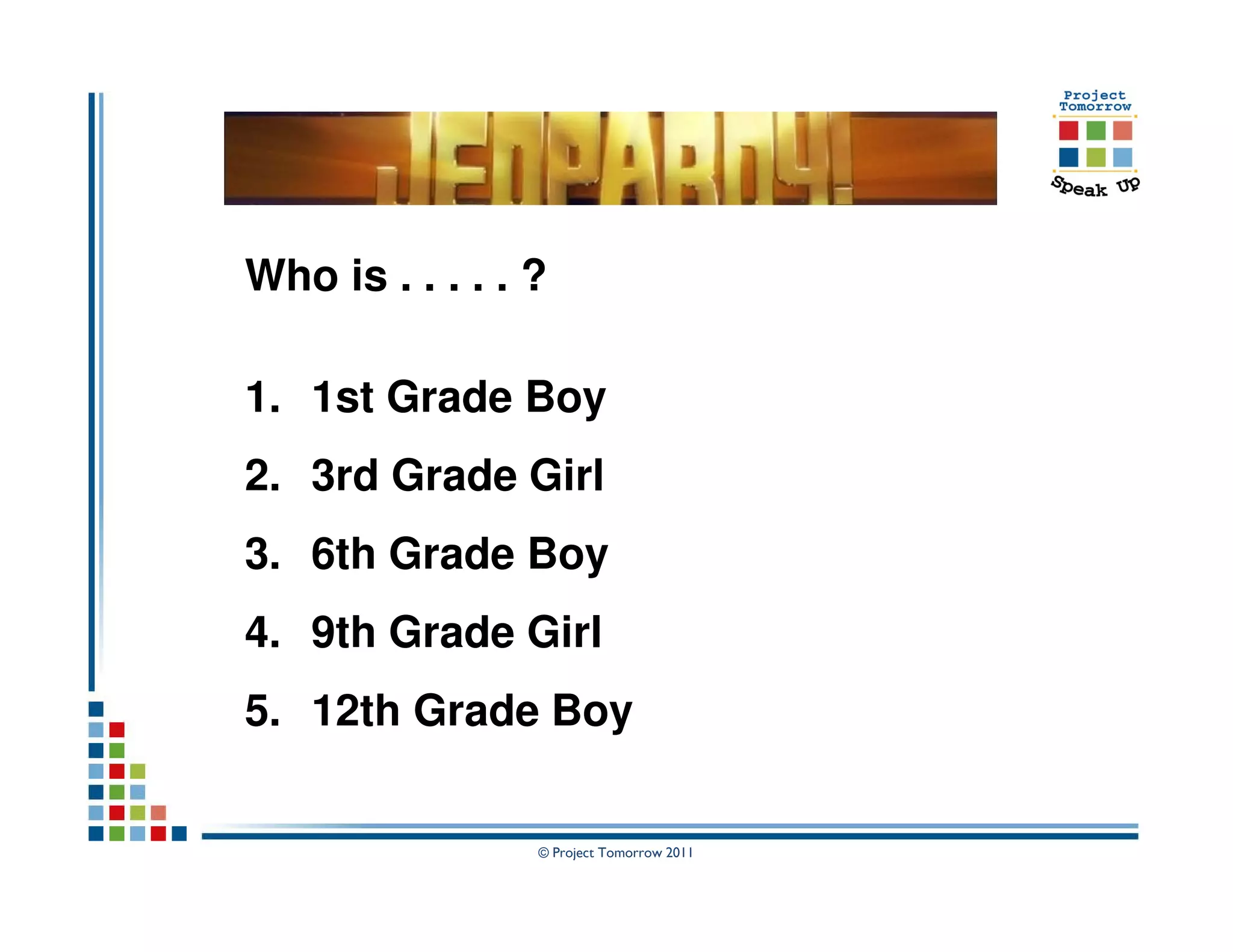
Who is . . . . . ?

1. 1st Grade Boy
2. 3rd Grade Girl
3. 6th Grade Boy
4. 9th Grade Girl
5. 12th Grade Boy


                 © Project Tomorrow 2011
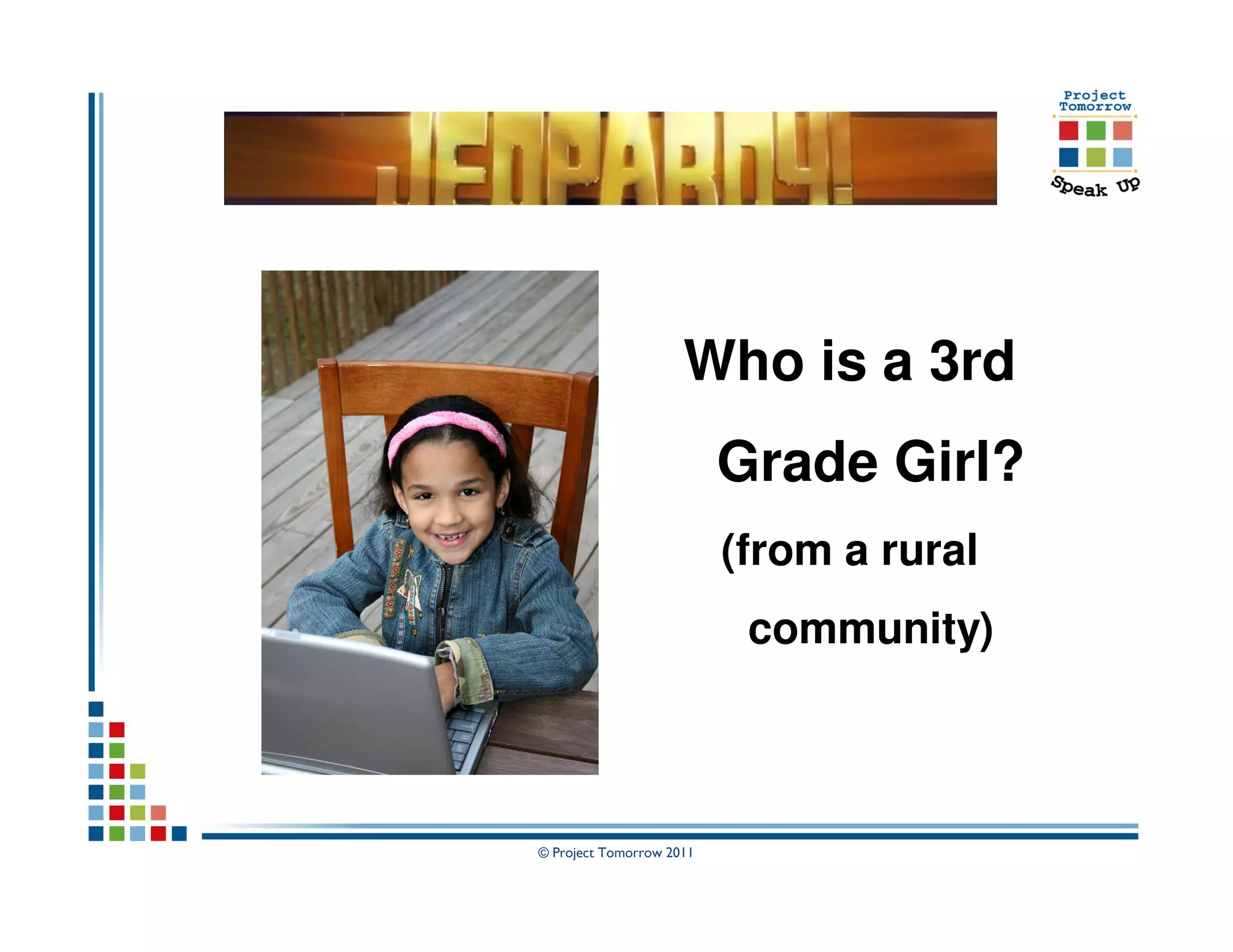
Who is a 3rd
                          Grade Girl?
                          (from a rural
                           community)


© Project Tomorrow 2011
In my life, I ……..
  Play games on handheld devices (57%)
    Take tests online for school (40%)
 Have a cell phone or smartphone (40%)
 Read books on my mobile device (53%)
Want more internet access at school (50%)
 and want to take an online class (40%)


                © Project Tomorrow 2011
Emerging from the Speak Up research:


     A new uniquely “student vision” for
    leveraging emerging technologies to
     drive achievement and educational
                productivity


                     © Project Tomorrow 2011
Emerging from the Speak Up research:


     A new uniquely “student vision” for
    leveraging emerging technologies to
     drive achievement and educational
                productivity

     This student vision for “technology
       enabled learning” mirrors how
      students want to learn in general

                     © Project Tomorrow 2011
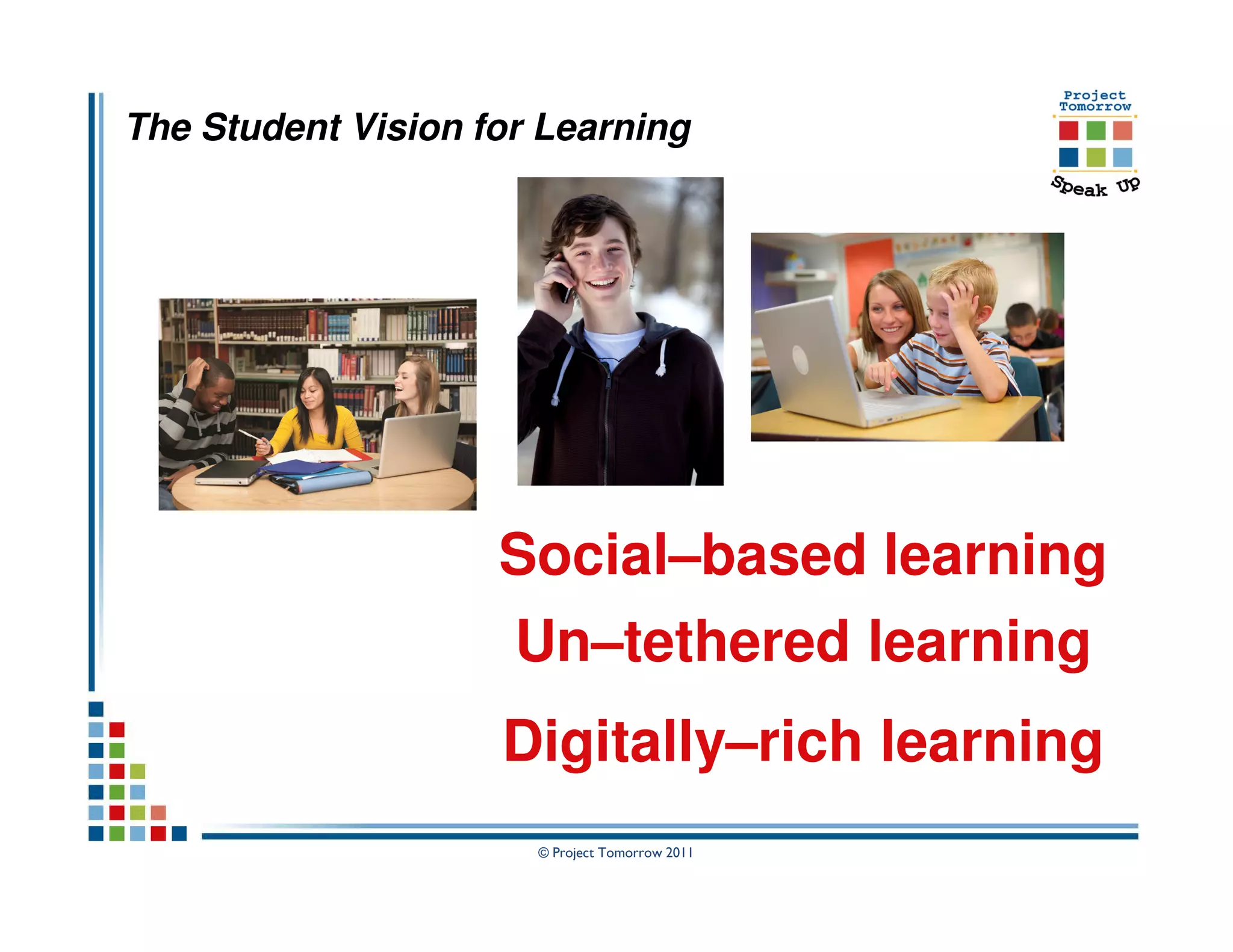
The Student Vision for Learning


                    Social–based learning
                     Un–tethered learning
                    Digitally–rich learning
                      © Project Tomorrow 2011
Speak Up 2010 National Findings
      Two national releases in Washington DC
      April 1 and May 11, 2011


  The New 3 E’s of Education:
Enabled, Engaged, Empowered
 Report #1: How today’s students are leveraging
       emerging technologies for learning

Report #2: How today’s educators are advancing a
       new vision for teaching and learning
                     © Project Tomorrow 2011
The New 3 E’s of Education:
Enabled, Engaged, Empowered


  Key Trends to Watch:

    Mobile Learning

    Online and Blended Learning

    E-Textbooks and Digital Content


                   © Project Tomorrow 2011
The New 3 E’s of Education:
Enabled, Engaged, Empowered


Key Trends: E-Textbooks & Digital Content


                   © Project Tomorrow 2011
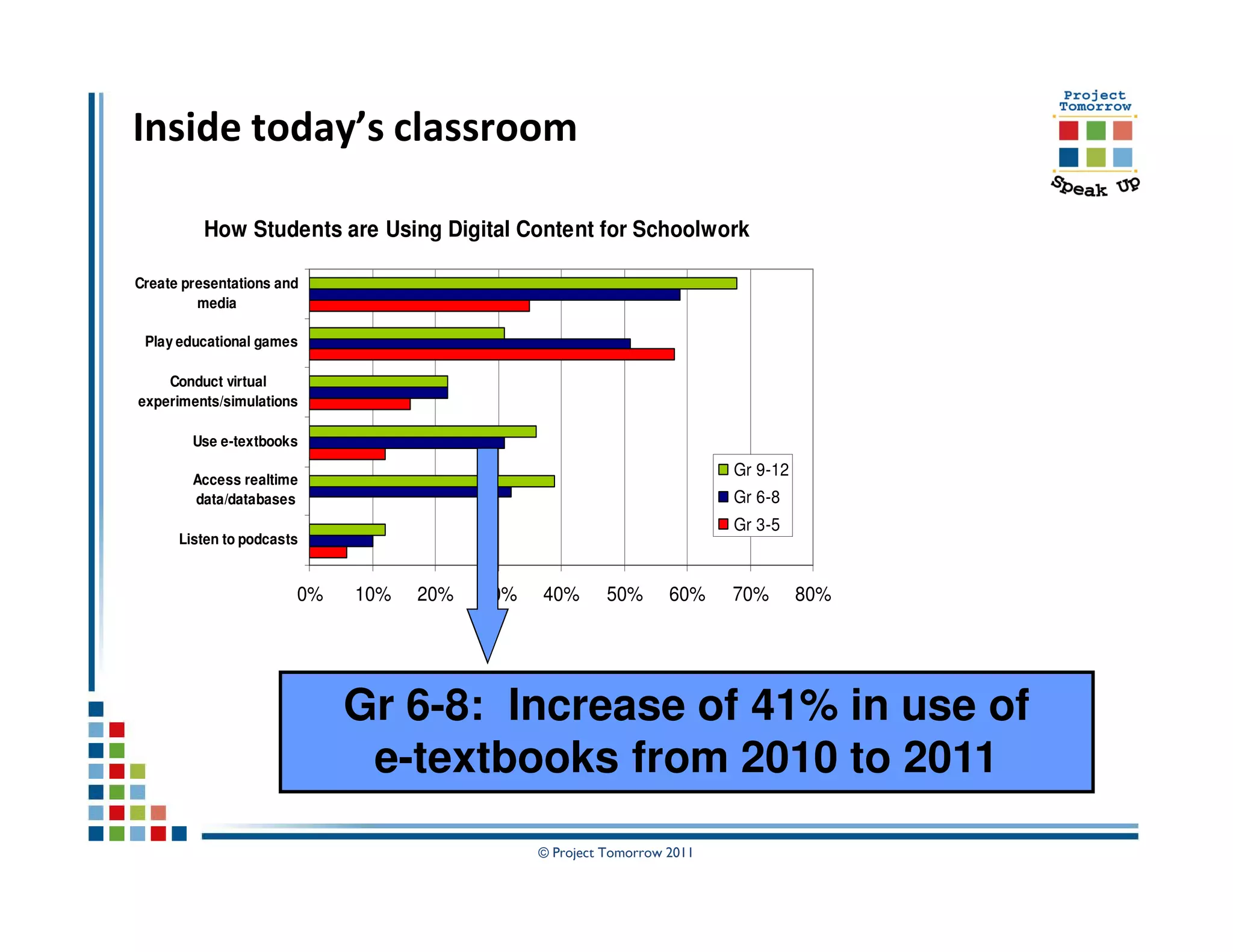
Inside today’s classroom

          How Students are Using Digital Content for Schoolwork

Create presentations and
         media

 Play educational games

    Conduct virtual
experiments/simulations

        Use e-textbooks
                                                                              Gr 9-12
        Access realtime
        data/databases                                                        Gr 6-8
                                                                              Gr 3-5
      Listen to podcasts


                       0%   10%    20%          30%         40%   50%   60%   70%       80%


                                  © Project Tomorrow 2011
Inside today’s classroom

          How Students are Using Digital Content for Schoolwork

Create presentations and
         media

 Play educational games

    Conduct virtual
experiments/simulations

        Use e-textbooks
                                                                        Gr 9-12
        Access realtime
        data/databases                                                  Gr 6-8
                                                                        Gr 3-5
      Listen to podcasts


                       0%   10%   20%   30%   40%       50%      60%    70%       80%


                            Gr 6-8: Increase of 41% in use of
                             e-textbooks from 2010 to 2011
                                              © Project Tomorrow 2011
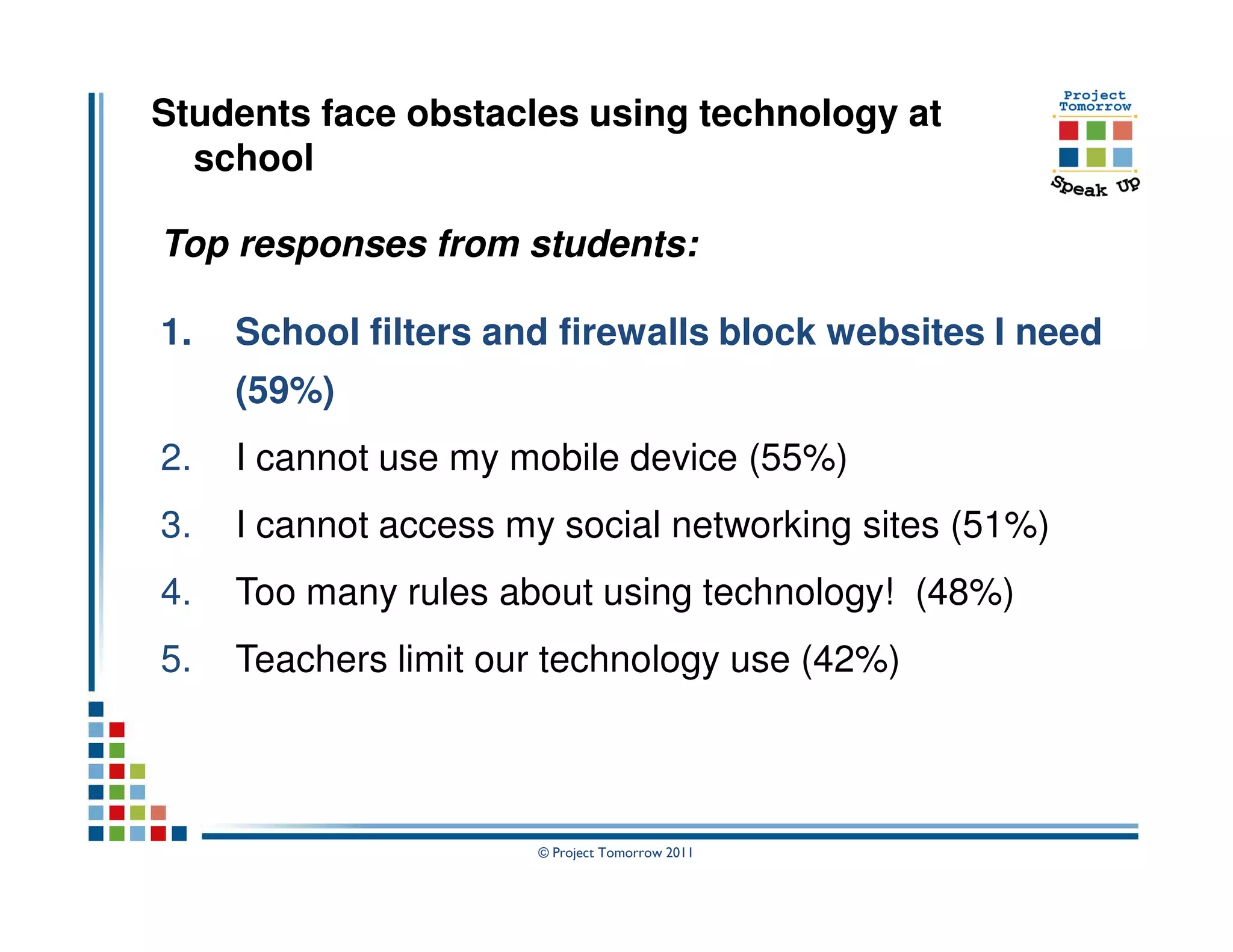
Students face obstacles using technology at
  school

Top responses from students:

1.   School filters and firewalls block websites I need
     (59%)
2.   I cannot use my mobile device (55%)
3.   I cannot access my social networking sites (51%)
4.   Too many rules about using technology! (48%)
5.   Teachers limit our technology use (42%)


                      © Project Tomorrow 2011
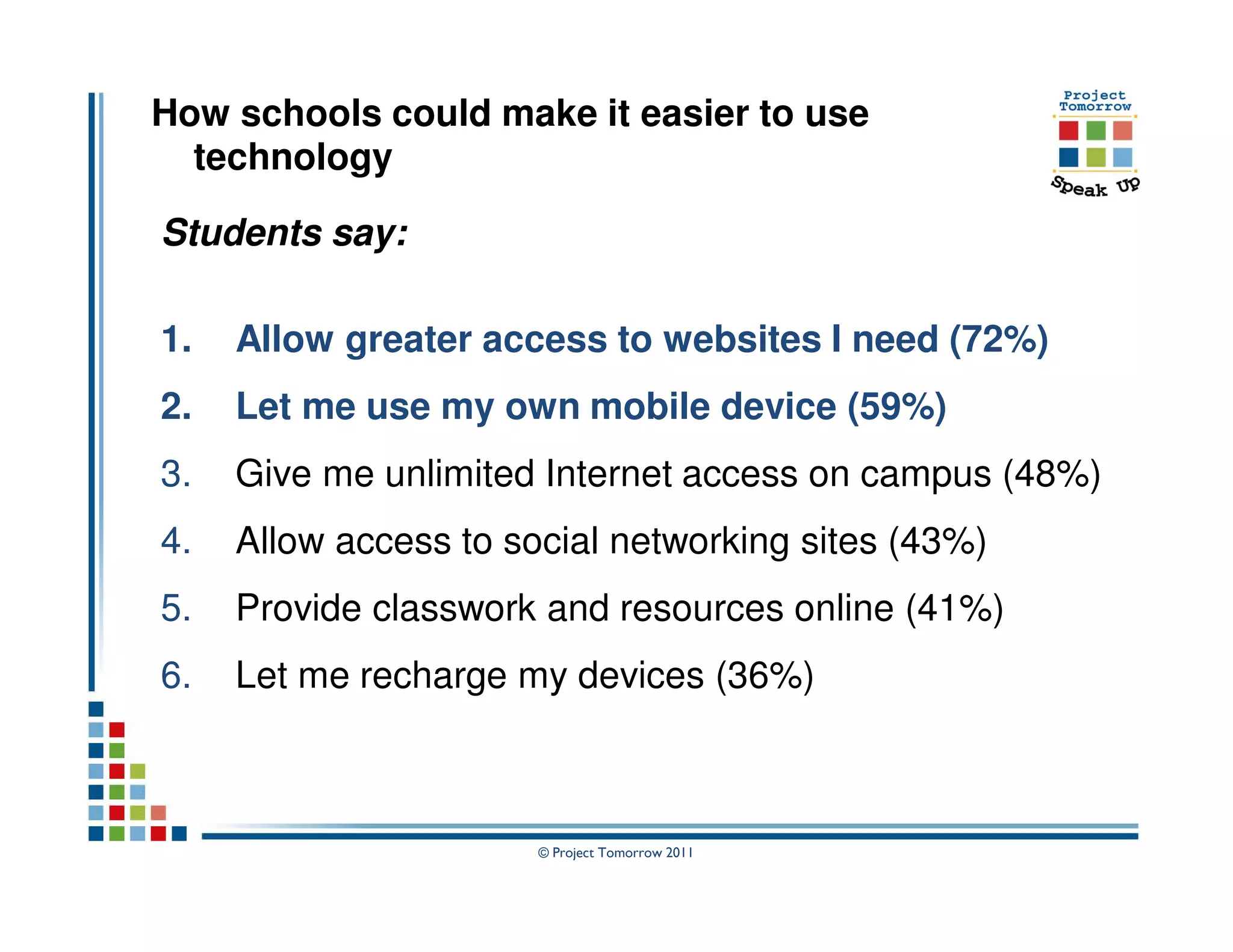
How schools could make it easier to use
  technology

Students say:

1.   Allow greater access to websites I need (72%)
2.   Let me use my own mobile device (59%)
3.   Give me unlimited Internet access on campus (48%)
4.   Allow access to social networking sites (43%)
5.   Provide classwork and resources online (41%)
6.   Let me recharge my devices (36%)


                       © Project Tomorrow 2011
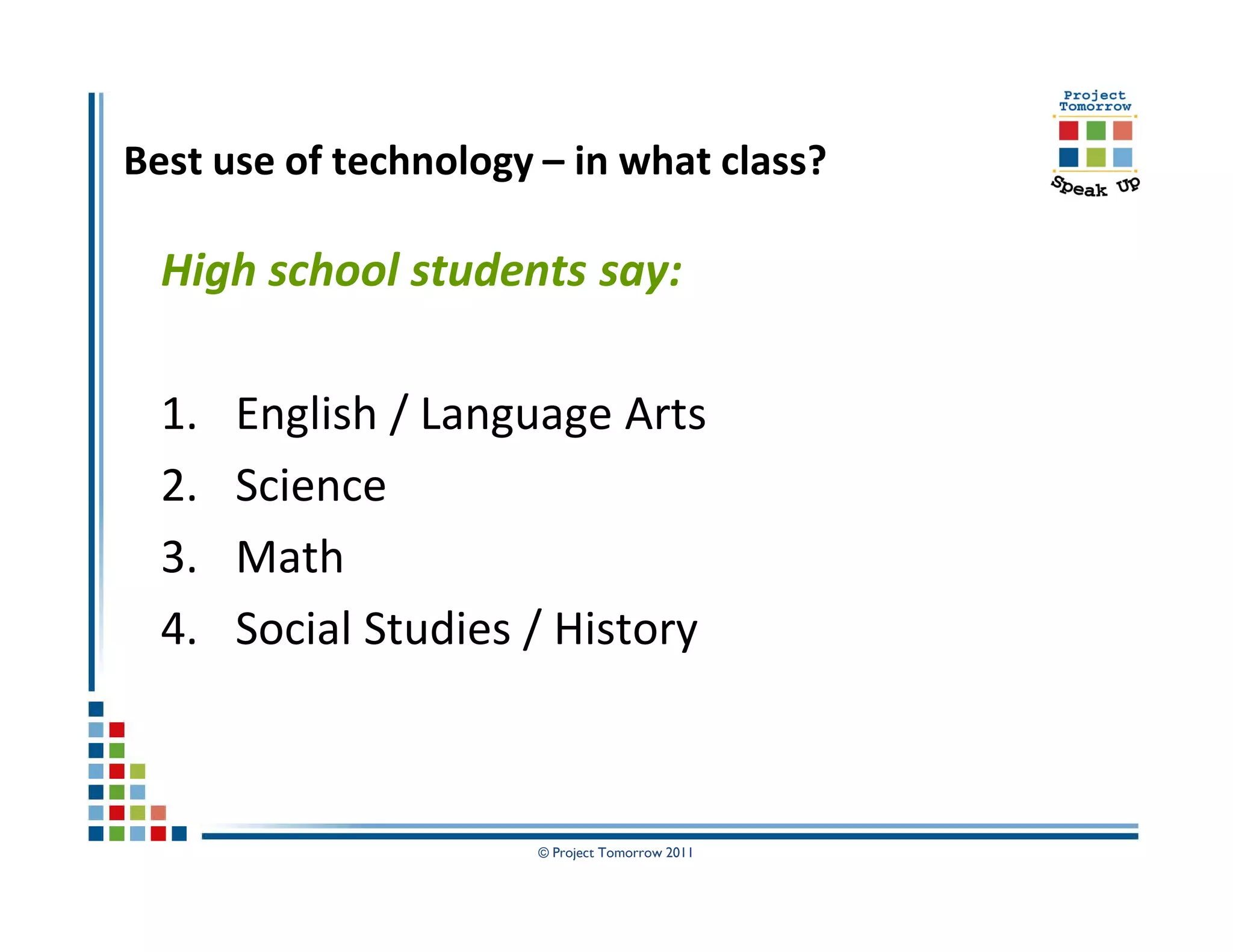
Best use of technology – in what class?

  High school students say:

  1.   English / Language Arts
  2.   Science
  3.   Math
  4.   Social Studies / History


                       © Project Tomorrow 2011
What if ….

We asked students to design the ultimate
 digital or e-textbook?

What features and functionality would
 they desire?


                 © Project Tomorrow 2011
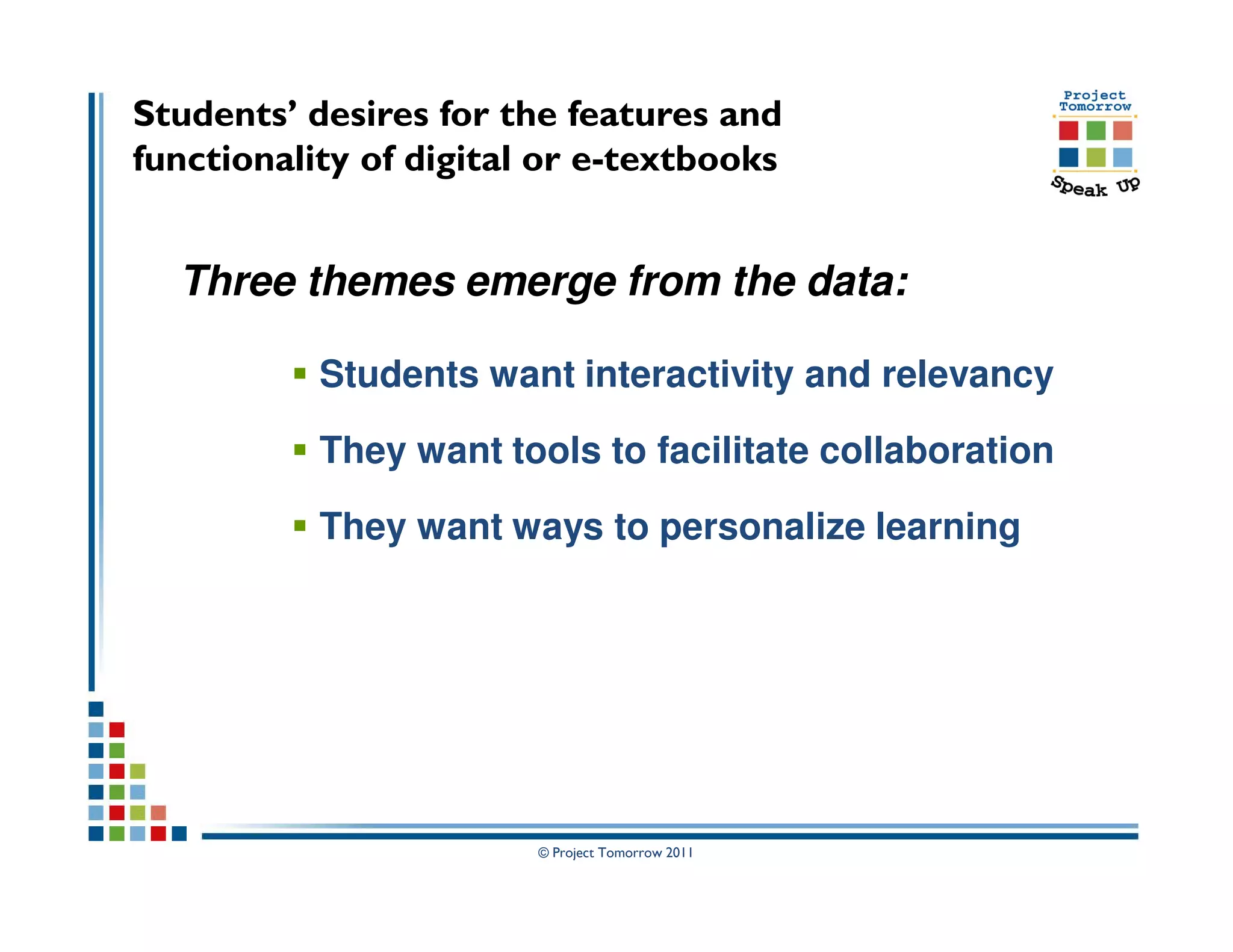
Students’ desires for the features and
functionality of digital or e-textbooks


  Three themes emerge from the data:

           Students want interactivity and relevancy

           They want tools to facilitate collaboration

           They want ways to personalize learning


                        © Project Tomorrow 2011
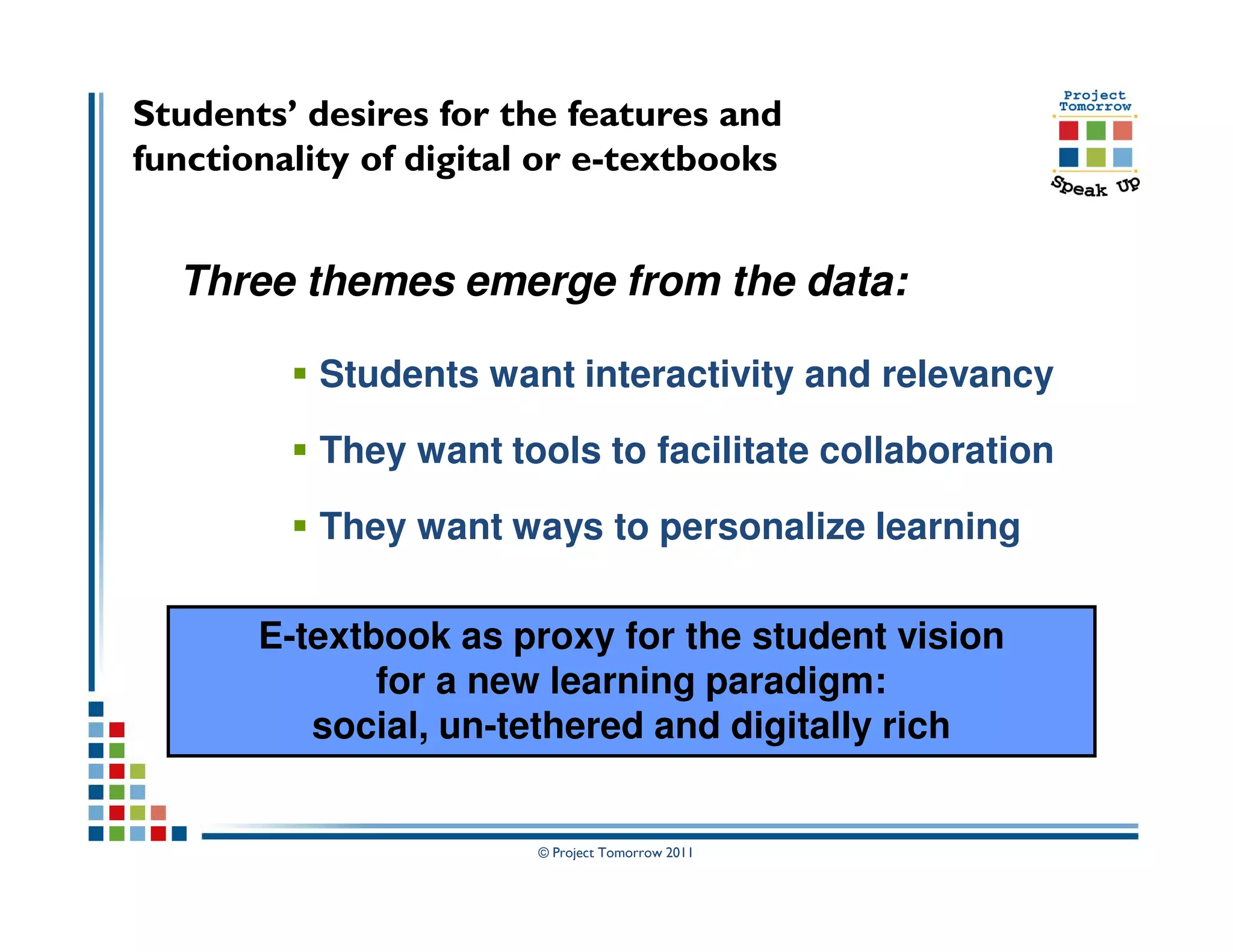
Students’ desires for the features and
functionality of digital or e-textbooks


  Three themes emerge from the data:

           Students want interactivity and relevancy

           They want tools to facilitate collaboration

           They want ways to personalize learning

       E-textbook as proxy for the student vision
              for a new learning paradigm:
          social, un-tethered and digitally rich


                        © Project Tomorrow 2011
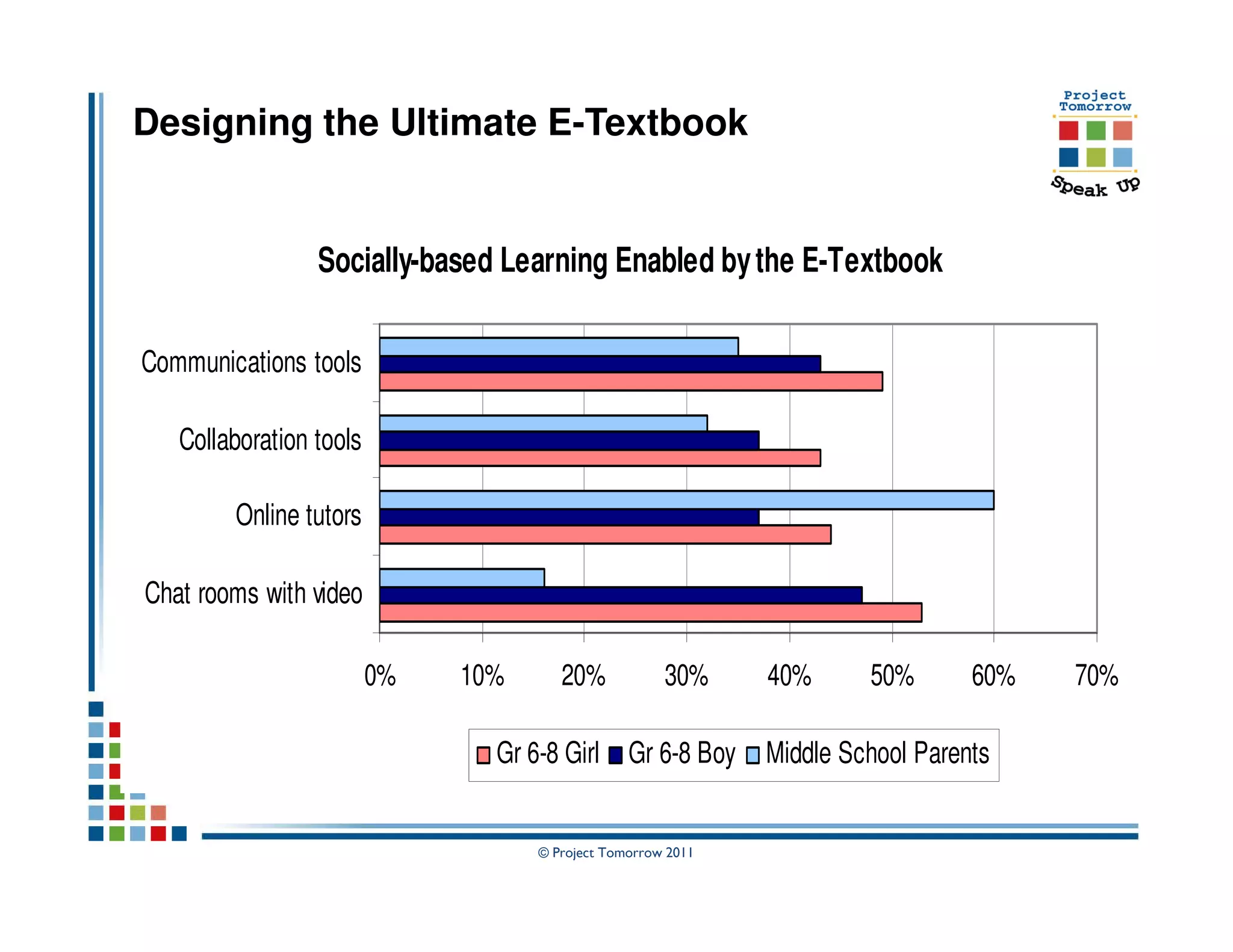
Designing the Ultimate E-Textbook


                 Socially-based Learning Enabled by the E-Textbook

Communications tools

   Collaboration tools

        Online tutors

Chat rooms with video

                         0%   10%      20%            30%     40%      50%       60%   70%

                                Gr 6-8 Girl Gr 6-8 Boy        Middle School Parents


                                    © Project Tomorrow 2011
Designing the Ultimate E-Textbook


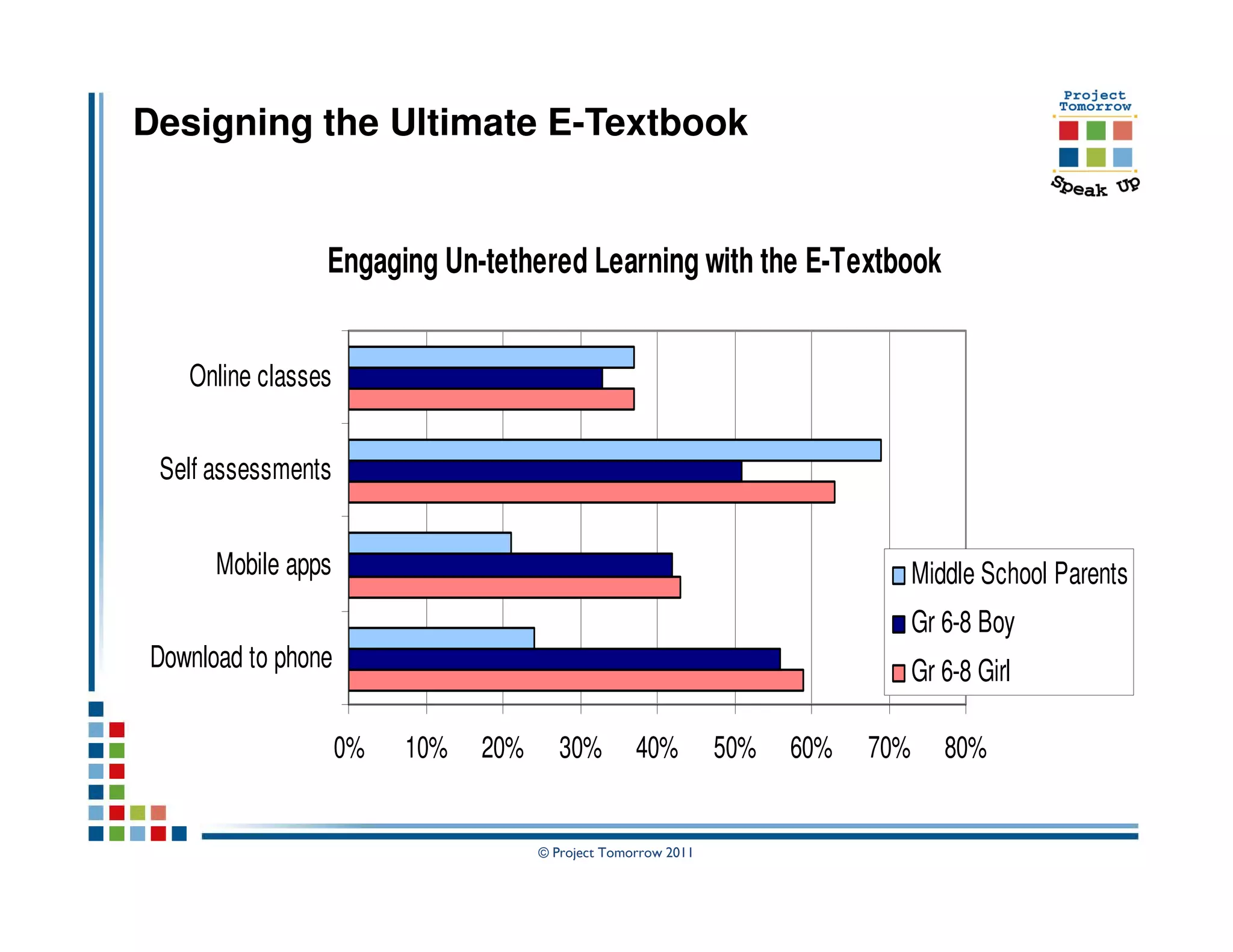
                Engaging Un-tethered Learning with the E-Textbook


   Online classes


 Self assessments


      Mobile apps                                                                Middle School Parents
                                                                                 Gr 6-8 Boy
Download to phone                                                                Gr 6-8 Girl

                    0%   10%   20%      30%        40%         50%   60%   70%      80%


                                     © Project Tomorrow 2011
Designing the Ultimate E-Textbook


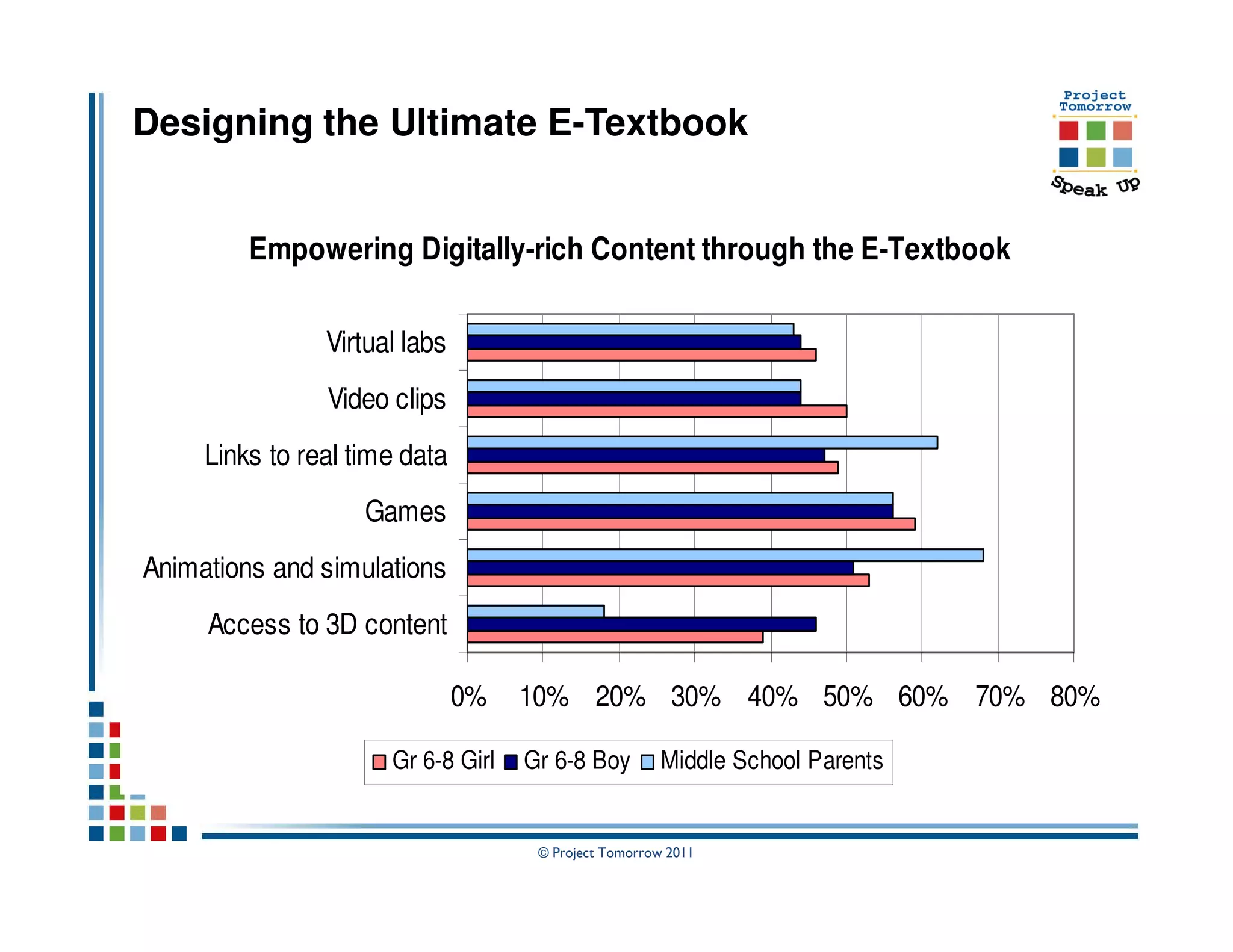
         Empowering Digitally-rich Content through the E-Textbook

                Virtual labs
                Video clips
     Links to real time data
                    Games
Animations and simulations
     Access to 3D content

                               0%   10% 20% 30% 40% 50% 60% 70% 80%

                      Gr 6-8 Girl   Gr 6-8 Boy         Middle School Parents


                                     © Project Tomorrow 2011
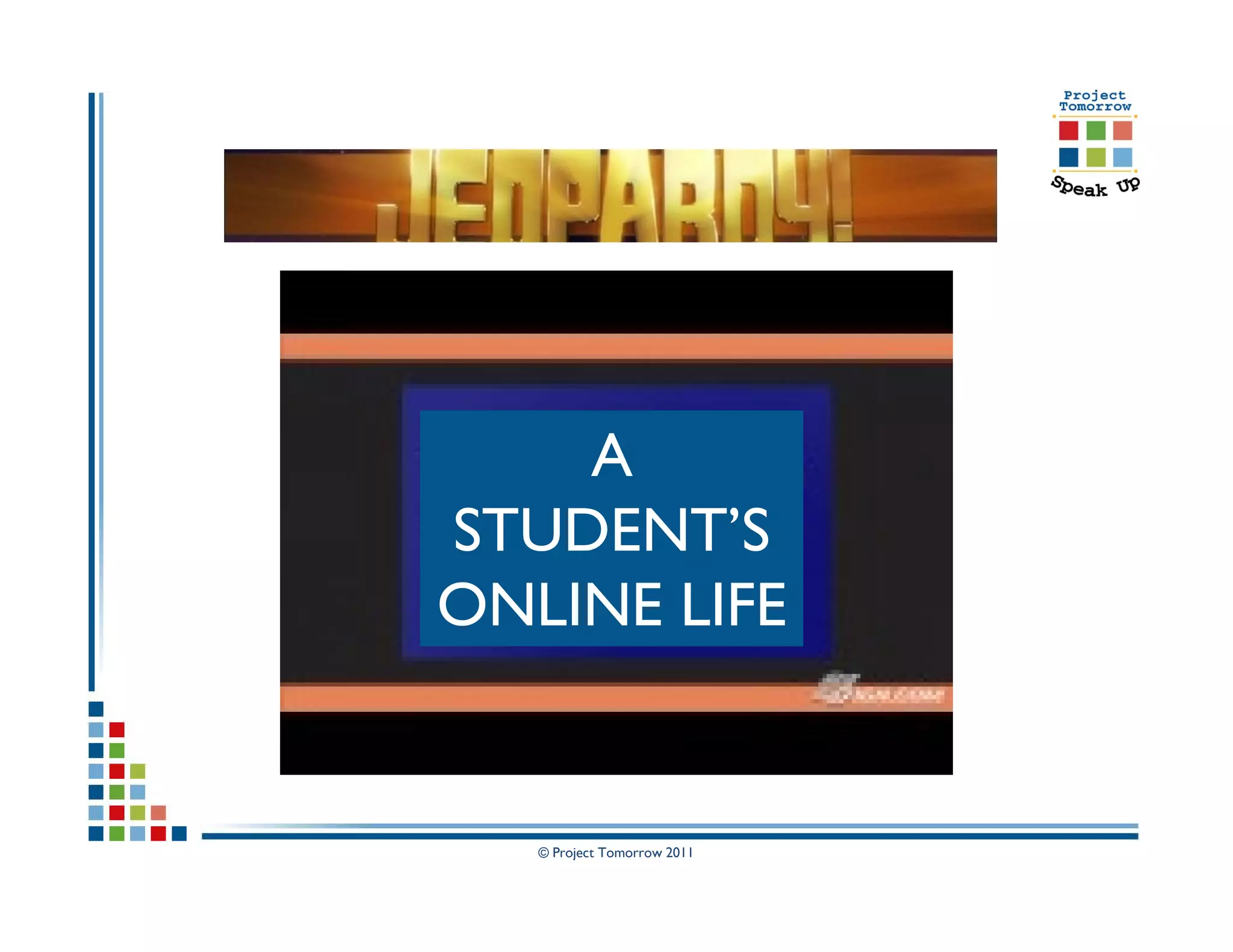
A
STUDENT’S
ONLINE LIFE


   © Project Tomorrow 2011
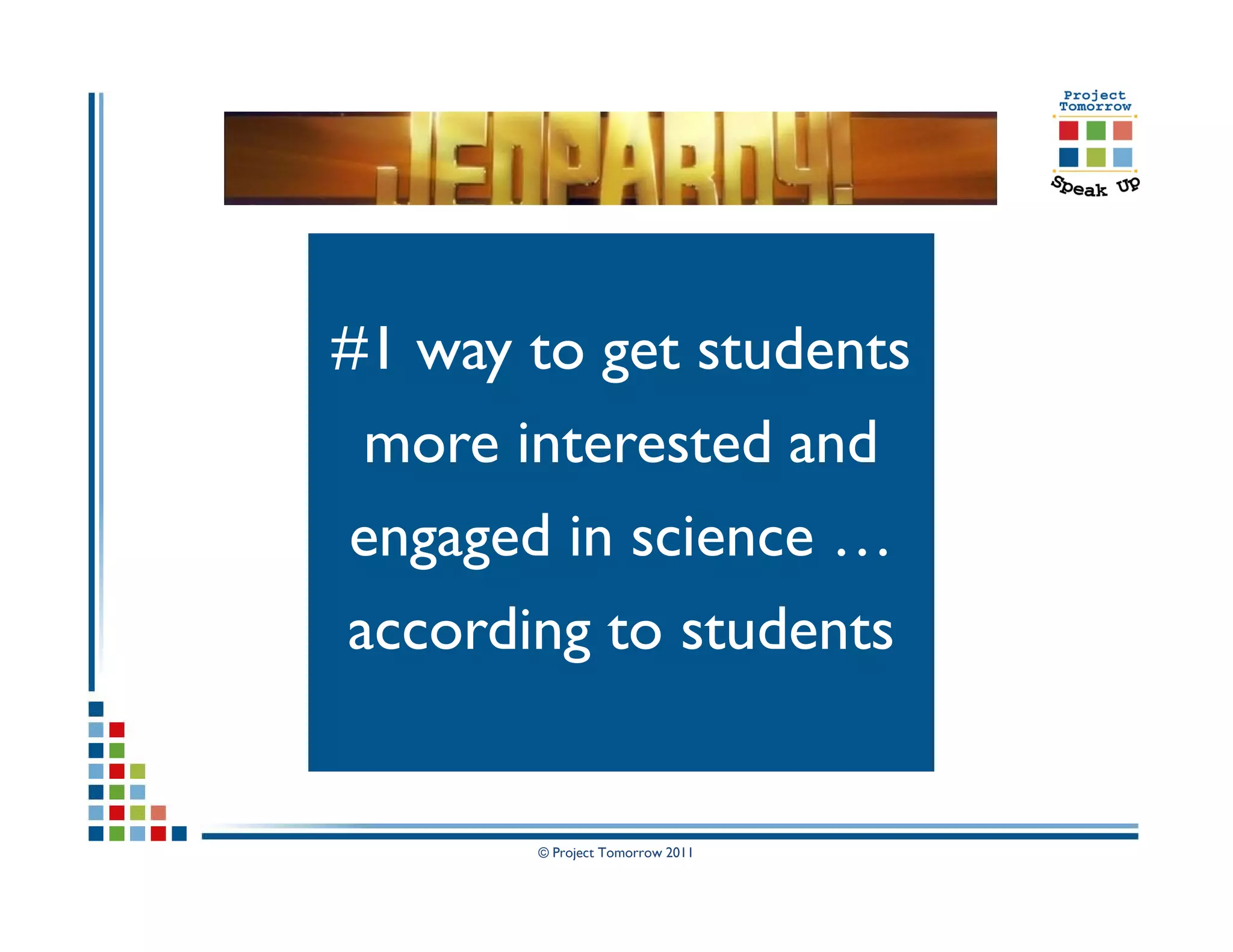
#1 way to get students
 more interested and
engaged in science …
according to students


       © Project Tomorrow 2011
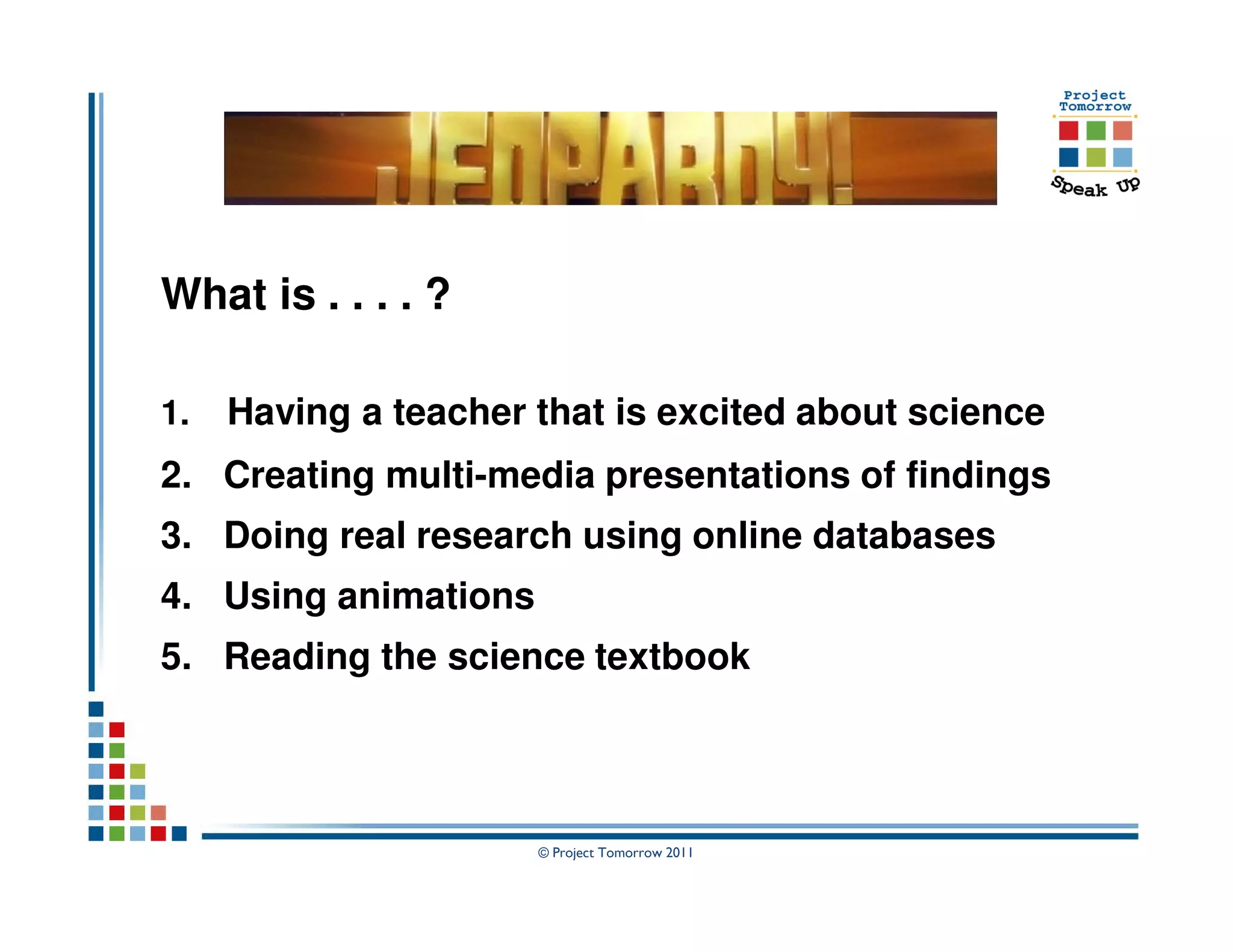
What is . . . . ?

1.   Having a teacher that is excited about science
2. Creating multi-media presentations of findings
3. Doing real research using online databases
4. Using animations
5. Reading the science textbook


                      © Project Tomorrow 2011
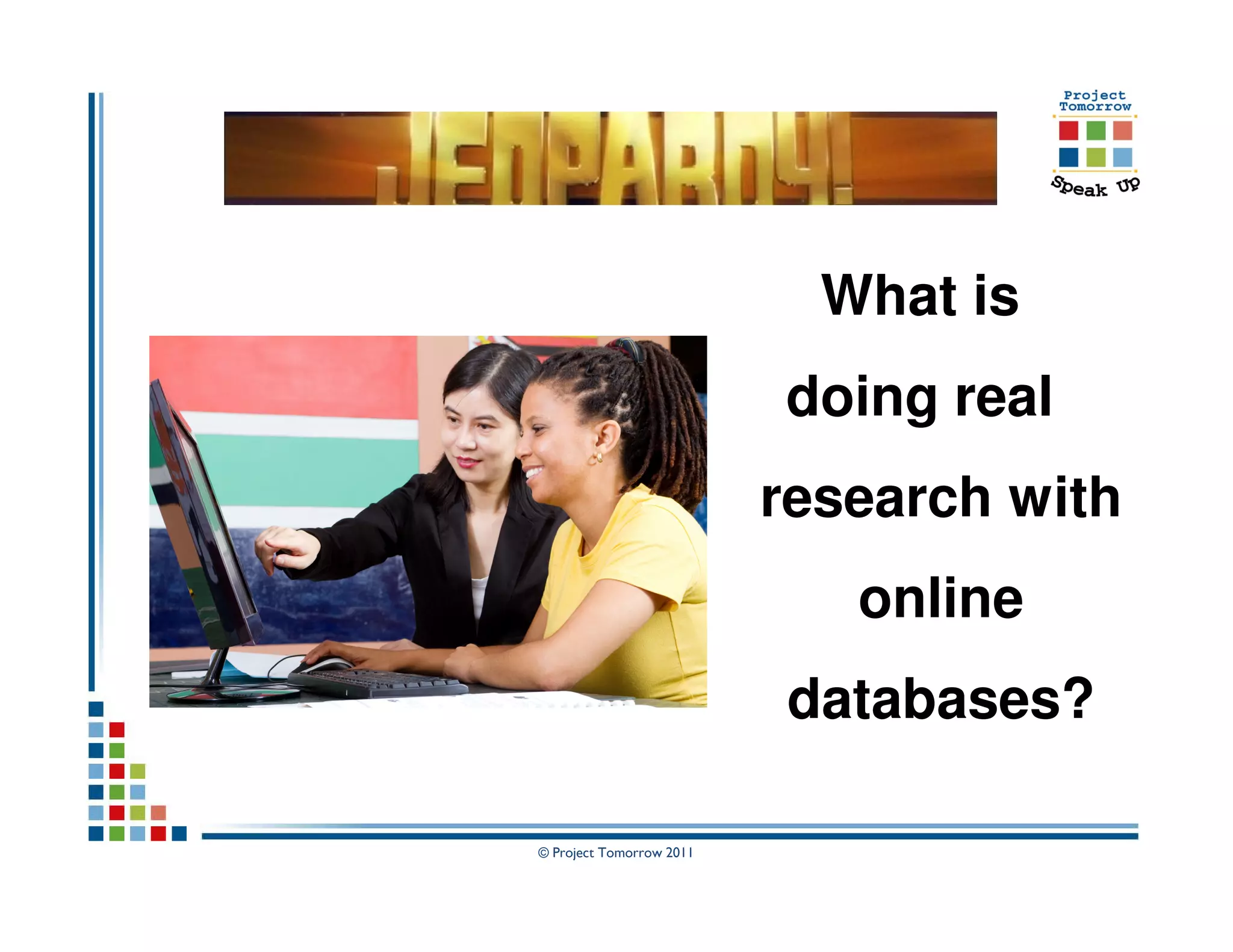
What is
                          doing real
                          research with
                             online
                          databases?

© Project Tomorrow 2011
Students’ “speak up” about the ultimate math
class
 Students say:
   Collaborate with classmates on problem solving       52%


   Ability to text my teacher with questions            42%
   I have a connection with my teacher                  42%
   My teacher is excited about math                     39%


   Access to online tutors                              35%
   Access to online textbooks                           32%
   Ability to use mobile devices to video problems      31%
   Access to online classes                             24%


                              © Project Tomorrow 2011
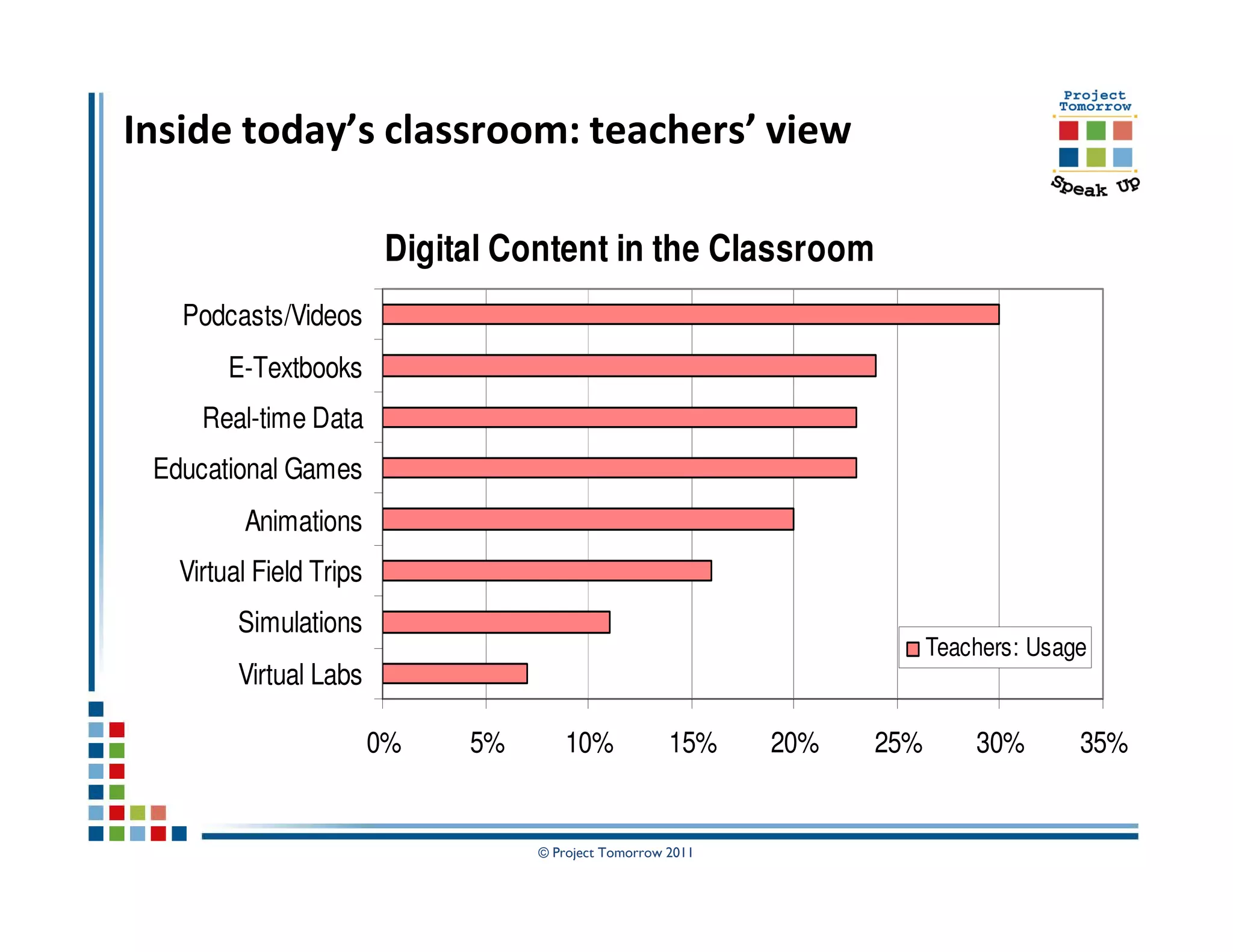
Inside today’s classroom: teachers’ view

                          Digital Content in the Classroom
   Podcasts/Videos
        E-Textbooks
     Real-time Data
 Educational Games
         Animations
   Virtual Field Trips
         Simulations
                                                                          Teachers: Usage
         Virtual Labs

                         0%    5%      10%             15%    20%   25%       30%       35%


                                    © Project Tomorrow 2011
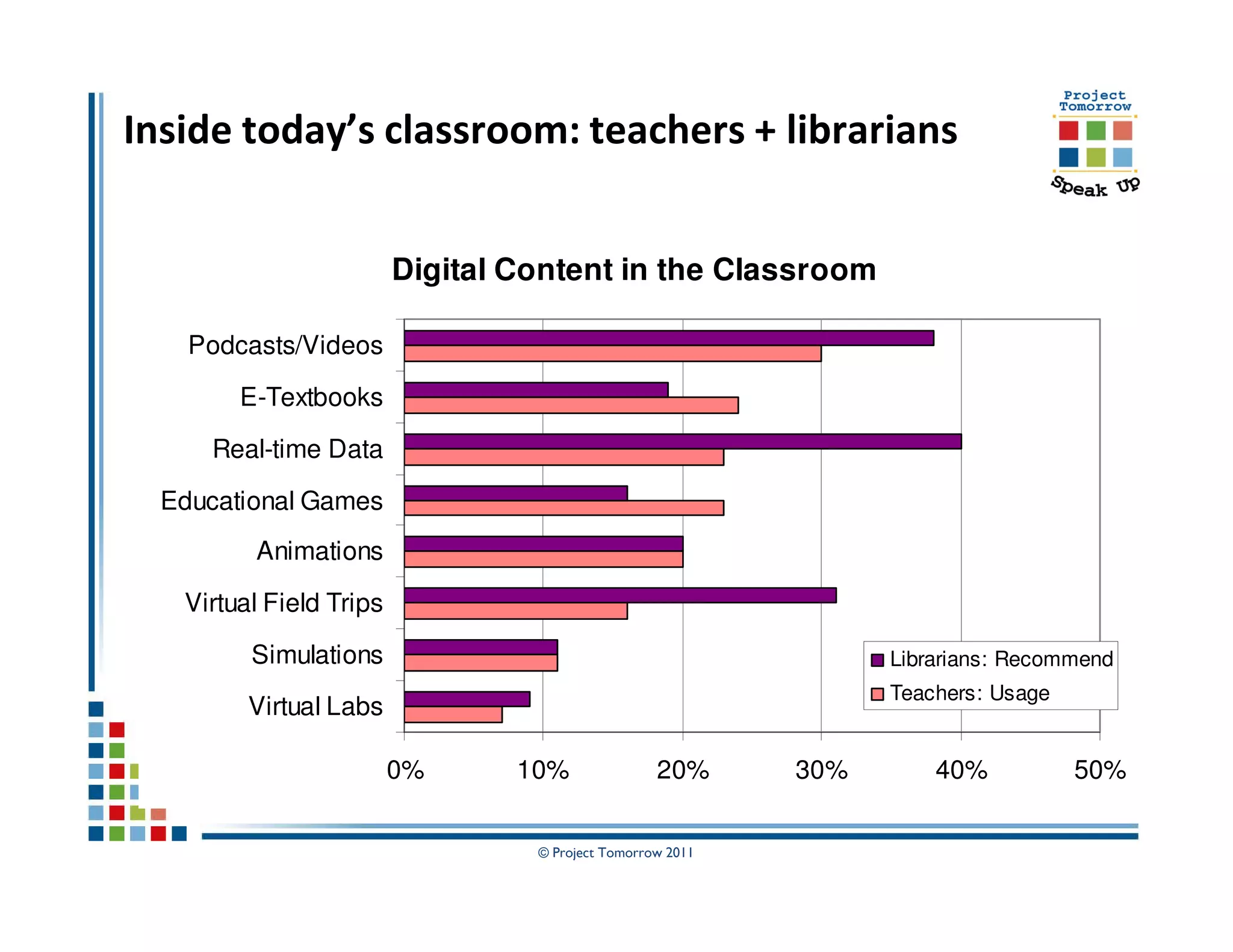
Inside today’s classroom: teachers + librarians


                         Digital Content in the Classroom

    Podcasts/Videos

        E-Textbooks

     Real-time Data

  Educational Games
         Animations

   Virtual Field Trips

         Simulations                                              Librarians: Recommend
                                                                  Teachers: Usage
         Virtual Labs

                         0%      10%               20%      30%       40%           50%


                                  © Project Tomorrow 2011
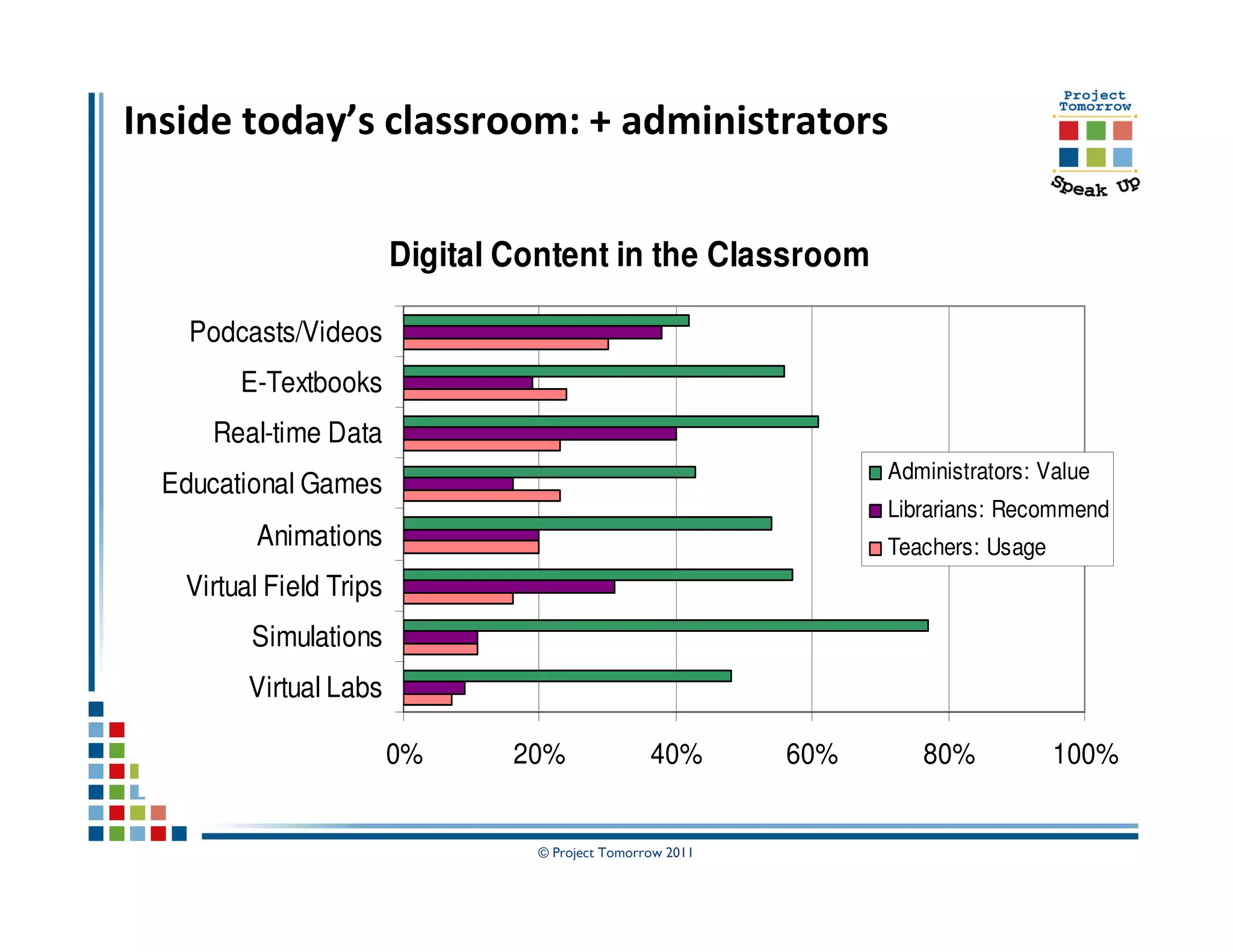
Inside today’s classroom: + administrators


                         Digital Content in the Classroom

    Podcasts/Videos
        E-Textbooks
     Real-time Data
                                                                  Administrators: Value
  Educational Games
                                                                  Librarians: Recommend
         Animations                                               Teachers: Usage
   Virtual Field Trips
         Simulations
         Virtual Labs

                         0%      20%              40%       60%      80%            100%


                                  © Project Tomorrow 2011
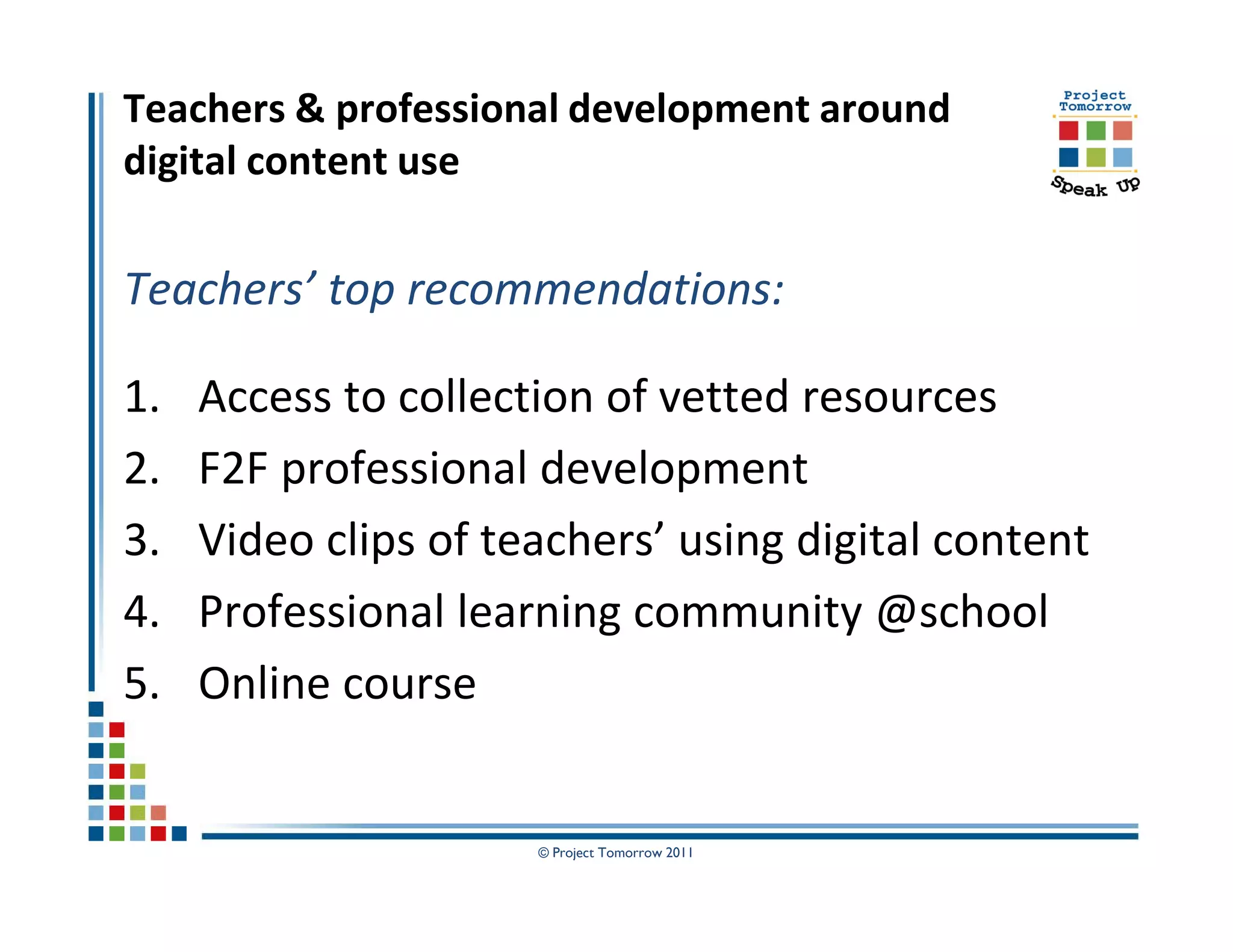
Teachers & professional development around
digital content use

Teachers’ top recommendations:

1.   Access to collection of vetted resources
2.   F2F professional development
3.   Video clips of teachers’ using digital content
4.   Professional learning community @school
5.   Online course


                      © Project Tomorrow 2011
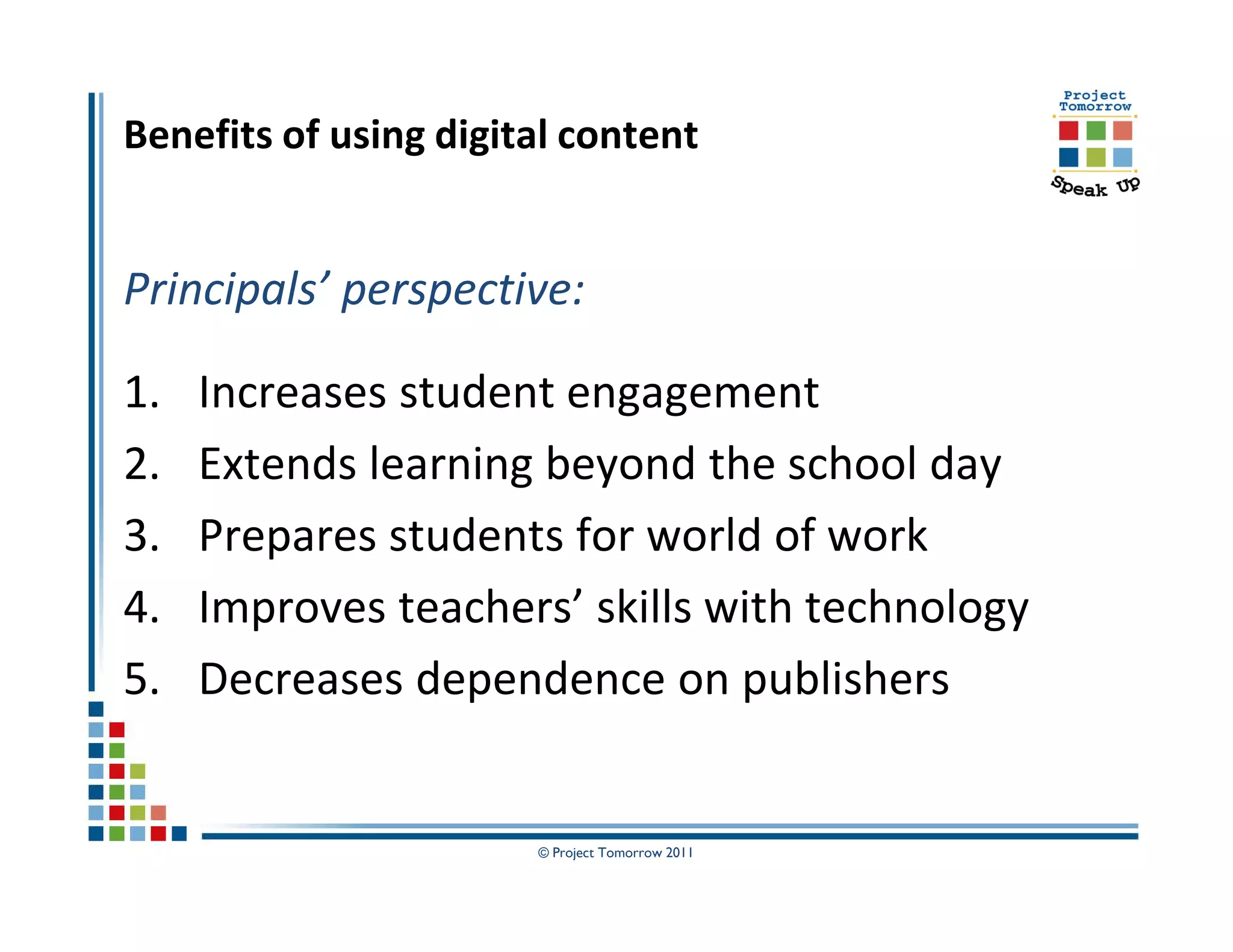
Benefits of using digital content


Principals’ perspective:

1.   Increases student engagement
2.   Extends learning beyond the school day
3.   Prepares students for world of work
4.   Improves teachers’ skills with technology
5.   Decreases dependence on publishers


                       © Project Tomorrow 2011
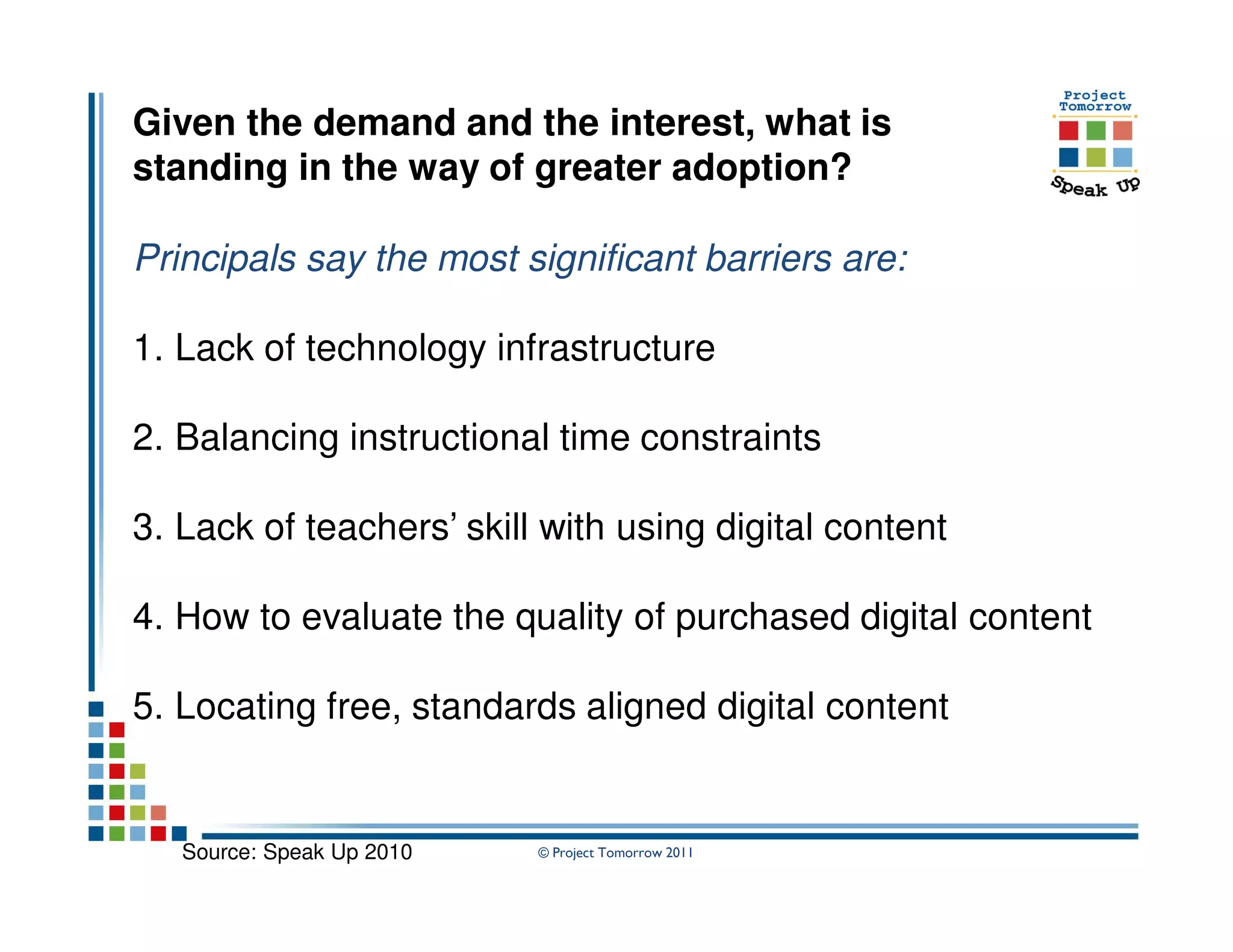
Given the demand and the interest, what is
standing in the way of greater adoption?

Principals say the most significant barriers are:

1. Lack of technology infrastructure

2. Balancing instructional time constraints

3. Lack of teachers’ skill with using digital content

4. How to evaluate the quality of purchased digital content

5. Locating free, standards aligned digital content


   Source: Speak Up 2010   © Project Tomorrow 2011
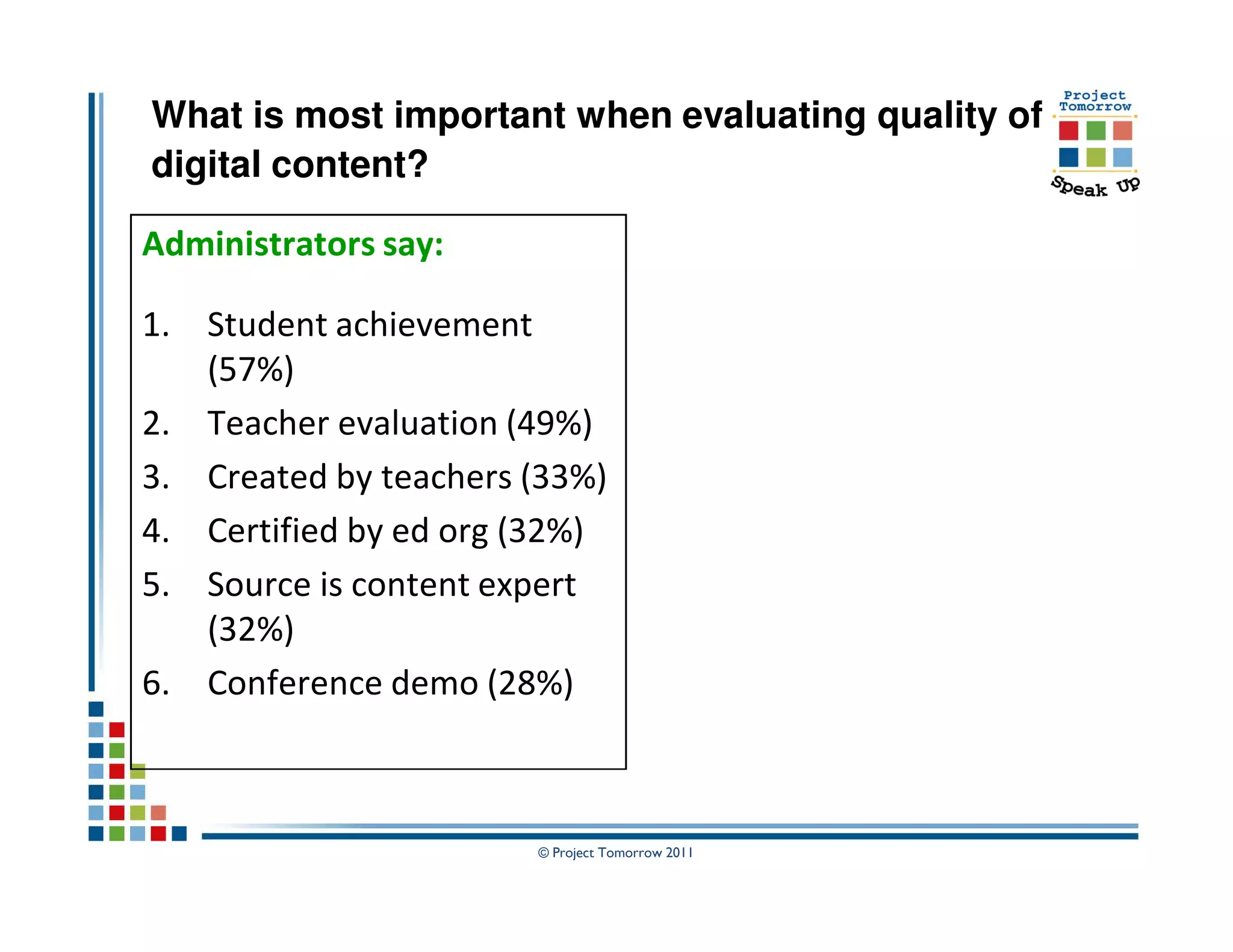
What is most important when evaluating quality of
digital content?

Administrators say:

1. Student achievement
   (57%)
2. Teacher evaluation (49%)
3. Created by teachers (33%)
4. Certified by ed org (32%)
5. Source is content expert
   (32%)
6. Conference demo (28%)


                       © Project Tomorrow 2011
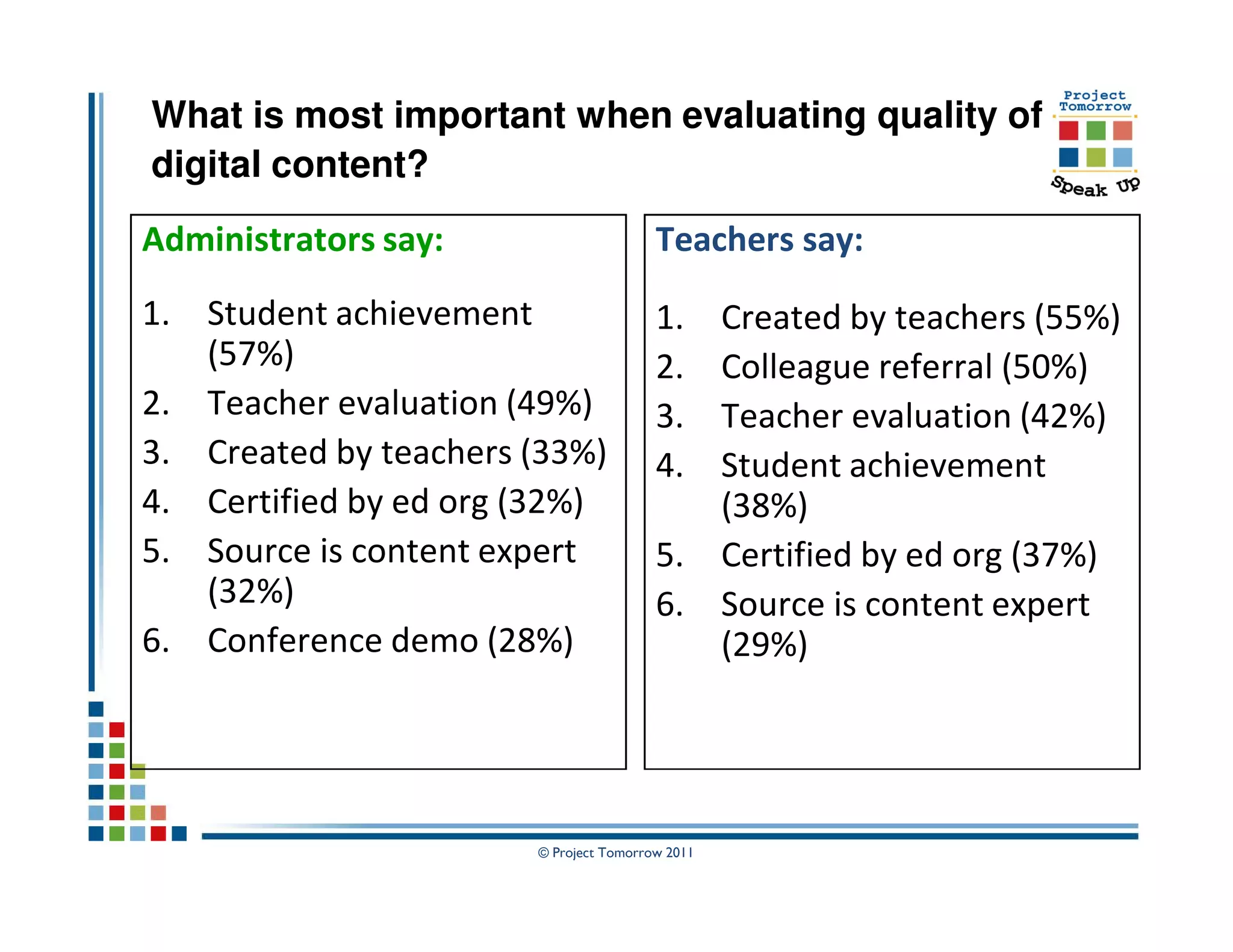
What is most important when evaluating quality of
digital content?
Administrators say:                     Teachers say:
1. Student achievement                  1. Created by teachers (55%)
   (57%)                                2. Colleague referral (50%)
2. Teacher evaluation (49%)             3. Teacher evaluation (42%)
3. Created by teachers (33%)            4. Student achievement
4. Certified by ed org (32%)               (38%)
5. Source is content expert             5. Certified by ed org (37%)
   (32%)                                6. Source is content expert
6. Conference demo (28%)                   (29%)


                       © Project Tomorrow 2011
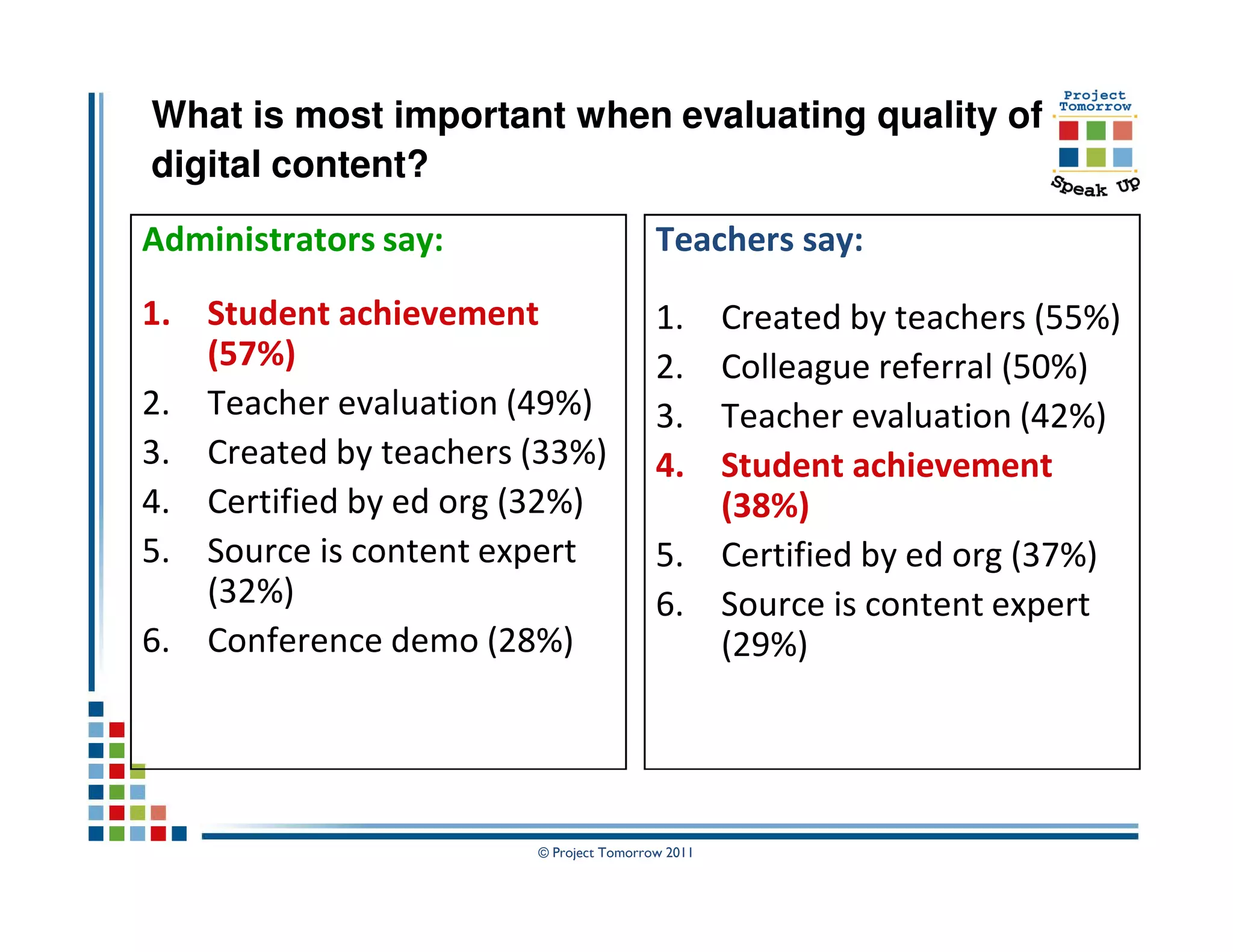
What is most important when evaluating quality of
digital content?
Administrators say:                     Teachers say:
1. Student achievement                  1. Created by teachers (55%)
   (57%)                                2. Colleague referral (50%)
2. Teacher evaluation (49%)             3. Teacher evaluation (42%)
3. Created by teachers (33%)            4. Student achievement
4. Certified by ed org (32%)               (38%)
5. Source is content expert             5. Certified by ed org (37%)
   (32%)                                6. Source is content expert
6. Conference demo (28%)                   (29%)


                       © Project Tomorrow 2011
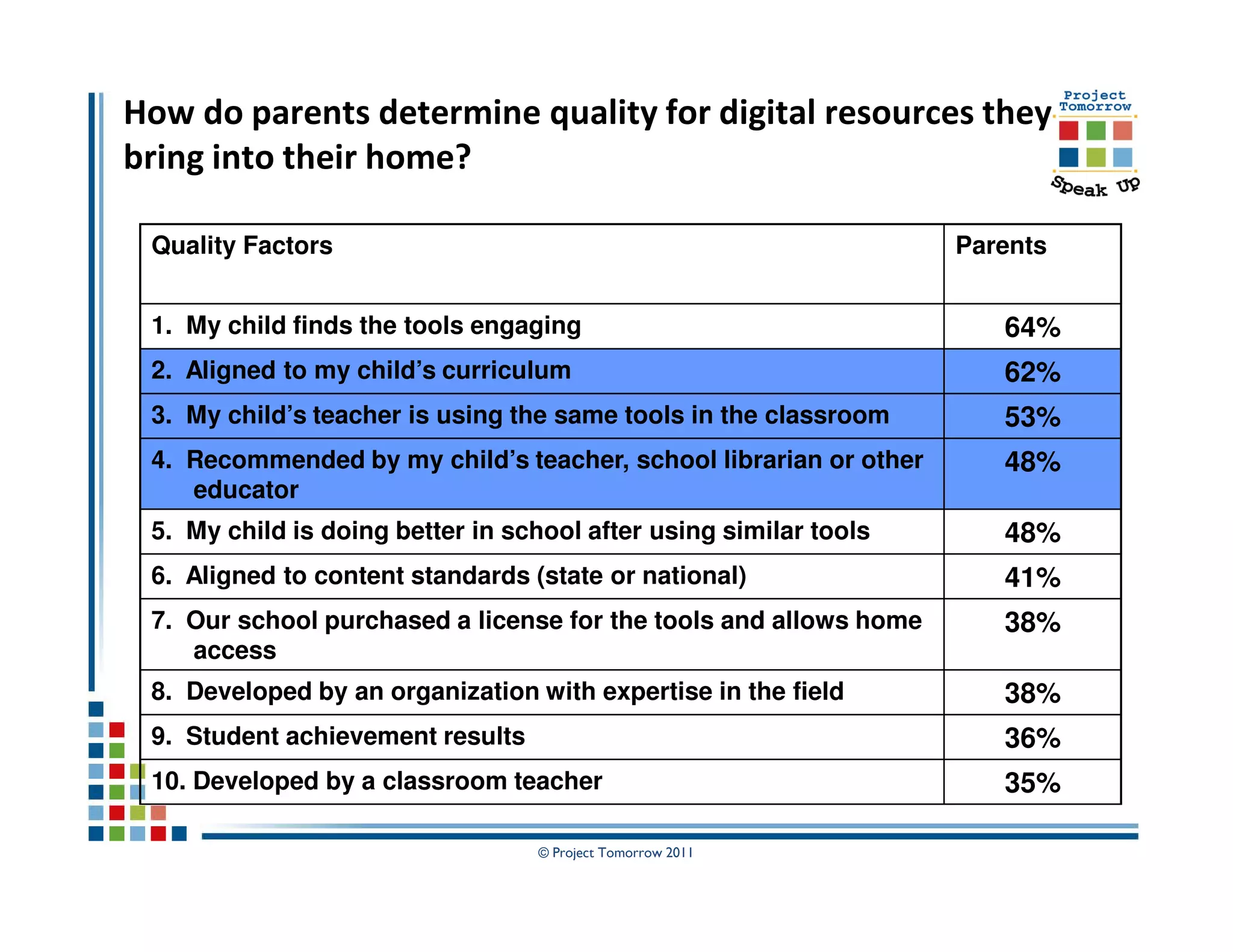
How do parents determine quality for digital resources they
bring into their home?

 Quality Factors                                                   Parents


 1. My child finds the tools engaging                                 64%
 2. Aligned to my child’s curriculum                                  62%
 3. My child’s teacher is using the same tools in the classroom       53%
 4. Recommended by my child’s teacher, school librarian or other      48%
    educator
 5. My child is doing better in school after using similar tools      48%
 6. Aligned to content standards (state or national)                  41%
 7. Our school purchased a license for the tools and allows home      38%
    access
 8. Developed by an organization with expertise in the field          38%
 9. Student achievement results                                       36%
 10. Developed by a classroom teacher                                 35%

                                  © Project Tomorrow 2011
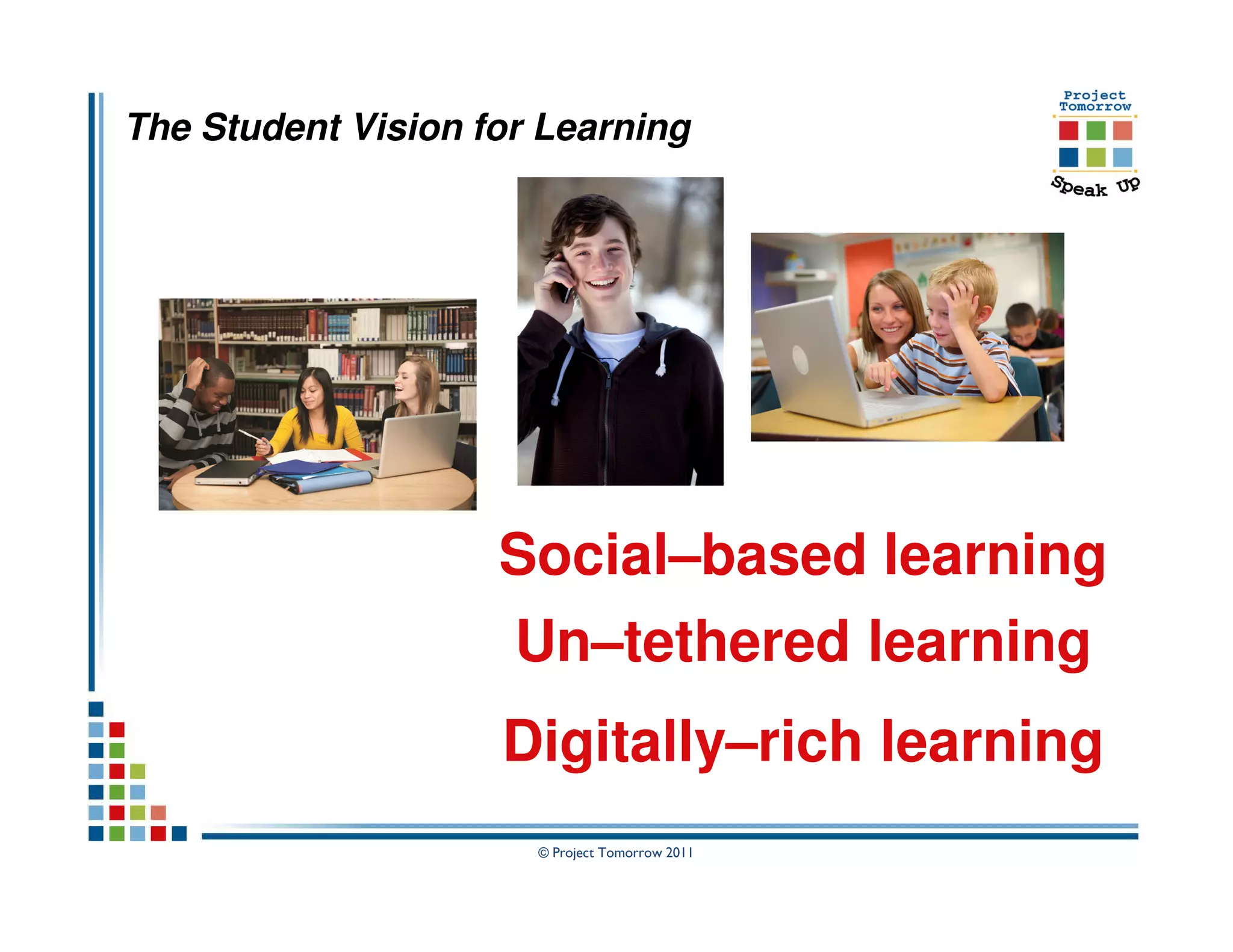
The Student Vision for Learning


                    Social–based learning
                     Un–tethered learning
                    Digitally–rich learning
                      © Project Tomorrow 2011
Imagine you are designing the
          ultimate school.

 Which technology tools and services
would have the greatest positive impact
             on learning?


               © Project Tomorrow 2011
Imagine you are designing the
          ultimate school.

 Which technology tools and services
would have the greatest positive impact
             on learning?


  Are we all on the same page?

               © Project Tomorrow 2011
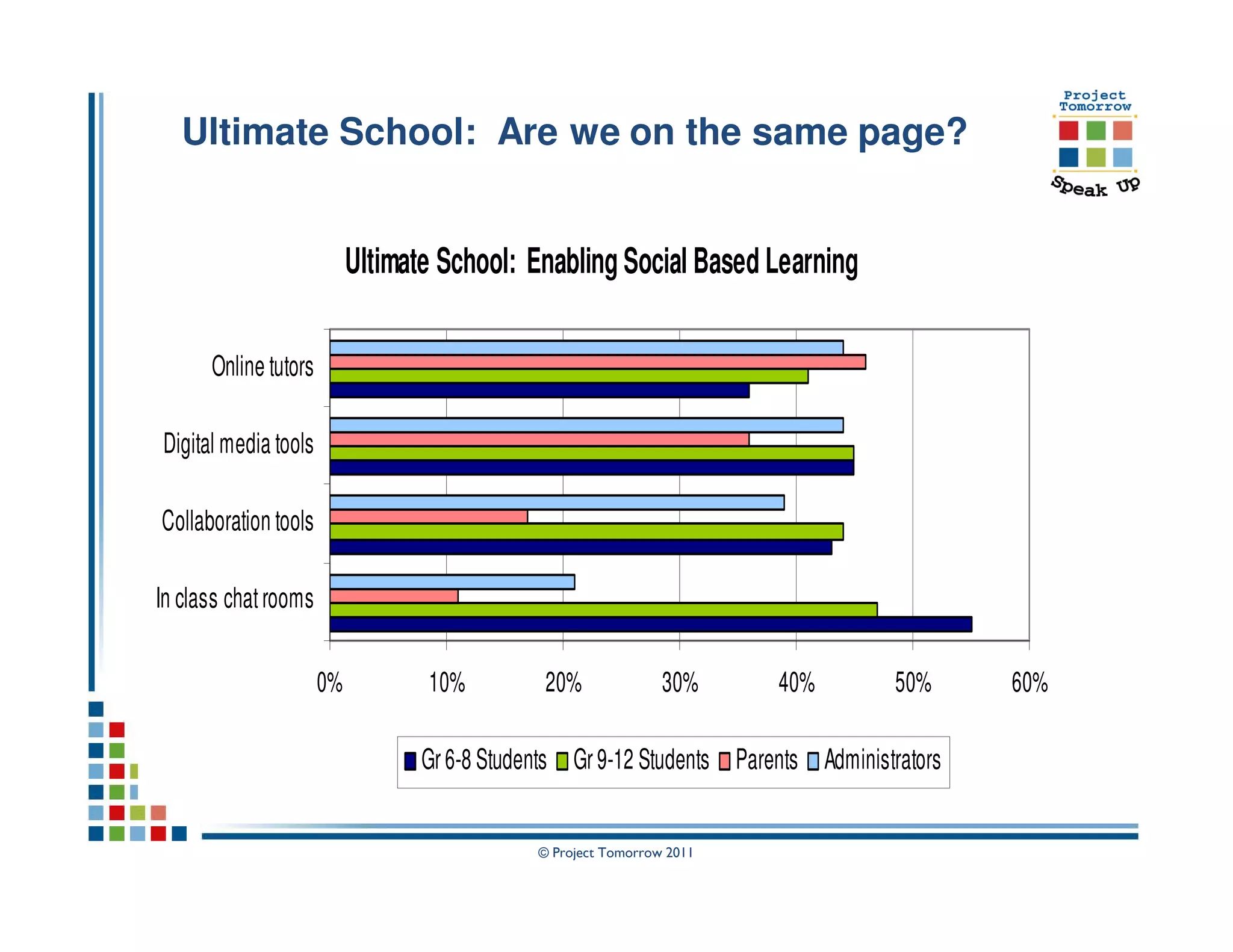
Ultimate School: Are we on the same page?


                           Ultimate School: Enabling Social Based Learning

      Online tutors

Digital media tools

Collaboration tools

In class chat rooms

                      0%          10%          20%              30%     40%         50%     60%

                                  Gr 6-8 Students Gr 9-12 Students Parents Administrators


                                              © Project Tomorrow 2011
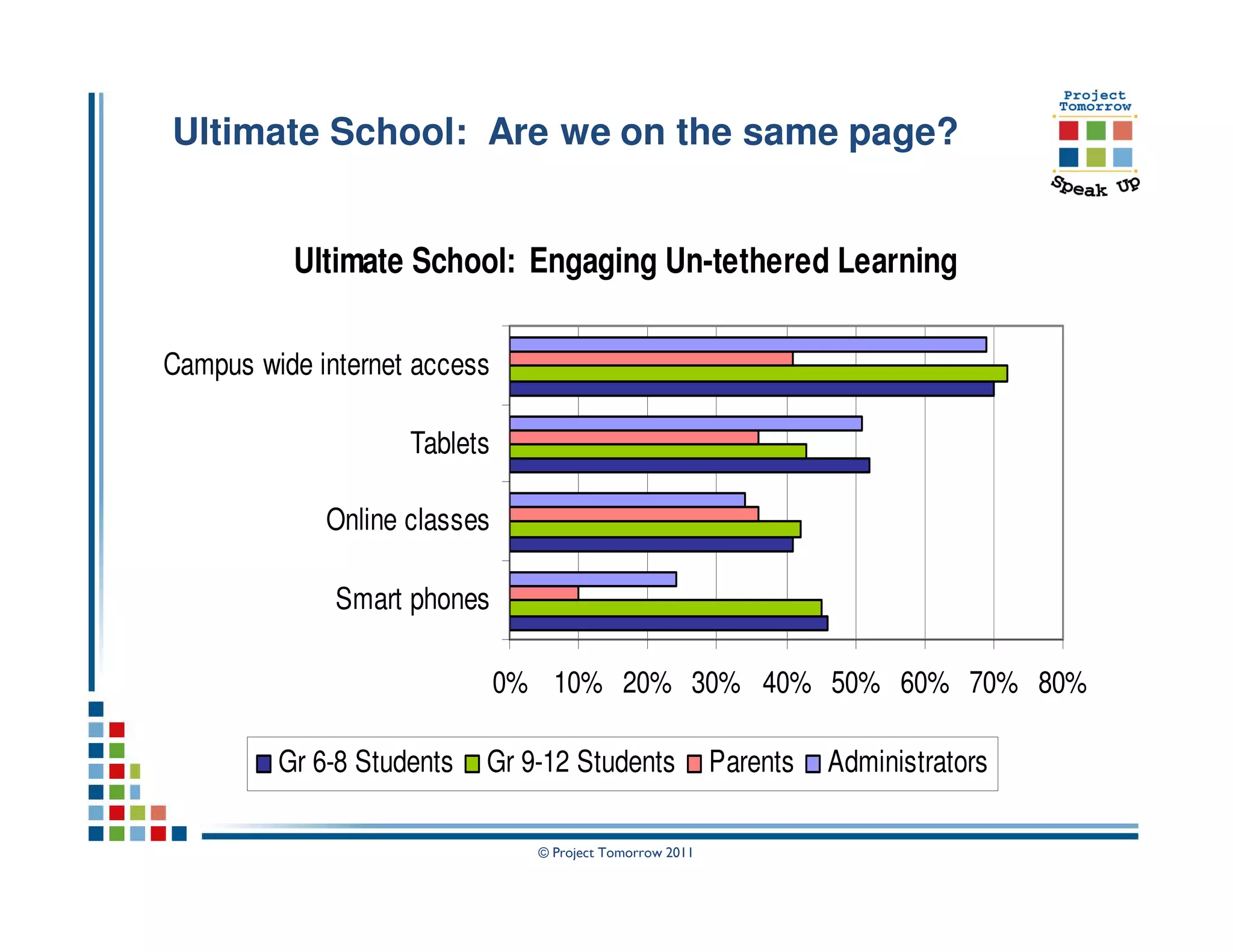
Ultimate School: Are we on the same page?


          Ultimate School: Engaging Un-tethered Learning

Campus wide internet access

                    Tablets

             Online classes

              Smart phones

                              0% 10% 20% 30% 40% 50% 60% 70% 80%

         Gr 6-8 Students   Gr 9-12 Students               Parents   Administrators

                                © Project Tomorrow 2011
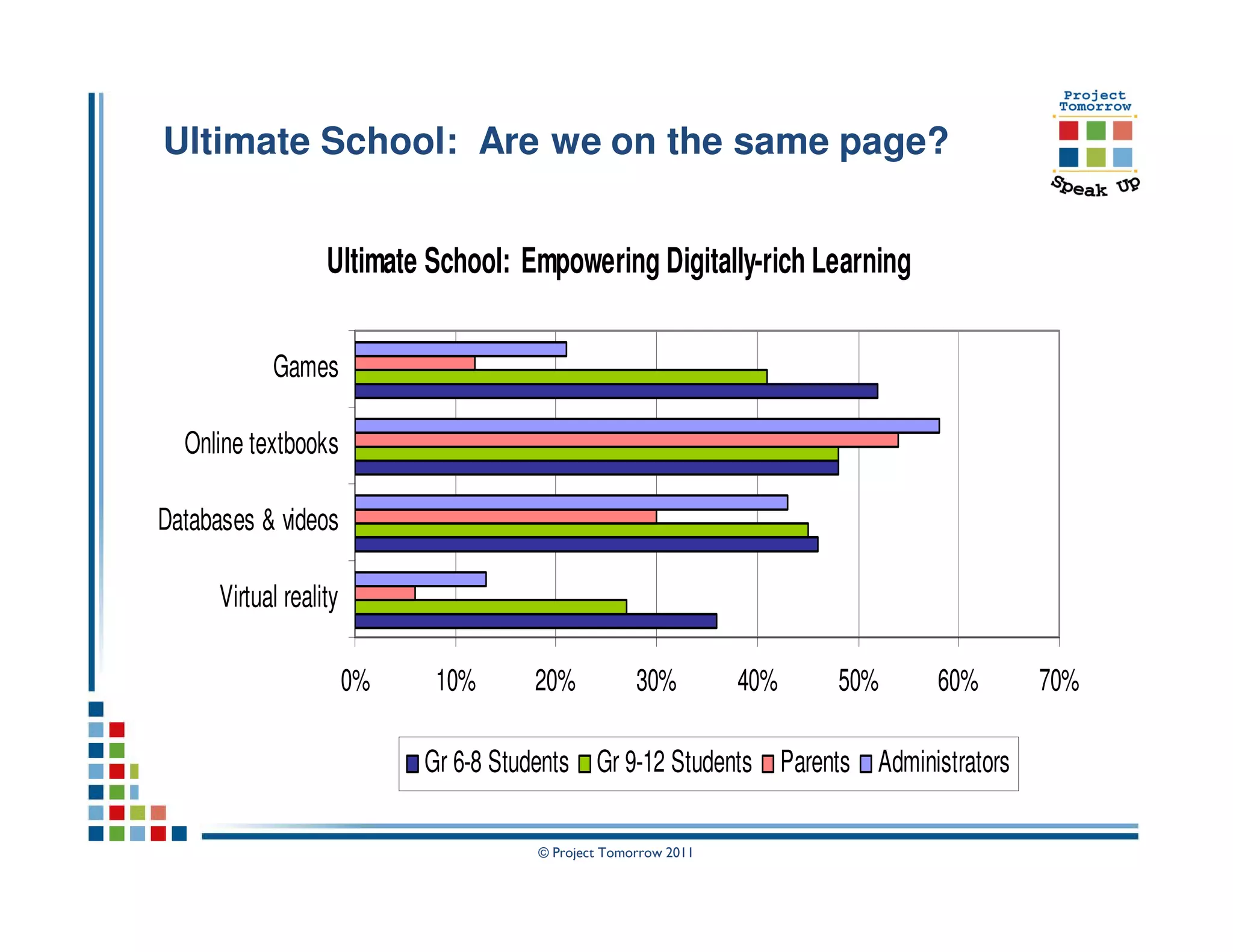
Ultimate School: Are we on the same page?


                   Ultimate School: Empowering Digitally-rich Learning

            Games

  Online textbooks

Databases & videos

      Virtual reality

                        0%    10%      20%           30%         40%   50%   60%       70%

                             Gr 6-8 Students Gr 9-12 Students Parents Administrators

                                       © Project Tomorrow 2011
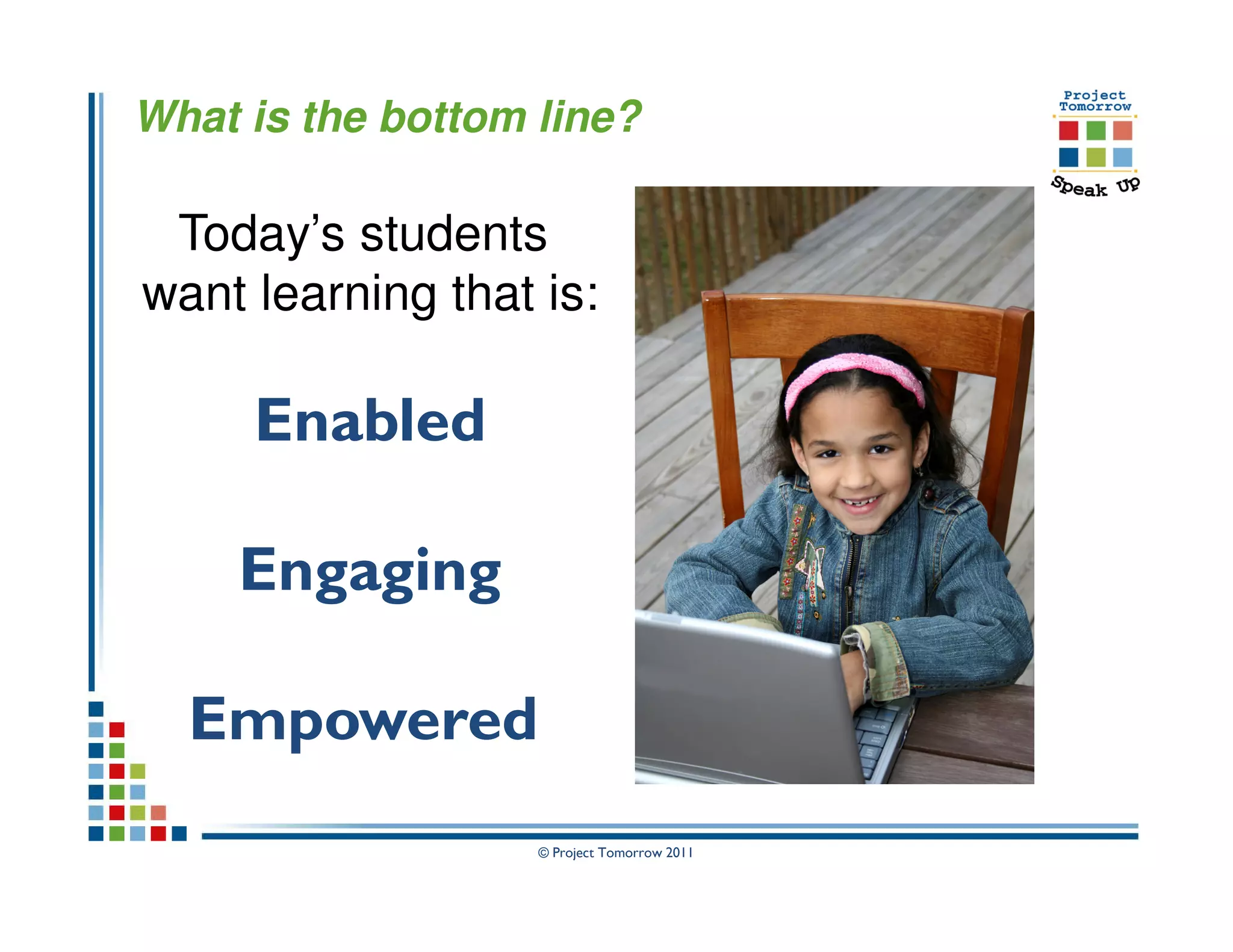
What is the bottom line?

 Today’s students
want learning that is:

     Enabled

     Engaging

  Empowered
                   © Project Tomorrow 2011
Key trends we are watching:


• Continuing “digital disconnects”
• Spectrum of digital native-ness
• Multiple “computers” in the backpack
• Adaptation trumps adoption
• Anytime, anyplace, anywhere, any pace
  learning
• Developing personal expert networks

                     © Project Tomorrow 2011
Key trends we are watching:

• Self directed learning for student & teacher
• Everyone is a content developer
• Make it relevant to me!
• Blurring of informal & formal learning lines
• Beyond engagement: it’s really about
   productivity!
• “Long tail” of training & education


                     © Project Tomorrow 2011
More Speak Up? www.tomorrow.org


• National Speak Up Findings and reports
• Speak Up 2011 data: release to participating
  districts on Feb 1
• Speak Up 2011 data: national release in April
• Presentations, podcasts and webinars
• Evaluation services & reports
• Speak Up 2012!


                    © Project Tomorrow 2011
Thank you.
         Let’s continue this conversation.

                        Julie Evans
                    Project Tomorrow
                 jevans@tomorrow.org
                   949-609-4660 x15
                 Twitter: JulieEvans_PT
                     Copyright Project Tomorrow 2011.
This work is the intellectual property of the author. Permission is granted
for this material to be shared for non-commercial, educational purposes,
    provided that this copyright statement appears on the reproduced
  materials and notice is given that the copying is by permission of the
     author. To disseminate otherwise or to republish requires written
                        permission from the author.


                            © Project Tomorrow 2011

Much Ado about Digital Content

  • 1.
    Much Ado aboutDigital Content: But what do students really want? FETC 2012: Julie Evans, Project Tomorrow CEO © Project Tomorrow 2011
  • 2.
    Today’s Discussion: TheBig Questions • What are the expectations of K-12 students for leveraging digital content for learning? • How are teachers, librarians and administrators addressing this student vision for digital content? • What are the barriers and the opportunities? • What does the e-textbook discussion tell us about the future of teaching and learning? © Project Tomorrow 2011
  • 3.
    Discussion Agenda: About the Speak Up Project Introduction to the Student Vision Speak Up Highlights: Digital Content Trends to Watch Discussion Speak Up 2010 & 2011 National Findings Views of K-12 Students, Teachers, Parents and Administrators © Project Tomorrow 2011
  • 4.
    Speak Up NationalResearch Project Annual national research project Online surveys + focus groups Open for all K-12 schools and schools of education Institutions receive free report with their own data Collect ideas ↔ Stimulate conversations K-12 Students, Teachers, Parents, Administrators Pre-Service Teachers in Schools of Education Inform policies & programs Analysis and reporting of findings and trends Consulting services to help transform teaching and learning + 2.6 million surveys since 2003 © Project Tomorrow 2011
  • 5.
    Speak Up surveyquestion themes Learning & Teaching with Technology 21st Century Skills: Digital Citizenship Science and Math Instruction Career Interests in STEM and Teaching Professional Development / Teacher Preparation Internet Safety Administrators’ Challenges Emerging Technologies in the Classroom Mobile Devices, Online Learning, Digital Content, E-textbooks Educational Games, Web 2.0 tools and applications Designing the 21st Century School © Project Tomorrow 2011
  • 6.
    What can theSpeak Up findings tell us about the future of learning? © Project Tomorrow 2011
  • 7.
    Speak Up NationalResearch Project Key Findings: Speak Up 2003 – 2012 Students function as a “Digital Advance Team” Students regularly adopt and adapt emerging technologies for learning Students’ frustrations focus on the unsophisticated use of technologies within education Persistent digital disconnect between students and adults Exacerbation of lack of relevancy in current education © Project Tomorrow 2011
  • 8.
    Warm Up Interactive Exercise © Project Tomorrow 2011
  • 9.
  • 10.
    A STUDENT’S LIFE © Project Tomorrow 2011
  • 11.
    In my life,I …….. Play games on handheld devices (57%) Take tests online for school (40%) Have a cell phone or smartphone (40%) Read books on my mobile device (53%) Want more internet access at school (50%) and want to take an online class (40%) © Project Tomorrow 2011
  • 12.
    Who is .. . . . ? 1. 1st Grade Boy 2. 3rd Grade Girl 3. 6th Grade Boy 4. 9th Grade Girl 5. 12th Grade Boy © Project Tomorrow 2011
  • 13.
    Who is a3rd Grade Girl? (from a rural community) © Project Tomorrow 2011
  • 14.
    In my life,I …….. Play games on handheld devices (57%) Take tests online for school (40%) Have a cell phone or smartphone (40%) Read books on my mobile device (53%) Want more internet access at school (50%) and want to take an online class (40%) © Project Tomorrow 2011
  • 15.
    Emerging from theSpeak Up research: A new uniquely “student vision” for leveraging emerging technologies to drive achievement and educational productivity © Project Tomorrow 2011
  • 16.
    Emerging from theSpeak Up research: A new uniquely “student vision” for leveraging emerging technologies to drive achievement and educational productivity This student vision for “technology enabled learning” mirrors how students want to learn in general © Project Tomorrow 2011
  • 17.
    The Student Visionfor Learning Social–based learning Un–tethered learning Digitally–rich learning © Project Tomorrow 2011
  • 18.
    Speak Up 2010National Findings Two national releases in Washington DC April 1 and May 11, 2011 The New 3 E’s of Education: Enabled, Engaged, Empowered Report #1: How today’s students are leveraging emerging technologies for learning Report #2: How today’s educators are advancing a new vision for teaching and learning © Project Tomorrow 2011
  • 19.
    The New 3E’s of Education: Enabled, Engaged, Empowered Key Trends to Watch: Mobile Learning Online and Blended Learning E-Textbooks and Digital Content © Project Tomorrow 2011
  • 20.
    The New 3E’s of Education: Enabled, Engaged, Empowered Key Trends: E-Textbooks & Digital Content © Project Tomorrow 2011
  • 21.
    Inside today’s classroom How Students are Using Digital Content for Schoolwork Create presentations and media Play educational games Conduct virtual experiments/simulations Use e-textbooks Gr 9-12 Access realtime data/databases Gr 6-8 Gr 3-5 Listen to podcasts 0% 10% 20% 30% 40% 50% 60% 70% 80% © Project Tomorrow 2011
  • 22.
    Inside today’s classroom How Students are Using Digital Content for Schoolwork Create presentations and media Play educational games Conduct virtual experiments/simulations Use e-textbooks Gr 9-12 Access realtime data/databases Gr 6-8 Gr 3-5 Listen to podcasts 0% 10% 20% 30% 40% 50% 60% 70% 80% Gr 6-8: Increase of 41% in use of e-textbooks from 2010 to 2011 © Project Tomorrow 2011
  • 23.
    Students face obstaclesusing technology at school Top responses from students: 1. School filters and firewalls block websites I need (59%) 2. I cannot use my mobile device (55%) 3. I cannot access my social networking sites (51%) 4. Too many rules about using technology! (48%) 5. Teachers limit our technology use (42%) © Project Tomorrow 2011
  • 24.
    How schools couldmake it easier to use technology Students say: 1. Allow greater access to websites I need (72%) 2. Let me use my own mobile device (59%) 3. Give me unlimited Internet access on campus (48%) 4. Allow access to social networking sites (43%) 5. Provide classwork and resources online (41%) 6. Let me recharge my devices (36%) © Project Tomorrow 2011
  • 25.
    Best use oftechnology – in what class? High school students say: 1. English / Language Arts 2. Science 3. Math 4. Social Studies / History © Project Tomorrow 2011
  • 26.
    What if …. Weasked students to design the ultimate digital or e-textbook? What features and functionality would they desire? © Project Tomorrow 2011
  • 27.
    Students’ desires forthe features and functionality of digital or e-textbooks Three themes emerge from the data: Students want interactivity and relevancy They want tools to facilitate collaboration They want ways to personalize learning © Project Tomorrow 2011
  • 28.
    Students’ desires forthe features and functionality of digital or e-textbooks Three themes emerge from the data: Students want interactivity and relevancy They want tools to facilitate collaboration They want ways to personalize learning E-textbook as proxy for the student vision for a new learning paradigm: social, un-tethered and digitally rich © Project Tomorrow 2011
  • 29.
    Designing the UltimateE-Textbook Socially-based Learning Enabled by the E-Textbook Communications tools Collaboration tools Online tutors Chat rooms with video 0% 10% 20% 30% 40% 50% 60% 70% Gr 6-8 Girl Gr 6-8 Boy Middle School Parents © Project Tomorrow 2011
  • 30.
    Designing the UltimateE-Textbook Engaging Un-tethered Learning with the E-Textbook Online classes Self assessments Mobile apps Middle School Parents Gr 6-8 Boy Download to phone Gr 6-8 Girl 0% 10% 20% 30% 40% 50% 60% 70% 80% © Project Tomorrow 2011
  • 31.
    Designing the UltimateE-Textbook Empowering Digitally-rich Content through the E-Textbook Virtual labs Video clips Links to real time data Games Animations and simulations Access to 3D content 0% 10% 20% 30% 40% 50% 60% 70% 80% Gr 6-8 Girl Gr 6-8 Boy Middle School Parents © Project Tomorrow 2011
  • 32.
    A STUDENT’S ONLINE LIFE © Project Tomorrow 2011
  • 33.
    #1 way toget students more interested and engaged in science … according to students © Project Tomorrow 2011
  • 34.
    What is .. . . ? 1. Having a teacher that is excited about science 2. Creating multi-media presentations of findings 3. Doing real research using online databases 4. Using animations 5. Reading the science textbook © Project Tomorrow 2011
  • 35.
    What is doing real research with online databases? © Project Tomorrow 2011
  • 36.
    Students’ “speak up”about the ultimate math class Students say: Collaborate with classmates on problem solving 52% Ability to text my teacher with questions 42% I have a connection with my teacher 42% My teacher is excited about math 39% Access to online tutors 35% Access to online textbooks 32% Ability to use mobile devices to video problems 31% Access to online classes 24% © Project Tomorrow 2011
  • 37.
    Inside today’s classroom:teachers’ view Digital Content in the Classroom Podcasts/Videos E-Textbooks Real-time Data Educational Games Animations Virtual Field Trips Simulations Teachers: Usage Virtual Labs 0% 5% 10% 15% 20% 25% 30% 35% © Project Tomorrow 2011
  • 38.
    Inside today’s classroom:teachers + librarians Digital Content in the Classroom Podcasts/Videos E-Textbooks Real-time Data Educational Games Animations Virtual Field Trips Simulations Librarians: Recommend Teachers: Usage Virtual Labs 0% 10% 20% 30% 40% 50% © Project Tomorrow 2011
  • 39.
    Inside today’s classroom:+ administrators Digital Content in the Classroom Podcasts/Videos E-Textbooks Real-time Data Administrators: Value Educational Games Librarians: Recommend Animations Teachers: Usage Virtual Field Trips Simulations Virtual Labs 0% 20% 40% 60% 80% 100% © Project Tomorrow 2011
  • 40.
    Teachers & professionaldevelopment around digital content use Teachers’ top recommendations: 1. Access to collection of vetted resources 2. F2F professional development 3. Video clips of teachers’ using digital content 4. Professional learning community @school 5. Online course © Project Tomorrow 2011
  • 41.
    Benefits of usingdigital content Principals’ perspective: 1. Increases student engagement 2. Extends learning beyond the school day 3. Prepares students for world of work 4. Improves teachers’ skills with technology 5. Decreases dependence on publishers © Project Tomorrow 2011
  • 42.
    Given the demandand the interest, what is standing in the way of greater adoption? Principals say the most significant barriers are: 1. Lack of technology infrastructure 2. Balancing instructional time constraints 3. Lack of teachers’ skill with using digital content 4. How to evaluate the quality of purchased digital content 5. Locating free, standards aligned digital content Source: Speak Up 2010 © Project Tomorrow 2011
  • 43.
    What is mostimportant when evaluating quality of digital content? Administrators say: 1. Student achievement (57%) 2. Teacher evaluation (49%) 3. Created by teachers (33%) 4. Certified by ed org (32%) 5. Source is content expert (32%) 6. Conference demo (28%) © Project Tomorrow 2011
  • 44.
    What is mostimportant when evaluating quality of digital content? Administrators say: Teachers say: 1. Student achievement 1. Created by teachers (55%) (57%) 2. Colleague referral (50%) 2. Teacher evaluation (49%) 3. Teacher evaluation (42%) 3. Created by teachers (33%) 4. Student achievement 4. Certified by ed org (32%) (38%) 5. Source is content expert 5. Certified by ed org (37%) (32%) 6. Source is content expert 6. Conference demo (28%) (29%) © Project Tomorrow 2011
  • 45.
    What is mostimportant when evaluating quality of digital content? Administrators say: Teachers say: 1. Student achievement 1. Created by teachers (55%) (57%) 2. Colleague referral (50%) 2. Teacher evaluation (49%) 3. Teacher evaluation (42%) 3. Created by teachers (33%) 4. Student achievement 4. Certified by ed org (32%) (38%) 5. Source is content expert 5. Certified by ed org (37%) (32%) 6. Source is content expert 6. Conference demo (28%) (29%) © Project Tomorrow 2011
  • 46.
    How do parentsdetermine quality for digital resources they bring into their home? Quality Factors Parents 1. My child finds the tools engaging 64% 2. Aligned to my child’s curriculum 62% 3. My child’s teacher is using the same tools in the classroom 53% 4. Recommended by my child’s teacher, school librarian or other 48% educator 5. My child is doing better in school after using similar tools 48% 6. Aligned to content standards (state or national) 41% 7. Our school purchased a license for the tools and allows home 38% access 8. Developed by an organization with expertise in the field 38% 9. Student achievement results 36% 10. Developed by a classroom teacher 35% © Project Tomorrow 2011
  • 47.
    The Student Visionfor Learning Social–based learning Un–tethered learning Digitally–rich learning © Project Tomorrow 2011
  • 48.
    Imagine you aredesigning the ultimate school. Which technology tools and services would have the greatest positive impact on learning? © Project Tomorrow 2011
  • 49.
    Imagine you aredesigning the ultimate school. Which technology tools and services would have the greatest positive impact on learning? Are we all on the same page? © Project Tomorrow 2011
  • 50.
    Ultimate School: Arewe on the same page? Ultimate School: Enabling Social Based Learning Online tutors Digital media tools Collaboration tools In class chat rooms 0% 10% 20% 30% 40% 50% 60% Gr 6-8 Students Gr 9-12 Students Parents Administrators © Project Tomorrow 2011
  • 51.
    Ultimate School: Arewe on the same page? Ultimate School: Engaging Un-tethered Learning Campus wide internet access Tablets Online classes Smart phones 0% 10% 20% 30% 40% 50% 60% 70% 80% Gr 6-8 Students Gr 9-12 Students Parents Administrators © Project Tomorrow 2011
  • 52.
    Ultimate School: Arewe on the same page? Ultimate School: Empowering Digitally-rich Learning Games Online textbooks Databases & videos Virtual reality 0% 10% 20% 30% 40% 50% 60% 70% Gr 6-8 Students Gr 9-12 Students Parents Administrators © Project Tomorrow 2011
  • 53.
    What is thebottom line? Today’s students want learning that is: Enabled Engaging Empowered © Project Tomorrow 2011
  • 54.
    Key trends weare watching: • Continuing “digital disconnects” • Spectrum of digital native-ness • Multiple “computers” in the backpack • Adaptation trumps adoption • Anytime, anyplace, anywhere, any pace learning • Developing personal expert networks © Project Tomorrow 2011
  • 55.
    Key trends weare watching: • Self directed learning for student & teacher • Everyone is a content developer • Make it relevant to me! • Blurring of informal & formal learning lines • Beyond engagement: it’s really about productivity! • “Long tail” of training & education © Project Tomorrow 2011
  • 56.
    More Speak Up?www.tomorrow.org • National Speak Up Findings and reports • Speak Up 2011 data: release to participating districts on Feb 1 • Speak Up 2011 data: national release in April • Presentations, podcasts and webinars • Evaluation services & reports • Speak Up 2012! © Project Tomorrow 2011
  • 57.
    Thank you. Let’s continue this conversation. Julie Evans Project Tomorrow jevans@tomorrow.org 949-609-4660 x15 Twitter: JulieEvans_PT Copyright Project Tomorrow 2011. This work is the intellectual property of the author. Permission is granted for this material to be shared for non-commercial, educational purposes, provided that this copyright statement appears on the reproduced materials and notice is given that the copying is by permission of the author. To disseminate otherwise or to republish requires written permission from the author. © Project Tomorrow 2011