Formulas & Functions
Creating Formulas in a Worksheet
• A formula performs complex numeric
calculations with addition, subtraction,
multiplication, and division.
• An Excel formula is a type of formula that
can be used to perform calculations on
data that is entered in Excel worksheets.
• All formulas in Excel begin with an equal
sign (=) and contain various components
such as arguments and operators.
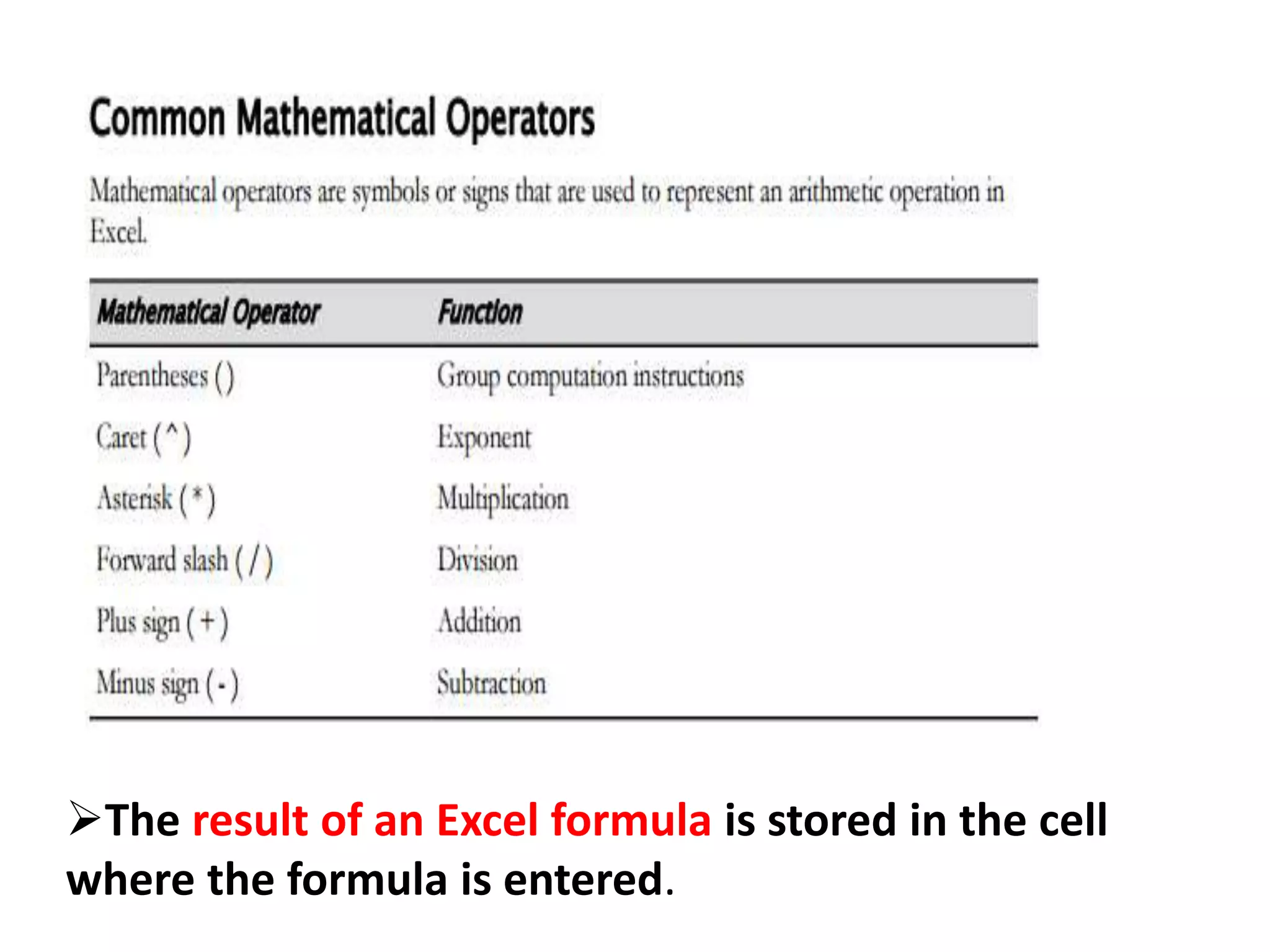
The result of an Excel formula is stored in the cell
where the formula is entered.
To create a formula:
1. Select the cell in which you want to place the
formula.
2. To begin the formula, type an equals sign.
3. Specify the arguments and operators for the
formula.
• Enter a number or cell reference, or select a cell.
• Enter the operator.
• Enter another number or cell reference
4. If necessary, enter additional arguments and operators to
complete the formula.
5. Press Enter or select the check mark icon to apply the
formula and populate the cell with the calculated value.
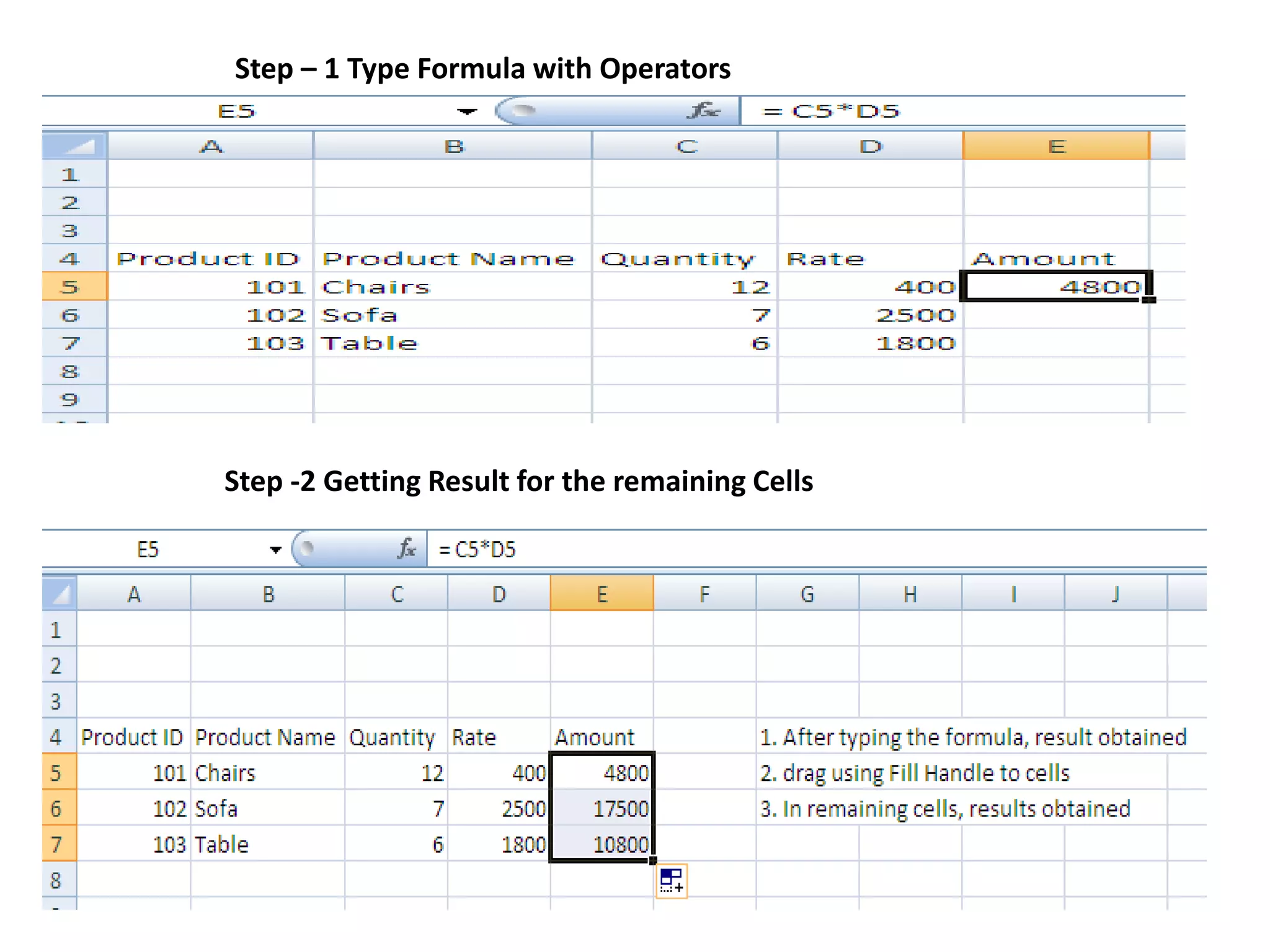
Step – 1 Type Formula with Operators
Step -2 Getting Result for the remaining Cells
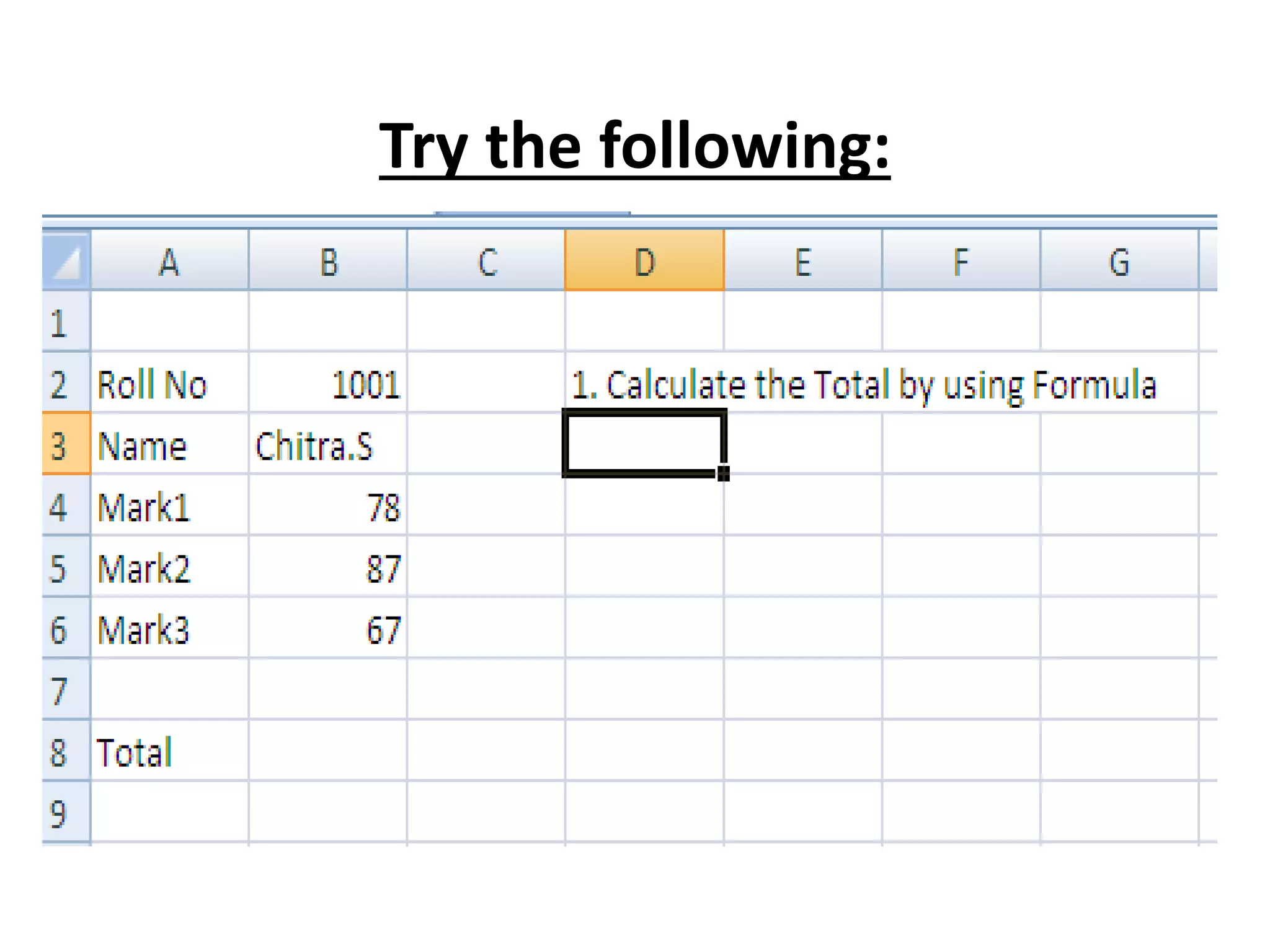
Try the following:
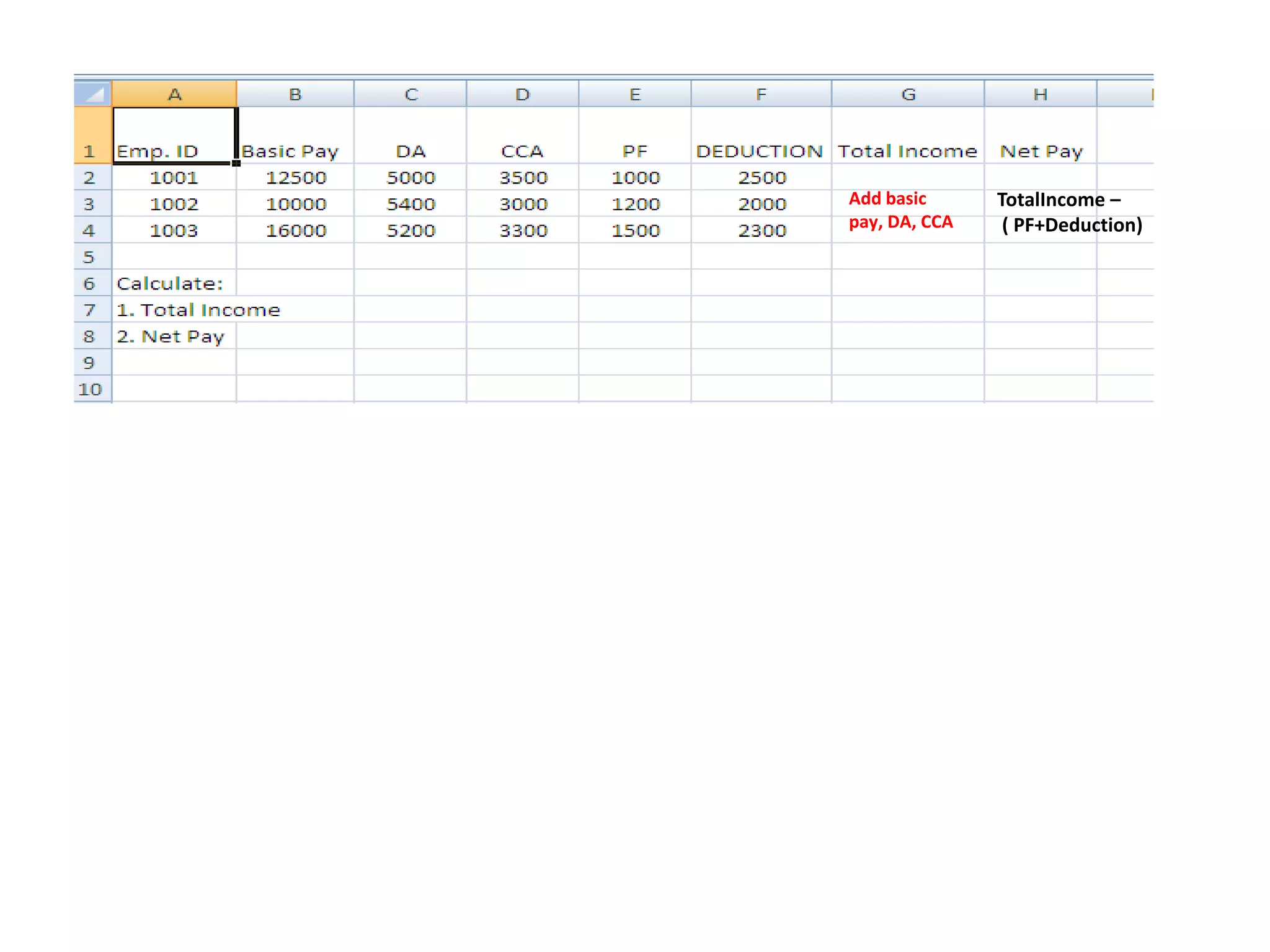
Add basic
pay, DA, CCA
TotalIncome –
( PF+Deduction)
Inserting a
Function in a
Worksheet
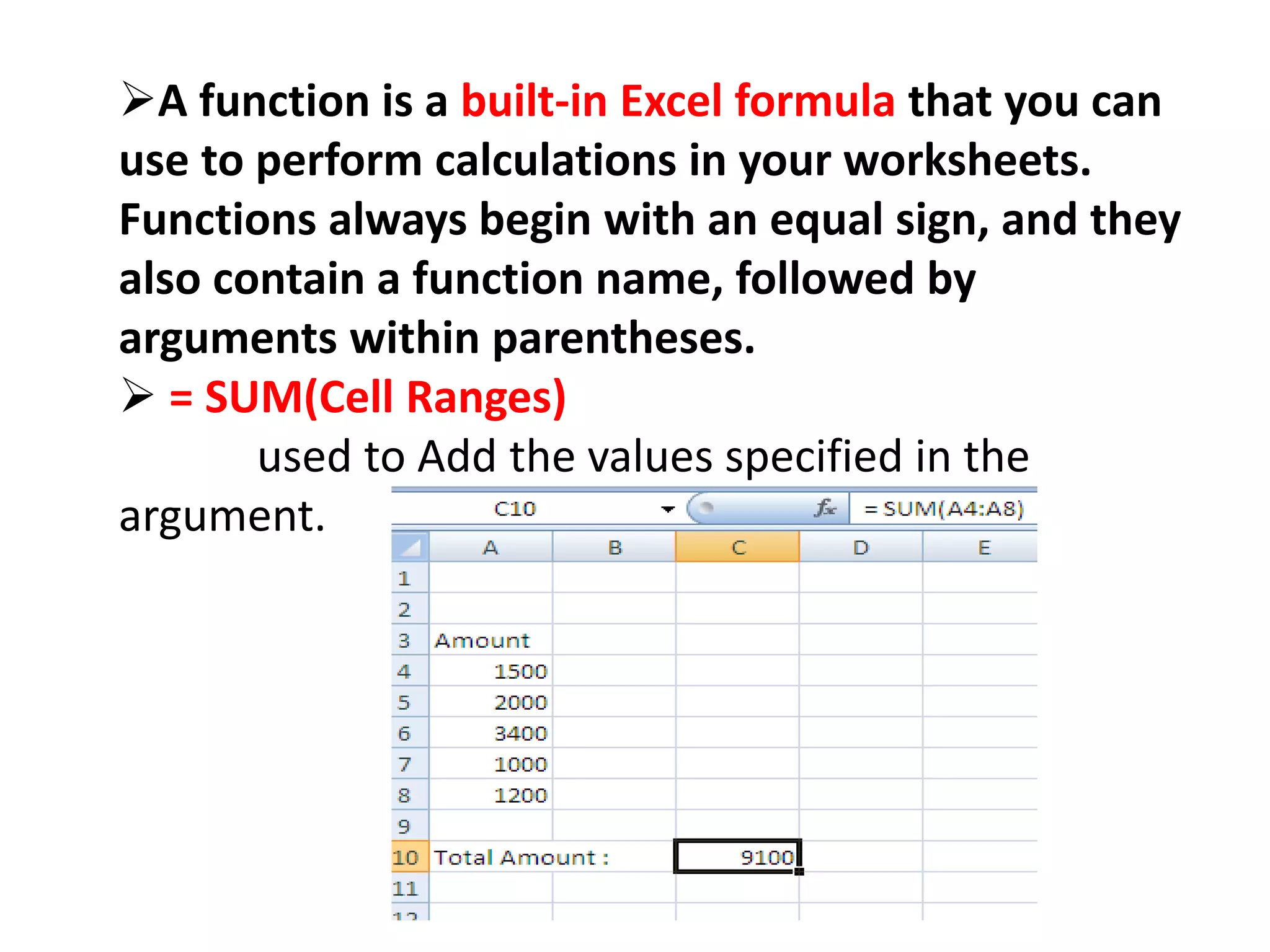
A function is a built-in Excel formula that you can
use to perform calculations in your worksheets.
Functions always begin with an equal sign, and they
also contain a function name, followed by
arguments within parentheses.
 = SUM(Cell Ranges)
used to Add the values specified in the
argument.
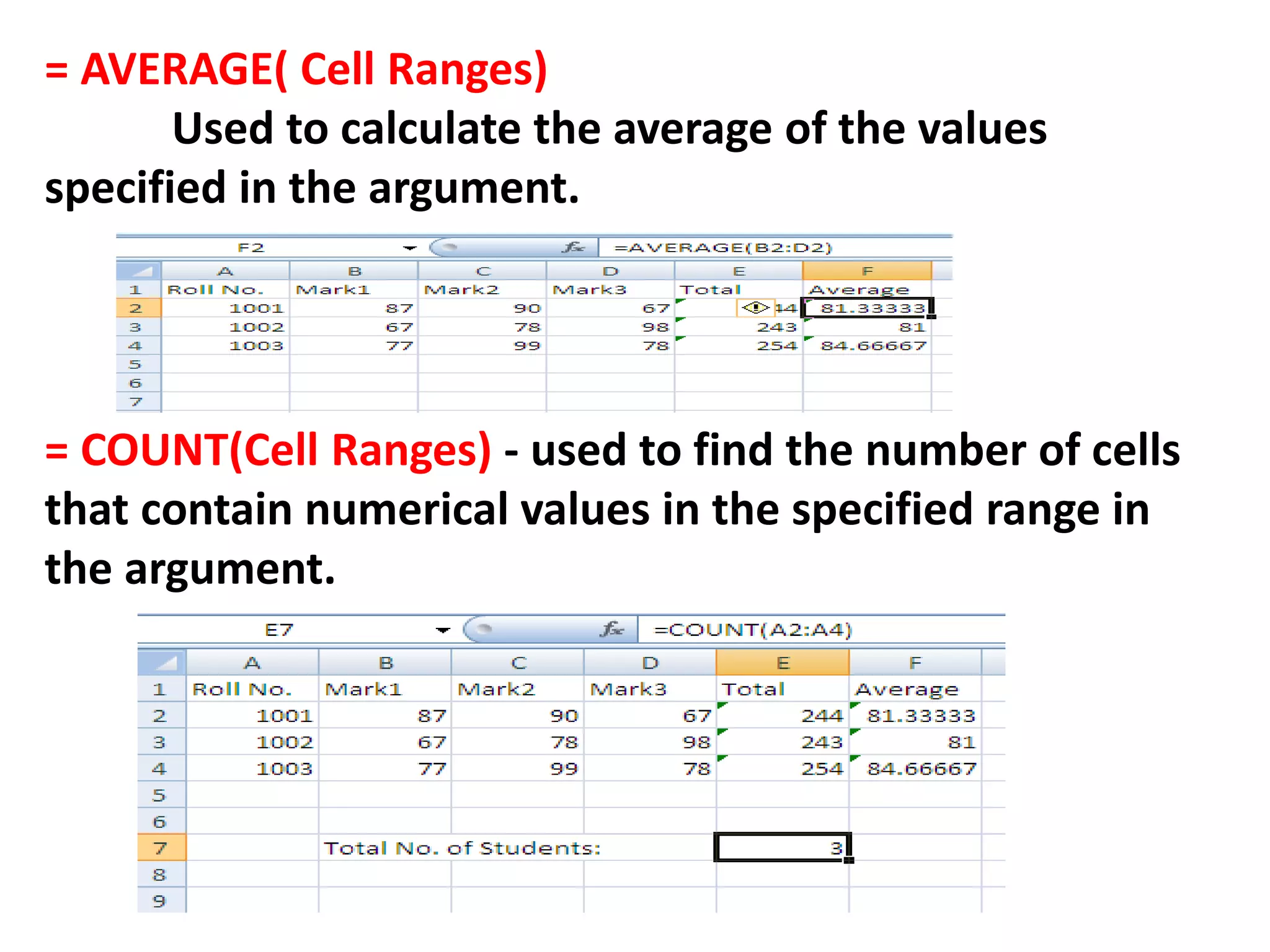
= AVERAGE( Cell Ranges)
Used to calculate the average of the values
specified in the argument.
= COUNT(Cell Ranges) - used to find the number of cells
that contain numerical values in the specified range in
the argument.
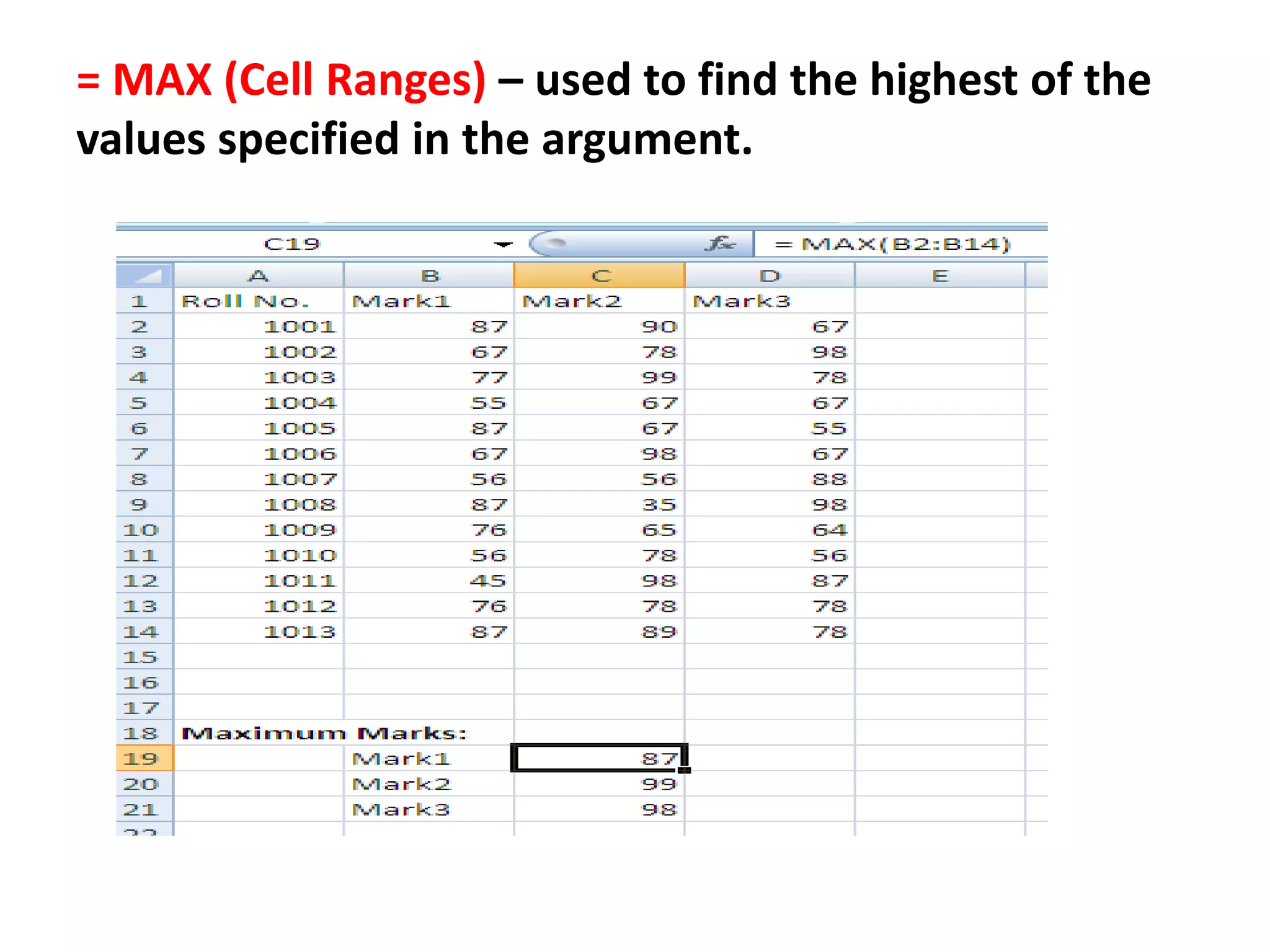
= MAX (Cell Ranges) – used to find the highest of the
values specified in the argument.
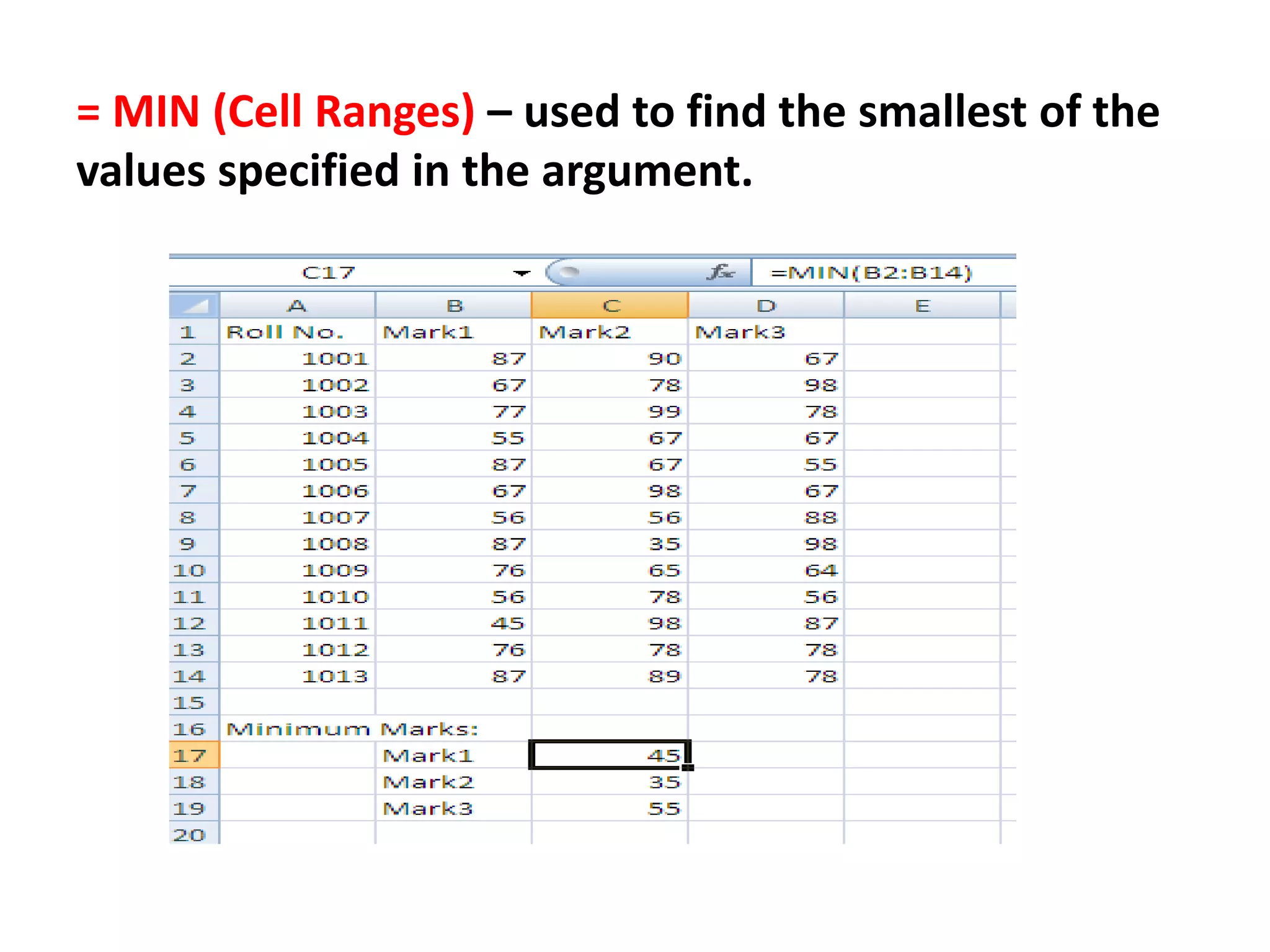
= MIN (Cell Ranges) – used to find the smallest of the
values specified in the argument.
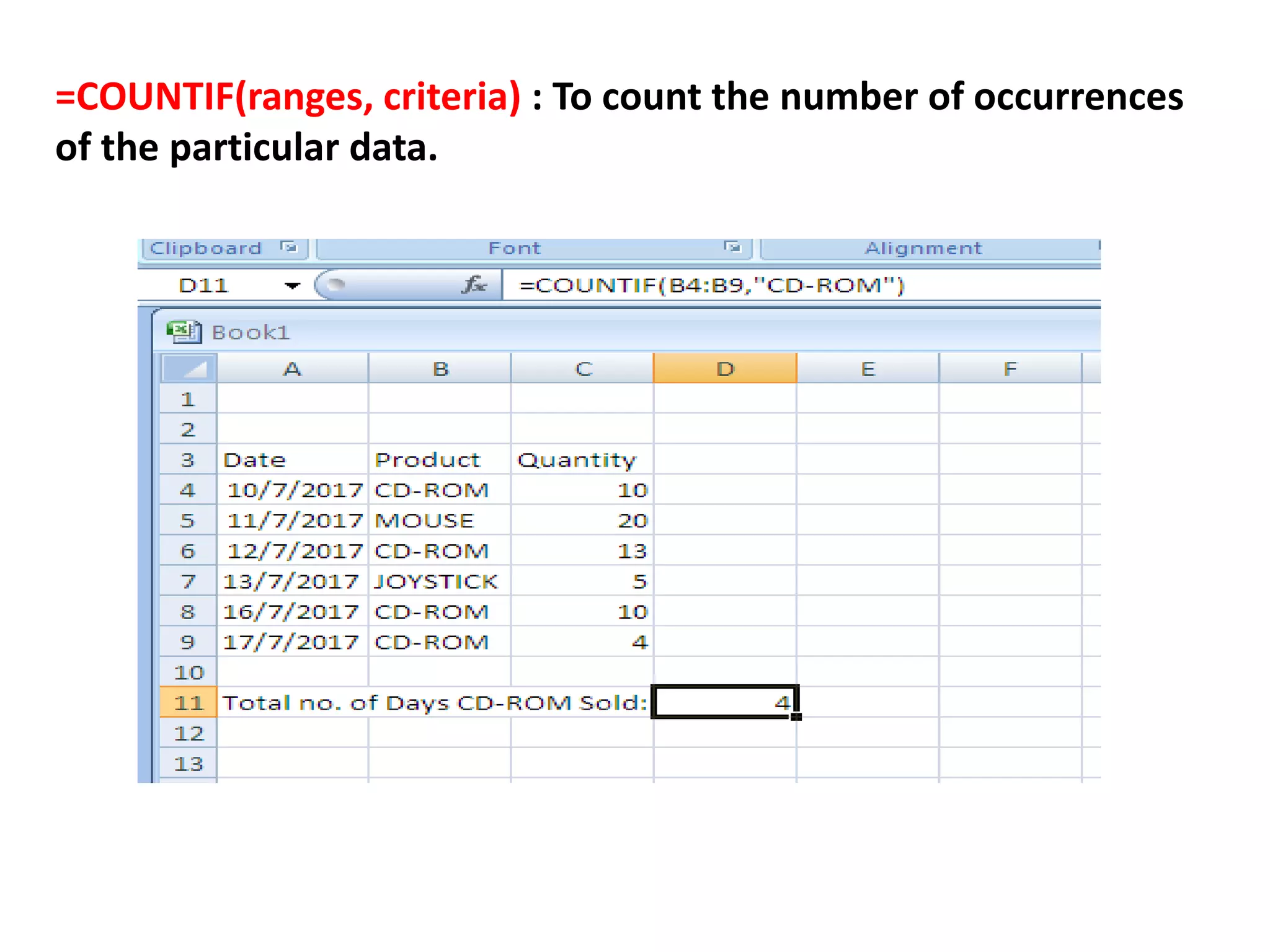
=COUNTIF(ranges, criteria) : To count the number of occurrences
of the particular data.
=SUMIF(range, criteria [, sum_range]) is defined as a
function that “Adds the cells specified by a given condition or
criteria”.
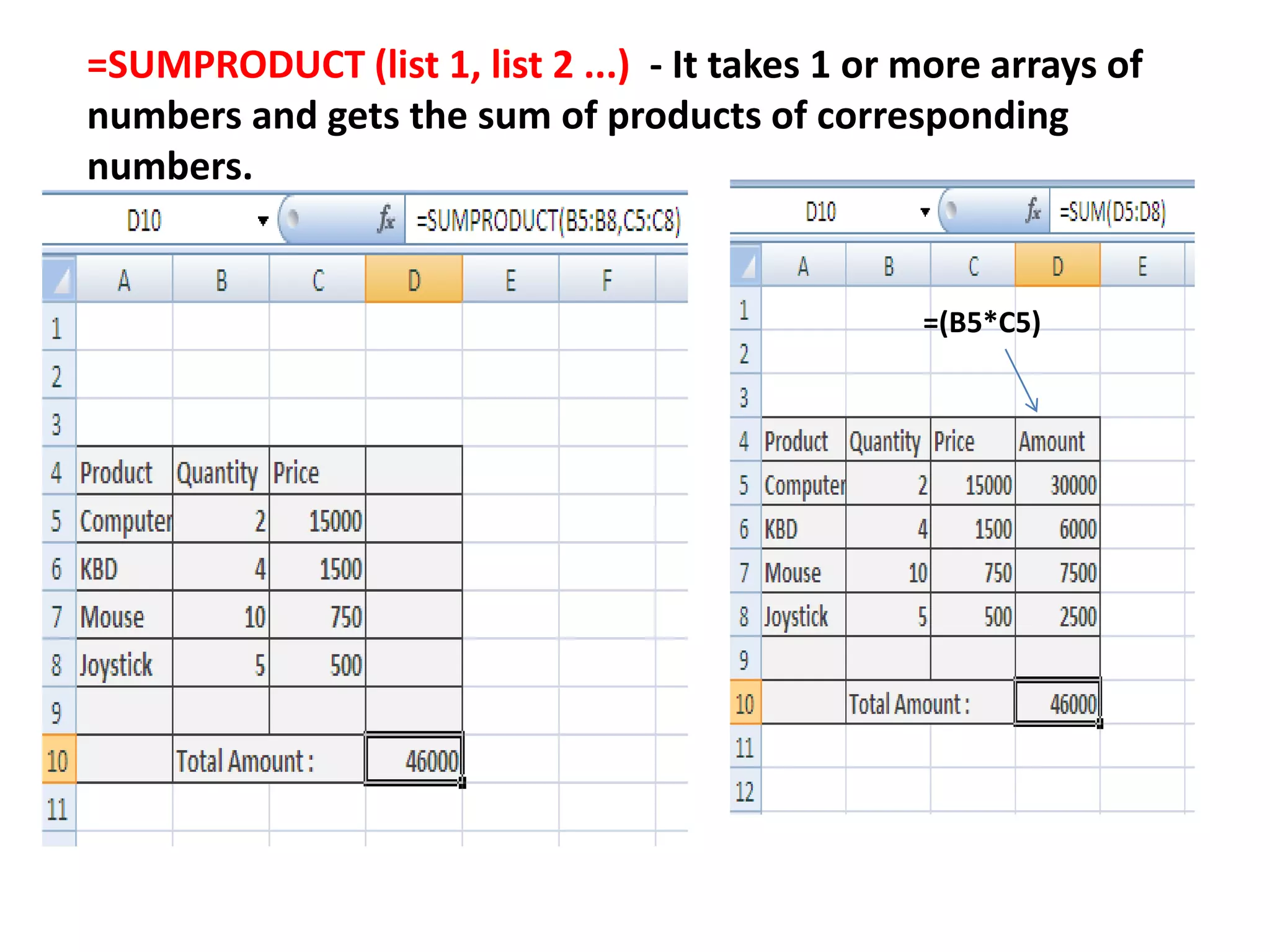
=SUMPRODUCT (list 1, list 2 ...) - It takes 1 or more arrays of
numbers and gets the sum of products of corresponding
numbers.
=(B5*C5)
DATE FUNCTION
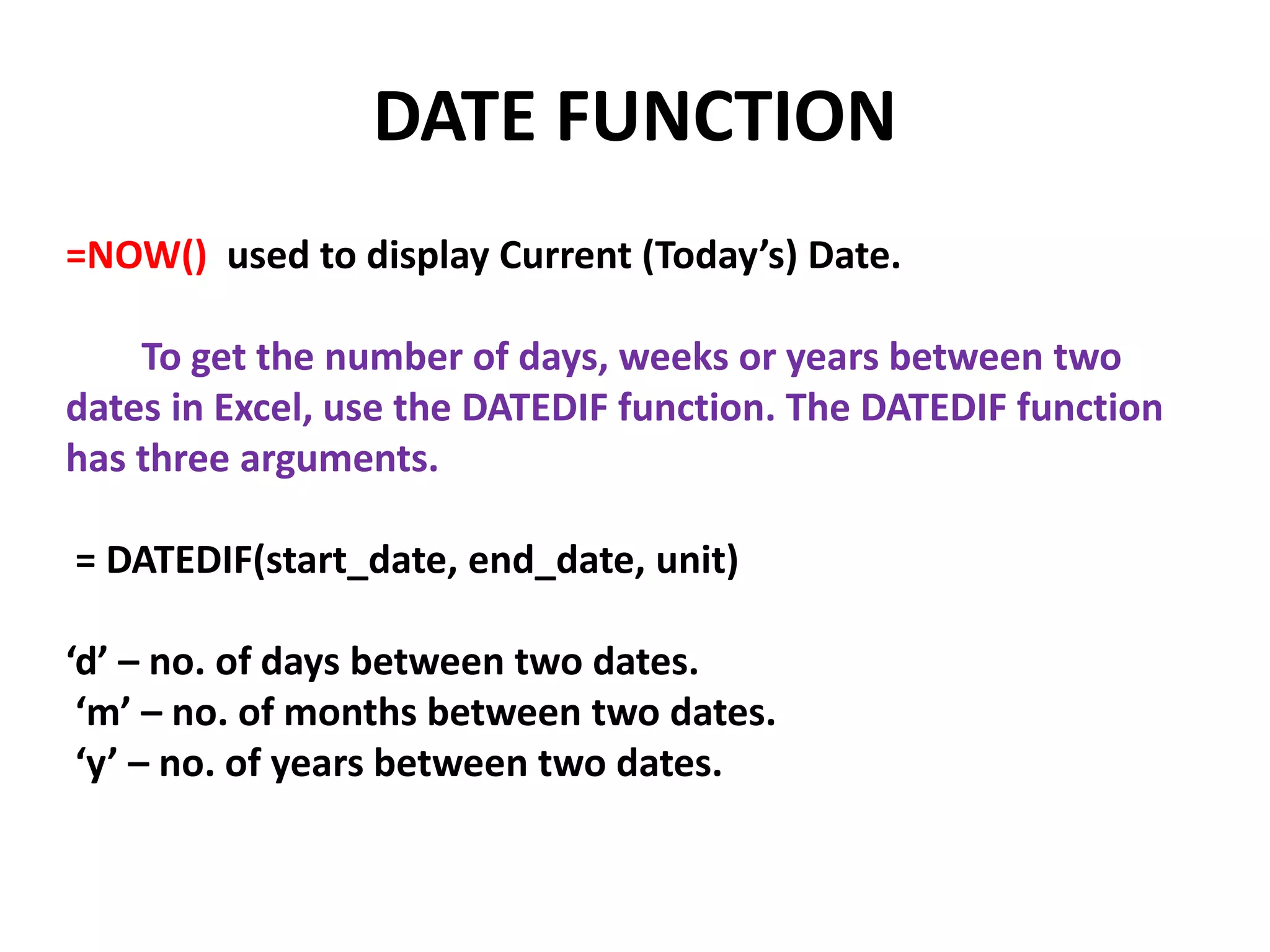
=NOW() used to display Current (Today’s) Date.
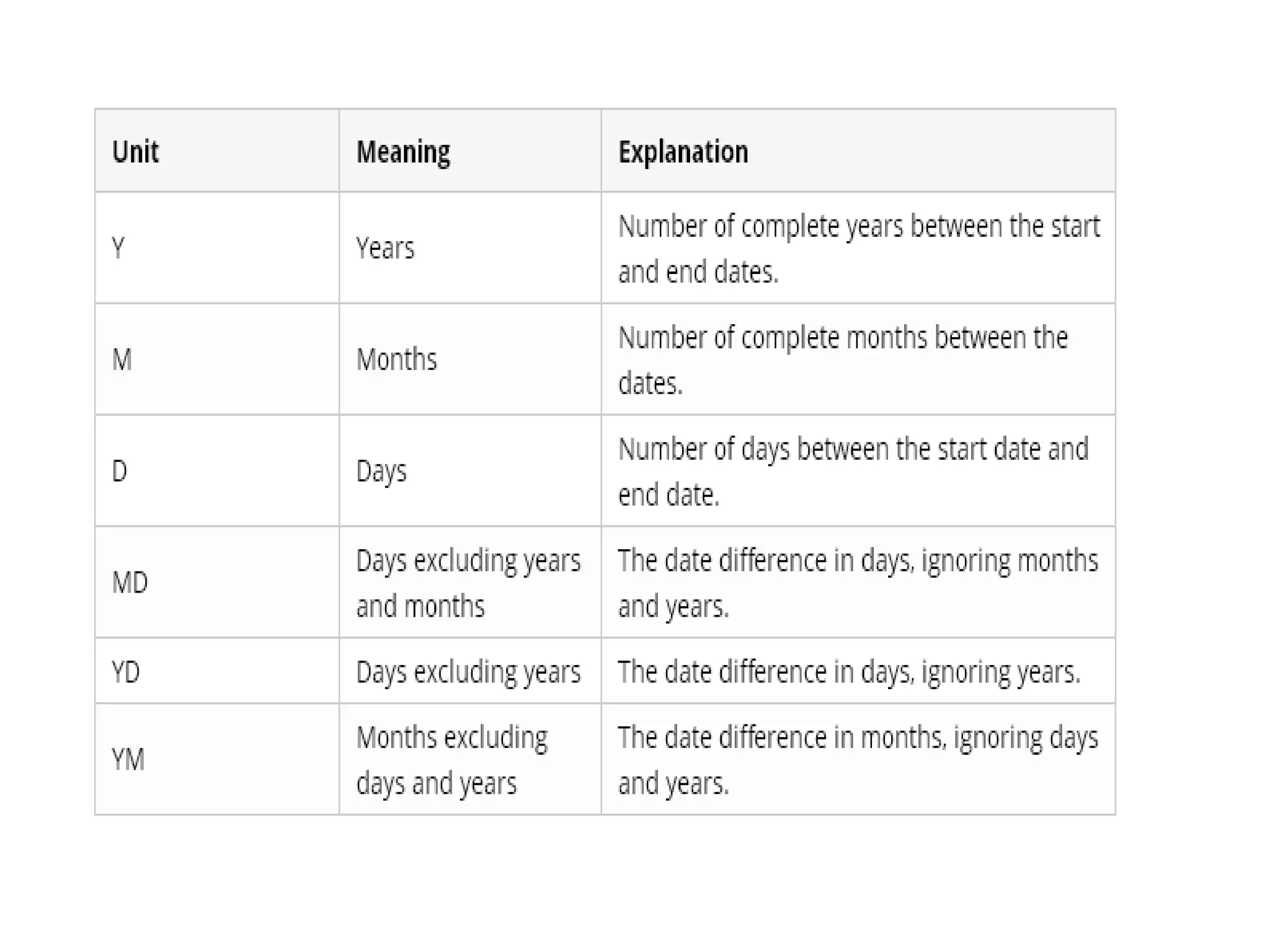
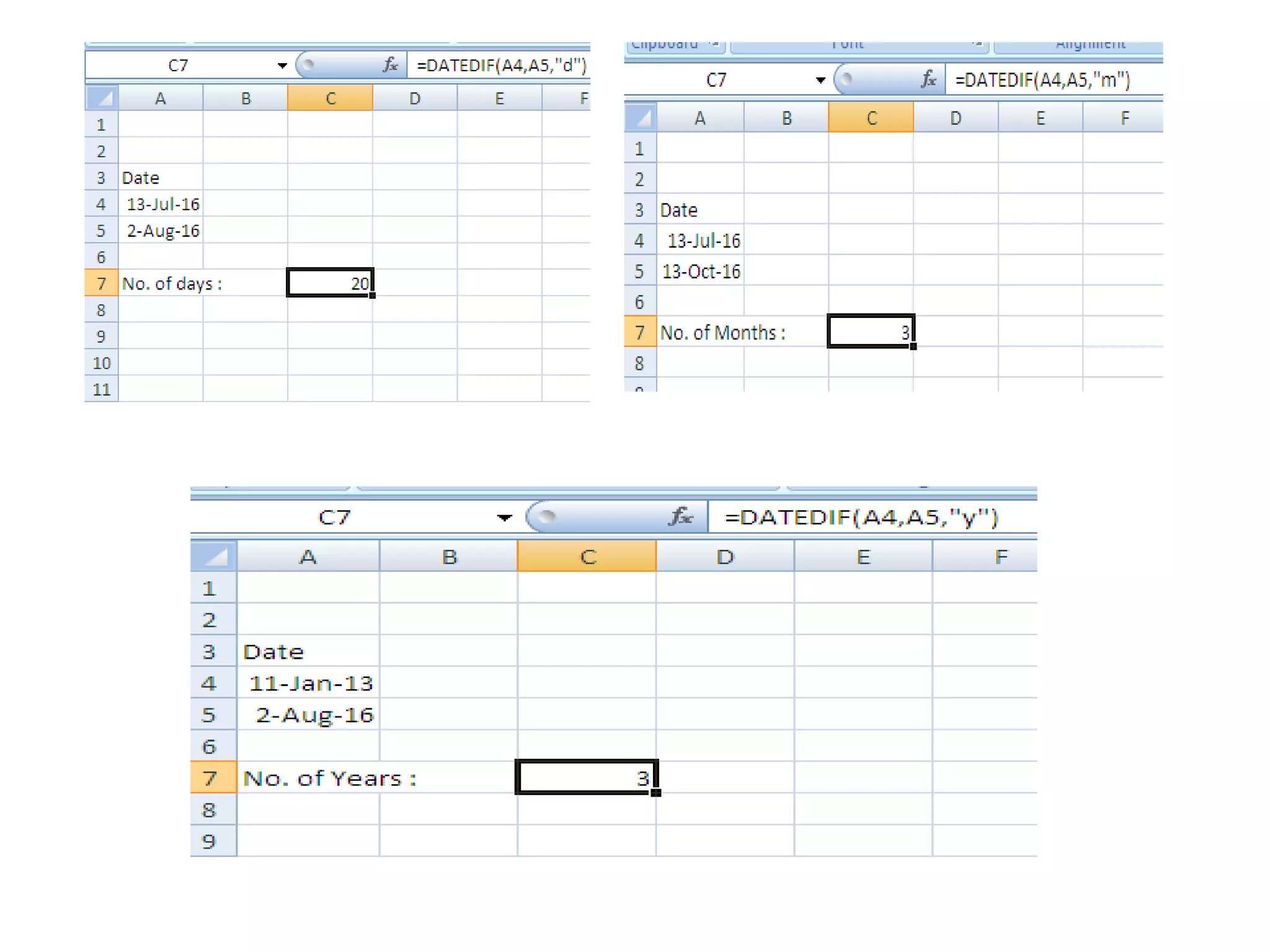
To get the number of days, weeks or years between two
dates in Excel, use the DATEDIF function. The DATEDIF function
has three arguments.
= DATEDIF(start_date, end_date, unit)
‘d’ – no. of days between two dates.
‘m’ – no. of months between two dates.
‘y’ – no. of years between two dates.
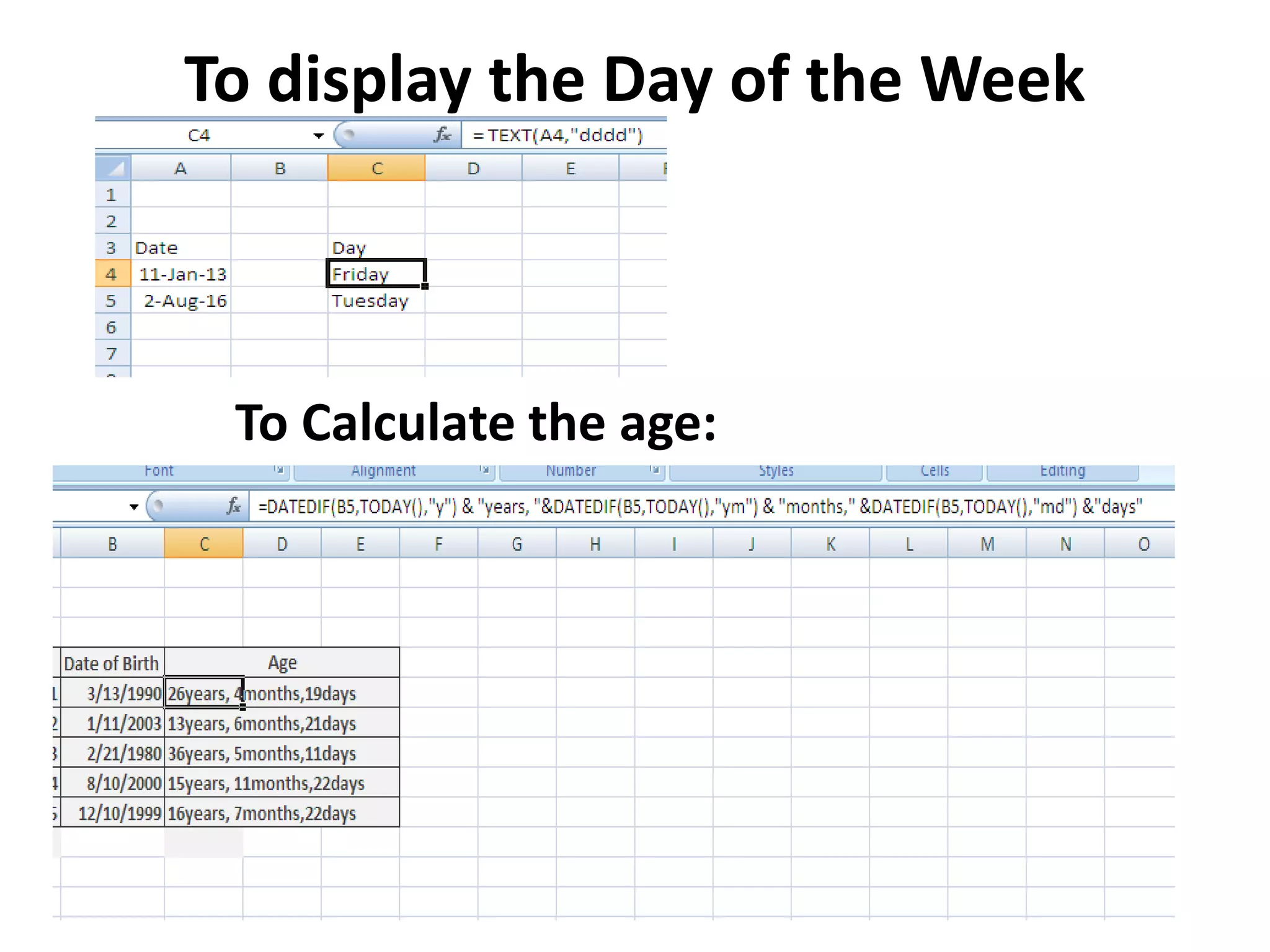
To display the Day of the Week
To Calculate the age:
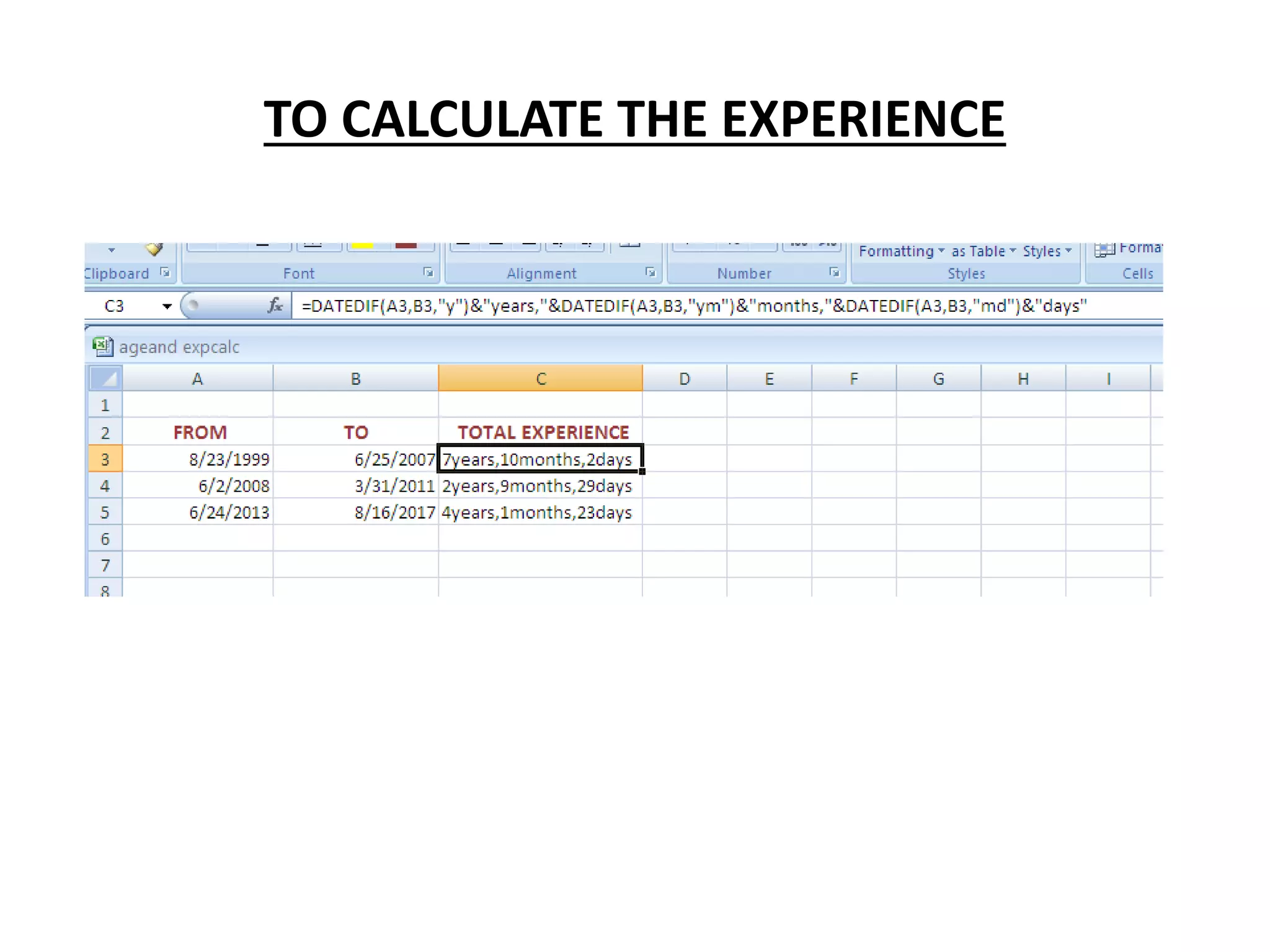
TO CALCULATE THE EXPERIENCE

MS-Excel Formulas and Functions

  • 1.
  • 2.
    Creating Formulas ina Worksheet • A formula performs complex numeric calculations with addition, subtraction, multiplication, and division. • An Excel formula is a type of formula that can be used to perform calculations on data that is entered in Excel worksheets. • All formulas in Excel begin with an equal sign (=) and contain various components such as arguments and operators.
  • 3.
    The result ofan Excel formula is stored in the cell where the formula is entered.
  • 5.
    To create aformula: 1. Select the cell in which you want to place the formula. 2. To begin the formula, type an equals sign. 3. Specify the arguments and operators for the formula. • Enter a number or cell reference, or select a cell. • Enter the operator. • Enter another number or cell reference 4. If necessary, enter additional arguments and operators to complete the formula. 5. Press Enter or select the check mark icon to apply the formula and populate the cell with the calculated value.
  • 6.
    Step – 1Type Formula with Operators Step -2 Getting Result for the remaining Cells
  • 7.
  • 8.
    Add basic pay, DA,CCA TotalIncome – ( PF+Deduction)
  • 9.
  • 10.
    A function isa built-in Excel formula that you can use to perform calculations in your worksheets. Functions always begin with an equal sign, and they also contain a function name, followed by arguments within parentheses.  = SUM(Cell Ranges) used to Add the values specified in the argument.
  • 11.
    = AVERAGE( CellRanges) Used to calculate the average of the values specified in the argument. = COUNT(Cell Ranges) - used to find the number of cells that contain numerical values in the specified range in the argument.
  • 12.
    = MAX (CellRanges) – used to find the highest of the values specified in the argument.
  • 13.
    = MIN (CellRanges) – used to find the smallest of the values specified in the argument.
  • 14.
    =COUNTIF(ranges, criteria) :To count the number of occurrences of the particular data.
  • 15.
    =SUMIF(range, criteria [,sum_range]) is defined as a function that “Adds the cells specified by a given condition or criteria”.
  • 16.
    =SUMPRODUCT (list 1,list 2 ...) - It takes 1 or more arrays of numbers and gets the sum of products of corresponding numbers. =(B5*C5)
  • 17.
    DATE FUNCTION =NOW() usedto display Current (Today’s) Date. To get the number of days, weeks or years between two dates in Excel, use the DATEDIF function. The DATEDIF function has three arguments. = DATEDIF(start_date, end_date, unit) ‘d’ – no. of days between two dates. ‘m’ – no. of months between two dates. ‘y’ – no. of years between two dates.
  • 20.
    To display theDay of the Week To Calculate the age:
  • 21.
    TO CALCULATE THEEXPERIENCE