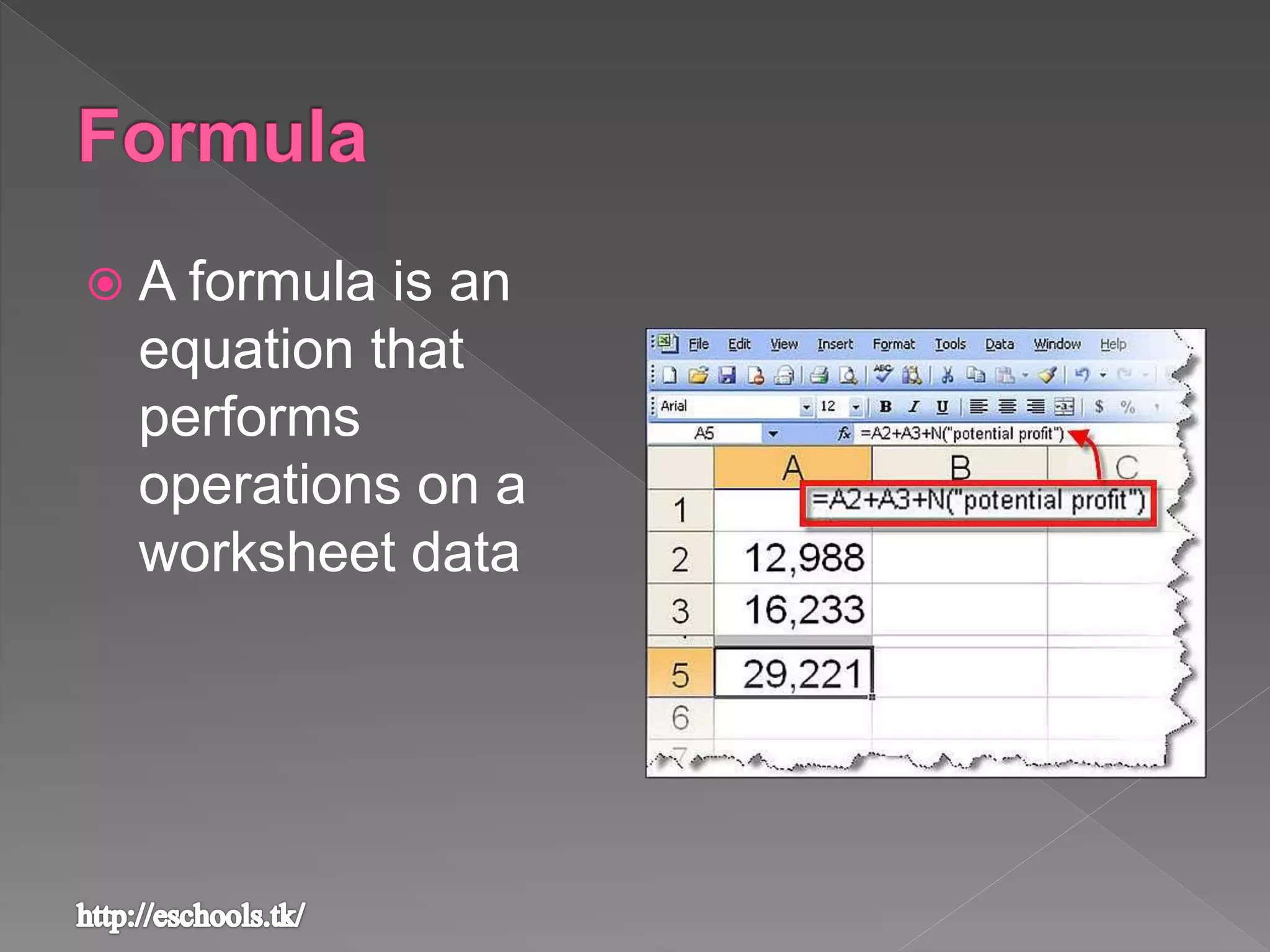
 A formula is an
equation that
performs
operations on a
worksheet data
› All the formula have
to begin with an
equal sign [ ]
› The = sign is
followed by the
elements to be
calculated [
]
› Operands are
separated by
calculation
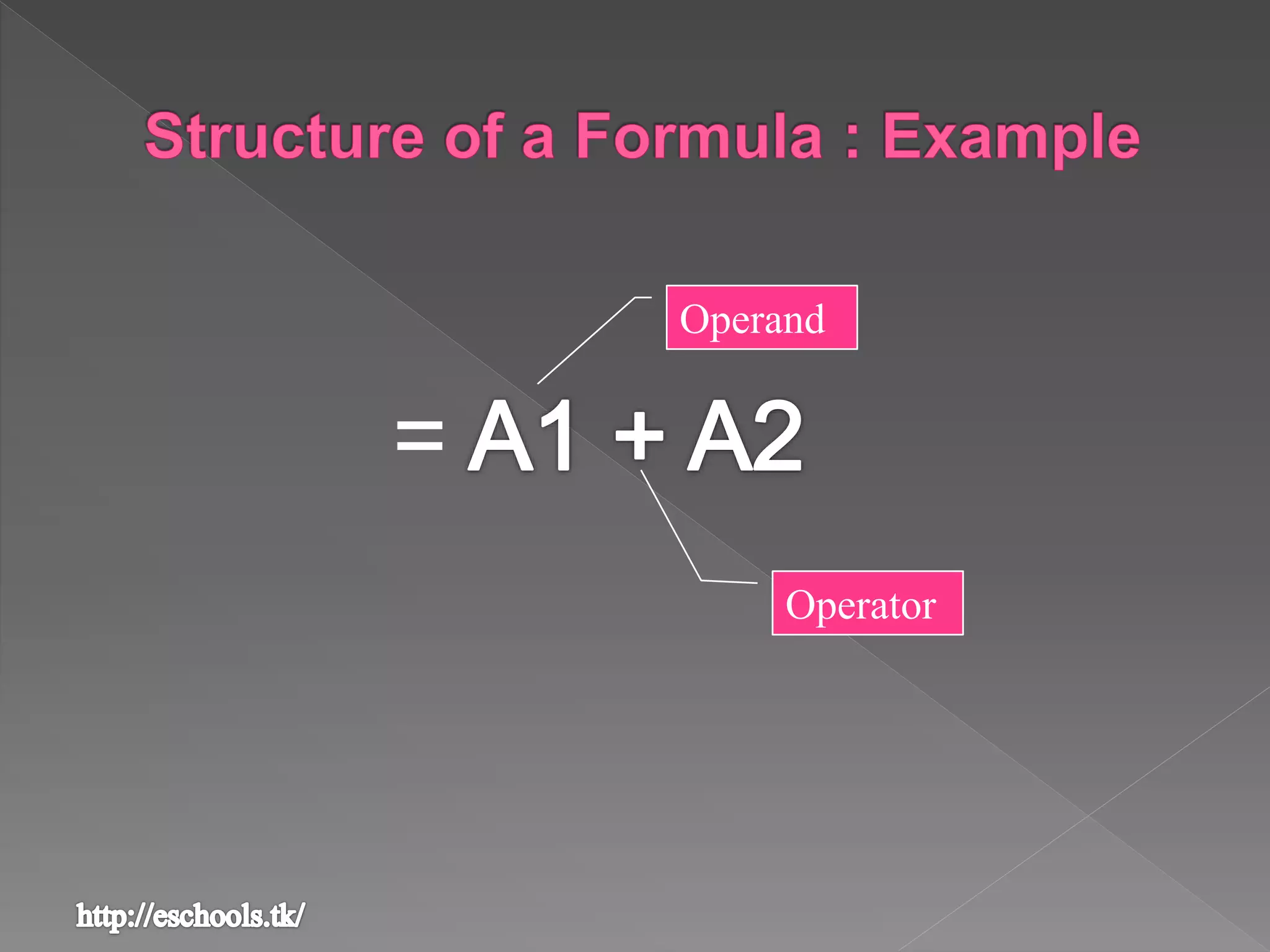
=
Operand
Operator
 An operator specifies the type of calculation that you
intend to perform on the elements of a formula
 Excel offers three main types of operators –
- for basic mathematical operations
- compare two values
-combine ranges of cells
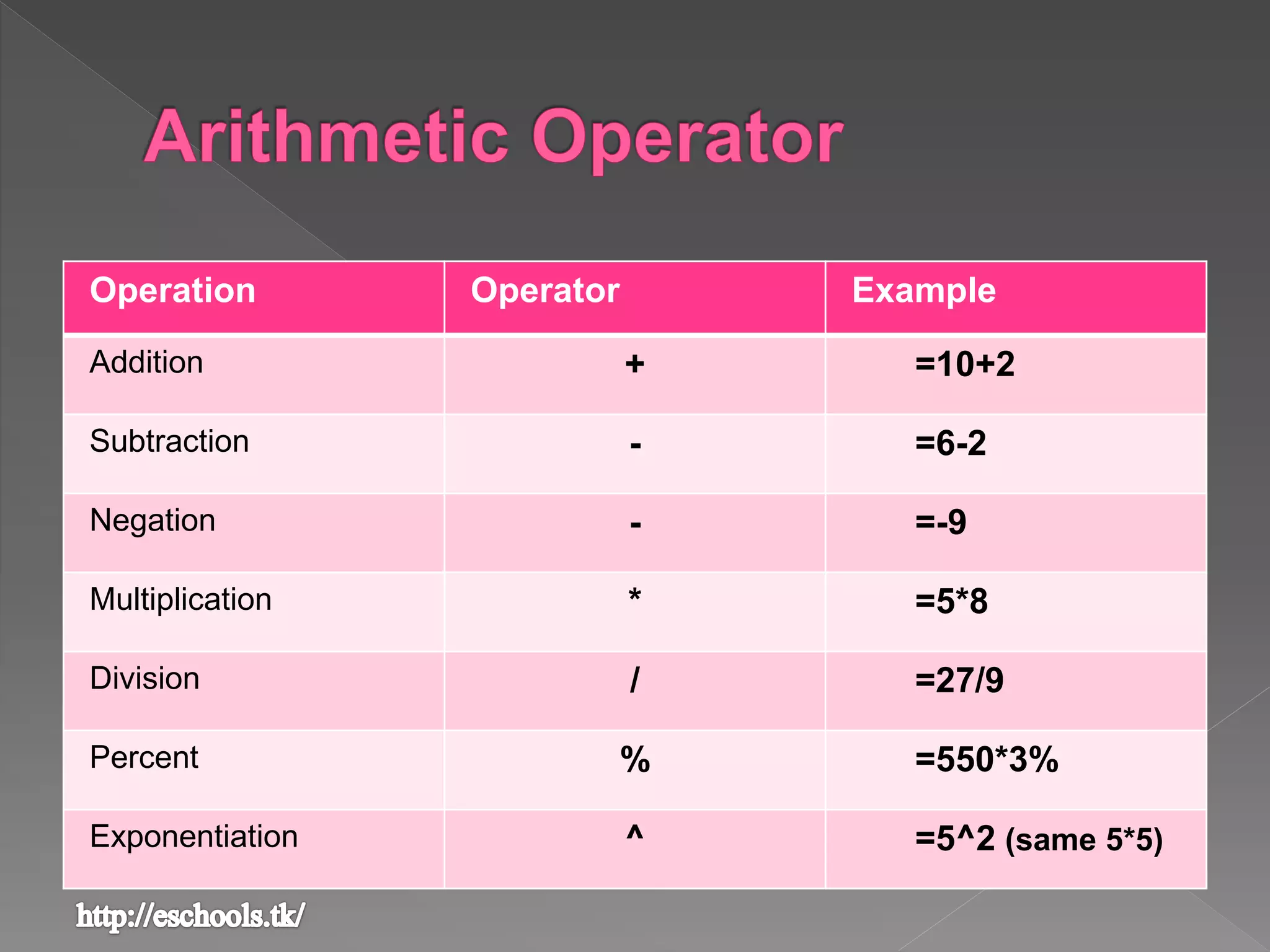
Operation Operator Example
Addition + =10+2
Subtraction - =6-2
Negation - =-9
Multiplication * =5*8
Division / =27/9
Percent % =550*3%
Exponentiation ^ =5^2 (same 5*5)
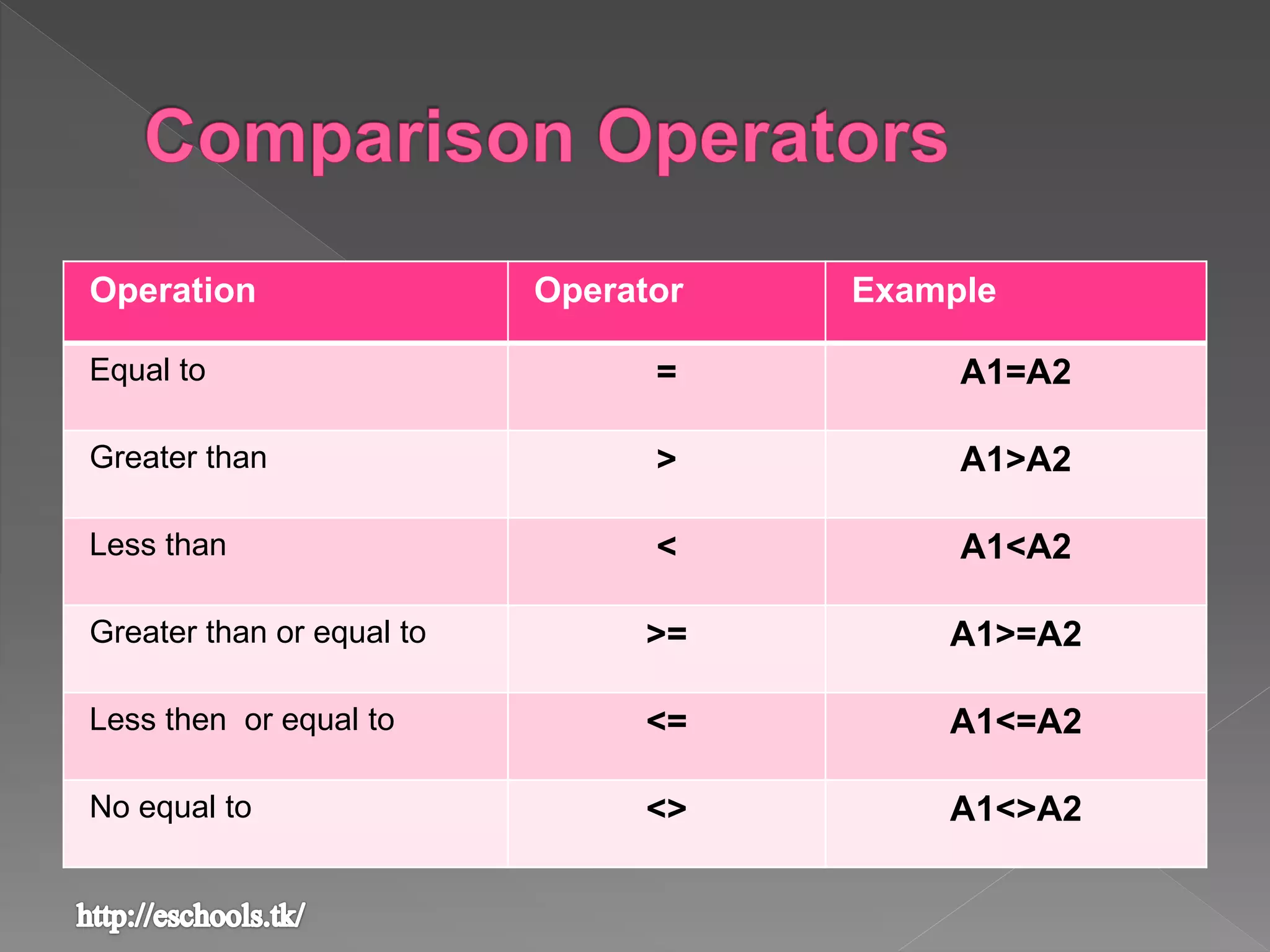
Operation Operator Example
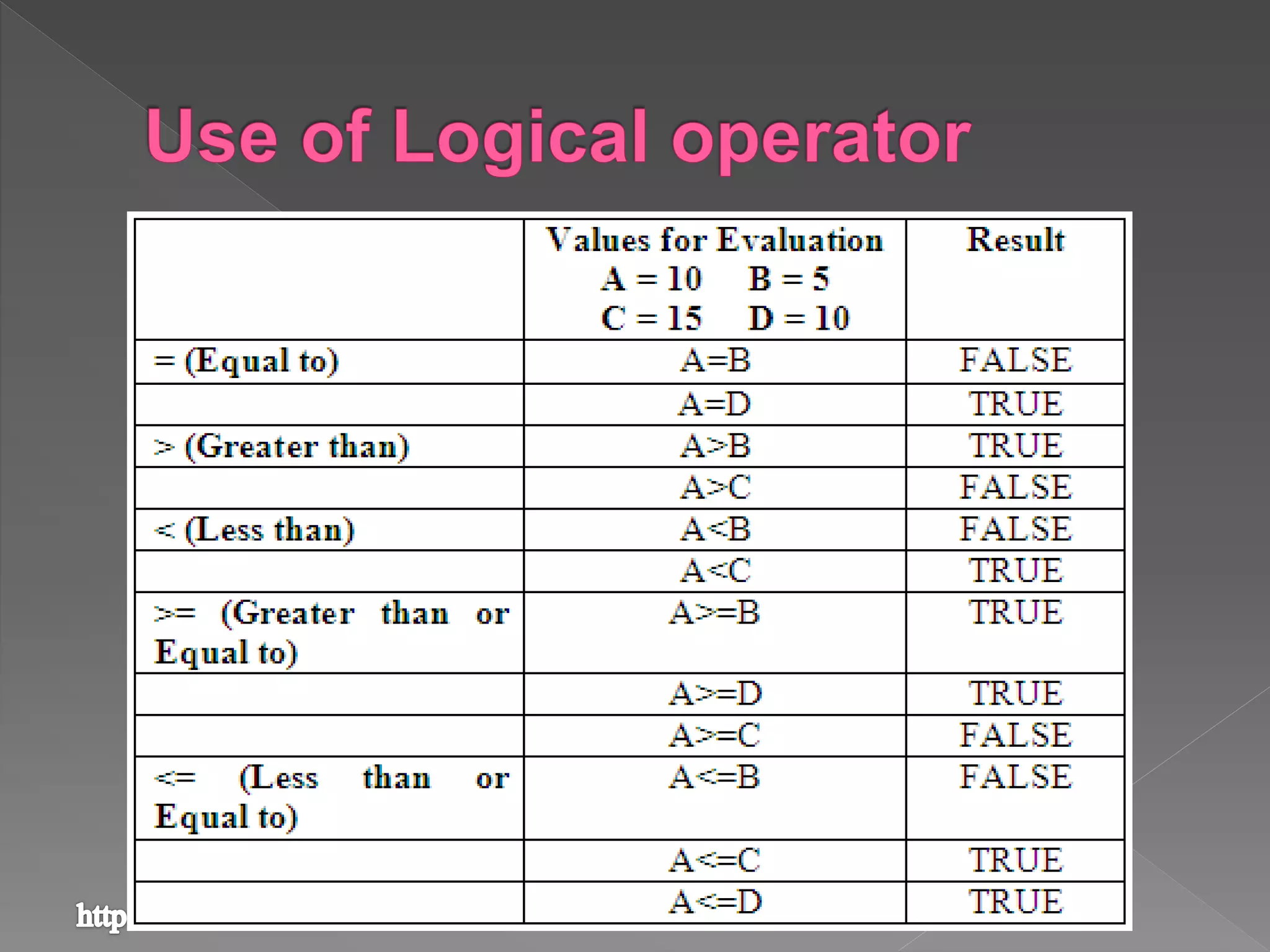
Equal to = A1=A2
Greater than > A1>A2
Less than < A1<A2
Greater than or equal to >= A1>=A2
Less then or equal to <= A1<=A2
No equal to <> A1<>A2
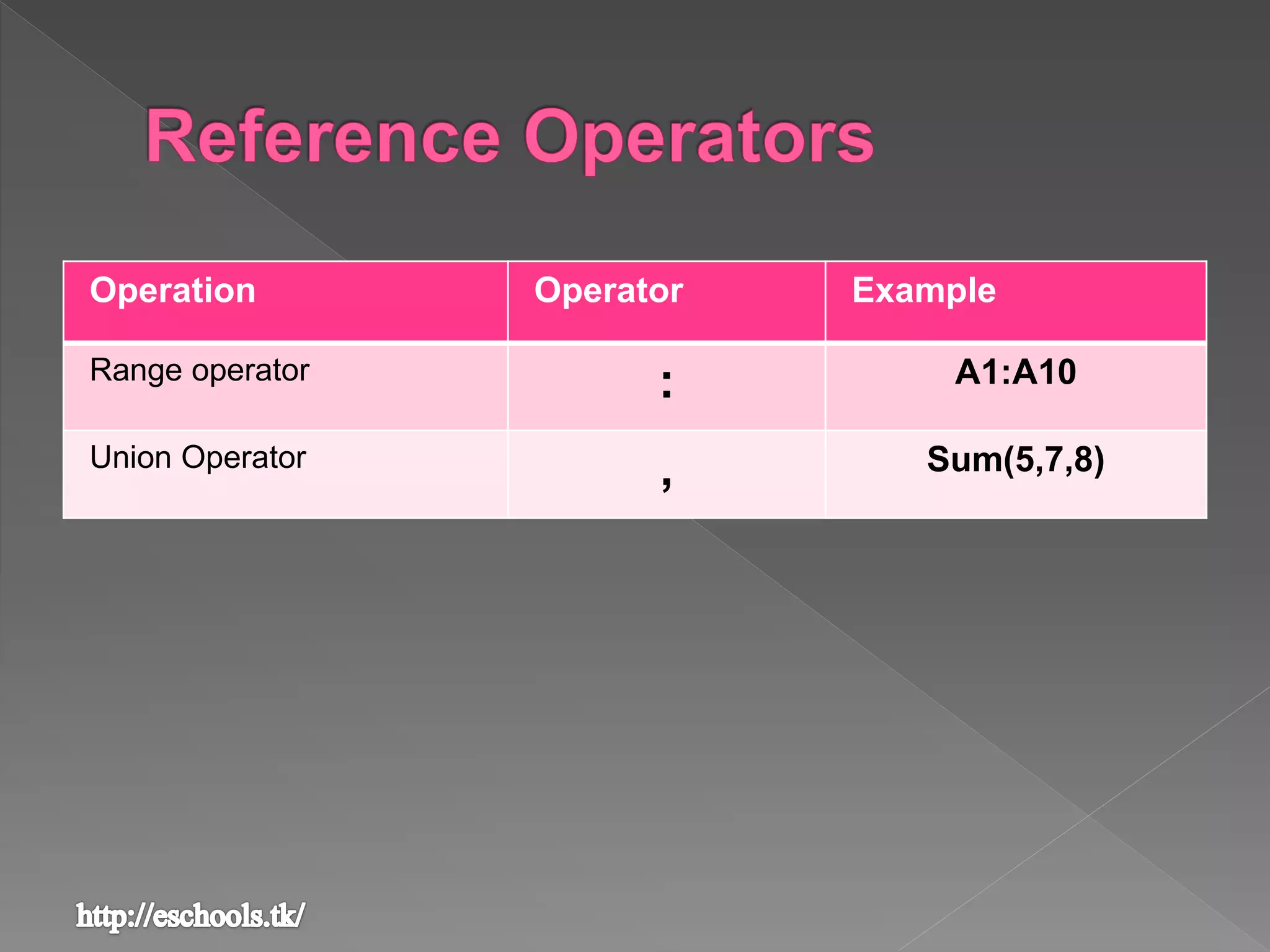
Operation Operator Example
Range operator
: A1:A10
Union Operator
, Sum(5,7,8)
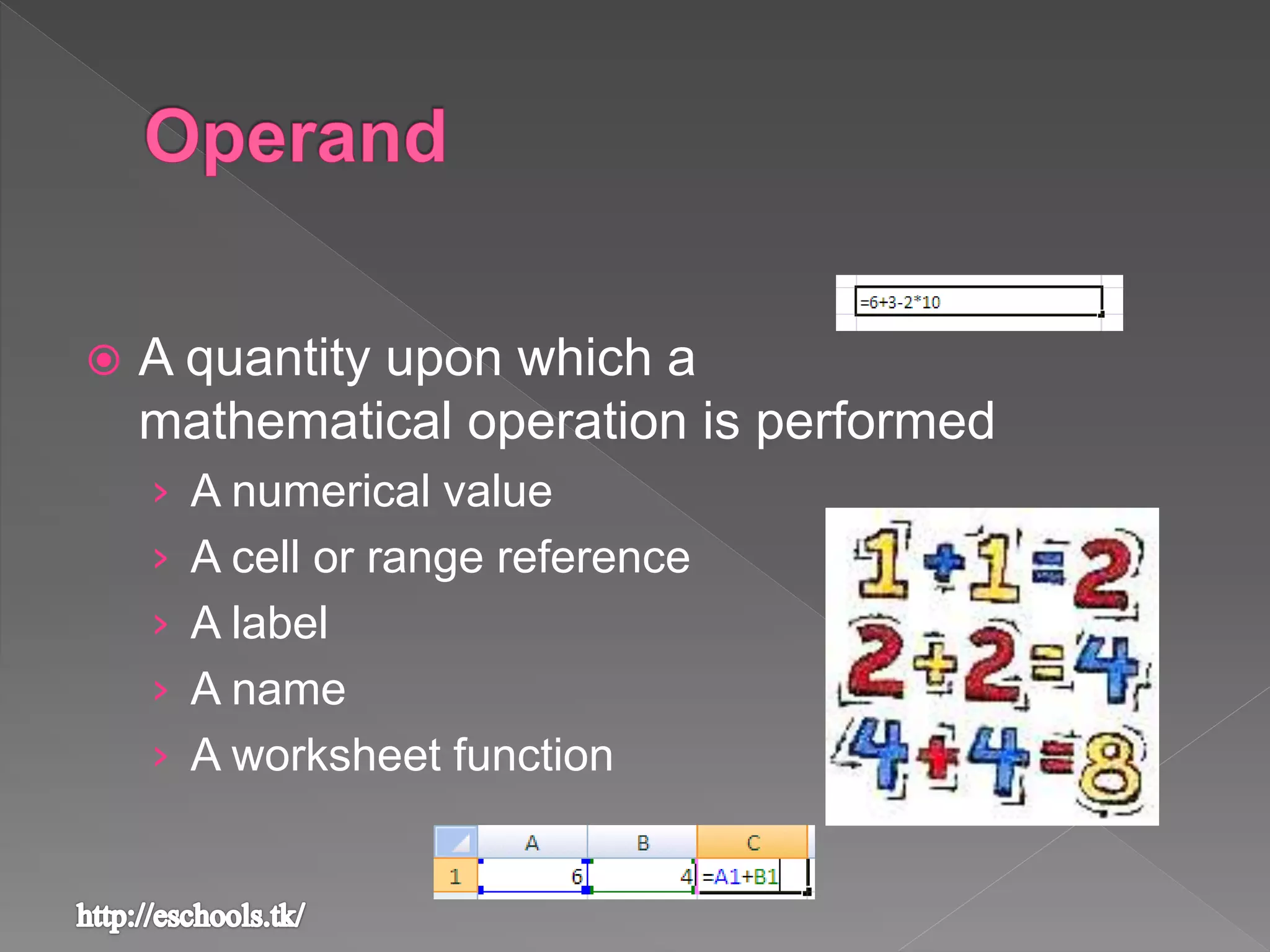
 A quantity upon which a
mathematical operation is performed
› A numerical value
› A cell or range reference
› A label
› A name
› A worksheet function
 The operations in a formula are performed from left to
right – following the order of operator precedence
 You can change the of precedence of operators by
using parentheses ()
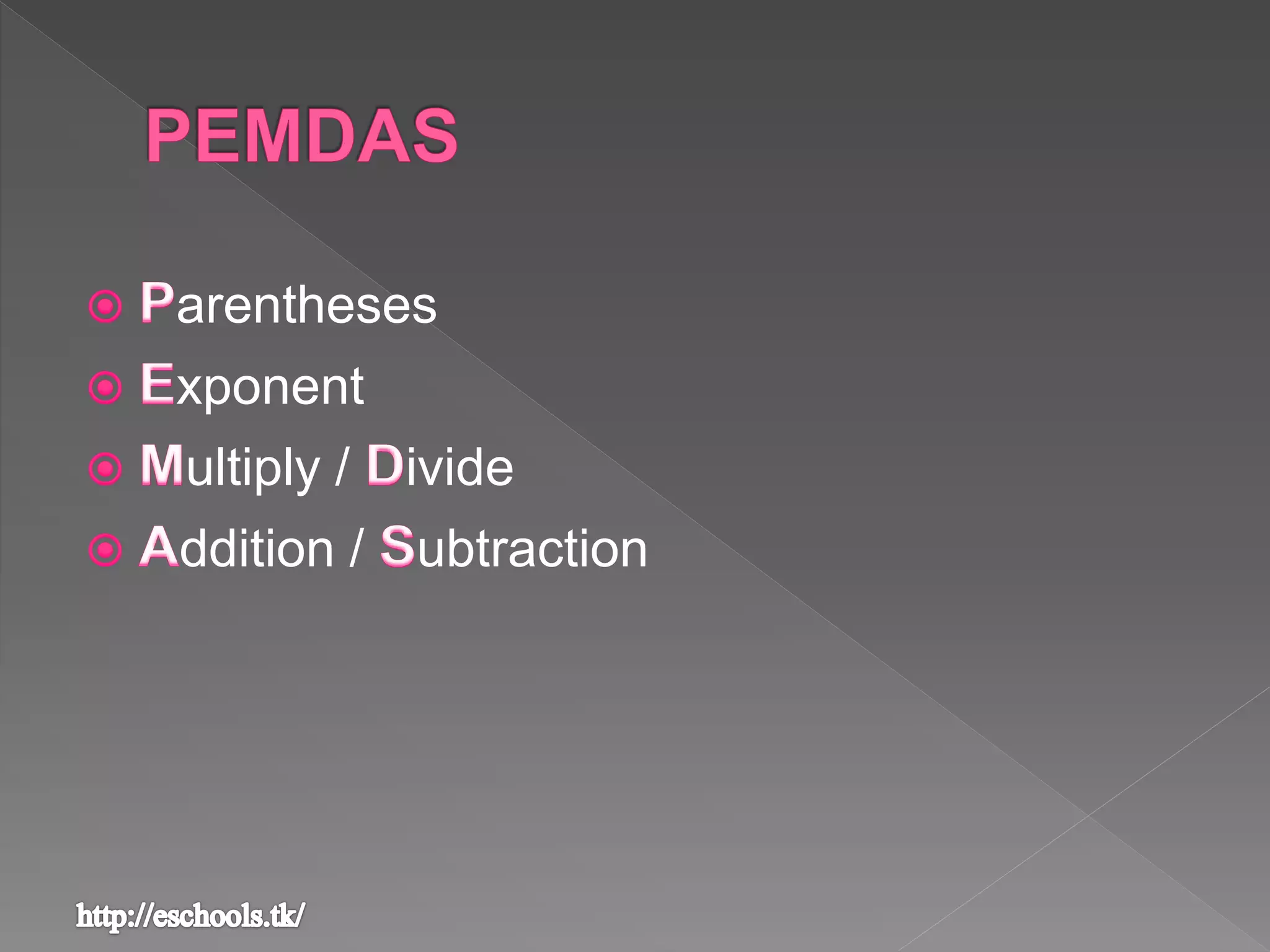
arentheses
xponent
ultiply / ivide
ddition / ubtraction
1. By placing an equal sign in the
cell that is to hold the result and
then pointing and clicking those
cells that contain the operands
2. By writing the cell addresses of
cells that you want to use for your
calculation in your result cell
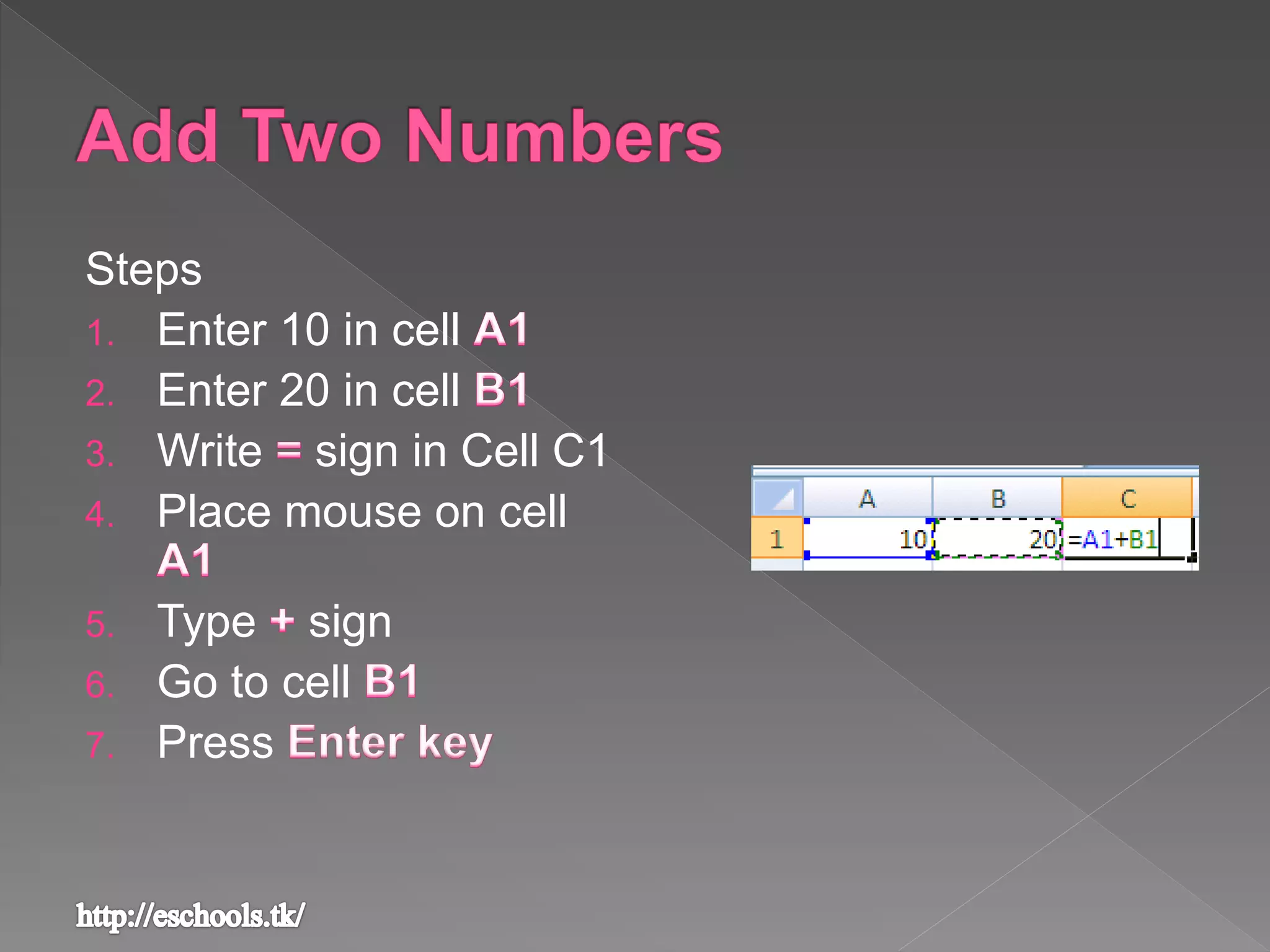
Steps
1. Enter 10 in cell
2. Enter 20 in cell
3. Write sign in Cell C1
4. Place mouse on cell
5. Type sign
6. Go to cell
7. Press
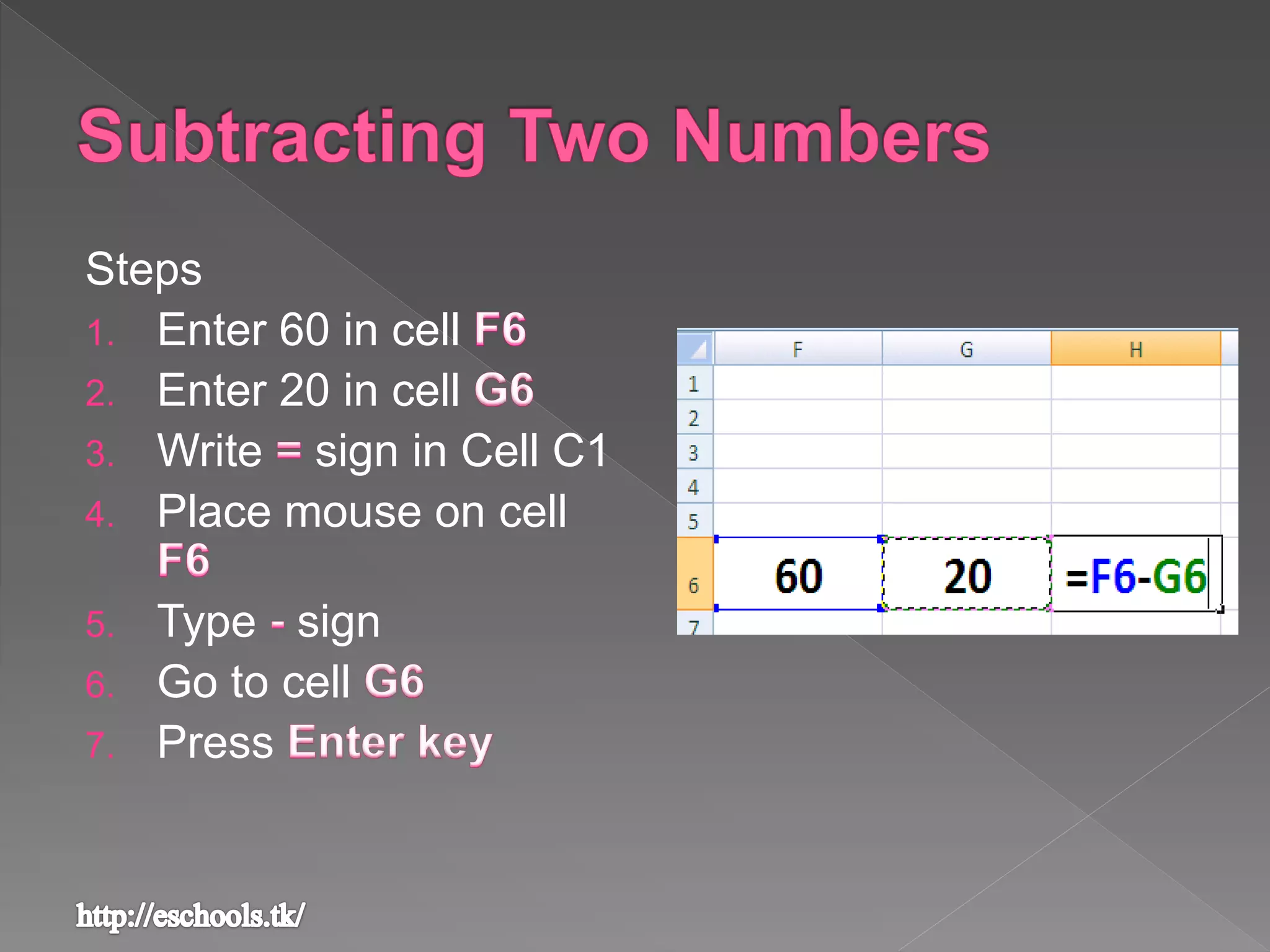
Steps
1. Enter 60 in cell
2. Enter 20 in cell
3. Write sign in Cell C1
4. Place mouse on cell
5. Type sign
6. Go to cell
7. Press
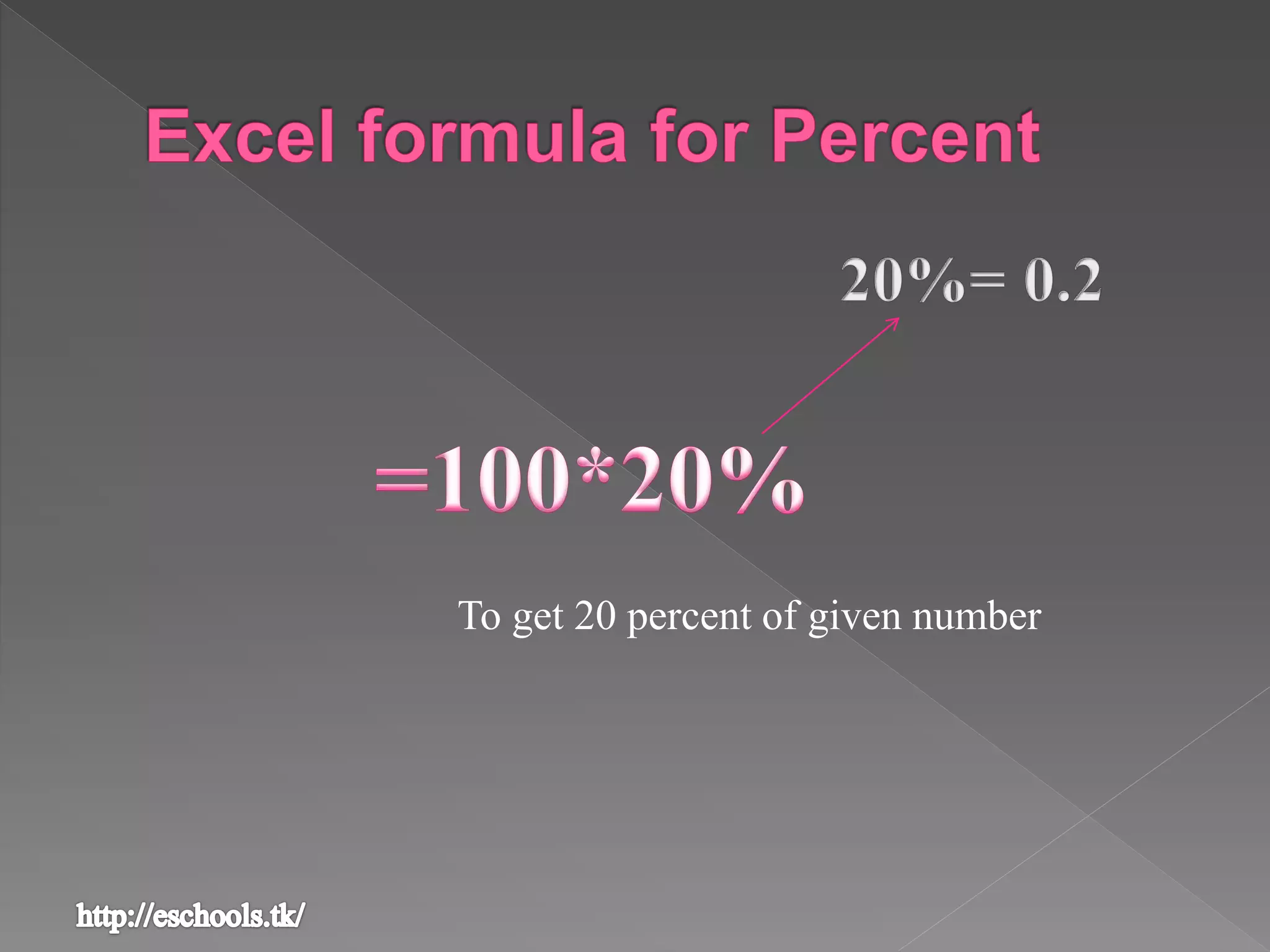
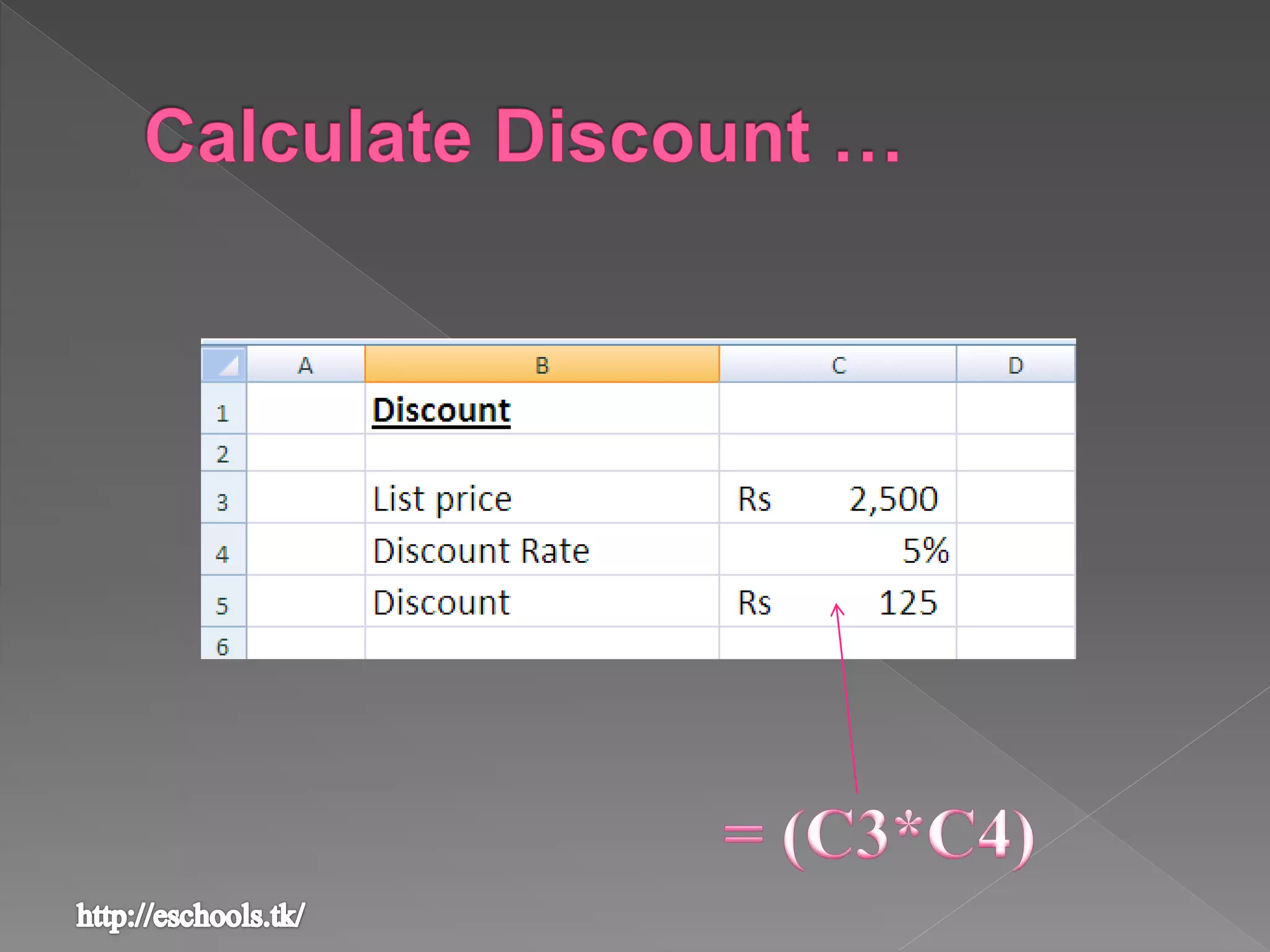
To get 20 percent of given number
Steps
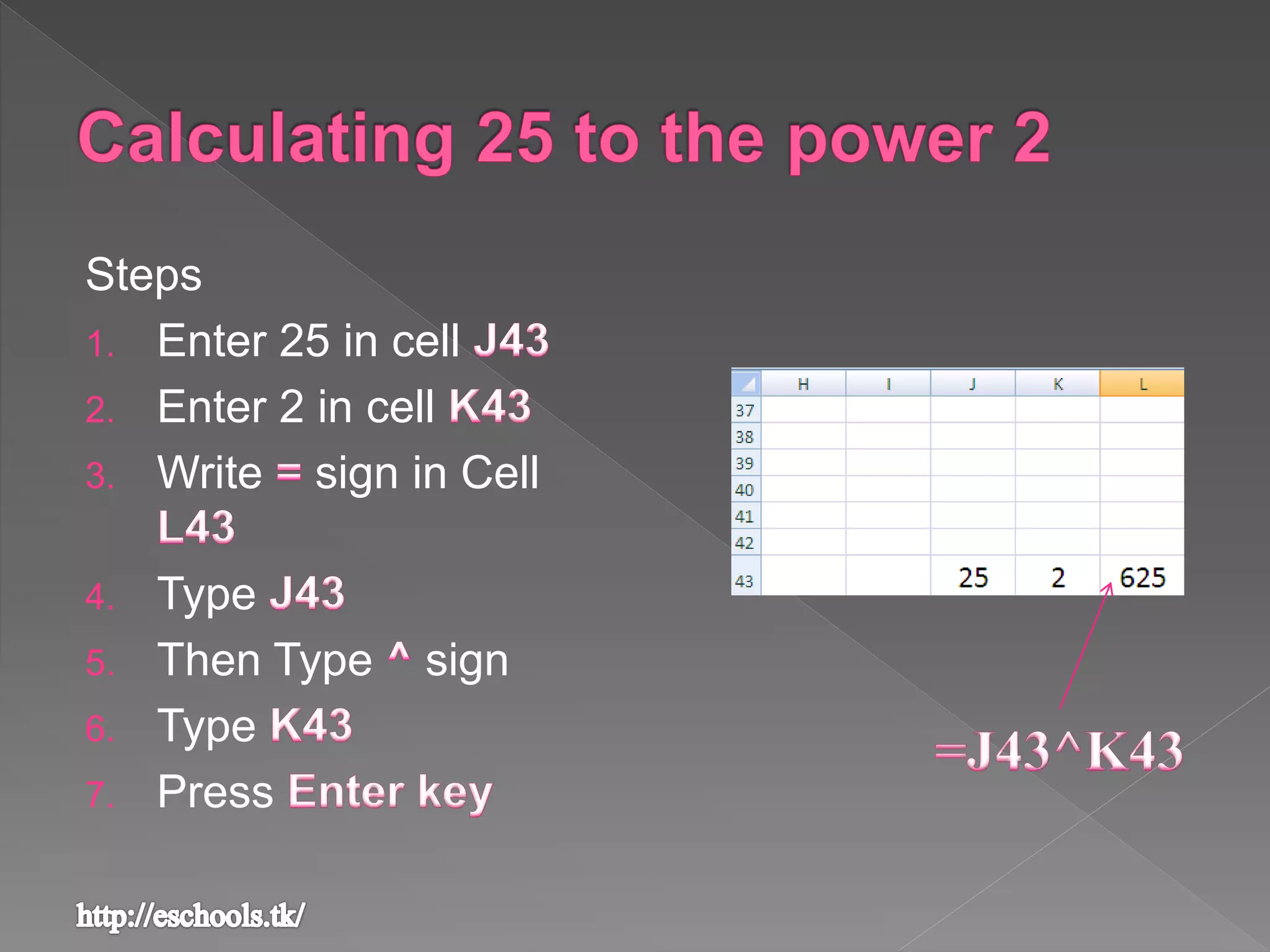
1. Enter 25 in cell
2. Enter 2 in cell
3. Write sign in Cell
4. Type
5. Then Type sign
6. Type
7. Press
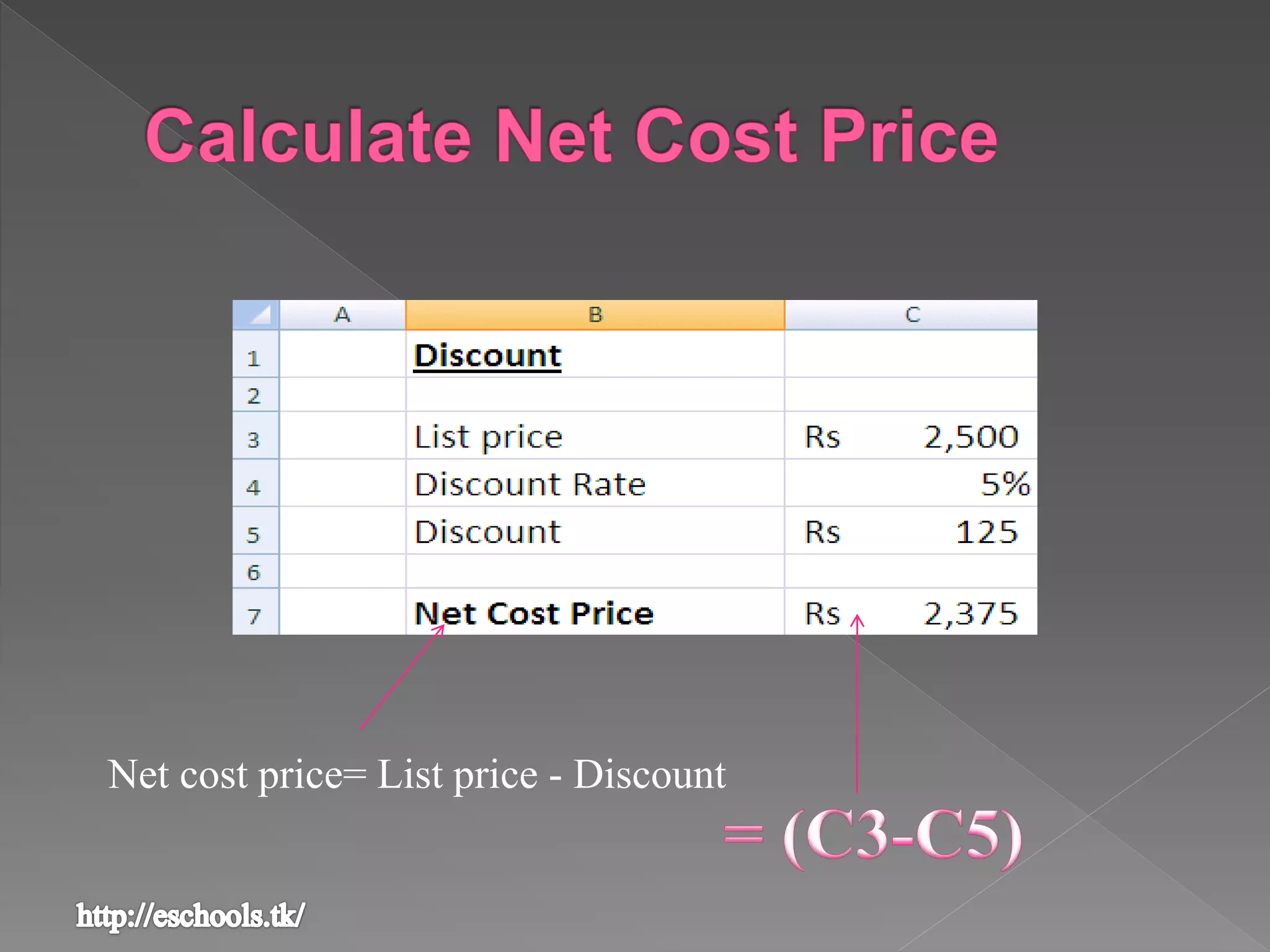
Net cost price= List price - Discount
Formula in MS Excel
Formula in MS Excel
Formula in MS Excel

Formula in MS Excel

  • 2.
     A formulais an equation that performs operations on a worksheet data
  • 3.
    › All theformula have to begin with an equal sign [ ] › The = sign is followed by the elements to be calculated [ ] › Operands are separated by calculation
  • 4.
  • 5.
     An operatorspecifies the type of calculation that you intend to perform on the elements of a formula  Excel offers three main types of operators – - for basic mathematical operations - compare two values -combine ranges of cells
  • 6.
    Operation Operator Example Addition+ =10+2 Subtraction - =6-2 Negation - =-9 Multiplication * =5*8 Division / =27/9 Percent % =550*3% Exponentiation ^ =5^2 (same 5*5)
  • 7.
    Operation Operator Example Equalto = A1=A2 Greater than > A1>A2 Less than < A1<A2 Greater than or equal to >= A1>=A2 Less then or equal to <= A1<=A2 No equal to <> A1<>A2
  • 8.
    Operation Operator Example Rangeoperator : A1:A10 Union Operator , Sum(5,7,8)
  • 9.
     A quantityupon which a mathematical operation is performed › A numerical value › A cell or range reference › A label › A name › A worksheet function
  • 10.
     The operationsin a formula are performed from left to right – following the order of operator precedence  You can change the of precedence of operators by using parentheses ()
  • 11.
  • 13.
    1. By placingan equal sign in the cell that is to hold the result and then pointing and clicking those cells that contain the operands 2. By writing the cell addresses of cells that you want to use for your calculation in your result cell
  • 15.
    Steps 1. Enter 10in cell 2. Enter 20 in cell 3. Write sign in Cell C1 4. Place mouse on cell 5. Type sign 6. Go to cell 7. Press
  • 16.
    Steps 1. Enter 60in cell 2. Enter 20 in cell 3. Write sign in Cell C1 4. Place mouse on cell 5. Type sign 6. Go to cell 7. Press
  • 18.
    To get 20percent of given number
  • 19.
    Steps 1. Enter 25in cell 2. Enter 2 in cell 3. Write sign in Cell 4. Type 5. Then Type sign 6. Type 7. Press
  • 21.
    Net cost price=List price - Discount