By JS Dhanju
STUDENT SUCCESS
By JS Dhanju
By JS Dhanju
COMPUTER MCQ’s
PREVIOUS YEARS QUESTIONS BY STUDENT SUCCESS
(For All Competitive Exams)
(RAILWAY, BANKING ,SSC ,UPPSC, POLICE CLERK PSSSB, PUDA,
PPSC, FPSC, KPPSC, OTS, PTS, ARMY, NAVY, CSS, PMS, NTS, ISSB, CCC,
LDC, COMPUTER OPERATOR | DATA ENTRY OPERATOR ETC.)
COMPLETE MS WORD
180+ MCQ’s
By JS Dhanju
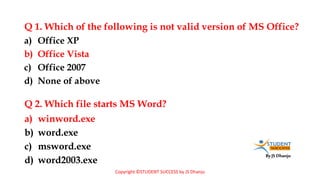
Q 1. Which of the following is not valid version of MS Office?
a) winword.exe
b) word.exe
c) msword.exe
d) word2003.exe
a) Office XP
b) Office Vista
c) Office 2007
d) None of above
Q 2. Which file starts MS Word?
Copyright ©STUDENT SUCCESS by JS Dhanju
By JS Dhanju
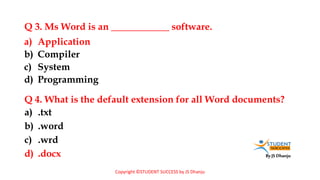
Q 3. Ms Word is an ____________ software.
a) .txt
b) .word
c) .wrd
d) .docx
a) Application
b) Compiler
c) System
d) Programming
Q 4. What is the default extension for all Word documents?
Copyright ©STUDENT SUCCESS by JS Dhanju
By JS Dhanju
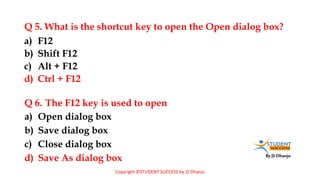
Q 5. What is the shortcut key to open the Open dialog box?
a) Open dialog box
b) Save dialog box
c) Close dialog box
d) Save As dialog box
a) F12
b) Shift F12
c) Alt + F12
d) Ctrl + F12
Q 6. The F12 key is used to open
Copyright ©STUDENT SUCCESS by JS Dhanju
By JS Dhanju
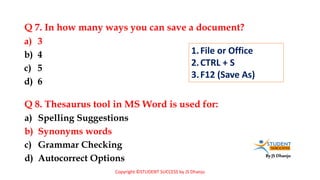
Q 7. In how many ways you can save a document?
a) Spelling Suggestions
b) Synonyms words
c) Grammar Checking
d) Autocorrect Options
a) 3
b) 4
c) 5
d) 6
Q 8. Thesaurus tool in MS Word is used for:
1.File or Office
2.CTRL + S
3.F12 (Save As)
Copyright ©STUDENT SUCCESS by JS Dhanju
By JS Dhanju
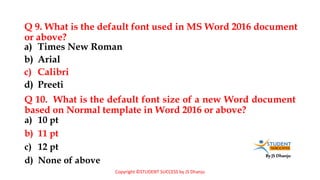
Q 9. What is the default font used in MS Word 2016 document
or above?
a) 10 pt
b) 11 pt
c) 12 pt
d) None of above
a) Times New Roman
b) Arial
c) Calibri
d) Preeti
Q 10. What is the default font size of a new Word document
based on Normal template in Word 2016 or above?
Copyright ©STUDENT SUCCESS by JS Dhanju
By JS Dhanju
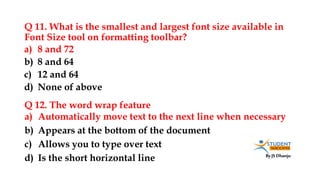
Q 11. What is the smallest and largest font size available in
Font Size tool on formatting toolbar?
a) Automatically move text to the next line when necessary
b) Appears at the bottom of the document
c) Allows you to type over text
d) Is the short horizontal line
a) 8 and 72
b) 8 and 64
c) 12 and 64
d) None of above
Q 12. The word wrap feature
By JS Dhanju
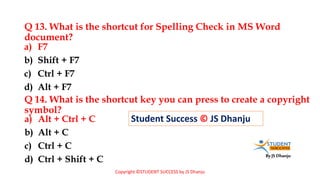
Q 13. What is the shortcut for Spelling Check in MS Word
document?
a) Alt + Ctrl + C
b) Alt + C
c) Ctrl + C
d) Ctrl + Shift + C
a) F7
b) Shift + F7
c) Ctrl + F7
d) Alt + F7
Q 14. What is the shortcut key you can press to create a copyright
symbol?
Student Success © JS Dhanju
Copyright ©STUDENT SUCCESS by JS Dhanju
By JS Dhanju
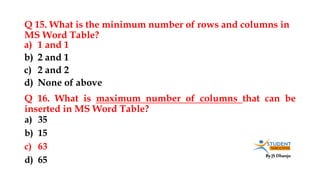
Q 15. What is the minimum number of rows and columns in
MS Word Table?
a) 35
b) 15
c) 63
d) 65
a) 1 and 1
b) 2 and 1
c) 2 and 2
d) None of above
Q 16. What is maximum number of columns that can be
inserted in MS Word Table?
By JS Dhanju
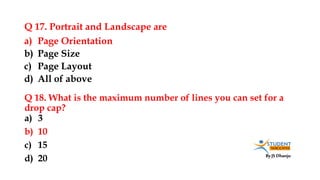
Q 17. Portrait and Landscape are
a) 3
b) 10
c) 15
d) 20
a) Page Orientation
b) Page Size
c) Page Layout
d) All of above
Q 18. What is the maximum number of lines you can set for a
drop cap?
By JS Dhanju
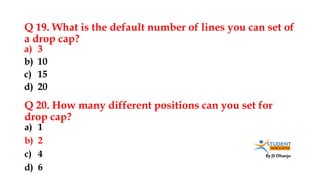
Q 19. What is the default number of lines you can set of
a drop cap?
a) 1
b) 2
c) 4
d) 6
a) 3
b) 10
c) 15
d) 20
Q 20. How many different positions can you set for
drop cap?
By JS Dhanju
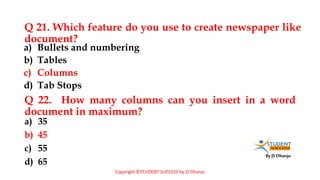
Q 21. Which feature do you use to create newspaper like
document?
a) 35
b) 45
c) 55
d) 65
a) Bullets and numbering
b) Tables
c) Columns
d) Tab Stops
Q 22. How many columns can you insert in a word
document in maximum?
Copyright ©STUDENT SUCCESS by JS Dhanju
By JS Dhanju
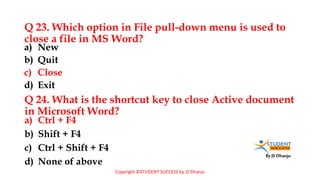
Q 23. Which option in File pull-down menu is used to
close a file in MS Word?
a) Ctrl + F4
b) Shift + F4
c) Ctrl + Shift + F4
d) None of above
a) New
b) Quit
c) Close
d) Exit
Q 24. What is the shortcut key to close Active document
in Microsoft Word?
Copyright ©STUDENT SUCCESS by JS Dhanju
By JS Dhanju
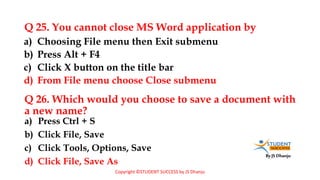
Q 25. You cannot close MS Word application by
a) Press Ctrl + S
b) Click File, Save
c) Click Tools, Options, Save
d) Click File, Save As
a) Choosing File menu then Exit submenu
b) Press Alt + F4
c) Click X button on the title bar
d) From File menu choose Close submenu
Q 26. Which would you choose to save a document with
a new name?
Copyright ©STUDENT SUCCESS by JS Dhanju
By JS Dhanju
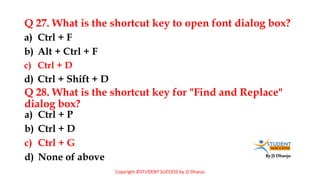
Q 27. What is the shortcut key to open font dialog box?
a) Ctrl + P
b) Ctrl + D
c) Ctrl + G
d) None of above
a) Ctrl + F
b) Alt + Ctrl + F
c) Ctrl + D
d) Ctrl + Shift + D
Q 28. What is the shortcut key for "Find and Replace"
dialog box?
Copyright ©STUDENT SUCCESS by JS Dhanju
By JS Dhanju
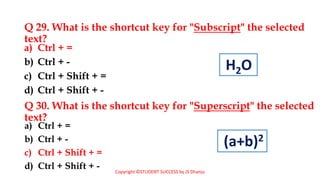
Q 29. What is the shortcut key for "Subscript" the selected
text?
a) Ctrl + =
b) Ctrl + -
c) Ctrl + Shift + =
d) Ctrl + Shift + -
a) Ctrl + =
b) Ctrl + -
c) Ctrl + Shift + =
d) Ctrl + Shift + -
Q 30. What is the shortcut key for "Superscript" the selected
text?
Copyright ©STUDENT SUCCESS by JS Dhanju
H2O
(a+b)2
By JS Dhanju
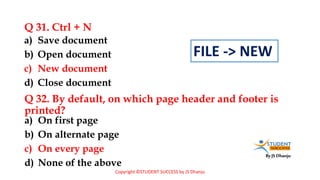
Q 31. Ctrl + N
a) On first page
b) On alternate page
c) On every page
d) None of the above
a) Save document
b) Open document
c) New document
d) Close document
Q 32. By default, on which page header and footer is
printed?
Copyright ©STUDENT SUCCESS by JS Dhanju
FILE -> NEW
By JS Dhanju
Q 33. In Microsoft Word shortcut key CTRL + W is used to
a) Execute
b) Highlight
c) Clip art
d) Peripheral
a) Open the print dialog box
b) Update the current Web page
c) Close the current window
d) None of above
Q 34. Graphics for word processor?
Copyright ©STUDENT SUCCESS by JS Dhanju
By JS Dhanju
Q 35. Ctrl + P shortcut is used to
a) Hanging Indent
b) Left Indent
c) Open Tabs Dialog Box
d) Terminate all opened Dialog Box
a) Open Paragraph Dialog Box
b) Open Page Format Dialog Box
c) Open Save Dialog Box
d) Open Print Dialog Box
Q 36. Ctrl + T shortcut is used for
Copyright ©STUDENT SUCCESS by JS Dhanju
By JS Dhanju
Q 37. Which of the following is true regarding page
orientation of a document?
a) Formatting Toolbar
b) Paragraph dialog box
c) Page Setup dialog box
d) Standard toolbar
a) Page orientation can be changed at any time
b) Page orientation of document determines by printer
c) Page orientation must be set before start typing
d) Page orientation of a document cannot be changed
Q 38. Where can you change the vertical alignment?
Copyright ©STUDENT SUCCESS by JS Dhanju
By JS Dhanju
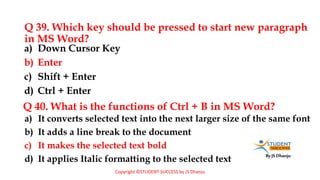
Q 39. Which key should be pressed to start new paragraph
in MS Word?
a) It converts selected text into the next larger size of the same font
b) It adds a line break to the document
c) It makes the selected text bold
d) It applies Italic formatting to the selected text
a) Down Cursor Key
b) Enter
c) Shift + Enter
d) Ctrl + Enter
Q 40. What is the functions of Ctrl + B in MS Word?
Copyright ©STUDENT SUCCESS by JS Dhanju
By JS Dhanju
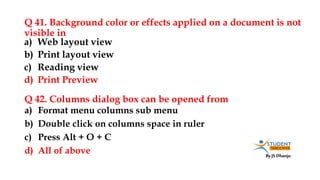
Q 41. Background color or effects applied on a document is not
visible in
a) Format menu columns sub menu
b) Double click on columns space in ruler
c) Press Alt + O + C
d) All of above
a) Web layout view
b) Print layout view
c) Reading view
d) Print Preview
Q 42. Columns dialog box can be opened from
By JS Dhanju
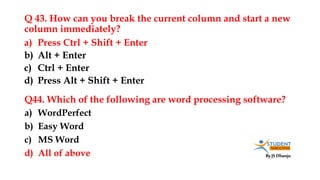
Q 43. How can you break the current column and start a new
column immediately?
a) WordPerfect
b) Easy Word
c) MS Word
d) All of above
a) Press Ctrl + Shift + Enter
b) Alt + Enter
c) Ctrl + Enter
d) Press Alt + Shift + Enter
Q44. Which of the following are word processing software?
By JS Dhanju
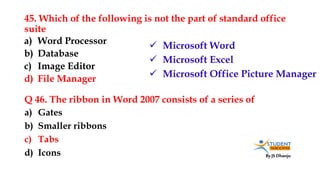
45. Which of the following is not the part of standard office
suite
a) Gates
b) Smaller ribbons
c) Tabs
d) Icons
a) Word Processor
b) Database
c) Image Editor
d) File Manager
Q 46. The ribbon in Word 2007 consists of a series of
 Microsoft Word
 Microsoft Excel
 Microsoft Office Picture Manager
By JS Dhanju
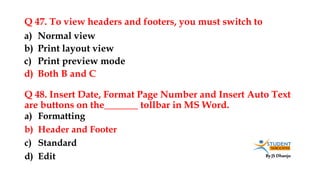
Q 47. To view headers and footers, you must switch to
a) Formatting
b) Header and Footer
c) Standard
d) Edit
a) Normal view
b) Print layout view
c) Print preview mode
d) Both B and C
Q 48. Insert Date, Format Page Number and Insert Auto Text
are buttons on the_______ tollbar in MS Word.
By JS Dhanju
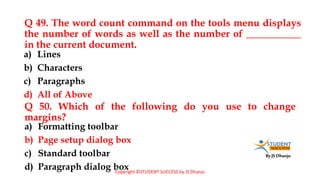
Q 49. The word count command on the tools menu displays
the number of words as well as the number of ___________
in the current document.
a) Formatting toolbar
b) Page setup dialog box
c) Standard toolbar
d) Paragraph dialog box
a) Lines
b) Characters
c) Paragraphs
d) All of Above
Q 50. Which of the following do you use to change
margins?
Copyright ©STUDENT SUCCESS by JS Dhanju
By JS Dhanju
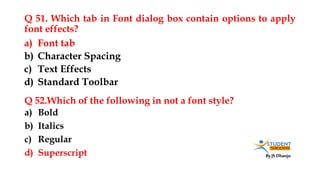
Q 51. Which tab in Font dialog box contain options to apply
font effects?
a) Bold
b) Italics
c) Regular
d) Superscript
a) Font tab
b) Character Spacing
c) Text Effects
d) Standard Toolbar
Q 52.Which of the following in not a font style?
By JS Dhanju
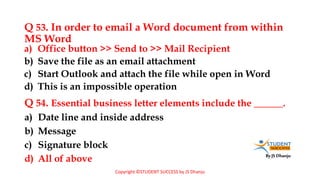
Q 53. In order to email a Word document from within
MS Word
a) Date line and inside address
b) Message
c) Signature block
d) All of above
a) Office button >> Send to >> Mail Recipient
b) Save the file as an email attachment
c) Start Outlook and attach the file while open in Word
d) This is an impossible operation
Q 54. Essential business letter elements include the ______.
Copyright ©STUDENT SUCCESS by JS Dhanju
By JS Dhanju
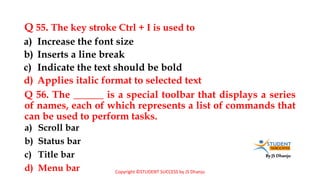
Q 55. The key stroke Ctrl + I is used to
a) Scroll bar
b) Status bar
c) Title bar
d) Menu bar
a) Increase the font size
b) Inserts a line break
c) Indicate the text should be bold
d) Applies italic format to selected text
Q 56. The ______ is a special toolbar that displays a series
of names, each of which represents a list of commands that
can be used to perform tasks.
Copyright ©STUDENT SUCCESS by JS Dhanju
By JS Dhanju
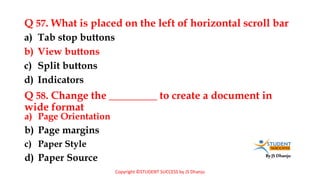
Q 57. What is placed on the left of horizontal scroll bar
a) Page Orientation
b) Page margins
c) Paper Style
d) Paper Source
a) Tab stop buttons
b) View buttons
c) Split buttons
d) Indicators
Q 58. Change the _________ to create a document in
wide format
Copyright ©STUDENT SUCCESS by JS Dhanju
By JS Dhanju
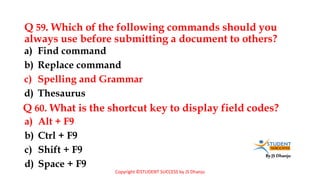
Q 59. Which of the following commands should you
always use before submitting a document to others?
a) Alt + F9
b) Ctrl + F9
c) Shift + F9
d) Space + F9
a) Find command
b) Replace command
c) Spelling and Grammar
d) Thesaurus
Q 60. What is the shortcut key to display field codes?
Copyright ©STUDENT SUCCESS by JS Dhanju
By JS Dhanju
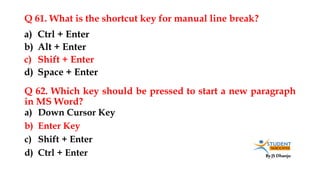
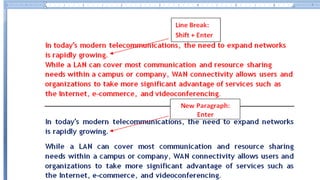
Q 61. What is the shortcut key for manual line break?
a) Down Cursor Key
b) Enter Key
c) Shift + Enter
d) Ctrl + Enter
a) Ctrl + Enter
b) Alt + Enter
c) Shift + Enter
d) Space + Enter
Q 62. Which key should be pressed to start a new paragraph
in MS Word?
By JS Dhanju
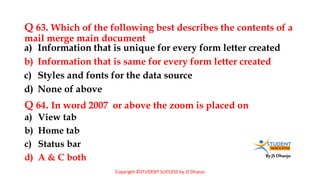
Q 63. Which of the following best describes the contents of a
mail merge main document
a) View tab
b) Home tab
c) Status bar
d) A & C both
a) Information that is unique for every form letter created
b) Information that is same for every form letter created
c) Styles and fonts for the data source
d) None of above
Q 64. In word 2007 or above the zoom is placed on
Copyright ©STUDENT SUCCESS by JS Dhanju
By JS Dhanju
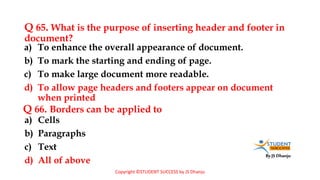
Q 65. What is the purpose of inserting header and footer in
document?
a) Cells
b) Paragraphs
c) Text
d) All of above
a) To enhance the overall appearance of document.
b) To mark the starting and ending of page.
c) To make large document more readable.
d) To allow page headers and footers appear on document
when printed
Q 66. Borders can be applied to
Copyright ©STUDENT SUCCESS by JS Dhanju
By JS Dhanju
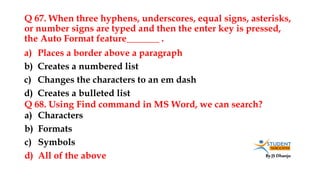
Q 67. When three hyphens, underscores, equal signs, asterisks,
or number signs are typed and then the enter key is pressed,
the Auto Format feature_______ .
a) Characters
b) Formats
c) Symbols
d) All of the above
a) Places a border above a paragraph
b) Creates a numbered list
c) Changes the characters to an em dash
d) Creates a bulleted list
Q 68. Using Find command in MS Word, we can search?
By JS Dhanju
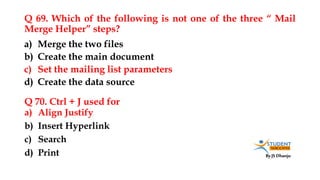
Q 69. Which of the following is not one of the three “ Mail
Merge Helper” steps?
a) Align Justify
b) Insert Hyperlink
c) Search
d) Print
a) Merge the two files
b) Create the main document
c) Set the mailing list parameters
d) Create the data source
Q 70. Ctrl + J used for
By JS Dhanju
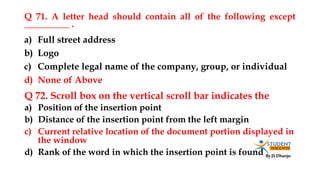
Q 71. A letter head should contain all of the following except
__________ .
a) Position of the insertion point
b) Distance of the insertion point from the left margin
c) Current relative location of the document portion displayed in
the window
d) Rank of the word in which the insertion point is found
a) Full street address
b) Logo
c) Complete legal name of the company, group, or individual
d) None of Above
Q 72. Scroll box on the vertical scroll bar indicates the
By JS Dhanju
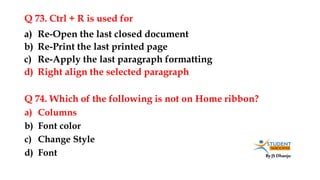
Q 73. Ctrl + R is used for
a) Columns
b) Font color
c) Change Style
d) Font
a) Re-Open the last closed document
b) Re-Print the last printed page
c) Re-Apply the last paragraph formatting
d) Right align the selected paragraph
Q 74. Which of the following is not on Home ribbon?
By JS Dhanju
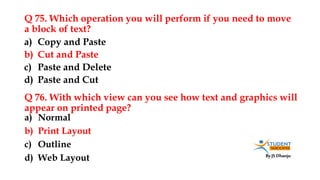
Q 75. Which operation you will perform if you need to move
a block of text?
a) Normal
b) Print Layout
c) Outline
d) Web Layout
a) Copy and Paste
b) Cut and Paste
c) Paste and Delete
d) Paste and Cut
Q 76. With which view can you see how text and graphics will
appear on printed page?
By JS Dhanju
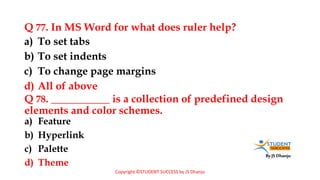
Q 77. In MS Word for what does ruler help?
a) Feature
b) Hyperlink
c) Palette
d) Theme
a) To set tabs
b) To set indents
c) To change page margins
d) All of above
Q 78. ___________ is a collection of predefined design
elements and color schemes.
Copyright ©STUDENT SUCCESS by JS Dhanju
By JS Dhanju
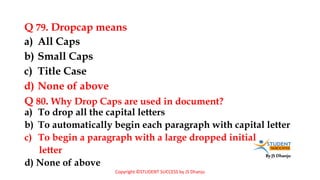
Q 79. Dropcap means
a) To drop all the capital letters
b) To automatically begin each paragraph with capital letter
c) To begin a paragraph with a large dropped initial
letter
d) None of above
a) All Caps
b) Small Caps
c) Title Case
d) None of above
Q 80. Why Drop Caps are used in document?
Copyright ©STUDENT SUCCESS by JS Dhanju
By JS Dhanju
Q 81. To use your keyboard instead of the mouse to select
tools on the ribbon, you display the KeyTips by pressing
the __________ key?
a) Proofing
b) Editing
c) Formatting
d) All of above
a) Alt
b) Ctrl
c) Shift + Enter
d) Alt + Enter
Q 82. Changing the appearance of a document is called
Copyright ©STUDENT SUCCESS by JS Dhanju
By JS Dhanju
Q 83. What happens if you mark on Hidden check box of Font
dialog box after you select some text?
a) Moves the cursor to beginning of the document
b) Moves the cursor to beginning of the paragraph
c) Moves the cursor to beginning of the screen
d) Moves the cursor to beginning of the line
a) The text is deleted from document and you need to bring from Recycle
Bin if required again
b) The text is hidden and you need to bring it by removing the check box
if needed again.
c) The text is deleted and cannot be returned back
d) The text is hidden and cannot be returned back
Q 84. Home Key
Copyright ©STUDENT SUCCESS by JS Dhanju
By JS Dhanju
Q 85. End Key
a) Moves the cursor to the beginning of document
b) Moves the cursor to the beginning of line
c) Moves the cursor to the beginning of paragraph
d) All of above
a) Moves the cursor end of the line
b) Moves the cursor end of the document
c) Moves the cursor end of the paragraph
d) Moves the cursor one Paragraph down
Q 86. Ctrl + Home is used to
Copyright ©STUDENT SUCCESS by JS Dhanju
By JS Dhanju
Q 87. Ctrl + End is used to
a) Header and Footer Toolbar
b) Print layout view
c) Page setup dialog box
d) None of the above
a) Moves the cursor to the end of line
b) Moves the cursor to the end of document
c) Moves the cursor to the end of paragraph
d) None of above
Q 88. Switching between portrait and landscape modes involves
Copyright ©STUDENT SUCCESS by JS Dhanju
By JS Dhanju
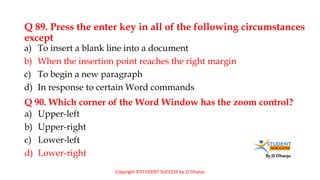
Q 89. Press the enter key in all of the following circumstances
except
a) Upper-left
b) Upper-right
c) Lower-left
d) Lower-right
a) To insert a blank line into a document
b) When the insertion point reaches the right margin
c) To begin a new paragraph
d) In response to certain Word commands
Q 90. Which corner of the Word Window has the zoom control?
Copyright ©STUDENT SUCCESS by JS Dhanju
By JS Dhanju
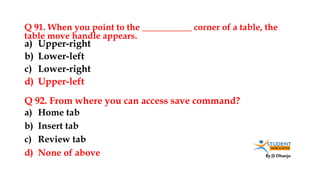
Q 91. When you point to the ___________ corner of a table, the
table move handle appears.
a) Home tab
b) Insert tab
c) Review tab
d) None of above
a) Upper-right
b) Lower-left
c) Lower-right
d) Upper-left
Q 92. From where you can access save command?
By JS Dhanju
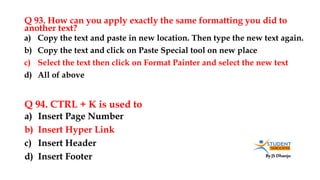
Q 93. How can you apply exactly the same formatting you did to
another text?
a) Insert Page Number
b) Insert Hyper Link
c) Insert Header
d) Insert Footer
a) Copy the text and paste in new location. Then type the new text again.
b) Copy the text and click on Paste Special tool on new place
c) Select the text then click on Format Painter and select the new text
d) All of above
Q 94. CTRL + K is used to
By JS Dhanju
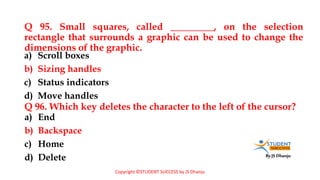
Q 95. Small squares, called _________, on the selection
rectangle that surrounds a graphic can be used to change the
dimensions of the graphic.
a) End
b) Backspace
c) Home
d) Delete
a) Scroll boxes
b) Sizing handles
c) Status indicators
d) Move handles
Q 96. Which key deletes the character to the left of the cursor?
Copyright ©STUDENT SUCCESS by JS Dhanju
By JS Dhanju
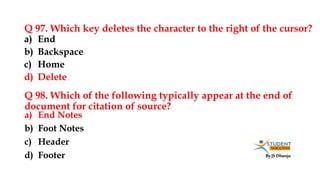
Q 97. Which key deletes the character to the right of the cursor?
a) End Notes
b) Foot Notes
c) Header
d) Footer
a) End
b) Backspace
c) Home
d) Delete
Q 98. Which of the following typically appear at the end of
document for citation of source?
By JS Dhanju
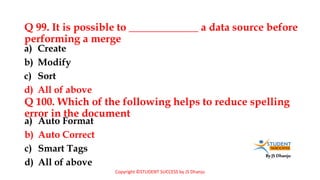
Q 99. It is possible to _____________ a data source before
performing a merge
a) Auto Format
b) Auto Correct
c) Smart Tags
d) All of above
a) Create
b) Modify
c) Sort
d) All of above
Q 100. Which of the following helps to reduce spelling
error in the document
Copyright ©STUDENT SUCCESS by JS Dhanju
By JS Dhanju
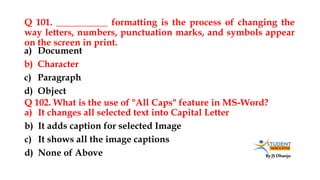
Q 101. ___________ formatting is the process of changing the
way letters, numbers, punctuation marks, and symbols appear
on the screen in print.
a) It changes all selected text into Capital Letter
b) It adds caption for selected Image
c) It shows all the image captions
d) None of Above
a) Document
b) Character
c) Paragraph
d) Object
Q 102. What is the use of "All Caps" feature in MS-Word?
By JS Dhanju
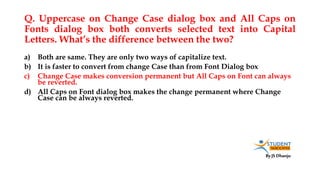
Q. Uppercase on Change Case dialog box and All Caps on
Fonts dialog box both converts selected text into Capital
Letters. What’s the difference between the two?
a) Both are same. They are only two ways of capitalize text.
b) It is faster to convert from change Case than from Font Dialog box
c) Change Case makes conversion permanent but All Caps on Font can always
be reverted.
d) All Caps on Font dialog box makes the change permanent where Change
Case can be always reverted.
By JS Dhanju
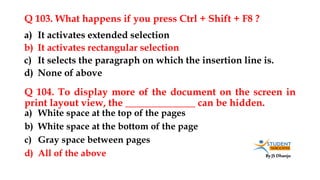
Q 103. What happens if you press Ctrl + Shift + F8 ?
a) White space at the top of the pages
b) White space at the bottom of the page
c) Gray space between pages
d) All of the above
a) It activates extended selection
b) It activates rectangular selection
c) It selects the paragraph on which the insertion line is.
d) None of above
Q 104. To display more of the document on the screen in
print layout view, the ______________ can be hidden.
By JS Dhanju
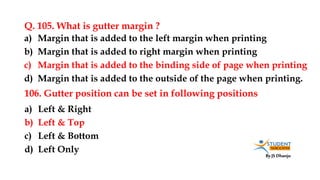
Q. 105. What is gutter margin ?
a) Left & Right
b) Left & Top
c) Left & Bottom
d) Left Only
a) Margin that is added to the left margin when printing
b) Margin that is added to right margin when printing
c) Margin that is added to the binding side of page when printing
d) Margin that is added to the outside of the page when printing.
106. Gutter position can be set in following positions
By JS Dhanju
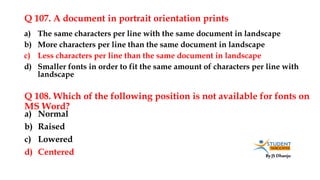
Q 107. A document in portrait orientation prints
a) Normal
b) Raised
c) Lowered
d) Centered
a) The same characters per line with the same document in landscape
b) More characters per line than the same document in landscape
c) Less characters per line than the same document in landscape
d) Smaller fonts in order to fit the same amount of characters per line with
landscape
Q 108. Which of the following position is not available for fonts on
MS Word?
By JS Dhanju
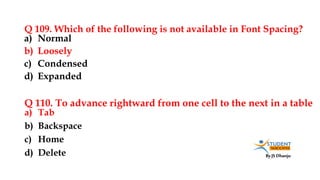
Q 109. Which of the following is not available in Font Spacing?
a) Tab
b) Backspace
c) Home
d) Delete
a) Normal
b) Loosely
c) Condensed
d) Expanded
Q 110. To advance rightward from one cell to the next in a table
By JS Dhanju
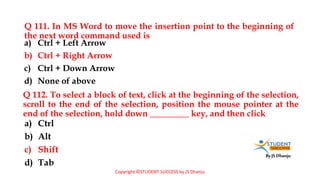
Q 111. In MS Word to move the insertion point to the beginning of
the next word command used is
a) Ctrl
b) Alt
c) Shift
d) Tab
a) Ctrl + Left Arrow
b) Ctrl + Right Arrow
c) Ctrl + Down Arrow
d) None of above
Q 112. To select a block of text, click at the beginning of the selection,
scroll to the end of the selection, position the mouse pointer at the
end of the selection, hold down _________ key, and then click
Copyright ©STUDENT SUCCESS by JS Dhanju
By JS Dhanju
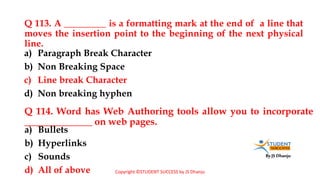
Q 113. A _________ is a formatting mark at the end of a line that
moves the insertion point to the beginning of the next physical
line.
a) Bullets
b) Hyperlinks
c) Sounds
d) All of above
a) Paragraph Break Character
b) Non Breaking Space
c) Line break Character
d) Non breaking hyphen
Q 114. Word has Web Authoring tools allow you to incorporate
______________ on web pages.
Copyright ©STUDENT SUCCESS by JS Dhanju
By JS Dhanju
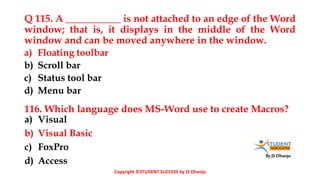
Q 115. A ___________ is not attached to an edge of the Word
window; that is, it displays in the middle of the Word
window and can be moved anywhere in the window.
a) Visual
b) Visual Basic
c) FoxPro
d) Access
a) Floating toolbar
b) Scroll bar
c) Status tool bar
d) Menu bar
116. Which language does MS-Word use to create Macros?
Copyright ©STUDENT SUCCESS by JS Dhanju
By JS Dhanju
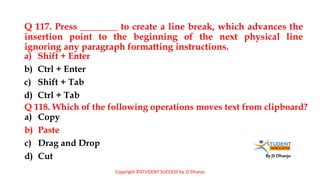
Q 117. Press ________ to create a line break, which advances the
insertion point to the beginning of the next physical line
ignoring any paragraph formatting instructions.
a) Copy
b) Paste
c) Drag and Drop
d) Cut
a) Shift + Enter
b) Ctrl + Enter
c) Shift + Tab
d) Ctrl + Tab
Q 118. Which of the following operations moves text from clipboard?
Copyright ©STUDENT SUCCESS by JS Dhanju
By JS Dhanju
By JS Dhanju
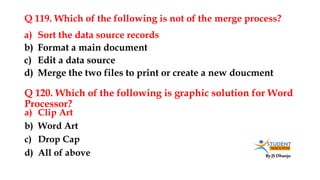
Q 119. Which of the following is not of the merge process?
a) Clip Art
b) Word Art
c) Drop Cap
d) All of above
a) Sort the data source records
b) Format a main document
c) Edit a data source
d) Merge the two files to print or create a new doucment
Q 120. Which of the following is graphic solution for Word
Processor?
By JS Dhanju
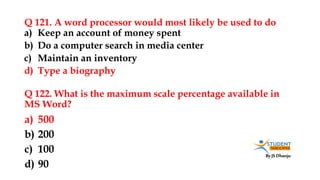
Q 121. A word processor would most likely be used to do
a) 500
b) 200
c) 100
d) 90
a) Keep an account of money spent
b) Do a computer search in media center
c) Maintain an inventory
d) Type a biography
Q 122. What is the maximum scale percentage available in
MS Word?
By JS Dhanju
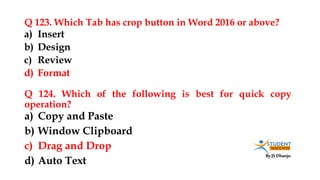
Q 123. Which Tab has crop button in Word 2016 or above?
a) Copy and Paste
b) Window Clipboard
c) Drag and Drop
d) Auto Text
a) Insert
b) Design
c) Review
d) Format
Q 124. Which of the following is best for quick copy
operation?
By JS Dhanju
Q 125. When assigning a shortcut key to a symbol, you
should always try to select a key or key combination that is:
a) Double Click on the left margin area of ruler
b) Double Click the space between area on ruler
c) Double Click the right margin in ruler
d) All of above
a) Unassigned
b) Located on the ten-key pad section of your keyboard
c) Assigned to another task.
d) From the same font family as the symbol
Q 126. To open Columns dialog box quickly
By JS Dhanju
Q 127. Which of the following enables you to make multiple
changes in a document at once?
a) Copy
b) Paste
c) Cut
d) Paste Special
a) Find Command
b) Replace Command
c) Drag and Drop
d) Copy Command
Q 128. ___________ are types of changes that occur when text
has been omitted from a document and must be inserted later.
By JS Dhanju
Q 129. In Word, the mailing list is known as the
a) Mail merge toolbar
b) Header row
c) Data fields
d) Data records
a) Data Sheet
b) Source
c) Data Source
d) Sheet
Q 130. What is not a data source component?
By JS Dhanju
Q 131. To cancel a job that is printing or one that is waiting to be
printed ____________ .
a) Main document
b) Data Source
c) Merge fields
d) Word fields
a) Click the print button on the Standard toolbar
b) Click the printer icon on the taskbar
c) Double-click the Print button on the Standard toolbar
d) Double-click the printer icon on the taskbar
Q 132. Which of the following is not essential component
to perform a mail merge operation?
By JS Dhanju
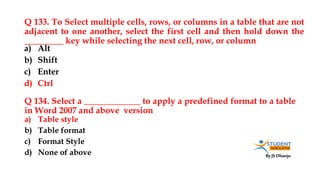
Q 133. To Select multiple cells, rows, or columns in a table that are not
adjacent to one another, select the first cell and then hold down the
_________ key while selecting the next cell, row, or column
a) Table style
b) Table format
c) Format Style
d) None of above
a) Alt
b) Shift
c) Enter
d) Ctrl
Q 134. Select a _____________ to apply a predefined format to a table
in Word 2007 and above version
By JS Dhanju
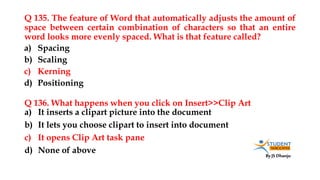
Q 135. The feature of Word that automatically adjusts the amount of
space between certain combination of characters so that an entire
word looks more evenly spaced. What is that feature called?
a) It inserts a clipart picture into the document
b) It lets you choose clipart to insert into document
c) It opens Clip Art task pane
d) None of above
a) Spacing
b) Scaling
c) Kerning
d) Positioning
Q 136. What happens when you click on Insert>>Clip Art
By JS Dhanju
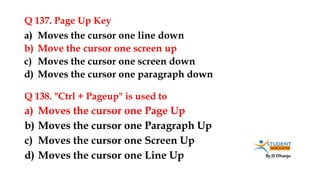
Q 137. Page Up Key
a) Moves the cursor one Page Up
b) Moves the cursor one Paragraph Up
c) Moves the cursor one Screen Up
d) Moves the cursor one Line Up
a) Moves the cursor one line down
b) Move the cursor one screen up
c) Moves the cursor one screen down
d) Moves the cursor one paragraph down
Q 138. "Ctrl + Pageup" is used to
By JS Dhanju
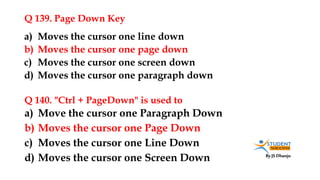
Q 139. Page Down Key
a) Move the cursor one Paragraph Down
b) Moves the cursor one Page Down
c) Moves the cursor one Line Down
d) Moves the cursor one Screen Down
a) Moves the cursor one line down
b) Moves the cursor one page down
c) Moves the cursor one screen down
d) Moves the cursor one paragraph down
Q 140. "Ctrl + PageDown" is used to
By JS Dhanju
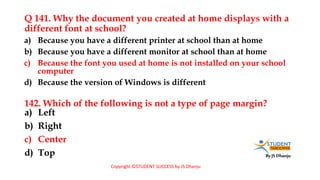
Q 141. Why the document you created at home displays with a
different font at school?
a) Left
b) Right
c) Center
d) Top
a) Because you have a different printer at school than at home
b) Because you have a different monitor at school than at home
c) Because the font you used at home is not installed on your school
computer
d) Because the version of Windows is different
142. Which of the following is not a type of page margin?
Copyright ©STUDENT SUCCESS by JS Dhanju
By JS Dhanju
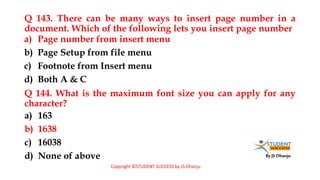
Q 143. There can be many ways to insert page number in a
document. Which of the following lets you insert page number
a) 163
b) 1638
c) 16038
d) None of above
a) Page number from insert menu
b) Page Setup from file menu
c) Footnote from Insert menu
d) Both A & C
Q 144. What is the maximum font size you can apply for any
character?
Copyright ©STUDENT SUCCESS by JS Dhanju
By JS Dhanju
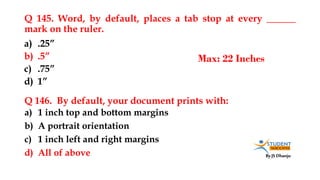
Q 145. Word, by default, places a tab stop at every ______
mark on the ruler.
a) 1 inch top and bottom margins
b) A portrait orientation
c) 1 inch left and right margins
d) All of above
a) .25”
b) .5”
c) .75”
d) 1”
Q 146. By default, your document prints with:
Max: 22 Inches
By JS Dhanju
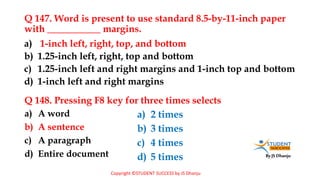
Q 147. Word is present to use standard 8.5-by-11-inch paper
with ___________ margins.
a) A word
b) A sentence
c) A paragraph
d) Entire document
a) 1-inch left, right, top, and bottom
b) 1.25-inch left, right, top and bottom
c) 1.25-inch left and right margins and 1-inch top and bottom
d) 1-inch left and right margins
Q 148. Pressing F8 key for three times selects
a) 2 times
b) 3 times
c) 4 times
d) 5 times
Copyright ©STUDENT SUCCESS by JS Dhanju
By JS Dhanju
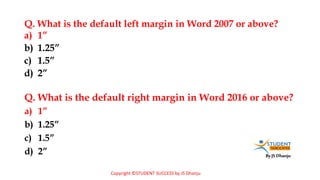
Q. What is the default left margin in Word 2007 or above?
a) 1”
b) 1.25”
c) 1.5”
d) 2”
a) 1”
b) 1.25”
c) 1.5”
d) 2”
Q. What is the default right margin in Word 2016 or above?
Copyright ©STUDENT SUCCESS by JS Dhanju
By JS Dhanju
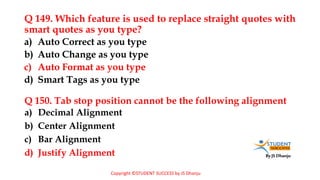
Q 149. Which feature is used to replace straight quotes with
smart quotes as you type?
a) Decimal Alignment
b) Center Alignment
c) Bar Alignment
d) Justify Alignment
a) Auto Correct as you type
b) Auto Change as you type
c) Auto Format as you type
d) Smart Tags as you type
Q 150. Tab stop position cannot be the following alignment
Copyright ©STUDENT SUCCESS by JS Dhanju
By JS Dhanju
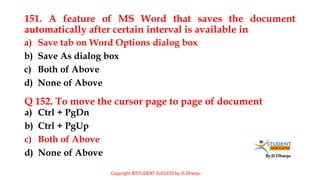
151. A feature of MS Word that saves the document
automatically after certain interval is available in
a) Ctrl + PgDn
b) Ctrl + PgUp
c) Both of Above
d) None of Above
a) Save tab on Word Options dialog box
b) Save As dialog box
c) Both of Above
d) None of Above
Q 152. To move the cursor page to page of document
Copyright ©STUDENT SUCCESS by JS Dhanju
By JS Dhanju
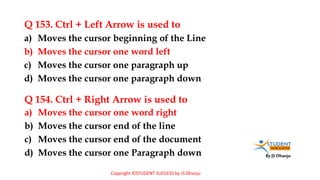
Q 153. Ctrl + Left Arrow is used to
a) Moves the cursor one word right
b) Moves the cursor end of the line
c) Moves the cursor end of the document
d) Moves the cursor one Paragraph down
a) Moves the cursor beginning of the Line
b) Moves the cursor one word left
c) Moves the cursor one paragraph up
d) Moves the cursor one paragraph down
Q 154. Ctrl + Right Arrow is used to
Copyright ©STUDENT SUCCESS by JS Dhanju
By JS Dhanju
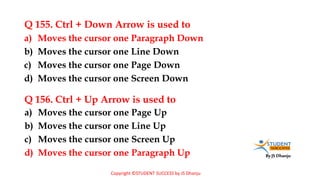
Q 155. Ctrl + Down Arrow is used to
a) Moves the cursor one Page Up
b) Moves the cursor one Line Up
c) Moves the cursor one Screen Up
d) Moves the cursor one Paragraph Up
a) Moves the cursor one Paragraph Down
b) Moves the cursor one Line Down
c) Moves the cursor one Page Down
d) Moves the cursor one Screen Down
Q 156. Ctrl + Up Arrow is used to
Copyright ©STUDENT SUCCESS by JS Dhanju
By JS Dhanju
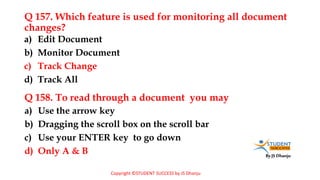
Q 157. Which feature is used for monitoring all document
changes?
a) Use the arrow key
b) Dragging the scroll box on the scroll bar
c) Use your ENTER key to go down
d) Only A & B
a) Edit Document
b) Monitor Document
c) Track Change
d) Track All
Q 158. To read through a document you may
Copyright ©STUDENT SUCCESS by JS Dhanju
By JS Dhanju
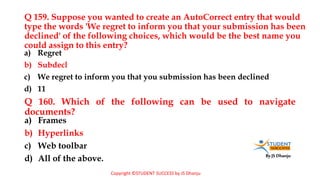
Q 159. Suppose you wanted to create an AutoCorrect entry that would
type the words 'We regret to inform you that your submission has been
declined' of the following choices, which would be the best name you
could assign to this entry?
a) Frames
b) Hyperlinks
c) Web toolbar
d) All of the above.
a) Regret
b) Subdecl
c) We regret to inform you that you submission has been declined
d) 11
Q 160. Which of the following can be used to navigate
documents?
Copyright ©STUDENT SUCCESS by JS Dhanju
By JS Dhanju
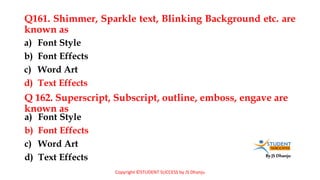
Q161. Shimmer, Sparkle text, Blinking Background etc. are
known as
a) Font Style
b) Font Effects
c) Word Art
d) Text Effects
a) Font Style
b) Font Effects
c) Word Art
d) Text Effects
Q 162. Superscript, Subscript, outline, emboss, engave are
known as
Copyright ©STUDENT SUCCESS by JS Dhanju
By JS Dhanju
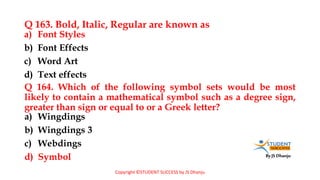
Q 163. Bold, Italic, Regular are known as
a) Wingdings
b) Wingdings 3
c) Webdings
d) Symbol
a) Font Styles
b) Font Effects
c) Word Art
d) Text effects
Q 164. Which of the following symbol sets would be most
likely to contain a mathematical symbol such as a degree sign,
greater than sign or equal to or a Greek letter?
Copyright ©STUDENT SUCCESS by JS Dhanju
By JS Dhanju
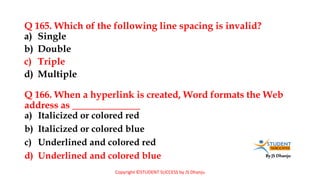
Q 165. Which of the following line spacing is invalid?
a) Italicized or colored red
b) Italicized or colored blue
c) Underlined and colored red
d) Underlined and colored blue
a) Single
b) Double
c) Triple
d) Multiple
Q 166. When a hyperlink is created, Word formats the Web
address as ______________
Copyright ©STUDENT SUCCESS by JS Dhanju
By JS Dhanju
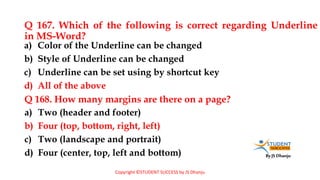
Q 167. Which of the following is correct regarding Underline
in MS-Word?
a) Two (header and footer)
b) Four (top, bottom, right, left)
c) Two (landscape and portrait)
d) Four (center, top, left and bottom)
a) Color of the Underline can be changed
b) Style of Underline can be changed
c) Underline can be set using by shortcut key
d) All of the above
Q 168. How many margins are there on a page?
Copyright ©STUDENT SUCCESS by JS Dhanju
By JS Dhanju
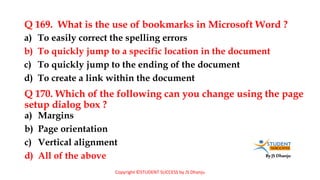
Q 169. What is the use of bookmarks in Microsoft Word ?
a) Margins
b) Page orientation
c) Vertical alignment
d) All of the above
a) To easily correct the spelling errors
b) To quickly jump to a specific location in the document
c) To quickly jump to the ending of the document
d) To create a link within the document
Q 170. Which of the following can you change using the page
setup dialog box ?
Copyright ©STUDENT SUCCESS by JS Dhanju
By JS Dhanju
Q 171. Before moving a sub document to another location with
in a master document, you must switch to ______________
a) A word
b) An entire sentence
c) Whole document
d) Any of the above
a) Normal View
b) Outline View
c) Web Layout View
d) Print Layout View
Q 172. Selecting text means, selecting
Copyright ©STUDENT SUCCESS by JS Dhanju
By JS Dhanju
Q173. The ___ on the right side of the menu bar lets users type free-
form questions, such as how do I save, or terms , such as copy , and
Word responds by displaying a list of topics related to the word or
phrase entered.
a) Word 2000
b) Word 2007
c) Word 2010
d) Word 2011
a) Type a question for help box
b) Question mark button
c) What’s this? Command
d) Index sheet
Q 174. Which of the following is the latest version of MS- Word?
Copyright ©STUDENT SUCCESS by JS Dhanju
By JS Dhanju
Q175. Which menu do you choose to shade words and
paragraph?
a) To quickly format the document
b) To quickly print required page
c) To quickly navigate the document
d) To quickly correct spelling mistake
a) Page layout, borders and shading
b) Insert, borders and shading
c) View, shading
d) None of the above
Q176. What is the use of Document Map?
Copyright ©STUDENT SUCCESS by JS Dhanju
By JS Dhanju
Q177. Which of the following statement is false?
a) Word toolbar
b) Formatting toolbar
c) Word document window
d) Graphics toolbar
a) You can set different header footer for even and odd pages
b) You can set different page number formats for different sections
c) You can set different header and footer for last page of a section
d) You can set different header footer for first page of a section
Q178. The main element of the ___ are the instruction point, end
mark, mouse pointer , rulers, scroll bars and status bar.
Copyright ©STUDENT SUCCESS by JS Dhanju
By JS Dhanju
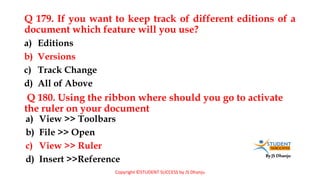
Q 179. If you want to keep track of different editions of a
document which feature will you use?
a) View >> Toolbars
b) File >> Open
c) View >> Ruler
d) Insert >>Reference
a) Editions
b) Versions
c) Track Change
d) All of Above
Q 180. Using the ribbon where should you go to activate
the ruler on your document
Copyright ©STUDENT SUCCESS by JS Dhanju

MS Word Complete Mcqs pdf.pdf

  • 1.
    By JS Dhanju STUDENTSUCCESS By JS Dhanju
  • 2.
    By JS Dhanju COMPUTERMCQ’s PREVIOUS YEARS QUESTIONS BY STUDENT SUCCESS (For All Competitive Exams) (RAILWAY, BANKING ,SSC ,UPPSC, POLICE CLERK PSSSB, PUDA, PPSC, FPSC, KPPSC, OTS, PTS, ARMY, NAVY, CSS, PMS, NTS, ISSB, CCC, LDC, COMPUTER OPERATOR | DATA ENTRY OPERATOR ETC.) COMPLETE MS WORD 180+ MCQ’s
  • 3.
    By JS Dhanju Q1. Which of the following is not valid version of MS Office? a) winword.exe b) word.exe c) msword.exe d) word2003.exe a) Office XP b) Office Vista c) Office 2007 d) None of above Q 2. Which file starts MS Word? Copyright ©STUDENT SUCCESS by JS Dhanju
  • 4.
    By JS Dhanju Q3. Ms Word is an ____________ software. a) .txt b) .word c) .wrd d) .docx a) Application b) Compiler c) System d) Programming Q 4. What is the default extension for all Word documents? Copyright ©STUDENT SUCCESS by JS Dhanju
  • 5.
    By JS Dhanju Q5. What is the shortcut key to open the Open dialog box? a) Open dialog box b) Save dialog box c) Close dialog box d) Save As dialog box a) F12 b) Shift F12 c) Alt + F12 d) Ctrl + F12 Q 6. The F12 key is used to open Copyright ©STUDENT SUCCESS by JS Dhanju
  • 6.
    By JS Dhanju Q7. In how many ways you can save a document? a) Spelling Suggestions b) Synonyms words c) Grammar Checking d) Autocorrect Options a) 3 b) 4 c) 5 d) 6 Q 8. Thesaurus tool in MS Word is used for: 1.File or Office 2.CTRL + S 3.F12 (Save As) Copyright ©STUDENT SUCCESS by JS Dhanju
  • 7.
    By JS Dhanju Q9. What is the default font used in MS Word 2016 document or above? a) 10 pt b) 11 pt c) 12 pt d) None of above a) Times New Roman b) Arial c) Calibri d) Preeti Q 10. What is the default font size of a new Word document based on Normal template in Word 2016 or above? Copyright ©STUDENT SUCCESS by JS Dhanju
  • 8.
    By JS Dhanju Q11. What is the smallest and largest font size available in Font Size tool on formatting toolbar? a) Automatically move text to the next line when necessary b) Appears at the bottom of the document c) Allows you to type over text d) Is the short horizontal line a) 8 and 72 b) 8 and 64 c) 12 and 64 d) None of above Q 12. The word wrap feature
  • 9.
    By JS Dhanju Q13. What is the shortcut for Spelling Check in MS Word document? a) Alt + Ctrl + C b) Alt + C c) Ctrl + C d) Ctrl + Shift + C a) F7 b) Shift + F7 c) Ctrl + F7 d) Alt + F7 Q 14. What is the shortcut key you can press to create a copyright symbol? Student Success © JS Dhanju Copyright ©STUDENT SUCCESS by JS Dhanju
  • 10.
    By JS Dhanju Q15. What is the minimum number of rows and columns in MS Word Table? a) 35 b) 15 c) 63 d) 65 a) 1 and 1 b) 2 and 1 c) 2 and 2 d) None of above Q 16. What is maximum number of columns that can be inserted in MS Word Table?
  • 11.
    By JS Dhanju Q17. Portrait and Landscape are a) 3 b) 10 c) 15 d) 20 a) Page Orientation b) Page Size c) Page Layout d) All of above Q 18. What is the maximum number of lines you can set for a drop cap?
  • 12.
    By JS Dhanju Q19. What is the default number of lines you can set of a drop cap? a) 1 b) 2 c) 4 d) 6 a) 3 b) 10 c) 15 d) 20 Q 20. How many different positions can you set for drop cap?
  • 13.
    By JS Dhanju Q21. Which feature do you use to create newspaper like document? a) 35 b) 45 c) 55 d) 65 a) Bullets and numbering b) Tables c) Columns d) Tab Stops Q 22. How many columns can you insert in a word document in maximum? Copyright ©STUDENT SUCCESS by JS Dhanju
  • 14.
    By JS Dhanju Q23. Which option in File pull-down menu is used to close a file in MS Word? a) Ctrl + F4 b) Shift + F4 c) Ctrl + Shift + F4 d) None of above a) New b) Quit c) Close d) Exit Q 24. What is the shortcut key to close Active document in Microsoft Word? Copyright ©STUDENT SUCCESS by JS Dhanju
  • 15.
    By JS Dhanju Q25. You cannot close MS Word application by a) Press Ctrl + S b) Click File, Save c) Click Tools, Options, Save d) Click File, Save As a) Choosing File menu then Exit submenu b) Press Alt + F4 c) Click X button on the title bar d) From File menu choose Close submenu Q 26. Which would you choose to save a document with a new name? Copyright ©STUDENT SUCCESS by JS Dhanju
  • 16.
    By JS Dhanju Q27. What is the shortcut key to open font dialog box? a) Ctrl + P b) Ctrl + D c) Ctrl + G d) None of above a) Ctrl + F b) Alt + Ctrl + F c) Ctrl + D d) Ctrl + Shift + D Q 28. What is the shortcut key for "Find and Replace" dialog box? Copyright ©STUDENT SUCCESS by JS Dhanju
  • 17.
    By JS Dhanju Q29. What is the shortcut key for "Subscript" the selected text? a) Ctrl + = b) Ctrl + - c) Ctrl + Shift + = d) Ctrl + Shift + - a) Ctrl + = b) Ctrl + - c) Ctrl + Shift + = d) Ctrl + Shift + - Q 30. What is the shortcut key for "Superscript" the selected text? Copyright ©STUDENT SUCCESS by JS Dhanju H2O (a+b)2
  • 18.
    By JS Dhanju Q31. Ctrl + N a) On first page b) On alternate page c) On every page d) None of the above a) Save document b) Open document c) New document d) Close document Q 32. By default, on which page header and footer is printed? Copyright ©STUDENT SUCCESS by JS Dhanju FILE -> NEW
  • 19.
    By JS Dhanju Q33. In Microsoft Word shortcut key CTRL + W is used to a) Execute b) Highlight c) Clip art d) Peripheral a) Open the print dialog box b) Update the current Web page c) Close the current window d) None of above Q 34. Graphics for word processor? Copyright ©STUDENT SUCCESS by JS Dhanju
  • 20.
    By JS Dhanju Q35. Ctrl + P shortcut is used to a) Hanging Indent b) Left Indent c) Open Tabs Dialog Box d) Terminate all opened Dialog Box a) Open Paragraph Dialog Box b) Open Page Format Dialog Box c) Open Save Dialog Box d) Open Print Dialog Box Q 36. Ctrl + T shortcut is used for Copyright ©STUDENT SUCCESS by JS Dhanju
  • 21.
    By JS Dhanju Q37. Which of the following is true regarding page orientation of a document? a) Formatting Toolbar b) Paragraph dialog box c) Page Setup dialog box d) Standard toolbar a) Page orientation can be changed at any time b) Page orientation of document determines by printer c) Page orientation must be set before start typing d) Page orientation of a document cannot be changed Q 38. Where can you change the vertical alignment? Copyright ©STUDENT SUCCESS by JS Dhanju
  • 22.
    By JS Dhanju Q39. Which key should be pressed to start new paragraph in MS Word? a) It converts selected text into the next larger size of the same font b) It adds a line break to the document c) It makes the selected text bold d) It applies Italic formatting to the selected text a) Down Cursor Key b) Enter c) Shift + Enter d) Ctrl + Enter Q 40. What is the functions of Ctrl + B in MS Word? Copyright ©STUDENT SUCCESS by JS Dhanju
  • 23.
    By JS Dhanju Q41. Background color or effects applied on a document is not visible in a) Format menu columns sub menu b) Double click on columns space in ruler c) Press Alt + O + C d) All of above a) Web layout view b) Print layout view c) Reading view d) Print Preview Q 42. Columns dialog box can be opened from
  • 24.
    By JS Dhanju Q43. How can you break the current column and start a new column immediately? a) WordPerfect b) Easy Word c) MS Word d) All of above a) Press Ctrl + Shift + Enter b) Alt + Enter c) Ctrl + Enter d) Press Alt + Shift + Enter Q44. Which of the following are word processing software?
  • 25.
    By JS Dhanju 45.Which of the following is not the part of standard office suite a) Gates b) Smaller ribbons c) Tabs d) Icons a) Word Processor b) Database c) Image Editor d) File Manager Q 46. The ribbon in Word 2007 consists of a series of  Microsoft Word  Microsoft Excel  Microsoft Office Picture Manager
  • 26.
    By JS Dhanju Q47. To view headers and footers, you must switch to a) Formatting b) Header and Footer c) Standard d) Edit a) Normal view b) Print layout view c) Print preview mode d) Both B and C Q 48. Insert Date, Format Page Number and Insert Auto Text are buttons on the_______ tollbar in MS Word.
  • 27.
    By JS Dhanju Q49. The word count command on the tools menu displays the number of words as well as the number of ___________ in the current document. a) Formatting toolbar b) Page setup dialog box c) Standard toolbar d) Paragraph dialog box a) Lines b) Characters c) Paragraphs d) All of Above Q 50. Which of the following do you use to change margins? Copyright ©STUDENT SUCCESS by JS Dhanju
  • 28.
    By JS Dhanju Q51. Which tab in Font dialog box contain options to apply font effects? a) Bold b) Italics c) Regular d) Superscript a) Font tab b) Character Spacing c) Text Effects d) Standard Toolbar Q 52.Which of the following in not a font style?
  • 29.
    By JS Dhanju Q53. In order to email a Word document from within MS Word a) Date line and inside address b) Message c) Signature block d) All of above a) Office button >> Send to >> Mail Recipient b) Save the file as an email attachment c) Start Outlook and attach the file while open in Word d) This is an impossible operation Q 54. Essential business letter elements include the ______. Copyright ©STUDENT SUCCESS by JS Dhanju
  • 30.
    By JS Dhanju Q55. The key stroke Ctrl + I is used to a) Scroll bar b) Status bar c) Title bar d) Menu bar a) Increase the font size b) Inserts a line break c) Indicate the text should be bold d) Applies italic format to selected text Q 56. The ______ is a special toolbar that displays a series of names, each of which represents a list of commands that can be used to perform tasks. Copyright ©STUDENT SUCCESS by JS Dhanju
  • 31.
    By JS Dhanju Q57. What is placed on the left of horizontal scroll bar a) Page Orientation b) Page margins c) Paper Style d) Paper Source a) Tab stop buttons b) View buttons c) Split buttons d) Indicators Q 58. Change the _________ to create a document in wide format Copyright ©STUDENT SUCCESS by JS Dhanju
  • 32.
    By JS Dhanju Q59. Which of the following commands should you always use before submitting a document to others? a) Alt + F9 b) Ctrl + F9 c) Shift + F9 d) Space + F9 a) Find command b) Replace command c) Spelling and Grammar d) Thesaurus Q 60. What is the shortcut key to display field codes? Copyright ©STUDENT SUCCESS by JS Dhanju
  • 33.
    By JS Dhanju Q61. What is the shortcut key for manual line break? a) Down Cursor Key b) Enter Key c) Shift + Enter d) Ctrl + Enter a) Ctrl + Enter b) Alt + Enter c) Shift + Enter d) Space + Enter Q 62. Which key should be pressed to start a new paragraph in MS Word?
  • 34.
    By JS Dhanju Q63. Which of the following best describes the contents of a mail merge main document a) View tab b) Home tab c) Status bar d) A & C both a) Information that is unique for every form letter created b) Information that is same for every form letter created c) Styles and fonts for the data source d) None of above Q 64. In word 2007 or above the zoom is placed on Copyright ©STUDENT SUCCESS by JS Dhanju
  • 35.
    By JS Dhanju Q65. What is the purpose of inserting header and footer in document? a) Cells b) Paragraphs c) Text d) All of above a) To enhance the overall appearance of document. b) To mark the starting and ending of page. c) To make large document more readable. d) To allow page headers and footers appear on document when printed Q 66. Borders can be applied to Copyright ©STUDENT SUCCESS by JS Dhanju
  • 36.
    By JS Dhanju Q67. When three hyphens, underscores, equal signs, asterisks, or number signs are typed and then the enter key is pressed, the Auto Format feature_______ . a) Characters b) Formats c) Symbols d) All of the above a) Places a border above a paragraph b) Creates a numbered list c) Changes the characters to an em dash d) Creates a bulleted list Q 68. Using Find command in MS Word, we can search?
  • 37.
    By JS Dhanju Q69. Which of the following is not one of the three “ Mail Merge Helper” steps? a) Align Justify b) Insert Hyperlink c) Search d) Print a) Merge the two files b) Create the main document c) Set the mailing list parameters d) Create the data source Q 70. Ctrl + J used for
  • 38.
    By JS Dhanju Q71. A letter head should contain all of the following except __________ . a) Position of the insertion point b) Distance of the insertion point from the left margin c) Current relative location of the document portion displayed in the window d) Rank of the word in which the insertion point is found a) Full street address b) Logo c) Complete legal name of the company, group, or individual d) None of Above Q 72. Scroll box on the vertical scroll bar indicates the
  • 39.
    By JS Dhanju Q73. Ctrl + R is used for a) Columns b) Font color c) Change Style d) Font a) Re-Open the last closed document b) Re-Print the last printed page c) Re-Apply the last paragraph formatting d) Right align the selected paragraph Q 74. Which of the following is not on Home ribbon?
  • 40.
    By JS Dhanju Q75. Which operation you will perform if you need to move a block of text? a) Normal b) Print Layout c) Outline d) Web Layout a) Copy and Paste b) Cut and Paste c) Paste and Delete d) Paste and Cut Q 76. With which view can you see how text and graphics will appear on printed page?
  • 41.
    By JS Dhanju Q77. In MS Word for what does ruler help? a) Feature b) Hyperlink c) Palette d) Theme a) To set tabs b) To set indents c) To change page margins d) All of above Q 78. ___________ is a collection of predefined design elements and color schemes. Copyright ©STUDENT SUCCESS by JS Dhanju
  • 42.
    By JS Dhanju Q79. Dropcap means a) To drop all the capital letters b) To automatically begin each paragraph with capital letter c) To begin a paragraph with a large dropped initial letter d) None of above a) All Caps b) Small Caps c) Title Case d) None of above Q 80. Why Drop Caps are used in document? Copyright ©STUDENT SUCCESS by JS Dhanju
  • 43.
    By JS Dhanju Q81. To use your keyboard instead of the mouse to select tools on the ribbon, you display the KeyTips by pressing the __________ key? a) Proofing b) Editing c) Formatting d) All of above a) Alt b) Ctrl c) Shift + Enter d) Alt + Enter Q 82. Changing the appearance of a document is called Copyright ©STUDENT SUCCESS by JS Dhanju
  • 44.
    By JS Dhanju Q83. What happens if you mark on Hidden check box of Font dialog box after you select some text? a) Moves the cursor to beginning of the document b) Moves the cursor to beginning of the paragraph c) Moves the cursor to beginning of the screen d) Moves the cursor to beginning of the line a) The text is deleted from document and you need to bring from Recycle Bin if required again b) The text is hidden and you need to bring it by removing the check box if needed again. c) The text is deleted and cannot be returned back d) The text is hidden and cannot be returned back Q 84. Home Key Copyright ©STUDENT SUCCESS by JS Dhanju
  • 45.
    By JS Dhanju Q85. End Key a) Moves the cursor to the beginning of document b) Moves the cursor to the beginning of line c) Moves the cursor to the beginning of paragraph d) All of above a) Moves the cursor end of the line b) Moves the cursor end of the document c) Moves the cursor end of the paragraph d) Moves the cursor one Paragraph down Q 86. Ctrl + Home is used to Copyright ©STUDENT SUCCESS by JS Dhanju
  • 46.
    By JS Dhanju Q87. Ctrl + End is used to a) Header and Footer Toolbar b) Print layout view c) Page setup dialog box d) None of the above a) Moves the cursor to the end of line b) Moves the cursor to the end of document c) Moves the cursor to the end of paragraph d) None of above Q 88. Switching between portrait and landscape modes involves Copyright ©STUDENT SUCCESS by JS Dhanju
  • 47.
    By JS Dhanju Q89. Press the enter key in all of the following circumstances except a) Upper-left b) Upper-right c) Lower-left d) Lower-right a) To insert a blank line into a document b) When the insertion point reaches the right margin c) To begin a new paragraph d) In response to certain Word commands Q 90. Which corner of the Word Window has the zoom control? Copyright ©STUDENT SUCCESS by JS Dhanju
  • 48.
    By JS Dhanju Q91. When you point to the ___________ corner of a table, the table move handle appears. a) Home tab b) Insert tab c) Review tab d) None of above a) Upper-right b) Lower-left c) Lower-right d) Upper-left Q 92. From where you can access save command?
  • 49.
    By JS Dhanju Q93. How can you apply exactly the same formatting you did to another text? a) Insert Page Number b) Insert Hyper Link c) Insert Header d) Insert Footer a) Copy the text and paste in new location. Then type the new text again. b) Copy the text and click on Paste Special tool on new place c) Select the text then click on Format Painter and select the new text d) All of above Q 94. CTRL + K is used to
  • 50.
    By JS Dhanju Q95. Small squares, called _________, on the selection rectangle that surrounds a graphic can be used to change the dimensions of the graphic. a) End b) Backspace c) Home d) Delete a) Scroll boxes b) Sizing handles c) Status indicators d) Move handles Q 96. Which key deletes the character to the left of the cursor? Copyright ©STUDENT SUCCESS by JS Dhanju
  • 51.
    By JS Dhanju Q97. Which key deletes the character to the right of the cursor? a) End Notes b) Foot Notes c) Header d) Footer a) End b) Backspace c) Home d) Delete Q 98. Which of the following typically appear at the end of document for citation of source?
  • 52.
    By JS Dhanju Q99. It is possible to _____________ a data source before performing a merge a) Auto Format b) Auto Correct c) Smart Tags d) All of above a) Create b) Modify c) Sort d) All of above Q 100. Which of the following helps to reduce spelling error in the document Copyright ©STUDENT SUCCESS by JS Dhanju
  • 53.
    By JS Dhanju Q101. ___________ formatting is the process of changing the way letters, numbers, punctuation marks, and symbols appear on the screen in print. a) It changes all selected text into Capital Letter b) It adds caption for selected Image c) It shows all the image captions d) None of Above a) Document b) Character c) Paragraph d) Object Q 102. What is the use of "All Caps" feature in MS-Word?
  • 54.
    By JS Dhanju Q.Uppercase on Change Case dialog box and All Caps on Fonts dialog box both converts selected text into Capital Letters. What’s the difference between the two? a) Both are same. They are only two ways of capitalize text. b) It is faster to convert from change Case than from Font Dialog box c) Change Case makes conversion permanent but All Caps on Font can always be reverted. d) All Caps on Font dialog box makes the change permanent where Change Case can be always reverted.
  • 55.
    By JS Dhanju Q103. What happens if you press Ctrl + Shift + F8 ? a) White space at the top of the pages b) White space at the bottom of the page c) Gray space between pages d) All of the above a) It activates extended selection b) It activates rectangular selection c) It selects the paragraph on which the insertion line is. d) None of above Q 104. To display more of the document on the screen in print layout view, the ______________ can be hidden.
  • 56.
    By JS Dhanju Q.105. What is gutter margin ? a) Left & Right b) Left & Top c) Left & Bottom d) Left Only a) Margin that is added to the left margin when printing b) Margin that is added to right margin when printing c) Margin that is added to the binding side of page when printing d) Margin that is added to the outside of the page when printing. 106. Gutter position can be set in following positions
  • 57.
    By JS Dhanju Q107. A document in portrait orientation prints a) Normal b) Raised c) Lowered d) Centered a) The same characters per line with the same document in landscape b) More characters per line than the same document in landscape c) Less characters per line than the same document in landscape d) Smaller fonts in order to fit the same amount of characters per line with landscape Q 108. Which of the following position is not available for fonts on MS Word?
  • 58.
    By JS Dhanju Q109. Which of the following is not available in Font Spacing? a) Tab b) Backspace c) Home d) Delete a) Normal b) Loosely c) Condensed d) Expanded Q 110. To advance rightward from one cell to the next in a table
  • 59.
    By JS Dhanju Q111. In MS Word to move the insertion point to the beginning of the next word command used is a) Ctrl b) Alt c) Shift d) Tab a) Ctrl + Left Arrow b) Ctrl + Right Arrow c) Ctrl + Down Arrow d) None of above Q 112. To select a block of text, click at the beginning of the selection, scroll to the end of the selection, position the mouse pointer at the end of the selection, hold down _________ key, and then click Copyright ©STUDENT SUCCESS by JS Dhanju
  • 60.
    By JS Dhanju Q113. A _________ is a formatting mark at the end of a line that moves the insertion point to the beginning of the next physical line. a) Bullets b) Hyperlinks c) Sounds d) All of above a) Paragraph Break Character b) Non Breaking Space c) Line break Character d) Non breaking hyphen Q 114. Word has Web Authoring tools allow you to incorporate ______________ on web pages. Copyright ©STUDENT SUCCESS by JS Dhanju
  • 61.
    By JS Dhanju Q115. A ___________ is not attached to an edge of the Word window; that is, it displays in the middle of the Word window and can be moved anywhere in the window. a) Visual b) Visual Basic c) FoxPro d) Access a) Floating toolbar b) Scroll bar c) Status tool bar d) Menu bar 116. Which language does MS-Word use to create Macros? Copyright ©STUDENT SUCCESS by JS Dhanju
  • 62.
    By JS Dhanju Q117. Press ________ to create a line break, which advances the insertion point to the beginning of the next physical line ignoring any paragraph formatting instructions. a) Copy b) Paste c) Drag and Drop d) Cut a) Shift + Enter b) Ctrl + Enter c) Shift + Tab d) Ctrl + Tab Q 118. Which of the following operations moves text from clipboard? Copyright ©STUDENT SUCCESS by JS Dhanju
  • 63.
  • 64.
    By JS Dhanju Q119. Which of the following is not of the merge process? a) Clip Art b) Word Art c) Drop Cap d) All of above a) Sort the data source records b) Format a main document c) Edit a data source d) Merge the two files to print or create a new doucment Q 120. Which of the following is graphic solution for Word Processor?
  • 65.
    By JS Dhanju Q121. A word processor would most likely be used to do a) 500 b) 200 c) 100 d) 90 a) Keep an account of money spent b) Do a computer search in media center c) Maintain an inventory d) Type a biography Q 122. What is the maximum scale percentage available in MS Word?
  • 66.
    By JS Dhanju Q123. Which Tab has crop button in Word 2016 or above? a) Copy and Paste b) Window Clipboard c) Drag and Drop d) Auto Text a) Insert b) Design c) Review d) Format Q 124. Which of the following is best for quick copy operation?
  • 67.
    By JS Dhanju Q125. When assigning a shortcut key to a symbol, you should always try to select a key or key combination that is: a) Double Click on the left margin area of ruler b) Double Click the space between area on ruler c) Double Click the right margin in ruler d) All of above a) Unassigned b) Located on the ten-key pad section of your keyboard c) Assigned to another task. d) From the same font family as the symbol Q 126. To open Columns dialog box quickly
  • 68.
    By JS Dhanju Q127. Which of the following enables you to make multiple changes in a document at once? a) Copy b) Paste c) Cut d) Paste Special a) Find Command b) Replace Command c) Drag and Drop d) Copy Command Q 128. ___________ are types of changes that occur when text has been omitted from a document and must be inserted later.
  • 69.
    By JS Dhanju Q129. In Word, the mailing list is known as the a) Mail merge toolbar b) Header row c) Data fields d) Data records a) Data Sheet b) Source c) Data Source d) Sheet Q 130. What is not a data source component?
  • 70.
    By JS Dhanju Q131. To cancel a job that is printing or one that is waiting to be printed ____________ . a) Main document b) Data Source c) Merge fields d) Word fields a) Click the print button on the Standard toolbar b) Click the printer icon on the taskbar c) Double-click the Print button on the Standard toolbar d) Double-click the printer icon on the taskbar Q 132. Which of the following is not essential component to perform a mail merge operation?
  • 71.
    By JS Dhanju Q133. To Select multiple cells, rows, or columns in a table that are not adjacent to one another, select the first cell and then hold down the _________ key while selecting the next cell, row, or column a) Table style b) Table format c) Format Style d) None of above a) Alt b) Shift c) Enter d) Ctrl Q 134. Select a _____________ to apply a predefined format to a table in Word 2007 and above version
  • 72.
    By JS Dhanju Q135. The feature of Word that automatically adjusts the amount of space between certain combination of characters so that an entire word looks more evenly spaced. What is that feature called? a) It inserts a clipart picture into the document b) It lets you choose clipart to insert into document c) It opens Clip Art task pane d) None of above a) Spacing b) Scaling c) Kerning d) Positioning Q 136. What happens when you click on Insert>>Clip Art
  • 73.
    By JS Dhanju Q137. Page Up Key a) Moves the cursor one Page Up b) Moves the cursor one Paragraph Up c) Moves the cursor one Screen Up d) Moves the cursor one Line Up a) Moves the cursor one line down b) Move the cursor one screen up c) Moves the cursor one screen down d) Moves the cursor one paragraph down Q 138. "Ctrl + Pageup" is used to
  • 74.
    By JS Dhanju Q139. Page Down Key a) Move the cursor one Paragraph Down b) Moves the cursor one Page Down c) Moves the cursor one Line Down d) Moves the cursor one Screen Down a) Moves the cursor one line down b) Moves the cursor one page down c) Moves the cursor one screen down d) Moves the cursor one paragraph down Q 140. "Ctrl + PageDown" is used to
  • 75.
    By JS Dhanju Q141. Why the document you created at home displays with a different font at school? a) Left b) Right c) Center d) Top a) Because you have a different printer at school than at home b) Because you have a different monitor at school than at home c) Because the font you used at home is not installed on your school computer d) Because the version of Windows is different 142. Which of the following is not a type of page margin? Copyright ©STUDENT SUCCESS by JS Dhanju
  • 76.
    By JS Dhanju Q143. There can be many ways to insert page number in a document. Which of the following lets you insert page number a) 163 b) 1638 c) 16038 d) None of above a) Page number from insert menu b) Page Setup from file menu c) Footnote from Insert menu d) Both A & C Q 144. What is the maximum font size you can apply for any character? Copyright ©STUDENT SUCCESS by JS Dhanju
  • 77.
    By JS Dhanju Q145. Word, by default, places a tab stop at every ______ mark on the ruler. a) 1 inch top and bottom margins b) A portrait orientation c) 1 inch left and right margins d) All of above a) .25” b) .5” c) .75” d) 1” Q 146. By default, your document prints with: Max: 22 Inches
  • 78.
    By JS Dhanju Q147. Word is present to use standard 8.5-by-11-inch paper with ___________ margins. a) A word b) A sentence c) A paragraph d) Entire document a) 1-inch left, right, top, and bottom b) 1.25-inch left, right, top and bottom c) 1.25-inch left and right margins and 1-inch top and bottom d) 1-inch left and right margins Q 148. Pressing F8 key for three times selects a) 2 times b) 3 times c) 4 times d) 5 times Copyright ©STUDENT SUCCESS by JS Dhanju
  • 79.
    By JS Dhanju Q.What is the default left margin in Word 2007 or above? a) 1” b) 1.25” c) 1.5” d) 2” a) 1” b) 1.25” c) 1.5” d) 2” Q. What is the default right margin in Word 2016 or above? Copyright ©STUDENT SUCCESS by JS Dhanju
  • 80.
    By JS Dhanju Q149. Which feature is used to replace straight quotes with smart quotes as you type? a) Decimal Alignment b) Center Alignment c) Bar Alignment d) Justify Alignment a) Auto Correct as you type b) Auto Change as you type c) Auto Format as you type d) Smart Tags as you type Q 150. Tab stop position cannot be the following alignment Copyright ©STUDENT SUCCESS by JS Dhanju
  • 81.
    By JS Dhanju 151.A feature of MS Word that saves the document automatically after certain interval is available in a) Ctrl + PgDn b) Ctrl + PgUp c) Both of Above d) None of Above a) Save tab on Word Options dialog box b) Save As dialog box c) Both of Above d) None of Above Q 152. To move the cursor page to page of document Copyright ©STUDENT SUCCESS by JS Dhanju
  • 82.
    By JS Dhanju Q153. Ctrl + Left Arrow is used to a) Moves the cursor one word right b) Moves the cursor end of the line c) Moves the cursor end of the document d) Moves the cursor one Paragraph down a) Moves the cursor beginning of the Line b) Moves the cursor one word left c) Moves the cursor one paragraph up d) Moves the cursor one paragraph down Q 154. Ctrl + Right Arrow is used to Copyright ©STUDENT SUCCESS by JS Dhanju
  • 83.
    By JS Dhanju Q155. Ctrl + Down Arrow is used to a) Moves the cursor one Page Up b) Moves the cursor one Line Up c) Moves the cursor one Screen Up d) Moves the cursor one Paragraph Up a) Moves the cursor one Paragraph Down b) Moves the cursor one Line Down c) Moves the cursor one Page Down d) Moves the cursor one Screen Down Q 156. Ctrl + Up Arrow is used to Copyright ©STUDENT SUCCESS by JS Dhanju
  • 84.
    By JS Dhanju Q157. Which feature is used for monitoring all document changes? a) Use the arrow key b) Dragging the scroll box on the scroll bar c) Use your ENTER key to go down d) Only A & B a) Edit Document b) Monitor Document c) Track Change d) Track All Q 158. To read through a document you may Copyright ©STUDENT SUCCESS by JS Dhanju
  • 85.
    By JS Dhanju Q159. Suppose you wanted to create an AutoCorrect entry that would type the words 'We regret to inform you that your submission has been declined' of the following choices, which would be the best name you could assign to this entry? a) Frames b) Hyperlinks c) Web toolbar d) All of the above. a) Regret b) Subdecl c) We regret to inform you that you submission has been declined d) 11 Q 160. Which of the following can be used to navigate documents? Copyright ©STUDENT SUCCESS by JS Dhanju
  • 86.
    By JS Dhanju Q161.Shimmer, Sparkle text, Blinking Background etc. are known as a) Font Style b) Font Effects c) Word Art d) Text Effects a) Font Style b) Font Effects c) Word Art d) Text Effects Q 162. Superscript, Subscript, outline, emboss, engave are known as Copyright ©STUDENT SUCCESS by JS Dhanju
  • 87.
    By JS Dhanju Q163. Bold, Italic, Regular are known as a) Wingdings b) Wingdings 3 c) Webdings d) Symbol a) Font Styles b) Font Effects c) Word Art d) Text effects Q 164. Which of the following symbol sets would be most likely to contain a mathematical symbol such as a degree sign, greater than sign or equal to or a Greek letter? Copyright ©STUDENT SUCCESS by JS Dhanju
  • 88.
    By JS Dhanju Q165. Which of the following line spacing is invalid? a) Italicized or colored red b) Italicized or colored blue c) Underlined and colored red d) Underlined and colored blue a) Single b) Double c) Triple d) Multiple Q 166. When a hyperlink is created, Word formats the Web address as ______________ Copyright ©STUDENT SUCCESS by JS Dhanju
  • 89.
    By JS Dhanju Q167. Which of the following is correct regarding Underline in MS-Word? a) Two (header and footer) b) Four (top, bottom, right, left) c) Two (landscape and portrait) d) Four (center, top, left and bottom) a) Color of the Underline can be changed b) Style of Underline can be changed c) Underline can be set using by shortcut key d) All of the above Q 168. How many margins are there on a page? Copyright ©STUDENT SUCCESS by JS Dhanju
  • 90.
    By JS Dhanju Q169. What is the use of bookmarks in Microsoft Word ? a) Margins b) Page orientation c) Vertical alignment d) All of the above a) To easily correct the spelling errors b) To quickly jump to a specific location in the document c) To quickly jump to the ending of the document d) To create a link within the document Q 170. Which of the following can you change using the page setup dialog box ? Copyright ©STUDENT SUCCESS by JS Dhanju
  • 91.
    By JS Dhanju Q171. Before moving a sub document to another location with in a master document, you must switch to ______________ a) A word b) An entire sentence c) Whole document d) Any of the above a) Normal View b) Outline View c) Web Layout View d) Print Layout View Q 172. Selecting text means, selecting Copyright ©STUDENT SUCCESS by JS Dhanju
  • 92.
    By JS Dhanju Q173.The ___ on the right side of the menu bar lets users type free- form questions, such as how do I save, or terms , such as copy , and Word responds by displaying a list of topics related to the word or phrase entered. a) Word 2000 b) Word 2007 c) Word 2010 d) Word 2011 a) Type a question for help box b) Question mark button c) What’s this? Command d) Index sheet Q 174. Which of the following is the latest version of MS- Word? Copyright ©STUDENT SUCCESS by JS Dhanju
  • 93.
    By JS Dhanju Q175.Which menu do you choose to shade words and paragraph? a) To quickly format the document b) To quickly print required page c) To quickly navigate the document d) To quickly correct spelling mistake a) Page layout, borders and shading b) Insert, borders and shading c) View, shading d) None of the above Q176. What is the use of Document Map? Copyright ©STUDENT SUCCESS by JS Dhanju
  • 94.
    By JS Dhanju Q177.Which of the following statement is false? a) Word toolbar b) Formatting toolbar c) Word document window d) Graphics toolbar a) You can set different header footer for even and odd pages b) You can set different page number formats for different sections c) You can set different header and footer for last page of a section d) You can set different header footer for first page of a section Q178. The main element of the ___ are the instruction point, end mark, mouse pointer , rulers, scroll bars and status bar. Copyright ©STUDENT SUCCESS by JS Dhanju
  • 95.
    By JS Dhanju Q179. If you want to keep track of different editions of a document which feature will you use? a) View >> Toolbars b) File >> Open c) View >> Ruler d) Insert >>Reference a) Editions b) Versions c) Track Change d) All of Above Q 180. Using the ribbon where should you go to activate the ruler on your document Copyright ©STUDENT SUCCESS by JS Dhanju