김요한 / LG CNS
NODE.JS 글로벌 기업 적용 사례 !
그리고, real-time 어플리케이션 개발하기
https://www.facebook.com/JohnKim0331!
http://stalk.io
영어영문학을 전공하고, 인문학에 관심이 많고, 피아노가 특기며,
코딩이 취미인 자랑스러운 대한민국 개발자입니다. 

LG CNS 에서 SI 프로젝트의 분석/설계/개발 그리고 아키텍트 등 다양한 경험을 하고 있으며,
요즘은 다양한 오픈소스를 활용한 분산 아키텍처 설계/검증에 전념하고 있습니다.
!
엔지니어는 누구보다 객관적이어야 하기에 항상 겸손하고 끊임없이 탐구하려고 노력 중입니다.
- DEVIEW, JCO 등 컨퍼런스 발표, NIPA 오픈프론티어!
- Server Side Architecture Group 회원 ^^;
김요한 (John Kim)
node.js 를 적용한 글로벌 기업 사례!
그리고, 주목해야 할 특징# 1
socket.io 를 활용한!
real-time 어플리케이션개발하기# 2
node.js 를 적용한 글로벌 기업 사례!
그리고, 주목해야 할 특징# 1
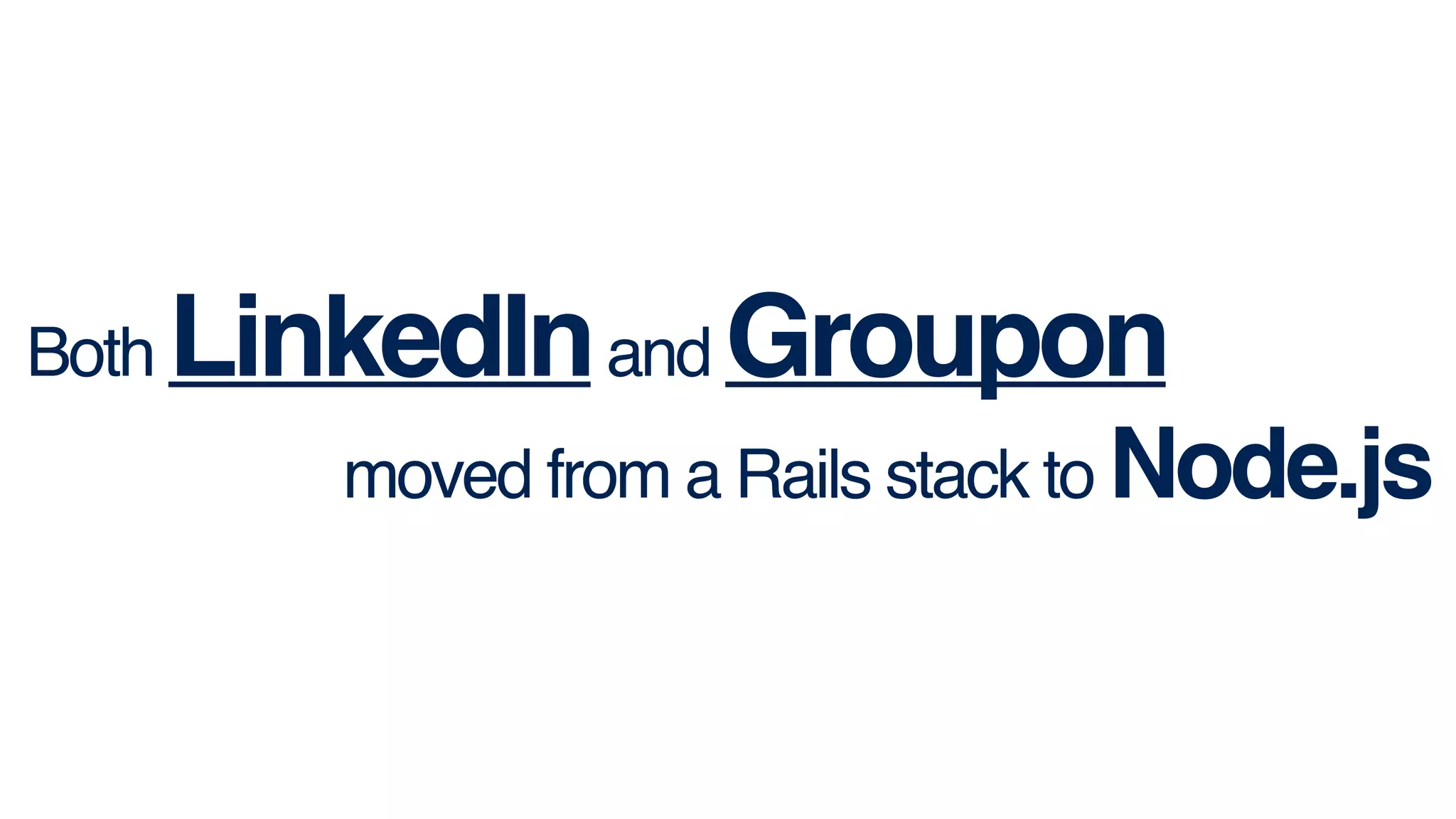
Both LinkedInand Groupon!
moved from a Rails stack to Node.js
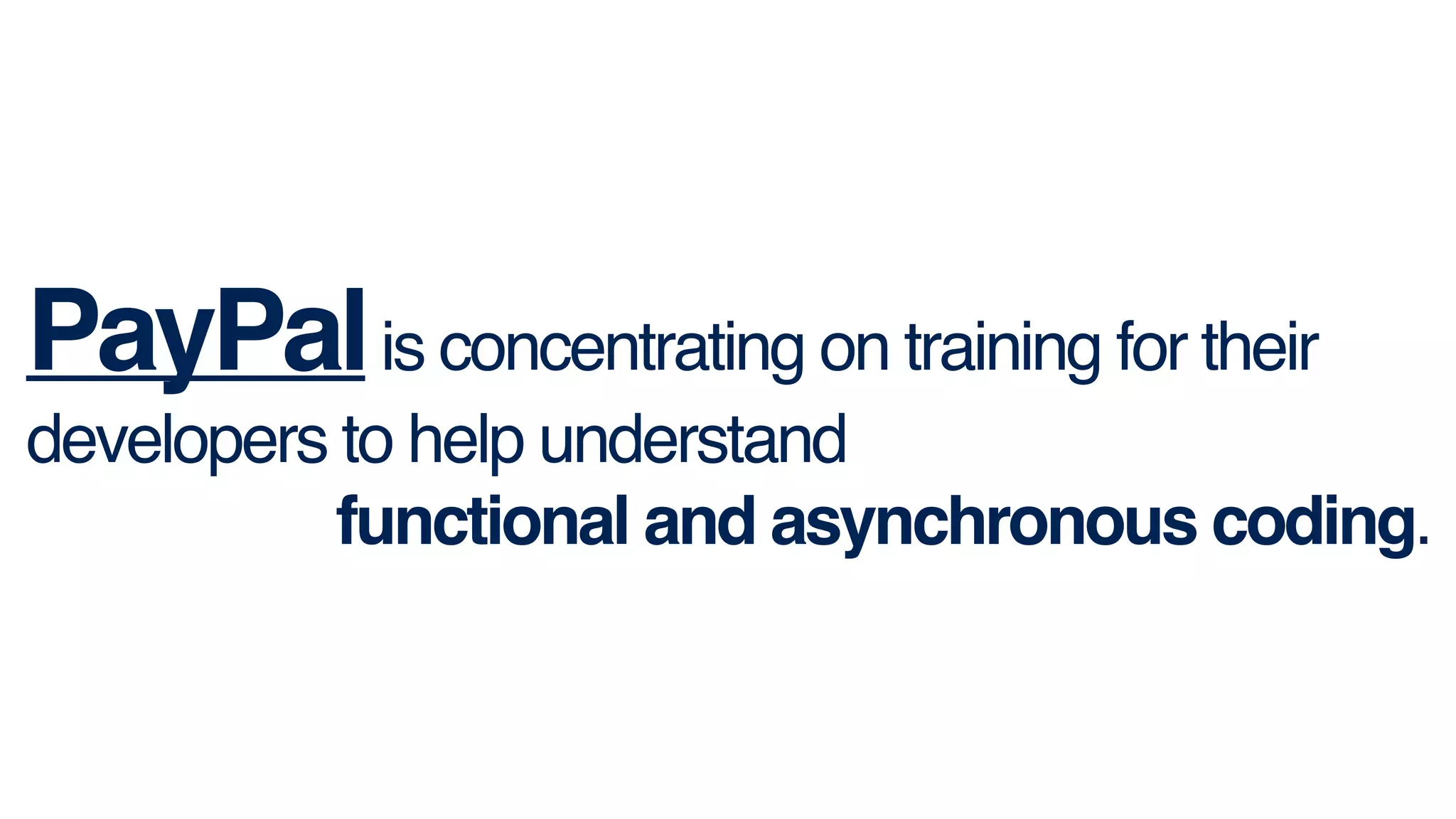
PayPalis concentrating on training for their
developers to help understand !
functional and asynchronous coding.
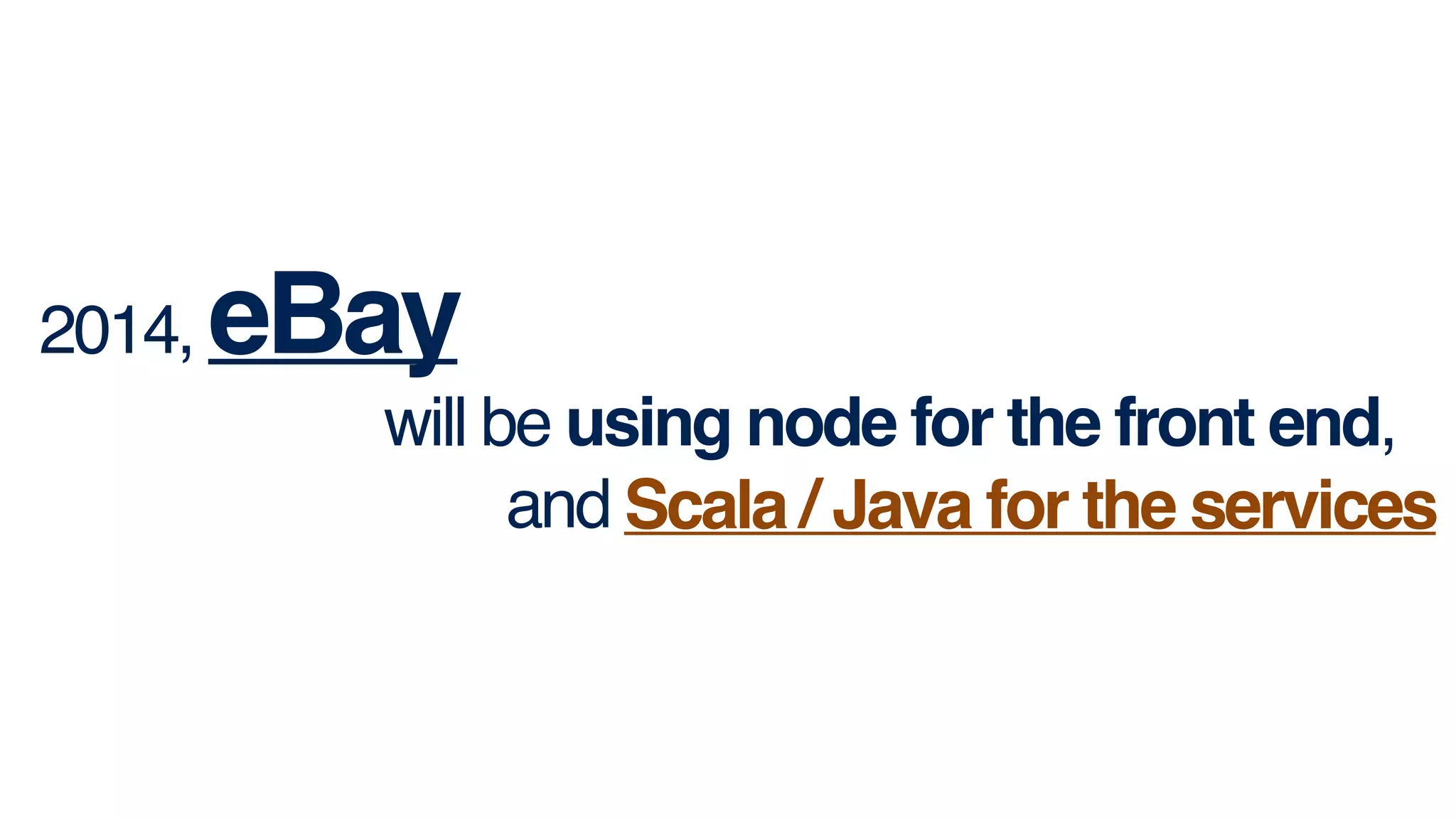
2014, eBay!
will be using node for the front end, !
and Scala / Java for the services.Scala / Java for the services
> Transition
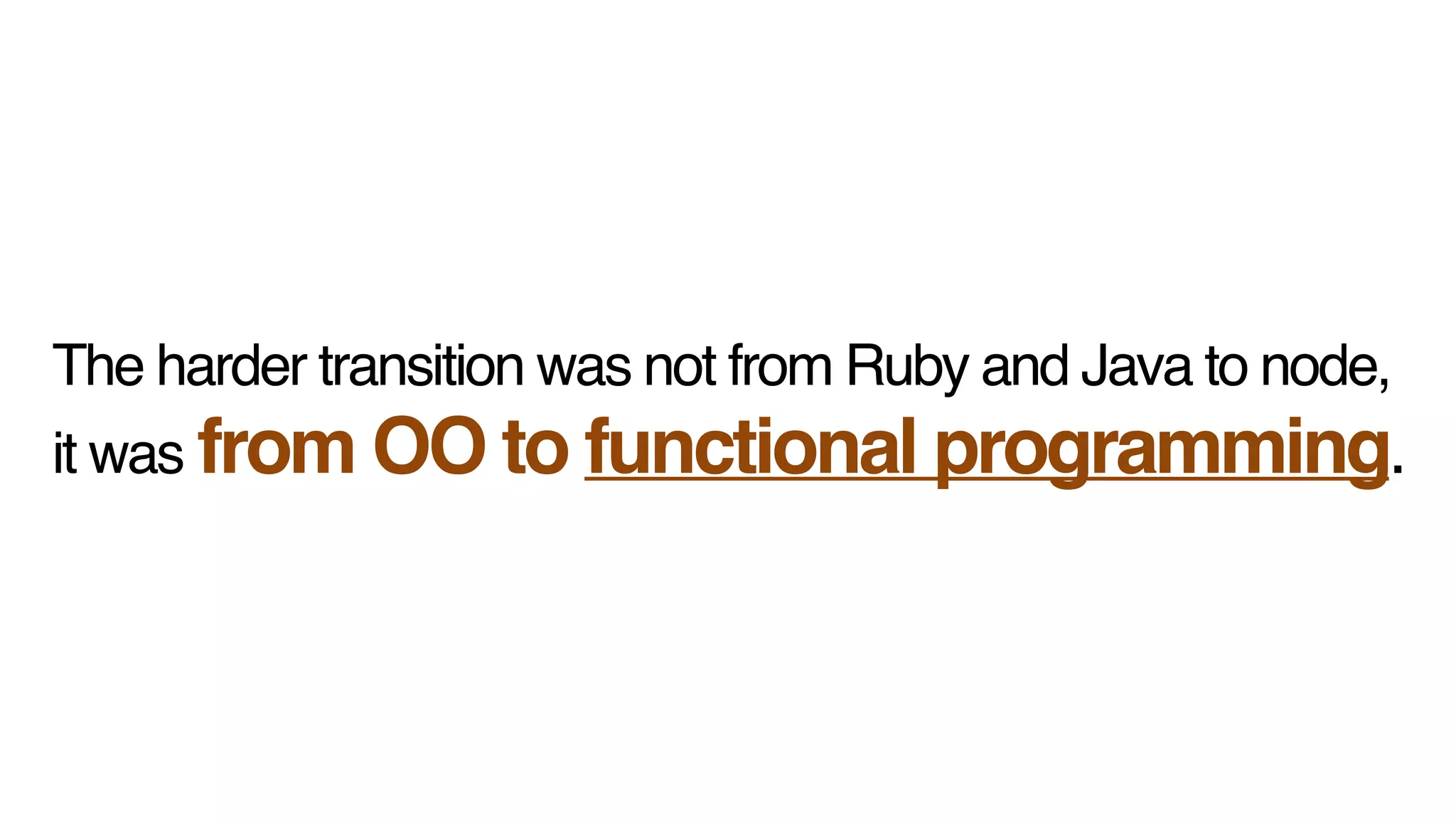
The harder transition was not from Ruby and Java to node, 
!
it was from OO to functional programming.
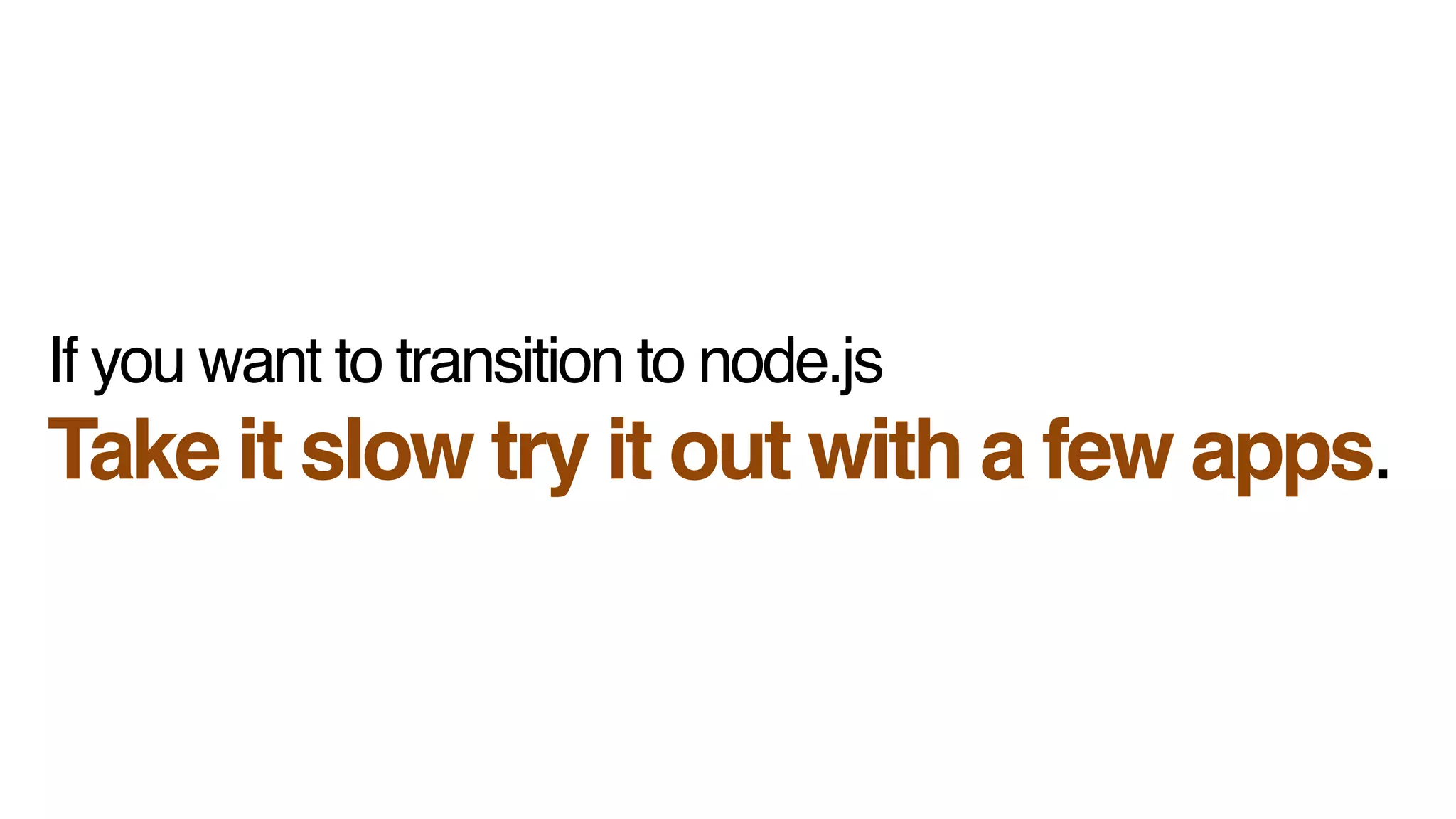
If you want to transition to node.js!
Take it slow try it out with a few apps.
> Performance
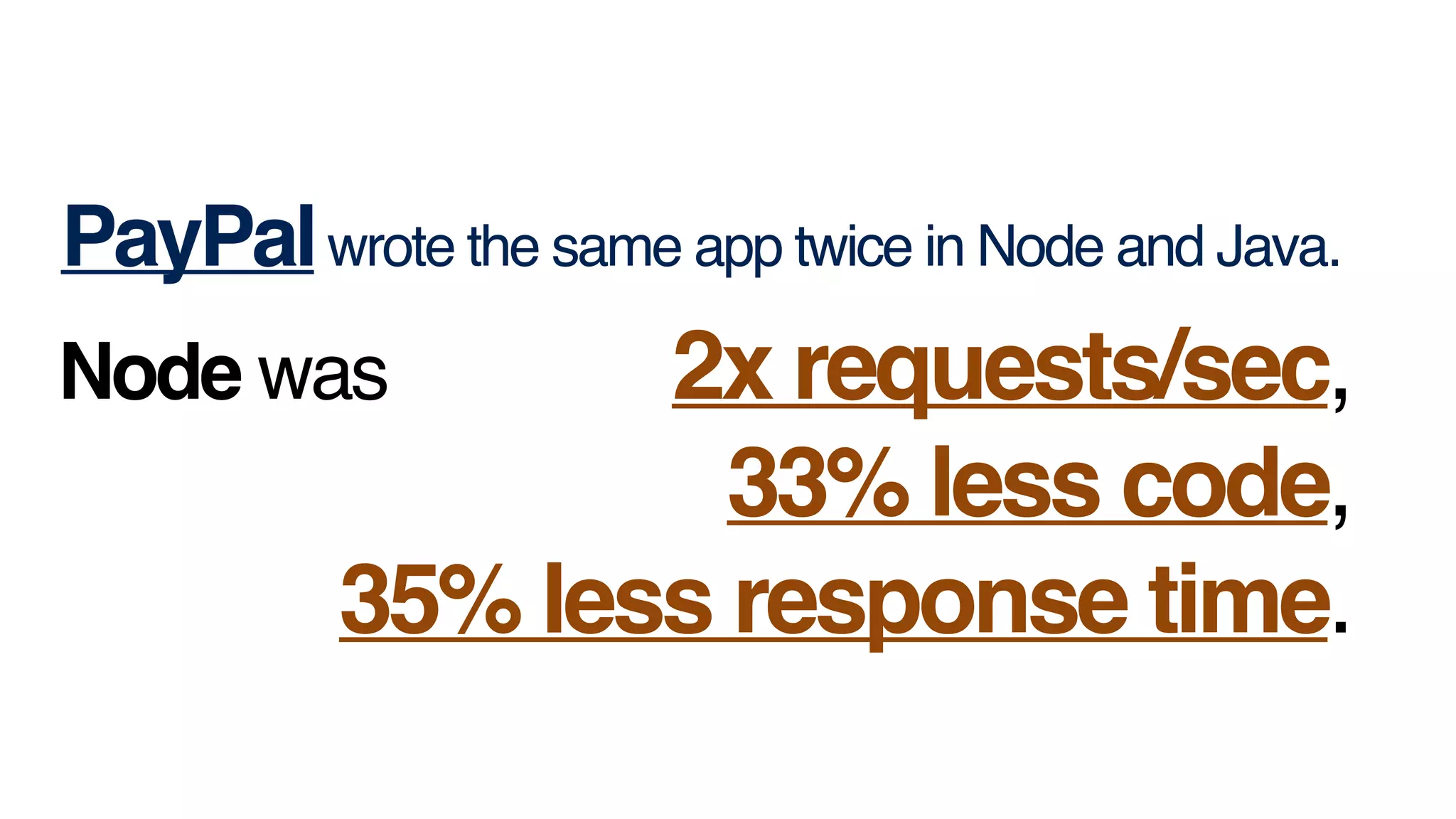
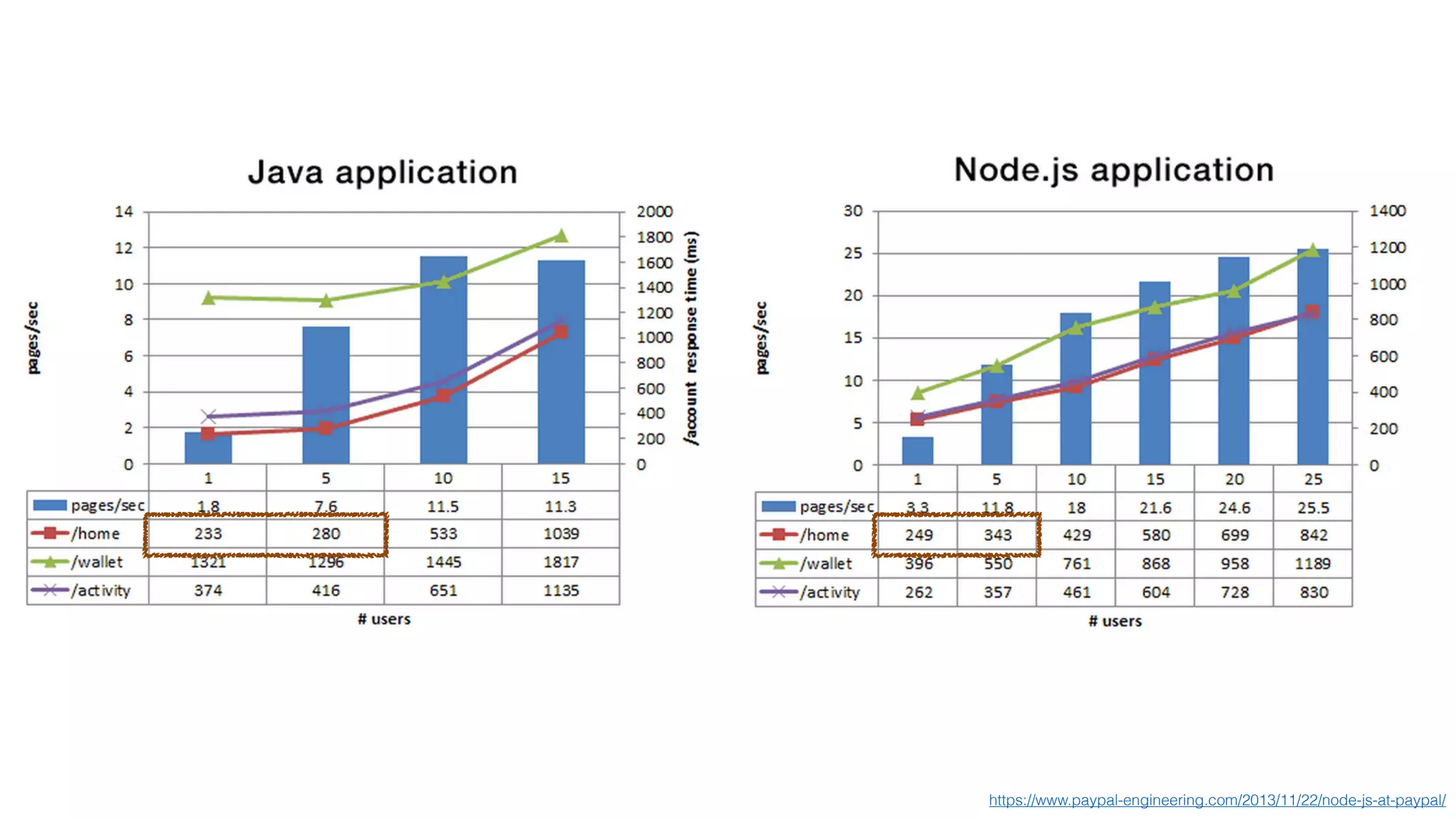
PayPalwrote the same app twice in Node and Java.
Node was 2x requests/sec, !
33% less code,
 !
35% less response time.
https://www.paypal-engineering.com/2013/11/22/node-js-at-paypal/
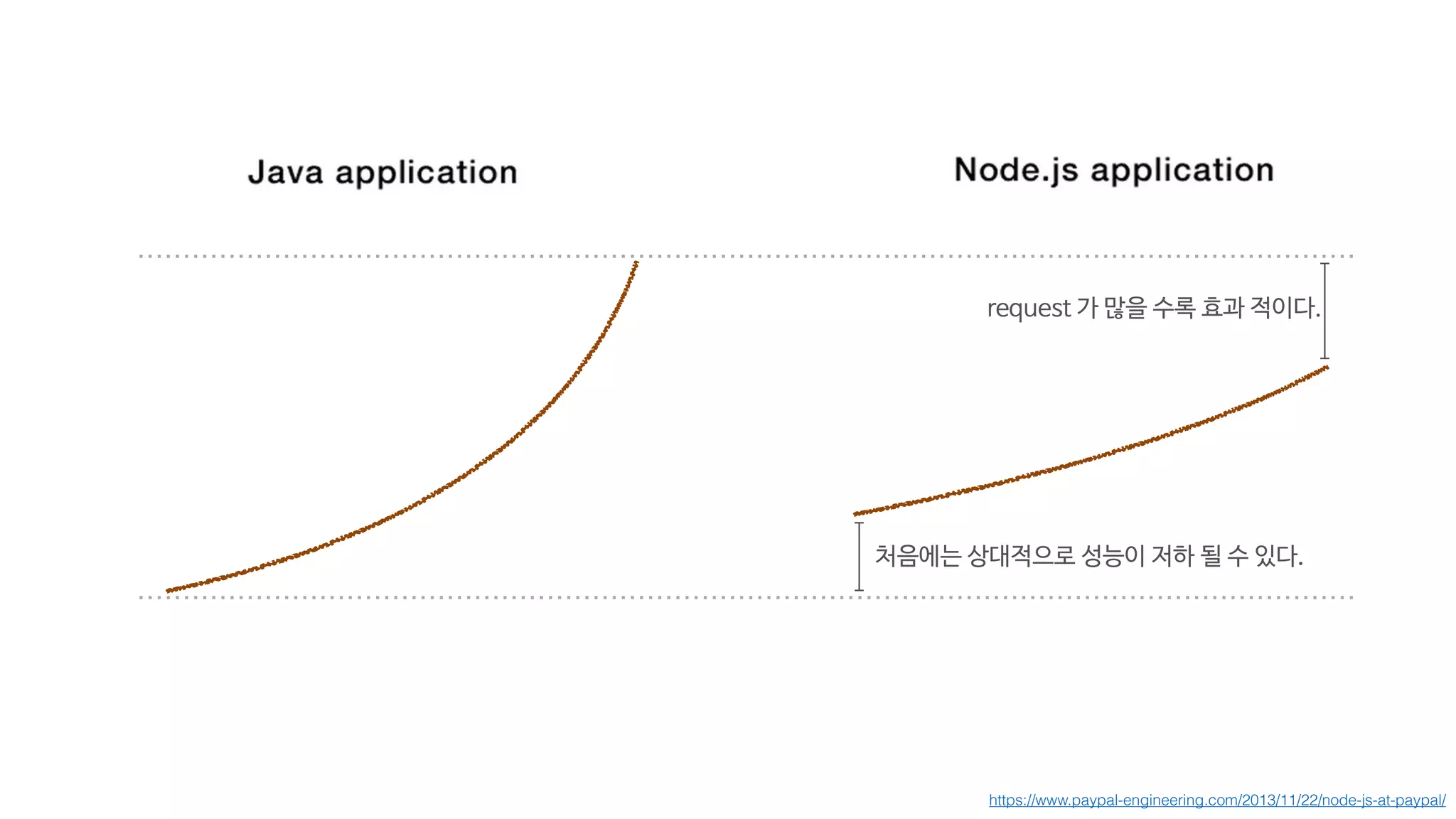
처음에는 상대적으로 성능이 저하 될 수 있다.
request 가 많을 수록 효과 적이다.
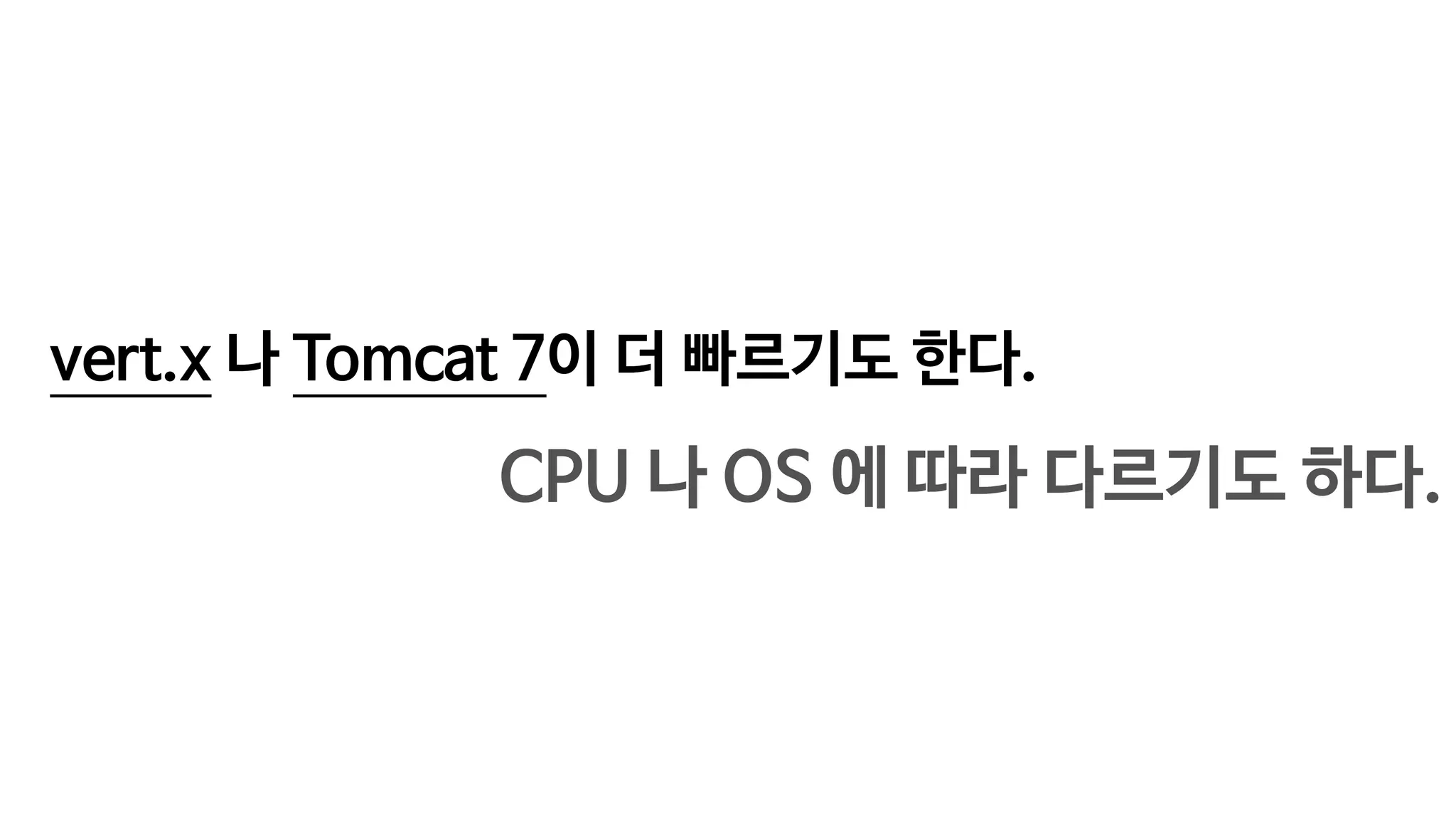
vert.x 나 Tomcat 7이 더 빠르기도 한다.
!
!
CPU 나 OS 에 따라 다르기도 하다.
실무에서는,
!
성능에 아주 민감한 부분은 C 코드 로
!
개발한다.
이것은 마치,
MySQL 과 NoSQL 을 비교하는 것과 같다.
> Deployment
The 250-500 ms node process start / stop time
has been a huge benefit at LinkedIn and Groupon.
Fast deployment is a huge advantage for node. !
Hard to deploy multiple times a day when it takes 2 hours
each time.
Node restarts so quickly !
crashed aren't a big deal.
배포 시간이 줄어드는건 상당한 장점이다.
하지만, soft shutdown 을 고려해서 개발해야 한다.
그래도, 아닌 경우도 많다.
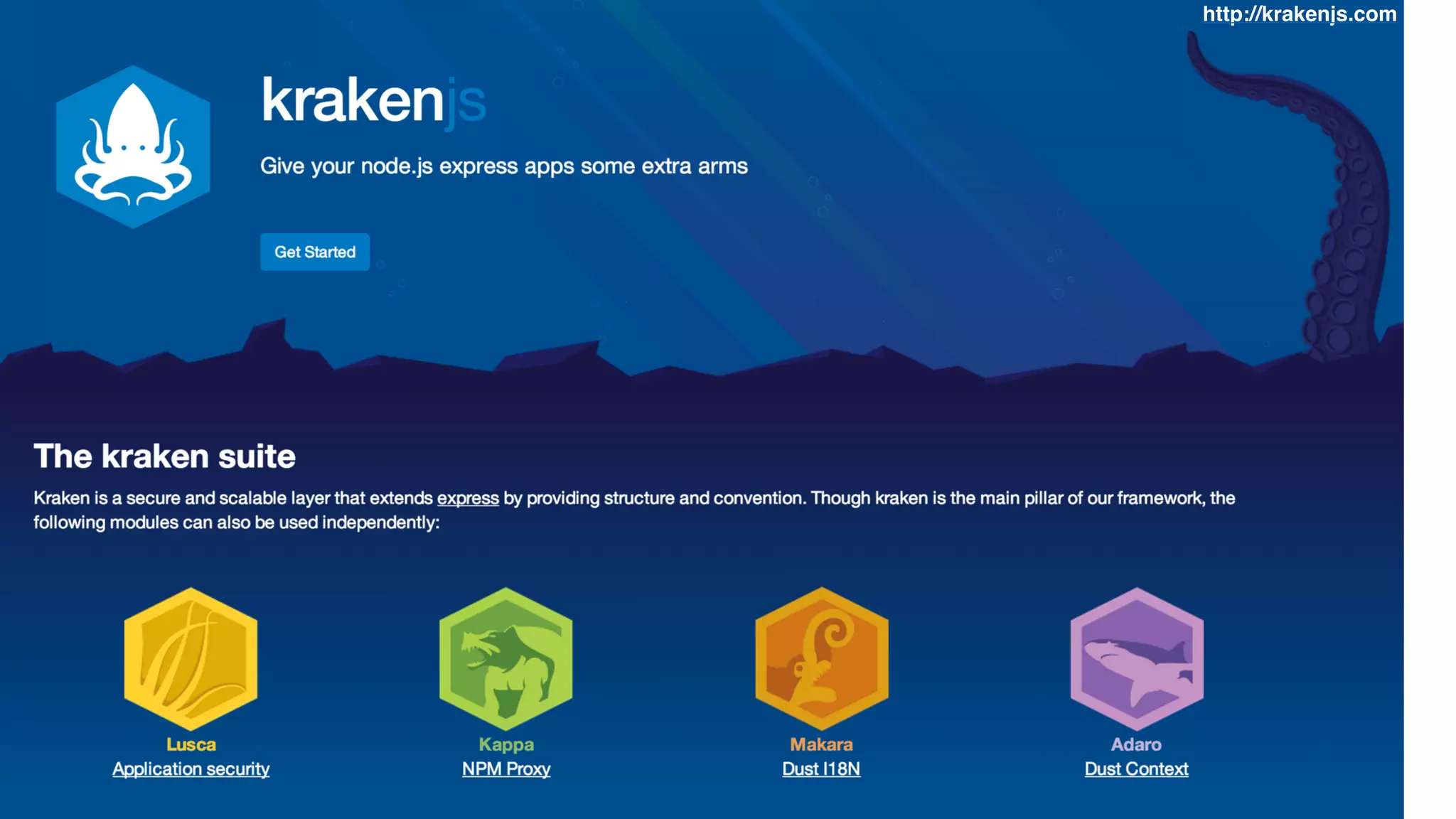
> Framework
http://krakenjs.com
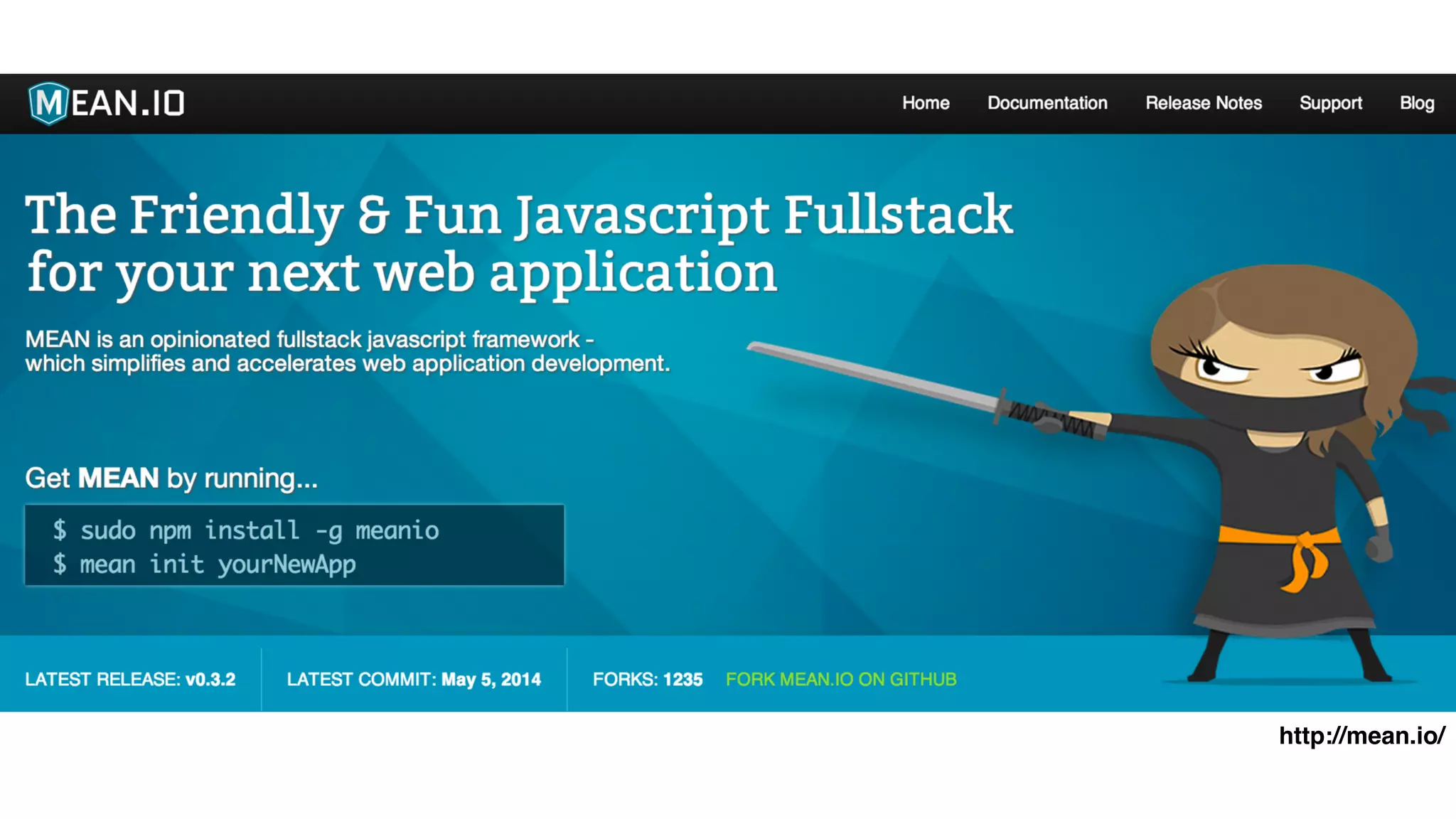
http://mean.io/
Framework 가 항상 좋은 것은 아니다.
Express 만으로도 충분한 경우가 많다.
learning curve, walk-up latency
가장 큰 장점은,!
Productivity
If your business is changing,!
if you want to try new things and stay agile, !
node is ideal.
Small, reusable modules, unix philosophy, and not investing too much in frameworks.
Unix Philosophy
http://en.wikipedia.org/wiki/Unix_philosophy
비즈니스(서비스) 를 먼저 보고,
!
node.js 를 적용할 것인지 결정해야 !
socket.io 를 활용한!
real-time 어플리케이션개발하기# 2
!
HTTP 통신보다 상당히 가볍다.
특히, 모바일에서 많이 사용한다.!
Mobile App 과 서버간 Socket 통신.!
쉽다! 빠른 프로토타입이 가능하다.
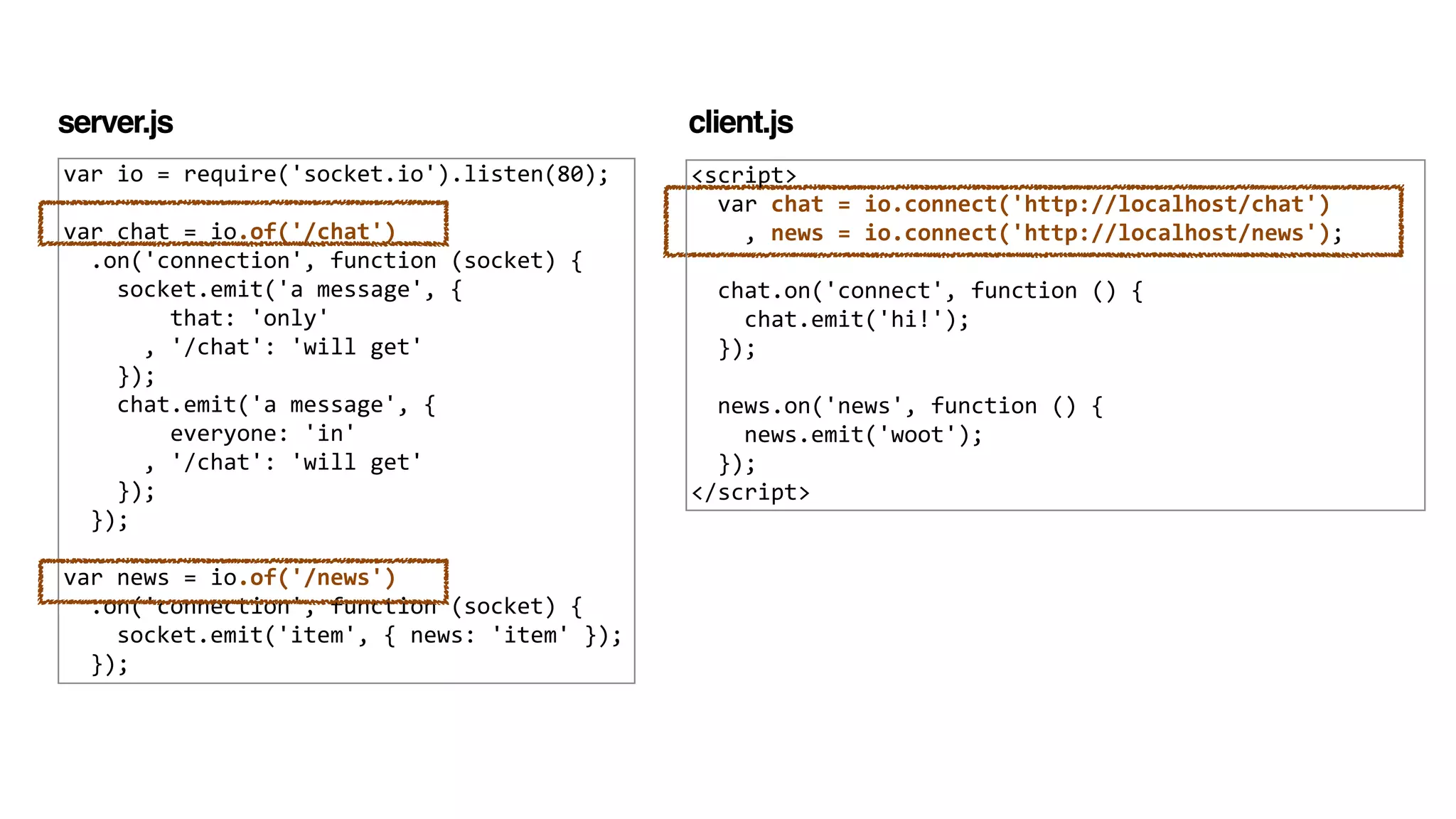
> namespace!
기능별로 socket 연결을 분리하자
var	
  io	
  =	
  require('socket.io').listen(80);	
  
!
var	
  chat	
  =	
  io.of('/chat')	


  .on('connection',	
  function	
  (socket)	
  {	


  socket.emit('a	
  message',	
  {	


  that:	
  'only'	


  ,	
  '/chat':	
  'will	
  get'	


  });	


  chat.emit('a	
  message',	
  {	


  everyone:	
  'in'	


  ,	
  '/chat':	
  'will	
  get'	


  });	


  });	
  
!
var	
  news	
  =	
  io.of('/news')	


  .on('connection',	
  function	
  (socket)	
  {	


  socket.emit('item',	
  {	
  news:	
  'item'	
  });	


  });
server.js
<script>	


  var	
  chat	
  =	
  io.connect('http://localhost/chat')	


  ,	
  news	
  =	
  io.connect('http://localhost/news');	


  chat.on('connect',	
  function	
  ()	
  {	


  chat.emit('hi!');	


  });	


  news.on('news',	
  function	
  ()	
  {	


  news.emit('woot');	


  });	
  
</script>
client.js
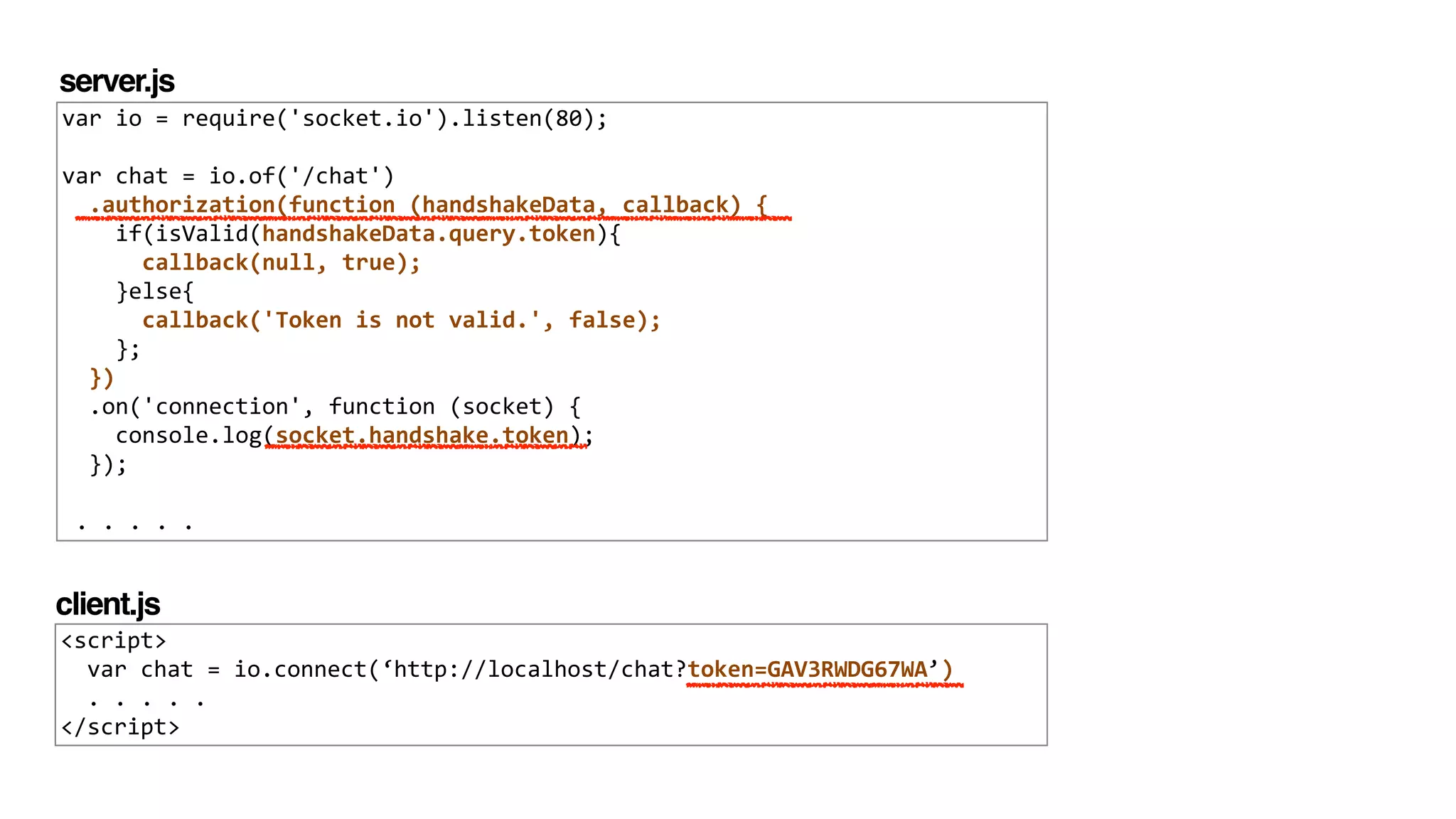
> authorization !
connection 되기 전에 인증해야 한다.
var	
  io	
  =	
  require('socket.io').listen(80);	
  
!
var	
  chat	
  =	
  io.of('/chat')	


  .authorization(function	
  (handshakeData,	
  callback)	
  {	


  if(isValid(handshakeData.query.token){	


  callback(null,	
  true);	


  }else{	


  callback('Token	
  is	
  not	
  valid.',	
  false);	


  };	


  })	


  .on('connection',	
  function	
  (socket)	
  {	


  console.log(socket.handshake.token);	


  });	
  
!
	
  .	
  .	
  .	
  .	
  .
<script>	


  var	
  chat	
  =	
  io.connect(‘http://localhost/chat?token=GAV3RWDG67WA’)	


  .	
  .	
  .	
  .	
  .	
  	
  
</script>
server.js
client.js
> configuration
!
io.enable('browser	
  client	
  minification’);	


io.enable('browser	
  client	
  etag');	


!
io.enable('browser	
  client	
  gzip');	


!
!
io.set('log	
  level',	
  1);	


!
io.set('transports',	
  [	


  'websocket'	


  ,	
  'flashsocket'	


  ,	
  'htmlfile'	


  ,	
  'xhr-­‐polling'	


  ,	
  'jsonp-­‐polling'	
  
]);	
  
server.js
flashsocket 사용하기!
포트번호 10843 열어야 함.
gzip 압축
0 - error / 1 - warn / 2 - info / 3 - debug
브라우져 캐쉬를 위한 ETag 설정
javascript 파일 minified
 	
  var	
  socket	
  =	
  io.connect('http://XXXXXXXXXXX',	
  {	


  'resource:	
  ‘socket.io',	


  'connect	
  timeout:	
  10000,	


  'try	
  multiple	
  transports:	
  true,	


  'reconnect:	
  true,	


  'reconnection	
  delay:	
  500,	


  'reconnection	
  attempts':	
  10,	


  'sync	
  disconnect	
  on	
  unload':	
  false,	


  'auto	
  connect':	
  true,	


  'flash	
  policy	
  port':	
  10843,	


  'force	
  new	
  connection':	
  false	


  });
client.js
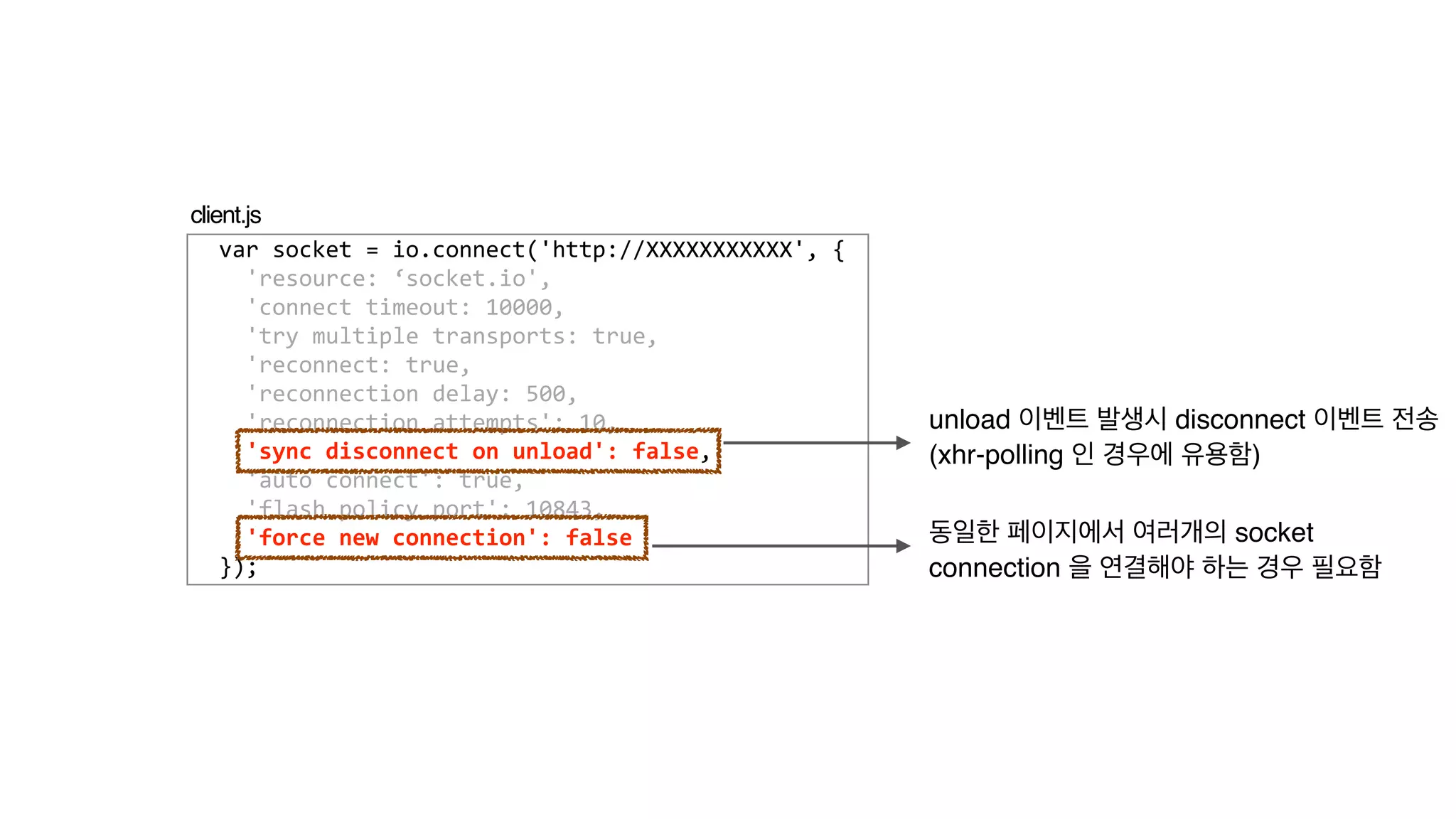
unload 이벤트 발생시 disconnect 이벤트 전송!
(xhr-polling 인 경우에 유용함)
동일한 페이지에서 여러개의 socket 

connection 을 연결해야 하는 경우 필요함
> client javascript 배포!
grunt 로 concat 해서 배포하기
!
module.exports	
  =	
  function(grunt)	
  {	


  concat:	
  {	


  dist:	
  {	


  src:	
  [	


  'src/client.js',	


  'node_modules/socket.io-­‐client/dist/socket.io.js',	


  'src/json2.js'],	


  dest:	
  'public/client.js'	


  },	


  },	


  uglify:	
  {	


  dist:	
  {	


  src:	
  '<%=	
  concat.dist.dest	
  %>',	


  dest:	
  ‘public/client_min.js'	


  },	


  }	
  
};	
  
Gruntfile.js
>	
  grunt
https://github.com/xpush/stalk.io/blob/master/Gruntfile.js
> 실행 파일 만들기!
서버 실행 Shell 파일
!
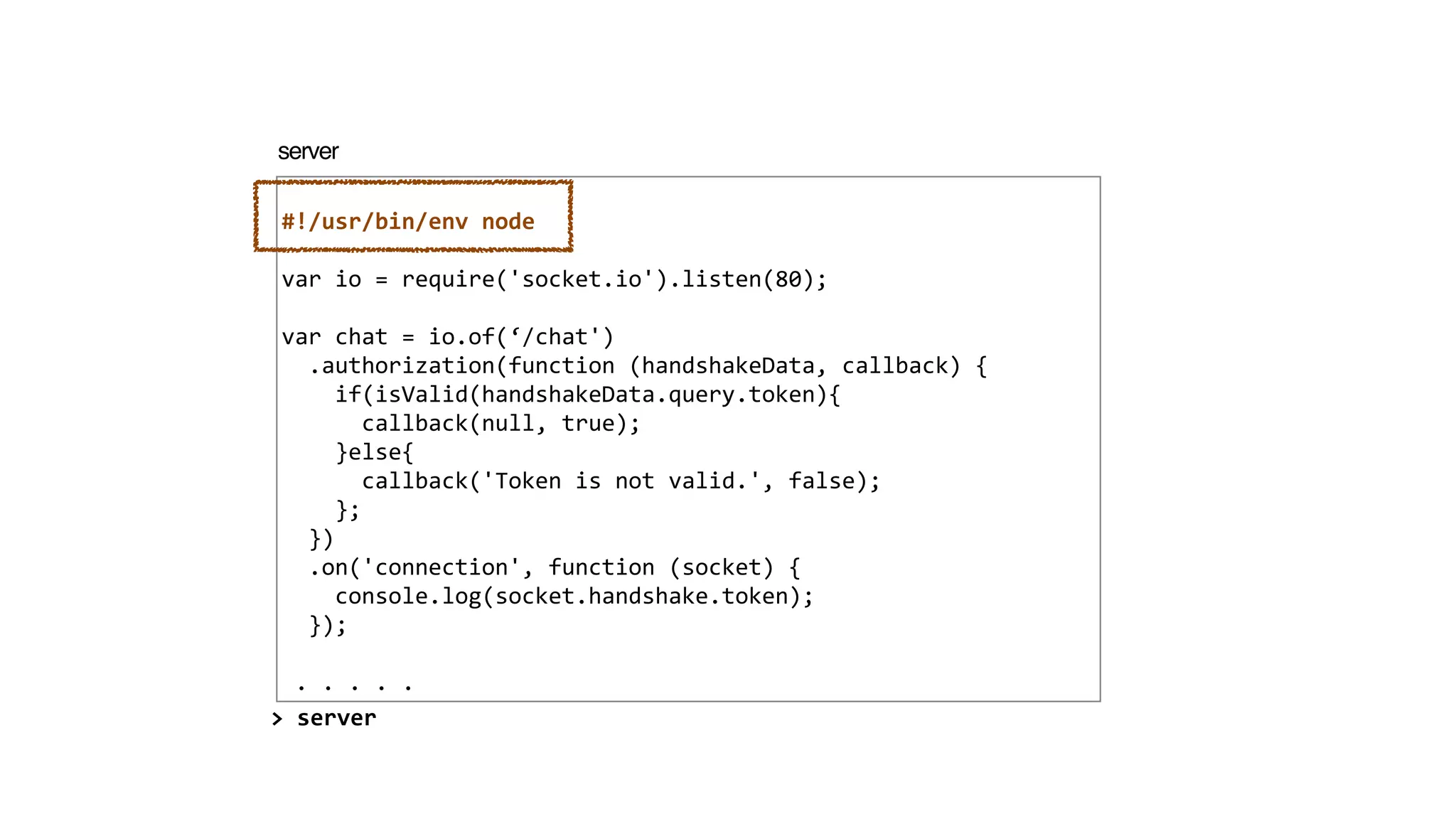
#!/usr/bin/env	
  node	
  
!
var	
  io	
  =	
  require('socket.io').listen(80);	
  
!
var	
  chat	
  =	
  io.of(‘/chat')	


  .authorization(function	
  (handshakeData,	
  callback)	
  {	


  if(isValid(handshakeData.query.token){	


  callback(null,	
  true);	


  }else{	


  callback('Token	
  is	
  not	
  valid.',	
  false);	


  };	


  })	


  .on('connection',	
  function	
  (socket)	
  {	


  console.log(socket.handshake.token);	


  });	
  
!
	
  .	
  .	
  .	
  .	
  .
server
>	
  server
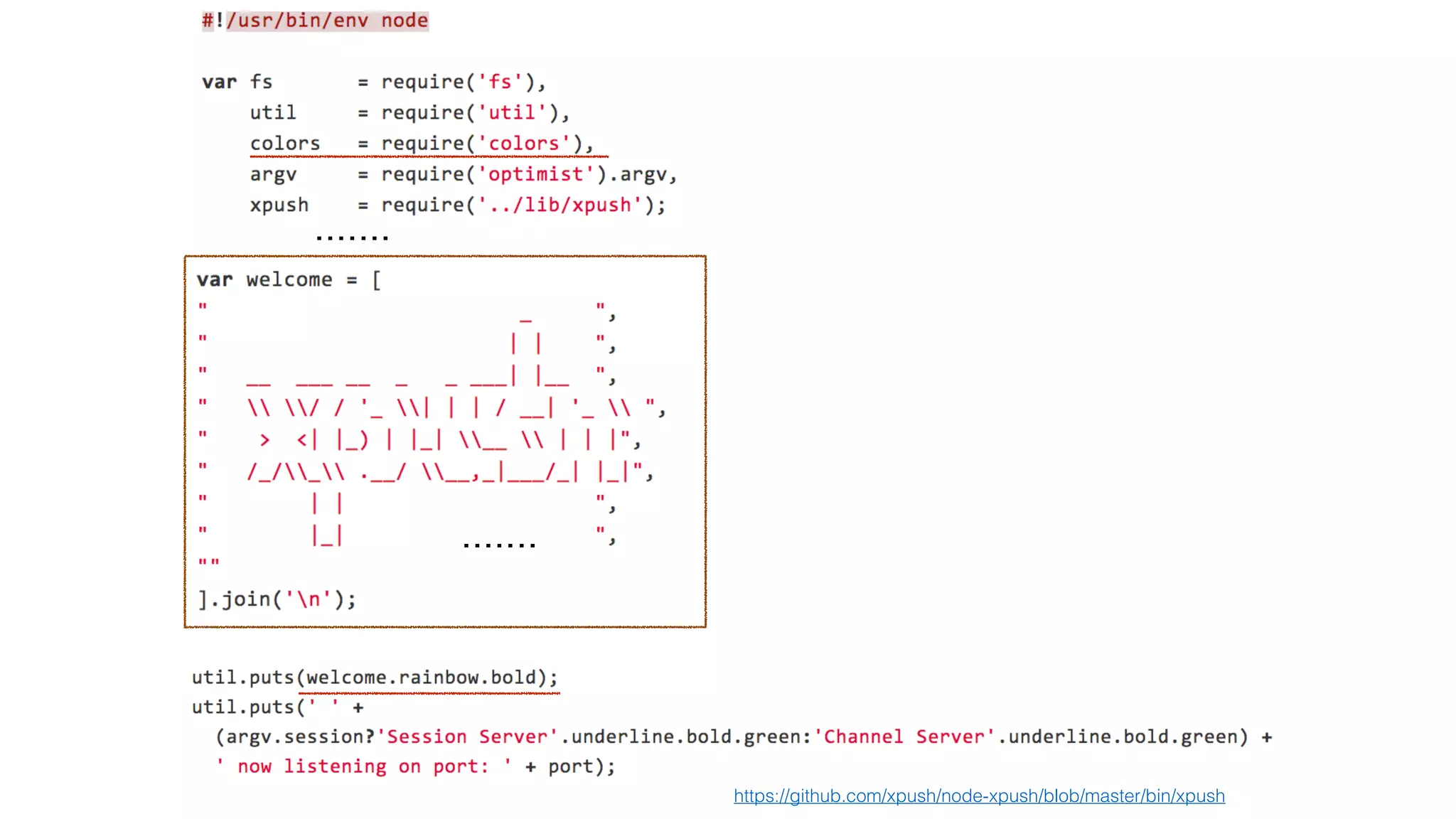
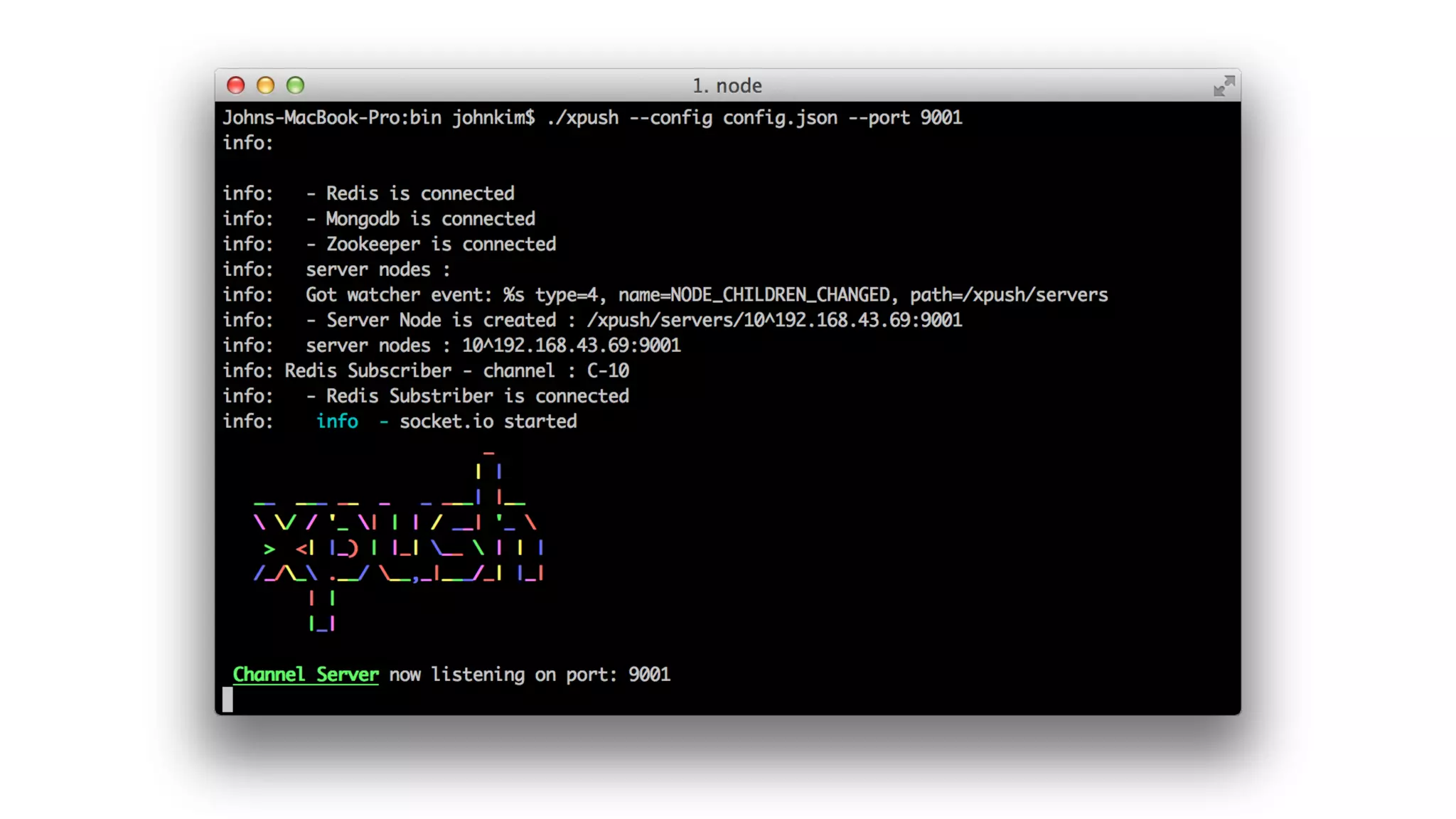
https://github.com/xpush/node-xpush/blob/master/bin/xpush
. . . . . . .
. . . . . . .
Apache ZooKeeper™
> 분산 서버 환경 구성
Apache ZooKeeper™
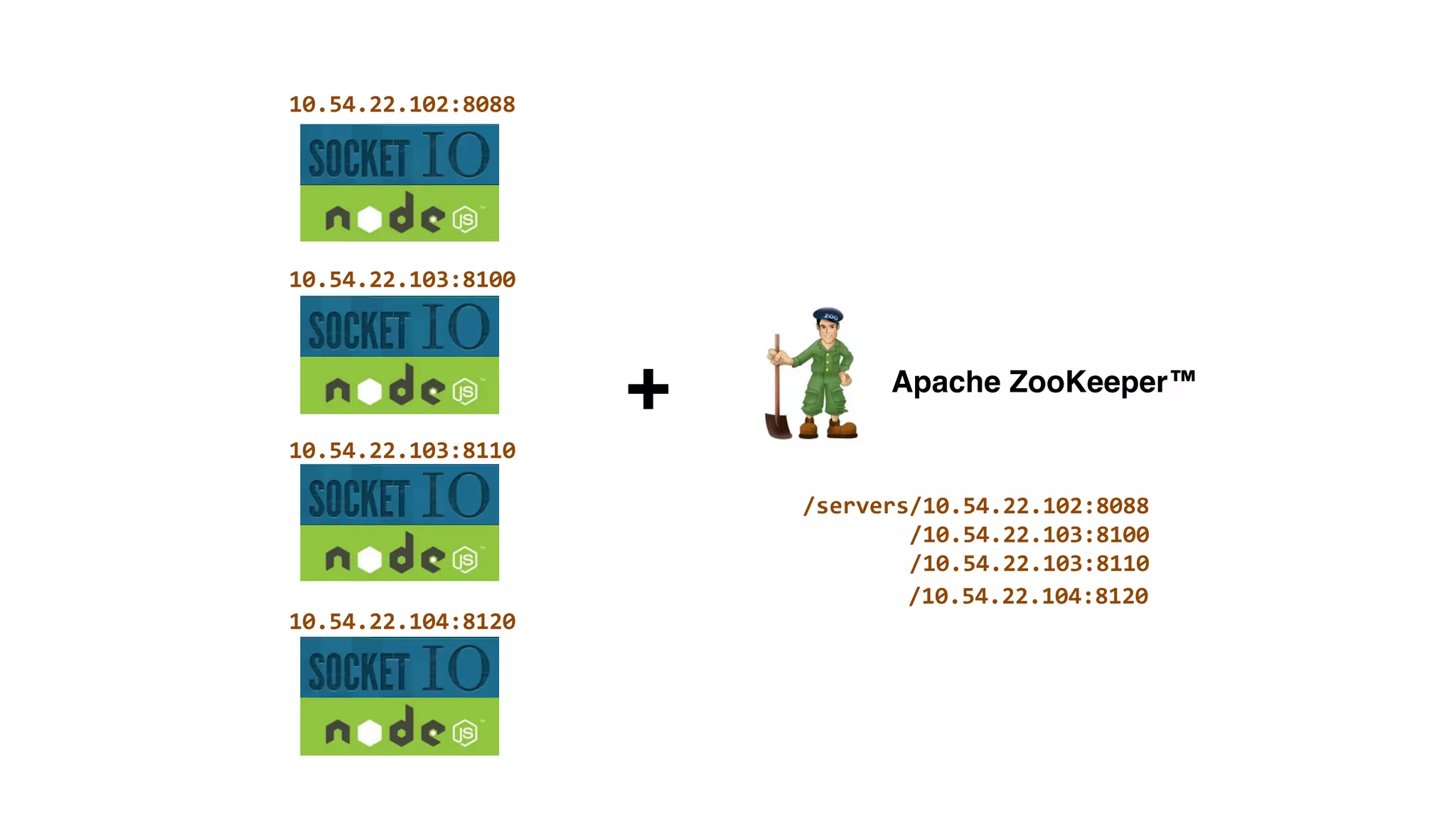
+
/servers/10.54.22.102:8088	


  /10.54.22.103:8100	


  /10.54.22.103:8110
10.54.22.102:8088
10.54.22.103:8100
10.54.22.103:8110
10.54.22.104:8120


  /10.54.22.104:8120
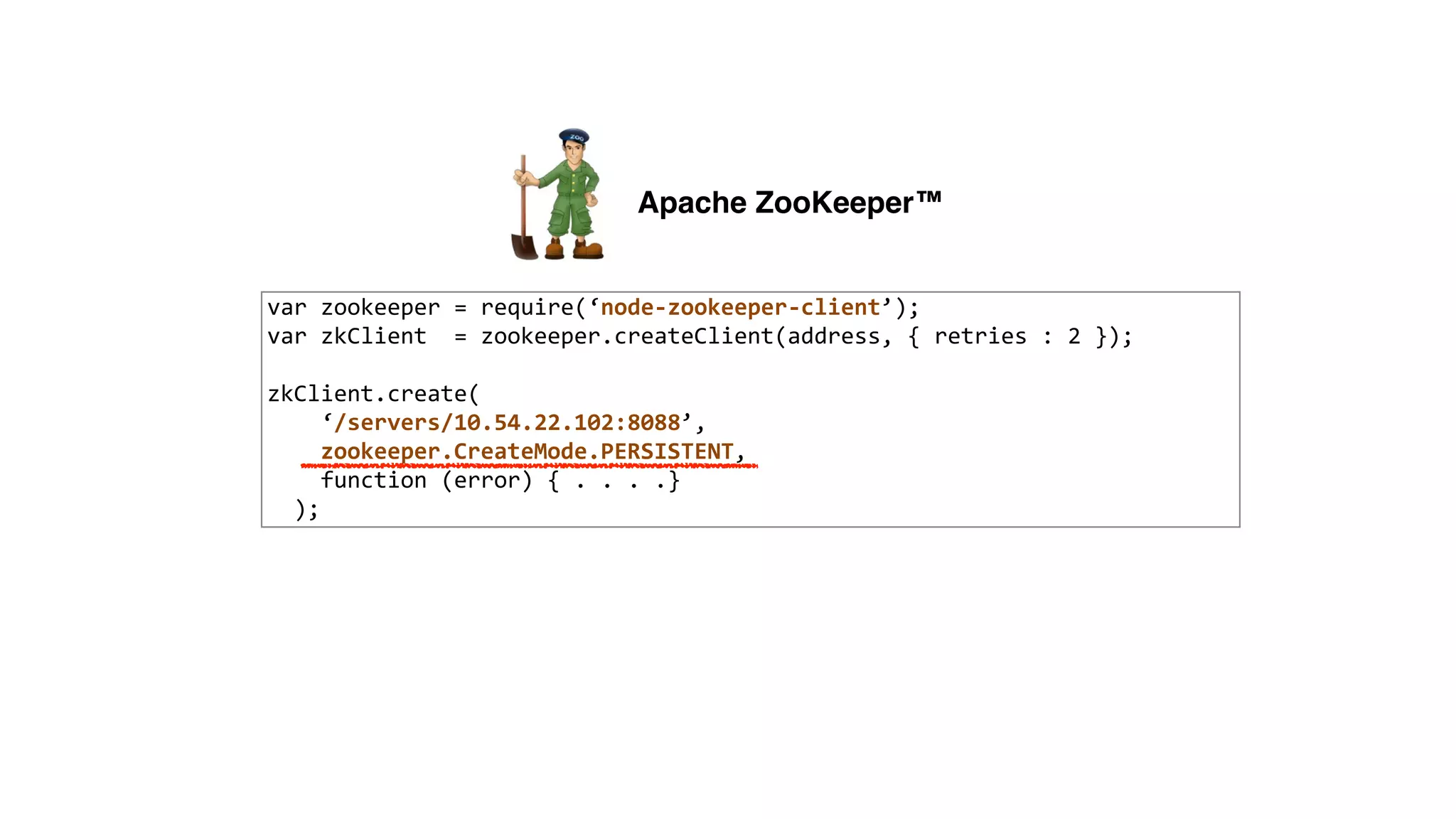
var	
  zookeeper	
  =	
  require(‘node-­‐zookeeper-­‐client’);	
  
var	
  zkClient	
  	
  =	
  zookeeper.createClient(address,	
  {	
  retries	
  :	
  2	
  });	
  
!
zkClient.create(	


  ‘/servers/10.54.22.102:8088’,	


  zookeeper.CreateMode.PERSISTENT,	


  function	
  (error)	
  {	
  .	
  .	
  .	
  .}	


  );
Apache ZooKeeper™
var	
  zookeeper	
  =	
  require(‘node-­‐zookeeper-­‐client’);	
  
var	
  zkClient	
  	
  =	
  zookeeper.createClient(address,	
  {	
  retries	
  :	
  2	
  });	
  
!
zkClient.create(	


  ‘/servers/10.54.22.102:8088’,	


  zookeeper.CreateMode.PERSISTENT,	


  function	
  (error)	
  {	
  .	
  .	
  .	
  .}	


  );
네트워크의 일시적 장애로 !
서버가 죽은것으로 오판하면 안된다.
zookeeper.CreateMode.PERSISTENT
zookeeper.CreateMode.EPHEMERAL
Apache ZooKeeper™
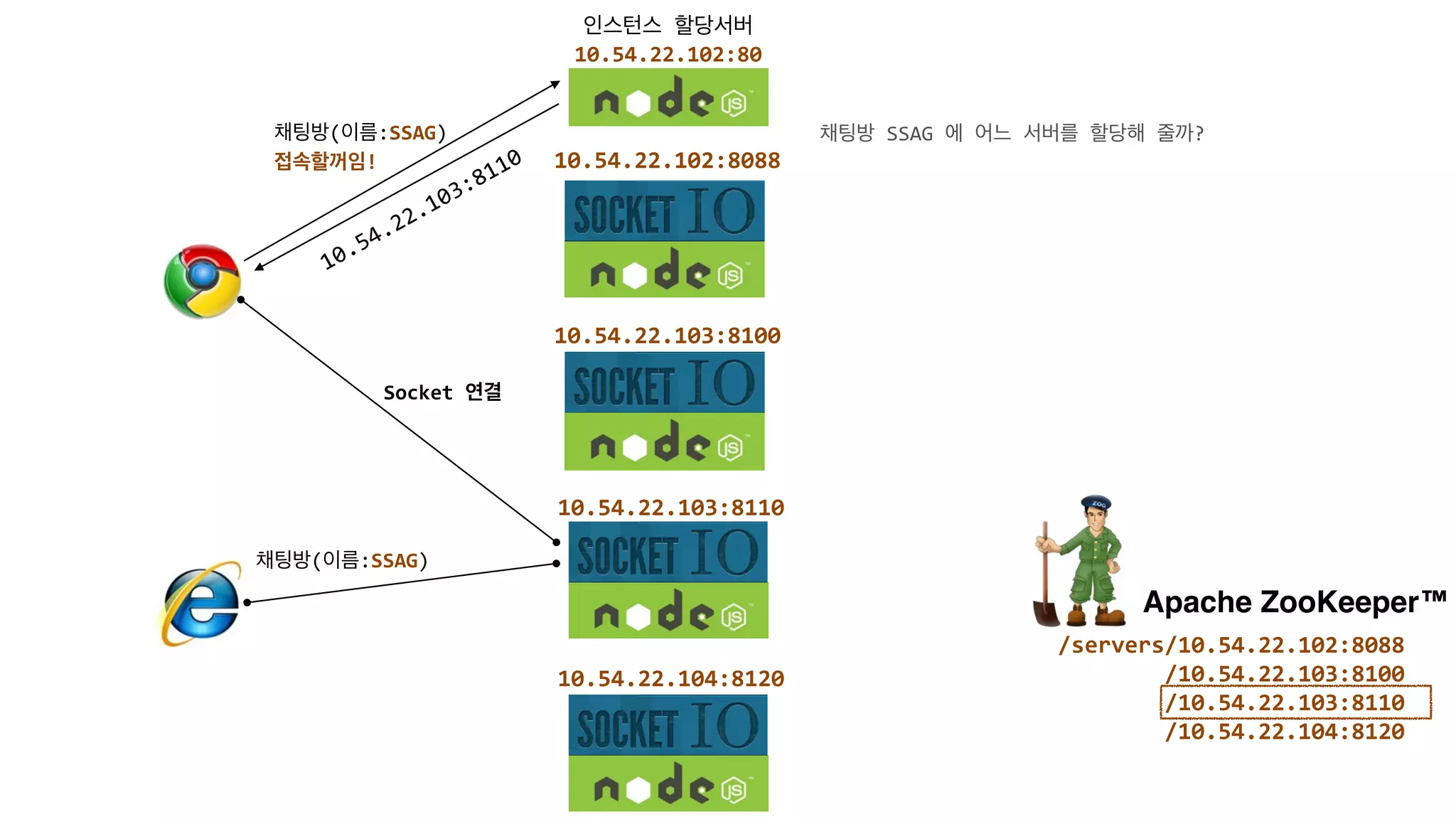
인스턴스	
  할당서버	
  	
  
10.54.22.102:80
10.54.22.102:8088
10.54.22.103:8100
10.54.22.103:8110
10.54.22.104:8120
Apache ZooKeeper™
/servers/10.54.22.102:8088	


  /10.54.22.103:8100	


  /10.54.22.103:8110	


  /10.54.22.104:8120
채팅방(이름:SSAG)	
  	
  
접속할꺼임!
10.54.22.103:8110
Socket	
  연결
채팅방(이름:SSAG)
채팅방	
  SSAG	
  에	
  어느	
  서버를	
  할당해	
  줄까?
인스턴스	
  할당서버	
  	
  
10.54.22.102:80
10.54.22.102:8088
10.54.22.103:8100
10.54.22.103:8110
10.54.22.104:8120
Apache ZooKeeper™
/servers/10.54.22.102:8088	


  /10.54.22.103:8100	


  /10.54.22.103:8110	


  /10.54.22.104:8120
채팅방(이름:SSAG)	
  	
  
접속할꺼임!
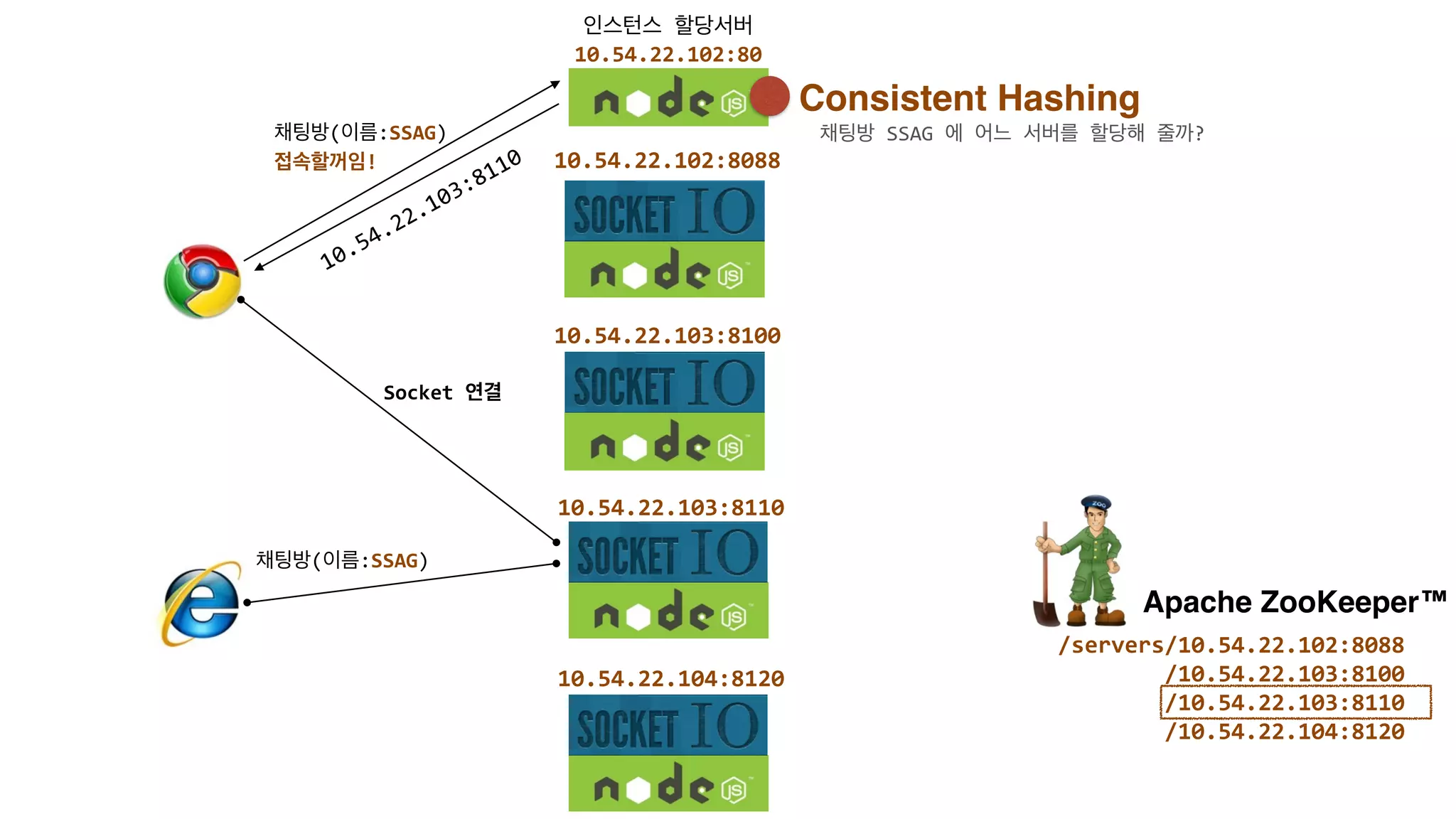
10.54.22.103:8110
Socket	
  연결
채팅방(이름:SSAG)
Consistent Hashing
채팅방	
  SSAG	
  에	
  어느	
  서버를	
  할당해	
  줄까?
인스턴스	
  할당서버	
  	
  
10.54.22.102:80
10.54.22.102:8088
10.54.22.103:8100
10.54.22.103:8110
10.54.22.104:8120
Apache ZooKeeper™
/servers/10.54.22.102:8088


  /10.54.22.103:8


  /10.54.22.103:8


  /10.54.22.104:8
채팅방
접속할꺼임 채팅방
10.54.22.103:8
Socket	
  
채팅방
<Set/Get>
SSAG	
  -­‐	
  Server3^2	
  
MS	
  	
  	
  -­‐	
  Server2^1	
  
LGCNS-­‐	
  Server1^4
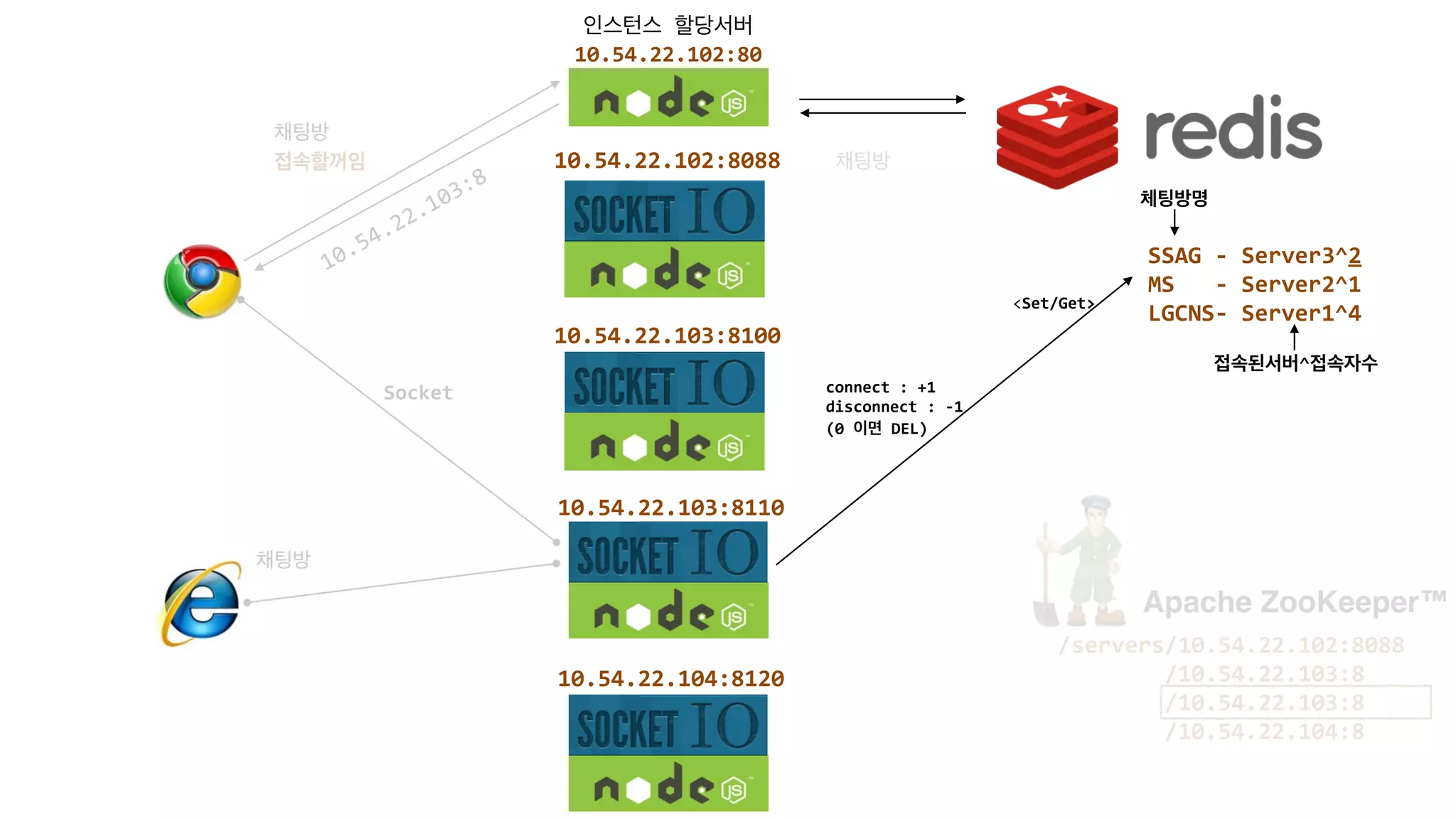
체팅방명
접속된서버^접속자수
connect	
  :	
  +1	
  
disconnect	
  :	
  -­‐1	
  
(0	
  이면	
  DEL)
하지만,!
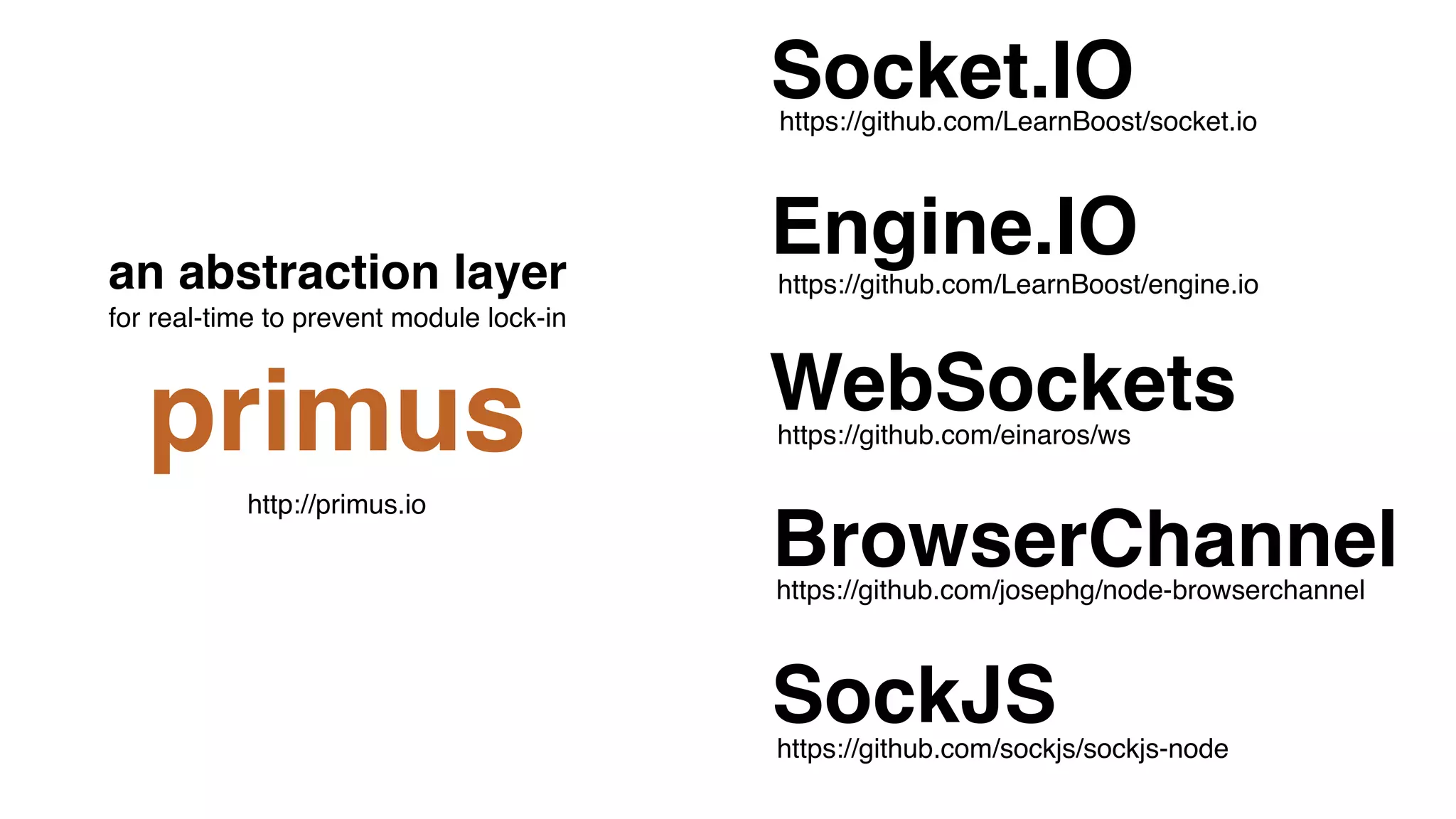
Socket.IO 만이 최선입니까?
https://github.com/sockjs/sockjs-node
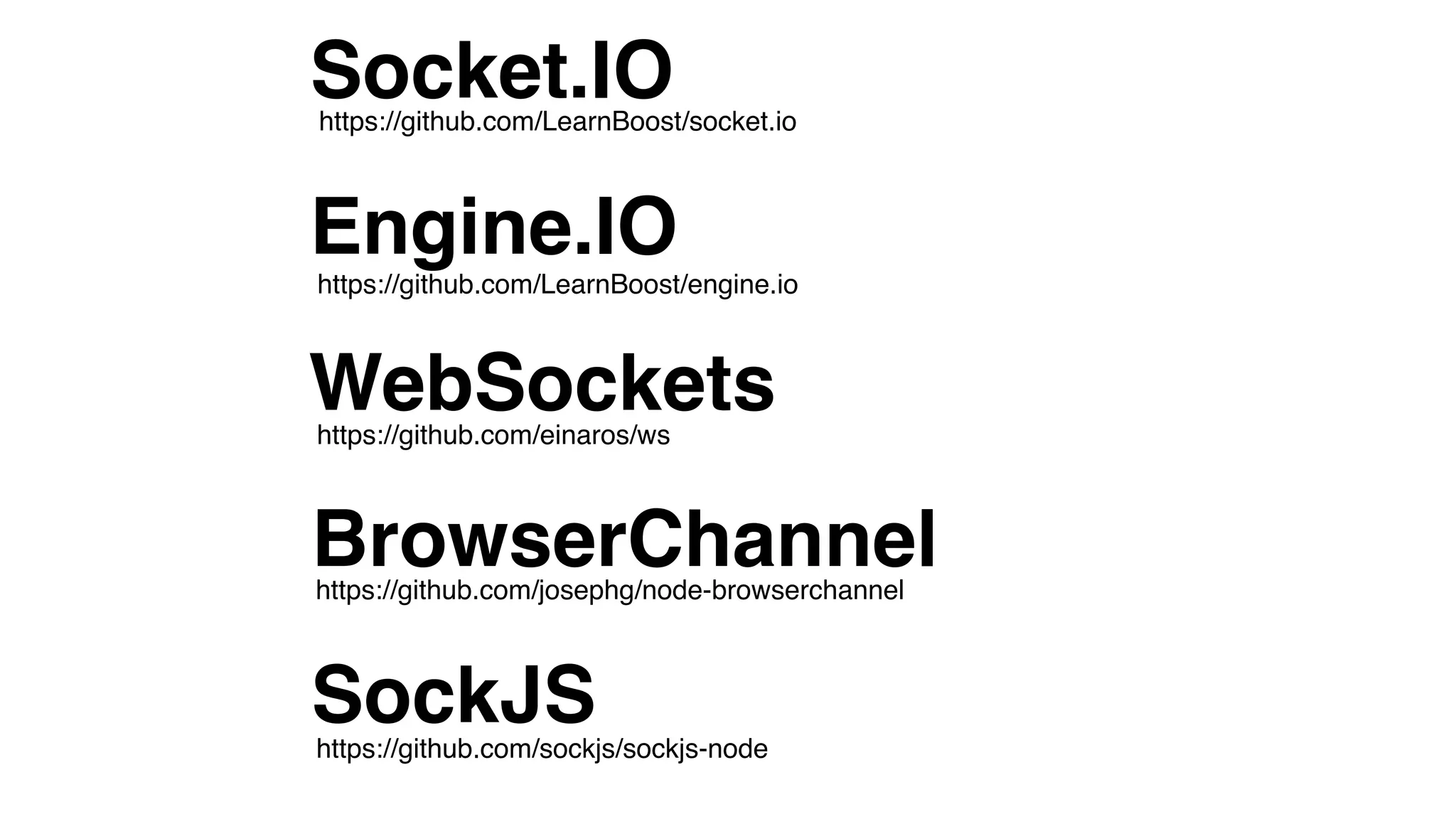
WebSockets
Socket.IO
Engine.IO
BrowserChannel
SockJS
https://github.com/einaros/ws
https://github.com/LearnBoost/engine.io
https://github.com/LearnBoost/socket.io
https://github.com/josephg/node-browserchannel
https://github.com/sockjs/sockjs-node
WebSockets
Socket.IO
Engine.IO
BrowserChannel
SockJS
https://github.com/einaros/ws
https://github.com/LearnBoost/engine.io
https://github.com/LearnBoost/socket.io
https://github.com/josephg/node-browserchannel
an abstraction layer 

for real-time to prevent module lock-in
primus
http://primus.io
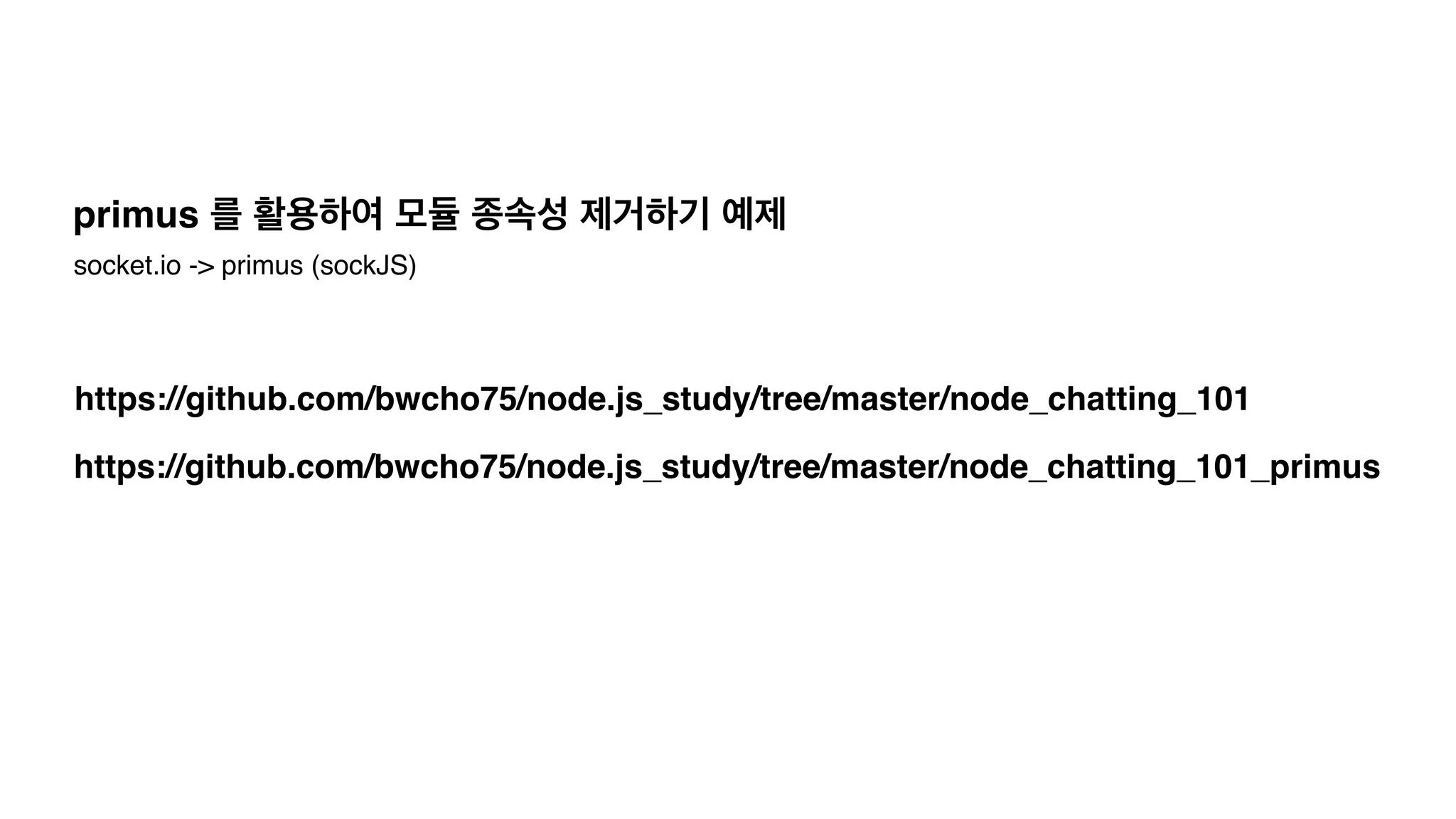
https://github.com/bwcho75/node.js_study/tree/master/node_chatting_101_primus
https://github.com/bwcho75/node.js_study/tree/master/node_chatting_101
primus 를 활용하여 모듈 종속성 제거하기 예제
socket.io -> primus (sockJS)
http://www.socketstream.org/
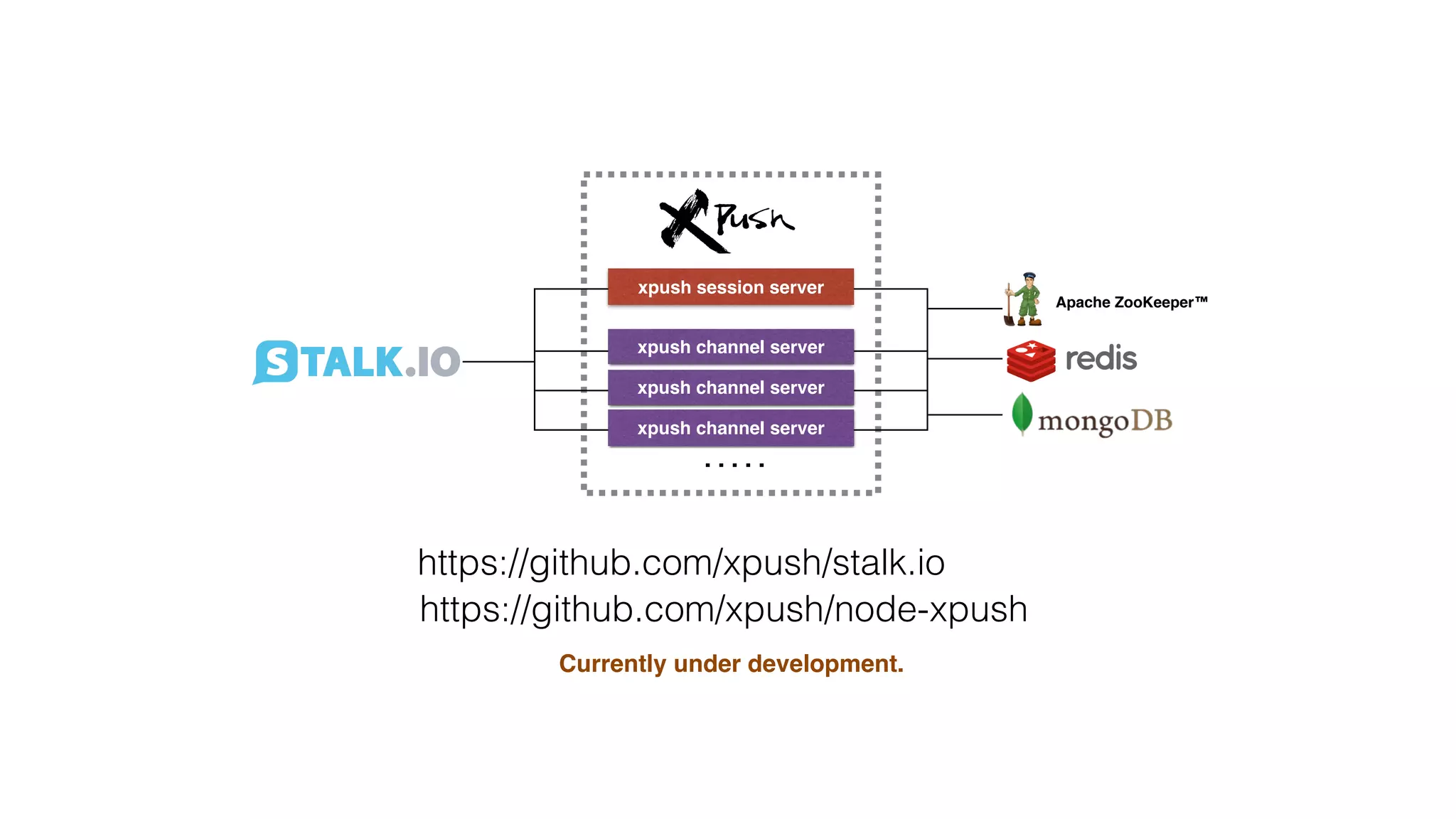
xpush session server
xpush channel server
. . . . .
Apache ZooKeeper™
https://github.com/xpush/stalk.io
https://github.com/xpush/node-xpush
Currently under development.
xpush session server
xpush channel server
. . . . .
Apache ZooKeeper™
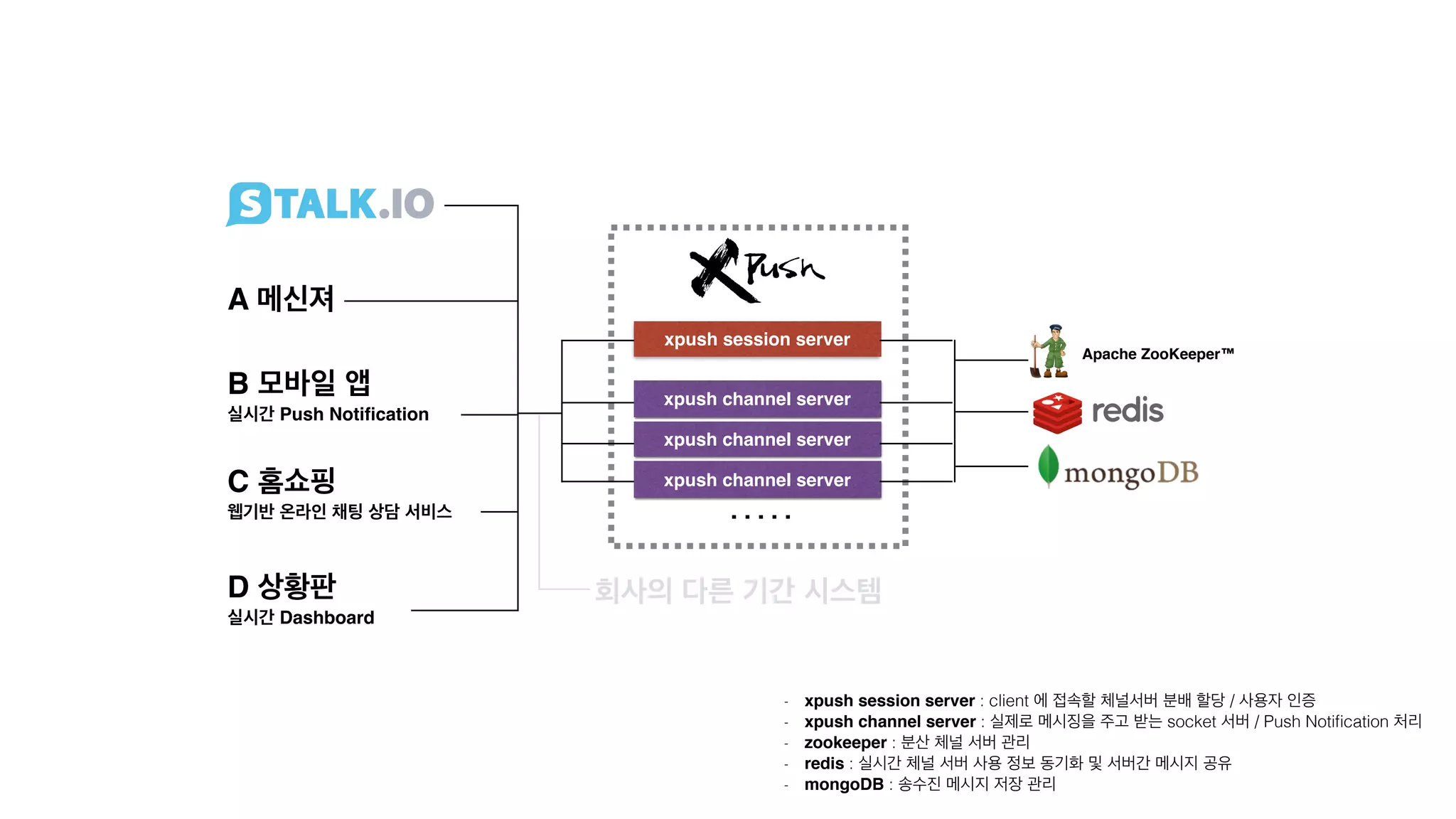
A 메신져
B 모바일 앱

실시간 Push Notification
C 홈쇼핑

웹기반 온라인 채팅 상담 서비스
D 상황판

실시간 Dashboard
- xpush session server : client 에 접속할 체널서버 분배 할당 / 사용자 인증!
- xpush channel server : 실제로 메시징을 주고 받는 socket 서버 / Push Notification 처리!
- zookeeper : 분산 체널 서버 관리
- redis : 실시간 체널 서버 사용 정보 동기화 및 서버간 메시지 공유
- mongoDB : 송수진 메시지 저장 관리
회사의 다른 기간 시스템
stalk.io
감사합니다.

NODE.JS 글로벌 기업 적용 사례 그리고, real-time 어플리케이션 개발하기

  • 2.
    김요한 / LGCNS NODE.JS 글로벌 기업 적용 사례 ! 그리고, real-time 어플리케이션 개발하기
  • 3.
    https://www.facebook.com/JohnKim0331! http://stalk.io 영어영문학을 전공하고, 인문학에관심이 많고, 피아노가 특기며, 코딩이 취미인 자랑스러운 대한민국 개발자입니다. 
 LG CNS 에서 SI 프로젝트의 분석/설계/개발 그리고 아키텍트 등 다양한 경험을 하고 있으며, 요즘은 다양한 오픈소스를 활용한 분산 아키텍처 설계/검증에 전념하고 있습니다. ! 엔지니어는 누구보다 객관적이어야 하기에 항상 겸손하고 끊임없이 탐구하려고 노력 중입니다. - DEVIEW, JCO 등 컨퍼런스 발표, NIPA 오픈프론티어! - Server Side Architecture Group 회원 ^^; 김요한 (John Kim)
  • 4.
    node.js 를 적용한글로벌 기업 사례! 그리고, 주목해야 할 특징# 1 socket.io 를 활용한! real-time 어플리케이션개발하기# 2
  • 5.
    node.js 를 적용한글로벌 기업 사례! 그리고, 주목해야 할 특징# 1
  • 6.
    Both LinkedInand Groupon! movedfrom a Rails stack to Node.js
  • 7.
    PayPalis concentrating ontraining for their developers to help understand ! functional and asynchronous coding.
  • 8.
    2014, eBay! will beusing node for the front end, ! and Scala / Java for the services.Scala / Java for the services
  • 9.
  • 10.
    The harder transitionwas not from Ruby and Java to node, 
! it was from OO to functional programming.
  • 11.
    If you wantto transition to node.js! Take it slow try it out with a few apps.
  • 12.
  • 13.
    PayPalwrote the sameapp twice in Node and Java. Node was 2x requests/sec, ! 33% less code,
 ! 35% less response time.
  • 14.
  • 15.
  • 16.
    vert.x 나 Tomcat7이 더 빠르기도 한다. ! ! CPU 나 OS 에 따라 다르기도 하다.
  • 17.
    실무에서는, ! 성능에 아주 민감한부분은 C 코드 로 ! 개발한다.
  • 18.
    이것은 마치, MySQL 과NoSQL 을 비교하는 것과 같다.
  • 19.
  • 20.
    The 250-500 msnode process start / stop time has been a huge benefit at LinkedIn and Groupon. Fast deployment is a huge advantage for node. ! Hard to deploy multiple times a day when it takes 2 hours each time.
  • 21.
    Node restarts soquickly ! crashed aren't a big deal.
  • 22.
    배포 시간이 줄어드는건상당한 장점이다. 하지만, soft shutdown 을 고려해서 개발해야 한다. 그래도, 아닌 경우도 많다.
  • 23.
  • 24.
  • 25.
  • 26.
    Framework 가 항상좋은 것은 아니다. Express 만으로도 충분한 경우가 많다.
  • 27.
    learning curve, walk-uplatency 가장 큰 장점은,! Productivity
  • 28.
    If your businessis changing,! if you want to try new things and stay agile, ! node is ideal.
  • 29.
    Small, reusable modules,unix philosophy, and not investing too much in frameworks. Unix Philosophy http://en.wikipedia.org/wiki/Unix_philosophy
  • 30.
    비즈니스(서비스) 를 먼저보고, ! node.js 를 적용할 것인지 결정해야 !
  • 31.
    socket.io 를 활용한! real-time어플리케이션개발하기# 2
  • 33.
  • 34.
    특히, 모바일에서 많이사용한다.! Mobile App 과 서버간 Socket 통신.!
  • 35.
  • 36.
    > namespace! 기능별로 socket연결을 분리하자
  • 37.
    var  io  =  require('socket.io').listen(80);   ! var  chat  =  io.of('/chat')      .on('connection',  function  (socket)  {          socket.emit('a  message',  {                  that:  'only'              ,  '/chat':  'will  get'          });          chat.emit('a  message',  {                  everyone:  'in'              ,  '/chat':  'will  get'          });      });   ! var  news  =  io.of('/news')      .on('connection',  function  (socket)  {          socket.emit('item',  {  news:  'item'  });      }); server.js <script>      var  chat  =  io.connect('http://localhost/chat')          ,  news  =  io.connect('http://localhost/news');            chat.on('connect',  function  ()  {          chat.emit('hi!');      });            news.on('news',  function  ()  {          news.emit('woot');      });   </script> client.js
  • 38.
    > authorization ! connection되기 전에 인증해야 한다.
  • 39.
    var  io  =  require('socket.io').listen(80);   ! var  chat  =  io.of('/chat')      .authorization(function  (handshakeData,  callback)  {          if(isValid(handshakeData.query.token){              callback(null,  true);          }else{              callback('Token  is  not  valid.',  false);          };      })      .on('connection',  function  (socket)  {          console.log(socket.handshake.token);      });   !  .  .  .  .  . <script>      var  chat  =  io.connect(‘http://localhost/chat?token=GAV3RWDG67WA’)      .  .  .  .  .     </script> server.js client.js
  • 40.
  • 41.
    ! io.enable('browser  client  minification’);       io.enable('browser  client  etag');                     ! io.enable('browser  client  gzip');                   ! ! io.set('log  level',  1);                                     ! io.set('transports',  [          'websocket'      ,  'flashsocket'      ,  'htmlfile'      ,  'xhr-­‐polling'      ,  'jsonp-­‐polling'   ]);   server.js flashsocket 사용하기! 포트번호 10843 열어야 함. gzip 압축 0 - error / 1 - warn / 2 - info / 3 - debug 브라우져 캐쉬를 위한 ETag 설정 javascript 파일 minified
  • 42.
       var  socket  =  io.connect('http://XXXXXXXXXXX',  {          'resource:  ‘socket.io',          'connect  timeout:  10000,          'try  multiple  transports:  true,          'reconnect:  true,          'reconnection  delay:  500,          'reconnection  attempts':  10,          'sync  disconnect  on  unload':  false,          'auto  connect':  true,          'flash  policy  port':  10843,          'force  new  connection':  false      }); client.js unload 이벤트 발생시 disconnect 이벤트 전송! (xhr-polling 인 경우에 유용함) 동일한 페이지에서 여러개의 socket 
 connection 을 연결해야 하는 경우 필요함
  • 43.
    > client javascript배포! grunt 로 concat 해서 배포하기
  • 44.
    ! module.exports  =  function(grunt)  {      concat:  {            dist:  {                  src:  [                    'src/client.js',                      'node_modules/socket.io-­‐client/dist/socket.io.js',                      'src/json2.js'],                  dest:  'public/client.js'              },          },          uglify:  {              dist:  {                  src:  '<%=  concat.dist.dest  %>',                  dest:  ‘public/client_min.js'              },          }   };   Gruntfile.js >  grunt https://github.com/xpush/stalk.io/blob/master/Gruntfile.js
  • 45.
    > 실행 파일만들기! 서버 실행 Shell 파일
  • 46.
    ! #!/usr/bin/env  node   ! var  io  =  require('socket.io').listen(80);   ! var  chat  =  io.of(‘/chat')      .authorization(function  (handshakeData,  callback)  {          if(isValid(handshakeData.query.token){              callback(null,  true);          }else{              callback('Token  is  not  valid.',  false);          };      })      .on('connection',  function  (socket)  {          console.log(socket.handshake.token);      });   !  .  .  .  .  . server >  server
  • 47.
  • 49.
    Apache ZooKeeper™ > 분산서버 환경 구성
  • 50.
    Apache ZooKeeper™ + /servers/10.54.22.102:8088                  /10.54.22.103:8100                  /10.54.22.103:8110 10.54.22.102:8088 10.54.22.103:8100 10.54.22.103:8110 10.54.22.104:8120                /10.54.22.104:8120
  • 51.
    var  zookeeper  =  require(‘node-­‐zookeeper-­‐client’);   var  zkClient    =  zookeeper.createClient(address,  {  retries  :  2  });   ! zkClient.create(          ‘/servers/10.54.22.102:8088’,          zookeeper.CreateMode.PERSISTENT,          function  (error)  {  .  .  .  .}      ); Apache ZooKeeper™
  • 52.
    var  zookeeper  =  require(‘node-­‐zookeeper-­‐client’);   var  zkClient    =  zookeeper.createClient(address,  {  retries  :  2  });   ! zkClient.create(          ‘/servers/10.54.22.102:8088’,          zookeeper.CreateMode.PERSISTENT,          function  (error)  {  .  .  .  .}      ); 네트워크의 일시적 장애로 ! 서버가 죽은것으로 오판하면 안된다. zookeeper.CreateMode.PERSISTENT zookeeper.CreateMode.EPHEMERAL Apache ZooKeeper™
  • 53.
    인스턴스  할당서버     10.54.22.102:80 10.54.22.102:8088 10.54.22.103:8100 10.54.22.103:8110 10.54.22.104:8120 Apache ZooKeeper™ /servers/10.54.22.102:8088                  /10.54.22.103:8100                  /10.54.22.103:8110                  /10.54.22.104:8120 채팅방(이름:SSAG)     접속할꺼임! 10.54.22.103:8110 Socket  연결 채팅방(이름:SSAG) 채팅방  SSAG  에  어느  서버를  할당해  줄까?
  • 54.
    인스턴스  할당서버     10.54.22.102:80 10.54.22.102:8088 10.54.22.103:8100 10.54.22.103:8110 10.54.22.104:8120 Apache ZooKeeper™ /servers/10.54.22.102:8088                  /10.54.22.103:8100                  /10.54.22.103:8110                  /10.54.22.104:8120 채팅방(이름:SSAG)     접속할꺼임! 10.54.22.103:8110 Socket  연결 채팅방(이름:SSAG) Consistent Hashing 채팅방  SSAG  에  어느  서버를  할당해  줄까?
  • 55.
    인스턴스  할당서버     10.54.22.102:80 10.54.22.102:8088 10.54.22.103:8100 10.54.22.103:8110 10.54.22.104:8120 Apache ZooKeeper™ /servers/10.54.22.102:8088                /10.54.22.103:8                /10.54.22.103:8                /10.54.22.104:8 채팅방 접속할꺼임 채팅방 10.54.22.103:8 Socket   채팅방 <Set/Get> SSAG  -­‐  Server3^2   MS      -­‐  Server2^1   LGCNS-­‐  Server1^4 체팅방명 접속된서버^접속자수 connect  :  +1   disconnect  :  -­‐1   (0  이면  DEL)
  • 56.
  • 57.
  • 58.
  • 59.
  • 60.
  • 62.
    xpush session server xpushchannel server xpush channel server xpush channel server . . . . . Apache ZooKeeper™ https://github.com/xpush/stalk.io https://github.com/xpush/node-xpush Currently under development.
  • 63.
    xpush session server xpushchannel server xpush channel server xpush channel server . . . . . Apache ZooKeeper™ A 메신져 B 모바일 앱
 실시간 Push Notification C 홈쇼핑
 웹기반 온라인 채팅 상담 서비스 D 상황판
 실시간 Dashboard - xpush session server : client 에 접속할 체널서버 분배 할당 / 사용자 인증! - xpush channel server : 실제로 메시징을 주고 받는 socket 서버 / Push Notification 처리! - zookeeper : 분산 체널 서버 관리 - redis : 실시간 체널 서버 사용 정보 동기화 및 서버간 메시지 공유 - mongoDB : 송수진 메시지 저장 관리 회사의 다른 기간 시스템
  • 65.
  • 66.