MS Excel & VBA: Reconciliation codes to compare 2 datasets using sumproduct
This is a sample reconciliation code in MS Excel / VBA for comparing 2 datasets using the sumproduct
function.
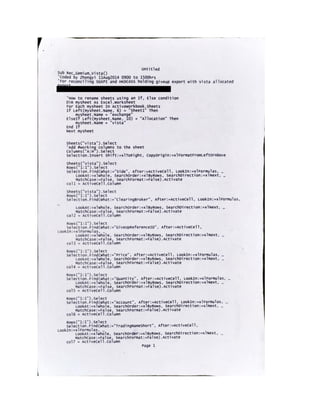
On a high level, the reconciliation tool is subdivided into several parts.
1) Maneuvering data using column headers of dataset A in worksheet1.
2) Maneuvering data using column headers of dataset B in worksheet2.
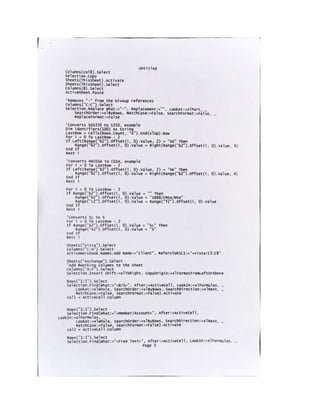
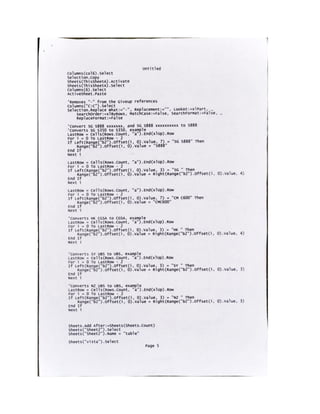
3) Standardizing the data for both datasets for comparison.
4) Combining both datasets into a new table worksheet3.
5) Removing duplicates for unique values of Buy/Sell, Broker, Reference, Price.
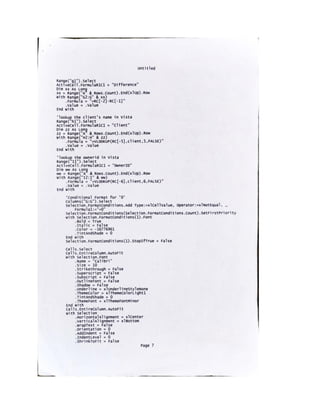
6) Using the sumproduct function to compute the aggregated quantity for the unique values mentioned
in 5) for dataset A.
7) Using the sumproduct function to compute the aggregated quantity for the unique values mentioned
in 5) for dataset B.
8) Calculating the difference for both datasets.
9) Locating the specific client using vlookup.
10) Using conditioning formatting to highlight the difference.
11) General formatting and auto-filtering.
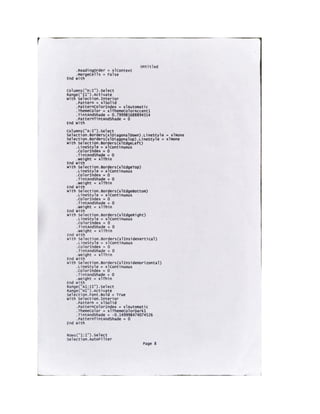
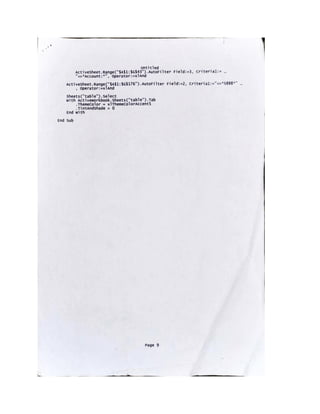
Crux of the reconciliation tool: Record
macro when typing out the formula for the
‘sumproduct’ function in Excel.
MS Excel & VBA: Reconciliation codes to compare 2 datasets using sumproduct

MS Excel & VBA: Reconciliation codes to compare 2 datasets using sumproduct

  • 1.
    MS Excel &VBA: Reconciliation codes to compare 2 datasets using sumproduct This is a sample reconciliation code in MS Excel / VBA for comparing 2 datasets using the sumproduct function. On a high level, the reconciliation tool is subdivided into several parts. 1) Maneuvering data using column headers of dataset A in worksheet1. 2) Maneuvering data using column headers of dataset B in worksheet2. 3) Standardizing the data for both datasets for comparison. 4) Combining both datasets into a new table worksheet3. 5) Removing duplicates for unique values of Buy/Sell, Broker, Reference, Price. 6) Using the sumproduct function to compute the aggregated quantity for the unique values mentioned in 5) for dataset A. 7) Using the sumproduct function to compute the aggregated quantity for the unique values mentioned in 5) for dataset B. 8) Calculating the difference for both datasets. 9) Locating the specific client using vlookup. 10) Using conditioning formatting to highlight the difference. 11) General formatting and auto-filtering.
  • 7.
    Crux of thereconciliation tool: Record macro when typing out the formula for the ‘sumproduct’ function in Excel.