
Mongrel2
 an introduction

     Paolo Negri - @hungryblank
Berlin Ruby User Group 7th Oct 2010
1st something
    about
  Mongrel1
Mongrel1

“Mongrel is a small library that
provides a very fast HTTP 1.1 server
for Ruby web applications.”


                   (Mongrel README)
Mongrel1

“Unicorn is copyright 2009 by all
contributors.
It is based on Mongrel”
                   (Unicorn README)
Mongrel1
“Thin is a Ruby web server that glues
together 3 of the best Ruby libraries in
web history:
•   the Mongrel parser...”
                        (Thin homepage)
Mongrel1
“Back then I wrote a little Ruby web
server called Ebb that was meant to be
a faster Mongrel.
That code was the starting point for
Node”
            (Ryan Dahl, node.js author)
Mongrel2 and Mongrel1
        share
 • HTTP parser
 • author - @zedshaw
Mongrel2
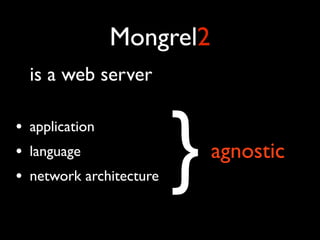
    is a web server

•
•
•
    application
    language
    network architecture   }   agnostic
Mongrel2
       Language Agnostic
•   Focus on HTTP
•   Not for a specific language
•   Use it with Ruby, Python, C++, PHP, Haskell,
    Common Lisp, Perl, .NET, Clojure, Lua ...
Mongrel2
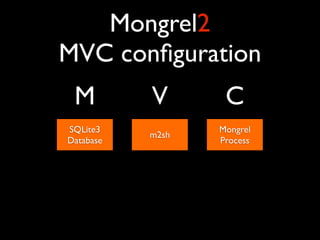
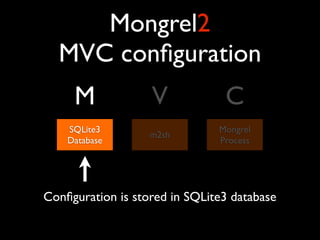
MVC configuration
 M         V       C
SQLite3           Mongrel
           m2sh
Database          Process
Mongrel2
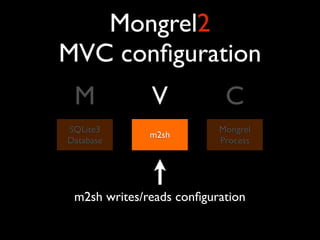
  MVC configuration
     M             V            C
    SQLite3                    Mongrel
                   m2sh
    Database                   Process


Configuration is stored in SQLite3 database
Mongrel2
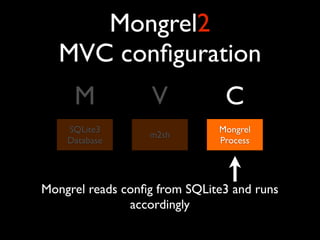
MVC configuration
 M            V            C
SQLite3                   Mongrel
              m2sh
Database                  Process


 m2sh writes/reads configuration
Mongrel2
   MVC configuration
     M             V           C
    SQLite3                   Mongrel
                  m2sh
    Database                  Process


Mongrel reads config from SQLite3 and runs
               accordingly
Mongrel2
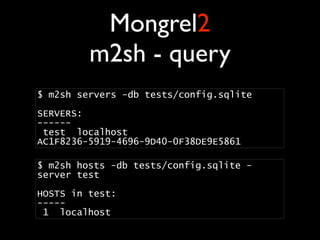
         m2sh - query
$ m2sh servers -db tests/config.sqlite

SERVERS:
------
 test localhost
AC1F8236-5919-4696-9D40-0F38DE9E5861

$ m2sh hosts -db tests/config.sqlite -
server test

HOSTS in test:
-----
 1 localhost
Mongrel2
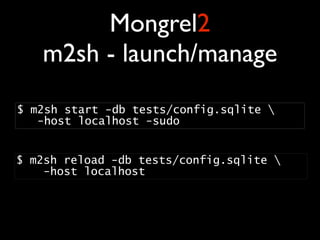
   m2sh - launch/manage
$ m2sh start -db tests/config.sqlite 
   -host localhost -sudo


$ m2sh reload -db tests/config.sqlite  
    -host localhost 
Mongrel2
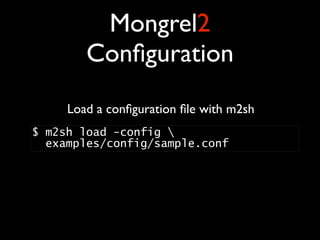
        Configuration
     Load a configuration file with m2sh
$ m2sh load -config 
  examples/config/sample.conf
Mongrel2
                 Configuration
main = Server( 
    uuid="f400bf85-4538-4f7a-8908-67e313d515c2", 
    access_log="/logs/access.log", 
    error_log="/logs/error.log", 
    chroot="./", 
    default_host="localhost", 
    name="test", 
    pid_file="/run/mongrel2.pid", 
    port=6767, 
    hosts = [ 
        Host(name="localhost", routes={ 
            '/tests/': Dir(base='tests/', index_file='index.html', 
                             default_ctype='text/plain') 
        }) 
    ] 
) 
Mongrel2
                 Configuration
                   Unique server identifier
main = Server( 
    uuid="f400bf85-4538-4f7a-8908-67e313d515c2", 
    access_log="/logs/access.log", 
    error_log="/logs/error.log", 
    chroot="./", 
    default_host="localhost", 
    name="test", 
    pid_file="/run/mongrel2.pid", 
    port=6767, 
    hosts = [ 
        Host(name="localhost", routes={ 
            '/tests/': Dir(base='tests/', index_file='index.html', 
                             default_ctype='text/plain') 
        }) 
    ] 
) 
Mongrel2
                 Configuration
            logfiles, port, server name, pid...
main = Server( 
    uuid="f400bf85-4538-4f7a-8908-67e313d515c2", 
    access_log="/logs/access.log", 
    error_log="/logs/error.log", 
    chroot="./", 
    default_host="localhost", 
    name="test", 
    pid_file="/run/mongrel2.pid", 
    port=6767, 
    hosts = [ 
        Host(name="localhost", routes={ 
            '/tests/': Dir(base='tests/', index_file='index.html', 
                             default_ctype='text/plain') 
        }) 
    ] 
) 
Mongrel2
        Configuration
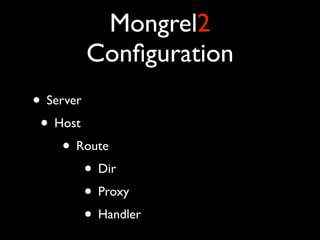
• Server
 • Host
     • Route
         • Dir
         • Proxy
         • Handler
Mongrel2
        Configuration
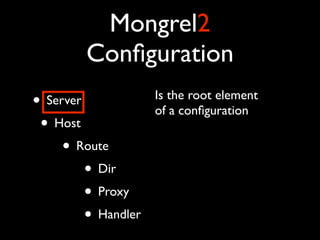
• Server             Is the root element
                     of a configuration
 • Host
     • Route
         • Dir
         • Proxy
         • Handler
Mongrel2
           Configuration
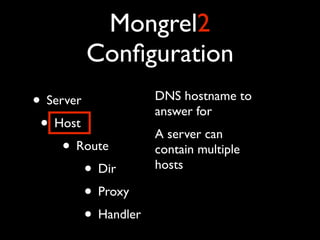
• Server            DNS hostname to
                    answer for
 • Host             A server can
    • Route         contain multiple
        • Dir       hosts

        • Proxy
        • Handler
Mongrel2
           Configuration
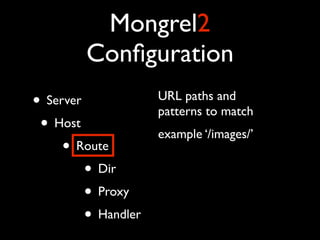
• Server            URL paths and
                    patterns to match
 • Host             example ‘/images/’
    • Route
        • Dir
        • Proxy
        • Handler
Mongrel2
        Configuration
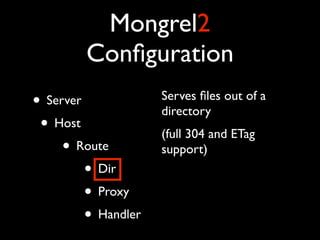
• Server             Serves files out of a
                     directory
 • Host              (full 304 and ETag
     • Route         support)
         • Dir
         • Proxy
         • Handler
Mongrel2
           Configuration
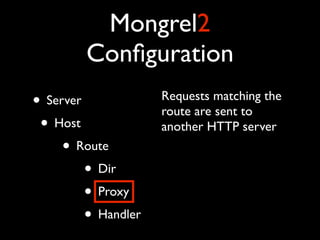
• Server            Requests matching the
                    route are sent to
 • Host             another HTTP server
    • Route
        • Dir
        • Proxy
        • Handler
Mongrel2
        Configuration
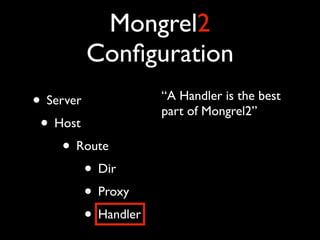
• Server             “A Handler is the best
                     part of Mongrel2”
 • Host
     • Route
         • Dir
         • Proxy
         • Handler
Mongrel2
Handler
 browser


mongrel2

 handler
Mongrel2
Handler
 browser


mongrel2

 handler
Mongrel2
Handler
 browser


mongrel2

 handler
Mongrel2
Handler
 browser


mongrel2

 handler
Mongrel2
            Handler

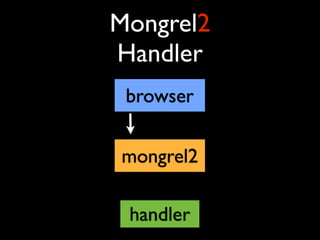
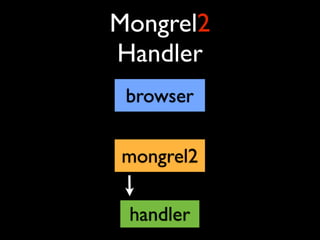
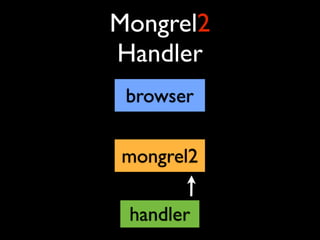
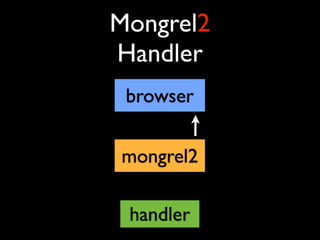
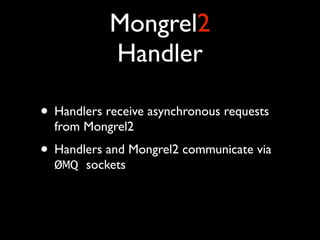
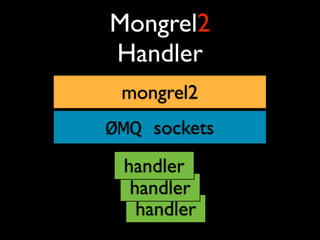
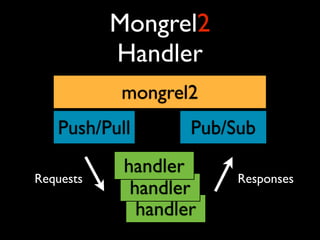
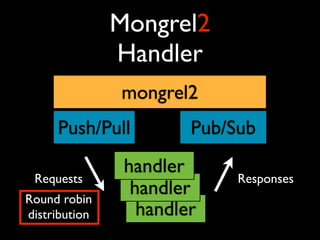
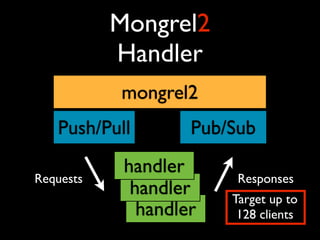
• Handlers receive asynchronous requests
  from Mongrel2
• Handlers and Mongrel2 communicate via
  ØMQ sockets
Mongrel2
Handler
 mongrel2
ØMQ sockets
 handler
  handler
   handler
Mongrel2
           Handler
           mongrel2
   Push/Pull        Pub/Sub
            handler
Requests                 Responses
             handler
              handler
Mongrel2
               Handler
               mongrel2
     Push/Pull          Pub/Sub
                handler
 Requests                    Responses
Round robin
                 handler
distribution      handler
Mongrel2
           Handler
           mongrel2
   Push/Pull        Pub/Sub
            handler
Requests                 Responses
             handler    Target up to
              handler    128 clients
Mongrel2
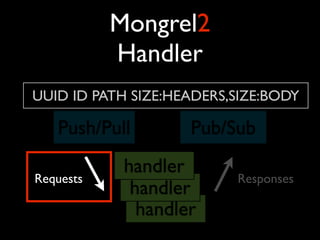
           Handler
UUID ID PATH SIZE:HEADERS,SIZE:BODY

   Push/Pull        Pub/Sub
            handler
Requests                  Responses
             handler
              handler
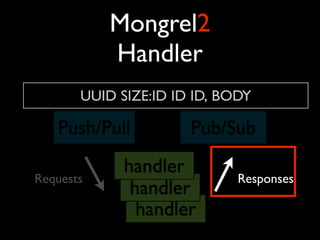
Mongrel2
           Handler
       UUID SIZE:ID ID ID, BODY

   Push/Pull          Pub/Sub
             handler
Requests                     Responses
              handler
               handler
Mongrel2
            Handler

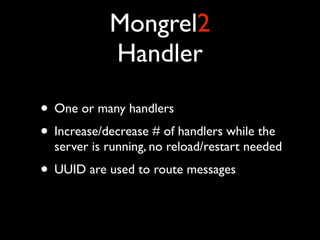
• One or many handlers
• Increase/decrease # of handlers while the
  server is running, no reload/restart needed
• UUID are used to route messages
Mongrel2
            Handler
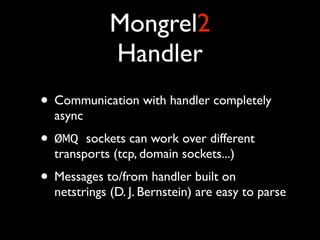
• Communication with handler completely
  async
• ØMQ   sockets can work over different
  transports (tcp, domain sockets...)
• Messages to/from handler built on
  netstrings (D. J. Bernstein) are easy to parse
Mongrel2
        Ruby Handler

• http://github.com/perplexes/m2r
• JRuby or ruby 1.9.2
• Simple handler or Rack enabled
Mongrel2
        Ruby Handler

• Run any Rack app using mongrel2, now!
Mongrel2
Questions


   ?
Thanks!


Paolo Negri
@hungryblank

Mongrel2, a short introduction

  • 1.
    Mongrel2 an introduction Paolo Negri - @hungryblank Berlin Ruby User Group 7th Oct 2010
  • 2.
    1st something about Mongrel1
  • 3.
    Mongrel1 “Mongrel is asmall library that provides a very fast HTTP 1.1 server for Ruby web applications.” (Mongrel README)
  • 4.
    Mongrel1 “Unicorn is copyright2009 by all contributors. It is based on Mongrel” (Unicorn README)
  • 5.
    Mongrel1 “Thin is aRuby web server that glues together 3 of the best Ruby libraries in web history: • the Mongrel parser...” (Thin homepage)
  • 6.
    Mongrel1 “Back then Iwrote a little Ruby web server called Ebb that was meant to be a faster Mongrel. That code was the starting point for Node” (Ryan Dahl, node.js author)
  • 7.
    Mongrel2 and Mongrel1 share • HTTP parser • author - @zedshaw
  • 8.
    Mongrel2 is a web server • • • application language network architecture } agnostic
  • 9.
    Mongrel2 Language Agnostic • Focus on HTTP • Not for a specific language • Use it with Ruby, Python, C++, PHP, Haskell, Common Lisp, Perl, .NET, Clojure, Lua ...
  • 10.
    Mongrel2 MVC configuration M V C SQLite3 Mongrel m2sh Database Process
  • 11.
    Mongrel2 MVCconfiguration M V C SQLite3 Mongrel m2sh Database Process Configuration is stored in SQLite3 database
  • 12.
    Mongrel2 MVC configuration M V C SQLite3 Mongrel m2sh Database Process m2sh writes/reads configuration
  • 13.
    Mongrel2 MVC configuration M V C SQLite3 Mongrel m2sh Database Process Mongrel reads config from SQLite3 and runs accordingly
  • 14.
    Mongrel2 m2sh - query $ m2sh servers -db tests/config.sqlite SERVERS: ------ test localhost AC1F8236-5919-4696-9D40-0F38DE9E5861 $ m2sh hosts -db tests/config.sqlite - server test HOSTS in test: ----- 1 localhost
  • 15.
    Mongrel2 m2sh - launch/manage $ m2sh start -db tests/config.sqlite  -host localhost -sudo $ m2sh reload -db tests/config.sqlite   -host localhost 
  • 16.
    Mongrel2 Configuration Load a configuration file with m2sh $ m2sh load -config  examples/config/sample.conf
  • 17.
    Mongrel2 Configuration main = Server(      uuid="f400bf85-4538-4f7a-8908-67e313d515c2",      access_log="/logs/access.log",      error_log="/logs/error.log",      chroot="./",      default_host="localhost",      name="test",      pid_file="/run/mongrel2.pid",      port=6767,      hosts = [          Host(name="localhost", routes={              '/tests/': Dir(base='tests/', index_file='index.html',                               default_ctype='text/plain')          })      ]  ) 
  • 18.
    Mongrel2 Configuration Unique server identifier main = Server(      uuid="f400bf85-4538-4f7a-8908-67e313d515c2",      access_log="/logs/access.log",      error_log="/logs/error.log",      chroot="./",      default_host="localhost",      name="test",      pid_file="/run/mongrel2.pid",      port=6767,      hosts = [          Host(name="localhost", routes={              '/tests/': Dir(base='tests/', index_file='index.html',                               default_ctype='text/plain')          })      ]  ) 
  • 19.
    Mongrel2 Configuration logfiles, port, server name, pid... main = Server(      uuid="f400bf85-4538-4f7a-8908-67e313d515c2",      access_log="/logs/access.log",      error_log="/logs/error.log",      chroot="./",      default_host="localhost",      name="test",      pid_file="/run/mongrel2.pid",      port=6767,      hosts = [          Host(name="localhost", routes={              '/tests/': Dir(base='tests/', index_file='index.html',                               default_ctype='text/plain')          })      ]  ) 
  • 20.
    Mongrel2 Configuration • Server • Host • Route • Dir • Proxy • Handler
  • 21.
    Mongrel2 Configuration • Server Is the root element of a configuration • Host • Route • Dir • Proxy • Handler
  • 22.
    Mongrel2 Configuration • Server DNS hostname to answer for • Host A server can • Route contain multiple • Dir hosts • Proxy • Handler
  • 23.
    Mongrel2 Configuration • Server URL paths and patterns to match • Host example ‘/images/’ • Route • Dir • Proxy • Handler
  • 24.
    Mongrel2 Configuration • Server Serves files out of a directory • Host (full 304 and ETag • Route support) • Dir • Proxy • Handler
  • 25.
    Mongrel2 Configuration • Server Requests matching the route are sent to • Host another HTTP server • Route • Dir • Proxy • Handler
  • 26.
    Mongrel2 Configuration • Server “A Handler is the best part of Mongrel2” • Host • Route • Dir • Proxy • Handler
  • 27.
  • 28.
  • 29.
  • 30.
  • 31.
    Mongrel2 Handler • Handlers receive asynchronous requests from Mongrel2 • Handlers and Mongrel2 communicate via ØMQ sockets
  • 32.
  • 33.
    Mongrel2 Handler mongrel2 Push/Pull Pub/Sub handler Requests Responses handler handler
  • 34.
    Mongrel2 Handler mongrel2 Push/Pull Pub/Sub handler Requests Responses Round robin handler distribution handler
  • 35.
    Mongrel2 Handler mongrel2 Push/Pull Pub/Sub handler Requests Responses handler Target up to handler 128 clients
  • 36.
    Mongrel2 Handler UUID ID PATH SIZE:HEADERS,SIZE:BODY Push/Pull Pub/Sub handler Requests Responses handler handler
  • 37.
    Mongrel2 Handler UUID SIZE:ID ID ID, BODY Push/Pull Pub/Sub handler Requests Responses handler handler
  • 38.
    Mongrel2 Handler • One or many handlers • Increase/decrease # of handlers while the server is running, no reload/restart needed • UUID are used to route messages
  • 39.
    Mongrel2 Handler • Communication with handler completely async • ØMQ sockets can work over different transports (tcp, domain sockets...) • Messages to/from handler built on netstrings (D. J. Bernstein) are easy to parse
  • 40.
    Mongrel2 Ruby Handler • http://github.com/perplexes/m2r • JRuby or ruby 1.9.2 • Simple handler or Rack enabled
  • 41.
    Mongrel2 Ruby Handler • Run any Rack app using mongrel2, now!
  • 42.
  • 43.