MongoDB
My name is
Steve Francia

     @spf13
• 15+ years building the
  internet

• BYU Alumnus
• Father, husband,
  skateboarder

• Chief Solutions Architect @
  10gen
Introduction to
   MongoDB
Why MongoDB?
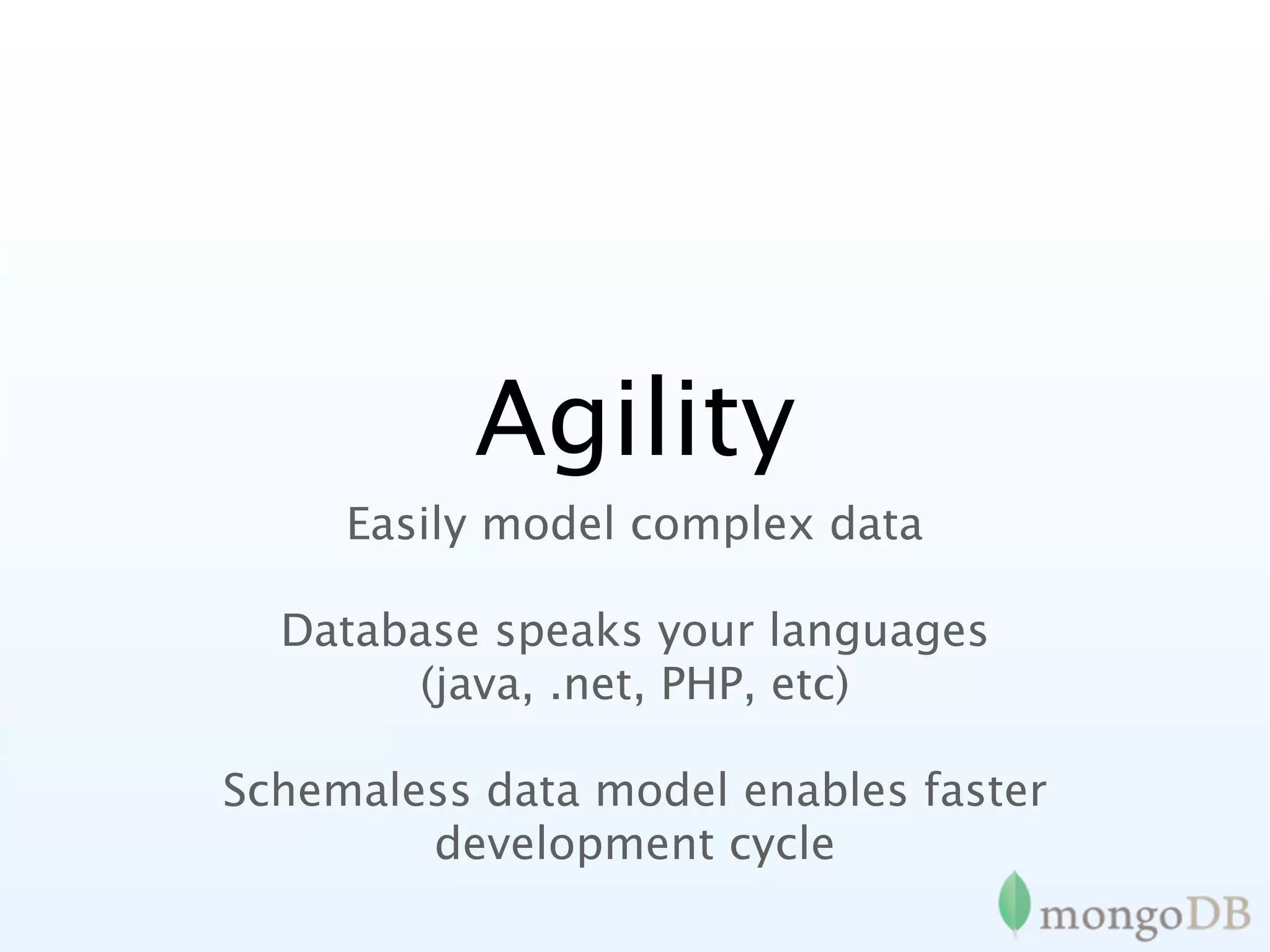
Agility
     Easily model complex data

  Database speaks your languages
       (java, .net, PHP, etc)

Schemaless data model enables faster
        development cycle
Scale
Easy and automatic scale out
Cost
Cost effectively manage abundant data
       (clickstreams, logs, etc.)
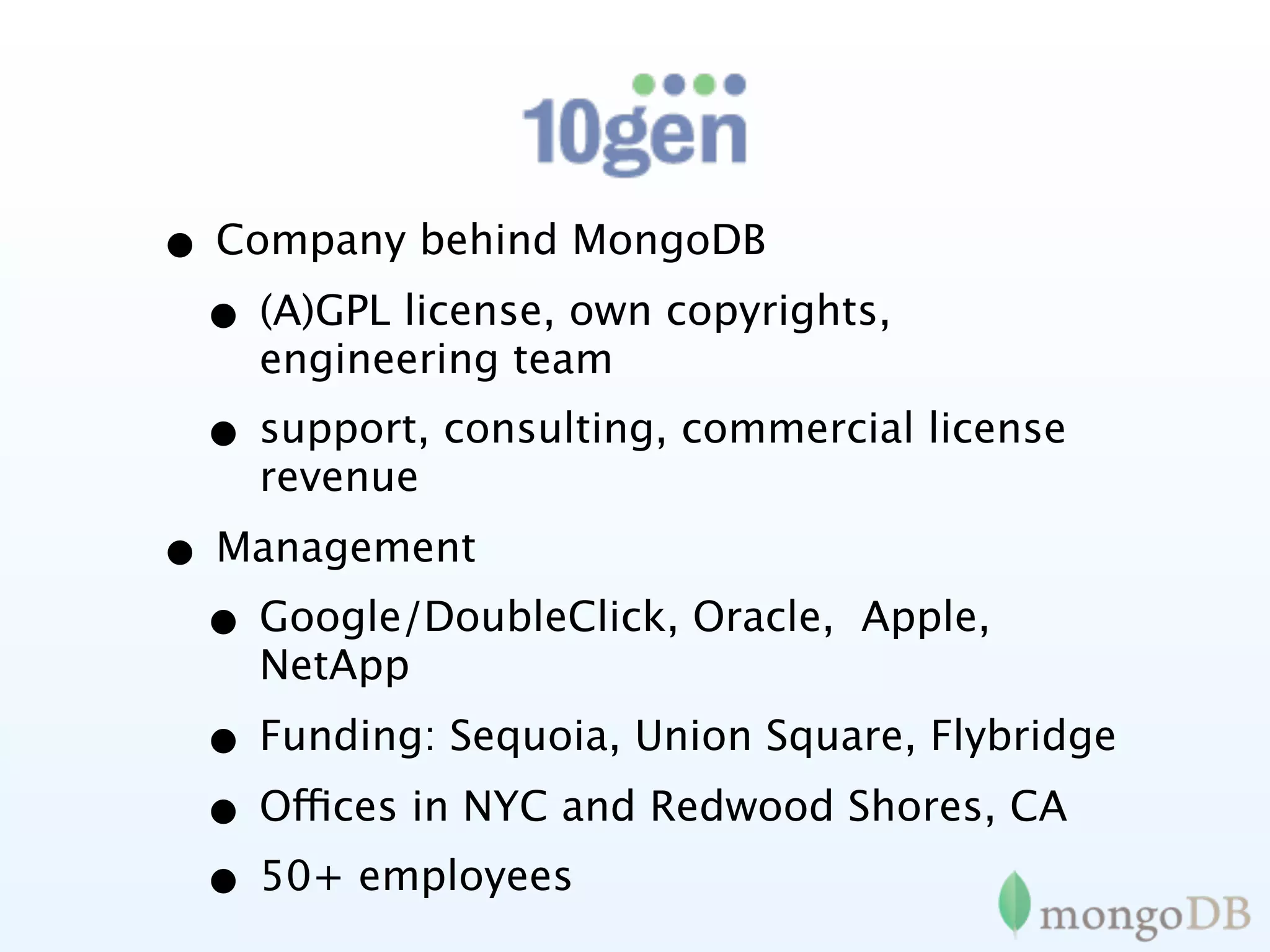
• Company behind MongoDB
 • (A)GPL license, own copyrights,
    engineering team
  • support, consulting, commercial license
    revenue
• Management
 • Google/DoubleClick, Oracle,   Apple,
    NetApp
  • Funding: Sequoia, Union Square, Flybridge
  • Offices in NYC and Redwood Shores, CA
  • 50+ employees
MongoDB Goals
• OpenSource
• Designed for today
 • Today’s hardware / environments
 • Today’s challenges
• Easy development
• Reliable
• Scalable
A bit of history
1974
The relational database is created
1979
1979   1982‐1996
1979   1982‐1996   1995
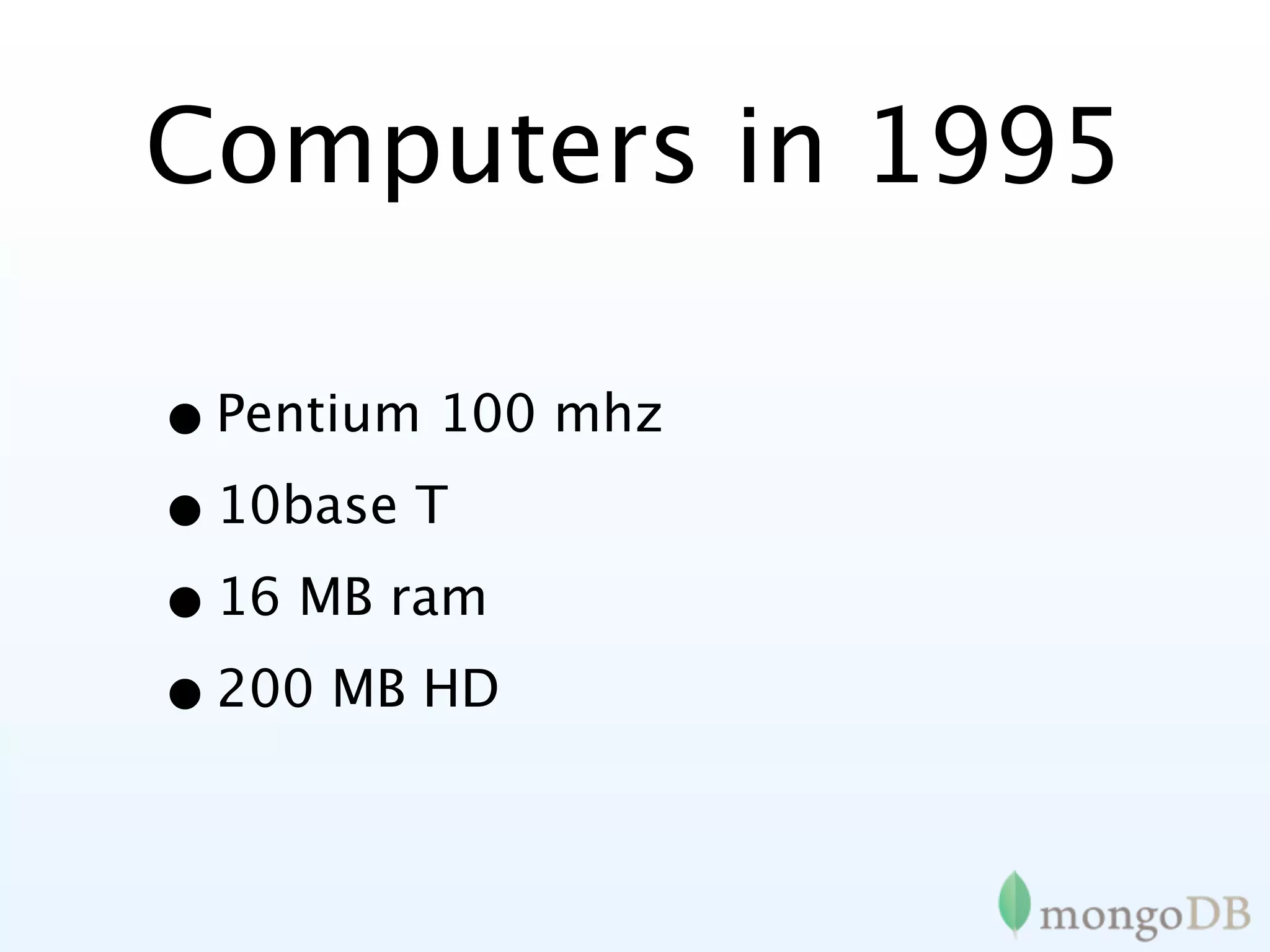
Computers in 1995

• Pentium 100 mhz
• 10base T
• 16 MB ram
• 200 MB HD
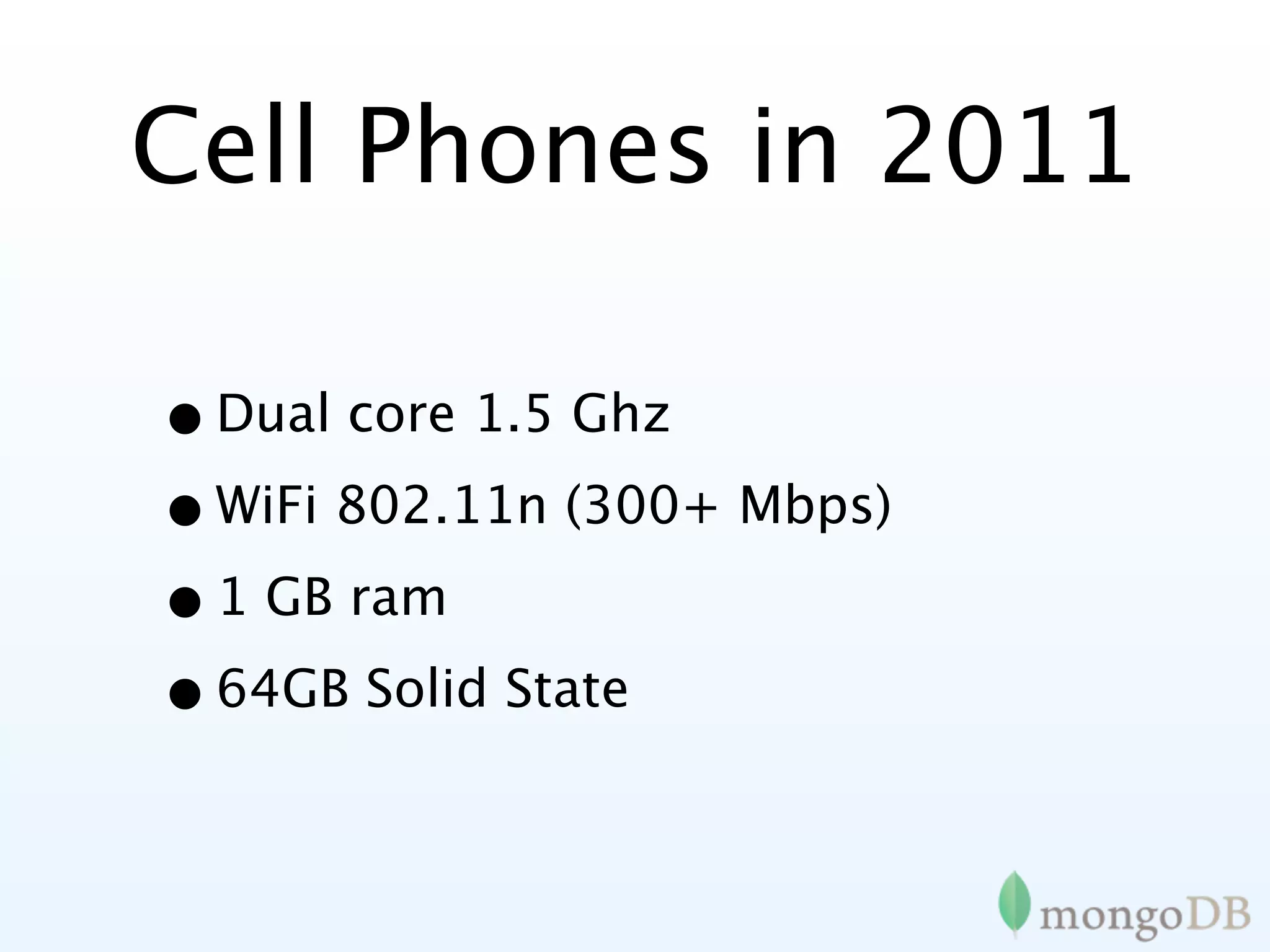
Cell Phones in 2011

• Dual core 1.5 Ghz
• WiFi 802.11n (300+ Mbps)
• 1 GB ram
• 64GB Solid State
How about a DB
designed for today?
It started with
 DoubleClick
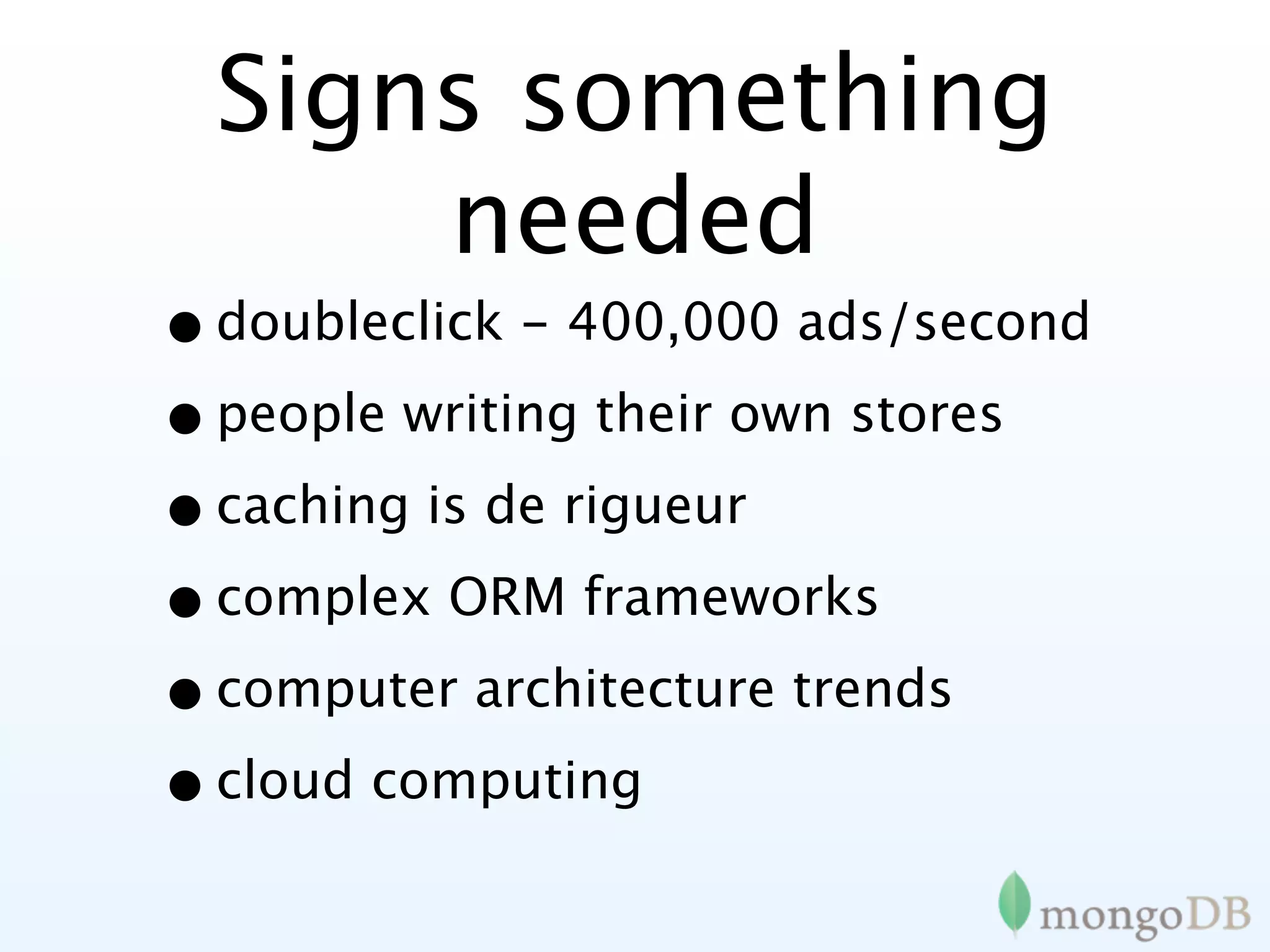
Signs something
      needed
• doubleclick - 400,000 ads/second
• people writing their own stores
• caching is de rigueur
• complex ORM frameworks
• computer architecture trends
• cloud computing
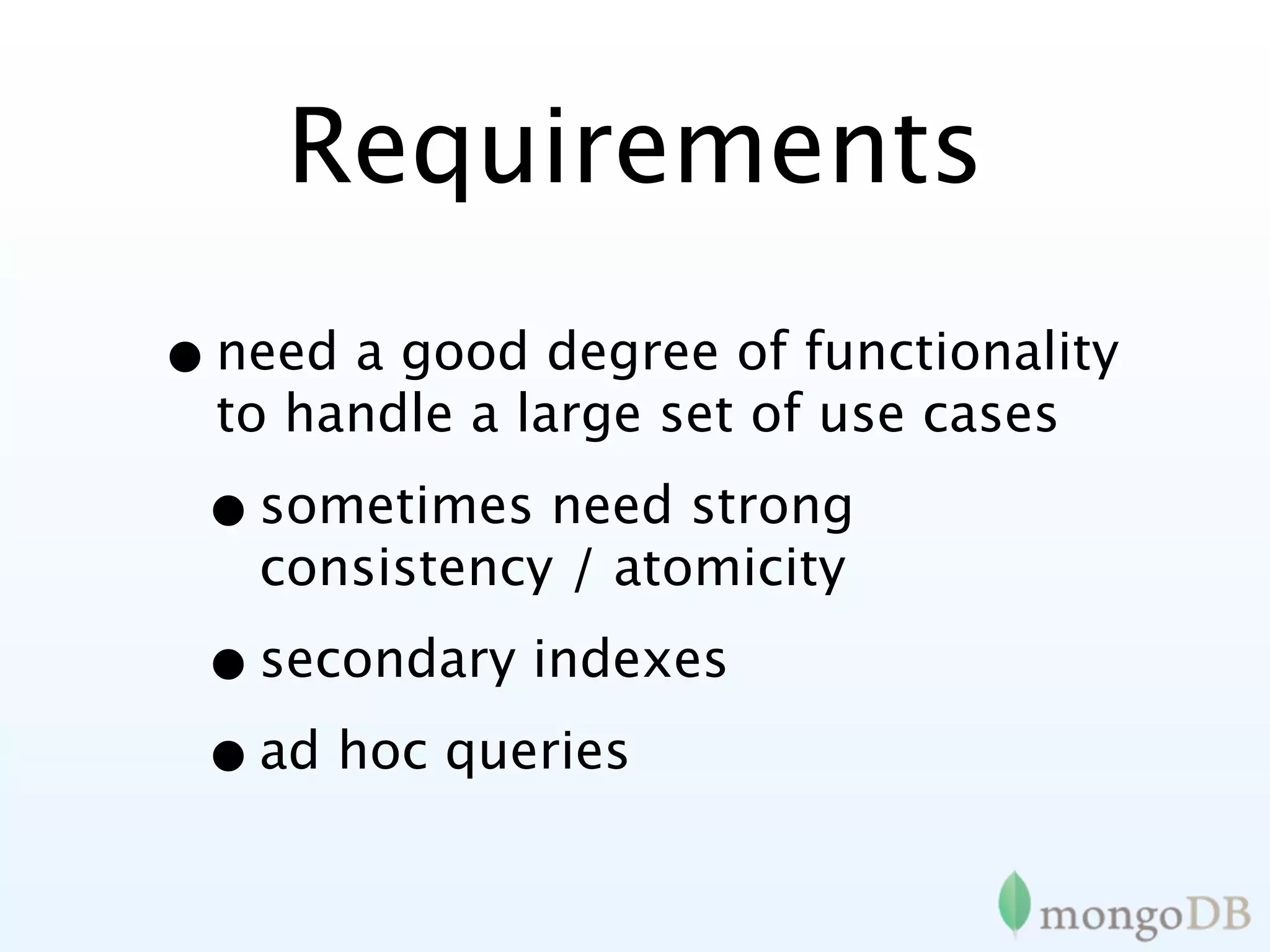
Requirements
• need a good degree of functionality
  to handle a large set of use cases

 • sometimes need strong
   consistency / atomicity

 • secondary indexes
 • ad hoc queries
Trim unneeded
      features
• leave out a few things so we can
  scale

 • no choice but to leave out
   relational

 • distributed transactions are hard
   to scale
Needed a scalable
   data model
• some options:
 • key/value
 • columnar / tabular
 • document oriented (JSON inspired)
• opportunity to innovate -> agility
MongoDB philosphy
•   No longer one-size-fits all. but not 12 tools either.

•   Non-relational (no joins) makes scaling horizontally
    practical

•   Document data models are good

•   Keep functionality when we can (key/value stores are
    great, but we need more)

•   Database technology should run anywhere, being
    available both for running on your own servers or VMs,
    and also as a cloud pay-for-what-you-use service.
•   Ideally open source...
MongoDB

• JSON Documents
• Querying/Indexing/Updating similar
  to relational databases

• Traditional Consistency
• Auto-Sharding
Under the hood

• Written in C++
• Available on most platforms
• Data serialized to BSON
• Extensive use of memory-mapped
 files
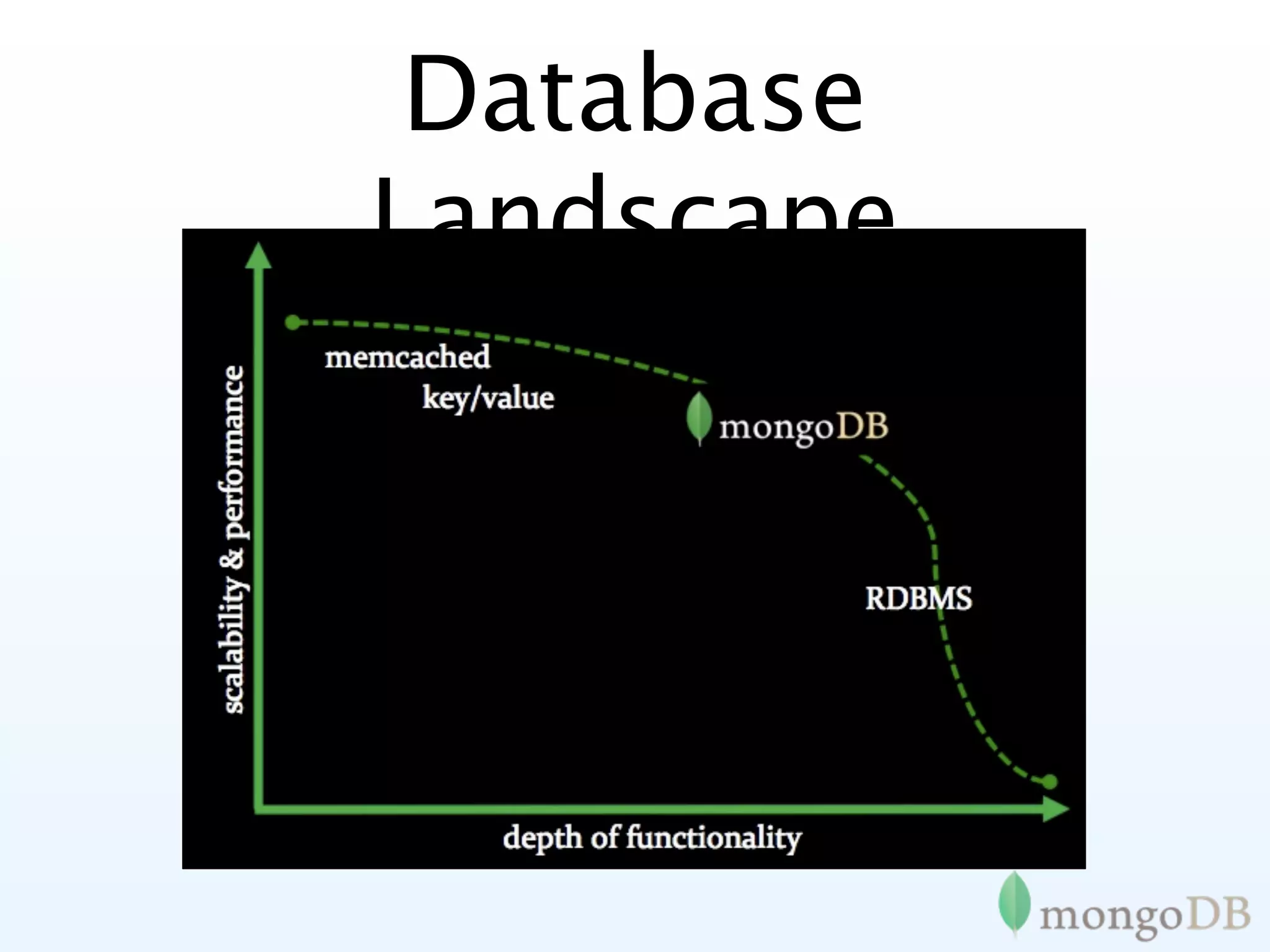
Database
Landscape
MongoDB is:
          Application       Document
                             Oriented
   High                      { author: “steve”,
                               date: new Date(),

Performanc
                               text: “About MongoDB...”,
                               tags: [“tech”, “database”]}

     e


    Horizontally Scalable
This has led
    some to say

“
MongoDB has the best
features of key/ values
stores, document
databases and relational
databases in one.
              John Nunemaker
Use Cases
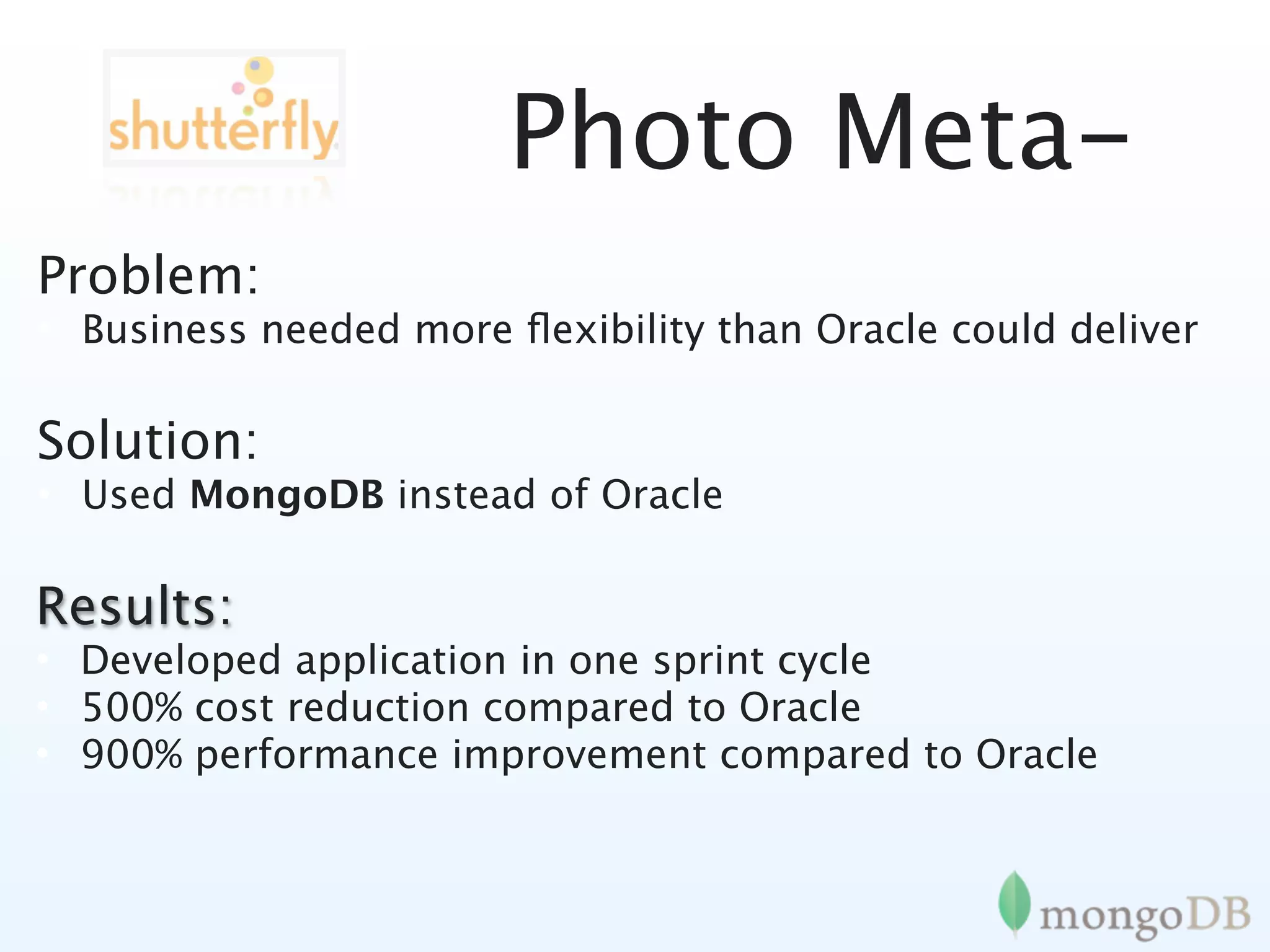
Photo Meta-
Problem:
• Business needed more flexibility than Oracle could deliver

Solution:
• Used MongoDB instead of Oracle

Results:
• Developed application in one sprint cycle
• 500% cost reduction compared to Oracle
• 900% performance improvement compared to Oracle
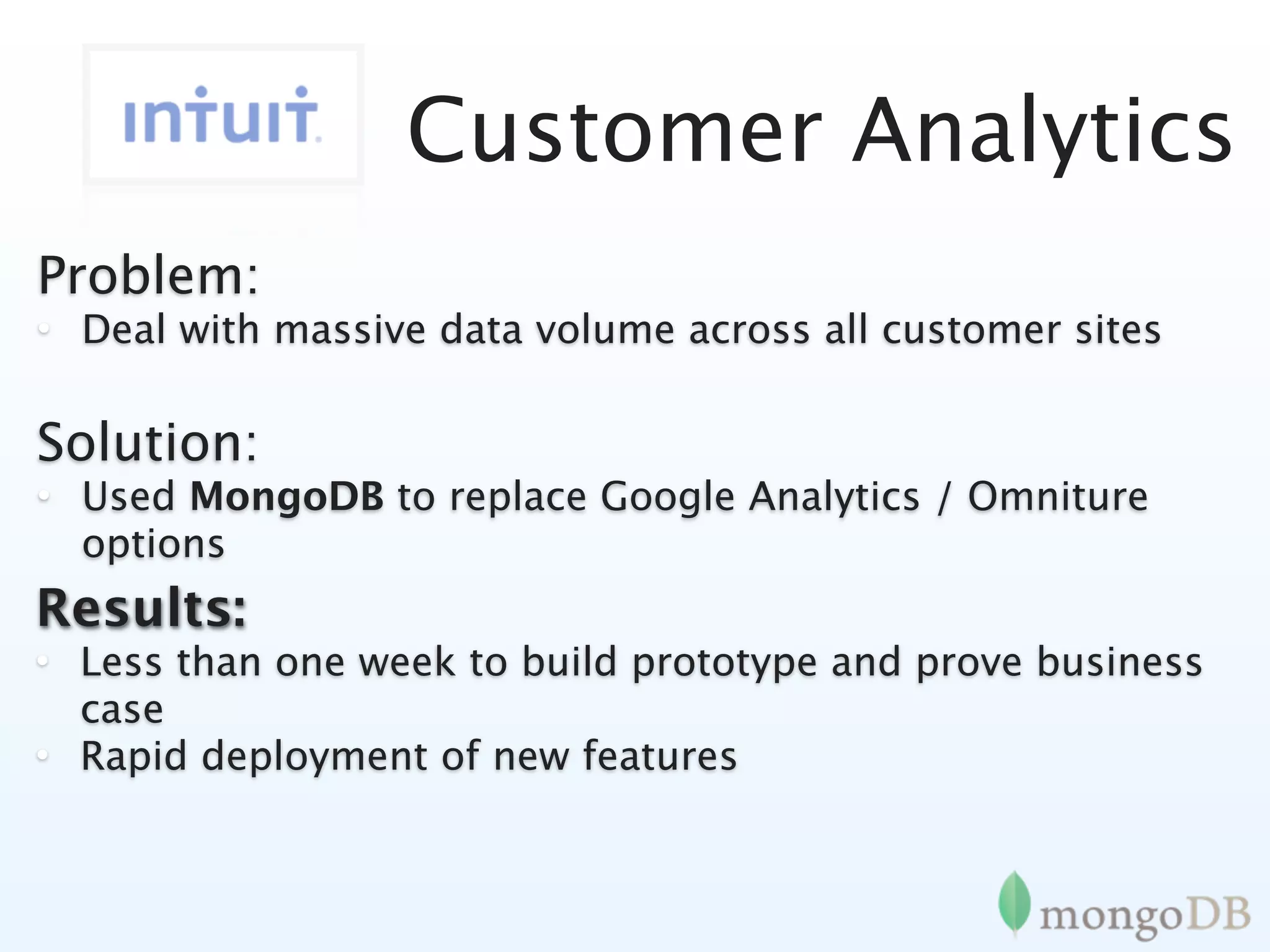
Customer Analytics
Problem:
• Deal with massive data volume across all customer sites

Solution:
• Used MongoDB to replace Google Analytics / Omniture
  options
Results:
• Less than one week to build prototype and prove business
  case
• Rapid deployment of new features
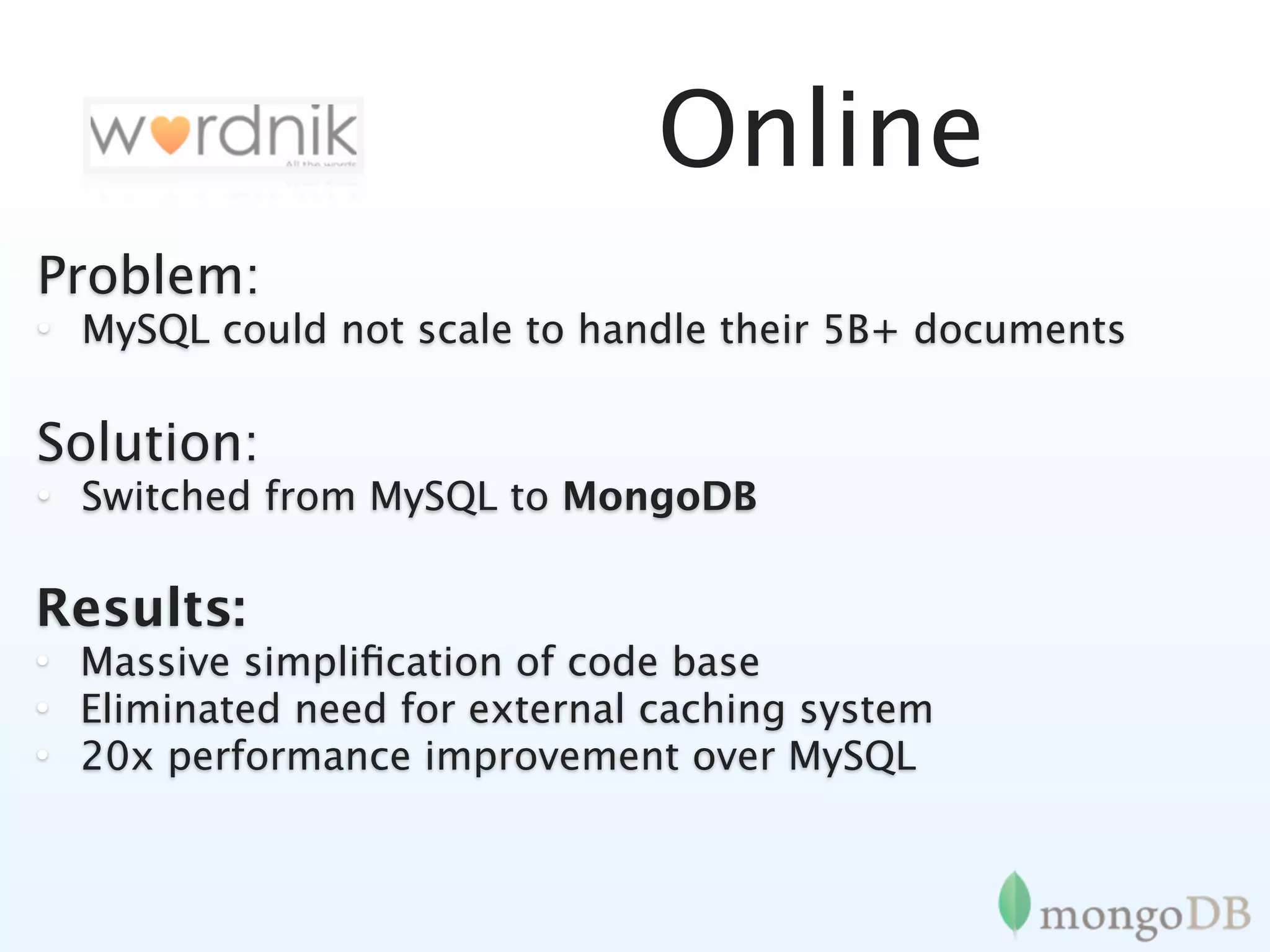
Online
Problem:
• MySQL could not scale to handle their 5B+ documents

Solution:
• Switched from MySQL to MongoDB

Results:
• Massive simplification of code base
• Eliminated need for external caching system
• 20x performance improvement over MySQL
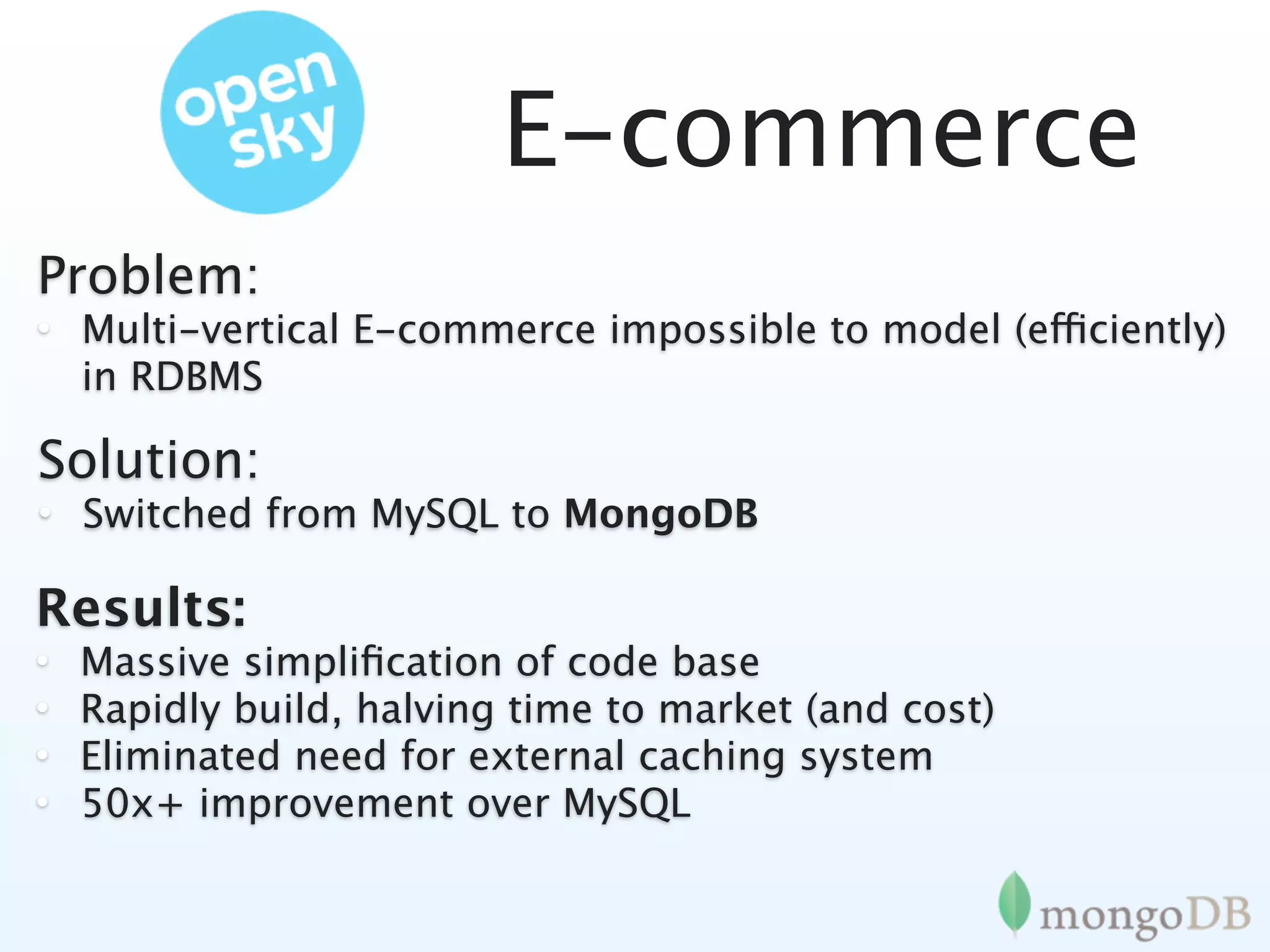
E-commerce
Problem:
• Multi-vertical E-commerce impossible to model (efficiently)
  in RDBMS

Solution:
• Switched from MySQL to MongoDB

Results:
•   Massive simplification of code base
•   Rapidly build, halving time to market (and cost)
•   Eliminated need for external caching system
•   50x+ improvement over MySQL
Tons more
Pretty much if you can use a RDMBS or Key/
        Value MongoDB is a great fit
In Good Company
Schema Design
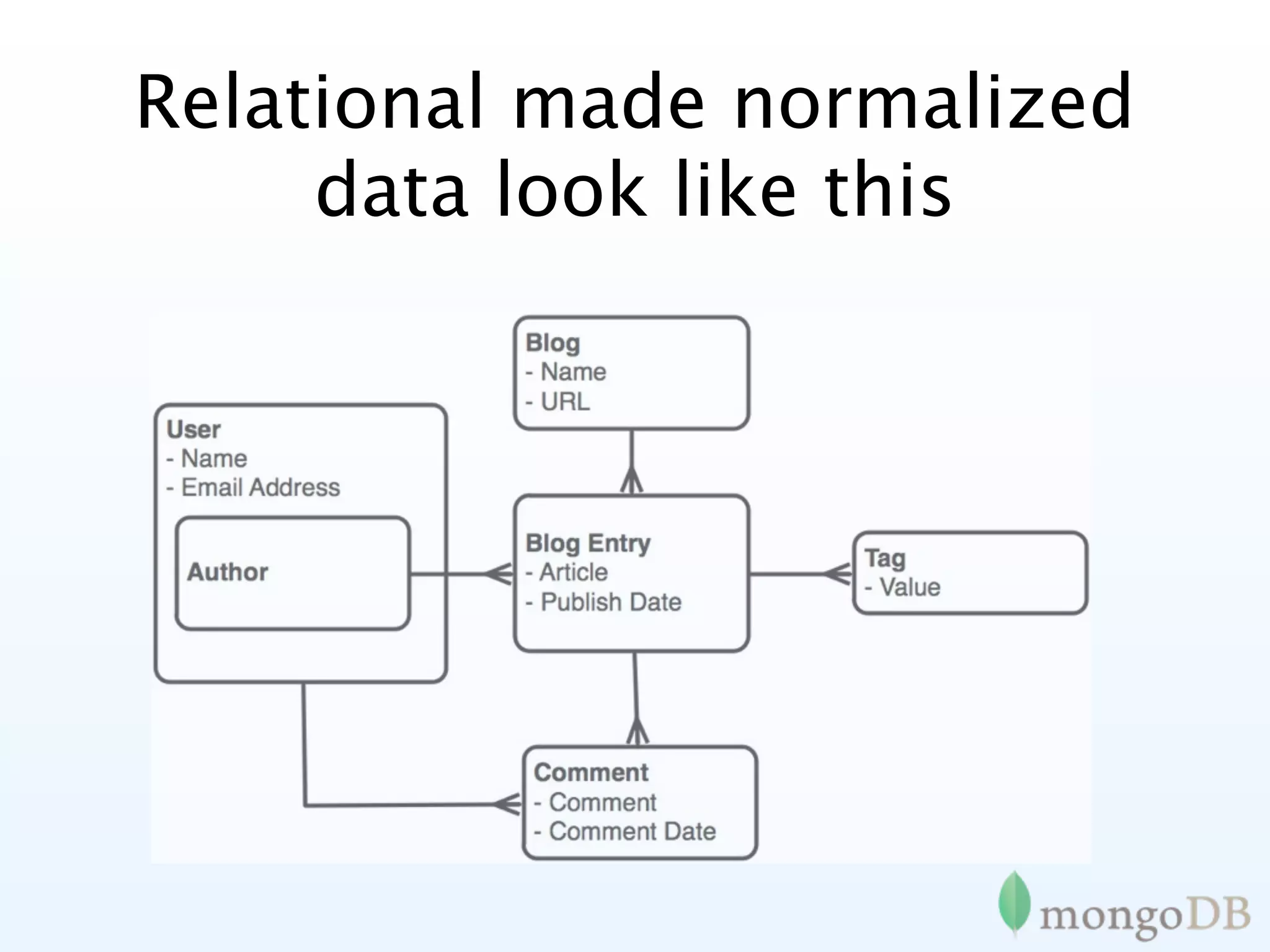
Relational made normalized
     data look like this
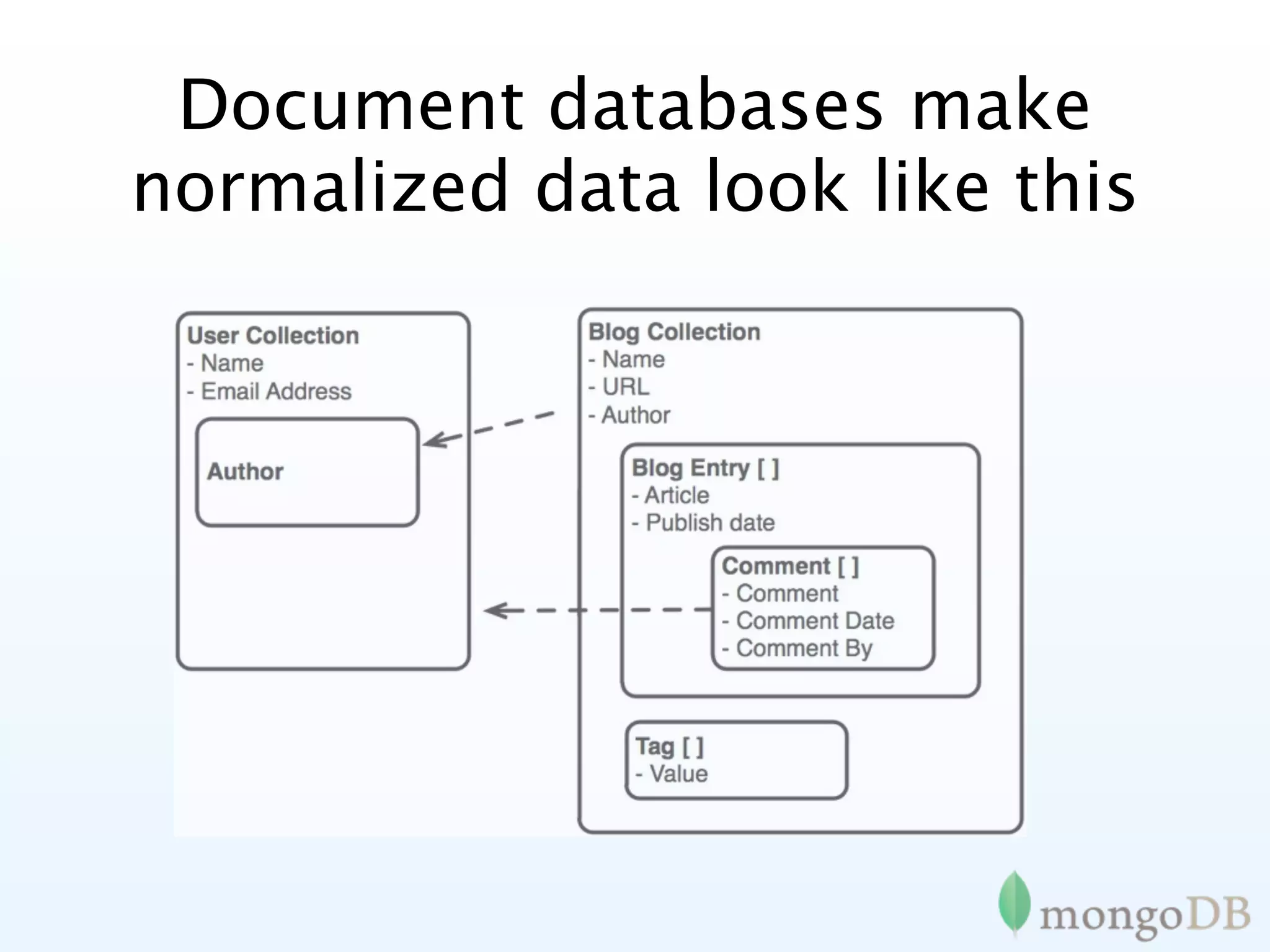
Document databases make
normalized data look like this
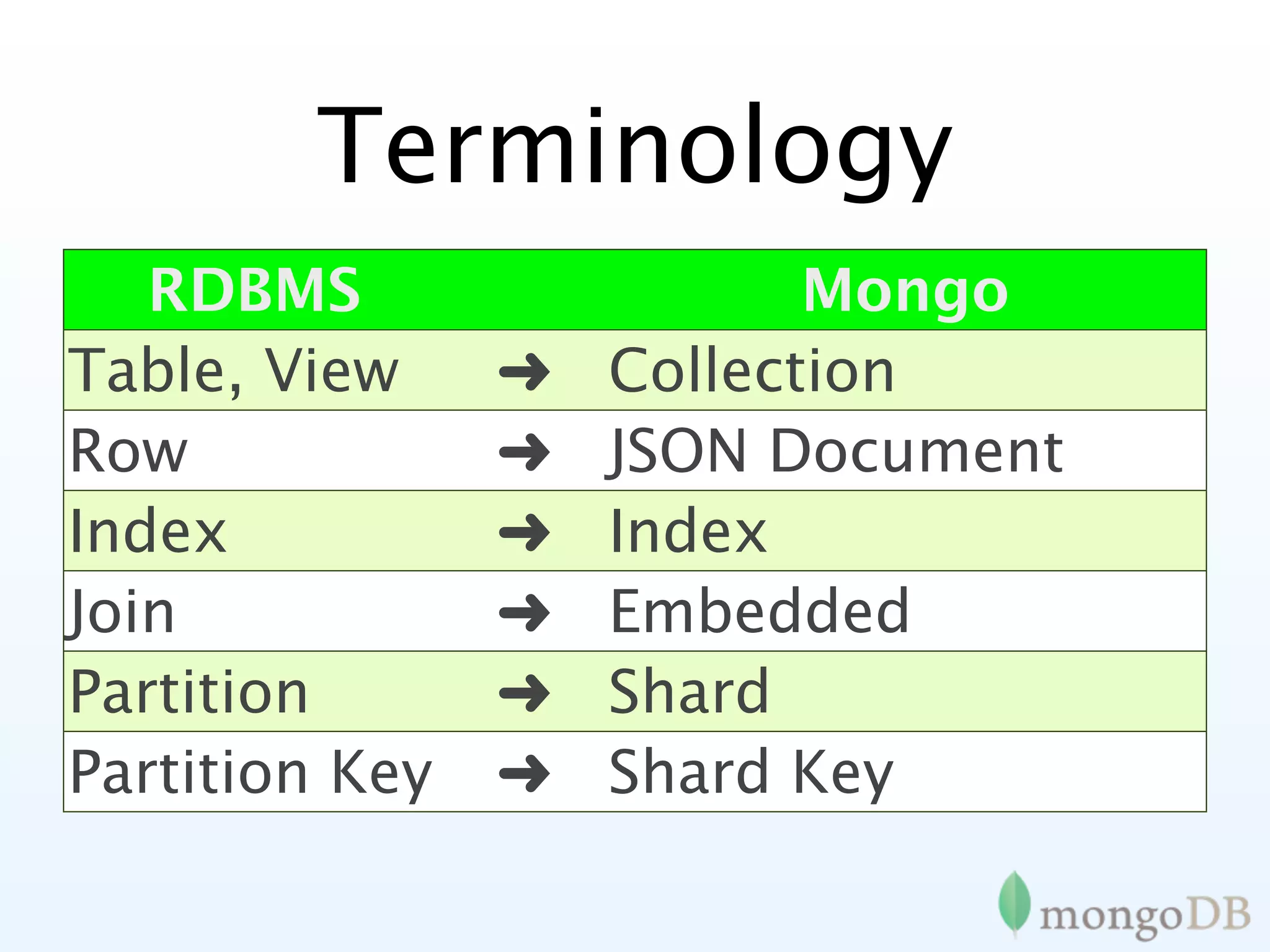
Terminology
   RDBMS                   Mongo
Table, View     ➜   Collection
Row             ➜   JSON Document
Index           ➜   Index
Join            ➜   Embedded
Partition       ➜   Document
                    Shard
Partition Key   ➜   Shard Key
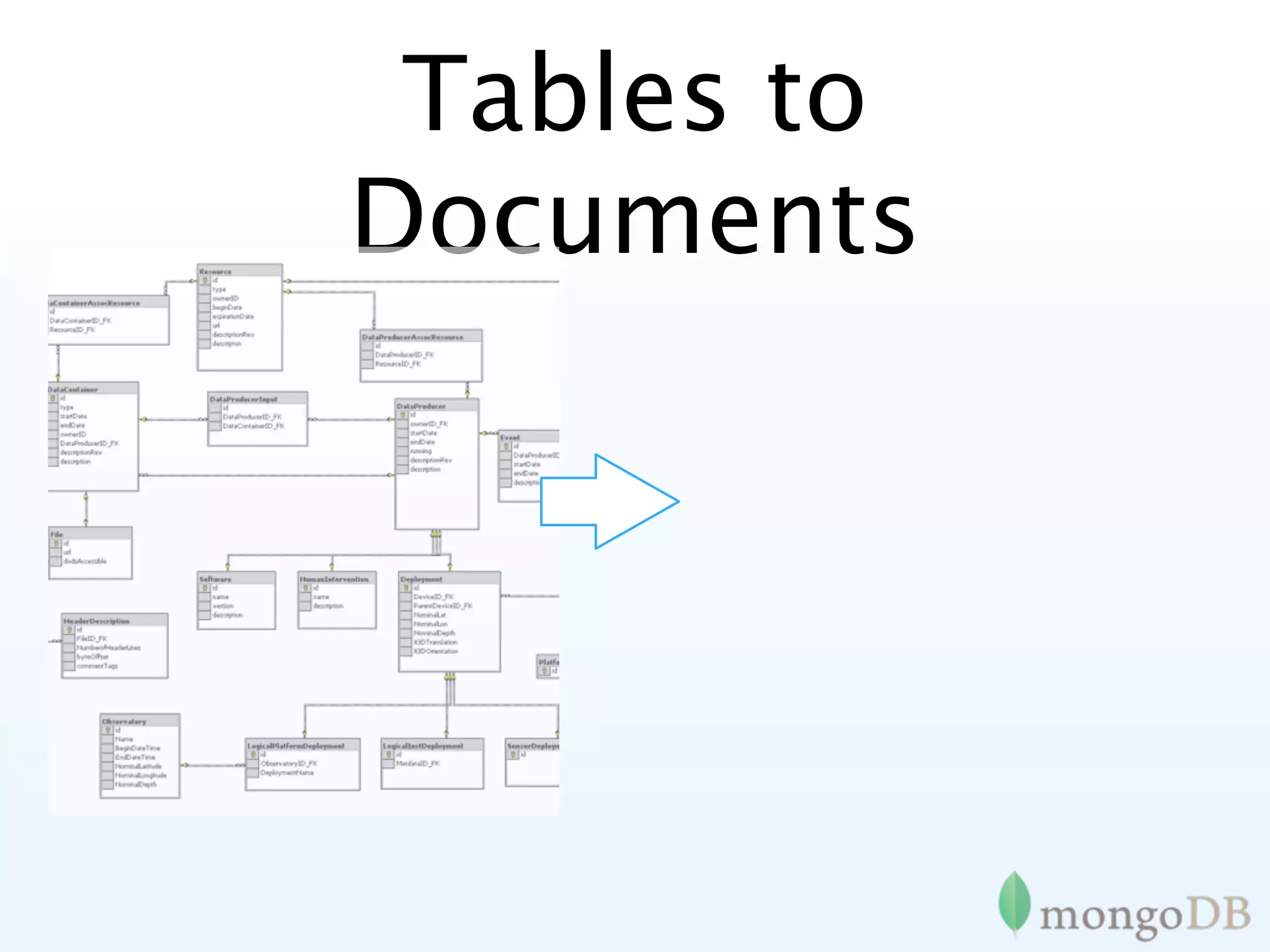
Tables to
Documents
Tables to
Documents
      {
          title: ‘MongoDB’,
          contributors: [
             { name: ‘Eliot Horowitz’,
               email: ‘eh@10gen.com’ },
             { name: ‘Dwight Merriman’,
               email: ‘dm@10gen.com’ }
          ],
          model: {
              relational: false,
              awesome: true
          }
DEMO TIME
Documents
Blog Post Document


> p = {author:   “roger”,
         date:   new Date(),
         text:   “about mongoDB...”,
         tags:   [“tech”, “databases”]}

> db.posts.save(p)
Querying
> db.posts.find()

>   { _id : ObjectId("4c4ba5c0672c685e5e8aabf3"),
    author : "roger",
      date : "Sat Jul 24 2010 19:47:11",
      text : "About MongoDB...",
      tags : [ "tech", "databases" ] }


 Note:   _id is unique, but can be
anything you’d like
Secondary Indexes
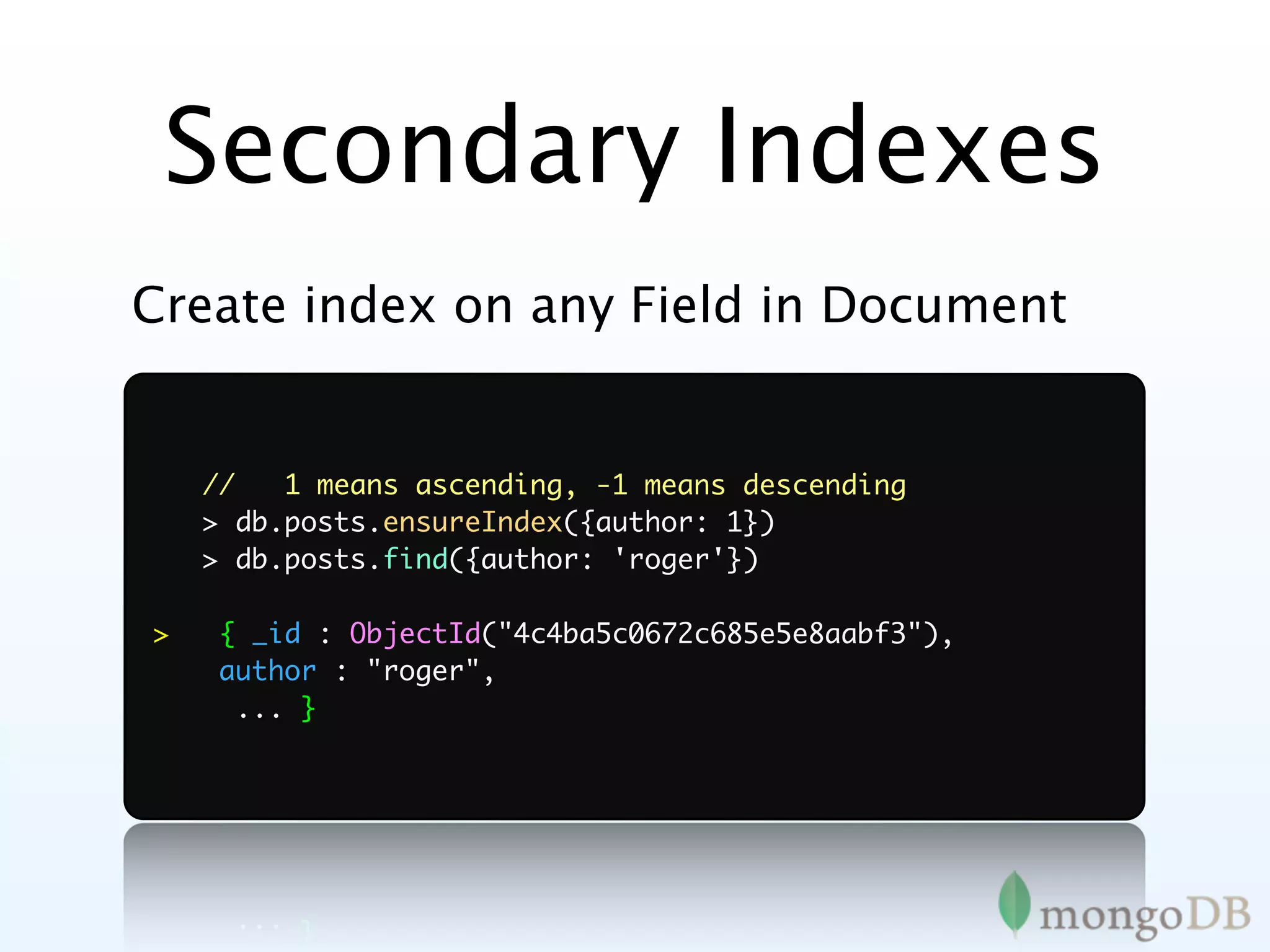
Create index on any Field in Document
Secondary Indexes
Create index on any Field in Document


    //   1 means ascending, -1 means descending
    > db.posts.ensureIndex({author: 1})
    > db.posts.find({author: 'roger'})

>   { _id : ObjectId("4c4ba5c0672c685e5e8aabf3"),
    author : "roger",
     ... }
Conditional Query
   Operators
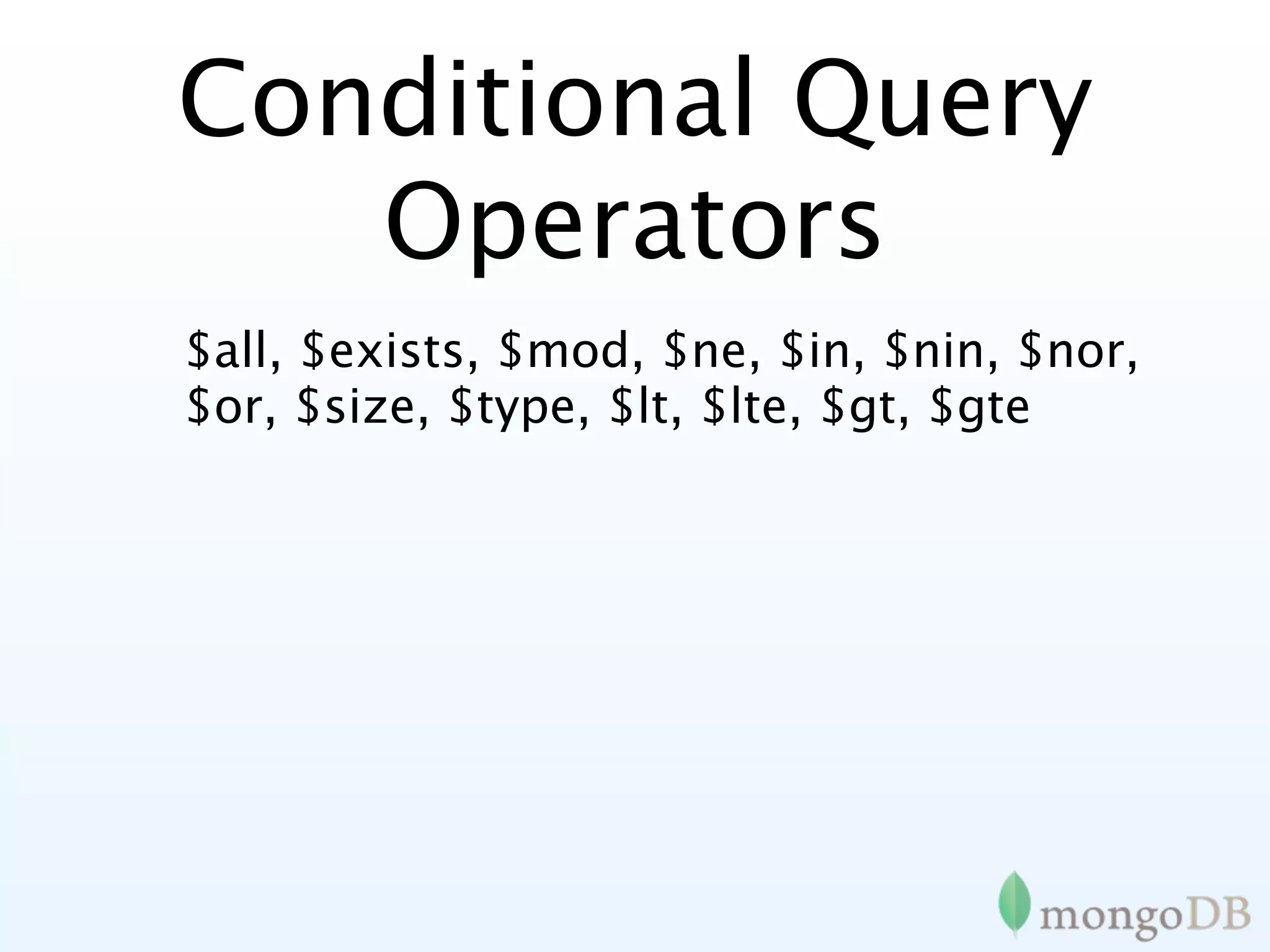
$all, $exists, $mod, $ne, $in, $nin, $nor,
$or, $size, $type, $lt, $lte, $gt, $gte
Conditional Query
   Operators
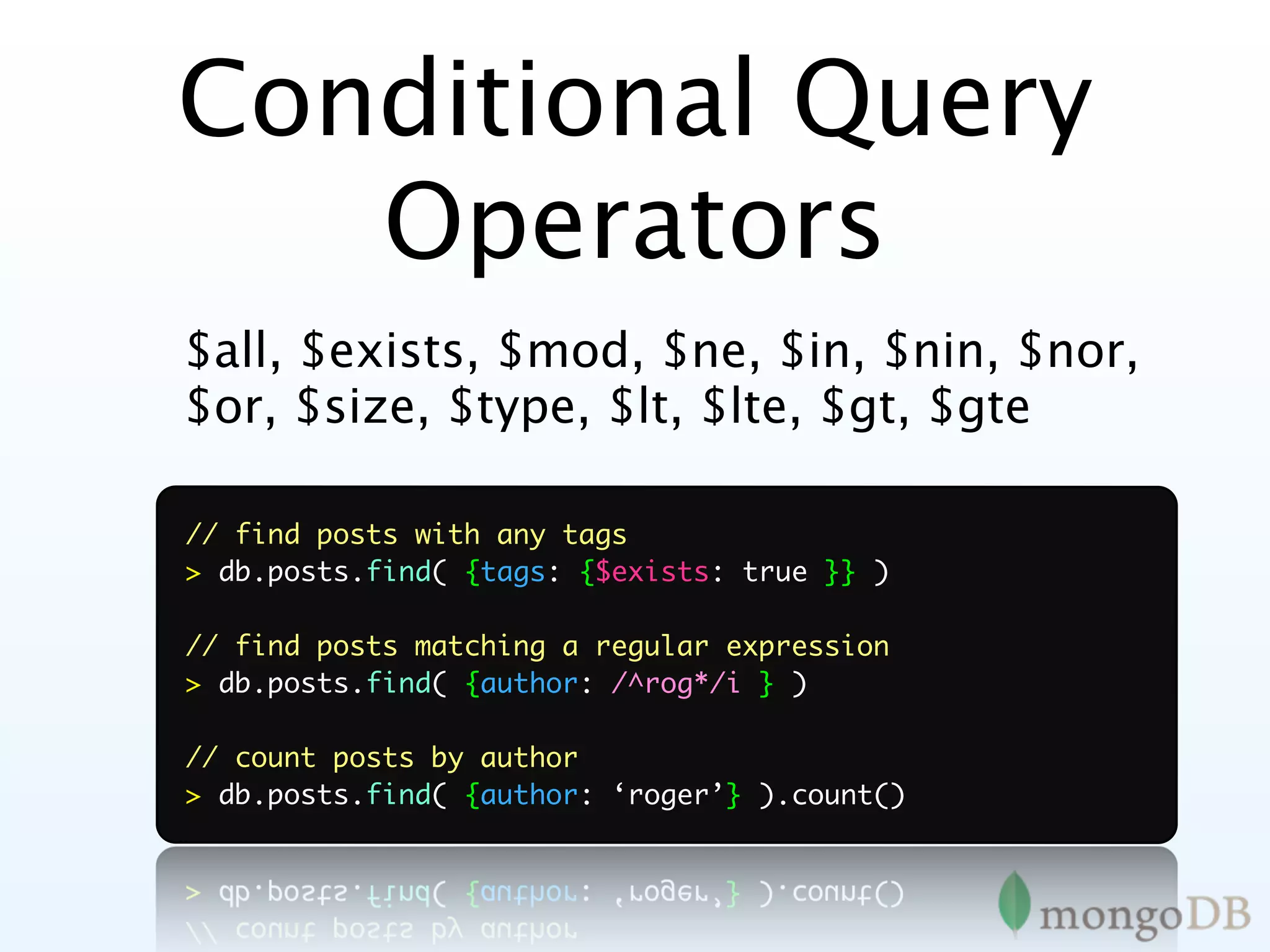
$all, $exists, $mod, $ne, $in, $nin, $nor,
$or, $size, $type, $lt, $lte, $gt, $gte

// find posts with any tags
> db.posts.find( {tags: {$exists: true }} )

// find posts matching a regular expression
> db.posts.find( {author: /^rog*/i } )

// count posts by author
> db.posts.find( {author: ‘roger’} ).count()
Update Operations
$set, $unset, $inc, $push, $pushAll,
$pull, $pullAll, $bit
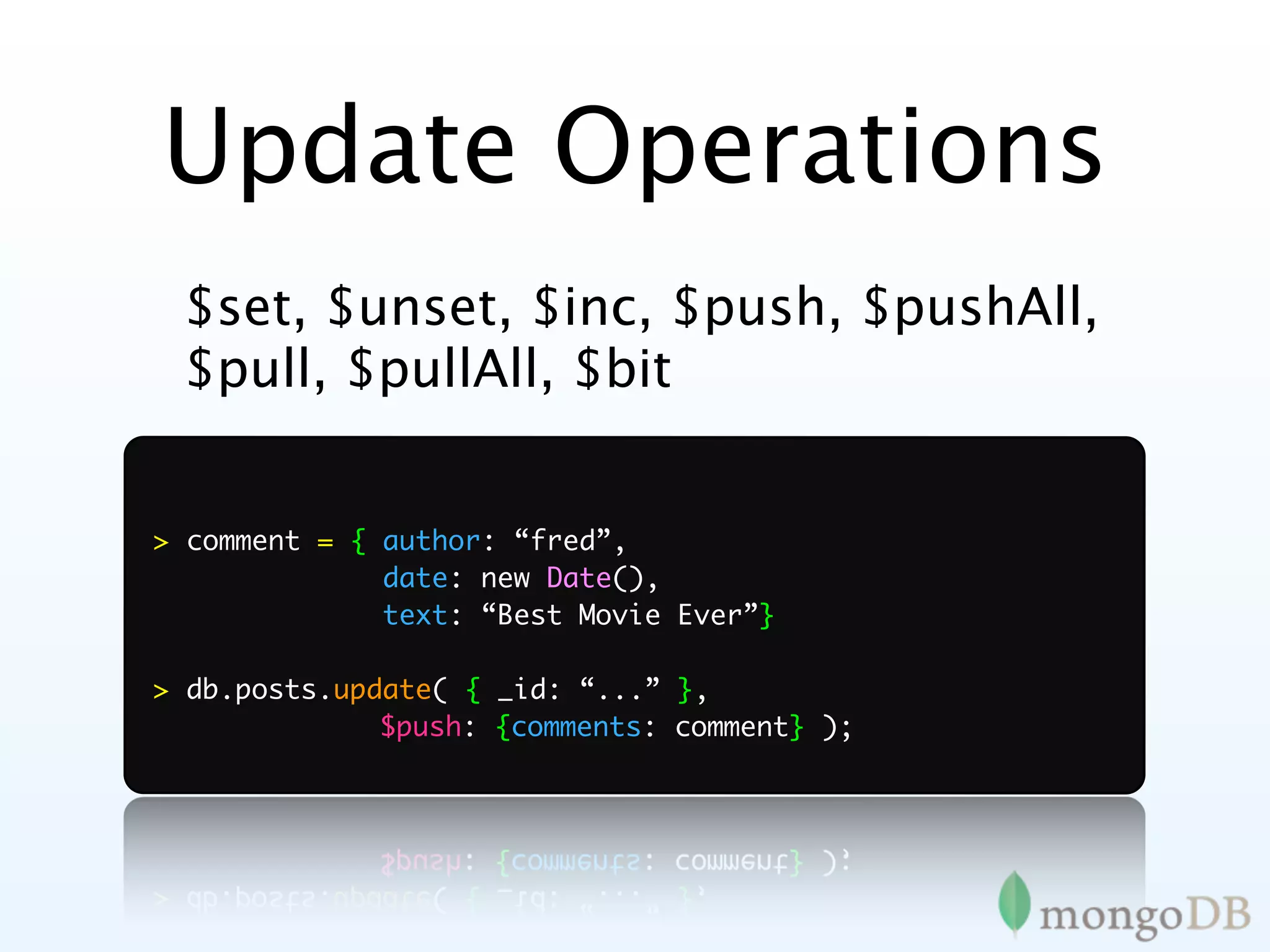
Update Operations
 $set, $unset, $inc, $push, $pushAll,
 $pull, $pullAll, $bit


> comment = { author: “fred”,
              date: new Date(),
              text: “Best Movie Ever”}

> db.posts.update( { _id: “...” },
	 	 	 	       $push: {comments: comment} );
Nested Documents
    {   _id : ObjectId("4c4ba5c0672c685e5e8aabf3"),
        author : "roger",
        date : "Sat Apr 24 2011 19:47:11",
        text : "About MongoDB...",
        tags : [ "tech", "databases" ],
        comments : [
	              {
	              	 author : "Fred",
               	
	              	 date : "Sat Apr 25 2010 20:51:03 GMT-0700",
               	
	              	 text : "Best Post Ever!"
               	
	              	
               }
         ]
}
Secondary Indexes
// Index nested documents
> db.posts.ensureIndex( “comments.author”: 1)
> db.posts.find({‘comments.author’:’Fred’})

// Index on tags (multi-key index)
> db.posts.ensureIndex( tags: 1)
> db.posts.find( { tags: ‘tech’ } )

// geospatial index
> db.posts.ensureIndex( “author.location”: “2d” )
> db.posts.find( “author.location”: { $near : [22,42] } )
Rich Documents
{   _id : ObjectId("4c4ba5c0672c685e5e8aabf3"),

    line_items : [ { sku: ‘tt-123’,
                     name: ‘Coltrane: Impressions’ },
                   { sku: ‘tt-457’,
                     name: ‘Davis: Kind of Blue’ } ],

    address : { name: ‘Banker’,
                street: ‘111 Main’,
                zip: 10010 },

    payment: { cc: 4567,
               exp: Date(2011, 7, 7) },

    subtotal: 2355
}
High Availability
MongoDB
        Replication
•MongoDB replication like MySQL
 replication (kinda)
•Asynchronous master/slave
•Variations
   •Master / slave
   •Replica Sets
Replica Set features
•   A cluster of N servers
•   Any (one) node can be primary

•   Consensus election of primary

•   Automatic failover
•   Automatic recovery

•   All writes to primary

•    Reads can be to primary (default) or a
    secondary
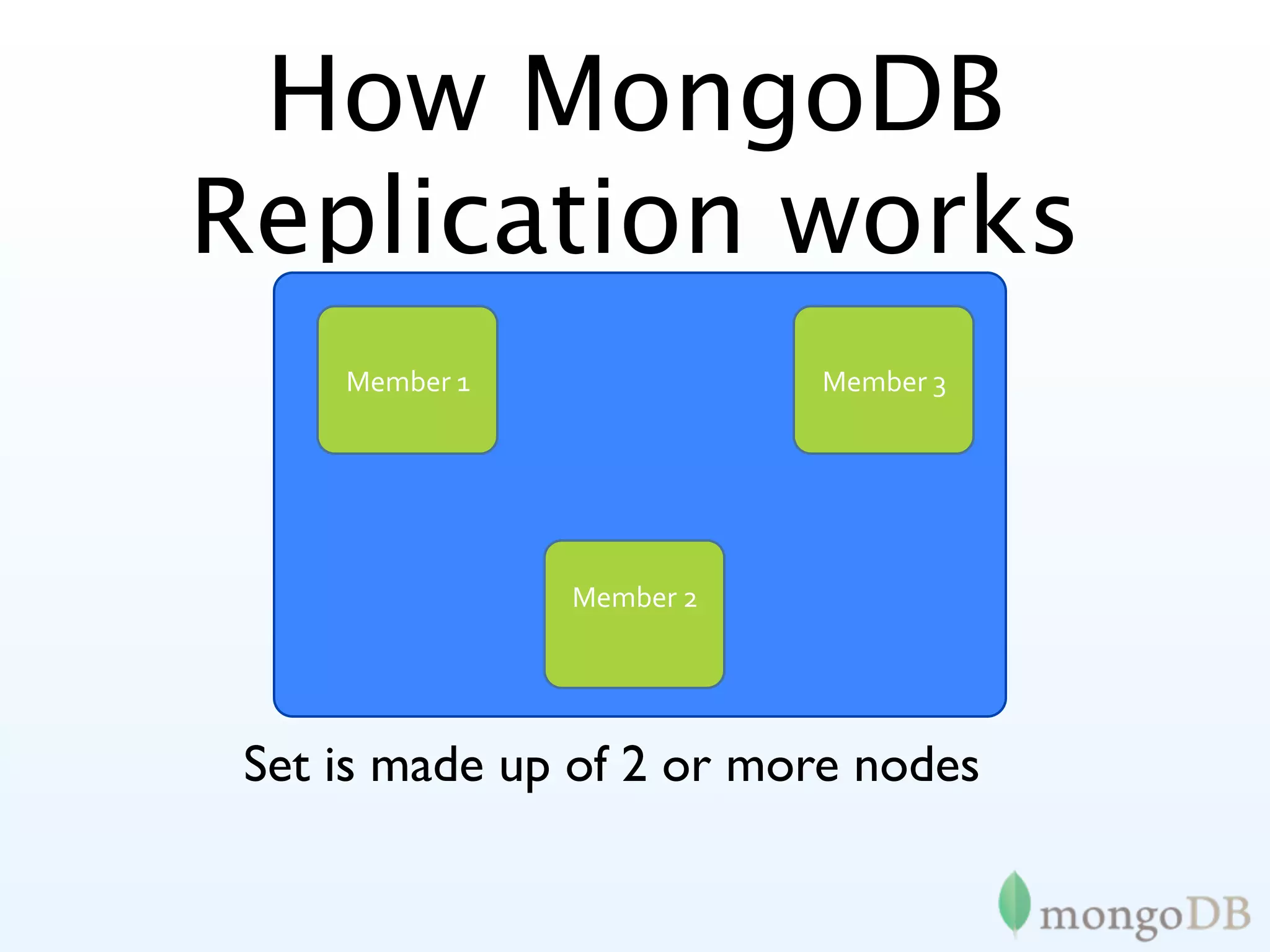
How MongoDB
Replication works
     Member
1              Member
3


                Member
2


 Set is made up of 2 or more nodes
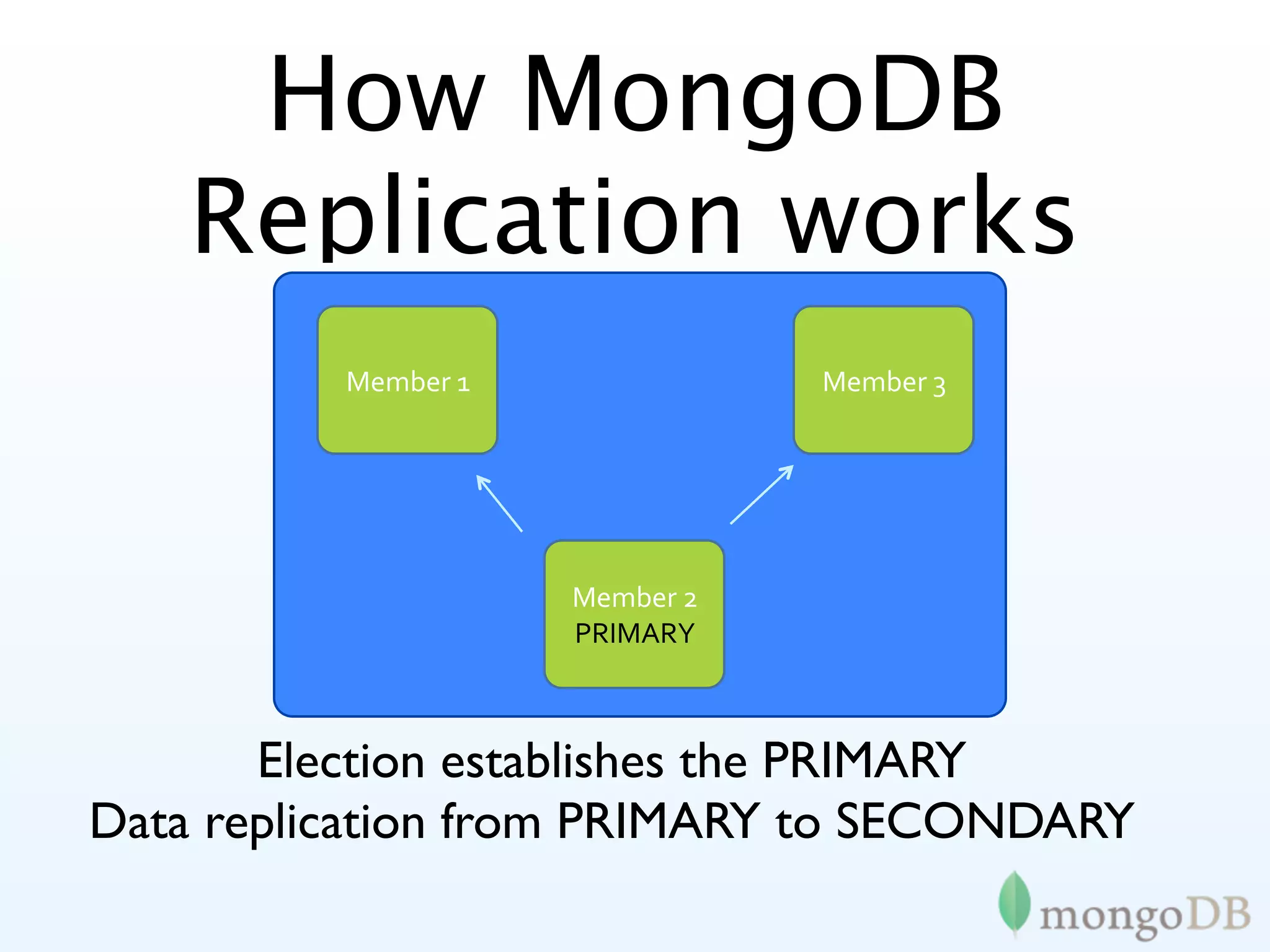
How MongoDB
    Replication works
          Member
1              Member
3


                     Member
2
                     PRIMARY


       Election establishes the PRIMARY
Data replication from PRIMARY to SECONDARY
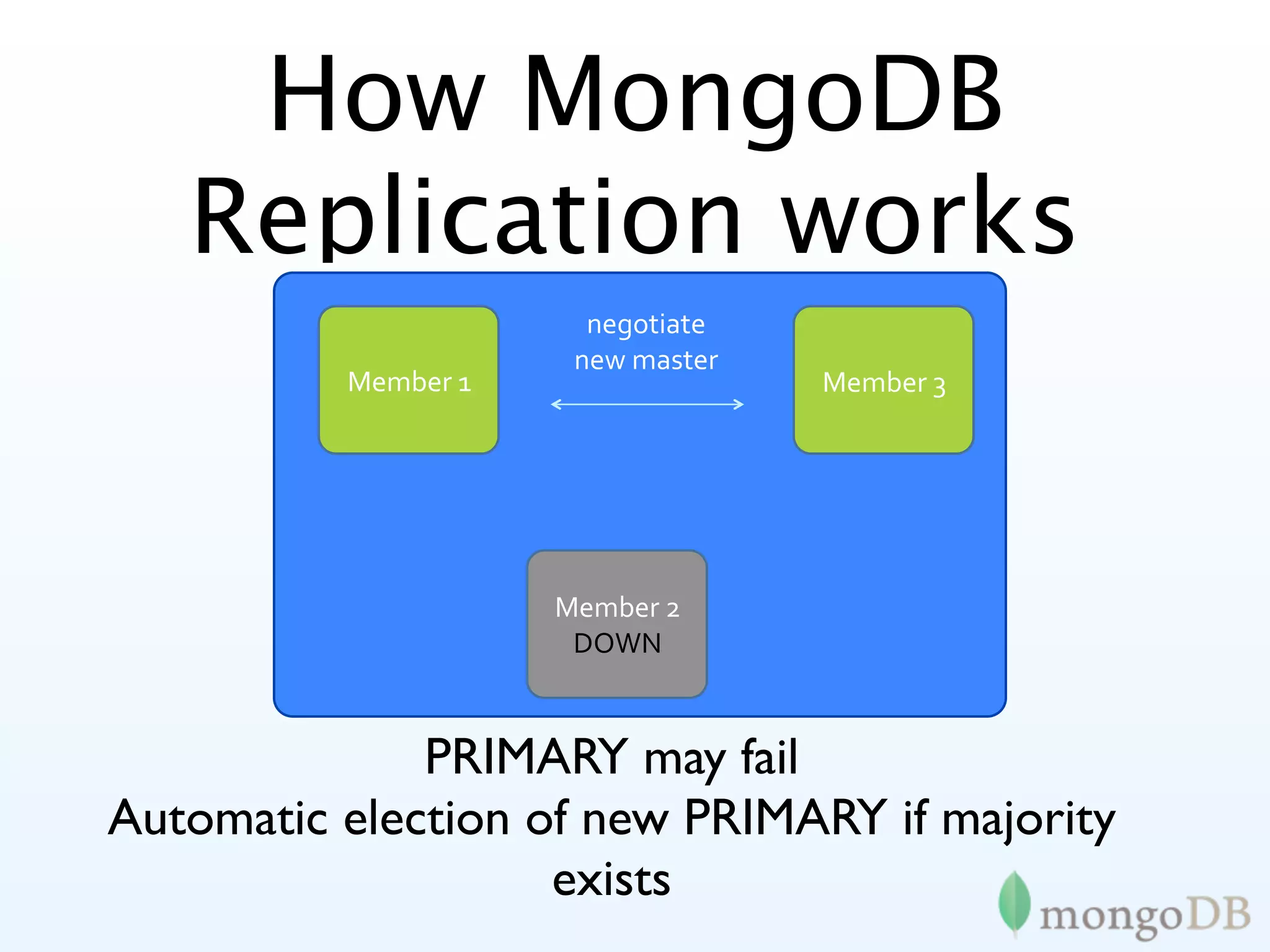
How MongoDB
   Replication works
                       negotiate

                      new
master
          Member
1                  Member
3


                     Member
2
                      DOWN


              PRIMARY may fail
Automatic election of new PRIMARY if majority
                    exists
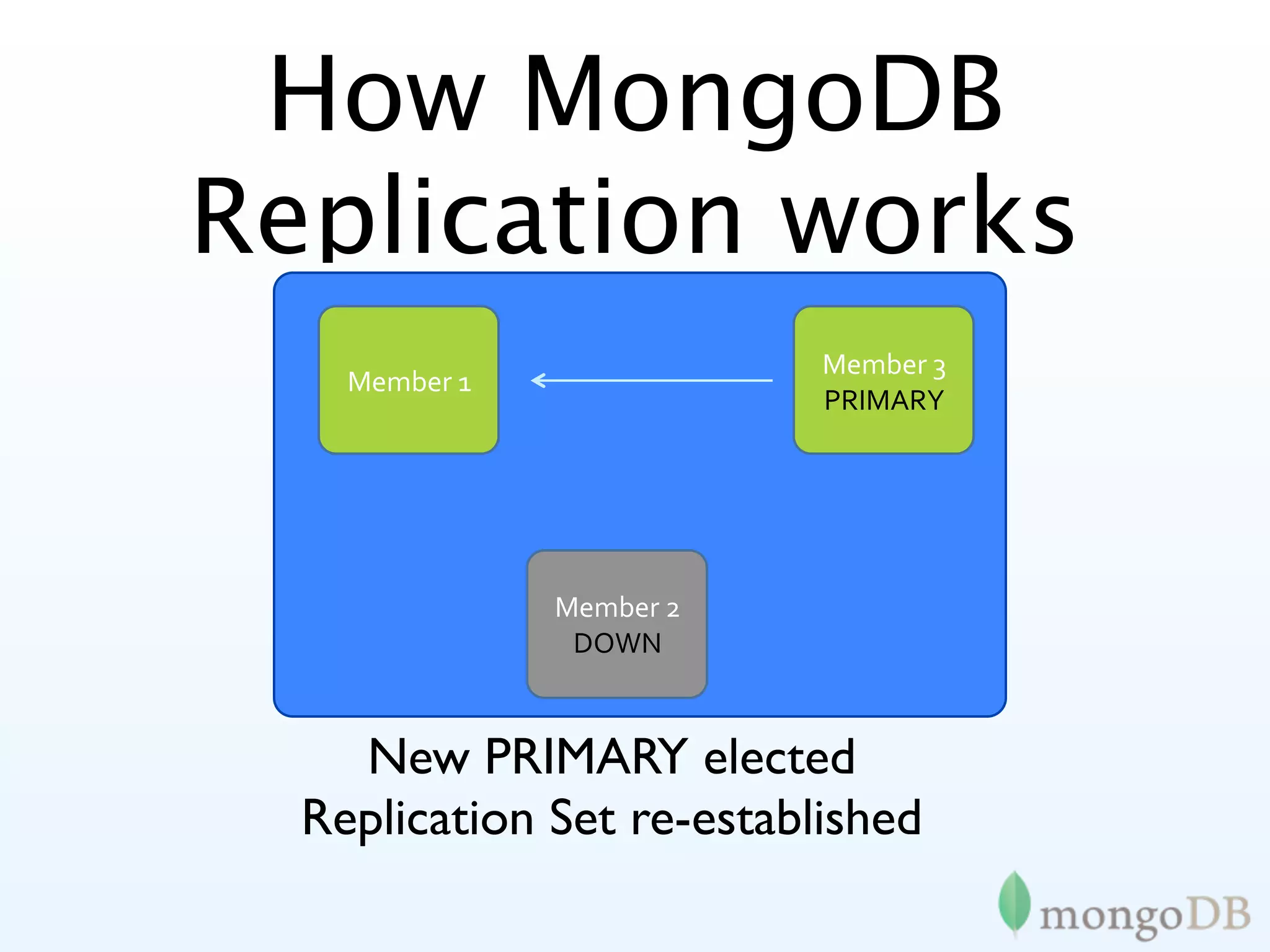
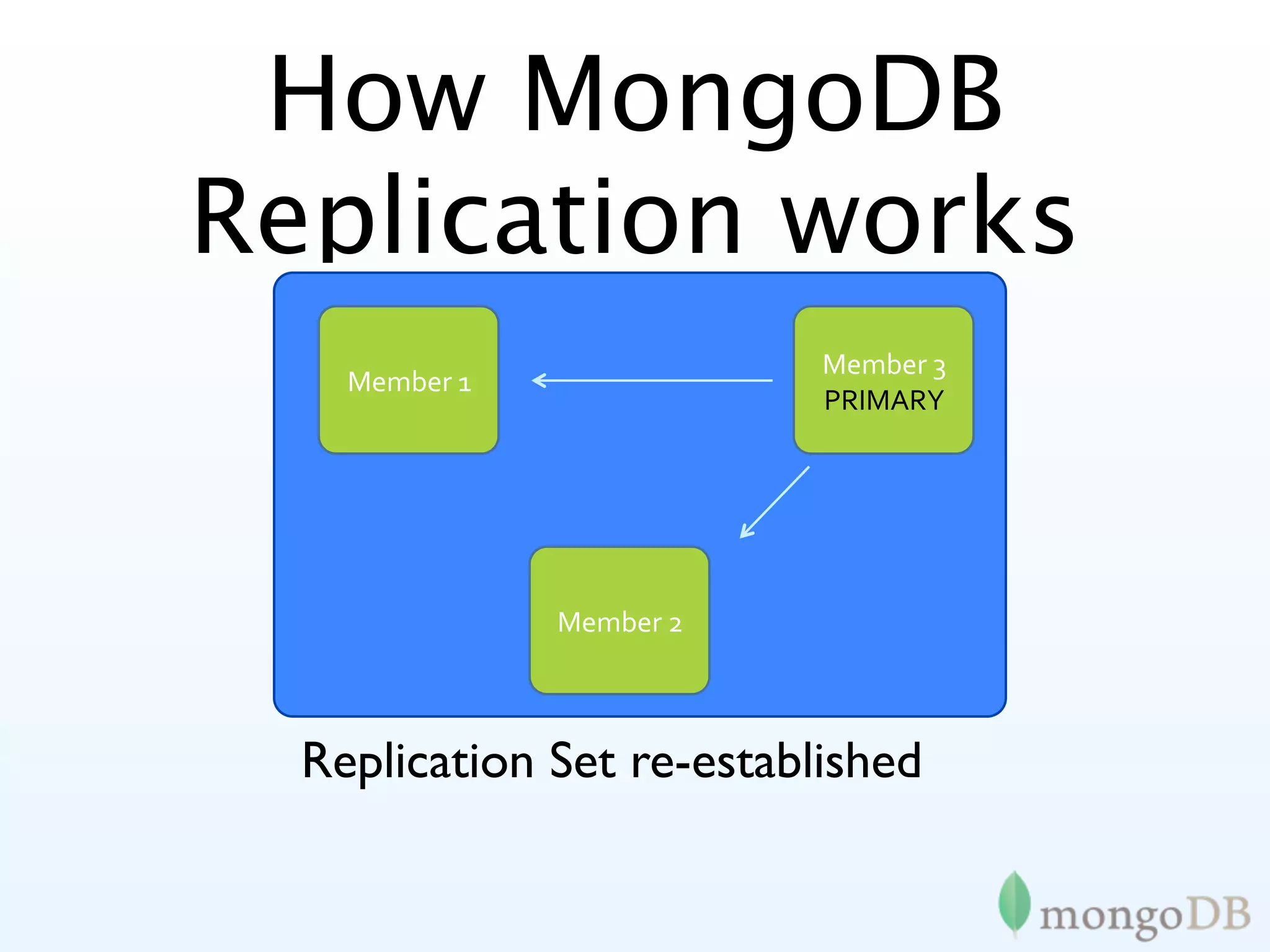
How MongoDB
Replication works
                           Member
3
    Member
1
                           PRIMARY


               Member
2
                DOWN


    New PRIMARY elected
  Replication Set re-established
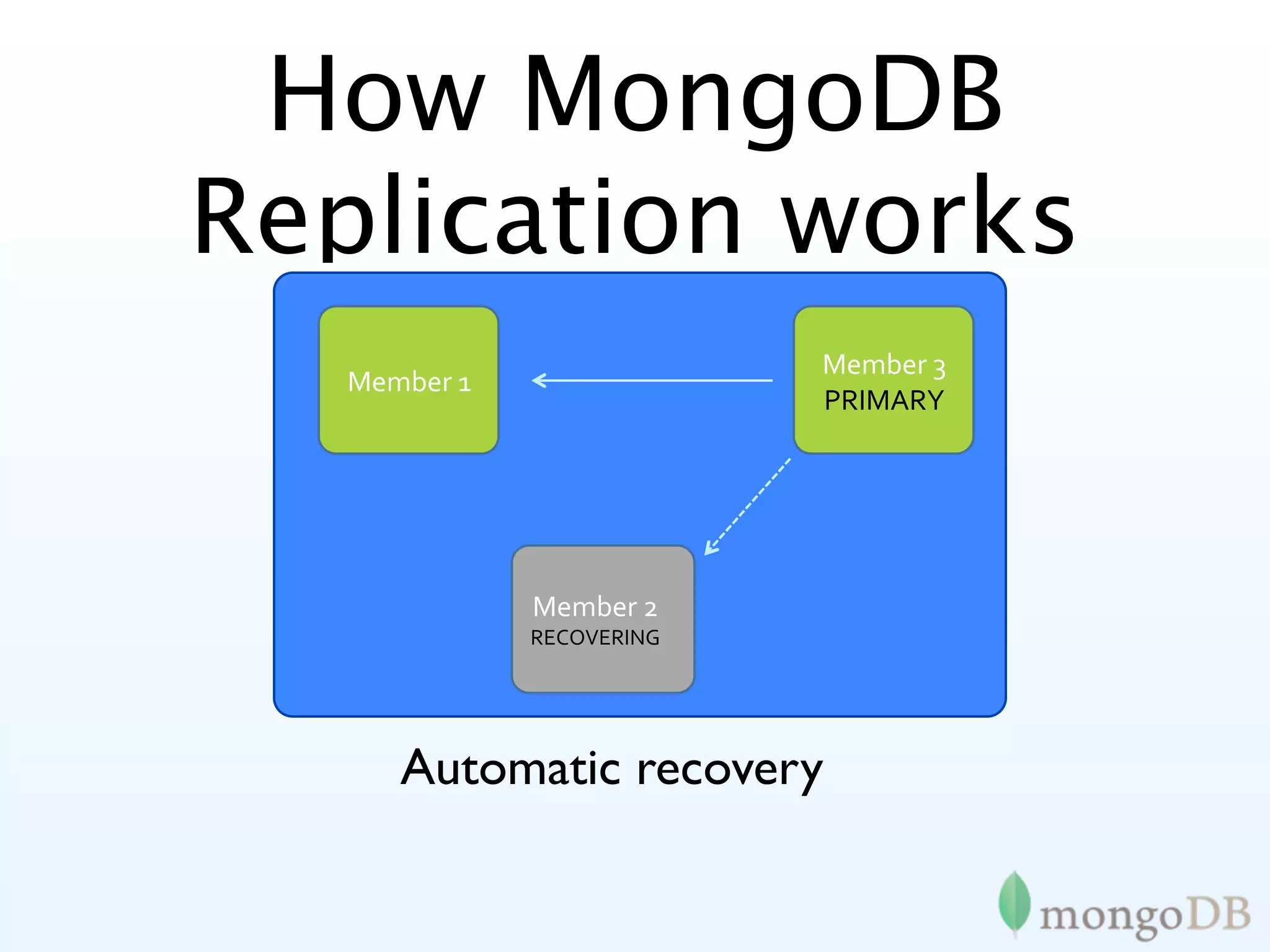
How MongoDB
Replication works
                           Member
3
   Member
1
                           PRIMARY


              Member
2
              RECOVERING


      Automatic recovery
How MongoDB
Replication works
                           Member
3
    Member
1
                           PRIMARY


               Member
2


  Replication Set re-established
Creating a Replica
        Set
> cfg = {
    _id : "acme_a",
    members : [
      { _id : 0, host : "sf1.acme.com" },
      { _id : 1, host : "sf2.acme.com" },
      { _id : 2, host : "sf3.acme.com" } ] }
> use admin
> db.runCommand( { replSetInitiate : cfg } )
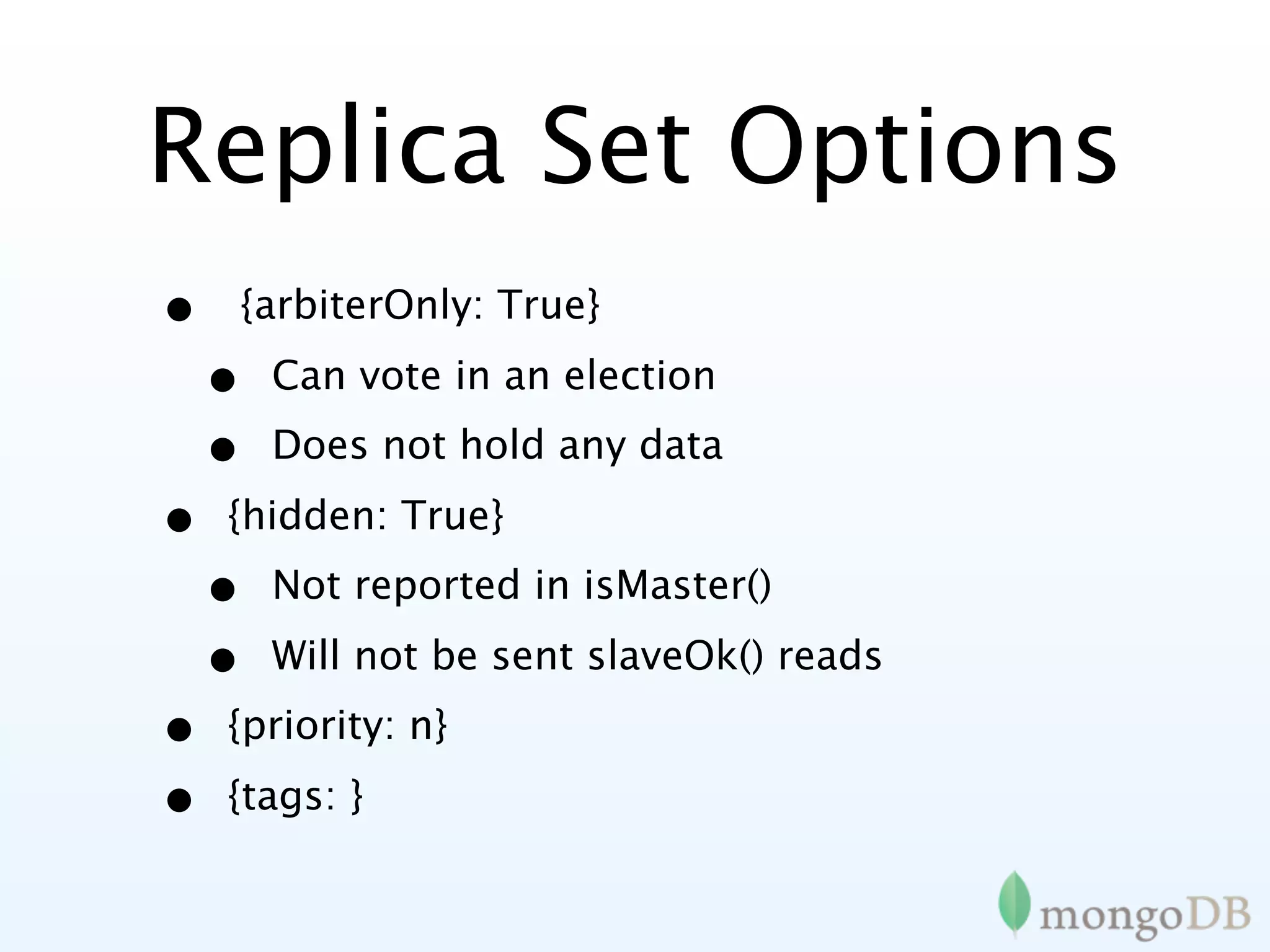
Replica Set Options
•   {arbiterOnly: True}

    •   Can vote in an election
    •   Does not hold any data

•   {hidden: True}
    •   Not reported in isMaster()

    •   Will not be sent slaveOk() reads
•   {priority: n}

•   {tags: }
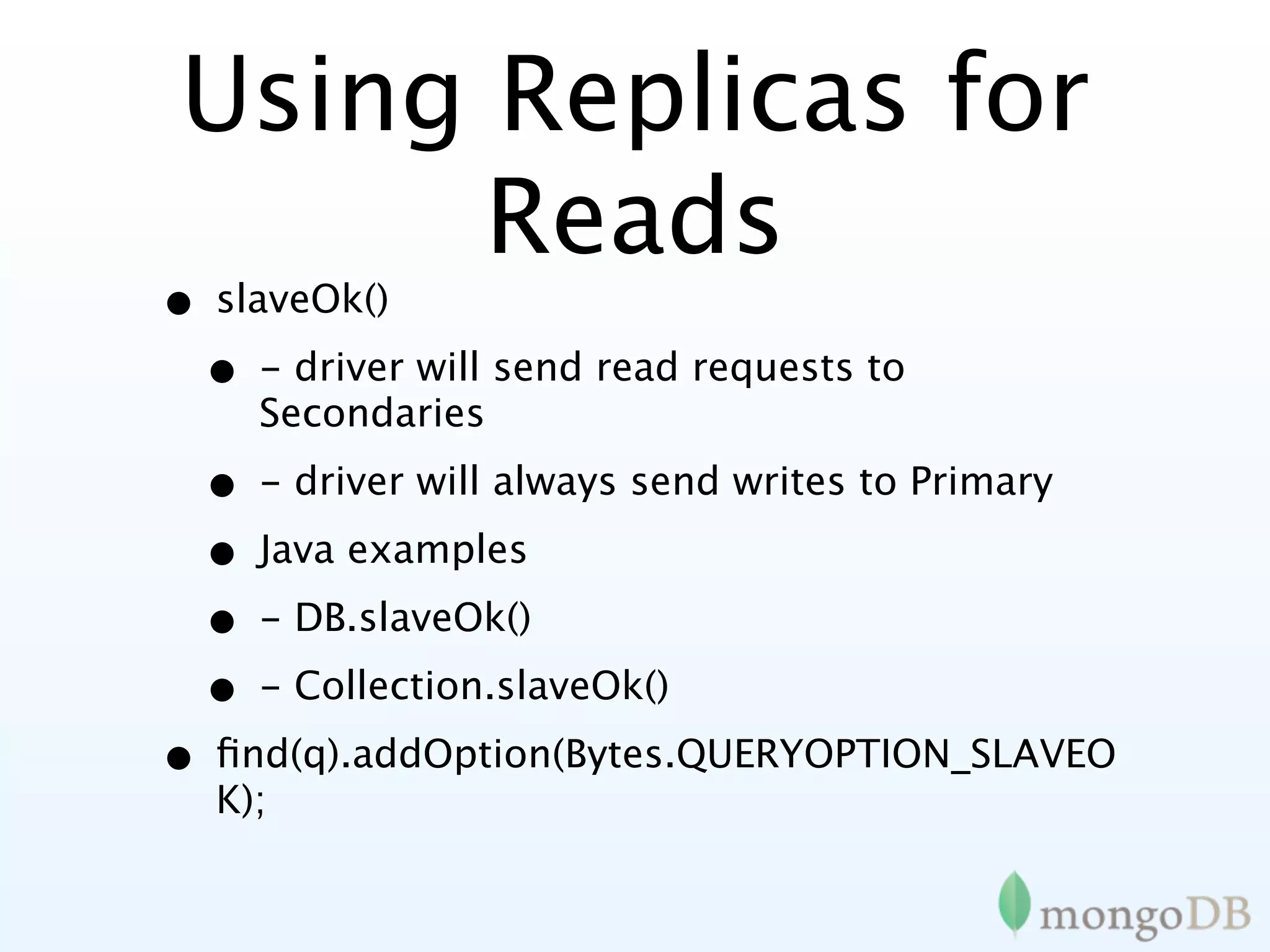
Using Replicas for
       Reads
• slaveOk()
 • - driver will send read requests to
     Secondaries

  • - driver will always send writes to Primary
  • Java examples
  • - DB.slaveOk()
  • - Collection.slaveOk()
• find(q).addOption(Bytes.QUERYOPTION_SLAVEO
  K);
Safe Writes
•   db.runCommand({getLastError: 1, w : 1})
    •   - ensure write is synchronous

    •   - command returns after primary has written to memory

•   w=n or w='majority'
    •   n is the number of nodes data must be replicated to

    •   driver will always send writes to Primary
•   w='myTag' [MongoDB 2.0]

    •   Each member is "tagged" e.g. "US_EAST", "EMEA",
        "US_WEST"

    •   Ensure that the write is executed in each tagged "region"
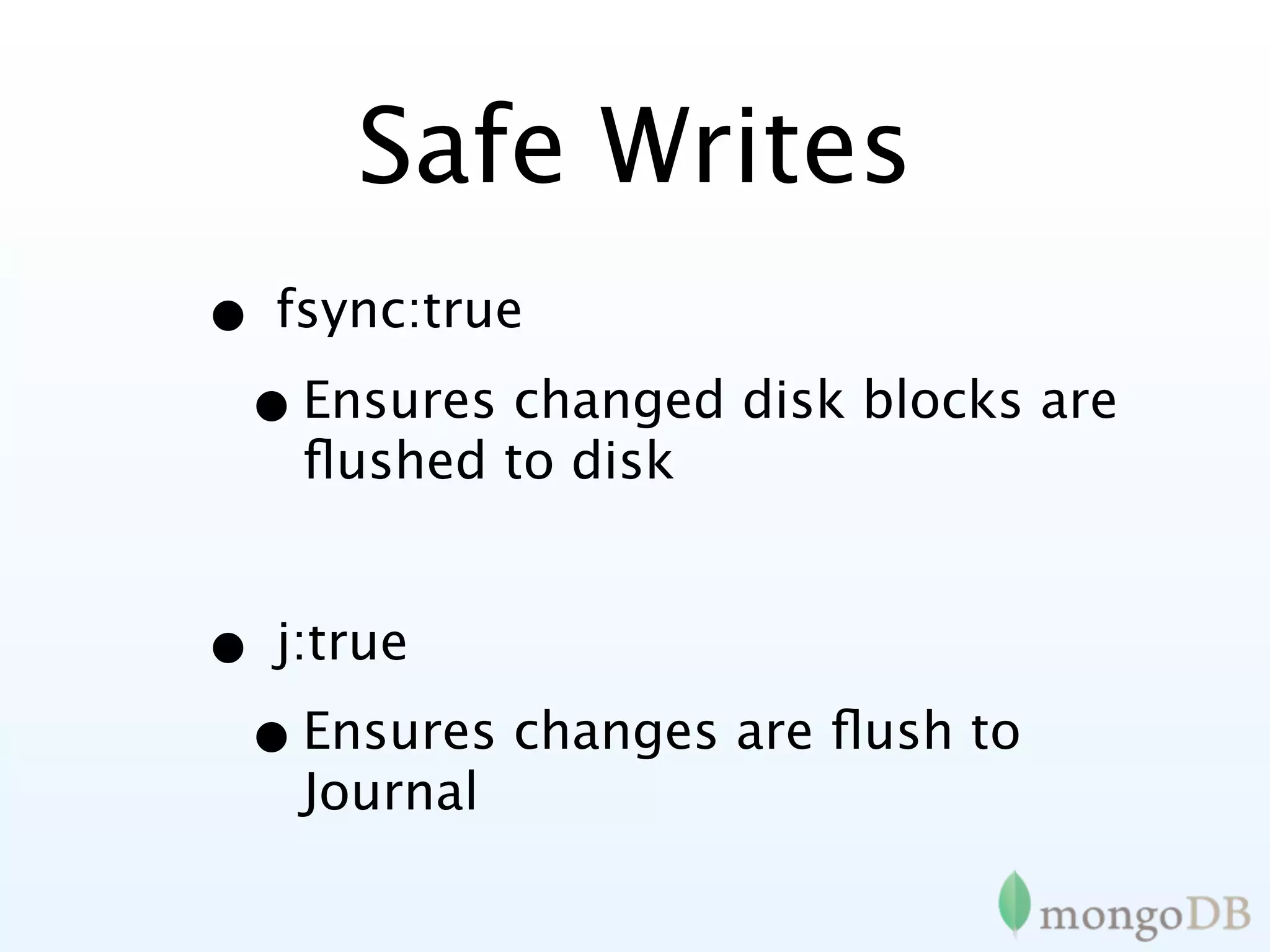
Safe Writes
• fsync:true
 • Ensures changed disk blocks are
   flushed to disk


• j:true
 • Ensures changes are flush to
   Journal
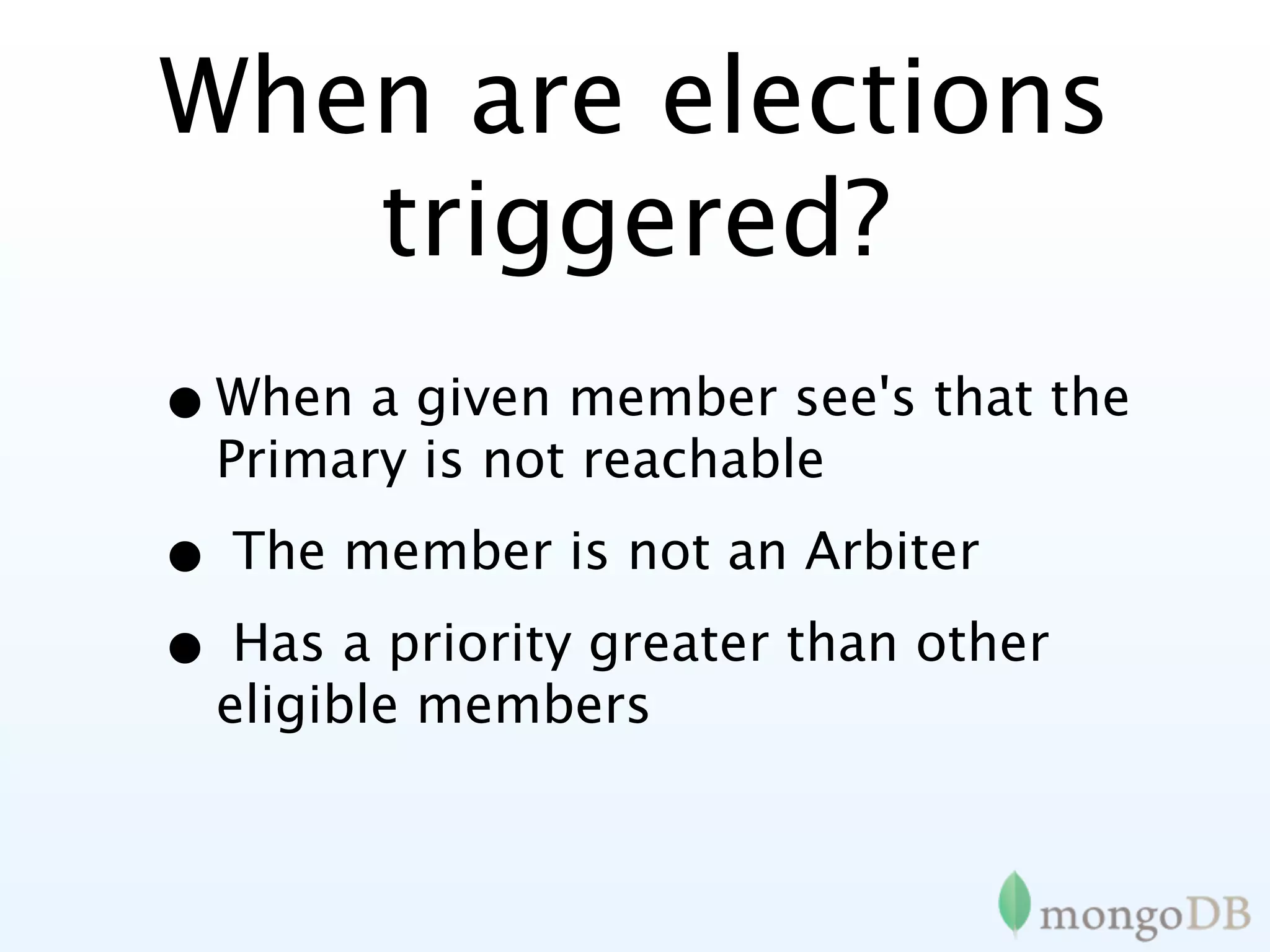
When are elections
   triggered?
• When a given member see's that the
  Primary is not reachable

• The member is not an Arbiter
• Has a priority greater than other
  eligible members
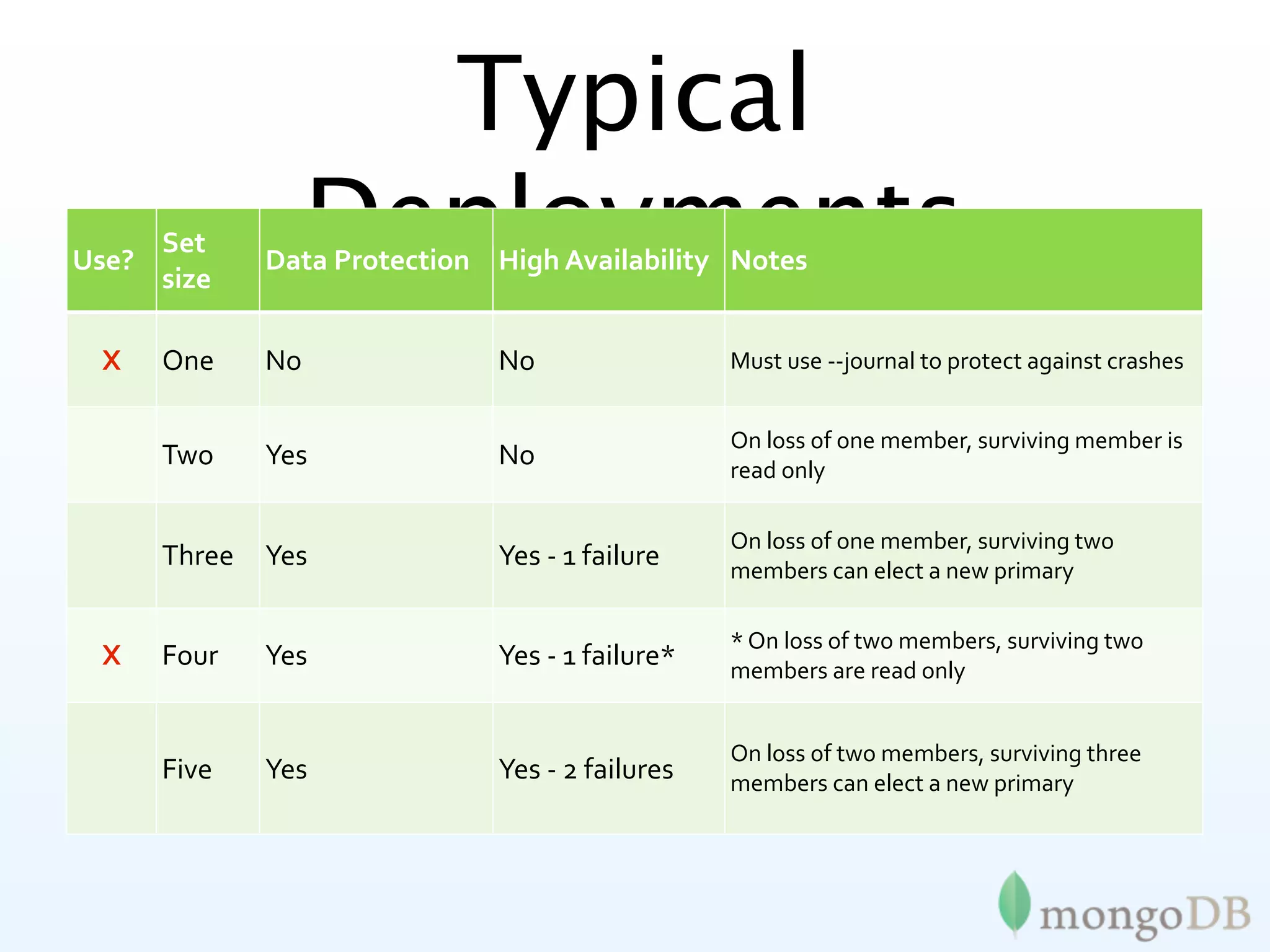
Typical
Use?
     Set

     size
                  Deployments
             Data
Protection High
Availability Notes


 X   One     No              No                 Must
use
‐‐journal
to
protect
against
crashes


                                                On
loss
of
one
member,
surviving
member
is

     Two     Yes             No                 read
only

                                                On
loss
of
one
member,
surviving
two

     Three   Yes             Yes
‐
1
failure    members
can
elect
a
new
primary

                                                *
On
loss
of
two
members,
surviving
two

 X   Four    Yes             Yes
‐
1
failure*   members
are
read
only


                                                On
loss
of
two
members,
surviving
three

     Five    Yes             Yes
‐
2
failures   members
can
elect
a
new
primary
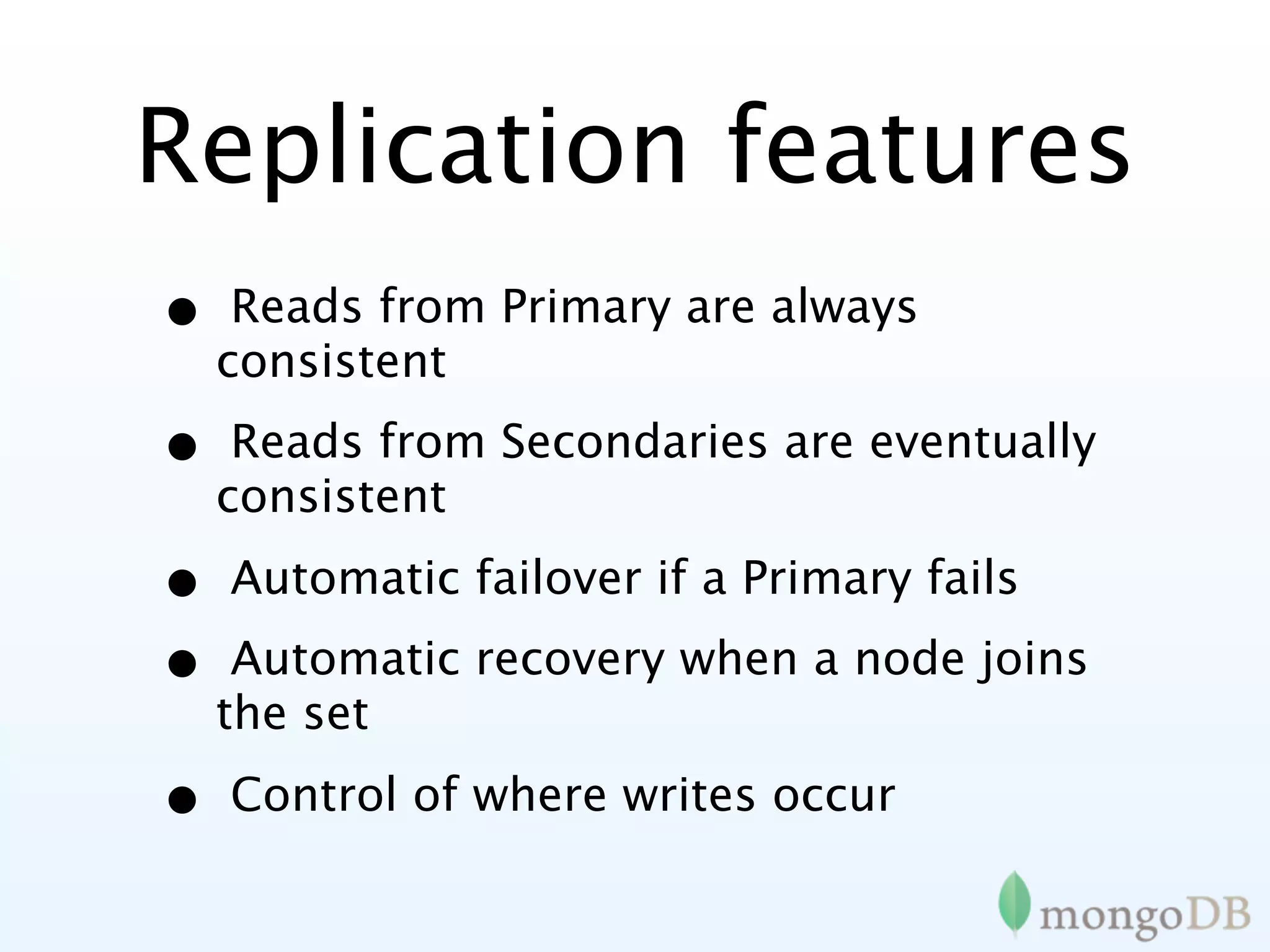
Replication features
•    Reads from Primary are always
    consistent

•    Reads from Secondaries are eventually
    consistent

•   Automatic failover if a Primary fails

•    Automatic recovery when a node joins
    the set

•   Control of where writes occur
Scaling
Sharding MongoDB
What is Sharding
• Ad-hoc partitioning
• Consistent hashing
 • Amazon Dynamo
• Range based partitioning
 • Google BigTable
 • Yahoo! PNUTS
 • MongoDB
MongoDB Sharding
• Automatic partitioning and
  management
• Range based
• Convert to sharded system with no
  downtime
• Fully consistent
How MongoDB
Sharding Works
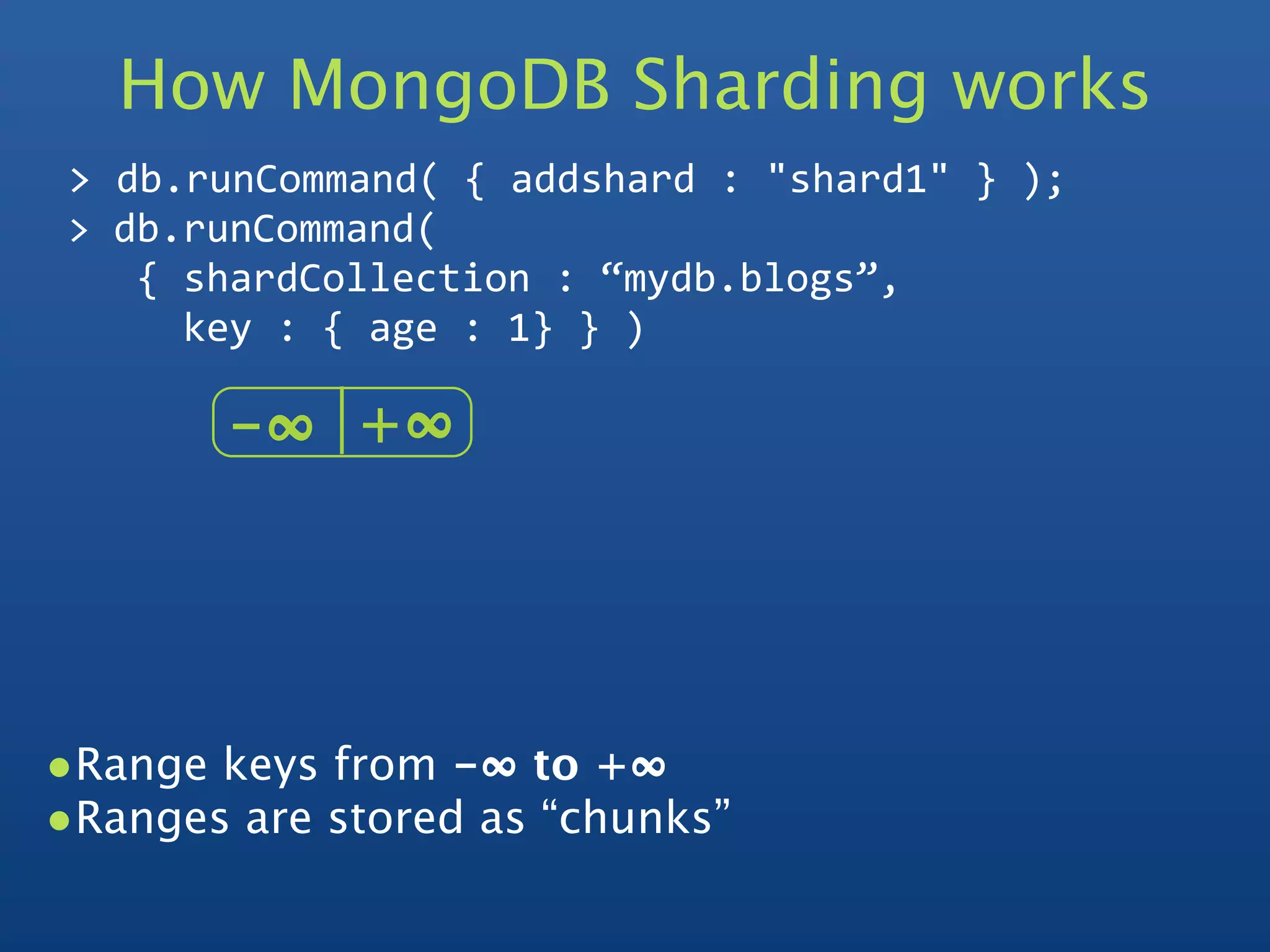
How MongoDB Sharding works
 >
db.runCommand(
{
addshard
:
"shard1"
}
);
 >
db.runCommand(


{
shardCollection
:
“mydb.blogs”,


key
:
{
age
:
1}
}
)

        -∞   +∞  


•Range keys from -∞ to +∞  
•Ranges are stored as “chunks”
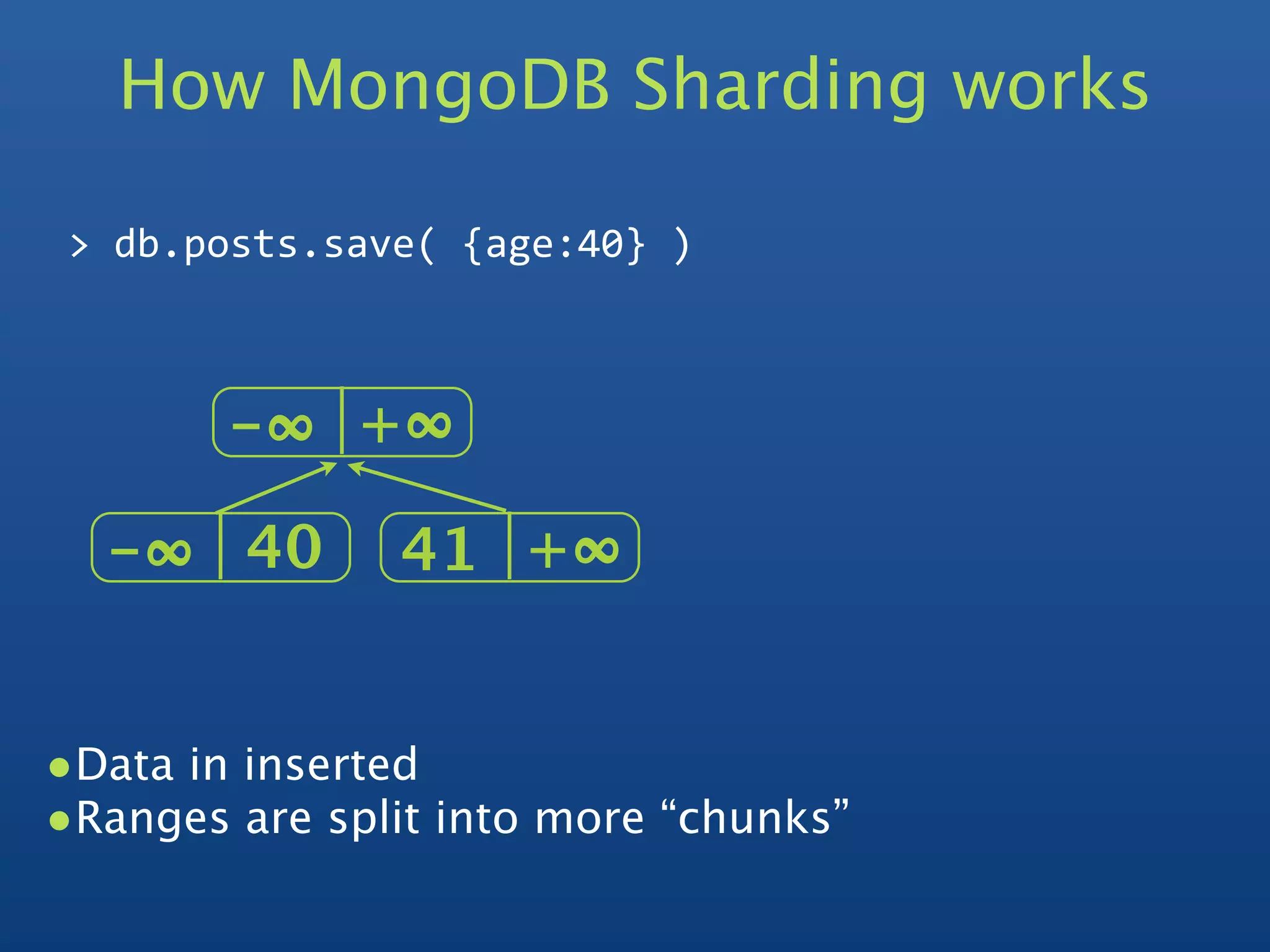
How MongoDB Sharding works

 >
db.posts.save(
{age:40}
)


        -∞   +∞  

  -∞   40      41 +∞  


•Data in inserted
•Ranges are split into more “chunks”
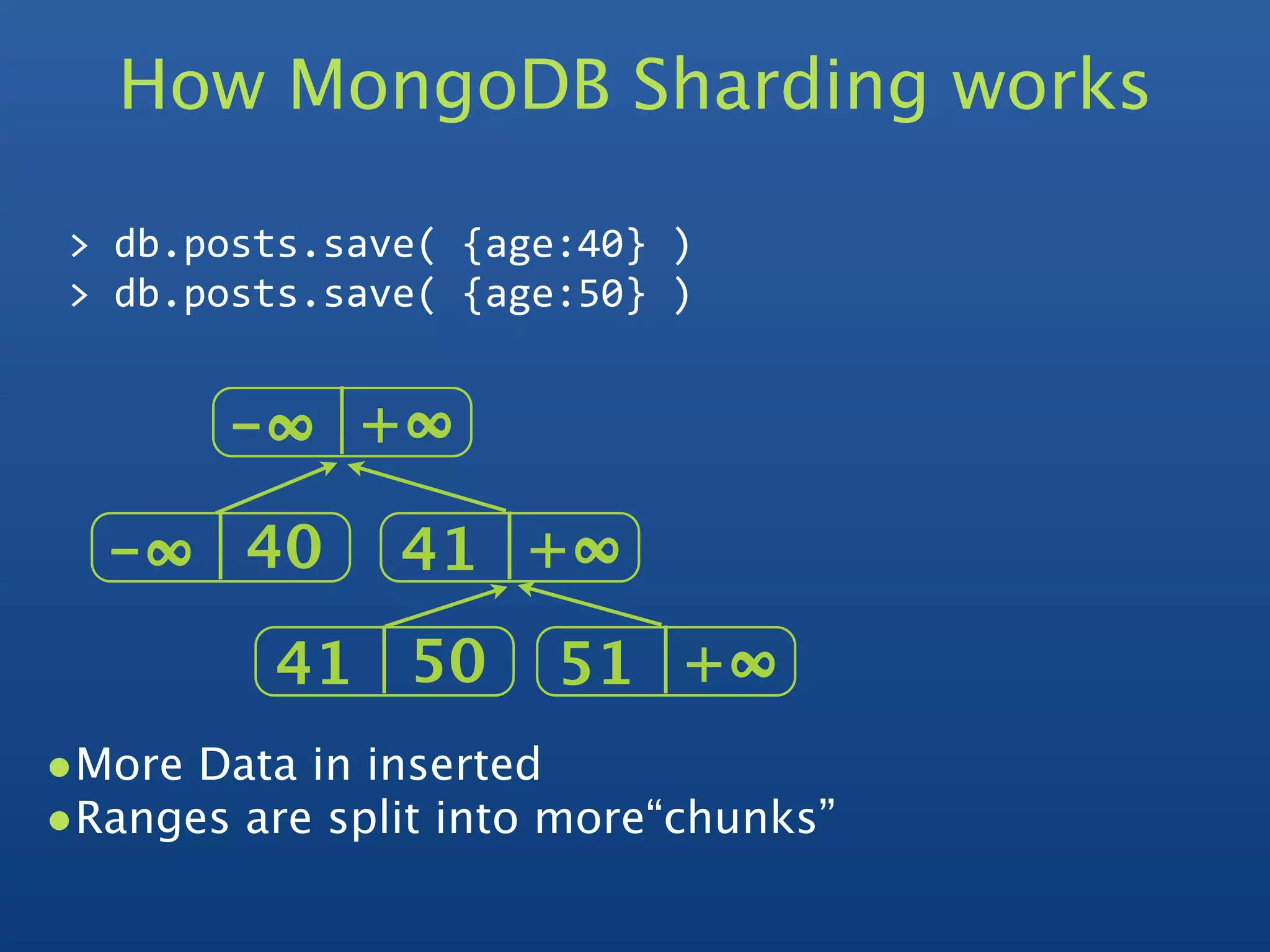
How MongoDB Sharding works

 >
db.posts.save(
{age:40}
)
 >
db.posts.save(
{age:50}
)


        -∞   +∞  

  -∞   40      41 +∞  
          41 50       51 +∞  
•More Data in inserted
•Ranges are split into more“chunks”
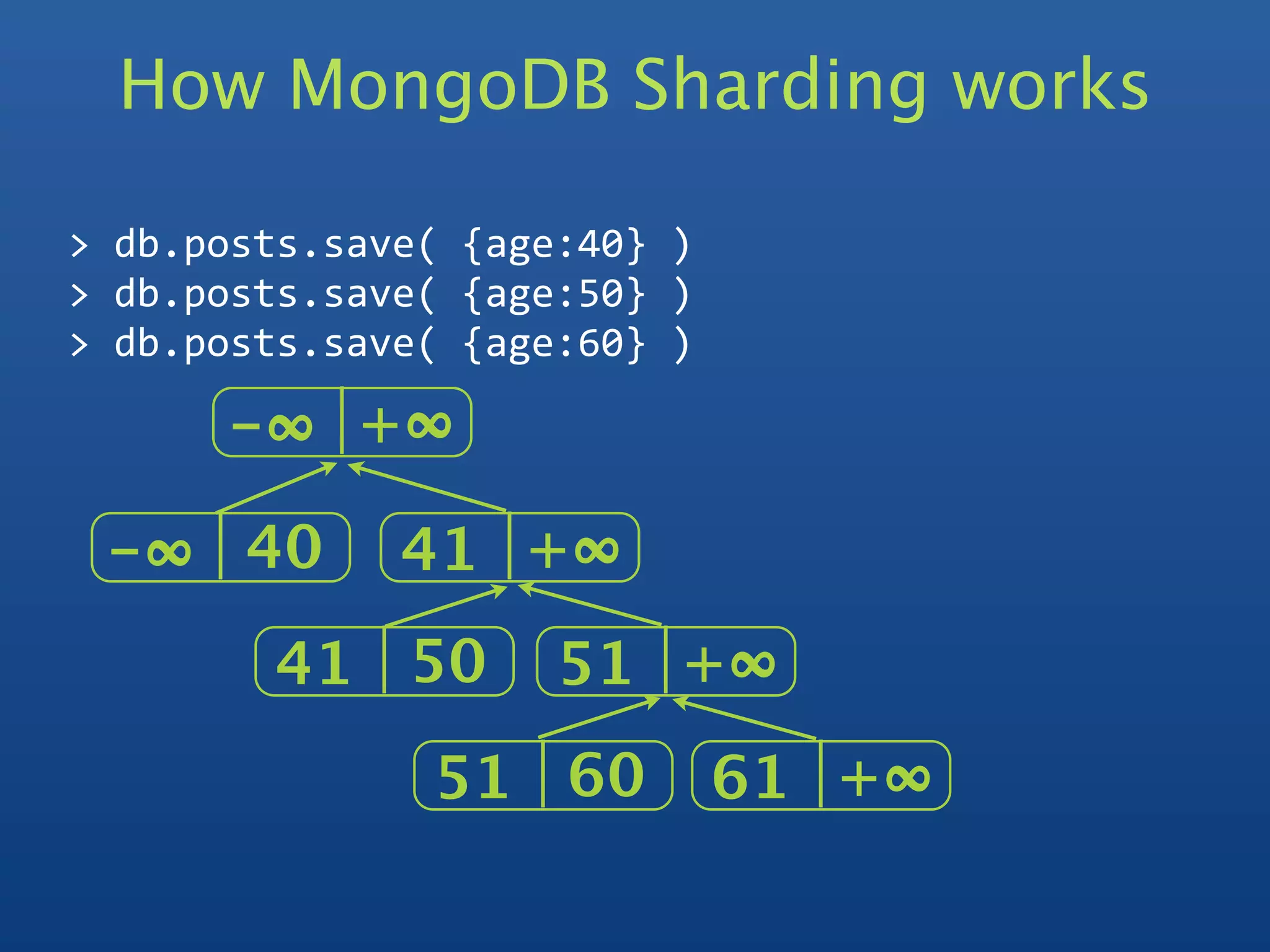
How MongoDB Sharding works

>
db.posts.save(
{age:40}
)
>
db.posts.save(
{age:50}
)
>
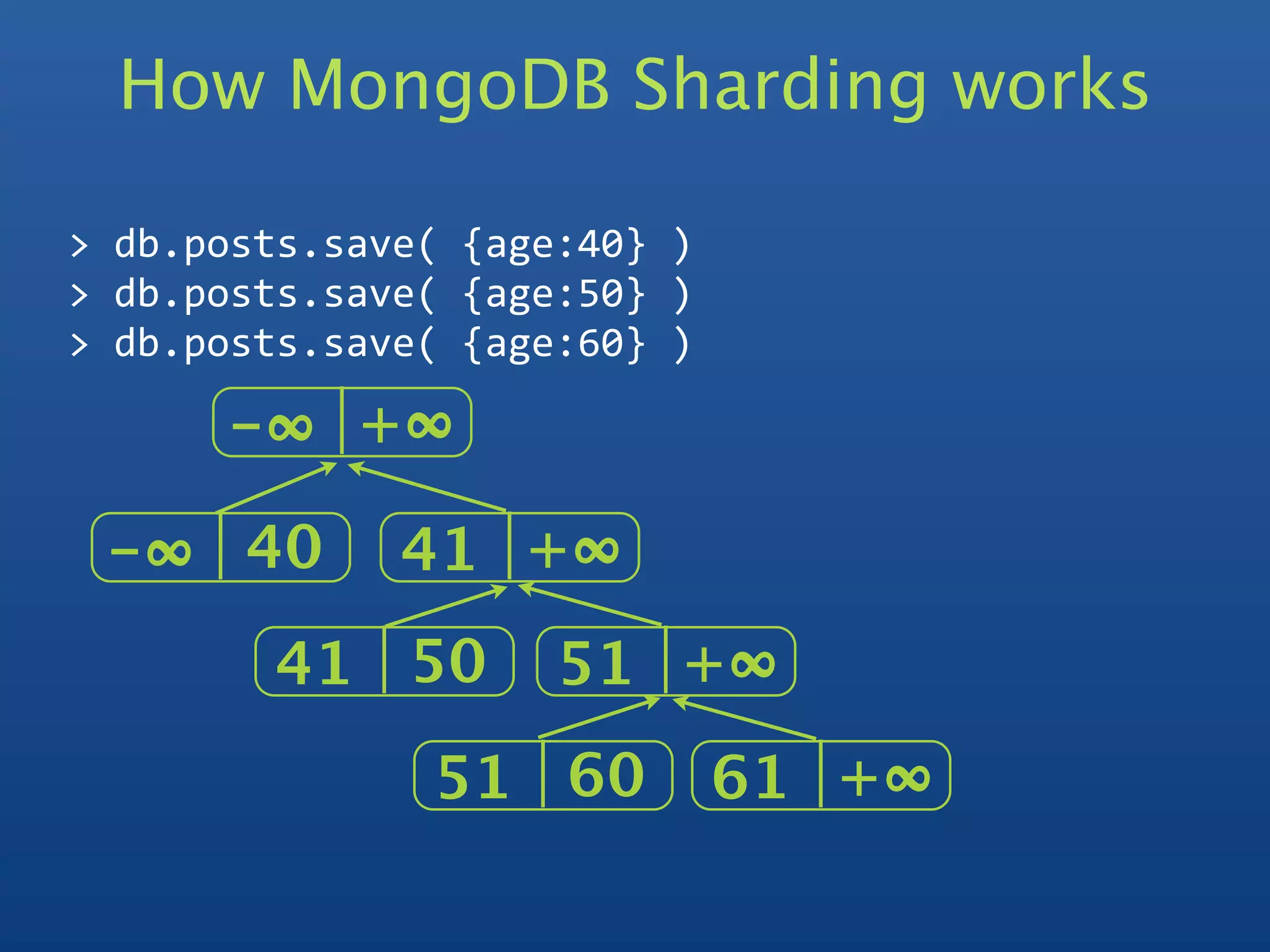
db.posts.save(
{age:60}
)

      -∞   +∞  

 -∞   40      41 +∞  
        41 50        51 +∞  
               51 60          61 +∞  
How MongoDB Sharding works

>
db.posts.save(
{age:40}
)
>
db.posts.save(
{age:50}
)
>
db.posts.save(
{age:60}
)

      -∞   +∞  

 -∞   40      41 +∞  
        41 50        51 +∞  
               51 60          61 +∞  
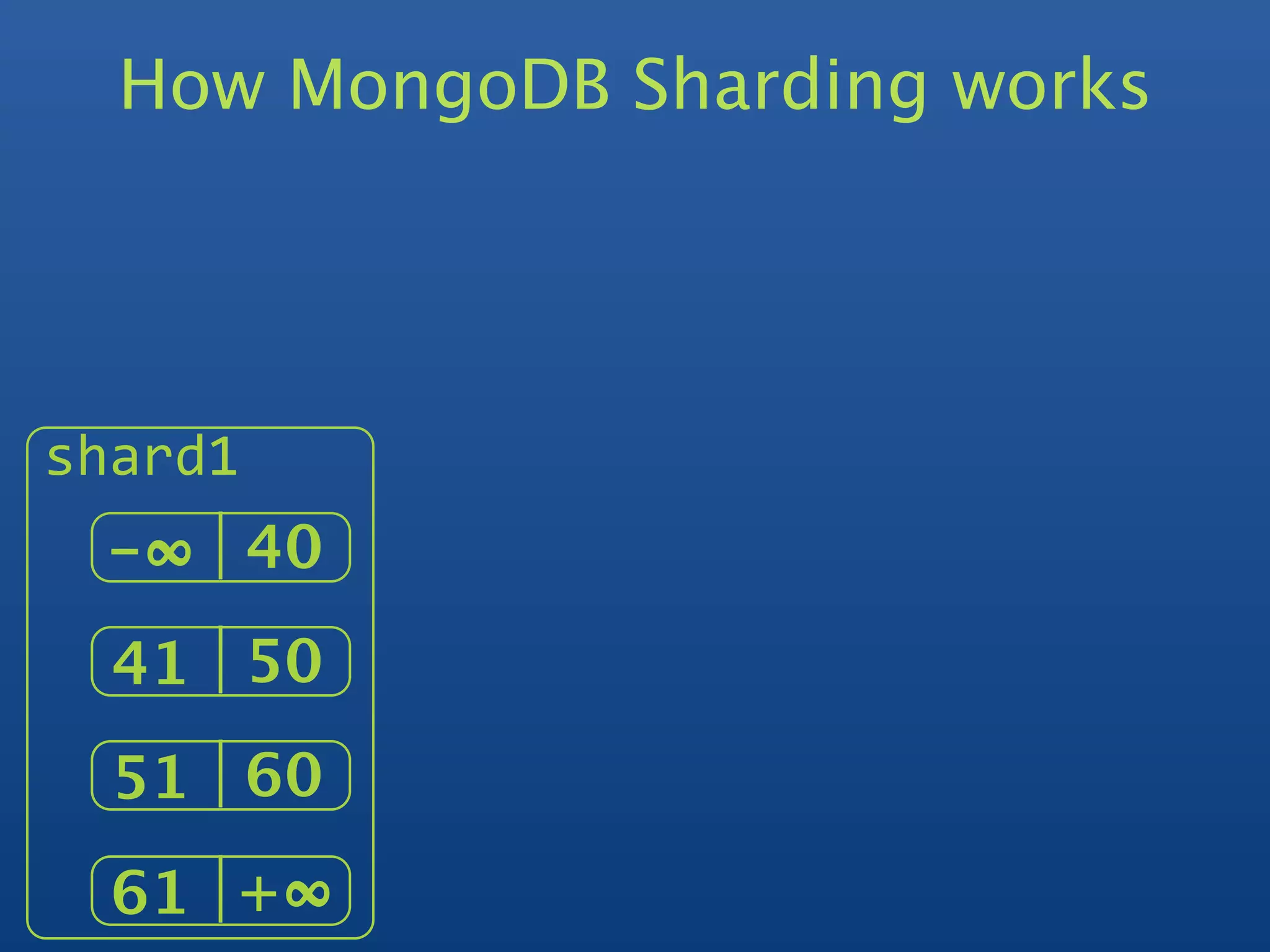
How MongoDB Sharding works


shard1
 -∞   40
  41 50
  51 60
  61 +∞  
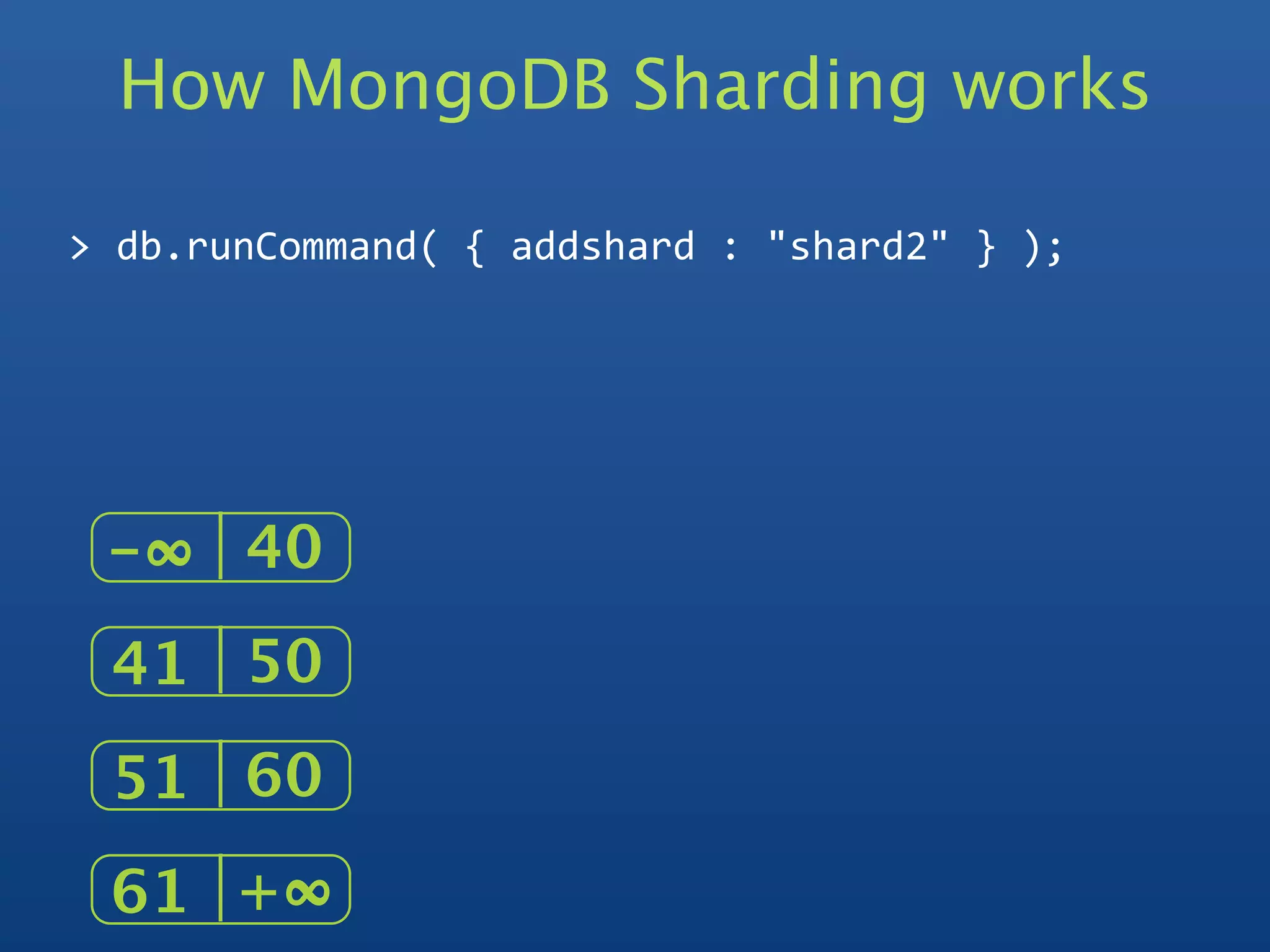
How MongoDB Sharding works

>
db.runCommand(
{
addshard
:
"shard2"
}
);


 -∞   40
 41 50
 51 60
 61 +∞  
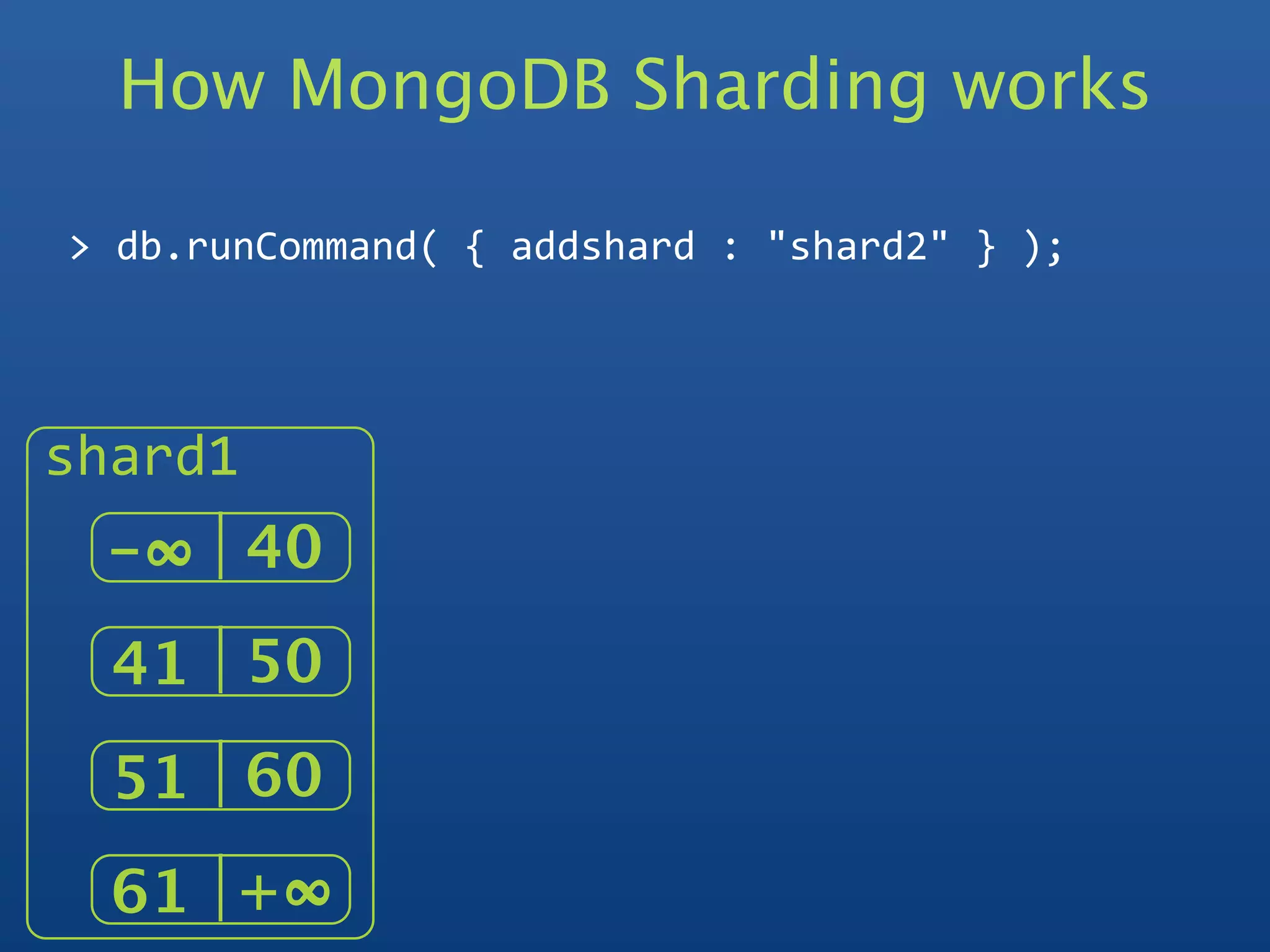
How MongoDB Sharding works

>
db.runCommand(
{
addshard
:
"shard2"
}
);


shard1
 -∞   40
  41 50
  51 60
  61 +∞  
How MongoDB Sharding works

>
db.runCommand(
{
addshard
:
"shard2"
}
);


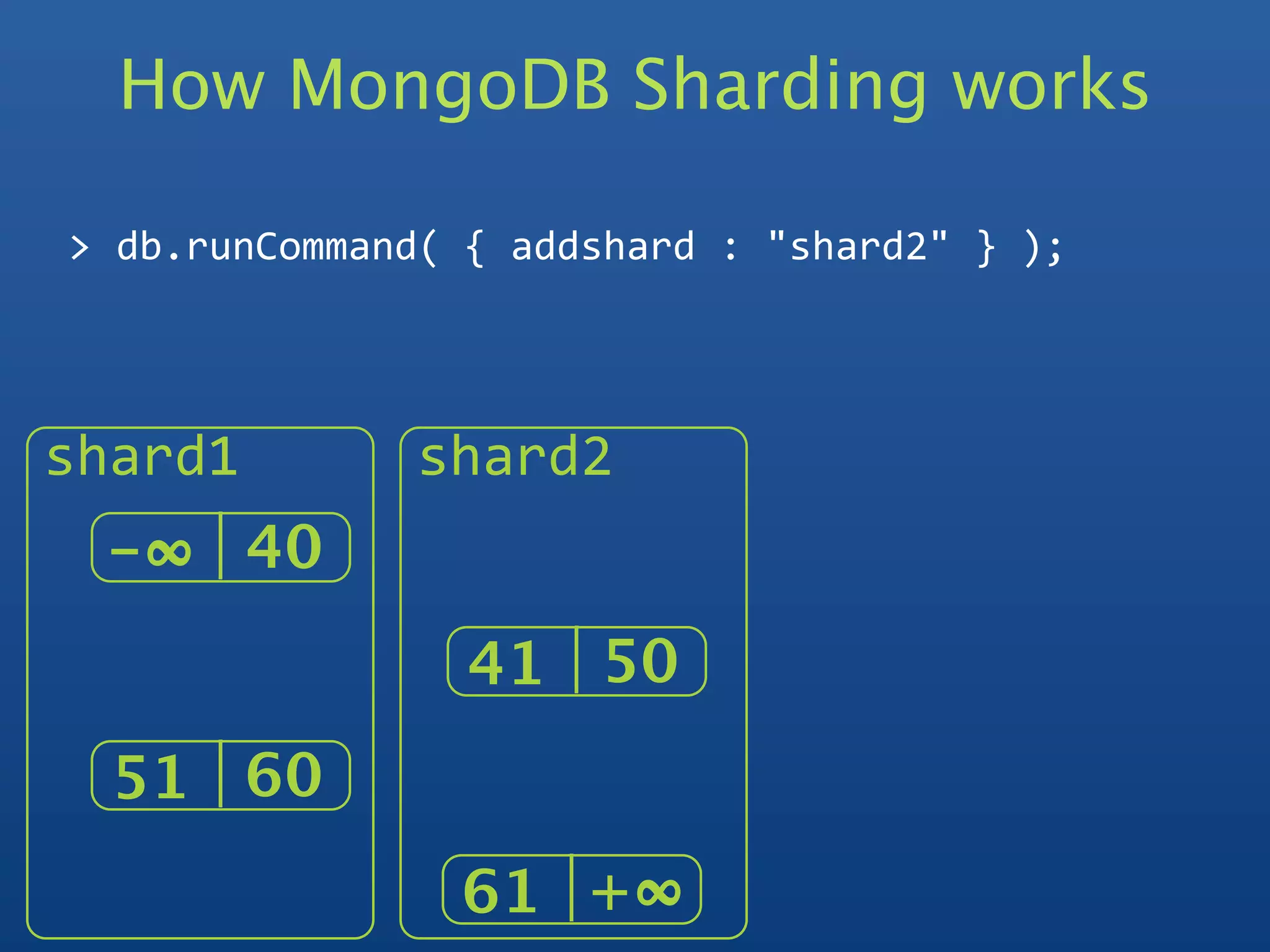
shard1         shard2
 -∞   40
                 41 50
  51 60
                61 +∞  
How MongoDB Sharding works

>
db.runCommand(
{
addshard
:
"shard2"
}
);
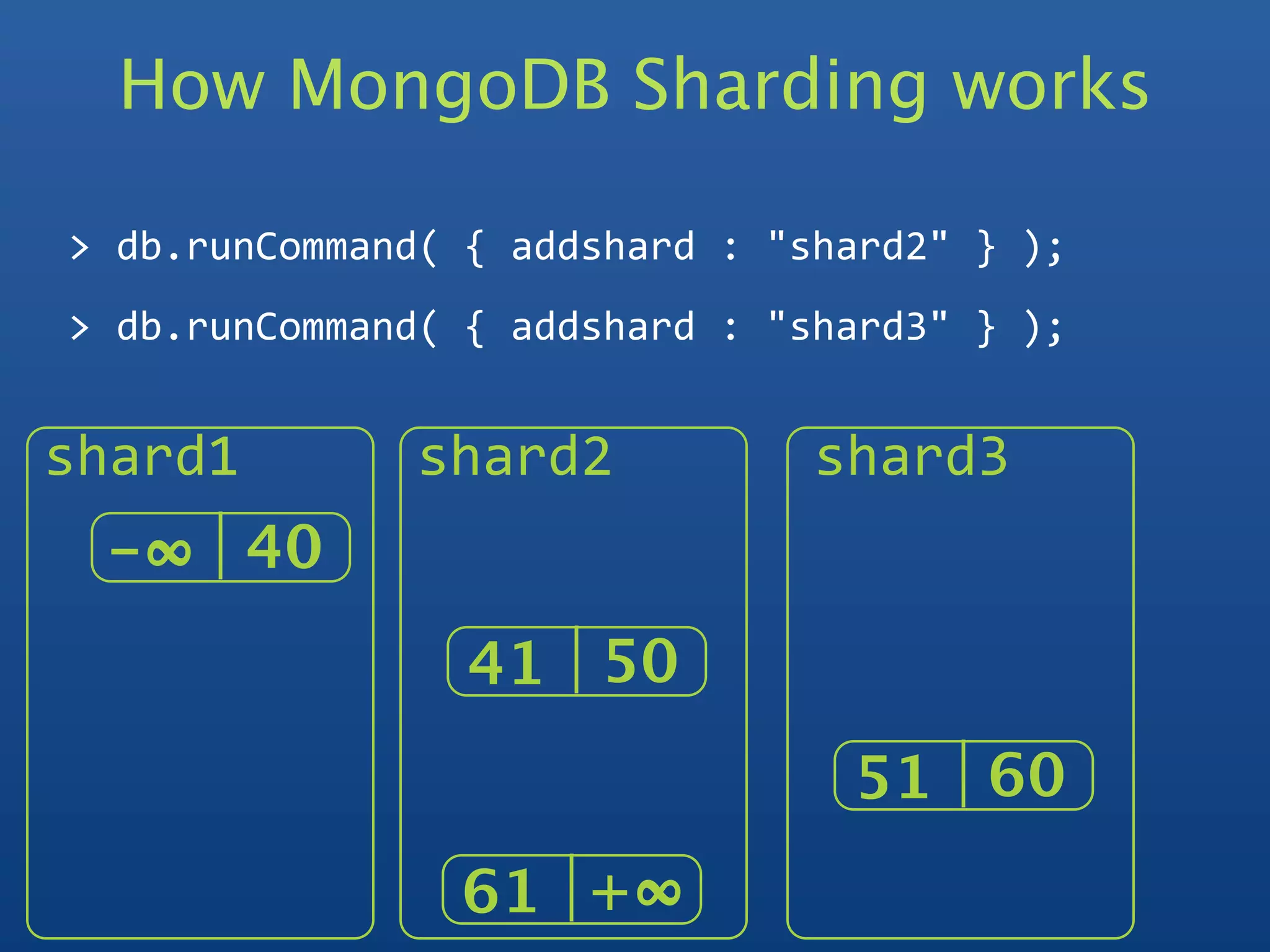
>
db.runCommand(
{
addshard
:
"shard3"
}
);


shard1         shard2           shard3
 -∞   40
                 41 50
                                 51 60
                61 +∞  
How MongoDB
Sharding Works
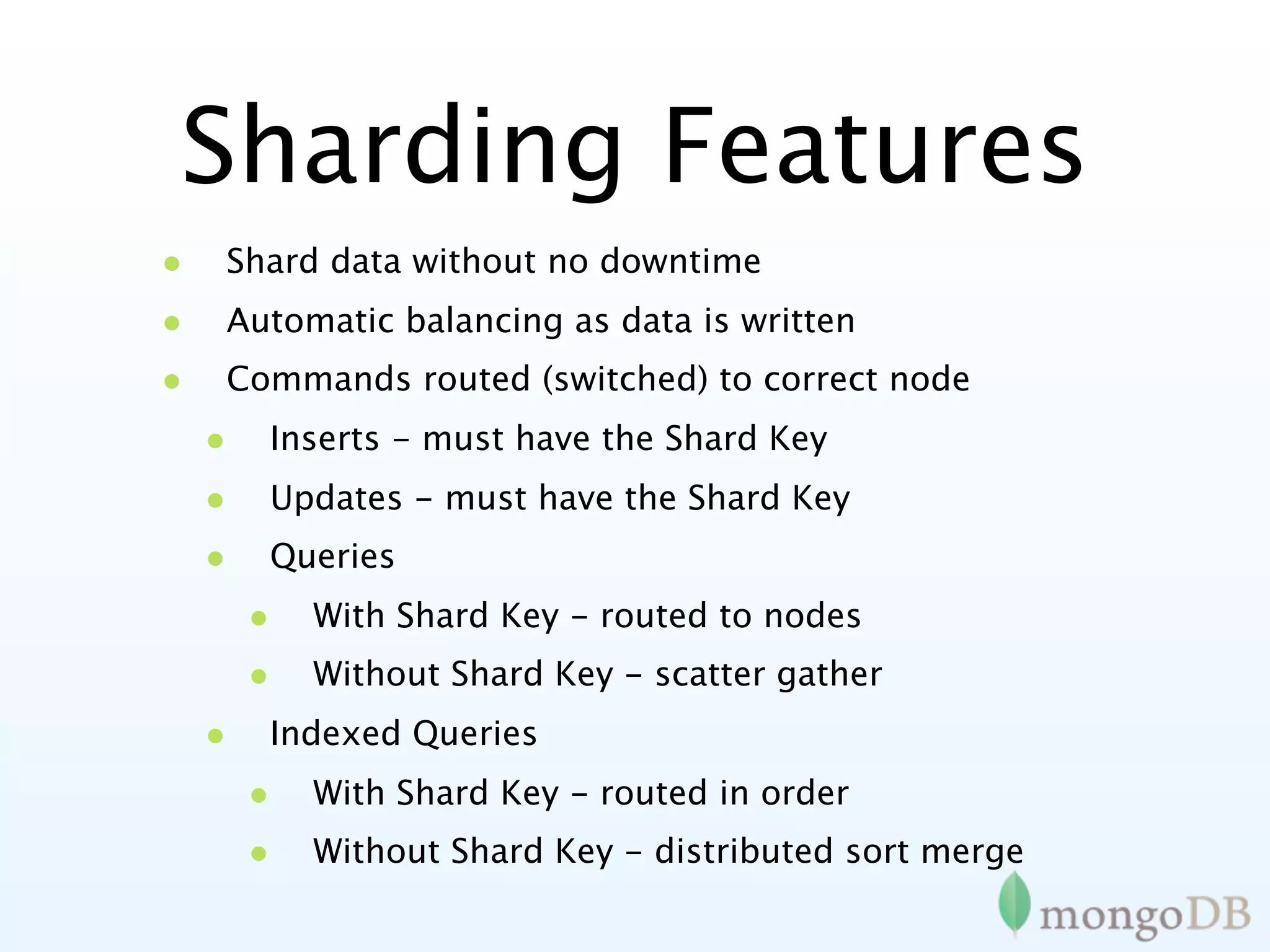
Sharding Features
•   Shard data without no downtime
•   Automatic balancing as data is written
•   Commands routed (switched) to correct node
    •   Inserts - must have the Shard Key
    •   Updates - must have the Shard Key
    •   Queries
        •   With Shard Key - routed to nodes
        •   Without Shard Key - scatter gather
    •   Indexed Queries
        •   With Shard Key - routed in order
        •   Without Shard Key - distributed sort merge
Sharding
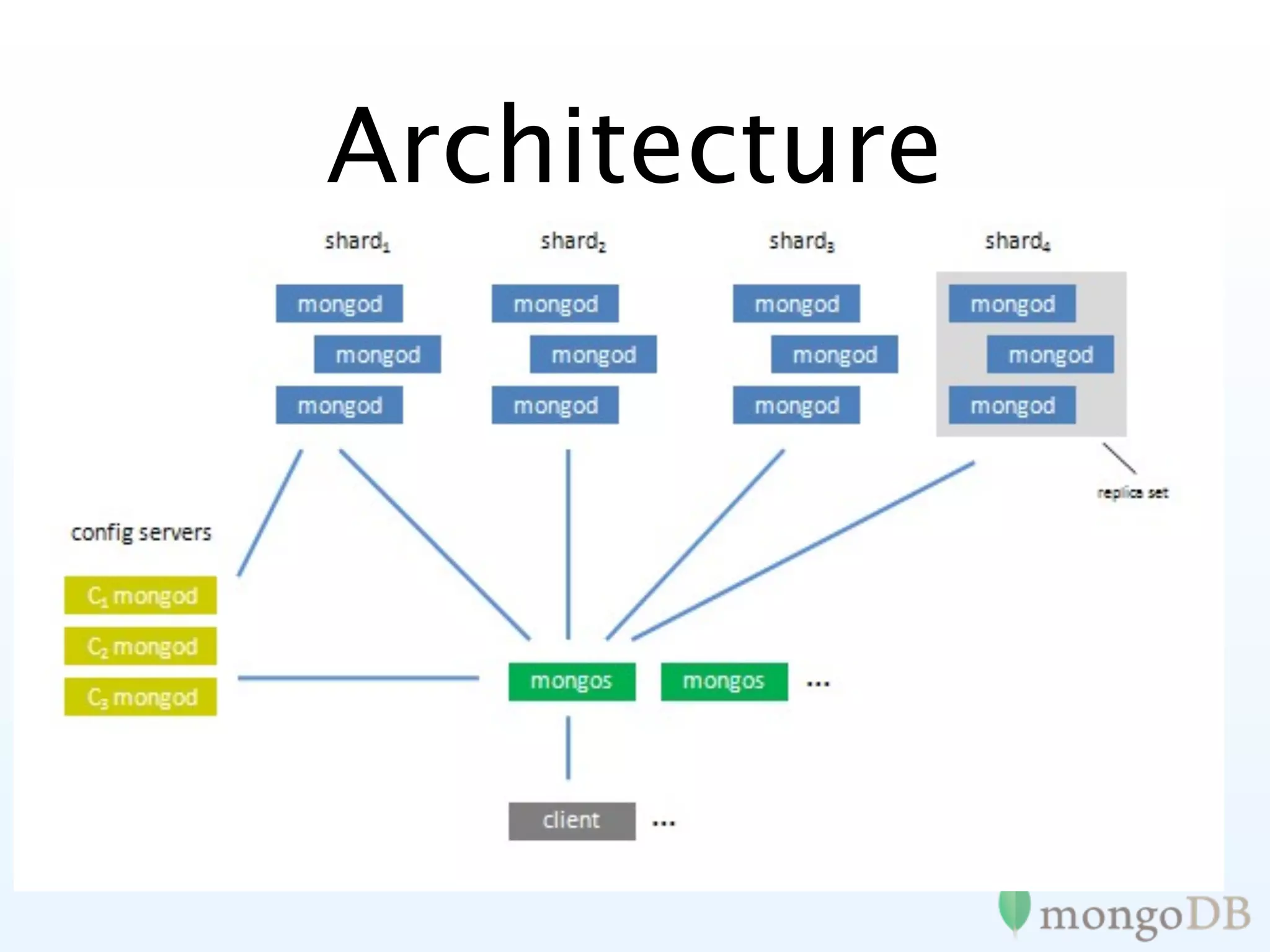
Architecture
Architecture
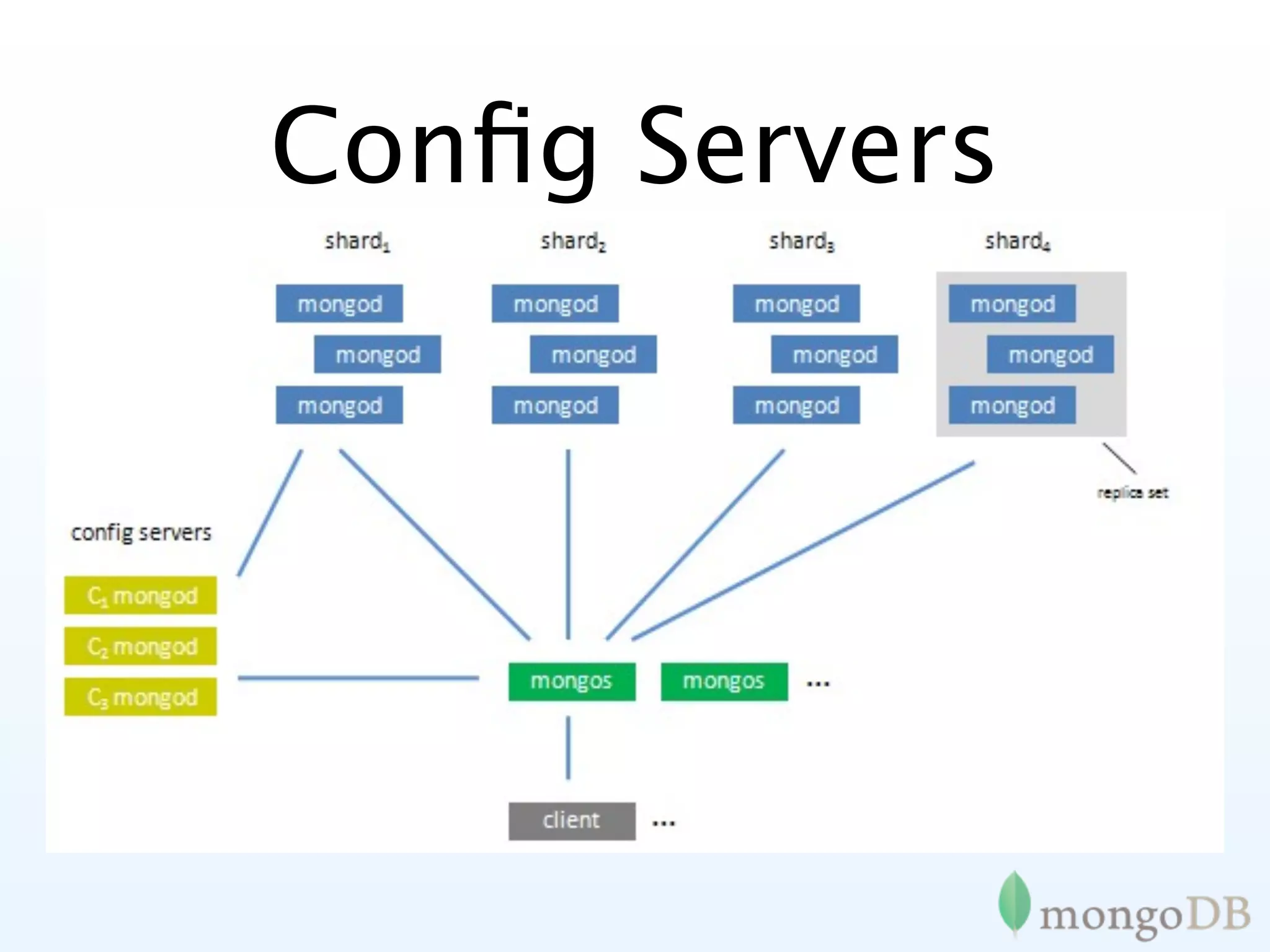
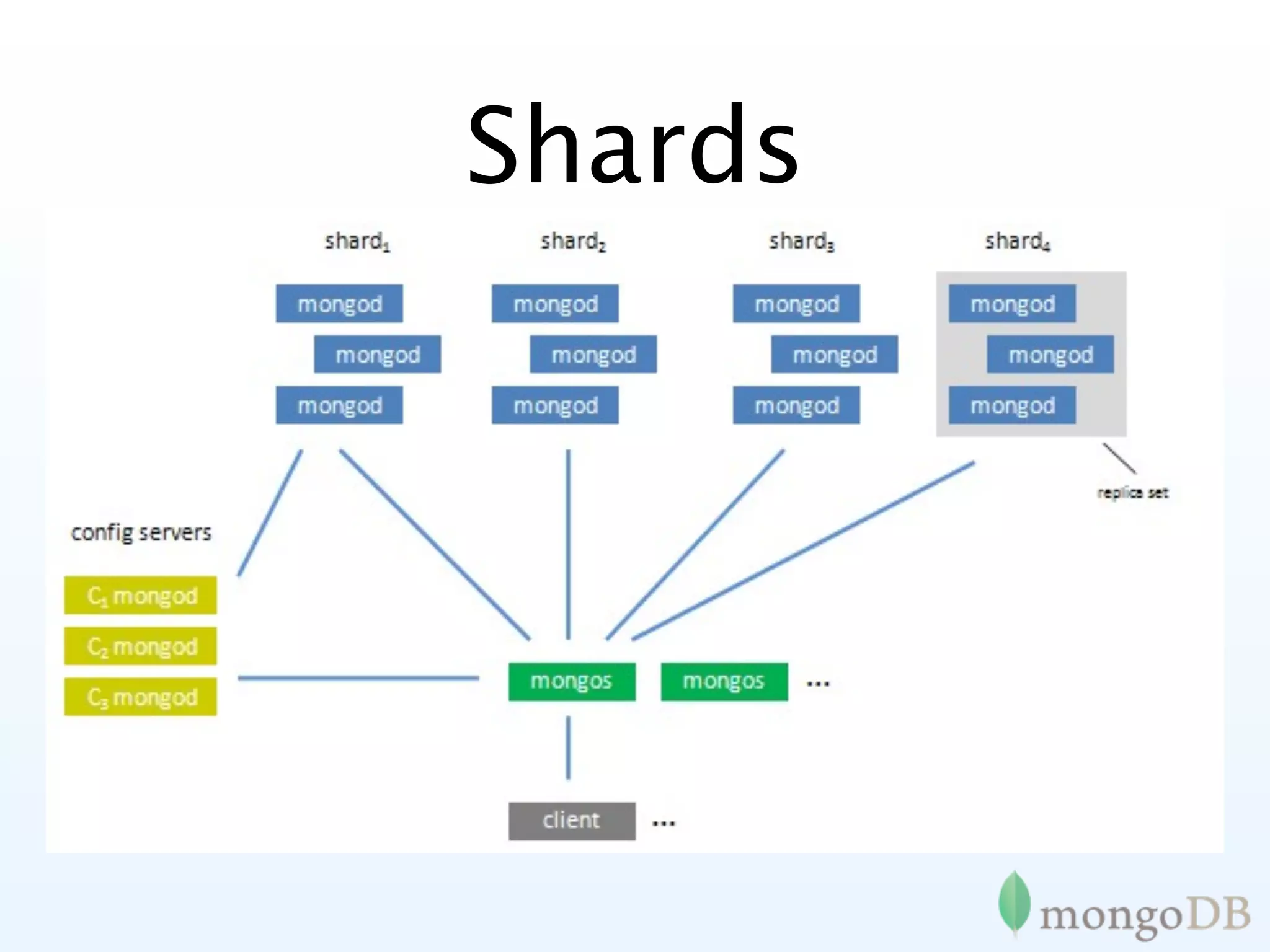
Config Servers
• 3 of them
• changes are made with 2 phase
  commit

• if any are down, meta data
  goes read only

• system is online as long as 1/3
  is up
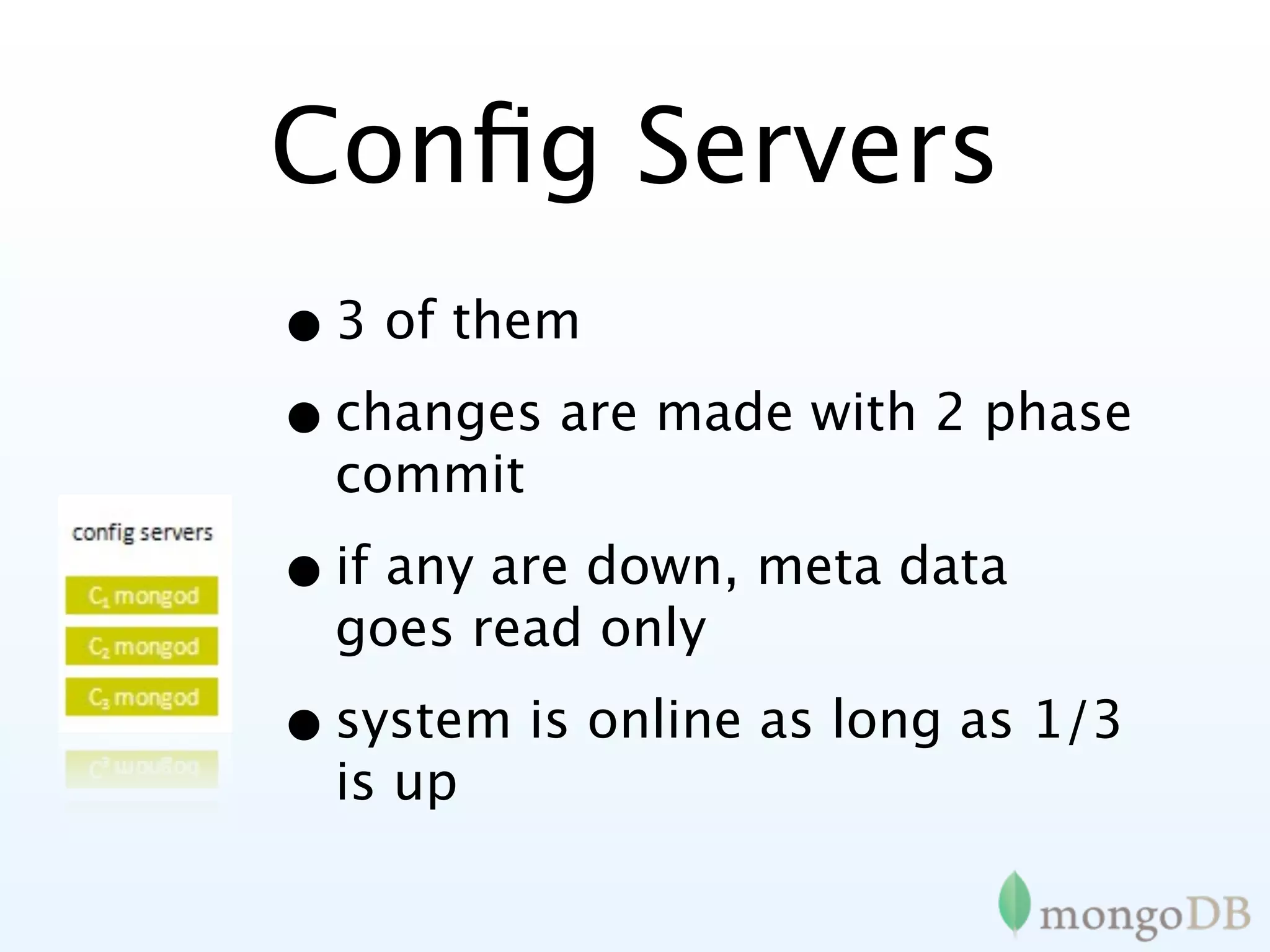
Config Servers
• 3 of them
• changes are made with 2 phase
  commit

• if any are down, meta data
  goes read only

• system is online as long as 1/3
  is up
Shards


• Can be master, master/slave or
  replica sets

• Replica sets gives sharding + full
  auto-failover

• Regular mongod processes
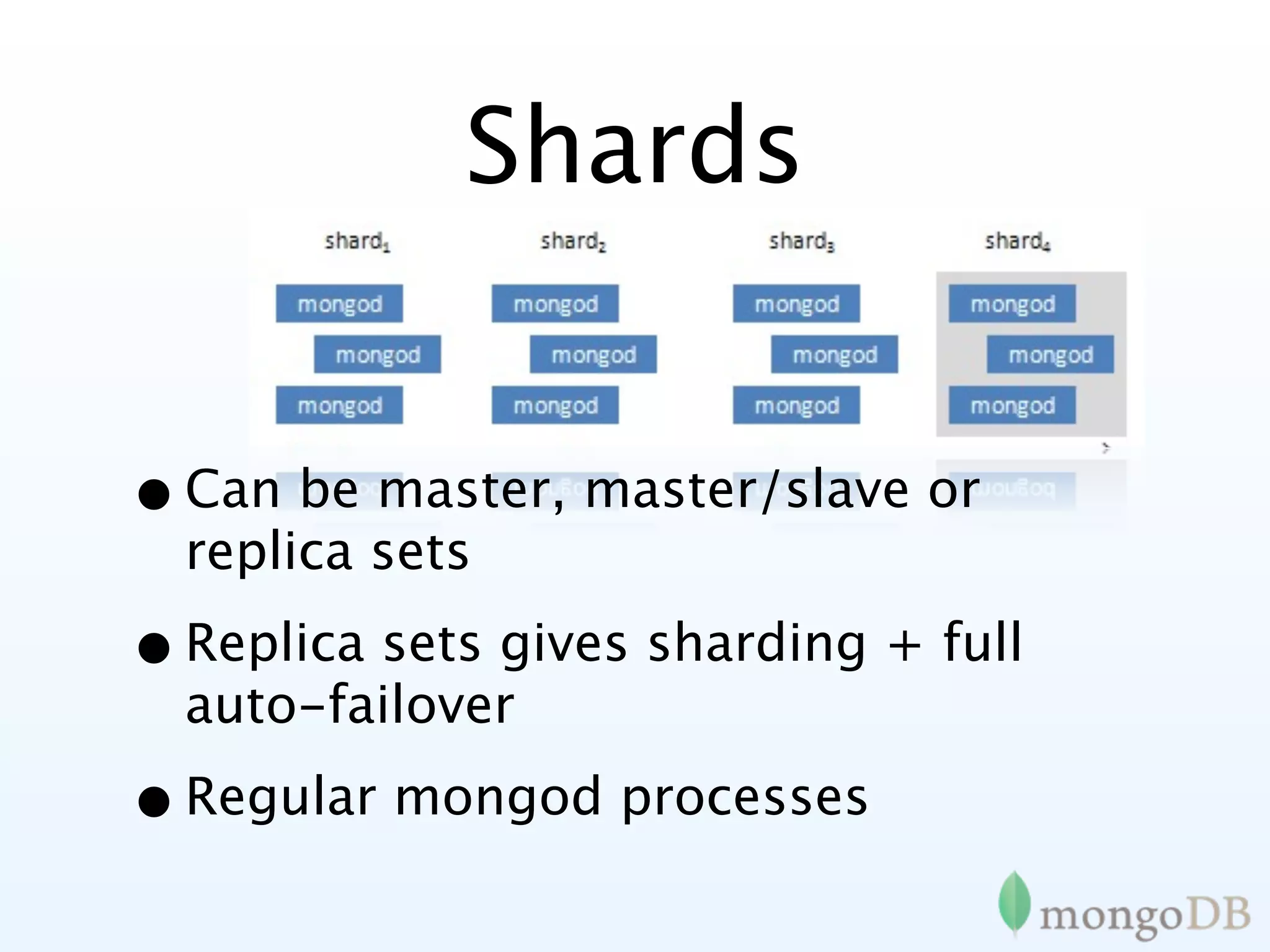
Shards


• Can be master, master/slave or
  replica sets

• Replica sets gives sharding + full
  auto-failover

• Regular mongod processes
Mongos
• Sharding Router
• Acts just like a mongod to clients
• Can have 1 or as many as you want
• Can run on appserver so no extra
  network traffic
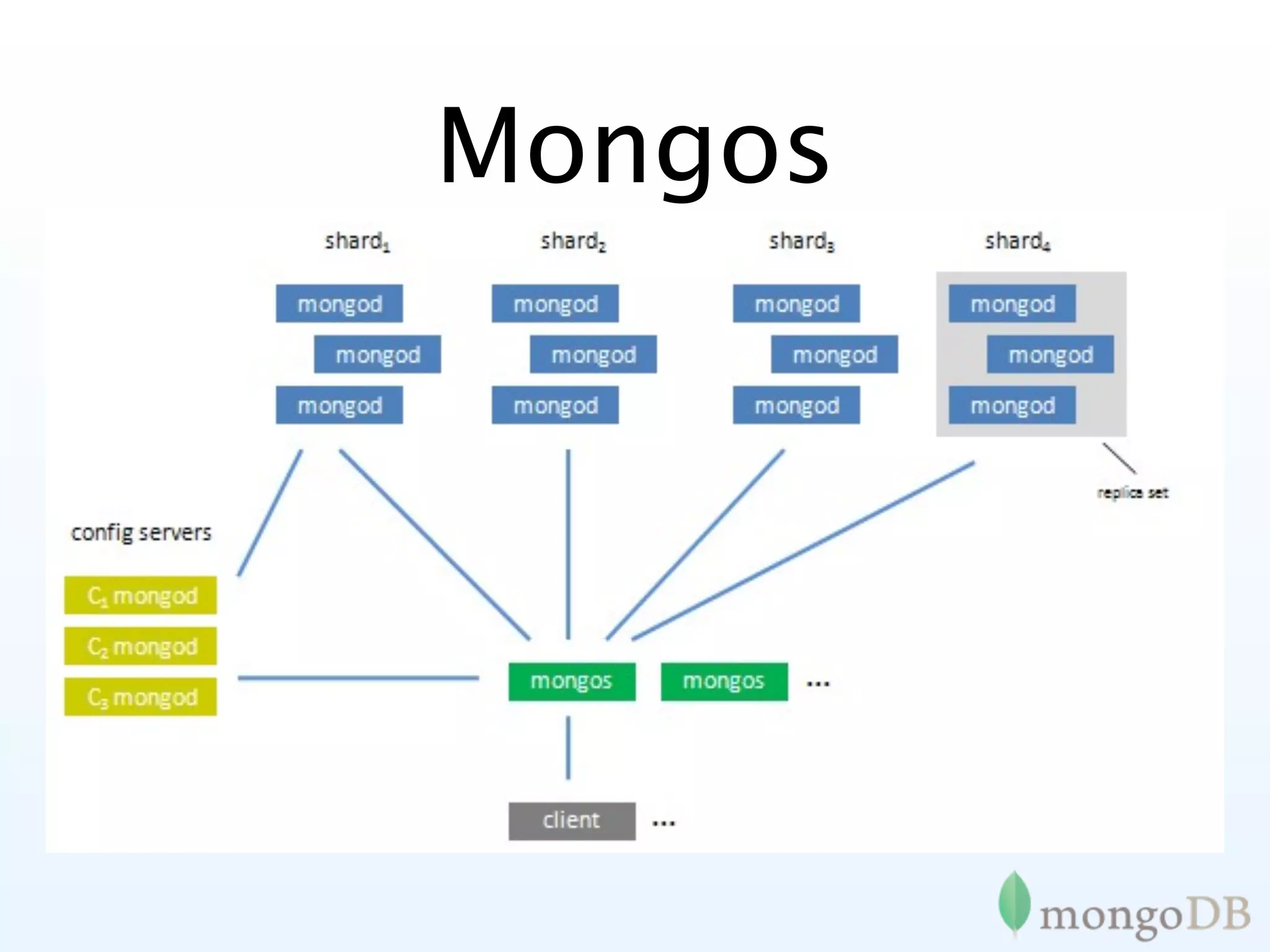
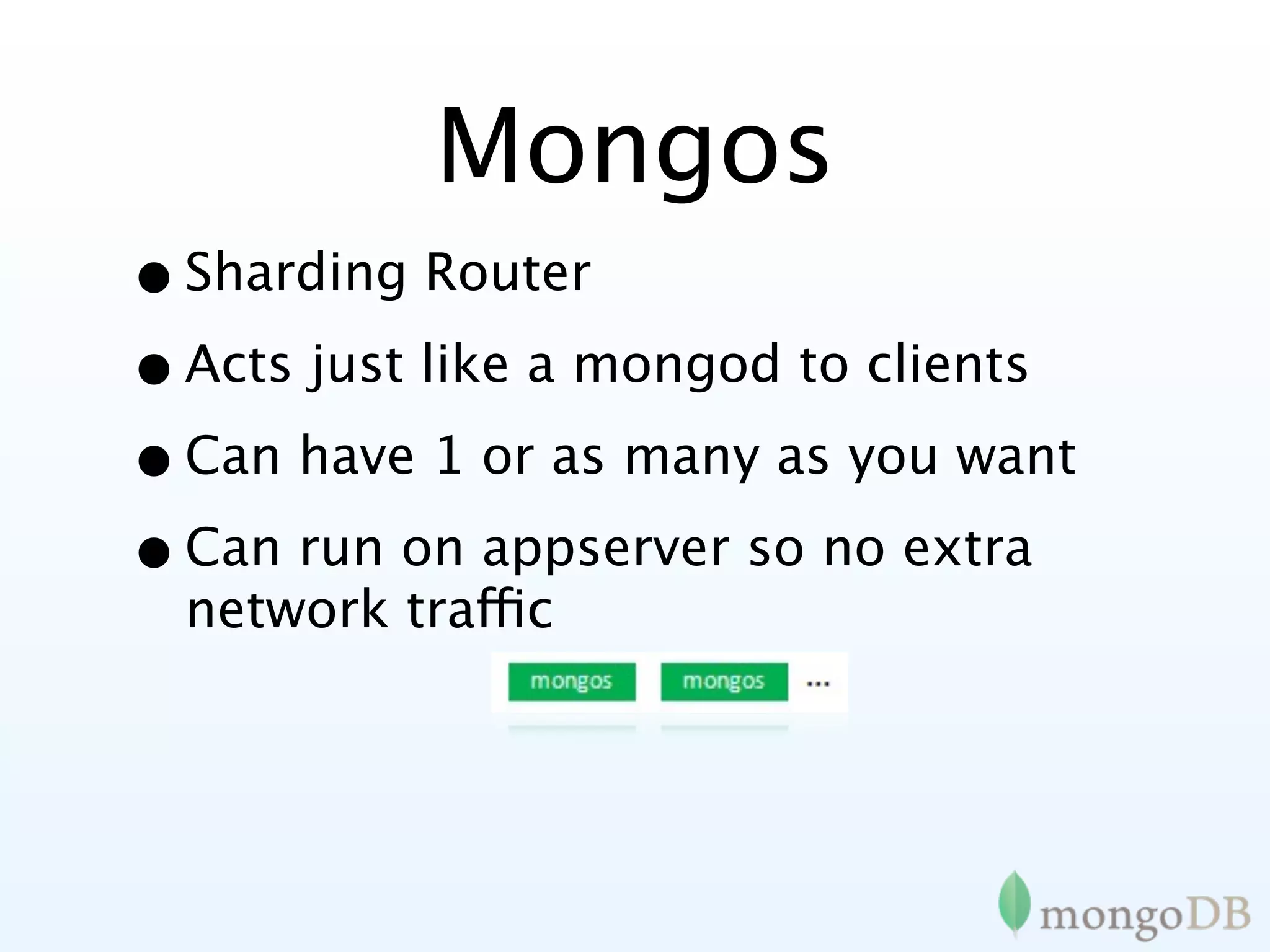
Mongos
• Sharding Router
• Acts just like a mongod to clients
• Can have 1 or as many as you want
• Can run on appserver so no extra
  network traffic
Advanced
Replication
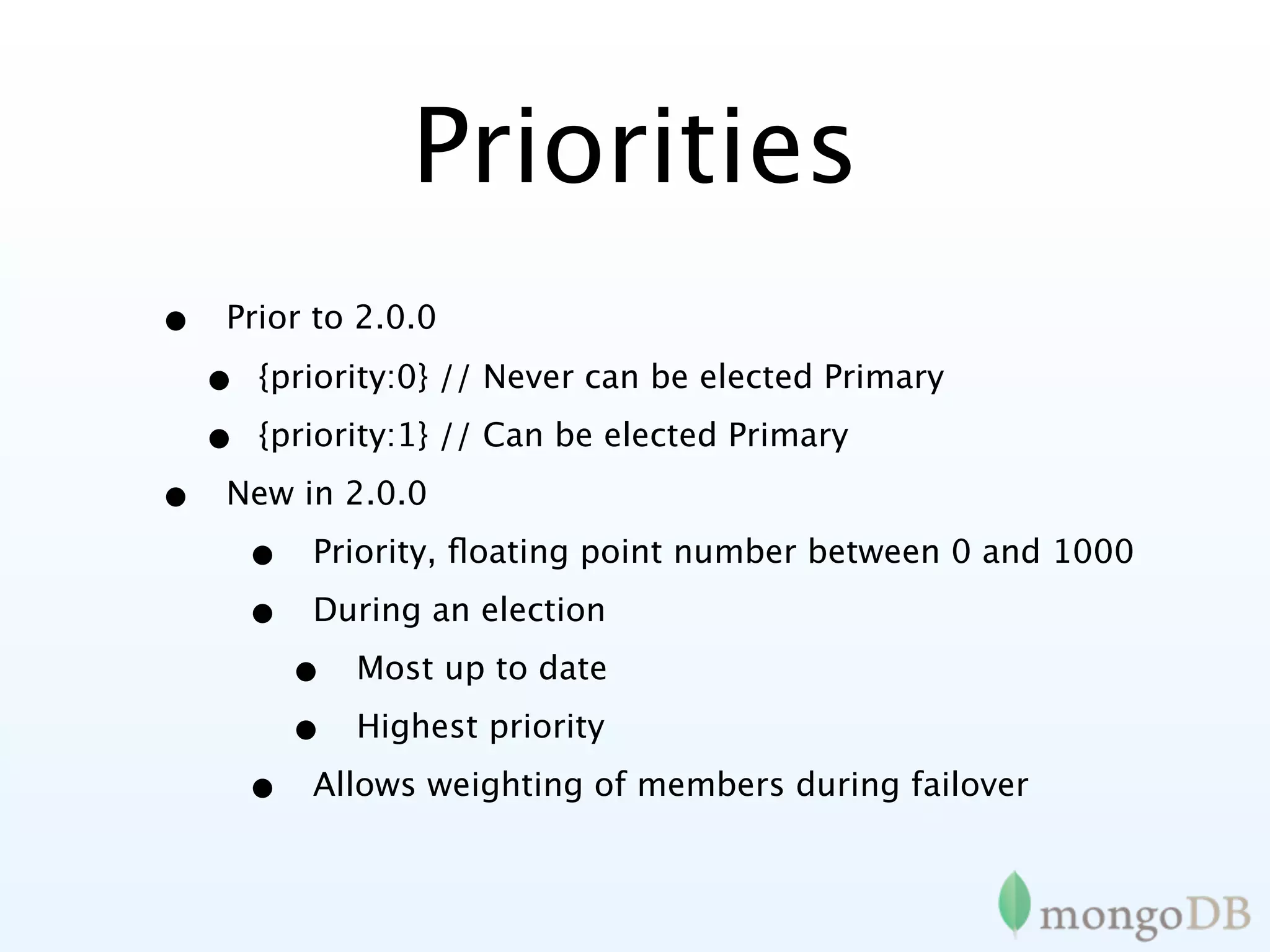
Priorities
•   Prior to 2.0.0

    •   {priority:0} // Never can be elected Primary

    •   {priority:1} // Can be elected Primary

•   New in 2.0.0

        •   Priority, floating point number between 0 and 1000

        •   During an election

            •   Most up to date

            •   Highest priority

        •   Allows weighting of members during failover
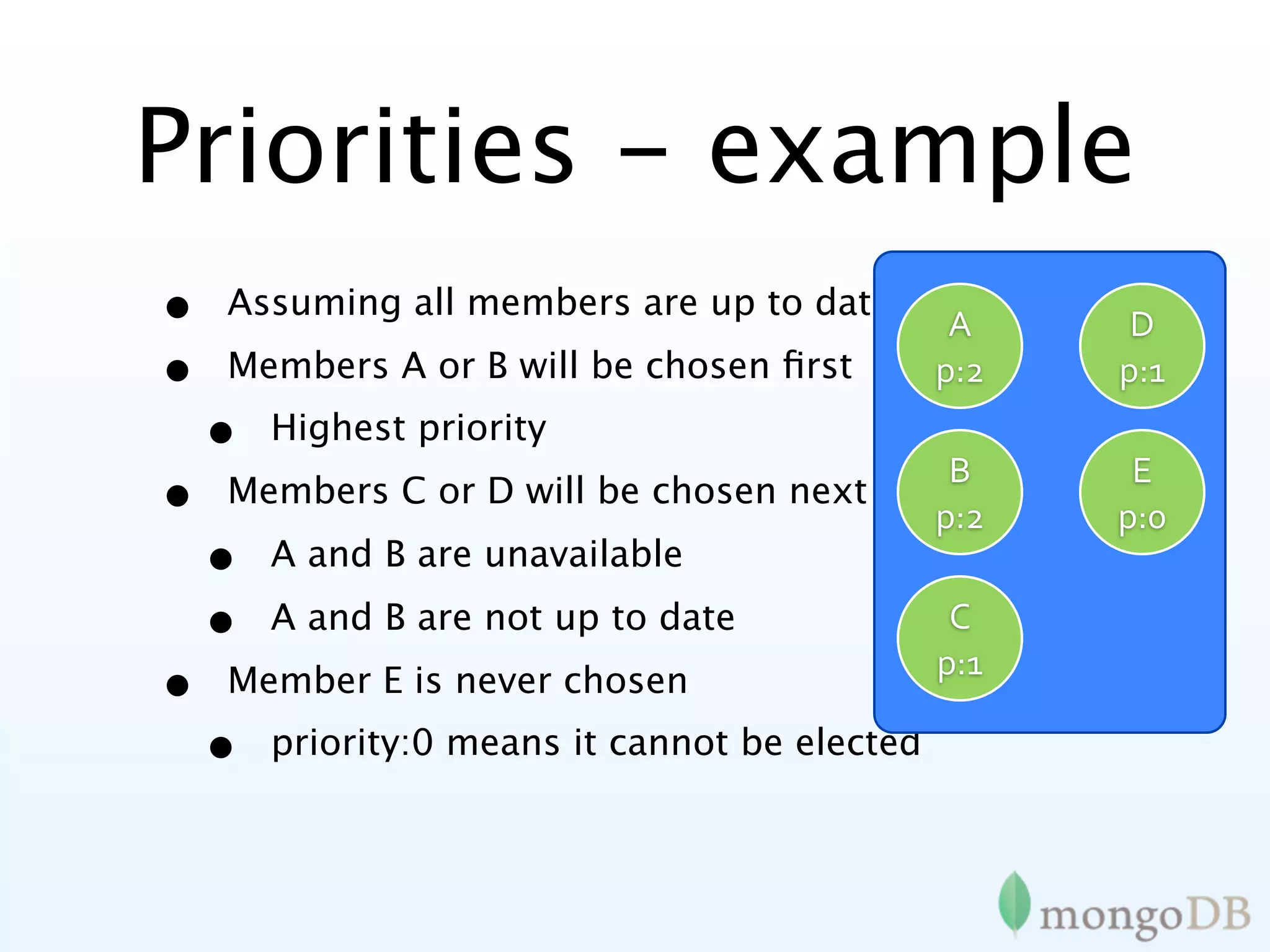
Priorities - example
•   Assuming all members are up to date
                                                 A     D
•   Members A or B will be chosen first          p:2   p:1
    •   Highest priority
                                           B           E
•   Members C or D will be chosen next if
                                          p:2         p:0
    • A and B are unavailable

    •   A and B are not up to date               C
                                                p:1
•   Member E is never chosen
    •   priority:0 means it cannot be elected
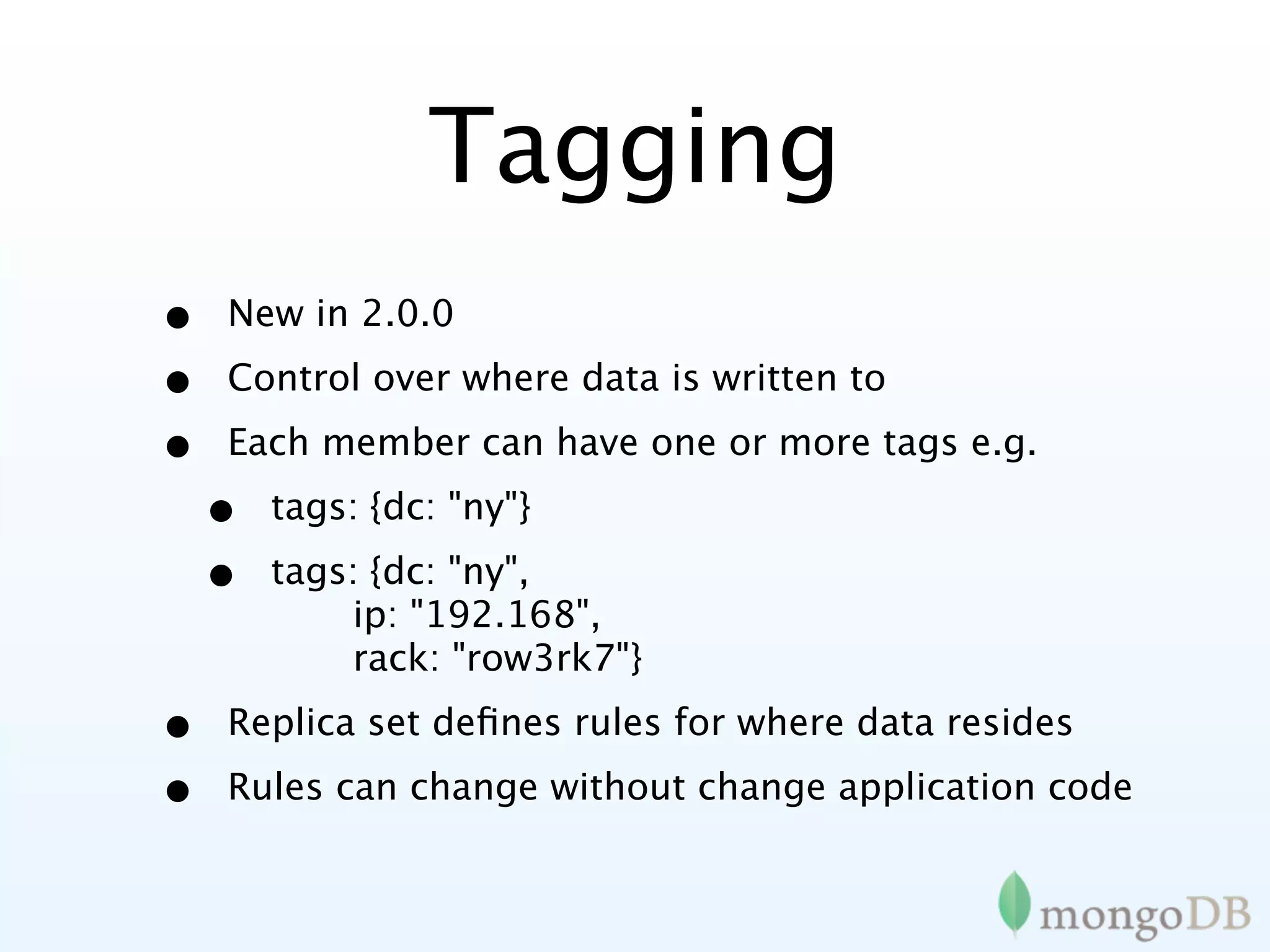
Tagging
•   New in 2.0.0

•   Control over where data is written to

•   Each member can have one or more tags e.g.

    •   tags: {dc: "ny"}

    •   tags: {dc: "ny",
            ip: "192.168",
            rack: "row3rk7"}

•   Replica set defines rules for where data resides

•   Rules can change without change application code
Tagging - example
{
    _id : "mySet",
    members : [
        {_id : 0, host : "A",   tags    :   {"dc":   "ny"}},
        {_id : 1, host : "B",   tags    :   {"dc":   "ny"}},
        {_id : 2, host : "C",   tags    :   {"dc":   "sf"}},
        {_id : 3, host : "D",   tags    :   {"dc":   "sf"}},
        {_id : 4, host : "E",   tags    :   {"dc":   "cloud"}}]
    settings : {
        getLastErrorModes : {
            allDCs : {"dc" :    3},
            someDCs : {"dc" :   2}} }
}

> db.blogs.insert({...})
> db.runCommand({getLastError : 1, w : "allDCs"})
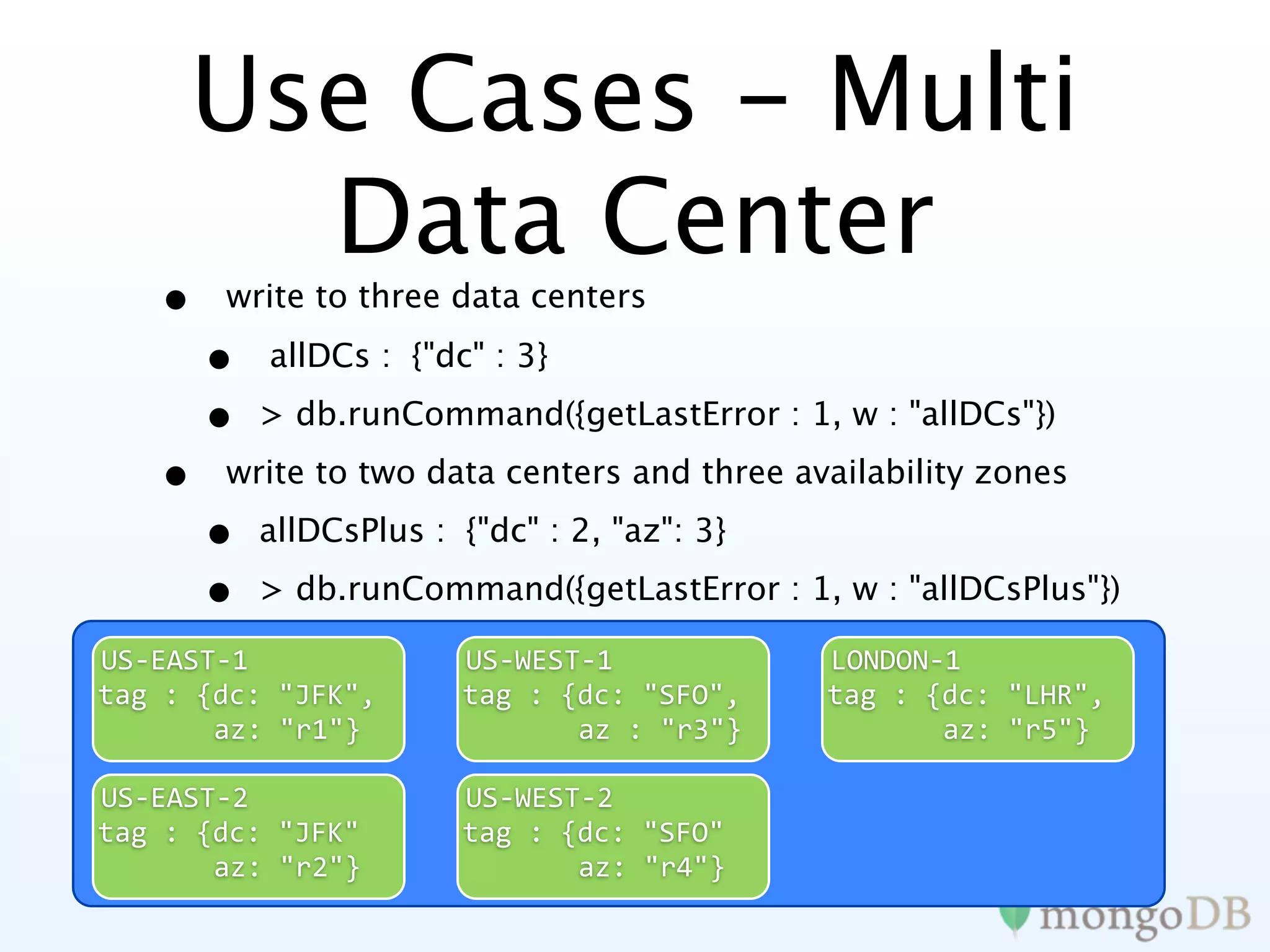
Use Cases - Multi
       Data Center
   •   write to three data centers

       •   allDCs : {"dc" : 3}

       •   > db.runCommand({getLastError : 1, w : "allDCs"})

   •   write to two data centers and three availability zones

       •   allDCsPlus : {"dc" : 2, "az": 3}

       •   > db.runCommand({getLastError : 1, w : "allDCsPlus"})

US‐EAST‐1               US‐WEST‐1             LONDON‐1
tag
:
{dc:
"JFK",       tag
:
{dc:
"SFO",     tag
:
{dc:
"LHR",


az:
"r1"}        


az
:
"r3"}     


az:
"r5"}

US‐EAST‐2               US‐WEST‐2
tag
:
{dc:
"JFK"        tag
:
{dc:
"SFO"


az:
"r2"}        


az:
"r4"}
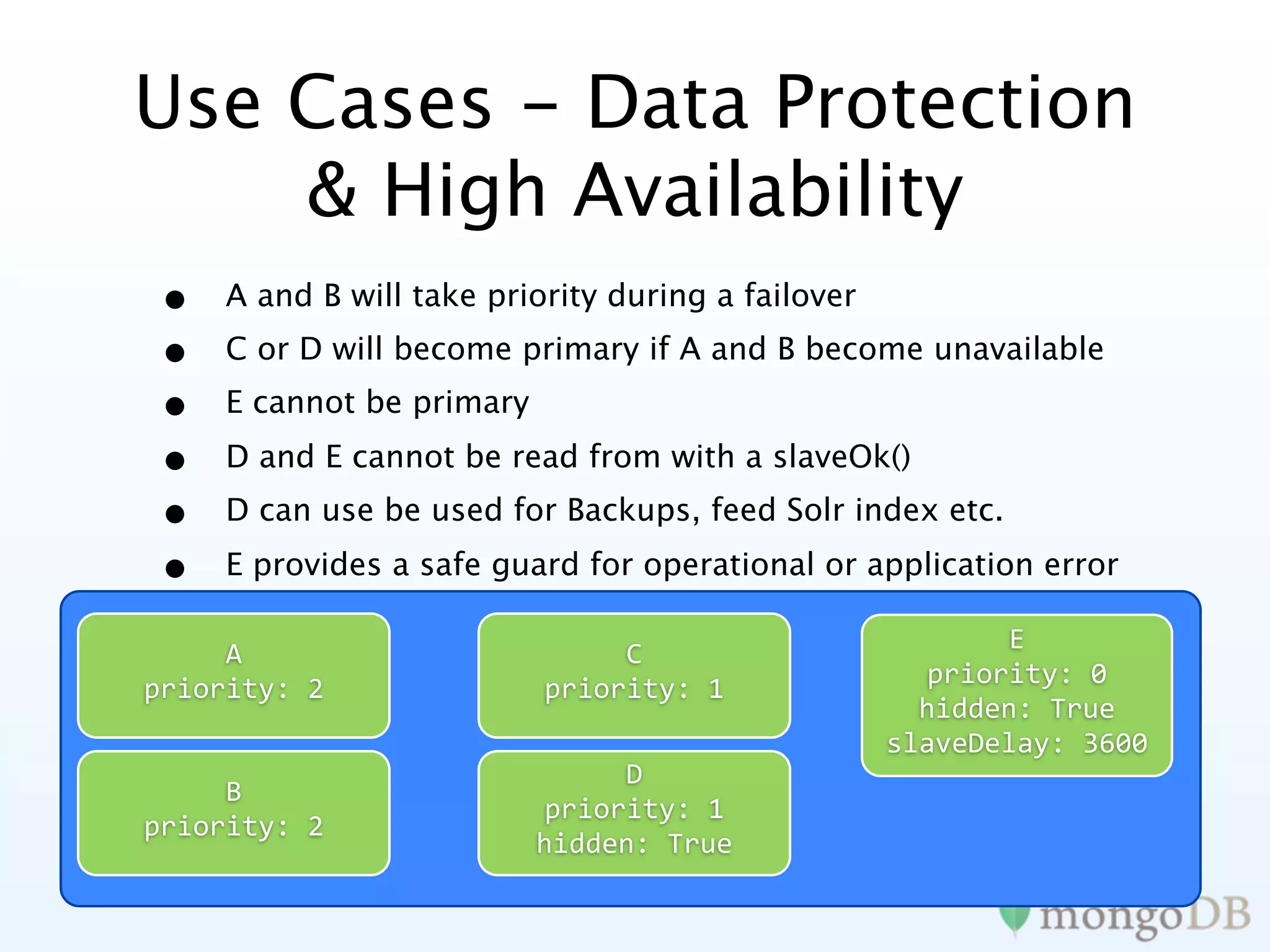
Use Cases - Data Protection
    & High Availability
•    A and B will take priority during a failover
•    C or D will become primary if A and B become unavailable
•    E cannot be primary

•    D and E cannot be read from with a slaveOk()
•    D can use be used for Backups, feed Solr index etc.

•    E provides a safe guard for operational or application error

                                                           E
     A                          C
                                                      priority:
0
priority:
2                priority:
1
                                                      hidden:
True
                                                    slaveDelay:
3600
                                D
     B
                           priority:
1
priority:
2
                           hidden:
True
Optimizing app
 performance
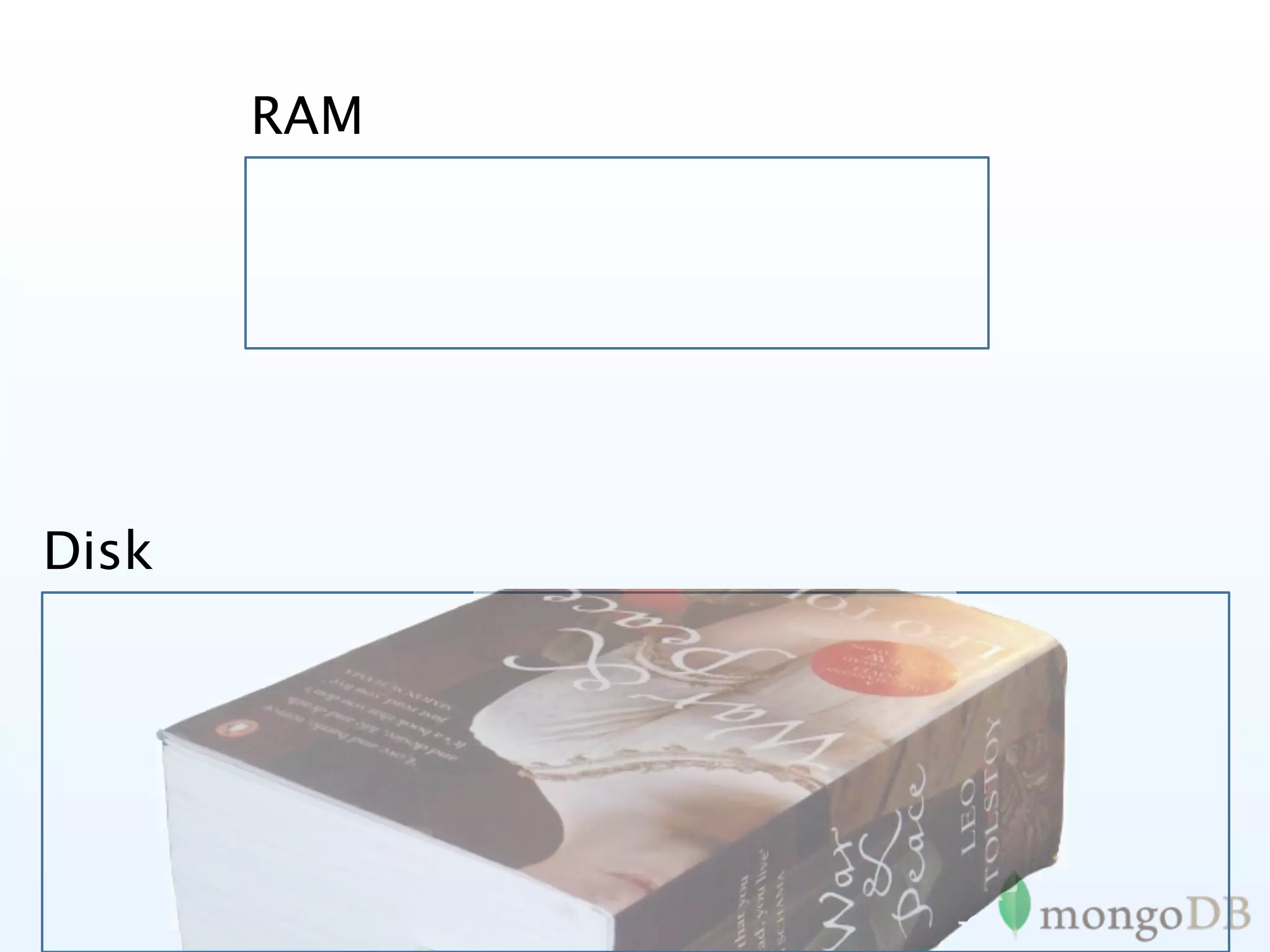
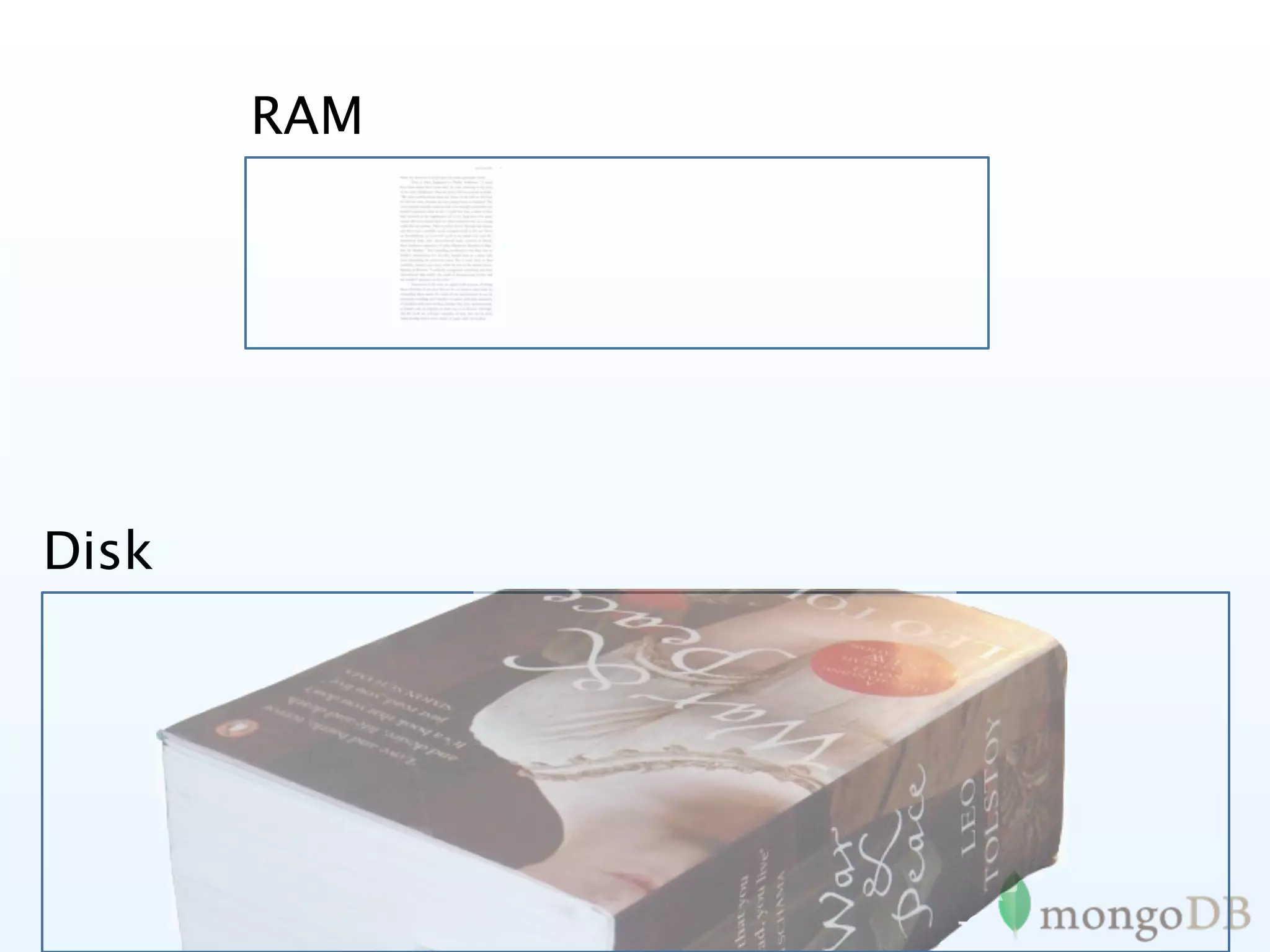
RAM


Disk
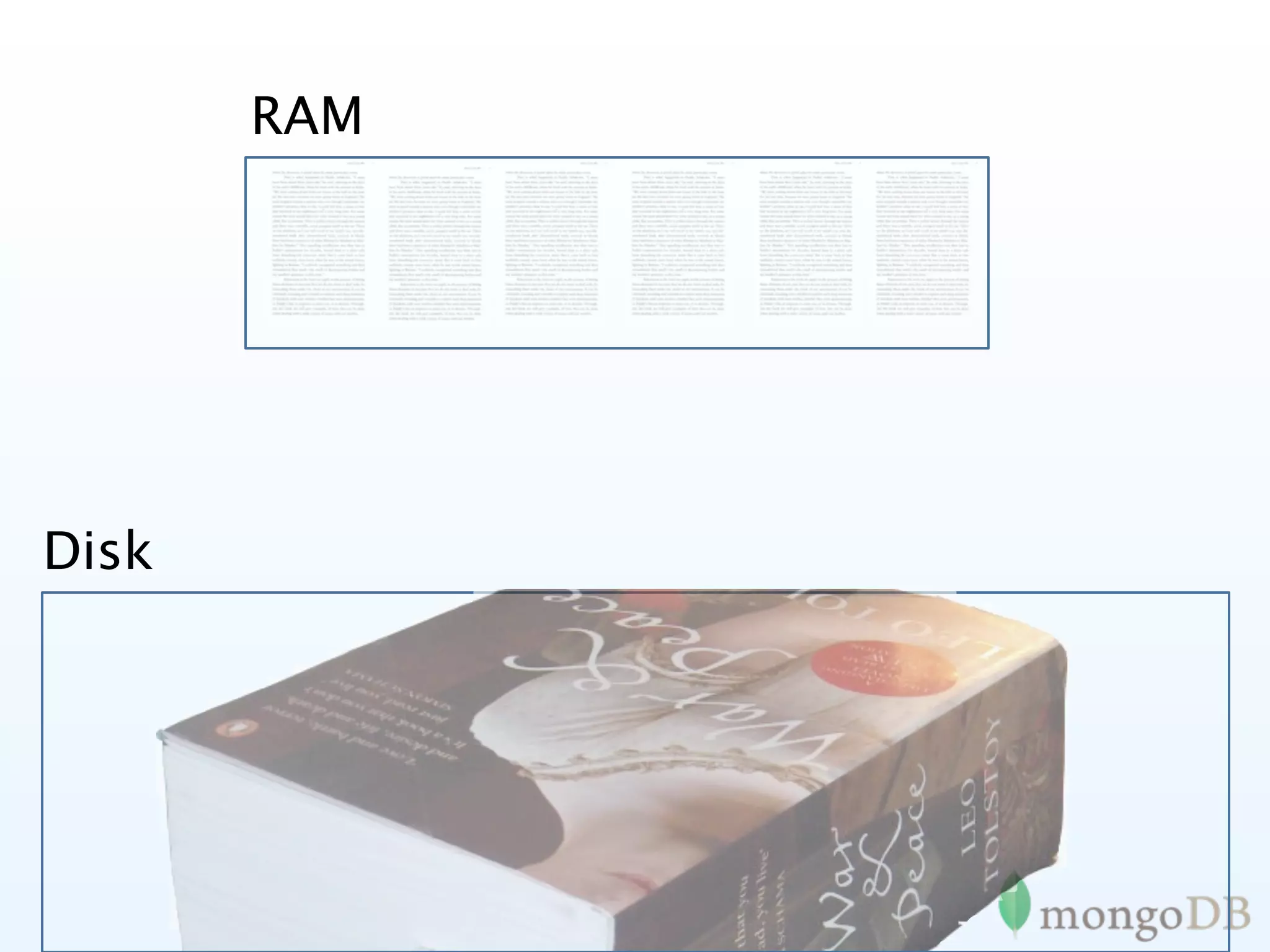
RAM


Disk
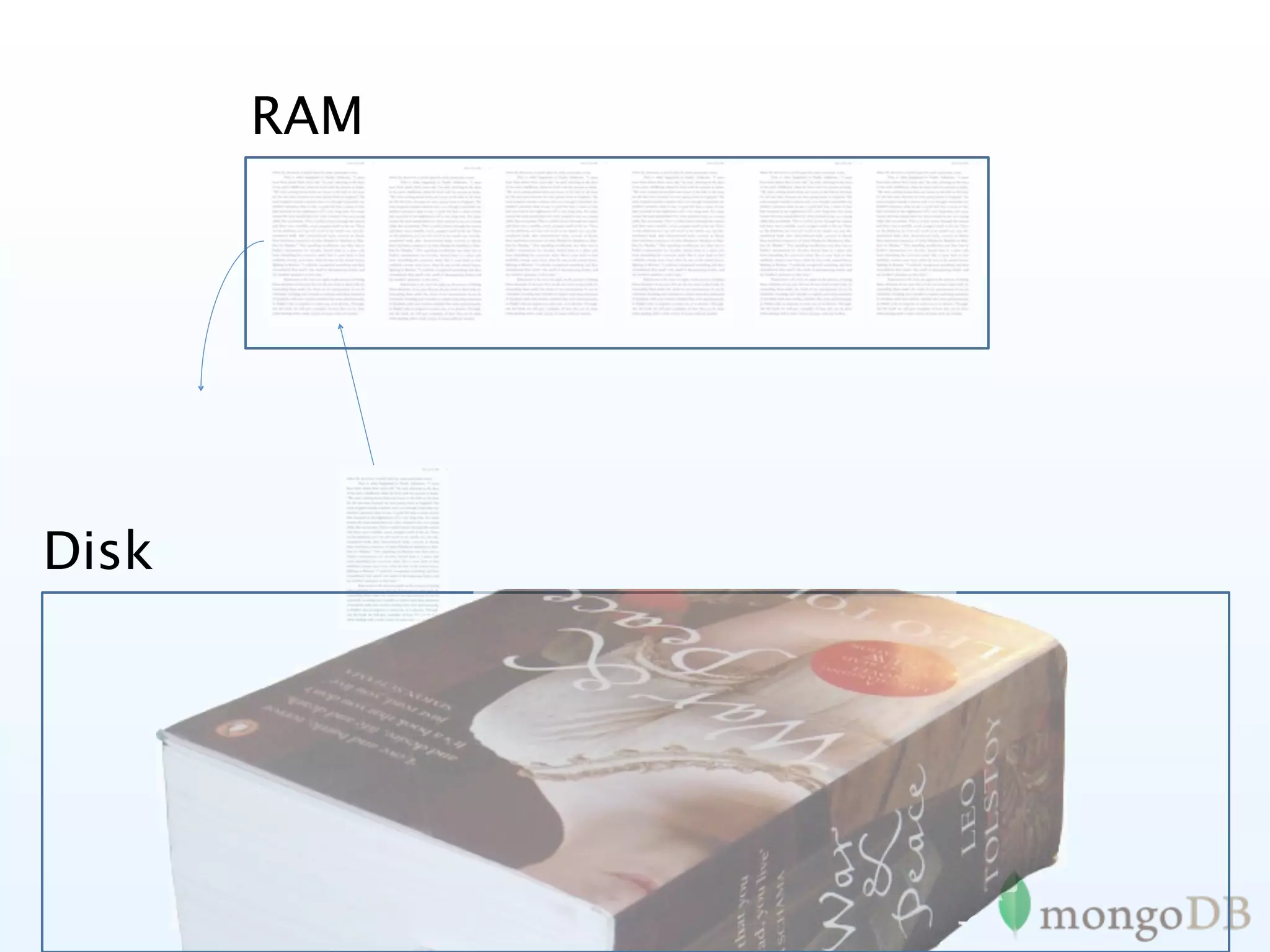
RAM


Disk
RAM


Disk
Goal

Minimize memory
    turnover
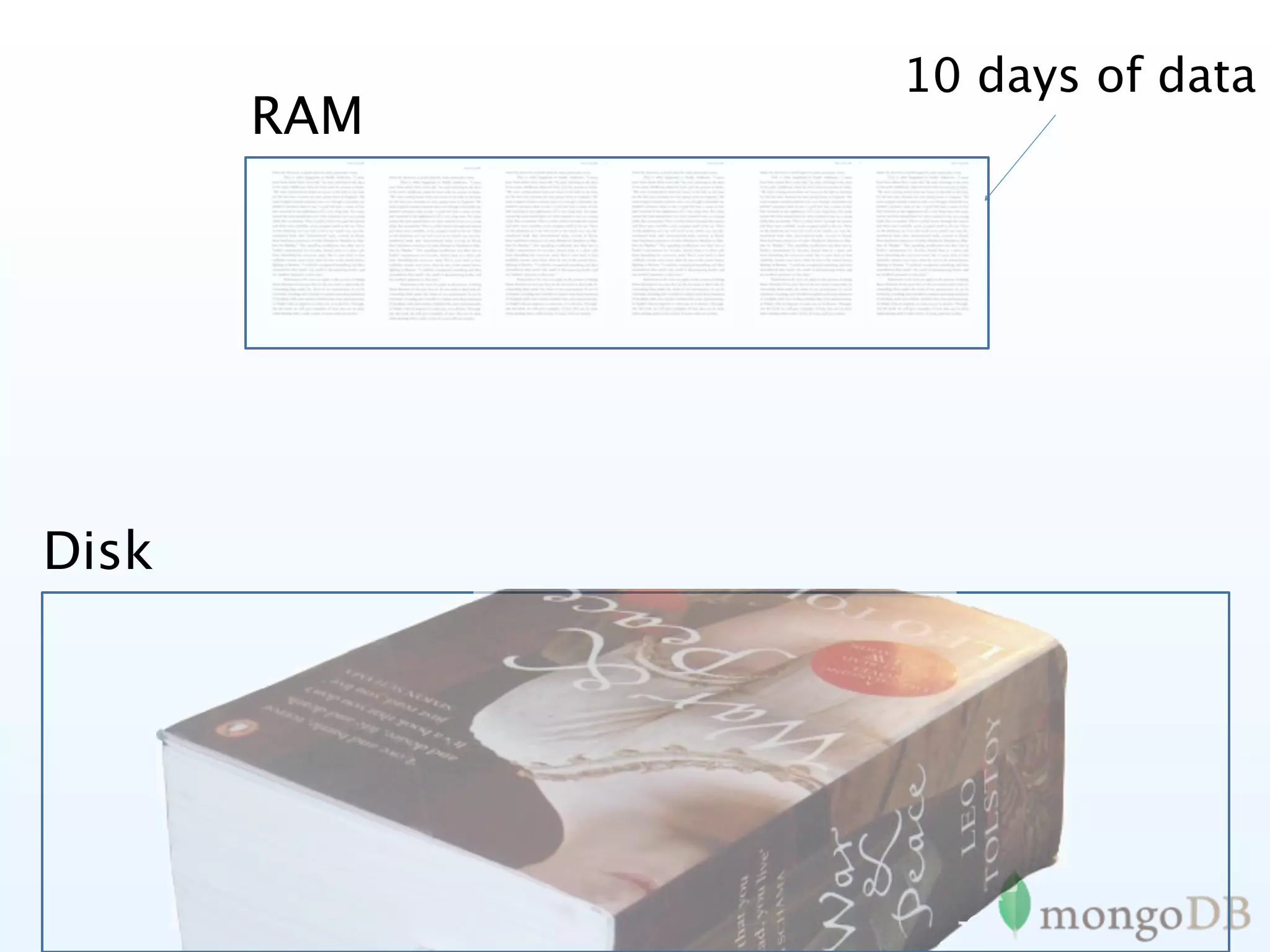
What is your data
 access pattern?
10 days of data
       RAM


Disk
http://spf13.com
                         http://github.com/spf13
                         @spf13


   Questions?
download at mongodb.org
PS: We’re hiring!! Contact us at
      jobs@10gen.com
MongoDB

MongoDB

  • 1.
  • 2.
    My name is SteveFrancia @spf13
  • 3.
    • 15+ yearsbuilding the internet • BYU Alumnus • Father, husband, skateboarder • Chief Solutions Architect @ 10gen
  • 4.
  • 5.
  • 6.
    Agility Easily model complex data Database speaks your languages (java, .net, PHP, etc) Schemaless data model enables faster development cycle
  • 7.
  • 8.
    Cost Cost effectively manageabundant data (clickstreams, logs, etc.)
  • 9.
    • Company behindMongoDB • (A)GPL license, own copyrights, engineering team • support, consulting, commercial license revenue • Management • Google/DoubleClick, Oracle, Apple, NetApp • Funding: Sequoia, Union Square, Flybridge • Offices in NYC and Redwood Shores, CA • 50+ employees
  • 10.
    MongoDB Goals • OpenSource •Designed for today • Today’s hardware / environments • Today’s challenges • Easy development • Reliable • Scalable
  • 11.
    A bit ofhistory
  • 12.
  • 15.
  • 16.
    1979 1982‐1996
  • 17.
    1979 1982‐1996 1995
  • 18.
    Computers in 1995 •Pentium 100 mhz • 10base T • 16 MB ram • 200 MB HD
  • 19.
    Cell Phones in2011 • Dual core 1.5 Ghz • WiFi 802.11n (300+ Mbps) • 1 GB ram • 64GB Solid State
  • 20.
    How about aDB designed for today?
  • 21.
    It started with DoubleClick
  • 22.
    Signs something needed • doubleclick - 400,000 ads/second • people writing their own stores • caching is de rigueur • complex ORM frameworks • computer architecture trends • cloud computing
  • 23.
    Requirements • need agood degree of functionality to handle a large set of use cases • sometimes need strong consistency / atomicity • secondary indexes • ad hoc queries
  • 24.
    Trim unneeded features • leave out a few things so we can scale • no choice but to leave out relational • distributed transactions are hard to scale
  • 25.
    Needed a scalable data model • some options: • key/value • columnar / tabular • document oriented (JSON inspired) • opportunity to innovate -> agility
  • 26.
    MongoDB philosphy • No longer one-size-fits all. but not 12 tools either. • Non-relational (no joins) makes scaling horizontally practical • Document data models are good • Keep functionality when we can (key/value stores are great, but we need more) • Database technology should run anywhere, being available both for running on your own servers or VMs, and also as a cloud pay-for-what-you-use service. • Ideally open source...
  • 27.
    MongoDB • JSON Documents •Querying/Indexing/Updating similar to relational databases • Traditional Consistency • Auto-Sharding
  • 28.
    Under the hood •Written in C++ • Available on most platforms • Data serialized to BSON • Extensive use of memory-mapped files
  • 29.
  • 30.
    MongoDB is: Application Document Oriented High { author: “steve”, date: new Date(), Performanc text: “About MongoDB...”, tags: [“tech”, “database”]} e Horizontally Scalable
  • 31.
    This has led some to say “ MongoDB has the best features of key/ values stores, document databases and relational databases in one. John Nunemaker
  • 32.
  • 33.
    Photo Meta- Problem: • Businessneeded more flexibility than Oracle could deliver Solution: • Used MongoDB instead of Oracle Results: • Developed application in one sprint cycle • 500% cost reduction compared to Oracle • 900% performance improvement compared to Oracle
  • 34.
    Customer Analytics Problem: • Dealwith massive data volume across all customer sites Solution: • Used MongoDB to replace Google Analytics / Omniture options Results: • Less than one week to build prototype and prove business case • Rapid deployment of new features
  • 35.
    Online Problem: • MySQL couldnot scale to handle their 5B+ documents Solution: • Switched from MySQL to MongoDB Results: • Massive simplification of code base • Eliminated need for external caching system • 20x performance improvement over MySQL
  • 36.
    E-commerce Problem: • Multi-vertical E-commerceimpossible to model (efficiently) in RDBMS Solution: • Switched from MySQL to MongoDB Results: • Massive simplification of code base • Rapidly build, halving time to market (and cost) • Eliminated need for external caching system • 50x+ improvement over MySQL
  • 37.
    Tons more Pretty muchif you can use a RDMBS or Key/ Value MongoDB is a great fit
  • 38.
  • 39.
  • 40.
    Relational made normalized data look like this
  • 41.
  • 42.
    Terminology RDBMS Mongo Table, View ➜ Collection Row ➜ JSON Document Index ➜ Index Join ➜ Embedded Partition ➜ Document Shard Partition Key ➜ Shard Key
  • 43.
  • 44.
    Tables to Documents { title: ‘MongoDB’, contributors: [ { name: ‘Eliot Horowitz’, email: ‘eh@10gen.com’ }, { name: ‘Dwight Merriman’, email: ‘dm@10gen.com’ } ], model: { relational: false, awesome: true }
  • 45.
  • 46.
    Documents Blog Post Document >p = {author: “roger”, date: new Date(), text: “about mongoDB...”, tags: [“tech”, “databases”]} > db.posts.save(p)
  • 47.
    Querying > db.posts.find() > { _id : ObjectId("4c4ba5c0672c685e5e8aabf3"), author : "roger", date : "Sat Jul 24 2010 19:47:11", text : "About MongoDB...", tags : [ "tech", "databases" ] } Note: _id is unique, but can be anything you’d like
  • 48.
    Secondary Indexes Create indexon any Field in Document
  • 49.
    Secondary Indexes Create indexon any Field in Document // 1 means ascending, -1 means descending > db.posts.ensureIndex({author: 1}) > db.posts.find({author: 'roger'}) > { _id : ObjectId("4c4ba5c0672c685e5e8aabf3"), author : "roger", ... }
  • 50.
    Conditional Query Operators $all, $exists, $mod, $ne, $in, $nin, $nor, $or, $size, $type, $lt, $lte, $gt, $gte
  • 51.
    Conditional Query Operators $all, $exists, $mod, $ne, $in, $nin, $nor, $or, $size, $type, $lt, $lte, $gt, $gte // find posts with any tags > db.posts.find( {tags: {$exists: true }} ) // find posts matching a regular expression > db.posts.find( {author: /^rog*/i } ) // count posts by author > db.posts.find( {author: ‘roger’} ).count()
  • 52.
    Update Operations $set, $unset,$inc, $push, $pushAll, $pull, $pullAll, $bit
  • 53.
    Update Operations $set,$unset, $inc, $push, $pushAll, $pull, $pullAll, $bit > comment = { author: “fred”, date: new Date(), text: “Best Movie Ever”} > db.posts.update( { _id: “...” }, $push: {comments: comment} );
  • 54.
    Nested Documents { _id : ObjectId("4c4ba5c0672c685e5e8aabf3"), author : "roger", date : "Sat Apr 24 2011 19:47:11", text : "About MongoDB...", tags : [ "tech", "databases" ], comments : [ { author : "Fred", date : "Sat Apr 25 2010 20:51:03 GMT-0700", text : "Best Post Ever!" } ] }
  • 55.
    Secondary Indexes // Indexnested documents > db.posts.ensureIndex( “comments.author”: 1) > db.posts.find({‘comments.author’:’Fred’}) // Index on tags (multi-key index) > db.posts.ensureIndex( tags: 1) > db.posts.find( { tags: ‘tech’ } ) // geospatial index > db.posts.ensureIndex( “author.location”: “2d” ) > db.posts.find( “author.location”: { $near : [22,42] } )
  • 56.
    Rich Documents { _id : ObjectId("4c4ba5c0672c685e5e8aabf3"), line_items : [ { sku: ‘tt-123’, name: ‘Coltrane: Impressions’ }, { sku: ‘tt-457’, name: ‘Davis: Kind of Blue’ } ], address : { name: ‘Banker’, street: ‘111 Main’, zip: 10010 }, payment: { cc: 4567, exp: Date(2011, 7, 7) }, subtotal: 2355 }
  • 57.
  • 58.
    MongoDB Replication •MongoDB replication like MySQL replication (kinda) •Asynchronous master/slave •Variations •Master / slave •Replica Sets
  • 59.
    Replica Set features • A cluster of N servers • Any (one) node can be primary • Consensus election of primary • Automatic failover • Automatic recovery • All writes to primary • Reads can be to primary (default) or a secondary
  • 60.
    How MongoDB Replication works Member
1 Member
3 Member
2 Set is made up of 2 or more nodes
  • 61.
    How MongoDB Replication works Member
1 Member
3 Member
2 PRIMARY Election establishes the PRIMARY Data replication from PRIMARY to SECONDARY
  • 62.
    How MongoDB Replication works negotiate
 new
master Member
1 Member
3 Member
2 DOWN PRIMARY may fail Automatic election of new PRIMARY if majority exists
  • 63.
    How MongoDB Replication works Member
3 Member
1 PRIMARY Member
2 DOWN New PRIMARY elected Replication Set re-established
  • 64.
    How MongoDB Replication works Member
3 Member
1 PRIMARY Member
2 RECOVERING Automatic recovery
  • 65.
    How MongoDB Replication works Member
3 Member
1 PRIMARY Member
2 Replication Set re-established
  • 66.
    Creating a Replica Set > cfg = { _id : "acme_a", members : [ { _id : 0, host : "sf1.acme.com" }, { _id : 1, host : "sf2.acme.com" }, { _id : 2, host : "sf3.acme.com" } ] } > use admin > db.runCommand( { replSetInitiate : cfg } )
  • 67.
    Replica Set Options • {arbiterOnly: True} • Can vote in an election • Does not hold any data • {hidden: True} • Not reported in isMaster() • Will not be sent slaveOk() reads • {priority: n} • {tags: }
  • 68.
    Using Replicas for Reads • slaveOk() • - driver will send read requests to Secondaries • - driver will always send writes to Primary • Java examples • - DB.slaveOk() • - Collection.slaveOk() • find(q).addOption(Bytes.QUERYOPTION_SLAVEO K);
  • 69.
    Safe Writes • db.runCommand({getLastError: 1, w : 1}) • - ensure write is synchronous • - command returns after primary has written to memory • w=n or w='majority' • n is the number of nodes data must be replicated to • driver will always send writes to Primary • w='myTag' [MongoDB 2.0] • Each member is "tagged" e.g. "US_EAST", "EMEA", "US_WEST" • Ensure that the write is executed in each tagged "region"
  • 70.
    Safe Writes • fsync:true • Ensures changed disk blocks are flushed to disk • j:true • Ensures changes are flush to Journal
  • 71.
    When are elections triggered? • When a given member see's that the Primary is not reachable • The member is not an Arbiter • Has a priority greater than other eligible members
  • 72.
    Typical Use? Set
 size Deployments Data
Protection High
Availability Notes X One No No Must
use
‐‐journal
to
protect
against
crashes On
loss
of
one
member,
surviving
member
is
 Two Yes No read
only On
loss
of
one
member,
surviving
two
 Three Yes Yes
‐
1
failure members
can
elect
a
new
primary *
On
loss
of
two
members,
surviving
two
 X Four Yes Yes
‐
1
failure* members
are
read
only
 On
loss
of
two
members,
surviving
three
 Five Yes Yes
‐
2
failures members
can
elect
a
new
primary
  • 73.
    Replication features • Reads from Primary are always consistent • Reads from Secondaries are eventually consistent • Automatic failover if a Primary fails • Automatic recovery when a node joins the set • Control of where writes occur
  • 74.
  • 75.
    What is Sharding •Ad-hoc partitioning • Consistent hashing • Amazon Dynamo • Range based partitioning • Google BigTable • Yahoo! PNUTS • MongoDB
  • 76.
    MongoDB Sharding • Automaticpartitioning and management • Range based • Convert to sharded system with no downtime • Fully consistent
  • 77.
  • 78.
    How MongoDB Shardingworks >
db.runCommand(
{
addshard
:
"shard1"
}
); >
db.runCommand(


{
shardCollection
:
“mydb.blogs”,


key
:
{
age
:
1}
}
) -∞   +∞   •Range keys from -∞ to +∞   •Ranges are stored as “chunks”
  • 79.
    How MongoDB Shardingworks >
db.posts.save(
{age:40}
) -∞   +∞   -∞   40 41 +∞   •Data in inserted •Ranges are split into more “chunks”
  • 80.
    How MongoDB Shardingworks >
db.posts.save(
{age:40}
) >
db.posts.save(
{age:50}
) -∞   +∞   -∞   40 41 +∞   41 50 51 +∞   •More Data in inserted •Ranges are split into more“chunks”
  • 81.
    How MongoDB Shardingworks >
db.posts.save(
{age:40}
) >
db.posts.save(
{age:50}
) >
db.posts.save(
{age:60}
) -∞   +∞   -∞   40 41 +∞   41 50 51 +∞   51 60 61 +∞  
  • 82.
    How MongoDB Shardingworks >
db.posts.save(
{age:40}
) >
db.posts.save(
{age:50}
) >
db.posts.save(
{age:60}
) -∞   +∞   -∞   40 41 +∞   41 50 51 +∞   51 60 61 +∞  
  • 83.
    How MongoDB Shardingworks shard1 -∞   40 41 50 51 60 61 +∞  
  • 84.
    How MongoDB Shardingworks >
db.runCommand(
{
addshard
:
"shard2"
}
); -∞   40 41 50 51 60 61 +∞  
  • 85.
    How MongoDB Shardingworks >
db.runCommand(
{
addshard
:
"shard2"
}
); shard1 -∞   40 41 50 51 60 61 +∞  
  • 86.
    How MongoDB Shardingworks >
db.runCommand(
{
addshard
:
"shard2"
}
); shard1 shard2 -∞   40 41 50 51 60 61 +∞  
  • 87.
    How MongoDB Shardingworks >
db.runCommand(
{
addshard
:
"shard2"
}
); >
db.runCommand(
{
addshard
:
"shard3"
}
); shard1 shard2 shard3 -∞   40 41 50 51 60 61 +∞  
  • 88.
  • 89.
    Sharding Features • Shard data without no downtime • Automatic balancing as data is written • Commands routed (switched) to correct node • Inserts - must have the Shard Key • Updates - must have the Shard Key • Queries • With Shard Key - routed to nodes • Without Shard Key - scatter gather • Indexed Queries • With Shard Key - routed in order • Without Shard Key - distributed sort merge
  • 90.
  • 91.
  • 92.
    Config Servers • 3of them • changes are made with 2 phase commit • if any are down, meta data goes read only • system is online as long as 1/3 is up
  • 93.
    Config Servers • 3of them • changes are made with 2 phase commit • if any are down, meta data goes read only • system is online as long as 1/3 is up
  • 94.
    Shards • Can bemaster, master/slave or replica sets • Replica sets gives sharding + full auto-failover • Regular mongod processes
  • 95.
    Shards • Can bemaster, master/slave or replica sets • Replica sets gives sharding + full auto-failover • Regular mongod processes
  • 96.
    Mongos • Sharding Router •Acts just like a mongod to clients • Can have 1 or as many as you want • Can run on appserver so no extra network traffic
  • 97.
    Mongos • Sharding Router •Acts just like a mongod to clients • Can have 1 or as many as you want • Can run on appserver so no extra network traffic
  • 98.
  • 99.
    Priorities • Prior to 2.0.0 • {priority:0} // Never can be elected Primary • {priority:1} // Can be elected Primary • New in 2.0.0 • Priority, floating point number between 0 and 1000 • During an election • Most up to date • Highest priority • Allows weighting of members during failover
  • 100.
    Priorities - example • Assuming all members are up to date A D • Members A or B will be chosen first p:2 p:1 • Highest priority B E • Members C or D will be chosen next if p:2 p:0 • A and B are unavailable • A and B are not up to date C p:1 • Member E is never chosen • priority:0 means it cannot be elected
  • 101.
    Tagging • New in 2.0.0 • Control over where data is written to • Each member can have one or more tags e.g. • tags: {dc: "ny"} • tags: {dc: "ny", ip: "192.168", rack: "row3rk7"} • Replica set defines rules for where data resides • Rules can change without change application code
  • 102.
    Tagging - example { _id : "mySet", members : [ {_id : 0, host : "A", tags : {"dc": "ny"}}, {_id : 1, host : "B", tags : {"dc": "ny"}}, {_id : 2, host : "C", tags : {"dc": "sf"}}, {_id : 3, host : "D", tags : {"dc": "sf"}}, {_id : 4, host : "E", tags : {"dc": "cloud"}}] settings : { getLastErrorModes : { allDCs : {"dc" : 3}, someDCs : {"dc" : 2}} } } > db.blogs.insert({...}) > db.runCommand({getLastError : 1, w : "allDCs"})
  • 103.
    Use Cases -Multi Data Center • write to three data centers • allDCs : {"dc" : 3} • > db.runCommand({getLastError : 1, w : "allDCs"}) • write to two data centers and three availability zones • allDCsPlus : {"dc" : 2, "az": 3} • > db.runCommand({getLastError : 1, w : "allDCsPlus"}) US‐EAST‐1 US‐WEST‐1 LONDON‐1 tag
:
{dc:
"JFK", tag
:
{dc:
"SFO", tag
:
{dc:
"LHR", 


az:
"r1"} 


az
:
"r3"} 


az:
"r5"} US‐EAST‐2 US‐WEST‐2 tag
:
{dc:
"JFK" tag
:
{dc:
"SFO" 


az:
"r2"} 


az:
"r4"}
  • 104.
    Use Cases -Data Protection & High Availability • A and B will take priority during a failover • C or D will become primary if A and B become unavailable • E cannot be primary • D and E cannot be read from with a slaveOk() • D can use be used for Backups, feed Solr index etc. • E provides a safe guard for operational or application error E A C priority:
0 priority:
2 priority:
1 hidden:
True slaveDelay:
3600 D B priority:
1 priority:
2 hidden:
True
  • 105.
  • 107.
  • 108.
  • 109.
  • 110.
  • 111.
  • 112.
    What is yourdata access pattern?
  • 113.
    10 days ofdata RAM Disk
  • 114.
    http://spf13.com http://github.com/spf13 @spf13 Questions? download at mongodb.org PS: We’re hiring!! Contact us at jobs@10gen.com

Editor's Notes