UNDERSTANDING
MNEMONIC
CODE
What is Mnemonic Code?
•Explanation: In assembly language, a mnemonic is a
short, easy-to-remember word or symbol that represents a
machine instruction.
•Example: Instead of writing a binary code like 10110000,
we write MOV (move).
•Purpose: Mnemonics make programming easier by replacing
numeric machine codes with more understandable text
instructions.
How Mnemonics Work ?
•1-to-1 Mapping: Each mnemonic typically maps
to a specific machine language instruction.
•Example: MOV (move data), ADD (addition), JMP
(jump to another location).
•Human-Readable: Mnemonics make it easier for
programmers to write, read, and understand low-
level code.
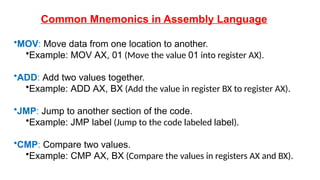
Common Mnemonics in Assembly Language
•MOV: Move data from one location to another.
•Example: MOV AX, 01 (Move the value 01 into register AX).
•ADD: Add two values together.
•Example: ADD AX, BX (Add the value in register BX to register AX).
•JMP: Jump to another section of the code.
•Example: JMP label (Jump to the code labeled label).
•CMP: Compare two values.
•Example: CMP AX, BX (Compare the values in registers AX and BX).
Advantages of Mnemonic Code
•Human-Friendly: Easier to remember and write than binary or
hexadecimal machine code.
•Readability: Makes assembly code more understandable, even
for beginners.
•Debugging: Easier to troubleshoot code written in mnemonic
form compared to raw machine code.
Mnemonics and the Assembly Language Process
•Assembler: An assembler is used to convert the mnemonic code
(assembly language) into machine code (binary) that the
computer can execute.
•Example Process:
• Write assembly code using mnemonics.
• Assemble the code with an assembler.
• Generate machine code (binary instructions) for the CPU to
run.
Mnemonic Code vs. Machine Code
Aspect Mnemonic Code Machine Code
Format: Readable text (e.g., MOV, ADD, JMP) Binary (1s and 0s)
Ease of Use: Easier to understand and write Difficult to
understand and work with
Portability: More portable across systems with the same CPU
CPU-specific, not portable
Human Readability: Easy to remember Not readable by
humans
Use Cases of Mnemonic Code
•Low-Level Programming: Essential for tasks like
writing operating systems, device drivers, and
performance-critical applications.
•Learning and Debugging: Helpful for students or
developers debugging or optimizing assembly code.

mnemonic code programming and study.pptx

  • 1.
  • 2.
    What is MnemonicCode? •Explanation: In assembly language, a mnemonic is a short, easy-to-remember word or symbol that represents a machine instruction. •Example: Instead of writing a binary code like 10110000, we write MOV (move). •Purpose: Mnemonics make programming easier by replacing numeric machine codes with more understandable text instructions.
  • 3.
    How Mnemonics Work? •1-to-1 Mapping: Each mnemonic typically maps to a specific machine language instruction. •Example: MOV (move data), ADD (addition), JMP (jump to another location). •Human-Readable: Mnemonics make it easier for programmers to write, read, and understand low- level code.
  • 4.
    Common Mnemonics inAssembly Language •MOV: Move data from one location to another. •Example: MOV AX, 01 (Move the value 01 into register AX). •ADD: Add two values together. •Example: ADD AX, BX (Add the value in register BX to register AX). •JMP: Jump to another section of the code. •Example: JMP label (Jump to the code labeled label). •CMP: Compare two values. •Example: CMP AX, BX (Compare the values in registers AX and BX).
  • 5.
    Advantages of MnemonicCode •Human-Friendly: Easier to remember and write than binary or hexadecimal machine code. •Readability: Makes assembly code more understandable, even for beginners. •Debugging: Easier to troubleshoot code written in mnemonic form compared to raw machine code.
  • 6.
    Mnemonics and theAssembly Language Process •Assembler: An assembler is used to convert the mnemonic code (assembly language) into machine code (binary) that the computer can execute. •Example Process: • Write assembly code using mnemonics. • Assemble the code with an assembler. • Generate machine code (binary instructions) for the CPU to run.
  • 7.
    Mnemonic Code vs.Machine Code Aspect Mnemonic Code Machine Code Format: Readable text (e.g., MOV, ADD, JMP) Binary (1s and 0s) Ease of Use: Easier to understand and write Difficult to understand and work with Portability: More portable across systems with the same CPU CPU-specific, not portable Human Readability: Easy to remember Not readable by humans
  • 8.
    Use Cases ofMnemonic Code •Low-Level Programming: Essential for tasks like writing operating systems, device drivers, and performance-critical applications. •Learning and Debugging: Helpful for students or developers debugging or optimizing assembly code.