


Jeff Evans www.wallpaperpimper.com
The web started to become ubiquitous for   marketing since ~ 1996 publishing since ~ 1997 commerce since ~ 2001 interacting since ~ 2003 ... and new uses are still being developed
Since the late 1990s there has been  an explosion of websites, often with little value to either the site owner or potential users Number of websites (April 2011)  312,693,296  1
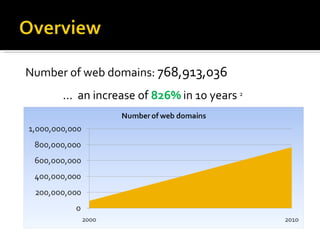
Number of web domains:  768,913,036 ...  an increase of  826%   in 10 years  2
There are over 2 billion internet users worldwide   (nearly a third of humanity) – this means  a website for every 6.4 internet users! by 2007 estimate, there are  over 85,365,269,800 pages  on the web!
In 2007 the average number of pages on websites  3  was  273 The methodology for gathering this data is a bit suspect – especially given the modern web’s use of databases Four years is a long time in ‘internet years’
‘ Large’ means number of pages, content items, or templates  number of systems being integrated how dynamic or automated the site is/will be number of brands/subsites complexity of relationships between content.
Probably the answer for many is ‘ because it’s my job’ ‘ because we need to sell more widgets online and that’s how punters get to our products & services’  The answer  should  be ‘ because we want to improve user experiences and  improve efficient access to our content
Preparing for migration will produce a better result and a smoother migration process.  With appropriate preparation there will be  fewer surprises less bad content to migrate better automation of what can be automated managed stakeholder expectations …  leading to superior outcomes all around
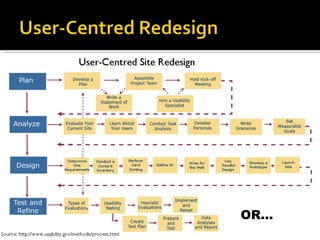
OR…
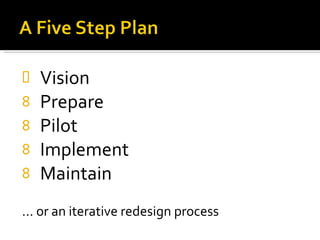
Vision Prepare Pilot Implement Maintain ... or an iterative redesign process
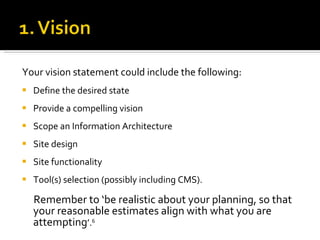
Your vision statement could include the following: Define the desired state Provide a compelling vision Scope an Information Architecture Site design Site functionality  Tool(s) selection (possibly including CMS).  Remember to ‘be realistic about your planning, so that your reasonable estimates align with what you are attempting ’. 6
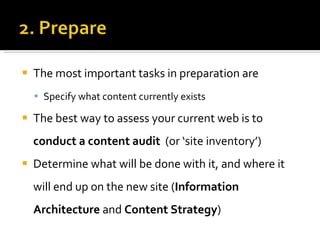
The most important tasks in preparation are  Specify what content currently exists The best way to assess your current web is to  conduct a content audit   (or ‘site inventory’) Determine what will be done with it, and where it will end up on the new site ( Information Architecture  and  Content Strategy )
“ Do not - repeat, DO NOT - skip the content audit. This process is not just about listing URLs and page titles.  It can provide an extraordinary amount of useful, enlightening information that’s surprisingly valuable, especially when you’re fighting for project support  and funding.” 8   Kristina Halvorson   Depending on the nature of your site(s) you could need a  high level/aggregate  or a  complete audit
If your site has broad scope and/or a large number of pages/assets a complete audit might be beyond your time, budget or people resources. Complete vs aggregate: A  complete  audit records details on every page An  aggregate  audit summarises at a sub-site/section level
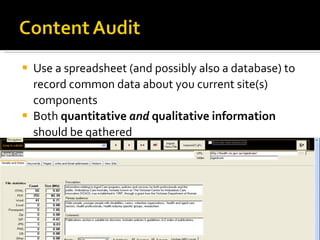
Use a spreadsheet (and possibly also a database) to record common data about you current site(s) components Both  quantitative  and  qualitative information  should be gathered
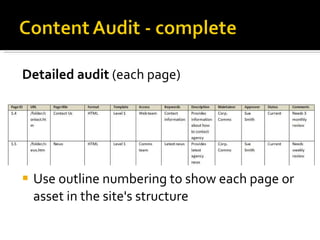
Detailed audit  (each page) Use outline numbering to show each page or asset in the site's structure
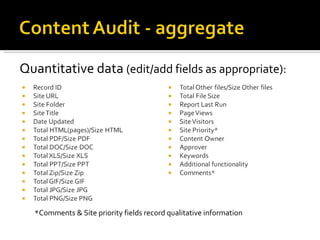
Quantitative data  (edit/add fields as appropriate): *Comments & Site priority fields record qualitative information
In 2005, Department of Education & Training (DE&T) websites included multiple entry points, domains and owners. DE&T wanted to create a ‘single entry point’ Audit and IA process were contracted out Build was done in-house
 
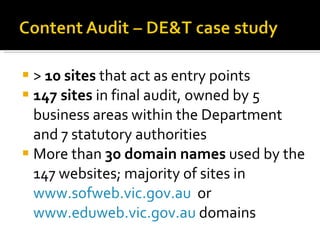
>  10 sites  that act as entry points 147 sites  in final audit, owned by 5 business areas within the Department and 7 statutory authorities More than  30 domain names  used by the 147 websites; majority of sites in  www.sofweb.vic.gov.au   or  www.eduweb.vic.gov.au  domains
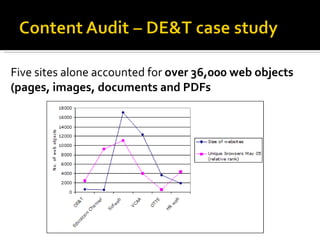
Five sites alone accounted for  over 36,000 web objects  (pages, images, documents and PDFs
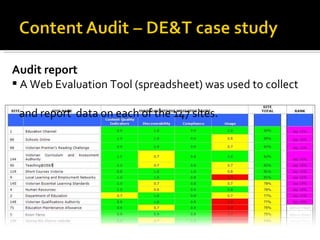
Audit report  A Web Evaluation Tool (spreadsheet) was used to collect    and report  data on each of the 147 sites.
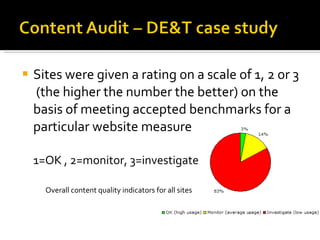
Sites were given a rating on a scale of 1, 2 or 3  (the higher the number the better) on the basis of meeting accepted benchmarks for a particular website measure  1=OK , 2=monitor, 3=investigate Overall content quality indicators for all sites
Qualitative audits analyse quality and effectiveness   of content Basic  - use page freshness, currency of branding, last updated, dates on recent publications/ newsletters, etc. Currency could be critical to meeting site goals and the decision to keep or kill. Detailed  - rating accuracy/usefulness with a weighted scale (requires input from content experts)
Readability – clarity and accuracy Completeness and scope Voice and writing style  Usefulness and relevance Influence and engagement Usability and discoverability, including the structure of content within a typical section or page.
While the quantitative data provides planning information, results should also be integrated with a  content strategy  that will provide value long after your rebuild is completed A content audit informs a content strategy
Also consider Content gaps Reviewing  and sourcing new content for your website Process and timeline for web template production
Measures to inform your audit Web metrics  –eg. Google Webmaster Tools and Analytics can be used to determine links to your pages, successful search keywords to retain, bottlenecks to goal pages or transactions and page loading speed Incoming links  – where do punters land? Internal links  – remove bottlenecks Standards compliance  - eg. W3C, CSS, XHTML, government/industry standards, best practice
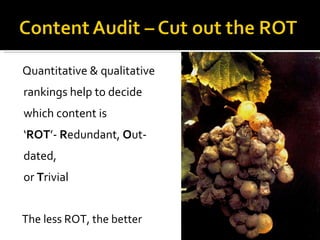
Quantitative & qualitative rankings help to decide which content is ‘ ROT ’-  R edundant,  O ut­dated,  or  T rivial The less ROT, the better
A huge topic in itself, might be best in large sites to employ experienced experts.  Use both "top-down"  and  "bottom-up" approaches
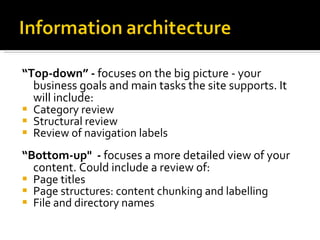
“ Top-down” -  focuses on the big picture - your business goals and main tasks the site supports. It will include: Category review  Structural review  Review of navigation labels “ Bottom-up"  -  focuses a more detailed view of your content. Could include a review of: Page titles Page structures: content chunking and labelling File and directory names
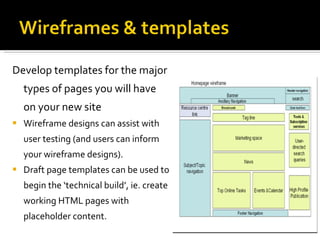
Develop templates for the major types of pages you will have on your new site Wireframe designs can assist with user testing (and users can inform your wireframe designs).  Draft page templates can be used to begin the ‘technical build’, ie. create working HTML pages with placeholder content.
Stages in piloting your new site include Systems configuration/development Launch the pilot Period for fixing issues discovered in the pilot Content migration Period where actual users use the piloted site (UAT)
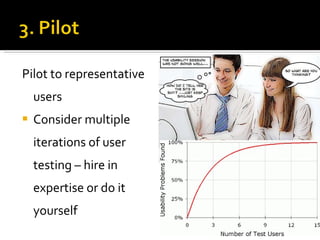
Pilot to representative users Consider multiple iterations of user testing – hire in expertise or do it yourself
The site build might be outsourced or done  in-house if you have resources The IA and user testing feedback should keep pathways trimmed (fewer entry points to sections of content)
Steps could include Migrate in batches, with time in between to fix rules & processes Automated migration (eg. document repository) Manual migration (replacing & testing new templates)   Communications plan to flag pending launch Author training  Set up ongoing metrics / KPIs Test and tweak Launch the site! Seek feedback regularly   via user group meetings,  internal & external social media
*Could be contractors  #Must be in business units Staffing issues and roles to consider:
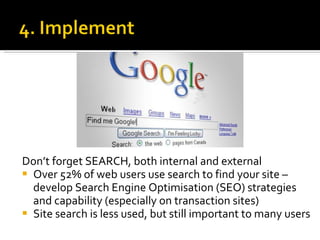
Don’t forget SEARCH, both internal and external Over 52% of web users use search to find your site – develop Search Engine Optimisation (SEO) strategies and capability (especially on transaction sites) Site search is less used, but still important to many users
Quantitative measures Check for link rot  Check page load times Use metrics to constantly review Navigation labels Keyword quality and related SEO elements Paths to user goals
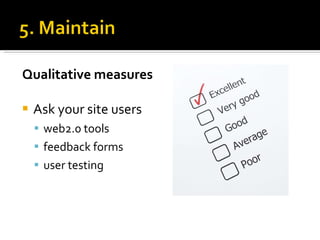
Qualitative measures Ask your site users web2.0 tools feedback forms  user testing
Review regularly Have a content strategy
Thank you Jeff Evans [email_address]

Migrating Large Amounts of Web Content

  • 1.
  • 2.
    The web startedto become ubiquitous for marketing since ~ 1996 publishing since ~ 1997 commerce since ~ 2001 interacting since ~ 2003 ... and new uses are still being developed
  • 3.
    Since the late1990s there has been an explosion of websites, often with little value to either the site owner or potential users Number of websites (April 2011) 312,693,296 1
  • 4.
    Number of webdomains: 768,913,036 ... an increase of 826% in 10 years 2
  • 5.
    There are over2 billion internet users worldwide (nearly a third of humanity) – this means a website for every 6.4 internet users! by 2007 estimate, there are over 85,365,269,800 pages on the web!
  • 6.
    In 2007 theaverage number of pages on websites 3 was 273 The methodology for gathering this data is a bit suspect – especially given the modern web’s use of databases Four years is a long time in ‘internet years’
  • 7.
    ‘ Large’ meansnumber of pages, content items, or templates  number of systems being integrated how dynamic or automated the site is/will be number of brands/subsites complexity of relationships between content.
  • 8.
    Probably the answerfor many is ‘ because it’s my job’ ‘ because we need to sell more widgets online and that’s how punters get to our products & services’ The answer should be ‘ because we want to improve user experiences and improve efficient access to our content
  • 9.
    Preparing for migrationwill produce a better result and a smoother migration process. With appropriate preparation there will be  fewer surprises less bad content to migrate better automation of what can be automated managed stakeholder expectations … leading to superior outcomes all around
  • 10.
  • 11.
    Vision Prepare PilotImplement Maintain ... or an iterative redesign process
  • 12.
    Your vision statementcould include the following: Define the desired state Provide a compelling vision Scope an Information Architecture Site design Site functionality  Tool(s) selection (possibly including CMS). Remember to ‘be realistic about your planning, so that your reasonable estimates align with what you are attempting ’. 6
  • 13.
    The most importanttasks in preparation are Specify what content currently exists The best way to assess your current web is to conduct a content audit (or ‘site inventory’) Determine what will be done with it, and where it will end up on the new site ( Information Architecture and Content Strategy )
  • 14.
    “ Do not- repeat, DO NOT - skip the content audit. This process is not just about listing URLs and page titles. It can provide an extraordinary amount of useful, enlightening information that’s surprisingly valuable, especially when you’re fighting for project support and funding.” 8 Kristina Halvorson Depending on the nature of your site(s) you could need a high level/aggregate or a complete audit
  • 15.
    If your sitehas broad scope and/or a large number of pages/assets a complete audit might be beyond your time, budget or people resources. Complete vs aggregate: A complete audit records details on every page An aggregate audit summarises at a sub-site/section level
  • 16.
    Use a spreadsheet(and possibly also a database) to record common data about you current site(s) components Both quantitative and qualitative information should be gathered
  • 17.
    Detailed audit (each page) Use outline numbering to show each page or asset in the site's structure
  • 18.
    Quantitative data (edit/add fields as appropriate): *Comments & Site priority fields record qualitative information
  • 19.
    In 2005, Departmentof Education & Training (DE&T) websites included multiple entry points, domains and owners. DE&T wanted to create a ‘single entry point’ Audit and IA process were contracted out Build was done in-house
  • 20.
  • 21.
    >  10 sites that act as entry points 147 sites in final audit, owned by 5 business areas within the Department and 7 statutory authorities More than  30 domain names  used by the 147 websites; majority of sites in www.sofweb.vic.gov.au or www.eduweb.vic.gov.au domains
  • 22.
    Five sites aloneaccounted for  over 36,000 web objects (pages, images, documents and PDFs
  • 23.
    Audit report A Web Evaluation Tool (spreadsheet) was used to collect and report data on each of the 147 sites.
  • 24.
    Sites were givena rating on a scale of 1, 2 or 3 (the higher the number the better) on the basis of meeting accepted benchmarks for a particular website measure 1=OK , 2=monitor, 3=investigate Overall content quality indicators for all sites
  • 25.
    Qualitative audits analysequality and effectiveness   of content Basic - use page freshness, currency of branding, last updated, dates on recent publications/ newsletters, etc. Currency could be critical to meeting site goals and the decision to keep or kill. Detailed - rating accuracy/usefulness with a weighted scale (requires input from content experts)
  • 26.
    Readability – clarityand accuracy Completeness and scope Voice and writing style Usefulness and relevance Influence and engagement Usability and discoverability, including the structure of content within a typical section or page.
  • 27.
    While the quantitativedata provides planning information, results should also be integrated with a content strategy that will provide value long after your rebuild is completed A content audit informs a content strategy
  • 28.
    Also consider Contentgaps Reviewing and sourcing new content for your website Process and timeline for web template production
  • 29.
    Measures to informyour audit Web metrics –eg. Google Webmaster Tools and Analytics can be used to determine links to your pages, successful search keywords to retain, bottlenecks to goal pages or transactions and page loading speed Incoming links – where do punters land? Internal links – remove bottlenecks Standards compliance - eg. W3C, CSS, XHTML, government/industry standards, best practice
  • 30.
    Quantitative & qualitativerankings help to decide which content is ‘ ROT ’-  R edundant, O ut­dated, or T rivial The less ROT, the better
  • 31.
    A huge topicin itself, might be best in large sites to employ experienced experts. Use both "top-down" and "bottom-up" approaches
  • 32.
    “ Top-down” - focuses on the big picture - your business goals and main tasks the site supports. It will include: Category review Structural review Review of navigation labels “ Bottom-up" - focuses a more detailed view of your content. Could include a review of: Page titles Page structures: content chunking and labelling File and directory names
  • 33.
    Develop templates forthe major types of pages you will have on your new site Wireframe designs can assist with user testing (and users can inform your wireframe designs). Draft page templates can be used to begin the ‘technical build’, ie. create working HTML pages with placeholder content.
  • 34.
    Stages in pilotingyour new site include Systems configuration/development Launch the pilot Period for fixing issues discovered in the pilot Content migration Period where actual users use the piloted site (UAT)
  • 35.
    Pilot to representativeusers Consider multiple iterations of user testing – hire in expertise or do it yourself
  • 36.
    The site buildmight be outsourced or done in-house if you have resources The IA and user testing feedback should keep pathways trimmed (fewer entry points to sections of content)
  • 37.
    Steps could includeMigrate in batches, with time in between to fix rules & processes Automated migration (eg. document repository) Manual migration (replacing & testing new templates)   Communications plan to flag pending launch Author training  Set up ongoing metrics / KPIs Test and tweak Launch the site! Seek feedback regularly via user group meetings, internal & external social media
  • 38.
    *Could be contractors #Must be in business units Staffing issues and roles to consider:
  • 39.
    Don’t forget SEARCH,both internal and external Over 52% of web users use search to find your site – develop Search Engine Optimisation (SEO) strategies and capability (especially on transaction sites) Site search is less used, but still important to many users
  • 40.
    Quantitative measures Checkfor link rot Check page load times Use metrics to constantly review Navigation labels Keyword quality and related SEO elements Paths to user goals
  • 41.
    Qualitative measures Askyour site users web2.0 tools feedback forms user testing
  • 42.
    Review regularly Havea content strategy
  • 43.
    Thank you JeffEvans [email_address]

Editor's Notes

  • #19 From DH audit, 2011
  • #34 Online tools – wirify, etc
  • #35 Stages might be concurrent
  • #36 more than six users won’t provide additional insights according to usability guru Jacob Neilsen.