Speech Enhanced Gesture Based Navigation System for Google Maps
An exploration in Multimodal HCI
Under the Guidance of: Asst. Professor Manoj Majhi
Vikas Luthra | Himanshu Bansal | Maulishree Pandey
Goal of Our Journey
Abstract
• Conventional method of using different features of Google Maps on touch-based devices entails
use of touch-based gestures defined for the devices.
• For certain touch-based devices like public kiosks, touch-screens, etc, it is possible to define in-
air or 3D gestures.
• Coupled with basic speech commands, a new group of interactions can be prepared for
accessing Google Maps.
• However, it becomes important to measure the usability of this new group of gestures against the
conventional touch-based gestures before substation is considered.
Final Destination: Aim
• Define the gestures and speech commons for the features of Google maps, and evaluate them
against the existing interactions
Final Destination: Aim
• Define the gestures and speech commons for the features of Google maps, and evaluate them
against the existing interactions
• Compare and evaluate usability of 3D gestures as well as speech against touch-based gestures
for using Google Maps for a large touchscreen
The Route to follow for our Journey: Methodology
Literature Research (Aug 1st week – Sept 1st week)
Background of the technologies
Multimodal HCI theory
Similar Works
The Route to follow for our Journey: Methodology
Literature Research (Aug 1st week – Sept 1st week)
Background of the technologies
Multimodal HCI theory
Similar Works
System Definition and Design (Sept 2nd week –Oct 1st week)
To decide case-study features of Google maps
Use-case scenarios
Feature wise gesture definition
Addition of voice commands where gesture control is not applicable
The Route to follow for our Journey: Methodology
Prototype Development (Oct 2nd week-Nov 4th week)
Skelton Based Gesture Tracking System Development
Speech Recognition System Development
Debugging and Refinement
The Route to follow for our Journey: Methodology
Prototype Development (Oct 2nd week-Nov 4th week)
Skelton Based Gesture Tracking System Development
Speech Recognition System Development
Debugging and Refinement
Comparative Study (Next Semester)
Experiments on comparison between 2 solutions having different gestures and voice
commands
Statistical analysis
The Route to follow for our Journey: Methodology
Prototype Development (Oct 2nd week-Nov 4th week)
Skelton Based Gesture Tracking System Development
Speech Recognition System Development
Debugging and Refinement
Comparative Study (Next Semester)
Experiments on comparison between 2 solutions having different gestures and voice
commands
Statistical analysis
Conclusion (Next Semester)
Inferences and Guidelines
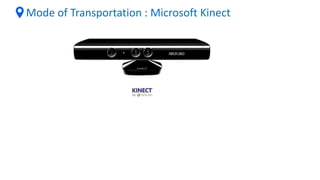
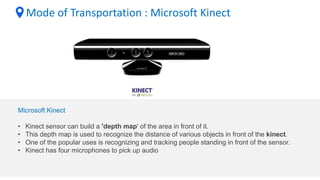
Mode of Transportation : Microsoft Kinect
Microsoft Kinect
• Kinect sensor can build a 'depth map' of the area in front of it.
• This depth map is used to recognize the distance of various objects in front of the kinect.
• One of the popular uses is recognizing and tracking people standing in front of the sensor.
• Kinect has four microphones to pick up audio
Mode of Transportation : Microsoft Kinect
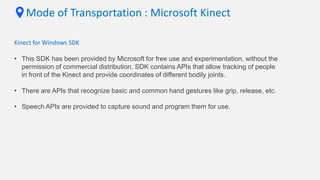
Kinect for Windows SDK
• This SDK has been provided by Microsoft for free use and experimentation, without the
permission of commercial distribution. SDK contains APIs that allow tracking of people
in front of the Kinect and provide coordinates of different bodily joints.
• There are APIs that recognize basic and common hand gestures like grip, release, etc.
• Speech APIs are provided to capture sound and program them for use.
Mode of Transportation : Microsoft Kinect
Kinect for Windows SDK
• This SDK has been provided by Microsoft for free use and experimentation, without the
permission of commercial distribution. SDK contains APIs that allow tracking of people
in front of the Kinect and provide coordinates of different bodily joints.
• There are APIs that recognize basic and common hand gestures like grip, release, etc.
• Speech APIs are provided to capture sound and program them for use.
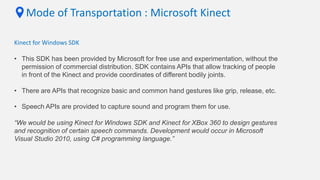
“We would be using Kinect for Windows SDK and Kinect for XBox 360 to design gestures
and recognition of certain speech commands. Development would occur in Microsoft
Visual Studio 2010, using C# programming language.”
Mode of Transportation : Speech Recognition
What is needed
1. Acoustic Model
probabilistic models which makes try to build connection between voice utterances and its
transcriptions present in training data
Mode of Transportation : Speech Recognition
What is needed
1. Acoustic Model
probabilistic models which makes try to build connection between voice utterances and its
transcriptions present in training data
2. Language Model
#monogram, #bigram, #trigram
not much in our case
Mode of Transportation : Speech Recognition
What is needed
1. Acoustic Model
probabilistic models which makes try to build connection between voice utterances and its
transcriptions present in training data
2. Language Model
#monogram, #bigram, #trigram
not much in our case
3. Mapping Dictionary
grapheme to phoneme
Mode of Transportation : Speech Recognition
Current Challenges
1. Large variability in accents
2. Variability in gender
3. Surrounding noise
4. So many names of cities and places
Mode of Transportation : Speech Recognition
Development Tools
1. Microsoft speech SDK 5.1
Preferable to work Microsoft Kinect
Mode of Transportation : Speech Recognition
Development Tools
1. Microsoft speech SDK 5.1
Preferable to work Microsoft Kinect
2. CMU sphinx 0.8
Open Source Toolkit For Speech Recognition
Mode of Transportation : Speech Recognition
Development Tools
1. Microsoft speech SDK 5.1
Preferable to work Microsoft Kinect
2. CMU sphinx 0.8
Open Source Toolkit For Speech Recognition
3. Dragon SDKs - Nuance
Discussions & Conclusion
1. Speech input is about 4 times faster than typing
2. Touch interaction on vertical screen can cause Gorilla Arm effect
3. Free hand gesture has been used previously also for navigation systems
4. Assumption of improved ease of use by integration these two modalities
5. Need to have training corpus for Indian accent users for ASR system
6. Need to define variables
Thank You for Listening
Picture abhi baaki hai mere dost (our journey still continues)……

Speech enhanced gesture based navigation for Google Maps

  • 2.
    Speech Enhanced GestureBased Navigation System for Google Maps An exploration in Multimodal HCI Under the Guidance of: Asst. Professor Manoj Majhi Vikas Luthra | Himanshu Bansal | Maulishree Pandey
  • 3.
    Goal of OurJourney Abstract • Conventional method of using different features of Google Maps on touch-based devices entails use of touch-based gestures defined for the devices. • For certain touch-based devices like public kiosks, touch-screens, etc, it is possible to define in- air or 3D gestures. • Coupled with basic speech commands, a new group of interactions can be prepared for accessing Google Maps. • However, it becomes important to measure the usability of this new group of gestures against the conventional touch-based gestures before substation is considered.
  • 4.
    Final Destination: Aim •Define the gestures and speech commons for the features of Google maps, and evaluate them against the existing interactions
  • 5.
    Final Destination: Aim •Define the gestures and speech commons for the features of Google maps, and evaluate them against the existing interactions • Compare and evaluate usability of 3D gestures as well as speech against touch-based gestures for using Google Maps for a large touchscreen
  • 6.
    The Route tofollow for our Journey: Methodology Literature Research (Aug 1st week – Sept 1st week) Background of the technologies Multimodal HCI theory Similar Works
  • 7.
    The Route tofollow for our Journey: Methodology Literature Research (Aug 1st week – Sept 1st week) Background of the technologies Multimodal HCI theory Similar Works System Definition and Design (Sept 2nd week –Oct 1st week) To decide case-study features of Google maps Use-case scenarios Feature wise gesture definition Addition of voice commands where gesture control is not applicable
  • 8.
    The Route tofollow for our Journey: Methodology Prototype Development (Oct 2nd week-Nov 4th week) Skelton Based Gesture Tracking System Development Speech Recognition System Development Debugging and Refinement
  • 9.
    The Route tofollow for our Journey: Methodology Prototype Development (Oct 2nd week-Nov 4th week) Skelton Based Gesture Tracking System Development Speech Recognition System Development Debugging and Refinement Comparative Study (Next Semester) Experiments on comparison between 2 solutions having different gestures and voice commands Statistical analysis
  • 10.
    The Route tofollow for our Journey: Methodology Prototype Development (Oct 2nd week-Nov 4th week) Skelton Based Gesture Tracking System Development Speech Recognition System Development Debugging and Refinement Comparative Study (Next Semester) Experiments on comparison between 2 solutions having different gestures and voice commands Statistical analysis Conclusion (Next Semester) Inferences and Guidelines
  • 11.
    Mode of Transportation: Microsoft Kinect
  • 12.
    Mode of Transportation: Microsoft Kinect
  • 13.
    Mode of Transportation: Microsoft Kinect Microsoft Kinect • Kinect sensor can build a 'depth map' of the area in front of it. • This depth map is used to recognize the distance of various objects in front of the kinect. • One of the popular uses is recognizing and tracking people standing in front of the sensor. • Kinect has four microphones to pick up audio
  • 14.
    Mode of Transportation: Microsoft Kinect Kinect for Windows SDK • This SDK has been provided by Microsoft for free use and experimentation, without the permission of commercial distribution. SDK contains APIs that allow tracking of people in front of the Kinect and provide coordinates of different bodily joints. • There are APIs that recognize basic and common hand gestures like grip, release, etc. • Speech APIs are provided to capture sound and program them for use.
  • 15.
    Mode of Transportation: Microsoft Kinect Kinect for Windows SDK • This SDK has been provided by Microsoft for free use and experimentation, without the permission of commercial distribution. SDK contains APIs that allow tracking of people in front of the Kinect and provide coordinates of different bodily joints. • There are APIs that recognize basic and common hand gestures like grip, release, etc. • Speech APIs are provided to capture sound and program them for use. “We would be using Kinect for Windows SDK and Kinect for XBox 360 to design gestures and recognition of certain speech commands. Development would occur in Microsoft Visual Studio 2010, using C# programming language.”
  • 16.
    Mode of Transportation: Speech Recognition What is needed 1. Acoustic Model probabilistic models which makes try to build connection between voice utterances and its transcriptions present in training data
  • 17.
    Mode of Transportation: Speech Recognition What is needed 1. Acoustic Model probabilistic models which makes try to build connection between voice utterances and its transcriptions present in training data 2. Language Model #monogram, #bigram, #trigram not much in our case
  • 18.
    Mode of Transportation: Speech Recognition What is needed 1. Acoustic Model probabilistic models which makes try to build connection between voice utterances and its transcriptions present in training data 2. Language Model #monogram, #bigram, #trigram not much in our case 3. Mapping Dictionary grapheme to phoneme
  • 19.
    Mode of Transportation: Speech Recognition Current Challenges 1. Large variability in accents 2. Variability in gender 3. Surrounding noise 4. So many names of cities and places
  • 20.
    Mode of Transportation: Speech Recognition Development Tools 1. Microsoft speech SDK 5.1 Preferable to work Microsoft Kinect
  • 21.
    Mode of Transportation: Speech Recognition Development Tools 1. Microsoft speech SDK 5.1 Preferable to work Microsoft Kinect 2. CMU sphinx 0.8 Open Source Toolkit For Speech Recognition
  • 22.
    Mode of Transportation: Speech Recognition Development Tools 1. Microsoft speech SDK 5.1 Preferable to work Microsoft Kinect 2. CMU sphinx 0.8 Open Source Toolkit For Speech Recognition 3. Dragon SDKs - Nuance
  • 23.
    Discussions & Conclusion 1.Speech input is about 4 times faster than typing 2. Touch interaction on vertical screen can cause Gorilla Arm effect 3. Free hand gesture has been used previously also for navigation systems 4. Assumption of improved ease of use by integration these two modalities 5. Need to have training corpus for Indian accent users for ASR system 6. Need to define variables
  • 24.
    Thank You forListening Picture abhi baaki hai mere dost (our journey still continues)……