25/07/2018 Microsoft Excel Beginners Level 2 - Adams Academy
https://www.adamsacademy.com/course/microsoft-excel-beginners-level-2/ 1/11
( 6 REVIEWS )
HOME / COURSE / MICROSOFT OFFICE / EXCEL / MICROSOFT EXCEL BEGINNERS LEVEL 2
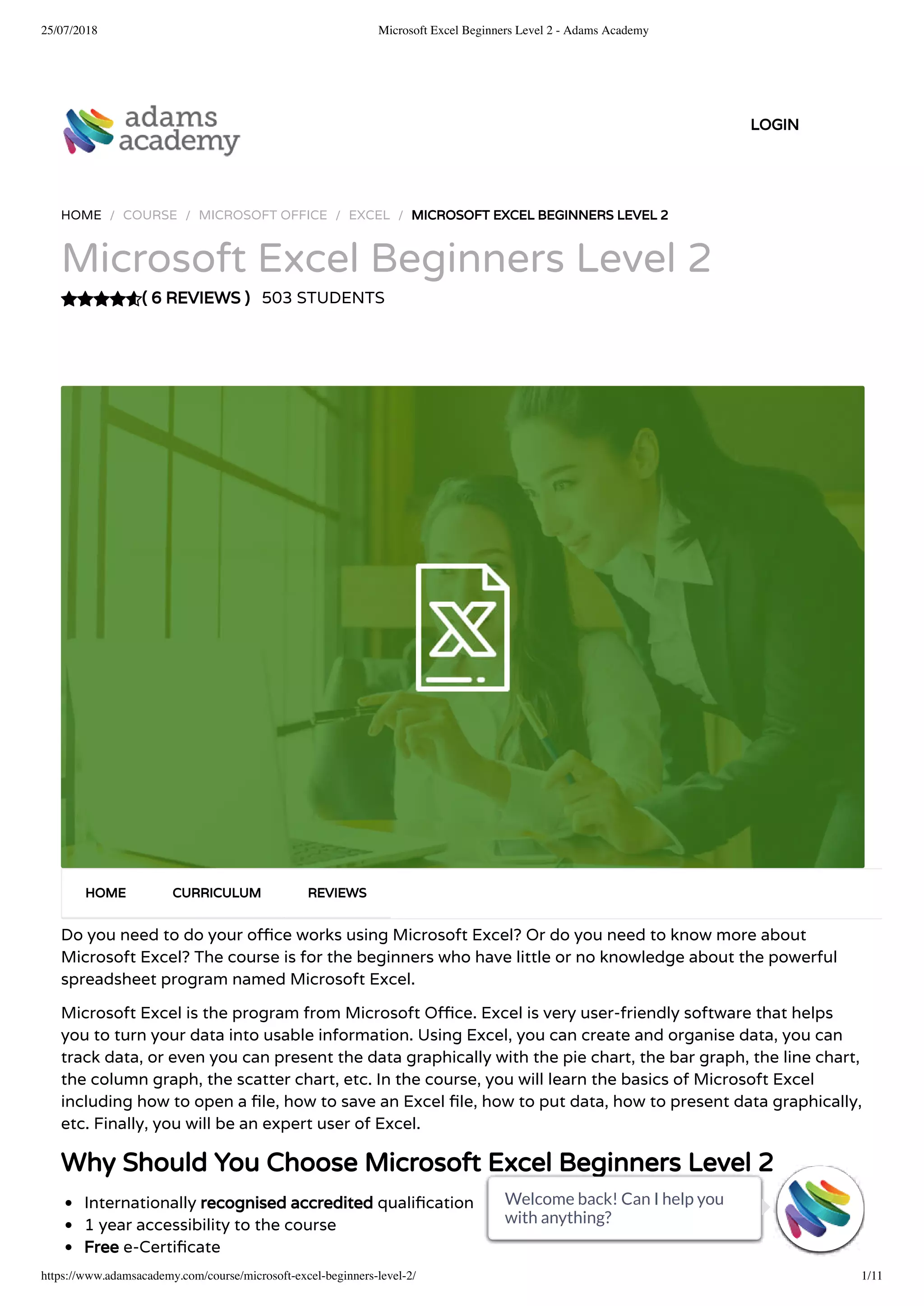
Microsoft Excel Beginners Level 2
503 STUDENTS
Do you need to do your o ce works using Microsoft Excel? Or do you need to know more about
Microsoft Excel? The course is for the beginners who have little or no knowledge about the powerful
spreadsheet program named Microsoft Excel.
Microsoft Excel is the program from Microsoft O ce. Excel is very user-friendly software that helps
you to turn your data into usable information. Using Excel, you can create and organise data, you can
track data, or even you can present the data graphically with the pie chart, the bar graph, the line chart,
the column graph, the scatter chart, etc. In the course, you will learn the basics of Microsoft Excel
including how to open a le, how to save an Excel le, how to put data, how to present data graphically,
etc. Finally, you will be an expert user of Excel.
Why Should You Choose Microsoft Excel Beginners Level 2
Internationally recognised accredited quali cation
1 year accessibility to the course
Free e-Certi cate
HOME CURRICULUM REVIEWS
LOGIN
Welcome back! Can I help you
with anything? 
Welcome back! Can I help you
with anything? 
Welcome back! Can I help you
with anything? 
Welcome back! Can I help you
with anything? 
Welcome back! Can I help you
with anything? 
Welcome back! Can I help you
with anything? 
Welcome back! Can I help you
with anything? 
Welcome back! Can I help you
with anything? 
Welcome back! Can I help you
with anything? 
Welcome back! Can I help you
with anything? 
Welcome back! Can I help you
with anything? 
25/07/2018 Microsoft Excel Beginners Level 2 - Adams Academy
https://www.adamsacademy.com/course/microsoft-excel-beginners-level-2/ 2/11
Instant certi cate validation facility
Properly curated course with comprehensive syllabus
Full-time tutor support on working days (Monday – Friday)
E cient exam system, assessment and instant results
Access to the course content on mobile, tablet or desktop from anywhere anytime
Eligible for **NUS Extra** card which gives you 1000’s of discounts from biggest companies.
Career path
This course opens a new door for you to enter the relevant job market and also gives you the
opportunity to acquire extensive knowledge along with required skills to become successful in no time.
You will be able to stand out in the crowd after completing this course. You will also be able to add our
quali cations to your Resume and make yourself worthy in the competitive job industry.
FAQs
Who is this course for?
There is no experience or previous quali cations required for enrolment on this course. It is available to
all students of all academic backgrounds.
Is this course accredited?
Yes, this course is accredited by IAO and CPD Quali cation Standards.
If I take the course, how will I be assessed?
Once you complete all the lessons/units, you are required to sit an exam which is multiple-choice. Pass
mark is 60%.
Does this course include exams?
Yes, this course includes exams.
How can I achieve my certificate?
Once you successfully pass your exam you can obtain your certi cate of achievement either in PDF or
hard copy format, or both, for an additional fee.  Certi cates are also available as e-certi cates.
Is there any charge for certification?
Yes, there is an additional charge for the certi cation service.  Certi cates are £4 each for PDFs and £8
each for hard copies. If both PDF and hard copy certi cates are ordered at the same time, the cost is
£10. E-certi cates are available from your learning portal completely free of charge.
Can anyone validate my certificate through your website?
Yes, there is a unique code issued for every certi cate and anyone can validate your certi cate by using
this code through our website.
Are there any prerequisites for the course?
There are no prerequisites for this course and it is open to everyone.
How long until I receive the course confirmation details?
Once you purchase a course your account will be set up within 48 hours and you will receive an email
with your account details.
For how long do I have access to the course?
You will have access to the course for one year following purchase.
Welcome back! Can I help you
with anything?
Welcome back! Can I help you
with anything?
Welcome back! Can I help you
with anything?
Welcome back! Can I help you
with anything?
Welcome back! Can I help you
with anything?
Welcome back! Can I help you
with anything?
Welcome back! Can I help you
with anything?
Welcome back! Can I help you
with anything?
Welcome back! Can I help you
with anything?
Welcome back! Can I help you
with anything?
Welcome back! Can I help you
with anything?
25/07/2018 Microsoft Excel Beginners Level 2 - Adams Academy
https://www.adamsacademy.com/course/microsoft-excel-beginners-level-2/ 3/11
 
 
 
 
 
 
 
 
 
 
 
 
 
- 
What support do you offer?
We provide 24 hours live chat support and our customer service team is available during working hours
to answer your phone calls.
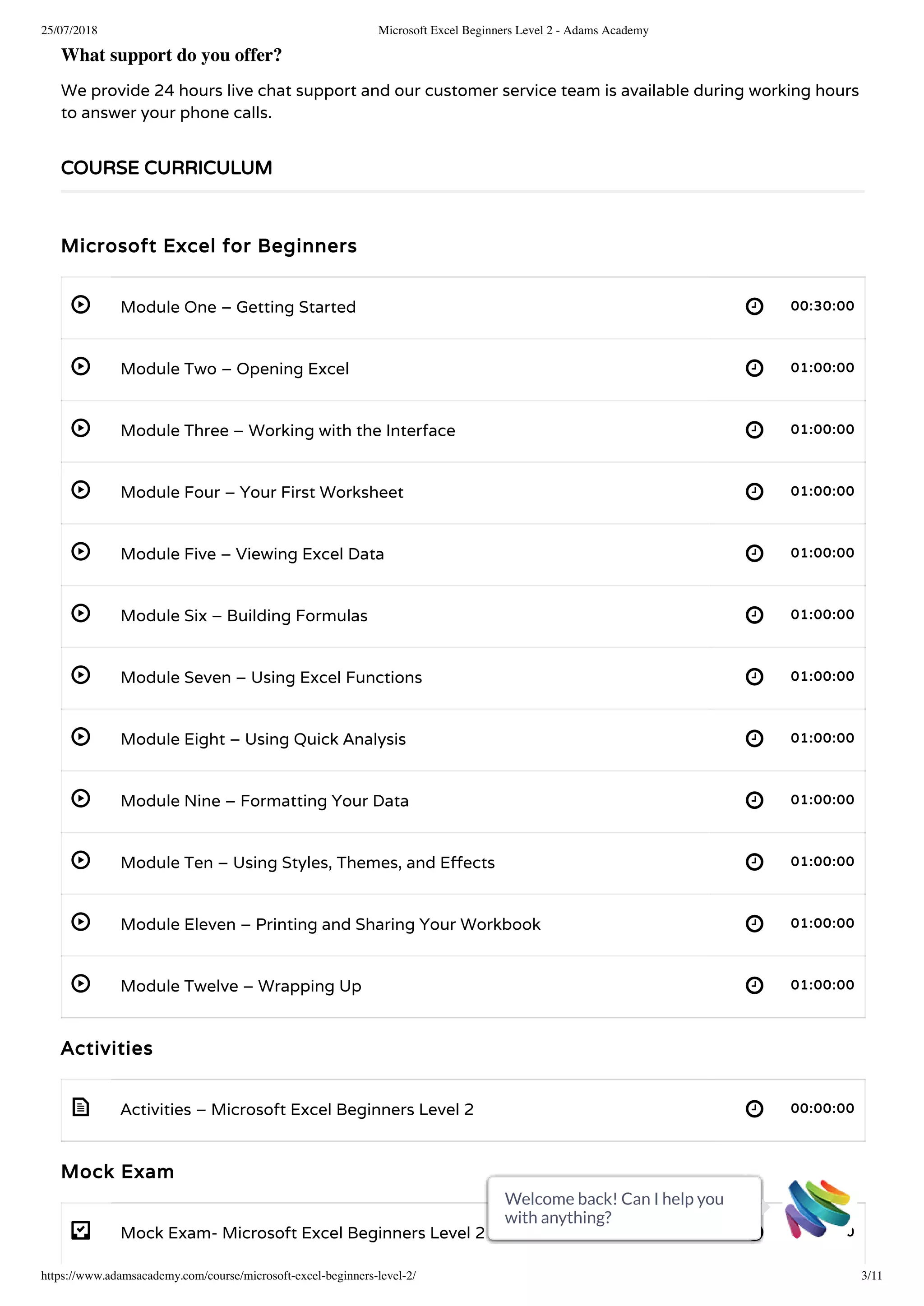
Microsoft Excel for Beginners
Module One – Getting Started 00:30:00
Module Two – Opening Excel 01:00:00
Module Three – Working with the Interface 01:00:00
Module Four – Your First Worksheet 01:00:00
Module Five – Viewing Excel Data 01:00:00
Module Six – Building Formulas 01:00:00
Module Seven – Using Excel Functions 01:00:00
Module Eight – Using Quick Analysis 01:00:00
Module Nine – Formatting Your Data 01:00:00
Module Ten – Using Styles, Themes, and E ects 01:00:00
Module Eleven – Printing and Sharing Your Workbook 01:00:00
Module Twelve – Wrapping Up 01:00:00
Activities
Activities – Microsoft Excel Beginners Level 2 00:00:00
Mock Exam
Mock Exam- Microsoft Excel Beginners Level 2 00:20:00
COURSE CURRICULUM
Welcome back! Can I help you
with anything?
Welcome back! Can I help you
with anything?
Welcome back! Can I help you
with anything?
Welcome back! Can I help you
with anything?
Welcome back! Can I help you
with anything?
Welcome back! Can I help you
with anything?
Welcome back! Can I help you
with anything?
Welcome back! Can I help you
with anything?
Welcome back! Can I help you
with anything?
Welcome back! Can I help you
with anything?
Welcome back! Can I help you
with anything?
25/07/2018 Microsoft Excel Beginners Level 2 - Adams Academy
https://www.adamsacademy.com/course/microsoft-excel-beginners-level-2/ 4/11
- 
Final Exam
Final Exam- Microsoft Excel Beginners Level 2 00:20:00
COURSE REVIEWS
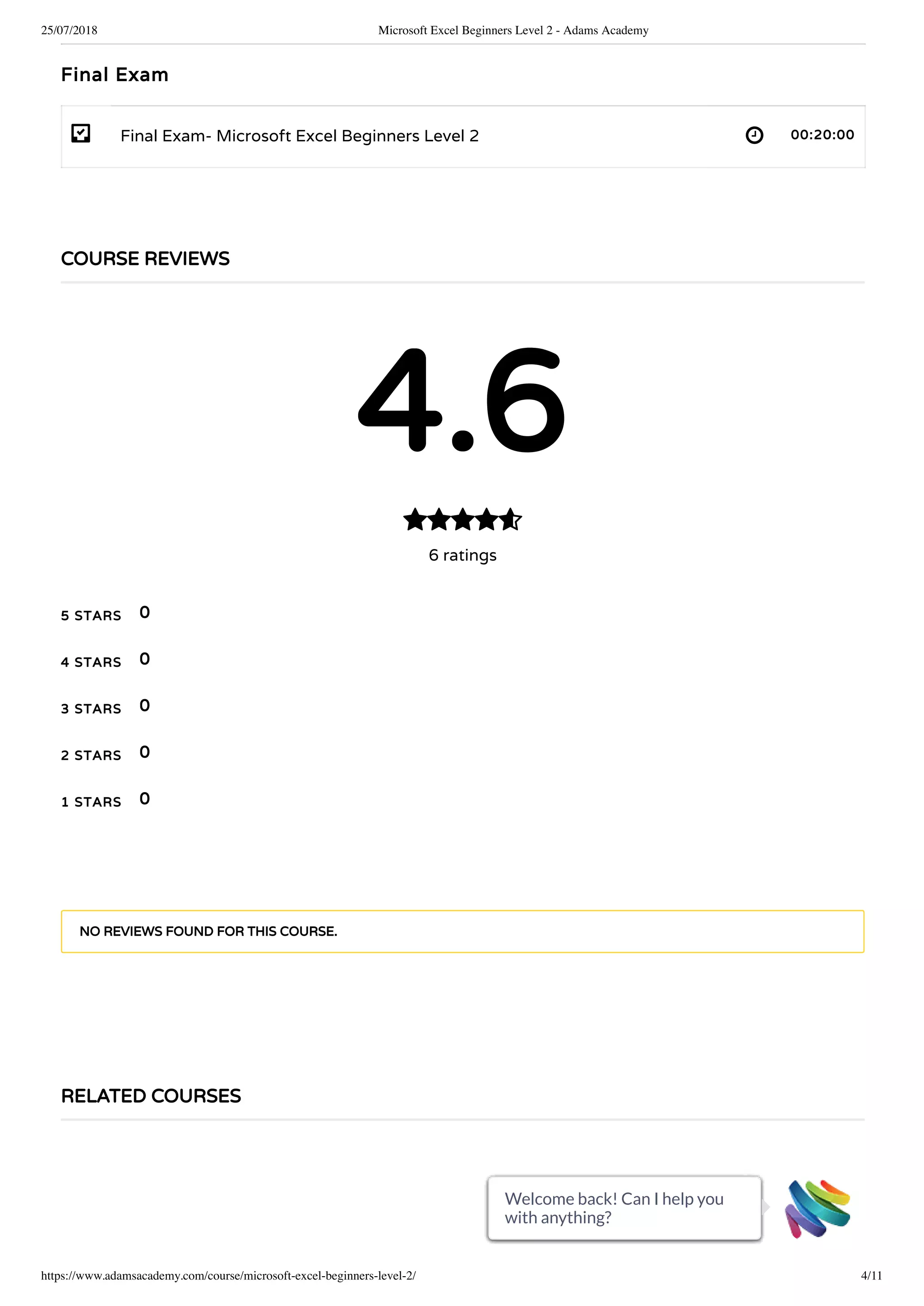
4.6
6 ratings

5 STARS
4 STARS
3 STARS
2 STARS
1 STARS
0
0
0
0
0
NO REVIEWS FOUND FOR THIS COURSE.
RELATED COURSES
Welcome back! Can I help you
with anything?
Welcome back! Can I help you
with anything?
Welcome back! Can I help you
with anything?
Welcome back! Can I help you
with anything?
Welcome back! Can I help you
with anything?
Welcome back! Can I help you
with anything?
Welcome back! Can I help you
with anything?
Welcome back! Can I help you
with anything?
Welcome back! Can I help you
with anything?
Welcome back! Can I help you
with anything?
Welcome back! Can I help you
with anything?
25/07/2018 Microsoft Excel Beginners Level 2 - Adams Academy
https://www.adamsacademy.com/course/microsoft-excel-beginners-level-2/ 5/11
465
70-662 - Deploying Microsoft Exchange Server 2010 S Accredited Training
£43£350

Welcome back! Can I help you
with anything?
Welcome back! Can I help you
with anything?
Welcome back! Can I help you
with anything?
Welcome back! Can I help you
with anything?
Welcome back! Can I help you
with anything?
Welcome back! Can I help you
with anything?
Welcome back! Can I help you
with anything?
Welcome back! Can I help you
with anything?
Welcome back! Can I help you
with anything?
Welcome back! Can I help you
with anything?
Welcome back! Can I help you
with anything?
25/07/2018 Microsoft Excel Beginners Level 2 - Adams Academy
https://www.adamsacademy.com/course/microsoft-excel-beginners-level-2/ 6/11
493
Microsoft Office 2007 Word Basic - Video Course
£39£350

531
Microsoft Office 2007 Outlook Basic - Video Course
£39£350

£33£321
1 YEAR
TAKE THIS COURSE
Welcome back! Can I help you
with anything?
Welcome back! Can I help you
with anything?
Welcome back! Can I help you
with anything?
Welcome back! Can I help you
with anything?
Welcome back! Can I help you
with anything?
Welcome back! Can I help you
with anything?
Welcome back! Can I help you
with anything?
Welcome back! Can I help you
with anything?
Welcome back! Can I help you
with anything?
Welcome back! Can I help you
with anything?
Welcome back! Can I help you
with anything?
25/07/2018 Microsoft Excel Beginners Level 2 - Adams Academy
https://www.adamsacademy.com/course/microsoft-excel-beginners-level-2/ 7/11
Instructors
NICHOLAS ALVARADO
503 STUDENTS ENROLLED
   
BEGINNER
COURSE BADGE
COURSE CERTIFICATE
13NUMBER OF UNITS
2NUMBER OF QUIZZES
12 HOURS, 10 MINUTES
Welcome back! Can I help you
with anything?
Welcome back! Can I help you
with anything?
Welcome back! Can I help you
with anything?
Welcome back! Can I help you
with anything?
Welcome back! Can I help you
with anything?
Welcome back! Can I help you
with anything?
Welcome back! Can I help you
with anything?
Welcome back! Can I help you
with anything?
Welcome back! Can I help you
with anything?
Welcome back! Can I help you
with anything?
Welcome back! Can I help you
with anything?
25/07/2018 Microsoft Excel Beginners Level 2 - Adams Academy
https://www.adamsacademy.com/course/microsoft-excel-beginners-level-2/ 8/11
Registered with the UK Register of Learning Providers (UKRLP)
UKPRN: 10063816
ACCREDITED BY
OUR COURSE AWARDING BODIES
Welcome back! Can I help you
with anything?
Welcome back! Can I help you
with anything?
Welcome back! Can I help you
with anything?
Welcome back! Can I help you
with anything?
Welcome back! Can I help you
with anything?
Welcome back! Can I help you
with anything?
Welcome back! Can I help you
with anything?
Welcome back! Can I help you
with anything?
Welcome back! Can I help you
with anything?
Welcome back! Can I help you
with anything?
Welcome back! Can I help you
with anything?
25/07/2018 Microsoft Excel Beginners Level 2 - Adams Academy
https://www.adamsacademy.com/course/microsoft-excel-beginners-level-2/ 9/11
OUR COURSES PARTNERS
Welcome back! Can I help you
with anything?
Welcome back! Can I help you
with anything?
Welcome back! Can I help you
with anything?
Welcome back! Can I help you
with anything?
Welcome back! Can I help you
with anything?
Welcome back! Can I help you
with anything?
Welcome back! Can I help you
with anything?
Welcome back! Can I help you
with anything?
Welcome back! Can I help you
with anything?
Welcome back! Can I help you
with anything?
Welcome back! Can I help you
with anything?
25/07/2018 Microsoft Excel Beginners Level 2 - Adams Academy
https://www.adamsacademy.com/course/microsoft-excel-beginners-level-2/ 10/11
ABOUT
Make learning more accessible to learning enthusiasts, regardless of where they are residing in the
world.
OUR STUDENTS SAY..
Course content are awesome! Greatest
course I had this time.
Ginny
Student
An extremely helpful and informative
course, especially in conjunction with
quiz and video tutorial.
Mike
Student, Finance
Great Course Content! Le
anywhere using personal
Video is a good way to le
Kiara
Student
 
Welcome back! Can I help you
with anything?
Welcome back! Can I help you
with anything?
Welcome back! Can I help you
with anything?
Welcome back! Can I help you
with anything?
Welcome back! Can I help you
with anything?
Welcome back! Can I help you
with anything?
Welcome back! Can I help you
with anything?
Welcome back! Can I help you
with anything?
Welcome back! Can I help you
with anything?
Welcome back! Can I help you
with anything?
Welcome back! Can I help you
with anything?
25/07/2018 Microsoft Excel Beginners Level 2 - Adams Academy
https://www.adamsacademy.com/course/microsoft-excel-beginners-level-2/ 11/11
 Beaufort House, 15 St Botolph Street, London EC3A 7BB
 0800 368 7767
 help@adamsacademy.com
CERTIFICATE CODE
Enter Certi cate Code
IMPORTANT LINKS
About
Blog
Terms & Conditions
Privacy Policy
Cookie Policy
FAQ
Contact
COMING SOON
   
© ADAMS ACADEMY INC. LTD.
   
VALIDATE
Welcome back! Can I help you
with anything?
Welcome back! Can I help you
with anything?
Welcome back! Can I help you
with anything?
Welcome back! Can I help you
with anything?
Welcome back! Can I help you
with anything?
Welcome back! Can I help you
with anything?
Welcome back! Can I help you
with anything?
Welcome back! Can I help you
with anything?
Welcome back! Can I help you
with anything?
Welcome back! Can I help you
with anything?
Welcome back! Can I help you
with anything?

Microsoft Excel Beginners Level 2 - Adams Academy

  • 1.
    25/07/2018 Microsoft ExcelBeginners Level 2 - Adams Academy https://www.adamsacademy.com/course/microsoft-excel-beginners-level-2/ 1/11 ( 6 REVIEWS ) HOME / COURSE / MICROSOFT OFFICE / EXCEL / MICROSOFT EXCEL BEGINNERS LEVEL 2 Microsoft Excel Beginners Level 2 503 STUDENTS Do you need to do your o ce works using Microsoft Excel? Or do you need to know more about Microsoft Excel? The course is for the beginners who have little or no knowledge about the powerful spreadsheet program named Microsoft Excel. Microsoft Excel is the program from Microsoft O ce. Excel is very user-friendly software that helps you to turn your data into usable information. Using Excel, you can create and organise data, you can track data, or even you can present the data graphically with the pie chart, the bar graph, the line chart, the column graph, the scatter chart, etc. In the course, you will learn the basics of Microsoft Excel including how to open a le, how to save an Excel le, how to put data, how to present data graphically, etc. Finally, you will be an expert user of Excel. Why Should You Choose Microsoft Excel Beginners Level 2 Internationally recognised accredited quali cation 1 year accessibility to the course Free e-Certi cate HOME CURRICULUM REVIEWS LOGIN Welcome back! Can I help you with anything?  Welcome back! Can I help you with anything?  Welcome back! Can I help you with anything?  Welcome back! Can I help you with anything?  Welcome back! Can I help you with anything?  Welcome back! Can I help you with anything?  Welcome back! Can I help you with anything?  Welcome back! Can I help you with anything?  Welcome back! Can I help you with anything?  Welcome back! Can I help you with anything?  Welcome back! Can I help you with anything? 
  • 2.
    25/07/2018 Microsoft ExcelBeginners Level 2 - Adams Academy https://www.adamsacademy.com/course/microsoft-excel-beginners-level-2/ 2/11 Instant certi cate validation facility Properly curated course with comprehensive syllabus Full-time tutor support on working days (Monday – Friday) E cient exam system, assessment and instant results Access to the course content on mobile, tablet or desktop from anywhere anytime Eligible for **NUS Extra** card which gives you 1000’s of discounts from biggest companies. Career path This course opens a new door for you to enter the relevant job market and also gives you the opportunity to acquire extensive knowledge along with required skills to become successful in no time. You will be able to stand out in the crowd after completing this course. You will also be able to add our quali cations to your Resume and make yourself worthy in the competitive job industry. FAQs Who is this course for? There is no experience or previous quali cations required for enrolment on this course. It is available to all students of all academic backgrounds. Is this course accredited? Yes, this course is accredited by IAO and CPD Quali cation Standards. If I take the course, how will I be assessed? Once you complete all the lessons/units, you are required to sit an exam which is multiple-choice. Pass mark is 60%. Does this course include exams? Yes, this course includes exams. How can I achieve my certificate? Once you successfully pass your exam you can obtain your certi cate of achievement either in PDF or hard copy format, or both, for an additional fee.  Certi cates are also available as e-certi cates. Is there any charge for certification? Yes, there is an additional charge for the certi cation service.  Certi cates are £4 each for PDFs and £8 each for hard copies. If both PDF and hard copy certi cates are ordered at the same time, the cost is £10. E-certi cates are available from your learning portal completely free of charge. Can anyone validate my certificate through your website? Yes, there is a unique code issued for every certi cate and anyone can validate your certi cate by using this code through our website. Are there any prerequisites for the course? There are no prerequisites for this course and it is open to everyone. How long until I receive the course confirmation details? Once you purchase a course your account will be set up within 48 hours and you will receive an email with your account details. For how long do I have access to the course? You will have access to the course for one year following purchase. Welcome back! Can I help you with anything? Welcome back! Can I help you with anything? Welcome back! Can I help you with anything? Welcome back! Can I help you with anything? Welcome back! Can I help you with anything? Welcome back! Can I help you with anything? Welcome back! Can I help you with anything? Welcome back! Can I help you with anything? Welcome back! Can I help you with anything? Welcome back! Can I help you with anything? Welcome back! Can I help you with anything?
  • 3.
    25/07/2018 Microsoft ExcelBeginners Level 2 - Adams Academy https://www.adamsacademy.com/course/microsoft-excel-beginners-level-2/ 3/11                           -  What support do you offer? We provide 24 hours live chat support and our customer service team is available during working hours to answer your phone calls. Microsoft Excel for Beginners Module One – Getting Started 00:30:00 Module Two – Opening Excel 01:00:00 Module Three – Working with the Interface 01:00:00 Module Four – Your First Worksheet 01:00:00 Module Five – Viewing Excel Data 01:00:00 Module Six – Building Formulas 01:00:00 Module Seven – Using Excel Functions 01:00:00 Module Eight – Using Quick Analysis 01:00:00 Module Nine – Formatting Your Data 01:00:00 Module Ten – Using Styles, Themes, and E ects 01:00:00 Module Eleven – Printing and Sharing Your Workbook 01:00:00 Module Twelve – Wrapping Up 01:00:00 Activities Activities – Microsoft Excel Beginners Level 2 00:00:00 Mock Exam Mock Exam- Microsoft Excel Beginners Level 2 00:20:00 COURSE CURRICULUM Welcome back! Can I help you with anything? Welcome back! Can I help you with anything? Welcome back! Can I help you with anything? Welcome back! Can I help you with anything? Welcome back! Can I help you with anything? Welcome back! Can I help you with anything? Welcome back! Can I help you with anything? Welcome back! Can I help you with anything? Welcome back! Can I help you with anything? Welcome back! Can I help you with anything? Welcome back! Can I help you with anything?
  • 4.
    25/07/2018 Microsoft ExcelBeginners Level 2 - Adams Academy https://www.adamsacademy.com/course/microsoft-excel-beginners-level-2/ 4/11 -  Final Exam Final Exam- Microsoft Excel Beginners Level 2 00:20:00 COURSE REVIEWS 4.6 6 ratings  5 STARS 4 STARS 3 STARS 2 STARS 1 STARS 0 0 0 0 0 NO REVIEWS FOUND FOR THIS COURSE. RELATED COURSES Welcome back! Can I help you with anything? Welcome back! Can I help you with anything? Welcome back! Can I help you with anything? Welcome back! Can I help you with anything? Welcome back! Can I help you with anything? Welcome back! Can I help you with anything? Welcome back! Can I help you with anything? Welcome back! Can I help you with anything? Welcome back! Can I help you with anything? Welcome back! Can I help you with anything? Welcome back! Can I help you with anything?
  • 5.
    25/07/2018 Microsoft ExcelBeginners Level 2 - Adams Academy https://www.adamsacademy.com/course/microsoft-excel-beginners-level-2/ 5/11 465 70-662 - Deploying Microsoft Exchange Server 2010 S Accredited Training £43£350  Welcome back! Can I help you with anything? Welcome back! Can I help you with anything? Welcome back! Can I help you with anything? Welcome back! Can I help you with anything? Welcome back! Can I help you with anything? Welcome back! Can I help you with anything? Welcome back! Can I help you with anything? Welcome back! Can I help you with anything? Welcome back! Can I help you with anything? Welcome back! Can I help you with anything? Welcome back! Can I help you with anything?
  • 6.
    25/07/2018 Microsoft ExcelBeginners Level 2 - Adams Academy https://www.adamsacademy.com/course/microsoft-excel-beginners-level-2/ 6/11 493 Microsoft Office 2007 Word Basic - Video Course £39£350  531 Microsoft Office 2007 Outlook Basic - Video Course £39£350  £33£321 1 YEAR TAKE THIS COURSE Welcome back! Can I help you with anything? Welcome back! Can I help you with anything? Welcome back! Can I help you with anything? Welcome back! Can I help you with anything? Welcome back! Can I help you with anything? Welcome back! Can I help you with anything? Welcome back! Can I help you with anything? Welcome back! Can I help you with anything? Welcome back! Can I help you with anything? Welcome back! Can I help you with anything? Welcome back! Can I help you with anything?
  • 7.
    25/07/2018 Microsoft ExcelBeginners Level 2 - Adams Academy https://www.adamsacademy.com/course/microsoft-excel-beginners-level-2/ 7/11 Instructors NICHOLAS ALVARADO 503 STUDENTS ENROLLED     BEGINNER COURSE BADGE COURSE CERTIFICATE 13NUMBER OF UNITS 2NUMBER OF QUIZZES 12 HOURS, 10 MINUTES Welcome back! Can I help you with anything? Welcome back! Can I help you with anything? Welcome back! Can I help you with anything? Welcome back! Can I help you with anything? Welcome back! Can I help you with anything? Welcome back! Can I help you with anything? Welcome back! Can I help you with anything? Welcome back! Can I help you with anything? Welcome back! Can I help you with anything? Welcome back! Can I help you with anything? Welcome back! Can I help you with anything?
  • 8.
    25/07/2018 Microsoft ExcelBeginners Level 2 - Adams Academy https://www.adamsacademy.com/course/microsoft-excel-beginners-level-2/ 8/11 Registered with the UK Register of Learning Providers (UKRLP) UKPRN: 10063816 ACCREDITED BY OUR COURSE AWARDING BODIES Welcome back! Can I help you with anything? Welcome back! Can I help you with anything? Welcome back! Can I help you with anything? Welcome back! Can I help you with anything? Welcome back! Can I help you with anything? Welcome back! Can I help you with anything? Welcome back! Can I help you with anything? Welcome back! Can I help you with anything? Welcome back! Can I help you with anything? Welcome back! Can I help you with anything? Welcome back! Can I help you with anything?
  • 9.
    25/07/2018 Microsoft ExcelBeginners Level 2 - Adams Academy https://www.adamsacademy.com/course/microsoft-excel-beginners-level-2/ 9/11 OUR COURSES PARTNERS Welcome back! Can I help you with anything? Welcome back! Can I help you with anything? Welcome back! Can I help you with anything? Welcome back! Can I help you with anything? Welcome back! Can I help you with anything? Welcome back! Can I help you with anything? Welcome back! Can I help you with anything? Welcome back! Can I help you with anything? Welcome back! Can I help you with anything? Welcome back! Can I help you with anything? Welcome back! Can I help you with anything?
  • 10.
    25/07/2018 Microsoft ExcelBeginners Level 2 - Adams Academy https://www.adamsacademy.com/course/microsoft-excel-beginners-level-2/ 10/11 ABOUT Make learning more accessible to learning enthusiasts, regardless of where they are residing in the world. OUR STUDENTS SAY.. Course content are awesome! Greatest course I had this time. Ginny Student An extremely helpful and informative course, especially in conjunction with quiz and video tutorial. Mike Student, Finance Great Course Content! Le anywhere using personal Video is a good way to le Kiara Student   Welcome back! Can I help you with anything? Welcome back! Can I help you with anything? Welcome back! Can I help you with anything? Welcome back! Can I help you with anything? Welcome back! Can I help you with anything? Welcome back! Can I help you with anything? Welcome back! Can I help you with anything? Welcome back! Can I help you with anything? Welcome back! Can I help you with anything? Welcome back! Can I help you with anything? Welcome back! Can I help you with anything?
  • 11.
    25/07/2018 Microsoft ExcelBeginners Level 2 - Adams Academy https://www.adamsacademy.com/course/microsoft-excel-beginners-level-2/ 11/11  Beaufort House, 15 St Botolph Street, London EC3A 7BB  0800 368 7767  help@adamsacademy.com CERTIFICATE CODE Enter Certi cate Code IMPORTANT LINKS About Blog Terms & Conditions Privacy Policy Cookie Policy FAQ Contact COMING SOON     © ADAMS ACADEMY INC. LTD.     VALIDATE Welcome back! Can I help you with anything? Welcome back! Can I help you with anything? Welcome back! Can I help you with anything? Welcome back! Can I help you with anything? Welcome back! Can I help you with anything? Welcome back! Can I help you with anything? Welcome back! Can I help you with anything? Welcome back! Can I help you with anything? Welcome back! Can I help you with anything? Welcome back! Can I help you with anything? Welcome back! Can I help you with anything?