Microsoft Office 2007
  Offered Classes & Outlines

       Call for Training
Onsite  Virtual  Elearning
Access 2007 Introduction – Level 1
   Lesson 1: Exploring the Microsoft Access
    Environment
   Lesson 2: Designing a Database
   Lesson 3: Building a Database
   Lesson 4: Managing Data in a Table
   Lesson 5: Querying a Database
   Lesson 6: Designing Forms
   Lesson 7: Generating Reports
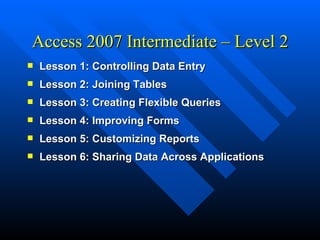
Access 2007 Intermediate – Level 2
   Lesson 1: Controlling Data Entry
   Lesson 2: Joining Tables
   Lesson 3: Creating Flexible Queries
   Lesson 4: Improving Forms
   Lesson 5: Customizing Reports
   Lesson 6: Sharing Data Across Applications
Access 2007 Advanced – Level 3
   Lesson 1: Structuring Existing Data
   Lesson 2: Writing Advanced Queries
   Lesson 3: Simplifying Tasks with Macros
   Lesson 4: Making Effective Use of Forms
   Lesson 5: Making Reports More Effective
   Lesson 6: Maintaining an Access Database
Access 2007 – Level 4
   Lesson 1: Integrating Access into Your Business
   Lesson 2: Automating a Business Process with
    VBA
   Lesson 3: Managing Switchboards
   Lesson 4: Distributing and Securing Databases
   Lesson 5: Sharing Databases Using a SharePoint
    Site
Excel 2007 Introduction - Level 1
   Lesson 1: Creating a Basic Worksheet
   Lesson 2: Performing Calculations
   Lesson 3: Modifying a Worksheet
   Lesson 4: Formatting a Worksheet
   Lesson 5: Printing Workbook Contents
   Lesson 6: Managing Large Workbooks
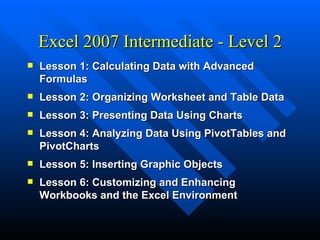
Excel 2007 Intermediate - Level 2
   Lesson 1: Calculating Data with Advanced
    Formulas
   Lesson 2: Organizing Worksheet and Table Data
   Lesson 3: Presenting Data Using Charts
   Lesson 4: Analyzing Data Using PivotTables and
    PivotCharts
   Lesson 5: Inserting Graphic Objects
   Lesson 6: Customizing and Enhancing
    Workbooks and the Excel Environment
Excel 2007 Advanced - Level 3
   Lesson 1: Streamlining Workflow
   Lesson 2: Collaborating with Others
   Lesson 3: Auditing Worksheets
   Lesson 4: Analyzing Data
   Lesson 5: Working with Multiple Workbooks
   Lesson 6: Importing and Exporting Data
   Lesson 7: Using Excel with the Web
   Lesson 8: Structuring Workbooks with XML
PowerPoint 2007 Introduction –
                Level 1
   Lesson 1: Getting Started with PowerPoint
   Lesson 2: Creating a Presentation
   Lesson 3: Formatting Text on Slides
   Lesson 4: Adding Graphical Objects to a
    Presentation
   Lesson 5: Modifying Objects
   Lesson 6: Adding Tables to a Presentation
   Lesson 7: Inserting Charts in a Presentation
   Lesson 8: Preparing to Deliver a Presentation
PowerPoint 2007 Advanced – Level 2
   Lesson 1: Customizing the PowerPoint
    Environment
   Lesson 2: Customizing a Design Template
   Lesson 3: Adding Diagrams to a Presentation
   Lesson 4: Adding Special Effects to
    Presentations
   Lesson 5: Customizing a Slide Show Presentation
   Lesson 6: Collaborating on a Presentation
   Lesson 7: Securing and Distributing a
    Presentation
Word 2007 Introduction – Level 1
   Lesson 1: Creating a Basic Document
   Lesson 2: Editing a Document
   Lesson 3: Formatting Text
   Lesson 4: Formatting Paragraphs
   Lesson 5: Adding Tables
   Lesson 6: Inserting Graphic Objects
   Lesson 7: Controlling Page Appearance
   Lesson 8: Proofing a Document
Word 2007 Intermediate – Level 2
   Lesson 1: Managing Lists
   Lesson 2: Customizing Tables and Charts
   Lesson 3: Customizing Formatting with Styles and Themes
   Lesson 4: Modifying Pictures
   Lesson 5: Creating Customized Graphic Elements
   Lesson 6: Inserting Content Using Quick Parts
   Lesson 7: Controlling Text Flow
   Lesson 8: Using Templates to Automate Document
    Creation
   Lesson 9: Automating Mail Merges
   Lesson 10: Using Macros to Automate Tasks
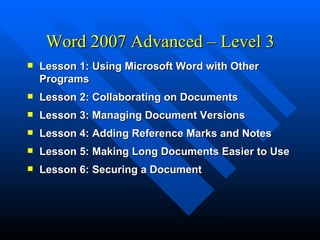
Word 2007 Advanced – Level 3
   Lesson 1: Using Microsoft Word with Other
    Programs
   Lesson 2: Collaborating on Documents
   Lesson 3: Managing Document Versions
   Lesson 4: Adding Reference Marks and Notes
   Lesson 5: Making Long Documents Easier to Use
   Lesson 6: Securing a Document
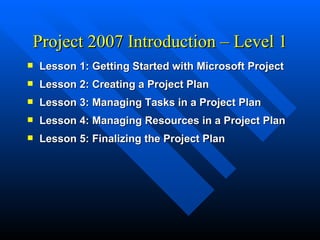
Project 2007 Introduction – Level 1
   Lesson 1: Getting Started with Microsoft Project
   Lesson 2: Creating a Project Plan
   Lesson 3: Managing Tasks in a Project Plan
   Lesson 4: Managing Resources in a Project Plan
   Lesson 5: Finalizing the Project Plan
Project 2007 Advanced – Level 2
   Lesson 1: Exchanging Project Plan Data with
    Other Applications
   Lesson 2: Updating a Project Plan
   Lesson 3: Managing Project Costs
   Lesson 4: Reporting Project Data Visually
   Lesson 5: Reusing Project Plan Information
Outlook 2007 – Level 1
   Lesson 1: Getting Started with Outlook
   Lesson 2: Composing Messages
   Lesson 3: Organizing Messages
   Lesson 4: Managing Contacts
   Lesson 5: Scheduling Appointments
   Lesson 6: Scheduling Meetings
   Lesson 7: Managing Tasks and Notes
Outlook 2007 – Level 2
   Lesson 1: Setting Calendar Options
   Lesson 2: Customizing Message Options
   Lesson 3: Tracking Work Activities Using the
    Journal
   Lesson 4: Managing Tasks
   Lesson 5: Sharing Folder Information
   Lesson 6: Customizing the Outlook Environment
   Lesson 7: Locating Outlook Items
   Lesson 8: Working with Public Folders
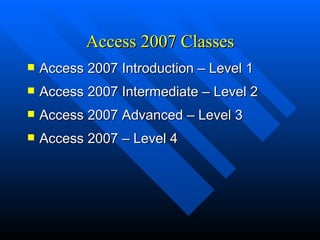
Access 2007 Classes
   Access 2007 Introduction – Level 1
   Access 2007 Intermediate – Level 2
   Access 2007 Advanced – Level 3
   Access 2007 – Level 4
Excel 2007 Classes
   Excel 2007 Introduction – Level 1
   Excel 2007 Intermediate – Level 2
   Excel 2007 Advanced – Level 3
Word 2007 Classes
   Word 2007 Introduction – Level 1
   Word 2007 Intermediate – Level 2
   Word 2007 Advanced – Level 3
PowerPoint 2007 Classes
   PowerPoint 2007 Introduction – Level 1
   PowerPoint 2007 Advanced – Level 2
Project 2007 Classes
   Project 2007 Introduction – Level 1
   Project 2007 Advanced – Level 2
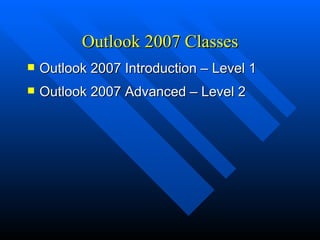
Outlook 2007 Classes
   Outlook 2007 Introduction – Level 1
   Outlook 2007 Advanced – Level 2

Class offerings office 2007

  • 1.
    Microsoft Office 2007 Offered Classes & Outlines Call for Training Onsite  Virtual  Elearning
  • 2.
    Access 2007 Introduction– Level 1  Lesson 1: Exploring the Microsoft Access Environment  Lesson 2: Designing a Database  Lesson 3: Building a Database  Lesson 4: Managing Data in a Table  Lesson 5: Querying a Database  Lesson 6: Designing Forms  Lesson 7: Generating Reports
  • 3.
    Access 2007 Intermediate– Level 2  Lesson 1: Controlling Data Entry  Lesson 2: Joining Tables  Lesson 3: Creating Flexible Queries  Lesson 4: Improving Forms  Lesson 5: Customizing Reports  Lesson 6: Sharing Data Across Applications
  • 4.
    Access 2007 Advanced– Level 3  Lesson 1: Structuring Existing Data  Lesson 2: Writing Advanced Queries  Lesson 3: Simplifying Tasks with Macros  Lesson 4: Making Effective Use of Forms  Lesson 5: Making Reports More Effective  Lesson 6: Maintaining an Access Database
  • 5.
    Access 2007 –Level 4  Lesson 1: Integrating Access into Your Business  Lesson 2: Automating a Business Process with VBA  Lesson 3: Managing Switchboards  Lesson 4: Distributing and Securing Databases  Lesson 5: Sharing Databases Using a SharePoint Site
  • 6.
    Excel 2007 Introduction- Level 1  Lesson 1: Creating a Basic Worksheet  Lesson 2: Performing Calculations  Lesson 3: Modifying a Worksheet  Lesson 4: Formatting a Worksheet  Lesson 5: Printing Workbook Contents  Lesson 6: Managing Large Workbooks
  • 7.
    Excel 2007 Intermediate- Level 2  Lesson 1: Calculating Data with Advanced Formulas  Lesson 2: Organizing Worksheet and Table Data  Lesson 3: Presenting Data Using Charts  Lesson 4: Analyzing Data Using PivotTables and PivotCharts  Lesson 5: Inserting Graphic Objects  Lesson 6: Customizing and Enhancing Workbooks and the Excel Environment
  • 8.
    Excel 2007 Advanced- Level 3  Lesson 1: Streamlining Workflow  Lesson 2: Collaborating with Others  Lesson 3: Auditing Worksheets  Lesson 4: Analyzing Data  Lesson 5: Working with Multiple Workbooks  Lesson 6: Importing and Exporting Data  Lesson 7: Using Excel with the Web  Lesson 8: Structuring Workbooks with XML
  • 9.
    PowerPoint 2007 Introduction– Level 1  Lesson 1: Getting Started with PowerPoint  Lesson 2: Creating a Presentation  Lesson 3: Formatting Text on Slides  Lesson 4: Adding Graphical Objects to a Presentation  Lesson 5: Modifying Objects  Lesson 6: Adding Tables to a Presentation  Lesson 7: Inserting Charts in a Presentation  Lesson 8: Preparing to Deliver a Presentation
  • 10.
    PowerPoint 2007 Advanced– Level 2  Lesson 1: Customizing the PowerPoint Environment  Lesson 2: Customizing a Design Template  Lesson 3: Adding Diagrams to a Presentation  Lesson 4: Adding Special Effects to Presentations  Lesson 5: Customizing a Slide Show Presentation  Lesson 6: Collaborating on a Presentation  Lesson 7: Securing and Distributing a Presentation
  • 11.
    Word 2007 Introduction– Level 1  Lesson 1: Creating a Basic Document  Lesson 2: Editing a Document  Lesson 3: Formatting Text  Lesson 4: Formatting Paragraphs  Lesson 5: Adding Tables  Lesson 6: Inserting Graphic Objects  Lesson 7: Controlling Page Appearance  Lesson 8: Proofing a Document
  • 12.
    Word 2007 Intermediate– Level 2  Lesson 1: Managing Lists  Lesson 2: Customizing Tables and Charts  Lesson 3: Customizing Formatting with Styles and Themes  Lesson 4: Modifying Pictures  Lesson 5: Creating Customized Graphic Elements  Lesson 6: Inserting Content Using Quick Parts  Lesson 7: Controlling Text Flow  Lesson 8: Using Templates to Automate Document Creation  Lesson 9: Automating Mail Merges  Lesson 10: Using Macros to Automate Tasks
  • 13.
    Word 2007 Advanced– Level 3  Lesson 1: Using Microsoft Word with Other Programs  Lesson 2: Collaborating on Documents  Lesson 3: Managing Document Versions  Lesson 4: Adding Reference Marks and Notes  Lesson 5: Making Long Documents Easier to Use  Lesson 6: Securing a Document
  • 14.
    Project 2007 Introduction– Level 1  Lesson 1: Getting Started with Microsoft Project  Lesson 2: Creating a Project Plan  Lesson 3: Managing Tasks in a Project Plan  Lesson 4: Managing Resources in a Project Plan  Lesson 5: Finalizing the Project Plan
  • 15.
    Project 2007 Advanced– Level 2  Lesson 1: Exchanging Project Plan Data with Other Applications  Lesson 2: Updating a Project Plan  Lesson 3: Managing Project Costs  Lesson 4: Reporting Project Data Visually  Lesson 5: Reusing Project Plan Information
  • 16.
    Outlook 2007 –Level 1  Lesson 1: Getting Started with Outlook  Lesson 2: Composing Messages  Lesson 3: Organizing Messages  Lesson 4: Managing Contacts  Lesson 5: Scheduling Appointments  Lesson 6: Scheduling Meetings  Lesson 7: Managing Tasks and Notes
  • 17.
    Outlook 2007 –Level 2  Lesson 1: Setting Calendar Options  Lesson 2: Customizing Message Options  Lesson 3: Tracking Work Activities Using the Journal  Lesson 4: Managing Tasks  Lesson 5: Sharing Folder Information  Lesson 6: Customizing the Outlook Environment  Lesson 7: Locating Outlook Items  Lesson 8: Working with Public Folders
  • 18.
    Access 2007 Classes  Access 2007 Introduction – Level 1  Access 2007 Intermediate – Level 2  Access 2007 Advanced – Level 3  Access 2007 – Level 4
  • 19.
    Excel 2007 Classes  Excel 2007 Introduction – Level 1  Excel 2007 Intermediate – Level 2  Excel 2007 Advanced – Level 3
  • 20.
    Word 2007 Classes  Word 2007 Introduction – Level 1  Word 2007 Intermediate – Level 2  Word 2007 Advanced – Level 3
  • 21.
    PowerPoint 2007 Classes  PowerPoint 2007 Introduction – Level 1  PowerPoint 2007 Advanced – Level 2
  • 22.
    Project 2007 Classes  Project 2007 Introduction – Level 1  Project 2007 Advanced – Level 2
  • 23.
    Outlook 2007 Classes  Outlook 2007 Introduction – Level 1  Outlook 2007 Advanced – Level 2