Welcome
Today’s Presenter:
Candice L. Baker
Community Resource Navigator
A Win-Win Endeavor
Consumer Empowerment with Easier
Access to Information
+
Department of Human Services (DHS)
Congestion Reduction
MiBridges Quick Facts
 24-hour secure internet portal to DHS benefit
applications – www.mibridges.michigan.gov
 Developed and maintained by the Michigan
Department of Human Services (MDHS).
 Directly linked to MDHS internal Bridges system
for application processing.
 Allows households to create an account on-line,
which enables people to apply for benefits, check
case status, and recertify.
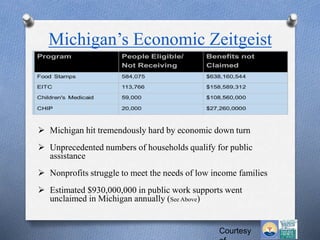
Michigan’s Economic Zeitgeist
Courtesy
 Michigan hit tremendously hard by economic down turn
 Unprecedented numbers of households qualify for public
assistance
 Nonprofits struggle to meet the needs of low income families
 Estimated $930,000,000 in public work supports went
unclaimed in Michigan annually (See Above)
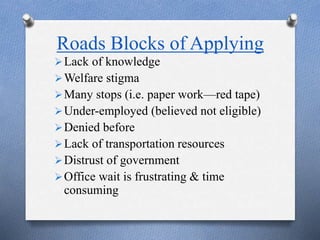
Roads Blocks of Applying
Lack of knowledge
Welfare stigma
Many stops (i.e. paper work—red tape)
Under-employed (believed not eligible)
Denied before
Lack of transportation resources
Distrust of government
Office wait is frustrating & time
consuming
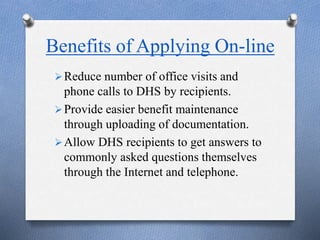
Benefits of Applying On-line
Reduce number of office visits and
phone calls to DHS by recipients.
Provide easier benefit maintenance
through uploading of documentation.
Allow DHS recipients to get answers to
commonly asked questions themselves
through the Internet and telephone.
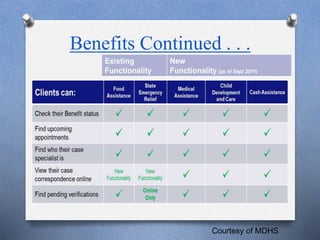
Benefits Continued . . .
Courtesy of MDHS
Application
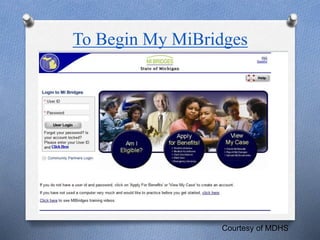
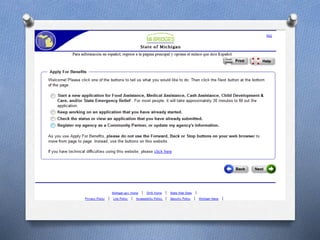
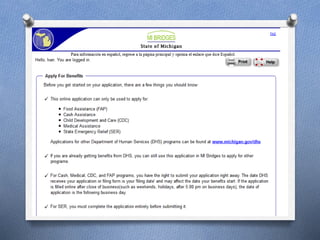
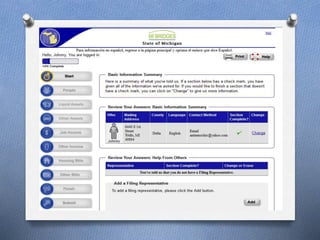
The following examples are
of what to expect when
applying for benefits through
the MiBridges portal.
To Begin My MiBridges
Courtesy of MDHS
Once Enrolled
The following examples
are what to expect once
enrolled for benefits in
MiBridges.
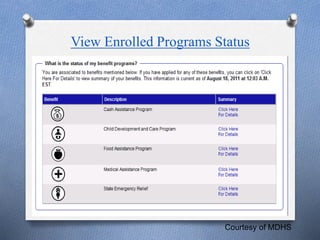
View Enrolled Programs Status
Courtesy of MDHS
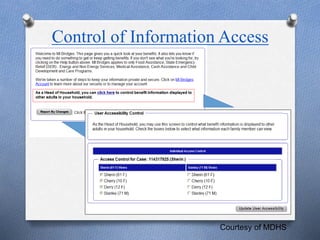
Control of Information Access
Courtesy of MDHS
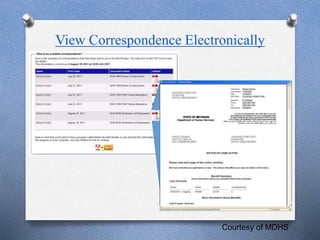
View Correspondence Electronically
Courtesy of MDHS
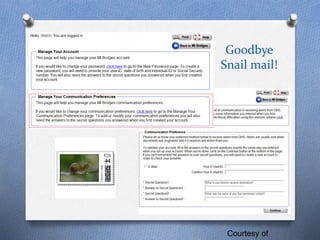
Goodbye
Snail mail!
Courtesy of
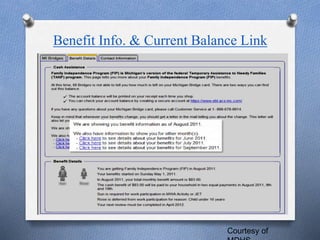
Benefit Info. & Current Balance Link
Courtesy of
MiBridges—Bumps in the Road
 Unknown to the public
 Computer access barriers
 Limited reading or computer literacy
 Only applied for one benefit (i.e., Food
Stamps)
MiBridges Goals Recap
 Anytime & anywhere access to programs & case
status via MiBridges technology
 Reduce the number of local offices visits and
phone calls to DHS.
 Ease time consuming congestion at DHS
 Answers to commonly asked questions are found
independently via Internet or phone.
 Empowerment is gained when information about
benefits are easily accessed
Thank You!
www.michigan.gov/mibridges
Or
1-888-MIBRIDGES
1-888-642-7434
For Information
Questions/Answers
Remember to encourage community members
to access resources through MiBridges by:

Mi Bridges General Info.

  • 1.
    Welcome Today’s Presenter: Candice L.Baker Community Resource Navigator
  • 2.
    A Win-Win Endeavor ConsumerEmpowerment with Easier Access to Information + Department of Human Services (DHS) Congestion Reduction
  • 3.
    MiBridges Quick Facts 24-hour secure internet portal to DHS benefit applications – www.mibridges.michigan.gov  Developed and maintained by the Michigan Department of Human Services (MDHS).  Directly linked to MDHS internal Bridges system for application processing.  Allows households to create an account on-line, which enables people to apply for benefits, check case status, and recertify.
  • 4.
    Michigan’s Economic Zeitgeist Courtesy Michigan hit tremendously hard by economic down turn  Unprecedented numbers of households qualify for public assistance  Nonprofits struggle to meet the needs of low income families  Estimated $930,000,000 in public work supports went unclaimed in Michigan annually (See Above)
  • 5.
    Roads Blocks ofApplying Lack of knowledge Welfare stigma Many stops (i.e. paper work—red tape) Under-employed (believed not eligible) Denied before Lack of transportation resources Distrust of government Office wait is frustrating & time consuming
  • 6.
    Benefits of ApplyingOn-line Reduce number of office visits and phone calls to DHS by recipients. Provide easier benefit maintenance through uploading of documentation. Allow DHS recipients to get answers to commonly asked questions themselves through the Internet and telephone.
  • 7.
    Benefits Continued .. . Courtesy of MDHS
  • 8.
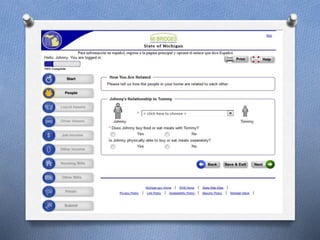
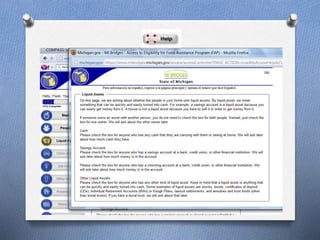
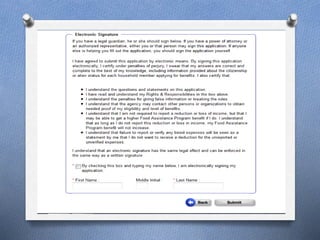
    Application The following examplesare of what to expect when applying for benefits through the MiBridges portal.
  • 9.
    To Begin MyMiBridges Courtesy of MDHS
  • 16.
    Once Enrolled The followingexamples are what to expect once enrolled for benefits in MiBridges.
  • 17.
    View Enrolled ProgramsStatus Courtesy of MDHS
  • 18.
    Control of InformationAccess Courtesy of MDHS
  • 19.
  • 20.
  • 21.
    Benefit Info. &Current Balance Link Courtesy of
  • 22.
    MiBridges—Bumps in theRoad  Unknown to the public  Computer access barriers  Limited reading or computer literacy  Only applied for one benefit (i.e., Food Stamps)
  • 23.
    MiBridges Goals Recap Anytime & anywhere access to programs & case status via MiBridges technology  Reduce the number of local offices visits and phone calls to DHS.  Ease time consuming congestion at DHS  Answers to commonly asked questions are found independently via Internet or phone.  Empowerment is gained when information about benefits are easily accessed
  • 24.

Editor's Notes

  • #5 ZEITGEIST-ask who knows what that means. “Spirit of the Day” what defines our time
  • #7 Explain choices of how to upload required documents. Documents can be submitted by fax or e-mailed by scanning, copying or taking a picture.
  • #10 Choose and click on the blue circles
  • #13 It is a good idea to have pay stubs monthly bills for housing, utilities & childcare. After each section there is a summary page to ensure the section is complete. Continue, even if unable to complete a section at that time.
  • #16 Electronic signature is legally binding. Before benefits can be received, DHS may need proof to the answers given, communicate by phone or ask for an in-person interview.