Meteor로 IoT에서 시각화까지
Appsoulute 이재호
사물인터넷 개념
사물을 네트워크로 연결하여 사물간 정보를 교환하
는 것
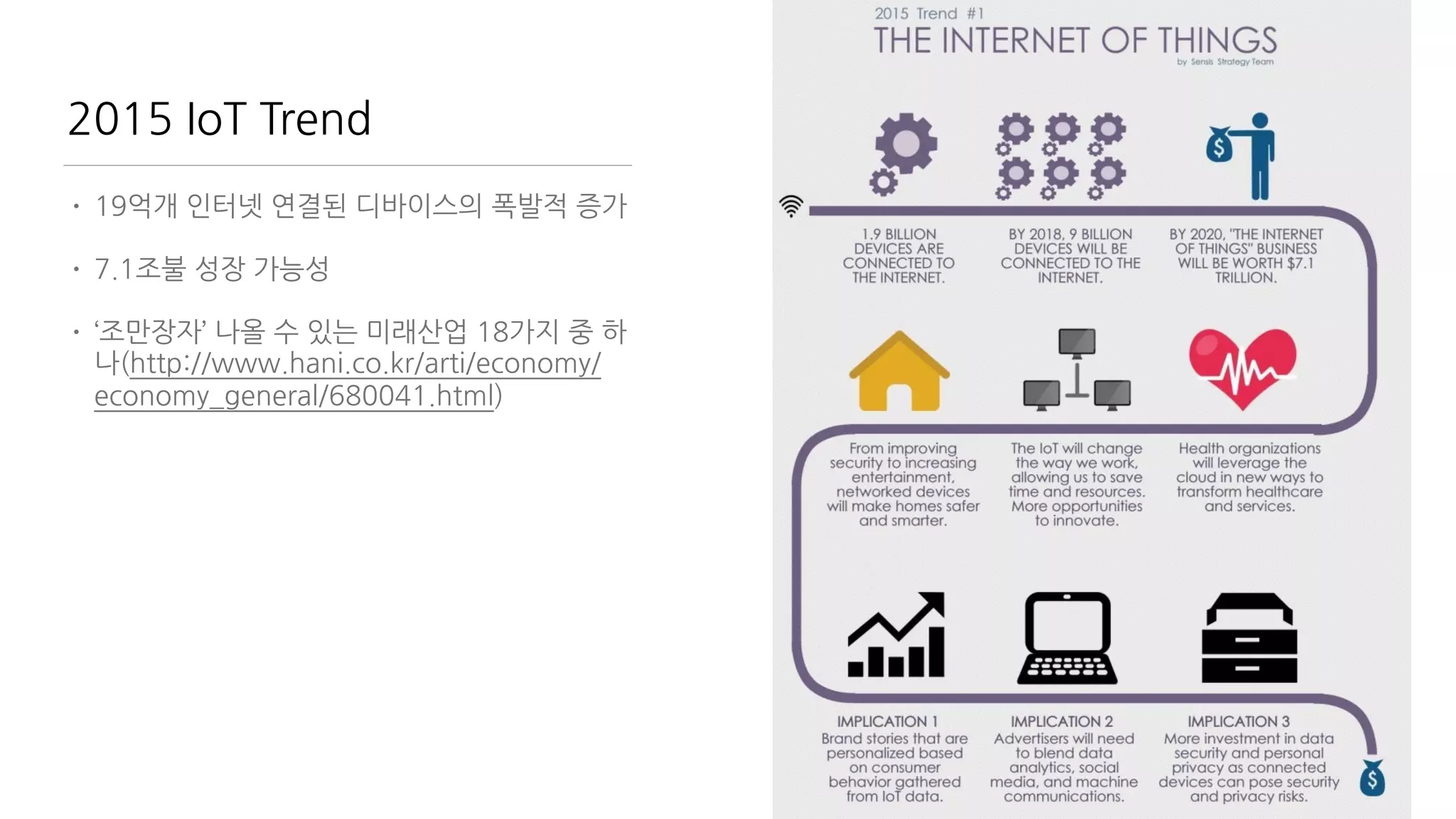
2015 IoT Trend
• 19억개 인터넷 연결된 디바이스의 폭발적 증가
• 7.1조불 성장 가능성
• ‘조만장자’ 나올 수 있는 미래산업 18가지 중 하
나(http://www.hani.co.kr/arti/economy/
economy_general/680041.html)
Kevin Ashton
“The Internet of Things has the potential to change the
world, just as the Internet did. Maybe even more so.”
IoT 를 구성하는 요소들
Sensors 현실 세계를 Data로 전환하는 것
Processor ( Micro Controller
Unit )
Data를 가공하는 것
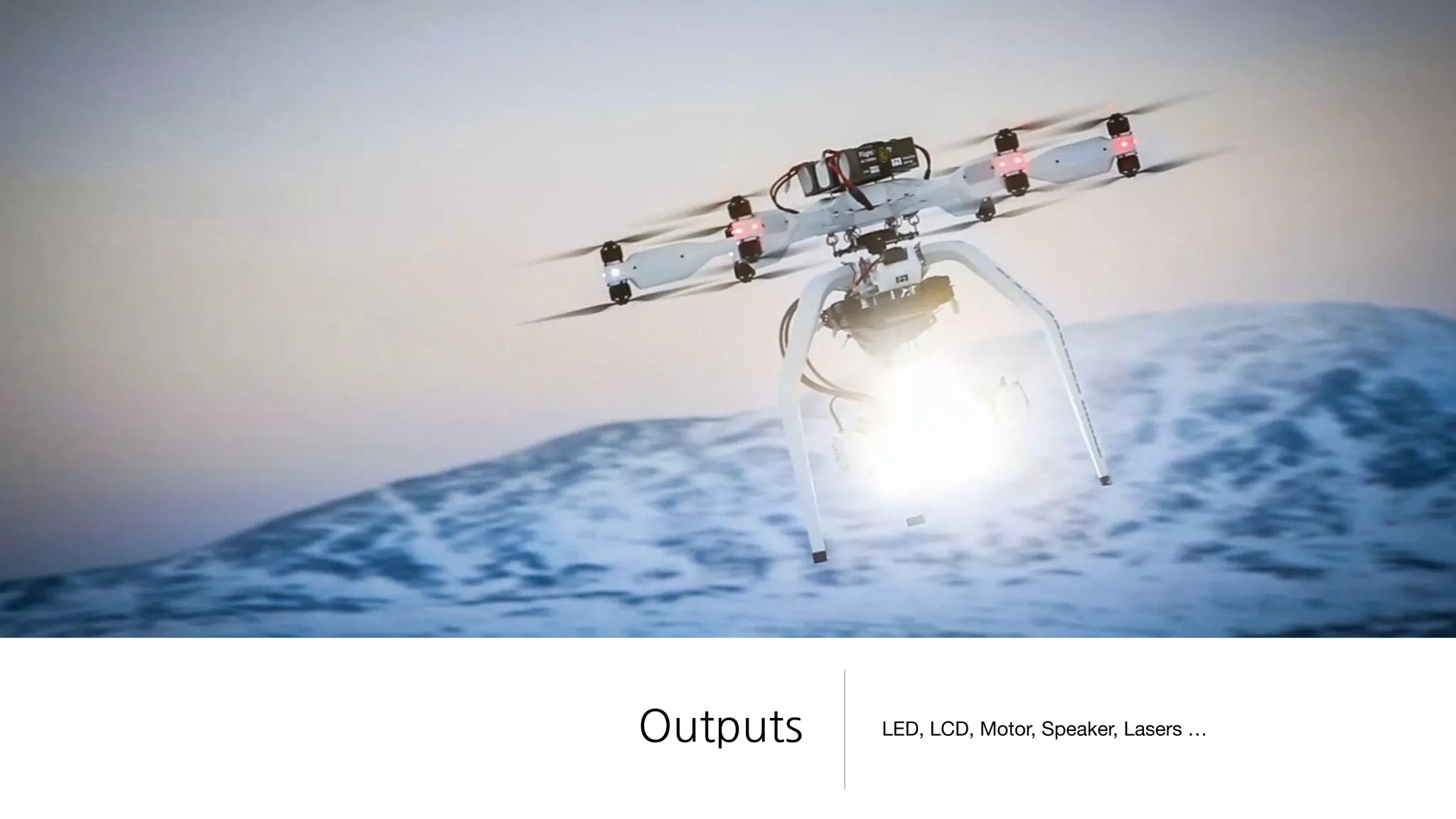
Outputs LED, LCD, Motor, Speaker, Lasers …
그리고 Network
• Ethernet / WiFi
• 3G/LTE
• Bluetooth
• RF
• Light-based wireless communication
• 가청/비가청 음파통신 (SoundQR ..)
• IrDA 적외선 통신
• etc…
중요한 것은?
어떻게 Data를 전송하고 처리할 것인가?
Full Stack Engineer?
• Server Programming 열심히 배웠는데
• FrontEnd도 중요
• 거기에 Mobile App도 만들어야
• PHP/Java/ASP 배우고
• Javascript 배우고
• C/C++도?
• Database는? SQL? 그건 뭐야?
Javascript 하나만 하세요
• Client : Javascript
• Server : Node.js
• Database : MongoDB ( JSON )
• Mobile : Cordova javascript
본 강좌에서 다룰 내용들
• Meteor
• Javascript
• Arduino
• WiFi Network Module - ESP8266 & Lua
• HTML5
• Visualization
다루지 않는 내용들
• 전자회로 이론
• 인두질
• 감성팔이
• 대박사업필승법
교보재 소개
특징
• 초소형
• 초저가
• 고사양
• MCU와 WiFi를 일체형
• 3.3V 전압
• 다양한 제품군
• 다양한 프로젝트들 (https://www.tindie.com/
search/#q=esp8266)
• Arduino 지원
• NodeMCU - Lua Script 지원
19
• USB2TTL 장비를 통한 PC와 통신
• Arduino 사용 업로드
• NodeMCU Custom ROM Flashing
• Lua 기본 Scripting
• Input/Output
• WiFI 설정
• 데이터 전송/수신
ESP8266 편에서 다룰 내용

(http://www.slideshare.net/geekscape/nodemcu-esp8266-workshop-1)
ESP8266 - USB 연결
• ESP8266 -> USB
• 3.3v, CH_PD - 3.3v
• GND - GND
• Tx - Rx
• Rx - Tx
• 500mA 지원 여부를 꼭 확인
PL2303 USB Driver 설치
• Windows 

http://www.ifamilysoftware.com/news37.html

(support windows 8.1/10 공식드라이버에서는 지원안함)
• Mac

http://www.prolific.com.tw/US/ShowProduct.aspx?p_id=229&pcid=41
• Terminal (for Windows Only)

Putty

CoolTerm (http://freeware.the-meiers.org/)
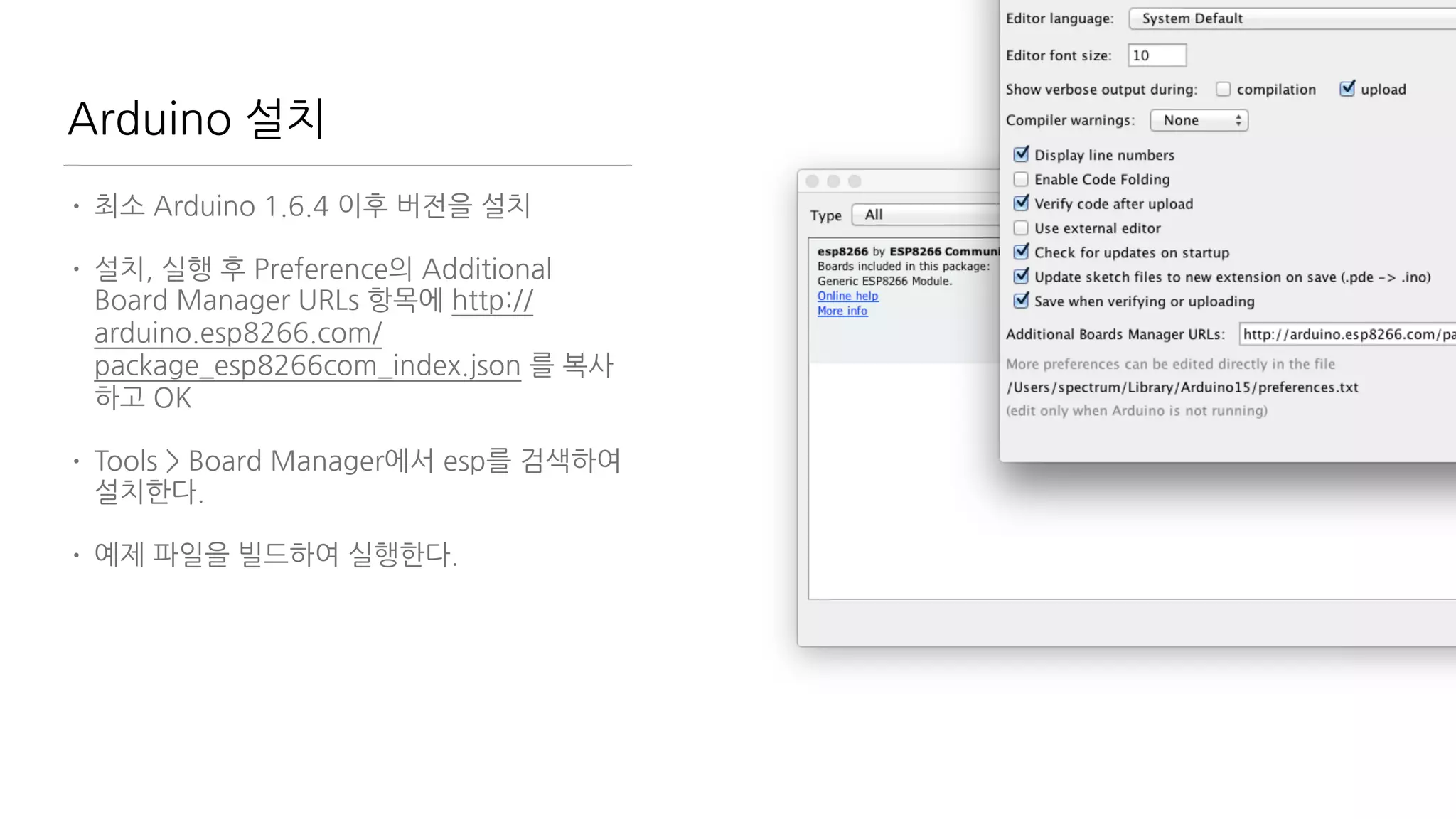
Arduino 설치
• 최소 Arduino 1.6.4 이후 버전을 설치
• 설치, 실행 후 Preference의 Additional
Board Manager URLs 항목에 http://
arduino.esp8266.com/
package_esp8266com_index.json 를 복사
하고 OK
• Tools > Board Manager에서 esp를 검색하여
설치한다.
• 예제 파일을 빌드하여 실행한다.
NodeMCU
CustomFirmware based on Lua
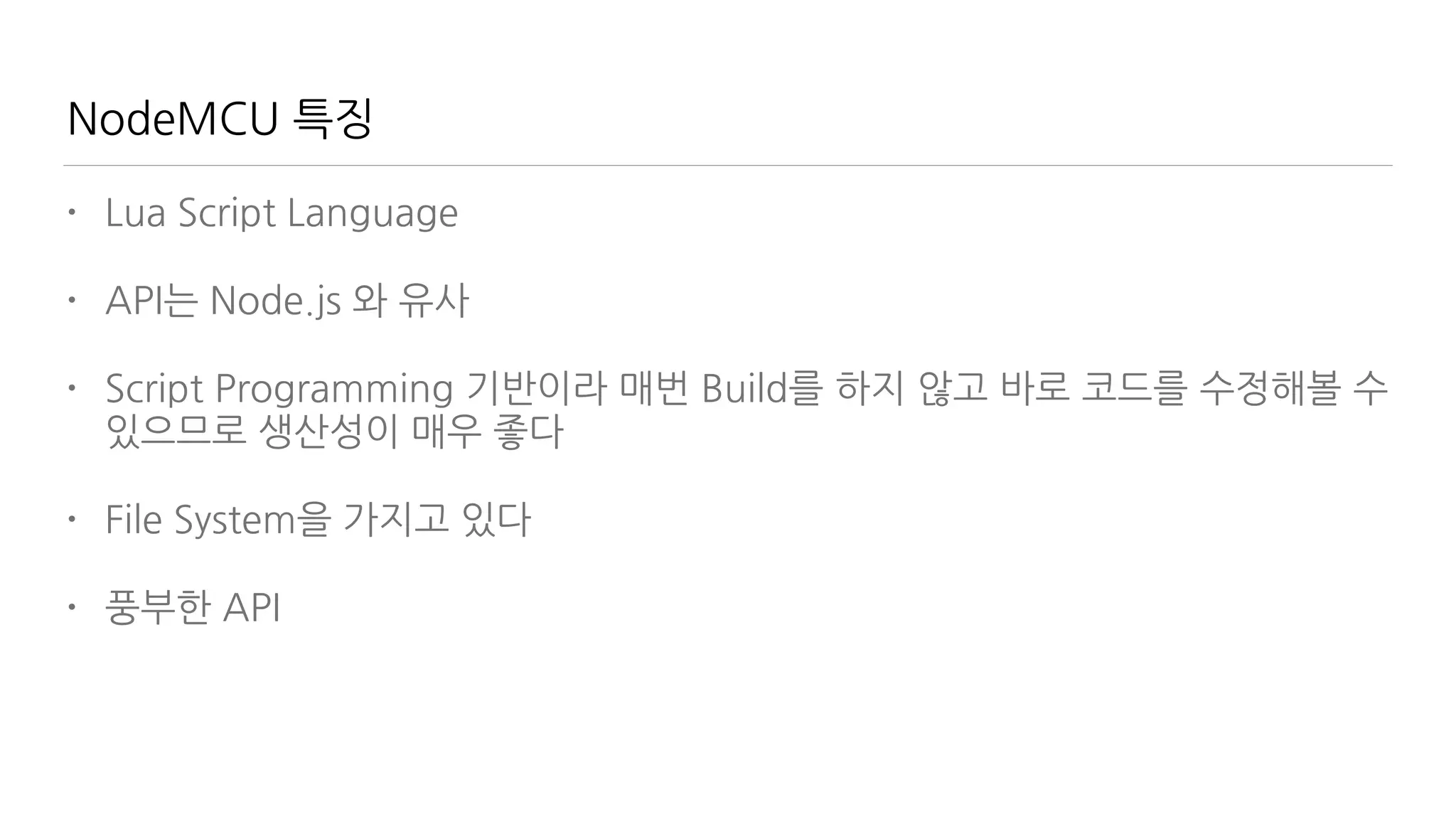
NodeMCU 특징
• Lua Script Language
• API는 Node.js 와 유사
• Script Programming 기반이라 매번 Build를 하지 않고 바로 코드를 수정해볼 수
있으므로 생산성이 매우 좋다
• File System을 가지고 있다
• 풍부한 API
NodeMCU 설치 절차
• pip install pyserial
• https://github.com/themadinventor/
esptool 에서 esptool 받기
• https://github.com/nodemcu/nodemcu-
firmware/releases 에서 rom 받기
• GPIO0 를 GND 와 연결 (dev Board에선
jumper를 쇼트) 후 리셋
• ./esptool.py —port /dev/tty.usbserial
write_flash 0x00000 nodemcu_latest.bin
—baud 230400 으로 플래싱
NodeMCU 연결
• 9600baud / 8 / none / 1 설정하고 터미널로 연결
• > 프롬프트 확인
• WiFi 공유기 접속

print(wifi.sta.getip()) — nil 확인

wifi.setmode(wifi.STATION)

wifi.sta.config("SSID","password")

print(wifi.sta.getip()) — 접속 정보 확인
• http://nodemcu.com/index_en.html 예제 실행
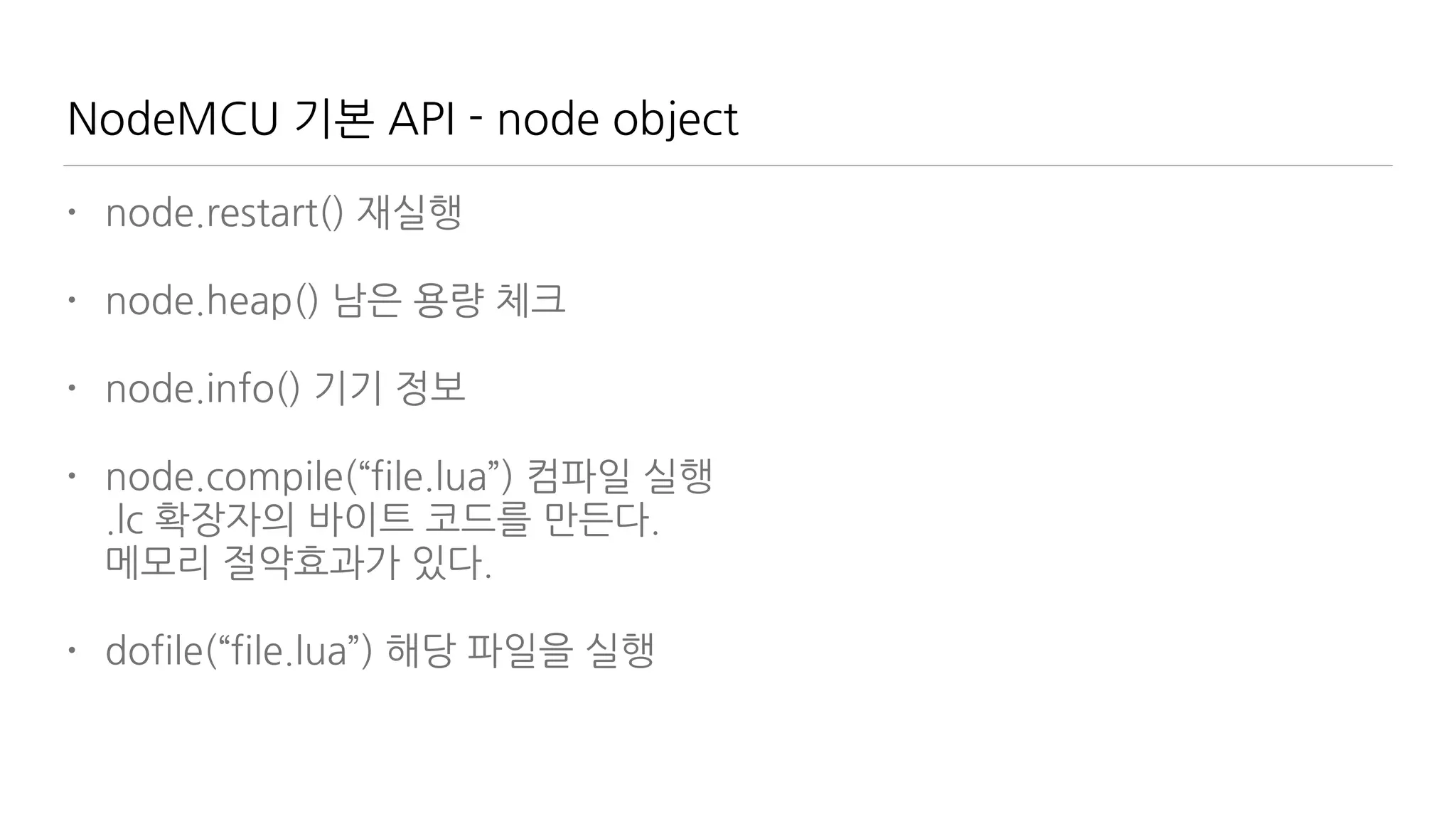
NodeMCU 기본 API - node object
• node.restart() 재실행
• node.heap() 남은 용량 체크
• node.info() 기기 정보
• node.compile(“file.lua”) 컴파일 실행

.lc 확장자의 바이트 코드를 만든다. 

메모리 절약효과가 있다.
• dofile(“file.lua”) 해당 파일을 실행
NodeMCU 기본 API - file object
• file.remove(“file.lua”) 삭제
• file.list() 파일 목록 보기

l = file.list();

for k,v in pairs(l) do

print("name:"..k..", size:"..v)

end
• file.format() 파일 삭제
• file.rename(“old.lua”, “new.lua”) 파일명 변경
Lua 맛보기
• 브라질에서 만들었음. 자유로움이 느껴짐.
• 매우 크기가 작아서 MCU에 적합
• 기본 라이브러리는 적으나 C/C++로 확장하기 용이
함.
• JSON과 비슷한 table을 가지고 있음
• js와 유사한 Function 구조

function name(param)

return value

end — {} 대신 end로 block 구성하는 점이 다름
• for variable = 시작값, 마지막 값, 증가값 do

end
• https://repl.it/languages/Lua 가지고 놀아봅시
다!
Javascipt vs Lua
• //

/* .. 

*/
• { }
• null
• {a:1, b:1}
• [1,2,3], a++, a+=1, a>b ? a: b

a>b && a || b
• a=1, b=1, c=1
• a+”…”+b
• —

—[[

]]—
• … end
• nil
• {a=1, b=1}
• no Array, no ++, +=, 

no tenary use (and, or)
• a,b,c=1,2,3
• a..”…”..b
Input & Output
하드웨어 제어의 흑과백
Input과 Output을 접근하는 법
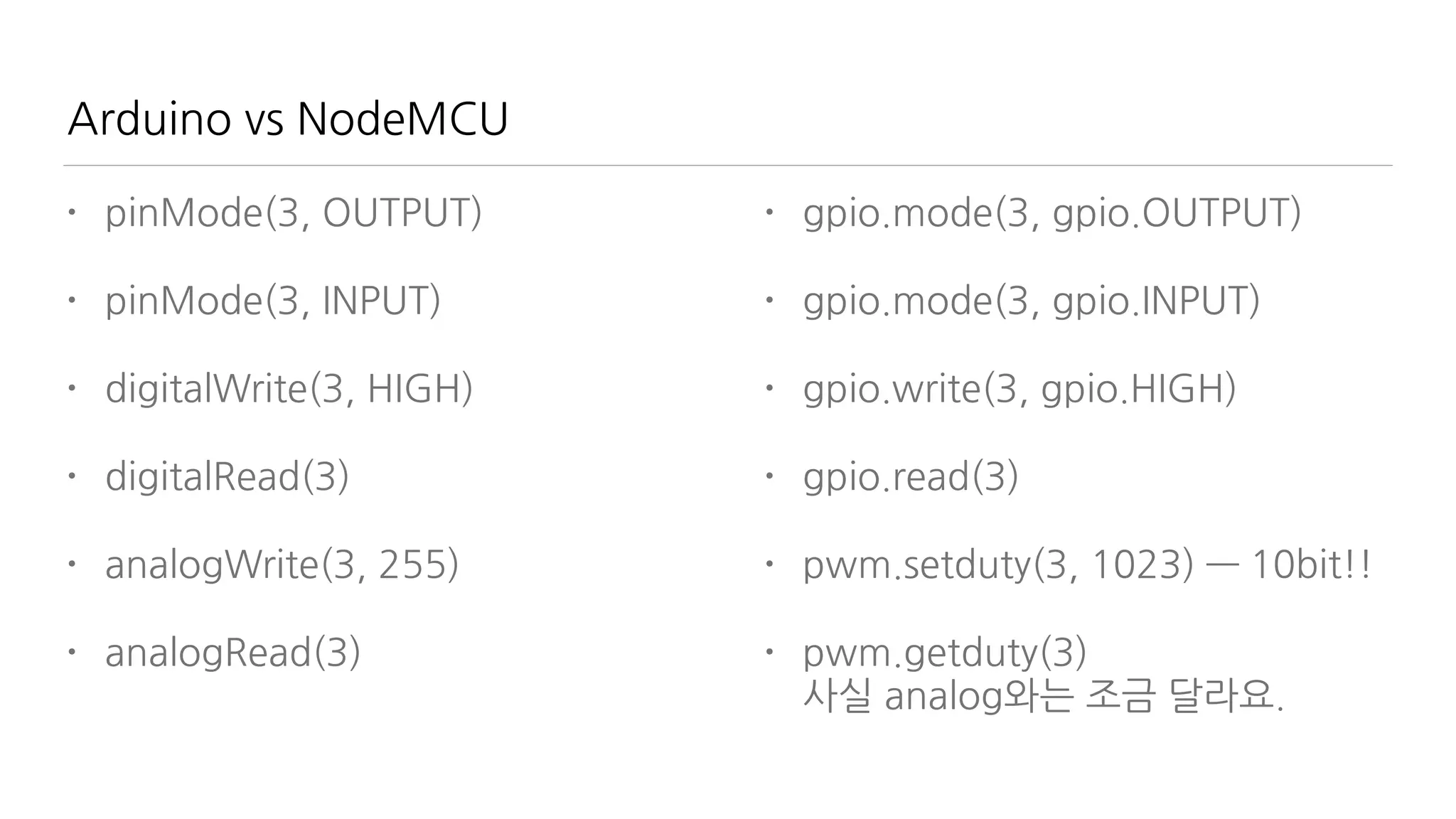
Arduino vs NodeMCU
• pinMode(3, OUTPUT)
• pinMode(3, INPUT)
• digitalWrite(3, HIGH)
• digitalRead(3)
• analogWrite(3, 255)
• analogRead(3)
• gpio.mode(3, gpio.OUTPUT)
• gpio.mode(3, gpio.INPUT)
• gpio.write(3, gpio.HIGH)
• gpio.read(3)
• pwm.setduty(3, 1023) — 10bit!!
• pwm.getduty(3) 

사실 analog와는 조금 달라요.
Nodemcu 실습
• 출력
• gpio.mode(2, gpio.OUTPUT)
• gpio.write(2, gpio.HIGH)
• 입력
• gpio.mode(1, gpio.INT, gpio.PULLUP)
• =gpio.read(1)
• 이벤트
• gpio.trig(1, 'down', function () print(“click”) end)
• gpio.trig(1, 'up', function() gpio.write(2, 1-gpio.read(2))
end) — Toggle
• Serial Out
• gpio.mode(2,gpio.OUTPUT,gpio.PULLUP)
• gpio.serout(2,1,{5000,995000},3, function() print("done")
end)
PWM Period & Duty cycle
WiFi 설정 Station/AP Mode
Station/SoftAP/StationAP
• Station - 외부 AP에 접속하기 위한 상태, 보통
무선랜 연결을 하는 쪽
• SoftAP - Station의 접속을 받는 상태. 무선 공
유기.
• StationAP - 두개를 결합. 접속도 가능하고 접
속을 받는 것도 가능. 스마트폰의 테더링과 비
슷
• 필요한 상황에 따라 세 가지를 조합/전환해가
면서 사용한다.
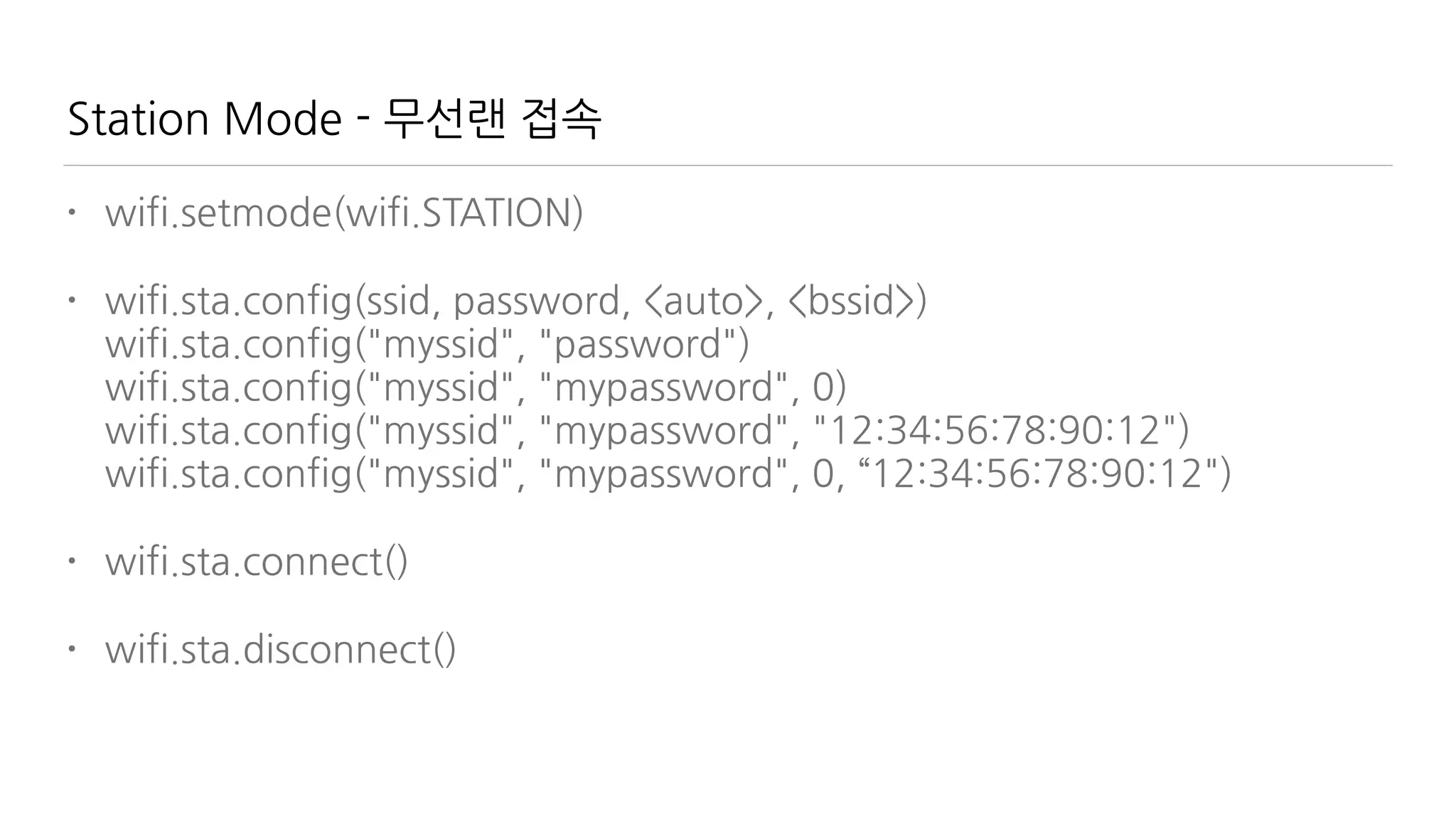
Station Mode - 무선랜 접속
• wifi.setmode(wifi.STATION)
• wifi.sta.config(ssid, password, <auto>, <bssid>)

wifi.sta.config("myssid", "password")

wifi.sta.config("myssid", "mypassword", 0)

wifi.sta.config("myssid", "mypassword", "12:34:56:78:90:12")

wifi.sta.config("myssid", "mypassword", 0, “12:34:56:78:90:12")
• wifi.sta.connect()
• wifi.sta.disconnect()
Station Mode - 접속 정보
• wifi.sta.getip()
• wifi.sta.setip({

ip="192.168.0.111",

netmask="255.255.255.0",

gateway="192.168.0.1"

})
• wifi.sta.getmac()
• wifi.sta.setmac()
• wifi.sta.getap()

wifi.sta.getap(function(t) for k,v in
pairs(t) do print(k..” : “..v) end
end)
• wifi.sta.status()

0: STATION_IDLE,

1: STATION_CONNECTING,

2: STATION_WRONG_PASSWORD,

3: STATION_NO_AP_FOUND,

4: STATION_CONNECT_FAIL,

5: STATION_GOT_IP.
SoftAP Mode
• wifi.ap.config({

ssid=“myssid”,

pwd="mypassword"

})
• wifi.ap.getip()
• wifi.ap.setip()
• wifi.ap.getmac()
• wifi.ap.setmac()
Network Send/Receive
WiFi를 통해 데이터를 송수신 하는 방법을 배워본다.
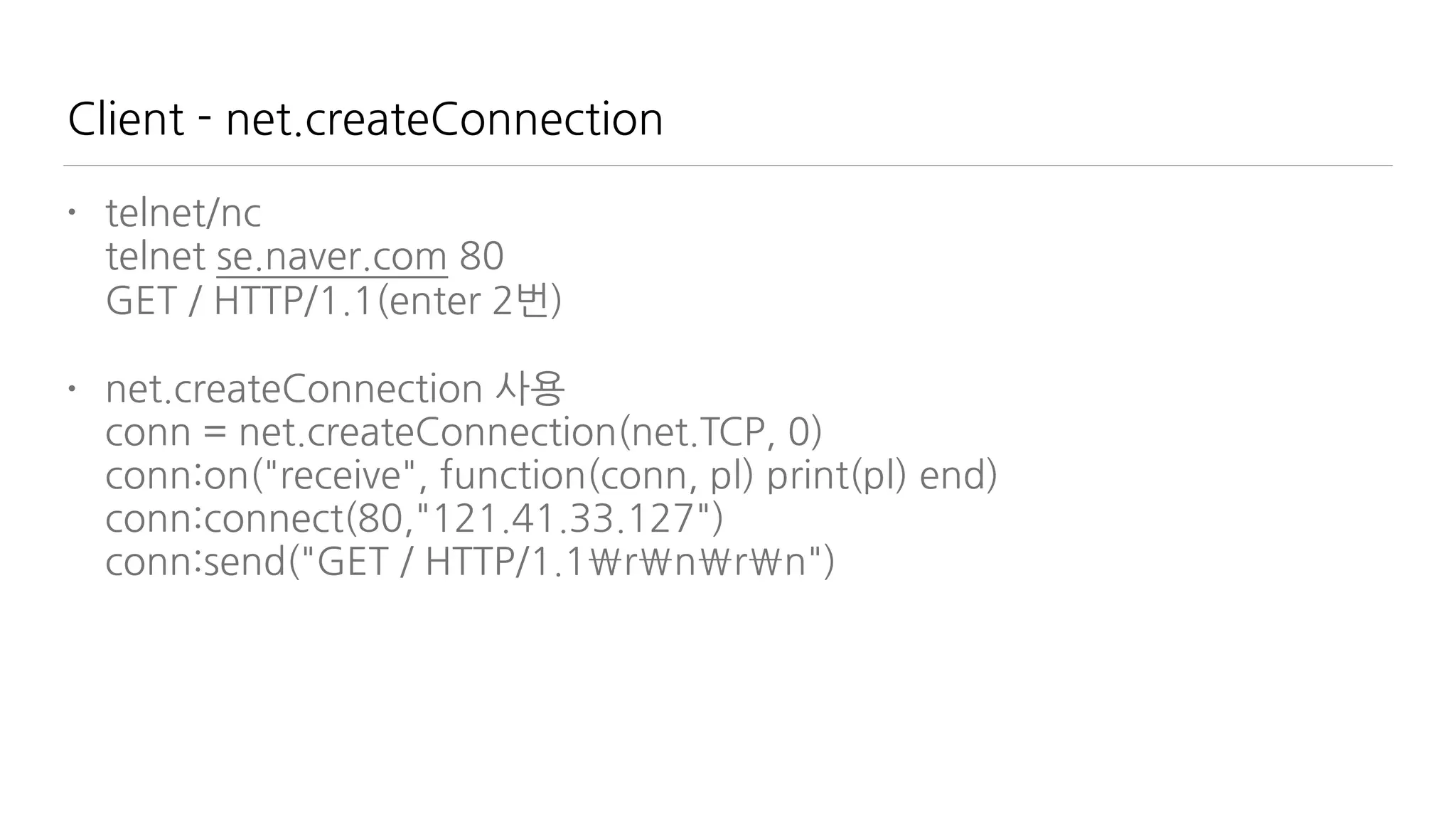
Client - net.createConnection
• telnet/nc 

telnet se.naver.com 80

GET / HTTP/1.1(enter 2번)
• net.createConnection 사용

conn = net.createConnection(net.TCP, 0)

conn:on("receive", function(conn, pl) print(pl) end)

conn:connect(80,"121.41.33.127")

conn:send("GET / HTTP/1.1rnrn")
Server - net.createServer
• srv=net.createServer(net.TCP)

srv:listen(80,function(conn)

conn:on("receive",function(conn,payload)

print(payload)

conn:send("<h1> Hello, NodeMCU.</h1>")

conn:close()

end)

end)
• nodemcu쪽 console을 주의깊게 볼 것
Meteor 편에서 다룰 내용
• Meteor 설치
• Javascript 언어 개요
• 기본 Project 학습
• 외부 Hardware와 유선 연결 - SerialPort package 활용
• 외부 Hardware와 무선 연결 - WiFi
근데 IoT랑 뭔 상관인가요?
• IoT는 급격하게 성장하는 분야지만 여전히 UI는 이슈
• IoT는 이벤트 중심, Web은 문서 기반.
• 실시간 UI는 어떻게?
• Meteor는 Web도 되고 실시간
• 기존에는 솔루션은?

https://thingspeak.com/

https://plot.ly

http://www.nimbits.com/
• 하지만, 내 손으로 만들어야 한다면?
Meteor Architecture one stop platform
Meteor 설치
Windows 라면?
https://install.meteor.com/windows
Linux / OS X 라면?
curl https://install.meteor.com/ | sh
설치는 간단. 시간은 좀 걸려요.
Meteor App을 만들기
• cmd/terminal에서

meteor create myFirstMeteor

cd myFirstMeteor

meteor
• 브라우저에서 http://localhost:3000으로 확인합니다.
• html/css/js 등을 변경해보면서 실시간 변경을 적용해봅니다.
• meteor add-platform 으로 iOS/Android 앱도 만듭니다.
• meteor create —example clock 예제 앱을 생성합니다.
Javascript 학습서는?
Duglas Crockford - Javascript: The Good Parts
추천합니다.
두번 추천합니다.
얇지만 강합니다.
10년차 개발자도 이거만 보면 이깁니다.
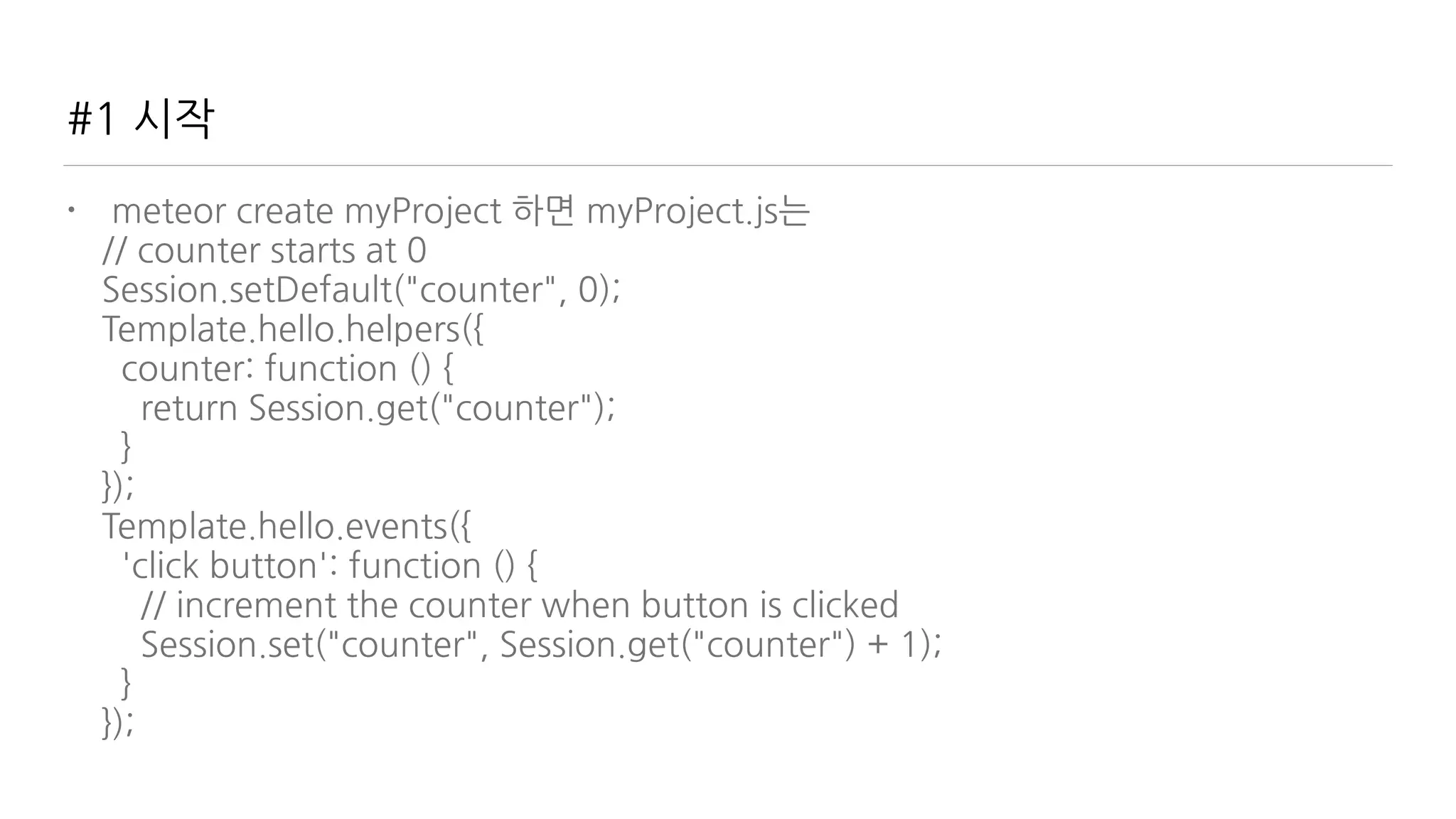
#1 시작
• meteor create myProject 하면 myProject.js는

// counter starts at 0

Session.setDefault("counter", 0);

Template.hello.helpers({

counter: function () {

return Session.get("counter");

}

});

Template.hello.events({

'click button': function () {

// increment the counter when button is clicked

Session.set("counter", Session.get("counter") + 1);

}

});
#1 시작
• Session

// counter starts at 0

Session.setDefault("counter", 0);

Template.hello.helpers({

counter: function () {

return Session.get("counter");

}

});

Template.hello.events({

'click button': function () {

// increment the counter when button is clicked

Session.set("counter", Session.get("counter") + 1);

}

});
#1 시작
• Helper

// counter starts at 0

Session.setDefault("counter", 0);

Template.hello.helpers({

counter: function () {

return Session.get("counter");

}

});

Template.hello.events({

'click button': function () {

// increment the counter when button is clicked

Session.set("counter", Session.get("counter") + 1);

}

});
#1 시작
• Events

// counter starts at 0

Session.setDefault("counter", 0);

Template.hello.helpers({

counter: function () {

return Session.get("counter");

}

});

Template.hello.events({

'click button': function () {

// increment the counter when button is clicked

Session.set("counter", Session.get("counter") + 1);

}

});
#1 시작
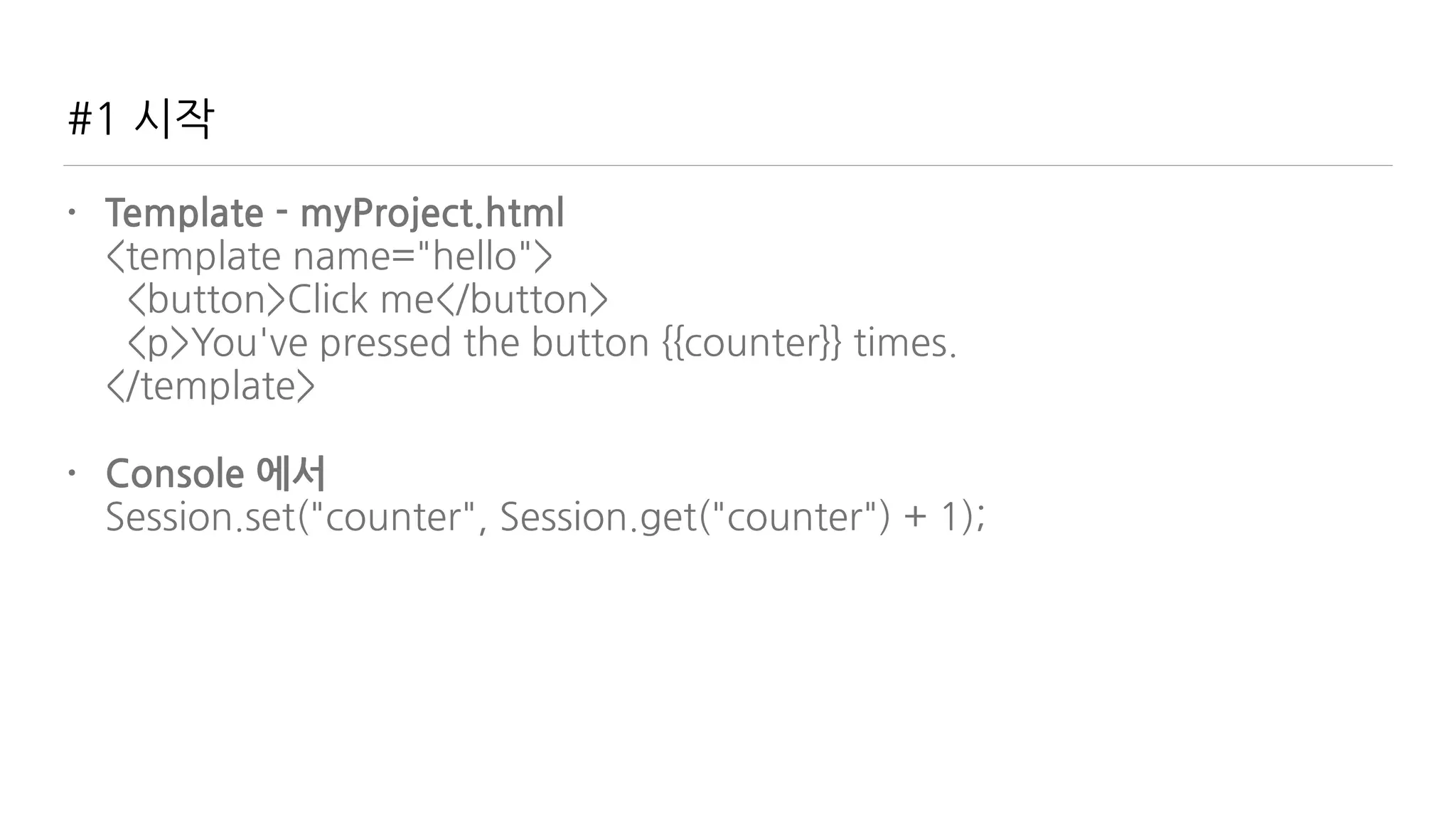
• Template - myProject.html

<template name="hello">

<button>Click me</button>

<p>You've pressed the button {{counter}} times.

</template>
• Console 에서

Session.set("counter", Session.get("counter") + 1);
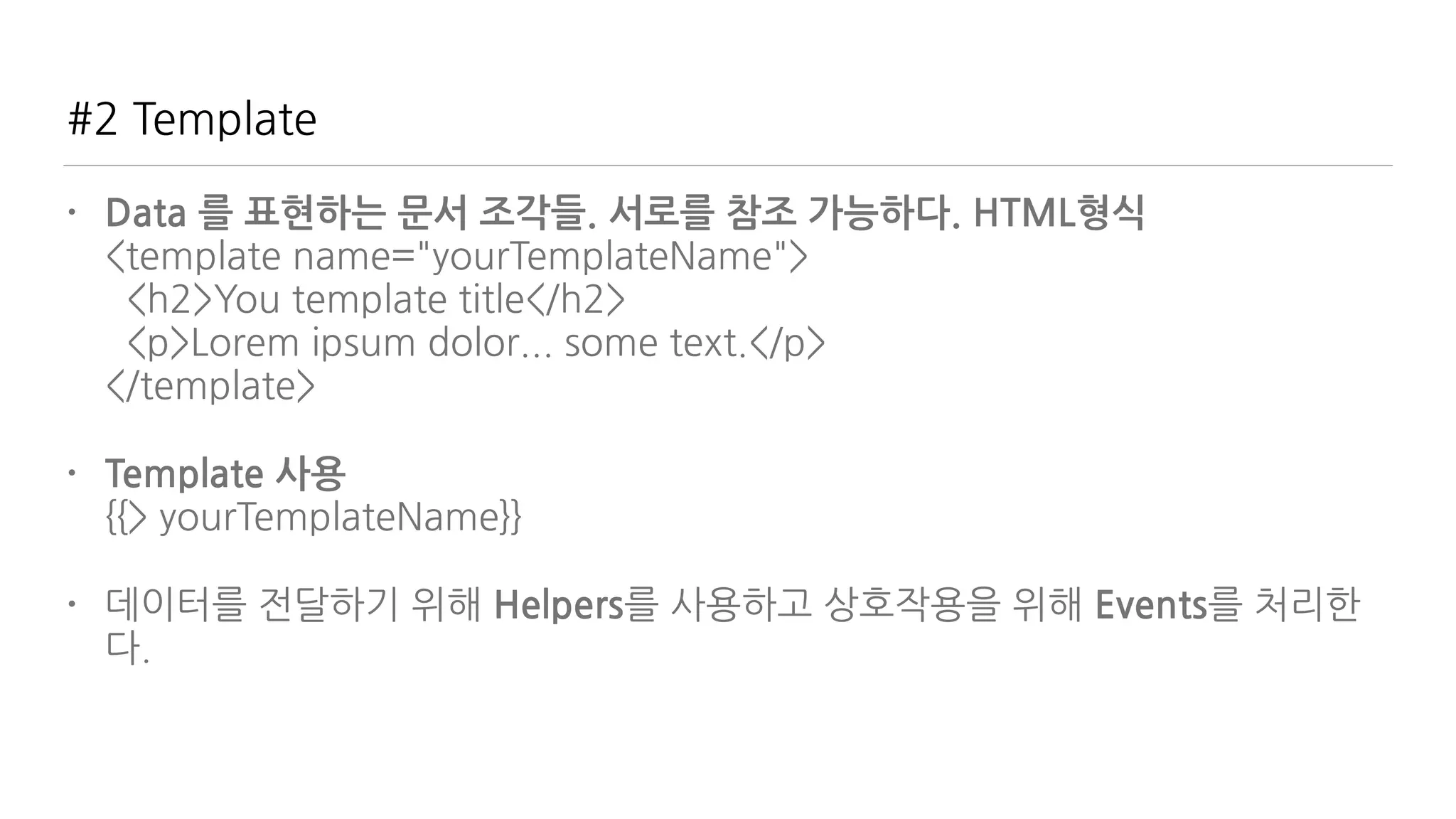
#2 Template
• Data 를 표현하는 문서 조각들. 서로를 참조 가능하다. HTML형식

<template name="yourTemplateName">

<h2>You template title</h2>

<p>Lorem ipsum dolor... some text.</p>

</template>
• Template 사용

{{> yourTemplateName}}
• 데이터를 전달하기 위해 Helpers를 사용하고 상호작용을 위해 Events를 처리한
다.
#3 Helpers
• Template에 Data를 전달하는 function들

Template.yourTemplateName.helpers({

books: function() {

return ['Discover Meteor', 'Meteor in action', 'Practical Meteor'];

}

});
• Template에 적용

<template name="yourTemplateName">

{{#each books}}

<p>{{this}}</p>

{{/each}}

</template>
#3 Helpers
• Object 사용

Template.yourTemplateName.helpers({

books: function() {

return [

{ title: 'Discover Meteor', pages: 300 },

{ title: 'Meteor in action', pages: 250 },

{ title: 'Practical Meteor', pages: 199 }

];

}

});
• Template에 적용

<template name="yourTemplateName">

{{#each books}}

<p>{{title}}, {{pages}} pages.</p>

{{/each}}

</template>
#3 Helpers
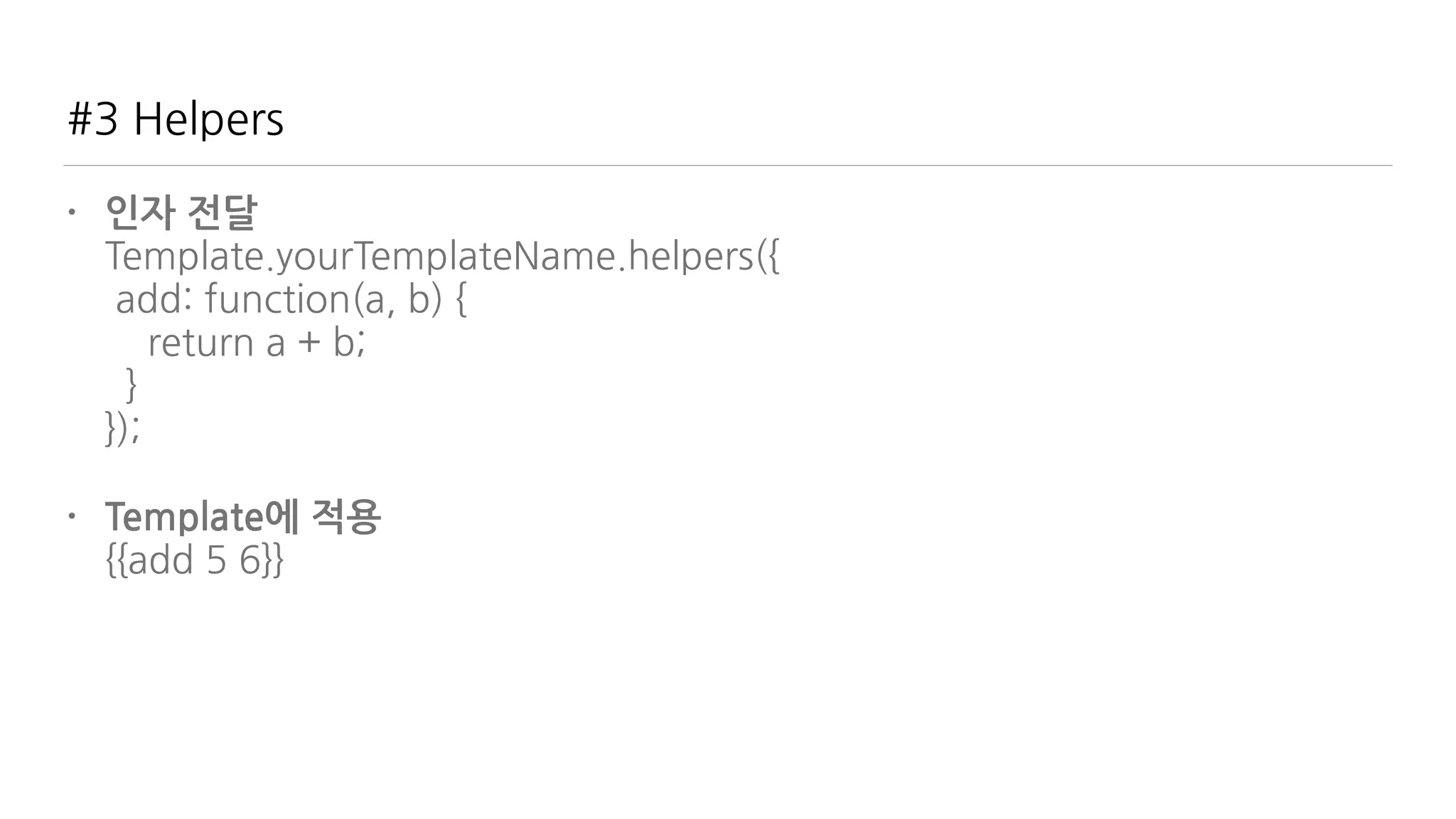
• 인자 전달

Template.yourTemplateName.helpers({

add: function(a, b) {

return a + b;

}

});
• Template에 적용

{{add 5 6}}
#4 Events
• Template과 상호작용. click의 예

Template.yourTemplateName.events({

'click .clickable': function() {

return alert('You clicked!');

}

});
• .clickable을 눌렀을 때 처리

<button class="clickable">Click me</button>

<p class="clickable">You can also click on me.</p>
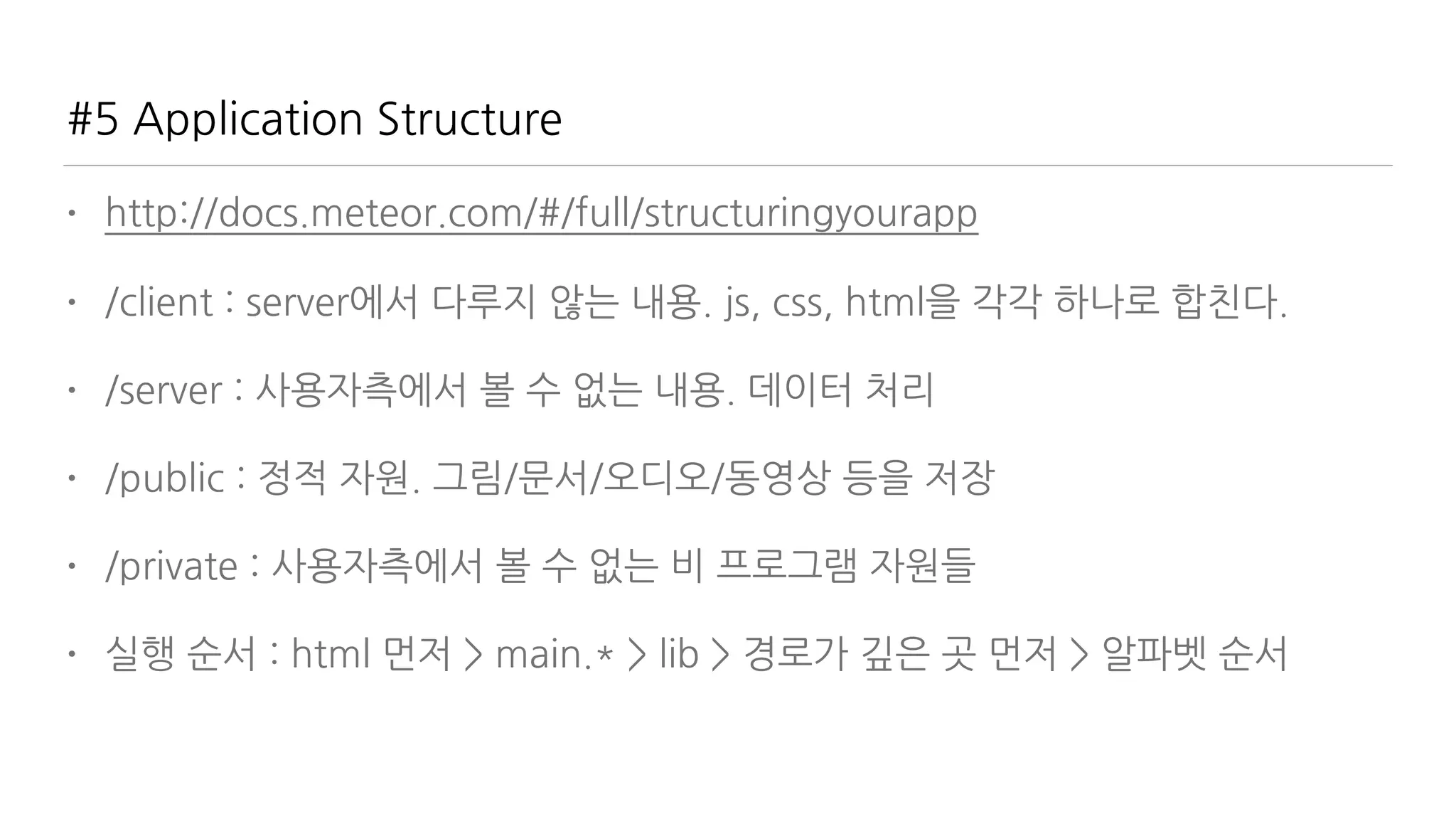
#5 Application Structure
• http://docs.meteor.com/#/full/structuringyourapp
• /client : server에서 다루지 않는 내용. js, css, html을 각각 하나로 합친다.
• /server : 사용자측에서 볼 수 없는 내용. 데이터 처리
• /public : 정적 자원. 그림/문서/오디오/동영상 등을 저장
• /private : 사용자측에서 볼 수 없는 비 프로그램 자원들
• 실행 순서 : html 먼저 > main.* > lib > 경로가 깊은 곳 먼저 > 알파벳 순서
#6 Packages
날로 먹는 것
“거인의 어깨에 올라타라” - “바퀴를 다시 만들지 말
라”
Meteor add packageName 으로 사용
검색은?
https://atmospherejs.com/
#7 Account Package
• 서비스의 시작은 로그인이 반
• 간편한 사용

$ meteor add accounts-ui

$ meteor add accounts-password
• Template html 파일에 적용

<template name=“main”>

{{> loginButtons}}

....
• 풍부한 SNS 지원. facebook, twitter, weibo, google, …..
#8 Database Collection
• 선언은 client/server 공통

Books = new Mongo.Collection('books');
• 내용은 Mongo Query로 조회

Template.myProject.helpers({

“books” : function() {

return Books.find();

}

});
• 콘솔에서 Books.insert({“title”: “IoT”})
• Template html에서

{{#each books}}

<div>{{title}}</div>

{{/each}}
#8 Database Collection
• 추가

Books.insert({“title”: “IoT”})
• 수정

Books.update({“title”: “IoT”}, {title: “IoT Meteor”})
• 삭제

Books.remove({“title”: “IoT”})
• 찾기
• 하나 찾기

Books.findOne({“title”: “IoT”})
• 모두 찾기

Books.find({})
#9 Autopublish / Insecure
• 기본 패키지 - 빠른 프로토타이핑용. 실제 적용시 삭제해야.
• Autopublish - 생성한 Collection의 모든 데이터를 서버로부터 가져옴
• insecure - 클라이언트에서 데이터를 조작 가능

Books.insert({ title: 'Discover Meteor', author: 'Tom Coleman & Sacha
Greif’});
• 삭제법

$ meteor remove autopublish

$ meteor remove insecure
#10 Publish & Subscribe
• 데이터를 가져오는 방법. 구독과 발행. Meteor 핵심 개념
• 서버로부터 발행

Meteor.publish('books', function() {

return Books.find();

});
• 클라이언트에서 구독

var booksSub = Meteor.subscribe(‘books');
• https://www.discovermeteor.com/blog/understanding-meteor-
publications-and-subscriptions/
Meteor Way
클라이언트가 서버로부터 데이터를 받는 방법
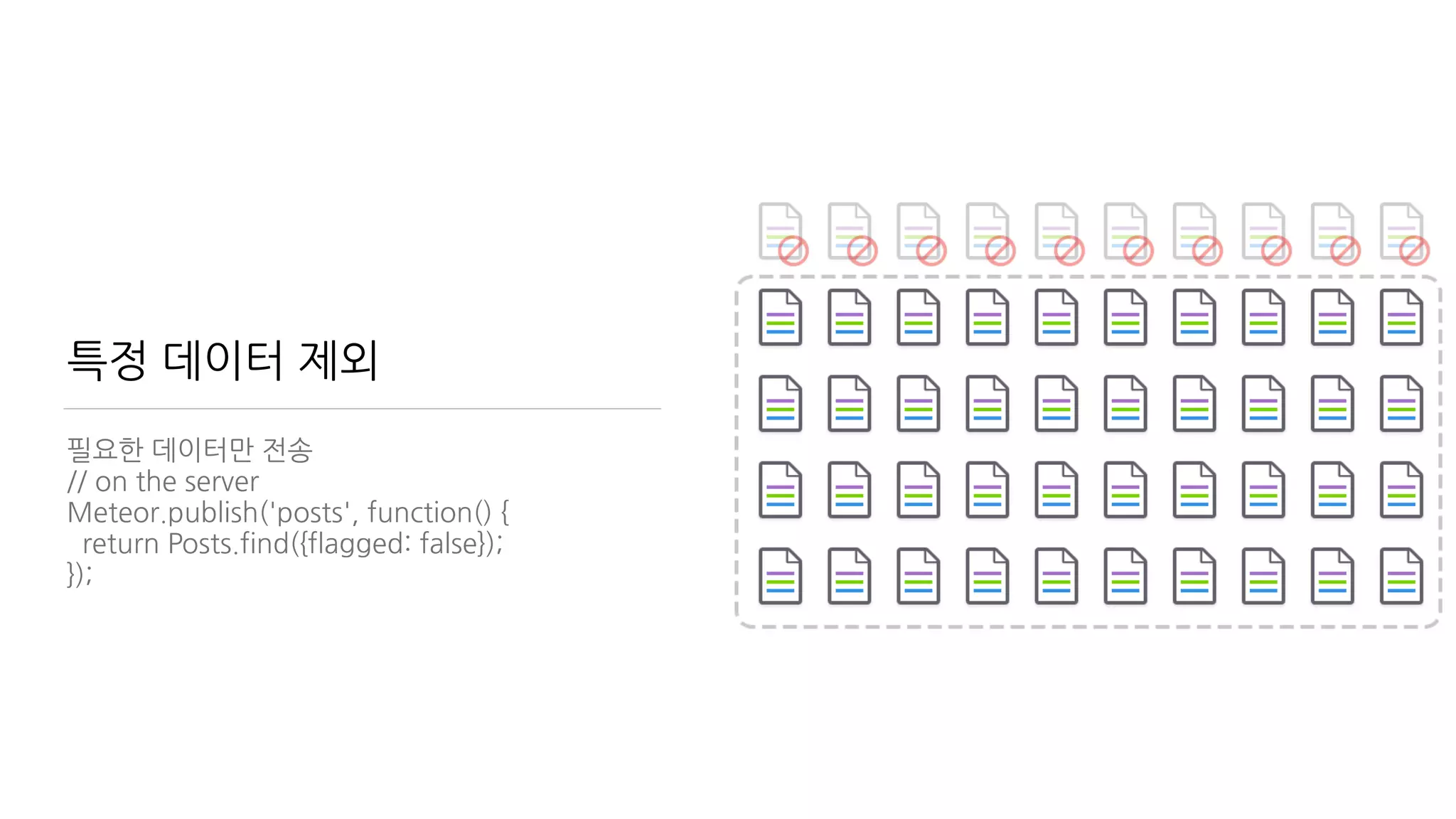
특정 데이터 제외
필요한 데이터만 전송
// on the server
Meteor.publish('posts', function() {
return Posts.find({flagged: false});
});
사용자별 필터링
// on the server
Meteor.publish('posts', function(author) {
return Posts.find({flagged: false, author:
author});
});
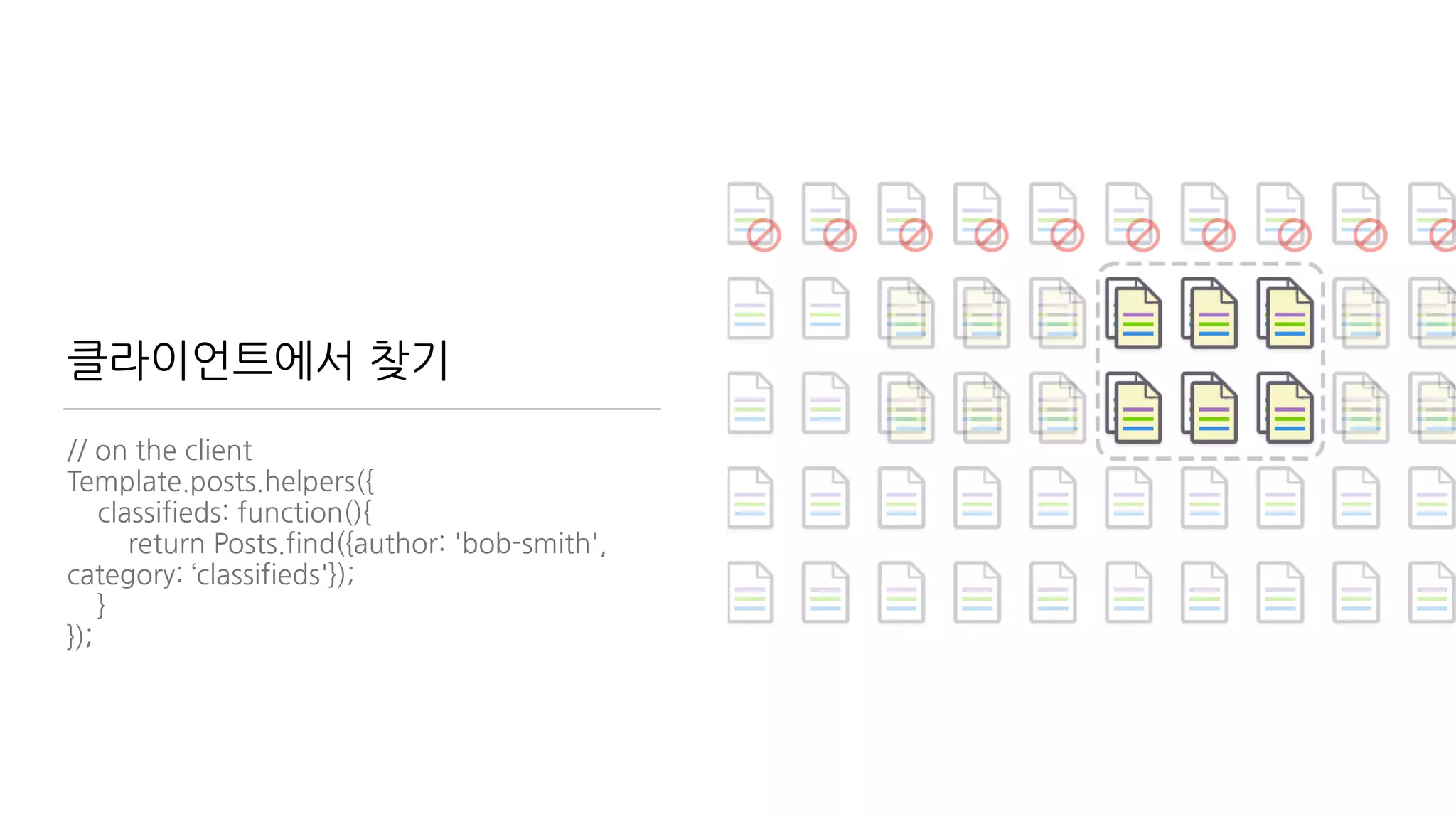
클라이언트에서 찾기
// on the client
Template.posts.helpers({
classifieds: function(){
return Posts.find({author: 'bob-smith',
category: ‘classifieds'});
}
});
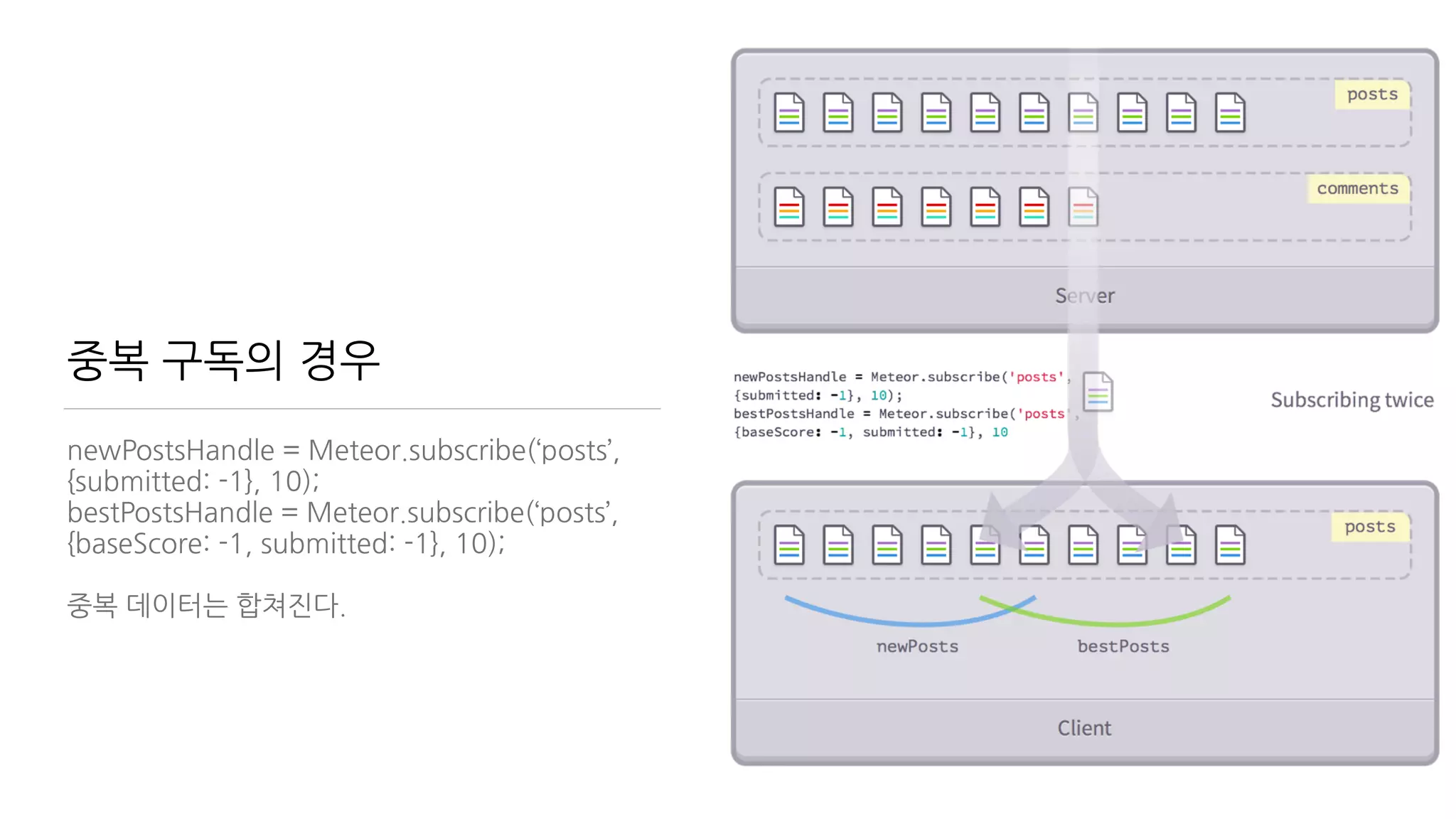
중복 구독의 경우
newPostsHandle = Meteor.subscribe(‘posts’,
{submitted: -1}, 10);
bestPostsHandle = Meteor.subscribe(‘posts’,
{baseScore: -1, submitted: -1}, 10);
중복 데이터는 합쳐진다.
#11. Reactivity
Reactive Programming
구현은 거들 뿐 선언만 놓고 온다.
선언을 하면 데이터가 변경될 때 스스로 변화한다.
Reactive data sources 안에서 Reactive
computation 이 이루어진다.
http://docs.meteor.com/#/full/reactivity
#11 Reactivity
• Template을 관찰해보자

<template name=“books”>

<ul>

{{#each books}}

<li><span>{{title}}</span>/<span>{{author}}</span></li>

{{/each}}

</template>
• Books.insert({ title: 'Discover Meteor', author: 'Tom Coleman & Sacha Greif'});

Books.update('insertIdHere', {

$set: { title: 'Glofiry Meteor', author: 'Elfoslav' }

});

Books.remove('insertIdHere');
#12 Methods
• 서버에게 일을 시키는 방법
• insecure 제거 후 데이터 조작은 서버에서

Meteor.methods({

addBook: function(title, author) {

check(title, String); //check if title is String

check(author, String); //check if author is String

if (title === '') { throw new Meteor.Error(500, "Parameter title can't be
empty”); }

if (author === '') { throw new Meteor.Error(500, "Parameter author can't be
empty”); }

Books.insert({title: title, author: author});

}

});
#12 Methods
• 클라이언트에서 사용

//client code

Template.yourTemplateName.events({

'submit .add-book-form': function(e) {

e.preventDefault();

Meteor.call('addBook', {

title: $(‘[name="title"]').val(),

author: $('[name="author"]').val();

}, function(error, result) {

if (!error) {

$(‘[name=“title”]').val(''),

$(‘[name=“author”]').val(''),

}

});

}

});
#13 Deploy
서버 호스팅?
build 하거나 galaxy (추천!) 쓰세요.
galaxy 로 Deploy 는
meteor deploy yourdomain.xxx
이게 전부!
참고자료
• http://meteor.com - 공식 홈페이지(영문)
• http://kr.discovermeteor.com/ 한글 무료 번역 자료. 쉽고 체계적인 설명
• http://www.meetup.com/Meteor-Seoul/ Meteor Seoul Meetup (그리고?)
• https://opentutorials.org/module/1406 생활코딩 Meteor School 초급반
• https://www.facebook.com/groups/meteorschool/ 페이스북 Meteor
School
• https://forums.meteor.com/ Meteor 포럼(영문)
Meteor에서 직접 모듈과 통신
serialport package
$ meteor add spectrum:serialport
혹은
$ meteor add donaldaverill:serialport
https://atmospherejs.com/donaldaverill/
serialport
TCP 통신
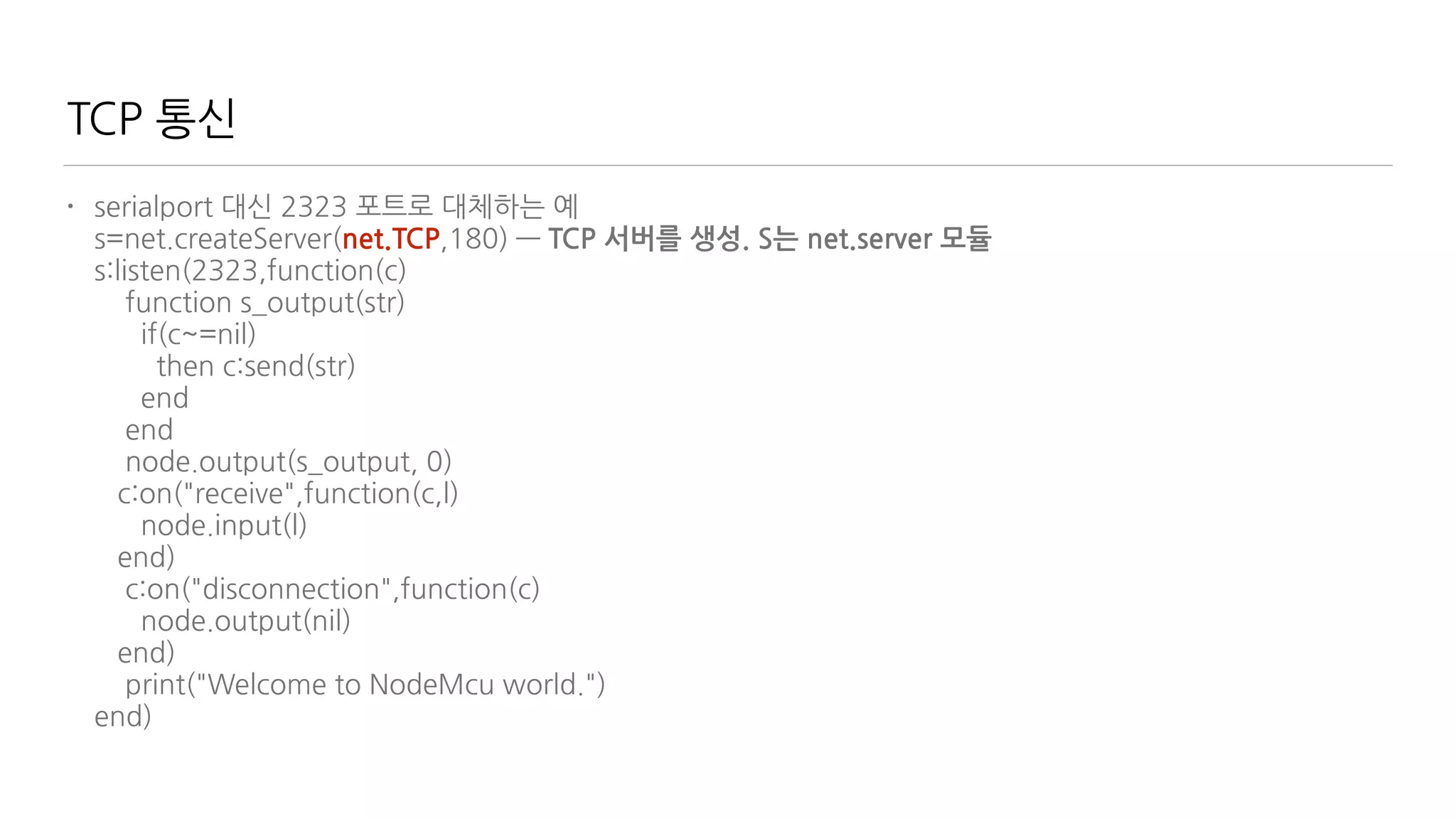
• serialport 대신 2323 포트로 대체하는 예

s=net.createServer(net.TCP,180)

s:listen(2323,function(c)

function s_output(str)

if(c~=nil)

then c:send(str)

end

end

node.output(s_output, 0)

c:on("receive",function(c,l)

node.input(l)

end)

c:on("disconnection",function(c)

node.output(nil)

end)

print("Welcome to NodeMcu world.")

end)
TCP 통신
• serialport 대신 2323 포트로 대체하는 예

s=net.createServer(net.TCP,180) — TCP 서버를 생성. S는 net.server 모듈

s:listen(2323,function(c)

function s_output(str)

if(c~=nil)

then c:send(str)

end

end

node.output(s_output, 0)

c:on("receive",function(c,l)

node.input(l)

end)

c:on("disconnection",function(c)

node.output(nil)

end)

print("Welcome to NodeMcu world.")

end)
TCP 통신
• serialport 대신 2323 포트로 대체하는 예

s=net.createServer(net.TCP,180)

s:listen(2323,function(c) — 2323포트를 수신한다.

function s_output(str)

if(c~=nil)

then c:send(str)

end

end

node.output(s_output, 0)

c:on("receive",function(c,l)

node.input(l)

end)

c:on("disconnection",function(c)

node.output(nil)

end)

print("Welcome to NodeMcu world.")

end)
TCP 통신
• serialport 대신 2323 포트로 대체하는 예

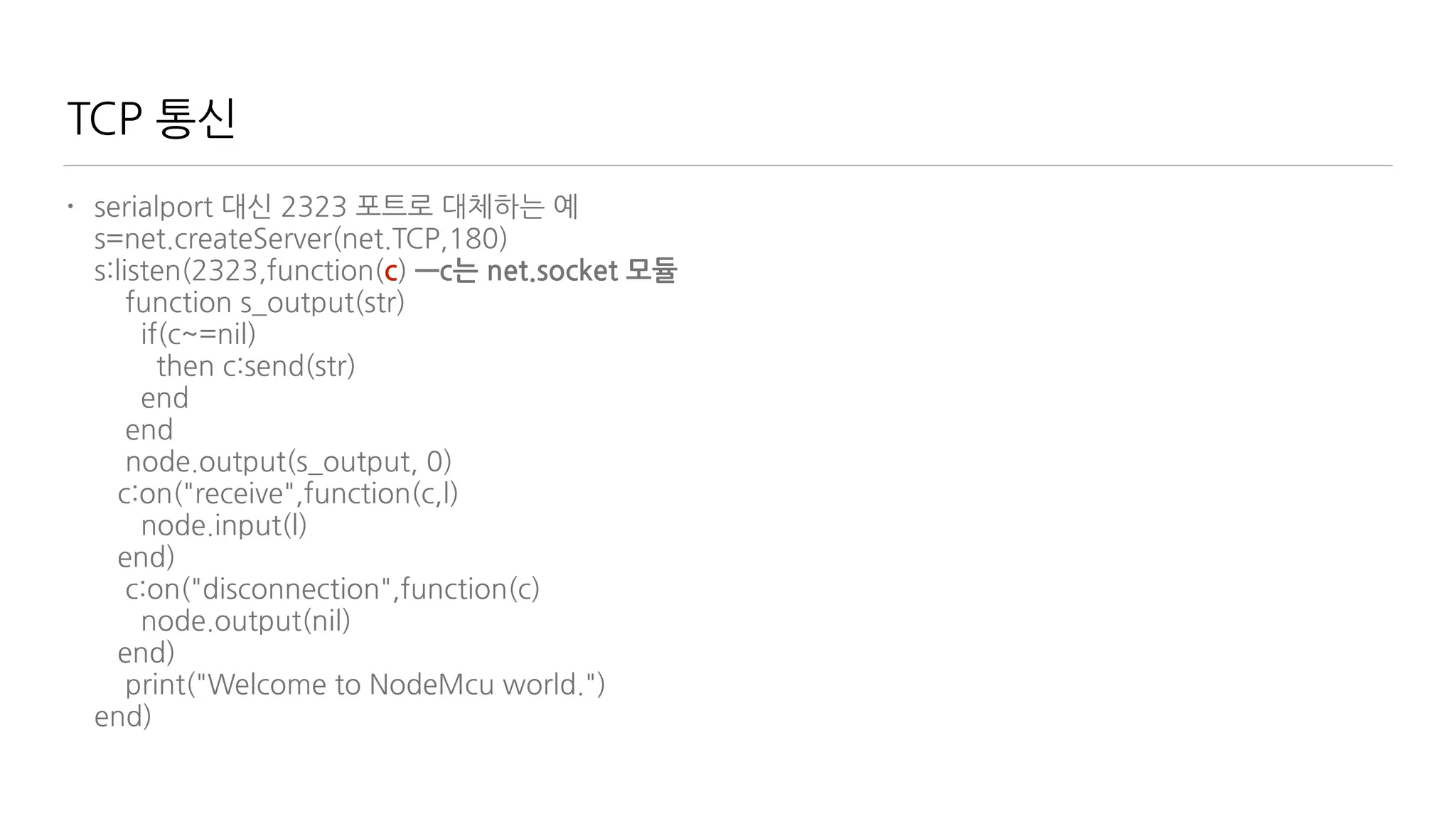
s=net.createServer(net.TCP,180)

s:listen(2323,function(c) —c는 net.socket 모듈

function s_output(str)

if(c~=nil)

then c:send(str)

end

end

node.output(s_output, 0)

c:on("receive",function(c,l)

node.input(l)

end)

c:on("disconnection",function(c)

node.output(nil)

end)

print("Welcome to NodeMcu world.")

end)
TCP 통신
• serialport 대신 2323 포트로 대체하는 예

s=net.createServer(net.TCP,180)

s:listen(2323,function(c)

function s_output(str)

if(c~=nil)

then c:send(str)

end

end

node.output(s_output, 0)—output 결과를 s_output으로 넘긴다. 단, 시리얼로는 보내지 않음(0)

c:on("receive",function(c,l)

node.input(l)

end)

c:on("disconnection",function(c)

node.output(nil)

end)

print("Welcome to NodeMcu world.")

end)
TCP 통신
• serialport 대신 2323 포트로 대체하는 예

s=net.createServer(net.TCP,180)

s:listen(2323,function(c)

function s_output(str)

if(c~=nil)-net.socket을 생성이 되었으면

then c:send(str)

end

end

node.output(s_output, 0)

c:on("receive",function(c,l)

node.input(l)

end)

c:on("disconnection",function(c)

node.output(nil)

end)

print("Welcome to NodeMcu world.")

end)
TCP 통신
• serialport 대신 2323 포트로 대체하는 예

s=net.createServer(net.TCP,180)

s:listen(2323,function(c)

function s_output(str)

if(c~=nil)

then c:send(str)—output으로 들어온 것을 2323포트로 보낸다.

end

end

node.output(s_output, 0)

c:on("receive",function(c,l)

node.input(l)

end)

c:on("disconnection",function(c)

node.output(nil)

end)

print("Welcome to NodeMcu world.")

end)
TCP 통신
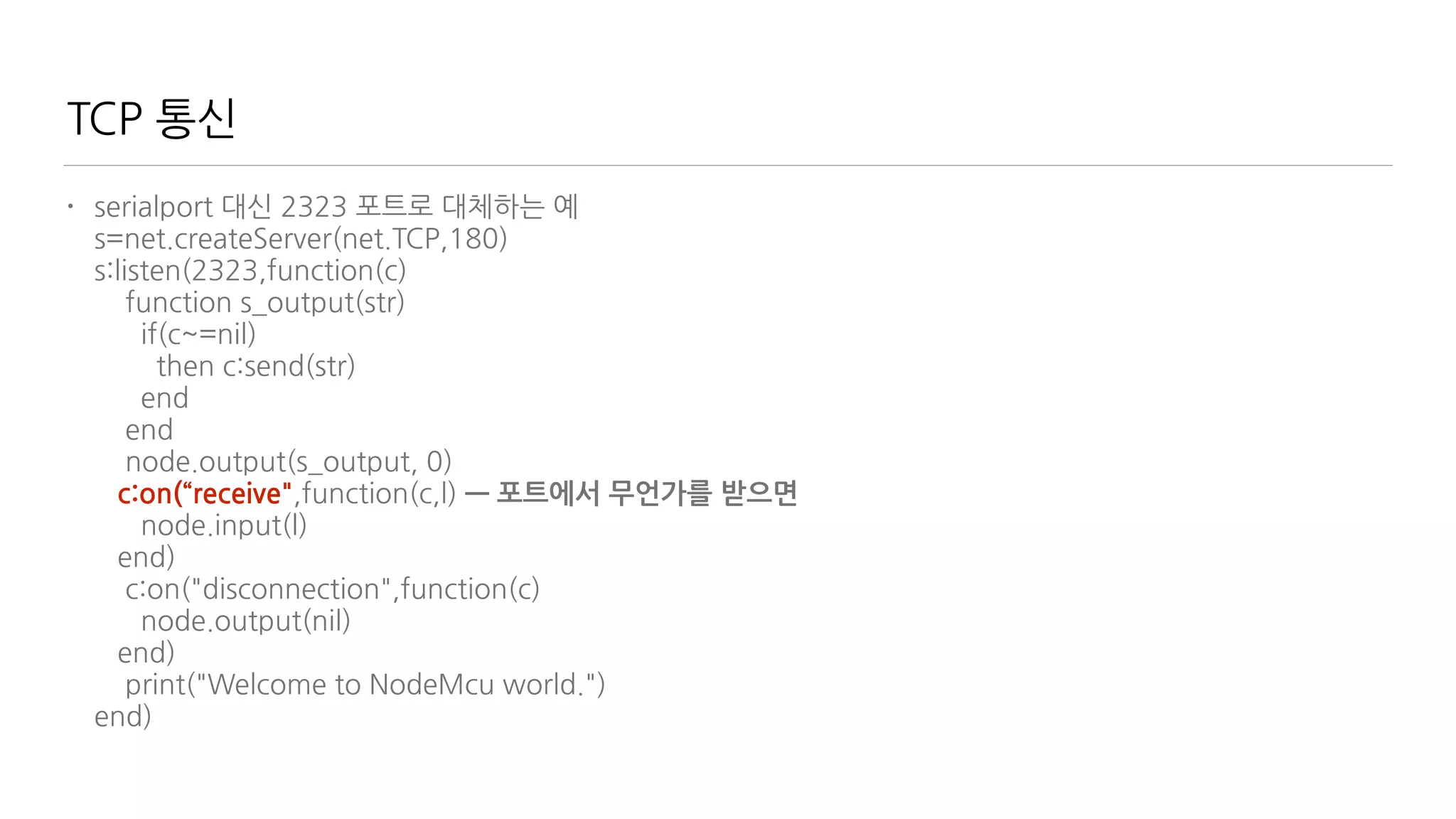
• serialport 대신 2323 포트로 대체하는 예

s=net.createServer(net.TCP,180)

s:listen(2323,function(c)

function s_output(str)

if(c~=nil)

then c:send(str)

end

end

node.output(s_output, 0)

c:on(“receive",function(c,l) — 포트에서 무언가를 받으면

node.input(l)

end)

c:on("disconnection",function(c)

node.output(nil)

end)

print("Welcome to NodeMcu world.")

end)
TCP 통신
• serialport 대신 2323 포트로 대체하는 예

s=net.createServer(net.TCP,180)

s:listen(2323,function(c)

function s_output(str)

if(c~=nil)

then c:send(str)

end

end

node.output(s_output, 0)

c:on("receive",function(c,l)

node.input(l)—받은 내용을 nodeMCU의 입력으로 보낸다.

end)

c:on("disconnection",function(c)

node.output(nil)

end)

print("Welcome to NodeMcu world.")

end)
TCP 통신
• serialport 대신 2323 포트로 대체하는 예

s=net.createServer(net.TCP,180)

s:listen(2323,function(c)

function s_output(str)

if(c~=nil)

then c:send(str)

end

end

node.output(s_output, 0)

c:on("receive",function(c,l)

node.input(l)

end)

c:on(“disconnection”,function(c)—연결이 끊어지면

node.output(nil)

end)

print("Welcome to NodeMcu world.")

end)
TCP 통신
• serialport 대신 2323 포트로 대체하는 예

s=net.createServer(net.TCP,180)

s:listen(2323,function(c)

function s_output(str)

if(c~=nil)

then c:send(str)

end

end

node.output(s_output, 0)

c:on("receive",function(c,l)

node.input(l)

end)

c:on("disconnection",function(c)

node.output(nil)—output 연결을 해제한다.

end)

print("Welcome to NodeMcu world.")

end)
MQTT a machine-to-machine (M2M)/"Internet of Things" connectivity protocol
MQTT?
Message Queue Telemetry Transfer
M2M(machine-to-machine)와 IoT(Internet of
things)에서의 사용을 목적
저전력
작은 데이터량
pub/sub 기반 (Meteor와 같다!)
서버가 없다
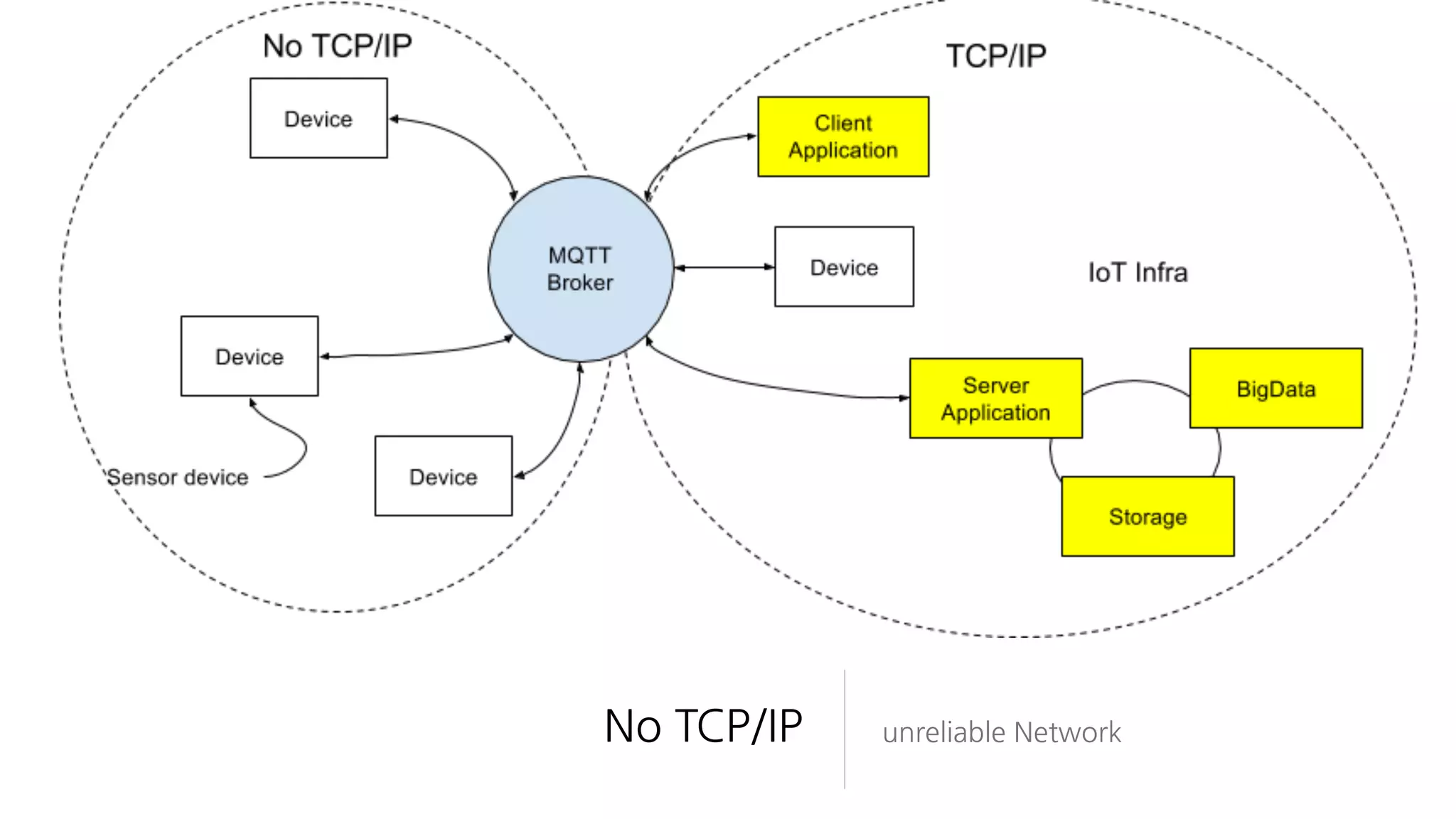
대신 pub/sub을 중계하는 Broker
누구냐 넌?
No TCP/IP unreliable Network
Dr. Andy Stanford-Clark, IBM
How to do reliable messaging over unreliable networks?
Pub/Sub topic 기준 - like meteor
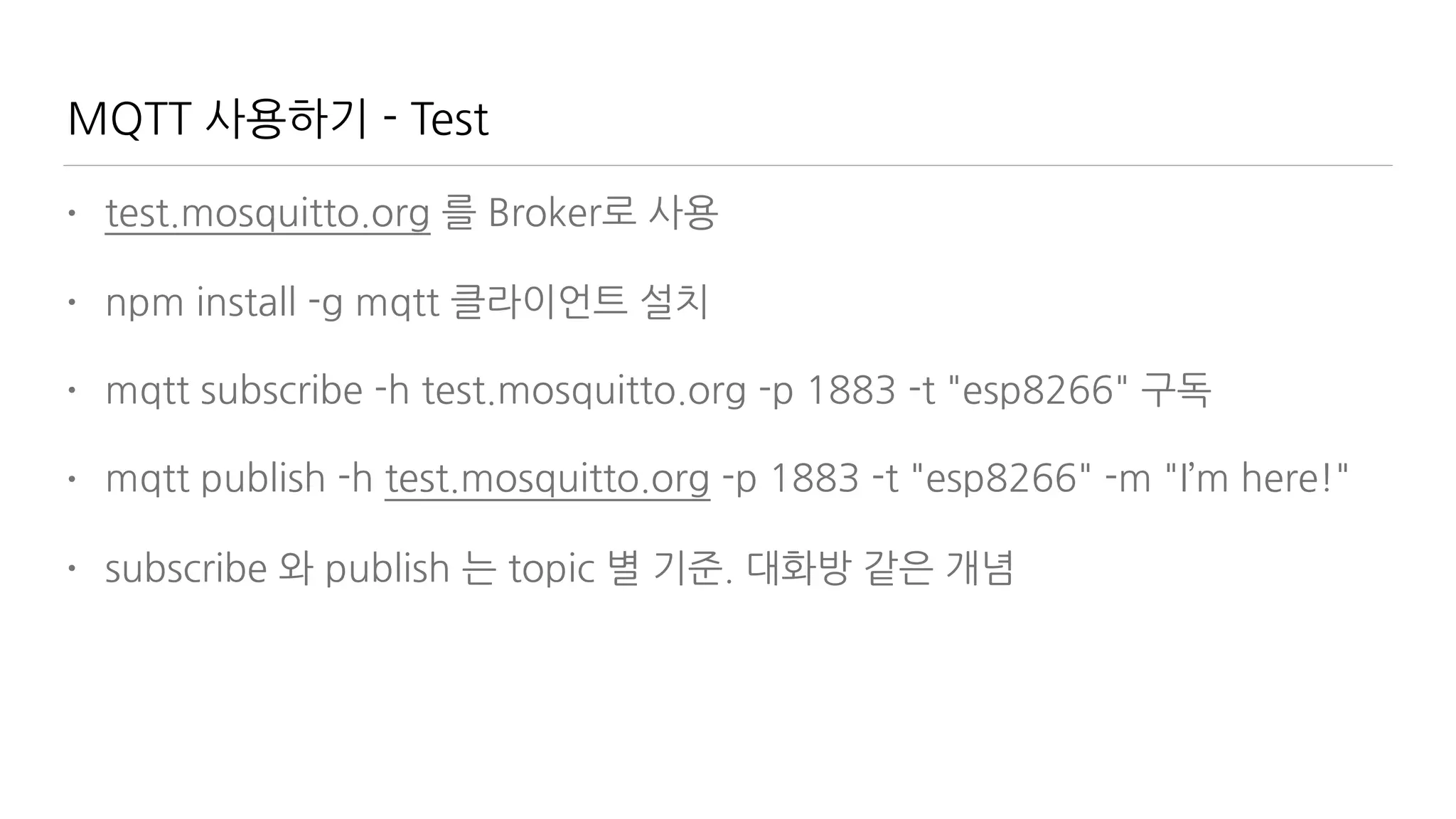
MQTT 사용하기 - Test
• test.mosquitto.org 를 Broker로 사용
• npm install -g mqtt 클라이언트 설치
• mqtt subscribe -h test.mosquitto.org -p 1883 -t "esp8266" 구독
• mqtt publish -h test.mosquitto.org -p 1883 -t "esp8266" -m "I’m here!"
• subscribe 와 publish 는 topic 별 기준. 대화방 같은 개념
MQTT 사용하기 - Cloud
• cloudmqtt.com 를 Broker로 사용
• mqtt subscribe -h m11.cloudmqtt.com -p 11863 -t "light" -u test -P test
구독
• mqtt publish -h m11.cloudmqtt.com -p 11863 -t "light" u test -P test —m
"I’m here!”
• https://api.cloudmqtt.com/sso/cloudmqtt/console
• 권한 관리
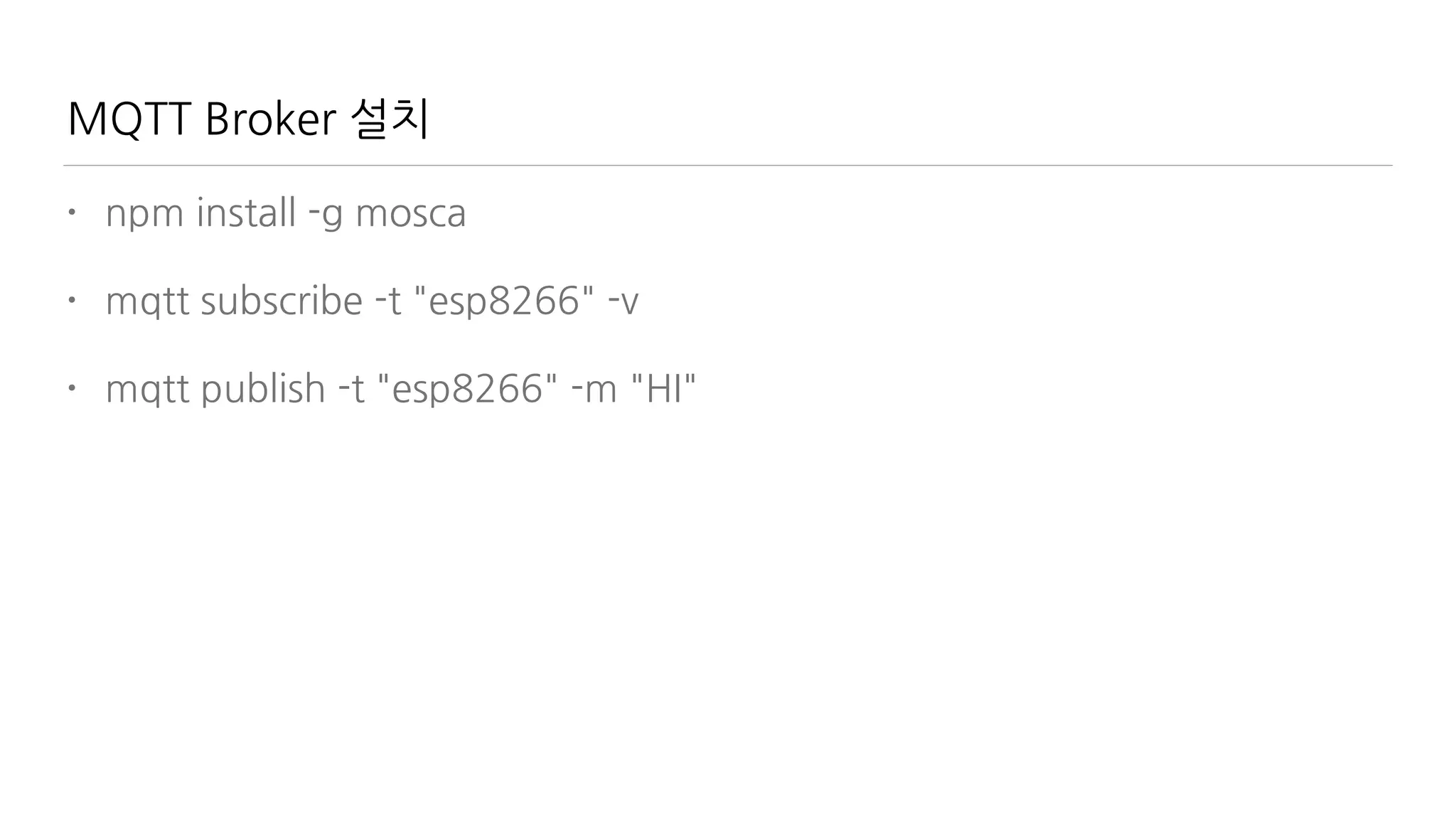
MQTT Broker 설치
• npm install -g mosca
• mqtt subscribe -t "esp8266" -v
• mqtt publish -t "esp8266" -m "HI"
MQTT in Meteor
• http://meteorpad.com/pad/uGoYkgrkWxBbkfJhh/mqttMeteor
• meteor add spectrum:mqtt
• Pseudo Collection

Meteor.publish("chats", function() {

var pub = this;

client.on('message', function(topic, message) {

pub.added("chats", Random.id(), {

topic: topic,

message:message.toString(),

createdAt: +new Date()

});

});

this.ready();

});
MQTT in NodeMCU
• MQTT Client Module

m = mqtt.Client("clientid", 120, "user", "password")

m:on("connect", function(con) print ("connected") end)

m:on("offline", function(con) print ("offline") end)

m:on("message", function(conn, topic, data) 

print(topic .. ":" ) 

if data ~= nil then

print(data)

end

end)

m:connect("192.168.11.118", 1880, 0, function(conn) print("connected") end)

-- subscribe topic with qos = 0

m:subscribe("/topic",0, function(conn) print("subscribe success") end)

-- publish a message with data = hello, QoS = 0, retain = 0

m:publish("/topic","hello",0,0, function(conn) print("sent") end)
Let’s put it all together! Man 2 Thing Chatting
SVG (Scalable Vector
Graphic)
그림을 그려봅시다
http://www.cattocreations.com/ePub3.html
Interactive EPUB3
Learn SVG Interactively
EPUB3 Reader (for Windows)

https://chrome.google.com/webstore/detail/readium/
fepbnnnkkadjhjahcafoaglimekefifl/related?hl=en-US
http://www.bluefirereader.com/
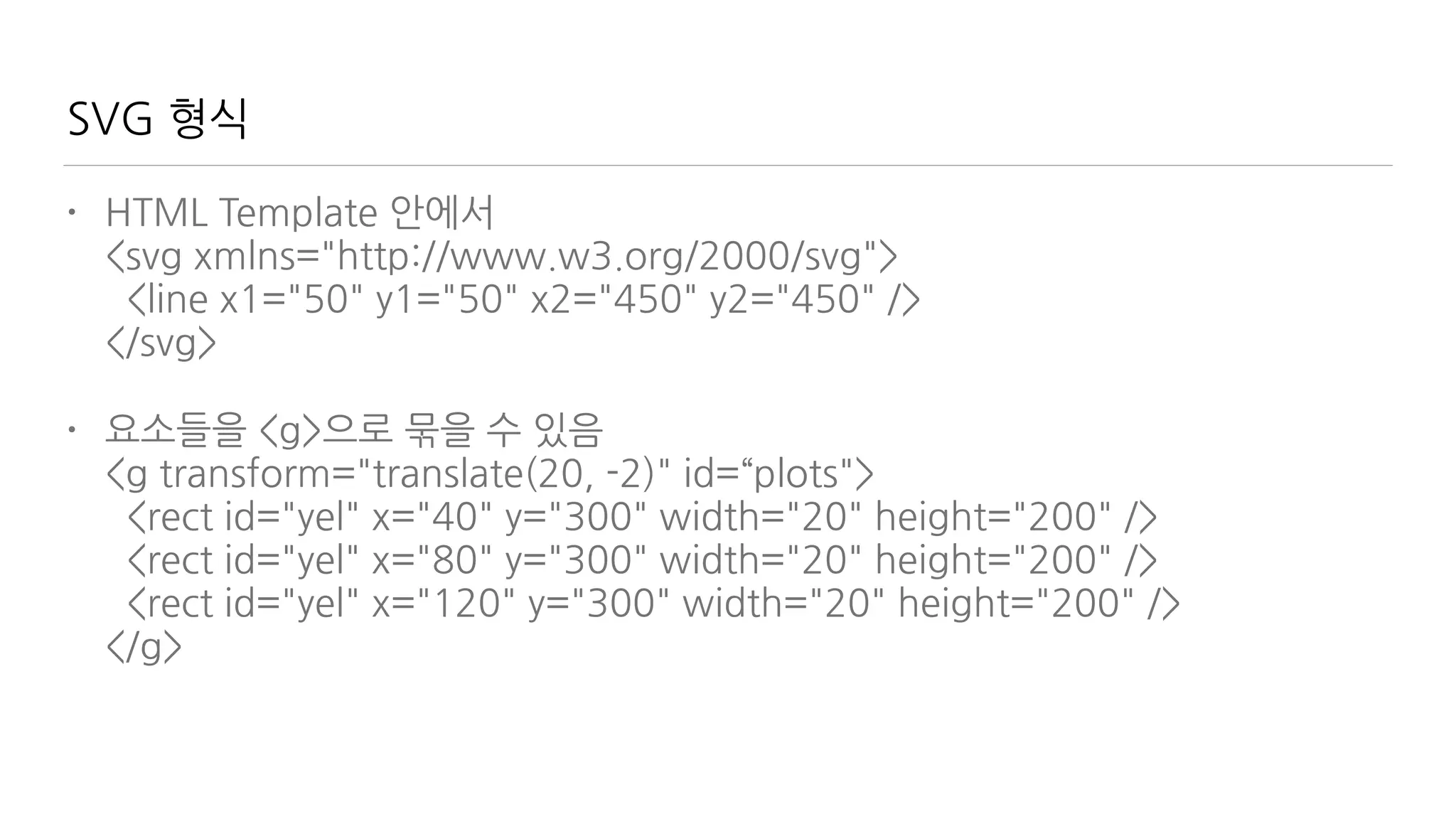
SVG 형식
• HTML Template 안에서

<svg xmlns="http://www.w3.org/2000/svg">

<line x1="50" y1="50" x2="450" y2="450" />

</svg>
• 요소들을 <g>으로 묶을 수 있음

<g transform="translate(20, -2)" id=“plots">

<rect id="yel" x="40" y="300" width="20" height="200" />

<rect id="yel" x="80" y="300" width="20" height="200" />

<rect id="yel" x="120" y="300" width="20" height="200" />

</g>
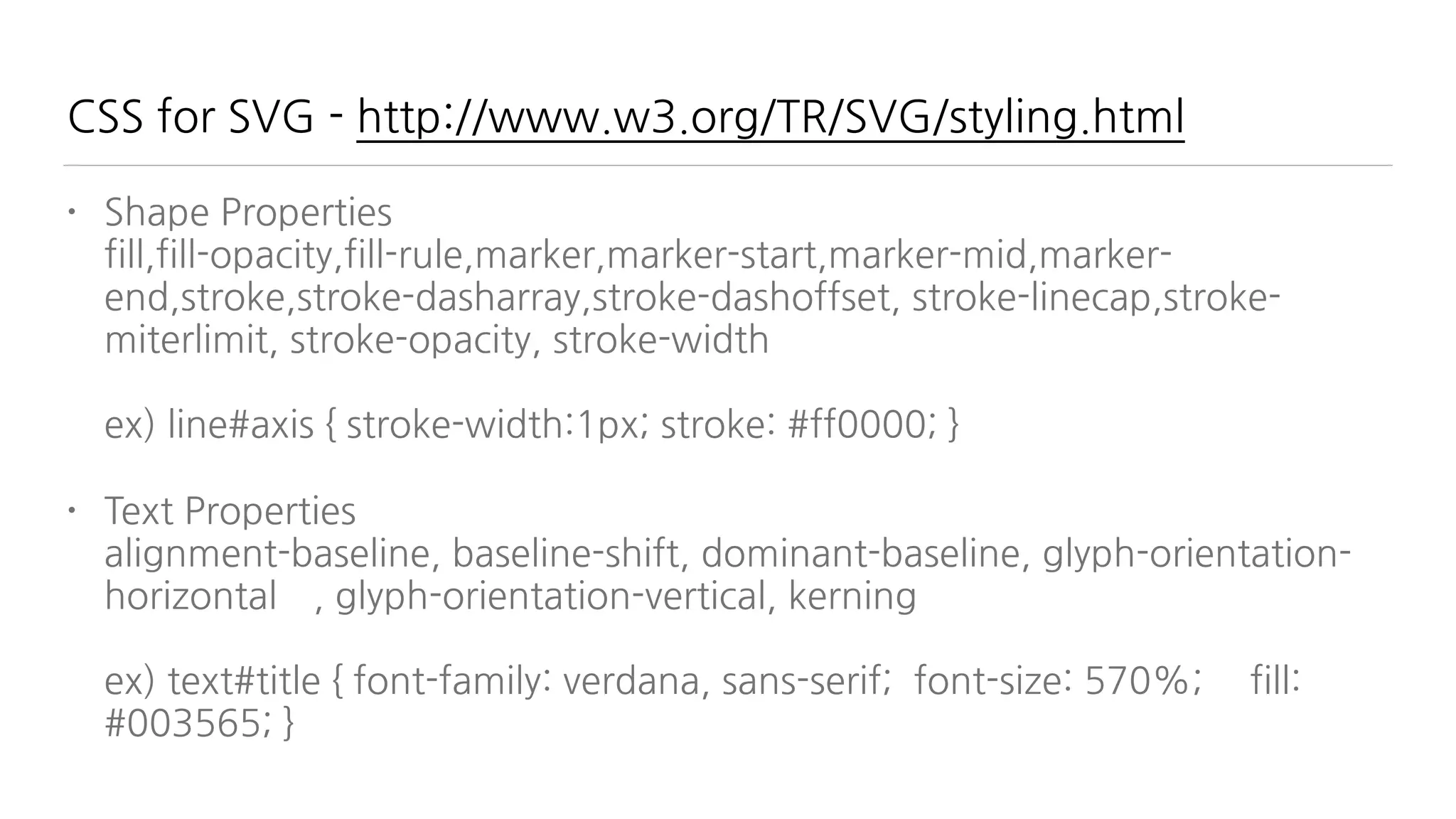
CSS for SVG - http://www.w3.org/TR/SVG/styling.html
• Shape Properties

fill,fill-opacity,fill-rule,marker,marker-start,marker-mid,marker-
end,stroke,stroke-dasharray,stroke-dashoffset, stroke-linecap,stroke-
miterlimit, stroke-opacity, stroke-width


ex) line#axis { stroke-width:1px; stroke: #ff0000; }
• Text Properties

alignment-baseline, baseline-shift, dominant-baseline, glyph-orientation-
horizontal , glyph-orientation-vertical, kerning


ex) text#title { font-family: verdana, sans-serif; font-size: 570%; fill:
#003565; }
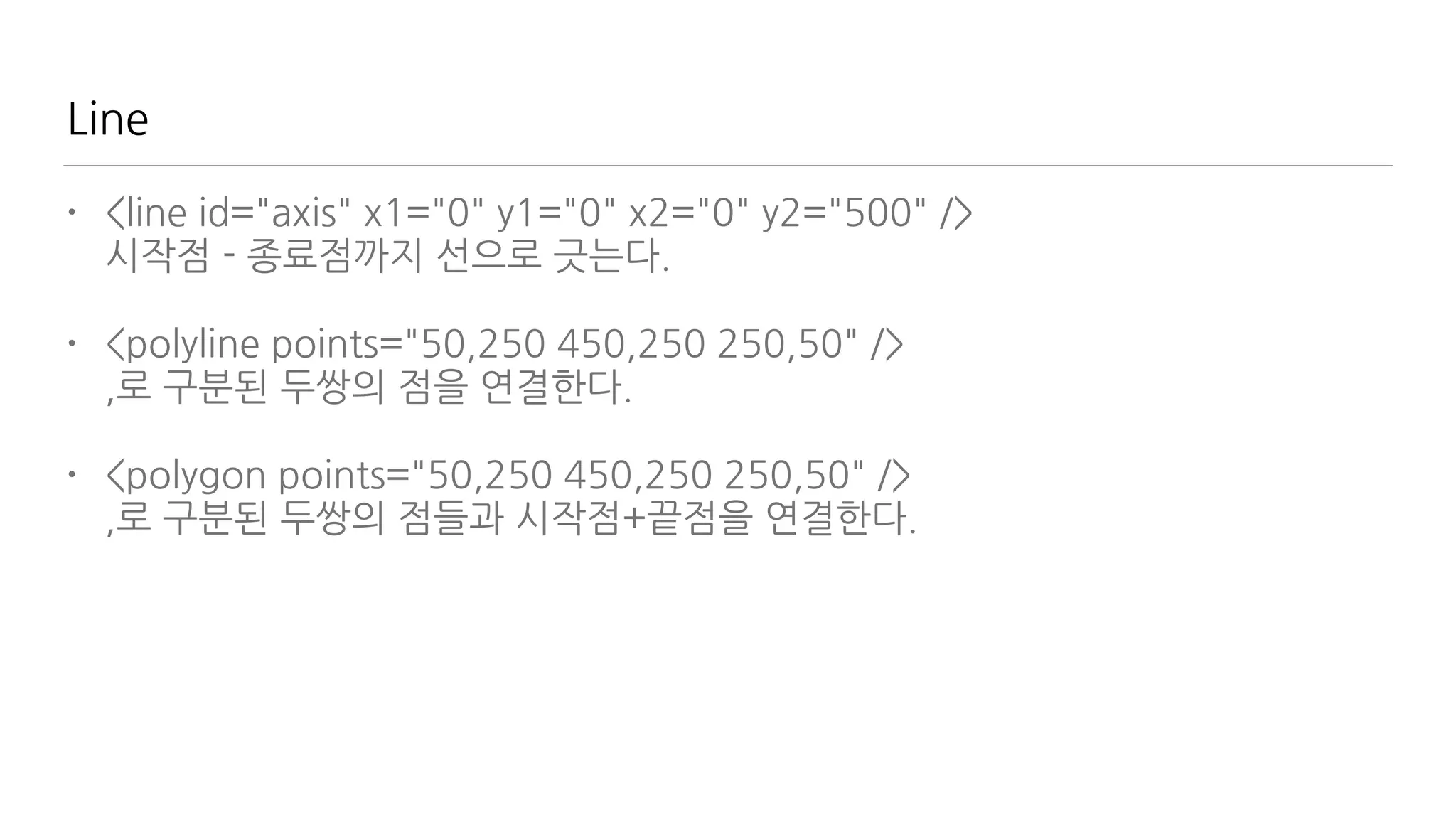
Line
• <line id="axis" x1="0" y1="0" x2="0" y2="500" />

시작점 - 종료점까지 선으로 긋는다.
• <polyline points="50,250 450,250 250,50" />

,로 구분된 두쌍의 점을 연결한다.
• <polygon points="50,250 450,250 250,50" />

,로 구분된 두쌍의 점들과 시작점+끝점을 연결한다.
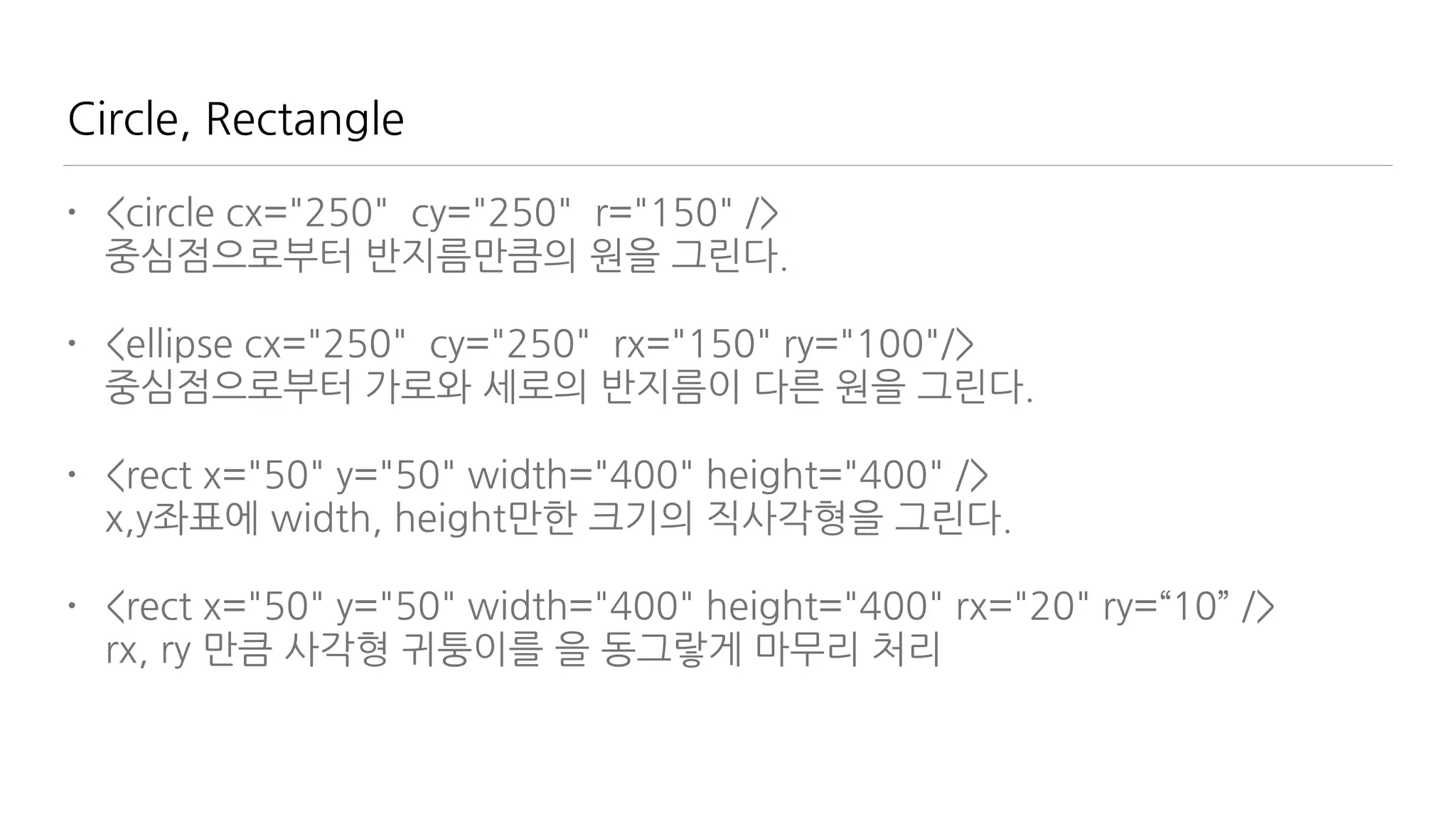
Circle, Rectangle
• <circle cx="250" cy="250" r="150" />

중심점으로부터 반지름만큼의 원을 그린다.
• <ellipse cx="250" cy="250" rx="150" ry="100"/>

중심점으로부터 가로와 세로의 반지름이 다른 원을 그린다.
• <rect x="50" y="50" width="400" height="400" />

x,y좌표에 width, height만한 크기의 직사각형을 그린다.
• <rect x="50" y="50" width="400" height="400" rx="20" ry=“10” />

rx, ry 만큼 사각형 귀퉁이를 을 동그랗게 마무리 처리
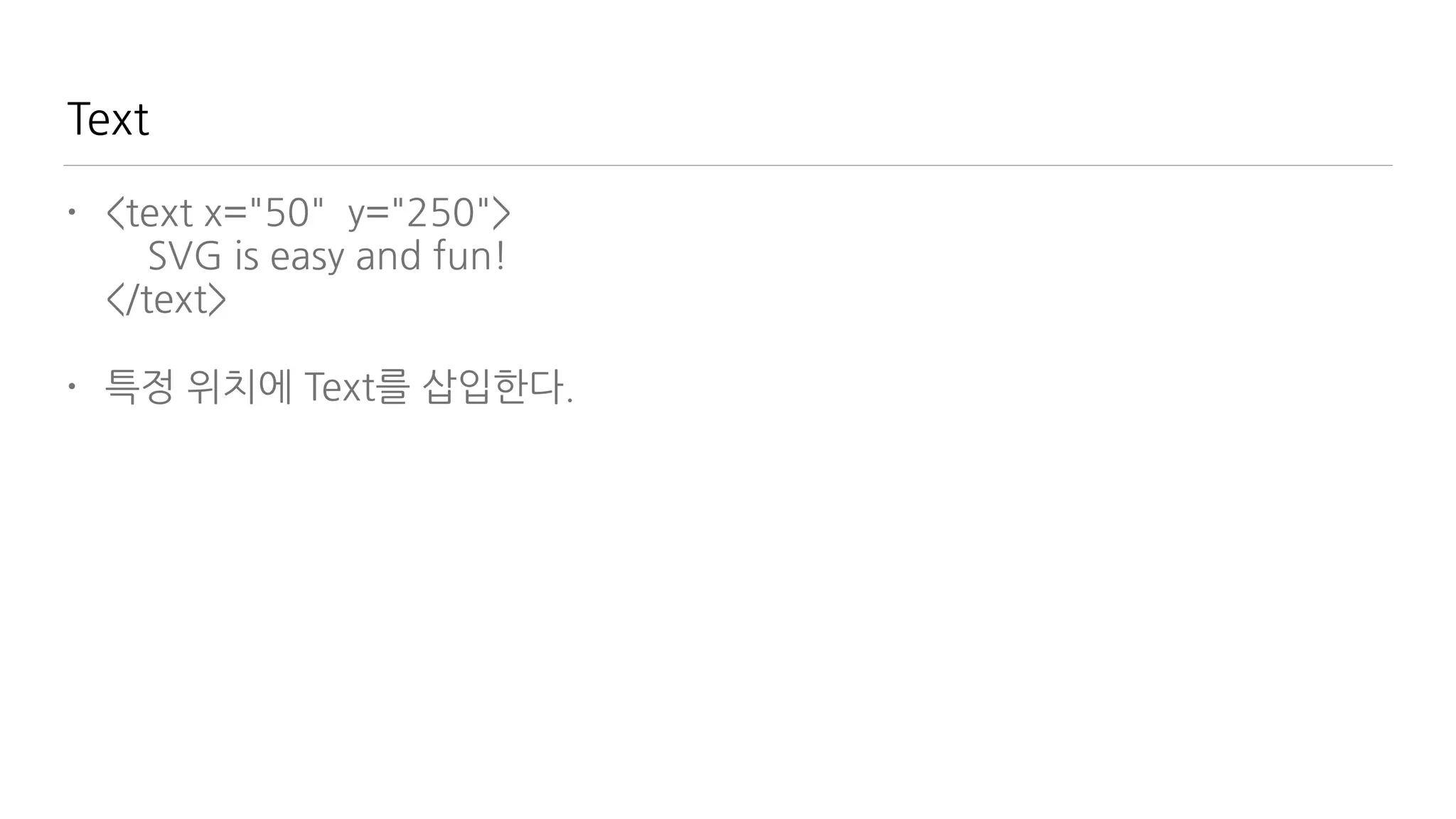
Text
• <text x="50" y="250">

SVG is easy and fun!

</text>
• 특정 위치에 Text를 삽입한다.
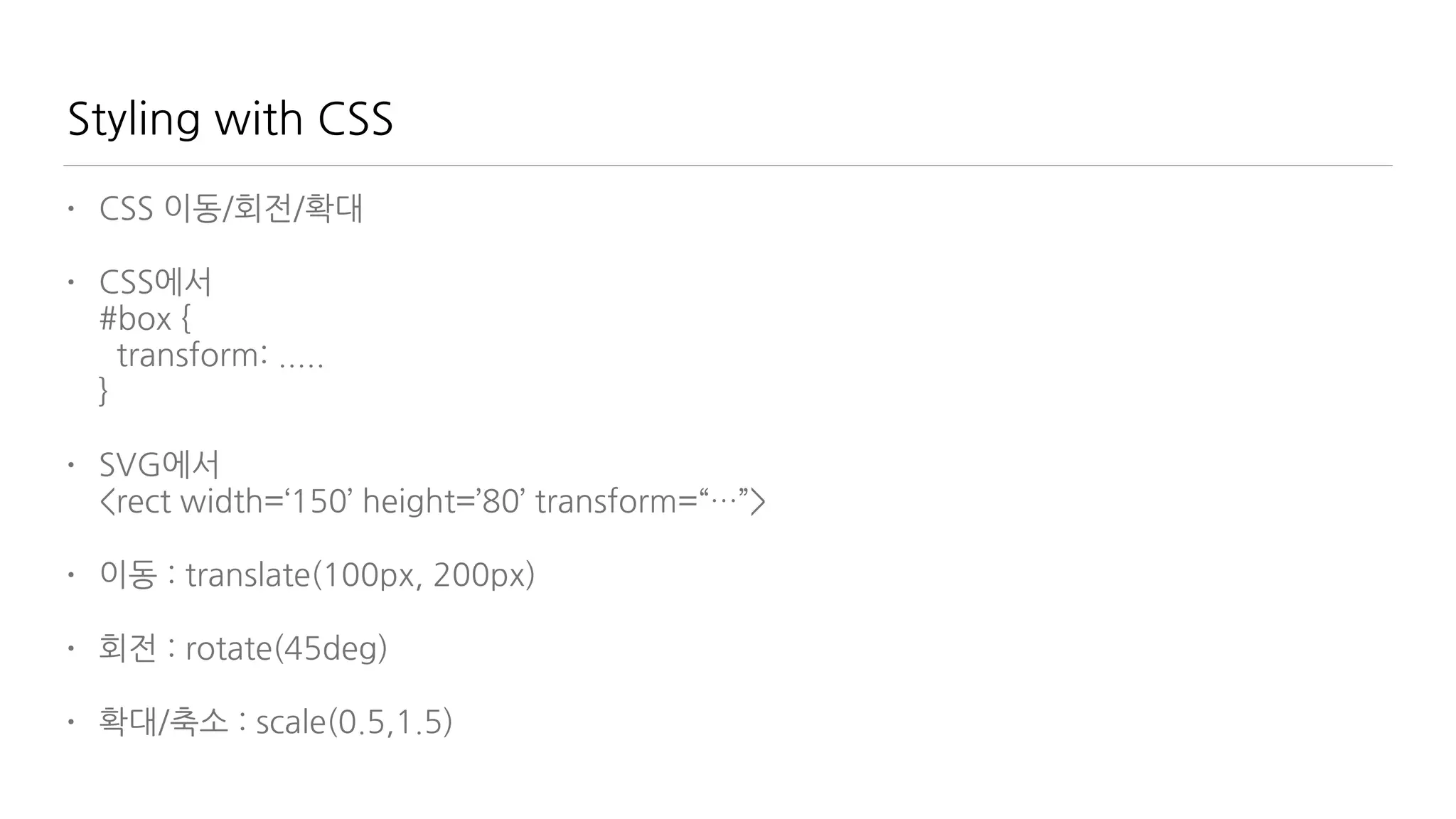
Styling with CSS
• CSS 규칙
• 1. ID - 유일한 것

html: <g id=“button”>...</g>

css: #button { …. }
• 2. Class - 같은 그룹별

html: 

<line class=“yellow” x1=“0” y1=“0” x2=“100” y2=“0” />

<line class=“yellow” x1=“0” y1=“10” x2=“100” y2=“10” />

<line class=“red” x1=“0” y1=“20” x2=“100” y2=“20” />

<line class=“red” x1=“0” y1=“30” x2=“100” y2=“30” />

css: 

.yellow { … }

.red { … }

Styling with CSS
• CSS 이동/회전/확대
• CSS에서

#box {

transform: .....

}
• SVG에서

<rect width=‘150’ height=’80’ transform=“…”>
• 이동 : translate(100px, 200px)
• 회전 : rotate(45deg)
• 확대/축소 : scale(0.5,1.5)
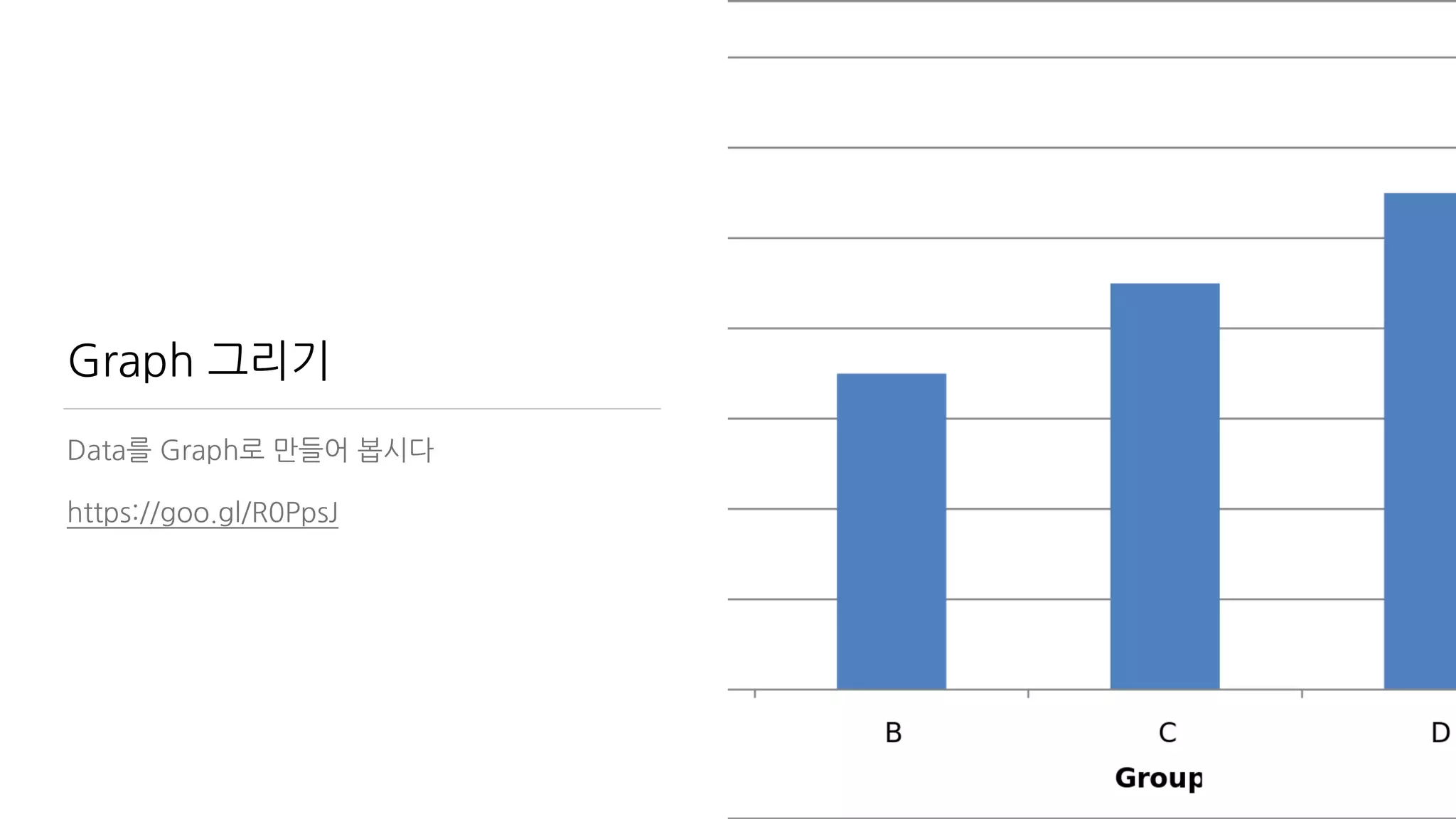
Graph 그리기
Data를 Graph로 만들어 봅시다
https://goo.gl/R0PpsJ

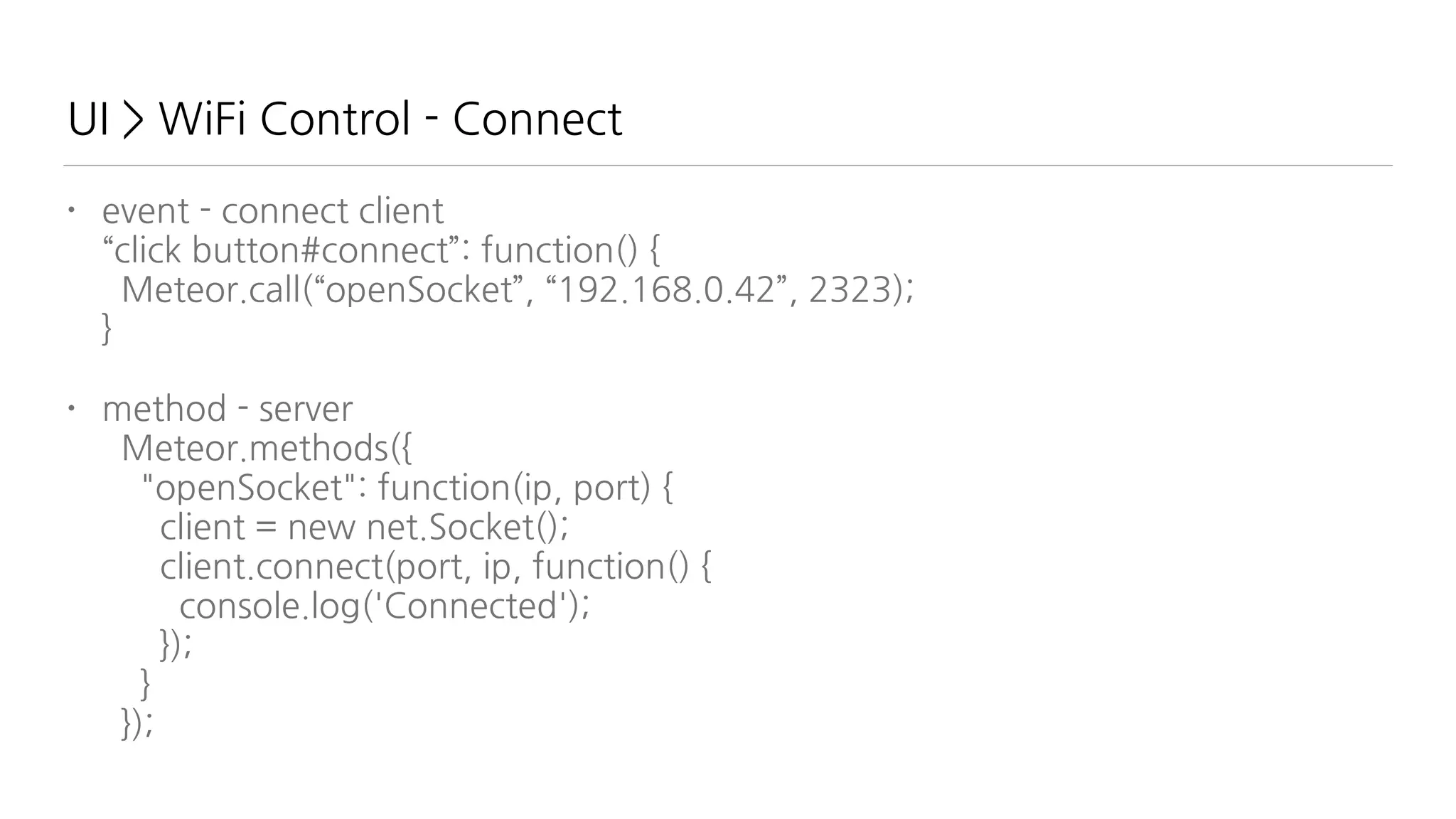
UI > WiFi Control - Connect
• event - connect client

“click button#connect”: function() {

Meteor.call(“openSocket”, “192.168.0.42”, 2323);

}
• method - server

Meteor.methods({

"openSocket": function(ip, port) {

client = new net.Socket();

client.connect(port, ip, function() {

console.log('Connected');

});

}

});
UI > WiFi Control - Send Packet
• event - connect client

“click button#on1t”: function() {

Meteor.call(“sendSignal”, {

pin: 1, value: 0

});

},

“click button#on1f”: function() {

Meteor.call(“sendSignal”, {

pin: 1, value: 1

});

}
• method - server

Meteor.methods({

"sendSignal": function(obj) {

client.write(JSON.stringify(obj));

});

}

});
ESP8266 - Lua Server
• dofile(“tcp.lua”)

s=net.createServer(net.TCP,180)

s:listen(2323,function(c)

c:on("receive",function(c,l)

print(l)

json=(cjson.decode(l))

high(json.pin, json.value)

end)

end)
ESP8266 References
• nodemcu.com/index_en.html
• https://github.com/nodemcu/nodemcu-firmware
• https://github.com/nodemcu/nodemcu-firmware/wiki/nodemcu_api_en
감사합니다.
• jhlee@appsoulute.com
• Appsoulute 이재호 대표
• google Hangouts - 답변 잘하는 편이에요 ^^;
• 설문 링크 - http://goo.gl/X6Ykm6

Meteor IoT

  • 1.
  • 2.
    사물인터넷 개념 사물을 네트워크로연결하여 사물간 정보를 교환하 는 것
  • 3.
    2015 IoT Trend •19억개 인터넷 연결된 디바이스의 폭발적 증가 • 7.1조불 성장 가능성 • ‘조만장자’ 나올 수 있는 미래산업 18가지 중 하 나(http://www.hani.co.kr/arti/economy/ economy_general/680041.html)
  • 4.
    Kevin Ashton “The Internetof Things has the potential to change the world, just as the Internet did. Maybe even more so.”
  • 5.
  • 6.
    Sensors 현실 세계를Data로 전환하는 것
  • 7.
    Processor ( MicroController Unit ) Data를 가공하는 것
  • 8.
    Outputs LED, LCD,Motor, Speaker, Lasers …
  • 9.
    그리고 Network • Ethernet/ WiFi • 3G/LTE • Bluetooth • RF • Light-based wireless communication • 가청/비가청 음파통신 (SoundQR ..) • IrDA 적외선 통신 • etc…
  • 10.
  • 11.
    어떻게 Data를 전송하고처리할 것인가?
  • 12.
    Full Stack Engineer? •Server Programming 열심히 배웠는데 • FrontEnd도 중요 • 거기에 Mobile App도 만들어야 • PHP/Java/ASP 배우고 • Javascript 배우고 • C/C++도? • Database는? SQL? 그건 뭐야?
  • 14.
    Javascript 하나만 하세요 •Client : Javascript • Server : Node.js • Database : MongoDB ( JSON ) • Mobile : Cordova javascript
  • 15.
    본 강좌에서 다룰내용들 • Meteor • Javascript • Arduino • WiFi Network Module - ESP8266 & Lua • HTML5 • Visualization
  • 16.
    다루지 않는 내용들 •전자회로 이론 • 인두질 • 감성팔이 • 대박사업필승법
  • 17.
  • 18.
    특징 • 초소형 • 초저가 •고사양 • MCU와 WiFi를 일체형 • 3.3V 전압 • 다양한 제품군 • 다양한 프로젝트들 (https://www.tindie.com/ search/#q=esp8266) • Arduino 지원 • NodeMCU - Lua Script 지원
  • 19.
    19 • USB2TTL 장비를통한 PC와 통신 • Arduino 사용 업로드 • NodeMCU Custom ROM Flashing • Lua 기본 Scripting • Input/Output • WiFI 설정 • 데이터 전송/수신 ESP8266 편에서 다룰 내용
 (http://www.slideshare.net/geekscape/nodemcu-esp8266-workshop-1)
  • 20.
    ESP8266 - USB연결 • ESP8266 -> USB • 3.3v, CH_PD - 3.3v • GND - GND • Tx - Rx • Rx - Tx • 500mA 지원 여부를 꼭 확인
  • 21.
    PL2303 USB Driver설치 • Windows 
 http://www.ifamilysoftware.com/news37.html
 (support windows 8.1/10 공식드라이버에서는 지원안함) • Mac
 http://www.prolific.com.tw/US/ShowProduct.aspx?p_id=229&pcid=41 • Terminal (for Windows Only)
 Putty
 CoolTerm (http://freeware.the-meiers.org/)
  • 22.
    Arduino 설치 • 최소Arduino 1.6.4 이후 버전을 설치 • 설치, 실행 후 Preference의 Additional Board Manager URLs 항목에 http:// arduino.esp8266.com/ package_esp8266com_index.json 를 복사 하고 OK • Tools > Board Manager에서 esp를 검색하여 설치한다. • 예제 파일을 빌드하여 실행한다.
  • 23.
  • 24.
    NodeMCU 특징 • LuaScript Language • API는 Node.js 와 유사 • Script Programming 기반이라 매번 Build를 하지 않고 바로 코드를 수정해볼 수 있으므로 생산성이 매우 좋다 • File System을 가지고 있다 • 풍부한 API
  • 25.
    NodeMCU 설치 절차 •pip install pyserial • https://github.com/themadinventor/ esptool 에서 esptool 받기 • https://github.com/nodemcu/nodemcu- firmware/releases 에서 rom 받기 • GPIO0 를 GND 와 연결 (dev Board에선 jumper를 쇼트) 후 리셋 • ./esptool.py —port /dev/tty.usbserial write_flash 0x00000 nodemcu_latest.bin —baud 230400 으로 플래싱
  • 26.
    NodeMCU 연결 • 9600baud/ 8 / none / 1 설정하고 터미널로 연결 • > 프롬프트 확인 • WiFi 공유기 접속
 print(wifi.sta.getip()) — nil 확인
 wifi.setmode(wifi.STATION)
 wifi.sta.config("SSID","password")
 print(wifi.sta.getip()) — 접속 정보 확인 • http://nodemcu.com/index_en.html 예제 실행
  • 27.
    NodeMCU 기본 API- node object • node.restart() 재실행 • node.heap() 남은 용량 체크 • node.info() 기기 정보 • node.compile(“file.lua”) 컴파일 실행
 .lc 확장자의 바이트 코드를 만든다. 
 메모리 절약효과가 있다. • dofile(“file.lua”) 해당 파일을 실행
  • 28.
    NodeMCU 기본 API- file object • file.remove(“file.lua”) 삭제 • file.list() 파일 목록 보기
 l = file.list();
 for k,v in pairs(l) do
 print("name:"..k..", size:"..v)
 end • file.format() 파일 삭제 • file.rename(“old.lua”, “new.lua”) 파일명 변경
  • 29.
    Lua 맛보기 • 브라질에서만들었음. 자유로움이 느껴짐. • 매우 크기가 작아서 MCU에 적합 • 기본 라이브러리는 적으나 C/C++로 확장하기 용이 함. • JSON과 비슷한 table을 가지고 있음 • js와 유사한 Function 구조
 function name(param)
 return value
 end — {} 대신 end로 block 구성하는 점이 다름 • for variable = 시작값, 마지막 값, 증가값 do
 end • https://repl.it/languages/Lua 가지고 놀아봅시 다!
  • 30.
    Javascipt vs Lua •//
 /* .. 
 */ • { } • null • {a:1, b:1} • [1,2,3], a++, a+=1, a>b ? a: b
 a>b && a || b • a=1, b=1, c=1 • a+”…”+b • —
 —[[
 ]]— • … end • nil • {a=1, b=1} • no Array, no ++, +=, 
 no tenary use (and, or) • a,b,c=1,2,3 • a..”…”..b
  • 31.
    Input & Output 하드웨어제어의 흑과백 Input과 Output을 접근하는 법
  • 32.
    Arduino vs NodeMCU •pinMode(3, OUTPUT) • pinMode(3, INPUT) • digitalWrite(3, HIGH) • digitalRead(3) • analogWrite(3, 255) • analogRead(3) • gpio.mode(3, gpio.OUTPUT) • gpio.mode(3, gpio.INPUT) • gpio.write(3, gpio.HIGH) • gpio.read(3) • pwm.setduty(3, 1023) — 10bit!! • pwm.getduty(3) 
 사실 analog와는 조금 달라요.
  • 33.
    Nodemcu 실습 • 출력 •gpio.mode(2, gpio.OUTPUT) • gpio.write(2, gpio.HIGH) • 입력 • gpio.mode(1, gpio.INT, gpio.PULLUP) • =gpio.read(1) • 이벤트 • gpio.trig(1, 'down', function () print(“click”) end) • gpio.trig(1, 'up', function() gpio.write(2, 1-gpio.read(2)) end) — Toggle • Serial Out • gpio.mode(2,gpio.OUTPUT,gpio.PULLUP) • gpio.serout(2,1,{5000,995000},3, function() print("done") end)
  • 34.
    PWM Period &Duty cycle
  • 35.
  • 36.
    Station/SoftAP/StationAP • Station -외부 AP에 접속하기 위한 상태, 보통 무선랜 연결을 하는 쪽 • SoftAP - Station의 접속을 받는 상태. 무선 공 유기. • StationAP - 두개를 결합. 접속도 가능하고 접 속을 받는 것도 가능. 스마트폰의 테더링과 비 슷 • 필요한 상황에 따라 세 가지를 조합/전환해가 면서 사용한다.
  • 37.
    Station Mode -무선랜 접속 • wifi.setmode(wifi.STATION) • wifi.sta.config(ssid, password, <auto>, <bssid>)
 wifi.sta.config("myssid", "password")
 wifi.sta.config("myssid", "mypassword", 0)
 wifi.sta.config("myssid", "mypassword", "12:34:56:78:90:12")
 wifi.sta.config("myssid", "mypassword", 0, “12:34:56:78:90:12") • wifi.sta.connect() • wifi.sta.disconnect()
  • 38.
    Station Mode -접속 정보 • wifi.sta.getip() • wifi.sta.setip({
 ip="192.168.0.111",
 netmask="255.255.255.0",
 gateway="192.168.0.1"
 }) • wifi.sta.getmac() • wifi.sta.setmac() • wifi.sta.getap()
 wifi.sta.getap(function(t) for k,v in pairs(t) do print(k..” : “..v) end end) • wifi.sta.status()
 0: STATION_IDLE,
 1: STATION_CONNECTING,
 2: STATION_WRONG_PASSWORD,
 3: STATION_NO_AP_FOUND,
 4: STATION_CONNECT_FAIL,
 5: STATION_GOT_IP.
  • 39.
    SoftAP Mode • wifi.ap.config({
 ssid=“myssid”,
 pwd="mypassword"
 }) •wifi.ap.getip() • wifi.ap.setip() • wifi.ap.getmac() • wifi.ap.setmac()
  • 40.
    Network Send/Receive WiFi를 통해데이터를 송수신 하는 방법을 배워본다.
  • 41.
    Client - net.createConnection •telnet/nc 
 telnet se.naver.com 80
 GET / HTTP/1.1(enter 2번) • net.createConnection 사용
 conn = net.createConnection(net.TCP, 0)
 conn:on("receive", function(conn, pl) print(pl) end)
 conn:connect(80,"121.41.33.127")
 conn:send("GET / HTTP/1.1rnrn")
  • 42.
    Server - net.createServer •srv=net.createServer(net.TCP)
 srv:listen(80,function(conn)
 conn:on("receive",function(conn,payload)
 print(payload)
 conn:send("<h1> Hello, NodeMCU.</h1>")
 conn:close()
 end)
 end) • nodemcu쪽 console을 주의깊게 볼 것
  • 43.
    Meteor 편에서 다룰내용 • Meteor 설치 • Javascript 언어 개요 • 기본 Project 학습 • 외부 Hardware와 유선 연결 - SerialPort package 활용 • 외부 Hardware와 무선 연결 - WiFi
  • 44.
    근데 IoT랑 뭔상관인가요? • IoT는 급격하게 성장하는 분야지만 여전히 UI는 이슈 • IoT는 이벤트 중심, Web은 문서 기반. • 실시간 UI는 어떻게? • Meteor는 Web도 되고 실시간 • 기존에는 솔루션은?
 https://thingspeak.com/
 https://plot.ly
 http://www.nimbits.com/ • 하지만, 내 손으로 만들어야 한다면?
  • 45.
  • 46.
    Meteor 설치 Windows 라면? https://install.meteor.com/windows Linux/ OS X 라면? curl https://install.meteor.com/ | sh 설치는 간단. 시간은 좀 걸려요.
  • 47.
    Meteor App을 만들기 •cmd/terminal에서
 meteor create myFirstMeteor
 cd myFirstMeteor
 meteor • 브라우저에서 http://localhost:3000으로 확인합니다. • html/css/js 등을 변경해보면서 실시간 변경을 적용해봅니다. • meteor add-platform 으로 iOS/Android 앱도 만듭니다. • meteor create —example clock 예제 앱을 생성합니다.
  • 48.
    Javascript 학습서는? Duglas Crockford- Javascript: The Good Parts 추천합니다. 두번 추천합니다. 얇지만 강합니다. 10년차 개발자도 이거만 보면 이깁니다.
  • 49.
    #1 시작 • meteorcreate myProject 하면 myProject.js는
 // counter starts at 0
 Session.setDefault("counter", 0);
 Template.hello.helpers({
 counter: function () {
 return Session.get("counter");
 }
 });
 Template.hello.events({
 'click button': function () {
 // increment the counter when button is clicked
 Session.set("counter", Session.get("counter") + 1);
 }
 });
  • 50.
    #1 시작 • Session
 //counter starts at 0
 Session.setDefault("counter", 0);
 Template.hello.helpers({
 counter: function () {
 return Session.get("counter");
 }
 });
 Template.hello.events({
 'click button': function () {
 // increment the counter when button is clicked
 Session.set("counter", Session.get("counter") + 1);
 }
 });
  • 51.
    #1 시작 • Helper
 //counter starts at 0
 Session.setDefault("counter", 0);
 Template.hello.helpers({
 counter: function () {
 return Session.get("counter");
 }
 });
 Template.hello.events({
 'click button': function () {
 // increment the counter when button is clicked
 Session.set("counter", Session.get("counter") + 1);
 }
 });
  • 52.
    #1 시작 • Events
 //counter starts at 0
 Session.setDefault("counter", 0);
 Template.hello.helpers({
 counter: function () {
 return Session.get("counter");
 }
 });
 Template.hello.events({
 'click button': function () {
 // increment the counter when button is clicked
 Session.set("counter", Session.get("counter") + 1);
 }
 });
  • 53.
    #1 시작 • Template- myProject.html
 <template name="hello">
 <button>Click me</button>
 <p>You've pressed the button {{counter}} times.
 </template> • Console 에서
 Session.set("counter", Session.get("counter") + 1);
  • 54.
    #2 Template • Data를 표현하는 문서 조각들. 서로를 참조 가능하다. HTML형식
 <template name="yourTemplateName">
 <h2>You template title</h2>
 <p>Lorem ipsum dolor... some text.</p>
 </template> • Template 사용
 {{> yourTemplateName}} • 데이터를 전달하기 위해 Helpers를 사용하고 상호작용을 위해 Events를 처리한 다.
  • 55.
    #3 Helpers • Template에Data를 전달하는 function들
 Template.yourTemplateName.helpers({
 books: function() {
 return ['Discover Meteor', 'Meteor in action', 'Practical Meteor'];
 }
 }); • Template에 적용
 <template name="yourTemplateName">
 {{#each books}}
 <p>{{this}}</p>
 {{/each}}
 </template>
  • 56.
    #3 Helpers • Object사용
 Template.yourTemplateName.helpers({
 books: function() {
 return [
 { title: 'Discover Meteor', pages: 300 },
 { title: 'Meteor in action', pages: 250 },
 { title: 'Practical Meteor', pages: 199 }
 ];
 }
 }); • Template에 적용
 <template name="yourTemplateName">
 {{#each books}}
 <p>{{title}}, {{pages}} pages.</p>
 {{/each}}
 </template>
  • 57.
    #3 Helpers • 인자전달
 Template.yourTemplateName.helpers({
 add: function(a, b) {
 return a + b;
 }
 }); • Template에 적용
 {{add 5 6}}
  • 58.
    #4 Events • Template과상호작용. click의 예
 Template.yourTemplateName.events({
 'click .clickable': function() {
 return alert('You clicked!');
 }
 }); • .clickable을 눌렀을 때 처리
 <button class="clickable">Click me</button>
 <p class="clickable">You can also click on me.</p>
  • 59.
    #5 Application Structure •http://docs.meteor.com/#/full/structuringyourapp • /client : server에서 다루지 않는 내용. js, css, html을 각각 하나로 합친다. • /server : 사용자측에서 볼 수 없는 내용. 데이터 처리 • /public : 정적 자원. 그림/문서/오디오/동영상 등을 저장 • /private : 사용자측에서 볼 수 없는 비 프로그램 자원들 • 실행 순서 : html 먼저 > main.* > lib > 경로가 깊은 곳 먼저 > 알파벳 순서
  • 60.
    #6 Packages 날로 먹는것 “거인의 어깨에 올라타라” - “바퀴를 다시 만들지 말 라” Meteor add packageName 으로 사용 검색은? https://atmospherejs.com/
  • 61.
    #7 Account Package •서비스의 시작은 로그인이 반 • 간편한 사용
 $ meteor add accounts-ui
 $ meteor add accounts-password • Template html 파일에 적용
 <template name=“main”>
 {{> loginButtons}}
 .... • 풍부한 SNS 지원. facebook, twitter, weibo, google, …..
  • 62.
    #8 Database Collection •선언은 client/server 공통
 Books = new Mongo.Collection('books'); • 내용은 Mongo Query로 조회
 Template.myProject.helpers({
 “books” : function() {
 return Books.find();
 }
 }); • 콘솔에서 Books.insert({“title”: “IoT”}) • Template html에서
 {{#each books}}
 <div>{{title}}</div>
 {{/each}}
  • 63.
    #8 Database Collection •추가
 Books.insert({“title”: “IoT”}) • 수정
 Books.update({“title”: “IoT”}, {title: “IoT Meteor”}) • 삭제
 Books.remove({“title”: “IoT”}) • 찾기 • 하나 찾기
 Books.findOne({“title”: “IoT”}) • 모두 찾기
 Books.find({})
  • 64.
    #9 Autopublish /Insecure • 기본 패키지 - 빠른 프로토타이핑용. 실제 적용시 삭제해야. • Autopublish - 생성한 Collection의 모든 데이터를 서버로부터 가져옴 • insecure - 클라이언트에서 데이터를 조작 가능
 Books.insert({ title: 'Discover Meteor', author: 'Tom Coleman & Sacha Greif’}); • 삭제법
 $ meteor remove autopublish
 $ meteor remove insecure
  • 65.
    #10 Publish &Subscribe • 데이터를 가져오는 방법. 구독과 발행. Meteor 핵심 개념 • 서버로부터 발행
 Meteor.publish('books', function() {
 return Books.find();
 }); • 클라이언트에서 구독
 var booksSub = Meteor.subscribe(‘books'); • https://www.discovermeteor.com/blog/understanding-meteor- publications-and-subscriptions/
  • 66.
  • 67.
    특정 데이터 제외 필요한데이터만 전송 // on the server Meteor.publish('posts', function() { return Posts.find({flagged: false}); });
  • 68.
    사용자별 필터링 // onthe server Meteor.publish('posts', function(author) { return Posts.find({flagged: false, author: author}); });
  • 69.
    클라이언트에서 찾기 // onthe client Template.posts.helpers({ classifieds: function(){ return Posts.find({author: 'bob-smith', category: ‘classifieds'}); } });
  • 70.
    중복 구독의 경우 newPostsHandle= Meteor.subscribe(‘posts’, {submitted: -1}, 10); bestPostsHandle = Meteor.subscribe(‘posts’, {baseScore: -1, submitted: -1}, 10); 중복 데이터는 합쳐진다.
  • 71.
    #11. Reactivity Reactive Programming 구현은거들 뿐 선언만 놓고 온다. 선언을 하면 데이터가 변경될 때 스스로 변화한다. Reactive data sources 안에서 Reactive computation 이 이루어진다. http://docs.meteor.com/#/full/reactivity
  • 72.
    #11 Reactivity • Template을관찰해보자
 <template name=“books”>
 <ul>
 {{#each books}}
 <li><span>{{title}}</span>/<span>{{author}}</span></li>
 {{/each}}
 </template> • Books.insert({ title: 'Discover Meteor', author: 'Tom Coleman & Sacha Greif'});
 Books.update('insertIdHere', {
 $set: { title: 'Glofiry Meteor', author: 'Elfoslav' }
 });
 Books.remove('insertIdHere');
  • 73.
    #12 Methods • 서버에게일을 시키는 방법 • insecure 제거 후 데이터 조작은 서버에서
 Meteor.methods({
 addBook: function(title, author) {
 check(title, String); //check if title is String
 check(author, String); //check if author is String
 if (title === '') { throw new Meteor.Error(500, "Parameter title can't be empty”); }
 if (author === '') { throw new Meteor.Error(500, "Parameter author can't be empty”); }
 Books.insert({title: title, author: author});
 }
 });
  • 74.
    #12 Methods • 클라이언트에서사용
 //client code
 Template.yourTemplateName.events({
 'submit .add-book-form': function(e) {
 e.preventDefault();
 Meteor.call('addBook', {
 title: $(‘[name="title"]').val(),
 author: $('[name="author"]').val();
 }, function(error, result) {
 if (!error) {
 $(‘[name=“title”]').val(''),
 $(‘[name=“author”]').val(''),
 }
 });
 }
 });
  • 75.
    #13 Deploy 서버 호스팅? build하거나 galaxy (추천!) 쓰세요. galaxy 로 Deploy 는 meteor deploy yourdomain.xxx 이게 전부!
  • 76.
    참고자료 • http://meteor.com -공식 홈페이지(영문) • http://kr.discovermeteor.com/ 한글 무료 번역 자료. 쉽고 체계적인 설명 • http://www.meetup.com/Meteor-Seoul/ Meteor Seoul Meetup (그리고?) • https://opentutorials.org/module/1406 생활코딩 Meteor School 초급반 • https://www.facebook.com/groups/meteorschool/ 페이스북 Meteor School • https://forums.meteor.com/ Meteor 포럼(영문)
  • 77.
    Meteor에서 직접 모듈과통신 serialport package $ meteor add spectrum:serialport 혹은 $ meteor add donaldaverill:serialport https://atmospherejs.com/donaldaverill/ serialport
  • 78.
    TCP 통신 • serialport대신 2323 포트로 대체하는 예
 s=net.createServer(net.TCP,180)
 s:listen(2323,function(c)
 function s_output(str)
 if(c~=nil)
 then c:send(str)
 end
 end
 node.output(s_output, 0)
 c:on("receive",function(c,l)
 node.input(l)
 end)
 c:on("disconnection",function(c)
 node.output(nil)
 end)
 print("Welcome to NodeMcu world.")
 end)
  • 79.
    TCP 통신 • serialport대신 2323 포트로 대체하는 예
 s=net.createServer(net.TCP,180) — TCP 서버를 생성. S는 net.server 모듈
 s:listen(2323,function(c)
 function s_output(str)
 if(c~=nil)
 then c:send(str)
 end
 end
 node.output(s_output, 0)
 c:on("receive",function(c,l)
 node.input(l)
 end)
 c:on("disconnection",function(c)
 node.output(nil)
 end)
 print("Welcome to NodeMcu world.")
 end)
  • 80.
    TCP 통신 • serialport대신 2323 포트로 대체하는 예
 s=net.createServer(net.TCP,180)
 s:listen(2323,function(c) — 2323포트를 수신한다.
 function s_output(str)
 if(c~=nil)
 then c:send(str)
 end
 end
 node.output(s_output, 0)
 c:on("receive",function(c,l)
 node.input(l)
 end)
 c:on("disconnection",function(c)
 node.output(nil)
 end)
 print("Welcome to NodeMcu world.")
 end)
  • 81.
    TCP 통신 • serialport대신 2323 포트로 대체하는 예
 s=net.createServer(net.TCP,180)
 s:listen(2323,function(c) —c는 net.socket 모듈
 function s_output(str)
 if(c~=nil)
 then c:send(str)
 end
 end
 node.output(s_output, 0)
 c:on("receive",function(c,l)
 node.input(l)
 end)
 c:on("disconnection",function(c)
 node.output(nil)
 end)
 print("Welcome to NodeMcu world.")
 end)
  • 82.
    TCP 통신 • serialport대신 2323 포트로 대체하는 예
 s=net.createServer(net.TCP,180)
 s:listen(2323,function(c)
 function s_output(str)
 if(c~=nil)
 then c:send(str)
 end
 end
 node.output(s_output, 0)—output 결과를 s_output으로 넘긴다. 단, 시리얼로는 보내지 않음(0)
 c:on("receive",function(c,l)
 node.input(l)
 end)
 c:on("disconnection",function(c)
 node.output(nil)
 end)
 print("Welcome to NodeMcu world.")
 end)
  • 83.
    TCP 통신 • serialport대신 2323 포트로 대체하는 예
 s=net.createServer(net.TCP,180)
 s:listen(2323,function(c)
 function s_output(str)
 if(c~=nil)-net.socket을 생성이 되었으면
 then c:send(str)
 end
 end
 node.output(s_output, 0)
 c:on("receive",function(c,l)
 node.input(l)
 end)
 c:on("disconnection",function(c)
 node.output(nil)
 end)
 print("Welcome to NodeMcu world.")
 end)
  • 84.
    TCP 통신 • serialport대신 2323 포트로 대체하는 예
 s=net.createServer(net.TCP,180)
 s:listen(2323,function(c)
 function s_output(str)
 if(c~=nil)
 then c:send(str)—output으로 들어온 것을 2323포트로 보낸다.
 end
 end
 node.output(s_output, 0)
 c:on("receive",function(c,l)
 node.input(l)
 end)
 c:on("disconnection",function(c)
 node.output(nil)
 end)
 print("Welcome to NodeMcu world.")
 end)
  • 85.
    TCP 통신 • serialport대신 2323 포트로 대체하는 예
 s=net.createServer(net.TCP,180)
 s:listen(2323,function(c)
 function s_output(str)
 if(c~=nil)
 then c:send(str)
 end
 end
 node.output(s_output, 0)
 c:on(“receive",function(c,l) — 포트에서 무언가를 받으면
 node.input(l)
 end)
 c:on("disconnection",function(c)
 node.output(nil)
 end)
 print("Welcome to NodeMcu world.")
 end)
  • 86.
    TCP 통신 • serialport대신 2323 포트로 대체하는 예
 s=net.createServer(net.TCP,180)
 s:listen(2323,function(c)
 function s_output(str)
 if(c~=nil)
 then c:send(str)
 end
 end
 node.output(s_output, 0)
 c:on("receive",function(c,l)
 node.input(l)—받은 내용을 nodeMCU의 입력으로 보낸다.
 end)
 c:on("disconnection",function(c)
 node.output(nil)
 end)
 print("Welcome to NodeMcu world.")
 end)
  • 87.
    TCP 통신 • serialport대신 2323 포트로 대체하는 예
 s=net.createServer(net.TCP,180)
 s:listen(2323,function(c)
 function s_output(str)
 if(c~=nil)
 then c:send(str)
 end
 end
 node.output(s_output, 0)
 c:on("receive",function(c,l)
 node.input(l)
 end)
 c:on(“disconnection”,function(c)—연결이 끊어지면
 node.output(nil)
 end)
 print("Welcome to NodeMcu world.")
 end)
  • 88.
    TCP 통신 • serialport대신 2323 포트로 대체하는 예
 s=net.createServer(net.TCP,180)
 s:listen(2323,function(c)
 function s_output(str)
 if(c~=nil)
 then c:send(str)
 end
 end
 node.output(s_output, 0)
 c:on("receive",function(c,l)
 node.input(l)
 end)
 c:on("disconnection",function(c)
 node.output(nil)—output 연결을 해제한다.
 end)
 print("Welcome to NodeMcu world.")
 end)
  • 89.
    MQTT a machine-to-machine(M2M)/"Internet of Things" connectivity protocol
  • 90.
    MQTT? Message Queue TelemetryTransfer M2M(machine-to-machine)와 IoT(Internet of things)에서의 사용을 목적 저전력 작은 데이터량 pub/sub 기반 (Meteor와 같다!) 서버가 없다 대신 pub/sub을 중계하는 Broker 누구냐 넌?
  • 91.
  • 92.
    Dr. Andy Stanford-Clark,IBM How to do reliable messaging over unreliable networks?
  • 93.
    Pub/Sub topic 기준- like meteor
  • 94.
    MQTT 사용하기 -Test • test.mosquitto.org 를 Broker로 사용 • npm install -g mqtt 클라이언트 설치 • mqtt subscribe -h test.mosquitto.org -p 1883 -t "esp8266" 구독 • mqtt publish -h test.mosquitto.org -p 1883 -t "esp8266" -m "I’m here!" • subscribe 와 publish 는 topic 별 기준. 대화방 같은 개념
  • 95.
    MQTT 사용하기 -Cloud • cloudmqtt.com 를 Broker로 사용 • mqtt subscribe -h m11.cloudmqtt.com -p 11863 -t "light" -u test -P test 구독 • mqtt publish -h m11.cloudmqtt.com -p 11863 -t "light" u test -P test —m "I’m here!” • https://api.cloudmqtt.com/sso/cloudmqtt/console • 권한 관리
  • 96.
    MQTT Broker 설치 •npm install -g mosca • mqtt subscribe -t "esp8266" -v • mqtt publish -t "esp8266" -m "HI"
  • 97.
    MQTT in Meteor •http://meteorpad.com/pad/uGoYkgrkWxBbkfJhh/mqttMeteor • meteor add spectrum:mqtt • Pseudo Collection
 Meteor.publish("chats", function() {
 var pub = this;
 client.on('message', function(topic, message) {
 pub.added("chats", Random.id(), {
 topic: topic,
 message:message.toString(),
 createdAt: +new Date()
 });
 });
 this.ready();
 });
  • 98.
    MQTT in NodeMCU •MQTT Client Module
 m = mqtt.Client("clientid", 120, "user", "password")
 m:on("connect", function(con) print ("connected") end)
 m:on("offline", function(con) print ("offline") end)
 m:on("message", function(conn, topic, data) 
 print(topic .. ":" ) 
 if data ~= nil then
 print(data)
 end
 end)
 m:connect("192.168.11.118", 1880, 0, function(conn) print("connected") end)
 -- subscribe topic with qos = 0
 m:subscribe("/topic",0, function(conn) print("subscribe success") end)
 -- publish a message with data = hello, QoS = 0, retain = 0
 m:publish("/topic","hello",0,0, function(conn) print("sent") end)
  • 99.
    Let’s put itall together! Man 2 Thing Chatting
  • 100.
    SVG (Scalable Vector Graphic) 그림을그려봅시다 http://www.cattocreations.com/ePub3.html Interactive EPUB3 Learn SVG Interactively EPUB3 Reader (for Windows)
 https://chrome.google.com/webstore/detail/readium/ fepbnnnkkadjhjahcafoaglimekefifl/related?hl=en-US http://www.bluefirereader.com/
  • 101.
    SVG 형식 • HTMLTemplate 안에서
 <svg xmlns="http://www.w3.org/2000/svg">
 <line x1="50" y1="50" x2="450" y2="450" />
 </svg> • 요소들을 <g>으로 묶을 수 있음
 <g transform="translate(20, -2)" id=“plots">
 <rect id="yel" x="40" y="300" width="20" height="200" />
 <rect id="yel" x="80" y="300" width="20" height="200" />
 <rect id="yel" x="120" y="300" width="20" height="200" />
 </g>
  • 102.
    CSS for SVG- http://www.w3.org/TR/SVG/styling.html • Shape Properties
 fill,fill-opacity,fill-rule,marker,marker-start,marker-mid,marker- end,stroke,stroke-dasharray,stroke-dashoffset, stroke-linecap,stroke- miterlimit, stroke-opacity, stroke-width
 
 ex) line#axis { stroke-width:1px; stroke: #ff0000; } • Text Properties
 alignment-baseline, baseline-shift, dominant-baseline, glyph-orientation- horizontal , glyph-orientation-vertical, kerning
 
 ex) text#title { font-family: verdana, sans-serif; font-size: 570%; fill: #003565; }
  • 103.
    Line • <line id="axis"x1="0" y1="0" x2="0" y2="500" />
 시작점 - 종료점까지 선으로 긋는다. • <polyline points="50,250 450,250 250,50" />
 ,로 구분된 두쌍의 점을 연결한다. • <polygon points="50,250 450,250 250,50" />
 ,로 구분된 두쌍의 점들과 시작점+끝점을 연결한다.
  • 104.
    Circle, Rectangle • <circlecx="250" cy="250" r="150" />
 중심점으로부터 반지름만큼의 원을 그린다. • <ellipse cx="250" cy="250" rx="150" ry="100"/>
 중심점으로부터 가로와 세로의 반지름이 다른 원을 그린다. • <rect x="50" y="50" width="400" height="400" />
 x,y좌표에 width, height만한 크기의 직사각형을 그린다. • <rect x="50" y="50" width="400" height="400" rx="20" ry=“10” />
 rx, ry 만큼 사각형 귀퉁이를 을 동그랗게 마무리 처리
  • 105.
    Text • <text x="50"y="250">
 SVG is easy and fun!
 </text> • 특정 위치에 Text를 삽입한다.
  • 106.
    Styling with CSS •CSS 규칙 • 1. ID - 유일한 것
 html: <g id=“button”>...</g>
 css: #button { …. } • 2. Class - 같은 그룹별
 html: 
 <line class=“yellow” x1=“0” y1=“0” x2=“100” y2=“0” />
 <line class=“yellow” x1=“0” y1=“10” x2=“100” y2=“10” />
 <line class=“red” x1=“0” y1=“20” x2=“100” y2=“20” />
 <line class=“red” x1=“0” y1=“30” x2=“100” y2=“30” />
 css: 
 .yellow { … }
 .red { … }

  • 107.
    Styling with CSS •CSS 이동/회전/확대 • CSS에서
 #box {
 transform: .....
 } • SVG에서
 <rect width=‘150’ height=’80’ transform=“…”> • 이동 : translate(100px, 200px) • 회전 : rotate(45deg) • 확대/축소 : scale(0.5,1.5)
  • 108.
    Graph 그리기 Data를 Graph로만들어 봅시다 https://goo.gl/R0PpsJ

  • 109.
    UI > WiFiControl - Connect • event - connect client
 “click button#connect”: function() {
 Meteor.call(“openSocket”, “192.168.0.42”, 2323);
 } • method - server
 Meteor.methods({
 "openSocket": function(ip, port) {
 client = new net.Socket();
 client.connect(port, ip, function() {
 console.log('Connected');
 });
 }
 });
  • 110.
    UI > WiFiControl - Send Packet • event - connect client
 “click button#on1t”: function() {
 Meteor.call(“sendSignal”, {
 pin: 1, value: 0
 });
 },
 “click button#on1f”: function() {
 Meteor.call(“sendSignal”, {
 pin: 1, value: 1
 });
 } • method - server
 Meteor.methods({
 "sendSignal": function(obj) {
 client.write(JSON.stringify(obj));
 });
 }
 });
  • 111.
    ESP8266 - LuaServer • dofile(“tcp.lua”)
 s=net.createServer(net.TCP,180)
 s:listen(2323,function(c)
 c:on("receive",function(c,l)
 print(l)
 json=(cjson.decode(l))
 high(json.pin, json.value)
 end)
 end)
  • 112.
    ESP8266 References • nodemcu.com/index_en.html •https://github.com/nodemcu/nodemcu-firmware • https://github.com/nodemcu/nodemcu-firmware/wiki/nodemcu_api_en
  • 113.
    감사합니다. • jhlee@appsoulute.com • Appsoulute이재호 대표 • google Hangouts - 답변 잘하는 편이에요 ^^; • 설문 링크 - http://goo.gl/X6Ykm6