JS Performance &
Memory Leaks
Keep Yo Angular Running Snappy
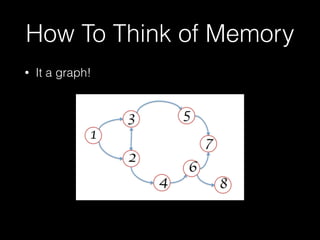
How To Think of Memory
• It a graph!
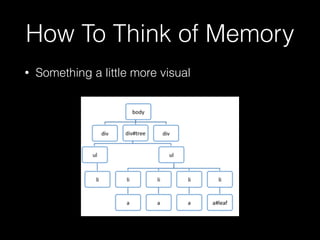
How To Think of Memory
• Something a little more visual
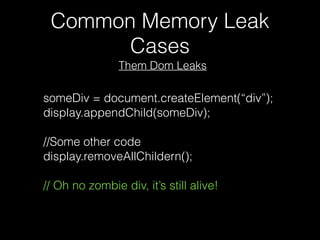
Common Memory Leak
Cases
someDiv = document.createElement(“div”);
display.appendChild(someDiv);
//Some other code
display.removeAllChildern();
// Oh no zombie div, it’s still alive!
Them Dom Leaks
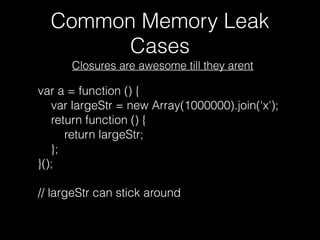
Common Memory Leak
Cases
var a = function () {
var largeStr = new Array(1000000).join('x');
return function () {
return largeStr;
};
}();
// largeStr can stick around
Closures are awesome till they arent
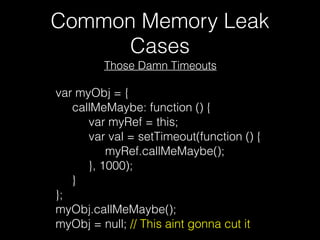
Common Memory Leak
Cases
var myObj = {
     callMeMaybe: function () {
          var myRef = this;
          var val = setTimeout(function () {
               myRef.callMeMaybe();
          }, 1000);
     }
};
myObj.callMeMaybe();
myObj = null; // This aint gonna cut it
Those Damn Timeouts
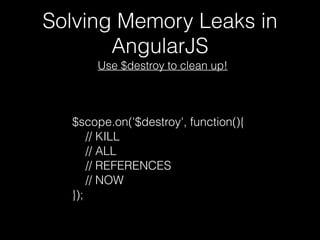
Solving Memory Leaks in
AngularJS
$scope.on('$destroy', function(){
// KILL
// ALL
// REFERENCES
// NOW
});
Use $destroy to clean up!
Solving Memory Leaks in
AngularJS
Use $destroy to clean up!
• Unbind event-listeners: element.off(‘click’)
• Kill your watchers:
• var unwatch = scope.$watch(…
• unwatch(); // Watcher is dead
Solving Memory Leaks in
AngularJS
Use $destroy to clean up!
var button = scope.button = {
selected: false,
callback: scope.onSelect || angular.noop
};
};
scope.$destroy(…
button = null;
…);
How to Find Memory Issues
• CHROME DEV TOOLS!!!!
• https://developer.chrome.com/devtools/docs/
javascript-memory-profiling
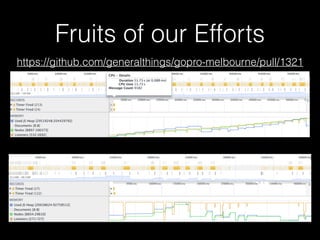
Fruits of our Efforts
Performance
How do we keep Angular snappy?
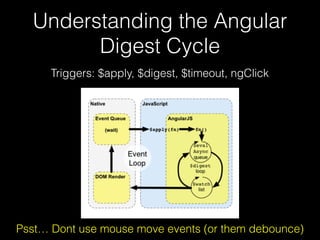
Understanding the Angular
Digest Cycle
Triggers: $apply, $digest, $timeout, ngClick
Psst… Dont use mouse move events (or them debounce)
Performance Tips
$digest triggers digest cycle in current scope and below
V.S.
$apply starts at $rootScope and goes down
Try $applyAsync([exp]);
This can be used to queue up multiple expressions which
need to be evaluated in the same digest.
Using $digest() V.S. $apply() -> $$watchers
Think of scopes and watcher like a tree from the $rootScope
Performance Tips
• Avoiding creating a Watcher programmatically
• watchers > 2000 = caution zone // code smell
• Try services or event dispatching
• Were using ngStats to count that
• DEMO!
var unbinder = scope.$watch('scopeValueToBeWatcher',
function(newVal, oldVal){})
Watch your Watchers
Performance Tips
• Binds once and then deregisters watcher
• Dont use it when you expect the value to change
{{::omgOneAndDoneBinding}}
Use One-Way Bindings!!
Performance Tips
• Dont use them
• If you have to: $rootScope.$emit(…);
• What we did: event-dispatch.js
• Doesnt rely on digest cycle
• Dispatcher/Callback register
• Dispatcher.listen('MediaFilter:Filtered', func…);
$broadcast calls all registered listeners from scope DOWN
V.S.
$emit calls all registered listeners from scope UP
$broadcast V.S. $emit
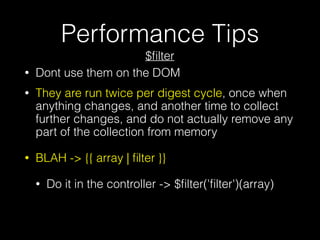
Performance Tips
• Dont use them on the DOM
• They are run twice per digest cycle, once when
anything changes, and another time to collect
further changes, and do not actually remove any
part of the collection from memory
• BLAH -> {{ array | filter }}
• Do it in the controller -> $filter('filter')(array)
$filter
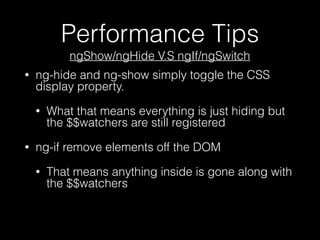
Performance Tips
• ng-hide and ng-show simply toggle the CSS
display property.
• What that means everything is just hiding but
the $$watchers are still registered
• ng-if remove elements off the DOM
• That means anything inside is gone along with
the $$watchers
ngShow/ngHide V.S ngIf/ngSwitch
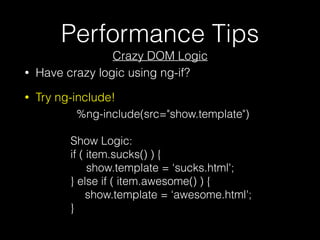
Performance Tips
Crazy DOM Logic
%ng-include(src="show.template")
Show Logic:
if ( item.sucks() ) {
show.template = ‘sucks.html';
} else if ( item.awesome() ) {
show.template = ‘awesome.html';
}
• Have crazy logic using ng-if?
• Try ng-include!
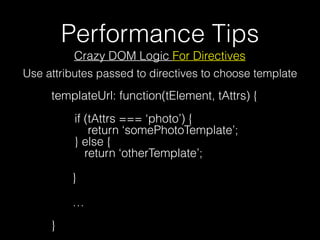
Performance Tips
Crazy DOM Logic For Directives
templateUrl: function(tElement, tAttrs) {


if (tAttrs === ‘photo’) {

return ‘somePhotoTemplate’;

} else {

return ‘otherTemplate’;
}
…


}
Use attributes passed to directives to choose template
Performance Tips
$http Performance Boost
• app.config(function ($httpProvider) { 

$httpProvider.useApplyAsync(true); 

});
• Configure $http service to combine processing
of multiple http responses received at around
the same time via $rootScope.$applyAsync. This
can result in significant performance
improvement for bigger applications that make
many HTTP requests concurrently (common
during application bootstrap).
Performance Tips
ng-repeat Can Get Nasty
• Mo’ DOM elements mo’ problems (watchers)
• ng-repeat="model in collection track by model.id”
• ngRepeat will not have to rebuild the DOM elements
for already rendered items, even if the JavaScript
objects in the collection have been substituted
• angular-viewport-watch to the rescue
• http://.github.com/shahata/angular-viewport-watch
• Hide them $$watchers
• DEMO!
Keeping Digest Cycle Fast
• Keeping watcher count down
• Avoid making new $watchers
• Use on way bindings
• {{::oneWay}}
• Logic triggered by digest cycle should be fast
• ng-repeat="a in getItems()"
• Avoid creating new scopes, mo’ scope mo’ slow
• ngIf over ngShow
• Avoid $emit and $broadcast
• Watchers and Digest cycles arent evil just have
to use them wisely
fin

Javascript Memory leaks and Performance & Angular

  • 1.
    JS Performance & MemoryLeaks Keep Yo Angular Running Snappy
  • 2.
    How To Thinkof Memory • It a graph!
  • 3.
    How To Thinkof Memory • Something a little more visual
  • 4.
    Common Memory Leak Cases someDiv= document.createElement(“div”); display.appendChild(someDiv); //Some other code display.removeAllChildern(); // Oh no zombie div, it’s still alive! Them Dom Leaks
  • 5.
    Common Memory Leak Cases vara = function () { var largeStr = new Array(1000000).join('x'); return function () { return largeStr; }; }(); // largeStr can stick around Closures are awesome till they arent
  • 6.
    Common Memory Leak Cases varmyObj = {      callMeMaybe: function () {           var myRef = this;           var val = setTimeout(function () {                myRef.callMeMaybe();           }, 1000);      } }; myObj.callMeMaybe(); myObj = null; // This aint gonna cut it Those Damn Timeouts
  • 7.
    Solving Memory Leaksin AngularJS $scope.on('$destroy', function(){ // KILL // ALL // REFERENCES // NOW }); Use $destroy to clean up!
  • 8.
    Solving Memory Leaksin AngularJS Use $destroy to clean up! • Unbind event-listeners: element.off(‘click’) • Kill your watchers: • var unwatch = scope.$watch(… • unwatch(); // Watcher is dead
  • 9.
    Solving Memory Leaksin AngularJS Use $destroy to clean up! var button = scope.button = { selected: false, callback: scope.onSelect || angular.noop }; }; scope.$destroy(… button = null; …);
  • 10.
    How to FindMemory Issues • CHROME DEV TOOLS!!!! • https://developer.chrome.com/devtools/docs/ javascript-memory-profiling
  • 11.
  • 12.
    Performance How do wekeep Angular snappy?
  • 13.
    Understanding the Angular DigestCycle Triggers: $apply, $digest, $timeout, ngClick Psst… Dont use mouse move events (or them debounce)
  • 14.
    Performance Tips $digest triggersdigest cycle in current scope and below V.S. $apply starts at $rootScope and goes down Try $applyAsync([exp]); This can be used to queue up multiple expressions which need to be evaluated in the same digest. Using $digest() V.S. $apply() -> $$watchers Think of scopes and watcher like a tree from the $rootScope
  • 15.
    Performance Tips • Avoidingcreating a Watcher programmatically • watchers > 2000 = caution zone // code smell • Try services or event dispatching • Were using ngStats to count that • DEMO! var unbinder = scope.$watch('scopeValueToBeWatcher', function(newVal, oldVal){}) Watch your Watchers
  • 16.
    Performance Tips • Bindsonce and then deregisters watcher • Dont use it when you expect the value to change {{::omgOneAndDoneBinding}} Use One-Way Bindings!!
  • 17.
    Performance Tips • Dontuse them • If you have to: $rootScope.$emit(…); • What we did: event-dispatch.js • Doesnt rely on digest cycle • Dispatcher/Callback register • Dispatcher.listen('MediaFilter:Filtered', func…); $broadcast calls all registered listeners from scope DOWN V.S. $emit calls all registered listeners from scope UP $broadcast V.S. $emit
  • 18.
    Performance Tips • Dontuse them on the DOM • They are run twice per digest cycle, once when anything changes, and another time to collect further changes, and do not actually remove any part of the collection from memory • BLAH -> {{ array | filter }} • Do it in the controller -> $filter('filter')(array) $filter
  • 19.
    Performance Tips • ng-hideand ng-show simply toggle the CSS display property. • What that means everything is just hiding but the $$watchers are still registered • ng-if remove elements off the DOM • That means anything inside is gone along with the $$watchers ngShow/ngHide V.S ngIf/ngSwitch
  • 20.
    Performance Tips Crazy DOMLogic %ng-include(src="show.template") Show Logic: if ( item.sucks() ) { show.template = ‘sucks.html'; } else if ( item.awesome() ) { show.template = ‘awesome.html'; } • Have crazy logic using ng-if? • Try ng-include!
  • 21.
    Performance Tips Crazy DOMLogic For Directives templateUrl: function(tElement, tAttrs) {
 
 if (tAttrs === ‘photo’) {
 return ‘somePhotoTemplate’;
 } else {
 return ‘otherTemplate’; } …
 
 } Use attributes passed to directives to choose template
  • 22.
    Performance Tips $http PerformanceBoost • app.config(function ($httpProvider) { 
 $httpProvider.useApplyAsync(true); 
 }); • Configure $http service to combine processing of multiple http responses received at around the same time via $rootScope.$applyAsync. This can result in significant performance improvement for bigger applications that make many HTTP requests concurrently (common during application bootstrap).
  • 23.
    Performance Tips ng-repeat CanGet Nasty • Mo’ DOM elements mo’ problems (watchers) • ng-repeat="model in collection track by model.id” • ngRepeat will not have to rebuild the DOM elements for already rendered items, even if the JavaScript objects in the collection have been substituted • angular-viewport-watch to the rescue • http://.github.com/shahata/angular-viewport-watch • Hide them $$watchers • DEMO!
  • 24.
    Keeping Digest CycleFast • Keeping watcher count down • Avoid making new $watchers • Use on way bindings • {{::oneWay}} • Logic triggered by digest cycle should be fast • ng-repeat="a in getItems()" • Avoid creating new scopes, mo’ scope mo’ slow • ngIf over ngShow • Avoid $emit and $broadcast • Watchers and Digest cycles arent evil just have to use them wisely
  • 25.