1
AngularJS - CloudVis Technology
AngularJS Framework
Tăng Phú
phutang@cloudvis.vn
Technical Leader @ CloudVis Technology
2
AngularJS - CloudVis Technology
Agenda
Introduction to AngularJS
Anatomy of an AngularJS application
Communicating with Servers
Custom Directives (advanced)
3
AngularJS - CloudVis Technology
Introduction to AngularJS
Angular Team @ Google
4
AngularJS - CloudVis Technology
Introduction to AngularJS
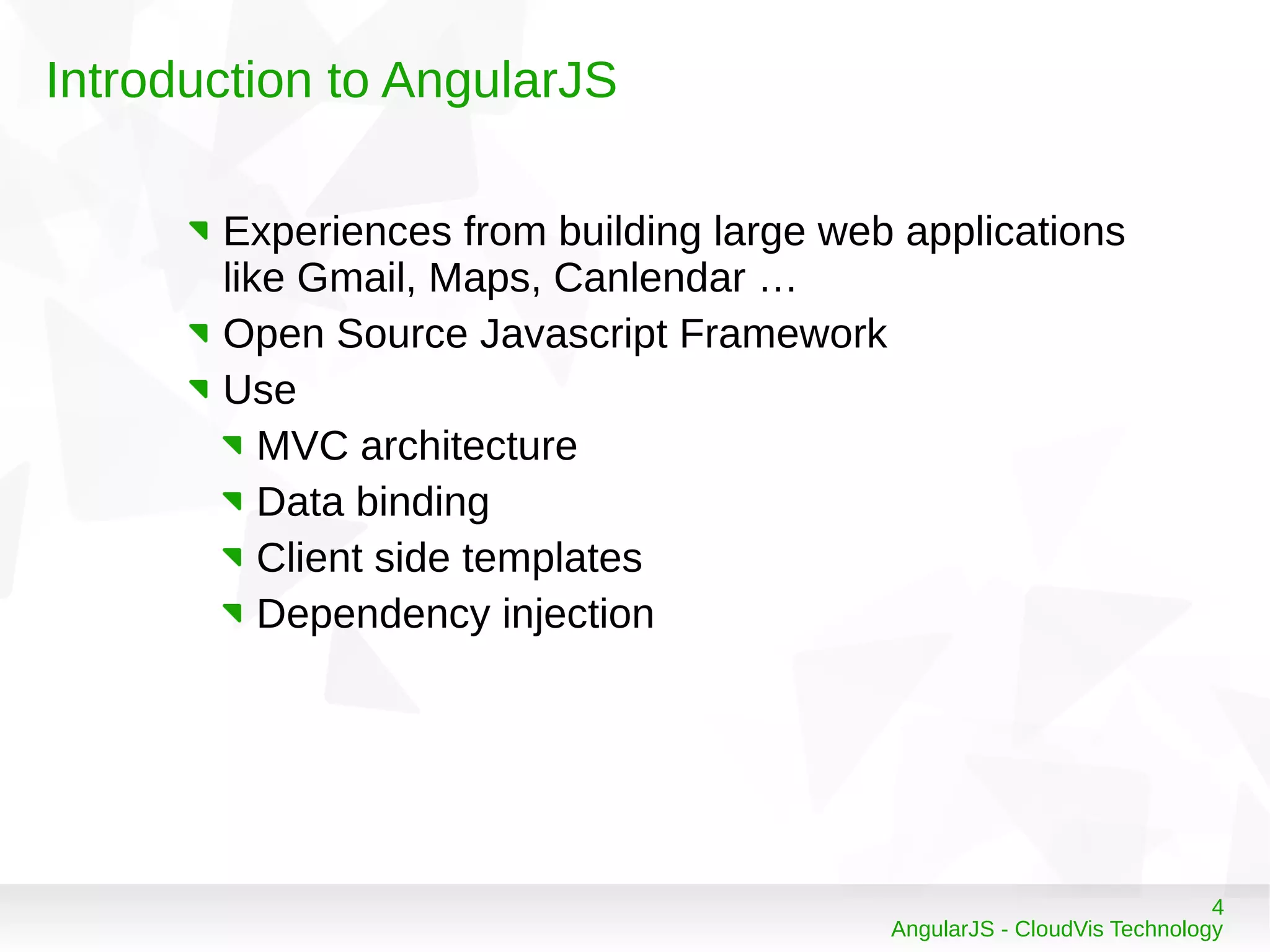
Experiences from building large web applications
like Gmail, Maps, Canlendar …
Open Source Javascript Framework
Use
MVC architecture
Data binding
Client side templates
Dependency injection
5
AngularJS - CloudVis Technology
Introduction to AngularJS
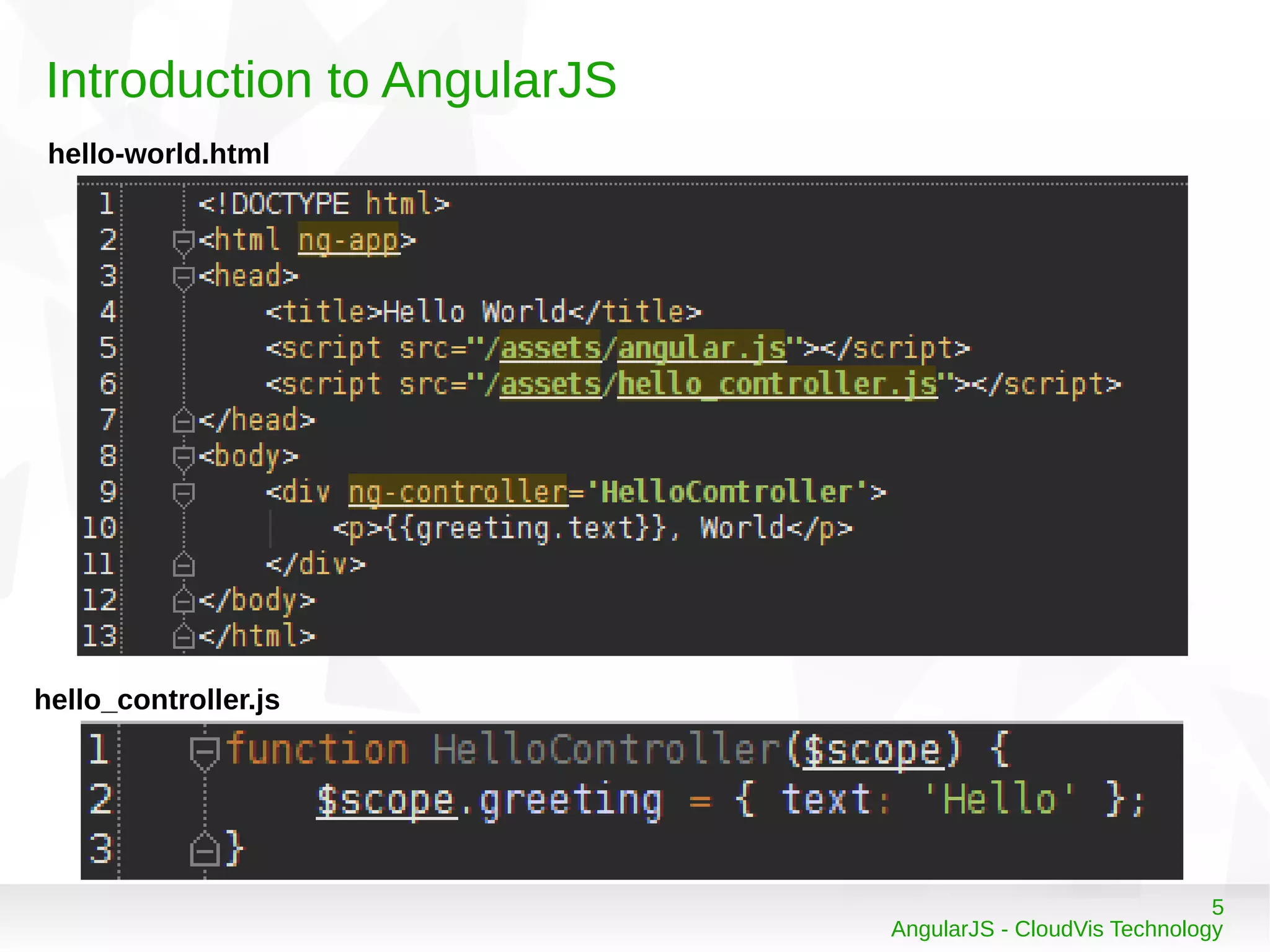
hello-world.html
hello_controller.js
6
AngularJS - CloudVis Technology
Introduction to AngularJS
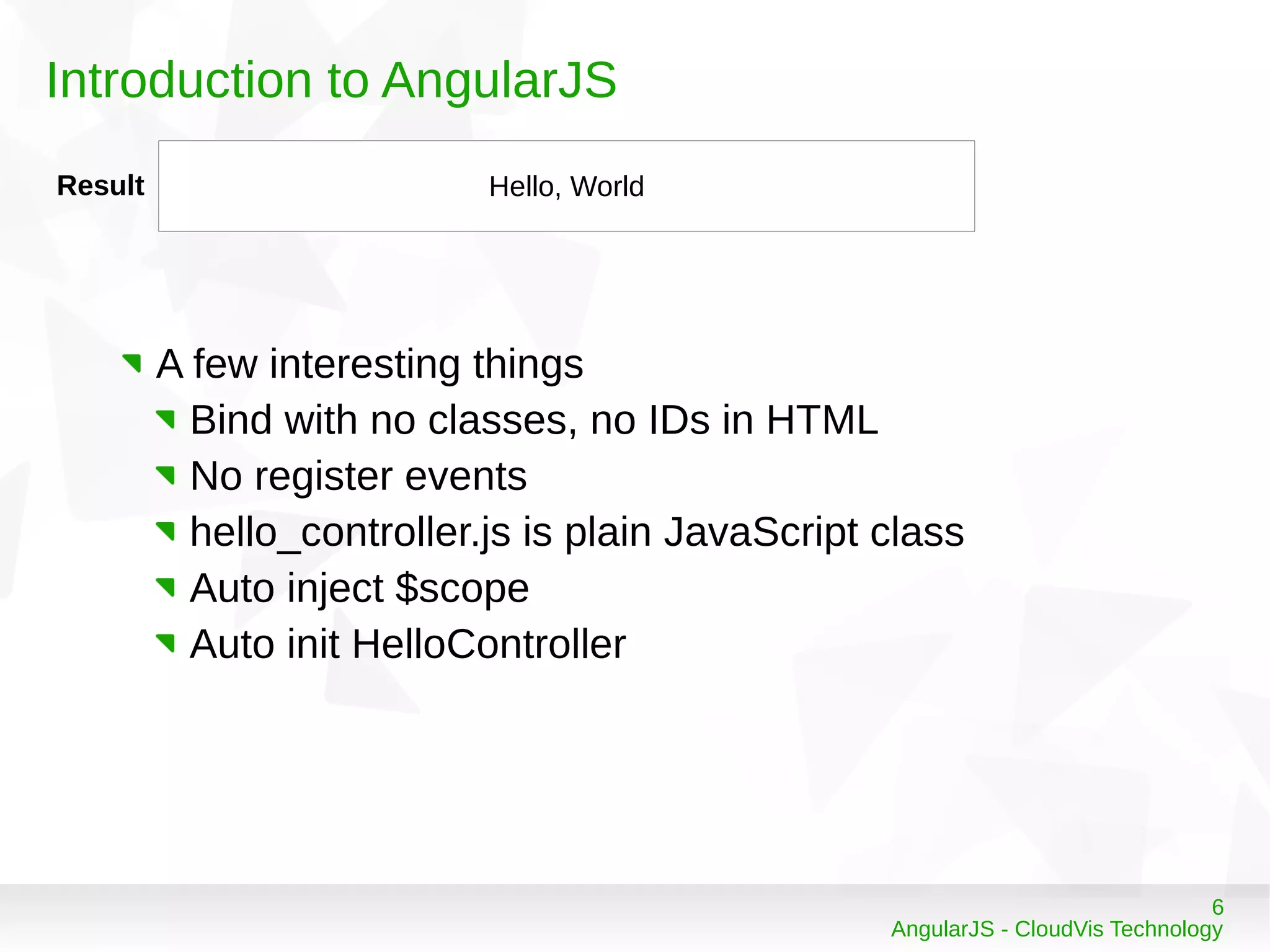
Result Hello, World
A few interesting things
Bind with no classes, no IDs in HTML
No register events
hello_controller.js is plain JavaScript class
Auto inject $scope
Auto init HelloController
7
AngularJS - CloudVis Technology
Introduction to AngularJS
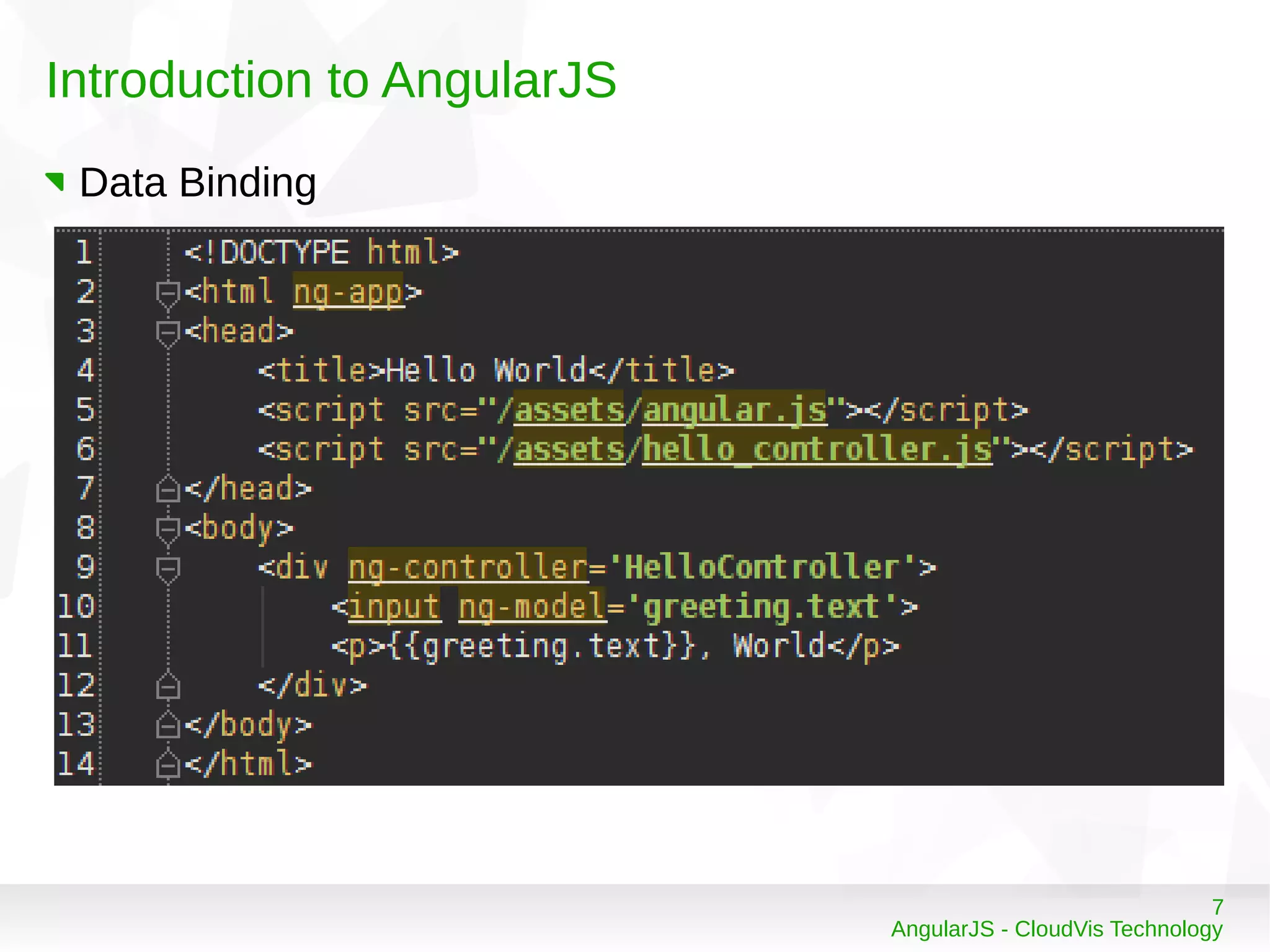
Data Binding
8
AngularJS - CloudVis Technology
Introduction to AngularJS
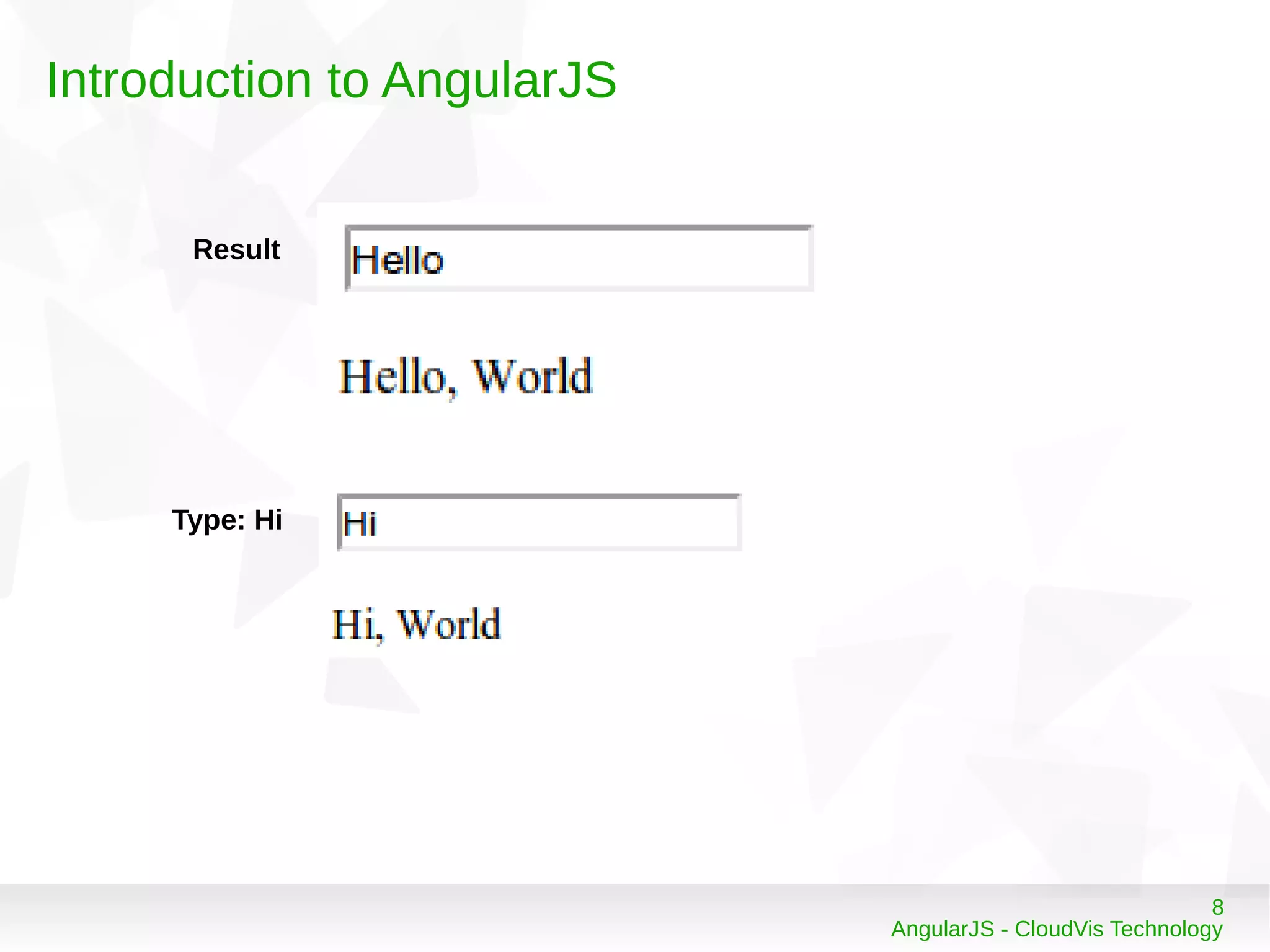
Result
Type: Hi
9
AngularJS - CloudVis Technology
Anatomy of an AngularJS application
Structure – Basic workflow
10
AngularJS - CloudVis Technology
Anatomy of an AngularJS application
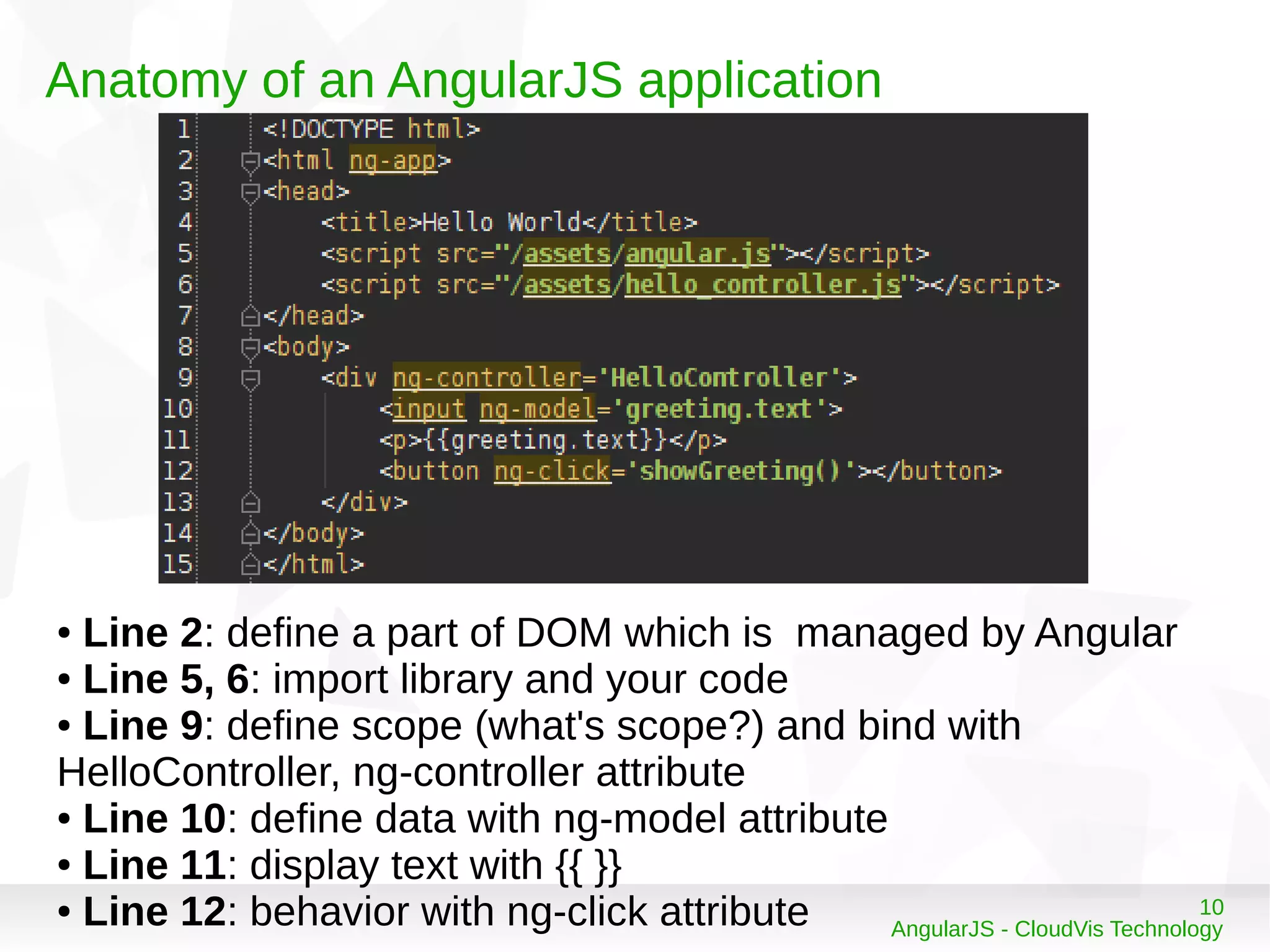
● Line 2: define a part of DOM which is managed by Angular
● Line 5, 6: import library and your code
● Line 9: define scope (what's scope?) and bind with
HelloController, ng-controller attribute
● Line 10: define data with ng-model attribute
● Line 11: display text with {{ }}
● Line 12: behavior with ng-click attribute
11
AngularJS - CloudVis Technology
Basic startup flow
User requests a first page
Load a index.html page with template
Wait for the page fullly loaded, and looks ng-app
Scan binding and directives (what's directive?)
Connect to server to load additional data (call ajax to get
data)
12
AngularJS - CloudVis Technology
Basic startup flow
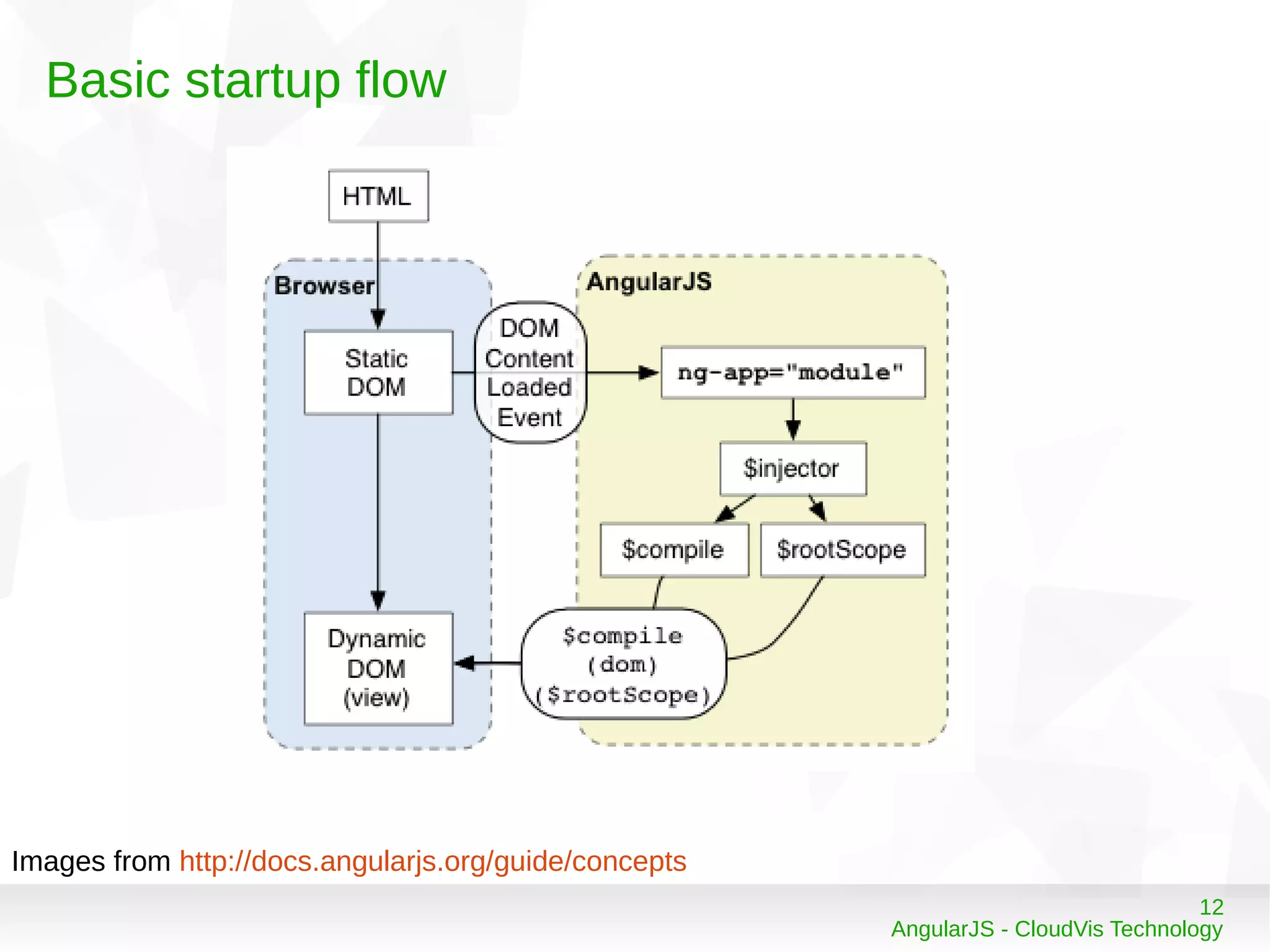
Images from http://docs.angularjs.org/guide/concepts
13
AngularJS - CloudVis Technology
What's Directive?
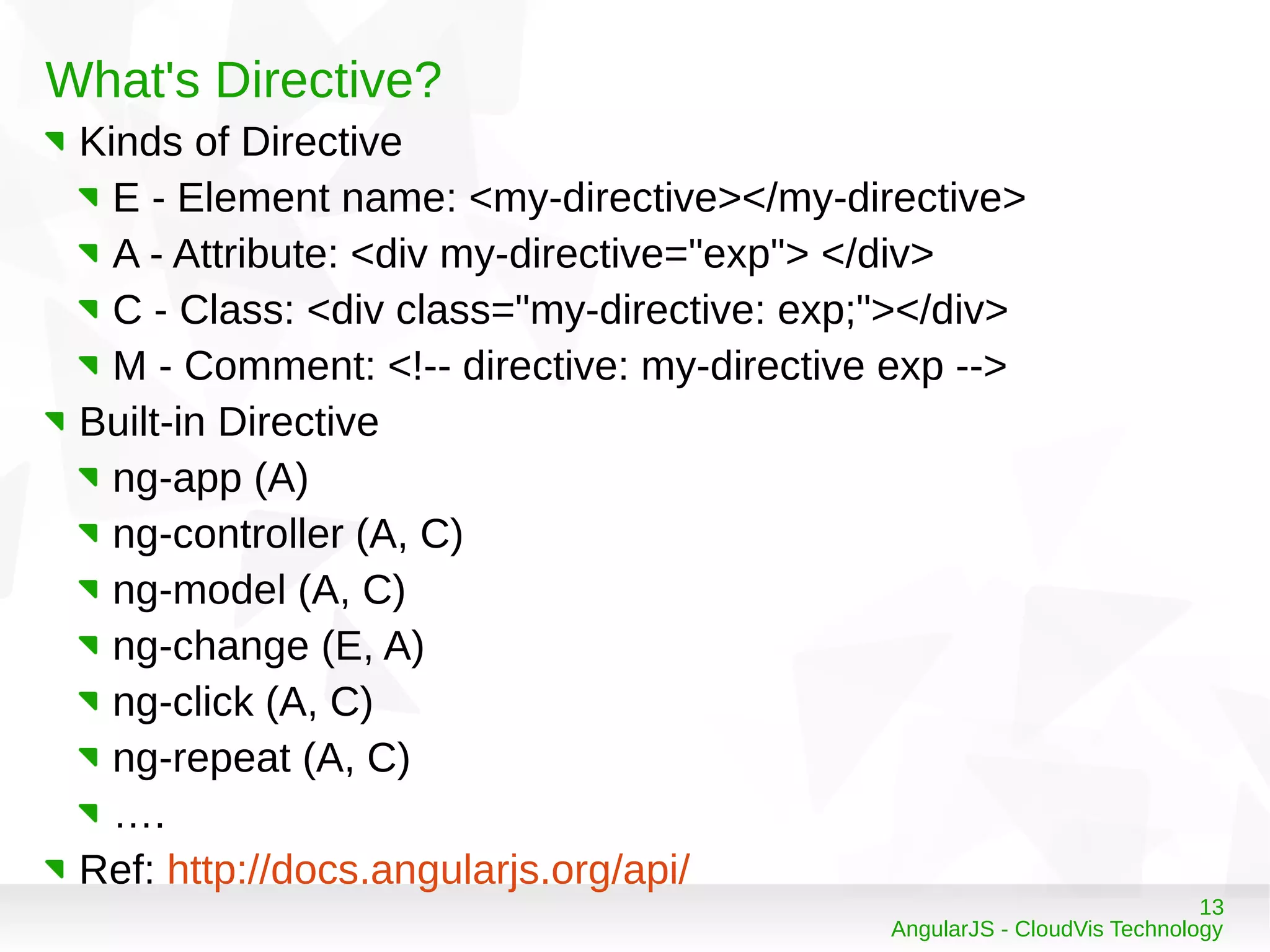
Kinds of Directive
E - Element name: <my-directive></my-directive>
A - Attribute: <div my-directive="exp"> </div>
C - Class: <div class="my-directive: exp;"></div>
M - Comment: <!-- directive: my-directive exp -->
Built-in Directive
ng-app (A)
ng-controller (A, C)
ng-model (A, C)
ng-change (E, A)
ng-click (A, C)
ng-repeat (A, C)
….
Ref: http://docs.angularjs.org/api/
14
AngularJS - CloudVis Technology
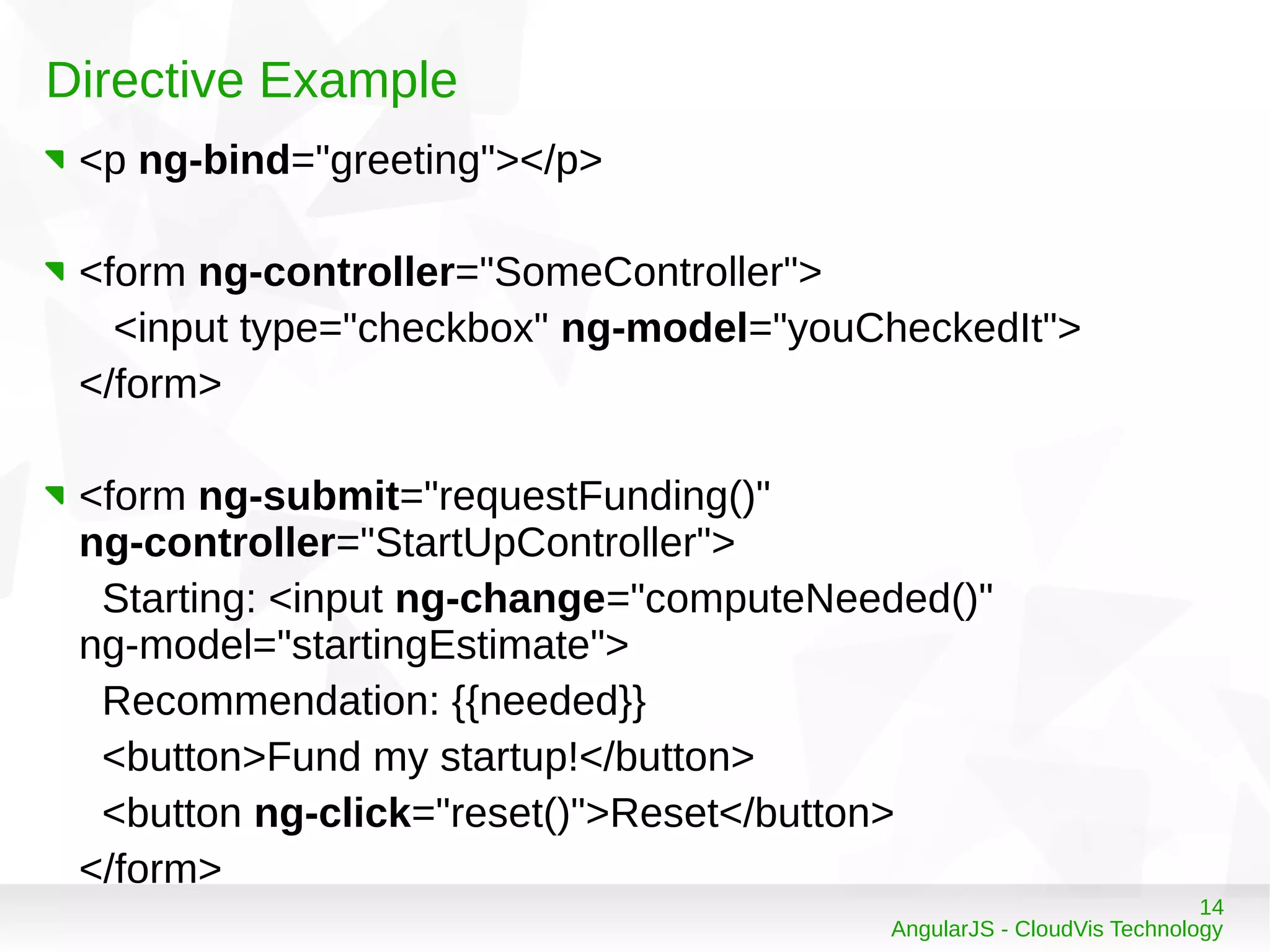
Directive Example
<p ng-bind="greeting"></p>
<form ng-controller="SomeController">
<input type="checkbox" ng-model="youCheckedIt">
</form>
<form ng-submit="requestFunding()"
ng-controller="StartUpController">
Starting: <input ng-change="computeNeeded()"
ng-model="startingEstimate">
Recommendation: {{needed}}
<button>Fund my startup!</button>
<button ng-click="reset()">Reset</button>
</form>
15
AngularJS - CloudVis Technology
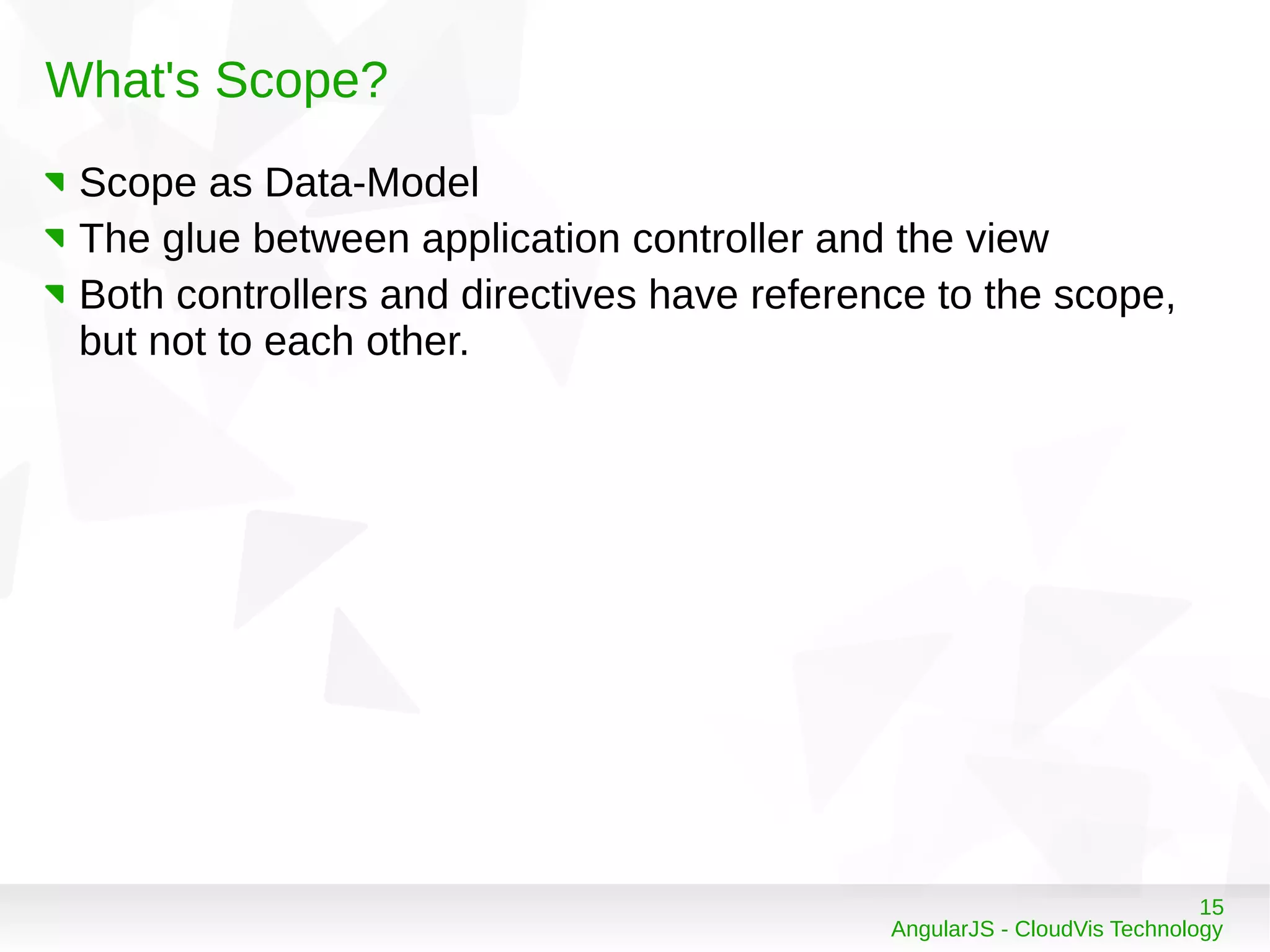
What's Scope?
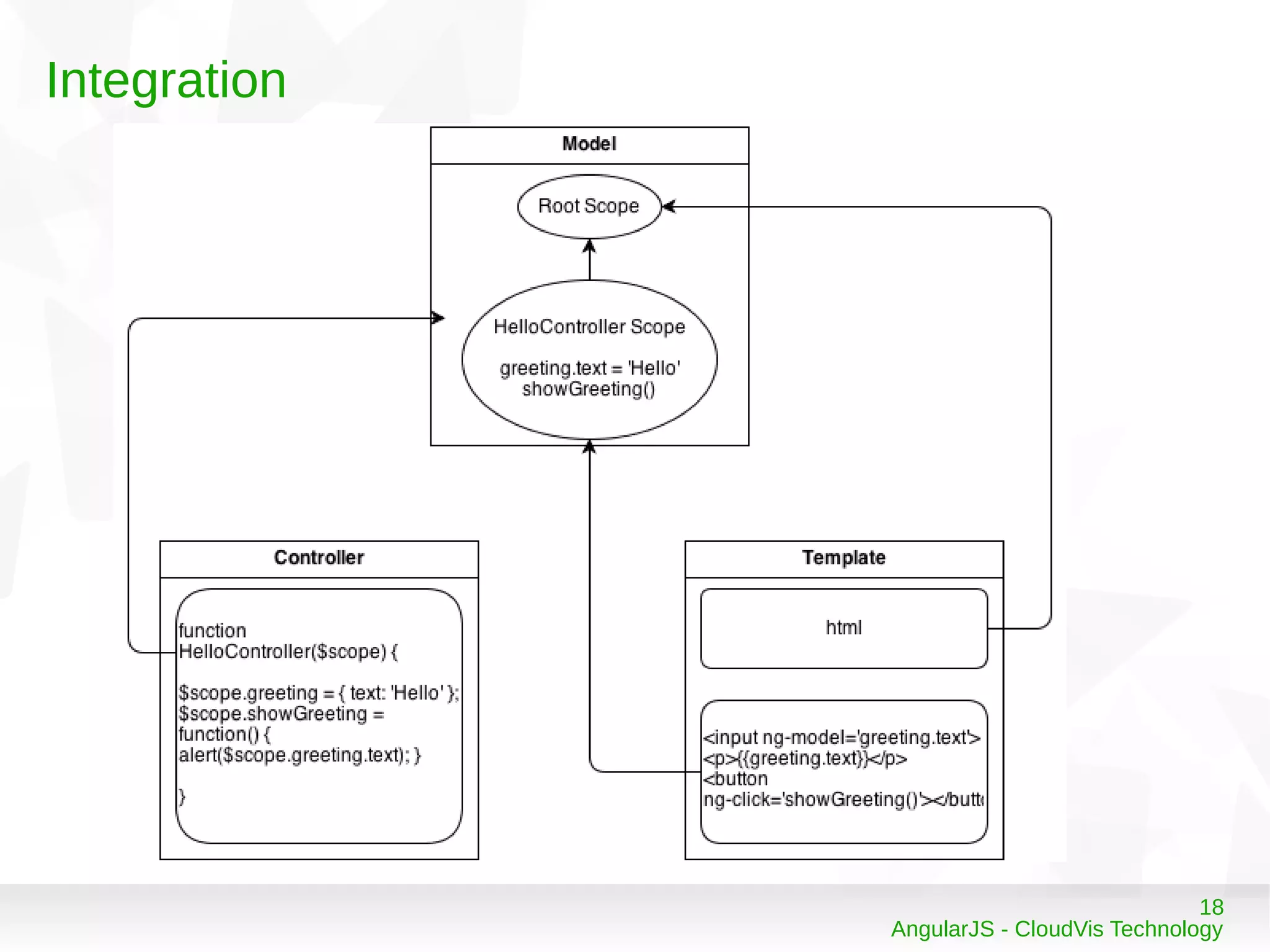
Scope as Data-Model
The glue between application controller and the view
Both controllers and directives have reference to the scope,
but not to each other.
16
AngularJS - CloudVis Technology
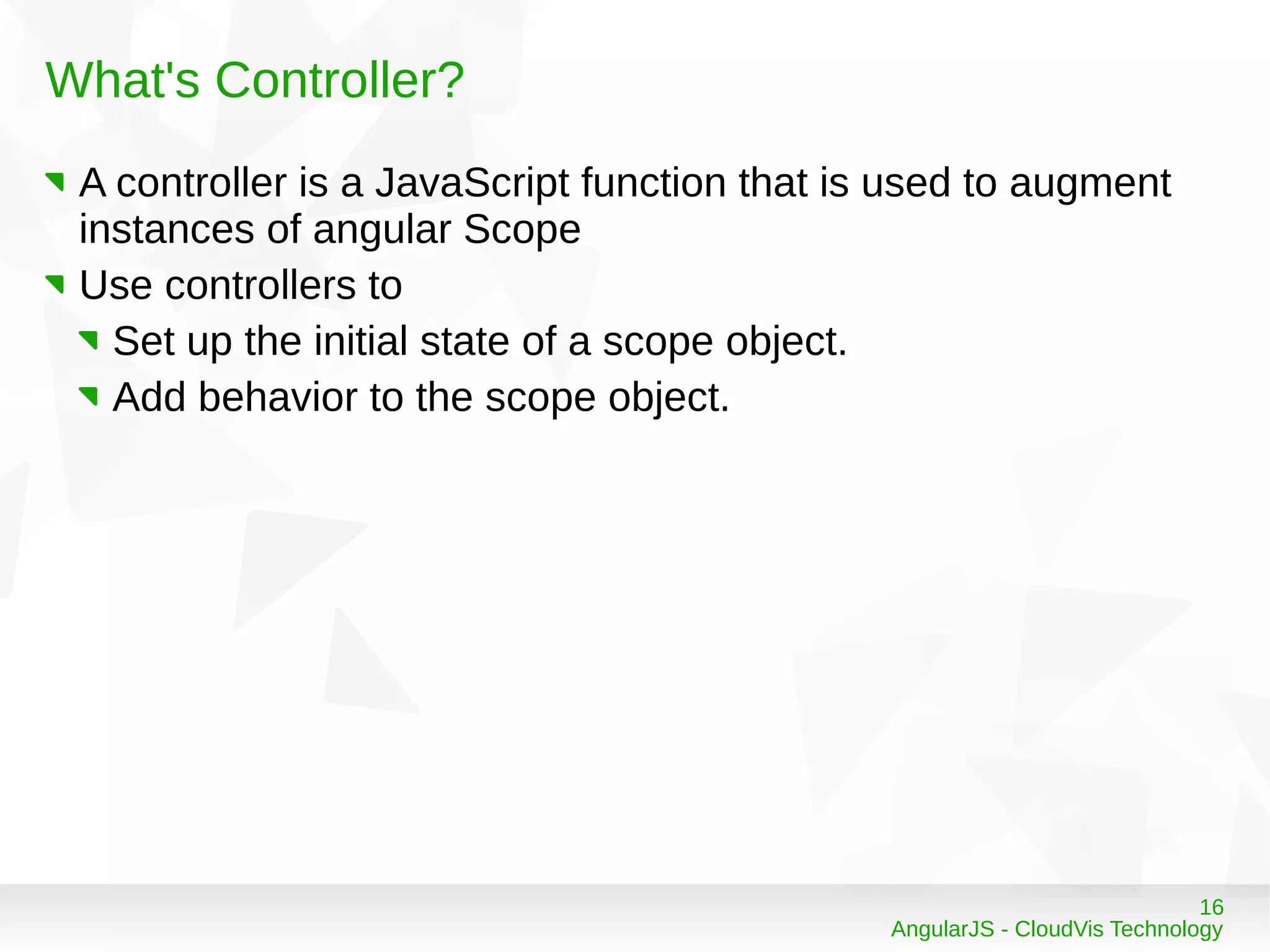
What's Controller?
A controller is a JavaScript function that is used to augment
instances of angular Scope
Use controllers to
Set up the initial state of a scope object.
Add behavior to the scope object.
17
AngularJS - CloudVis Technology
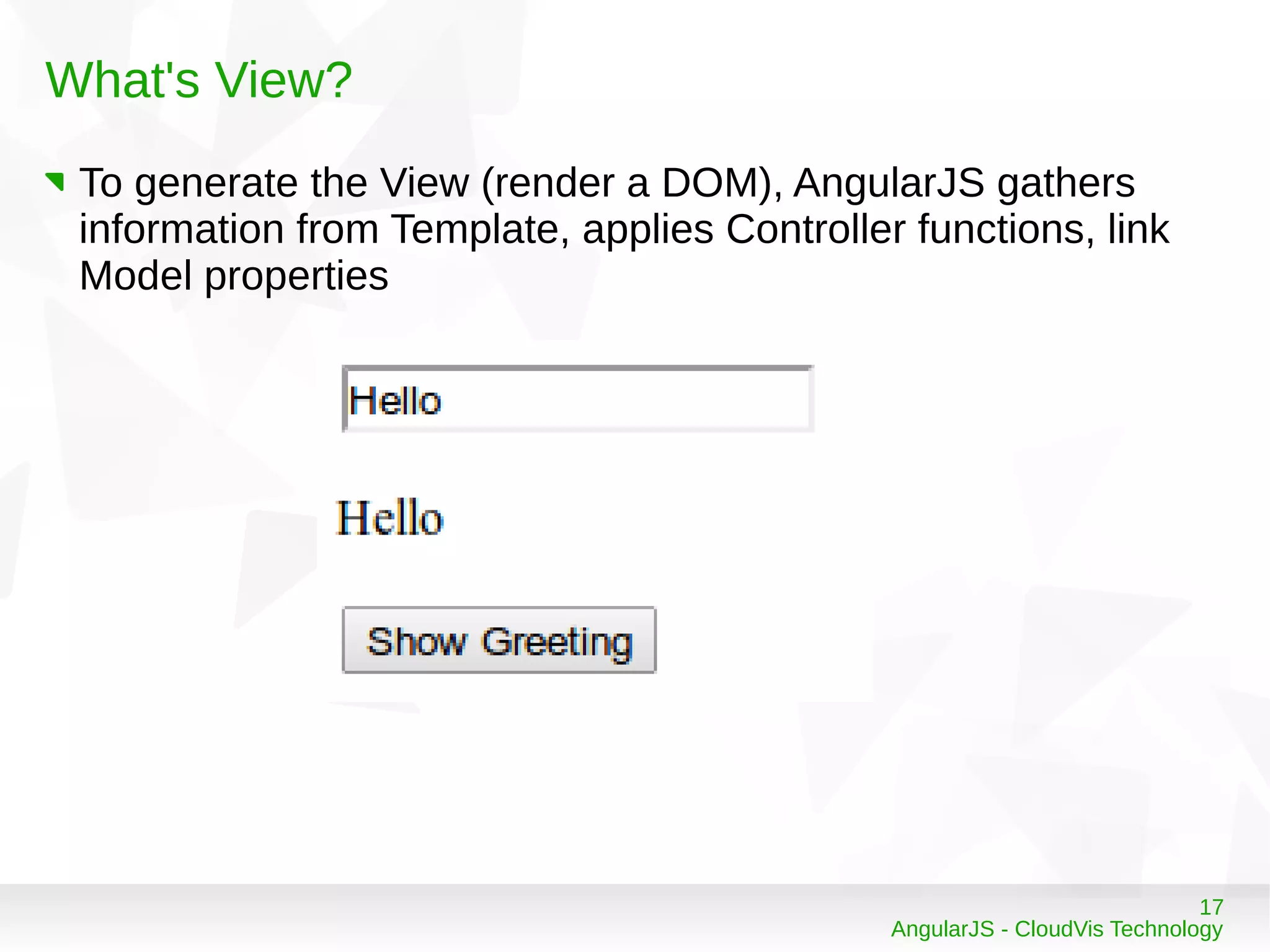
What's View?
To generate the View (render a DOM), AngularJS gathers
information from Template, applies Controller functions, link
Model properties
18
AngularJS - CloudVis Technology
Integration
19
AngularJS - CloudVis Technology
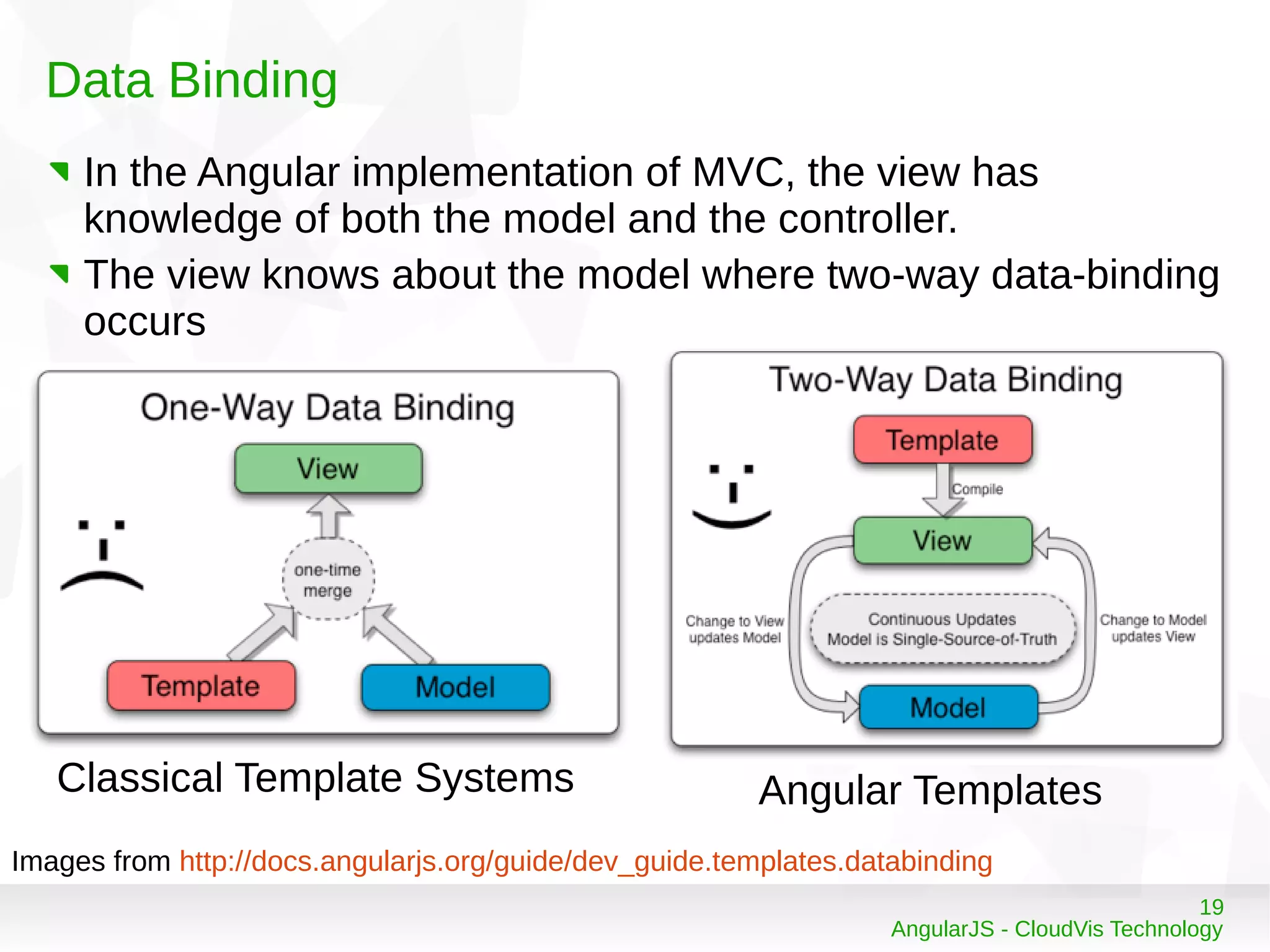
Data Binding
In the Angular implementation of MVC, the view has
knowledge of both the model and the controller.
The view knows about the model where two-way data-binding
occurs
Images from http://docs.angularjs.org/guide/dev_guide.templates.databinding
Classical Template Systems Angular Templates
20
AngularJS - CloudVis Technology
Communicating with Servers
21
AngularJS - CloudVis Technology
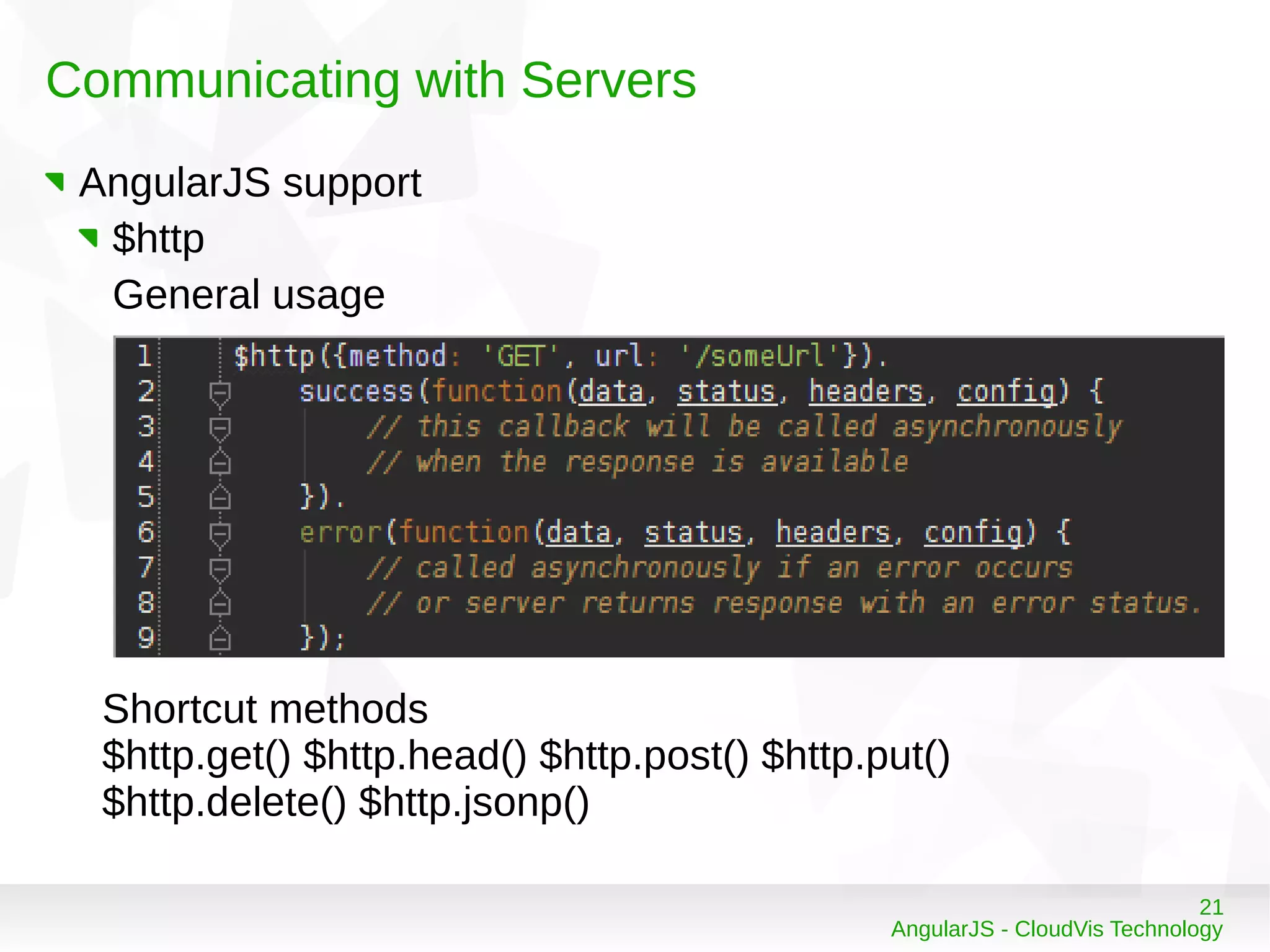
Communicating with Servers
AngularJS support
$http
General usage
Shortcut methods
$http.get() $http.head() $http.post() $http.put()
$http.delete() $http.jsonp()
22
AngularJS - CloudVis Technology
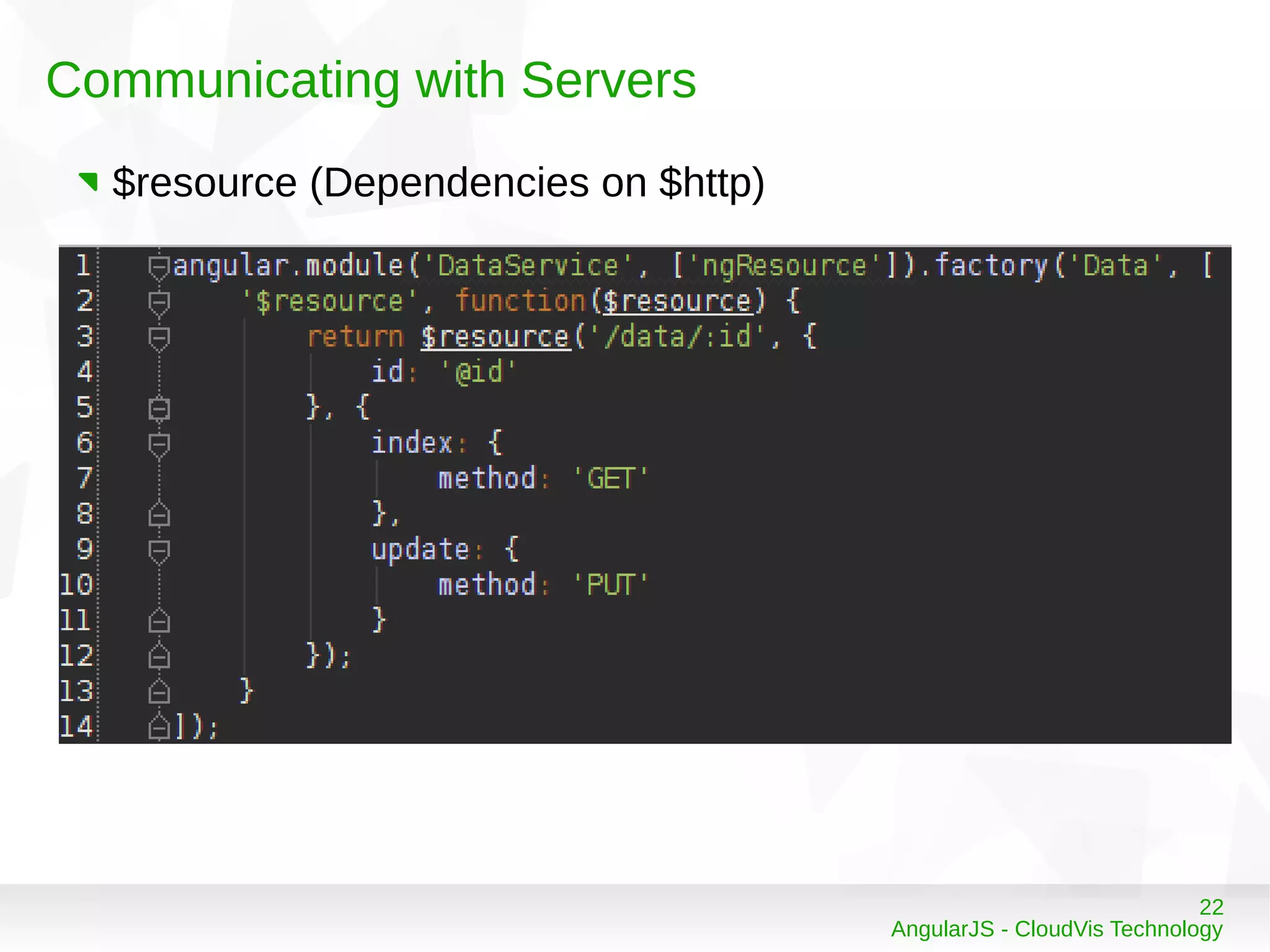
Communicating with Servers
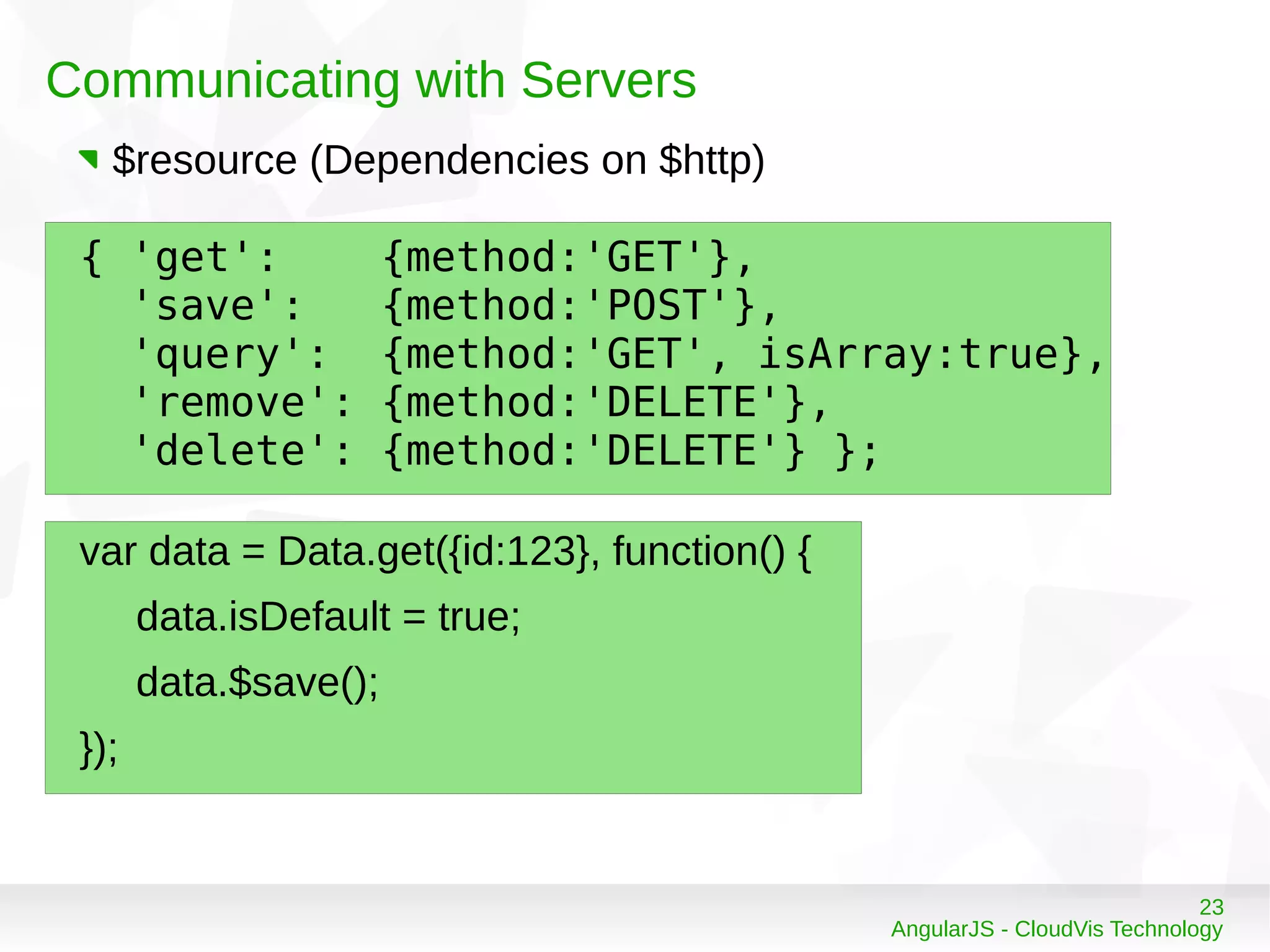
$resource (Dependencies on $http)
23
AngularJS - CloudVis Technology
Communicating with Servers
var data = Data.get({id:123}, function() {
data.isDefault = true;
data.$save();
});
{ 'get': {method:'GET'},
'save': {method:'POST'},
'query': {method:'GET', isArray:true},
'remove': {method:'DELETE'},
'delete': {method:'DELETE'} };
$resource (Dependencies on $http)
24
AngularJS - CloudVis Technology
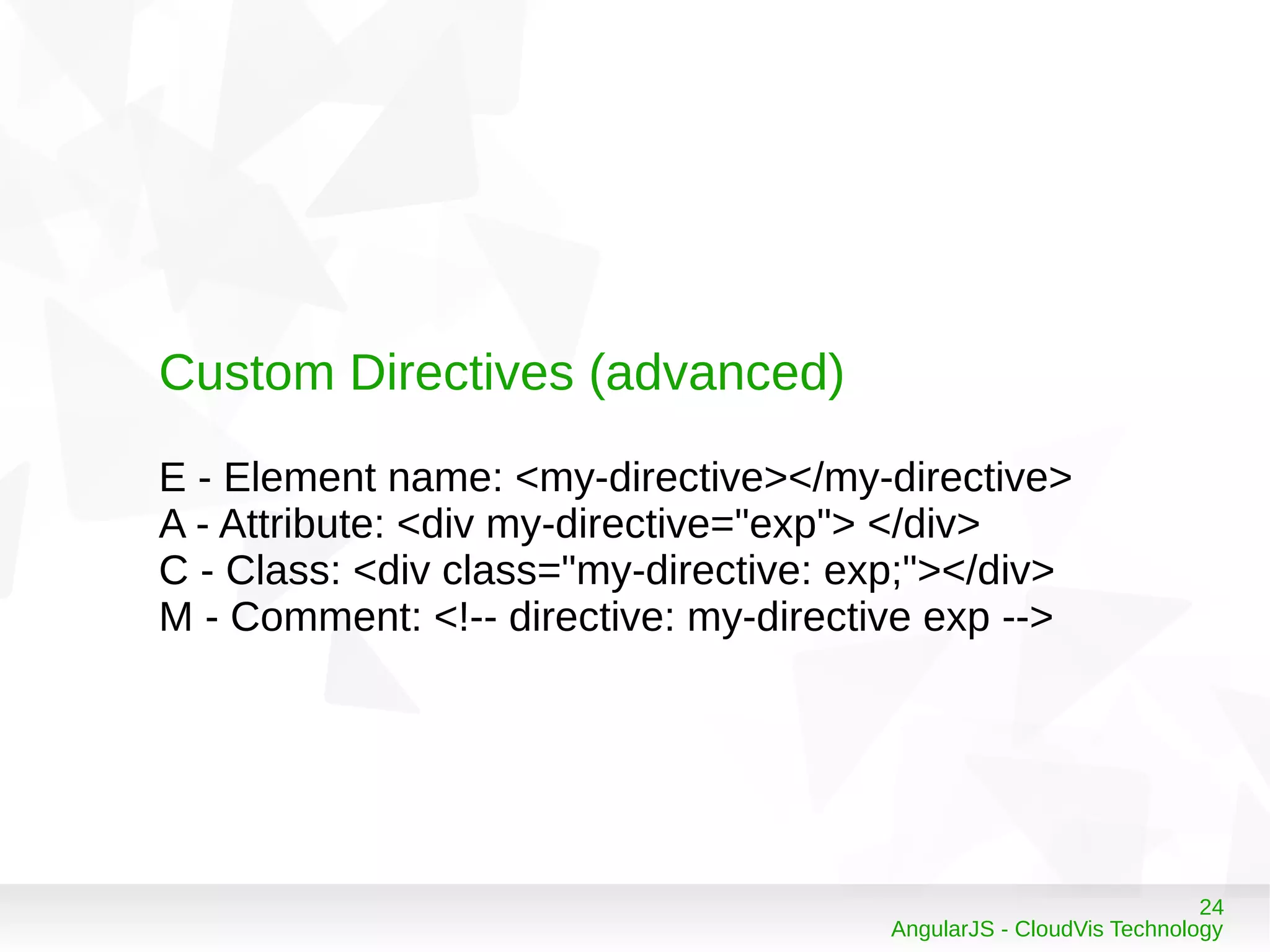
Custom Directives (advanced)
E - Element name: <my-directive></my-directive>
A - Attribute: <div my-directive="exp"> </div>
C - Class: <div class="my-directive: exp;"></div>
M - Comment: <!-- directive: my-directive exp -->
25
AngularJS - CloudVis Technology
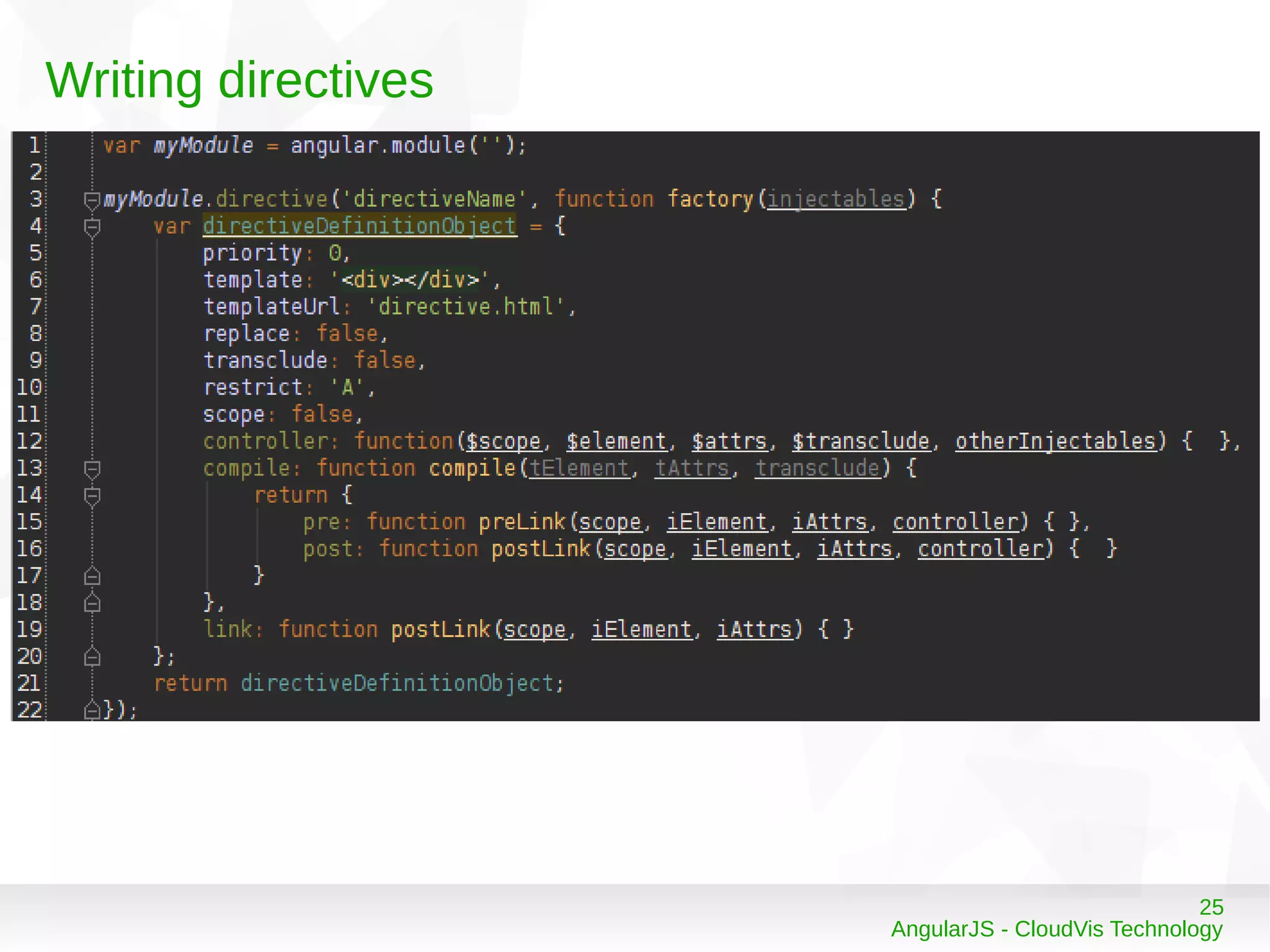
Writing directives
26
AngularJS - CloudVis Technology
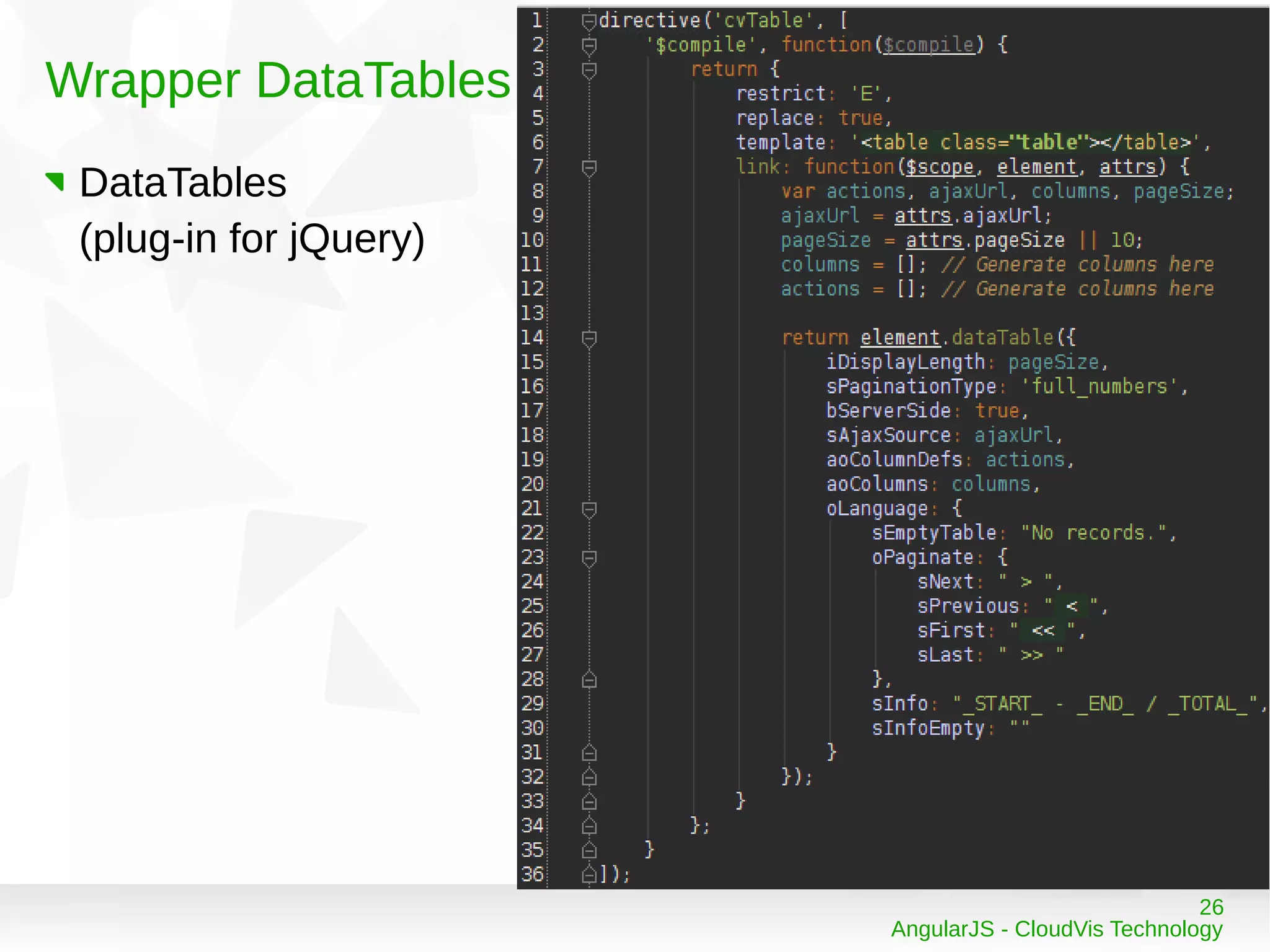
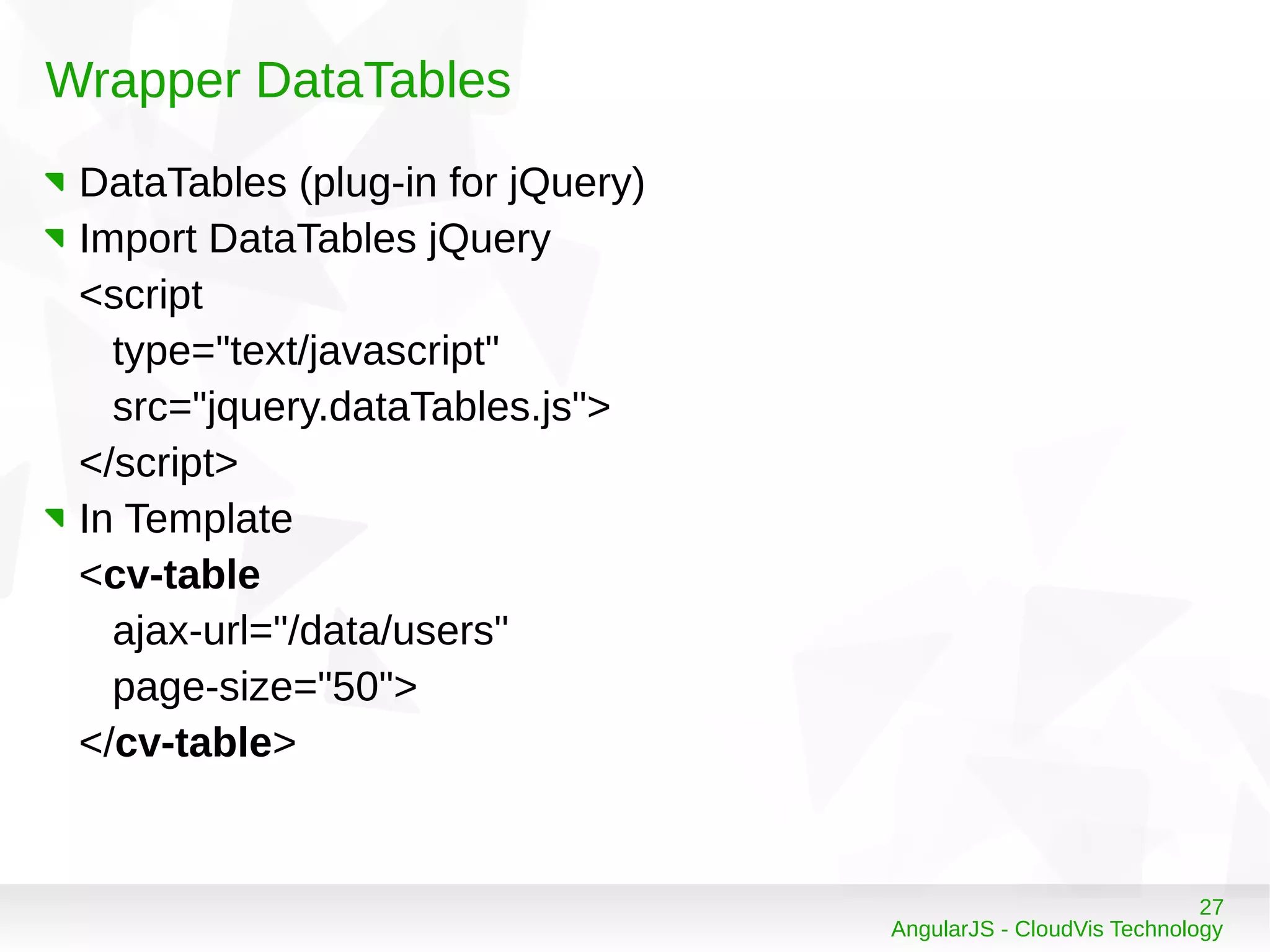
Wrapper DataTables
DataTables
(plug-in for jQuery)
27
AngularJS - CloudVis Technology
Wrapper DataTables
DataTables (plug-in for jQuery)
Import DataTables jQuery
<script
type="text/javascript"
src="jquery.dataTables.js">
</script>
In Template
<cv-table
ajax-url="/data/users"
page-size="50">
</cv-table>
28
AngularJS - CloudVis Technology
References
http://angularjs.org/
Ebook: AngularJS, Oreilly, Apr 2013
29
AngularJS - CloudVis Technology
Thank you

AngularJS Framework

  • 1.
    1 AngularJS - CloudVisTechnology AngularJS Framework Tăng Phú phutang@cloudvis.vn Technical Leader @ CloudVis Technology
  • 2.
    2 AngularJS - CloudVisTechnology Agenda Introduction to AngularJS Anatomy of an AngularJS application Communicating with Servers Custom Directives (advanced)
  • 3.
    3 AngularJS - CloudVisTechnology Introduction to AngularJS Angular Team @ Google
  • 4.
    4 AngularJS - CloudVisTechnology Introduction to AngularJS Experiences from building large web applications like Gmail, Maps, Canlendar … Open Source Javascript Framework Use MVC architecture Data binding Client side templates Dependency injection
  • 5.
    5 AngularJS - CloudVisTechnology Introduction to AngularJS hello-world.html hello_controller.js
  • 6.
    6 AngularJS - CloudVisTechnology Introduction to AngularJS Result Hello, World A few interesting things Bind with no classes, no IDs in HTML No register events hello_controller.js is plain JavaScript class Auto inject $scope Auto init HelloController
  • 7.
    7 AngularJS - CloudVisTechnology Introduction to AngularJS Data Binding
  • 8.
    8 AngularJS - CloudVisTechnology Introduction to AngularJS Result Type: Hi
  • 9.
    9 AngularJS - CloudVisTechnology Anatomy of an AngularJS application Structure – Basic workflow
  • 10.
    10 AngularJS - CloudVisTechnology Anatomy of an AngularJS application ● Line 2: define a part of DOM which is managed by Angular ● Line 5, 6: import library and your code ● Line 9: define scope (what's scope?) and bind with HelloController, ng-controller attribute ● Line 10: define data with ng-model attribute ● Line 11: display text with {{ }} ● Line 12: behavior with ng-click attribute
  • 11.
    11 AngularJS - CloudVisTechnology Basic startup flow User requests a first page Load a index.html page with template Wait for the page fullly loaded, and looks ng-app Scan binding and directives (what's directive?) Connect to server to load additional data (call ajax to get data)
  • 12.
    12 AngularJS - CloudVisTechnology Basic startup flow Images from http://docs.angularjs.org/guide/concepts
  • 13.
    13 AngularJS - CloudVisTechnology What's Directive? Kinds of Directive E - Element name: <my-directive></my-directive> A - Attribute: <div my-directive="exp"> </div> C - Class: <div class="my-directive: exp;"></div> M - Comment: <!-- directive: my-directive exp --> Built-in Directive ng-app (A) ng-controller (A, C) ng-model (A, C) ng-change (E, A) ng-click (A, C) ng-repeat (A, C) …. Ref: http://docs.angularjs.org/api/
  • 14.
    14 AngularJS - CloudVisTechnology Directive Example <p ng-bind="greeting"></p> <form ng-controller="SomeController"> <input type="checkbox" ng-model="youCheckedIt"> </form> <form ng-submit="requestFunding()" ng-controller="StartUpController"> Starting: <input ng-change="computeNeeded()" ng-model="startingEstimate"> Recommendation: {{needed}} <button>Fund my startup!</button> <button ng-click="reset()">Reset</button> </form>
  • 15.
    15 AngularJS - CloudVisTechnology What's Scope? Scope as Data-Model The glue between application controller and the view Both controllers and directives have reference to the scope, but not to each other.
  • 16.
    16 AngularJS - CloudVisTechnology What's Controller? A controller is a JavaScript function that is used to augment instances of angular Scope Use controllers to Set up the initial state of a scope object. Add behavior to the scope object.
  • 17.
    17 AngularJS - CloudVisTechnology What's View? To generate the View (render a DOM), AngularJS gathers information from Template, applies Controller functions, link Model properties
  • 18.
    18 AngularJS - CloudVisTechnology Integration
  • 19.
    19 AngularJS - CloudVisTechnology Data Binding In the Angular implementation of MVC, the view has knowledge of both the model and the controller. The view knows about the model where two-way data-binding occurs Images from http://docs.angularjs.org/guide/dev_guide.templates.databinding Classical Template Systems Angular Templates
  • 20.
    20 AngularJS - CloudVisTechnology Communicating with Servers
  • 21.
    21 AngularJS - CloudVisTechnology Communicating with Servers AngularJS support $http General usage Shortcut methods $http.get() $http.head() $http.post() $http.put() $http.delete() $http.jsonp()
  • 22.
    22 AngularJS - CloudVisTechnology Communicating with Servers $resource (Dependencies on $http)
  • 23.
    23 AngularJS - CloudVisTechnology Communicating with Servers var data = Data.get({id:123}, function() { data.isDefault = true; data.$save(); }); { 'get': {method:'GET'}, 'save': {method:'POST'}, 'query': {method:'GET', isArray:true}, 'remove': {method:'DELETE'}, 'delete': {method:'DELETE'} }; $resource (Dependencies on $http)
  • 24.
    24 AngularJS - CloudVisTechnology Custom Directives (advanced) E - Element name: <my-directive></my-directive> A - Attribute: <div my-directive="exp"> </div> C - Class: <div class="my-directive: exp;"></div> M - Comment: <!-- directive: my-directive exp -->
  • 25.
    25 AngularJS - CloudVisTechnology Writing directives
  • 26.
    26 AngularJS - CloudVisTechnology Wrapper DataTables DataTables (plug-in for jQuery)
  • 27.
    27 AngularJS - CloudVisTechnology Wrapper DataTables DataTables (plug-in for jQuery) Import DataTables jQuery <script type="text/javascript" src="jquery.dataTables.js"> </script> In Template <cv-table ajax-url="/data/users" page-size="50"> </cv-table>
  • 28.
    28 AngularJS - CloudVisTechnology References http://angularjs.org/ Ebook: AngularJS, Oreilly, Apr 2013
  • 29.
    29 AngularJS - CloudVisTechnology Thank you