Downloaded 26 times

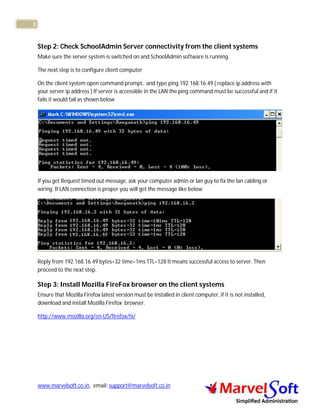
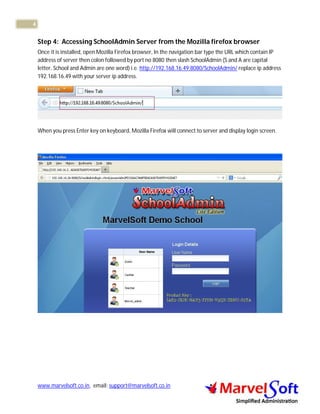
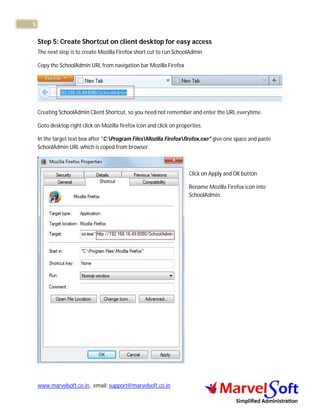

This document provides steps to configure the SchoolAdmin client-server setup in a local area network (LAN). It explains that the SchoolAdmin software needs to be installed on a server computer and that clients can then access it via Mozilla Firefox. The 5 steps are: 1) Note the IP address of the SchoolAdmin server. 2) Check connectivity from clients to the server using ping. 3) Install Firefox on clients. 4) Access the SchoolAdmin URL on Firefox using the server IP address. 5) Create a Firefox shortcut on clients' desktops with the SchoolAdmin URL to provide easy access.


