Making Your jQuery More Accessible


Colin Clark, Fluid Project Technical Lead,
Adaptive Technology Resource Centre
Topics We’ll Cover
• A quick introduction
• What is accessibility?
• Challenges of DHTML accessibility
• Quick ARIA refresher
• Implementing keyboard navigation
• An update on jQuery UI accessibility
• Meet Infusion
Who am I?

• I’m the technical lead for the Fluid
   community
• IResource the Adaptive Technology
    work at
            Centre
             http://fluidproject.org/


• I love JavaScript and jQuery
What’s the Fluid Project?

• We’re an open source community of:
 • Interaction designers
 • Front-end developers
 • Accessibility people
• We help other communities
• We love the Open Web
What is Accessibility?
A New Definition

• Accessibility is the ability of the system to
  accommodate the needs of the user
• Disability is the mismatch between the user
  and the interface provided
• We all experience disability
• Accessible software = better software
DHTML: A New Can of Worms


• Shift from documents to applications
• Familiar a11y techniques aren’t enough
• Most DHTML is completely inaccessible
• New techniques are still being figured out
Assistive Technologies
• Present and control the user interface in
  different ways
• Not just screen readers!
• Use built-in operating system APIs to
  understand the user interface

                                   Screen readers
                                 Screen magnifiers
                              On-screen keyboards
The Problem

• Custom widgets often look, but don’t act,
  like their counterparts on the desktop
• HTML provides only simple semantics
• Not enough information for ATs
• Dynamic updates require new design
  strategies to be accessible
The Solution


• Describe user interfaces with ARIA
• Add consistent keyboard controls
• Provide flexible styling and presentation
Supporting Assistive Technology
Where’s the Code?


http://bit.ly/
13ckp
Opaque Markup
// These are tabs. How would you know?
<ol>
 <li><a href=”#cats”>Cats</a></li>
 <li><a href=”#dogs”>Dogs</a></li>
 <li><a href=”#gators”>Gators</a></li>
</ol>
<div>
 <div id=”cats”>Cats meow.</div>
 <div id=”dogs”>Dogs bark.</div>
 <div id=”gators”>Gators bite.</div>
</div>
Opaque Markup: Tabs
ARIA

• Accessible Rich Internet Applications
• W3C specification in the works
• Fills the semantic gaps in HTML
• Roles, states, and properties
• Live regions
Roles, States, Properties
• Roles describe widgets not present in HTML 4
  • slider, menubar, tab, dialog
• Properties describe characteristics:
  •   draggable, hasPopup, required

• States describe what’s happening:
  •   busy, disabled, selected, hidden
Using ARIA
// Now *these* are Tabs!
<ol id=”animalTabs” role=”tablist” tabindex=”0”>
 <!-- Individual Tabs shouldn’t be focusable -->
 <!-- We’ll focus them with JavaScript instead -->
 <li role=”tab”><a href=”#” tabindex=”-1”>Cats</a></li>
 <li role=”tab”><a href=”#” tabindex=”-1”>Dogs</a></li>
 <li role=”tab”><a href=”#” tabindex=”-1”>Gators</a></li>
</ol>
<div id=”panels”>
 <div role=”tabpanel” aria-labelledby=”cats”>Cats meow.</div>
 <div role=”tabpanel” aria-labelledby=”dogs”>Dogs bark.</div>
 <div role=”tabpanel” aria-labelledby=”gators”>Gators bite.</div>
</div>
Adding ARIA in Code
// Identify the container as a list of tabs.
that.tabContainer.attr("role", "tablist");

// Give each tab the "tab" role.
that.tabs.attr("role", "tab");

// Give each panel the appropriate role,          that.panels.attr("role",
"tabpanel");
that.panels.each(function (idx, panel) {
   var tabForPanel = that.tabs.eq(idx);
   // Relate the panel to the tab that labels it.
   $(panel).attr("aria-labelledby", tabForPanel[0].id);
});
Keyboard Accessibility
Keyboard Navigation

• Everything that works with the mouse
  should work with the keyboard
• ... but not always in the same way
• Support familiar conventions
   http://dev.aol.com/dhtml_style_guide
Keyboard Conventions
• Tab key focuses the control or widget
• Arrow keys select an item
• Enter or Spacebar activate an item

• Tab is handled by the browser. For the rest,
  you need to write code. A lot of code.
Keyboard a11y: Tabs
Tabbing and Tabindex
• Each focusable item can be reached in
    sequence by pressing the Tab key
• Shift-Tab moves backwards
• The tabindex attribute allows you to
    customize the tab order
•   tabindex=”-1” removes element from the
    tab order: useful for custom handlers
Tabindex examples
<!-- Tab container should be focusable -->
<ol id=”animalTabs” tabindex=”0”>
 <!-- Individual Tabs shouldn’t be focusable -->
 <!-- We’ll focus them with JavaScript instead -->
 <li id=”tab1”>
  <a href=”#cats” tabindex=”-1”>Cats</a>
 </li>
 <li id=”tab2”>
  <a href=”#cats” tabindex=”-1”>Dogs</a>
 </li>
 <li id=”tab3”>
  <a href=”#cats” tabindex=”-1”>Alligators</a>
 </li>
</ol>
Making Things Tabbable
  • Tabindex varies subtly across browsers
  • jquery.attr() normalizes it as of 1.3
  • For all the gory details:
     http://fluidproject.org/blog/2008/01/09/
       getting-setting-and-removing-tabindex-values-with-
       javascript/


// Make the tablist accessible with the Tab key.
tabContainer.attr("tabindex", "0");
// And take the anchors out of the Tab order.
$(“a”, tabs).attr("tabindex", "-1");
Adding the Arrow Keys
// Make each tab accessible with the left and right arrow keys.
that.tabContainer.fluid("selectable", {
   selectableSelector: that.options.selectors.tabs,
   direction: fluid.a11y.orientation.HORIZONTAL,
   onSelect: function (tab) {
      $(tab).addClass(that.options.styles.highlighted);
   },

      onUnselect: function (tab) {
        $(tab).removeClass(that.options.styles.highlighted);
      }
});
Making Them Activatable

// Make each tab activatable with Spacebar and Enter.
that.tabs.fluid("activatable", function (evt) {
    // Your handler code here. Maybe the same as .click()?
});
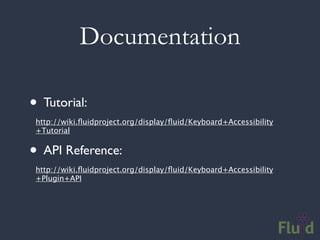
Documentation

• Tutorial:
 http://wiki.fluidproject.org/display/fluid/Keyboard+Accessibility
 +Tutorial


• API Reference:
 http://wiki.fluidproject.org/display/fluid/Keyboard+Accessibility
 +Plugin+API
Accessibility Resources
http://codetalks.org

http://wiki.fluidproject.org/display/fluid/DHTML+Developer+Checklist

http://wiki.fluidproject.org/display/fluid/UX+Accessibility+Walkthrough
+Protocols

http://developer.mozilla.org/en/docs/Accessible_DHTML

http://developer.mozilla.org/en/docs/Key-
navigable_custom_DHTML_widgets

http://developer.mozilla.org/en/docs/AJAX:WAI_ARIA_Live_Regions
jQuery UI Accesssibility
• A truly community-driven effort
• A step-by-step approach
• Features include:
 • Several accessible widgets, more to come
 • Comprehensive ARIA in ui.core.js
 • Tabindex in jquery.js and ui.core.js
jQuery UI Accessibility

• Accordion
• Dialog
• Progress Bar
• Slider (fresh patch landed on Friday!)
jQuery UI Accessibility

• You can help!
• We’ll help get you started
     jquery-a11y@googlegroups.com
Accessibility in Infusion

• jQuery Keyboard Navigation Plugin
• ARIA everywhere
• Everything is highly adaptable and flexible
• UI Options and the Fluid Skinning System:
 • Users can customize their environment
UI Options & FSS
UI Options & FSS
Wrapping up...

• Join me at the Ajax Experience
 • Monday at 10 am
 •   Building Accessible UIs with jQuery & Infusion


• Questions?

Making your jQuery Plugins More Accessible

  • 1.
    Making Your jQueryMore Accessible Colin Clark, Fluid Project Technical Lead, Adaptive Technology Resource Centre
  • 2.
    Topics We’ll Cover •A quick introduction • What is accessibility? • Challenges of DHTML accessibility • Quick ARIA refresher • Implementing keyboard navigation • An update on jQuery UI accessibility • Meet Infusion
  • 3.
    Who am I? •I’m the technical lead for the Fluid community • IResource the Adaptive Technology work at Centre http://fluidproject.org/ • I love JavaScript and jQuery
  • 4.
    What’s the FluidProject? • We’re an open source community of: • Interaction designers • Front-end developers • Accessibility people • We help other communities • We love the Open Web
  • 5.
  • 6.
    A New Definition •Accessibility is the ability of the system to accommodate the needs of the user • Disability is the mismatch between the user and the interface provided • We all experience disability • Accessible software = better software
  • 7.
    DHTML: A NewCan of Worms • Shift from documents to applications • Familiar a11y techniques aren’t enough • Most DHTML is completely inaccessible • New techniques are still being figured out
  • 8.
    Assistive Technologies • Presentand control the user interface in different ways • Not just screen readers! • Use built-in operating system APIs to understand the user interface Screen readers Screen magnifiers On-screen keyboards
  • 9.
    The Problem • Customwidgets often look, but don’t act, like their counterparts on the desktop • HTML provides only simple semantics • Not enough information for ATs • Dynamic updates require new design strategies to be accessible
  • 10.
    The Solution • Describeuser interfaces with ARIA • Add consistent keyboard controls • Provide flexible styling and presentation
  • 11.
  • 12.
  • 13.
    Opaque Markup // Theseare tabs. How would you know? <ol> <li><a href=”#cats”>Cats</a></li> <li><a href=”#dogs”>Dogs</a></li> <li><a href=”#gators”>Gators</a></li> </ol> <div> <div id=”cats”>Cats meow.</div> <div id=”dogs”>Dogs bark.</div> <div id=”gators”>Gators bite.</div> </div>
  • 14.
  • 15.
    ARIA • Accessible RichInternet Applications • W3C specification in the works • Fills the semantic gaps in HTML • Roles, states, and properties • Live regions
  • 16.
    Roles, States, Properties •Roles describe widgets not present in HTML 4 • slider, menubar, tab, dialog • Properties describe characteristics: • draggable, hasPopup, required • States describe what’s happening: • busy, disabled, selected, hidden
  • 17.
    Using ARIA // Now*these* are Tabs! <ol id=”animalTabs” role=”tablist” tabindex=”0”> <!-- Individual Tabs shouldn’t be focusable --> <!-- We’ll focus them with JavaScript instead --> <li role=”tab”><a href=”#” tabindex=”-1”>Cats</a></li> <li role=”tab”><a href=”#” tabindex=”-1”>Dogs</a></li> <li role=”tab”><a href=”#” tabindex=”-1”>Gators</a></li> </ol> <div id=”panels”> <div role=”tabpanel” aria-labelledby=”cats”>Cats meow.</div> <div role=”tabpanel” aria-labelledby=”dogs”>Dogs bark.</div> <div role=”tabpanel” aria-labelledby=”gators”>Gators bite.</div> </div>
  • 18.
    Adding ARIA inCode // Identify the container as a list of tabs. that.tabContainer.attr("role", "tablist"); // Give each tab the "tab" role. that.tabs.attr("role", "tab"); // Give each panel the appropriate role, that.panels.attr("role", "tabpanel"); that.panels.each(function (idx, panel) { var tabForPanel = that.tabs.eq(idx); // Relate the panel to the tab that labels it. $(panel).attr("aria-labelledby", tabForPanel[0].id); });
  • 19.
  • 20.
    Keyboard Navigation • Everythingthat works with the mouse should work with the keyboard • ... but not always in the same way • Support familiar conventions http://dev.aol.com/dhtml_style_guide
  • 21.
    Keyboard Conventions • Tabkey focuses the control or widget • Arrow keys select an item • Enter or Spacebar activate an item • Tab is handled by the browser. For the rest, you need to write code. A lot of code.
  • 22.
  • 23.
    Tabbing and Tabindex •Each focusable item can be reached in sequence by pressing the Tab key • Shift-Tab moves backwards • The tabindex attribute allows you to customize the tab order • tabindex=”-1” removes element from the tab order: useful for custom handlers
  • 24.
    Tabindex examples <!-- Tabcontainer should be focusable --> <ol id=”animalTabs” tabindex=”0”> <!-- Individual Tabs shouldn’t be focusable --> <!-- We’ll focus them with JavaScript instead --> <li id=”tab1”> <a href=”#cats” tabindex=”-1”>Cats</a> </li> <li id=”tab2”> <a href=”#cats” tabindex=”-1”>Dogs</a> </li> <li id=”tab3”> <a href=”#cats” tabindex=”-1”>Alligators</a> </li> </ol>
  • 25.
    Making Things Tabbable • Tabindex varies subtly across browsers • jquery.attr() normalizes it as of 1.3 • For all the gory details: http://fluidproject.org/blog/2008/01/09/ getting-setting-and-removing-tabindex-values-with- javascript/ // Make the tablist accessible with the Tab key. tabContainer.attr("tabindex", "0"); // And take the anchors out of the Tab order. $(“a”, tabs).attr("tabindex", "-1");
  • 26.
    Adding the ArrowKeys // Make each tab accessible with the left and right arrow keys. that.tabContainer.fluid("selectable", { selectableSelector: that.options.selectors.tabs, direction: fluid.a11y.orientation.HORIZONTAL, onSelect: function (tab) { $(tab).addClass(that.options.styles.highlighted); }, onUnselect: function (tab) { $(tab).removeClass(that.options.styles.highlighted); } });
  • 27.
    Making Them Activatable //Make each tab activatable with Spacebar and Enter. that.tabs.fluid("activatable", function (evt) { // Your handler code here. Maybe the same as .click()? });
  • 28.
    Documentation • Tutorial: http://wiki.fluidproject.org/display/fluid/Keyboard+Accessibility +Tutorial • API Reference: http://wiki.fluidproject.org/display/fluid/Keyboard+Accessibility +Plugin+API
  • 29.
  • 30.
    jQuery UI Accesssibility •A truly community-driven effort • A step-by-step approach • Features include: • Several accessible widgets, more to come • Comprehensive ARIA in ui.core.js • Tabindex in jquery.js and ui.core.js
  • 31.
    jQuery UI Accessibility •Accordion • Dialog • Progress Bar • Slider (fresh patch landed on Friday!)
  • 32.
    jQuery UI Accessibility •You can help! • We’ll help get you started jquery-a11y@googlegroups.com
  • 33.
    Accessibility in Infusion •jQuery Keyboard Navigation Plugin • ARIA everywhere • Everything is highly adaptable and flexible • UI Options and the Fluid Skinning System: • Users can customize their environment
  • 34.
  • 35.
  • 36.
    Wrapping up... • Joinme at the Ajax Experience • Monday at 10 am • Building Accessible UIs with jQuery & Infusion • Questions?