Making My Front Page
I Made my back round a light blue colour with connotes fresh with relates with my master head
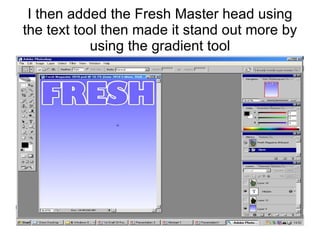
I then added the Fresh Master head using the text tool then made it stand out more by using the gradient tool
I then used the magnet lasso tool cut the image of the model
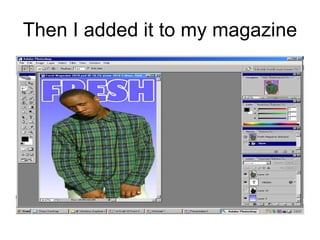
Then I added it to my magazine
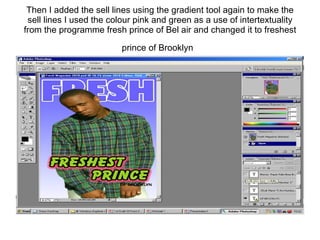
Then I added the sell lines using the gradient tool again to make the sell lines I used the colour pink and green as a use of intertextuality from the programme fresh prince of Bel air and changed it to freshest prince of Brooklyn
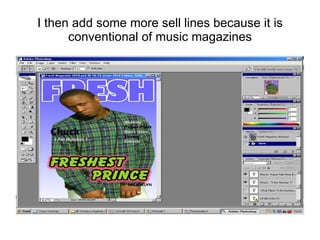
I then add some more sell lines because it is conventional of music magazines
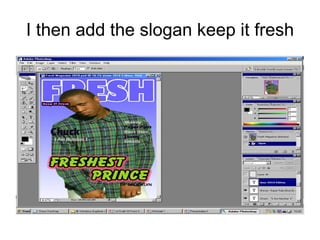
I then add the slogan keep it fresh
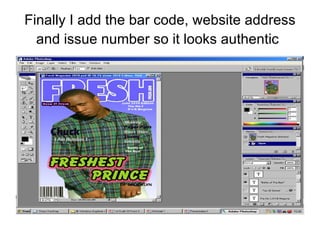
Finally I add the bar code, website address and issue number so it looks authentic

Making my front page

  • 1.
  • 2.
    I Made myback round a light blue colour with connotes fresh with relates with my master head
  • 3.
    I then addedthe Fresh Master head using the text tool then made it stand out more by using the gradient tool
  • 4.
    I then usedthe magnet lasso tool cut the image of the model
  • 5.
    Then I addedit to my magazine
  • 6.
    Then I addedthe sell lines using the gradient tool again to make the sell lines I used the colour pink and green as a use of intertextuality from the programme fresh prince of Bel air and changed it to freshest prince of Brooklyn
  • 7.
    I then addsome more sell lines because it is conventional of music magazines
  • 8.
    I then addthe slogan keep it fresh
  • 9.
    Finally I addthe bar code, website address and issue number so it looks authentic