Luka Vidoš (Locastic) @ eZ Summer Camp 2013
wait a minute ,
there is a designer on a developer conference?
history of twig
or why we love open source
4 / 80
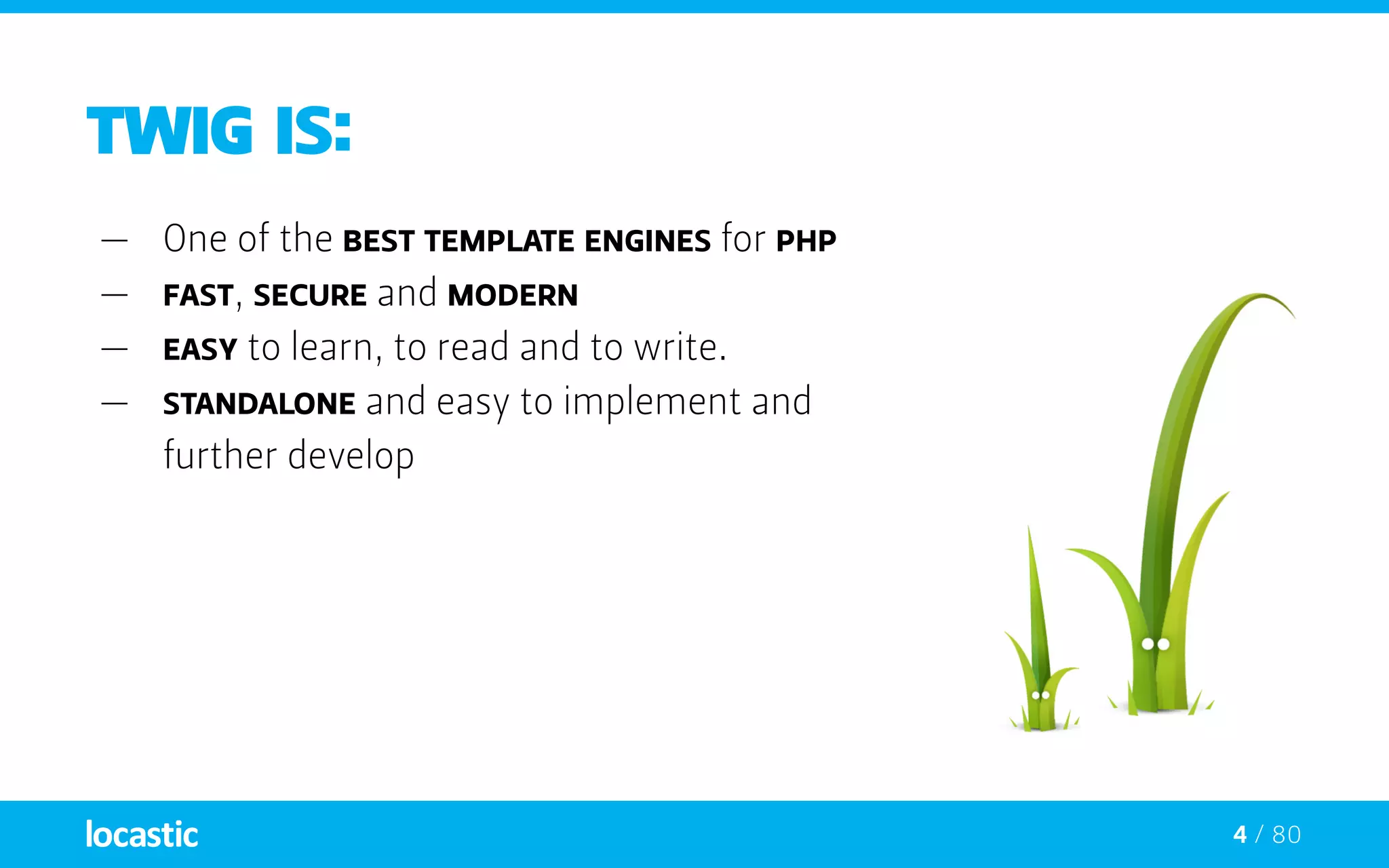
Twig is:
—— One of the best template engines for PHP
—— Fast, secure and modern
—— Easy to learn, to read and to write.
—— standalone and easy to implement and
further develop
5 / 80
Twig is:
—— One of the best template engines for PHP
—— Fast, secure and modern
—— Easy to learn, to read and to write.
—— standalone and easy to implement and
further develop
—— If you don’t know Twig yet go to:
http://twig.sensiolabs.org
Twig logo
6 / 80
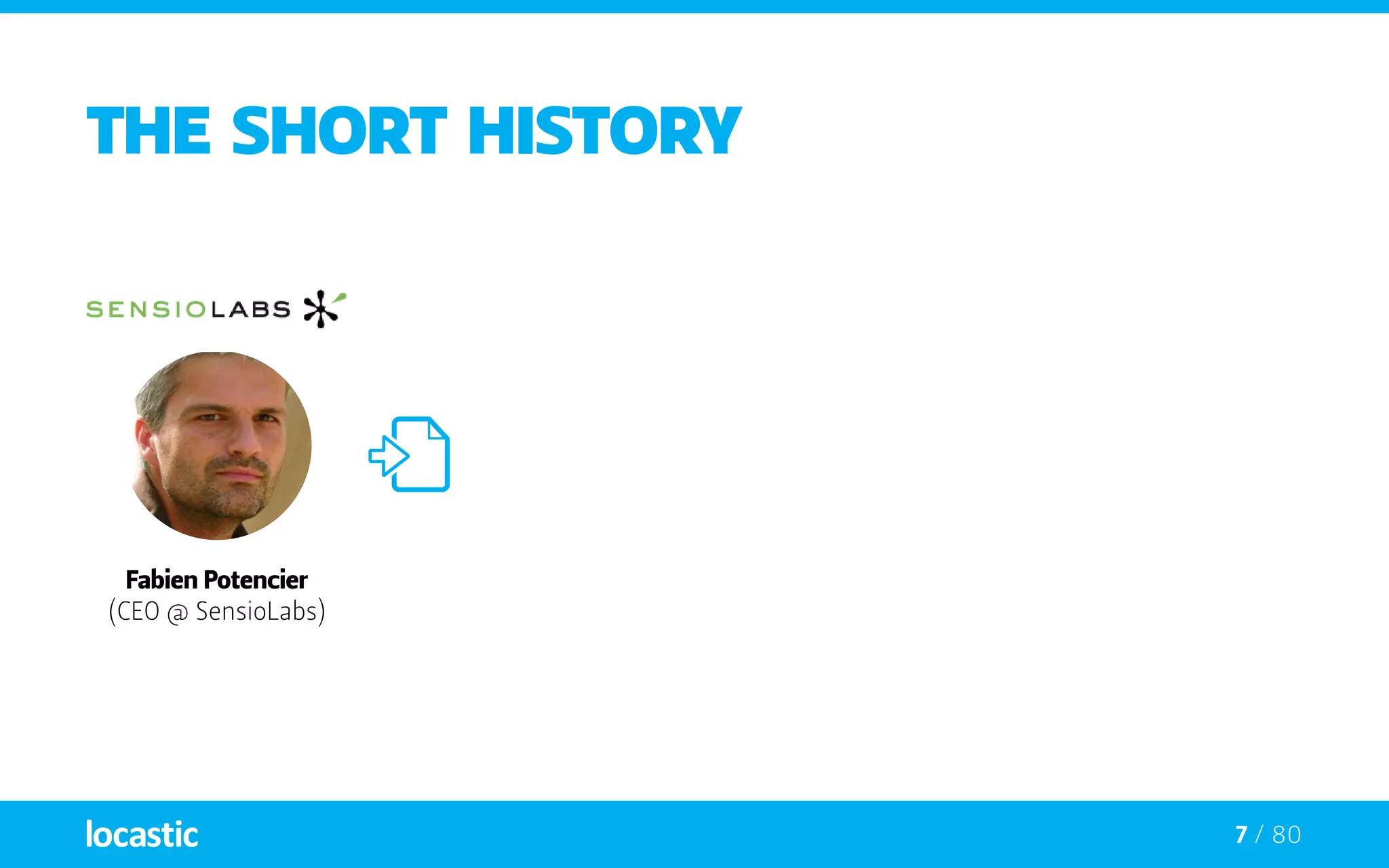
The short history
Fabien Potencier
(CEO @ SensioLabs)
7 / 80
The short history
Fabien Potencier
(CEO @ SensioLabs)
8 / 80
The short history
Fast
Embeddable
Secure
Sandboxed
“Modern” features
Not tied to only HTML templates
Easily extensible
Syntax similar to Django & Jinja
Clean OO code
Fabien Potencier
(CEO @ SensioLabs)
9 / 80
The short history
Fast
Embeddable
Secure
Sandboxed
“Modern” features
Not tied to only HTML templates
Easily extensible
Syntax similar to Django & Jinja
Clean OO code
Fabien Potencier
(CEO @ SensioLabs)
10 / 80
The short history
Fast
Embeddable
Secure
Sandboxed
“Modern” features
Not tied to only HTML templates
Easily extensible
Syntax similar to Django & Jinja
Clean OO code
Fabien Potencier
(CEO @ SensioLabs)
Armin Ronacher
(Pocoo Team)
11 / 80
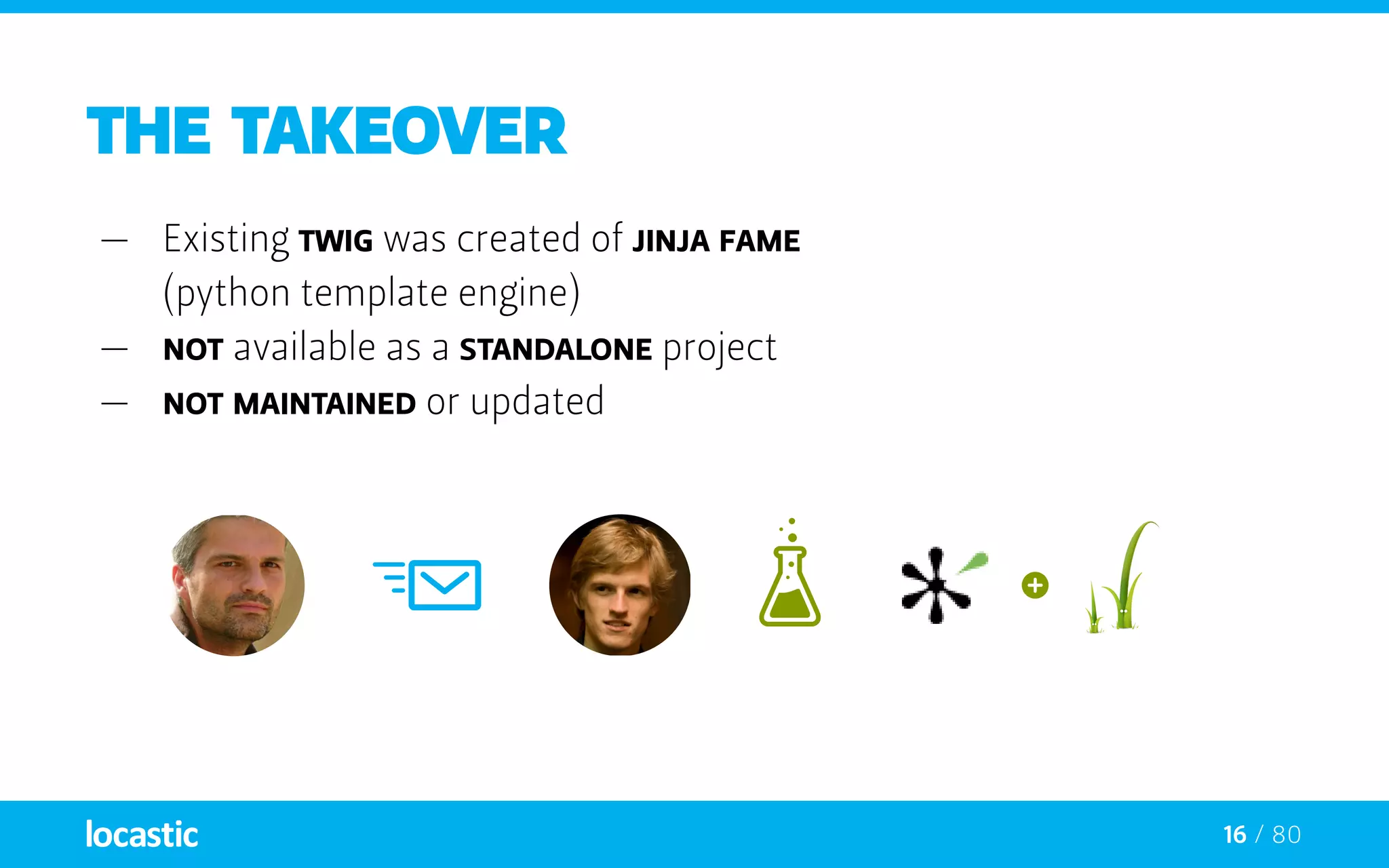
the takeover
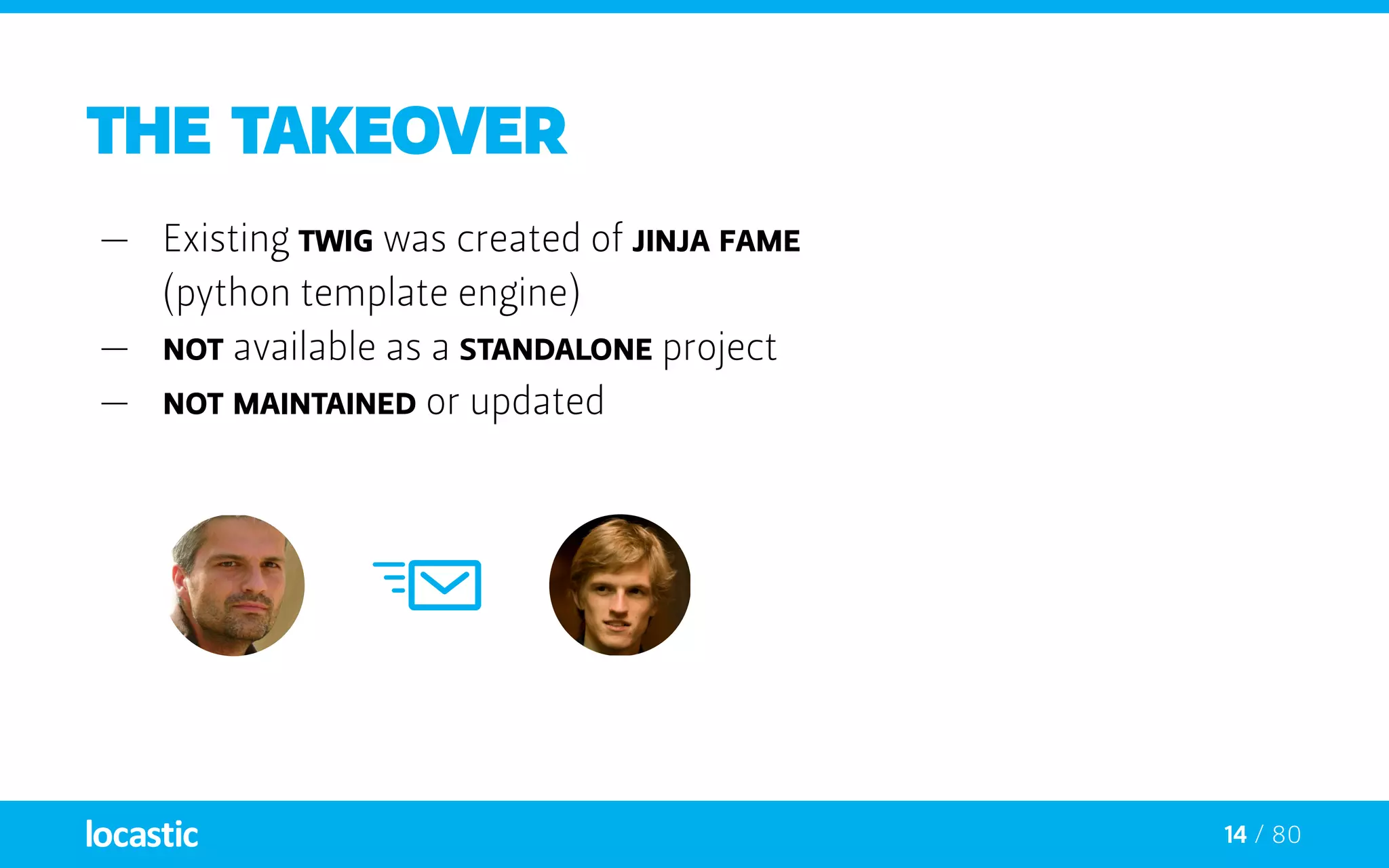
—— Existing twig was first created out of Jinja fame
(python template engine)
—— it was Not available as a standalone project
—— it was Not maintained or updated
12 / 80
the takeover
—— Existing twig was created of Jinja fame
(python template engine)
—— Not available as a standalone project
—— Not maintained or updated
13 / 80
the takeover
—— Existing twig was created of Jinja fame
(python template engine)
—— Not available as a standalone project
—— Not maintained or updated
14 / 80
the takeover
—— Existing twig was created of Jinja fame
(python template engine)
—— Not available as a standalone project
—— Not maintained or updated
15 / 80
the takeover
—— Existing twig was created of Jinja fame
(python template engine)
—— Not available as a standalone project
—— Not maintained or updated
16 / 80
the takeover
—— Existing twig was created of Jinja fame
(python template engine)
—— Not available as a standalone project
—— Not maintained or updated
Templating system
or why is it easy to fall in love with TWIG
18 / 80
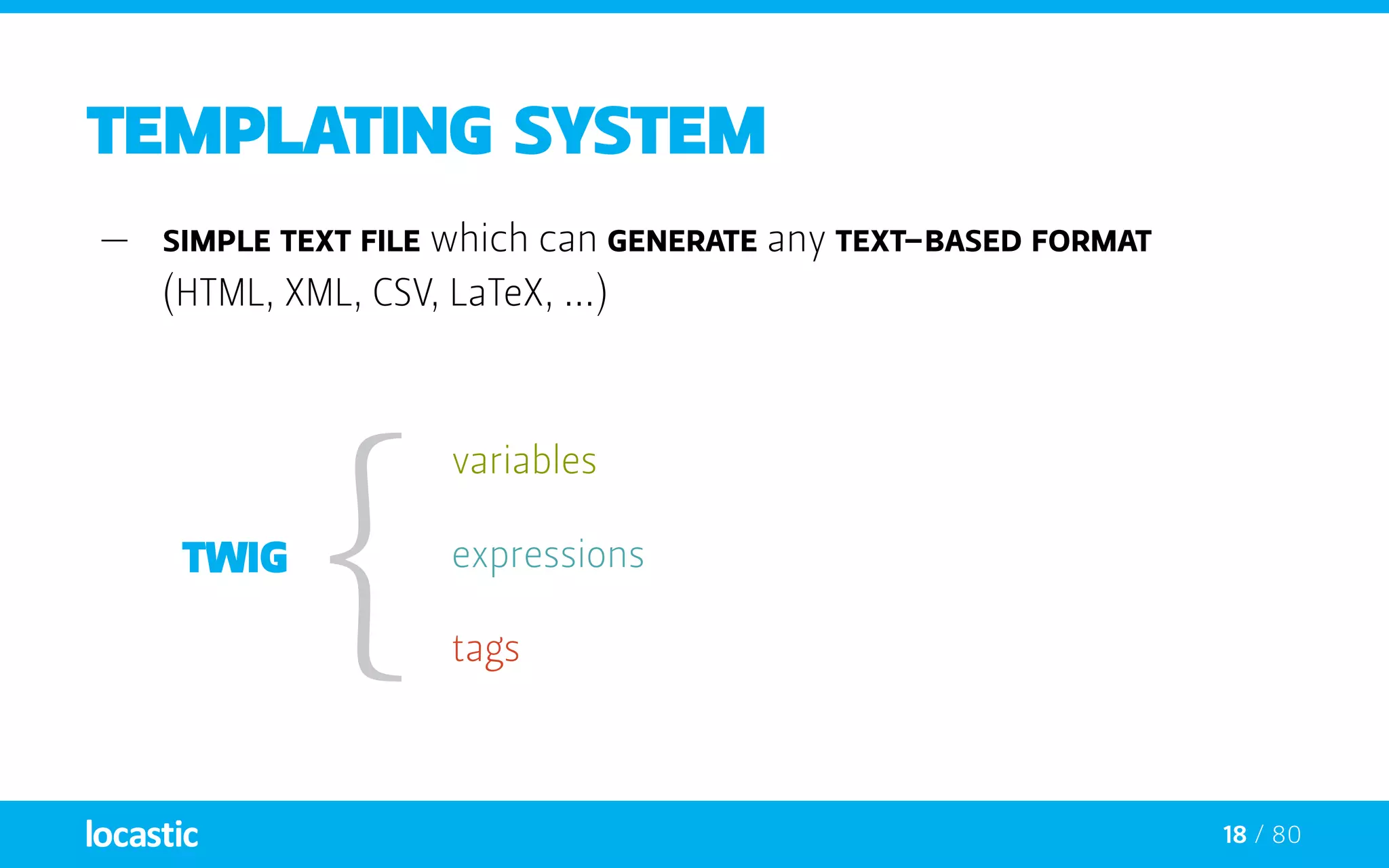
Templating system
—— Simple text file which can generate any text-based format
(HTML, XML, CSV, LaTeX, ...)
tags
variables
expressions
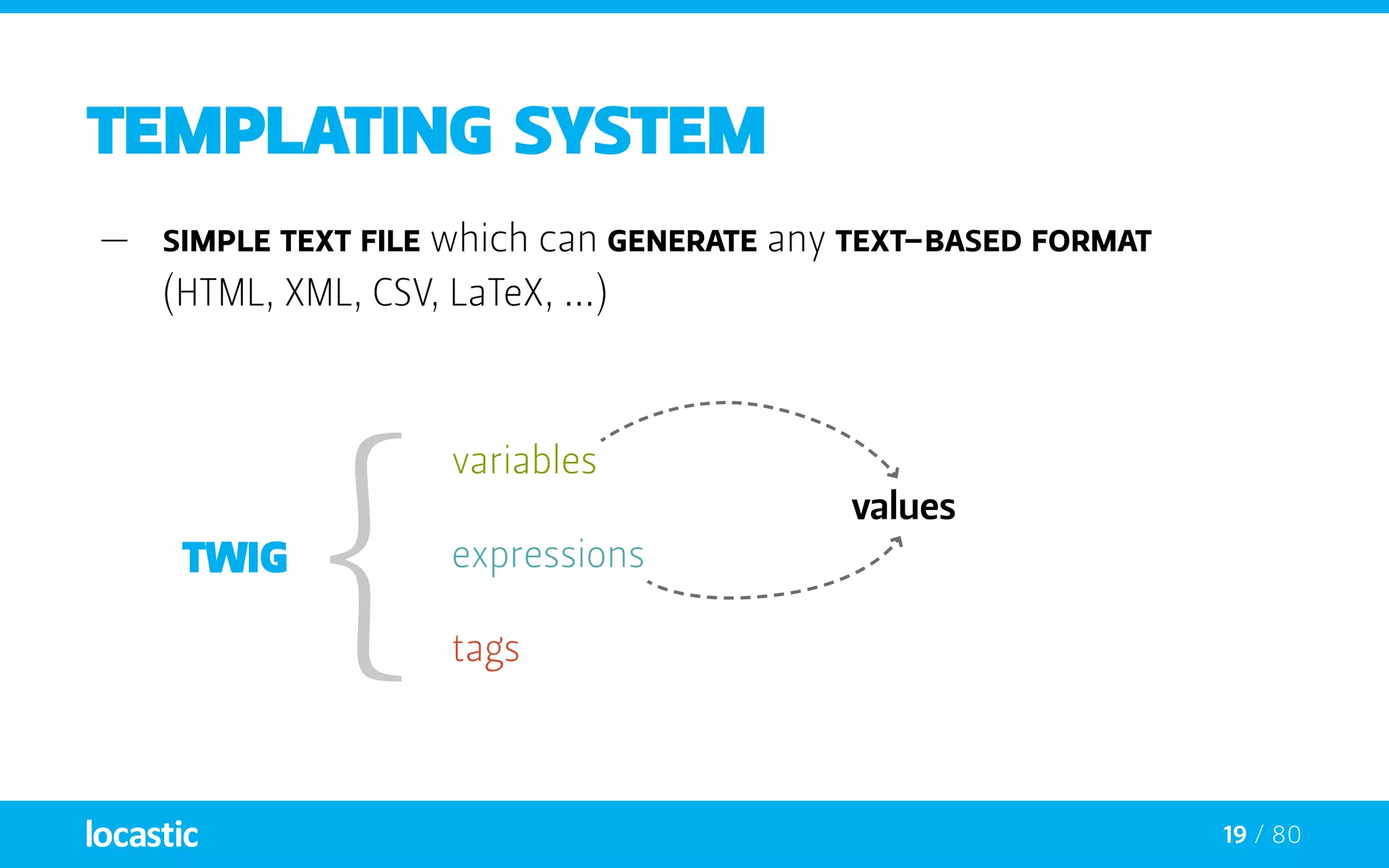
19 / 80
Templating system
—— Simple text file which can generate any text-based format
(HTML, XML, CSV, LaTeX, ...)
tags
variables
values
expressions
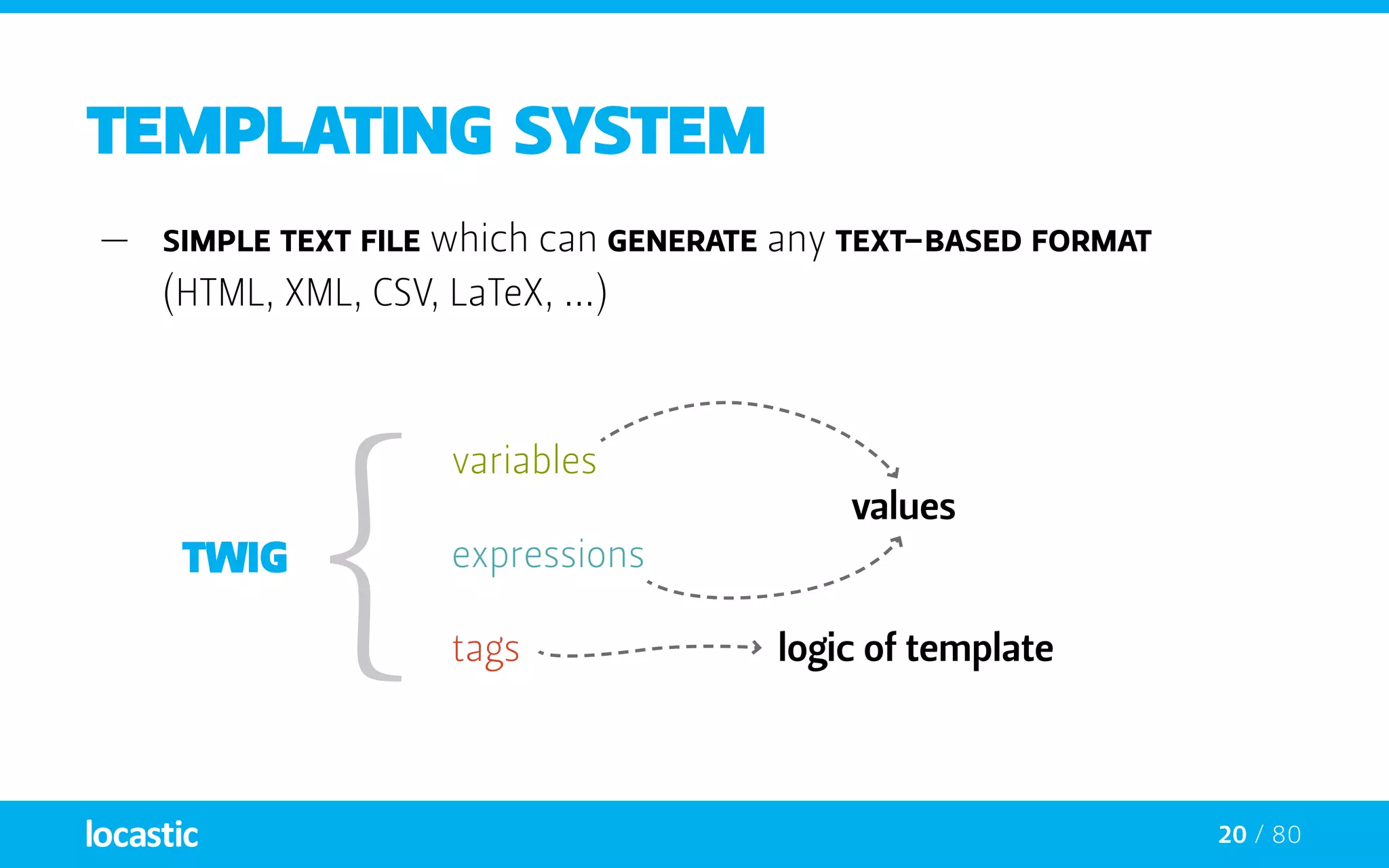
20 / 80
Templating system
—— Simple text file which can generate any text-based format
(HTML, XML, CSV, LaTeX, ...)
tags
variables
values
logic of template
expressions
21 / 80
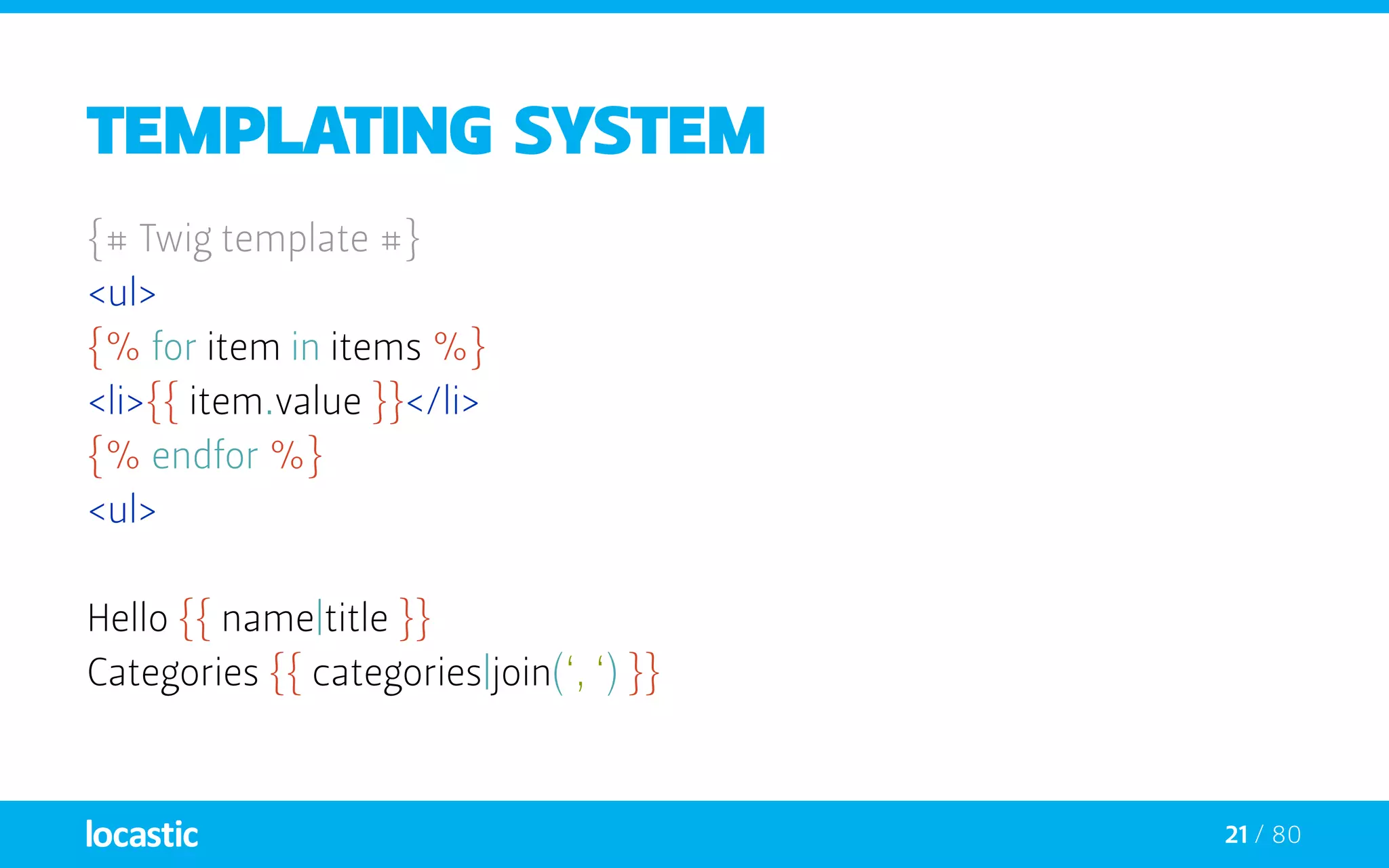
Templating system
{# Twig template #}
<ul>
{% for item in items %}
<li>{{ item.value }}</li>
{% endfor %}
<ul>
Hello {{ name|title }}
Categories {{ categories|join(‘, ‘) }}
22 / 80
Templating system
{# Twig template #}
<ul>
{% for item in items %}
<li>{{ item.value }}</li>
{% endfor %}
<ul>
Hello {{ name|title }}
Categories {{ categories|join(‘, ‘) }}
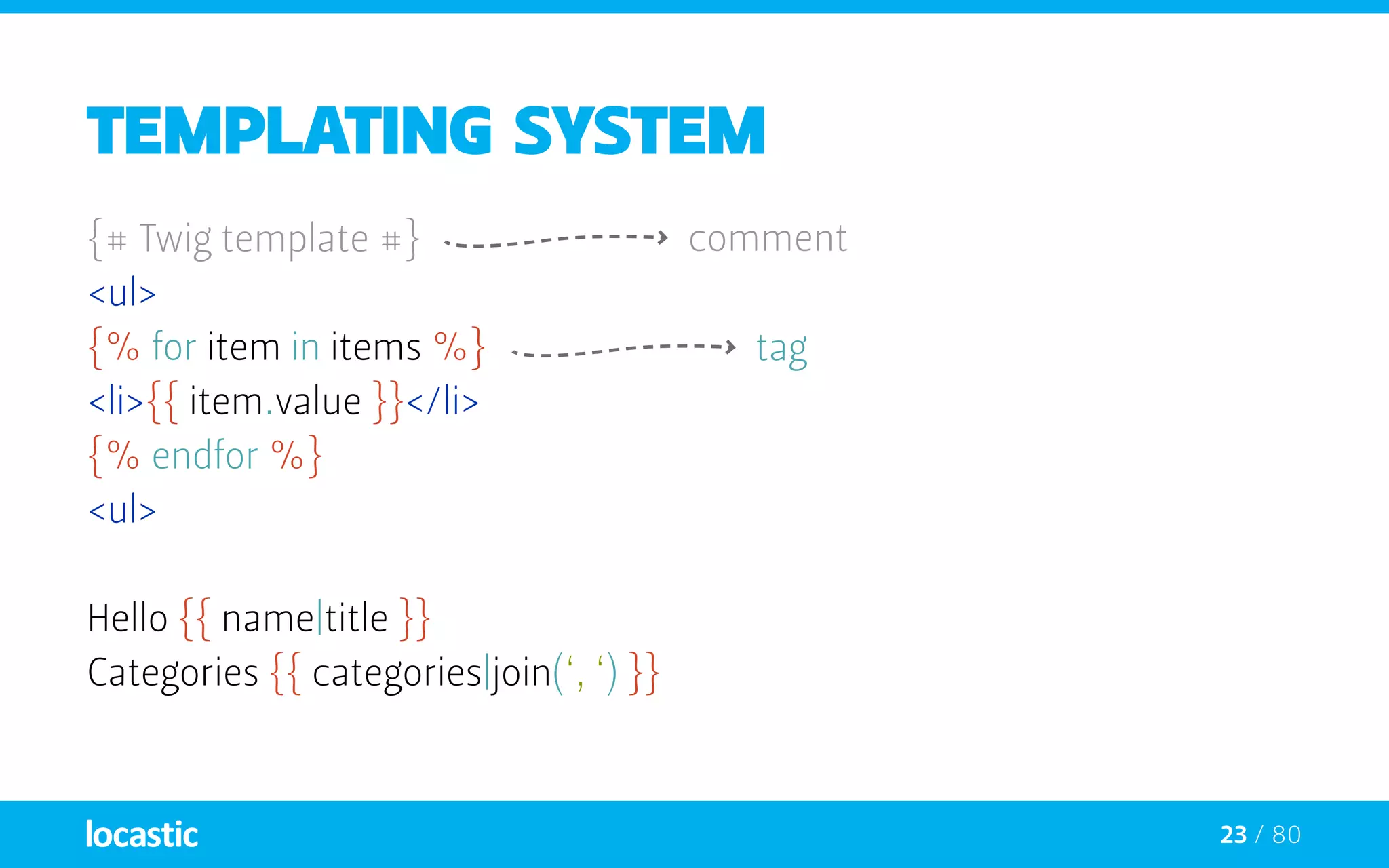
comment
23 / 80
Templating system
{# Twig template #}
<ul>
{% for item in items %}
<li>{{ item.value }}</li>
{% endfor %}
<ul>
Hello {{ name|title }}
Categories {{ categories|join(‘, ‘) }}
comment
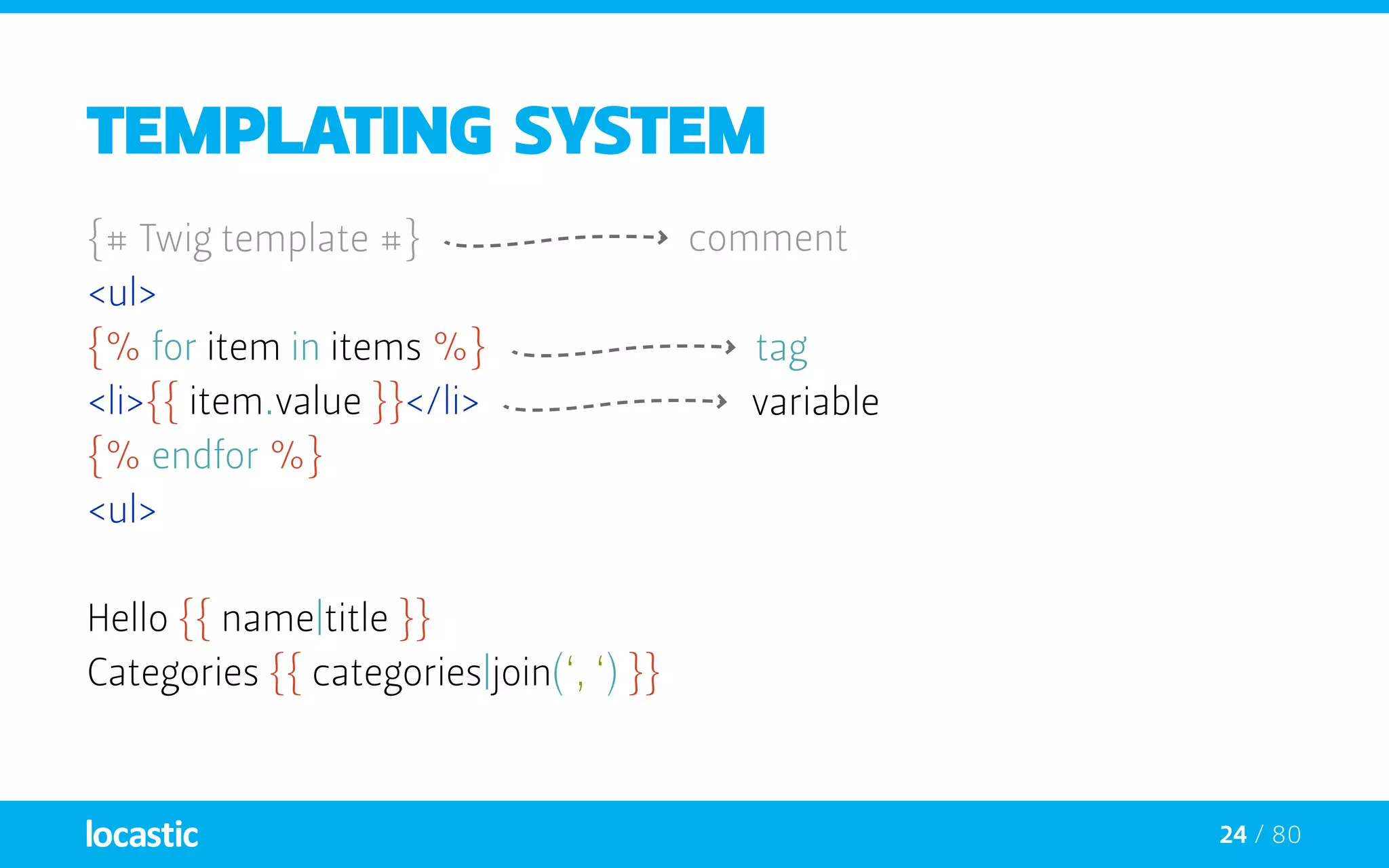
tag
24 / 80
Templating system
{# Twig template #}
<ul>
{% for item in items %}
<li>{{ item.value }}</li>
{% endfor %}
<ul>
Hello {{ name|title }}
Categories {{ categories|join(‘, ‘) }}
comment
variable
tag
25 / 80
Templating system
{# Twig template #}
<ul>
{% for item in items %}
<li>{{ item.value }}</li>
{% endfor %}
<ul>
Hello {{ name|title }}
Categories {{ categories|join(‘, ‘) }}
comment
variable
filter
tag
26 / 80
Templating system
{# Twig template #}
<ul>
{% for item in items %}
<li>{{ item.value }}</li>
{% endfor %}
<ul>
Hello {{ name|title }}
Categories {{ categories|join(‘, ‘) }}
comment
variable
filter
filter with arguments
tag
27 / 80
TAGS
—— tags are written between delimiters
—— There are two kinds of delimiters:
—— {% ... %} - execute statements such as for-loops
{% block stylesheets %}
		<link href=”/css/reset.css” rel=”stylesheet” type=”text/css” />
	{% endblock %}
28 / 80
TAGS
—— tags are written between delimiters
—— There are two kinds of delimiters:
—— {% ... %} - execute statements such as for-loops
{% block stylesheets %}
		<link href=”/css/reset.css” rel=”stylesheet” type=”text/css” />
	{% endblock %}
—— {{ ... }} - prints the result of an expression to the template
{{ i }}
29 / 80
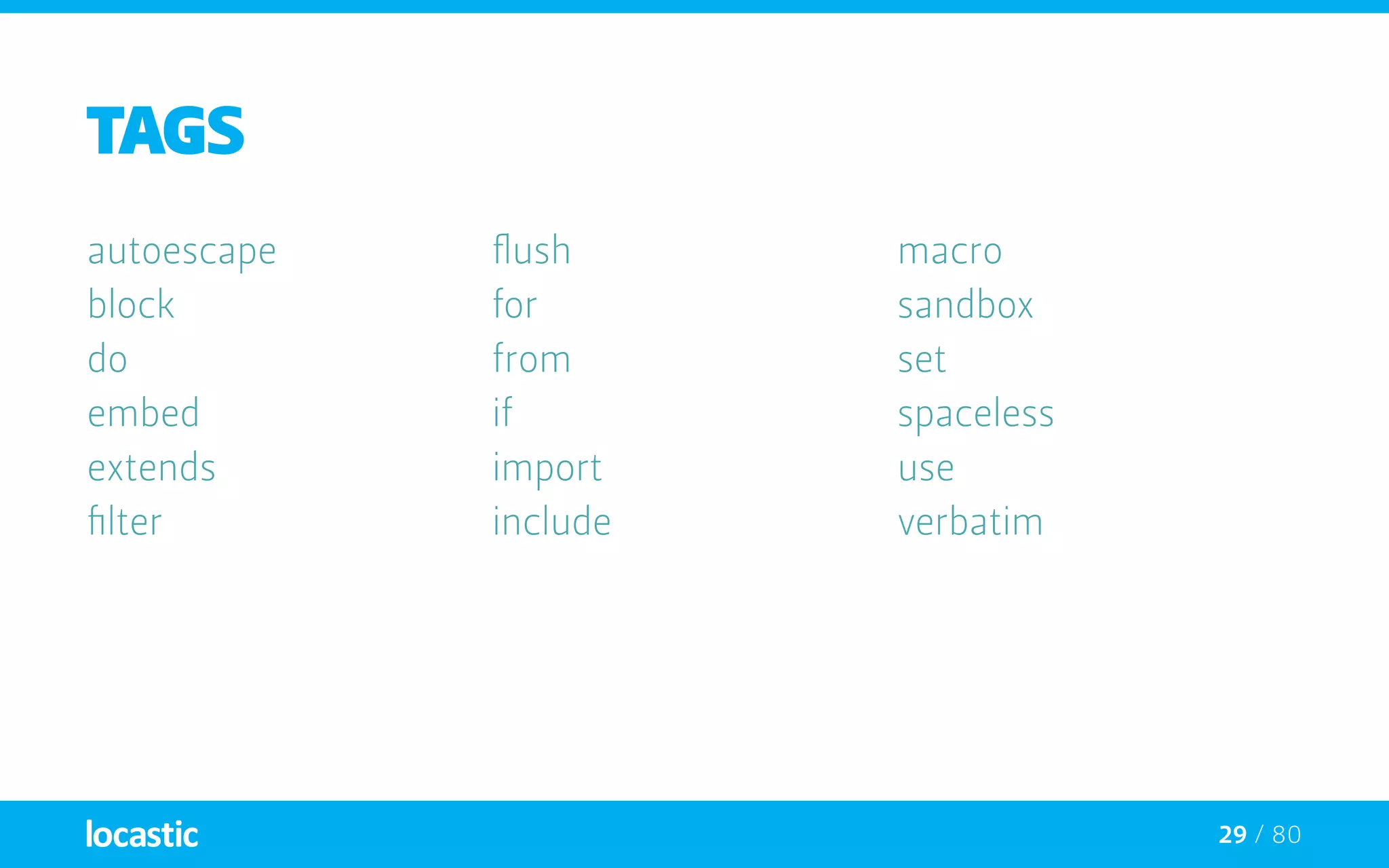
TAGS
autoescape
block
do
embed
extends
filter
flush
for
from
if
import
include
macro
sandbox
set
spaceless
use
verbatim
30 / 80
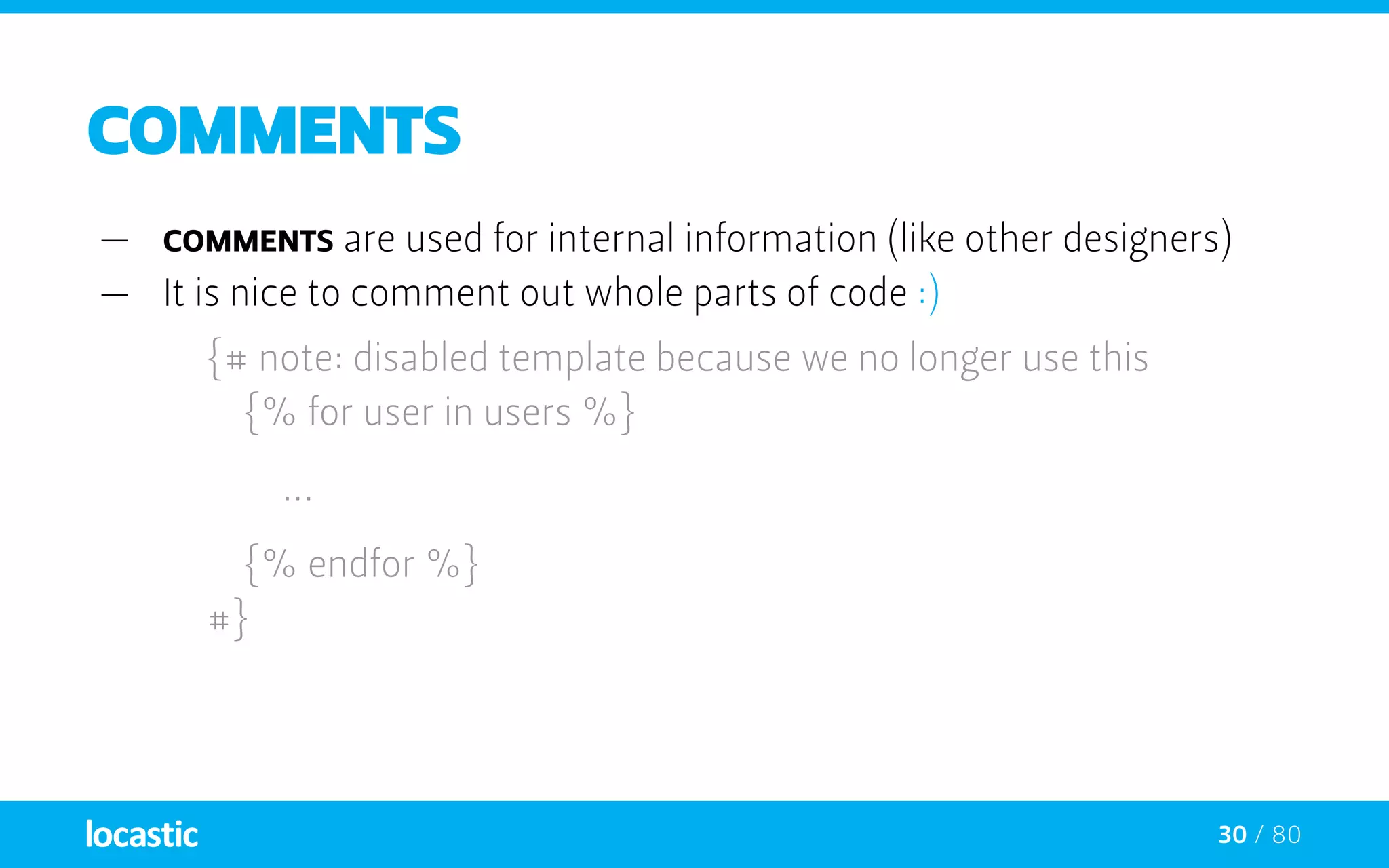
COMMENTs
—— comments are used for internal information (like other designers)
—— It is nice to comment out whole parts of code :)
{# note: disabled template because we no longer use this
		 {% for user in users %}
		...
	 {% endfor %}
	#}
31 / 80
Variables
—— app passes variables to templates
—— Variables may have attributes
—— You can use a dot ( . ) to access attributes
{{ foo.bar }}
32 / 80
Variables
—— app passes variables to templates
—— Variables may have attributes
—— You can use a dot ( . ) to access attributes
{{ foo.bar }}
—— Alternatively you can use the “subscript syntax”
{{ foo[‘bar’] }}
33 / 80
Variables
—— app passes variables to templates
—— Variables may have attributes
—— You can use a dot ( . ) to access attributes
{{ foo.bar }}
—— Alternatively you can use the “subscript syntax”
{{ foo[‘bar’] }}
—— If an attribute contains special characters you use
{{ attribute(foo, ‘data-foo’) }}
34 / 80
Global Variables
—— The following variables are always available in templates:
_self {# references the current template #}
_context {# references the current context #}
_charset {# references the current charset #}
{% set foo = ‘foo’ %}
{% set foo = [1, 2] %}
{% set foo = {‘foo’: ‘bar’} %}
35 / 80
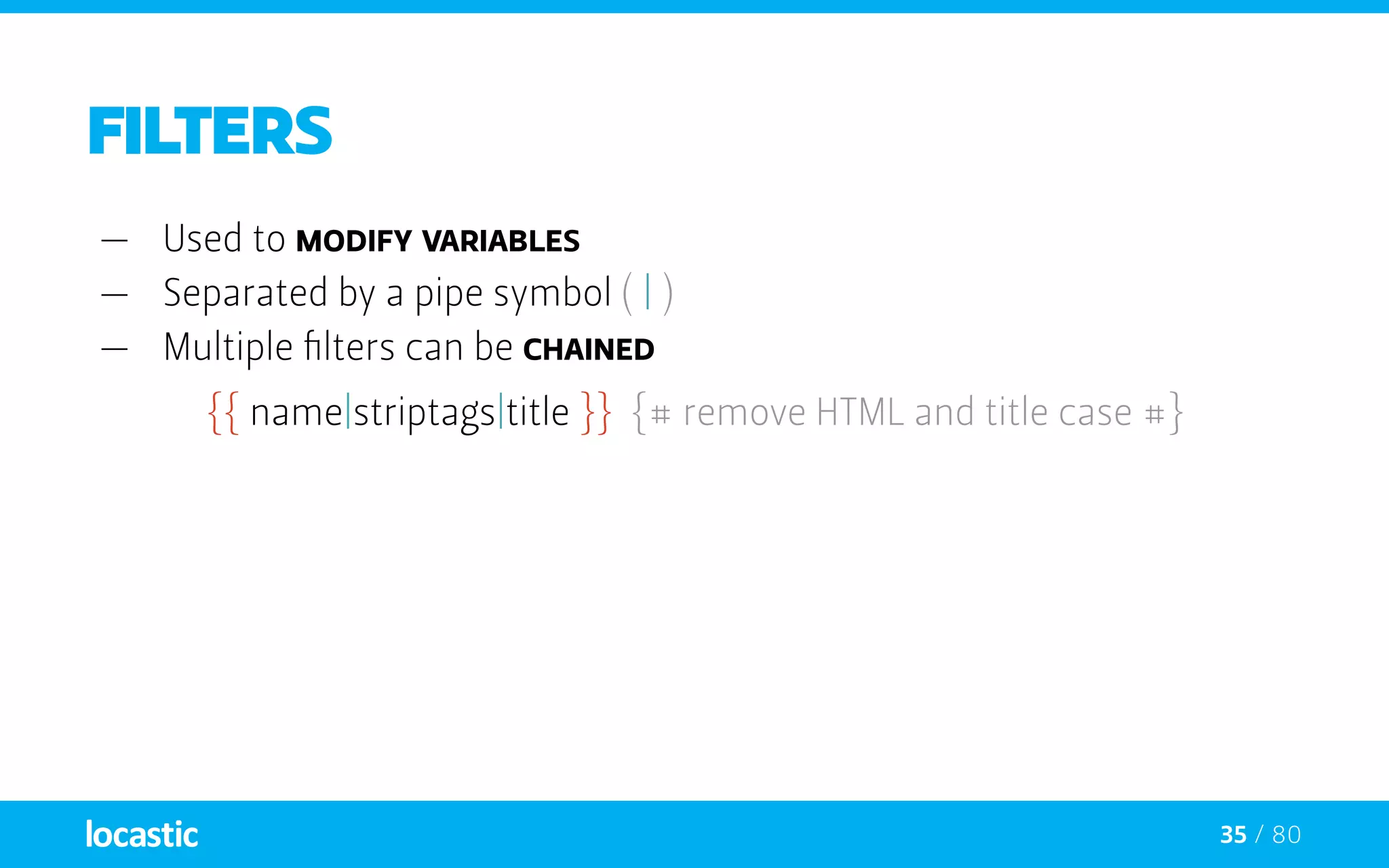
Filters
—— Used to modify variables
—— Separated by a pipe symbol ( | )
—— Multiple filters can be chained
{{ name|striptags|title }} {# remove HTML and title case #}
36 / 80
Filters
—— Used to modify variables
—— Separated by a pipe symbol ( | )
—— Multiple filters can be chained
{{ name|striptags|title }} {# remove HTML and title case #}
—— Filters that accept arguments have parentheses around the
arguments ( () )
{{ list|join(‘, ‘) }} {# list joined by commas #}
37 / 80
Filters
—— Used to modify variables
—— Separated by a pipe symbol ( | )
—— Multiple filters can be chained
{{ name|striptags|title }} {# remove HTML and title case #}
—— Filters that accept arguments have parentheses around the
arguments ( () )
{{ list|join(‘, ‘) }} {# list joined by commas #}
—— To apply filter on a section of code wrap it into filter tag:
{% filter upper %}This text becomes uppercase{% endfilter %}
38 / 80
FILTERS
abs
batch
capitalize
convert_encoding
date
date_modify
default
escape
first
format
join
json_encode
keys
last
length
lower
nl2br
number_format
merge
upper
raw
replace
reverse
slice
sort
split
striptags
title
trim
url_encode
39 / 80
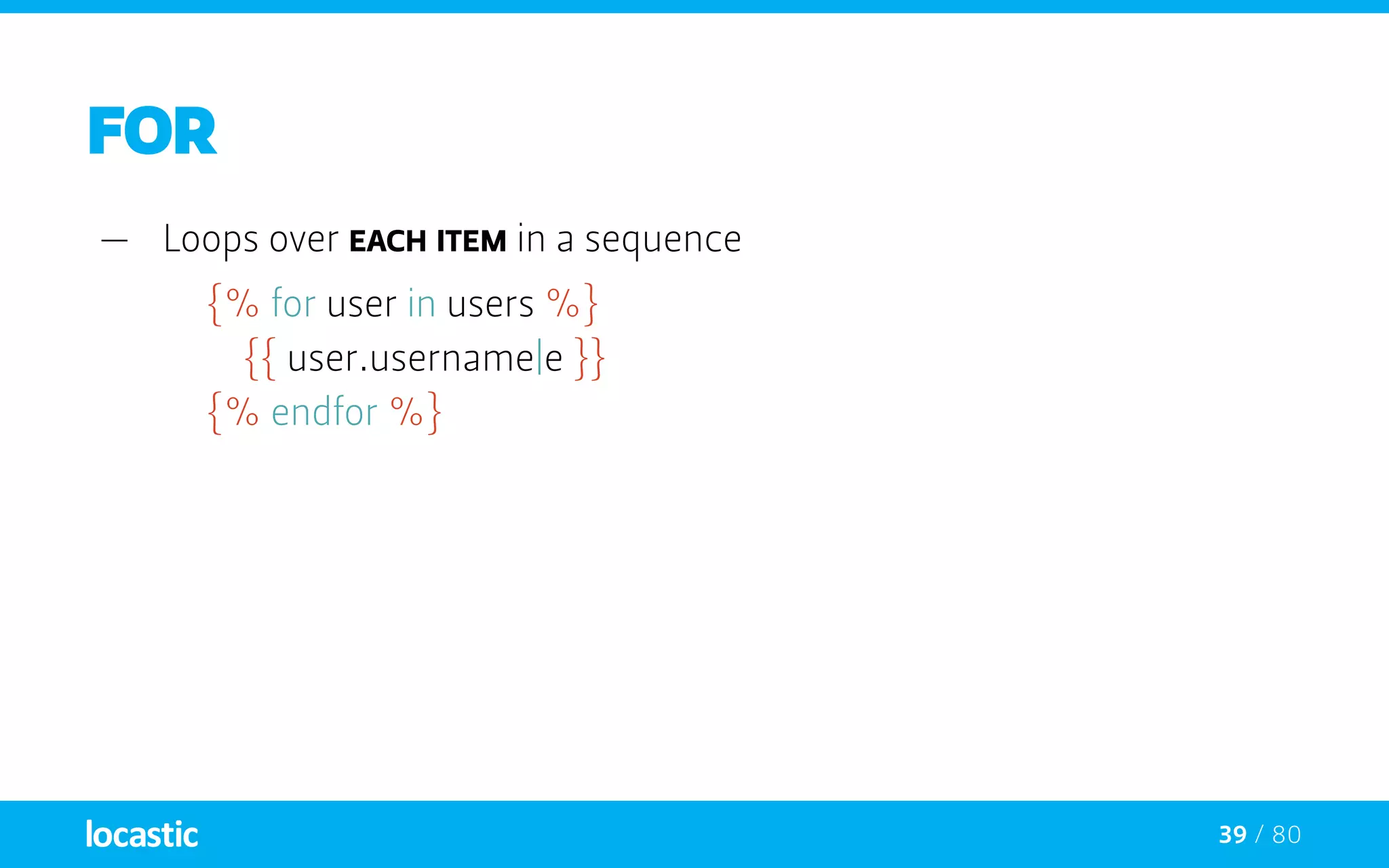
FOR
—— Loops over each item in a sequence
{% for user in users %}
		{{ user.username|e }}
	 {% endfor %}
40 / 80
FOR
—— Loops over each item in a sequence
{% for user in users %}
		{{ user.username|e }}
	 {% endfor %}
—— If there is a need to iterate over a sequence of numbers
{% for i in 0..10 %}
		{{ i }},
	 {% endfor %}
41 / 80
FOR
—— You can work with english alphabet also :)
{% for letter in ‘a’..’z’ %}
		{{ letter }},
	 {% endfor %}
42 / 80
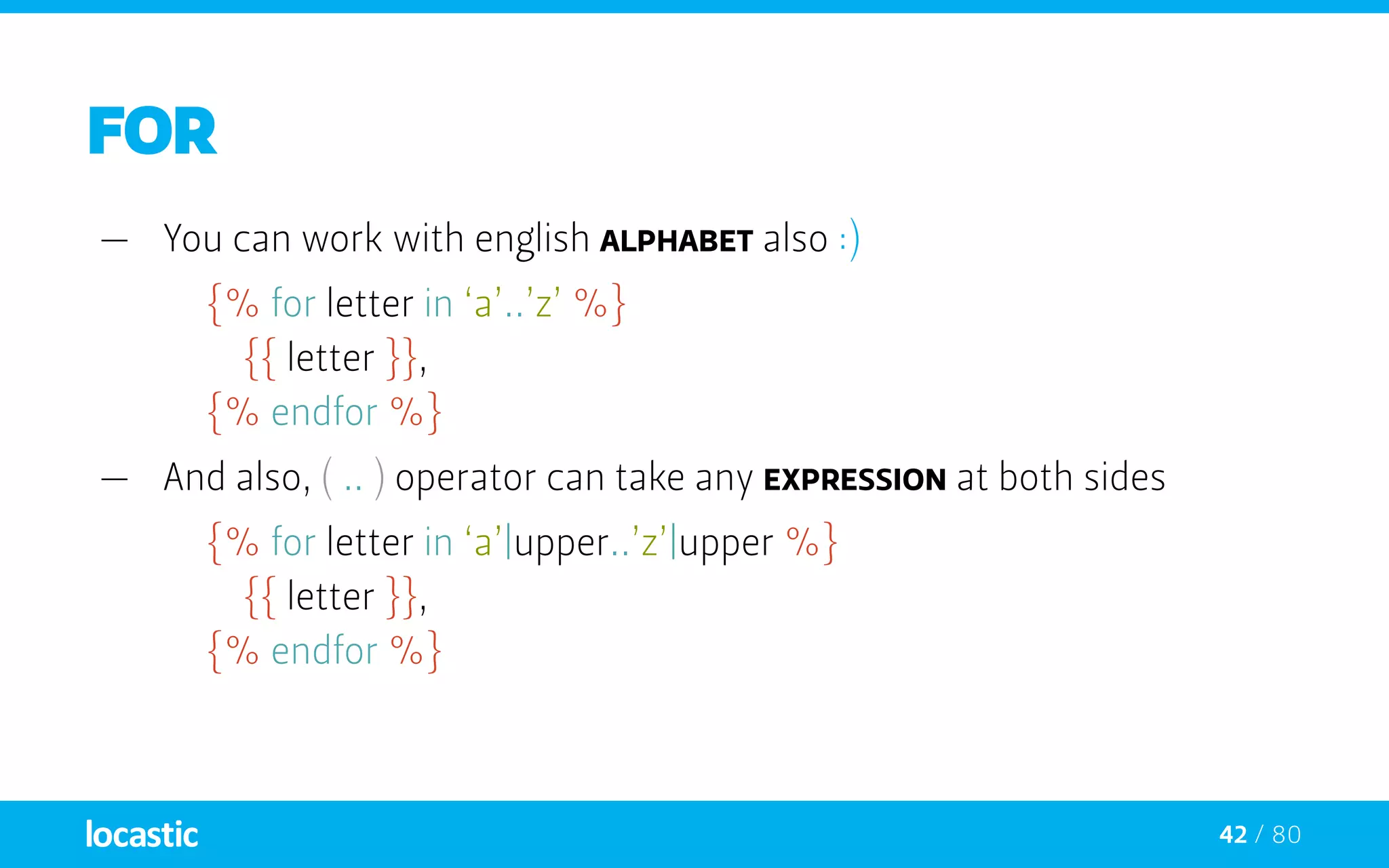
FOR
—— You can work with english alphabet also :)
{% for letter in ‘a’..’z’ %}
		{{ letter }},
	 {% endfor %}
—— And also, ( .. ) operator can take any expression at both sides
{% for letter in ‘a’|upper..’z’|upper %}
		{{ letter }},
	 {% endfor %}
43 / 80
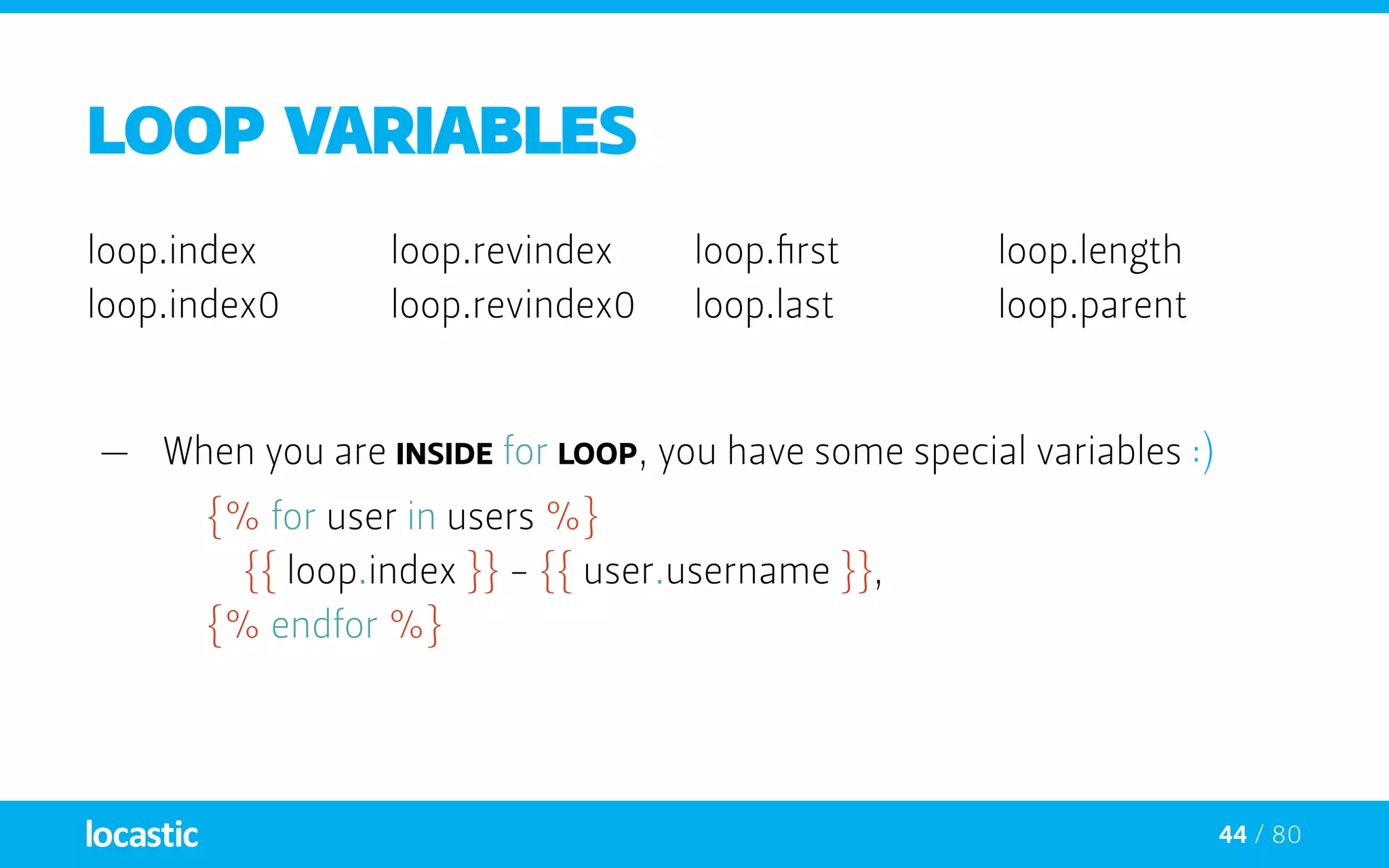
LOOP VARIABLEs
loop.index
loop.index0
loop.revindex
loop.revindex0
loop.first
loop.last
loop.length
loop.parent
44 / 80
LOOP VARIABLEs
loop.index
loop.index0
loop.revindex
loop.revindex0
loop.first
loop.last
loop.length
loop.parent
—— When you are inside for loop, you have some special variables :)
{% for user in users %}
		{{ loop.index }} - {{ user.username }},
	 {% endfor %}
45 / 80
FOR / ELSE
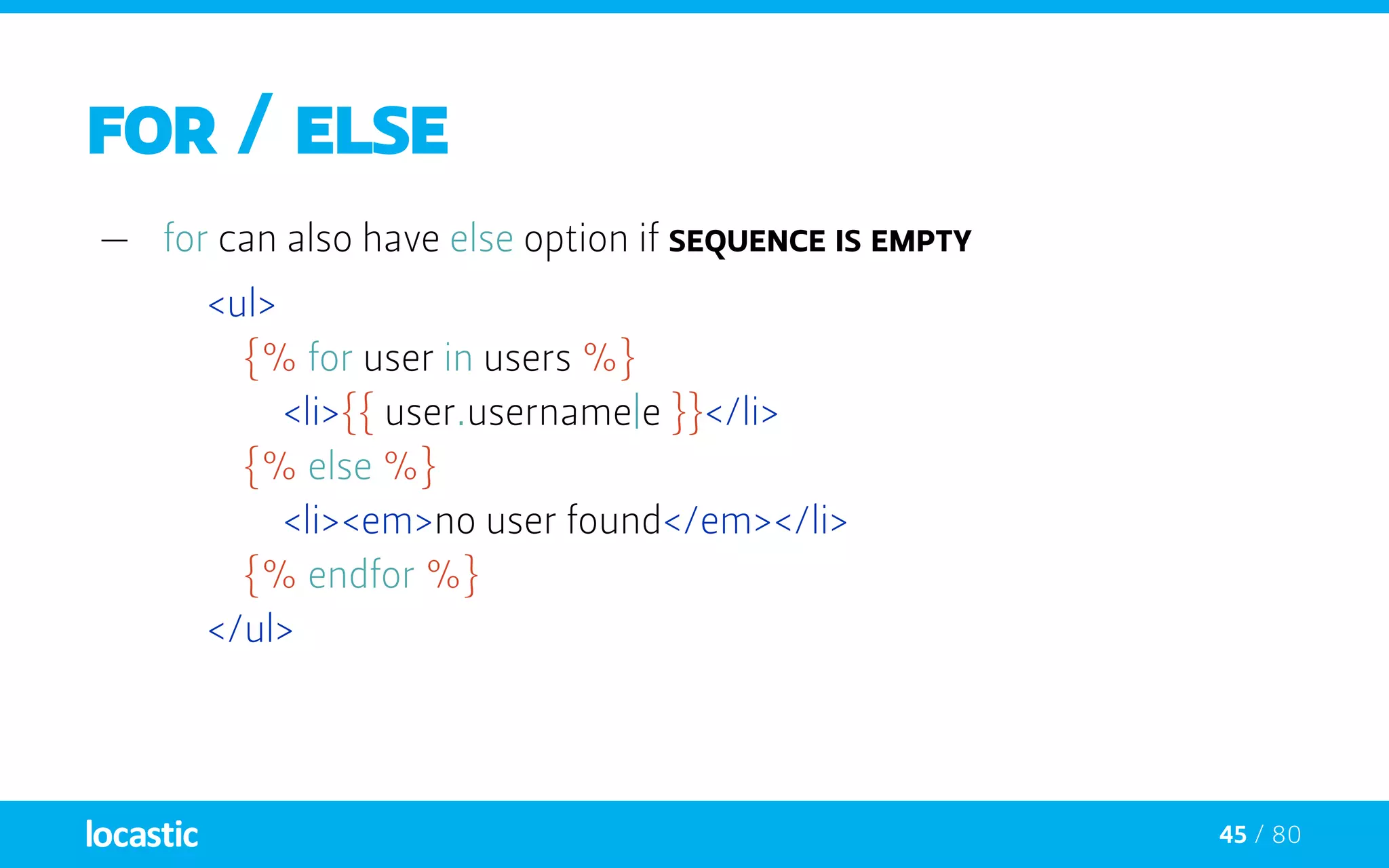
—— for can also have else option if sequence is empty
<ul>
		{% for user in users %}
			<li>{{ user.username|e }}</li>
		{% else %}
			<li><em>no user found</em></li>
		{% endfor %}
	</ul>
46 / 80
IF / ELSE
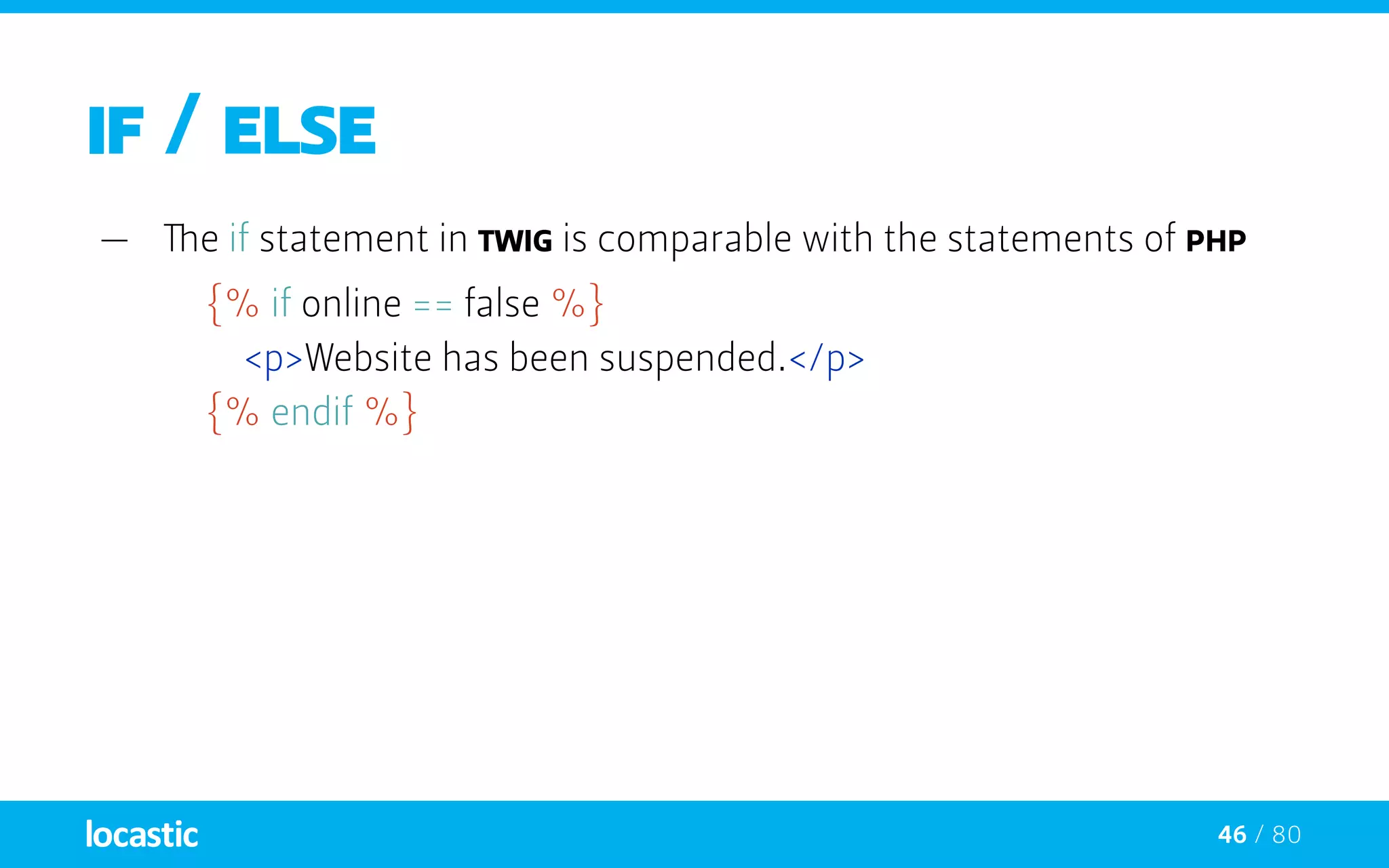
—— The if statement in TWIG is comparable with the statements of PHP
{% if online == false %}
		<p>Website has been suspended.</p>
	 {% endif %}
47 / 80
IF / ELSE
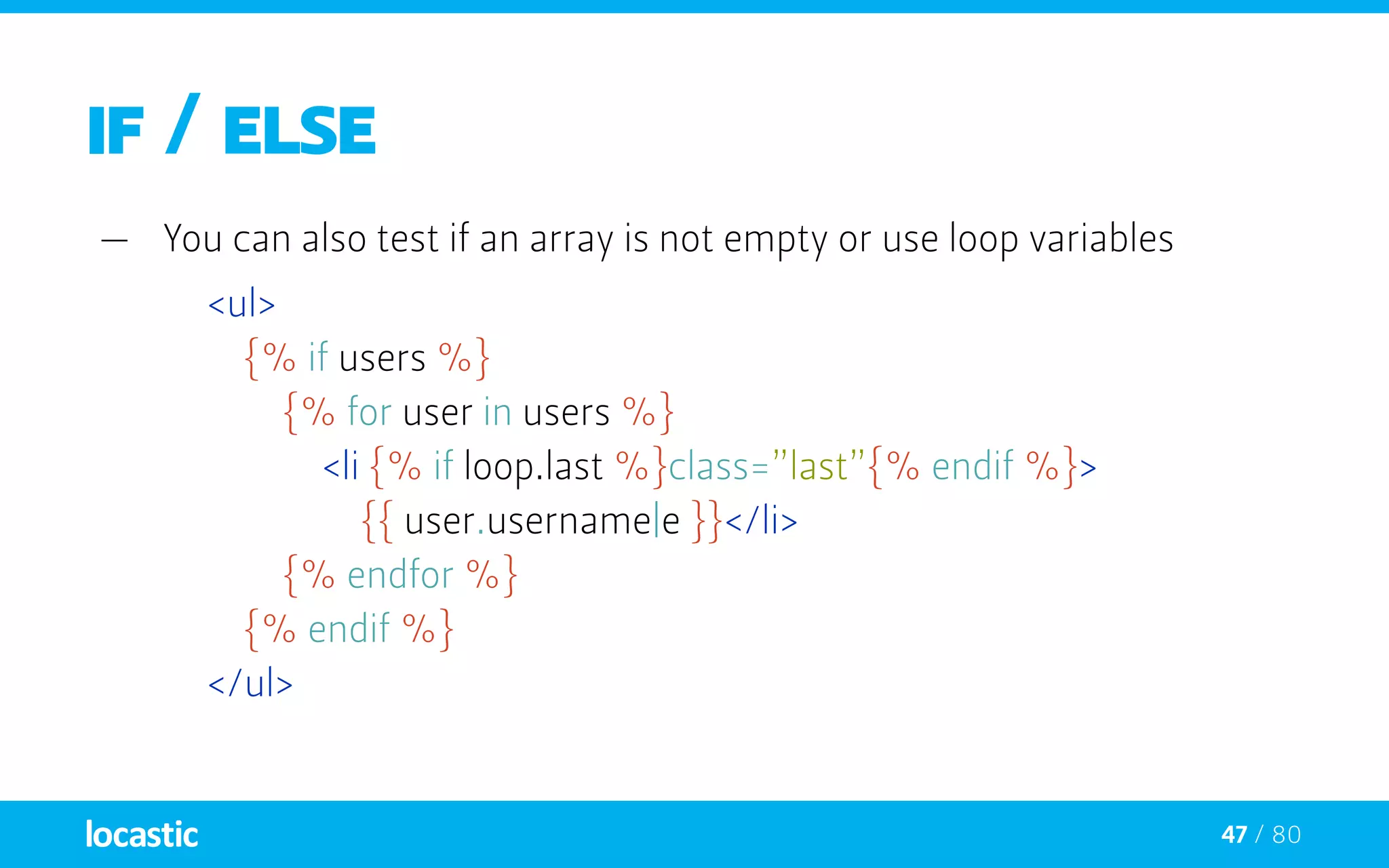
—— You can also test if an array is not empty or use loop variables
<ul>
		{% if users %}
			{% for user in users %}
				<li {% if loop.last %}class=”last”{% endif %}>
					{{ user.username|e }}</li>
			{% endfor %}
		{% endif %}
	 </ul>
48 / 80
Functions
—— functions can be called to generate content
—— Called by their name followed by parentheses ( () )
—— They may have arguments
{# range() function returning a list containing
		 arithmetic progression of integers #}
{% for i in range(0, 3) %}
		{{ i }},
	 {% endfor %}
49 / 80
Functions
attribute()
block()
constant()
cycle()
date()
dump()
include()
parent()
random()
range()
template_from_string()
50 / 80
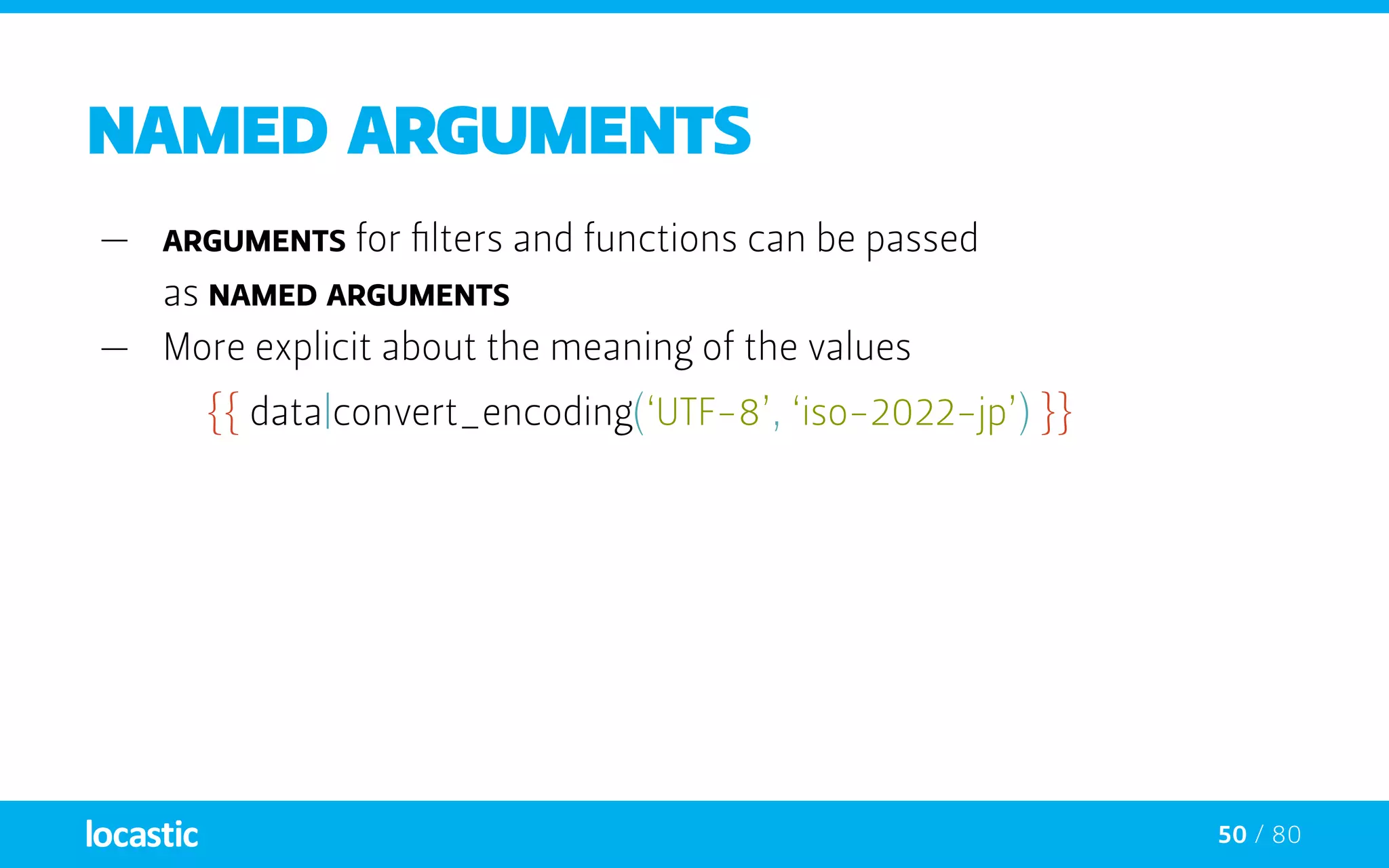
Named arguments
—— arguments for filters and functions can be passed
as named arguments
—— More explicit about the meaning of the values
{{ data|convert_encoding(‘UTF-8’, ‘iso-2022-jp’) }}
51 / 80
Named arguments
—— arguments for filters and functions can be passed
as named arguments
—— More explicit about the meaning of the values
{{ data|convert_encoding(‘UTF-8’, ‘iso-2022-jp’) }}
	 {# versus #}
	{{ data|convert_encoding(from=’iso-2022-jp’, to=’UTF-8’) }}
52 / 80
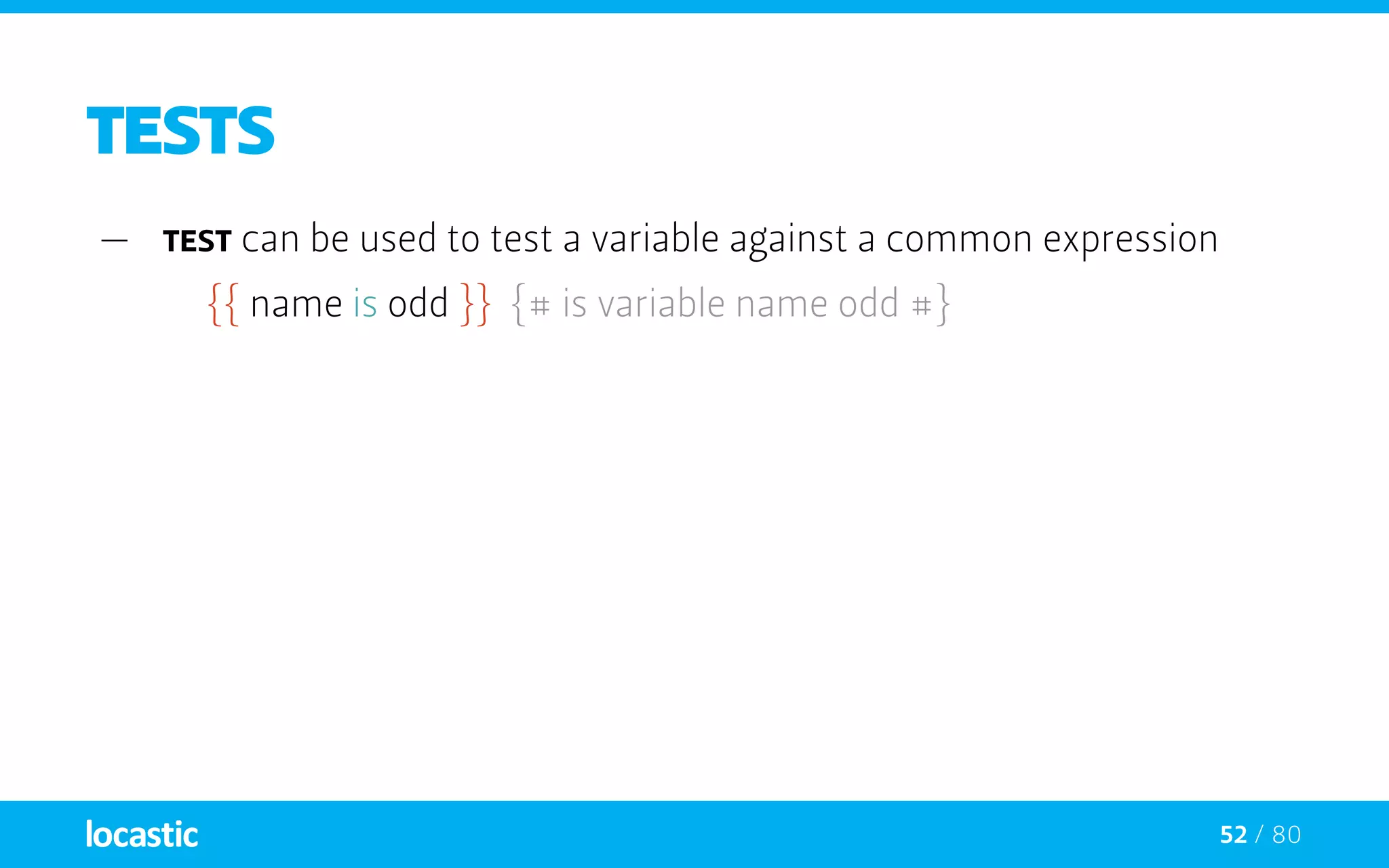
TESTS
—— test can be used to test a variable against a common expression
{{ name is odd }} {# is variable name odd #}
53 / 80
TESTS
—— test can be used to test a variable against a common expression
{{ name is odd }} {# is variable name odd #}
—— They may have arguments
{{ loop.index is divisibleby(3) }} {# is divisible by 3 #}
54 / 80
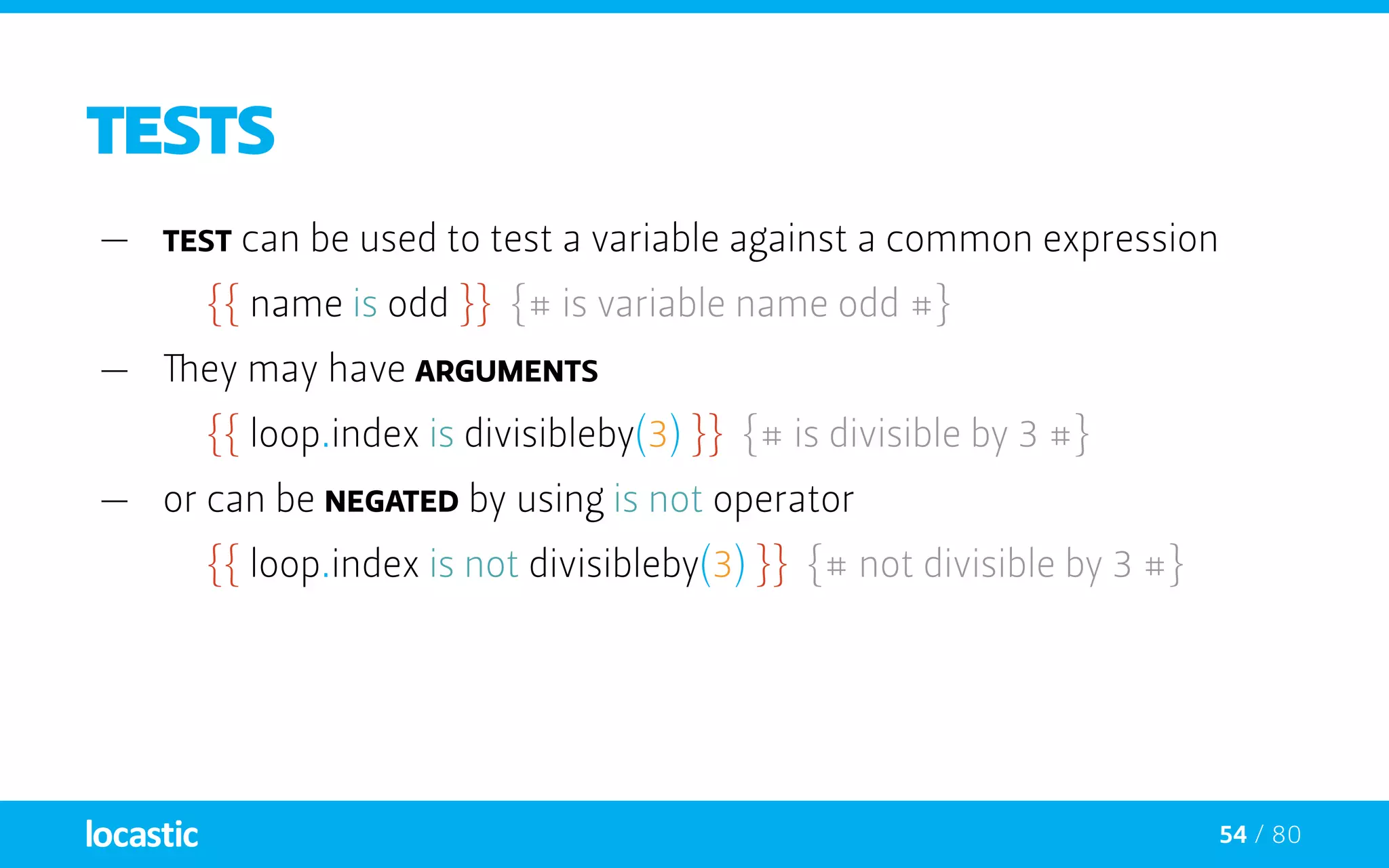
TESTS
—— test can be used to test a variable against a common expression
{{ name is odd }} {# is variable name odd #}
—— They may have arguments
{{ loop.index is divisibleby(3) }} {# is divisible by 3 #}
—— or can be negated by using is not operator
{{ loop.index is not divisibleby(3) }} {# not divisible by 3 #}
55 / 80
TESTS
constant
defined
divisibleby
empty
even
iterable
null
odd
sameas
56 / 80
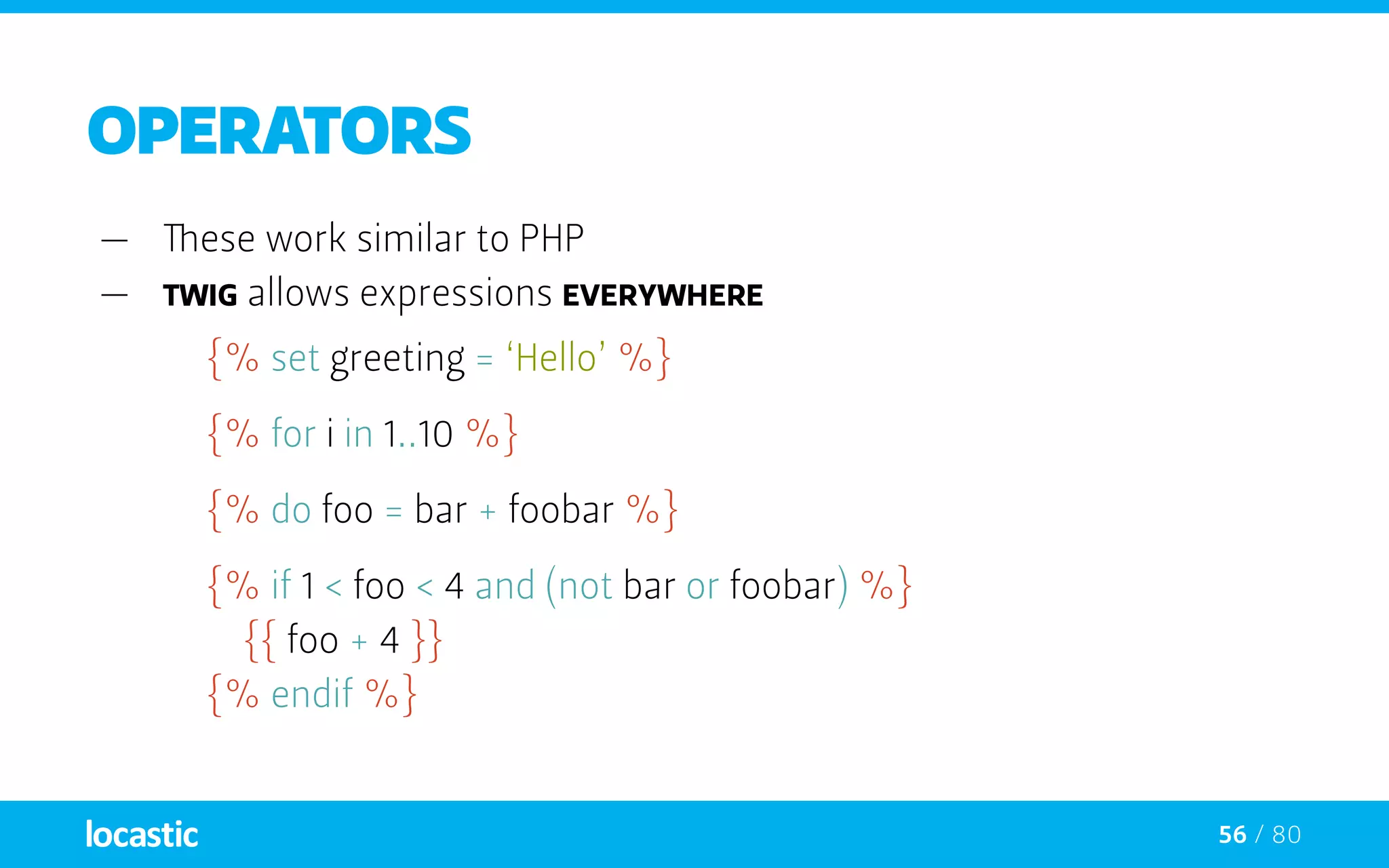
OPERATORS
—— These work similar to PHP
—— Twig allows expressions everywhere
{% set greeting = ‘Hello’ %}
{% for i in 1..10 %}
{% do foo = bar + foobar %}
{% if 1 < foo < 4 and (not bar or foobar) %}
		{{ foo + 4 }}
	{% endif %}
57 / 80
OPERATORS
in
is
+, -, /, %, /, *, ** (math)
and, or, not, (), b-and, b-xor, b-or (logic)
==, !=, <, >, >=, <=, === (comparisons)
.., |, ~, ., [], ?: (others)
php or twig
or why PHP sucks for templating
59 / 80
Benefits of twig
—— Terse syntax and sugar
—— Automatic HTML escaping
—— Sandbox mode, which enables user editable templates.
—— Ability to create custom DSL’s using application tags,
operators and functions.
60 / 80
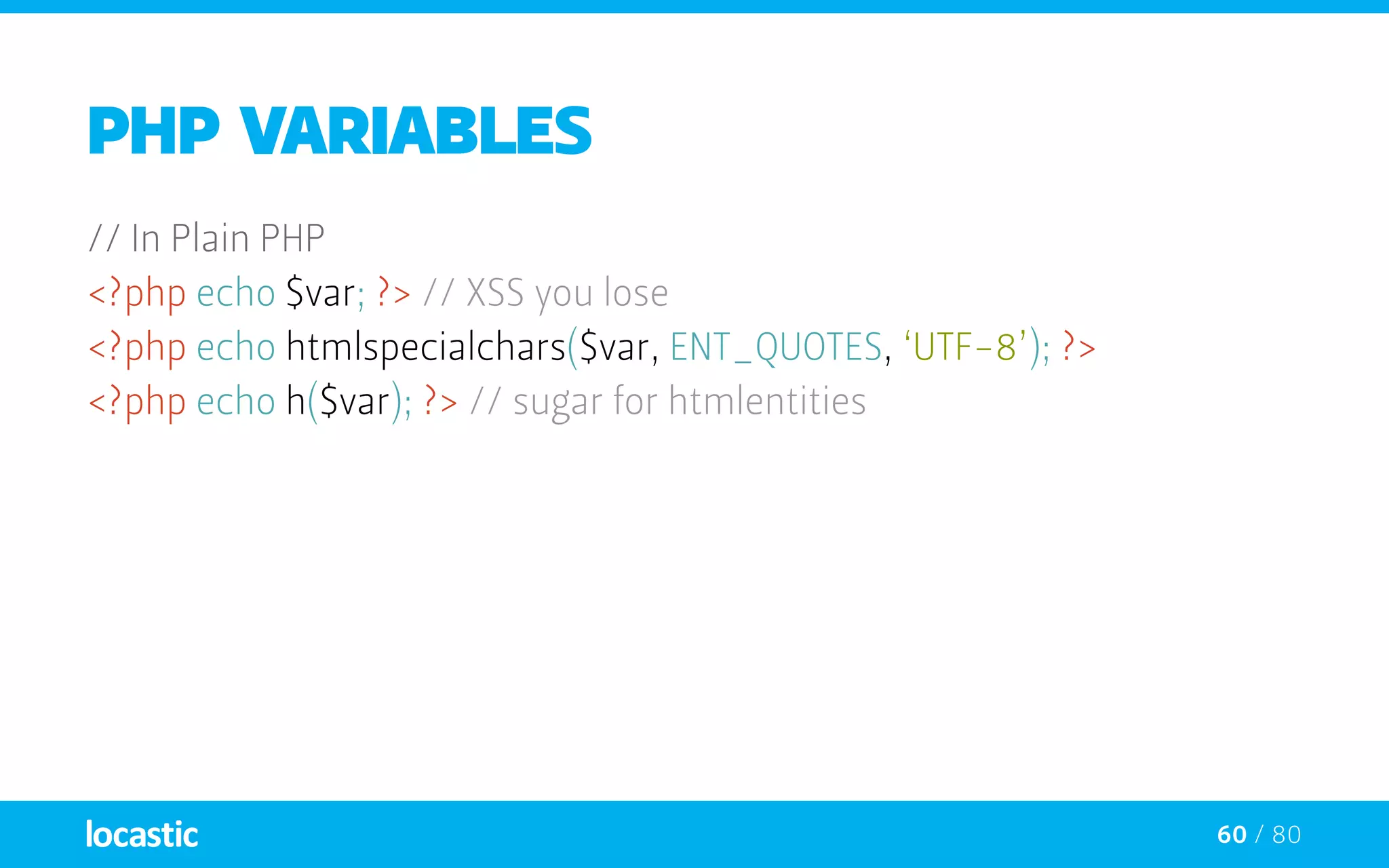
PHP variables
// In Plain PHP
<?php echo $var; ?> // XSS you lose
<?php echo htmlspecialchars($var, ENT_QUOTES, ‘UTF-8’); ?>
<?php echo h($var); ?> // sugar for htmlentities
61 / 80
PHP variables
// In Plain PHP
<?php echo $var; ?> // XSS you lose
<?php echo htmlspecialchars($var, ENT_QUOTES, ‘UTF-8’); ?>
<?php echo h($var); ?> // sugar for htmlentities
{# In Twig - autoescaping enabled #}
{{ var }}
62 / 80
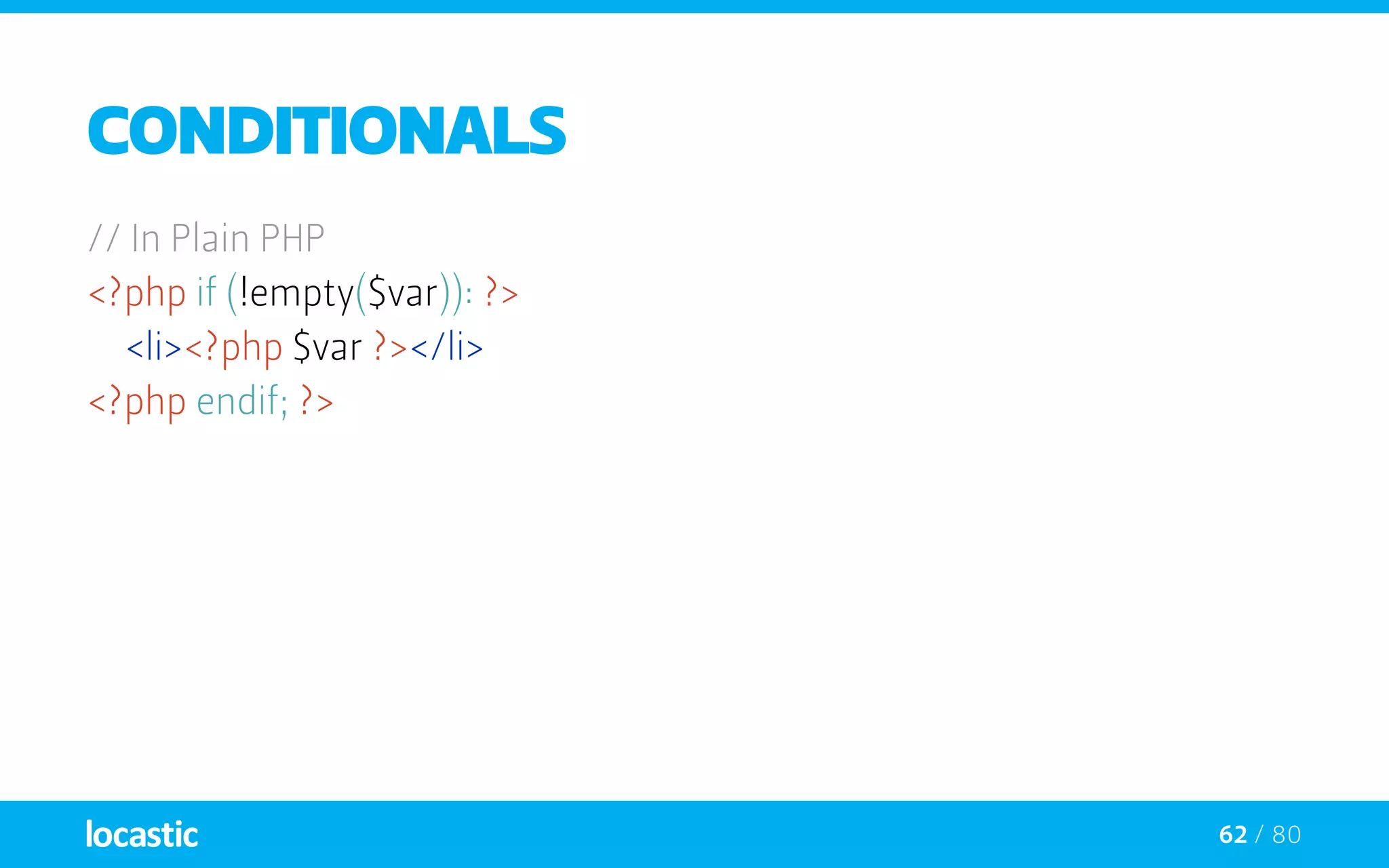
Conditionals
// In Plain PHP
<?php if (!empty($var)): ?>
	<li><?php $var ?></li>
<?php endif; ?>
63 / 80
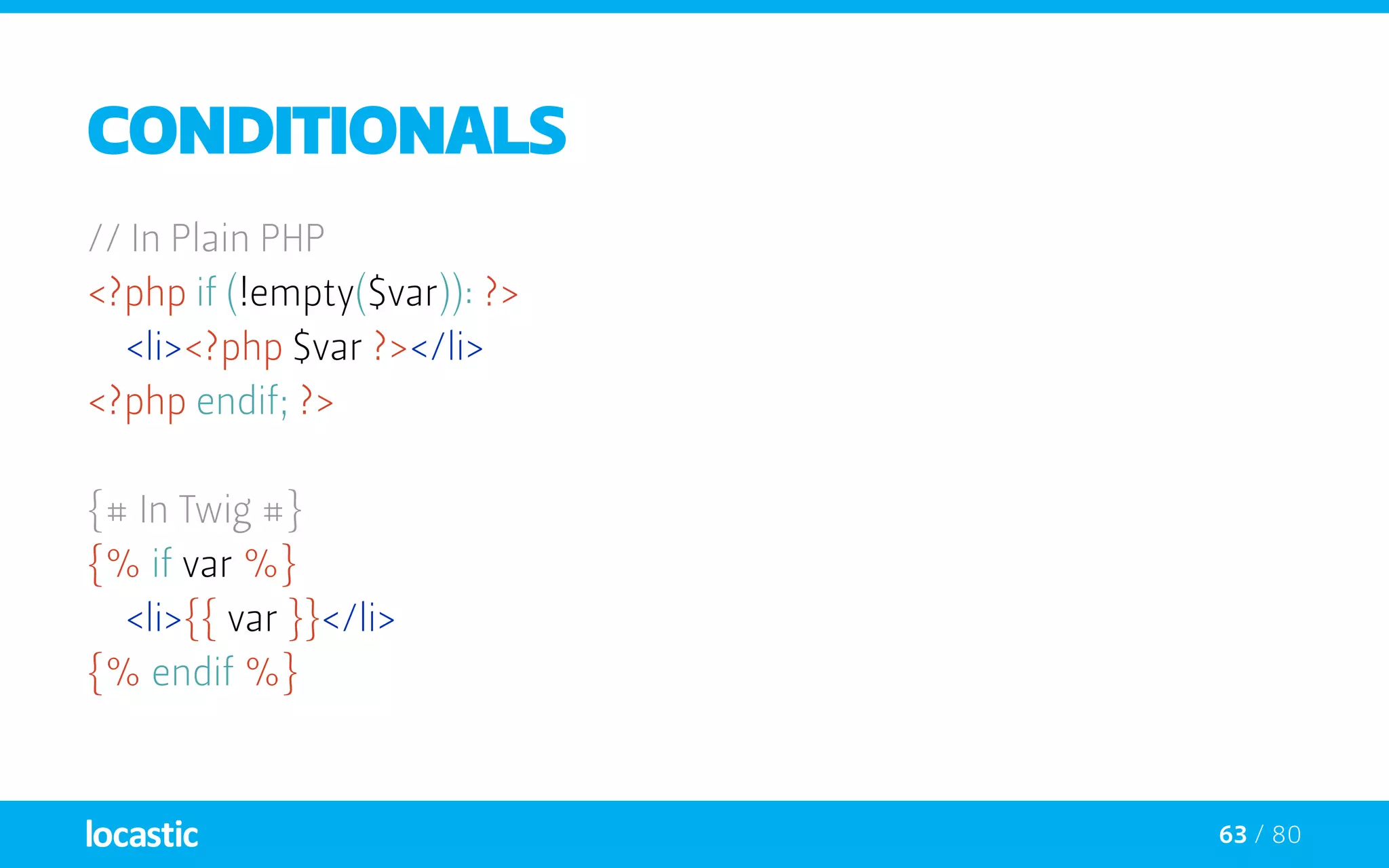
Conditionals
// In Plain PHP
<?php if (!empty($var)): ?>
	<li><?php $var ?></li>
<?php endif; ?>
{# In Twig #}
{% if var %}
	<li>{{ var }}</li>
{% endif %}
64 / 80
Loops
<?php // In Plain PHP
if (!empty($var):
	 foreach ((array)$var as $i => $v):
		printf(‘%s : %s’,
			htmlspecialchars($i, ENT_QUOTES, ‘UTF-8’),
			htmlspecialchars($v, ENT_QUOTES, ‘UTF-8’));
	 endforeach;
else:
	 echo ‘There is nothing defined’;
endif; ?>
65 / 80
Loops
{# In Twig #}
{% for i, v in var %}
	 {{ i }} : {{ v }}
{% else %}
	 No things
{% endfor %}
Is there anything else?
if you’re not convinced we’ve got more
67 / 80
Macros
—— Comparable with functions in regular programming languages
—— Useful to reuse fragments of template
—— Macros can also have defaults
68 / 80
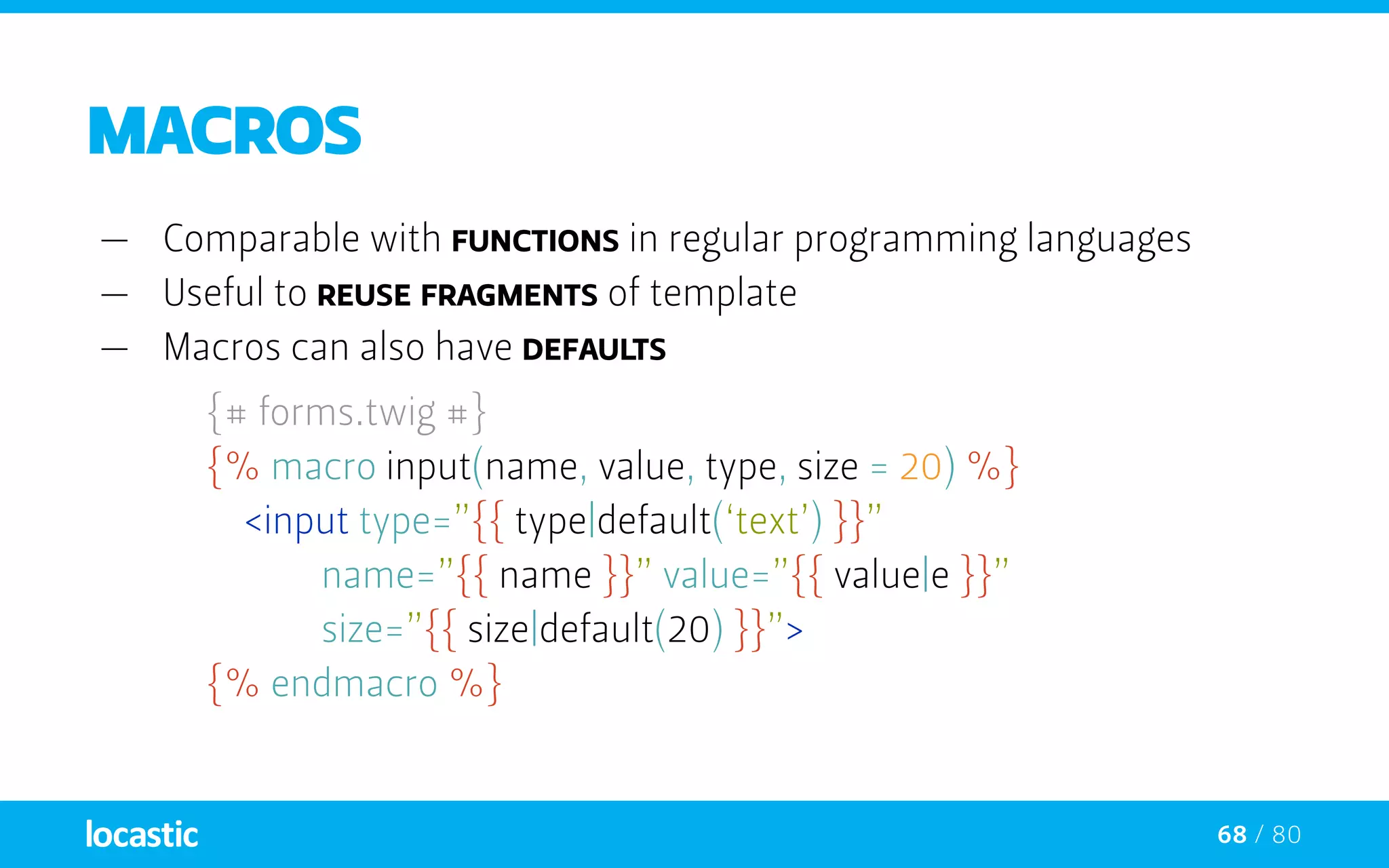
Macros
—— Comparable with functions in regular programming languages
—— Useful to reuse fragments of template
—— Macros can also have defaults
{# forms.twig #}
	 {% macro input(name, value, type, size = 20) %}
	 	<input type=”{{ type|default(‘text’) }}”
				name=”{{ name }}” value=”{{ value|e }}”
				size=”{{ size|default(20) }}”>
	 {% endmacro %}
69 / 80
Macros
—— They can be defined in any template
—— Need to be imported via the import tag before being used
70 / 80
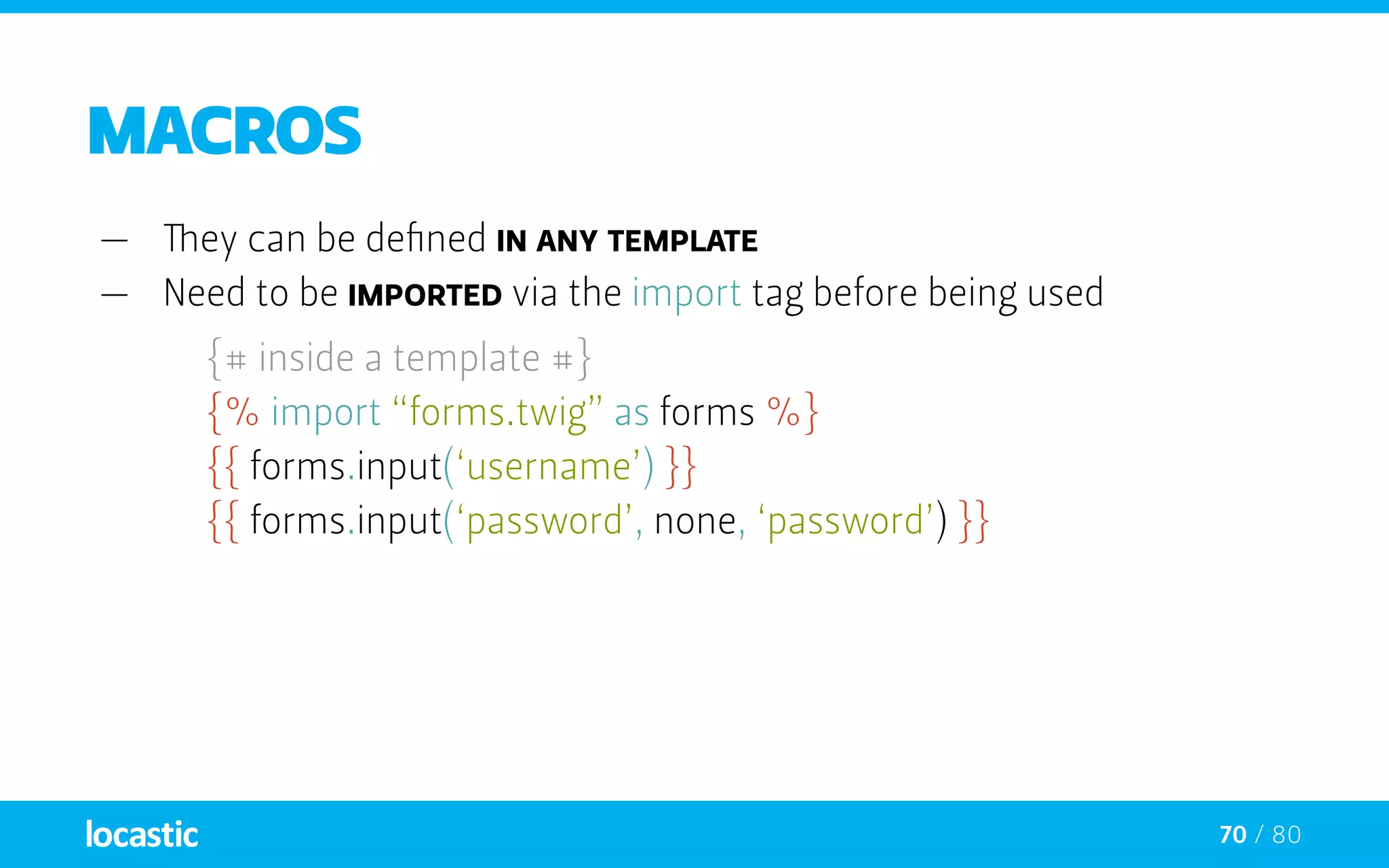
Macros
—— They can be defined in any template
—— Need to be imported via the import tag before being used
{# inside a template #}
	 {% import “forms.twig” as forms %}
	 {{ forms.input(‘username’) }}
	 {{ forms.input(‘password’, none, ‘password’) }}
71 / 80
Macros
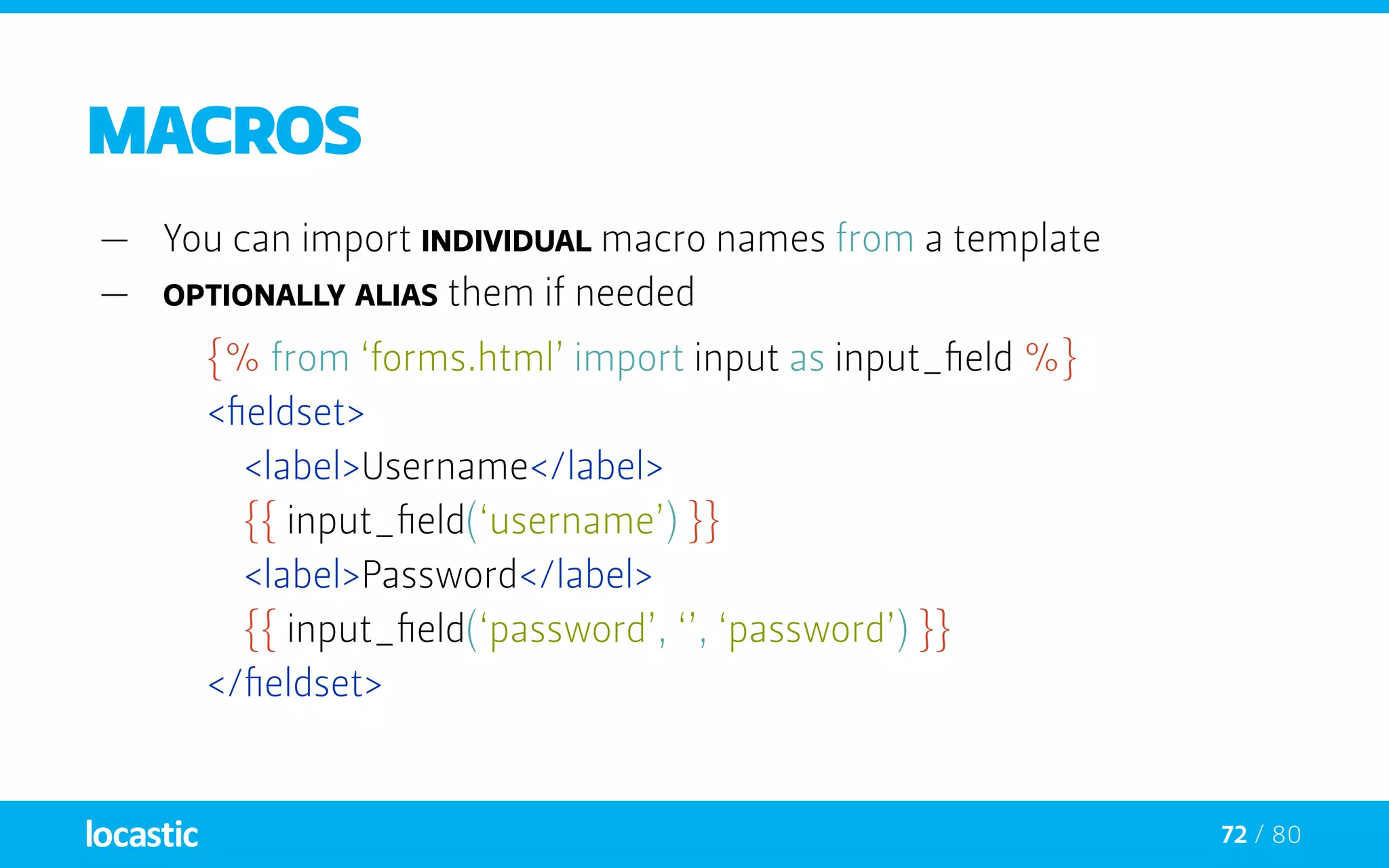
—— You can import individual macro names from a template
—— optionally alias them if needed
72 / 80
Macros
—— You can import individual macro names from a template
—— optionally alias them if needed
{% from ‘forms.html’ import input as input_field %}
	 <fieldset>
		<label>Username</label>
		{{ input_field(‘username’) }}
		<label>Password</label>
		{{ input_field(‘password’, ‘’, ‘password’) }}
	 </fieldset>
73 / 80
whitespace control
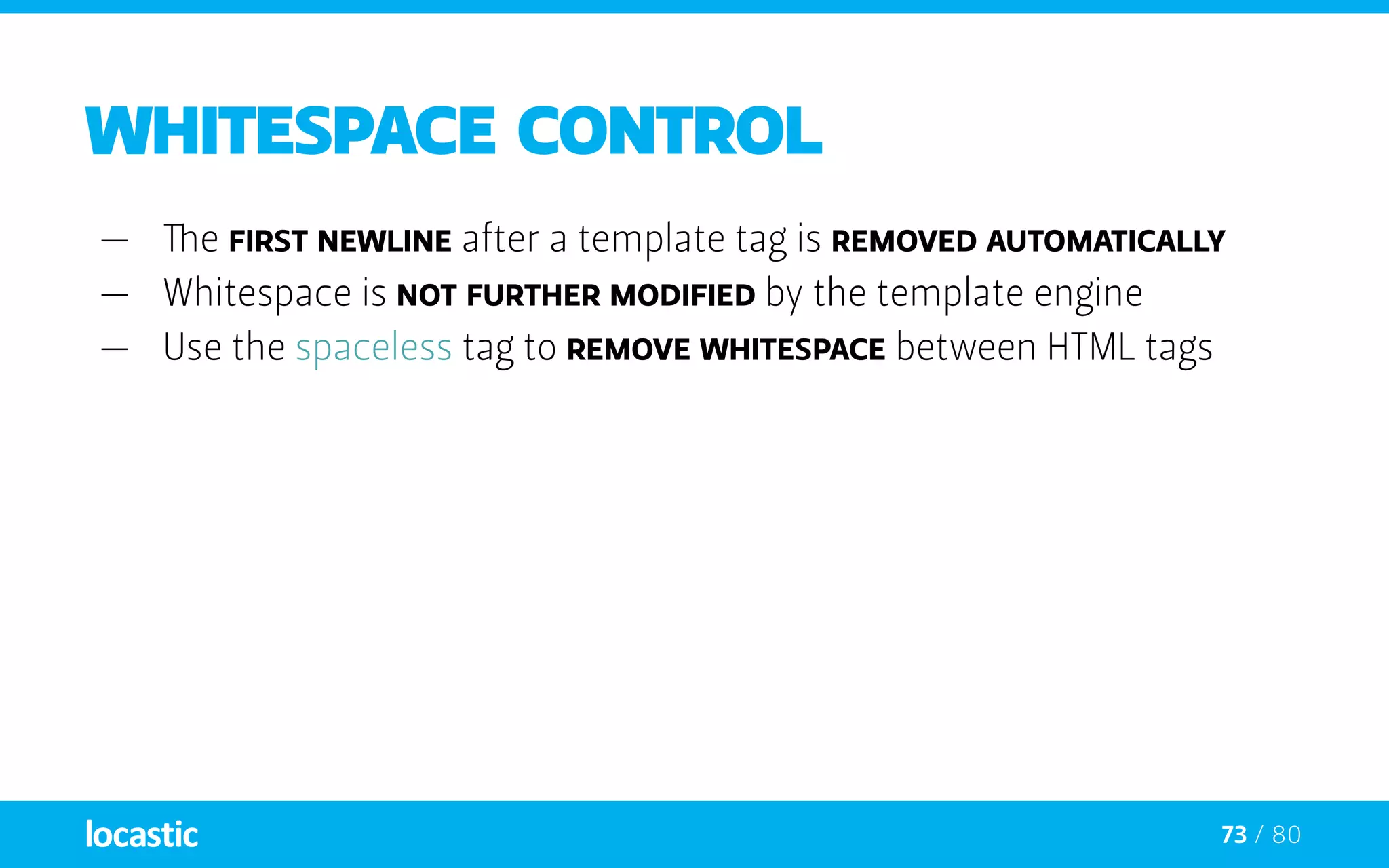
—— The first newline after a template tag is removed automatically
—— Whitespace is not further modified by the template engine
—— Use the spaceless tag to remove whitespace between HTML tags
74 / 80
whitespace control
—— The first newline after a template tag is removed automatically
—— Whitespace is not further modified by the template engine
—— Use the spaceless tag to remove whitespace between HTML tags
{% spaceless %}
		<div>
			<strong>foo bar</strong>
		</div>
	 {% endspaceless %}
75 / 80
whitespace control
—— The first newline after a template tag is removed automatically
—— Whitespace is not further modified by the template engine
—— Use the spaceless tag to remove whitespace between HTML tags
{% spaceless %}
		<div>
			<strong>foo bar</strong>
		</div>
	 {% endspaceless %}
{# output will be <div><strong>foo bar</strong></div> #}
76 / 80
includes
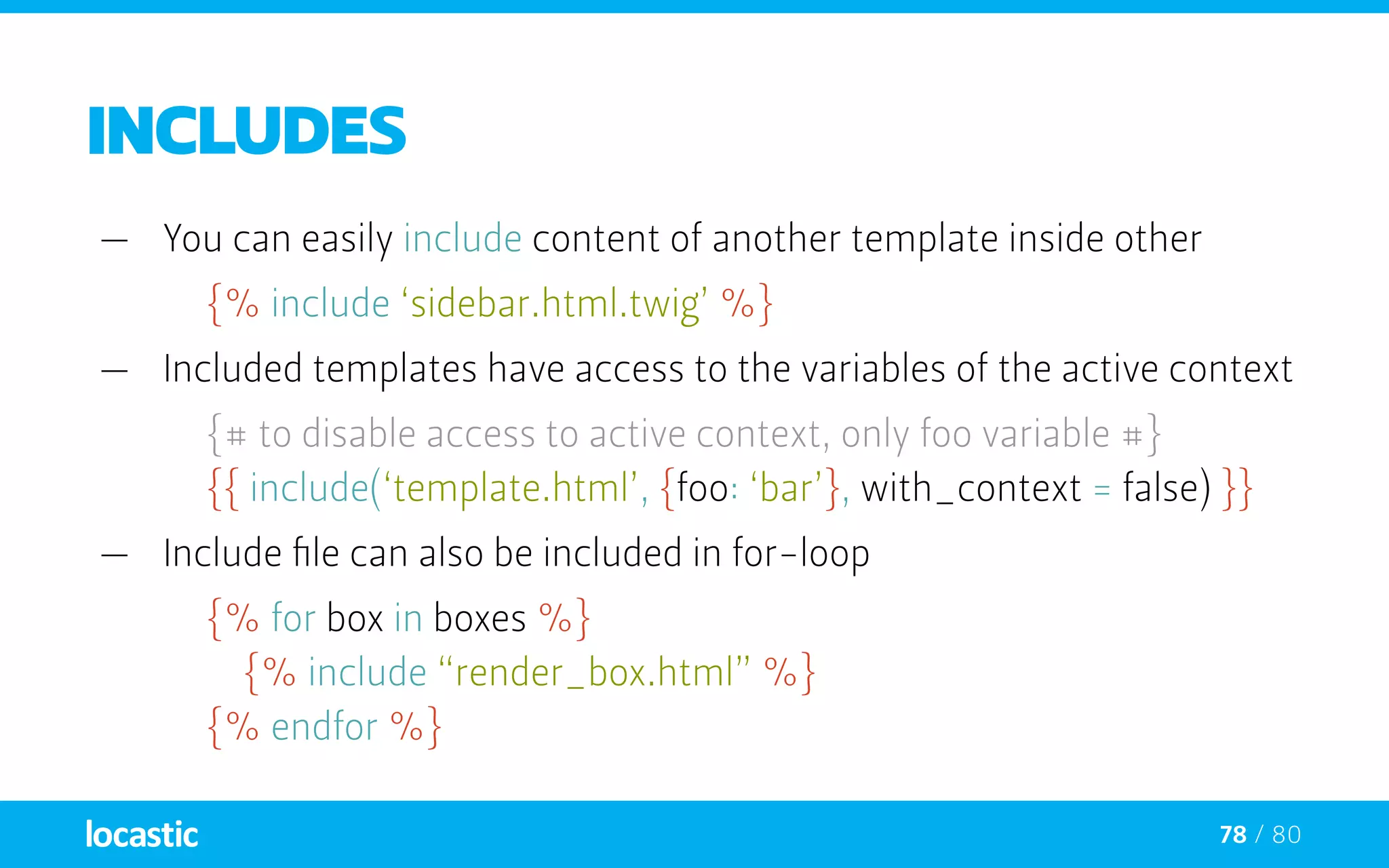
—— You can easily include content of another template inside other
{% include ‘sidebar.html.twig’ %}
77 / 80
includes
—— You can easily include content of another template inside other
{% include ‘sidebar.html.twig’ %}
—— Included templates have access to the variables of the active context
{# to disable access to active context, only foo variable #}
	 {{ include(‘template.html’, {foo: ‘bar’}, with_context = false) }}
78 / 80
includes
—— You can easily include content of another template inside other
{% include ‘sidebar.html.twig’ %}
—— Included templates have access to the variables of the active context
{# to disable access to active context, only foo variable #}
	 {{ include(‘template.html’, {foo: ‘bar’}, with_context = false) }}
—— Include file can also be included in for-loop
{% for box in boxes %}
		{% include “render_box.html” %}
	 {% endfor %}
79 / 80
Template inheritance
—— Most powerful part of Twig - is template inheritance
—— Build a base “skeleton” template with common elements of your site
—— blocks are like slots or holes in a template, that the child can fill
—— Blocks can be used out of order, which is pretty sweet.
—— Blocks can be imported from other templates
80 / 80
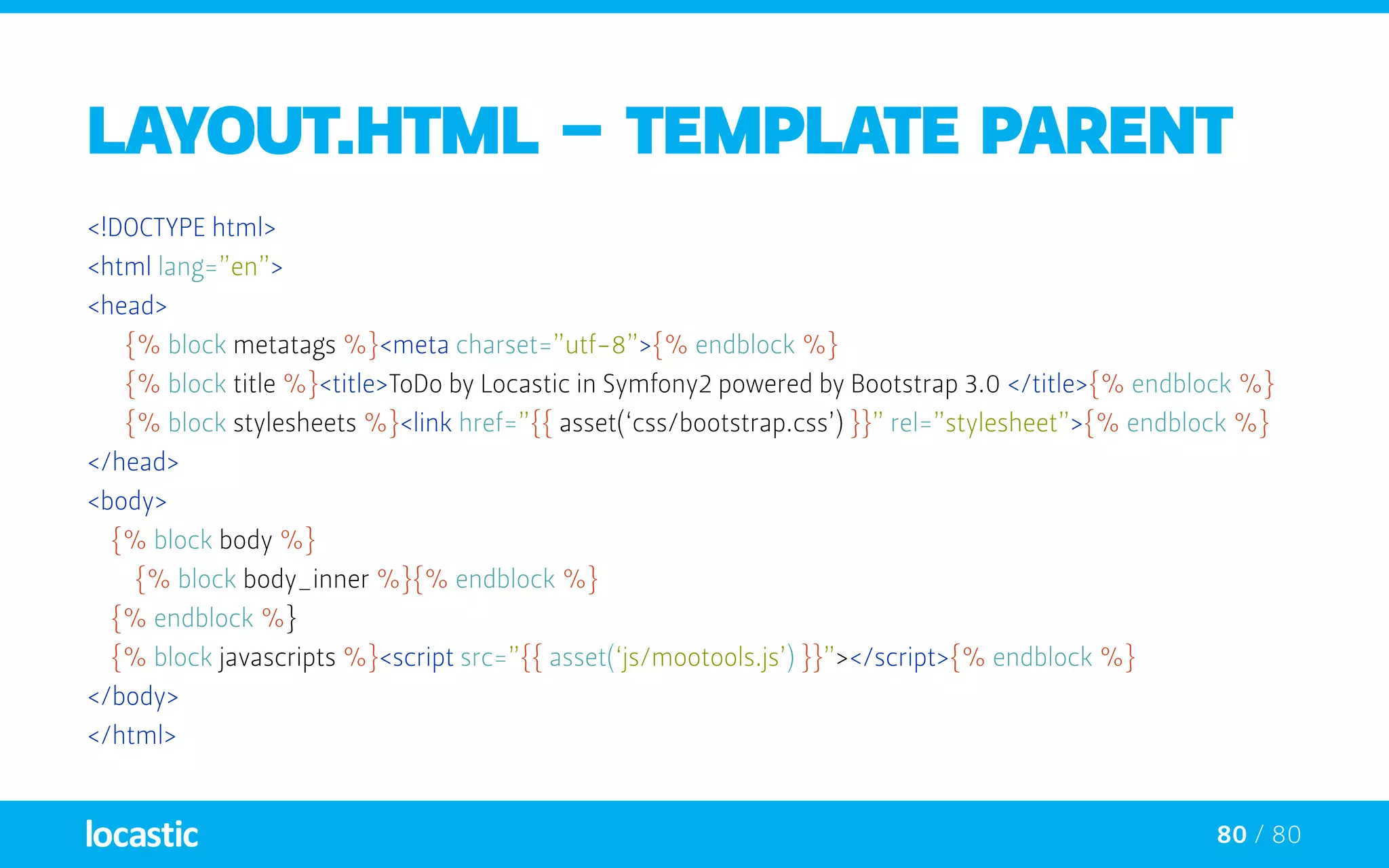
layout.html - TEMPLATE PARENT
<!DOCTYPE html>
<html lang=”en”>
<head>
	 {% block metatags %}<meta charset=”utf-8”>{% endblock %}
	 {% block title %}<title>ToDo by Locastic in Symfony2 powered by Bootstrap 3.0 </title>{% endblock %}
	 {% block stylesheets %}<link href=”{{ asset(‘css/bootstrap.css’) }}” rel=”stylesheet”>{% endblock %}
</head>
<body>
{% block body %}
{% block body_inner %}{% endblock %}
{% endblock %}
{% block javascripts %}<script src=”{{ asset(‘js/mootools.js’) }}”></script>{% endblock %}
</body>
</html>
81 / 80
layout.html - TEMPLATE PARENT
<!DOCTYPE html>
<html lang=”en”>
<head>
	 {% block metatags %}<meta charset=”utf-8”>{% endblock %}
	 {% block title %}<title>ToDo by Locastic in Symfony2 powered by Bootstrap 3.0 </title>{% endblock %}
	 {% block stylesheets %}<link href=”{{ asset(‘css/bootstrap.css’) }}” rel=”stylesheet”>{% endblock %}
</head>
<body>
{% block body %}
{% block body_inner %}{% endblock %}
{% endblock %}
{% block javascripts %}<script src=”{{ asset(‘js/mootools.js’) }}”></script>{% endblock %}
</body>
</html>
blocks are like slots for content
82 / 80
layout.html - TEMPLATE PARENT
<!DOCTYPE html>
<html lang=”en”>
<head>
	 {% block metatags %}<meta charset=”utf-8”>{% endblock %}
	 {% block title %}<title>ToDo by Locastic in Symfony2 powered by Bootstrap 3.0 </title>{% endblock %}
	 {% block stylesheets %}<link href=”{{ asset(‘css/bootstrap.css’) }}” rel=”stylesheet”>{% endblock %}
</head>
<body>
{% block body %}
{% block body_inner %}{% endblock %}
{% endblock %}
{% block javascripts %}<script src=”{{ asset(‘js/mootools.js’) }}”></script>{% endblock %}
</body>
</html>
Twig takes care of you paths
83 / 80
layout.html - TEMPLATE PARENT
<!DOCTYPE html>
<html lang=”en”>
<head>
	 {% block metatags %}<meta charset=”utf-8”>{% endblock %}
	 {% block title %}<title>ToDo by Locastic in Symfony2 powered by Bootstrap 3.0 </title>{% endblock %}
	 {% block stylesheets %}<link href=”{{ asset(‘css/bootstrap.css’) }}” rel=”stylesheet”>{% endblock %}
</head>
<body>
{% block body %}
{% block body_inner %}{% endblock %}
{% endblock %}
{% block javascripts %}<script src=”{{ asset(‘js/mootools.js’) }}”></script>{% endblock %}
</body>
</html>
blocks can be nested
84 / 80
TEMPLATE CHILD
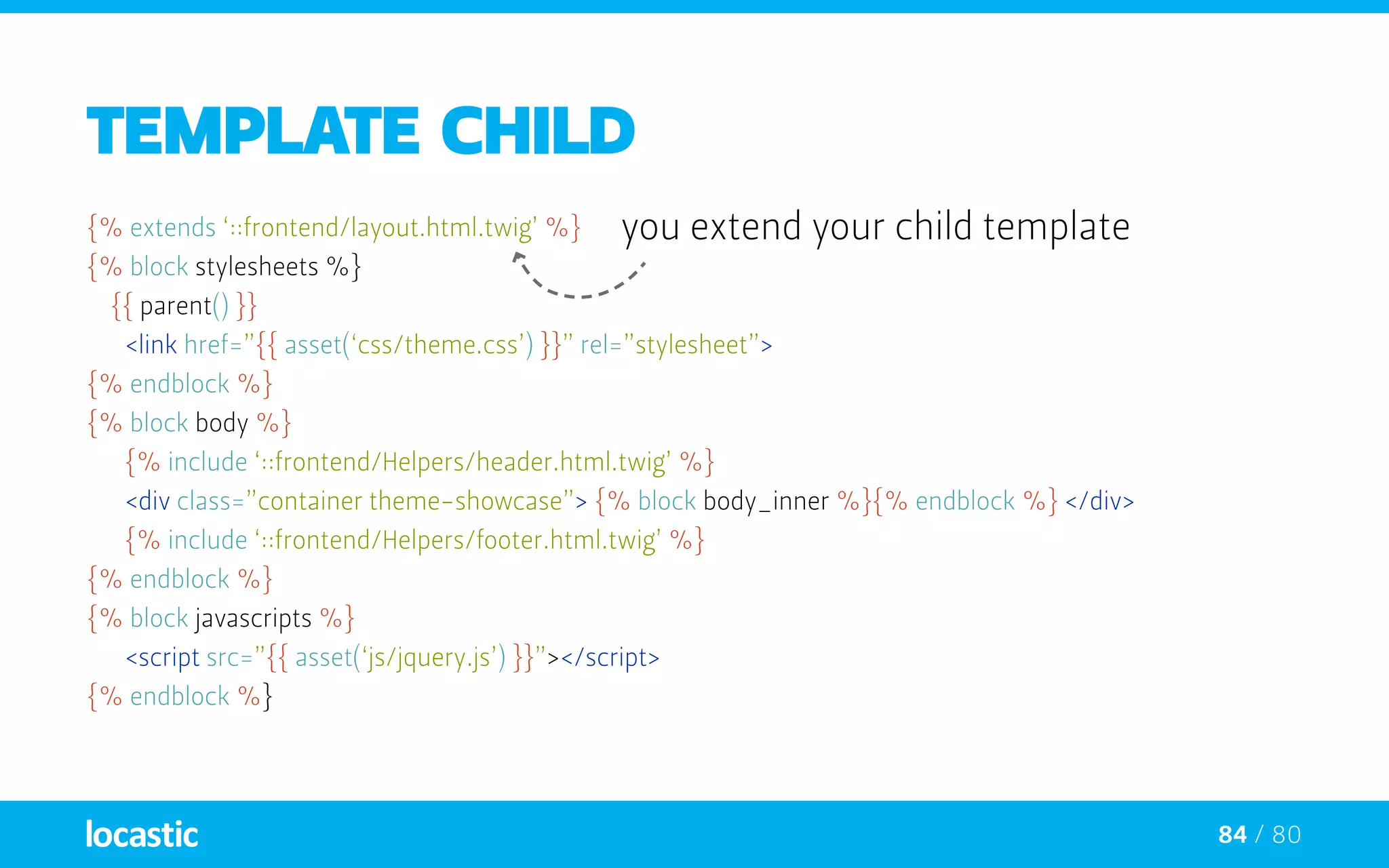
{% extends ‘::frontend/layout.html.twig’ %}
{% block stylesheets %}
{{ parent() }}
	 <link href=”{{ asset(‘css/theme.css’) }}” rel=”stylesheet”>
{% endblock %}
{% block body %}
	 {% include ‘::frontend/Helpers/header.html.twig’ %}
	 <div class=”container theme-showcase”> 	{% block body_inner %}{% endblock %} </div>
	 {% include ‘::frontend/Helpers/footer.html.twig’ %}
{% endblock %}
{% block javascripts %}
	 <script src=”{{ asset(‘js/jquery.js’) }}”></script>
{% endblock %}
you extend your child template
85 / 80
TEMPLATE CHILD
{% extends ‘::frontend/layout.html.twig’ %}
{% block stylesheets %}
{{ parent() }}
	 <link href=”{{ asset(‘css/theme.css’) }}” rel=”stylesheet”>
{% endblock %}
{% block body %}
	 {% include ‘::frontend/Helpers/header.html.twig’ %}
	 <div class=”container theme-showcase”> 	{% block body_inner %}{% endblock %} </div>
	 {% include ‘::frontend/Helpers/footer.html.twig’ %}
{% endblock %}
{% block javascripts %}
	 <script src=”{{ asset(‘js/jquery.js’) }}”></script>
{% endblock %}
position existing block content
86 / 80
TEMPLATE CHILD
{% extends ‘::frontend/layout.html.twig’ %}
{% block stylesheets %}
{{ parent() }}
	 <link href=”{{ asset(‘css/theme.css’) }}” rel=”stylesheet”>
{% endblock %}
{% block body %}
	 {% include ‘::frontend/Helpers/header.html.twig’ %}
	 <div class=”container theme-showcase”> 	{% block body_inner %}{% endblock %} </div>
	 {% include ‘::frontend/Helpers/footer.html.twig’ %}
{% endblock %}
{% block javascripts %}
	 <script src=”{{ asset(‘js/jquery.js’) }}”></script>
{% endblock %}
include works inside blocks too
87 / 80
TEMPLATE CHILD
{% extends ‘::frontend/layout.html.twig’ %}
{% block stylesheets %}
{{ parent() }}
	 <link href=”{{ asset(‘css/theme.css’) }}” rel=”stylesheet”>
{% endblock %}
{% block body %}
	 {% include ‘::frontend/Helpers/header.html.twig’ %}
	 <div class=”container theme-showcase”> 	{% block body_inner %}{% endblock %} </div>
	 {% include ‘::frontend/Helpers/footer.html.twig’ %}
{% endblock %}
{% block javascripts %}
	 <script src=”{{ asset(‘js/jquery.js’) }}”></script>
{% endblock %}
changing nested block
88 / 80
TEMPLATE CHILD
{% extends ‘::frontend/layout.html.twig’ %}
{% block stylesheets %}
{{ parent() }}
	 <link href=”{{ asset(‘css/theme.css’) }}” rel=”stylesheet”>
{% endblock %}
{% block body %}
	 {% include ‘::frontend/Helpers/header.html.twig’ %}
	 <div class=”container theme-showcase”> 	{% block body_inner %}{% endblock %} </div>
	 {% include ‘::frontend/Helpers/footer.html.twig’ %}
{% endblock %}
{% block javascripts %}
	 <script src=”{{ asset(‘js/jquery.js’) }}”></script>
{% endblock %}
completely override block content
89 / 80
TEMPLATE CHILD
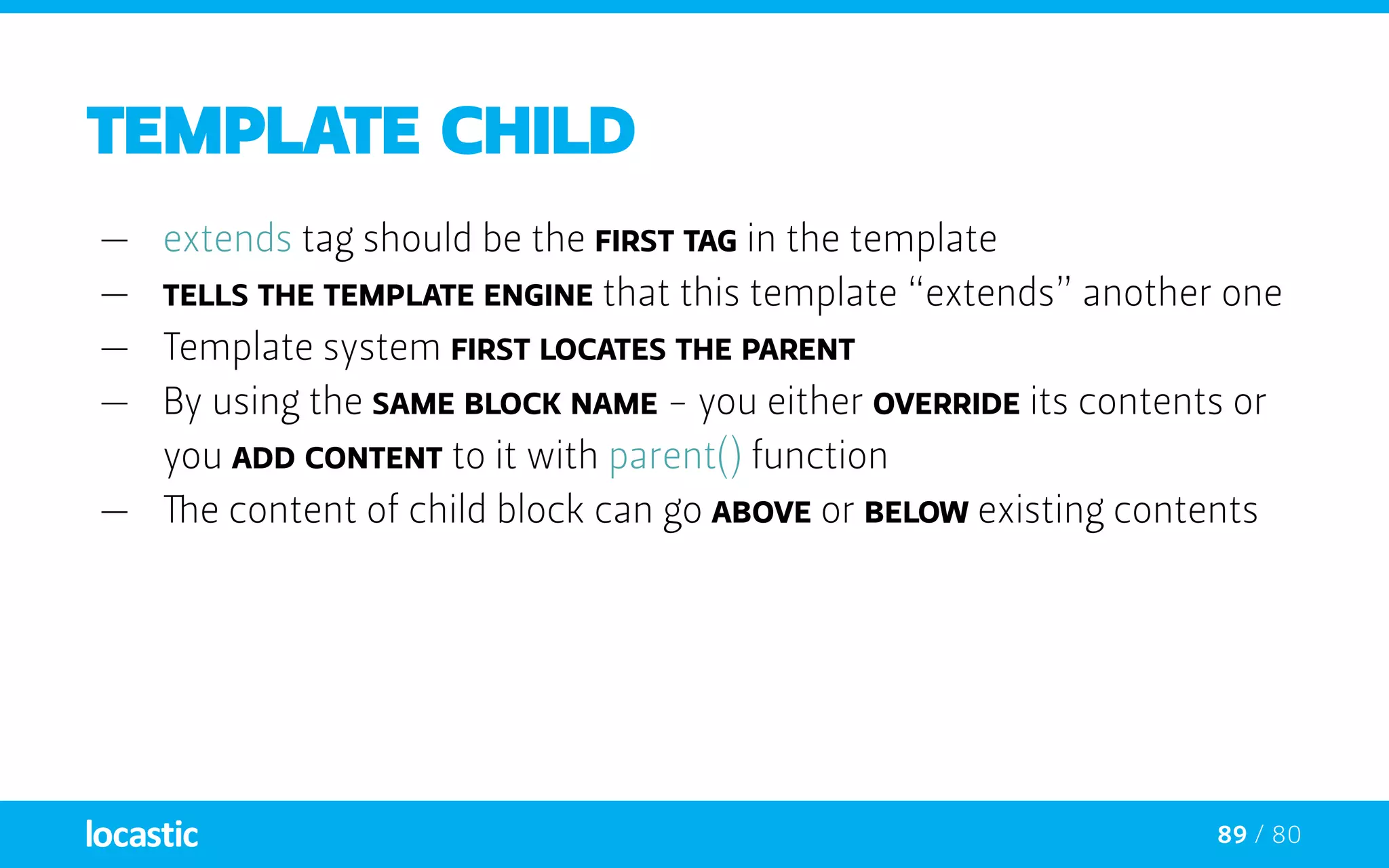
—— extends tag should be the first tag in the template
—— tells the template engine that this template “extends” another one
—— Template system first locates the parent
—— By using the same block NAME - you either override its contents or
you add content to it with parent() function
—— The content of child block can go above or below existing contents
90 / 80
INHERITANCE TIPS
—— Extending only works three levels deep
—— Don’t use {% block %} inside a loop. It doesn’t do what you want.
—— You can use {{ block(name) }} to dynamically call blocks.
I mentioned it was secure
and why am I, a designer, telling that to you anyway?
92 / 80
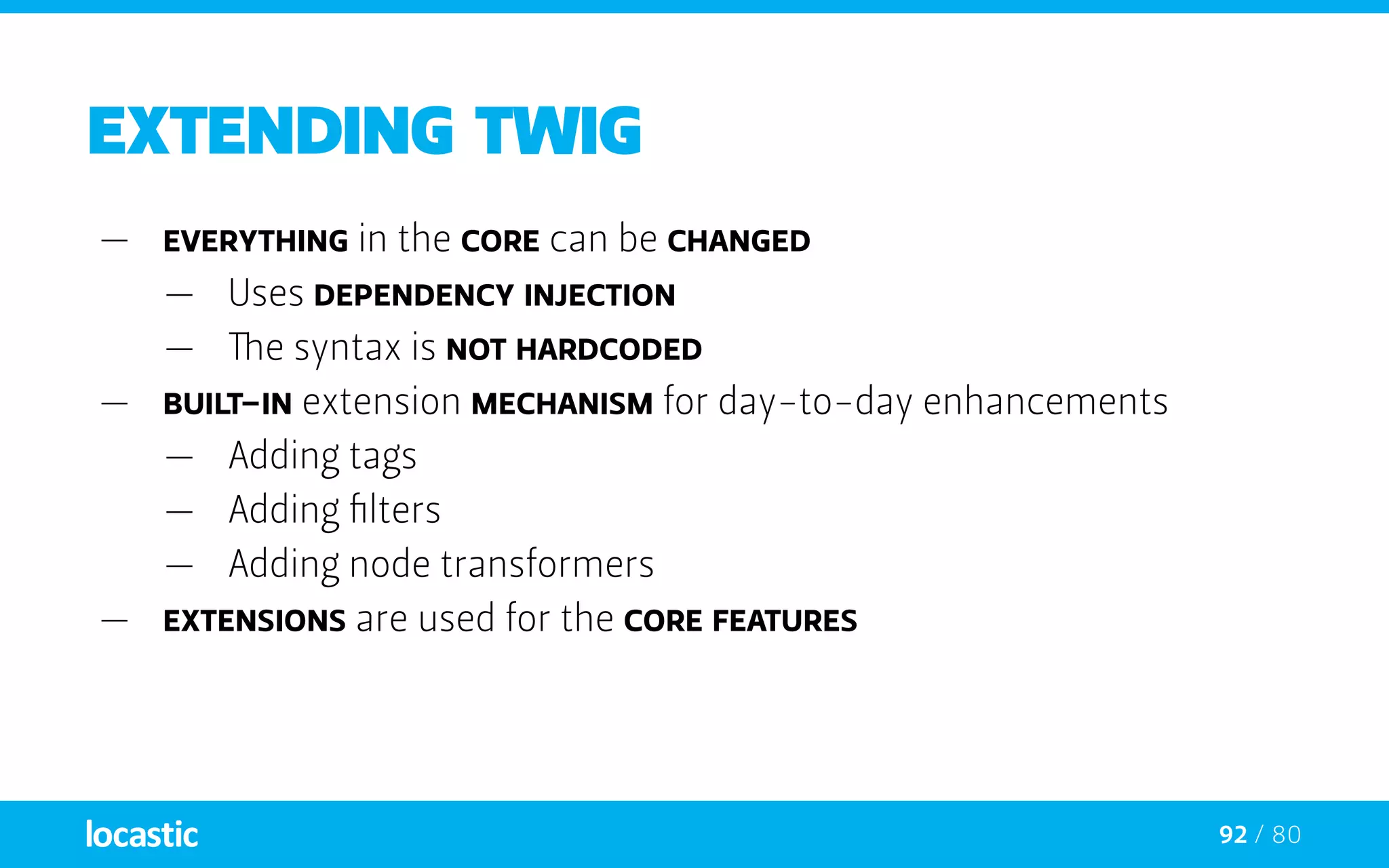
Extending twig
—— Everything in the core can be changed
—— Uses dependency injection
—— The syntax is not hardcoded
—— Built-in extension mechanism for day-to-day enhancements
—— Adding tags
—— Adding filters
—— Adding node transformers
—— Extensions are used for the core features
93 / 80
Extending twig
—— Everything is an extension in the core
—— Twig_Extension_Core:
Provides the core features (tags and filters)
—— Twig_Extension_Escaper:
Adds automatic output-escaping and the possibility
to escape/unescape blocks of code
—— Twig_Extension_Sandbox:
Adds a sandbox mode to the default Twig environment,
making it safe to evaluate untrusted code
94 / 80
extending twig
—— The Core extension is automatically registered
—— Core and user extensions are managed in the same way
$twig = new Twig_Environment($loader);
	$twig->addExtension(
		new Twig_Extension_Escaper()
	 );
95 / 80
xss protection
—— Cross-site scripting (XSS) enables attackers to inject
client-side script into Web pages viewed by other users
—— 84% of all security vulnerabilities as of 2007
In TWIG:
—— Everything is done during compilation
—— Nothing is decided on execution
—— No overhead between escaping by hand and auto-escaping
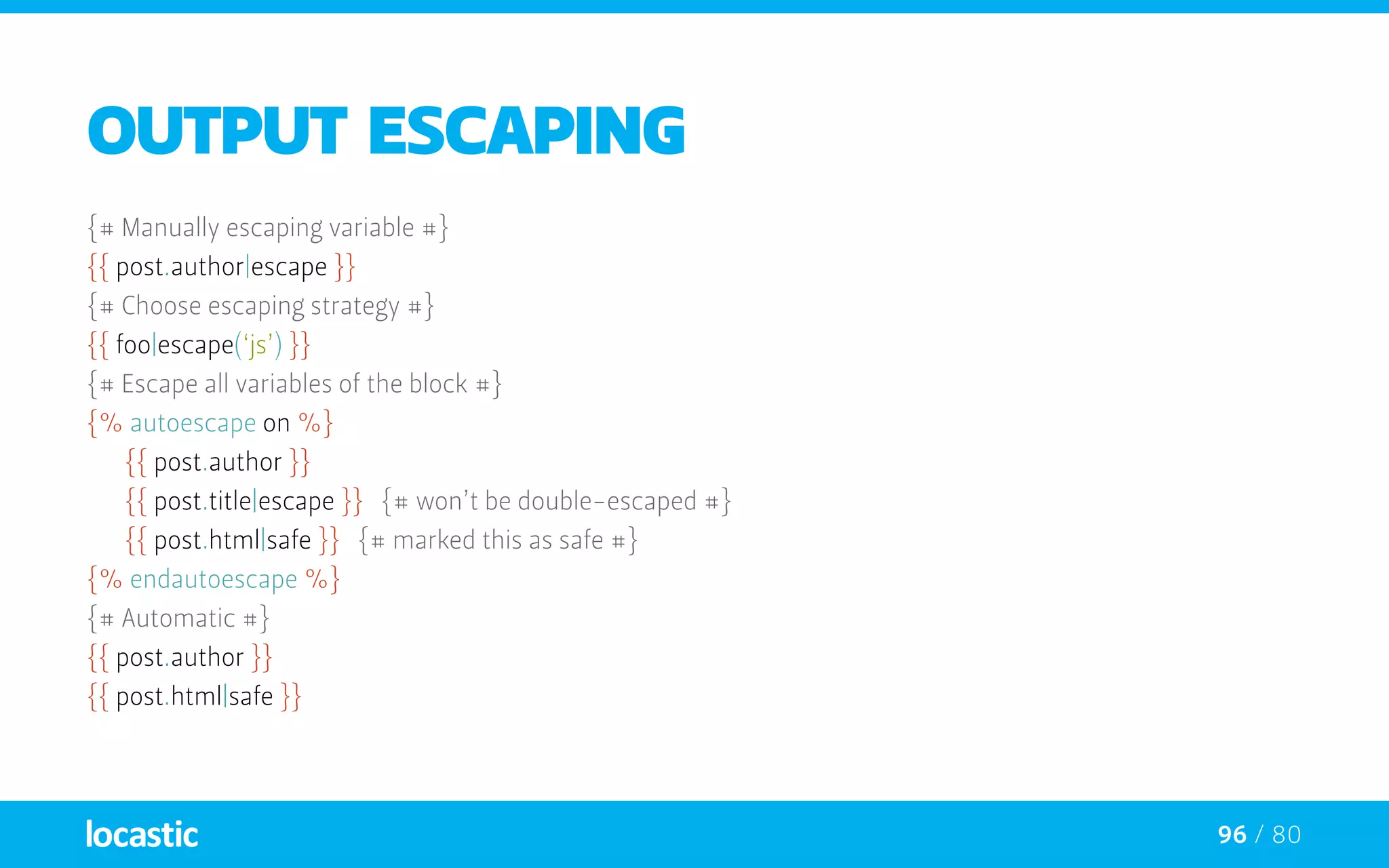
96 / 80
Output escaping
{# Manually escaping variable #}
{{ post.author|escape }}
{# Choose escaping strategy #}
{{ foo|escape(‘js’) }}
{# Escape all variables of the block #}
{% autoescape on %}
	 {{ post.author }}
	 {{ post.title|escape }} {# won’t be double-escaped #}
	 {{ post.html|safe }} {# marked this as safe #}
{% endautoescape %}
{# Automatic #}
{{ post.author }}
{{ post.html|safe }}
97 / 80
when do you need SANDBOX?
—— When you need to evaluate non-trusted code;
a user who can edit templates, typically a webmaster in backend
—— Security is managed by a policy instance
(Twig_Sandbox_SecurityPolicy by default)
—— The code evaluated in a sandbox must respect the policy
—— The default policy works as follows
—— Tags must be explicitly allowed
—— Filters must be explicitly allowed
—— Method calls must be explicitly allowed on a method basis
98 / 80
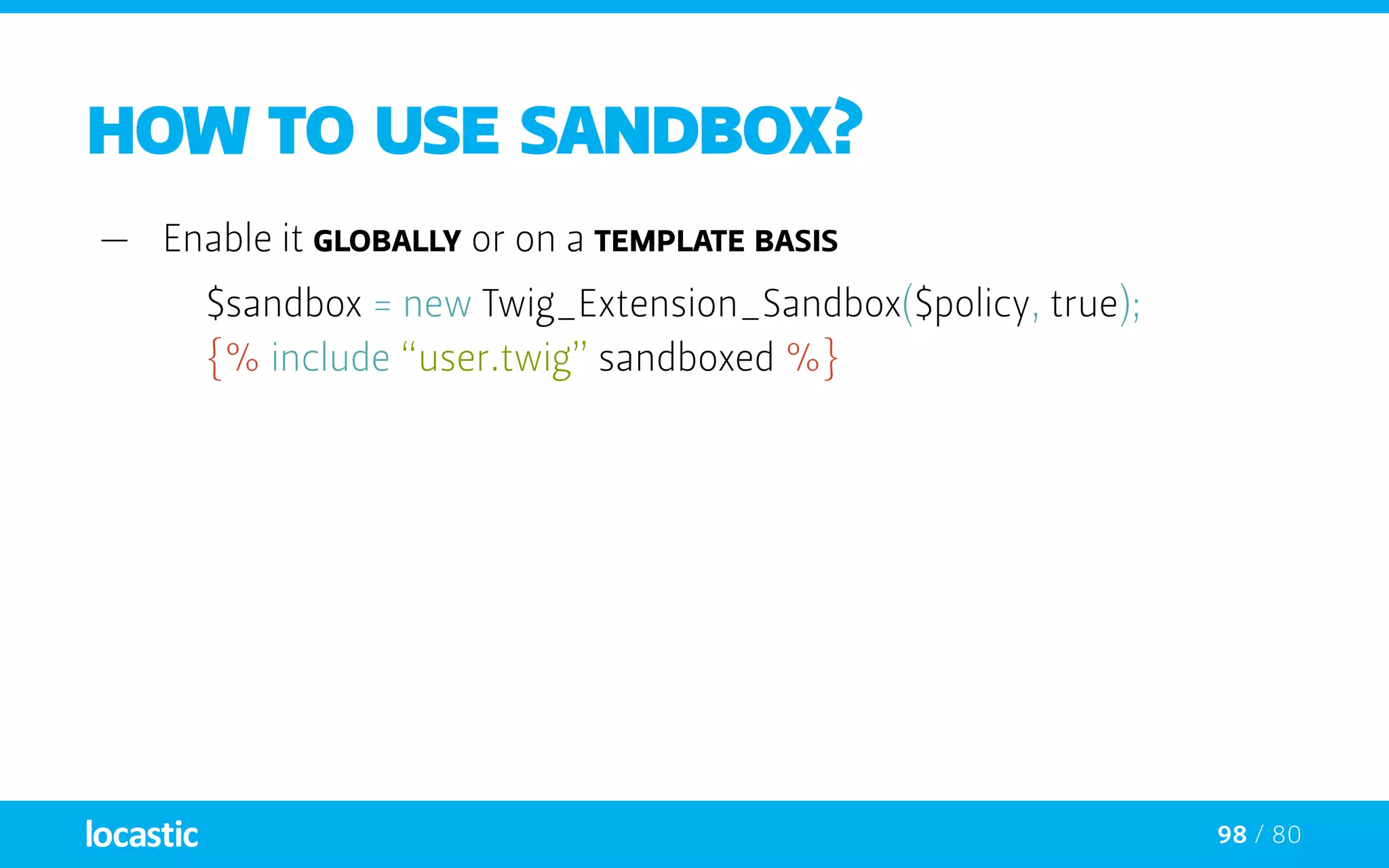
HOW TO USE SANDBOX?
—— Enable it globally or on a template basis
$sandbox = new Twig_Extension_Sandbox($policy, true);
	 {% include “user.twig” sandboxed %}
Coding standards
or how to write nice code
100 / 80
twigrammar
—— Put one (and only one) space after the start of a delimiter
( {{, {%, and {# ) and before the end of a delimiter (}}, %}, and #})
{{ foo }}
{# comment #}
{% if foo %}{% endif %}
101 / 80
twigrammar
—— Put one (and only one) space before and after the following
operators: comparison operators (==, !=, <, >, >=, <=),
math operators (+, -, /, *, %, //, **) logic operators (not, and, or),
~, is, in, and the ternary operator (?:)
{{ 1 + 2 }}
	 {{ foo ~ bar }}
	 {{ true ? true : false }}
102 / 80
twigrammar
—— Put one (and only one) space after the ( : ) sign in hashes
and ( , ) in arrays and hashes
{{ [1, 2, 3] }}
{{ {‘foo’: ‘bar’} }}
103 / 80
twigrammar
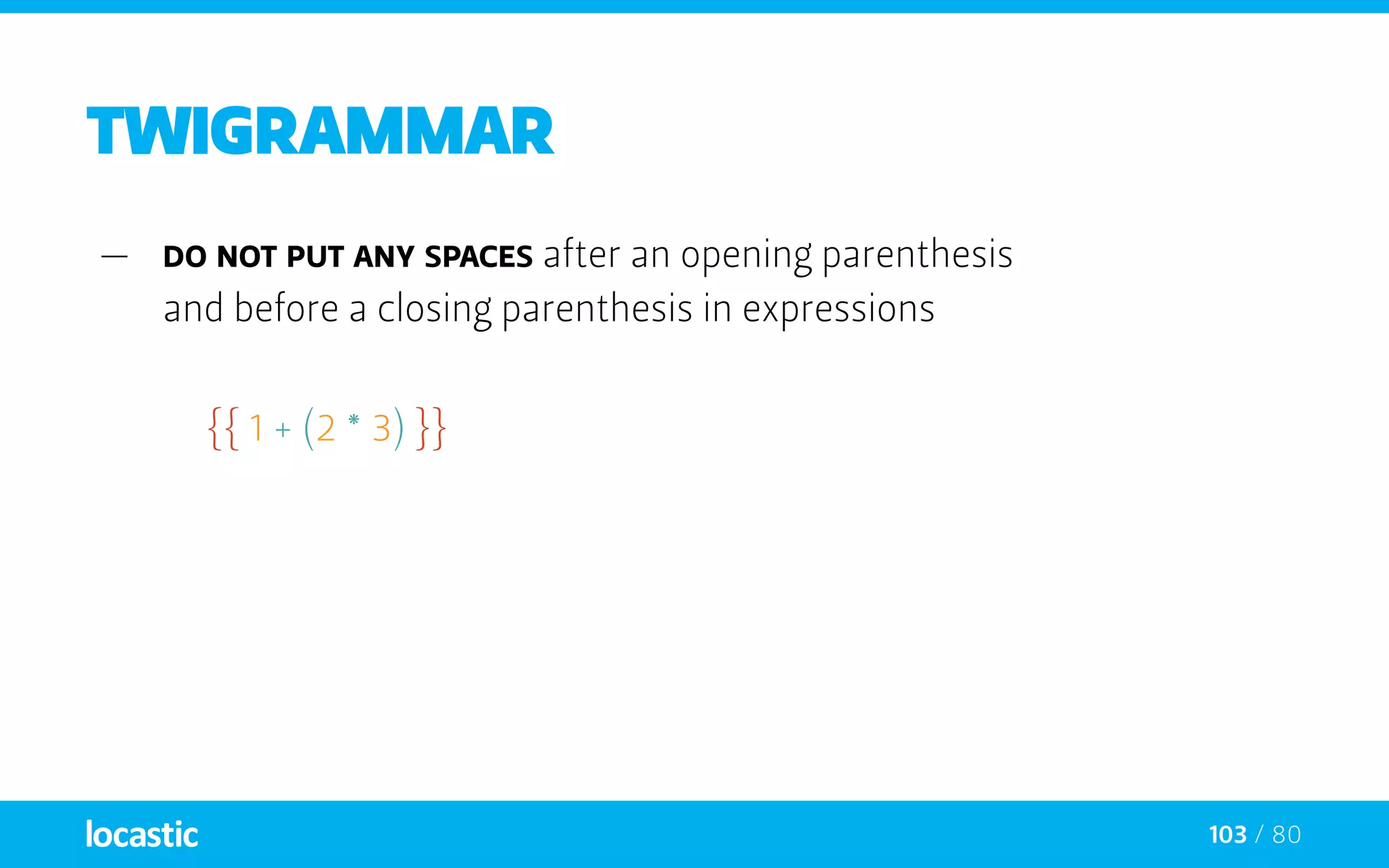
—— Do not put any spaces after an opening parenthesis
and before a closing parenthesis in expressions
{{ 1 + (2 * 3) }}
104 / 80
twigrammar
—— Do not put any spaces before and after string delimiters
{{ ‘foo’ }}
{{ “foo” }}
105 / 80
twigrammar
—— Do not put any spaces before and after
the following operators: |, ., .., []
{{ foo|upper|lower }}
{{ user.name }}
{{ user[name] }}
{% for i in 1..12 %}{% endfor %}
106 / 80
twigrammar
—— Do not put any spaces before and after
the parenthesis used for filter and function calls
{{ foo|default(‘foo’) }}
{{ range(1..10) }}
107 / 80
twigrammar
—— Do not put any spaces before and after
the opening and the closing of arrays and hashes
{{ [1, 2, 3] }}
{{ {‘foo’: ‘bar’} }}
108 / 80
twigrammar
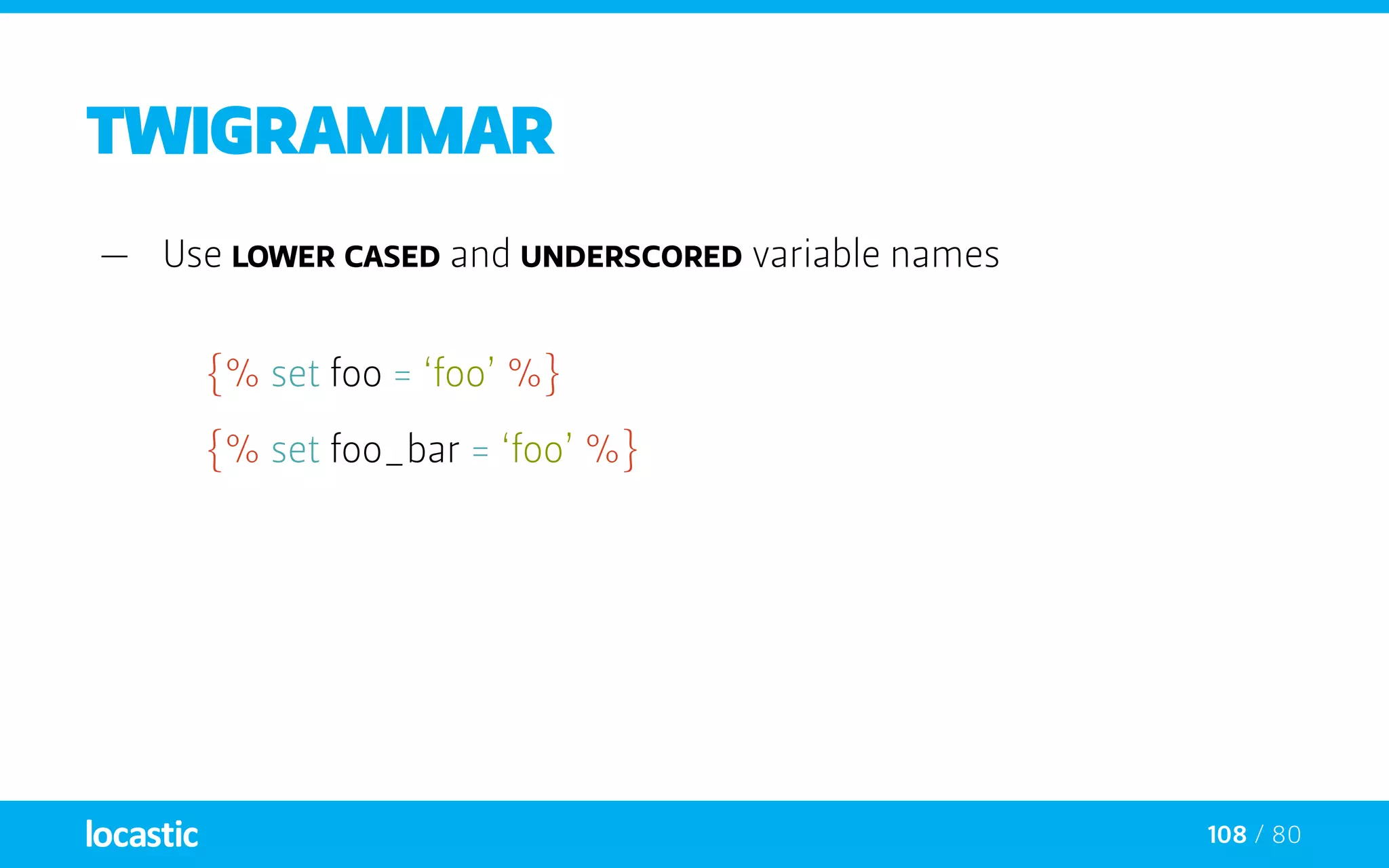
—— Use lower cased and underscored variable names
{% set foo = ‘foo’ %}
{% set foo_bar = ‘foo’ %}
109 / 80
twigrammar
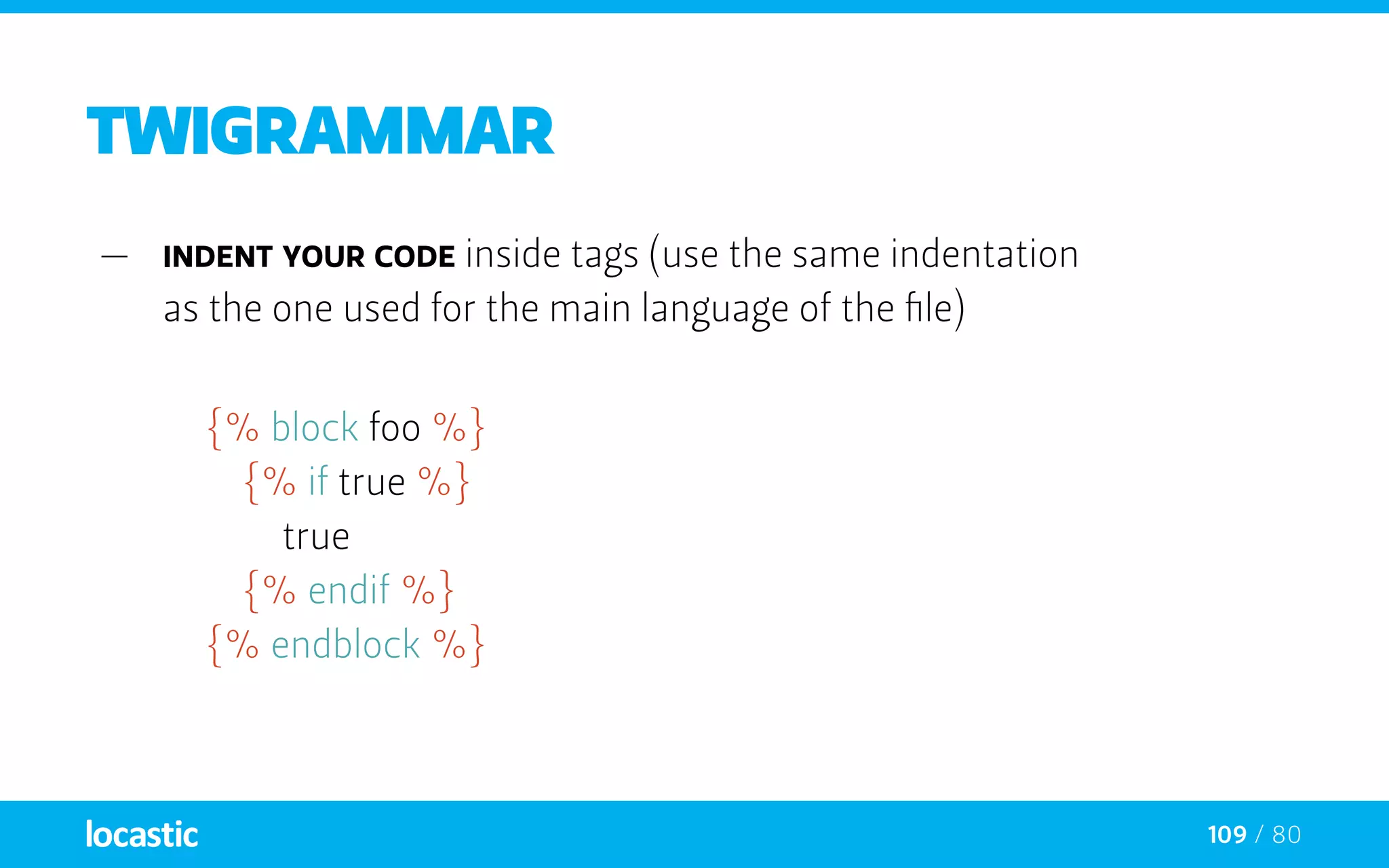
—— Indent your code inside tags (use the same indentation
as the one used for the main language of the file)
{% block foo %}
		{% if true %}
			true
		{% endif %}
	 {% endblock %}
Integrating bootstrap
an how to power up one of the widely used frameworks with TWIG
111 / 80
BOOTSTRAP
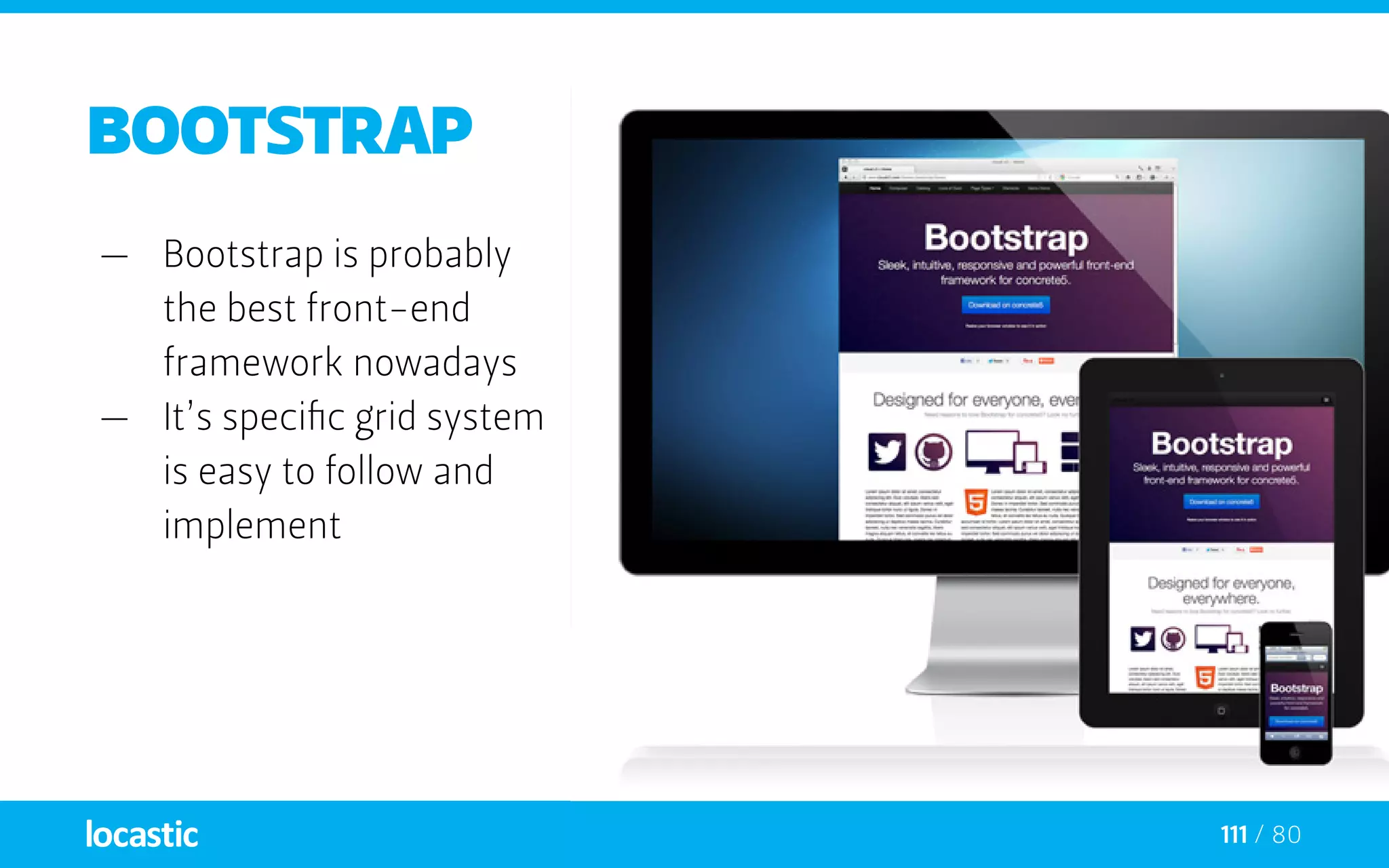
—— Bootstrap is probably
the best front-end
framework nowadays
—— It’s specific grid system
is easy to follow and
implement
112 / 80
BOOTSTRAP grid system
113 / 80
BOOTSTRAP grid system
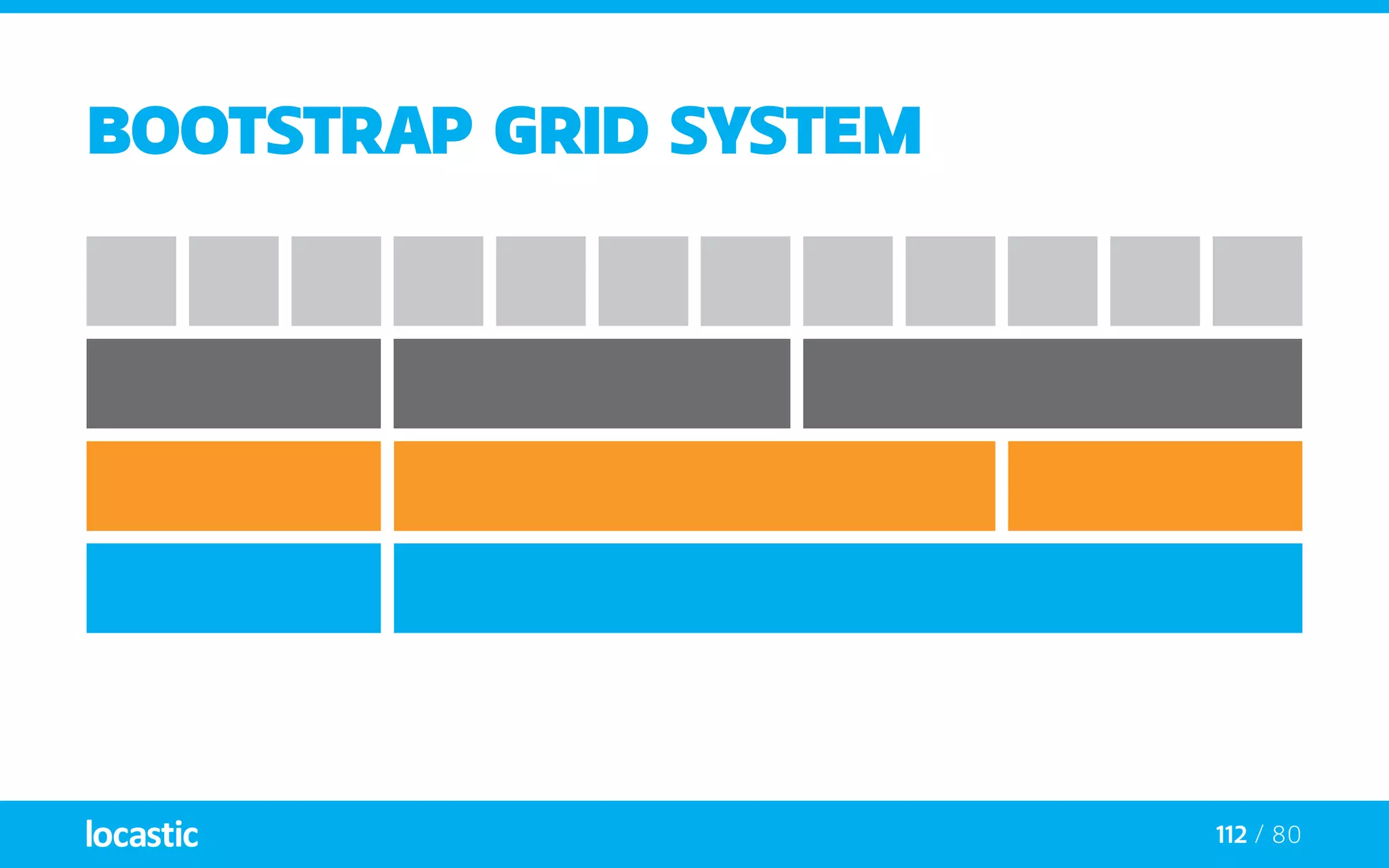
most layouts are designed in 2 or 3 columns
114 / 80
BOOTSTRAP grid system
extends
115 / 80
BOOTSTRAP grid system
extends + include
116 / 80
BOOTSTRAP grid system
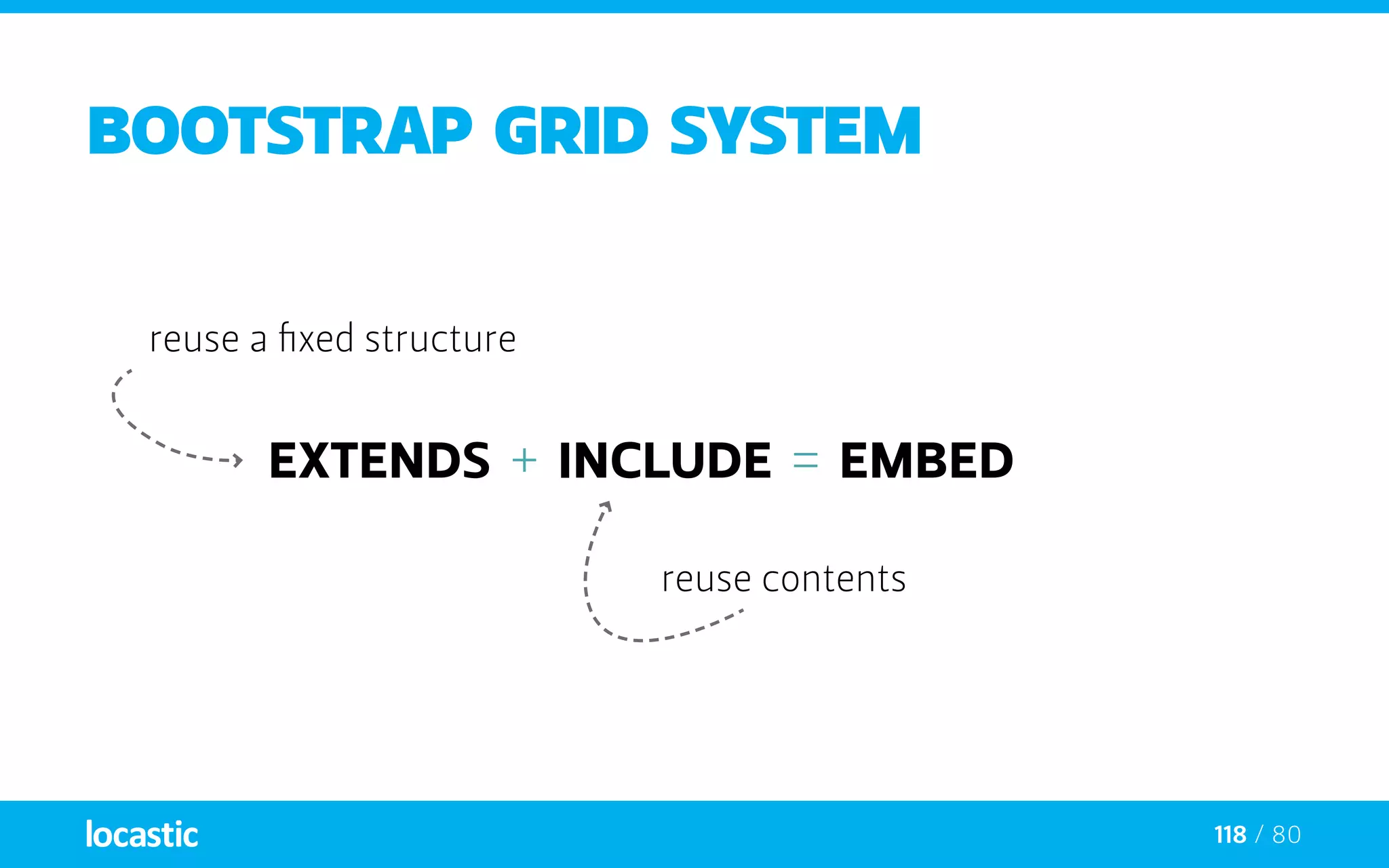
extends + include = embed
117 / 80
BOOTSTRAP grid system
extends + include = embed
reuse a fixed structure
118 / 80
BOOTSTRAP grid system
extends + include = embed
reuse a fixed structure
reuse contents
119 / 80
BOOTSTRAP grid system
extends + include = embed
reuse a fixed structure
reuse contents
reuse contents and a
flexible structure
120 / 80
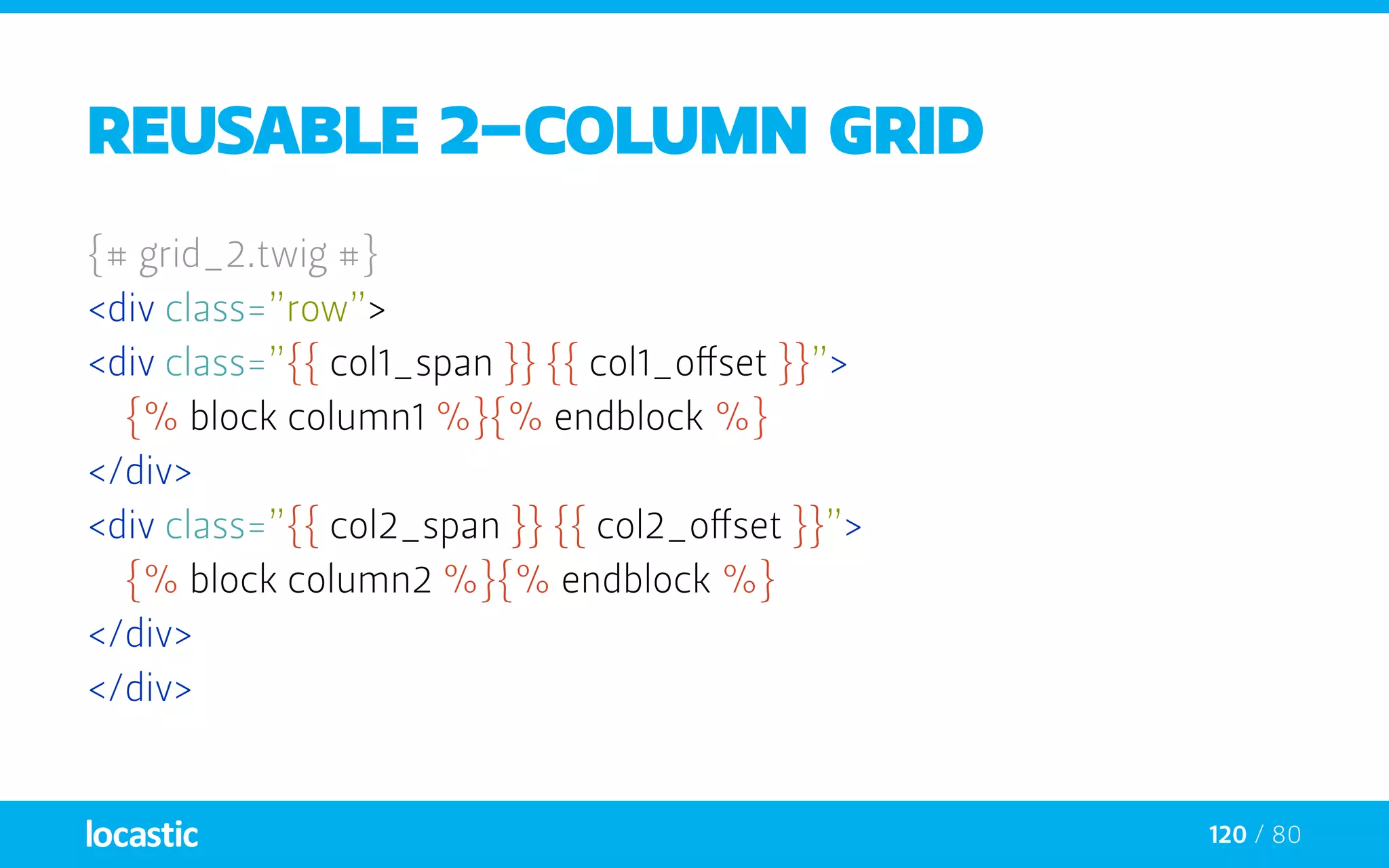
reusable 2-column grid
{# grid_2.twig #}
<div class=”row”>
<div class=”{{ col1_span }} {{ col1_offset }}”>
	{% block column1 %}{% endblock %}
</div>
<div class=”{{ col2_span }} {{ col2_offset }}”>
	{% block column2 %}{% endblock %}
</div>
</div>
121 / 80
reusable 2-column grid
{# grid_2.twig #}
<div class=”row”>
<div class=”{{ col1_span }} {{ col1_offset }}”>
	{% block column1 %}{% endblock %}
</div>
<div class=”{{ col2_span }} {{ col2_offset }}”>
	{% block column2 %}{% endblock %}
</div>
</div>
grid classes become variables
122 / 80
reusable 2-column grid
{# grid_2.twig #}
<div class=”row”>
<div class=”{{ col1_span }} {{ col1_offset }}”>
	{% block column1 %}{% endblock %}
</div>
<div class=”{{ col2_span }} {{ col2_offset }}”>
	{% block column2 %}{% endblock %}
</div>
</div> our content is, block, of course
123 / 80
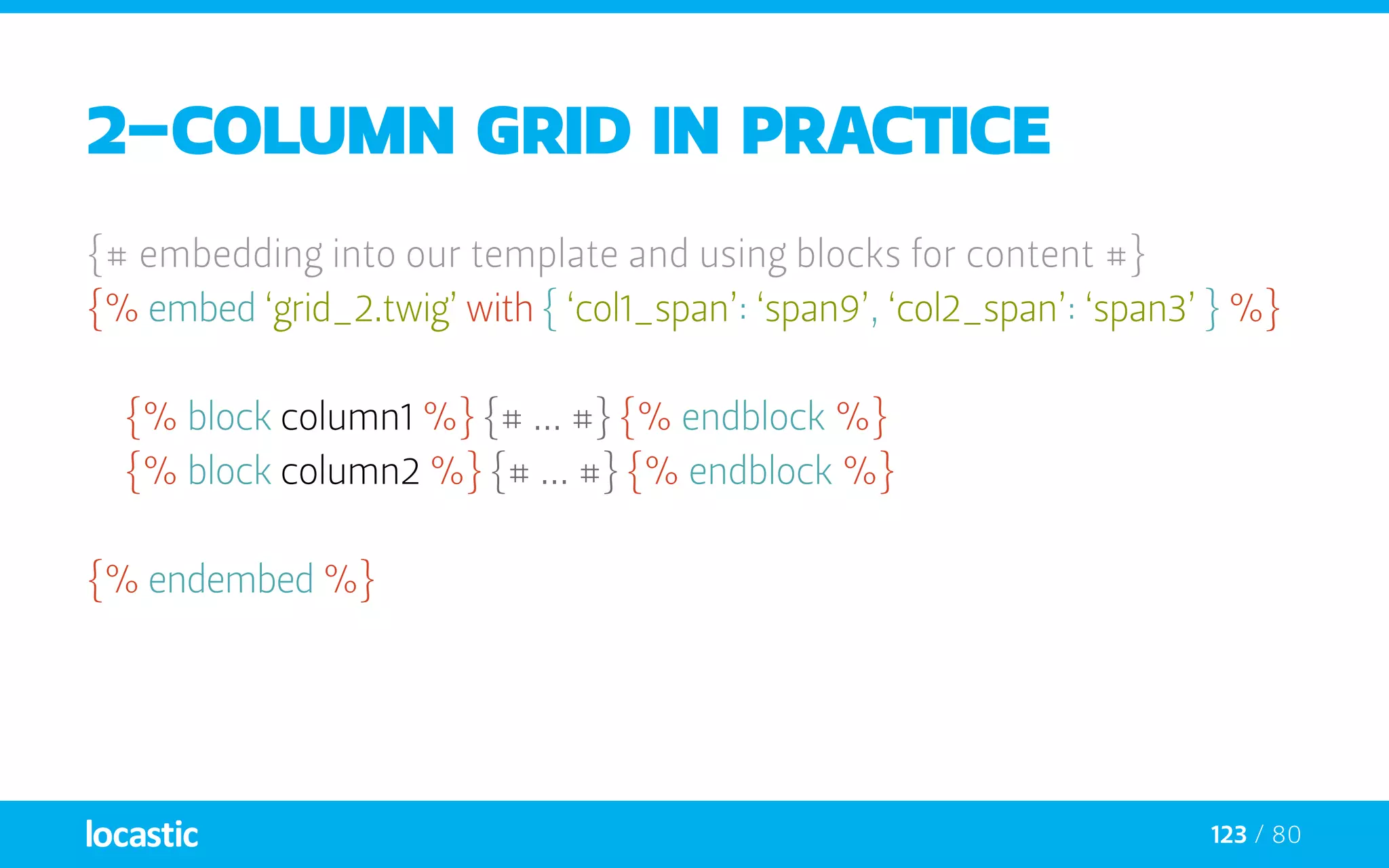
2-column grid in practice
{# embedding into our template and using blocks for content #}
{% embed ‘grid_2.twig’ with { ‘col1_span’: ‘span9’, ‘col2_span’: ‘span3’ } %}
	{% block column1 %} {# ... #} {% endblock %}
	{% block column2 %} {# ... #} {% endblock %}
{% endembed %}
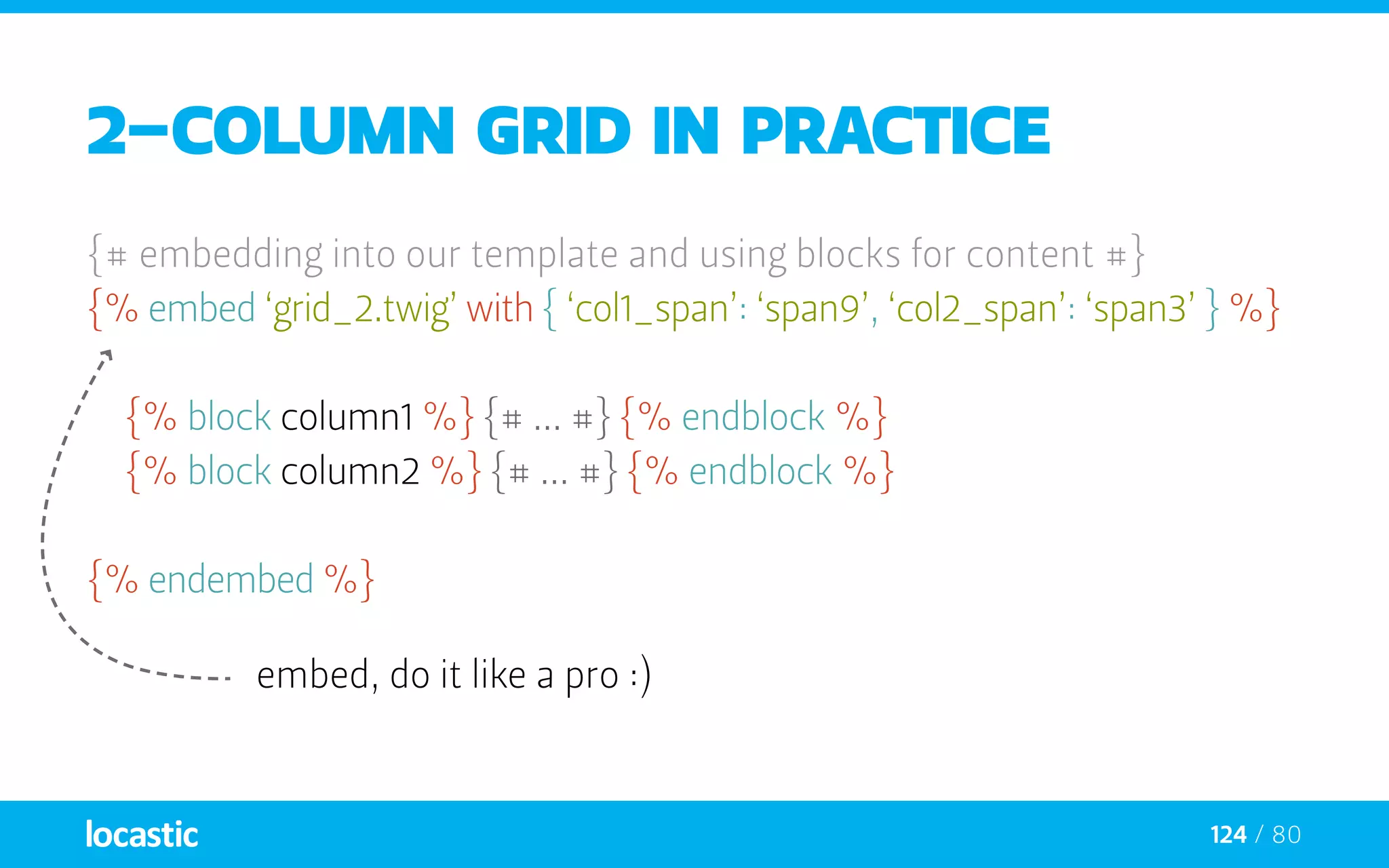
124 / 80
2-column grid in practice
{# embedding into our template and using blocks for content #}
{% embed ‘grid_2.twig’ with { ‘col1_span’: ‘span9’, ‘col2_span’: ‘span3’ } %}
	{% block column1 %} {# ... #} {% endblock %}
	{% block column2 %} {# ... #} {% endblock %}
{% endembed %}
embed, do it like a pro :)
125 / 80
2-column grid in practice
{# embedding into our template and using blocks for content #}
{% embed ‘grid_2.twig’ with { ‘col1_span’: ‘span9’, ‘col2_span’: ‘span3’ } %}
	{% block column1 %} {# ... #} {% endblock %}
	{% block column2 %} {# ... #} {% endblock %}
{% endembed %} match variables by using with
126 / 80
2-column grid in practice
{# embedding into our template and using blocks for content #}
{% embed ‘grid_2.twig’ with { ‘col1_span’: ‘span9’, ‘col2_span’: ‘span3’ } %}
	{% block column1 %} {# ... #} {% endblock %}
	{% block column2 %} {# ... #} {% endblock %}
{% endembed %} and then fill your content blocks
127 / 80
2-column grid in practice
{# embedding into our template and using blocks for content #}
{% embed ‘grid_2.twig’ with { ‘col1_span’: ‘span9’, ‘col2_span’: ‘span3’ } %}
	{% block column1 %} {# ... #} {% endblock %}
	{% block column2 %} {# ... #} {% endblock %}
{% endembed %} lemme show you one magic trick :)
128 / 80
2-column grid in practice
{# embedding into our template and using blocks for content #}
{% embed ‘grid_2.twig’ with { ‘col1_span’: ‘span9’, ‘col2_span’: ‘span3’ } %}
	{% block column1 %} {# ... #} {% endblock %}
	{% block column2 %} {# ... #} {% endblock %}
{% endembed %}
allow me to hide this ...
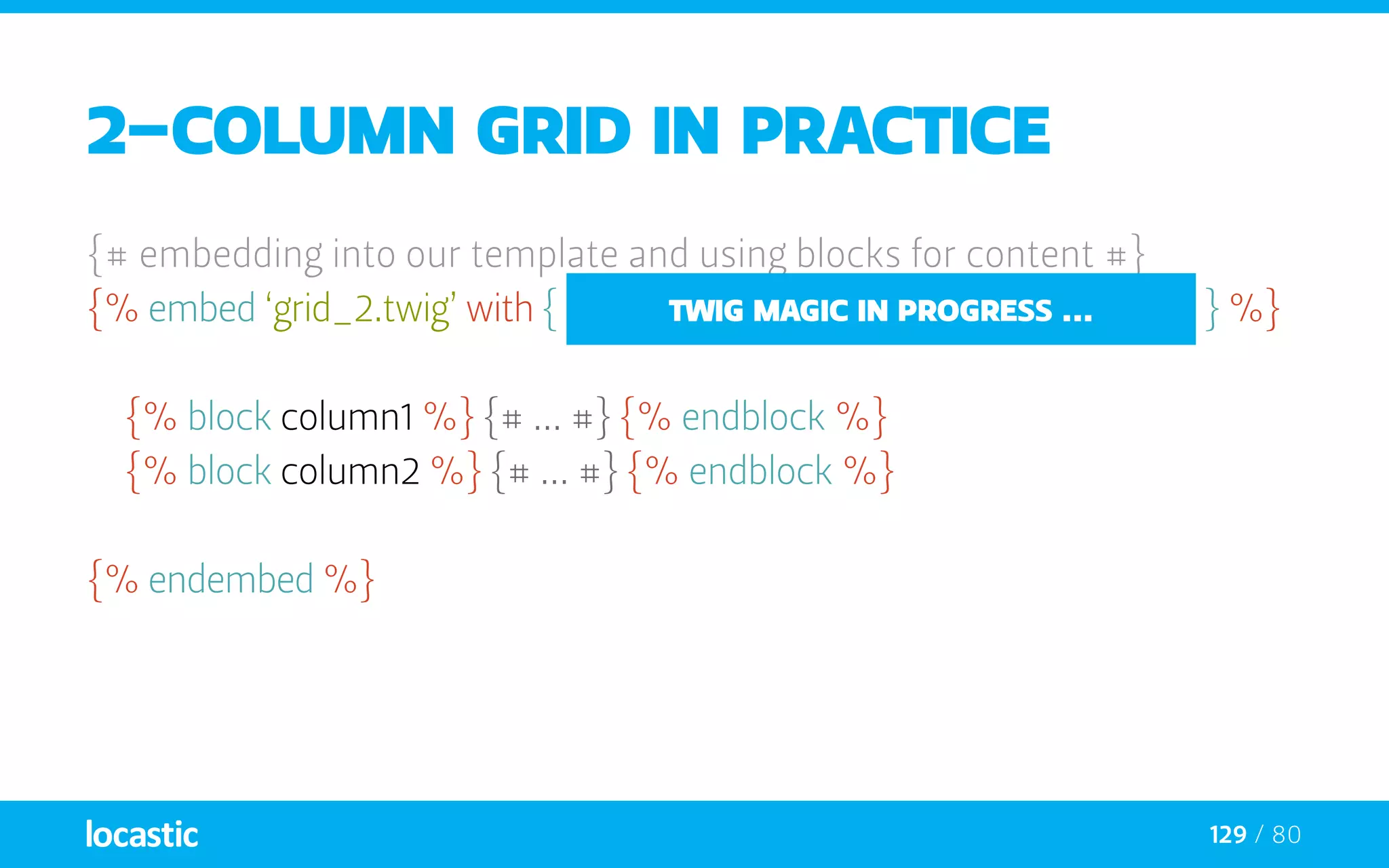
129 / 80
2-column grid in practice
{# embedding into our template and using blocks for content #}
{% embed ‘grid_2.twig’ with { ‘col1_span’: ‘span9’, ‘col2_span’: ‘span3’ } %}
	{% block column1 %} {# ... #} {% endblock %}
	{% block column2 %} {# ... #} {% endblock %}
{% endembed %}
twig magic in progress ...
130 / 80
2-column grid in practice
{# embedding into our template and using blocks for content #}
{% embed ‘grid_2.twig’ with { ‘layout’: ‘9_3’ } %}
	{% block column1 %} {# ... #} {% endblock %}
	{% block column2 %} {# ... #} {% endblock %}
{% endembed %}
131 / 80
2-column grid in practice
{# embedding into our template and using blocks for content #}
{% embed ‘grid_2.twig’ with { ‘layout’: ‘9_3’ } %}
	{% set col1_span = layout|split(‘_’)[0:]|join %}
	{% set col2_span = layout|split(‘_’)[1:]|join %}
	{% block column1 %} {# ... #} {% endblock %}
	{% block column2 %} {# ... #} {% endblock %}
{% endembed %}
132 / 80
2-column grid in practice
{# embedding into our template and using blocks for content #}
{% embed ‘grid_2.twig’ with { ‘layout’: ‘9_3’ } %}
	{% set col1_span = layout|split(‘_’)[0:]|join %}
	{% set col2_span = layout|split(‘_’)[1:]|join %}
	{% block column1 %} {# ... #} {% endblock %}
	{% block column2 %} {# ... #} {% endblock %}
{% endembed %}
optimized
133 / 80
2-column grid in practice
{# embedding into our template and using blocks for content #}
{% embed ‘grid_2.twig’ with { ‘layout’: ‘9_3’ } %}
	{% set col1_span = layout|split(‘_’)[0:]|join %}
	{% set col2_span = layout|split(‘_’)[1:]|join %}
	{% block column1 %} {# ... #} {% endblock %}
	{% block column2 %} {# ... #} {% endblock %}
{% endembed %}
optimized
simple
134 / 80
2-column grid in practice
{# embedding into our template and using blocks for content #}
{% embed ‘grid_2.twig’ with { ‘layout’: ‘9_3’ } %}
	{% set col1_span = layout|split(‘_’)[0:]|join %}
	{% set col2_span = layout|split(‘_’)[1:]|join %}
	{% block column1 %} {# ... #} {% endblock %}
	{% block column2 %} {# ... #} {% endblock %}
{% endembed %}
optimized
simple
use global variables
135 / 80
2-column grid in practice
{# embedding into our template and using blocks for content #}
{% embed ‘grid_2.twig’ with { ‘layout’: ‘9_3’ } %}
	{% set col1_span = layout|split(‘_’)[0:]|join %}
	{% set col2_span = layout|split(‘_’)[1:]|join %}
	{% block column1 %} {# ... #} {% endblock %}
	{% block column2 %} {# ... #} {% endblock %}
{% endembed %}
optimized
simple
use global variables
use filters
when to use twig
and do I have to use Symfony?
137 / 80
When to use twig?
—— When users you don’t trust can edit some templates
—— a webmaster can edit the look and feel of some templates
—— When you need to create a simple language for a domain specific
problem like templates of a blog, or of an ecommerce software
138 / 80
When to use twig?
—— When users you don’t trust can edit some templates
—— a webmaster can edit the look and feel of some templates
—— When you need to create a simple language for a domain specific
problem like templates of a blog, or of an ecommerce software
—— Advantages of Twig in such cases
—— You can use as little or as much features as you want
—— Security
—— Sandbox
—— Possibility to create a DSL (a set of pre-defined tags, macros,
and filters specific to the domain)
139 / 80
When to use twig?
—— One of the goals - to provide the architecture that allows the
developer to create its own language
—— Configure the syntax (delimiters)
—— Override all built-in elements (tags, filters, …)
—— Create your own tags, macros, and filters
—— All without having to write complex code
—— The core classes (lexer, parser, and compiler) provides a simple
API to let you do your job without understanding the nitty-gritty
details of the internals
140 / 80
Integration with frameworks
—— Symfony
—— sfTwigPlugin
—— Zend Framework
—— http://svn.twig-project.org/branches/zend_adapter
—— Yii
—— http://www.yiiframework.com/extension/twig-view-renderer
—— Kohana
—— http://github.com/shadowhand/kohana-twig
—— … and more to come
thank you for your patience
and if you have any questions, catch me in the lobby :)
time for coffee break... I guess you need one right now :)

Love Twig

  • 1.
    Luka Vidoš (Locastic)@ eZ Summer Camp 2013
  • 2.
    wait a minute, there is a designer on a developer conference?
  • 3.
    history of twig orwhy we love open source
  • 4.
    4 / 80 Twigis: —— One of the best template engines for PHP —— Fast, secure and modern —— Easy to learn, to read and to write. —— standalone and easy to implement and further develop
  • 5.
    5 / 80 Twigis: —— One of the best template engines for PHP —— Fast, secure and modern —— Easy to learn, to read and to write. —— standalone and easy to implement and further develop —— If you don’t know Twig yet go to: http://twig.sensiolabs.org Twig logo
  • 6.
    6 / 80 Theshort history Fabien Potencier (CEO @ SensioLabs)
  • 7.
    7 / 80 Theshort history Fabien Potencier (CEO @ SensioLabs)
  • 8.
    8 / 80 Theshort history Fast Embeddable Secure Sandboxed “Modern” features Not tied to only HTML templates Easily extensible Syntax similar to Django & Jinja Clean OO code Fabien Potencier (CEO @ SensioLabs)
  • 9.
    9 / 80 Theshort history Fast Embeddable Secure Sandboxed “Modern” features Not tied to only HTML templates Easily extensible Syntax similar to Django & Jinja Clean OO code Fabien Potencier (CEO @ SensioLabs)
  • 10.
    10 / 80 Theshort history Fast Embeddable Secure Sandboxed “Modern” features Not tied to only HTML templates Easily extensible Syntax similar to Django & Jinja Clean OO code Fabien Potencier (CEO @ SensioLabs) Armin Ronacher (Pocoo Team)
  • 11.
    11 / 80 thetakeover —— Existing twig was first created out of Jinja fame (python template engine) —— it was Not available as a standalone project —— it was Not maintained or updated
  • 12.
    12 / 80 thetakeover —— Existing twig was created of Jinja fame (python template engine) —— Not available as a standalone project —— Not maintained or updated
  • 13.
    13 / 80 thetakeover —— Existing twig was created of Jinja fame (python template engine) —— Not available as a standalone project —— Not maintained or updated
  • 14.
    14 / 80 thetakeover —— Existing twig was created of Jinja fame (python template engine) —— Not available as a standalone project —— Not maintained or updated
  • 15.
    15 / 80 thetakeover —— Existing twig was created of Jinja fame (python template engine) —— Not available as a standalone project —— Not maintained or updated
  • 16.
    16 / 80 thetakeover —— Existing twig was created of Jinja fame (python template engine) —— Not available as a standalone project —— Not maintained or updated
  • 17.
    Templating system or whyis it easy to fall in love with TWIG
  • 18.
    18 / 80 Templatingsystem —— Simple text file which can generate any text-based format (HTML, XML, CSV, LaTeX, ...) tags variables expressions
  • 19.
    19 / 80 Templatingsystem —— Simple text file which can generate any text-based format (HTML, XML, CSV, LaTeX, ...) tags variables values expressions
  • 20.
    20 / 80 Templatingsystem —— Simple text file which can generate any text-based format (HTML, XML, CSV, LaTeX, ...) tags variables values logic of template expressions
  • 21.
    21 / 80 Templatingsystem {# Twig template #} <ul> {% for item in items %} <li>{{ item.value }}</li> {% endfor %} <ul> Hello {{ name|title }} Categories {{ categories|join(‘, ‘) }}
  • 22.
    22 / 80 Templatingsystem {# Twig template #} <ul> {% for item in items %} <li>{{ item.value }}</li> {% endfor %} <ul> Hello {{ name|title }} Categories {{ categories|join(‘, ‘) }} comment
  • 23.
    23 / 80 Templatingsystem {# Twig template #} <ul> {% for item in items %} <li>{{ item.value }}</li> {% endfor %} <ul> Hello {{ name|title }} Categories {{ categories|join(‘, ‘) }} comment tag
  • 24.
    24 / 80 Templatingsystem {# Twig template #} <ul> {% for item in items %} <li>{{ item.value }}</li> {% endfor %} <ul> Hello {{ name|title }} Categories {{ categories|join(‘, ‘) }} comment variable tag
  • 25.
    25 / 80 Templatingsystem {# Twig template #} <ul> {% for item in items %} <li>{{ item.value }}</li> {% endfor %} <ul> Hello {{ name|title }} Categories {{ categories|join(‘, ‘) }} comment variable filter tag
  • 26.
    26 / 80 Templatingsystem {# Twig template #} <ul> {% for item in items %} <li>{{ item.value }}</li> {% endfor %} <ul> Hello {{ name|title }} Categories {{ categories|join(‘, ‘) }} comment variable filter filter with arguments tag
  • 27.
    27 / 80 TAGS ——tags are written between delimiters —— There are two kinds of delimiters: —— {% ... %} - execute statements such as for-loops {% block stylesheets %} <link href=”/css/reset.css” rel=”stylesheet” type=”text/css” /> {% endblock %}
  • 28.
    28 / 80 TAGS ——tags are written between delimiters —— There are two kinds of delimiters: —— {% ... %} - execute statements such as for-loops {% block stylesheets %} <link href=”/css/reset.css” rel=”stylesheet” type=”text/css” /> {% endblock %} —— {{ ... }} - prints the result of an expression to the template {{ i }}
  • 29.
  • 30.
    30 / 80 COMMENTs ——comments are used for internal information (like other designers) —— It is nice to comment out whole parts of code :) {# note: disabled template because we no longer use this {% for user in users %} ... {% endfor %} #}
  • 31.
    31 / 80 Variables ——app passes variables to templates —— Variables may have attributes —— You can use a dot ( . ) to access attributes {{ foo.bar }}
  • 32.
    32 / 80 Variables ——app passes variables to templates —— Variables may have attributes —— You can use a dot ( . ) to access attributes {{ foo.bar }} —— Alternatively you can use the “subscript syntax” {{ foo[‘bar’] }}
  • 33.
    33 / 80 Variables ——app passes variables to templates —— Variables may have attributes —— You can use a dot ( . ) to access attributes {{ foo.bar }} —— Alternatively you can use the “subscript syntax” {{ foo[‘bar’] }} —— If an attribute contains special characters you use {{ attribute(foo, ‘data-foo’) }}
  • 34.
    34 / 80 GlobalVariables —— The following variables are always available in templates: _self {# references the current template #} _context {# references the current context #} _charset {# references the current charset #} {% set foo = ‘foo’ %} {% set foo = [1, 2] %} {% set foo = {‘foo’: ‘bar’} %}
  • 35.
    35 / 80 Filters ——Used to modify variables —— Separated by a pipe symbol ( | ) —— Multiple filters can be chained {{ name|striptags|title }} {# remove HTML and title case #}
  • 36.
    36 / 80 Filters ——Used to modify variables —— Separated by a pipe symbol ( | ) —— Multiple filters can be chained {{ name|striptags|title }} {# remove HTML and title case #} —— Filters that accept arguments have parentheses around the arguments ( () ) {{ list|join(‘, ‘) }} {# list joined by commas #}
  • 37.
    37 / 80 Filters ——Used to modify variables —— Separated by a pipe symbol ( | ) —— Multiple filters can be chained {{ name|striptags|title }} {# remove HTML and title case #} —— Filters that accept arguments have parentheses around the arguments ( () ) {{ list|join(‘, ‘) }} {# list joined by commas #} —— To apply filter on a section of code wrap it into filter tag: {% filter upper %}This text becomes uppercase{% endfilter %}
  • 38.
  • 39.
    39 / 80 FOR ——Loops over each item in a sequence {% for user in users %} {{ user.username|e }} {% endfor %}
  • 40.
    40 / 80 FOR ——Loops over each item in a sequence {% for user in users %} {{ user.username|e }} {% endfor %} —— If there is a need to iterate over a sequence of numbers {% for i in 0..10 %} {{ i }}, {% endfor %}
  • 41.
    41 / 80 FOR ——You can work with english alphabet also :) {% for letter in ‘a’..’z’ %} {{ letter }}, {% endfor %}
  • 42.
    42 / 80 FOR ——You can work with english alphabet also :) {% for letter in ‘a’..’z’ %} {{ letter }}, {% endfor %} —— And also, ( .. ) operator can take any expression at both sides {% for letter in ‘a’|upper..’z’|upper %} {{ letter }}, {% endfor %}
  • 43.
    43 / 80 LOOPVARIABLEs loop.index loop.index0 loop.revindex loop.revindex0 loop.first loop.last loop.length loop.parent
  • 44.
    44 / 80 LOOPVARIABLEs loop.index loop.index0 loop.revindex loop.revindex0 loop.first loop.last loop.length loop.parent —— When you are inside for loop, you have some special variables :) {% for user in users %} {{ loop.index }} - {{ user.username }}, {% endfor %}
  • 45.
    45 / 80 FOR/ ELSE —— for can also have else option if sequence is empty <ul> {% for user in users %} <li>{{ user.username|e }}</li> {% else %} <li><em>no user found</em></li> {% endfor %} </ul>
  • 46.
    46 / 80 IF/ ELSE —— The if statement in TWIG is comparable with the statements of PHP {% if online == false %} <p>Website has been suspended.</p> {% endif %}
  • 47.
    47 / 80 IF/ ELSE —— You can also test if an array is not empty or use loop variables <ul> {% if users %} {% for user in users %} <li {% if loop.last %}class=”last”{% endif %}> {{ user.username|e }}</li> {% endfor %} {% endif %} </ul>
  • 48.
    48 / 80 Functions ——functions can be called to generate content —— Called by their name followed by parentheses ( () ) —— They may have arguments {# range() function returning a list containing arithmetic progression of integers #} {% for i in range(0, 3) %} {{ i }}, {% endfor %}
  • 49.
  • 50.
    50 / 80 Namedarguments —— arguments for filters and functions can be passed as named arguments —— More explicit about the meaning of the values {{ data|convert_encoding(‘UTF-8’, ‘iso-2022-jp’) }}
  • 51.
    51 / 80 Namedarguments —— arguments for filters and functions can be passed as named arguments —— More explicit about the meaning of the values {{ data|convert_encoding(‘UTF-8’, ‘iso-2022-jp’) }} {# versus #} {{ data|convert_encoding(from=’iso-2022-jp’, to=’UTF-8’) }}
  • 52.
    52 / 80 TESTS ——test can be used to test a variable against a common expression {{ name is odd }} {# is variable name odd #}
  • 53.
    53 / 80 TESTS ——test can be used to test a variable against a common expression {{ name is odd }} {# is variable name odd #} —— They may have arguments {{ loop.index is divisibleby(3) }} {# is divisible by 3 #}
  • 54.
    54 / 80 TESTS ——test can be used to test a variable against a common expression {{ name is odd }} {# is variable name odd #} —— They may have arguments {{ loop.index is divisibleby(3) }} {# is divisible by 3 #} —— or can be negated by using is not operator {{ loop.index is not divisibleby(3) }} {# not divisible by 3 #}
  • 55.
  • 56.
    56 / 80 OPERATORS ——These work similar to PHP —— Twig allows expressions everywhere {% set greeting = ‘Hello’ %} {% for i in 1..10 %} {% do foo = bar + foobar %} {% if 1 < foo < 4 and (not bar or foobar) %} {{ foo + 4 }} {% endif %}
  • 57.
    57 / 80 OPERATORS in is +,-, /, %, /, *, ** (math) and, or, not, (), b-and, b-xor, b-or (logic) ==, !=, <, >, >=, <=, === (comparisons) .., |, ~, ., [], ?: (others)
  • 58.
    php or twig orwhy PHP sucks for templating
  • 59.
    59 / 80 Benefitsof twig —— Terse syntax and sugar —— Automatic HTML escaping —— Sandbox mode, which enables user editable templates. —— Ability to create custom DSL’s using application tags, operators and functions.
  • 60.
    60 / 80 PHPvariables // In Plain PHP <?php echo $var; ?> // XSS you lose <?php echo htmlspecialchars($var, ENT_QUOTES, ‘UTF-8’); ?> <?php echo h($var); ?> // sugar for htmlentities
  • 61.
    61 / 80 PHPvariables // In Plain PHP <?php echo $var; ?> // XSS you lose <?php echo htmlspecialchars($var, ENT_QUOTES, ‘UTF-8’); ?> <?php echo h($var); ?> // sugar for htmlentities {# In Twig - autoescaping enabled #} {{ var }}
  • 62.
    62 / 80 Conditionals //In Plain PHP <?php if (!empty($var)): ?> <li><?php $var ?></li> <?php endif; ?>
  • 63.
    63 / 80 Conditionals //In Plain PHP <?php if (!empty($var)): ?> <li><?php $var ?></li> <?php endif; ?> {# In Twig #} {% if var %} <li>{{ var }}</li> {% endif %}
  • 64.
    64 / 80 Loops <?php// In Plain PHP if (!empty($var): foreach ((array)$var as $i => $v): printf(‘%s : %s’, htmlspecialchars($i, ENT_QUOTES, ‘UTF-8’), htmlspecialchars($v, ENT_QUOTES, ‘UTF-8’)); endforeach; else: echo ‘There is nothing defined’; endif; ?>
  • 65.
    65 / 80 Loops {#In Twig #} {% for i, v in var %} {{ i }} : {{ v }} {% else %} No things {% endfor %}
  • 66.
    Is there anythingelse? if you’re not convinced we’ve got more
  • 67.
    67 / 80 Macros ——Comparable with functions in regular programming languages —— Useful to reuse fragments of template —— Macros can also have defaults
  • 68.
    68 / 80 Macros ——Comparable with functions in regular programming languages —— Useful to reuse fragments of template —— Macros can also have defaults {# forms.twig #} {% macro input(name, value, type, size = 20) %} <input type=”{{ type|default(‘text’) }}” name=”{{ name }}” value=”{{ value|e }}” size=”{{ size|default(20) }}”> {% endmacro %}
  • 69.
    69 / 80 Macros ——They can be defined in any template —— Need to be imported via the import tag before being used
  • 70.
    70 / 80 Macros ——They can be defined in any template —— Need to be imported via the import tag before being used {# inside a template #} {% import “forms.twig” as forms %} {{ forms.input(‘username’) }} {{ forms.input(‘password’, none, ‘password’) }}
  • 71.
    71 / 80 Macros ——You can import individual macro names from a template —— optionally alias them if needed
  • 72.
    72 / 80 Macros ——You can import individual macro names from a template —— optionally alias them if needed {% from ‘forms.html’ import input as input_field %} <fieldset> <label>Username</label> {{ input_field(‘username’) }} <label>Password</label> {{ input_field(‘password’, ‘’, ‘password’) }} </fieldset>
  • 73.
    73 / 80 whitespacecontrol —— The first newline after a template tag is removed automatically —— Whitespace is not further modified by the template engine —— Use the spaceless tag to remove whitespace between HTML tags
  • 74.
    74 / 80 whitespacecontrol —— The first newline after a template tag is removed automatically —— Whitespace is not further modified by the template engine —— Use the spaceless tag to remove whitespace between HTML tags {% spaceless %} <div> <strong>foo bar</strong> </div> {% endspaceless %}
  • 75.
    75 / 80 whitespacecontrol —— The first newline after a template tag is removed automatically —— Whitespace is not further modified by the template engine —— Use the spaceless tag to remove whitespace between HTML tags {% spaceless %} <div> <strong>foo bar</strong> </div> {% endspaceless %} {# output will be <div><strong>foo bar</strong></div> #}
  • 76.
    76 / 80 includes ——You can easily include content of another template inside other {% include ‘sidebar.html.twig’ %}
  • 77.
    77 / 80 includes ——You can easily include content of another template inside other {% include ‘sidebar.html.twig’ %} —— Included templates have access to the variables of the active context {# to disable access to active context, only foo variable #} {{ include(‘template.html’, {foo: ‘bar’}, with_context = false) }}
  • 78.
    78 / 80 includes ——You can easily include content of another template inside other {% include ‘sidebar.html.twig’ %} —— Included templates have access to the variables of the active context {# to disable access to active context, only foo variable #} {{ include(‘template.html’, {foo: ‘bar’}, with_context = false) }} —— Include file can also be included in for-loop {% for box in boxes %} {% include “render_box.html” %} {% endfor %}
  • 79.
    79 / 80 Templateinheritance —— Most powerful part of Twig - is template inheritance —— Build a base “skeleton” template with common elements of your site —— blocks are like slots or holes in a template, that the child can fill —— Blocks can be used out of order, which is pretty sweet. —— Blocks can be imported from other templates
  • 80.
    80 / 80 layout.html- TEMPLATE PARENT <!DOCTYPE html> <html lang=”en”> <head> {% block metatags %}<meta charset=”utf-8”>{% endblock %} {% block title %}<title>ToDo by Locastic in Symfony2 powered by Bootstrap 3.0 </title>{% endblock %} {% block stylesheets %}<link href=”{{ asset(‘css/bootstrap.css’) }}” rel=”stylesheet”>{% endblock %} </head> <body> {% block body %} {% block body_inner %}{% endblock %} {% endblock %} {% block javascripts %}<script src=”{{ asset(‘js/mootools.js’) }}”></script>{% endblock %} </body> </html>
  • 81.
    81 / 80 layout.html- TEMPLATE PARENT <!DOCTYPE html> <html lang=”en”> <head> {% block metatags %}<meta charset=”utf-8”>{% endblock %} {% block title %}<title>ToDo by Locastic in Symfony2 powered by Bootstrap 3.0 </title>{% endblock %} {% block stylesheets %}<link href=”{{ asset(‘css/bootstrap.css’) }}” rel=”stylesheet”>{% endblock %} </head> <body> {% block body %} {% block body_inner %}{% endblock %} {% endblock %} {% block javascripts %}<script src=”{{ asset(‘js/mootools.js’) }}”></script>{% endblock %} </body> </html> blocks are like slots for content
  • 82.
    82 / 80 layout.html- TEMPLATE PARENT <!DOCTYPE html> <html lang=”en”> <head> {% block metatags %}<meta charset=”utf-8”>{% endblock %} {% block title %}<title>ToDo by Locastic in Symfony2 powered by Bootstrap 3.0 </title>{% endblock %} {% block stylesheets %}<link href=”{{ asset(‘css/bootstrap.css’) }}” rel=”stylesheet”>{% endblock %} </head> <body> {% block body %} {% block body_inner %}{% endblock %} {% endblock %} {% block javascripts %}<script src=”{{ asset(‘js/mootools.js’) }}”></script>{% endblock %} </body> </html> Twig takes care of you paths
  • 83.
    83 / 80 layout.html- TEMPLATE PARENT <!DOCTYPE html> <html lang=”en”> <head> {% block metatags %}<meta charset=”utf-8”>{% endblock %} {% block title %}<title>ToDo by Locastic in Symfony2 powered by Bootstrap 3.0 </title>{% endblock %} {% block stylesheets %}<link href=”{{ asset(‘css/bootstrap.css’) }}” rel=”stylesheet”>{% endblock %} </head> <body> {% block body %} {% block body_inner %}{% endblock %} {% endblock %} {% block javascripts %}<script src=”{{ asset(‘js/mootools.js’) }}”></script>{% endblock %} </body> </html> blocks can be nested
  • 84.
    84 / 80 TEMPLATECHILD {% extends ‘::frontend/layout.html.twig’ %} {% block stylesheets %} {{ parent() }} <link href=”{{ asset(‘css/theme.css’) }}” rel=”stylesheet”> {% endblock %} {% block body %} {% include ‘::frontend/Helpers/header.html.twig’ %} <div class=”container theme-showcase”> {% block body_inner %}{% endblock %} </div> {% include ‘::frontend/Helpers/footer.html.twig’ %} {% endblock %} {% block javascripts %} <script src=”{{ asset(‘js/jquery.js’) }}”></script> {% endblock %} you extend your child template
  • 85.
    85 / 80 TEMPLATECHILD {% extends ‘::frontend/layout.html.twig’ %} {% block stylesheets %} {{ parent() }} <link href=”{{ asset(‘css/theme.css’) }}” rel=”stylesheet”> {% endblock %} {% block body %} {% include ‘::frontend/Helpers/header.html.twig’ %} <div class=”container theme-showcase”> {% block body_inner %}{% endblock %} </div> {% include ‘::frontend/Helpers/footer.html.twig’ %} {% endblock %} {% block javascripts %} <script src=”{{ asset(‘js/jquery.js’) }}”></script> {% endblock %} position existing block content
  • 86.
    86 / 80 TEMPLATECHILD {% extends ‘::frontend/layout.html.twig’ %} {% block stylesheets %} {{ parent() }} <link href=”{{ asset(‘css/theme.css’) }}” rel=”stylesheet”> {% endblock %} {% block body %} {% include ‘::frontend/Helpers/header.html.twig’ %} <div class=”container theme-showcase”> {% block body_inner %}{% endblock %} </div> {% include ‘::frontend/Helpers/footer.html.twig’ %} {% endblock %} {% block javascripts %} <script src=”{{ asset(‘js/jquery.js’) }}”></script> {% endblock %} include works inside blocks too
  • 87.
    87 / 80 TEMPLATECHILD {% extends ‘::frontend/layout.html.twig’ %} {% block stylesheets %} {{ parent() }} <link href=”{{ asset(‘css/theme.css’) }}” rel=”stylesheet”> {% endblock %} {% block body %} {% include ‘::frontend/Helpers/header.html.twig’ %} <div class=”container theme-showcase”> {% block body_inner %}{% endblock %} </div> {% include ‘::frontend/Helpers/footer.html.twig’ %} {% endblock %} {% block javascripts %} <script src=”{{ asset(‘js/jquery.js’) }}”></script> {% endblock %} changing nested block
  • 88.
    88 / 80 TEMPLATECHILD {% extends ‘::frontend/layout.html.twig’ %} {% block stylesheets %} {{ parent() }} <link href=”{{ asset(‘css/theme.css’) }}” rel=”stylesheet”> {% endblock %} {% block body %} {% include ‘::frontend/Helpers/header.html.twig’ %} <div class=”container theme-showcase”> {% block body_inner %}{% endblock %} </div> {% include ‘::frontend/Helpers/footer.html.twig’ %} {% endblock %} {% block javascripts %} <script src=”{{ asset(‘js/jquery.js’) }}”></script> {% endblock %} completely override block content
  • 89.
    89 / 80 TEMPLATECHILD —— extends tag should be the first tag in the template —— tells the template engine that this template “extends” another one —— Template system first locates the parent —— By using the same block NAME - you either override its contents or you add content to it with parent() function —— The content of child block can go above or below existing contents
  • 90.
    90 / 80 INHERITANCETIPS —— Extending only works three levels deep —— Don’t use {% block %} inside a loop. It doesn’t do what you want. —— You can use {{ block(name) }} to dynamically call blocks.
  • 91.
    I mentioned itwas secure and why am I, a designer, telling that to you anyway?
  • 92.
    92 / 80 Extendingtwig —— Everything in the core can be changed —— Uses dependency injection —— The syntax is not hardcoded —— Built-in extension mechanism for day-to-day enhancements —— Adding tags —— Adding filters —— Adding node transformers —— Extensions are used for the core features
  • 93.
    93 / 80 Extendingtwig —— Everything is an extension in the core —— Twig_Extension_Core: Provides the core features (tags and filters) —— Twig_Extension_Escaper: Adds automatic output-escaping and the possibility to escape/unescape blocks of code —— Twig_Extension_Sandbox: Adds a sandbox mode to the default Twig environment, making it safe to evaluate untrusted code
  • 94.
    94 / 80 extendingtwig —— The Core extension is automatically registered —— Core and user extensions are managed in the same way $twig = new Twig_Environment($loader); $twig->addExtension( new Twig_Extension_Escaper() );
  • 95.
    95 / 80 xssprotection —— Cross-site scripting (XSS) enables attackers to inject client-side script into Web pages viewed by other users —— 84% of all security vulnerabilities as of 2007 In TWIG: —— Everything is done during compilation —— Nothing is decided on execution —— No overhead between escaping by hand and auto-escaping
  • 96.
    96 / 80 Outputescaping {# Manually escaping variable #} {{ post.author|escape }} {# Choose escaping strategy #} {{ foo|escape(‘js’) }} {# Escape all variables of the block #} {% autoescape on %} {{ post.author }} {{ post.title|escape }} {# won’t be double-escaped #} {{ post.html|safe }} {# marked this as safe #} {% endautoescape %} {# Automatic #} {{ post.author }} {{ post.html|safe }}
  • 97.
    97 / 80 whendo you need SANDBOX? —— When you need to evaluate non-trusted code; a user who can edit templates, typically a webmaster in backend —— Security is managed by a policy instance (Twig_Sandbox_SecurityPolicy by default) —— The code evaluated in a sandbox must respect the policy —— The default policy works as follows —— Tags must be explicitly allowed —— Filters must be explicitly allowed —— Method calls must be explicitly allowed on a method basis
  • 98.
    98 / 80 HOWTO USE SANDBOX? —— Enable it globally or on a template basis $sandbox = new Twig_Extension_Sandbox($policy, true); {% include “user.twig” sandboxed %}
  • 99.
    Coding standards or howto write nice code
  • 100.
    100 / 80 twigrammar ——Put one (and only one) space after the start of a delimiter ( {{, {%, and {# ) and before the end of a delimiter (}}, %}, and #}) {{ foo }} {# comment #} {% if foo %}{% endif %}
  • 101.
    101 / 80 twigrammar ——Put one (and only one) space before and after the following operators: comparison operators (==, !=, <, >, >=, <=), math operators (+, -, /, *, %, //, **) logic operators (not, and, or), ~, is, in, and the ternary operator (?:) {{ 1 + 2 }} {{ foo ~ bar }} {{ true ? true : false }}
  • 102.
    102 / 80 twigrammar ——Put one (and only one) space after the ( : ) sign in hashes and ( , ) in arrays and hashes {{ [1, 2, 3] }} {{ {‘foo’: ‘bar’} }}
  • 103.
    103 / 80 twigrammar ——Do not put any spaces after an opening parenthesis and before a closing parenthesis in expressions {{ 1 + (2 * 3) }}
  • 104.
    104 / 80 twigrammar ——Do not put any spaces before and after string delimiters {{ ‘foo’ }} {{ “foo” }}
  • 105.
    105 / 80 twigrammar ——Do not put any spaces before and after the following operators: |, ., .., [] {{ foo|upper|lower }} {{ user.name }} {{ user[name] }} {% for i in 1..12 %}{% endfor %}
  • 106.
    106 / 80 twigrammar ——Do not put any spaces before and after the parenthesis used for filter and function calls {{ foo|default(‘foo’) }} {{ range(1..10) }}
  • 107.
    107 / 80 twigrammar ——Do not put any spaces before and after the opening and the closing of arrays and hashes {{ [1, 2, 3] }} {{ {‘foo’: ‘bar’} }}
  • 108.
    108 / 80 twigrammar ——Use lower cased and underscored variable names {% set foo = ‘foo’ %} {% set foo_bar = ‘foo’ %}
  • 109.
    109 / 80 twigrammar ——Indent your code inside tags (use the same indentation as the one used for the main language of the file) {% block foo %} {% if true %} true {% endif %} {% endblock %}
  • 110.
    Integrating bootstrap an howto power up one of the widely used frameworks with TWIG
  • 111.
    111 / 80 BOOTSTRAP ——Bootstrap is probably the best front-end framework nowadays —— It’s specific grid system is easy to follow and implement
  • 112.
    112 / 80 BOOTSTRAPgrid system
  • 113.
    113 / 80 BOOTSTRAPgrid system most layouts are designed in 2 or 3 columns
  • 114.
    114 / 80 BOOTSTRAPgrid system extends
  • 115.
    115 / 80 BOOTSTRAPgrid system extends + include
  • 116.
    116 / 80 BOOTSTRAPgrid system extends + include = embed
  • 117.
    117 / 80 BOOTSTRAPgrid system extends + include = embed reuse a fixed structure
  • 118.
    118 / 80 BOOTSTRAPgrid system extends + include = embed reuse a fixed structure reuse contents
  • 119.
    119 / 80 BOOTSTRAPgrid system extends + include = embed reuse a fixed structure reuse contents reuse contents and a flexible structure
  • 120.
    120 / 80 reusable2-column grid {# grid_2.twig #} <div class=”row”> <div class=”{{ col1_span }} {{ col1_offset }}”> {% block column1 %}{% endblock %} </div> <div class=”{{ col2_span }} {{ col2_offset }}”> {% block column2 %}{% endblock %} </div> </div>
  • 121.
    121 / 80 reusable2-column grid {# grid_2.twig #} <div class=”row”> <div class=”{{ col1_span }} {{ col1_offset }}”> {% block column1 %}{% endblock %} </div> <div class=”{{ col2_span }} {{ col2_offset }}”> {% block column2 %}{% endblock %} </div> </div> grid classes become variables
  • 122.
    122 / 80 reusable2-column grid {# grid_2.twig #} <div class=”row”> <div class=”{{ col1_span }} {{ col1_offset }}”> {% block column1 %}{% endblock %} </div> <div class=”{{ col2_span }} {{ col2_offset }}”> {% block column2 %}{% endblock %} </div> </div> our content is, block, of course
  • 123.
    123 / 80 2-columngrid in practice {# embedding into our template and using blocks for content #} {% embed ‘grid_2.twig’ with { ‘col1_span’: ‘span9’, ‘col2_span’: ‘span3’ } %} {% block column1 %} {# ... #} {% endblock %} {% block column2 %} {# ... #} {% endblock %} {% endembed %}
  • 124.
    124 / 80 2-columngrid in practice {# embedding into our template and using blocks for content #} {% embed ‘grid_2.twig’ with { ‘col1_span’: ‘span9’, ‘col2_span’: ‘span3’ } %} {% block column1 %} {# ... #} {% endblock %} {% block column2 %} {# ... #} {% endblock %} {% endembed %} embed, do it like a pro :)
  • 125.
    125 / 80 2-columngrid in practice {# embedding into our template and using blocks for content #} {% embed ‘grid_2.twig’ with { ‘col1_span’: ‘span9’, ‘col2_span’: ‘span3’ } %} {% block column1 %} {# ... #} {% endblock %} {% block column2 %} {# ... #} {% endblock %} {% endembed %} match variables by using with
  • 126.
    126 / 80 2-columngrid in practice {# embedding into our template and using blocks for content #} {% embed ‘grid_2.twig’ with { ‘col1_span’: ‘span9’, ‘col2_span’: ‘span3’ } %} {% block column1 %} {# ... #} {% endblock %} {% block column2 %} {# ... #} {% endblock %} {% endembed %} and then fill your content blocks
  • 127.
    127 / 80 2-columngrid in practice {# embedding into our template and using blocks for content #} {% embed ‘grid_2.twig’ with { ‘col1_span’: ‘span9’, ‘col2_span’: ‘span3’ } %} {% block column1 %} {# ... #} {% endblock %} {% block column2 %} {# ... #} {% endblock %} {% endembed %} lemme show you one magic trick :)
  • 128.
    128 / 80 2-columngrid in practice {# embedding into our template and using blocks for content #} {% embed ‘grid_2.twig’ with { ‘col1_span’: ‘span9’, ‘col2_span’: ‘span3’ } %} {% block column1 %} {# ... #} {% endblock %} {% block column2 %} {# ... #} {% endblock %} {% endembed %} allow me to hide this ...
  • 129.
    129 / 80 2-columngrid in practice {# embedding into our template and using blocks for content #} {% embed ‘grid_2.twig’ with { ‘col1_span’: ‘span9’, ‘col2_span’: ‘span3’ } %} {% block column1 %} {# ... #} {% endblock %} {% block column2 %} {# ... #} {% endblock %} {% endembed %} twig magic in progress ...
  • 130.
    130 / 80 2-columngrid in practice {# embedding into our template and using blocks for content #} {% embed ‘grid_2.twig’ with { ‘layout’: ‘9_3’ } %} {% block column1 %} {# ... #} {% endblock %} {% block column2 %} {# ... #} {% endblock %} {% endembed %}
  • 131.
    131 / 80 2-columngrid in practice {# embedding into our template and using blocks for content #} {% embed ‘grid_2.twig’ with { ‘layout’: ‘9_3’ } %} {% set col1_span = layout|split(‘_’)[0:]|join %} {% set col2_span = layout|split(‘_’)[1:]|join %} {% block column1 %} {# ... #} {% endblock %} {% block column2 %} {# ... #} {% endblock %} {% endembed %}
  • 132.
    132 / 80 2-columngrid in practice {# embedding into our template and using blocks for content #} {% embed ‘grid_2.twig’ with { ‘layout’: ‘9_3’ } %} {% set col1_span = layout|split(‘_’)[0:]|join %} {% set col2_span = layout|split(‘_’)[1:]|join %} {% block column1 %} {# ... #} {% endblock %} {% block column2 %} {# ... #} {% endblock %} {% endembed %} optimized
  • 133.
    133 / 80 2-columngrid in practice {# embedding into our template and using blocks for content #} {% embed ‘grid_2.twig’ with { ‘layout’: ‘9_3’ } %} {% set col1_span = layout|split(‘_’)[0:]|join %} {% set col2_span = layout|split(‘_’)[1:]|join %} {% block column1 %} {# ... #} {% endblock %} {% block column2 %} {# ... #} {% endblock %} {% endembed %} optimized simple
  • 134.
    134 / 80 2-columngrid in practice {# embedding into our template and using blocks for content #} {% embed ‘grid_2.twig’ with { ‘layout’: ‘9_3’ } %} {% set col1_span = layout|split(‘_’)[0:]|join %} {% set col2_span = layout|split(‘_’)[1:]|join %} {% block column1 %} {# ... #} {% endblock %} {% block column2 %} {# ... #} {% endblock %} {% endembed %} optimized simple use global variables
  • 135.
    135 / 80 2-columngrid in practice {# embedding into our template and using blocks for content #} {% embed ‘grid_2.twig’ with { ‘layout’: ‘9_3’ } %} {% set col1_span = layout|split(‘_’)[0:]|join %} {% set col2_span = layout|split(‘_’)[1:]|join %} {% block column1 %} {# ... #} {% endblock %} {% block column2 %} {# ... #} {% endblock %} {% endembed %} optimized simple use global variables use filters
  • 136.
    when to usetwig and do I have to use Symfony?
  • 137.
    137 / 80 Whento use twig? —— When users you don’t trust can edit some templates —— a webmaster can edit the look and feel of some templates —— When you need to create a simple language for a domain specific problem like templates of a blog, or of an ecommerce software
  • 138.
    138 / 80 Whento use twig? —— When users you don’t trust can edit some templates —— a webmaster can edit the look and feel of some templates —— When you need to create a simple language for a domain specific problem like templates of a blog, or of an ecommerce software —— Advantages of Twig in such cases —— You can use as little or as much features as you want —— Security —— Sandbox —— Possibility to create a DSL (a set of pre-defined tags, macros, and filters specific to the domain)
  • 139.
    139 / 80 Whento use twig? —— One of the goals - to provide the architecture that allows the developer to create its own language —— Configure the syntax (delimiters) —— Override all built-in elements (tags, filters, …) —— Create your own tags, macros, and filters —— All without having to write complex code —— The core classes (lexer, parser, and compiler) provides a simple API to let you do your job without understanding the nitty-gritty details of the internals
  • 140.
    140 / 80 Integrationwith frameworks —— Symfony —— sfTwigPlugin —— Zend Framework —— http://svn.twig-project.org/branches/zend_adapter —— Yii —— http://www.yiiframework.com/extension/twig-view-renderer —— Kohana —— http://github.com/shadowhand/kohana-twig —— … and more to come
  • 141.
    thank you foryour patience and if you have any questions, catch me in the lobby :)
  • 142.
    time for coffeebreak... I guess you need one right now :)