*NUX 常用命令与工具 何伟 2011.10.19
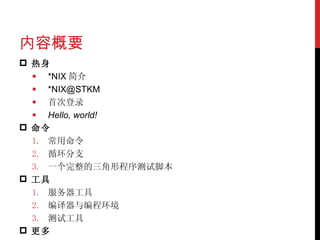
内容概要 热身 *NIX 简介 *NIX@STKM 首次登录 Hello, world! 命令 常用命令 循环分支 一个完整的三角形程序测试脚本 工具 服务器工具 编译器与编程环境 测试工具 更多
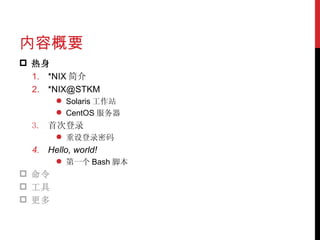
内容概要 热身 *NIX 简介 *NIX@STKM Solaris 工作站 CentOS 服务器 首次登录 重设登录密码 Hello, world! 第一个 Bash 脚本 命令 工具 更多
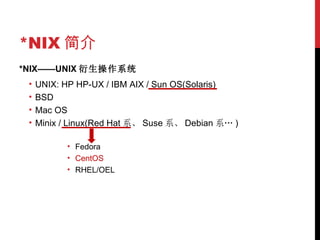
*NIX 简介 *NIX——UNIX 衍生操作系统 UNIX: HP HP-UX / IBM AIX / Sun OS(Solaris) BSD Mac OS Minix / Linux(Red Hat 系、 Suse 系、 Debian 系… ) Fedora CentOS RHEL/OEL
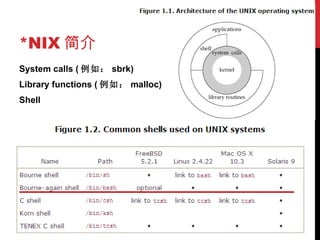
*NIX 简介 System calls ( 例如: sbrk) Library functions ( 例如: malloc) Shell
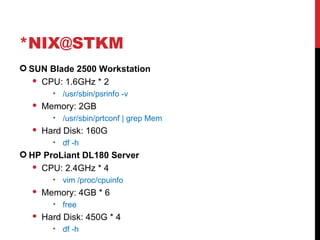
*NIX@STKM SUN Blade 2500 Workstation CPU: 1.6GHz * 2 /usr/sbin/psrinfo -v  Memory: 2GB /usr/sbin/prtconf | grep Mem Hard Disk: 160G df -h HP ProLiant DL180 Server CPU: 2.4GHz * 4 vim /proc/cpuinfo Memory: 4GB * 6 free Hard Disk: 450G * 4 df -h
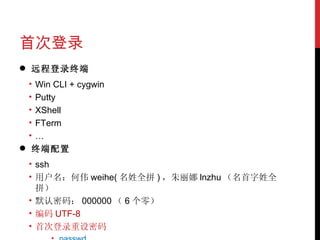
首次登录 远程登录终端 Win CLI + cygwin Putty XShell FTerm … 终端配置 ssh 用户名:何伟 weihe( 名姓全拼 ) ,朱丽娜 lnzhu (名首字姓全拼) 默认密码: 000000 ( 6 个零) 编码 UTF-8 首次登录重设密码 passwd
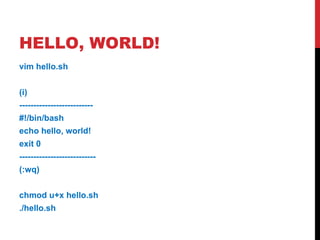
HELLO, WORLD! vim hello.sh (i) -------------------------- #!/bin/bash echo hello, world! exit 0 --------------------------- (:wq) chmod u+x hello.sh ./hello.sh
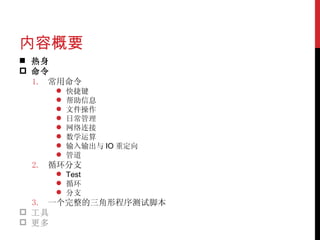
内容概要 热身 命令 常用命令 快捷键 帮助信息 文件操作 日常管理 网络连接 数学运算 输入输出与 IO 重定向 管道 循环分支 Test 循环 分支 一个完整的三角形程序测试脚本 工具 更多
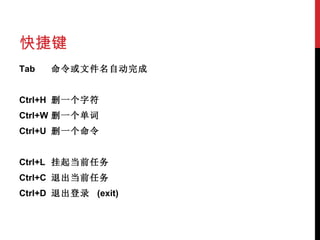
快捷键 Tab 命令或文件名自动完成   Ctrl+H 删一个字符 Ctrl+W 删一个单词 Ctrl+U 删一个命令   Ctrl+L 挂起当前 任务 Ctrl+C 退出当前任务 Ctrl+D 退出登录  (exit)
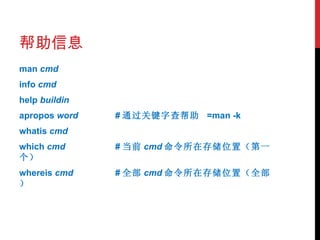
帮助信息 man  cmd info  cmd help  buildin apropos  word # 通过关键字查帮助   =man -k whatis  cmd which  cmd   # 当前 cmd 命令所在存储位置(第一个) whereis  cmd # 全部 cmd 命令所在存储位置(全部)
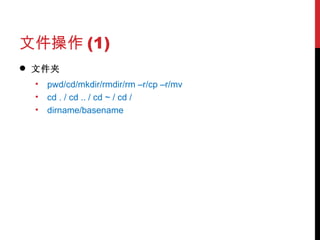
文件操作 (1) 文件夹 pwd/cd/mkdir/rmdir/rm –r/cp –r/mv cd . / cd .. / cd ~ / cd / dirname/basename
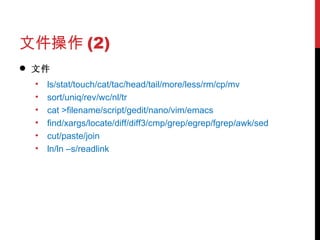
文件操作 (2) 文件 ls/stat/touch/cat/tac/head/tail/more/less/rm/cp/mv sort/uniq/rev/wc/nl/tr cat >filename/script/gedit/nano/vim/emacs find/xargs/locate/diff/diff3/cmp/grep/egrep/fgrep/awk/sed cut/paste/join ln/ln –s/readlink
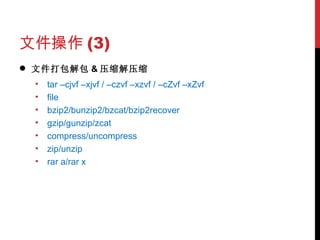
文件操作 (3) 文件打包解包 & 压缩解压缩 tar –cjvf –xjvf / –czvf –xzvf / –cZvf –xZvf file bzip2/bunzip2/bzcat/bzip2recover gzip/gunzip/zcat compress/uncompress zip/unzip rar a/rar x
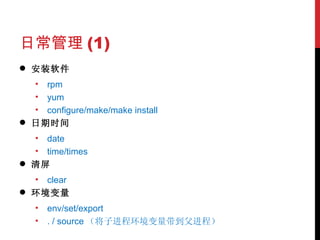
日常管理 (1) 安装软件 rpm yum configure/make/make install 日期时间 date time/times 清屏 clear 环境变量 env/set/export . / source (将子进程环境变量带到父进程)
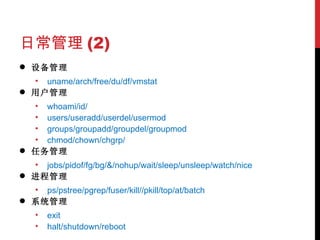
日常管理 (2) 设备管理 uname/arch/free/du/df/vmstat 用户管理 whoami/id/ users/useradd/userdel/usermod groups/groupadd/groupdel/groupmod chmod/chown/chgrp/ 任务管理 jobs/pidof/fg/bg/&/nohup/wait/sleep/unsleep/watch/nice 进程管理 ps/pstree/pgrep/fuser/kill//pkill/top/at/batch 系统管理 exit halt/shutdown/reboot
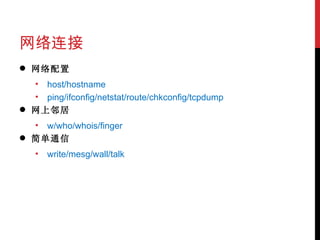
网络连接 网络配置 host/hostname ping/ifconfig/netstat/route/chkconfig/tcpdump 网上邻居 w/who/whois/finger 简单通信 write/mesg/wall/talk
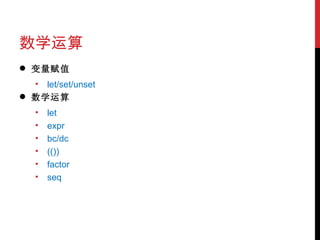
数学运算 变量赋值 let/set/unset 数学运算 let expr bc/dc (()) factor seq
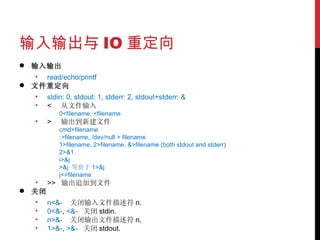
输入输出与 IO 重定向 输入输出 read/echo/printf 文件重定向 stdin: 0, stdout: 1, stderr: 2, stdout+stderr: & <  从文件输入 0<filename, <filename >  输出到新建文件 cmd>filename :>filename, /dev/null > filename 1>filename, 2>filename, &>filename (both stdout and stderr) 2>&1 i>&j >&j  等价于 1>&j j<>filename >>  输出追加到文件 关闭 n<&-  关闭输入文件描述符 n.  0<&- ,  <&-  关闭 stdin.  n>&-  关闭输出文件描述符 n.  1>&- ,  >&-  关闭 stdout.
管道 单向管道 | T 型管道 tee
TEST(1) [ ]  或 [[ ]] 表达式测试 EXPRESSION ! EXPRESSION EXPRESSION1 -a EXPRESSION2 EXPRESSION1 -o EXPRESSION2
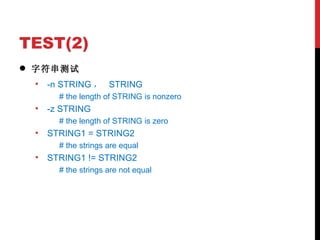
TEST(2) 字符串测试 -n STRING ,  STRING # the length of STRING is nonzero -z STRING # the length of STRING is zero STRING1 = STRING2 # the strings are equal STRING1 != STRING2 # the strings are not equal
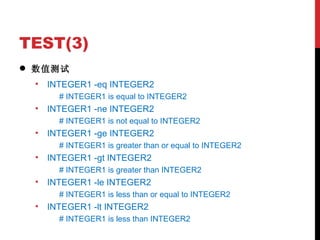
TEST(3) 数值测试 INTEGER1 -eq INTEGER2 # INTEGER1 is equal to INTEGER2 INTEGER1 -ne INTEGER2 # INTEGER1 is not equal to INTEGER2 INTEGER1 -ge INTEGER2 # INTEGER1 is greater than or equal to INTEGER2 INTEGER1 -gt INTEGER2 # INTEGER1 is greater than INTEGER2 INTEGER1 -le INTEGER2 # INTEGER1 is less than or equal to INTEGER2 INTEGER1 -lt INTEGER2 # INTEGER1 is less than INTEGER2
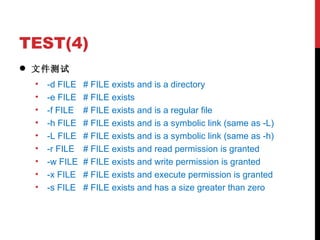
TEST(4) 文件测试 -d FILE # FILE exists and is a directory -e FILE # FILE exists -f FILE # FILE exists and is a regular file -h FILE # FILE exists and is a symbolic link (same as -L) -L FILE # FILE exists and is a symbolic link (same as -h) -r FILE # FILE exists and read permission is granted -w FILE # FILE exists and write permission is granted -x FILE # FILE exists and execute permission is granted -s FILE # FILE exists and has a size greater than zero
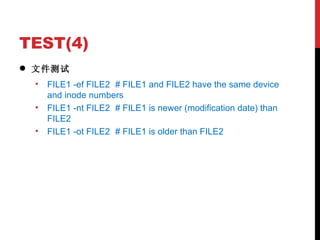
TEST(4) 文件测试 FILE1 -ef FILE2 # FILE1 and FILE2 have the same device and inode numbers FILE1 -nt FILE2 # FILE1 is newer (modification date) than FILE2 FILE1 -ot FILE2 # FILE1 is older than FILE2
循环结构 (1) for arg in [ list ]; do command(s)... done 注意 : 在循环的每次执行中 ,arg  将顺序的存取  list  中列出的变量 . for arg in &quot;$var1&quot; &quot;$var2&quot; &quot;$var3&quot; ... &quot;$varN&quot; #  在第  1  次循环中 , arg = $var1 #  在第  2  次循环中 , arg = $var2 #  在第  3  次循环中 , arg = $var3 # ... #  在第  n  次循环中 , arg = $varN
循环结构 (2) for arg in `seq (FIRST) (INCREMENT) LAST` for number in `echo $NUMBERS `  或 for number in $(echo $NUMBERS)  #  使用命令替换来产生 for 循环的 [list] ;事先声明 NUMBERS 或  ((a=1; a <= LIMIT ; a++))  # C 风格的 for 循环 for file in $FILES  #  事先声明 FILES for file in * #  文件名扩展(当前目录) for arg #  忽略 [list] 的话 , 将会使循环操作 $@( 从命令行传递给脚本的参数列表 )
循环结构 (3) while [ condition ]; do command(s)... done while (( a <= LIMIT ))  # while 循环也可通过 (()) 来使用 C 风格语法 while read VAR1 VAR2 ...; do command(s)... done < filename
循环结构 (4) until [condition-is-true]; do command(s)... done break continue
分支结构 (1) if [[ condition1 ]]; then command(s)... elif [[ condition2 ]]; then command(s)... else command(s)... fi (( a <= LIMIT ))  commands(s)... #  也可通过 (()) 来使用 C 风格语法, (()) 结构扩展并计算一个算术表达式的结果
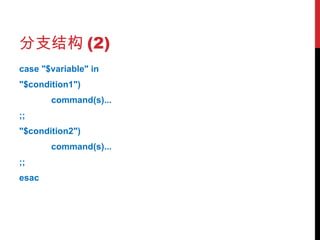
分支结构 (2) case &quot;$variable&quot; in &quot;$condition1&quot;) command(s)... ;; &quot;$condition2&quot;) command(s)... ;; esac
分支结构 (3) select variable [in list] do command(s)... break done #  如果忽略[ in list ]列表 那么 select 命令将使用传递到脚本的命令行参数或者是函数参数 前提是将 select 写到这个函数中
一个完整的三角形程序测试脚本 演示
内容概要 热身 命令 工具 服务器工具 http/ftp/svn 编译器与编程环境 gcc/g++/gdb/trace/make awk/sed python perl java vim/emacs Eclipse/CodeBlocks 测试工具 Cobertura Emma 更多
工具 演示
更多 鸟哥的 Linux 私房菜 . A Practical Guide To Linux Commands Editors And Shell Programming ,  Mark G. Sobell. Advanced Bash-Scripting Guide ,  Mendel Cooper. Shell_12P, Shell_13Q. Learning the vi and Vim Editors (7 th ), Arnold Robbins et al. Computer Systems: A Programmer’s Perspective, Randal E. Bryant and David R. O’Hallaron. The C Programming Language, K&R. 用 GDB 调试程序 跟我一起写 makefile APUE (2 nd )/UNP/TCPIP_Illustrated, Richard Stevens.

Q&R 何伟   2011.10.19

Linux常用命令与工具简介

  • 1.
  • 2.
    内容概要 热身 *NIX简介 *NIX@STKM 首次登录 Hello, world! 命令 常用命令 循环分支 一个完整的三角形程序测试脚本 工具 服务器工具 编译器与编程环境 测试工具 更多
  • 3.
    内容概要 热身 *NIX简介 *NIX@STKM Solaris 工作站 CentOS 服务器 首次登录 重设登录密码 Hello, world! 第一个 Bash 脚本 命令 工具 更多
  • 4.
    *NIX 简介 *NIX——UNIX衍生操作系统 UNIX: HP HP-UX / IBM AIX / Sun OS(Solaris) BSD Mac OS Minix / Linux(Red Hat 系、 Suse 系、 Debian 系… ) Fedora CentOS RHEL/OEL
  • 5.
    *NIX 简介 Systemcalls ( 例如: sbrk) Library functions ( 例如: malloc) Shell
  • 6.
    *NIX@STKM SUN Blade2500 Workstation CPU: 1.6GHz * 2 /usr/sbin/psrinfo -v Memory: 2GB /usr/sbin/prtconf | grep Mem Hard Disk: 160G df -h HP ProLiant DL180 Server CPU: 2.4GHz * 4 vim /proc/cpuinfo Memory: 4GB * 6 free Hard Disk: 450G * 4 df -h
  • 7.
    首次登录 远程登录终端 WinCLI + cygwin Putty XShell FTerm … 终端配置 ssh 用户名:何伟 weihe( 名姓全拼 ) ,朱丽娜 lnzhu (名首字姓全拼) 默认密码: 000000 ( 6 个零) 编码 UTF-8 首次登录重设密码 passwd
  • 8.
    HELLO, WORLD! vimhello.sh (i) -------------------------- #!/bin/bash echo hello, world! exit 0 --------------------------- (:wq) chmod u+x hello.sh ./hello.sh
  • 9.
    内容概要 热身 命令常用命令 快捷键 帮助信息 文件操作 日常管理 网络连接 数学运算 输入输出与 IO 重定向 管道 循环分支 Test 循环 分支 一个完整的三角形程序测试脚本 工具 更多
  • 10.
    快捷键 Tab 命令或文件名自动完成  Ctrl+H 删一个字符 Ctrl+W 删一个单词 Ctrl+U 删一个命令   Ctrl+L 挂起当前 任务 Ctrl+C 退出当前任务 Ctrl+D 退出登录 (exit)
  • 11.
    帮助信息 man cmd info cmd help buildin apropos word # 通过关键字查帮助 =man -k whatis cmd which cmd # 当前 cmd 命令所在存储位置(第一个) whereis cmd # 全部 cmd 命令所在存储位置(全部)
  • 12.
    文件操作 (1) 文件夹pwd/cd/mkdir/rmdir/rm –r/cp –r/mv cd . / cd .. / cd ~ / cd / dirname/basename
  • 13.
    文件操作 (2) 文件ls/stat/touch/cat/tac/head/tail/more/less/rm/cp/mv sort/uniq/rev/wc/nl/tr cat >filename/script/gedit/nano/vim/emacs find/xargs/locate/diff/diff3/cmp/grep/egrep/fgrep/awk/sed cut/paste/join ln/ln –s/readlink
  • 14.
    文件操作 (3) 文件打包解包& 压缩解压缩 tar –cjvf –xjvf / –czvf –xzvf / –cZvf –xZvf file bzip2/bunzip2/bzcat/bzip2recover gzip/gunzip/zcat compress/uncompress zip/unzip rar a/rar x
  • 15.
    日常管理 (1) 安装软件rpm yum configure/make/make install 日期时间 date time/times 清屏 clear 环境变量 env/set/export . / source (将子进程环境变量带到父进程)
  • 16.
    日常管理 (2) 设备管理uname/arch/free/du/df/vmstat 用户管理 whoami/id/ users/useradd/userdel/usermod groups/groupadd/groupdel/groupmod chmod/chown/chgrp/ 任务管理 jobs/pidof/fg/bg/&/nohup/wait/sleep/unsleep/watch/nice 进程管理 ps/pstree/pgrep/fuser/kill//pkill/top/at/batch 系统管理 exit halt/shutdown/reboot
  • 17.
    网络连接 网络配置 host/hostnameping/ifconfig/netstat/route/chkconfig/tcpdump 网上邻居 w/who/whois/finger 简单通信 write/mesg/wall/talk
  • 18.
    数学运算 变量赋值 let/set/unset数学运算 let expr bc/dc (()) factor seq
  • 19.
    输入输出与 IO 重定向输入输出 read/echo/printf 文件重定向 stdin: 0, stdout: 1, stderr: 2, stdout+stderr: & < 从文件输入 0<filename, <filename > 输出到新建文件 cmd>filename :>filename, /dev/null > filename 1>filename, 2>filename, &>filename (both stdout and stderr) 2>&1 i>&j >&j 等价于 1>&j j<>filename >> 输出追加到文件 关闭 n<&- 关闭输入文件描述符 n. 0<&- , <&- 关闭 stdin. n>&- 关闭输出文件描述符 n. 1>&- , >&- 关闭 stdout.
  • 20.
    管道 单向管道 |T 型管道 tee
  • 21.
    TEST(1) [ ] 或 [[ ]] 表达式测试 EXPRESSION ! EXPRESSION EXPRESSION1 -a EXPRESSION2 EXPRESSION1 -o EXPRESSION2
  • 22.
    TEST(2) 字符串测试 -nSTRING , STRING # the length of STRING is nonzero -z STRING # the length of STRING is zero STRING1 = STRING2 # the strings are equal STRING1 != STRING2 # the strings are not equal
  • 23.
    TEST(3) 数值测试 INTEGER1-eq INTEGER2 # INTEGER1 is equal to INTEGER2 INTEGER1 -ne INTEGER2 # INTEGER1 is not equal to INTEGER2 INTEGER1 -ge INTEGER2 # INTEGER1 is greater than or equal to INTEGER2 INTEGER1 -gt INTEGER2 # INTEGER1 is greater than INTEGER2 INTEGER1 -le INTEGER2 # INTEGER1 is less than or equal to INTEGER2 INTEGER1 -lt INTEGER2 # INTEGER1 is less than INTEGER2
  • 24.
    TEST(4) 文件测试 -dFILE # FILE exists and is a directory -e FILE # FILE exists -f FILE # FILE exists and is a regular file -h FILE # FILE exists and is a symbolic link (same as -L) -L FILE # FILE exists and is a symbolic link (same as -h) -r FILE # FILE exists and read permission is granted -w FILE # FILE exists and write permission is granted -x FILE # FILE exists and execute permission is granted -s FILE # FILE exists and has a size greater than zero
  • 25.
    TEST(4) 文件测试 FILE1-ef FILE2 # FILE1 and FILE2 have the same device and inode numbers FILE1 -nt FILE2 # FILE1 is newer (modification date) than FILE2 FILE1 -ot FILE2 # FILE1 is older than FILE2
  • 26.
    循环结构 (1) forarg in [ list ]; do command(s)... done 注意 : 在循环的每次执行中 ,arg 将顺序的存取 list 中列出的变量 . for arg in &quot;$var1&quot; &quot;$var2&quot; &quot;$var3&quot; ... &quot;$varN&quot; # 在第 1 次循环中 , arg = $var1 # 在第 2 次循环中 , arg = $var2 # 在第 3 次循环中 , arg = $var3 # ... # 在第 n 次循环中 , arg = $varN
  • 27.
    循环结构 (2) forarg in `seq (FIRST) (INCREMENT) LAST` for number in `echo $NUMBERS ` 或 for number in $(echo $NUMBERS) # 使用命令替换来产生 for 循环的 [list] ;事先声明 NUMBERS 或 ((a=1; a <= LIMIT ; a++)) # C 风格的 for 循环 for file in $FILES # 事先声明 FILES for file in * # 文件名扩展(当前目录) for arg # 忽略 [list] 的话 , 将会使循环操作 $@( 从命令行传递给脚本的参数列表 )
  • 28.
    循环结构 (3) while[ condition ]; do command(s)... done while (( a <= LIMIT )) # while 循环也可通过 (()) 来使用 C 风格语法 while read VAR1 VAR2 ...; do command(s)... done < filename
  • 29.
    循环结构 (4) until[condition-is-true]; do command(s)... done break continue
  • 30.
    分支结构 (1) if[[ condition1 ]]; then command(s)... elif [[ condition2 ]]; then command(s)... else command(s)... fi (( a <= LIMIT )) commands(s)... # 也可通过 (()) 来使用 C 风格语法, (()) 结构扩展并计算一个算术表达式的结果
  • 31.
    分支结构 (2) case&quot;$variable&quot; in &quot;$condition1&quot;) command(s)... ;; &quot;$condition2&quot;) command(s)... ;; esac
  • 32.
    分支结构 (3) selectvariable [in list] do command(s)... break done # 如果忽略[ in list ]列表 那么 select 命令将使用传递到脚本的命令行参数或者是函数参数 前提是将 select 写到这个函数中
  • 33.
  • 34.
    内容概要 热身 命令工具 服务器工具 http/ftp/svn 编译器与编程环境 gcc/g++/gdb/trace/make awk/sed python perl java vim/emacs Eclipse/CodeBlocks 测试工具 Cobertura Emma 更多
  • 35.
  • 36.
    更多 鸟哥的 Linux私房菜 . A Practical Guide To Linux Commands Editors And Shell Programming , Mark G. Sobell. Advanced Bash-Scripting Guide , Mendel Cooper. Shell_12P, Shell_13Q. Learning the vi and Vim Editors (7 th ), Arnold Robbins et al. Computer Systems: A Programmer’s Perspective, Randal E. Bryant and David R. O’Hallaron. The C Programming Language, K&R. 用 GDB 调试程序 跟我一起写 makefile APUE (2 nd )/UNP/TCPIP_Illustrated, Richard Stevens.

  • 37.
    Q&R 何伟 2011.10.19