Linux基础
- DevOps的基础知识

2017年年8⽉月 朱⻘青玲
Agenda
• 分⽀支与发⾏行行版

• ⽂文件系统

• 权限系统

• 安装软件

• 环境变量量
• 进程

• 服务

• Shell命令

• ⽹网络

• 定时任务
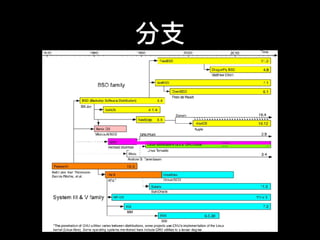
分⽀支
主要发布版
• Debian系,Ubuntu

• Fedora系,Red Hat Enterprise Linux,CentOS

https://en.wikipedia.org/wiki/Linux_distribution
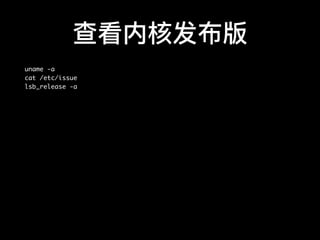
查看内核发布版
uname -a
cat /etc/issue
lsb_release -a
⽂文件系统
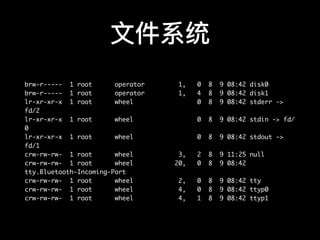
"On a UNIX system, everything is a file”

⼀一切皆为⽂文件
⽂文件系统
brw-r----- 1 root operator 1, 0 8 9 08:42 disk0
brw-r----- 1 root operator 1, 4 8 9 08:42 disk1
lr-xr-xr-x 1 root wheel 0 8 9 08:42 stderr ->
fd/2
lr-xr-xr-x 1 root wheel 0 8 9 08:42 stdin -> fd/
0
lr-xr-xr-x 1 root wheel 0 8 9 08:42 stdout ->
fd/1
crw-rw-rw- 1 root wheel 3, 2 8 9 11:25 null
crw-rw-rw- 1 root wheel 20, 0 8 9 08:42
tty.Bluetooth-Incoming-Port
crw-rw-rw- 1 root wheel 2, 0 8 9 08:42 tty
crw-rw-rw- 1 root wheel 4, 0 8 9 08:42 ttyp0
crw-rw-rw- 1 root wheel 4, 1 8 9 08:42 ttyp1
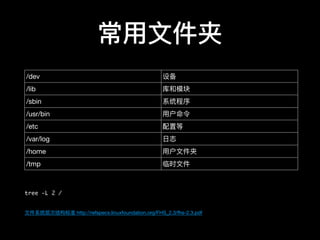
常⽤用⽂文件夹
tree -L 2 /
⽂文件系统层次结构标准 http://refspecs.linuxfoundation.org/FHS_2.3/fhs-2.3.pdf
/dev 设备
/lib 库和模块
/sbin 系统程序
/usr/bin ⽤用户命令
/etc 配置等
/var/log ⽇日志
/home ⽤用户⽂文件夹
/tmp 临时⽂文件
权限系统
当前⽤用户

w, who, who am i # 当前⽤用户
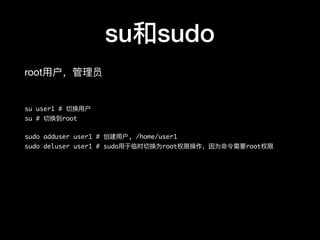
su和sudo
root⽤用户,管理理员

su user1 # 切换⽤用户
su # 切换到root
sudo adduser user1 # 创建⽤用户, /home/user1
sudo deluser user1 # sudo⽤用于临时切换为root权限操作,因为命令需要root权限
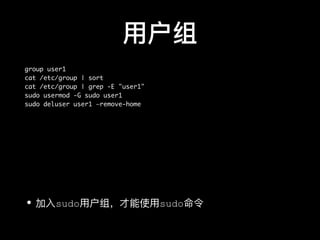
⽤用户组
group user1
cat /etc/group | sort
cat /etc/group | grep -E "user1"
sudo usermod -G sudo user1
sudo deluser user1 —remove-home
• 加⼊入sudo⽤用户组,才能使⽤用sudo命令
⽂文件权限
chown user1 file1 # 变更更所有者
chmod 700 file1 # 变更更权限
chmod ugo +rw file1 # u、g、o 分别表示 user、group、others,+ 和 - 分别表示增
加和去掉相应的权限
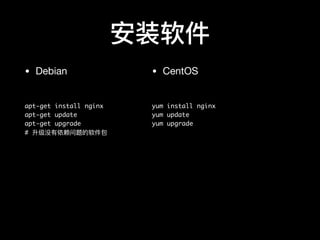
安装软件
• Debian

apt-get install nginx
apt-get update
apt-get upgrade
# 升级没有依赖问题的软件包
• CentOS

yum install nginx
yum update
yum upgrade
⼿手⼯工编译
./configure && make && make install
环境变量量
env # 所有环境变量量
echo $PATH # 默认搜索路路径
export temp_env1=studio # 设置临时变量量
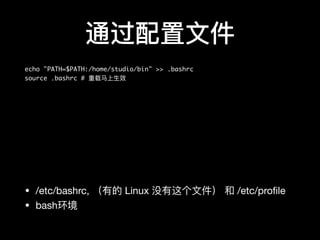
通过配置⽂文件
echo "PATH=$PATH:/home/studio/bin" >> .bashrc
source .bashrc # 重载⻢马上⽣生效
• /etc/bashrc, (有的 Linux 没有这个⽂文件) 和 /etc/profile

• bash环境
进程
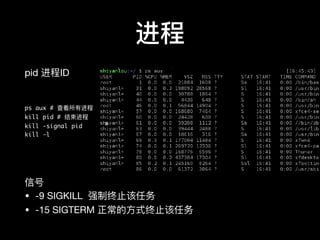
pid 进程ID

ps aux # 查看所有进程
kill pid # 结束进程
kill -signal pid
kill -l
信号

• -9 SIGKILL 强制终⽌止该任务   

• -15 SIGTERM 正常的⽅方式终⽌止该任务
后台进程
ls & # 后⾯面加&进⼊入后台
jobs # 后台任务
fg, bg # 切换前后台
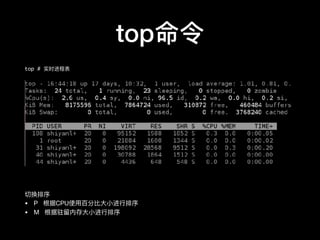
top命令
top # 实时进程表
切换排序

• P 根据CPU使⽤用百分⽐比⼤大⼩小进⾏行行排序

• M 根据驻留留内存⼤大⼩小进⾏行行排序
服务
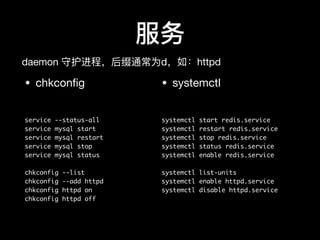
• chkconfig

service --status-all
service mysql start
service mysql restart
service mysql stop
service mysql status
chkconfig --list
chkconfig --add httpd
chkconfig httpd on
chkconfig httpd off
• systemctl

systemctl start redis.service
systemctl restart redis.service
systemctl stop redis.service
systemctl status redis.service
systemctl enable redis.service
systemctl list-units
systemctl enable httpd.service
systemctl disable httpd.service
daemon 守护进程,后缀通常为d,如:httpd

Shell
•sh

•csh

•bash

•zsh

http://ohmyz.sh/
⽂文件和⽂文件夹
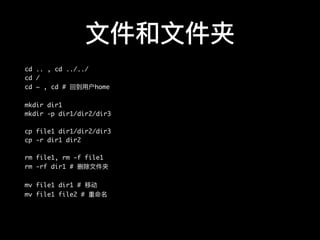
cd .. , cd ../../
cd /
cd ~ , cd # 回到⽤用户home
mkdir dir1
mkdir -p dir1/dir2/dir3
cp file1 dir1/dir2/dir3
cp -r dir1 dir2
rm file1, rm -f file1
rm -rf dir1 # 删除⽂文件夹
mv file1 dir1 # 移动
mv file1 file2 # 重命名
列列出⽂文件
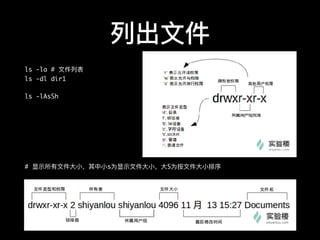
ls -la # ⽂文件列列表
ls -dl dir1
ls -lAsSh
# 显示所有⽂文件⼤大⼩小,其中⼩小s为显示⽂文件⼤大⼩小,⼤大S为按⽂文件⼤大⼩小排序
查看⽂文件
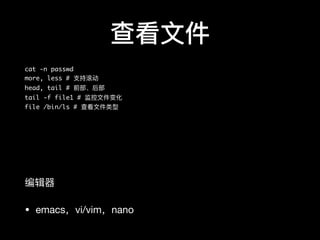
cat -n passwd
more, less # ⽀支持滚动
head, tail # 前部、后部
tail -f file1 # 监控⽂文件变化
file /bin/ls # 查看⽂文件类型
编辑器器

• emacs,vi/vim,nano
通配符
touch love_{1..10}_linux.txt
字符 含义
* 匹配 0 或多个字符
? 匹配任意⼀一个字符
[list] 匹配 list 中的任意单⼀一字符
[!list] 匹配 除list 中的任意单⼀一字符以外的字符
[c1-c2] 匹配 c1-c2 中的任意单⼀一字符 如:[0-9]
[a-z]
{string1,string2,...} 匹配 string1 或 string2 (或更更多)其⼀一字符
串串
{c1..c2} 匹配 c1-c2 中全部字符 如{1..10}
管道
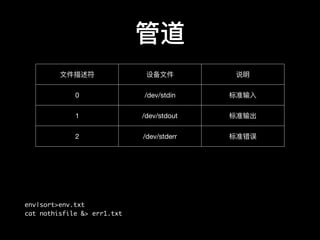
env|sort>env.txt
cat nothisfile &> err1.txt
⽂文件描述符 设备⽂文件 说明
0 /dev/stdin 标准输⼊入
1 /dev/stdout 标准输出
2 /dev/stderr 标准错误
压缩
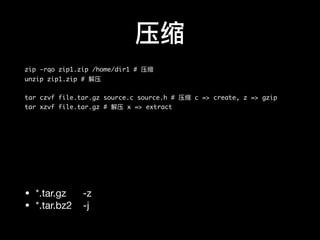
zip -rqo zip1.zip /home/dir1 # 压缩
unzip zip1.zip # 解压
tar czvf file.tar.gz source.c source.h # 压缩 c => create, z => gzip
tar xzvf file.tar.gz # 解压 x => extract
• *.tar.gz -z

• *.tar.bz2 -j
技巧
• [Tab] 补全

• 命令

• ⽂文件名

• CTRL + C 中断

• 历史命令

• 向上键

• history
• ⽂文件系统及程序的限制关系

ulimit -a
• 帮助

man <command>
<command> -- help
⽹网络
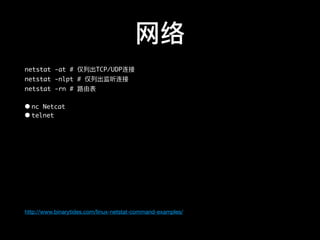
netstat -at # 仅列列出TCP/UDP连接
netstat -nlpt # 仅列列出监听连接
netstat -rn # 路路由表
• nc Netcat
• telnet
http://www.binarytides.com/linux-netstat-command-examples/
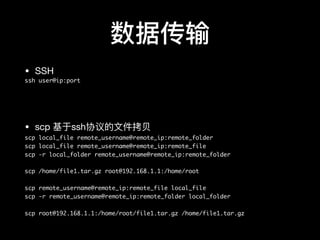
数据传输
• SSH

ssh user@ip:port
• scp 基于ssh协议的⽂文件拷⻉贝

scp local_file remote_username@remote_ip:remote_folder
scp local_file remote_username@remote_ip:remote_file
scp -r local_folder remote_username@remote_ip:remote_folder
scp /home/file1.tar.gz root@192.168.1.1:/home/root
scp remote_username@remote_ip:remote_file local_file
scp -r remote_username@remote_ip:remote_folder local_folder
scp root@192.168.1.1:/home/root/file1.tar.gz /home/file1.tar.gz
rsync
rsync 是⼀一款⾼高效的远程数据备份和镜象⼯工具,可快速地同步
多台主机间的⽂文件

http://roclinux.cn/?p=2643
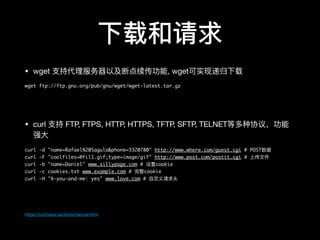
下载和请求
• wget ⽀支持代理理服务器器以及断点续传功能, wget可实现递归下载

wget ftp://ftp.gnu.org/pub/gnu/wget/wget-latest.tar.gz
• curl ⽀支持 FTP, FTPS, HTTP, HTTPS, TFTP, SFTP, TELNET等多种协议,功能
强⼤大

curl -d "name=Rafael%20Sagula&phone=3320780" http://www.where.com/guest.cgi # POST数据
curl -F "coolfiles=@fil1.gif;type=image/gif" http://www.post.com/postit.cgi # 上传⽂文件
curl -b "name=Daniel" www.sillypage.com # 设置cookie
curl -c cookies.txt www.example.com # 完整cookie
curl -H "X-you-and-me: yes" www.love.com # ⾃自定义请求头
https://curl.haxx.se/docs/manual.html
防⽕火墙
iptables防⽕火墙

https://wiki.centos.org/zh/HowTos/Network/IPTables
定时任务
crontab

⽤用户级

crontab -l # 列列表
crontab -e # 编辑
crontab配置
vi /etc/crontab
# Example of job definition:
# .---------------- minute (0 - 59)
# | .------------- hour (0 - 23)
# | | .---------- day of month (1 - 31)
# | | | .------- month (1 - 12) OR jan,feb,mar,apr ...
# | | | | .---- day of week (0 - 6) (Sunday=0 or 7) OR
sun,mon,tue,wed,thu,fri,sat
# | | | | |
# * * * * * user-name command to be executed
星号 * 任意
逗号 , 列列表范围
中杠 - 连续范围
正斜线 / 间隔频率
• 需要在配置⾥里里⾃自定义参数、路路径,否则需要使⽤用完整路路径或cd path && command

• ⽤用户级环境变量量不不可⽤用
anacron
/etc/cron.d
/etc/cron.daily
/etc/cron.hourly
/etc/cron.weekly
/etc/cron.monthly
扩展阅读
• grep 模式匹配

• sed 流编辑器器

• awk ⽂文本处理理语⾔言

• 实验楼 shiyanlou.com
Thanks

Linux基础