Download free for 30 days
Sign in
Upload
Language (EN)
Support
Business
Mobile
Social Media
Marketing
Technology
Art & Photos
Career
Design
Education
Presentations & Public Speaking
Government & Nonprofit
Healthcare
Internet
Law
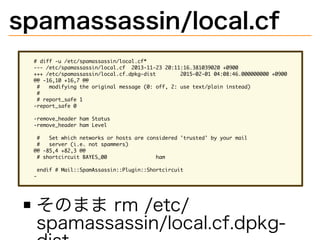
Leadership & Management
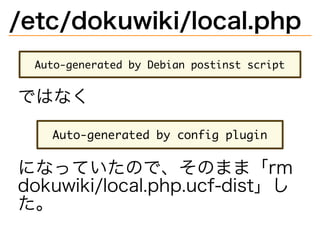
Automotive
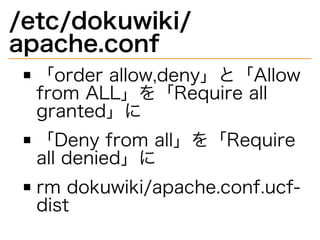
Engineering
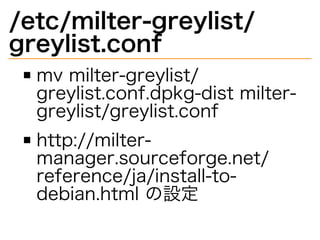
Software
Recruiting & HR
Retail
Sales
Services
Science
Small Business & Entrepreneurship
Food
Environment
Economy & Finance
Data & Analytics
Investor Relations
Sports
Spiritual
News & Politics
Travel
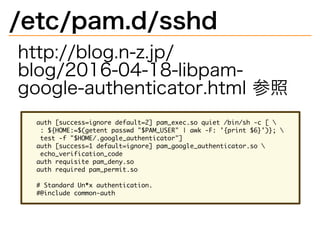
Self Improvement
Real Estate
Entertainment & Humor
Health & Medicine
Devices & Hardware
Lifestyle
Change Language
Language
English
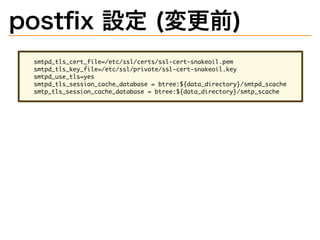
Español
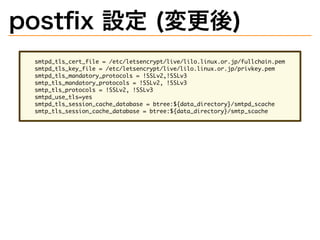
Português
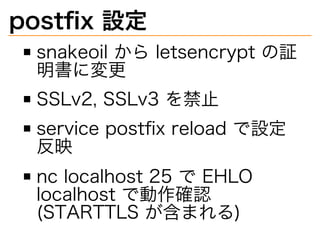
Français
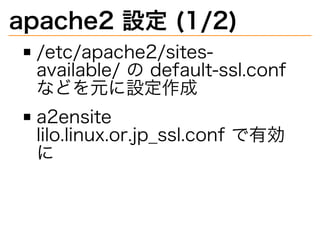
Deutsche
Cancel
Save
Submit search
EN
KN
Uploaded by
Kazuhiro Nishiyama
2,161 views
lilo.linux.or.jp を wheezy から jessie にあげた話
lilo.linux.or.jp を wheezy から jessie にあげたので、 その話をします。
Read more
1
Save
Share
Embed
Embed presentation
Download
Download to read offline
1
/ 57
2
/ 57
3
/ 57
4
/ 57
5
/ 57
6
/ 57
7
/ 57
8
/ 57
9
/ 57
10
/ 57
11
/ 57
12
/ 57
13
/ 57
14
/ 57
15
/ 57
16
/ 57
17
/ 57
18
/ 57
19
/ 57
20
/ 57
21
/ 57
22
/ 57
23
/ 57
24
/ 57
25
/ 57
26
/ 57
27
/ 57
28
/ 57
29
/ 57
30
/ 57
31
/ 57
32
/ 57
33
/ 57
34
/ 57
35
/ 57
36
/ 57
37
/ 57
38
/ 57
39
/ 57
40
/ 57
41
/ 57
42
/ 57
43
/ 57
44
/ 57
45
/ 57
46
/ 57
47
/ 57
48
/ 57
49
/ 57
50
/ 57
51
/ 57
52
/ 57
53
/ 57
54
/ 57
55
/ 57
56
/ 57
57
/ 57
More Related Content
PPTX
ラズパイ2で動く Docker PaaSを作ってみたよ
by
npsg
PDF
lilo.linux.or.jp の話 (2017年8月)
by
Kazuhiro Nishiyama
PDF
痛い目にあってわかる HAクラスタのありがたさ
by
Takatoshi Matsuo
PDF
HAクラスタで PostgreSQLレプリケーション構成の 高可用化
by
Takatoshi Matsuo
PDF
Version管理 1
by
hakoika-itwg
PDF
Lagopus 0.2
by
Masaru Oki
PDF
Lagopus.confの書式(for lagopus 0.1.x)
by
Masaru Oki
PDF
JOSUG Meetup 28th Heat 101
by
irix_jp
ラズパイ2で動く Docker PaaSを作ってみたよ
by
npsg
lilo.linux.or.jp の話 (2017年8月)
by
Kazuhiro Nishiyama
痛い目にあってわかる HAクラスタのありがたさ
by
Takatoshi Matsuo
HAクラスタで PostgreSQLレプリケーション構成の 高可用化
by
Takatoshi Matsuo
Version管理 1
by
hakoika-itwg
Lagopus 0.2
by
Masaru Oki
Lagopus.confの書式(for lagopus 0.1.x)
by
Masaru Oki
JOSUG Meetup 28th Heat 101
by
irix_jp
What's hot
PDF
#dnstudy 01 Unboundの紹介
by
Takashi Takizawa
PPTX
Mod lua
by
do_aki
PPTX
ODS ってなんだ?
by
Haruyuki Nakano
PDF
OSC2012 Tokyo/Spring JOSUG
by
Hideki Saito
PDF
CentOS 8で標準搭載! 「389-ds」で構築する 認証サーバーについて
by
Nobuyuki Sasaki
PPTX
PostgreSQL共有バッファと関連ツール
by
Masahiko Sawada
PDF
Lagopus + DockerのDPDK接続
by
Tomoya Hibi
PDF
Sql server エンジニアに知ってもらいたい!! sql server チューニングアプローチ
by
Masayuki Ozawa
PDF
Pacemakerを使いこなそう
by
Takatoshi Matsuo
PPTX
Dockerと外部ルータを連携させる仕組みを作ってみた
by
npsg
PDF
UnboundとNSDの紹介 BIND9との比較編
by
hdais
PDF
Unbound/NSD最新情報(OSC 2013 Tokyo/Spring)
by
Takashi Takizawa
PDF
C16 45分でわかるPostgreSQLの仕組み by 山田努
by
Insight Technology, Inc.
ODP
コマンド一発でLibreOfficeをインストール
by
雄介 荒川
PDF
5ステップで始めるPostgreSQLレプリケーション@hbstudy#13
by
Uptime Technologies LLC (JP)
PDF
20130328 第03回福岡debian勉強会 debianパッケージ情報と依存関係の可視化
by
Tsuyoshi Yamada
PPTX
Cloudstack user group meeting in osaka
by
Naotaka Jay HOTTA
PDF
Havana版 RDO-QuickStart-2 (140421-Havana-RDO-QuickStart-2.pdf)
by
VirtualTech Japan Inc.
PDF
新生Lagopus2017(仮称)
by
Masaru Oki
PDF
Linux Namespace
by
Masami Ichikawa
#dnstudy 01 Unboundの紹介
by
Takashi Takizawa
Mod lua
by
do_aki
ODS ってなんだ?
by
Haruyuki Nakano
OSC2012 Tokyo/Spring JOSUG
by
Hideki Saito
CentOS 8で標準搭載! 「389-ds」で構築する 認証サーバーについて
by
Nobuyuki Sasaki
PostgreSQL共有バッファと関連ツール
by
Masahiko Sawada
Lagopus + DockerのDPDK接続
by
Tomoya Hibi
Sql server エンジニアに知ってもらいたい!! sql server チューニングアプローチ
by
Masayuki Ozawa
Pacemakerを使いこなそう
by
Takatoshi Matsuo
Dockerと外部ルータを連携させる仕組みを作ってみた
by
npsg
UnboundとNSDの紹介 BIND9との比較編
by
hdais
Unbound/NSD最新情報(OSC 2013 Tokyo/Spring)
by
Takashi Takizawa
C16 45分でわかるPostgreSQLの仕組み by 山田努
by
Insight Technology, Inc.
コマンド一発でLibreOfficeをインストール
by
雄介 荒川
5ステップで始めるPostgreSQLレプリケーション@hbstudy#13
by
Uptime Technologies LLC (JP)
20130328 第03回福岡debian勉強会 debianパッケージ情報と依存関係の可視化
by
Tsuyoshi Yamada
Cloudstack user group meeting in osaka
by
Naotaka Jay HOTTA
Havana版 RDO-QuickStart-2 (140421-Havana-RDO-QuickStart-2.pdf)
by
VirtualTech Japan Inc.
新生Lagopus2017(仮称)
by
Masaru Oki
Linux Namespace
by
Masami Ichikawa
Viewers also liked
PDF
Debian Testing on Windows Tablet T100TA
by
Netwalker lab kapper
PDF
Windows10タブレットにUbuntu16.04を色々入れてみた 2016年度版 Install Ubuntu16.04 on Windows10 T...
by
Netwalker lab kapper
PDF
AllwinnerタブレットのOSを作ってみる(中編)
by
shimadah
PPTX
Fireduck
by
wata2ki
PDF
MSYS2使いはじめました
by
Hiro H.
PDF
Beginner for Power Control on Linux はじめてのLinuxバッテリー省エネ設定
by
Netwalker lab kapper
PDF
openSUSE42.2 on Windows Tablet T100TA
by
Netwalker lab kapper
PDF
DOSBox for beginners はじめてのDOSBox
by
Netwalker lab kapper
PDF
#GPD-Pocket にUbuntu17.04をインストール Install Ubuntu Linux 17.04 on GPD-Pocket
by
Netwalker lab kapper
PDF
XRDPで怠惰な日々を送る
by
monochrojazz
PDF
「やりなおし方について」Linuxブート情報の消し方
by
Masataka Kondo
PDF
あひるに焼かれた話と今後のおーぷん万葉について
by
Masahiko Hashimoto
PDF
色々なコントローラでRaspberryPiを動かそう
by
monochrojazz
PDF
ret2libcとpopretで初等的BOF攻撃
by
monochrojazz
PDF
音ゲーコントローラとLinux Input Subsystem
by
monochrojazz
PDF
海外イベントの可能性を探ろう
by
Masataka Kondo
PDF
鹿児島らぐに初参加してみました I tried the paticipate Kagoshima Linux Users Group
by
Netwalker lab kapper
PDF
最近やった事とこれからやりたい事 2016年度年末版
by
Netwalker lab kapper
PDF
シンガポールFossasia2016に初参加してみた I tried the first time participate in the Singapor...
by
Netwalker lab kapper
PDF
OSC沖縄2017と沖縄観光 #osc17ok Opensource Conference Okinawa2017
by
Netwalker lab kapper
Debian Testing on Windows Tablet T100TA
by
Netwalker lab kapper
Windows10タブレットにUbuntu16.04を色々入れてみた 2016年度版 Install Ubuntu16.04 on Windows10 T...
by
Netwalker lab kapper
AllwinnerタブレットのOSを作ってみる(中編)
by
shimadah
Fireduck
by
wata2ki
MSYS2使いはじめました
by
Hiro H.
Beginner for Power Control on Linux はじめてのLinuxバッテリー省エネ設定
by
Netwalker lab kapper
openSUSE42.2 on Windows Tablet T100TA
by
Netwalker lab kapper
DOSBox for beginners はじめてのDOSBox
by
Netwalker lab kapper
#GPD-Pocket にUbuntu17.04をインストール Install Ubuntu Linux 17.04 on GPD-Pocket
by
Netwalker lab kapper
XRDPで怠惰な日々を送る
by
monochrojazz
「やりなおし方について」Linuxブート情報の消し方
by
Masataka Kondo
あひるに焼かれた話と今後のおーぷん万葉について
by
Masahiko Hashimoto
色々なコントローラでRaspberryPiを動かそう
by
monochrojazz
ret2libcとpopretで初等的BOF攻撃
by
monochrojazz
音ゲーコントローラとLinux Input Subsystem
by
monochrojazz
海外イベントの可能性を探ろう
by
Masataka Kondo
鹿児島らぐに初参加してみました I tried the paticipate Kagoshima Linux Users Group
by
Netwalker lab kapper
最近やった事とこれからやりたい事 2016年度年末版
by
Netwalker lab kapper
シンガポールFossasia2016に初参加してみた I tried the first time participate in the Singapor...
by
Netwalker lab kapper
OSC沖縄2017と沖縄観光 #osc17ok Opensource Conference Okinawa2017
by
Netwalker lab kapper
More from Kazuhiro Nishiyama
PDF
riscv64.rubyci.org internal at RubyKaigi 2025 LT
by
Kazuhiro Nishiyama
PDF
Ubuntuのriscv64版をqemuで動かした at LILO&東海道らぐオフラインミーティング 2024-04-27
by
Kazuhiro Nishiyama
PDF
Wireguard 実践入門
by
Kazuhiro Nishiyama
PDF
devise-two-factor gem を 4.x から 5.x に上げた話
by
Kazuhiro Nishiyama
PDF
小規模個人アプリをRails 7.xにバージョンアップした話
by
Kazuhiro Nishiyama
PDF
docs.ruby-lang.org/ja/ の生成方法を (GitHub Actions に)変えた
by
Kazuhiro Nishiyama
PDF
あまり知られていないRubyの便利機能
by
Kazuhiro Nishiyama
PDF
systemd 再入門
by
Kazuhiro Nishiyama
PDF
Ruby 3.0.0 コネタ集
by
Kazuhiro Nishiyama
PDF
Rubyの日本語リファレンスマニュアルの現在と未来 (松江Ruby会議11) 2024-10-05
by
Kazuhiro Nishiyama
PDF
Dockerのオフィシャルrubyイメージとは?
by
Kazuhiro Nishiyama
PDF
lilo.linux.or.jp を buster から bullseye に上げた
by
Kazuhiro Nishiyama
PDF
Ruby on Rails と私 at 関西Ruby会議08 After Party: 叡電LT 🚃
by
Kazuhiro Nishiyama
PDF
Ruby リファレンスマニュアル改善計画 2022 進捗報告
by
Kazuhiro Nishiyama
PDF
qemuのriscv64にDebianを入れてみた
by
Kazuhiro Nishiyama
PDF
workflow,job,step の使い分けの基準を考える
by
Kazuhiro Nishiyama
PDF
rubykaigi2022-rurema-history-and-future.pdf
by
Kazuhiro Nishiyama
PDF
チャットボットのススメ
by
Kazuhiro Nishiyama
PDF
livedoor天気API終了対応
by
Kazuhiro Nishiyama
PDF
fukuoka03-rubima-reboot-rubyist-magazine-reboot.pdf
by
Kazuhiro Nishiyama
riscv64.rubyci.org internal at RubyKaigi 2025 LT
by
Kazuhiro Nishiyama
Ubuntuのriscv64版をqemuで動かした at LILO&東海道らぐオフラインミーティング 2024-04-27
by
Kazuhiro Nishiyama
Wireguard 実践入門
by
Kazuhiro Nishiyama
devise-two-factor gem を 4.x から 5.x に上げた話
by
Kazuhiro Nishiyama
小規模個人アプリをRails 7.xにバージョンアップした話
by
Kazuhiro Nishiyama
docs.ruby-lang.org/ja/ の生成方法を (GitHub Actions に)変えた
by
Kazuhiro Nishiyama
あまり知られていないRubyの便利機能
by
Kazuhiro Nishiyama
systemd 再入門
by
Kazuhiro Nishiyama
Ruby 3.0.0 コネタ集
by
Kazuhiro Nishiyama
Rubyの日本語リファレンスマニュアルの現在と未来 (松江Ruby会議11) 2024-10-05
by
Kazuhiro Nishiyama
Dockerのオフィシャルrubyイメージとは?
by
Kazuhiro Nishiyama
lilo.linux.or.jp を buster から bullseye に上げた
by
Kazuhiro Nishiyama
Ruby on Rails と私 at 関西Ruby会議08 After Party: 叡電LT 🚃
by
Kazuhiro Nishiyama
Ruby リファレンスマニュアル改善計画 2022 進捗報告
by
Kazuhiro Nishiyama
qemuのriscv64にDebianを入れてみた
by
Kazuhiro Nishiyama
workflow,job,step の使い分けの基準を考える
by
Kazuhiro Nishiyama
rubykaigi2022-rurema-history-and-future.pdf
by
Kazuhiro Nishiyama
チャットボットのススメ
by
Kazuhiro Nishiyama
livedoor天気API終了対応
by
Kazuhiro Nishiyama
fukuoka03-rubima-reboot-rubyist-magazine-reboot.pdf
by
Kazuhiro Nishiyama
lilo.linux.or.jp を wheezy から jessie にあげた話
1.
lilo.linux.or.jp� を�wheezy�から� jessie�にあげた話 Kazuhiro�NISHIYAMA LILO&東海道らぐオフラインミーティング 2016-05-01
2.
lilo.linux.or.jp�とは? 主な用途: LILO�の�Web�サーバー� (apache) ML�サーバー�(mailman)
3.
環境 さくらの�VPS Debian�GNU/Linux
4.
アップグレード前 リリースノートを読む https://www.debian.org/releases/ jessie/amd64/release-notes/ch- upgrading.ja.html その他情報収集
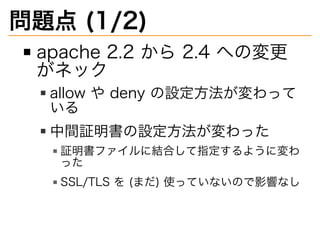
5.
問題点�(1/2) apache�2.2�から�2.4�への変更 がネック allow�や�deny�の設定⽅法が変わって いる 中間証明書の設定⽅法が変わった 証明書ファイルに結合して指定するように変わ った SSL/TLS�を�(まだ)�使っていないので影響なし
6.
問題点�(2/2) denyhosts�がなくなる openssh�6.7�で�libwrap�サポートが 無くなることもあって�fail2ban�に移 ⾏ milter-manager�を使っている が�OS�の更新時の⼿順のドキュ メントがない
7.
denyhosts�から�fail2ban� への移⾏�(1/2) aptitude�purge�denyhosts aptitude�install�fail2ban /etc/hosts.deny�の� denyhosts�で追加された⾏を削 除
8.
denyhosts�から�fail2ban� への移⾏�(2/2) /etc/hosts.allow�の「ALL:� 127.0.0.1�[::1]」に「sshd:� ALL」を追加 /etc/hosts.deny�の「ALL� EXCEPT�sshd:�ALL」を削除 /etc/hosts.deny�に「ALL:� ALL」を設定
9.
ntp�削除 systemd-timesyncd�に移⾏す るため削除
10.
アップグレード�(1/2) /etc/apt/sources.list�と�/etc/ apt/sources.list.d/milter- manager.list�の�wheezy�を� jessie�に変更 apt-get�update echo�$COLUMNS�$LINES�が� 80�25�になるように端末をリサ イズ�(scriptreplay�を考慮して)
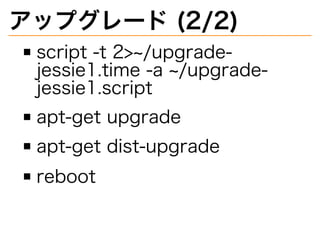
11.
アップグレード�(2/2) script�-t�2>~/upgrade- jessie1.time�-a�~/upgrade- jessie1.script apt-get�upgrade apt-get�dist-upgrade reboot
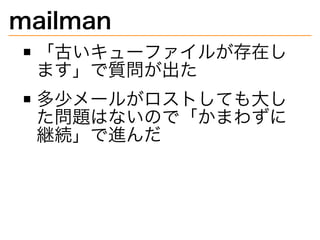
12.
mailman 「古いキューファイルが存在し ます」で質問が出た 多少メールがロストしても大し た問題はないので「かまわずに 継続」で進んだ
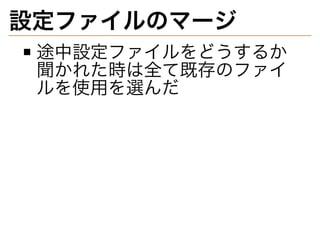
13.
設定ファイルのマージ 途中設定ファイルをどうするか 聞かれた時は全て既存のファイ ルを使用を選んだ
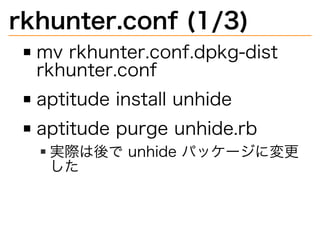
14.
rkhunter.conf�(1/3) mv�rkhunter.conf.dpkg-dist� rkhunter.conf aptitude�install�unhide aptitude�purge�unhide.rb 実際は後で�unhide�パッケージに変更 した
15.
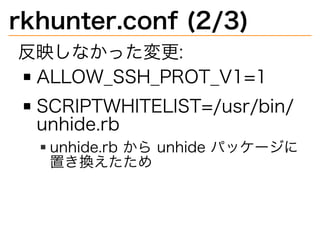
rkhunter.conf�(2/3) 反映しなかった変更: ALLOW̲SSH̲PROT̲V1=1 SCRIPTWHITELIST=/usr/bin/ unhide.rb unhide.rb�から�unhide�パッケージに 置き換えたため
16.
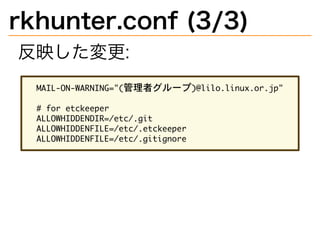
rkhunter.conf�(3/3) 反映した変更: �������������������������������������������� ��������������� ������������������������ ������������������������������� �������������������������������
17.
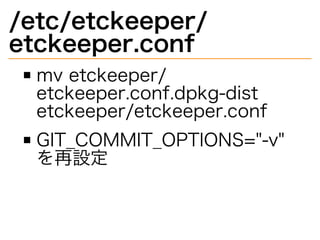
/etc/etckeeper/ etckeeper.conf mv�etckeeper/ etckeeper.conf.dpkg-dist� etckeeper/etckeeper.conf GIT̲COMMIT̲OPTIONS="-v"� を再設定
18.
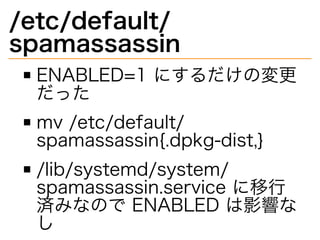
/etc/default/ spamassassin ENABLED=1�にするだけの変更 だった mv�/etc/default/ spamassassin{.dpkg-dist,} /lib/systemd/system/ spamassassin.service�に移⾏ 済みなので�ENABLED�は影響な し
19.
spamassassin/local.cf ������������������������������������� ������������������������������������������������������������������� ����������������������������������������������������������������������������������� ������������������ ����������������������������������������������������������������������� �� ���������������� �������������� ������������������������� ������������������������ ���������������������������������������������������������������������� ������������������������������� ����������������� ������������������������������������������� ������������������������������������������������� � そのまま�rm�/etc/ spamassassin/local.cf.dpkg-
20.
/etc/dokuwiki/local.php ���������������������������������������� ではなく ������������������������������� になっていたので、そのまま「rm� dokuwiki/local.php.ucf-dist」し た。
21.
/etc/dokuwiki/ apache.conf 「order�allow,deny」と「Allow� from�ALL」を「Require�all� granted」に 「Deny�from�all」を「Require� all�denied」に rm�dokuwiki/apache.conf.ucf- dist
22.
/etc/milter-greylist/ greylist.conf mv�milter-greylist/ greylist.conf.dpkg-dist�milter- greylist/greylist.conf http://milter- manager.sourceforge.net/ reference/ja/install-to- debian.html�の設定
23.
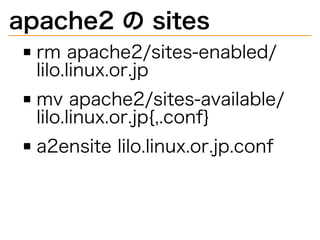
apache2�の�sites rm�apache2/sites-enabled/ lilo.linux.or.jp mv�apache2/sites-available/ lilo.linux.or.jp{,.conf} a2ensite�lilo.linux.or.jp.conf
24.
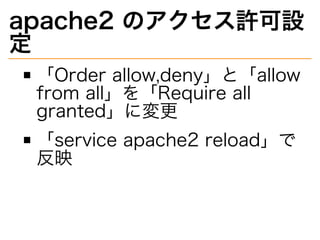
apache2�のアクセス許可設 定 「Order�allow,deny」と「allow� from�all」を「Require�all� granted」に変更 「service�apache2�reload」で 反映
25.
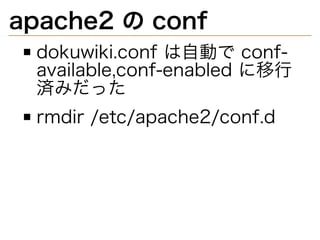
apache2�の�conf dokuwiki.conf�は自動で�conf- available,conf-enabled�に移⾏ 済みだった rmdir�/etc/apache2/conf.d
26.
dokuwiki�の修正�(1/2) http://lilo.linux.or.jp/wiki/�で 「A�fatal�error�occured� during�compilation�of�the� CSS�files.�If�you�recently� installed�a�new�plugin�or� template�it�might�be�broken� and�you�should�try�disabling� it�again.�[parse�error:�failed� at�`#line-height:�1em;�`��in�/ lib/tpl/vector/static/css/ screen.css�at�line�384]」
27.
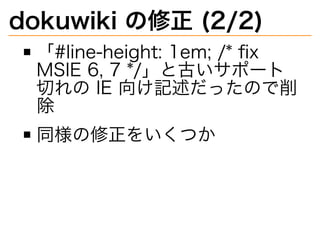
dokuwiki�の修正�(2/2) 「#line-height:�1em;�/*�fix� MSIE�6,�7�*/」と古いサポート 切れの�IE�向け記述だったので削 除 同様の修正をいくつか
28.
ntp�設定�(1/3) timedatectl�set-ntp�true
29.
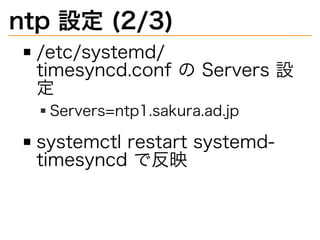
ntp�設定�(2/3) /etc/systemd/ timesyncd.conf�の�Servers�設 定 Servers=ntp1.sakura.ad.jp systemctl�restart�systemd- timesyncd�で反映
30.
ntp�設定�(3/3) systemctl�status�systemd- timesyncd�や�timedatectl�で確 認
31.
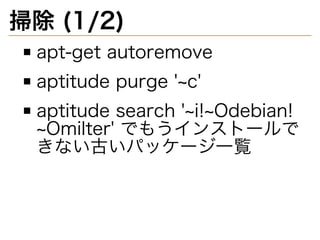
掃除�(1/2) apt-get�autoremove aptitude�purge�'~c' aptitude�search�'~i!~Odebian! ~Omilter'�でもうインストールで きない古いパッケージ⼀覧
32.
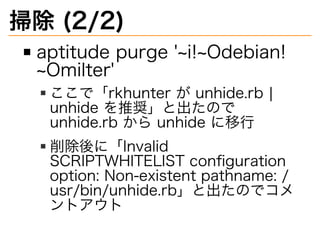
掃除�(2/2) aptitude�purge�'~i!~Odebian! ~Omilter' ここで「rkhunter�が�unhide.rb�|� unhide�を推奨」と出たので� unhide.rb�から�unhide�に移⾏ 削除後に「Invalid� SCRIPTWHITELIST�configuration� option:�Non-existent�pathname:�/ usr/bin/unhide.rb」と出たのでコメ ントアウト
33.
mailman�のエラー対応� (1/4) 昨⽇さとうさんの指摘で気付い た lilo�ML�のメールが流れない状態 になっていた
34.
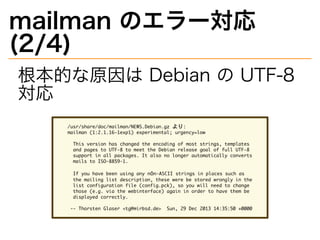
mailman�のエラー対応� (2/4) 根本的な原因は�Debian�の�UTF-8� 対応 ����������������������������������������� �������������������������������������������������� ������������������������������������������������������������������ ������������������������������������������������������������������ ������������������������������������������������������������������� ���������������������� ���������������������������������������������������������������� ������������������������������������������������������������������� ������������������������������������������������������������������ ������������������������������������������������������������������ ���������������������� �������������������������������������������������������������������
35.
mailman�のエラー対応� (3/4) Web�の設定画⾯から⽂字化けし ていた�description�と�info�を修 正
36.
mailman�のエラー対応� (4/4) /var/lib/mailman/qfiles/ shunt/�に�qrunner�でエラーに なったメールがたまっていた /var/lib/mailman/bin/ unshunt�コマンドを実⾏すると 流れた
37.
⼆要素認証導⼊ aptitude�install�libpam- google-authenticator /etc/pam.d/sshd�と�/etc/ssh/ sshd̲config�設定 対象ユーザーで�google- authenticator�コマンド実⾏
38.
/etc/pam.d/sshd http://blog.n-z.jp/ blog/2016-04-18-libpam- google-authenticator.html�参照 ���������������������������������������������������������������� ������������������������������������������������������������������ ��������������������������������������� ������������������������������������������������������������� ����������������������� �������������������������� ��������������������������� ������������������������������� ���������������������
39.
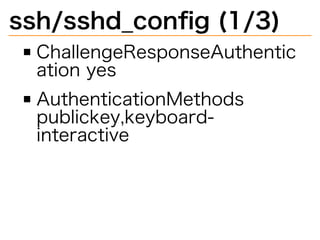
ssh/sshd̲config�(1/3) ChallengeResponseAuthentic ation�yes AuthenticationMethods� publickey,keyboard- interactive
40.
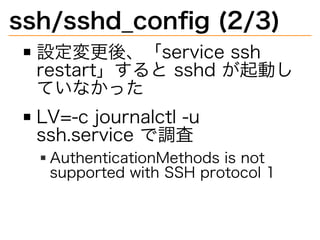
ssh/sshd̲config�(2/3) 設定変更後、「service�ssh� restart」すると�sshd�が起動し ていなかった LV=-c�journalctl�-u� ssh.service�で調査 AuthenticationMethods�is�not� supported�with�SSH�protocol�1
41.
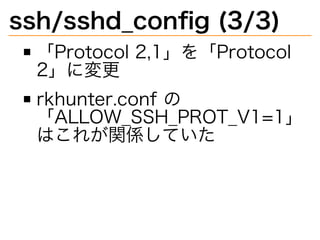
ssh/sshd̲config�(3/3) 「Protocol�2,1」を「Protocol� 2」に変更 rkhunter.conf�の 「ALLOW̲SSH̲PROT̲V1=1」 はこれが関係していた
42.
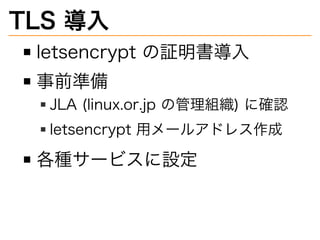
TLS�導⼊ letsencrypt�の証明書導⼊ 事前準備 JLA�(linux.or.jp�の管理組織)�に確認 letsencrypt�用メールアドレス作成 各種サービスに設定
43.
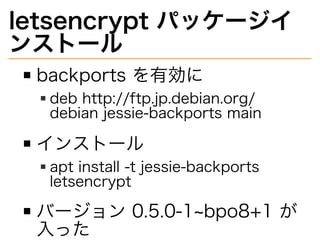
letsencrypt�パッケージイ ンストール backports�を有効に deb�http://ftp.jp.debian.org/ debian�jessie-backports�main インストール apt�install�-t�jessie-backports� letsencrypt バージョン�0.5.0-1~bpo8+1�が ⼊った
44.
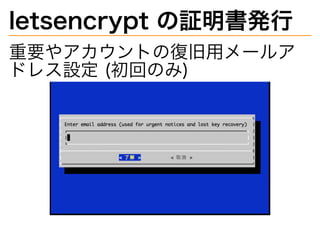
letsencrypt�の証明書発⾏ 重要やアカウントの復旧用メールア ドレス設定�(初回のみ)
45.
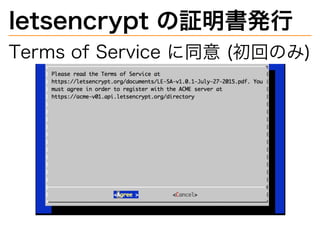
letsencrypt�の証明書発⾏ Terms�of�Service�に同意�(初回のみ)
46.
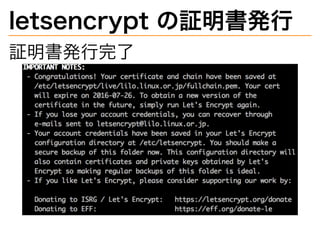
letsencrypt�の証明書発⾏ 証明書発⾏完了
47.
postfix�設定�(変更前) �������������������������������������������������������� ��������������������������������������������������������� ����������������� ����������������������������������������������������������������������� ���������������������������������������������������������������������
48.
postfix�設定�(変更後) �������������������������������������������������������������������������� ����������������������������������������������������������������������� ��������������������������������������������� ��������������������������������������������� ����������������������������������� ����������������� ����������������������������������������������������������������������� ���������������������������������������������������������������������
49.
postfix�設定 snakeoil�から�letsencrypt�の証 明書に変更 SSLv2,�SSLv3�を禁⽌ service�postfix�reload�で設定 反映 nc�localhost�25�で�EHLO� localhost�で動作確認� (STARTTLS�が含まれる)
50.
apache2�設定�(1/2) /etc/apache2/sites- available/�の�default-ssl.conf� などを元に設定作成 a2ensite� lilo.linux.or.jp̲ssl.conf�で有効 に
51.
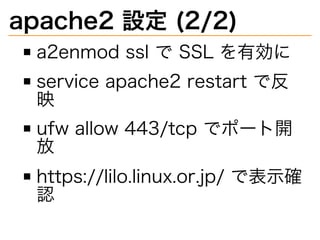
apache2�設定�(2/2) a2enmod�ssl�で�SSL�を有効に service�apache2�restart�で反 映 ufw�allow�443/tcp�でポート開 放 https://lilo.linux.or.jp/�で表⽰確 認
52.
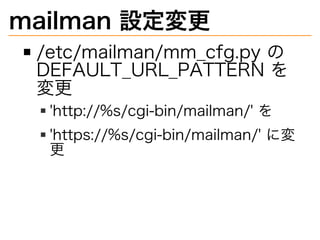
mailman�設定変更 /etc/mailman/mm̲cfg.py�の� DEFAULT̲URL̲PATTERN�を 変更 'http://%s/cgi-bin/mailman/'�を 'https://%s/cgi-bin/mailman/'�に変 更
53.
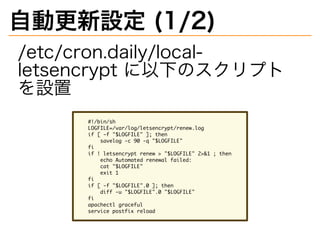
自動更新設定�(1/2) /etc/cron.daily/local- letsencrypt�に以下のスクリプト を設置 ��������� �������������������������������������� �������������������������� ������������������������������� �� ����������������������������������������������� ���������������������������������� ������������������ ���������� �� ���������������������������� ����������������������������������� �� ������������������ ����������������������
54.
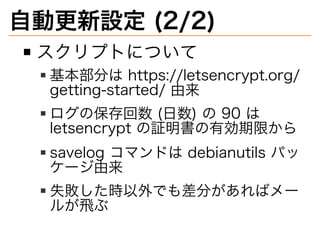
自動更新設定�(2/2) スクリプトについて 基本部分は�https://letsencrypt.org/ getting-started/�由来 ログの保存回数�(⽇数)�の�90�は� letsencrypt�の証明書の有効期限から savelog�コマンドは�debianutils�パッ ケージ由来 失敗した時以外でも差分があればメー ルが⾶ぶ
55.
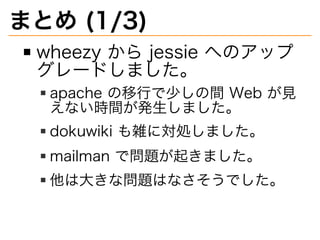
まとめ�(1/3) wheezy�から�jessie�へのアップ グレードしました。 apache�の移⾏で少しの間�Web�が⾒ えない時間が発⽣しました。 dokuwiki�も雑に対処しました。 mailman�で問題が起きました。 他は大きな問題はなさそうでした。
56.
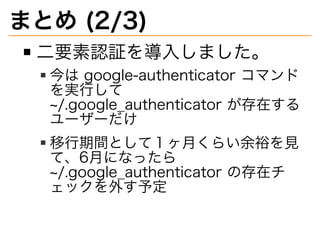
まとめ�(2/3) ⼆要素認証を導⼊しました。 今は�google-authenticator�コマンド を実⾏して� ~/.google̲authenticator�が存在する ユーザーだけ 移⾏期間として1ヶ⽉くらい余裕を⾒ て、6⽉になったら� ~/.google̲authenticator�の存在チ ェックを外す予定
57.
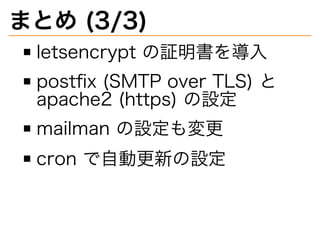
まとめ�(3/3) letsencrypt�の証明書を導⼊ postfix�(SMTP�over�TLS)�と� apache2�(https)�の設定 mailman�の設定も変更 cron�で自動更新の設定
Download
![denyhosts�から�fail2ban�
への移⾏�(2/2)
/etc/hosts.allow�の「ALL:�
127.0.0.1�[::1]」に「sshd:�
ALL」を追加
/etc/hosts.deny�の「ALL�
EXCEPT�sshd:�ALL」を削除
/etc/hosts.deny�に「ALL:�
ALL」を設定](https://image.slidesharecdn.com/lilo-201605013003-160501035703/85/lilo-linux-or-jp-wheezy-jessie-8-320.jpg)
![dokuwiki�の修正�(1/2)
http://lilo.linux.or.jp/wiki/�で
「A�fatal�error�occured�
during�compilation�of�the�
CSS�files.�If�you�recently�
installed�a�new�plugin�or�
template�it�might�be�broken�
and�you�should�try�disabling�
it�again.�[parse�error:�failed�
at�`#line-height:�1em;�`��in�/
lib/tpl/vector/static/css/
screen.css�at�line�384]」](https://image.slidesharecdn.com/lilo-201605013003-160501035703/85/lilo-linux-or-jp-wheezy-jessie-26-320.jpg)