Scaling with Duda: From Projects to Partnerships
What We’ll Cover
• Part 1: Agency Growth & Positioning
• Part 2: Design Workflow & Strategy
• Part 3: Speed Tools & Inspiration
Part 1:
Agency Growth &
Positioning
How we evolved into high-value client
partnerships by rethinking our strategy.
How We Leveled Up
• We qualify every lead now
• Main focus on informational sites
• Custom pricing based on complexity, not page count
• We never sell packages
• We sell outcomes, not just a website
• Sahara 360: Website + Marketing = Full Service
Agency Growth & Positioning
Our Positioning
• Duda is enterprise-grade, scalable, client-editable
• Mentioning our Duda partnership builds instant trust
• Speed to launch is a huge advantage (landing pages in hours)
Agency Growth & Positioning
The Discovery Call
(Pre-Contract)
• 15–30 min call to:
⚬ Understand goals, timeline, and scope
⚬ Clarify content and branding status
⚬ Spot special features or red flags
⚬ Gauge complexity + integrations
⚬ Confirm budget and approval process
• Always ask: “What does total success look like to you?”
Agency Growth & Positioning
Design & Content Planning
Content Creation
Web Development
Launch & Technical Setup
Review & Monitor
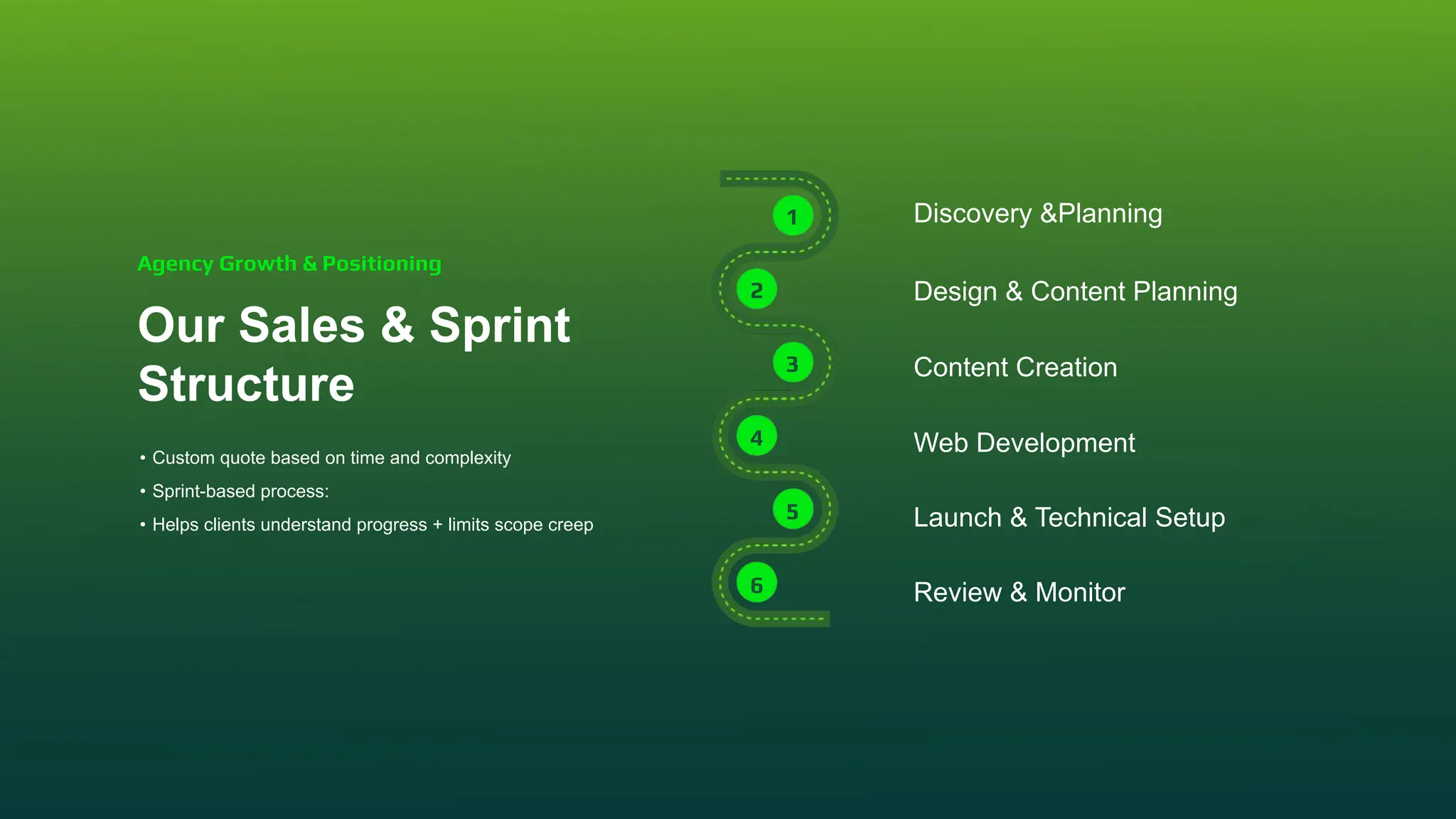
Our Sales & Sprint
Structure
• Custom quote based on time and complexity
• Sprint-based process:
• Helps clients understand progress + limits scope creep
Agency Growth & Positioning
Discovery &Planning
1
2
3
4
5
6
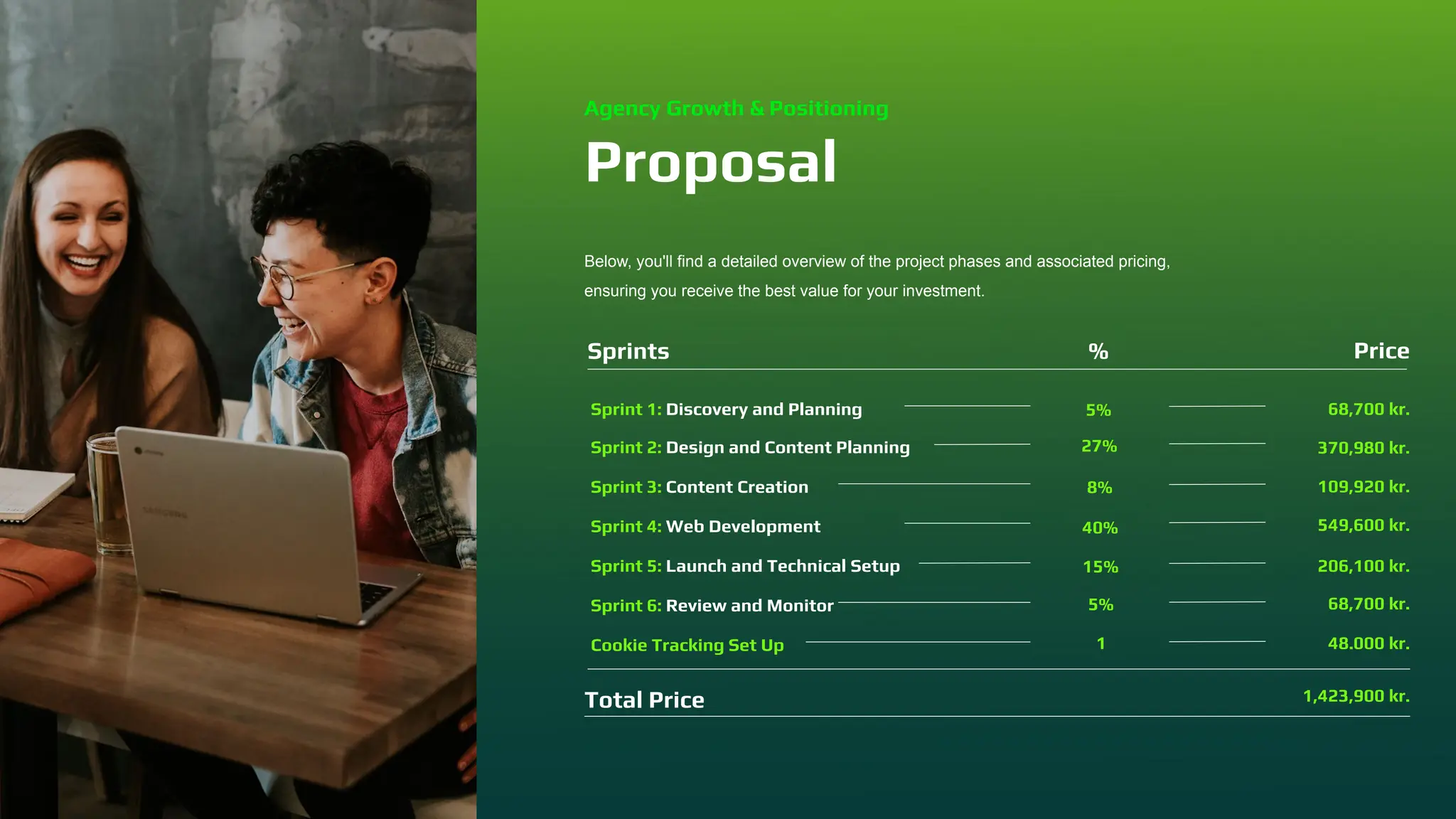
Proposal
Below, you'll find a detailed overview of the project phases and associated pricing,
ensuring you receive the best value for your investment.
Sprint 1: Discovery and Planning
Sprint 2: Design and Content Planning
Sprint 3: Content Creation
Sprint 4: Web Development
Sprint 5: Launch and Technical Setup
Sprint 6: Review and Monitor
5%
27%
8%
40%
15%
5%
68,700 kr.
370,980 kr.
109,920 kr.
549,600 kr.
206,100 kr.
68,700 kr.
Sprints % Price
Total Price 1,423,900 kr.
Cookie Tracking Set Up 1 48.000 kr.
Agency Growth & Positioning
Part 2:
Design Workflow
& Strategy
A repeatable, scalable design system we use.
Onboarding & Setup
• Google Drive folder for uploads
• Milanote board for:
⚬ Goals
⚬ Moodboard
⚬ Sitemap
⚬ Collaboration
Design Workflow & Strategy
Helpful Tools:
Grab content with Image Downloader - Image eye if needed
GoFull page - Full screenshot of the web
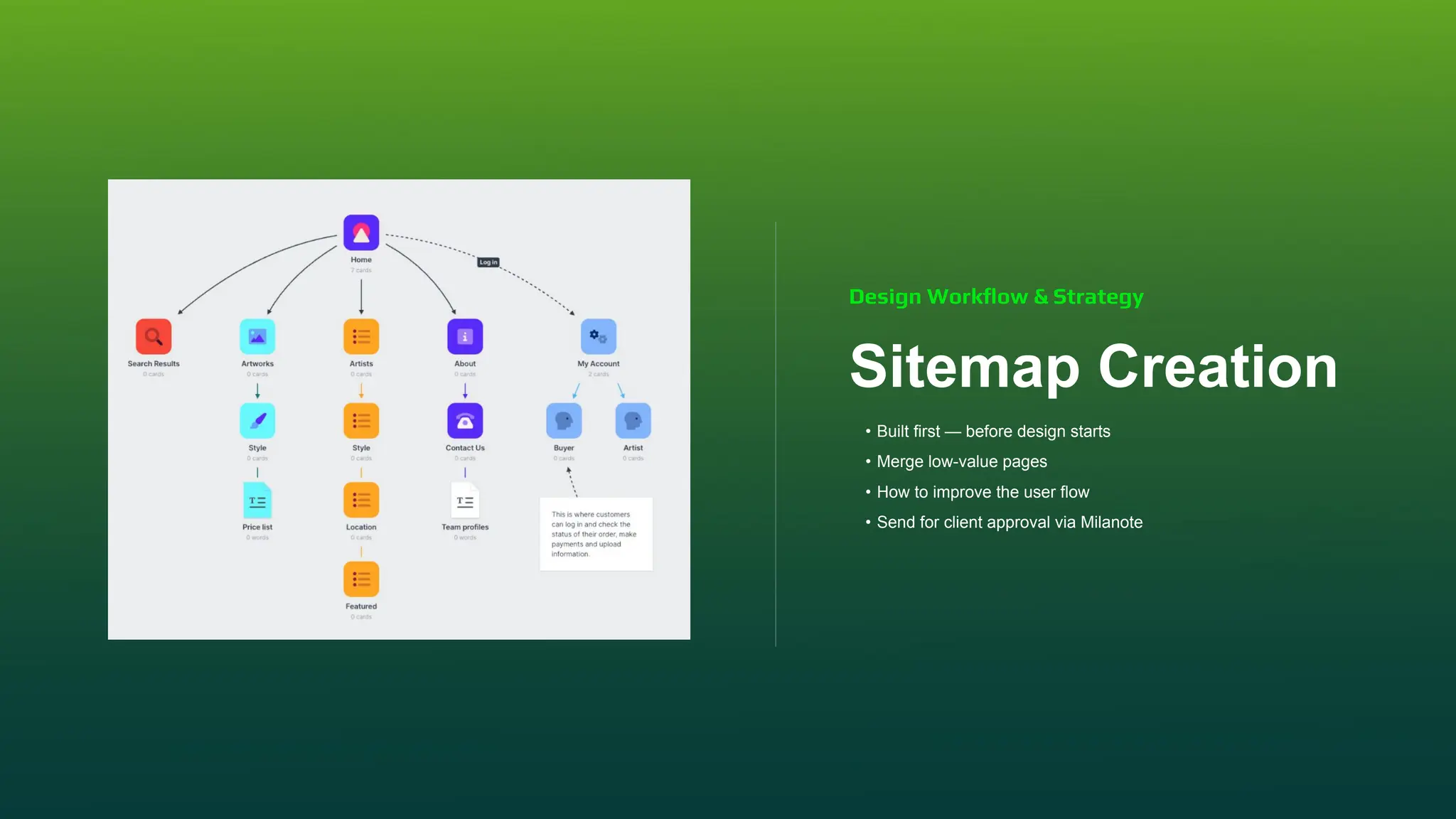
Sitemap Creation
• Built first — before design starts
• Merge low-value pages
• How to improve the user flow
• Send for client approval via Milanote
Design Workflow & Strategy
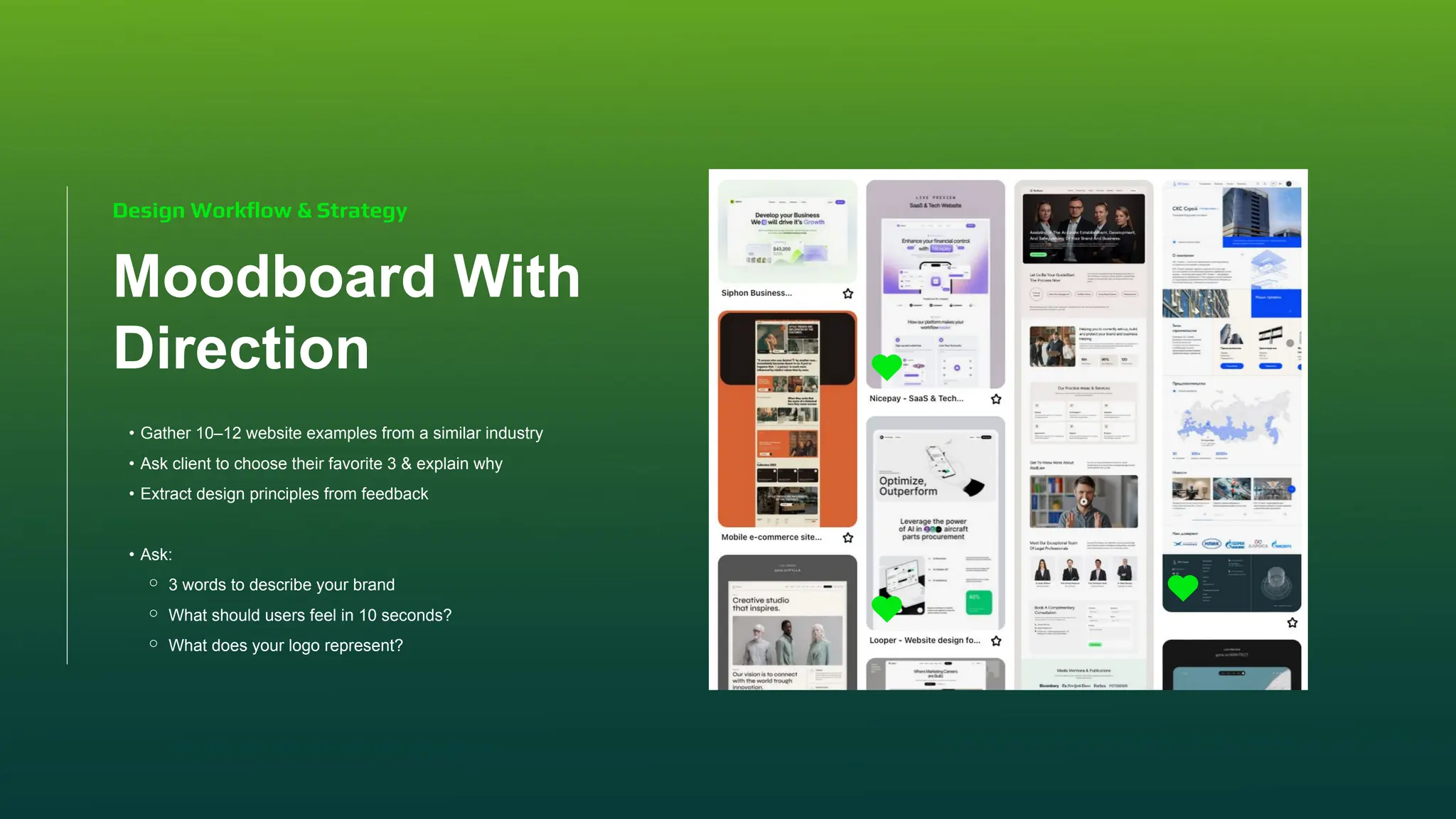
Moodboard With
Direction
• Gather 10–12 website examples from a similar industry
• Ask client to choose their favorite 3 & explain why
• Extract design principles from feedback
• Ask:
⚬ 3 words to describe your brand
⚬ What should users feel in 10 seconds?
⚬ What does your logo represent?
Design Workflow & Strategy
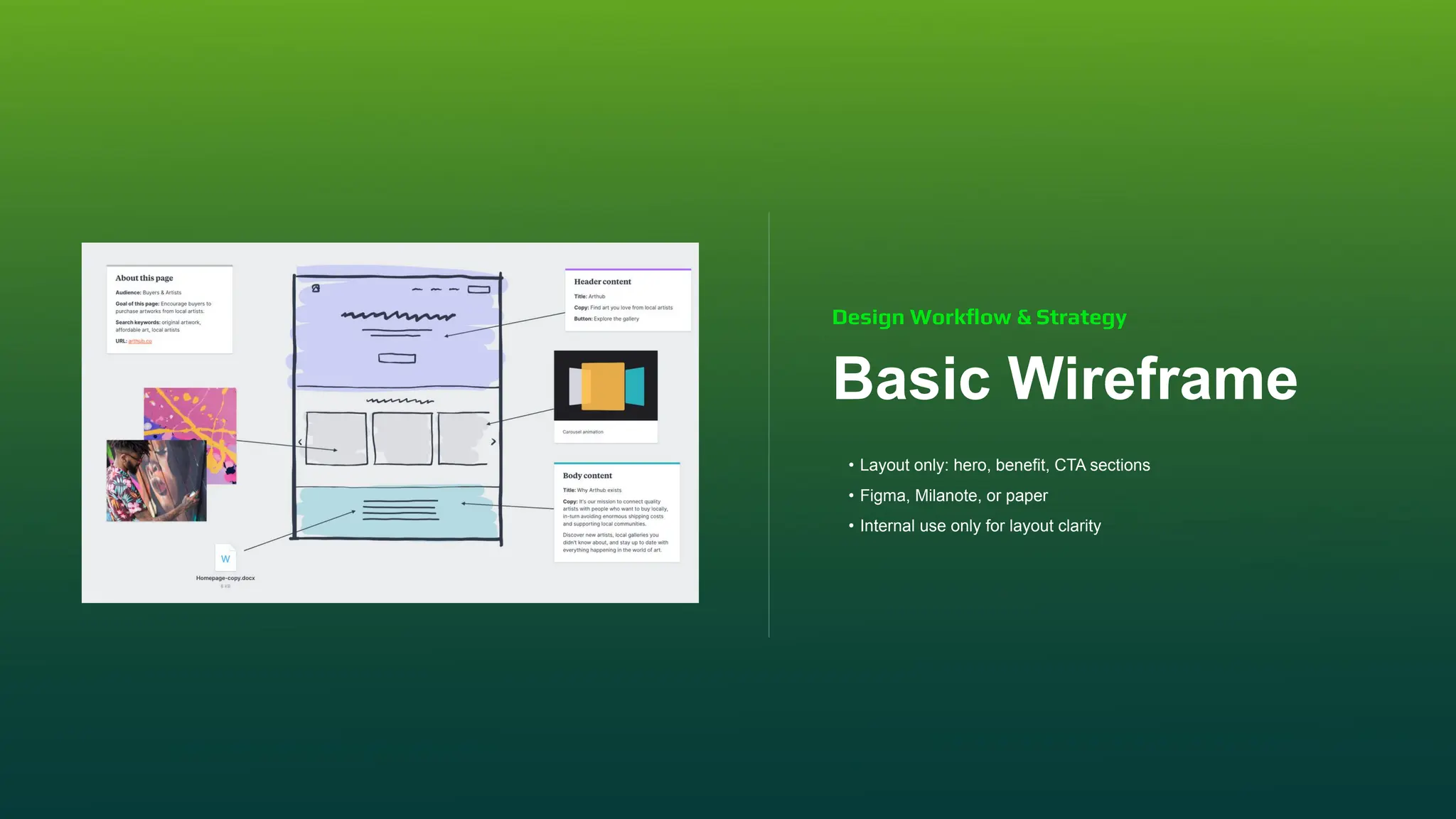
Basic Wireframe
• Layout only: hero, benefit, CTA sections
• Figma, Milanote, or paper
• Internal use only for layout clarity
Design Workflow & Strategy
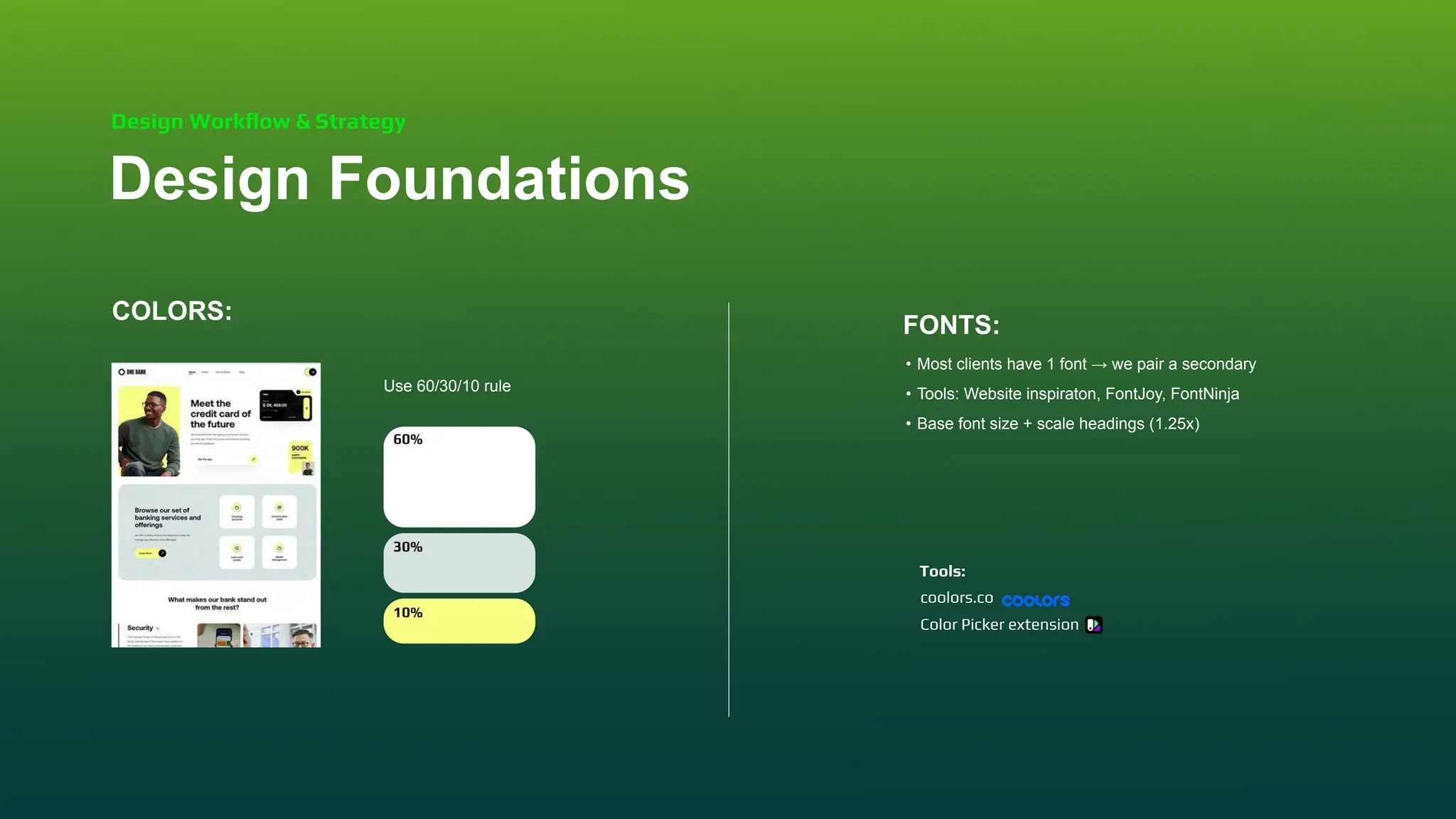
COLORS:
Use 60/30/10 rule
FONTS:
• Most clients have 1 font → we pair a secondary
• Tools: Website inspiraton, FontJoy, FontNinja
• Base font size + scale headings (1.25x)
Design Foundations
Design Workflow & Strategy
60%
30%
10%
coolors.co
Color Picker extension
Tools:
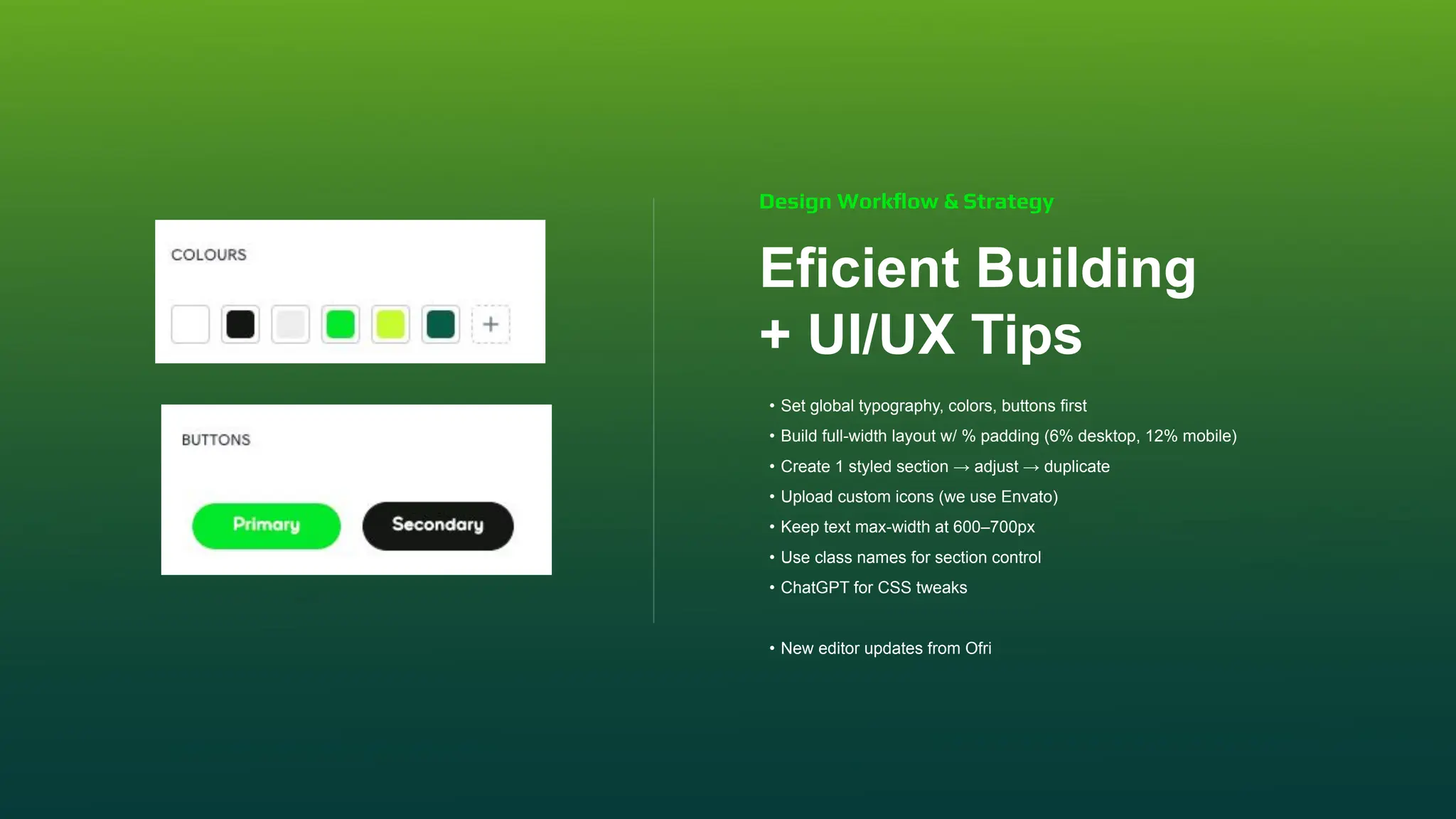
Eficient Building
+ UI/UX Tips
• Set global typography, colors, buttons first
• Build full-width layout w/ % padding (6% desktop, 12% mobile)
• Create 1 styled section → adjust → duplicate
• Upload custom icons (we use Envato)
• Keep text max-width at 600–700px
• Use class names for section control
• ChatGPT for CSS tweaks
• New editor updates from Ofri
Design Workflow & Strategy
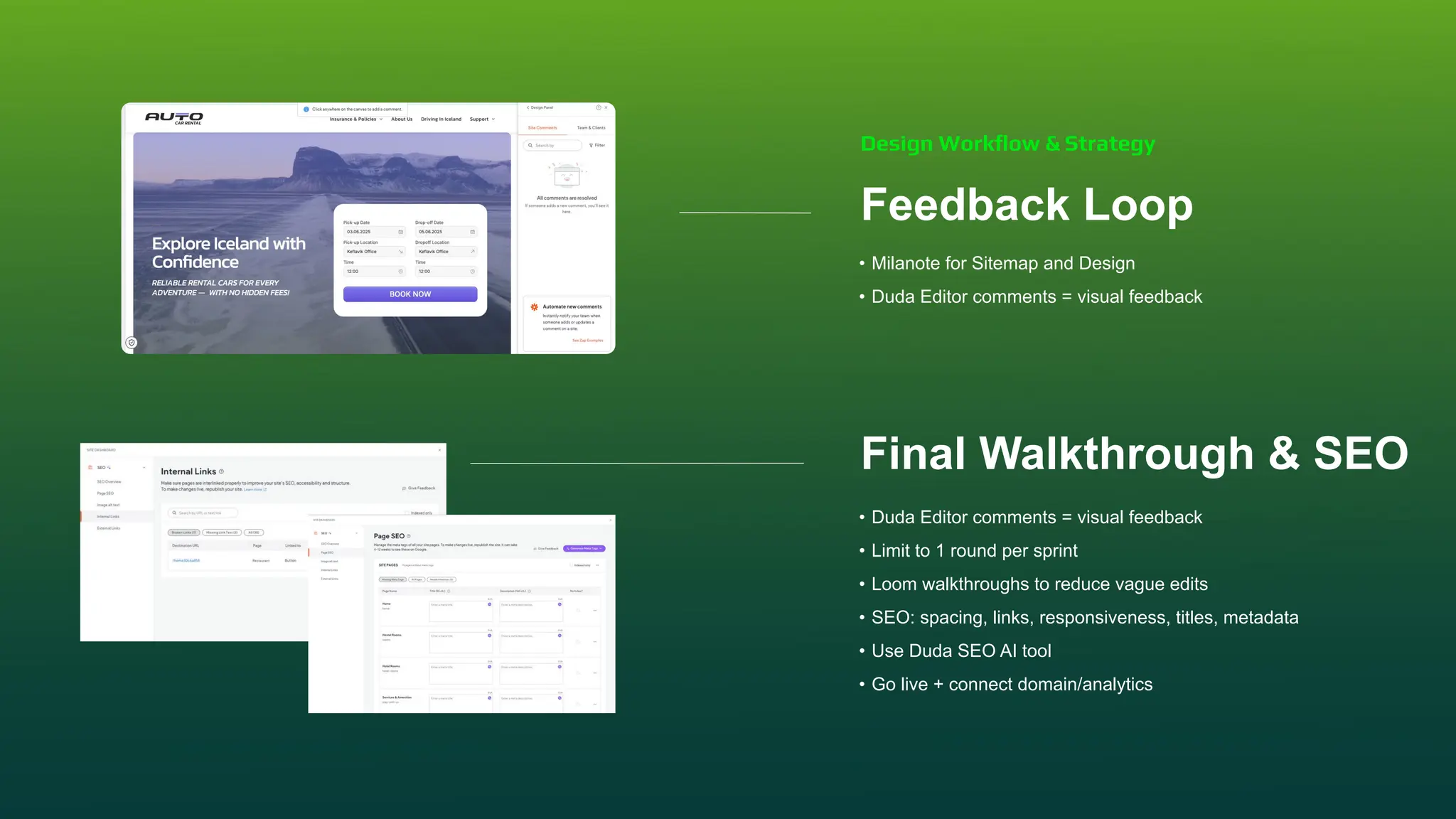
Feedback Loop
• Milanote for Sitemap and Design
• Duda Editor comments = visual feedback
Final Walkthrough & SEO
• Duda Editor comments = visual feedback
• Limit to 1 round per sprint
• Loom walkthroughs to reduce vague edits
• SEO: spacing, links, responsiveness, titles, metadata
• Use Duda SEO AI tool
• Go live + connect domain/analytics
Design Workflow & Strategy
Part 3:
Eficiency &
Inspiration
Fast tips + creative momentum
Builder Shortcuts to know
• Ctrl+Alt+P/Ctrl+Command+P → Preview
• Ctrl+S → Save / Cmd+S
• Ctrl+Shift+F → Widgets
• Ctrl+Alt+T/Ctrl+Option+T → Site preview in tab
• Ctrl+Shift+P/Cmd+Shift+P → Publish
• Ctrl+D/Cmd+D → Duplicate element
• Ctrl + Z/Cmd + Z → Undo
• Ctrl + C/Cmd + C → Copy element
• Ctrl + V/Cmd + V → Paste element
Speed Tools & Inspiration
Stay Creative
Daily inspiration scroll:
• Pinterest
• awwwards.com
• godly.website
Try something new every project:
• Layout structure
• Font pairing
• Section composition
Speed Tools & Inspiration
Wrap-Up & Q&A
STEFÁN ANDRÉSSON
• Sell clarity, not checklists
• Structure first, then visuals
• Reuse + refine in Duda
• CSS = creative control
• Questions

Level Up Site Design: Editor 2.0 Updates & Workflow Hacks

  • 1.
    Scaling with Duda:From Projects to Partnerships
  • 2.
    What We’ll Cover •Part 1: Agency Growth & Positioning • Part 2: Design Workflow & Strategy • Part 3: Speed Tools & Inspiration
  • 3.
    Part 1: Agency Growth& Positioning How we evolved into high-value client partnerships by rethinking our strategy.
  • 4.
    How We LeveledUp • We qualify every lead now • Main focus on informational sites • Custom pricing based on complexity, not page count • We never sell packages • We sell outcomes, not just a website • Sahara 360: Website + Marketing = Full Service Agency Growth & Positioning
  • 5.
    Our Positioning • Dudais enterprise-grade, scalable, client-editable • Mentioning our Duda partnership builds instant trust • Speed to launch is a huge advantage (landing pages in hours) Agency Growth & Positioning
  • 6.
    The Discovery Call (Pre-Contract) •15–30 min call to: ⚬ Understand goals, timeline, and scope ⚬ Clarify content and branding status ⚬ Spot special features or red flags ⚬ Gauge complexity + integrations ⚬ Confirm budget and approval process • Always ask: “What does total success look like to you?” Agency Growth & Positioning
  • 7.
    Design & ContentPlanning Content Creation Web Development Launch & Technical Setup Review & Monitor Our Sales & Sprint Structure • Custom quote based on time and complexity • Sprint-based process: • Helps clients understand progress + limits scope creep Agency Growth & Positioning Discovery &Planning 1 2 3 4 5 6
  • 8.
    Proposal Below, you'll finda detailed overview of the project phases and associated pricing, ensuring you receive the best value for your investment. Sprint 1: Discovery and Planning Sprint 2: Design and Content Planning Sprint 3: Content Creation Sprint 4: Web Development Sprint 5: Launch and Technical Setup Sprint 6: Review and Monitor 5% 27% 8% 40% 15% 5% 68,700 kr. 370,980 kr. 109,920 kr. 549,600 kr. 206,100 kr. 68,700 kr. Sprints % Price Total Price 1,423,900 kr. Cookie Tracking Set Up 1 48.000 kr. Agency Growth & Positioning
  • 9.
    Part 2: Design Workflow &Strategy A repeatable, scalable design system we use.
  • 10.
    Onboarding & Setup •Google Drive folder for uploads • Milanote board for: ⚬ Goals ⚬ Moodboard ⚬ Sitemap ⚬ Collaboration Design Workflow & Strategy Helpful Tools: Grab content with Image Downloader - Image eye if needed GoFull page - Full screenshot of the web
  • 11.
    Sitemap Creation • Builtfirst — before design starts • Merge low-value pages • How to improve the user flow • Send for client approval via Milanote Design Workflow & Strategy
  • 12.
    Moodboard With Direction • Gather10–12 website examples from a similar industry • Ask client to choose their favorite 3 & explain why • Extract design principles from feedback • Ask: ⚬ 3 words to describe your brand ⚬ What should users feel in 10 seconds? ⚬ What does your logo represent? Design Workflow & Strategy
  • 13.
    Basic Wireframe • Layoutonly: hero, benefit, CTA sections • Figma, Milanote, or paper • Internal use only for layout clarity Design Workflow & Strategy
  • 14.
    COLORS: Use 60/30/10 rule FONTS: •Most clients have 1 font → we pair a secondary • Tools: Website inspiraton, FontJoy, FontNinja • Base font size + scale headings (1.25x) Design Foundations Design Workflow & Strategy 60% 30% 10% coolors.co Color Picker extension Tools:
  • 15.
    Eficient Building + UI/UXTips • Set global typography, colors, buttons first • Build full-width layout w/ % padding (6% desktop, 12% mobile) • Create 1 styled section → adjust → duplicate • Upload custom icons (we use Envato) • Keep text max-width at 600–700px • Use class names for section control • ChatGPT for CSS tweaks • New editor updates from Ofri Design Workflow & Strategy
  • 16.
    Feedback Loop • Milanotefor Sitemap and Design • Duda Editor comments = visual feedback Final Walkthrough & SEO • Duda Editor comments = visual feedback • Limit to 1 round per sprint • Loom walkthroughs to reduce vague edits • SEO: spacing, links, responsiveness, titles, metadata • Use Duda SEO AI tool • Go live + connect domain/analytics Design Workflow & Strategy
  • 17.
    Part 3: Eficiency & Inspiration Fasttips + creative momentum
  • 18.
    Builder Shortcuts toknow • Ctrl+Alt+P/Ctrl+Command+P → Preview • Ctrl+S → Save / Cmd+S • Ctrl+Shift+F → Widgets • Ctrl+Alt+T/Ctrl+Option+T → Site preview in tab • Ctrl+Shift+P/Cmd+Shift+P → Publish • Ctrl+D/Cmd+D → Duplicate element • Ctrl + Z/Cmd + Z → Undo • Ctrl + C/Cmd + C → Copy element • Ctrl + V/Cmd + V → Paste element Speed Tools & Inspiration
  • 19.
    Stay Creative Daily inspirationscroll: • Pinterest • awwwards.com • godly.website Try something new every project: • Layout structure • Font pairing • Section composition Speed Tools & Inspiration
  • 20.
    Wrap-Up & Q&A STEFÁNANDRÉSSON • Sell clarity, not checklists • Structure first, then visuals • Reuse + refine in Duda • CSS = creative control • Questions