Let’s Make Movies!~

Nellie Chew

                      Slide 1
Who’s your Team?
     • Assign roles and responsibilities based on interest and skills
     • Director aka the “creative vision”: Decides the treatment, look and feel of the
       video
     • Producer aka the “reality checkpoint”: Oversees the finances and logistics e.g.
       the budget, production schedules, talent and crew
     • Production Assistant(s): Assists the producer with administrative duties e.g. co-
       ordination of schedules and talent/crew, transport and meals, handling
       payments etc.
     • Scriptwriter(s): Writes the script and character bios
     • Camera crew: Cameraman, soundman, assistants to handle equipment e.g.
       lights and microphones
     • Post production: Editing and audio sweetening


iMedia Centre. (2007). Step-by-step guide to video production [PowerPoint Slides]. Retrieved from http://mel.np.edu.sg   Slide 2
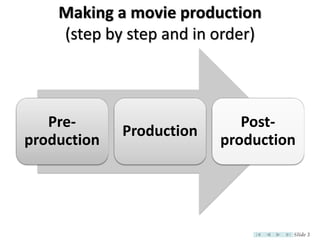
Making a movie production
    (step by step and in order)


   Pre-                      Post-
             Production
production                production


                                   Slide 3
Making a movie production
                                 (1.Pre-Production)
     a)       The treatment
             –       The genre, e.g. serious documentary, light-hearted comedy, slapstick, even horror?
             –       Determines the tone of the production: the look, sound, mood and characters
     b)       The storyline
             –       The storyline forms the backbone of the script
             –       Begins with an idea… or several ideas… Brainstorm! Be creative! Have FUN!
     c)       The characters
             –       Identify and develop characters
             –       Flesh out character personalities so they become “alive” - e.g. How would they speak?
     d)       Script development and writing
             –       Based on treatment and storyline, write / develop the script
             –       Keep dialogue consistent and natural. Read it aloud.
             –       Be as descriptive as possible, especially with character actions and expressions.
     e)       Storyboarding
             –       Based on the script, a frame-by-frame visualization of what your video will look like
             –       Sketch out possible camera angles and character positions
             –       Provides references and saves time during the actual shoot
iMedia Centre. (2007). Step-by-step guide to video production [PowerPoint Slides]. Retrieved from http://mel.np.edu.sg   Slide 4
Making a movie production
                                 (1.Pre-Production)
     f) To-Do List
     i. Location recce
              –    Best shooting angles and positions
              –    Logistics check e.g. available and working power points
              –    Is permission required to shoot at your preferred location?
              –    Other shooting concerns e.g. best times to shoot, location surroundings (noisy?)
     ii. Talents
              – Source for talents and voice-over talents in advance
              – Auditions and rehearsals
     iii. Props, wardrobe and make-up
              – Based on the script, make a list of all the props and wardrobe items needed
              – Auditions and rehearsals
              – If required, arrange for hair and make-up person on actual day(s) of shoot
     iv. Other production logistics: Transport and meals
              – Transport arrangements for talent, crew and shooting equipment
              – Meals for talent and crew: depending on length of shoot day, breakfast / lunch / dinner


iMedia Centre. (2007). Step-by-step guide to video production [PowerPoint Slides]. Retrieved from http://mel.np.edu.sg   Slide 5
Making a movie production
                                 (1.Pre-Production)
     f) To-Do List (cont’d)
     v. Shooting schedule and contact sheet
              – Decide how many and which day(s) to shoot, and what needs to be shot on each day
              – Prepare shooting schedule based on above
              – Prepare contact sheet with list of important numbers and circulate to talent & crew
     vi. Shot planning and sequencing
              –    Saves times and improves efficiency during shoot (as different camera set-up takes time)
              –    The concept of shooting out of sequence and the importance of continuity checks
              –    Based on storyboard and location recce, plan best shooting sequence on the actual day(s)
              –    Move around the location in an organized manner, I.e. record shots taken from same angle
     vii. Pre-production meetings
              – For crew to discuss shooting and production requirements before actual shoot day(s)
     viii.Post-shoot debriefings
              – Post-mortem of what went right and what went wrong during the shoot
              – Make improvements and increase efficiency during following days of shoot


iMedia Centre. (2007). Step-by-step guide to video production [PowerPoint Slides]. Retrieved from http://mel.np.edu.sg   Slide 6
How to make a movie production
                     (2.Production – Location Shoot)
        a) Double check equipment
                –        before leaving for shoot
        b) At the shoot
                –        Setup props, lights, camera, microphones
                –        Get talent ready
                –        Coach talent
                –        Check camera, sound & tapes
                –        Ready to shoot
        c)       The Shotlist
                –        Major guides during editing
                –        Is a record of each shot on the master tape
                –        It list the project name, tape no, shot no, duration of shot, content and
                         remarks


iMedia Centre. (2007). Step-by-step guide to video production [PowerPoint Slides]. Retrieved from http://mel.np.edu.sg   Slide 7
How to make a movie production
                     (2.Production – Location Shoot)
        d)       Know your camera
                –        Select color bar and set the brightness of the viewfinder/LCD screen
                –        Focus Control– Make sure subject captured is sharp and not blur
                –        Aperture Control – Controls the amount of light entering the camera. This determines
                         how bright or dark is the captured image
                –        White Balance – Tells the camera what sort of light is falling on the subject. Do white
                         balance off a white object e.g. paper
                –        Use tripod or monopod for steady shots and to prevent fatigue
        e)       The Basic Shots
                –        Wide Shot (WS) – establishes the relationship between person & surrounding
                –        Medium Shot (MS) – Shows the action and person
                –        Close-up (CU) – shows details of a person or action
                –        Pan – camera remains in one position but swings horizontally to show wide area or to
                         follow action
                –        Tilt – camera remains in one position but swings vertically to show tall area or to follow
                         action
                –        Zoom (out/In) – to reveal relationship or focus attention on the person


iMedia Centre. (2007). Step-by-step guide to video production [PowerPoint Slides]. Retrieved from http://mel.np.edu.sg   Slide 8
How to make a movie production
                     (2.Production – Location Shoot)
        f)       Audio
                –        For most purposes, there are two different types of microphones
                        •     Omni-directional microphone - picks up sound equally from all directions. Use for
                              group singers or instrumentalists
                        •     Uni-directional microphone - only picks up sound aimed directly into the center.
                              Use for one speaker or solo instrument
                –        Earphone – To monitor sound


        •        More often than not,
                 we are shooting videos to be
                 shared online… Read more here:
                 http://www.ojr.org/ojr/wiki/video/


iMedia Centre. (2007). Step-by-step guide to video production [PowerPoint Slides]. Retrieved from http://mel.np.edu.sg   Slide 9
How to make a movie production
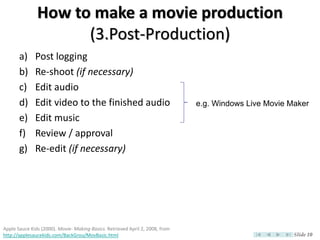
                     (3.Post-Production)
       a)     Post logging
       b)     Re-shoot (if necessary)
       c)     Edit audio
       d)     Edit video to the finished audio                                 e.g. Windows Live Movie Maker
       e)     Edit music
       f)     Review / approval
       g)     Re-edit (if necessary)


Apple Sauce Kids (2000). Movie- Making Basics. Retrieved April 2, 2008, from
http://applesaucekids.com/BackGrou/MovBasic.html                                                        Slide 10
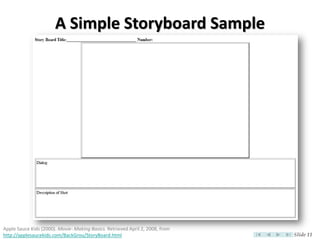
A Simple Storyboard Sample


Apple Sauce Kids (2000). Movie- Making Basics. Retrieved April 2, 2008, from
http://applesaucekids.com/BackGrou/StoryBoard.html                             Slide 11
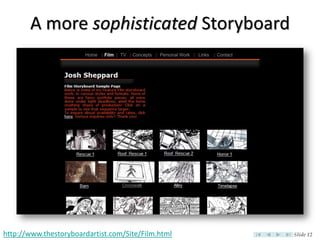
A more sophisticated Storyboard


http://www.thestoryboardartist.com/Site/Film.html   Slide 12
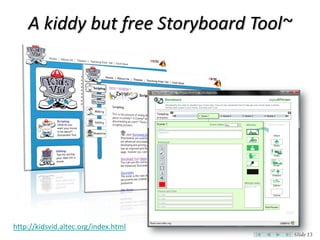
A kiddy but free Storyboard Tool~


http://kidsvid.altec.org/index.html
                                        Slide 13
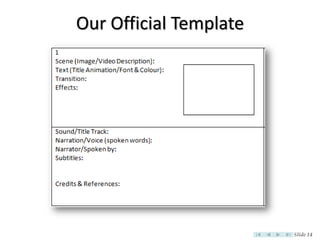
Our Official Template


                        Slide 14
Movie Evaluation Criteria
      • Story originality & creativity
      • Characterization
      • Opening and closing sequences
      • Overall visual storytelling
      • Direction and performance of actors
      • Production techniques
         – the overall quality of pictures, video and audio which
           reflects the craft of directing, shooting and editing
      • Level or degree of difficulty
         – Technical/Software applications and concepts


NTU Wee Kim Wee School of Communication & Information (2008). Video Drama as the Main FYP.
Retrieved April 4, 2008, from http://www.ntu.edu.sg/sci/undergrad/html/student_video_drama.html   Slide 15
Windows Movie Makers
• Windows Live Movie Maker 2011
  – Download & Run: http://explore.live.com/windows-live-movie-maker
  – Select Movie Maker & unselect others AS you install

• Note: if you use other software for our movie assignment, you
  MUST explain in details the construction of your video (e.g.
  effects, transitions etc.) in the Storyboard, & include screen
  captures etc.


                                                                       Slide 16
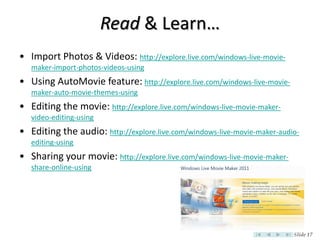
Read & Learn…
• Import Photos & Videos: http://explore.live.com/windows-live-movie-
   maker-import-photos-videos-using
• Using AutoMovie feature: http://explore.live.com/windows-live-movie-
   maker-auto-movie-themes-using
• Editing the movie: http://explore.live.com/windows-live-movie-maker-
   video-editing-using
• Editing the audio: http://explore.live.com/windows-live-movie-maker-audio-
   editing-using
• Sharing your movie: http://explore.live.com/windows-live-movie-maker-
   share-online-using


                                                                          Slide 17
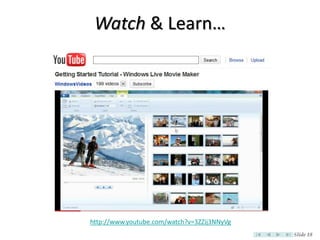
Watch & Learn…


http://www.youtube.com/watch?v=3ZZij3NNyVg
                                             Slide 18
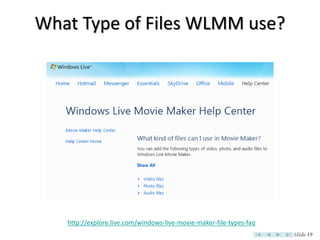
What Type of Files WLMM use?


   http://explore.live.com/windows-live-movie-maker-file-types-faq
                                                                     Slide 19
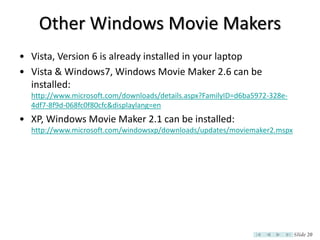
Other Windows Movie Makers
• Vista, Version 6 is already installed in your laptop
• Vista & Windows7, Windows Movie Maker 2.6 can be
  installed:
  http://www.microsoft.com/downloads/details.aspx?FamilyID=d6ba5972-328e-
  4df7-8f9d-068fc0f80cfc&displaylang=en
• XP, Windows Movie Maker 2.1 can be installed:
  http://www.microsoft.com/windowsxp/downloads/updates/moviemaker2.mspx


                                                                            Slide 20
For Windows Live Movie Maker Faithfuls~


                                          Slide 21
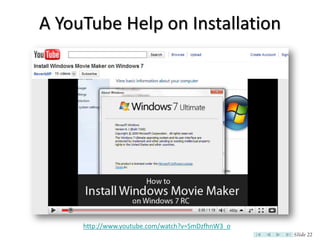
A YouTube Help on Installation


     http://www.youtube.com/watch?v=SmDzfhnW3_o
                                                  Slide 22
Enhancement Pack 2010~
• “Nick” from “Artifex Productions” searched all over WWW to
  compile this Enhancement Pack for WMM 2.6!
• Expands the effects library to over 400 animations!
• Expands the transitions library to a total of 75 animations!
• Check out his webpage here:
  http://artifex101-blog.blogspot.com/2010/04/windows-
  movie-maker-26-enhancement-pack.html
• Note: This replaces the standard Movie Maker files!


                                                                 Slide 23
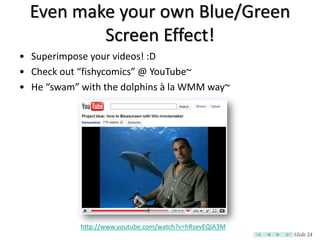
Even make your own Blue/Green
          Screen Effect!
• Superimpose your videos! :D
• Check out “fishycomics” @ YouTube~
• He “swam” with the dolphins à la WMM way~


            http://www.youtube.com/watch?v=hRsevEQlA3M
                                                         Slide 24
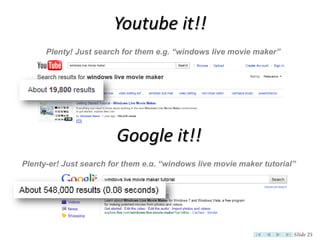
Youtube it!!
      Plenty! Just search for them e.g. “windows live movie maker”


                        Google it!!
Plenty-er! Just search for them e.g. “windows live movie maker tutorial”


                                                                       Slide 25
File Conversions


                   Slide 26
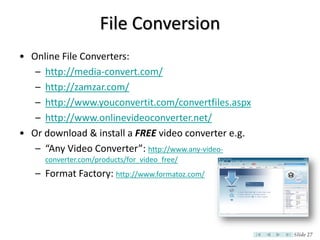
File Conversion
• Online File Converters:
   – http://media-convert.com/
   – http://zamzar.com/
   – http://www.youconvertit.com/convertfiles.aspx
   – http://www.onlinevideoconverter.net/
• Or download & install a FREE video converter e.g.
   – “Any Video Converter”: http://www.any-video-
     converter.com/products/for_video_free/
   – Format Factory: http://www.formatoz.com/


                                                      Slide 27
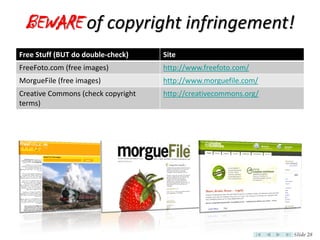
BEWARE of copyright infringement!
Free Stuff (BUT do double-check)    Site
FreeFoto.com (free images)          http://www.freefoto.com/
MorgueFile (free images)            http://www.morguefile.com/
Creative Commons (check copyright   http://creativecommons.org/
terms)


                                                                  Slide 28
What IS Copyright?
• Form of protection given by Singapore laws to authors of
  original works such as literary, dramatic, musical, artistic and
  certain other intellectual works
• Infringement is illegal
• IPOS website: http://www.ipos.gov.sg/leftNav/cop/
   – Read about Special Provisions for Educational Institutions
   – Read about Copyright and the Internet
   – Read about Fair Dealing & Exceptions to Copyright
      Infringement


                                                                     Slide 29
Criminal Offence
• Fine $20,000 maximum and/or imprisonment 6 months
  maximum
• Second or subsequent offence, fine $50,000 and/or
  imprisonment 3 years.
• Double-check the latest at IPOS:
  http://www.ipos.gov.sg/leftNav/cop/Infringement+and+Enfor
  cement.htm
• So…
   – Be Original. Be Creative. Be Safe.


                                                          Slide 30
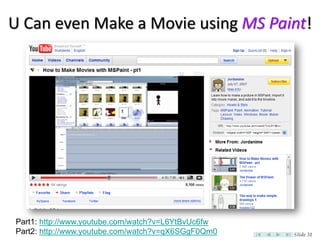
U Can even Make a Movie using MS Paint!


Part1: http://www.youtube.com/watch?v=L6YtBvUc6fw
Part2: http://www.youtube.com/watch?v=qX6SGgF0Qm0   Slide 31
Slide 32

Let's Make Movies!~...safely

  • 1.
  • 2.
    Who’s your Team? • Assign roles and responsibilities based on interest and skills • Director aka the “creative vision”: Decides the treatment, look and feel of the video • Producer aka the “reality checkpoint”: Oversees the finances and logistics e.g. the budget, production schedules, talent and crew • Production Assistant(s): Assists the producer with administrative duties e.g. co- ordination of schedules and talent/crew, transport and meals, handling payments etc. • Scriptwriter(s): Writes the script and character bios • Camera crew: Cameraman, soundman, assistants to handle equipment e.g. lights and microphones • Post production: Editing and audio sweetening iMedia Centre. (2007). Step-by-step guide to video production [PowerPoint Slides]. Retrieved from http://mel.np.edu.sg Slide 2
  • 3.
    Making a movieproduction (step by step and in order) Pre- Post- Production production production Slide 3
  • 4.
    Making a movieproduction (1.Pre-Production) a) The treatment – The genre, e.g. serious documentary, light-hearted comedy, slapstick, even horror? – Determines the tone of the production: the look, sound, mood and characters b) The storyline – The storyline forms the backbone of the script – Begins with an idea… or several ideas… Brainstorm! Be creative! Have FUN! c) The characters – Identify and develop characters – Flesh out character personalities so they become “alive” - e.g. How would they speak? d) Script development and writing – Based on treatment and storyline, write / develop the script – Keep dialogue consistent and natural. Read it aloud. – Be as descriptive as possible, especially with character actions and expressions. e) Storyboarding – Based on the script, a frame-by-frame visualization of what your video will look like – Sketch out possible camera angles and character positions – Provides references and saves time during the actual shoot iMedia Centre. (2007). Step-by-step guide to video production [PowerPoint Slides]. Retrieved from http://mel.np.edu.sg Slide 4
  • 5.
    Making a movieproduction (1.Pre-Production) f) To-Do List i. Location recce – Best shooting angles and positions – Logistics check e.g. available and working power points – Is permission required to shoot at your preferred location? – Other shooting concerns e.g. best times to shoot, location surroundings (noisy?) ii. Talents – Source for talents and voice-over talents in advance – Auditions and rehearsals iii. Props, wardrobe and make-up – Based on the script, make a list of all the props and wardrobe items needed – Auditions and rehearsals – If required, arrange for hair and make-up person on actual day(s) of shoot iv. Other production logistics: Transport and meals – Transport arrangements for talent, crew and shooting equipment – Meals for talent and crew: depending on length of shoot day, breakfast / lunch / dinner iMedia Centre. (2007). Step-by-step guide to video production [PowerPoint Slides]. Retrieved from http://mel.np.edu.sg Slide 5
  • 6.
    Making a movieproduction (1.Pre-Production) f) To-Do List (cont’d) v. Shooting schedule and contact sheet – Decide how many and which day(s) to shoot, and what needs to be shot on each day – Prepare shooting schedule based on above – Prepare contact sheet with list of important numbers and circulate to talent & crew vi. Shot planning and sequencing – Saves times and improves efficiency during shoot (as different camera set-up takes time) – The concept of shooting out of sequence and the importance of continuity checks – Based on storyboard and location recce, plan best shooting sequence on the actual day(s) – Move around the location in an organized manner, I.e. record shots taken from same angle vii. Pre-production meetings – For crew to discuss shooting and production requirements before actual shoot day(s) viii.Post-shoot debriefings – Post-mortem of what went right and what went wrong during the shoot – Make improvements and increase efficiency during following days of shoot iMedia Centre. (2007). Step-by-step guide to video production [PowerPoint Slides]. Retrieved from http://mel.np.edu.sg Slide 6
  • 7.
    How to makea movie production (2.Production – Location Shoot) a) Double check equipment – before leaving for shoot b) At the shoot – Setup props, lights, camera, microphones – Get talent ready – Coach talent – Check camera, sound & tapes – Ready to shoot c) The Shotlist – Major guides during editing – Is a record of each shot on the master tape – It list the project name, tape no, shot no, duration of shot, content and remarks iMedia Centre. (2007). Step-by-step guide to video production [PowerPoint Slides]. Retrieved from http://mel.np.edu.sg Slide 7
  • 8.
    How to makea movie production (2.Production – Location Shoot) d) Know your camera – Select color bar and set the brightness of the viewfinder/LCD screen – Focus Control– Make sure subject captured is sharp and not blur – Aperture Control – Controls the amount of light entering the camera. This determines how bright or dark is the captured image – White Balance – Tells the camera what sort of light is falling on the subject. Do white balance off a white object e.g. paper – Use tripod or monopod for steady shots and to prevent fatigue e) The Basic Shots – Wide Shot (WS) – establishes the relationship between person & surrounding – Medium Shot (MS) – Shows the action and person – Close-up (CU) – shows details of a person or action – Pan – camera remains in one position but swings horizontally to show wide area or to follow action – Tilt – camera remains in one position but swings vertically to show tall area or to follow action – Zoom (out/In) – to reveal relationship or focus attention on the person iMedia Centre. (2007). Step-by-step guide to video production [PowerPoint Slides]. Retrieved from http://mel.np.edu.sg Slide 8
  • 9.
    How to makea movie production (2.Production – Location Shoot) f) Audio – For most purposes, there are two different types of microphones • Omni-directional microphone - picks up sound equally from all directions. Use for group singers or instrumentalists • Uni-directional microphone - only picks up sound aimed directly into the center. Use for one speaker or solo instrument – Earphone – To monitor sound • More often than not, we are shooting videos to be shared online… Read more here: http://www.ojr.org/ojr/wiki/video/ iMedia Centre. (2007). Step-by-step guide to video production [PowerPoint Slides]. Retrieved from http://mel.np.edu.sg Slide 9
  • 10.
    How to makea movie production (3.Post-Production) a) Post logging b) Re-shoot (if necessary) c) Edit audio d) Edit video to the finished audio e.g. Windows Live Movie Maker e) Edit music f) Review / approval g) Re-edit (if necessary) Apple Sauce Kids (2000). Movie- Making Basics. Retrieved April 2, 2008, from http://applesaucekids.com/BackGrou/MovBasic.html Slide 10
  • 11.
    A Simple StoryboardSample Apple Sauce Kids (2000). Movie- Making Basics. Retrieved April 2, 2008, from http://applesaucekids.com/BackGrou/StoryBoard.html Slide 11
  • 12.
    A more sophisticatedStoryboard http://www.thestoryboardartist.com/Site/Film.html Slide 12
  • 13.
    A kiddy butfree Storyboard Tool~ http://kidsvid.altec.org/index.html Slide 13
  • 14.
  • 15.
    Movie Evaluation Criteria • Story originality & creativity • Characterization • Opening and closing sequences • Overall visual storytelling • Direction and performance of actors • Production techniques – the overall quality of pictures, video and audio which reflects the craft of directing, shooting and editing • Level or degree of difficulty – Technical/Software applications and concepts NTU Wee Kim Wee School of Communication & Information (2008). Video Drama as the Main FYP. Retrieved April 4, 2008, from http://www.ntu.edu.sg/sci/undergrad/html/student_video_drama.html Slide 15
  • 16.
    Windows Movie Makers •Windows Live Movie Maker 2011 – Download & Run: http://explore.live.com/windows-live-movie-maker – Select Movie Maker & unselect others AS you install • Note: if you use other software for our movie assignment, you MUST explain in details the construction of your video (e.g. effects, transitions etc.) in the Storyboard, & include screen captures etc. Slide 16
  • 17.
    Read & Learn… •Import Photos & Videos: http://explore.live.com/windows-live-movie- maker-import-photos-videos-using • Using AutoMovie feature: http://explore.live.com/windows-live-movie- maker-auto-movie-themes-using • Editing the movie: http://explore.live.com/windows-live-movie-maker- video-editing-using • Editing the audio: http://explore.live.com/windows-live-movie-maker-audio- editing-using • Sharing your movie: http://explore.live.com/windows-live-movie-maker- share-online-using Slide 17
  • 18.
  • 19.
    What Type ofFiles WLMM use? http://explore.live.com/windows-live-movie-maker-file-types-faq Slide 19
  • 20.
    Other Windows MovieMakers • Vista, Version 6 is already installed in your laptop • Vista & Windows7, Windows Movie Maker 2.6 can be installed: http://www.microsoft.com/downloads/details.aspx?FamilyID=d6ba5972-328e- 4df7-8f9d-068fc0f80cfc&displaylang=en • XP, Windows Movie Maker 2.1 can be installed: http://www.microsoft.com/windowsxp/downloads/updates/moviemaker2.mspx Slide 20
  • 21.
    For Windows LiveMovie Maker Faithfuls~ Slide 21
  • 22.
    A YouTube Helpon Installation http://www.youtube.com/watch?v=SmDzfhnW3_o Slide 22
  • 23.
    Enhancement Pack 2010~ •“Nick” from “Artifex Productions” searched all over WWW to compile this Enhancement Pack for WMM 2.6! • Expands the effects library to over 400 animations! • Expands the transitions library to a total of 75 animations! • Check out his webpage here: http://artifex101-blog.blogspot.com/2010/04/windows- movie-maker-26-enhancement-pack.html • Note: This replaces the standard Movie Maker files! Slide 23
  • 24.
    Even make yourown Blue/Green Screen Effect! • Superimpose your videos! :D • Check out “fishycomics” @ YouTube~ • He “swam” with the dolphins à la WMM way~ http://www.youtube.com/watch?v=hRsevEQlA3M Slide 24
  • 25.
    Youtube it!! Plenty! Just search for them e.g. “windows live movie maker” Google it!! Plenty-er! Just search for them e.g. “windows live movie maker tutorial” Slide 25
  • 26.
  • 27.
    File Conversion • OnlineFile Converters: – http://media-convert.com/ – http://zamzar.com/ – http://www.youconvertit.com/convertfiles.aspx – http://www.onlinevideoconverter.net/ • Or download & install a FREE video converter e.g. – “Any Video Converter”: http://www.any-video- converter.com/products/for_video_free/ – Format Factory: http://www.formatoz.com/ Slide 27
  • 28.
    BEWARE of copyrightinfringement! Free Stuff (BUT do double-check) Site FreeFoto.com (free images) http://www.freefoto.com/ MorgueFile (free images) http://www.morguefile.com/ Creative Commons (check copyright http://creativecommons.org/ terms) Slide 28
  • 29.
    What IS Copyright? •Form of protection given by Singapore laws to authors of original works such as literary, dramatic, musical, artistic and certain other intellectual works • Infringement is illegal • IPOS website: http://www.ipos.gov.sg/leftNav/cop/ – Read about Special Provisions for Educational Institutions – Read about Copyright and the Internet – Read about Fair Dealing & Exceptions to Copyright Infringement Slide 29
  • 30.
    Criminal Offence • Fine$20,000 maximum and/or imprisonment 6 months maximum • Second or subsequent offence, fine $50,000 and/or imprisonment 3 years. • Double-check the latest at IPOS: http://www.ipos.gov.sg/leftNav/cop/Infringement+and+Enfor cement.htm • So… – Be Original. Be Creative. Be Safe. Slide 30
  • 31.
    U Can evenMake a Movie using MS Paint! Part1: http://www.youtube.com/watch?v=L6YtBvUc6fw Part2: http://www.youtube.com/watch?v=qX6SGgF0Qm0 Slide 31
  • 32.