Lesson 9: iPhoto

      Organizing, Editing and Sharing
           Digital Photographs


05/19/2010           PMBurke            1
iPhoto is Part of iLife Series
            iPhoto
            iTunes
            i-Movie
            i-DVD
            GarageBand
            i-Web


05/19/2008                PMBurke   2
iPhoto Functions
    Organize

    Enhance (Edit)

    Share


    05/19/2008        PMBurke   3
Learn How to
      Import Photos to iPhoto Library
      Create Photo Albums
      Edit and Crop a photo
      Create a Musical slideshow
      Put your photos on the web via
       MobileMe or Picasa
      Share Photos via Email, Flickr,
       Facebook
05/19/2008            PMBurke            4
Importing to iPhoto Library
      Most Common methods:
            Connect Camera via USB Cable
            Connect Card Reader to USB Port
            Drop photo icon or folder of photos onto
             iPhoto icon in Dock
            Import from Scanner
            Import from email


05/19/2008                  PMBurke              5
Organizing your Photos
      All added Photos go to main iPhoto Library
            Library is kept in yours Pictures Folder but is
             accessed only via iPhoto App
      In iPhoto 09 and later photos automatically sorted
       into Events by Date

      You create Albums (File/new Album)
         Name Album, Drag photos from Library


05/19/2008                     PMBurke                   6
Enhancing (Editing) Your
  Photos

      Compose by cropping
      One-click enhance, retouch
      Remove red-eye
      Adjust Exposure, color balance
      Straighten


05/19/2008            PMBurke           7
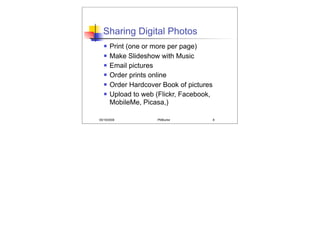
Sharing Digital Photos
      Print (one or more per page)
      Make Slideshow with Music
      Email pictures
      Order prints online
      Order Hardcover Book of pictures
      Upload to web (Flickr, Facebook,
       MobileMe, Picasa,)

05/19/2008           PMBurke              8

Lesson 9: i photo

  • 1.
    Lesson 9: iPhoto Organizing, Editing and Sharing Digital Photographs 05/19/2010 PMBurke 1
  • 2.
    iPhoto is Partof iLife Series  iPhoto  iTunes  i-Movie  i-DVD  GarageBand  i-Web 05/19/2008 PMBurke 2
  • 3.
    iPhoto Functions  Organize  Enhance (Edit)  Share 05/19/2008 PMBurke 3
  • 4.
    Learn How to  Import Photos to iPhoto Library  Create Photo Albums  Edit and Crop a photo  Create a Musical slideshow  Put your photos on the web via MobileMe or Picasa  Share Photos via Email, Flickr, Facebook 05/19/2008 PMBurke 4
  • 5.
    Importing to iPhotoLibrary  Most Common methods:  Connect Camera via USB Cable  Connect Card Reader to USB Port  Drop photo icon or folder of photos onto iPhoto icon in Dock  Import from Scanner  Import from email 05/19/2008 PMBurke 5
  • 6.
    Organizing your Photos  All added Photos go to main iPhoto Library  Library is kept in yours Pictures Folder but is accessed only via iPhoto App  In iPhoto 09 and later photos automatically sorted into Events by Date  You create Albums (File/new Album)  Name Album, Drag photos from Library 05/19/2008 PMBurke 6
  • 7.
    Enhancing (Editing) Your Photos  Compose by cropping  One-click enhance, retouch  Remove red-eye  Adjust Exposure, color balance  Straighten 05/19/2008 PMBurke 7
  • 8.
    Sharing Digital Photos  Print (one or more per page)  Make Slideshow with Music  Email pictures  Order prints online  Order Hardcover Book of pictures  Upload to web (Flickr, Facebook, MobileMe, Picasa,) 05/19/2008 PMBurke 8