Jan McGee, LMS West Monroe High School 201 Riggs Street West Monroe, LA  71291 [email_address] Ouachita Parish School System
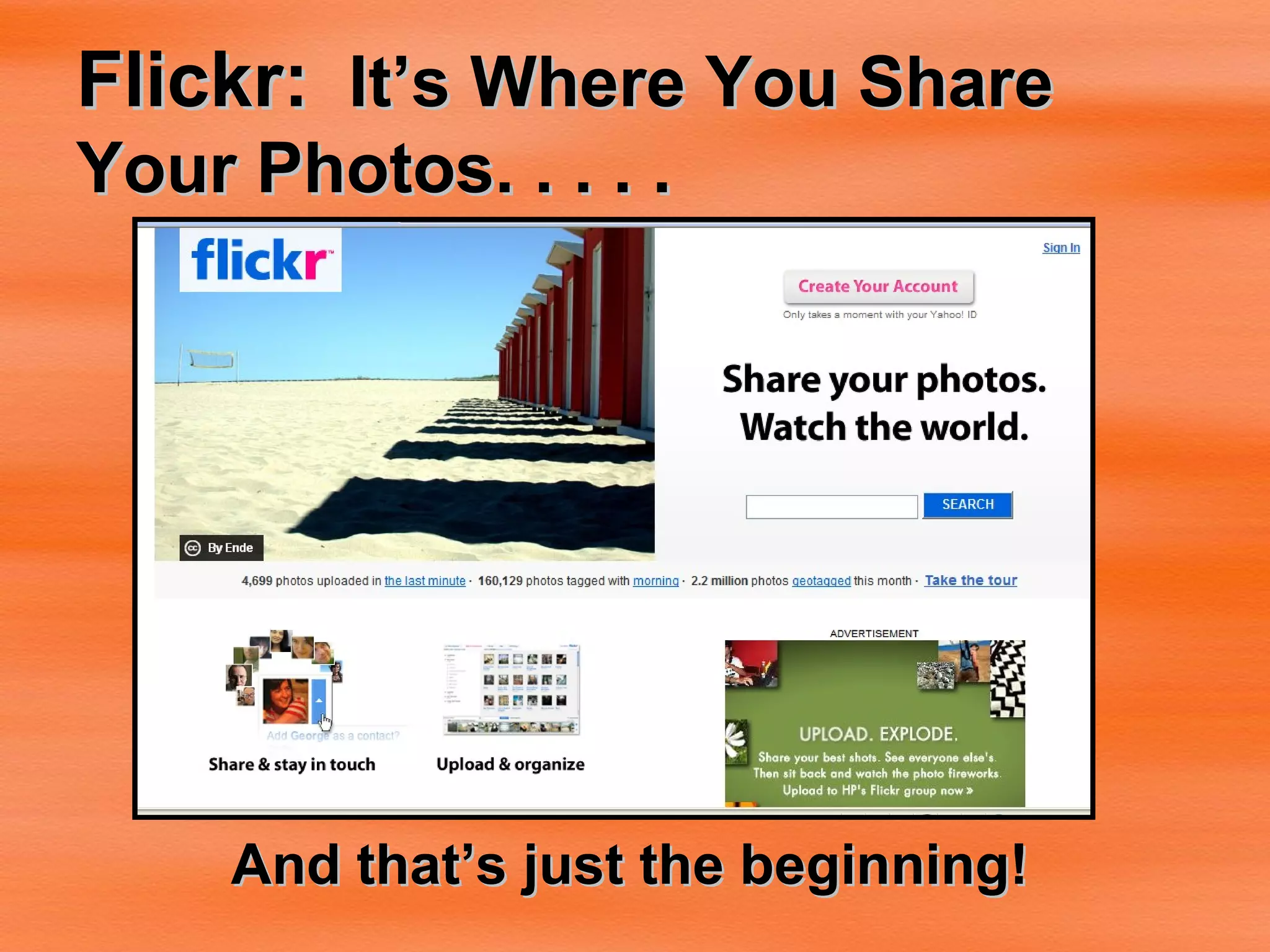
Flickr:   It’s Where You Share Your Photos. . . . .   And that’s just the beginning!
Flickr is-- A free, online photo management and sharing application A photo organizer A web 2.0 tool
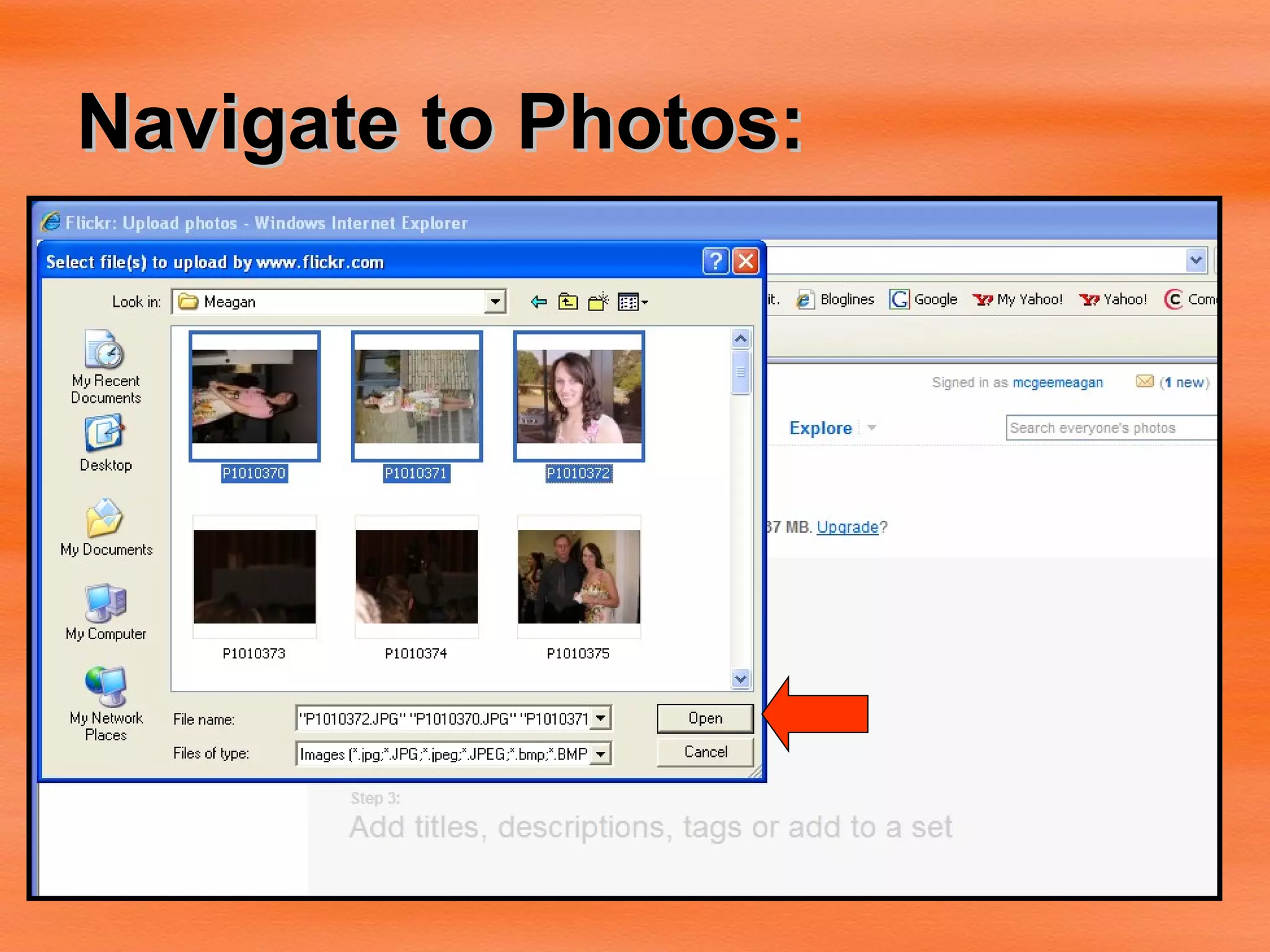
Uploading to Flickr There are  5 ways  to upload your photos to Flickr Via upload webpage via the Flickr Uploadr  (available for both PC and Mac)  via iPhoto, Aperture, or Windows XP plugins  via email  via various free third-party desktop programs  Once you upload, you can do many things with your photos.
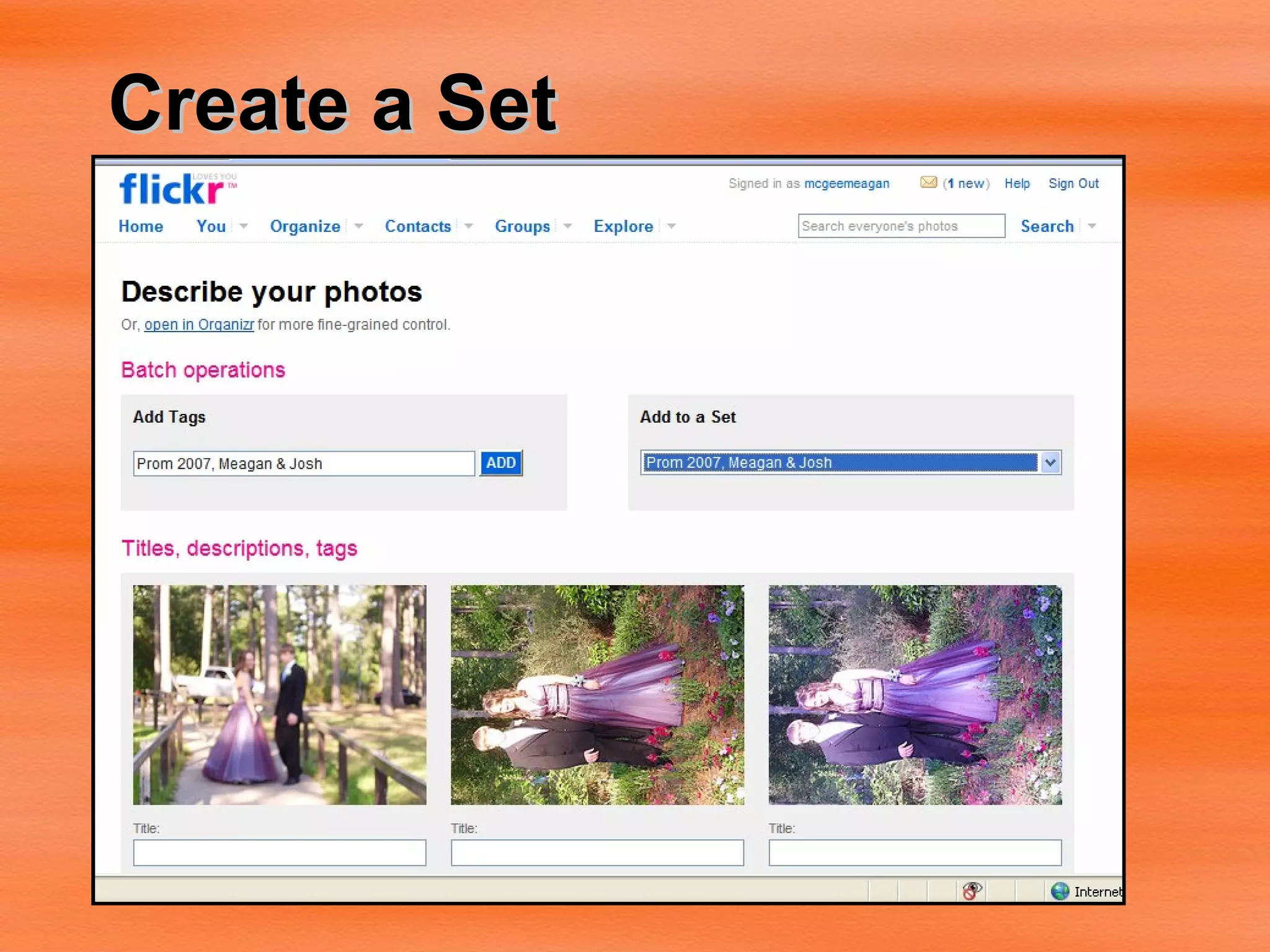
Organize: Sets Sets-- a grouping of photos that you can organize around a certain theme, such as  Our Family Vacation . You can use them to highlight your favorite photos, or make an album that is only pictures of your dog, or of photos you've taken with a particular camera.
Organize:  Collections Collections  are a grouping of Sets (or other Collections) so you can organize around grander themes, such as  People ,  Travels , or by year ( 2007 ,  2006 , etc).
Flickr:  Organizer The Organizr  is where both Collections and Sets are created. It also allows you to perform common tasks on large batches of photos, such as tagging, changing permissions, or editing timestamps. It’s really rather handy.
Flickr:  Sharing With millions of users, and hundreds of millions of photos, Flickr is an amazing photographic community, with sharing at its heart.
Groups  are a way for people to come together around a common interest.  If you can’t find a group which interests  you , it’s super-easy to start your own. Groups can either be public, public (invite only), or completely private. Every group has a pool for sharing photos and a discussion board for talking. Flickr Groups
Privacy  is a common area for concern on the web, but on Flickr it’s easy to control who you share your images with. For each of your photos on Flickr you can set: privacy level , which determines who can see your image  usage license , so your copyrights are protected  content type , flag your photos as either photos, artwork/illustrations, or screenshots  safety level , so other members only see images within their specified comfort zones  Privacy
Change Privacy Settings You can control how people can interact with your photos in Flickr. You can choose who can see it Who can make comments Who can add notes Who can add tags Dratted # * # !! ##%** Homework!
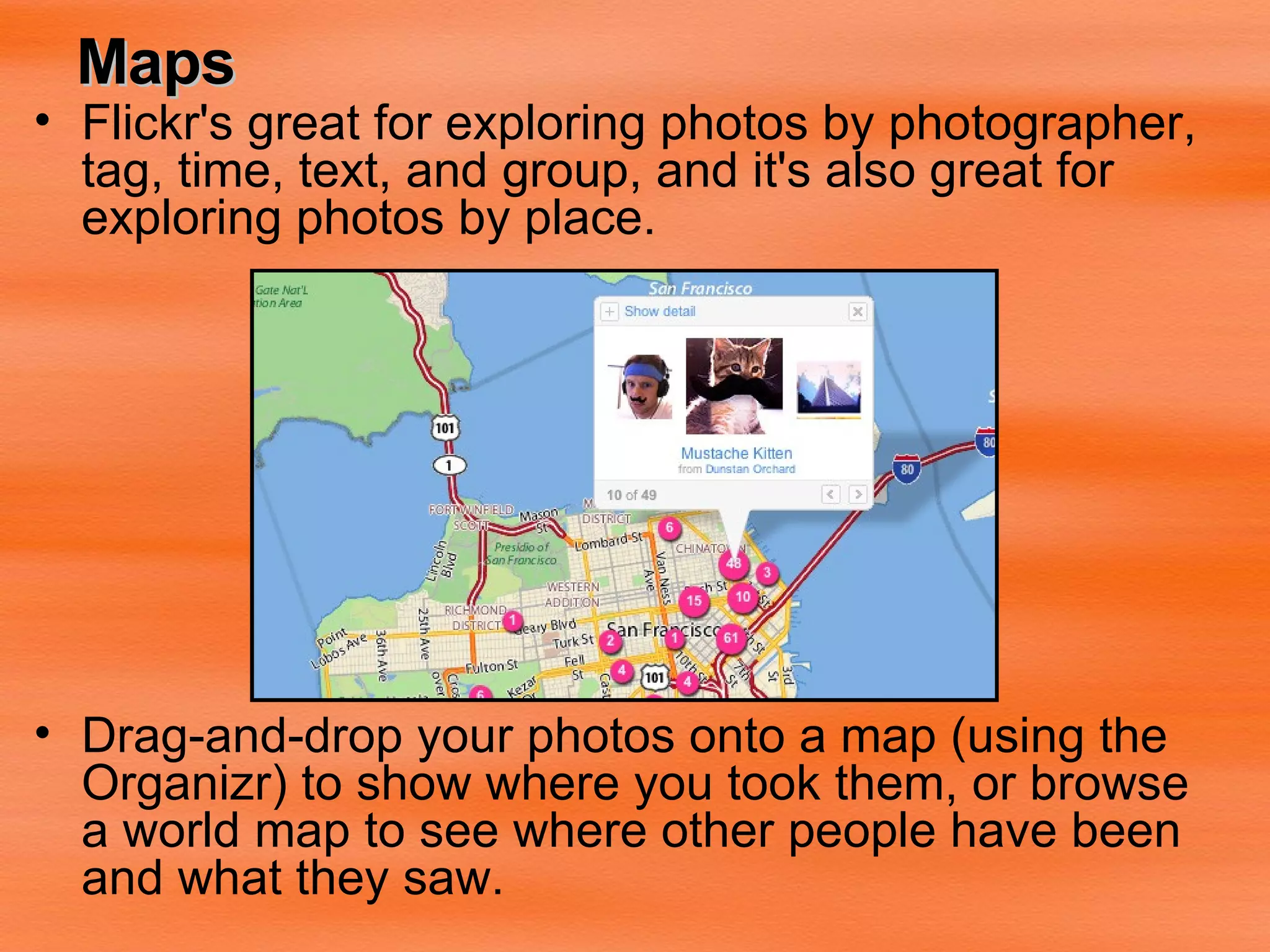
Maps Flickr's great for exploring photos by photographer, tag, time, text, and group, and it's also great for exploring photos by place. Drag-and-drop your photos onto a map (using the  Organizr) to show where you took them, or browse a world map to see where other people have been and what they saw.
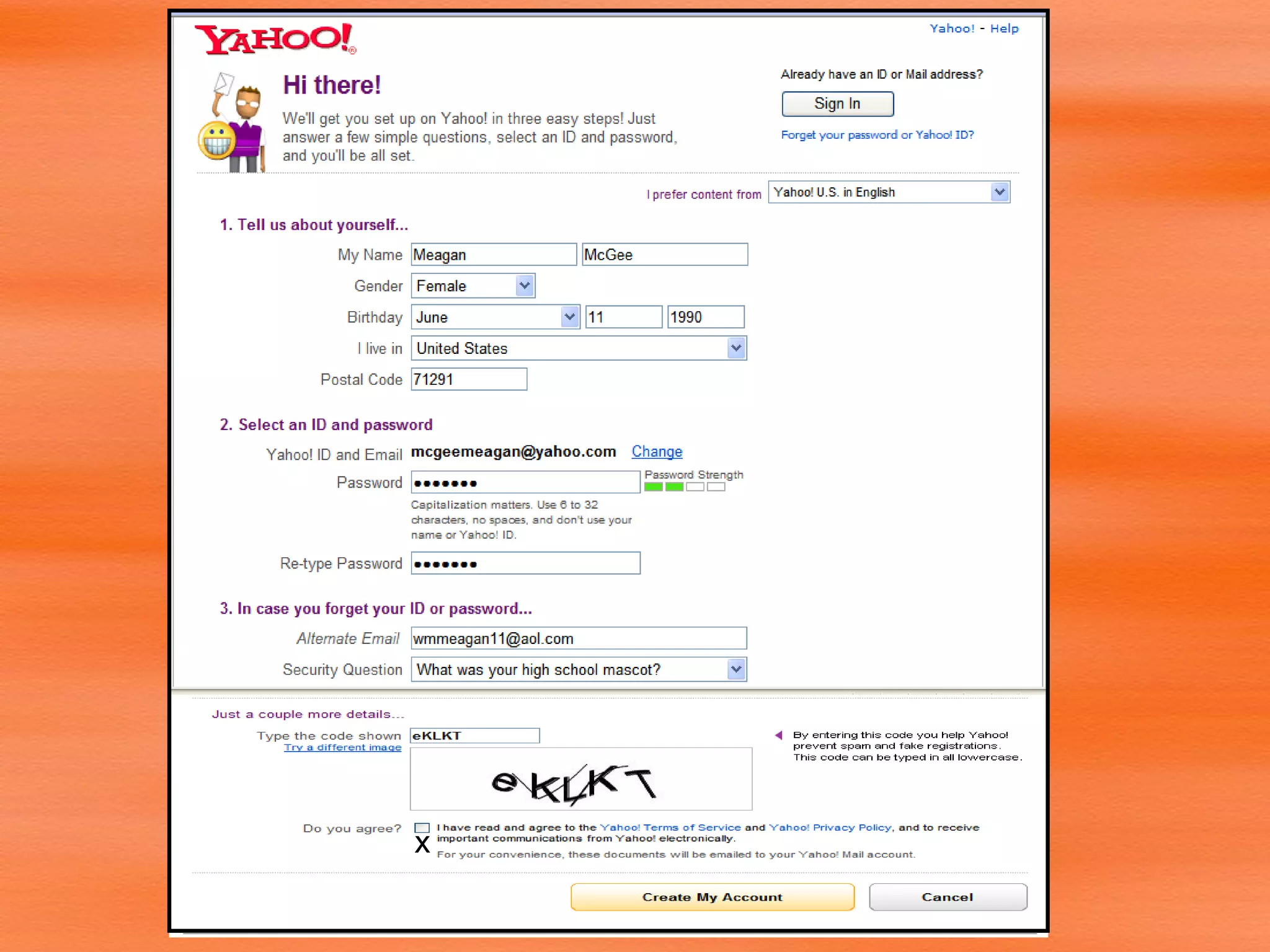
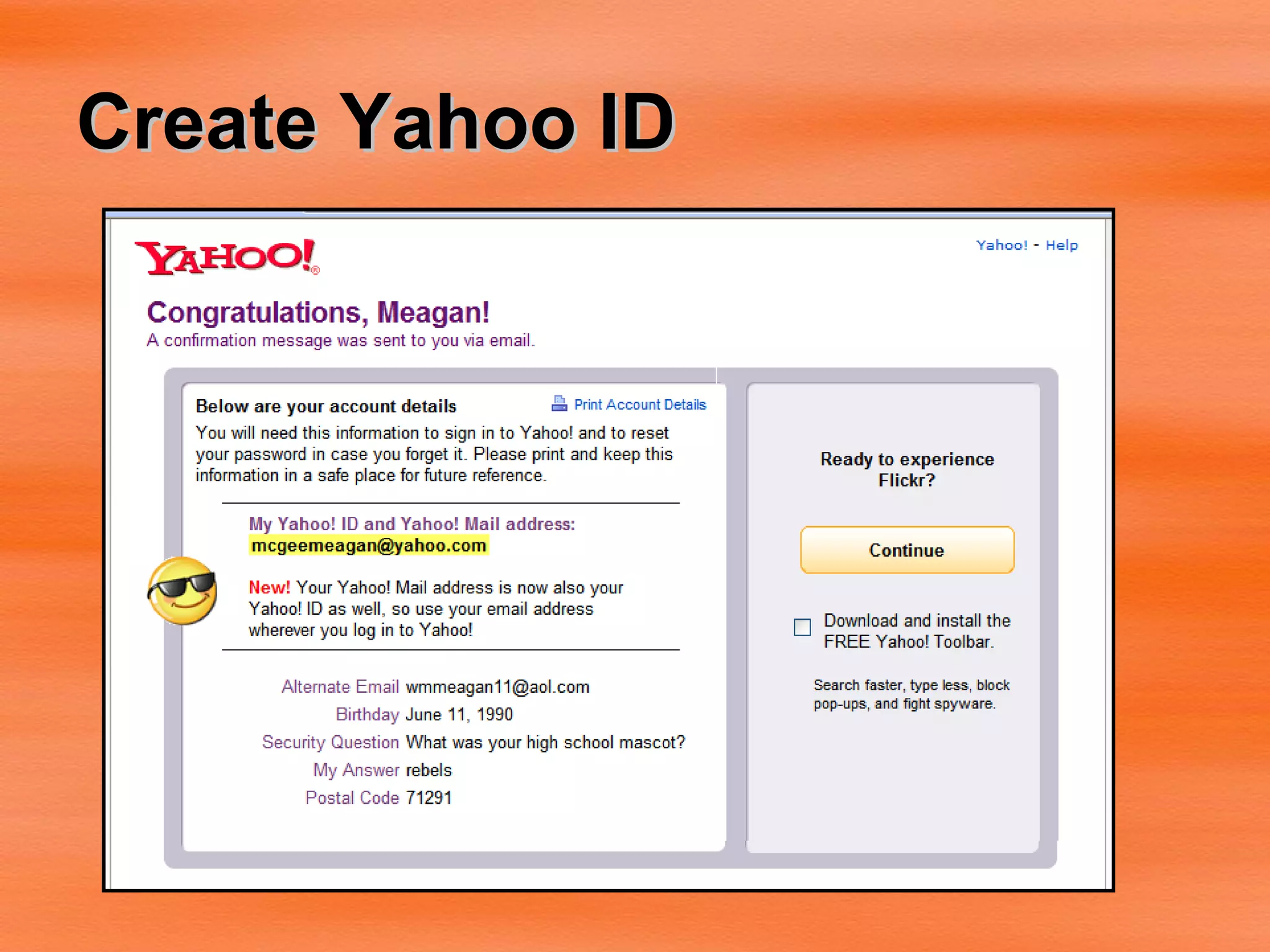
To Create a Flickr Account: Flickr is a part of Yahoo.  To sign up for Flickr, you must first have a Yahoo account. Go to  http://www/yahoo.com  and sign up for a Yahoo account.
x
Create Yahoo ID
Confirm password
Create Flickr Account
Flickr Account is ready to go! http:// www.flickr.com
Uploading Photos:
Navigate to Photos:
Upload Photos
Photo Upload Completed
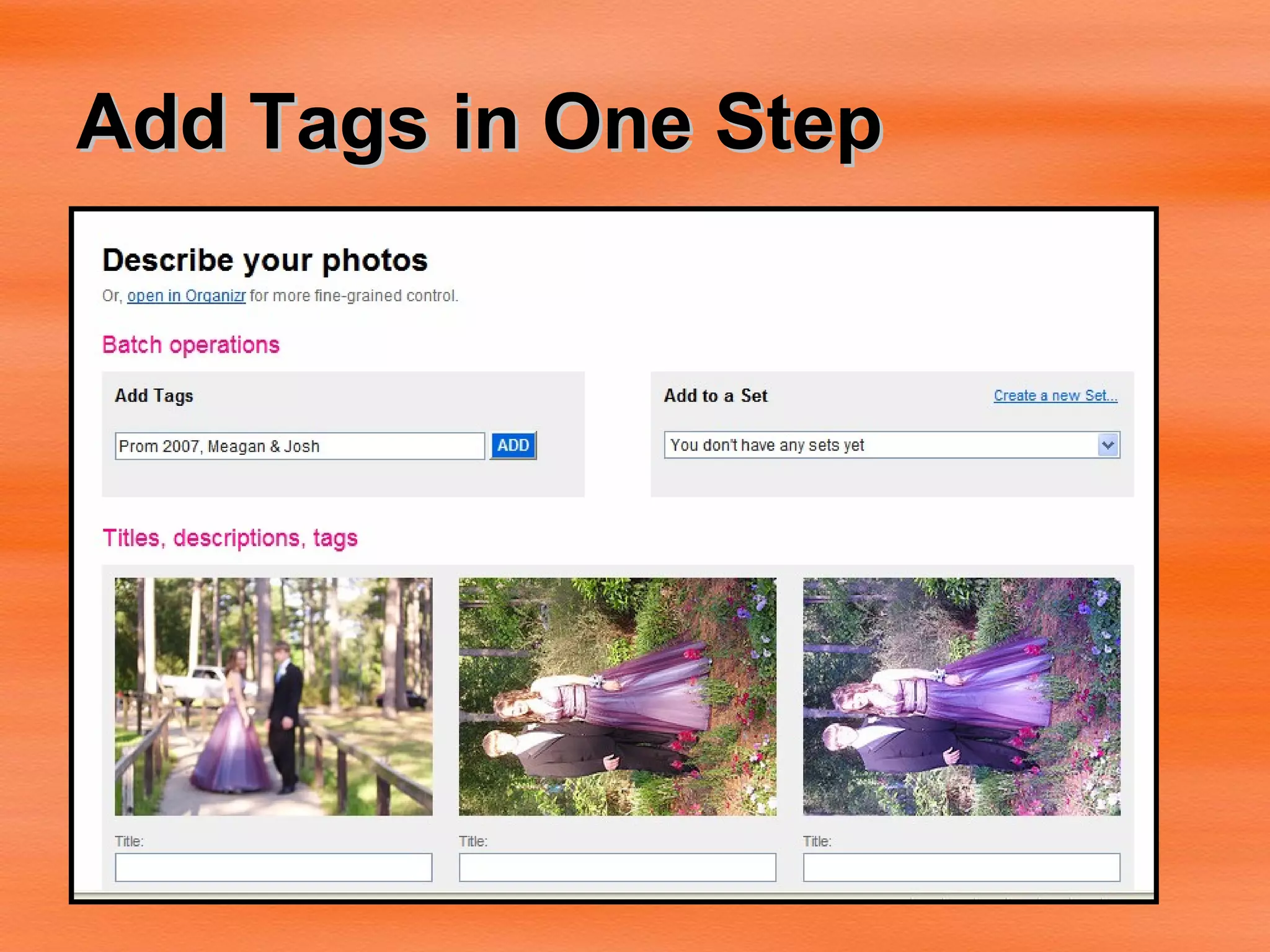
Add Tags in One Step
Create a Set
Setting Privacy, Profile, & URL
Flickr Web Address
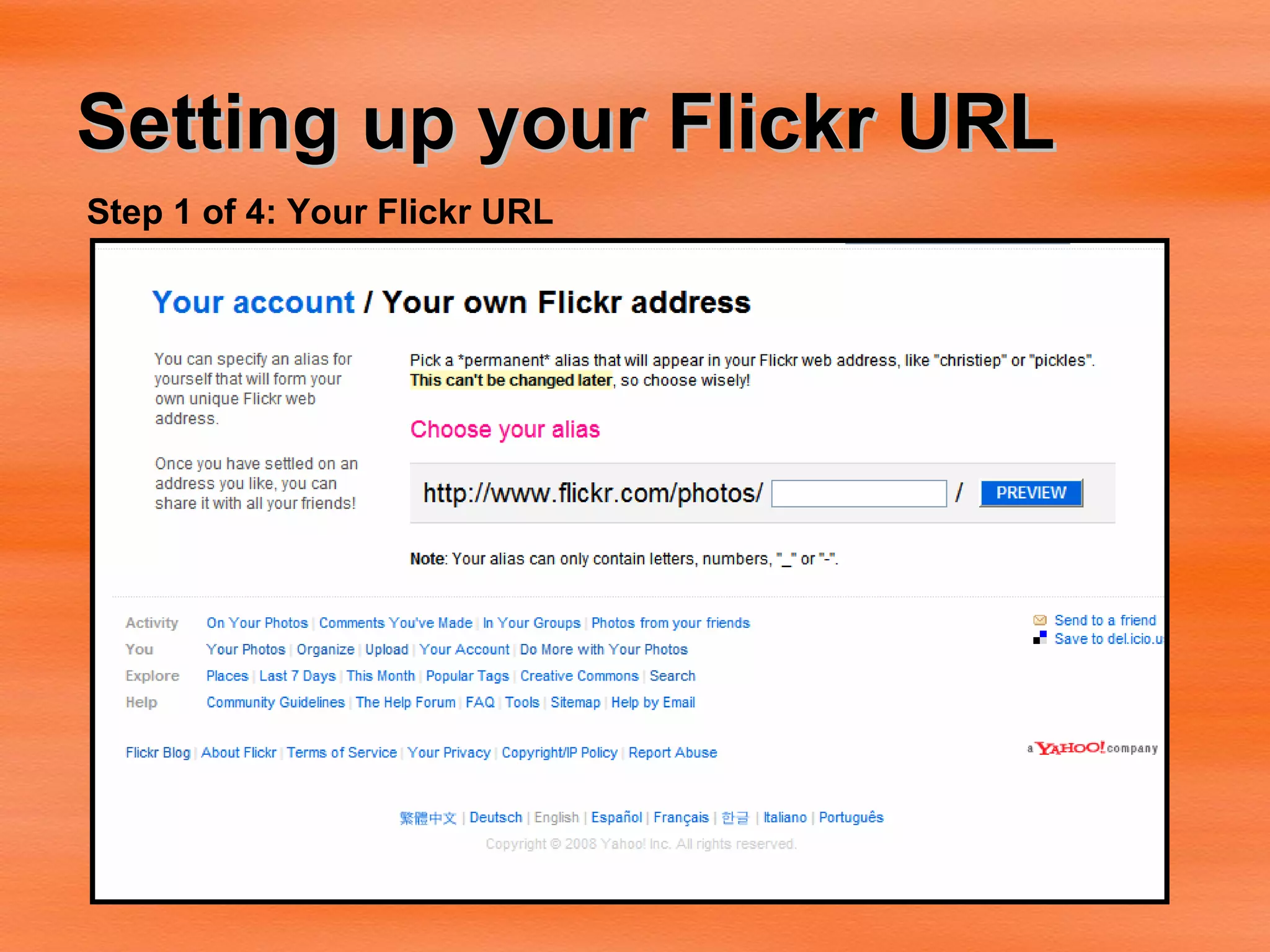
Setting up your Flickr URL Step 1 of 4: Your Flickr URL
Locking in Your URL:
Buddy Icon (Optional):
Profile
Ready to Go!
My Flickr http://www.flickr.com/photos/mc_reader
Make Stuff with Flickr Tools
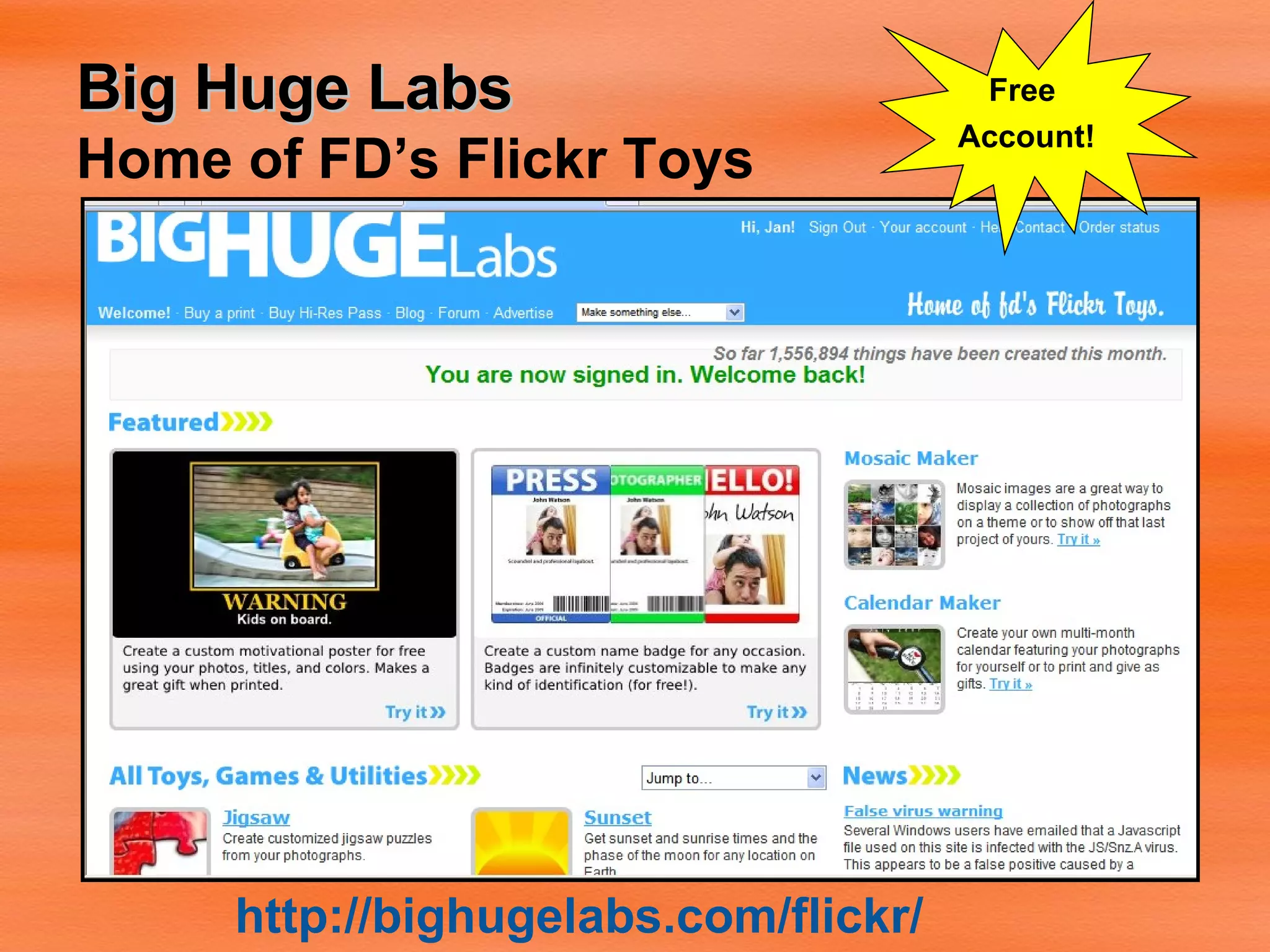
Big Huge Labs Home of FD’s Flickr Toys http://bighugelabs.com/flickr/ Free  Account!
Big Huge Lab Favorites Magazine Cover Trading Card Motivational Posters Movie Posters CD Covers Warholizer  Calendar Flickr Uploader
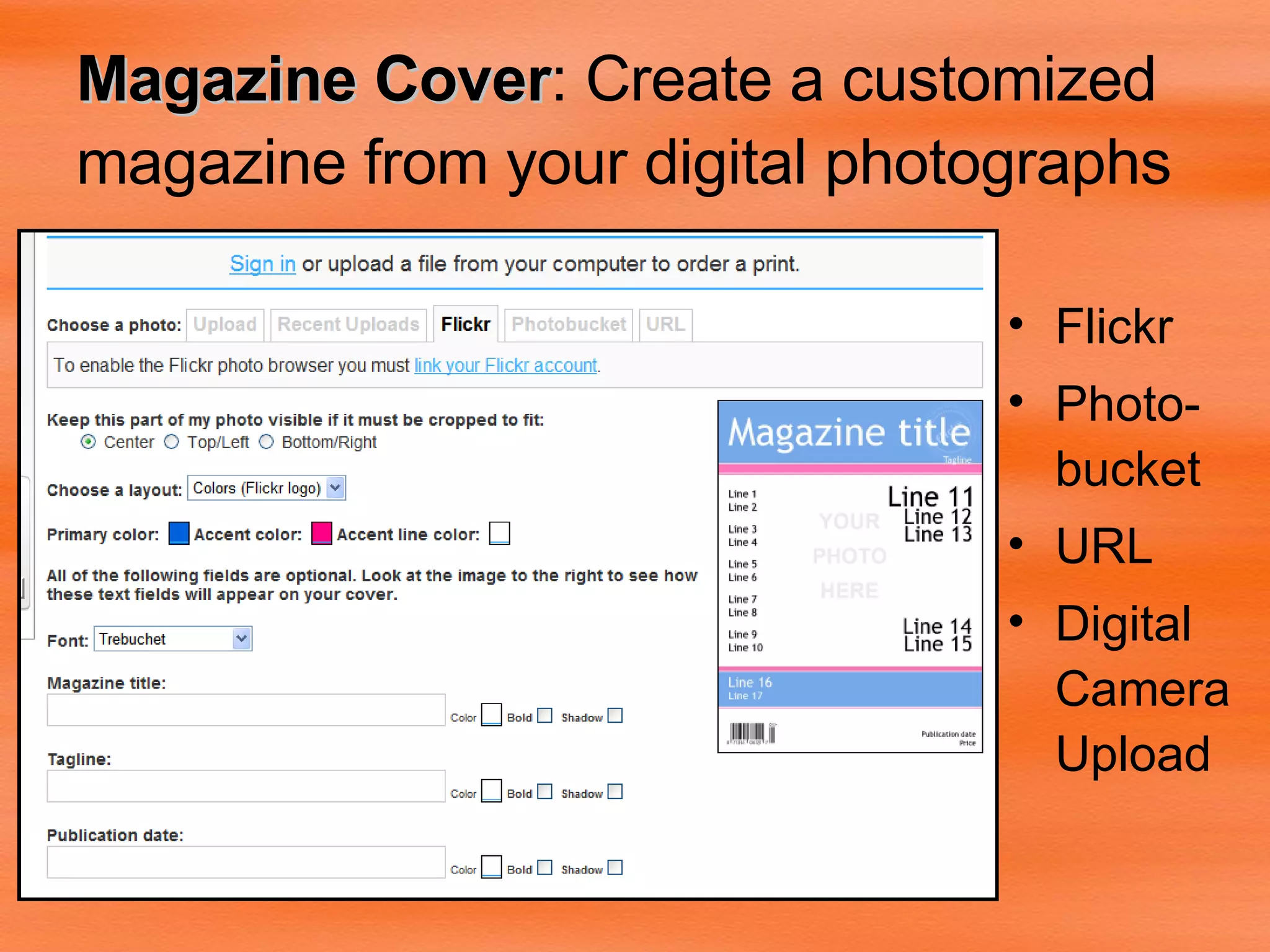
Magazine Cover : Create a customized magazine from your digital photographs   Flickr Photo-bucket URL Digital Camera Upload
Customized Magazine Cover Writing Assignments Student autobiography “How I Spent My Summer Vacation” Report Covers
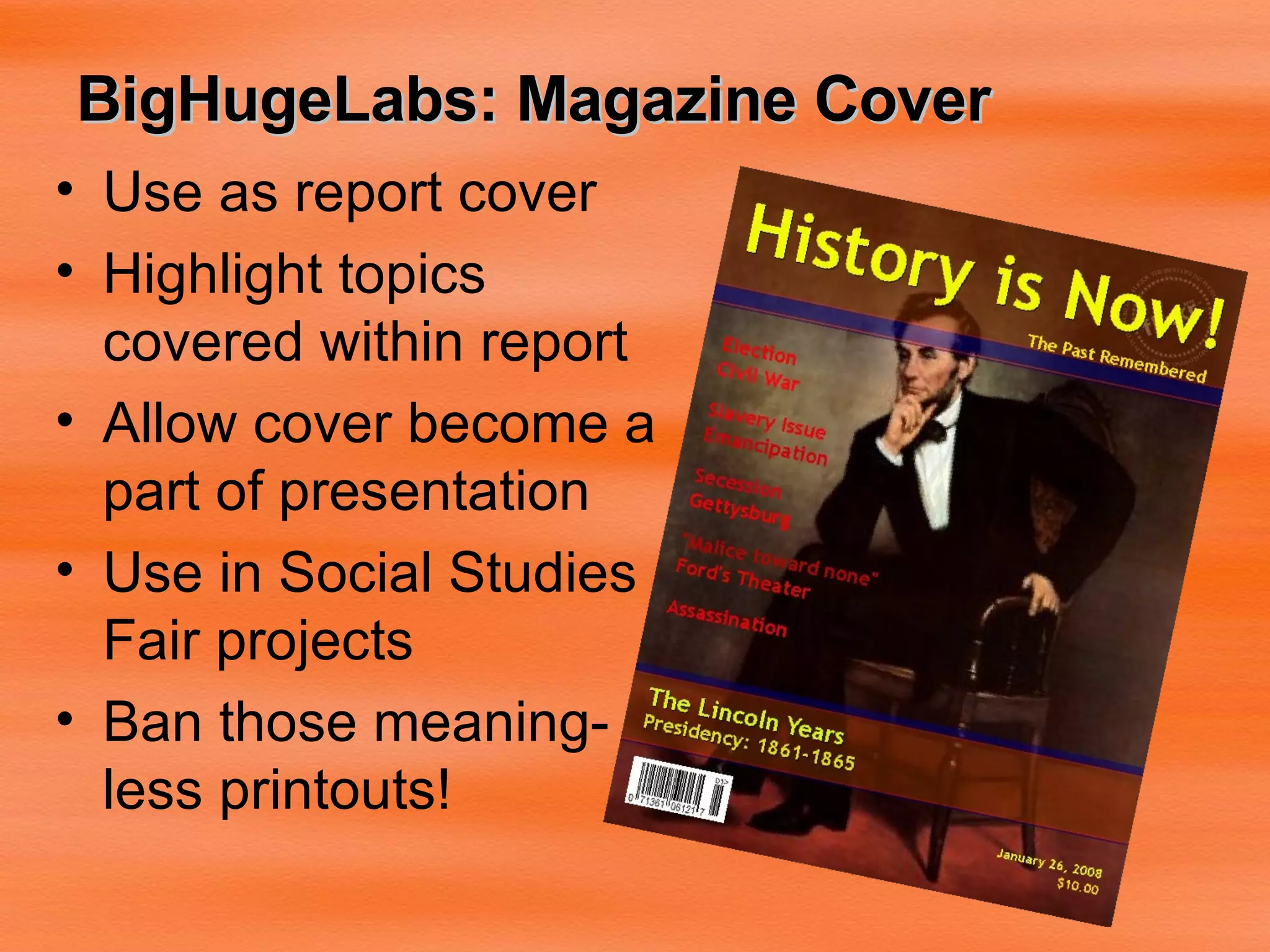
BigHugeLabs: Magazine Cover Use as report cover Highlight topics covered within report Allow cover become a part of presentation Use in Social Studies Fair projects Ban those meaning-less printouts!
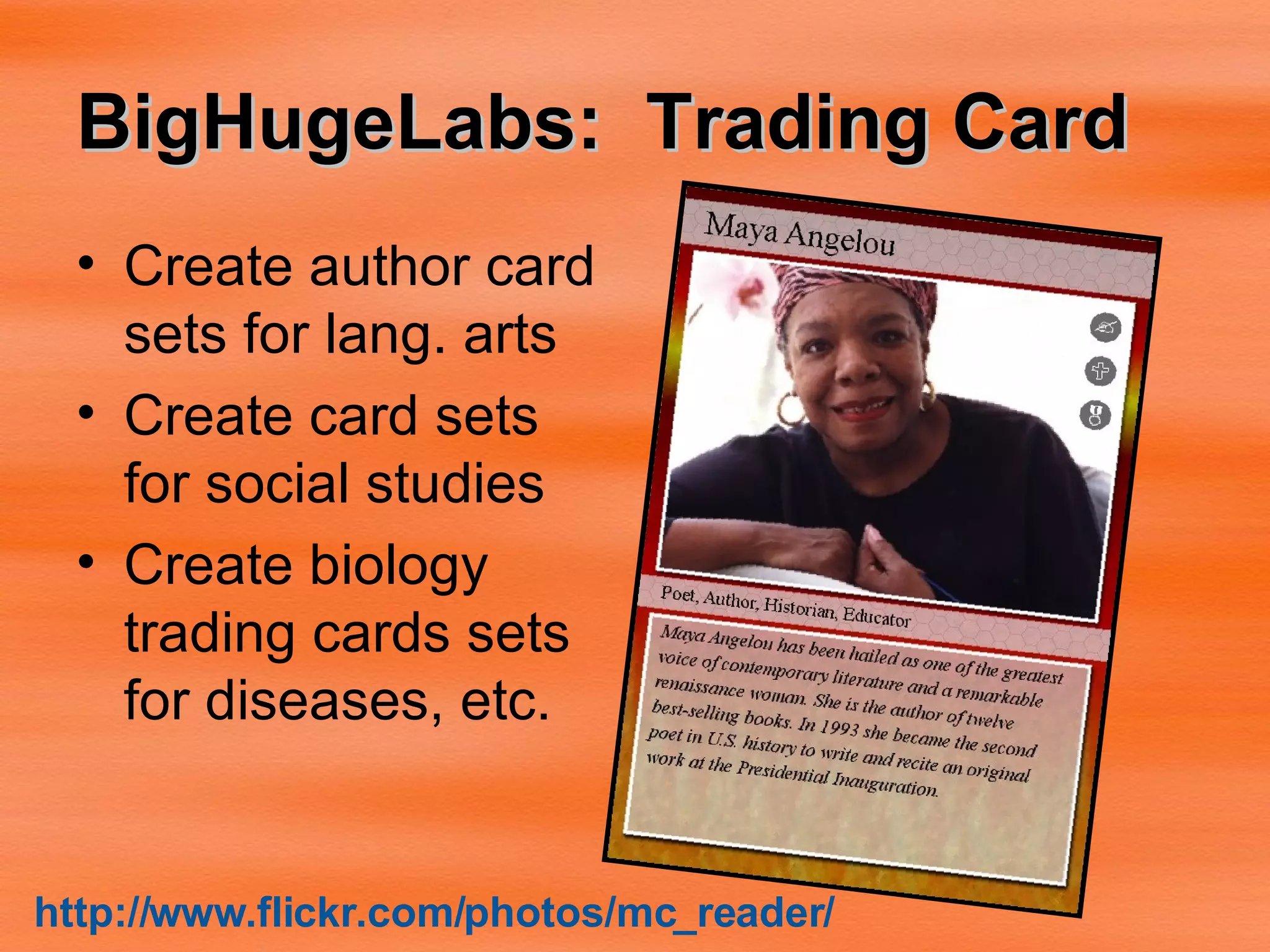
BigHugeLabs:  Trading Card   Create author card sets for lang. arts Create card sets for social studies Create biology trading cards sets for diseases, etc. http:// www.flickr.com/photos/mc_reader /
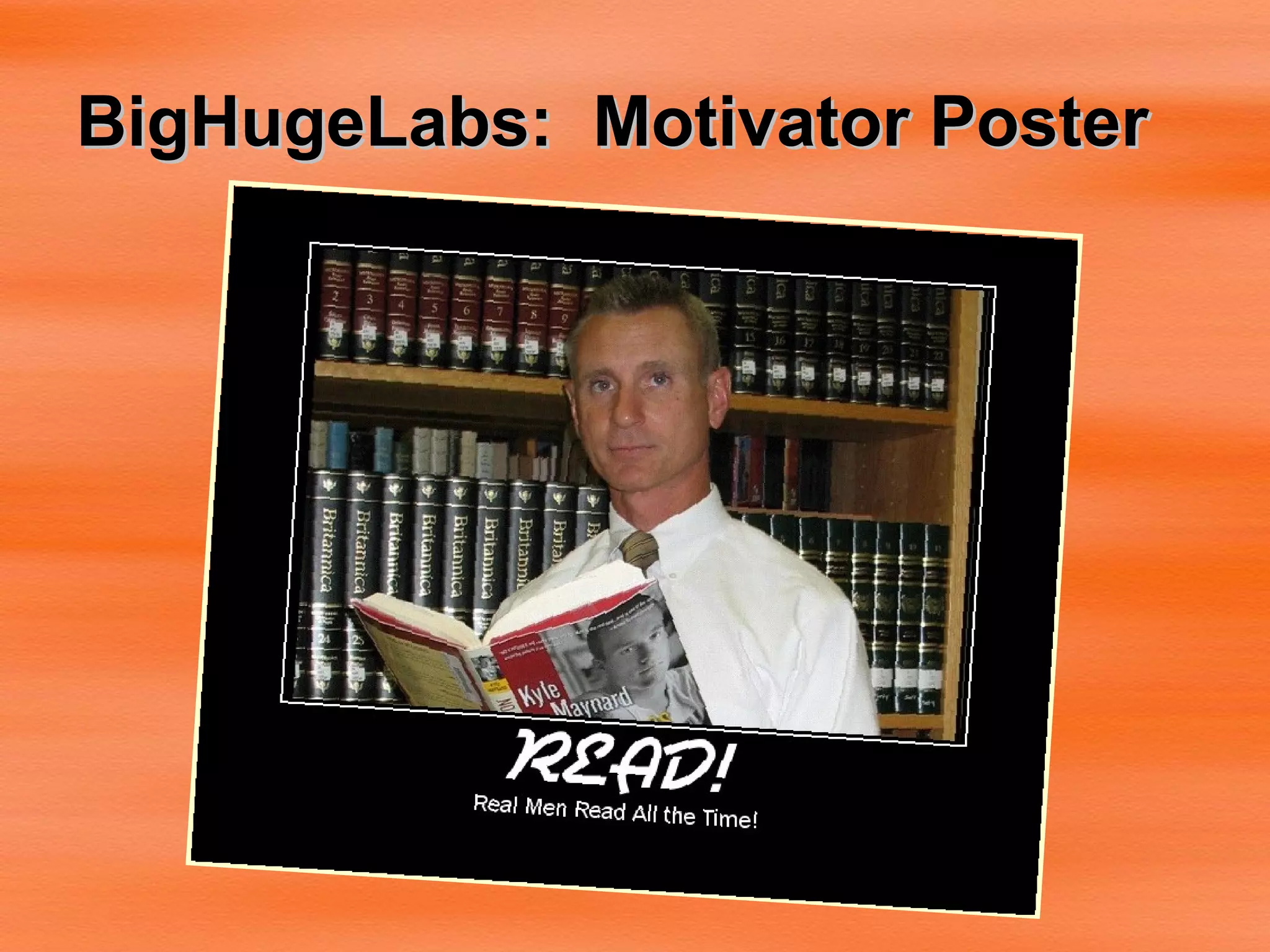
BigHugeLabs:  Motivator Poster
Spell with Flickr http:// metaatem.net /words
Spell with Flickr Click individual letters on top row to change to new shape/style May change tile size from regular to square
BUBBLR  http:// www.pimpampum.net/bubblr /
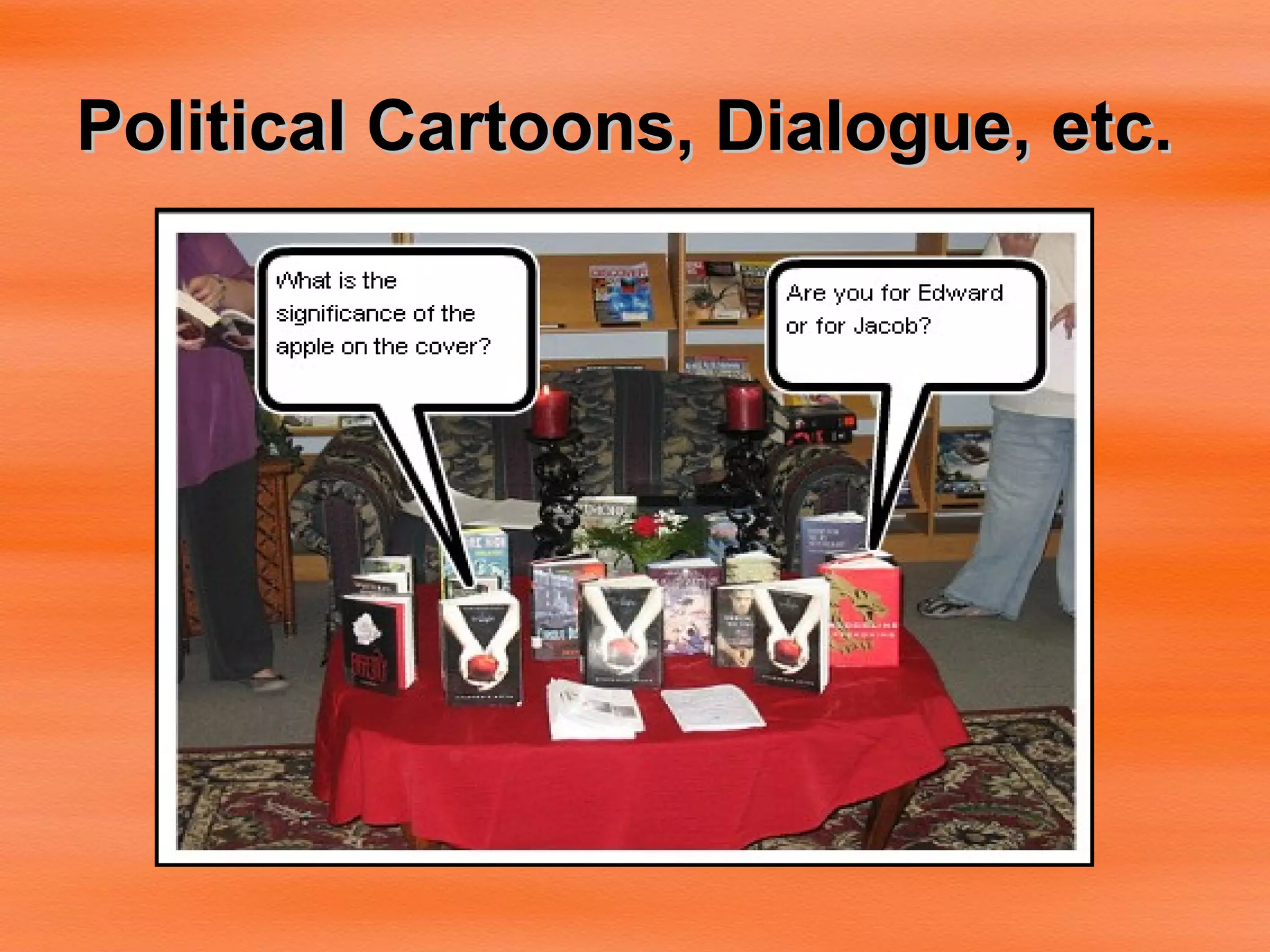
Upload Photos, Add Speech/Thought Bubbles
 
Political Cartoons, Dialogue, etc.
Writing Dialogue:  “Engaged in Learning”
SlideFlickr.com http:// slideflickr.com /
Annotated Images on Flickr Click “ Add Note ” button Use mouse to move and resize “ hot spot ” area Write the text http://flickr.com/photos/cogdog/269039506/
Moo Cards http:// www.moo.com/flickr /
FLICKR TOOLBOX: 100+ Tools for Flickr Addicts http://mashable.com/2007/08/04/flickr-toolbox/
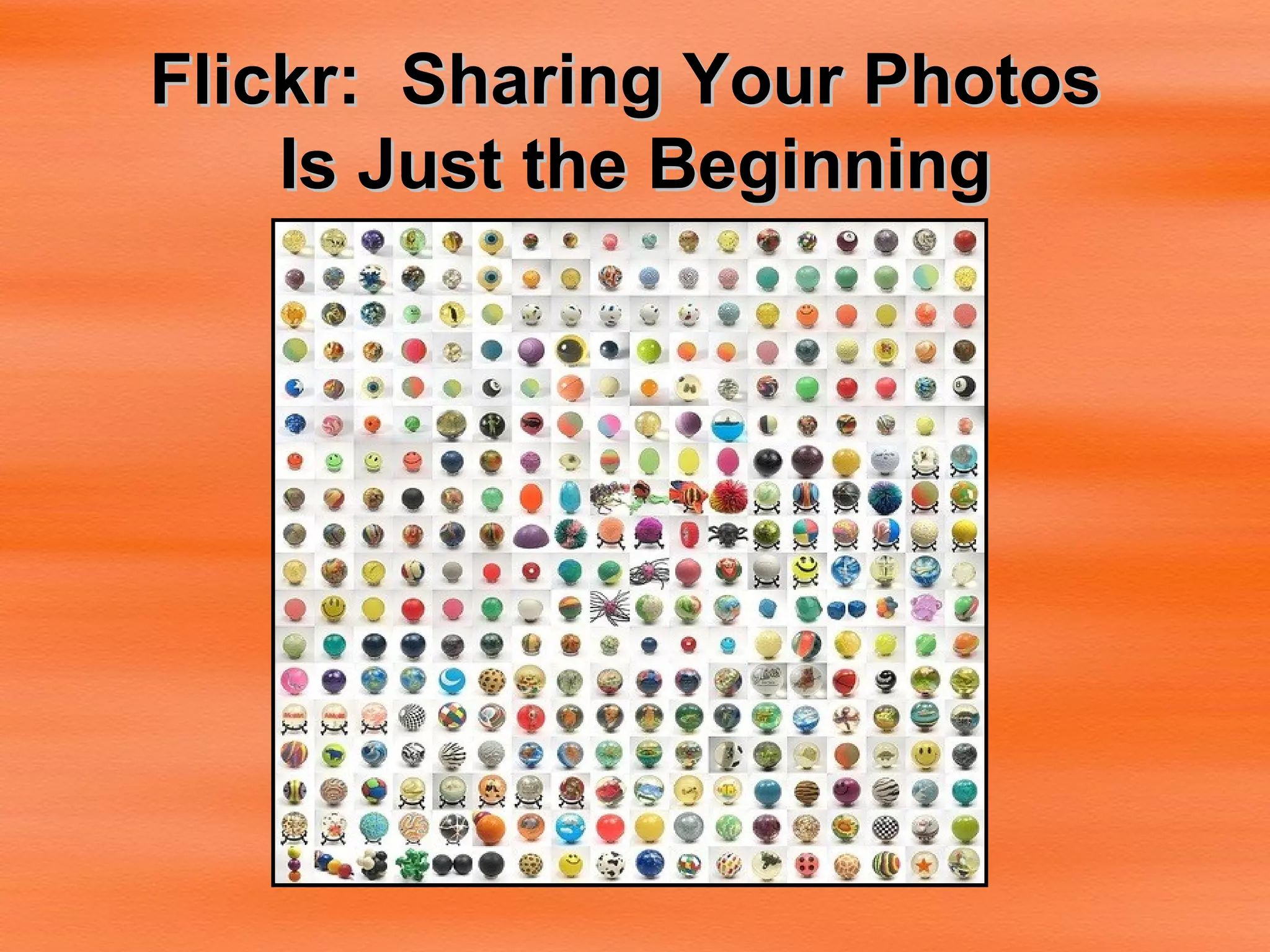
Flickr:  Sharing Your Photos  Is Just the Beginning

My Friend, Flickr

  • 1.
    Jan McGee, LMSWest Monroe High School 201 Riggs Street West Monroe, LA 71291 [email_address] Ouachita Parish School System
  • 2.
    Flickr: It’s Where You Share Your Photos. . . . . And that’s just the beginning!
  • 3.
    Flickr is-- Afree, online photo management and sharing application A photo organizer A web 2.0 tool
  • 4.
    Uploading to FlickrThere are 5 ways to upload your photos to Flickr Via upload webpage via the Flickr Uploadr (available for both PC and Mac) via iPhoto, Aperture, or Windows XP plugins via email via various free third-party desktop programs Once you upload, you can do many things with your photos.
  • 5.
    Organize: Sets Sets--a grouping of photos that you can organize around a certain theme, such as Our Family Vacation . You can use them to highlight your favorite photos, or make an album that is only pictures of your dog, or of photos you've taken with a particular camera.
  • 6.
    Organize: CollectionsCollections are a grouping of Sets (or other Collections) so you can organize around grander themes, such as People , Travels , or by year ( 2007 , 2006 , etc).
  • 7.
    Flickr: OrganizerThe Organizr is where both Collections and Sets are created. It also allows you to perform common tasks on large batches of photos, such as tagging, changing permissions, or editing timestamps. It’s really rather handy.
  • 8.
    Flickr: SharingWith millions of users, and hundreds of millions of photos, Flickr is an amazing photographic community, with sharing at its heart.
  • 9.
    Groups area way for people to come together around a common interest. If you can’t find a group which interests you , it’s super-easy to start your own. Groups can either be public, public (invite only), or completely private. Every group has a pool for sharing photos and a discussion board for talking. Flickr Groups
  • 10.
    Privacy isa common area for concern on the web, but on Flickr it’s easy to control who you share your images with. For each of your photos on Flickr you can set: privacy level , which determines who can see your image usage license , so your copyrights are protected content type , flag your photos as either photos, artwork/illustrations, or screenshots safety level , so other members only see images within their specified comfort zones Privacy
  • 11.
    Change Privacy SettingsYou can control how people can interact with your photos in Flickr. You can choose who can see it Who can make comments Who can add notes Who can add tags Dratted # * # !! ##%** Homework!
  • 12.
    Maps Flickr's greatfor exploring photos by photographer, tag, time, text, and group, and it's also great for exploring photos by place. Drag-and-drop your photos onto a map (using the Organizr) to show where you took them, or browse a world map to see where other people have been and what they saw.
  • 13.
    To Create aFlickr Account: Flickr is a part of Yahoo. To sign up for Flickr, you must first have a Yahoo account. Go to http://www/yahoo.com and sign up for a Yahoo account.
  • 14.
  • 15.
  • 16.
  • 17.
  • 18.
    Flickr Account isready to go! http:// www.flickr.com
  • 19.
  • 20.
  • 21.
  • 22.
  • 23.
    Add Tags inOne Step
  • 24.
  • 25.
  • 26.
  • 27.
    Setting up yourFlickr URL Step 1 of 4: Your Flickr URL
  • 28.
  • 29.
  • 30.
  • 31.
  • 32.
  • 33.
    Make Stuff withFlickr Tools
  • 34.
    Big Huge LabsHome of FD’s Flickr Toys http://bighugelabs.com/flickr/ Free Account!
  • 35.
    Big Huge LabFavorites Magazine Cover Trading Card Motivational Posters Movie Posters CD Covers Warholizer Calendar Flickr Uploader
  • 36.
    Magazine Cover :Create a customized magazine from your digital photographs Flickr Photo-bucket URL Digital Camera Upload
  • 37.
    Customized Magazine CoverWriting Assignments Student autobiography “How I Spent My Summer Vacation” Report Covers
  • 38.
    BigHugeLabs: Magazine CoverUse as report cover Highlight topics covered within report Allow cover become a part of presentation Use in Social Studies Fair projects Ban those meaning-less printouts!
  • 39.
    BigHugeLabs: TradingCard Create author card sets for lang. arts Create card sets for social studies Create biology trading cards sets for diseases, etc. http:// www.flickr.com/photos/mc_reader /
  • 40.
  • 41.
    Spell with Flickrhttp:// metaatem.net /words
  • 42.
    Spell with FlickrClick individual letters on top row to change to new shape/style May change tile size from regular to square
  • 43.
    BUBBLR http://www.pimpampum.net/bubblr /
  • 44.
    Upload Photos, AddSpeech/Thought Bubbles
  • 45.
  • 46.
  • 47.
    Writing Dialogue: “Engaged in Learning”
  • 48.
  • 49.
    Annotated Images onFlickr Click “ Add Note ” button Use mouse to move and resize “ hot spot ” area Write the text http://flickr.com/photos/cogdog/269039506/
  • 50.
    Moo Cards http://www.moo.com/flickr /
  • 51.
    FLICKR TOOLBOX: 100+Tools for Flickr Addicts http://mashable.com/2007/08/04/flickr-toolbox/
  • 52.
    Flickr: SharingYour Photos Is Just the Beginning