EMPOWERMENT TECHNOLOGIES
QUARTER ONE │ LESSON TWO │ APPLIED SUBJECT
LESSON OBJECTIVES:
At the end of the lesson, the students
should be able to:
1. Consider ones and other’s safety
when sharing information using
the internet.
2. Consider ones and other’s
reputation when using the
internet.
3. Determine and avoid the
dangers of the internet.
4. Be responsible in the use of
social networking sites.
5. Browse the Internet efficiently
and properly through proper
PRE - TEST
Write YES if you agree the statement and NO if you
disagree.
1. My computer has an antivirus so it is okay to open most email
attachments like e-cards and video files.
2. Your friend told you that his college application was rejected due
to the fact that you posted a video of him doing crazy stuff at a
party. You posted the video several years ago but later took it
down to protect your friend’s reputation. Can your friend be right
that the college found the video?
3. You and your best friend play a lot of video games. One time,
she asks you for your password so she can help you level up and
get in game money. She promises to keep your password a
secret. Is it okay to give away your password?
4. You received an email stating that your mother’s bank account is
going to be forfeited if you do not respond to the email. Is it safe
to reply?
5. You forgot that essay for English class is due tomorrow. While
doing your research, you found a website offering free essays. Is
PRE - TEST
Write YES if you agree the statement and NO if you
disagree.
6. A virus is a malware that multiplies and
infects other computers through flash
drives.
7. Key loggers are software that shows
pop-ups ads even if you are not using
your browser.
8. Search engines scan websites for search
results even if you have set your post to
“private.”
9. There is a danger in posting information
about a future vacation.
10. Letting people know your birthday is
probably a must if you want to get as
EMPOWERMENT TECHNOLOGIES
QUARTER ONE │ LESSON TWO │ APPLIED SUBJECT
CONTENT COVERAGE
• Online Security
• Internet Threats
• Protecting Reputations
Online
• Copyright
• Contextualized online
search and research
skill
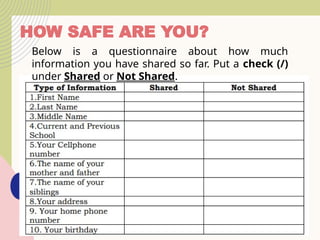
HOW SAFE ARE YOU?
Below is a questionnaire about how much
information you have shared so far. Put a check (/)
under Shared or Not Shared.
Online Safety and Security
•The Internet, truly, is a powerful tool. It can be used
to promote your business, gain new friends, and
stay in touch with the old ones. It is also a source of
entertainment through games, online communities,
and everything in between.
•But like most things in this world, there is always
the "other side of the coin." The Internet is one of
the most dangerous places, especially if you do not
know what you are doing with it.
•But there is no need to worry; it is never that late.
Hopefully, by the end of this lesson, you are able to
consider how you go about your use of the Internet.
Let us go back to the "How Safe Are You?" test. Let us visit each
item and see how risky it is to share them.
• First name
There is a risk in sharing your first name. Chances
are, a hacker may already know plenty of stuff about
you even if you only give out your first name.
Likewise, you cannot just walk in a room and start
introducing yourself to everyone. You do not know
whom you can come across with.
• Last name
If sharing your first name is a small risk, having both
your first and last is riskier. You will be vulnerable to
being searched for using search engines, which
include image search. Matching a name with a face is
a modus to several cybercrimes like identity theft.
•Middle name
Sharing your middle name alone is probably not the
riskiest of these shared information, but sharing
your full name would be.
•Current and previous school(s)
Most people who steal identities study their
subject. They can use this information for
verification purposes.
•Your cellphone number
Your cellphone number should never be posted
over the Internet. The Internet is a public place. It is
the same as posting your number on a billboard. You
would not want random strangers to text or call you,
or worse, pretend that they are someone else.
•The name of your mother and father
Risky; yet not as risky as posting their full names,
especially your mother's maiden name. In fact,
you may have already encountered many
websites that require your mother's maiden
name as an answer to a secret question
whenever you lose your password.
•The name of your siblings
Disclosing this is a huge risk. Strangers may
pretend or use their identity to dupe you.
•Your address
Hopefully, you answered "no" to this one. Giving
the Internet your number is one thing; giving
them your address is a whole other level. It would
be much easier for criminals to find you.
•Your home phone number
This shared information is riskier
than sharing your personal phone
number. Scams usually use this
information to deceive you, one of
which is when a stranger pretends to
know your parents or pretends to be
you.
•Your birthday
Letting people know your birthday is
probably a must if you want tö get as
many gifts as possible. But having it in
your profile makes you vulnerable to
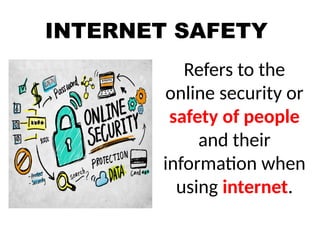
INTERNET SAFETY
Refers to the
online security or
safety of people
and their
information when
using internet.
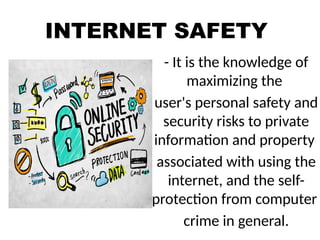
INTERNET SAFETY
- It is the knowledge of
maximizing the
user's personal safety and
security risks to private
information and property
associated with using the
internet, and the self-
protection from computer
crime in general.
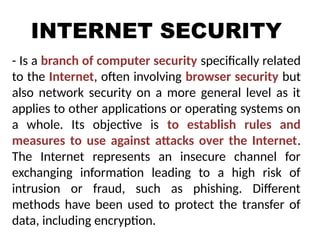
INTERNET SECURITY
- Is a branch of computer security specifically related
to the Internet, often involving browser security but
also network security on a more general level as it
applies to other applications or operating systems on
a whole. Its objective is to establish rules and
measures to use against attacks over the Internet.
The Internet represents an insecure channel for
exchanging information leading to a high risk of
intrusion or fraud, such as phishing. Different
methods have been used to protect the transfer of
data, including encryption.
ONLINE ETHICS
- refers to patterns of behavior used when on the
Internet, guided both by law and personal
philosophy.
- Major concerns in the field of online ethics include
the protection of private information, the limits
of a presumed freedom of expression, and issues
of libel.
- Understanding legal ramifications and trusting
personal philosophy used in other areas of life can
help a person determine his or her online ethics.
INTERNET ETIQUETTE
- is online communication that makes everyone
comfortable.
- The internet is a group of computers that are
connected, etiquette is a social code. That is the
technical definition of the words. Combing the
words into a term enables it to become a
philosophy or part of one.
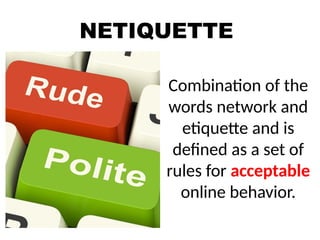
NETIQUETTE
Combination of the
words network and
etiquette and is
defined as a set of
rules for acceptable
online behavior.
TEN RULES OF NETIQUETTE
Rule no. 1: Remember the human
Rule no. 2: Adhere to the same standards
online that you follow in real life.
Rule no. 3: Know where you are in
cyberspace.
Rule no. 4: Respect other
people’s time and bandwidth.
Rule no. 5: Make yourself look
good online.
TEN RULES OF NETIQUETTE
Rule no. 6: Share expert knowledge
Rule no. 7: Help keep flame wars under
control
Rule no. 8: Respect other people’s privacy.
Rule no. 9: Don’t abuse your power
Rule no. 10: Be forgiving of
other people’s mistake.
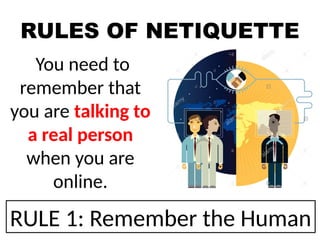
RULES OF NETIQUETTE
You need to
remember that
you are talking to
a real person
when you are
online.
RULE 1: Remember the Human
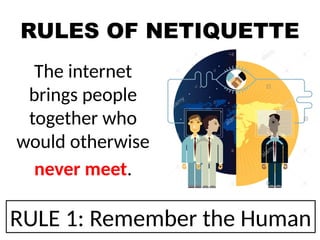
RULES OF NETIQUETTE
The internet
brings people
together who
would otherwise
never meet.
RULE 1: Remember the Human
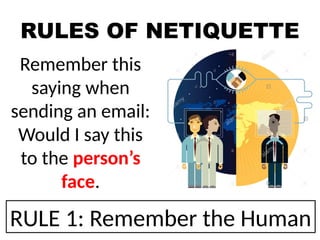
RULES OF NETIQUETTE
Remember this
saying when
sending an email:
Would I say this
to the person’s
face.
RULE 1: Remember the Human
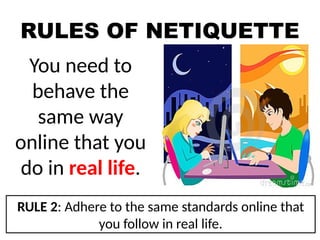
RULES OF NETIQUETTE
You need to
behave the
same way
online that you
do in real life.
RULE 2: Adhere to the same standards online that
you follow in real life.
RULES OF NETIQUETTE
You need to
remember that you
can get caught doing
things you should not
be doing online just
like you can in real
life.
RULE 2: Adhere to the same standards online that
you follow in real life.
RULES OF NETIQUETTE
You are still
talking to a real
person with
feelings even
though you can’t
see them.
RULE 2: Adhere to the same standards online that
you follow in real life.
RULES OF NETIQUETTE
Always take a
look around
when you enter a
new domain
when surfing the
web.
RULE 3: Know where you are in cyberspace.
RULES OF NETIQUETTE
Get a sense of
what the
discussion group
is about before
you join it.
RULE 3: Know where you are in cyberspace.
RULES OF NETIQUETTE
Remember people
have other things
to do besides read
your email. You are
not the center of
their world.
RULE 4: Respect other people’s time and
bandwidth.
RULES OF NETIQUETTE
Keep your post
and emails to
minimum by
saying what you
want to say.
RULE 4: Respect other people’s time and
bandwidth.
RULES OF NETIQUETTE
Remember
everyone won’t
answer your
questions.
RULE 4: Respect other people’s time and
bandwidth.
RULES OF NETIQUETTE
Be polite
and pleasant
to everyone.
RULE 5: Make yourself look good online.
RULES OF NETIQUETTE
Always check
your spelling
and grammar
before posting.
RULE 5: Make yourself look good online.
RULES OF NETIQUETTE
Know what you
are talking
about and make
sense saying it.
RULE 5: Make yourself look good online.
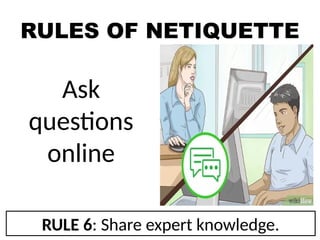
RULES OF NETIQUETTE
Ask
questions
online
RULE 6: Share expert knowledge.
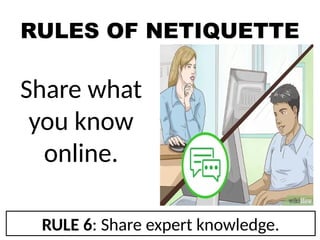
RULES OF NETIQUETTE
Share what
you know
online.
RULE 6: Share expert knowledge.
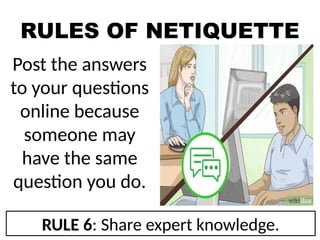
RULES OF NETIQUETTE
Post the answers
to your questions
online because
someone may
have the same
question you do.
RULE 6: Share expert knowledge.
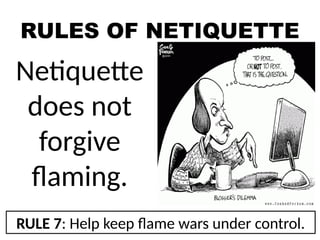
RULES OF NETIQUETTE
Netiquette
does not
forgive
flaming.
RULE 7: Help keep flame wars under control.
RULES OF NETIQUETTE
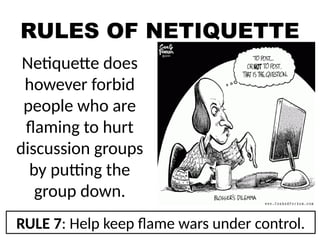
Netiquette does
however forbid
people who are
flaming to hurt
discussion groups
by putting the
group down.
RULE 7: Help keep flame wars under control.
RULES OF NETIQUETTE
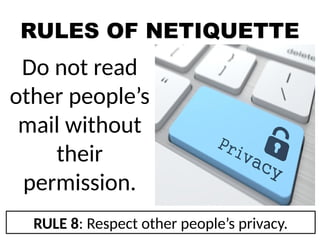
Do not read
other people’s
mail without
their
permission.
RULE 8: Respect other people’s privacy.
RULES OF NETIQUETTE
Going through
other people’s
things could cost
you, your job or
you could even
go to jail.
RULE 8: Respect other people’s privacy.
RULES OF NETIQUETTE
Not respecting
other people’s
privacy is a bad
netiquette.
RULE 8: Respect other people’s privacy.
RULES OF NETIQUETTE
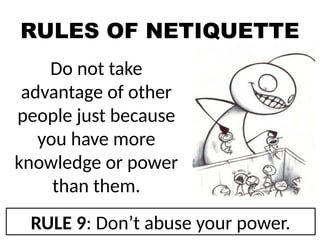
Do not take
advantage of other
people just because
you have more
knowledge or power
than them.
RULE 9: Don’t abuse your power.
RULES OF NETIQUETTE
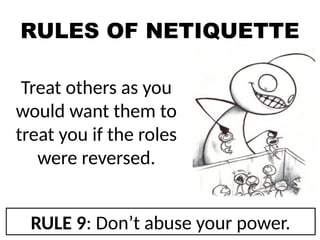
Treat others as you
would want them to
treat you if the roles
were reversed.
RULE 9: Don’t abuse your power.
RULES OF NETIQUETTE
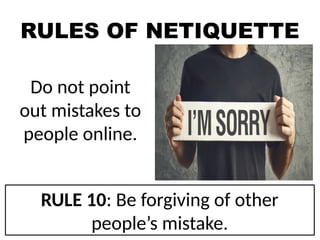
Do not point
out mistakes to
people online.
RULE 10: Be forgiving of other
people’s mistake.
RULES OF NETIQUETTE
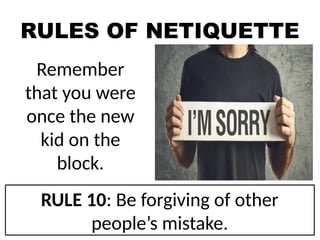
Remember
that you were
once the new
kid on the
block.
RULE 10: Be forgiving of other
people’s mistake.
RULES OF NETIQUETTE
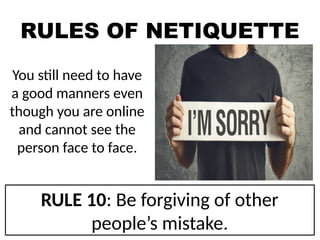
You still need to have
a good manners even
though you are online
and cannot see the
person face to face.
RULE 10: Be forgiving of other
people’s mistake.
PRIVACY AND
SECURITY ON
THE INTERNET
5 Tips to Stay Safe
PRIVACY AND SECURITY ON THE
INTERNET: 5 TIPS TO STAY SAFE
TIP #1: BE AWARE
The best tool to avoid spyware and stay safe on
the Internet is your own brain. Free software
with no potential upgrades or strings attached,
websites that are covered in flashy ads, and
free Wi-Fi in an unexpected place are all signs
that something may be wrong, and ignoring
that intuition can get you in trouble. By staying
aware of what you are doing, and thinking
about your security while you live your online
life, you stand a better chance of avoiding
potentially dangerous situations.
PRIVACY AND SECURITY ON THE
INTERNET: 5 TIPS TO STAY SAFE
TIP #2: CHECK FOR WEBSITE SAFETY
The Internet can be dangerous because so
many websites require your personal
information to either log in to your account
or to complete a transaction. Hackers,
thieves and spyware programmers realize
this and often try to intercept your
information during these transactions, so
make sure you are always dealing with
secure websites and companies.
PRIVACY AND SECURITY ON THE
INTERNET: 5 TIPS TO STAY SAFE
TIP #2: CHECK FOR WEBSITE SAFETY
First, only provide your information to
reputable businesses, then ensure that the
company's website uses a Web address that
starts with "https" and has a padlock
symbol either in the address bar or at the
bottom of the browser. This means that the
site encrypts your information, making the
data nearly useless to any thieves or
hackers who may intercept the
transmission.
PRIVACY AND SECURITY ON THE
INTERNET: 5 TIPS TO STAY SAFE
TIP #3: CHOOSE STRONG AND VARIED PASSWORD
For most people, a password is the strongest
protection to ward off hackers and thieves, and
yet so many choose passwords that are barely
worth the time it takes to enter them. When
creating a password, always use a mix of
letters and numbers, and include a symbol if
the website allows it. While more difficult to
remember, this will make your password
almost impossible to guess.
PRIVACY AND SECURITY ON THE
INTERNET: 5 TIPS TO STAY SAFE
TIP #3: CHOOSE STRONG AND VARIED PASSWORD
More importantly, you have to use different
passwords for different websites. Think about
how often you use the same username and
password for many online accounts. Hackers
specifically target low-security sites to gain
access to large lists of usernames and
corresponding passwords, knowing that many
people use the same combination of
credentials for things like online banking.
PRIVACY AND SECURITY ON THE
INTERNET: 5 TIPS TO STAY SAFE
TIP #4: WHAT IS SPYWARE? HOW DO I STOP IT?
Spyware probably poses the biggest threat to
privacy and security on the Internet, yet so few
people really know what it is or how it works.
Put simply, spyware is any piece of software
that records your actions or
information without your knowledge. Some
spyware is fairly benign, tracking browsing
history and keeping the data, it receives
anonymous, while other spyware is specifically
designed to get your online banking
credentials so, thieves can clean out your
PRIVACY AND SECURITY ON THE
INTERNET: 5 TIPS TO STAY SAFE
TIP #4: WHAT IS SPYWARE? HOW DO I STOP IT?
Spyware probably poses the biggest threat to privacy and
security on the Internet, yet so few people really know
what it is or how it works. Put simply, spyware is any piece
of software that records your actions or information
without your knowledge. Some spyware is fairly benign,
tracking browsing history and keeping the data, it receives
anonymous, while other spyware is specifically designed
to get your online banking credentials so, thieves can
clean out your accounts.
Because it's almost impossible to avoid spyware on your
own, having anti-spyware and antivirus programs
running on your computer is a must.
PRIVACY AND SECURITY ON THE
INTERNET: 5 TIPS TO STAY SAFE
TIP #5: IT'S NOT ALL ABOUT SPYWARE AND SCAMS
With all this talk about spyware, hackers and Internet
security, it's
important to remember that most people with privacy
issues on the Internet put themselves in that position.
Think about social networking sites and just how much
personal information you have posted there. If someone
were trying to steal your identity and needed your father's
middle name or where you went to elementary school —
two commonly used security questions —you need to
think about how a thief could locate those facts. If you're
concerned about Internet privacy, you have to consider
staying away from social networking sites, minimizing the
INTERNET THREATS
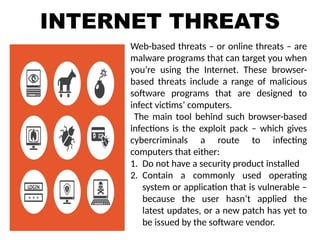
Web-based threats – or online threats – are
malware programs that can target you when
you’re using the Internet. These browser-
based threats include a range of malicious
software programs that are designed to
infect victims’ computers.
The main tool behind such browser-based
infections is the exploit pack – which gives
cybercriminals a route to infecting
computers that either:
1. Do not have a security product installed
2. Contain a commonly used operating
system or application that is vulnerable –
because the user hasn’t applied the
latest updates, or a new patch has yet to
be issued by the software vendor.
APPLICATIONS
AND OS THAT
ARE TARGETED
BY ONLINE
THREATS
APPLICATIONS AND OS THAT ARE
TARGETED BY ONLINE THREATS
JAVA
Because Java is installed on over 3
billion devices – that are running under
various operating systems – exploits
can be created to target specific Java
vulnerabilities on several different
platforms / OSs.
ADOBE
READER
Although Adobe Reader has been
targeted by many attacks, Adobe has
implemented tools to protect the
program against exploit activity –so
that it’s getting harder to create
effective exploits for the application.
However, Adobe Reader was still a
APPLICATIONS AND OS THAT ARE
TARGETED BY ONLINE THREATS
WINDOWS &
INTERNET
EXPLORER
Active exploits still target vulnerabilities
that were detected as far back as 2010
– including MS10-042 in Windows Help
and Support Center, and MS04-028
which is associated with incorrect
handling of JPEG
files.
ANDROID
Cybercriminals use exploits to gain
root privileges. Then, they can achieve
almost complete control over the
targeted device.
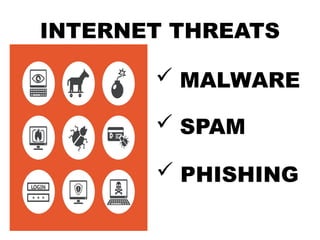
INTERNET THREATS
 MALWARE
 SPAM
 PHISHING
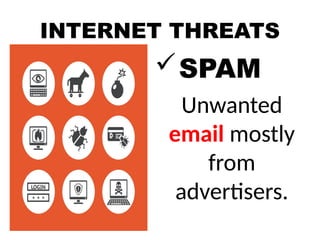
INTERNET THREATS
SPAM
Unwanted
email mostly
from
advertisers.
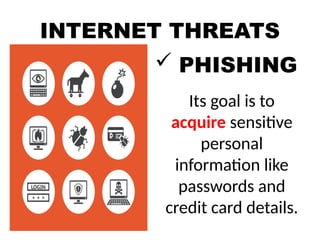
INTERNET THREATS
 PHISHING
Its goal is to
acquire sensitive
personal
information like
passwords and
credit card details.
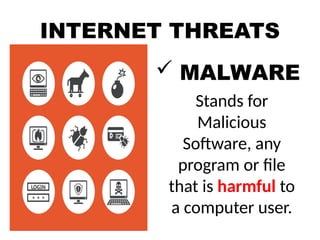
INTERNET THREATS
 MALWARE
Stands for
Malicious
Software, any
program or file
that is harmful to
a computer user.
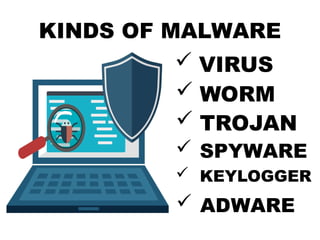
KINDS OF MALWARE
 VIRUS
 WORM
 TROJAN
 SPYWARE
 KEYLOGGER
 ADWARE
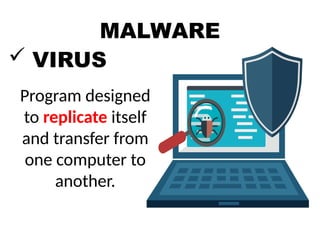
MALWARE
 VIRUS
Program designed
to replicate itself
and transfer from
one computer to
another.
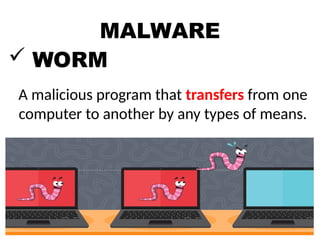
MALWARE
 WORM
A malicious program that transfers from one
computer to another by any types of means.
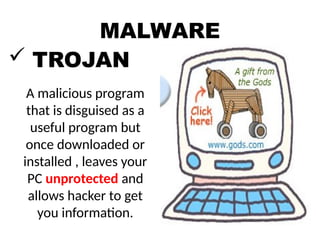
MALWARE
 TROJAN
A malicious program
that is disguised as a
useful program but
once downloaded or
installed , leaves your
PC unprotected and
allows hacker to get
you information.
MALWARE
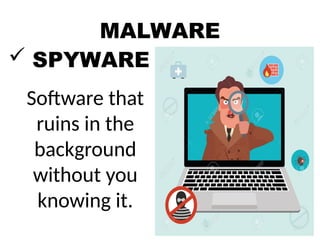
 SPYWARE
Software that
ruins in the
background
without you
knowing it.
MALWARE
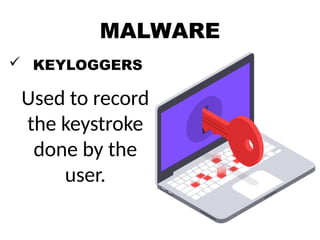
 KEYLOGGERS
Used to record
the keystroke
done by the
user.
MALWARE
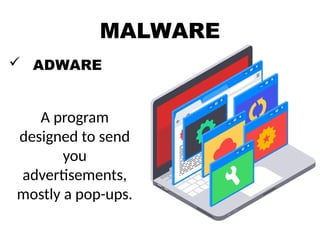
 ADWARE
A program
designed to send
you
advertisements,
mostly a pop-ups.
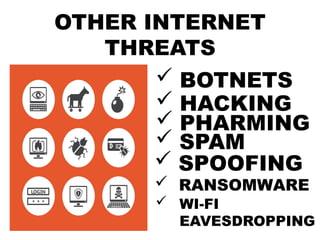
OTHER INTERNET
THREATS
 BOTNETS
 HACKING
 PHARMING
 RANSOMWARE
 SPAM
 SPOOFING
 WI-FI
EAVESDROPPING
Tips to Stay Safe Online
Be mindful of what you share online and what
site you share it to.
Do not just accept terms and conditions; read
it.
Check out the privacy policy page of a
website to learn how the website handles the
information you share.
Know the security features of the social
networking site you use. By keeping your
profile private, search engines will not be able
to scan your profile.
Do not share your password with anyone.
Avoid logging in to public networks/Wi-Fi. Browsing
in "incognito (or private) mode," a feature of the
browser, will not protect you from hackers.
Do not talk to strangers whether online or face-to-
face.
Never post anything about a future vacation. It is
similar to posting, "Rob my house at this date."
Add friends you know in real life.
Avoid visiting untrusted websites.
Install and update an antivirus software on your
computer. Use only one anti-virus software to avoid
conflicts.
Tips to Stay Safe Online
If you have a Wi-Fi at home, make it a
private network by adding a password.
Avoid downloading anything from
untrusted websites. You are most
vulnerable in peer-to-peer downloads
(torrents) as the download is most likely
not monitored by the site owner.
Buy the software; do not use pirated
ones.
Do not reply or click links from suspicious
emails.
Tips to Stay Safe Online
Protecting Information Online
In the past, doing something embarrassing was not
much of a big deal. It happened; people would laugh
at it, and they would move on.
Nowadays, embarrassing moments are captured
using any device you could imagine.
What is worse is that people can easily upload it to
the Internet, where it can be stored forever.
This could impact not only your reputation but also
the people around you.
What is worse is that people tend to ignore this fact,
and suffer from it later in their life.
Once you post something over the
Internet, search engines keep them in
their archives for search results.
This makes anything you post to last
forever even if you delete it in your
page.
Something you and your friends find
funny today may be something that
could harm someone's reputation later.
Protecting Information Online
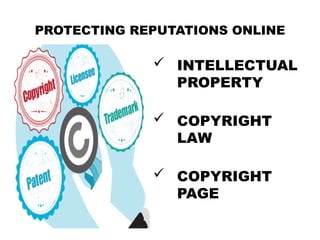
PROTECTING REPUTATIONS ONLINE
 INTELLECTUAL
PROPERTY
 COPYRIGHT
LAW
 COPYRIGHT
PAGE
PROTECTING REPUTATIONS ONLINE
 INTELLECTUAL
PROPERTY
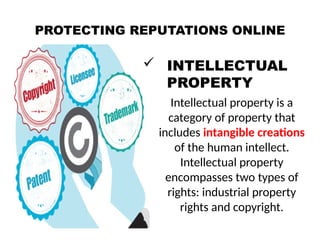
Intellectual property is a
category of property that
includes intangible creations
of the human intellect.
Intellectual property
encompasses two types of
rights: industrial property
rights and copyright.
PROTECTING REPUTATIONS ONLINE
 COPYRIGHT
LAW
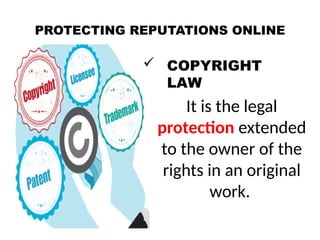
It is the legal
protection extended
to the owner of the
rights in an original
work.
PROTECTING REPUTATIONS ONLINE
 COPYRIGHT
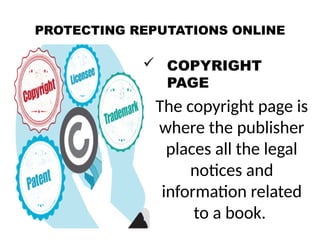
PAGE
The copyright page is
where the publisher
places all the legal
notices and
information related
to a book.
Copyright Infringement
If you create something—an idea, an
invention, a form of literary work, or a
research, you have the right as to how it
should be used by others. This is called
intellectual property.
As a responsible user of the Internet,
you have to consider that not
everything out there is free for you to
use. Just like your own, contents that
you see from websites have their
respective copyrights.
TO AVOID COPYRIGHT INFRINGEMENT
UNDERSTAND
Copyright protect
literary works,
photographs
paintings, drawing,
films, music
choreography and
sculptures.
TO AVOID COPYRIGHT INFRINGEMENT
 BE RESPONSIBLE
Even if a material does not say
that it is copyrighted, it is not a
valid defense against copyright.
TO AVOID COPYRIGHT INFRINGEMENT
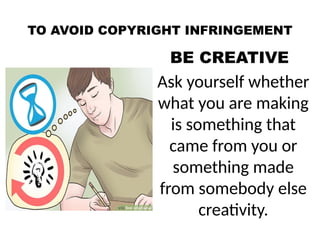
BE CREATIVE
Ask yourself whether
what you are making
is something that
came from you or
something made
from somebody else
creativity.
TO AVOID COPYRIGHT INFRINGEMENT
KNOW THE LAW
There are some
limitations to
copyright laws.
4. KNOW THE LAW. For instance, in the
Philippines, copyrights only last a lifetime (of
the author) plus 50 years.
There are also provisions for "fair use" which
mean that an intellectual property may be
used without a consent as long as it is used in
commentaries, criticisms, search engines,
parodies, news reports, research, library
archiving, teaching, and education.
If you have doubts that what you are doing
does not fall under the policy of fair use, seek
permission first.
ONLINE RESEARCH
Have a question in mind- Focus on a
question you want answered.
Narrow it down- Search engines like
Google, Bing, or Yahoo use several filters to
determine the most appropriate result for
you.
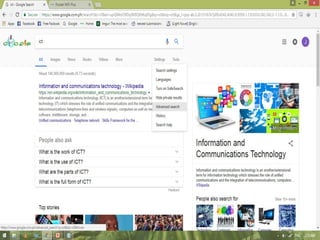
Advanced Search- The best way to filter
information you get from search engines is
by using the advanced search.
ONLINE RESEARCH
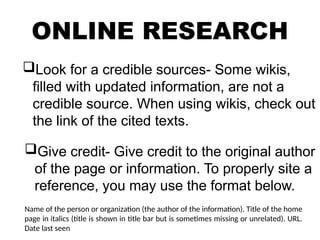
Look for a credible sources- Some wikis,
filled with updated information, are not a
credible source. When using wikis, check out
the link of the cited texts.
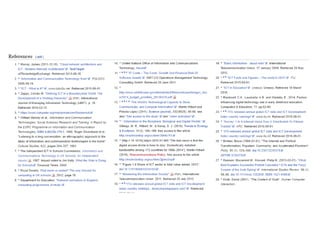
Give credit- Give credit to the original author
of the page or information. To properly site a
reference, you may use the format below.
Name of the person or organization (the author of the information). Title of the home
page in italics (title is shown in title bar but is sometimes missing or unrelated). URL.
Date last seen
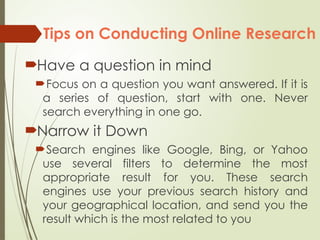
Tips on Conducting Online Research
Have a question in mind
Focus on a question you want answered. If it is
a series of question, start with one. Never
search everything in one go.
Narrow it Down
Search engines like Google, Bing, or Yahoo
use several filters to determine the most
appropriate result for you. These search
engines use your previous search history and
your geographical location, and send you the
result which is the most related to you
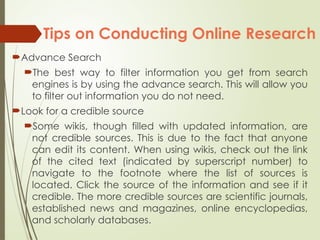
Advance Search
The best way to filter information you get from search
engines is by using the advance search. This will allow you
to filter out information you do not need.
Look for a credible source
Some wikis, though filled with updated information, are
not credible sources. This is due to the fact that anyone
can edit its content. When using wikis, check out the link
of the cited text (indicated by superscript number) to
navigate to the footnote where the list of sources is
located. Click the source of the information and see if it
credible. The more credible sources are scientific journals,
established news and magazines, online encyclopedias,
and scholarly databases.
Tips on Conducting Online Research
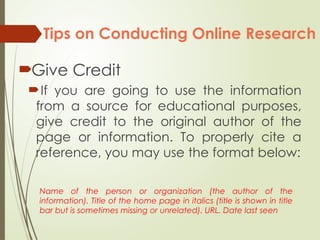
Give Credit
If you are going to use the information
from a source for educational purposes,
give credit to the original author of the
page or information. To properly cite a
reference, you may use the format below:
Name of the person or organization (the author of the
information). Title of the home page in italics (title is shown in title
bar but is sometimes missing or unrelated). URL. Date last seen
Tips on Conducting Online Research
POST - TEST
Write YES if you agree the statement and NO if you disagree.
1. My computer has an antivirus so it is okay to open most email attachments
like e-cards and video files.
2. Your friend told you that his college application was rejected due to the
fact that you posted a video of him doing crazy stuff at a party. You posted
the video several years ago but later took it down to protect your friend’s
reputation. Can your friend be right that the college found the video?
3. You and your best friend play a lot of video games. One time, she asks you
for your password so she can help you level up and get in game money. She
promises to keep your password a secret. Is it okay to give away your
password?
4. You received an email stating that your mother’s bank account is going to
be forfeited if you do not respond to the email. Is it safe to reply?
5. You forgot that essay for English class is due tomorrow. While doing your
research, you found a website offering free essays. Is it okay to use the
essays from this free essay website?
POST - TEST
Write YES if you agree the statement and NO if you disagree.
6. A virus is a malware that multiplies and infects
other computers through flash drives.
7. Key loggers are software that shows pop-ups
ads even if you are not using your browser.
8. Search engines scan websites for search results
even if you have set your post to “private.”
9. There is a danger in posting information about
a future vacation.
10. Letting people know your birthday is probably
a must if you want to get as many gifts as
possible. But having it in your profile makes
you vulnerable to identity theft.
EMPOWERMENT TECHNOLOGIES
QUARTER ONE │ LESSON TWO │ APPLIED SUBJECT

LESSON 2 - NETIQUETTE.pptx EMPOWERMENT TECHNOLOGY

  • 1.
    EMPOWERMENT TECHNOLOGIES QUARTER ONE│ LESSON TWO │ APPLIED SUBJECT
  • 2.
    LESSON OBJECTIVES: At theend of the lesson, the students should be able to: 1. Consider ones and other’s safety when sharing information using the internet. 2. Consider ones and other’s reputation when using the internet. 3. Determine and avoid the dangers of the internet. 4. Be responsible in the use of social networking sites. 5. Browse the Internet efficiently and properly through proper
  • 3.
    PRE - TEST WriteYES if you agree the statement and NO if you disagree. 1. My computer has an antivirus so it is okay to open most email attachments like e-cards and video files. 2. Your friend told you that his college application was rejected due to the fact that you posted a video of him doing crazy stuff at a party. You posted the video several years ago but later took it down to protect your friend’s reputation. Can your friend be right that the college found the video? 3. You and your best friend play a lot of video games. One time, she asks you for your password so she can help you level up and get in game money. She promises to keep your password a secret. Is it okay to give away your password? 4. You received an email stating that your mother’s bank account is going to be forfeited if you do not respond to the email. Is it safe to reply? 5. You forgot that essay for English class is due tomorrow. While doing your research, you found a website offering free essays. Is
  • 4.
    PRE - TEST WriteYES if you agree the statement and NO if you disagree. 6. A virus is a malware that multiplies and infects other computers through flash drives. 7. Key loggers are software that shows pop-ups ads even if you are not using your browser. 8. Search engines scan websites for search results even if you have set your post to “private.” 9. There is a danger in posting information about a future vacation. 10. Letting people know your birthday is probably a must if you want to get as
  • 5.
    EMPOWERMENT TECHNOLOGIES QUARTER ONE│ LESSON TWO │ APPLIED SUBJECT
  • 6.
    CONTENT COVERAGE • OnlineSecurity • Internet Threats • Protecting Reputations Online • Copyright • Contextualized online search and research skill
  • 7.
    HOW SAFE AREYOU? Below is a questionnaire about how much information you have shared so far. Put a check (/) under Shared or Not Shared.
  • 8.
    Online Safety andSecurity •The Internet, truly, is a powerful tool. It can be used to promote your business, gain new friends, and stay in touch with the old ones. It is also a source of entertainment through games, online communities, and everything in between. •But like most things in this world, there is always the "other side of the coin." The Internet is one of the most dangerous places, especially if you do not know what you are doing with it. •But there is no need to worry; it is never that late. Hopefully, by the end of this lesson, you are able to consider how you go about your use of the Internet.
  • 9.
    Let us goback to the "How Safe Are You?" test. Let us visit each item and see how risky it is to share them. • First name There is a risk in sharing your first name. Chances are, a hacker may already know plenty of stuff about you even if you only give out your first name. Likewise, you cannot just walk in a room and start introducing yourself to everyone. You do not know whom you can come across with. • Last name If sharing your first name is a small risk, having both your first and last is riskier. You will be vulnerable to being searched for using search engines, which include image search. Matching a name with a face is a modus to several cybercrimes like identity theft.
  • 10.
    •Middle name Sharing yourmiddle name alone is probably not the riskiest of these shared information, but sharing your full name would be. •Current and previous school(s) Most people who steal identities study their subject. They can use this information for verification purposes. •Your cellphone number Your cellphone number should never be posted over the Internet. The Internet is a public place. It is the same as posting your number on a billboard. You would not want random strangers to text or call you, or worse, pretend that they are someone else.
  • 11.
    •The name ofyour mother and father Risky; yet not as risky as posting their full names, especially your mother's maiden name. In fact, you may have already encountered many websites that require your mother's maiden name as an answer to a secret question whenever you lose your password. •The name of your siblings Disclosing this is a huge risk. Strangers may pretend or use their identity to dupe you. •Your address Hopefully, you answered "no" to this one. Giving the Internet your number is one thing; giving them your address is a whole other level. It would be much easier for criminals to find you.
  • 12.
    •Your home phonenumber This shared information is riskier than sharing your personal phone number. Scams usually use this information to deceive you, one of which is when a stranger pretends to know your parents or pretends to be you. •Your birthday Letting people know your birthday is probably a must if you want tö get as many gifts as possible. But having it in your profile makes you vulnerable to
  • 13.
    INTERNET SAFETY Refers tothe online security or safety of people and their information when using internet.
  • 14.
    INTERNET SAFETY - Itis the knowledge of maximizing the user's personal safety and security risks to private information and property associated with using the internet, and the self- protection from computer crime in general.
  • 15.
    INTERNET SECURITY - Isa branch of computer security specifically related to the Internet, often involving browser security but also network security on a more general level as it applies to other applications or operating systems on a whole. Its objective is to establish rules and measures to use against attacks over the Internet. The Internet represents an insecure channel for exchanging information leading to a high risk of intrusion or fraud, such as phishing. Different methods have been used to protect the transfer of data, including encryption.
  • 16.
    ONLINE ETHICS - refersto patterns of behavior used when on the Internet, guided both by law and personal philosophy. - Major concerns in the field of online ethics include the protection of private information, the limits of a presumed freedom of expression, and issues of libel. - Understanding legal ramifications and trusting personal philosophy used in other areas of life can help a person determine his or her online ethics.
  • 17.
    INTERNET ETIQUETTE - isonline communication that makes everyone comfortable. - The internet is a group of computers that are connected, etiquette is a social code. That is the technical definition of the words. Combing the words into a term enables it to become a philosophy or part of one.
  • 18.
    NETIQUETTE Combination of the wordsnetwork and etiquette and is defined as a set of rules for acceptable online behavior.
  • 19.
    TEN RULES OFNETIQUETTE Rule no. 1: Remember the human Rule no. 2: Adhere to the same standards online that you follow in real life. Rule no. 3: Know where you are in cyberspace. Rule no. 4: Respect other people’s time and bandwidth. Rule no. 5: Make yourself look good online.
  • 20.
    TEN RULES OFNETIQUETTE Rule no. 6: Share expert knowledge Rule no. 7: Help keep flame wars under control Rule no. 8: Respect other people’s privacy. Rule no. 9: Don’t abuse your power Rule no. 10: Be forgiving of other people’s mistake.
  • 21.
    RULES OF NETIQUETTE Youneed to remember that you are talking to a real person when you are online. RULE 1: Remember the Human
  • 22.
    RULES OF NETIQUETTE Theinternet brings people together who would otherwise never meet. RULE 1: Remember the Human
  • 23.
    RULES OF NETIQUETTE Rememberthis saying when sending an email: Would I say this to the person’s face. RULE 1: Remember the Human
  • 24.
    RULES OF NETIQUETTE Youneed to behave the same way online that you do in real life. RULE 2: Adhere to the same standards online that you follow in real life.
  • 25.
    RULES OF NETIQUETTE Youneed to remember that you can get caught doing things you should not be doing online just like you can in real life. RULE 2: Adhere to the same standards online that you follow in real life.
  • 26.
    RULES OF NETIQUETTE Youare still talking to a real person with feelings even though you can’t see them. RULE 2: Adhere to the same standards online that you follow in real life.
  • 27.
    RULES OF NETIQUETTE Alwaystake a look around when you enter a new domain when surfing the web. RULE 3: Know where you are in cyberspace.
  • 28.
    RULES OF NETIQUETTE Geta sense of what the discussion group is about before you join it. RULE 3: Know where you are in cyberspace.
  • 29.
    RULES OF NETIQUETTE Rememberpeople have other things to do besides read your email. You are not the center of their world. RULE 4: Respect other people’s time and bandwidth.
  • 30.
    RULES OF NETIQUETTE Keepyour post and emails to minimum by saying what you want to say. RULE 4: Respect other people’s time and bandwidth.
  • 31.
    RULES OF NETIQUETTE Remember everyonewon’t answer your questions. RULE 4: Respect other people’s time and bandwidth.
  • 32.
    RULES OF NETIQUETTE Bepolite and pleasant to everyone. RULE 5: Make yourself look good online.
  • 33.
    RULES OF NETIQUETTE Alwayscheck your spelling and grammar before posting. RULE 5: Make yourself look good online.
  • 34.
    RULES OF NETIQUETTE Knowwhat you are talking about and make sense saying it. RULE 5: Make yourself look good online.
  • 35.
  • 36.
    RULES OF NETIQUETTE Sharewhat you know online. RULE 6: Share expert knowledge.
  • 37.
    RULES OF NETIQUETTE Postthe answers to your questions online because someone may have the same question you do. RULE 6: Share expert knowledge.
  • 38.
    RULES OF NETIQUETTE Netiquette doesnot forgive flaming. RULE 7: Help keep flame wars under control.
  • 39.
    RULES OF NETIQUETTE Netiquettedoes however forbid people who are flaming to hurt discussion groups by putting the group down. RULE 7: Help keep flame wars under control.
  • 40.
    RULES OF NETIQUETTE Donot read other people’s mail without their permission. RULE 8: Respect other people’s privacy.
  • 41.
    RULES OF NETIQUETTE Goingthrough other people’s things could cost you, your job or you could even go to jail. RULE 8: Respect other people’s privacy.
  • 42.
    RULES OF NETIQUETTE Notrespecting other people’s privacy is a bad netiquette. RULE 8: Respect other people’s privacy.
  • 43.
    RULES OF NETIQUETTE Donot take advantage of other people just because you have more knowledge or power than them. RULE 9: Don’t abuse your power.
  • 44.
    RULES OF NETIQUETTE Treatothers as you would want them to treat you if the roles were reversed. RULE 9: Don’t abuse your power.
  • 45.
    RULES OF NETIQUETTE Donot point out mistakes to people online. RULE 10: Be forgiving of other people’s mistake.
  • 46.
    RULES OF NETIQUETTE Remember thatyou were once the new kid on the block. RULE 10: Be forgiving of other people’s mistake.
  • 47.
    RULES OF NETIQUETTE Youstill need to have a good manners even though you are online and cannot see the person face to face. RULE 10: Be forgiving of other people’s mistake.
  • 48.
    PRIVACY AND SECURITY ON THEINTERNET 5 Tips to Stay Safe
  • 49.
    PRIVACY AND SECURITYON THE INTERNET: 5 TIPS TO STAY SAFE TIP #1: BE AWARE The best tool to avoid spyware and stay safe on the Internet is your own brain. Free software with no potential upgrades or strings attached, websites that are covered in flashy ads, and free Wi-Fi in an unexpected place are all signs that something may be wrong, and ignoring that intuition can get you in trouble. By staying aware of what you are doing, and thinking about your security while you live your online life, you stand a better chance of avoiding potentially dangerous situations.
  • 50.
    PRIVACY AND SECURITYON THE INTERNET: 5 TIPS TO STAY SAFE TIP #2: CHECK FOR WEBSITE SAFETY The Internet can be dangerous because so many websites require your personal information to either log in to your account or to complete a transaction. Hackers, thieves and spyware programmers realize this and often try to intercept your information during these transactions, so make sure you are always dealing with secure websites and companies.
  • 51.
    PRIVACY AND SECURITYON THE INTERNET: 5 TIPS TO STAY SAFE TIP #2: CHECK FOR WEBSITE SAFETY First, only provide your information to reputable businesses, then ensure that the company's website uses a Web address that starts with "https" and has a padlock symbol either in the address bar or at the bottom of the browser. This means that the site encrypts your information, making the data nearly useless to any thieves or hackers who may intercept the transmission.
  • 52.
    PRIVACY AND SECURITYON THE INTERNET: 5 TIPS TO STAY SAFE TIP #3: CHOOSE STRONG AND VARIED PASSWORD For most people, a password is the strongest protection to ward off hackers and thieves, and yet so many choose passwords that are barely worth the time it takes to enter them. When creating a password, always use a mix of letters and numbers, and include a symbol if the website allows it. While more difficult to remember, this will make your password almost impossible to guess.
  • 53.
    PRIVACY AND SECURITYON THE INTERNET: 5 TIPS TO STAY SAFE TIP #3: CHOOSE STRONG AND VARIED PASSWORD More importantly, you have to use different passwords for different websites. Think about how often you use the same username and password for many online accounts. Hackers specifically target low-security sites to gain access to large lists of usernames and corresponding passwords, knowing that many people use the same combination of credentials for things like online banking.
  • 54.
    PRIVACY AND SECURITYON THE INTERNET: 5 TIPS TO STAY SAFE TIP #4: WHAT IS SPYWARE? HOW DO I STOP IT? Spyware probably poses the biggest threat to privacy and security on the Internet, yet so few people really know what it is or how it works. Put simply, spyware is any piece of software that records your actions or information without your knowledge. Some spyware is fairly benign, tracking browsing history and keeping the data, it receives anonymous, while other spyware is specifically designed to get your online banking credentials so, thieves can clean out your
  • 55.
    PRIVACY AND SECURITYON THE INTERNET: 5 TIPS TO STAY SAFE TIP #4: WHAT IS SPYWARE? HOW DO I STOP IT? Spyware probably poses the biggest threat to privacy and security on the Internet, yet so few people really know what it is or how it works. Put simply, spyware is any piece of software that records your actions or information without your knowledge. Some spyware is fairly benign, tracking browsing history and keeping the data, it receives anonymous, while other spyware is specifically designed to get your online banking credentials so, thieves can clean out your accounts. Because it's almost impossible to avoid spyware on your own, having anti-spyware and antivirus programs running on your computer is a must.
  • 56.
    PRIVACY AND SECURITYON THE INTERNET: 5 TIPS TO STAY SAFE TIP #5: IT'S NOT ALL ABOUT SPYWARE AND SCAMS With all this talk about spyware, hackers and Internet security, it's important to remember that most people with privacy issues on the Internet put themselves in that position. Think about social networking sites and just how much personal information you have posted there. If someone were trying to steal your identity and needed your father's middle name or where you went to elementary school — two commonly used security questions —you need to think about how a thief could locate those facts. If you're concerned about Internet privacy, you have to consider staying away from social networking sites, minimizing the
  • 57.
    INTERNET THREATS Web-based threats– or online threats – are malware programs that can target you when you’re using the Internet. These browser- based threats include a range of malicious software programs that are designed to infect victims’ computers. The main tool behind such browser-based infections is the exploit pack – which gives cybercriminals a route to infecting computers that either: 1. Do not have a security product installed 2. Contain a commonly used operating system or application that is vulnerable – because the user hasn’t applied the latest updates, or a new patch has yet to be issued by the software vendor.
  • 58.
    APPLICATIONS AND OS THAT ARETARGETED BY ONLINE THREATS
  • 59.
    APPLICATIONS AND OSTHAT ARE TARGETED BY ONLINE THREATS JAVA Because Java is installed on over 3 billion devices – that are running under various operating systems – exploits can be created to target specific Java vulnerabilities on several different platforms / OSs. ADOBE READER Although Adobe Reader has been targeted by many attacks, Adobe has implemented tools to protect the program against exploit activity –so that it’s getting harder to create effective exploits for the application. However, Adobe Reader was still a
  • 60.
    APPLICATIONS AND OSTHAT ARE TARGETED BY ONLINE THREATS WINDOWS & INTERNET EXPLORER Active exploits still target vulnerabilities that were detected as far back as 2010 – including MS10-042 in Windows Help and Support Center, and MS04-028 which is associated with incorrect handling of JPEG files. ANDROID Cybercriminals use exploits to gain root privileges. Then, they can achieve almost complete control over the targeted device.
  • 61.
  • 62.
  • 63.
    INTERNET THREATS  PHISHING Itsgoal is to acquire sensitive personal information like passwords and credit card details.
  • 64.
    INTERNET THREATS  MALWARE Standsfor Malicious Software, any program or file that is harmful to a computer user.
  • 65.
    KINDS OF MALWARE VIRUS  WORM  TROJAN  SPYWARE  KEYLOGGER  ADWARE
  • 66.
    MALWARE  VIRUS Program designed toreplicate itself and transfer from one computer to another.
  • 67.
    MALWARE  WORM A maliciousprogram that transfers from one computer to another by any types of means.
  • 68.
    MALWARE  TROJAN A maliciousprogram that is disguised as a useful program but once downloaded or installed , leaves your PC unprotected and allows hacker to get you information.
  • 69.
    MALWARE  SPYWARE Software that ruinsin the background without you knowing it.
  • 70.
    MALWARE  KEYLOGGERS Used torecord the keystroke done by the user.
  • 71.
    MALWARE  ADWARE A program designedto send you advertisements, mostly a pop-ups.
  • 72.
    OTHER INTERNET THREATS  BOTNETS HACKING  PHARMING  RANSOMWARE  SPAM  SPOOFING  WI-FI EAVESDROPPING
  • 73.
    Tips to StaySafe Online Be mindful of what you share online and what site you share it to. Do not just accept terms and conditions; read it. Check out the privacy policy page of a website to learn how the website handles the information you share. Know the security features of the social networking site you use. By keeping your profile private, search engines will not be able to scan your profile. Do not share your password with anyone.
  • 74.
    Avoid logging into public networks/Wi-Fi. Browsing in "incognito (or private) mode," a feature of the browser, will not protect you from hackers. Do not talk to strangers whether online or face-to- face. Never post anything about a future vacation. It is similar to posting, "Rob my house at this date." Add friends you know in real life. Avoid visiting untrusted websites. Install and update an antivirus software on your computer. Use only one anti-virus software to avoid conflicts. Tips to Stay Safe Online
  • 75.
    If you havea Wi-Fi at home, make it a private network by adding a password. Avoid downloading anything from untrusted websites. You are most vulnerable in peer-to-peer downloads (torrents) as the download is most likely not monitored by the site owner. Buy the software; do not use pirated ones. Do not reply or click links from suspicious emails. Tips to Stay Safe Online
  • 76.
    Protecting Information Online Inthe past, doing something embarrassing was not much of a big deal. It happened; people would laugh at it, and they would move on. Nowadays, embarrassing moments are captured using any device you could imagine. What is worse is that people can easily upload it to the Internet, where it can be stored forever. This could impact not only your reputation but also the people around you. What is worse is that people tend to ignore this fact, and suffer from it later in their life.
  • 77.
    Once you postsomething over the Internet, search engines keep them in their archives for search results. This makes anything you post to last forever even if you delete it in your page. Something you and your friends find funny today may be something that could harm someone's reputation later. Protecting Information Online
  • 78.
    PROTECTING REPUTATIONS ONLINE INTELLECTUAL PROPERTY  COPYRIGHT LAW  COPYRIGHT PAGE
  • 79.
    PROTECTING REPUTATIONS ONLINE INTELLECTUAL PROPERTY Intellectual property is a category of property that includes intangible creations of the human intellect. Intellectual property encompasses two types of rights: industrial property rights and copyright.
  • 80.
    PROTECTING REPUTATIONS ONLINE COPYRIGHT LAW It is the legal protection extended to the owner of the rights in an original work.
  • 81.
    PROTECTING REPUTATIONS ONLINE COPYRIGHT PAGE The copyright page is where the publisher places all the legal notices and information related to a book.
  • 82.
    Copyright Infringement If youcreate something—an idea, an invention, a form of literary work, or a research, you have the right as to how it should be used by others. This is called intellectual property. As a responsible user of the Internet, you have to consider that not everything out there is free for you to use. Just like your own, contents that you see from websites have their respective copyrights.
  • 83.
    TO AVOID COPYRIGHTINFRINGEMENT UNDERSTAND Copyright protect literary works, photographs paintings, drawing, films, music choreography and sculptures.
  • 84.
    TO AVOID COPYRIGHTINFRINGEMENT  BE RESPONSIBLE Even if a material does not say that it is copyrighted, it is not a valid defense against copyright.
  • 85.
    TO AVOID COPYRIGHTINFRINGEMENT BE CREATIVE Ask yourself whether what you are making is something that came from you or something made from somebody else creativity.
  • 86.
    TO AVOID COPYRIGHTINFRINGEMENT KNOW THE LAW There are some limitations to copyright laws.
  • 87.
    4. KNOW THELAW. For instance, in the Philippines, copyrights only last a lifetime (of the author) plus 50 years. There are also provisions for "fair use" which mean that an intellectual property may be used without a consent as long as it is used in commentaries, criticisms, search engines, parodies, news reports, research, library archiving, teaching, and education. If you have doubts that what you are doing does not fall under the policy of fair use, seek permission first.
  • 88.
    ONLINE RESEARCH Have aquestion in mind- Focus on a question you want answered. Narrow it down- Search engines like Google, Bing, or Yahoo use several filters to determine the most appropriate result for you. Advanced Search- The best way to filter information you get from search engines is by using the advanced search.
  • 89.
    ONLINE RESEARCH Look fora credible sources- Some wikis, filled with updated information, are not a credible source. When using wikis, check out the link of the cited texts. Give credit- Give credit to the original author of the page or information. To properly site a reference, you may use the format below. Name of the person or organization (the author of the information). Title of the home page in italics (title is shown in title bar but is sometimes missing or unrelated). URL. Date last seen
  • 91.
    Tips on ConductingOnline Research Have a question in mind Focus on a question you want answered. If it is a series of question, start with one. Never search everything in one go. Narrow it Down Search engines like Google, Bing, or Yahoo use several filters to determine the most appropriate result for you. These search engines use your previous search history and your geographical location, and send you the result which is the most related to you
  • 92.
    Advance Search The bestway to filter information you get from search engines is by using the advance search. This will allow you to filter out information you do not need. Look for a credible source Some wikis, though filled with updated information, are not credible sources. This is due to the fact that anyone can edit its content. When using wikis, check out the link of the cited text (indicated by superscript number) to navigate to the footnote where the list of sources is located. Click the source of the information and see if it credible. The more credible sources are scientific journals, established news and magazines, online encyclopedias, and scholarly databases. Tips on Conducting Online Research
  • 93.
    Give Credit If youare going to use the information from a source for educational purposes, give credit to the original author of the page or information. To properly cite a reference, you may use the format below: Name of the person or organization (the author of the information). Title of the home page in italics (title is shown in title bar but is sometimes missing or unrelated). URL. Date last seen Tips on Conducting Online Research
  • 95.
    POST - TEST WriteYES if you agree the statement and NO if you disagree. 1. My computer has an antivirus so it is okay to open most email attachments like e-cards and video files. 2. Your friend told you that his college application was rejected due to the fact that you posted a video of him doing crazy stuff at a party. You posted the video several years ago but later took it down to protect your friend’s reputation. Can your friend be right that the college found the video? 3. You and your best friend play a lot of video games. One time, she asks you for your password so she can help you level up and get in game money. She promises to keep your password a secret. Is it okay to give away your password? 4. You received an email stating that your mother’s bank account is going to be forfeited if you do not respond to the email. Is it safe to reply? 5. You forgot that essay for English class is due tomorrow. While doing your research, you found a website offering free essays. Is it okay to use the essays from this free essay website?
  • 96.
    POST - TEST WriteYES if you agree the statement and NO if you disagree. 6. A virus is a malware that multiplies and infects other computers through flash drives. 7. Key loggers are software that shows pop-ups ads even if you are not using your browser. 8. Search engines scan websites for search results even if you have set your post to “private.” 9. There is a danger in posting information about a future vacation. 10. Letting people know your birthday is probably a must if you want to get as many gifts as possible. But having it in your profile makes you vulnerable to identity theft.
  • 97.
    EMPOWERMENT TECHNOLOGIES QUARTER ONE│ LESSON TWO │ APPLIED SUBJECT