ni.com/training
NI LabView Core 1 Hands On Session
Charbel Naddaf
TOPICS
ni.com/training
Lesson 1
Setting Up Hardware
A. DAQ Hardware
B. Using DAQ Software
C. Instrument Control
D. GPIB
E. Serial Port
Communication
F. Using Instrument Control
Software
ni.com/training
A. DAQ Hardware
1. Signal
2. Terminal Block
3. Cable
4. DAQ Device
5. Computer
ni.com/training
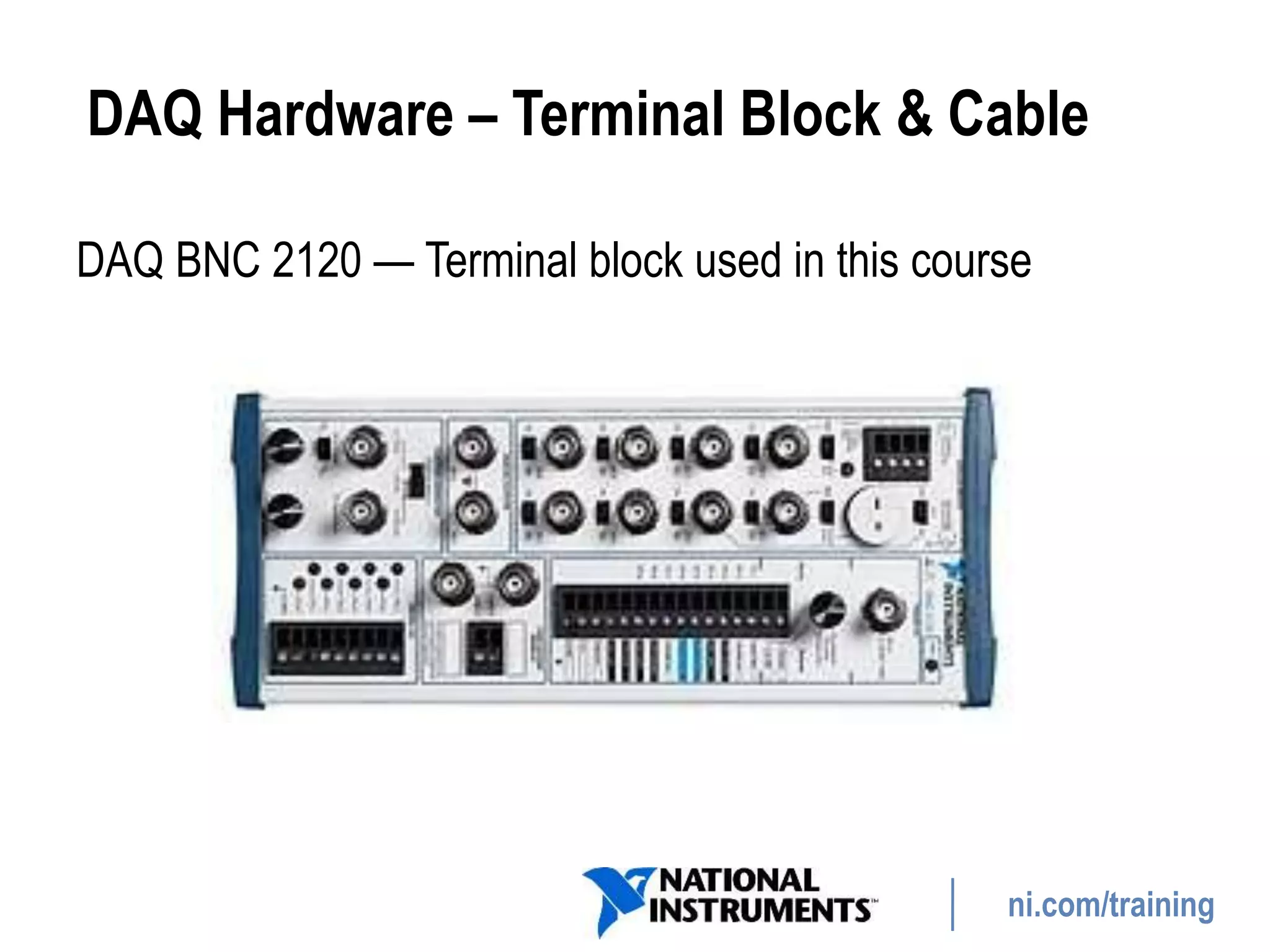
DAQ Hardware – Terminal Block & Cable
DAQ BNC 2120 — Terminal block used in this course
ni.com/training
DAQ Hardware – DAQ Device
• Most DAQ devices have four standard elements: analog
input, analog output, digital I/O, and counters
• You can transfer the signal you measure with the DAQ
device to the computer through a variety of different bus
structures
ni.com/training
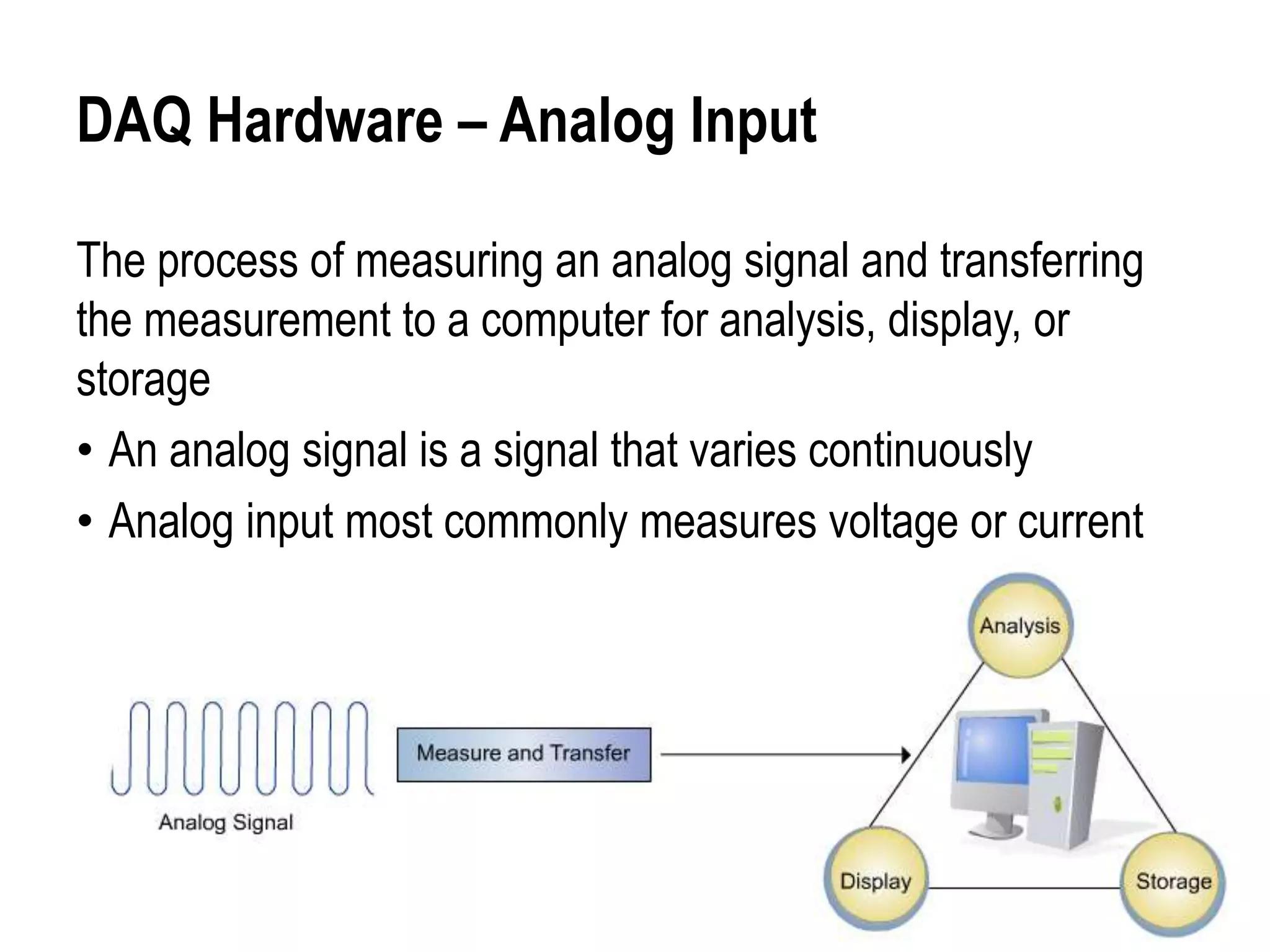
DAQ Hardware – Analog Input
The process of measuring an analog signal and transferring
the measurement to a computer for analysis, display, or
storage
• An analog signal is a signal that varies continuously
• Analog input most commonly measures voltage or current
ni.com/training
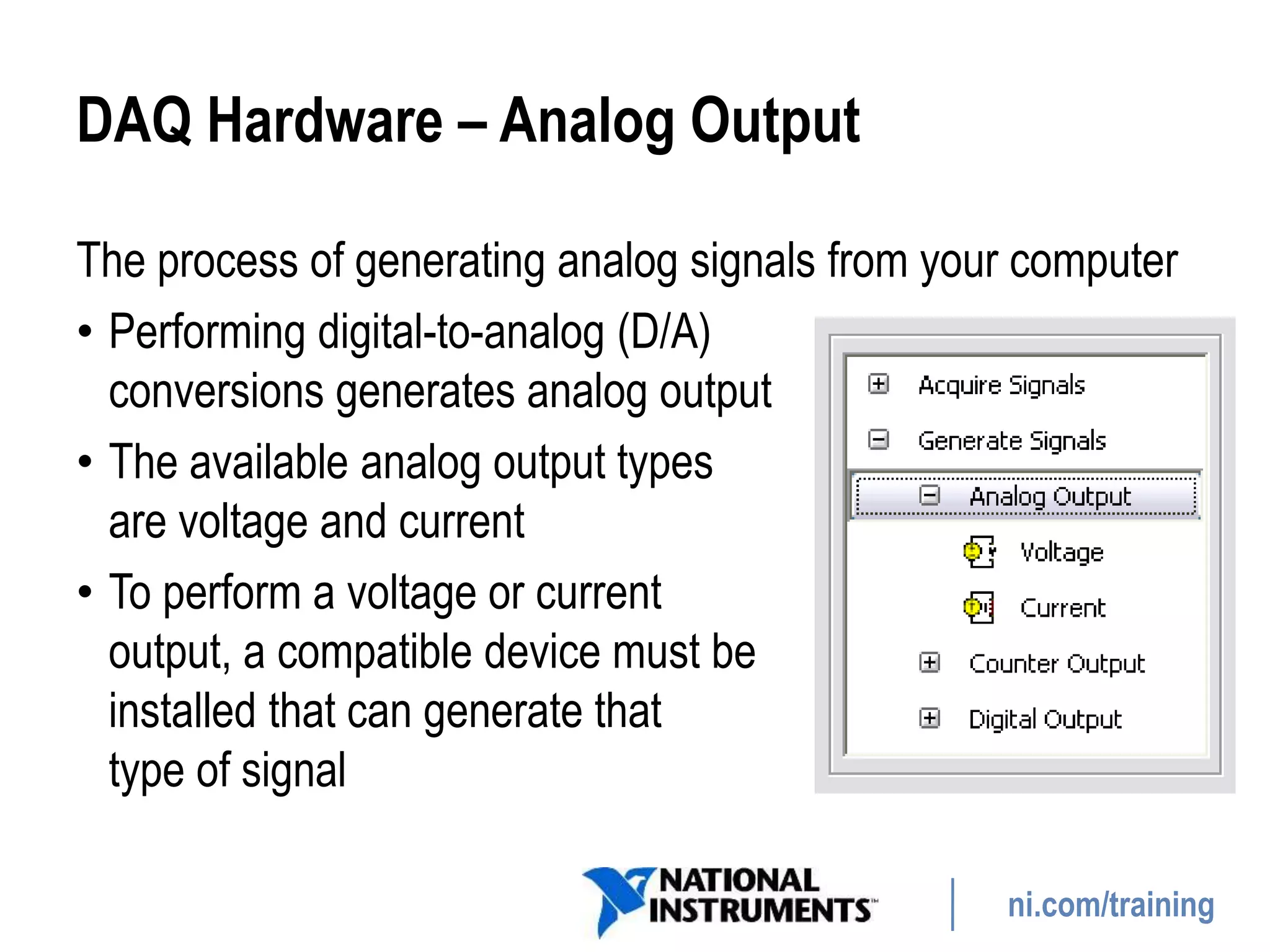
DAQ Hardware – Analog Output
The process of generating analog signals from your computer
• Performing digital-to-analog (D/A)
conversions generates analog output
• The available analog output types
are voltage and current
• To perform a voltage or current
output, a compatible device must be
installed that can generate that
type of signal
ni.com/training
DAQ Hardware – Digital I/O
• Digital signals:
− Electrical signals that transfer digital data (on/off, high/low, 1/0)
using a wire
− Used to control or measure digital or finite state devices, such
as switches and LEDs
− Used to transfer data
• program devices
• communicate between devices
− Use digital signals as clocks or triggers to
control or synchronize other measurements
ni.com/training
DAQ Hardware – Counters
• A counter is a digital timing device typically used for event
counting, frequency measurement, period measurement,
position measurement, and pulse generation
• A counter has a fixed number it can count to as determined
by the resolution of the counter
• For example, a 24-bit counter
can count to:
2(Counter Resolution) – 1 = 224 – 1 = 16,777,215
ni.com/training
B. Using DAQ Software – Configuration
• Configure and test your DAQ device using the Measurement
& Automation Explorer (MAX)
ni.com/training
Simulating a DAQ Device
• Using NI-DAQmx simulated devices, you can try NI products
in your application without the hardware
• With NI-DAQmx simulated devices, you also can export a
physical device configuration onto a system that does not
have the physical device installed
GOAL
Exercise 1-1
Concept: Measurement and Automation Explorer
Use MAX to examine, configure, and test a DAQ device.
DISCUSSION
Exercise 1-1
Concept: Measurement and Automation Explorer
• What is a possible real-world application using DAQ?
ni.com/training
C. Instrument Control
• Use software on a PC to control an instrument over an
instrument control bus
• Mix and match instruments from various categories
• Understand the properties of the instrument, such as the
communication protocols to use
ni.com/training
C. Instrument Control
Benefits of Instrument Control
• Automate processes
• Save time
• One platform for multiple tasks
• Ease of use
• Many types of instruments available
ni.com/training
D. GPIB
GPIB (general purpose
interface bus) is a
standard interface for
communication between
instruments and controllers
from various vendors
ni.com/training
GPIB
• The bus supports one system controller, usually a computer,
and up to 14 additional instruments
• Controller:
− Defines the communication links
− Responds to devices that request service
− Sends GPIB commands
− Passes/receives control of the bus
ni.com/training
E. Serial Port Communication
Serial communication
• Transmits data between a computer and a peripheral
device, such as a programmable instrument or another
computer
• Uses a transmitter to send data one bit at a time over a
single communication line to a receiver
• Best method when data transfer rates are low, or you must
transfer data over long distances
• Most computers have one or more serial ports, so you do
not need any extra hardware other than a cable
ni.com/training
F. Using Instrument Control Software
• Interface Drivers: Instrument interfaces such as GPIB
include a set of drivers for the interface
• Configuration: Use MAX to configure the interface
GOAL
Exercise 1-2
Concept: GPIB Configuration with MAX
Learn to configure the NI Instrument Simulator and use MAX
to examine the GPIB interface settings, detect instruments,
and communicate with an instrument.
DISCUSSION
Exercise 1-2
Concept: GPIB Configuration with MAX
• What is a possible real-world application using instrument
control?
ni.com/training
Summary—Quiz
1. You can use the Measurement & Automation Explorer
(MAX) to examine, configure, and test your DAQ device
and GPIB instruments.
a) True
b) False
ni.com/training
Summary—Quiz Answer
1. You can use the Measurement & Automation Explorer
(MAX) to examine, configure, and test your DAQ device
and GPIB instruments.
a) True
b) False
ni.com/training
Summary—Quiz
2. Which of the following are benefits of instrument control?
a) Automate processes
b) Save time
c) One platform for multiple tasks
d) Limited to only one type of instrument
ni.com/training
Summary—Quiz Answers
2. Which of the following are benefits of instrument control?
a) Automate processes
b) Save time
c) One platform for multiple tasks
d) Limited to only one type of instrument

Lesson 1 - Setting Up Hardware.pptx

  • 1.
    ni.com/training NI LabView Core1 Hands On Session Charbel Naddaf
  • 2.
    TOPICS ni.com/training Lesson 1 Setting UpHardware A. DAQ Hardware B. Using DAQ Software C. Instrument Control D. GPIB E. Serial Port Communication F. Using Instrument Control Software
  • 3.
    ni.com/training A. DAQ Hardware 1.Signal 2. Terminal Block 3. Cable 4. DAQ Device 5. Computer
  • 4.
    ni.com/training DAQ Hardware –Terminal Block & Cable DAQ BNC 2120 — Terminal block used in this course
  • 5.
    ni.com/training DAQ Hardware –DAQ Device • Most DAQ devices have four standard elements: analog input, analog output, digital I/O, and counters • You can transfer the signal you measure with the DAQ device to the computer through a variety of different bus structures
  • 6.
    ni.com/training DAQ Hardware –Analog Input The process of measuring an analog signal and transferring the measurement to a computer for analysis, display, or storage • An analog signal is a signal that varies continuously • Analog input most commonly measures voltage or current
  • 7.
    ni.com/training DAQ Hardware –Analog Output The process of generating analog signals from your computer • Performing digital-to-analog (D/A) conversions generates analog output • The available analog output types are voltage and current • To perform a voltage or current output, a compatible device must be installed that can generate that type of signal
  • 8.
    ni.com/training DAQ Hardware –Digital I/O • Digital signals: − Electrical signals that transfer digital data (on/off, high/low, 1/0) using a wire − Used to control or measure digital or finite state devices, such as switches and LEDs − Used to transfer data • program devices • communicate between devices − Use digital signals as clocks or triggers to control or synchronize other measurements
  • 9.
    ni.com/training DAQ Hardware –Counters • A counter is a digital timing device typically used for event counting, frequency measurement, period measurement, position measurement, and pulse generation • A counter has a fixed number it can count to as determined by the resolution of the counter • For example, a 24-bit counter can count to: 2(Counter Resolution) – 1 = 224 – 1 = 16,777,215
  • 10.
    ni.com/training B. Using DAQSoftware – Configuration • Configure and test your DAQ device using the Measurement & Automation Explorer (MAX)
  • 11.
    ni.com/training Simulating a DAQDevice • Using NI-DAQmx simulated devices, you can try NI products in your application without the hardware • With NI-DAQmx simulated devices, you also can export a physical device configuration onto a system that does not have the physical device installed
  • 12.
    GOAL Exercise 1-1 Concept: Measurementand Automation Explorer Use MAX to examine, configure, and test a DAQ device.
  • 13.
    DISCUSSION Exercise 1-1 Concept: Measurementand Automation Explorer • What is a possible real-world application using DAQ?
  • 14.
    ni.com/training C. Instrument Control •Use software on a PC to control an instrument over an instrument control bus • Mix and match instruments from various categories • Understand the properties of the instrument, such as the communication protocols to use
  • 15.
    ni.com/training C. Instrument Control Benefitsof Instrument Control • Automate processes • Save time • One platform for multiple tasks • Ease of use • Many types of instruments available
  • 16.
    ni.com/training D. GPIB GPIB (generalpurpose interface bus) is a standard interface for communication between instruments and controllers from various vendors
  • 17.
    ni.com/training GPIB • The bussupports one system controller, usually a computer, and up to 14 additional instruments • Controller: − Defines the communication links − Responds to devices that request service − Sends GPIB commands − Passes/receives control of the bus
  • 18.
    ni.com/training E. Serial PortCommunication Serial communication • Transmits data between a computer and a peripheral device, such as a programmable instrument or another computer • Uses a transmitter to send data one bit at a time over a single communication line to a receiver • Best method when data transfer rates are low, or you must transfer data over long distances • Most computers have one or more serial ports, so you do not need any extra hardware other than a cable
  • 19.
    ni.com/training F. Using InstrumentControl Software • Interface Drivers: Instrument interfaces such as GPIB include a set of drivers for the interface • Configuration: Use MAX to configure the interface
  • 20.
    GOAL Exercise 1-2 Concept: GPIBConfiguration with MAX Learn to configure the NI Instrument Simulator and use MAX to examine the GPIB interface settings, detect instruments, and communicate with an instrument.
  • 21.
    DISCUSSION Exercise 1-2 Concept: GPIBConfiguration with MAX • What is a possible real-world application using instrument control?
  • 22.
    ni.com/training Summary—Quiz 1. You canuse the Measurement & Automation Explorer (MAX) to examine, configure, and test your DAQ device and GPIB instruments. a) True b) False
  • 23.
    ni.com/training Summary—Quiz Answer 1. Youcan use the Measurement & Automation Explorer (MAX) to examine, configure, and test your DAQ device and GPIB instruments. a) True b) False
  • 24.
    ni.com/training Summary—Quiz 2. Which ofthe following are benefits of instrument control? a) Automate processes b) Save time c) One platform for multiple tasks d) Limited to only one type of instrument
  • 25.
    ni.com/training Summary—Quiz Answers 2. Whichof the following are benefits of instrument control? a) Automate processes b) Save time c) One platform for multiple tasks d) Limited to only one type of instrument