Ch 8.1~8.3
Liao Lingling
2006.10.23
System Virtual Machines
2
Contents
• Introduction
• Key Concepts
• Resource Virtualization
– Processors
– Memory
3
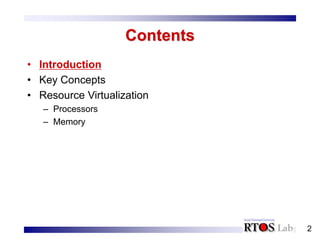
Introduction (1/2)
• Underutilized hardware -> time sharing
– Allow multiple users to access a single computer system
simultaneously
– Each user is given the illusion of having access to a full set
of system resources
• To create this illusion:
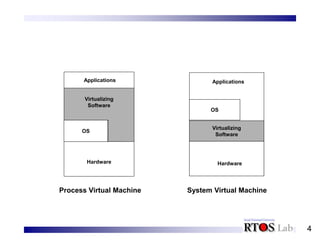
– Multiprogramming operating system + process virtual
machine
• Implement a process virtual machine for each application-level
program and switch resources among the programs on a time-
shared basis
– System virtual machine:
• Provide a similar illusion for complete systems
4
Virtualizing
Software
Hardware
Applications
OS
Virtualizing
Software
Hardware
Applications
OS
Process Virtual Machine System Virtual Machine
5
Introduction (2/2)
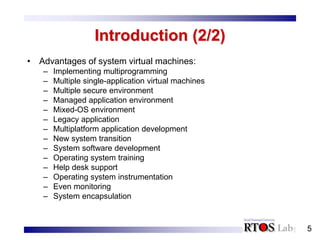
• Advantages of system virtual machines:
– Implementing multiprogramming
– Multiple single-application virtual machines
– Multiple secure environment
– Managed application environment
– Mixed-OS environment
– Legacy application
– Multiplatform application development
– New system transition
– System software development
– Operating system training
– Help desk support
– Operating system instrumentation
– Even monitoring
– System encapsulation
6
Contents
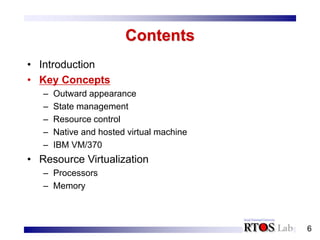
• Introduction
• Key Concepts
– Outward appearance
– State management
– Resource control
– Native and hosted virtual machine
– IBM VM/370
• Resource Virtualization
– Processors
– Memory
7
Outward Appearance
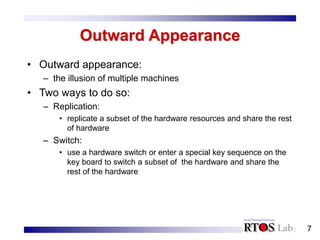
• Outward appearance:
– the illusion of multiple machines
• Two ways to do so:
– Replication:
• replicate a subset of the hardware resources and share the rest
of hardware
– Switch:
• use a hardware switch or enter a special key sequence on the
key board to switch a subset of the hardware and share the
rest of the hardware
8
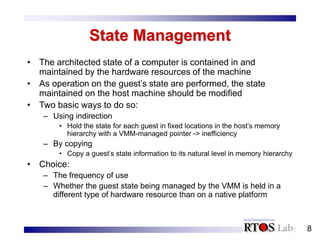
State Management
• The architected state of a computer is contained in and
maintained by the hardware resources of the machine
• As operation on the guest’s state are performed, the state
maintained on the host machine should be modified
• Two basic ways to do so:
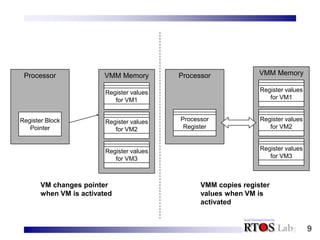
– Using indirection
• Hold the state for each guest in fixed locations in the host’s memory
hierarchy with a VMM-managed pointer -> inefficiency
– By copying
• Copy a guest’s state information to its natural level in memory hierarchy
• Choice:
– The frequency of use
– Whether the guest state being managed by the VMM is held in a
different type of hardware resource than on a native platform
9
Processor
Register Block
Pointer
Processor
Processor
Register
VMM Memory
Register values
for VM3
Register values
for VM2
Register values
for VM1
VMM Memory
Register values
for VM3
Register values
for VM2
Register values
for VM1
VM changes pointer
when VM is activated
VMM copies register
values when VM is
activated
10
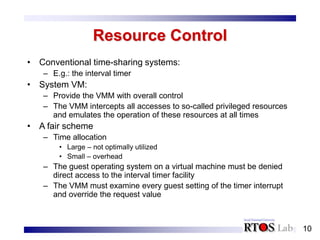
Resource Control
• Conventional time-sharing systems:
– E.g.: the interval timer
• System VM:
– Provide the VMM with overall control
– The VMM intercepts all accesses to so-called privileged resources
and emulates the operation of these resources at all times
• A fair scheme
– Time allocation
• Large – not optimally utilized
• Small – overhead
– The guest operating system on a virtual machine must be denied
direct access to the interval timer facility
– The VMM must examine every guest setting of the timer interrupt
and override the request value
11
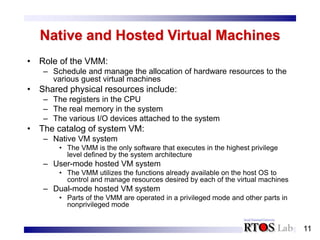
Native and Hosted Virtual Machines
• Role of the VMM:
– Schedule and manage the allocation of hardware resources to the
various guest virtual machines
• Shared physical resources include:
– The registers in the CPU
– The real memory in the system
– The various I/O devices attached to the system
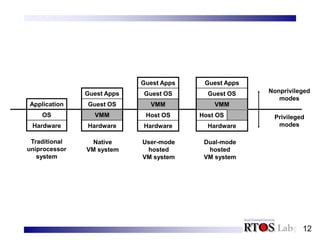
• The catalog of system VM:
– Native VM system
• The VMM is the only software that executes in the highest privilege
level defined by the system architecture
– User-mode hosted VM system
• The VMM utilizes the functions already available on the host OS to
control and manage resources desired by each of the virtual machines
– Dual-mode hosted VM system
• Parts of the VMM are operated in a privileged mode and other parts in
nonprivileged mode
12
Application
OS
Hardware
Guest Apps
Guest OS
VMM
Hardware
Guest Apps
Guest OS
VMM
Host OS
Hardware
Guest Apps
Guest OS
VMM
Host OS
Hardware
Nonprivileged
modes
Privileged
modes
Traditional
uniprocessor
system
Native
VM system
User-mode
hosted
VM system
Dual-mode
hosted
VM system

lecture4(VM).ppt

  • 1.
  • 2.
    2 Contents • Introduction • KeyConcepts • Resource Virtualization – Processors – Memory
  • 3.
    3 Introduction (1/2) • Underutilizedhardware -> time sharing – Allow multiple users to access a single computer system simultaneously – Each user is given the illusion of having access to a full set of system resources • To create this illusion: – Multiprogramming operating system + process virtual machine • Implement a process virtual machine for each application-level program and switch resources among the programs on a time- shared basis – System virtual machine: • Provide a similar illusion for complete systems
  • 4.
  • 5.
    5 Introduction (2/2) • Advantagesof system virtual machines: – Implementing multiprogramming – Multiple single-application virtual machines – Multiple secure environment – Managed application environment – Mixed-OS environment – Legacy application – Multiplatform application development – New system transition – System software development – Operating system training – Help desk support – Operating system instrumentation – Even monitoring – System encapsulation
  • 6.
    6 Contents • Introduction • KeyConcepts – Outward appearance – State management – Resource control – Native and hosted virtual machine – IBM VM/370 • Resource Virtualization – Processors – Memory
  • 7.
    7 Outward Appearance • Outwardappearance: – the illusion of multiple machines • Two ways to do so: – Replication: • replicate a subset of the hardware resources and share the rest of hardware – Switch: • use a hardware switch or enter a special key sequence on the key board to switch a subset of the hardware and share the rest of the hardware
  • 8.
    8 State Management • Thearchitected state of a computer is contained in and maintained by the hardware resources of the machine • As operation on the guest’s state are performed, the state maintained on the host machine should be modified • Two basic ways to do so: – Using indirection • Hold the state for each guest in fixed locations in the host’s memory hierarchy with a VMM-managed pointer -> inefficiency – By copying • Copy a guest’s state information to its natural level in memory hierarchy • Choice: – The frequency of use – Whether the guest state being managed by the VMM is held in a different type of hardware resource than on a native platform
  • 9.
    9 Processor Register Block Pointer Processor Processor Register VMM Memory Registervalues for VM3 Register values for VM2 Register values for VM1 VMM Memory Register values for VM3 Register values for VM2 Register values for VM1 VM changes pointer when VM is activated VMM copies register values when VM is activated
  • 10.
    10 Resource Control • Conventionaltime-sharing systems: – E.g.: the interval timer • System VM: – Provide the VMM with overall control – The VMM intercepts all accesses to so-called privileged resources and emulates the operation of these resources at all times • A fair scheme – Time allocation • Large – not optimally utilized • Small – overhead – The guest operating system on a virtual machine must be denied direct access to the interval timer facility – The VMM must examine every guest setting of the timer interrupt and override the request value
  • 11.
    11 Native and HostedVirtual Machines • Role of the VMM: – Schedule and manage the allocation of hardware resources to the various guest virtual machines • Shared physical resources include: – The registers in the CPU – The real memory in the system – The various I/O devices attached to the system • The catalog of system VM: – Native VM system • The VMM is the only software that executes in the highest privilege level defined by the system architecture – User-mode hosted VM system • The VMM utilizes the functions already available on the host OS to control and manage resources desired by each of the virtual machines – Dual-mode hosted VM system • Parts of the VMM are operated in a privileged mode and other parts in nonprivileged mode
  • 12.
    12 Application OS Hardware Guest Apps Guest OS VMM Hardware GuestApps Guest OS VMM Host OS Hardware Guest Apps Guest OS VMM Host OS Hardware Nonprivileged modes Privileged modes Traditional uniprocessor system Native VM system User-mode hosted VM system Dual-mode hosted VM system