Questions and Answers 
Webinar, October 2014
Olga Beza 
Support Engineer Maximilian Biedermann 
Marketing & Sales Associate
Today’s Setup 
â—Ź 15 minute presentation 
â—Ź 45 minutes Q&A 
● Questions via “question box” and “raise” hand 
â—Ź Part of Webinar Series
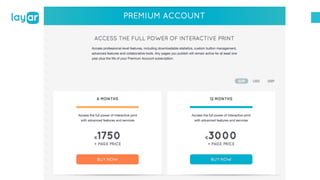
Premium Account
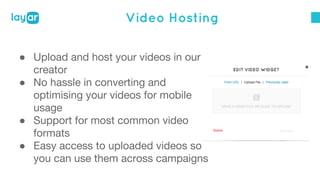
Video Hosting 
â—Ź Upload and host your videos in our 
creator 
â—Ź No hassle in converting and 
optimising your videos for mobile 
usage 
â—Ź Support for most common video 
formats 
â—Ź Easy access to uploaded videos so 
you can use them across campaigns
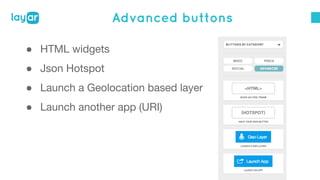
Advanced buttons 
â—Ź HTML widgets 
â—Ź Json Hotspot 
â—Ź Launch a Geolocation based layer 
â—Ź Launch another app (URI)
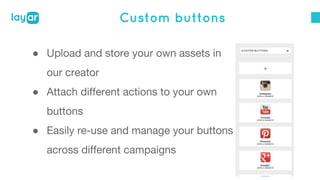
Custom buttons 
â—Ź Upload and store your own assets in 
our creator 
â—Ź Attach different actions to your own 
buttons 
â—Ź Easily re-use and manage your buttons 
across different campaigns
Collaboration 
Campaign Owner: creates and owns the campaign. 
He/she can invite multiple Campaign Collaborators to add 
their pieces of work to the same campaign. 
Campaign Collaborator (or Contributor):can upload 
pages to the same campaign and augment those pages as 
usual.
Statistics 
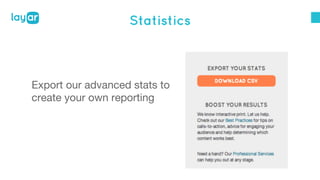
Export our advanced stats to 
create your own reporting
Support 
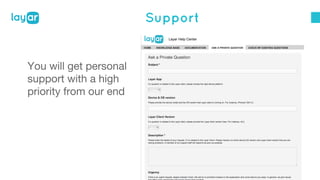
You will get personal 
support with a high 
priority from our end
Video Hosting
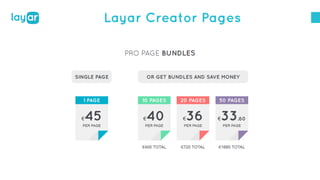
Layar Creator Pages
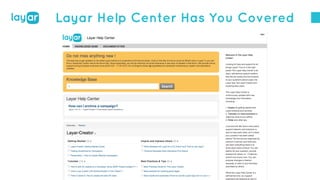
Layar Help Center Has You Covered
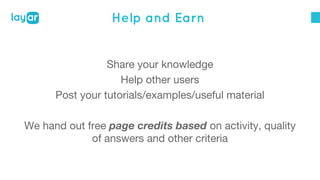
Help and Earn 
Share your knowledge 
Help other users 
Post your tutorials/examples/useful material 
We hand out free page credits based on activity, quality 
of answers and other criteria
THANKS!

Layar q&a october

  • 1.
    Questions and Answers Webinar, October 2014
  • 2.
    Olga Beza SupportEngineer Maximilian Biedermann Marketing & Sales Associate
  • 3.
    Today’s Setup ●15 minute presentation ● 45 minutes Q&A ● Questions via “question box” and “raise” hand ● Part of Webinar Series
  • 4.
  • 5.
    Video Hosting â—ŹUpload and host your videos in our creator â—Ź No hassle in converting and optimising your videos for mobile usage â—Ź Support for most common video formats â—Ź Easy access to uploaded videos so you can use them across campaigns
  • 6.
    Advanced buttons â—ŹHTML widgets â—Ź Json Hotspot â—Ź Launch a Geolocation based layer â—Ź Launch another app (URI)
  • 7.
    Custom buttons â—ŹUpload and store your own assets in our creator â—Ź Attach different actions to your own buttons â—Ź Easily re-use and manage your buttons across different campaigns
  • 8.
    Collaboration Campaign Owner:creates and owns the campaign. He/she can invite multiple Campaign Collaborators to add their pieces of work to the same campaign. Campaign Collaborator (or Contributor):can upload pages to the same campaign and augment those pages as usual.
  • 9.
    Statistics Export ouradvanced stats to create your own reporting
  • 10.
    Support You willget personal support with a high priority from our end
  • 11.
  • 12.
  • 13.
    Layar Help CenterHas You Covered
  • 14.
    Help and Earn Share your knowledge Help other users Post your tutorials/examples/useful material We hand out free page credits based on activity, quality of answers and other criteria
  • 16.