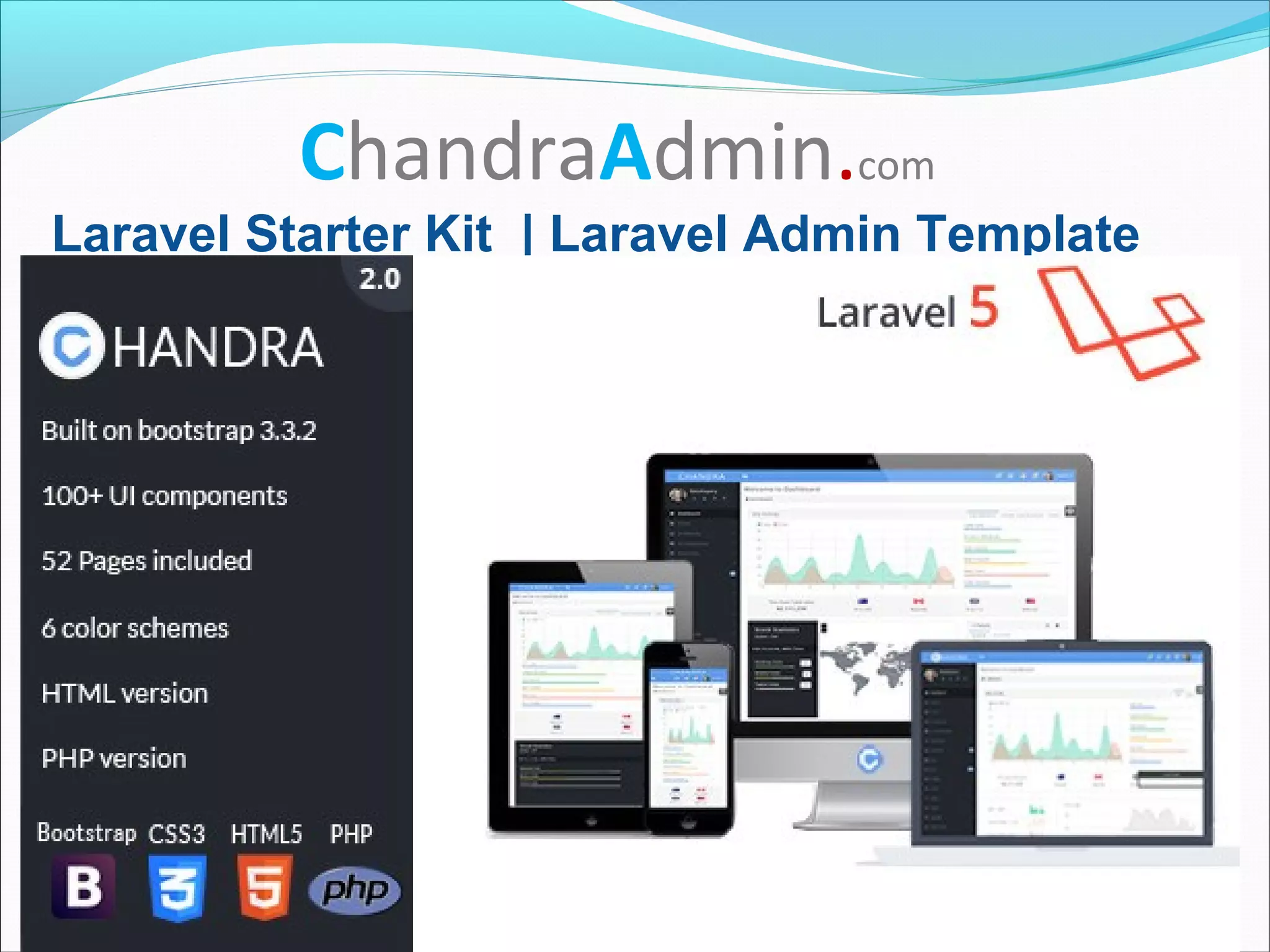
ChandraAdmin.com
Laravel Starter Kit | Laravel Admin Template
What is Laravel?
Laravel is an open source MVC PHP Framework under
MIT License
MVC Architecture

Model : Model deals with backend logical structure
of the application such as data base records. In
laravel it is denoted as Eloquent model.

View : View deals with frontend such as the HTML,
CSS. In laravel it works with Blade Template Engine
and denoted as View.

Controller : Model and View can be communicated
through Controllers. In laravel it is denoted as
Controller.
MVC Architecture
Installing Laravel
Requirements:
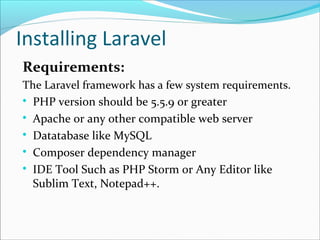
The Laravel framework has a few system requirements.

PHP version should be 5.5.9 or greater

Apache or any other compatible web server

Datatabase like MySQL

Composer dependency manager

IDE Tool Such as PHP Storm or Any Editor like
Sublim Text, Notepad++.
Installing Laravel

In Linux Apache, MySQL & PHP can be installed
through terminal
$ apt-get install php5-common libapache2-mod-php5
php5-cli php5-mysql php5-curl
Installing Laravel

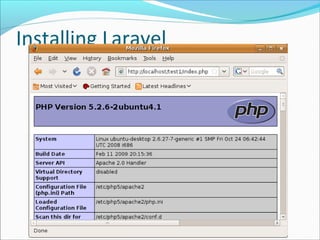
To Check PHP
use php -v at terminal to check PHP version
Or else use localhost to check php information
Installing Laravel
Installing Laravel

Laravel utilizes Composer to manage its
dependencies. To install composer through terminal
$ curl -sS https://getcomposer.org/installer | php
$ mv composer.phar /usr/local/bin/composer
$ composer global require "laravel/installer=~1.1"
Installing Laravel
Installing Laravel

To check Composer
Create Laravel App

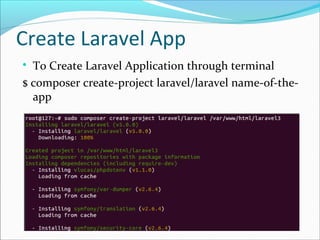
To Create Laravel Application through terminal
$ composer create-project laravel/laravel name-of-the-
app
Create Laravel App

Browse to the following URL in your web browser.
http://localhost/project-name/public/
Laravel directory structure

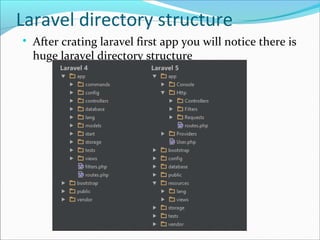
After crating laravel first app you will notice there is
huge laravel directory structure
Laravel directory structure

Let us discuss the directory structure in brief

It comes as no surprise that all Laravel projects have
essentially the same directory structure - one in which every
file has its designated place. By gently forcing this directory
structure upon developers, Laravel ensures that your work is
semi-automatically organized the “Laravel way”.

As you can see, this standard directory structure consists of
quite a few subdirectories. This wealth of subdirectories can
be overwhelming at first, but we’ll explore them one by one.
Most of your work will happen in the app/ folder, but here’s a
basic rundown on the function of each of the files and
folders:
Laravel directory structure

Top-level Folders and their purpose

/app/Contains the controllers, models, views and
assets for your application. This is where the
majority of the code for your application will live.
You will be spending most of your time in this
folder!

/public/ The only folder seen to the world as-is. This
is the directory that you have to point your web
server to. It contains the bootstrap file index.php
which jump-starts the Laravel framework core. The
public directory can also be used to hold any
publicly accessible static assets such as CSS,
Laravel directory structure

/app/Http/routes.php

Suppose routes.php file contains the below
mentioned code

Route::get('/', function()
{
return view('welcome');
});

When you browse
http://localhost/project-name/public/

It goes to routes.php and finds get request and as a
result it goes to return view('welcome'). So it then
Laravel directory structure

/resources/views/welcome.blade.php

Blade is the simple, yet powerful
templating engine provided with Laravel.

The complete user viewable contents can
be placed here

It uses html, css,javascript and php
Laravel directory structure

Suppose routes.php has the below code

Route::resource('photo', 'PhotoController');

It goes to App/Http/Controllers/ directory and finds
PhotoController.php which contains logic for
backend data.

This single route declaration creates multiple routes
to handle a variety of RESTful actions on the photo
resource.
Laravel directory structure

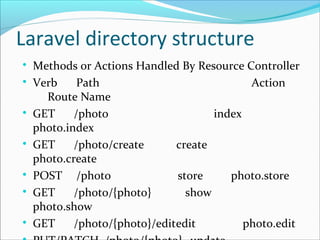
Methods or Actions Handled By Resource Controller

Verb Path Action
Route Name

GET /photo index
photo.index

GET /photo/create create
photo.create

POST /photo store photo.store

GET /photo/{photo} show
photo.show

GET /photo/{photo}/editedit photo.edit
Laravel directory structure

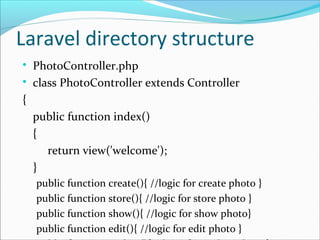
PhotoController.php

class PhotoController extends Controller
{
public function index()
{
return view('welcome');
}
public function create(){ //logic for create photo }
public function store(){ //logic for store photo }
public function show(){ //logic for show photo}
public function edit(){ //logic for edit photo }

Laravel Starter Kit | Laravel Admin Template-ChandraAdmin

  • 1.
    ChandraAdmin.com Laravel Starter Kit| Laravel Admin Template
  • 3.
    What is Laravel? Laravelis an open source MVC PHP Framework under MIT License
  • 4.
    MVC Architecture  Model :Model deals with backend logical structure of the application such as data base records. In laravel it is denoted as Eloquent model.  View : View deals with frontend such as the HTML, CSS. In laravel it works with Blade Template Engine and denoted as View.  Controller : Model and View can be communicated through Controllers. In laravel it is denoted as Controller.
  • 5.
  • 6.
    Installing Laravel Requirements: The Laravelframework has a few system requirements.  PHP version should be 5.5.9 or greater  Apache or any other compatible web server  Datatabase like MySQL  Composer dependency manager  IDE Tool Such as PHP Storm or Any Editor like Sublim Text, Notepad++.
  • 7.
    Installing Laravel  In LinuxApache, MySQL & PHP can be installed through terminal $ apt-get install php5-common libapache2-mod-php5 php5-cli php5-mysql php5-curl
  • 8.
    Installing Laravel  To CheckPHP use php -v at terminal to check PHP version Or else use localhost to check php information
  • 9.
  • 10.
    Installing Laravel  Laravel utilizesComposer to manage its dependencies. To install composer through terminal $ curl -sS https://getcomposer.org/installer | php $ mv composer.phar /usr/local/bin/composer $ composer global require "laravel/installer=~1.1"
  • 11.
  • 12.
  • 13.
    Create Laravel App  ToCreate Laravel Application through terminal $ composer create-project laravel/laravel name-of-the- app
  • 14.
    Create Laravel App  Browseto the following URL in your web browser. http://localhost/project-name/public/
  • 15.
    Laravel directory structure  Aftercrating laravel first app you will notice there is huge laravel directory structure
  • 16.
    Laravel directory structure  Letus discuss the directory structure in brief  It comes as no surprise that all Laravel projects have essentially the same directory structure - one in which every file has its designated place. By gently forcing this directory structure upon developers, Laravel ensures that your work is semi-automatically organized the “Laravel way”.  As you can see, this standard directory structure consists of quite a few subdirectories. This wealth of subdirectories can be overwhelming at first, but we’ll explore them one by one. Most of your work will happen in the app/ folder, but here’s a basic rundown on the function of each of the files and folders:
  • 17.
    Laravel directory structure  Top-levelFolders and their purpose  /app/Contains the controllers, models, views and assets for your application. This is where the majority of the code for your application will live. You will be spending most of your time in this folder!  /public/ The only folder seen to the world as-is. This is the directory that you have to point your web server to. It contains the bootstrap file index.php which jump-starts the Laravel framework core. The public directory can also be used to hold any publicly accessible static assets such as CSS,
  • 18.
    Laravel directory structure  /app/Http/routes.php  Supposeroutes.php file contains the below mentioned code  Route::get('/', function() { return view('welcome'); });  When you browse http://localhost/project-name/public/  It goes to routes.php and finds get request and as a result it goes to return view('welcome'). So it then
  • 19.
    Laravel directory structure  /resources/views/welcome.blade.php  Bladeis the simple, yet powerful templating engine provided with Laravel.  The complete user viewable contents can be placed here  It uses html, css,javascript and php
  • 20.
    Laravel directory structure  Supposeroutes.php has the below code  Route::resource('photo', 'PhotoController');  It goes to App/Http/Controllers/ directory and finds PhotoController.php which contains logic for backend data.  This single route declaration creates multiple routes to handle a variety of RESTful actions on the photo resource.
  • 21.
    Laravel directory structure  Methodsor Actions Handled By Resource Controller  Verb Path Action Route Name  GET /photo index photo.index  GET /photo/create create photo.create  POST /photo store photo.store  GET /photo/{photo} show photo.show  GET /photo/{photo}/editedit photo.edit
  • 22.
    Laravel directory structure  PhotoController.php  classPhotoController extends Controller { public function index() { return view('welcome'); } public function create(){ //logic for create photo } public function store(){ //logic for store photo } public function show(){ //logic for show photo} public function edit(){ //logic for edit photo }