DATABASE LAB
Lab2: SQL Functions
Ruba Sultan
SQL FUNCTIONS
 Functions are a very powerful feature of SQL can
be used to do the following:
 Perform calculations on data
 Modify individual data items
 Manipulate output for groups of rows
 Format dates and numbers for display
 Convert column data types
2
TWO TYPES OF SQL FUNCTIONS2
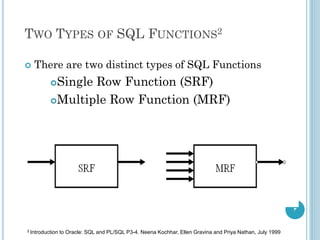
 There are two distinct types of SQL Functions
Single Row Function (SRF)
Multiple Row Function (MRF)
3
2 Introduction to Oracle: SQL and PL/SQL P3-4. Neena Kochhar, Ellen Gravina and Priya Nathan, July 1999
SINGLE ROW FUNCTION
 Single Row Function Categories3
Character Functions
Number Functions
Date Functions
Conversion Functions
General Functions
4
3 Introduction to Oracle: SQL and PL/SQL P3-6 Neena Kochhar, Ellen Gravina and Priya Nathan, July 1999
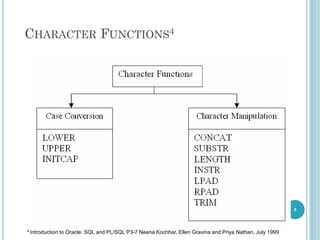
CHARACTER FUNCTIONS4
5
4 Introduction to Oracle: SQL and PL/SQL P3-7 Neena Kochhar, Ellen Gravina and Priya Nathan, July 1999
CHARACTER FUNCTIONS
Character Functions
LOWER (column | expression)
UPPER (column | expression)
INITCAP (column | expression)
CONCAT(column1|expression1,column2|expression2)
SUBSTR (column , m ,[n])
LENGTH (column | expression)
INSTR (column | expression , m)
LPAD (column , n , ‘string’)
6
QUESTIONS
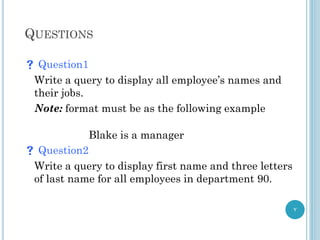
 Question1
Write a query to display all employee’s names and
their jobs.
Note: format must be as the following example
Blake is a manager
 Question2
Write a query to display first name and three letters
of last name for all employees in department 90.
7
QUESTIONS
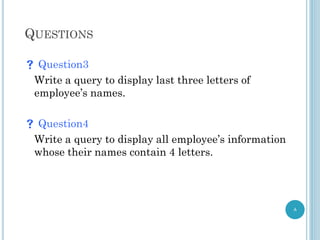
 Question3
Write a query to display last three letters of
employee’s names.
 Question4
Write a query to display all employee’s information
whose their names contain 4 letters.
8
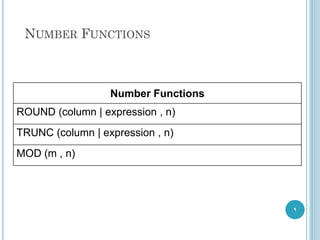
NUMBER FUNCTIONS
Number Functions
ROUND (column | expression , n)
TRUNC (column | expression , n)
MOD (m , n)
9
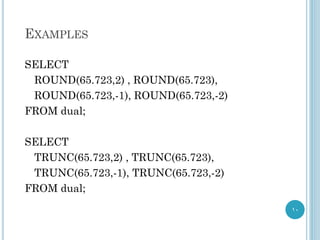
EXAMPLES
SELECT
ROUND(65.723,2) , ROUND(65.723),
ROUND(65.723,-1), ROUND(65.723,-2)
FROM dual;
SELECT
TRUNC(65.723,2) , TRUNC(65.723),
TRUNC(65.723,-1), TRUNC(65.723,-2)
FROM dual;
10
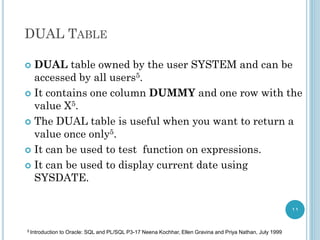
DUAL TABLE
 DUAL table owned by the user SYSTEM and can be
accessed by all users5.
 It contains one column DUMMY and one row with the
value X5.
 The DUAL table is useful when you want to return a
value once only5.
 It can be used to test function on expressions.
 It can be used to display current date using
SYSDATE.
11
5 Introduction to Oracle: SQL and PL/SQL P3-17 Neena Kochhar, Ellen Gravina and Priya Nathan, July 1999
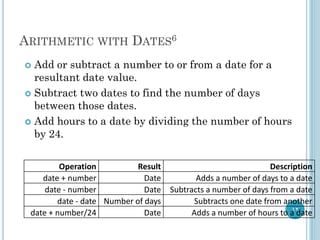
ARITHMETIC WITH DATES6
 Add or subtract a number to or from a date for a
resultant date value.
 Subtract two dates to find the number of days
between those dates.
 Add hours to a date by dividing the number of hours
by 24.
12
Operation Result Description
date + number Date Adds a number of days to a date
date - number Date Subtracts a number of days from a date
date - date Number of days Subtracts one date from another
date + number/24 Date Adds a number of hours to a date
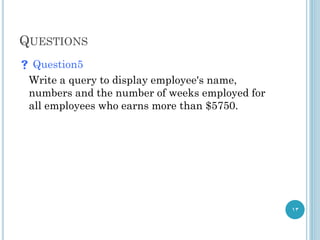
QUESTIONS
 Question5
Write a query to display employee's name,
numbers and the number of weeks employed for
all employees who earns more than $5750.
13
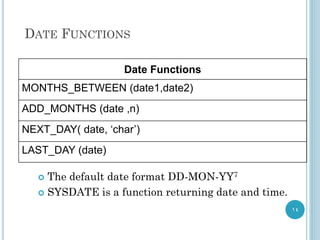
DATE FUNCTIONS
Date Functions
MONTHS_BETWEEN (date1,date2)
ADD_MONTHS (date ,n)
NEXT_DAY( date, ‘char’)
LAST_DAY (date)
14
 The default date format DD-MON-YY7
 SYSDATE is a function returning date and time.
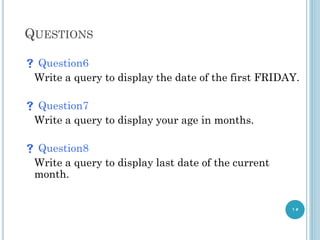
QUESTIONS
 Question6
Write a query to display the date of the first FRIDAY.
 Question7
Write a query to display your age in months.
 Question8
Write a query to display last date of the current
month.
15
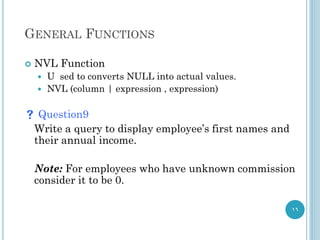
GENERAL FUNCTIONS
 NVL Function
 U sed to converts NULL into actual values.
 NVL (column | expression , expression)
 Question9
Write a query to display employee’s first names and
their annual income.
Note: For employees who have unknown commission
consider it to be 0.
16
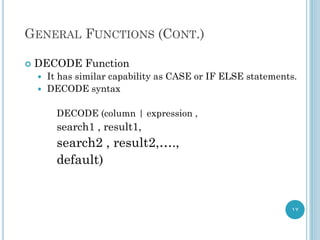
GENERAL FUNCTIONS (CONT.)
 DECODE Function
 It has similar capability as CASE or IF ELSE statements.
 DECODE syntax
DECODE (column | expression ,
search1 , result1,
search2 , result2,….,
default)
17
GENERAL FUNCTIONS (CONT.)
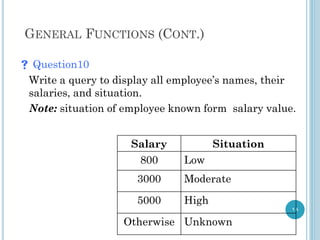
 Question10
Write a query to display all employee’s names, their
salaries, and situation.
Note: situation of employee known form salary value.
18
Situation
Salary
Low
800
Moderate
3000
High
5000
Unknown
Otherwise
QUESTIONS
19
 Question11
List ten functions other than listed in the
slides. Gives an example of each one.
JOIN
20
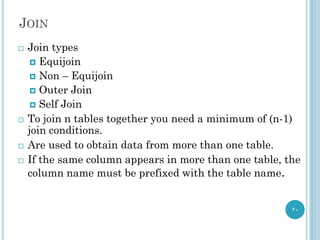
 Join types
 Equijoin
 Non – Equijoin
 Outer Join
 Self Join
 To join n tables together you need a minimum of (n-1)
join conditions.
 Are used to obtain data from more than one table.
 If the same column appears in more than one table, the
column name must be prefixed with the table name.
CARTESIAN PRODUCT9
21
 Cartesian product formed when
 Join condition is omitted
 Join condition is invalid
 To avoid a Cartesian product, always include a valid
join condition in a WHERE clause.
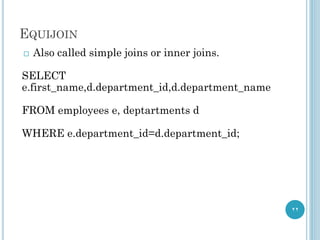
EQUIJOIN
22
 Also called simple joins or inner joins.
SELECT
e.first_name,d.department_id,d.department_name
FROM employees e, deptartments d
WHERE e.department_id=d.department_id;
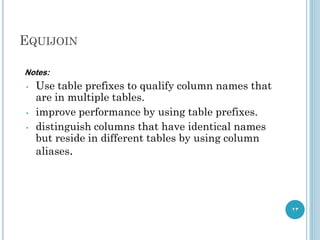
EQUIJOIN
23
Notes:
• Use table prefixes to qualify column names that
are in multiple tables.
• improve performance by using table prefixes.
• distinguish columns that have identical names
but reside in different tables by using column
aliases.
QUESTIONS
24
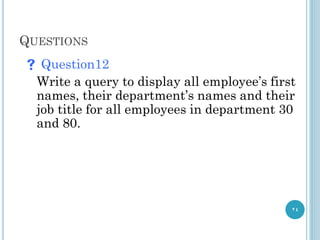
 Question12
Write a query to display all employee’s first
names, their department’s names and their
job title for all employees in department 30
and 80.
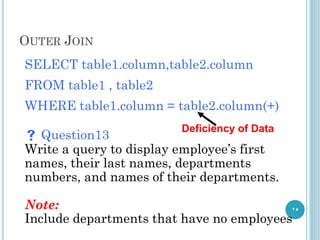
OUTER JOIN
25
SELECT table1.column,table2.column
FROM table1 , table2
WHERE table1.column = table2.column(+)
 Question13
Write a query to display employee’s first
names, their last names, departments
numbers, and names of their departments.
Note:
Include departments that have no employees
Deficiency of Data
SELF JOIN
26
 This type occurs when join occurred to the table itself.
 Question13
Write a query to display employee’s numbers,
their names, their managers numbers and
their managers names.

lab2sql222222222222222222222222222222222

  • 1.
    DATABASE LAB Lab2: SQLFunctions Ruba Sultan
  • 2.
    SQL FUNCTIONS  Functionsare a very powerful feature of SQL can be used to do the following:  Perform calculations on data  Modify individual data items  Manipulate output for groups of rows  Format dates and numbers for display  Convert column data types 2
  • 3.
    TWO TYPES OFSQL FUNCTIONS2  There are two distinct types of SQL Functions Single Row Function (SRF) Multiple Row Function (MRF) 3 2 Introduction to Oracle: SQL and PL/SQL P3-4. Neena Kochhar, Ellen Gravina and Priya Nathan, July 1999
  • 4.
    SINGLE ROW FUNCTION Single Row Function Categories3 Character Functions Number Functions Date Functions Conversion Functions General Functions 4 3 Introduction to Oracle: SQL and PL/SQL P3-6 Neena Kochhar, Ellen Gravina and Priya Nathan, July 1999
  • 5.
    CHARACTER FUNCTIONS4 5 4 Introductionto Oracle: SQL and PL/SQL P3-7 Neena Kochhar, Ellen Gravina and Priya Nathan, July 1999
  • 6.
    CHARACTER FUNCTIONS Character Functions LOWER(column | expression) UPPER (column | expression) INITCAP (column | expression) CONCAT(column1|expression1,column2|expression2) SUBSTR (column , m ,[n]) LENGTH (column | expression) INSTR (column | expression , m) LPAD (column , n , ‘string’) 6
  • 7.
    QUESTIONS  Question1 Write aquery to display all employee’s names and their jobs. Note: format must be as the following example Blake is a manager  Question2 Write a query to display first name and three letters of last name for all employees in department 90. 7
  • 8.
    QUESTIONS  Question3 Write aquery to display last three letters of employee’s names.  Question4 Write a query to display all employee’s information whose their names contain 4 letters. 8
  • 9.
    NUMBER FUNCTIONS Number Functions ROUND(column | expression , n) TRUNC (column | expression , n) MOD (m , n) 9
  • 10.
    EXAMPLES SELECT ROUND(65.723,2) , ROUND(65.723), ROUND(65.723,-1),ROUND(65.723,-2) FROM dual; SELECT TRUNC(65.723,2) , TRUNC(65.723), TRUNC(65.723,-1), TRUNC(65.723,-2) FROM dual; 10
  • 11.
    DUAL TABLE  DUALtable owned by the user SYSTEM and can be accessed by all users5.  It contains one column DUMMY and one row with the value X5.  The DUAL table is useful when you want to return a value once only5.  It can be used to test function on expressions.  It can be used to display current date using SYSDATE. 11 5 Introduction to Oracle: SQL and PL/SQL P3-17 Neena Kochhar, Ellen Gravina and Priya Nathan, July 1999
  • 12.
    ARITHMETIC WITH DATES6 Add or subtract a number to or from a date for a resultant date value.  Subtract two dates to find the number of days between those dates.  Add hours to a date by dividing the number of hours by 24. 12 Operation Result Description date + number Date Adds a number of days to a date date - number Date Subtracts a number of days from a date date - date Number of days Subtracts one date from another date + number/24 Date Adds a number of hours to a date
  • 13.
    QUESTIONS  Question5 Write aquery to display employee's name, numbers and the number of weeks employed for all employees who earns more than $5750. 13
  • 14.
    DATE FUNCTIONS Date Functions MONTHS_BETWEEN(date1,date2) ADD_MONTHS (date ,n) NEXT_DAY( date, ‘char’) LAST_DAY (date) 14  The default date format DD-MON-YY7  SYSDATE is a function returning date and time.
  • 15.
    QUESTIONS  Question6 Write aquery to display the date of the first FRIDAY.  Question7 Write a query to display your age in months.  Question8 Write a query to display last date of the current month. 15
  • 16.
    GENERAL FUNCTIONS  NVLFunction  U sed to converts NULL into actual values.  NVL (column | expression , expression)  Question9 Write a query to display employee’s first names and their annual income. Note: For employees who have unknown commission consider it to be 0. 16
  • 17.
    GENERAL FUNCTIONS (CONT.) DECODE Function  It has similar capability as CASE or IF ELSE statements.  DECODE syntax DECODE (column | expression , search1 , result1, search2 , result2,…., default) 17
  • 18.
    GENERAL FUNCTIONS (CONT.) Question10 Write a query to display all employee’s names, their salaries, and situation. Note: situation of employee known form salary value. 18 Situation Salary Low 800 Moderate 3000 High 5000 Unknown Otherwise
  • 19.
    QUESTIONS 19  Question11 List tenfunctions other than listed in the slides. Gives an example of each one.
  • 20.
    JOIN 20  Join types Equijoin  Non – Equijoin  Outer Join  Self Join  To join n tables together you need a minimum of (n-1) join conditions.  Are used to obtain data from more than one table.  If the same column appears in more than one table, the column name must be prefixed with the table name.
  • 21.
    CARTESIAN PRODUCT9 21  Cartesianproduct formed when  Join condition is omitted  Join condition is invalid  To avoid a Cartesian product, always include a valid join condition in a WHERE clause.
  • 22.
    EQUIJOIN 22  Also calledsimple joins or inner joins. SELECT e.first_name,d.department_id,d.department_name FROM employees e, deptartments d WHERE e.department_id=d.department_id;
  • 23.
    EQUIJOIN 23 Notes: • Use tableprefixes to qualify column names that are in multiple tables. • improve performance by using table prefixes. • distinguish columns that have identical names but reside in different tables by using column aliases.
  • 24.
    QUESTIONS 24  Question12 Write aquery to display all employee’s first names, their department’s names and their job title for all employees in department 30 and 80.
  • 25.
    OUTER JOIN 25 SELECT table1.column,table2.column FROMtable1 , table2 WHERE table1.column = table2.column(+)  Question13 Write a query to display employee’s first names, their last names, departments numbers, and names of their departments. Note: Include departments that have no employees Deficiency of Data
  • 26.
    SELF JOIN 26  Thistype occurs when join occurred to the table itself.  Question13 Write a query to display employee’s numbers, their names, their managers numbers and their managers names.