Lab Assignment:
Set Up a Computer
Network
By: Olivia AK Tunggie
MS1315519744
CP3T17
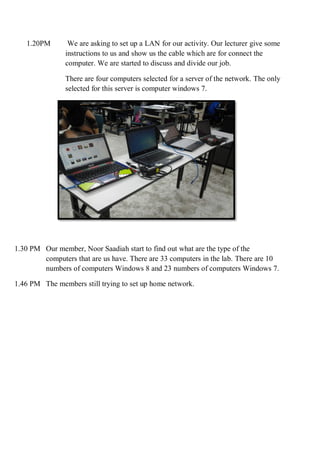
1.20PM We are asking to set up a LAN for our activity. Our lecturer give some
instructions to us and show us the cable which are for connect the
computer. We are started to discuss and divide our job.
There are four computers selected for a server of the network. The only
selected for this server is computer windows 7.
1.30 PM Our member, Noor Saadiah start to find out what are the type of the
computers that are us have. There are 33 computers in the lab. There are 10
numbers of computers Windows 8 and 23 numbers of computers Windows 7.
1.46 PM The members still trying to set up home network.
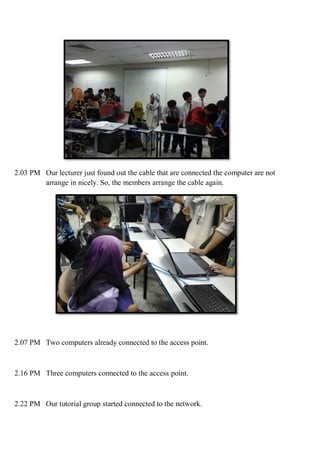
2.03 PM Our lecturer just found out the cable that are connected the computer are not
arrange in nicely. So, the members arrange the cable again.
2.07 PM Two computers already connected to the access point.
2.16 PM Three computers connected to the access point.
2.22 PM Our tutorial group started connected to the network.
2.30 They are only 11 computer connected to the network.10 computers of the
windows 8 unable to connect to the network. This is because there are
computer windows 7 act as server.
2.48 PM There is also 12 computers do not connected to the network. There are
computers windows 7 are troubleshooting when connecting to the network.
This is may because the cables are not properly connected. Also there are
some common issues that can cause these problems such as a wireless
network adapter switch that’s not enabled and corrupted or incompatible
properly. some possible solution to this error such as make sure network
discovery is turned on, make sure that us have shared the files or printers and
make sure the computers we want to connect has at least one shared folder.
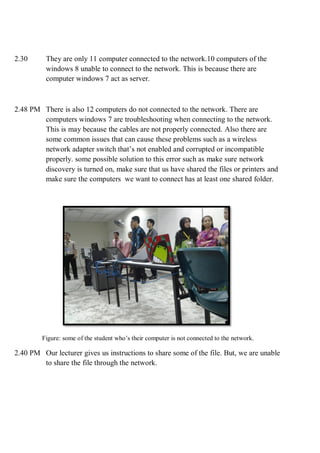
Figure: some of the student who’s their computer is not connected to the network.
2.40 PM Our lecturer gives us instructions to share some of the file. But, we are unable
to share the file through the network.

Lab report olivia

  • 1.
    Lab Assignment: Set Upa Computer Network By: Olivia AK Tunggie MS1315519744 CP3T17
  • 2.
    1.20PM We areasking to set up a LAN for our activity. Our lecturer give some instructions to us and show us the cable which are for connect the computer. We are started to discuss and divide our job. There are four computers selected for a server of the network. The only selected for this server is computer windows 7. 1.30 PM Our member, Noor Saadiah start to find out what are the type of the computers that are us have. There are 33 computers in the lab. There are 10 numbers of computers Windows 8 and 23 numbers of computers Windows 7. 1.46 PM The members still trying to set up home network.
  • 3.
    2.03 PM Ourlecturer just found out the cable that are connected the computer are not arrange in nicely. So, the members arrange the cable again. 2.07 PM Two computers already connected to the access point. 2.16 PM Three computers connected to the access point. 2.22 PM Our tutorial group started connected to the network.
  • 4.
    2.30 They areonly 11 computer connected to the network.10 computers of the windows 8 unable to connect to the network. This is because there are computer windows 7 act as server. 2.48 PM There is also 12 computers do not connected to the network. There are computers windows 7 are troubleshooting when connecting to the network. This is may because the cables are not properly connected. Also there are some common issues that can cause these problems such as a wireless network adapter switch that’s not enabled and corrupted or incompatible properly. some possible solution to this error such as make sure network discovery is turned on, make sure that us have shared the files or printers and make sure the computers we want to connect has at least one shared folder. Figure: some of the student who’s their computer is not connected to the network. 2.40 PM Our lecturer gives us instructions to share some of the file. But, we are unable to share the file through the network.