Credit: Vaibhav Vaidya, 2023
https://www.linkedin.com/in/vaibhav-a-vaidya/
Execution notes
Your journey to Low-code: Step 4
Abbreviations:
LCP = Low Code Platform
LCT = Low Code Tool developed on an LCP
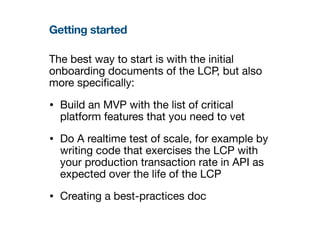
Getting started
The best way to start is with the initial
onboarding documents of the LCP, but also
more speci
fi
cally:
• Build an MVP with the list of critical
platform features that you need to vet
• Do A realtime test of scale, for example by
writing code that exercises the LCP with
your production transaction rate in API as
expected over the life of the LCP
• Creating a best-practices doc
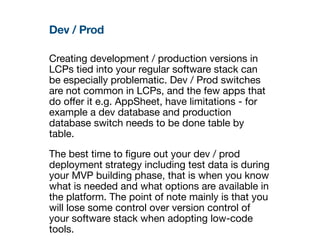
Dev / Prod
Creating development / production versions in
LCPs tied into your regular software stack can
be especially problematic. Dev / Prod switches
are not common in LCPs, and the few apps that
do o
ff
er it e.g. AppSheet, have limitations - for
example a dev database and production
database switch needs to be done table by
table.
The best time to
fi
gure out your dev / prod
deployment strategy including test data is during
your MVP building phase, that is when you know
what is needed and what options are available in
the platform. The point of note mainly is that you
will lose some control over version control of
your software stack when adopting low-code
tools.
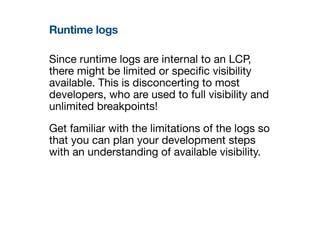
Runtime logs
Since runtime logs are internal to an LCP,
there might be limited or speci
fi
c visibility
available. This is disconcerting to most
developers, who are used to full visibility and
unlimited breakpoints!
Get familiar with the limitations of the logs so
that you can plan your development steps
with an understanding of available visibility.
Creating best practices intentionally
Low-code platforms are new enough to not have all best practices
documented. Right at the beginning of execution, create a page to compile
best practice as you learn them, it will be invaluable during scaling or
hando
ff
. Traverse the learning curve just once!
• Some best-practices go counter to traditional coding practices. For
example, refactoring tables to have a small set of columns by adding table
relations can slow AppSheet down, which is counter-intuitive to most
developers. Other platforms like Ninox show display names of
fi
elds the
same as actual
fi
eld names, which means that camelCase or snake_case
just doesn’t work, all table
fi
elds become of the human readable form.
• Establish a best-practices document early, so that all connected apps in
the stack can play together consistently across full-code - low-code - no-
code domains.
Here are some best-practice suggestions that apply across platforms:
• Start with the smallest possible deployable feature while learning the LCP
and build incrementally
• Note the impact on connected tools e.g. does your BI analyst need to be
informed each time you make a change to the schema inside your LCT?
• Never deploy on a Friday! (or on the relevant start to the weekend at your
location)
Migration vs production
While production scale could mean say, 1000
transactions per day, migrating data from the last 2
years would mean over 500x the transaction load! An
LCP that can easily handle your production load then
might struggle under the migration load. We have
seen data migrations taking up to 2 weeks for less
than 500,000 rows, especially if adding data rows
needs to trigger any reconciliation work
fl
ows within
the LCT. So consider the following:
• Do you have a large amount of historic data to
migrate to the new LCT?
• Contact the LCP support team to check the best
practice for migrating your speci
fi
c scale of data in
the context of your speci
fi
c LCT functionality - they
could help as well!

JourneyToLowCode_4of4.pdf

  • 1.
    Credit: Vaibhav Vaidya,2023 https://www.linkedin.com/in/vaibhav-a-vaidya/ Execution notes Your journey to Low-code: Step 4 Abbreviations: LCP = Low Code Platform LCT = Low Code Tool developed on an LCP
  • 2.
    Getting started The bestway to start is with the initial onboarding documents of the LCP, but also more speci fi cally: • Build an MVP with the list of critical platform features that you need to vet • Do A realtime test of scale, for example by writing code that exercises the LCP with your production transaction rate in API as expected over the life of the LCP • Creating a best-practices doc
  • 3.
    Dev / Prod Creatingdevelopment / production versions in LCPs tied into your regular software stack can be especially problematic. Dev / Prod switches are not common in LCPs, and the few apps that do o ff er it e.g. AppSheet, have limitations - for example a dev database and production database switch needs to be done table by table. The best time to fi gure out your dev / prod deployment strategy including test data is during your MVP building phase, that is when you know what is needed and what options are available in the platform. The point of note mainly is that you will lose some control over version control of your software stack when adopting low-code tools.
  • 4.
    Runtime logs Since runtimelogs are internal to an LCP, there might be limited or speci fi c visibility available. This is disconcerting to most developers, who are used to full visibility and unlimited breakpoints! Get familiar with the limitations of the logs so that you can plan your development steps with an understanding of available visibility.
  • 5.
    Creating best practicesintentionally Low-code platforms are new enough to not have all best practices documented. Right at the beginning of execution, create a page to compile best practice as you learn them, it will be invaluable during scaling or hando ff . Traverse the learning curve just once! • Some best-practices go counter to traditional coding practices. For example, refactoring tables to have a small set of columns by adding table relations can slow AppSheet down, which is counter-intuitive to most developers. Other platforms like Ninox show display names of fi elds the same as actual fi eld names, which means that camelCase or snake_case just doesn’t work, all table fi elds become of the human readable form. • Establish a best-practices document early, so that all connected apps in the stack can play together consistently across full-code - low-code - no- code domains. Here are some best-practice suggestions that apply across platforms: • Start with the smallest possible deployable feature while learning the LCP and build incrementally • Note the impact on connected tools e.g. does your BI analyst need to be informed each time you make a change to the schema inside your LCT? • Never deploy on a Friday! (or on the relevant start to the weekend at your location)
  • 6.
    Migration vs production Whileproduction scale could mean say, 1000 transactions per day, migrating data from the last 2 years would mean over 500x the transaction load! An LCP that can easily handle your production load then might struggle under the migration load. We have seen data migrations taking up to 2 weeks for less than 500,000 rows, especially if adding data rows needs to trigger any reconciliation work fl ows within the LCT. So consider the following: • Do you have a large amount of historic data to migrate to the new LCT? • Contact the LCP support team to check the best practice for migrating your speci fi c scale of data in the context of your speci fi c LCT functionality - they could help as well!