JMS


Prepared by: Andrey Stelmashenko
What is JMS?

●   A specification that describes a common way for Java
    programs to create, send, receive and read distributed
    enterprise messages;
●   loosely coupled communication;
●   Asynchronous messaging;
●   Reliable delivery;
         – A message is guaranteed to be delivered once
             and only once.
●   Outside the specification
         – Security services
         – Management services
Goals


●   Provide a single, unified message API
●   Minimize knowledge needed for programmers
    needed to write clients
●   Utilize concepts of message exchange
    applications
●   Simplify portability of JMS clients
JMS Application
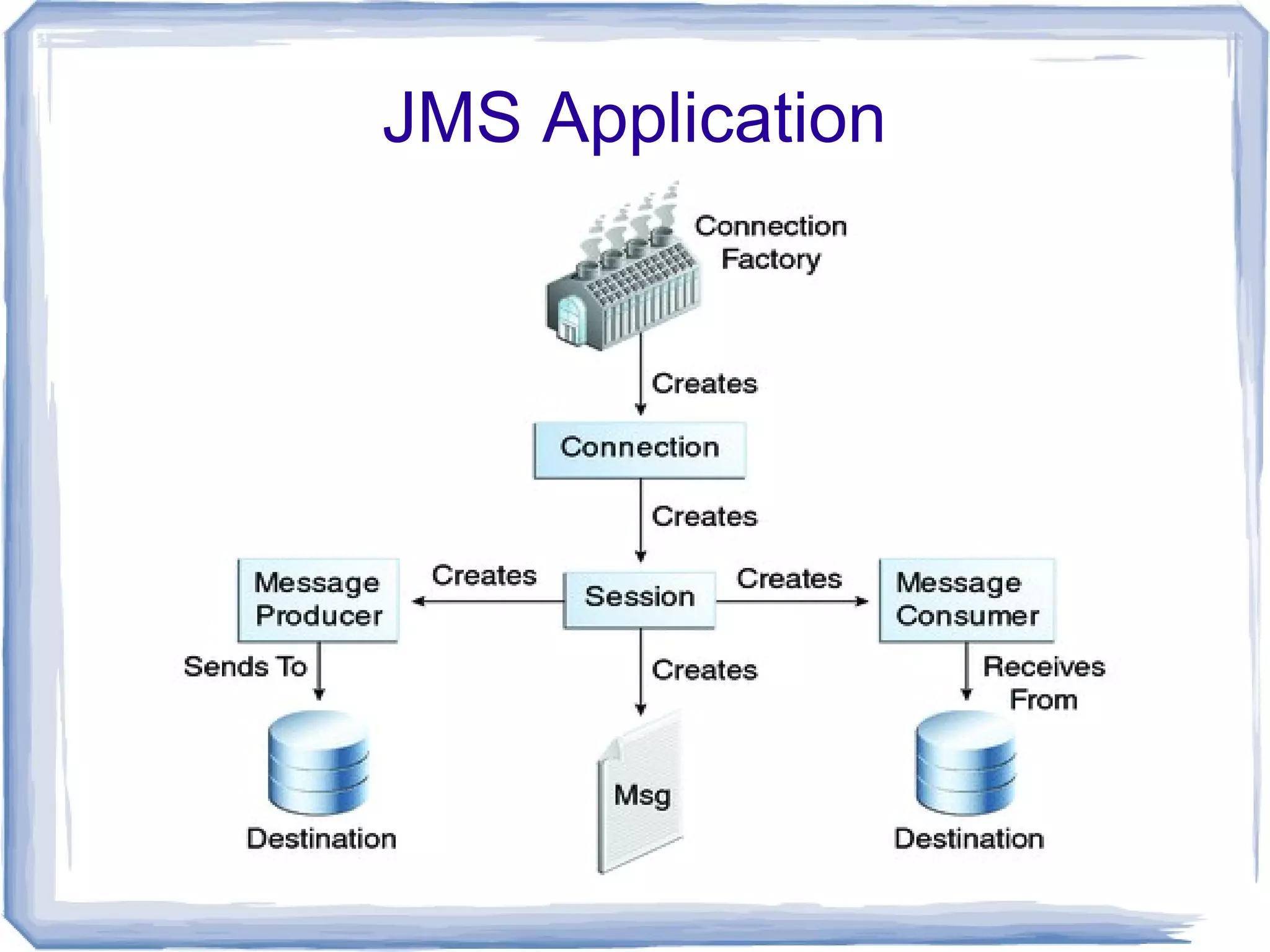
JMS Concepts

●   Connection factory
●   Connection
●   Session
●   Message producer
●   Destination
●   Message consumer
●   Message
Responsibilities


    Client side:
                            JMS Provider:
●   Message producer
                        ●   Connection factory
●   Message consumer
                        ●   Connection
●   Message
                        ●   Destination
●   Session
Example
Message producer
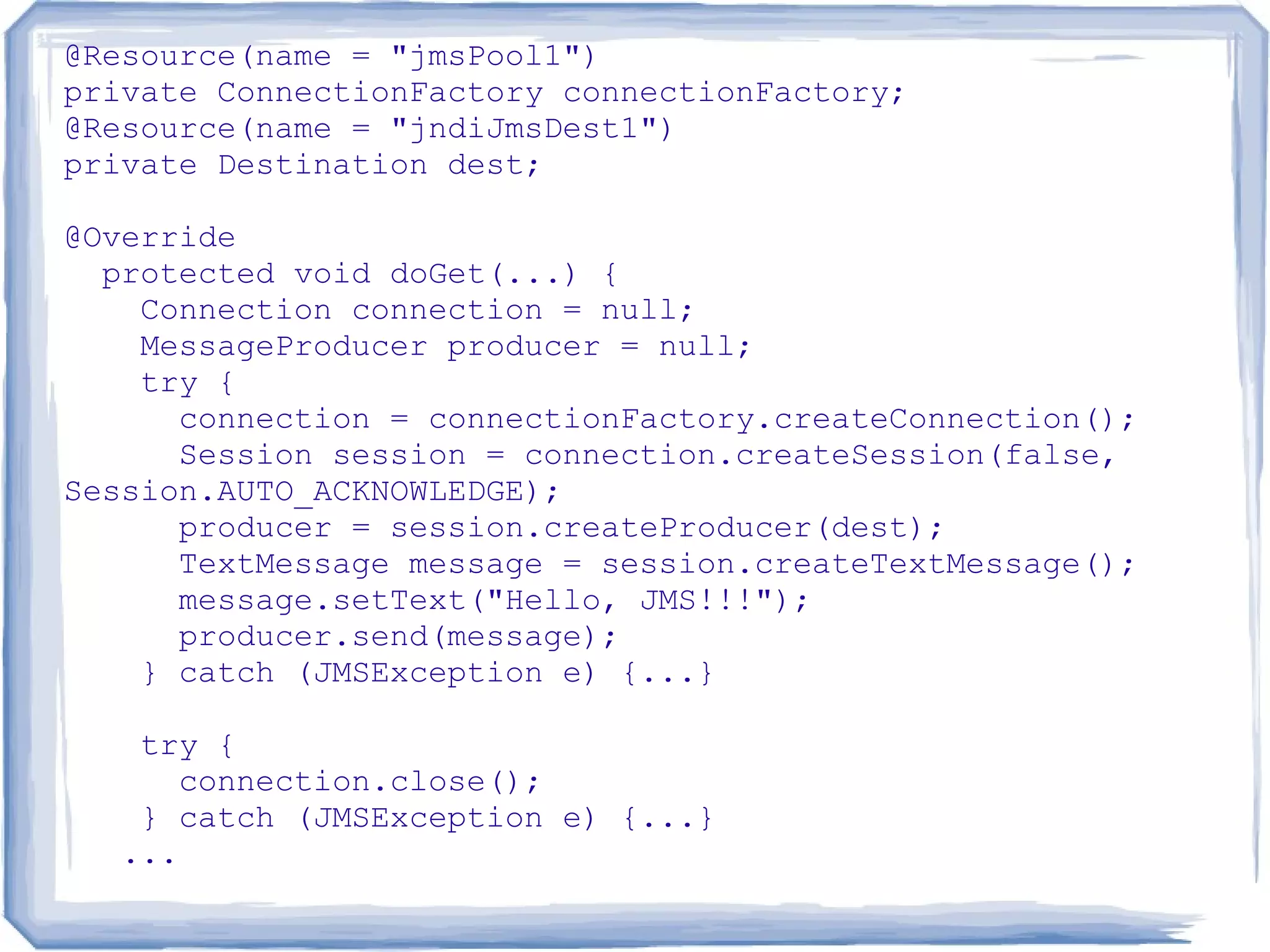
@Resource(name = "jmsPool1")
private ConnectionFactory connectionFactory;
@Resource(name = "jndiJmsDest1")
private Destination dest;

@Override
  protected void doGet(...) {
    Connection connection = null;
    MessageProducer producer = null;
    try {
      connection = connectionFactory.createConnection();
      Session session = connection.createSession(false,
Session.AUTO_ACKNOWLEDGE);
      producer = session.createProducer(dest);
      TextMessage message = session.createTextMessage();
      message.setText("Hello, JMS!!!");
      producer.send(message);
    } catch (JMSException e) {...}

   try {
      connection.close();
   } catch (JMSException e) {...}
  ...
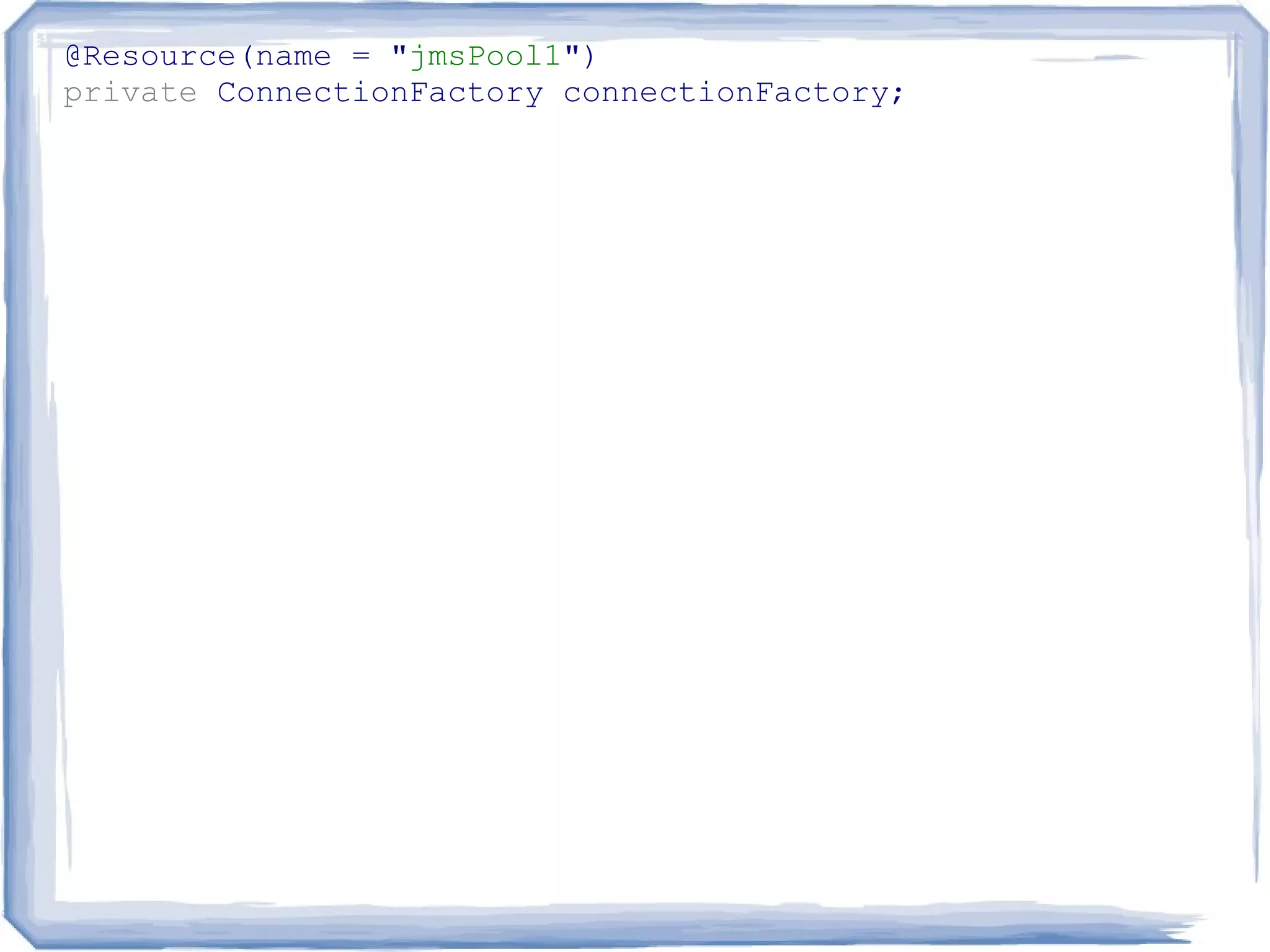
@Resource(name = "jmsPool1")
private ConnectionFactory connectionFactory;
@Resource(name = "jmsPool1")
private ConnectionFactory connectionFactory;

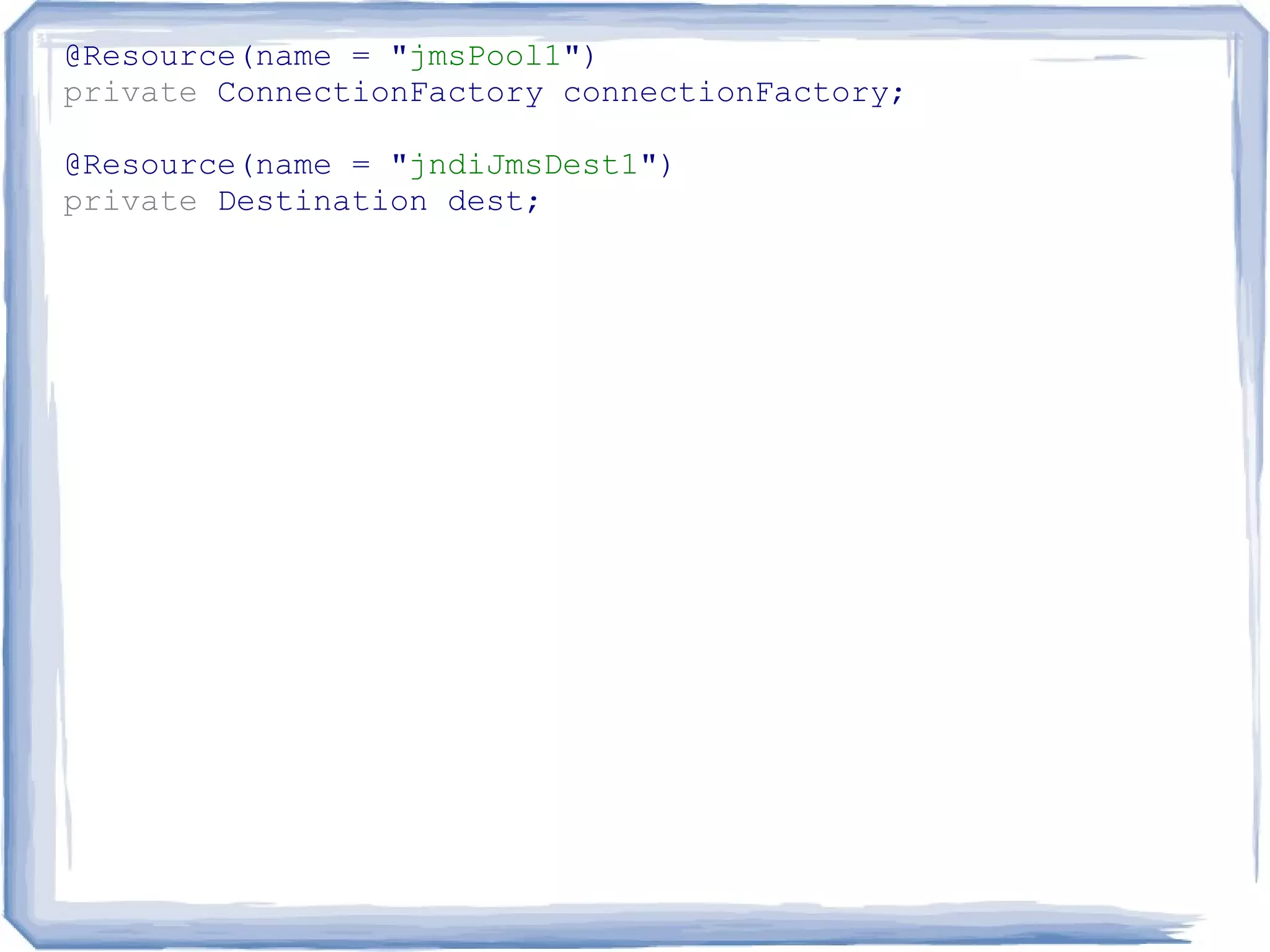
@Resource(name = "jndiJmsDest1")
private Destination dest;
@Resource(name = "jmsPool1")
private ConnectionFactory connectionFactory;

@Resource(name = "jndiJmsDest1")
private Destination dest;

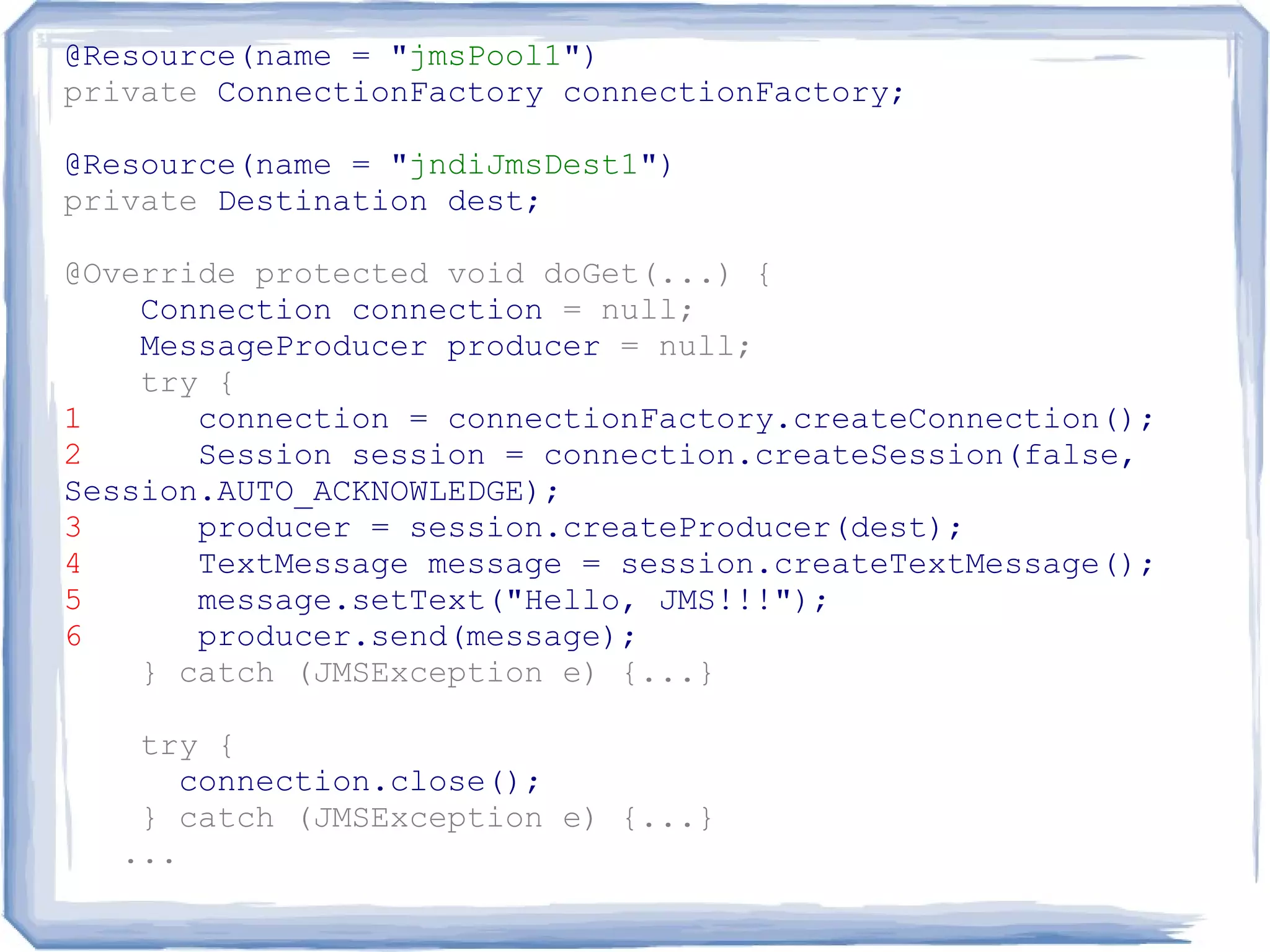
@Override protected void doGet(...) {
    Connection connection = null;
    MessageProducer producer = null;
    try {
1      connection = connectionFactory.createConnection();
2      Session session = connection.createSession(false,
Session.AUTO_ACKNOWLEDGE);
3      producer = session.createProducer(dest);
4      TextMessage message = session.createTextMessage();
5      message.setText("Hello, JMS!!!");
6      producer.send(message);
    } catch (JMSException e) {...}

    try {
       connection.close();
    } catch (JMSException e) {...}
   ...
Message consumer
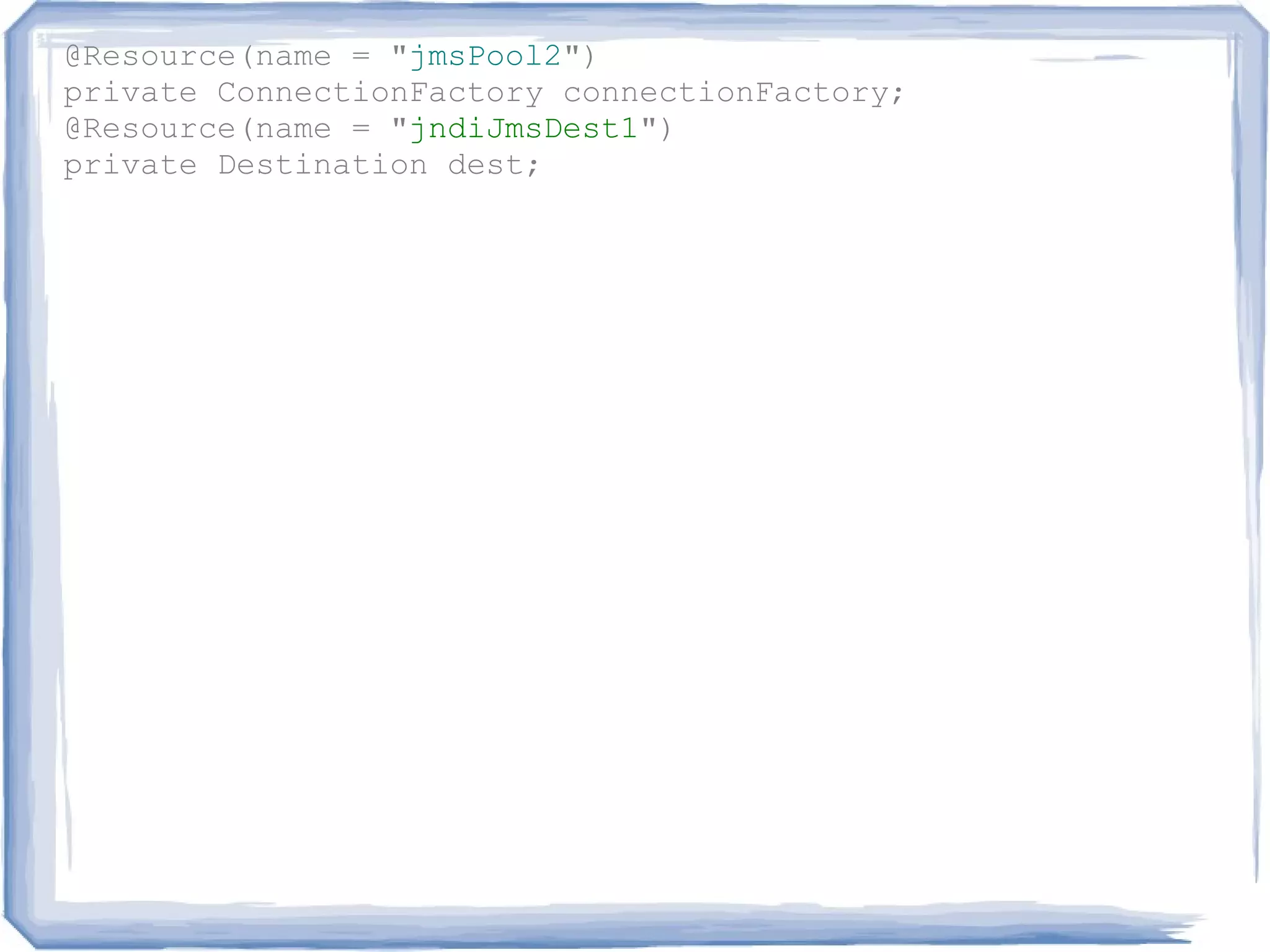
@Resource(name = "jmsPool2")
private ConnectionFactory connectionFactory;
@Resource(name = "jndiJmsDest1")
private Destination dest;
@Resource(name = "jmsPool2")
private ConnectionFactory connectionFactory;
@Resource(name = "jndiJmsDest1")
private Destination dest;

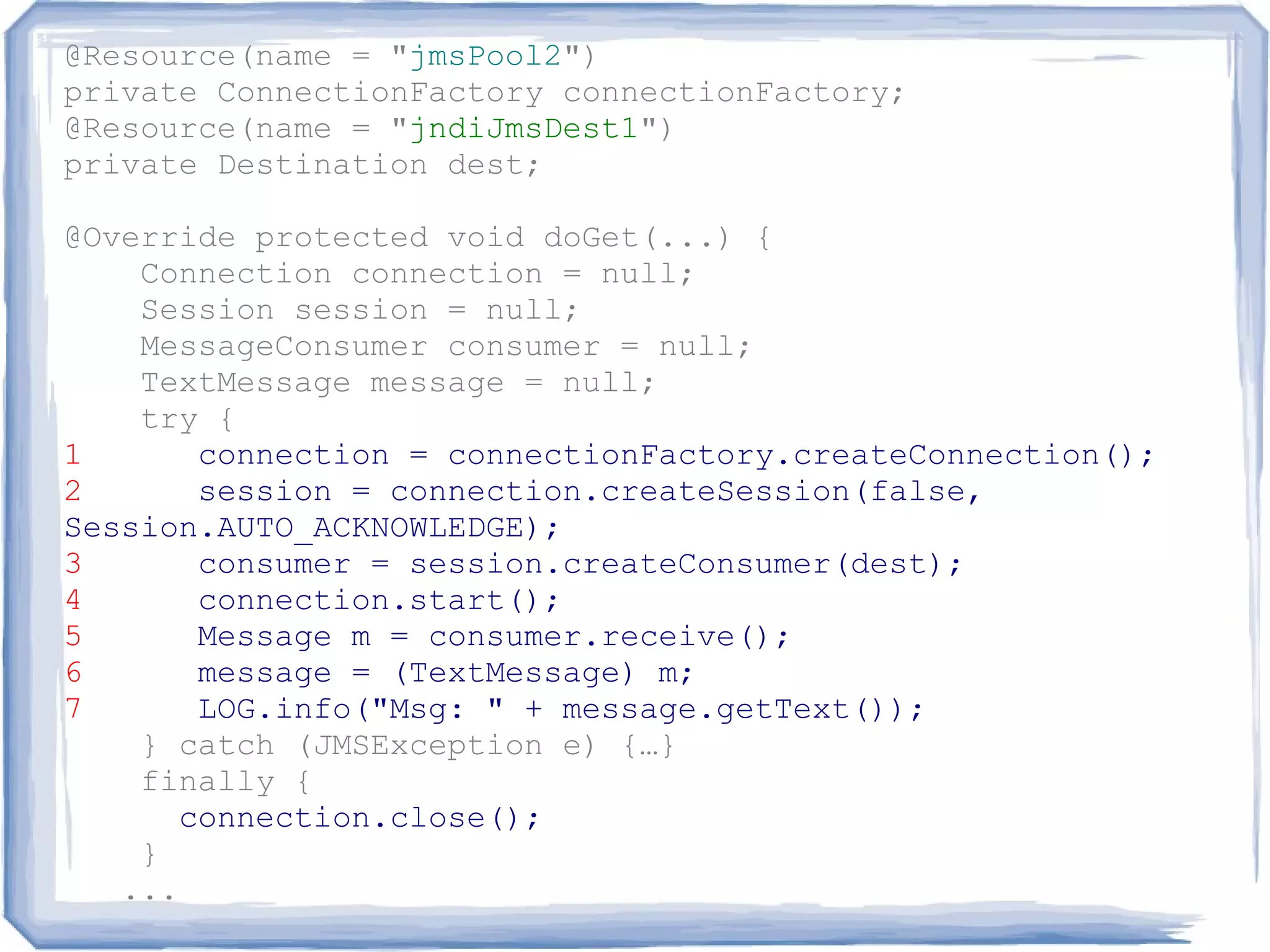
@Override protected void doGet(...) {
    Connection connection = null;
    Session session = null;
    MessageConsumer consumer = null;
    TextMessage message = null;
    try {
1       connection = connectionFactory.createConnection();
2       session = connection.createSession(false,
Session.AUTO_ACKNOWLEDGE);
3       consumer = session.createConsumer(dest);
4       connection.start();
5       Message m = consumer.receive();
6       message = (TextMessage) m;
7       LOG.info("Msg: " + message.getText());
    } catch (JMSException e) {…}
    finally {
       connection.close();
    }
   ...
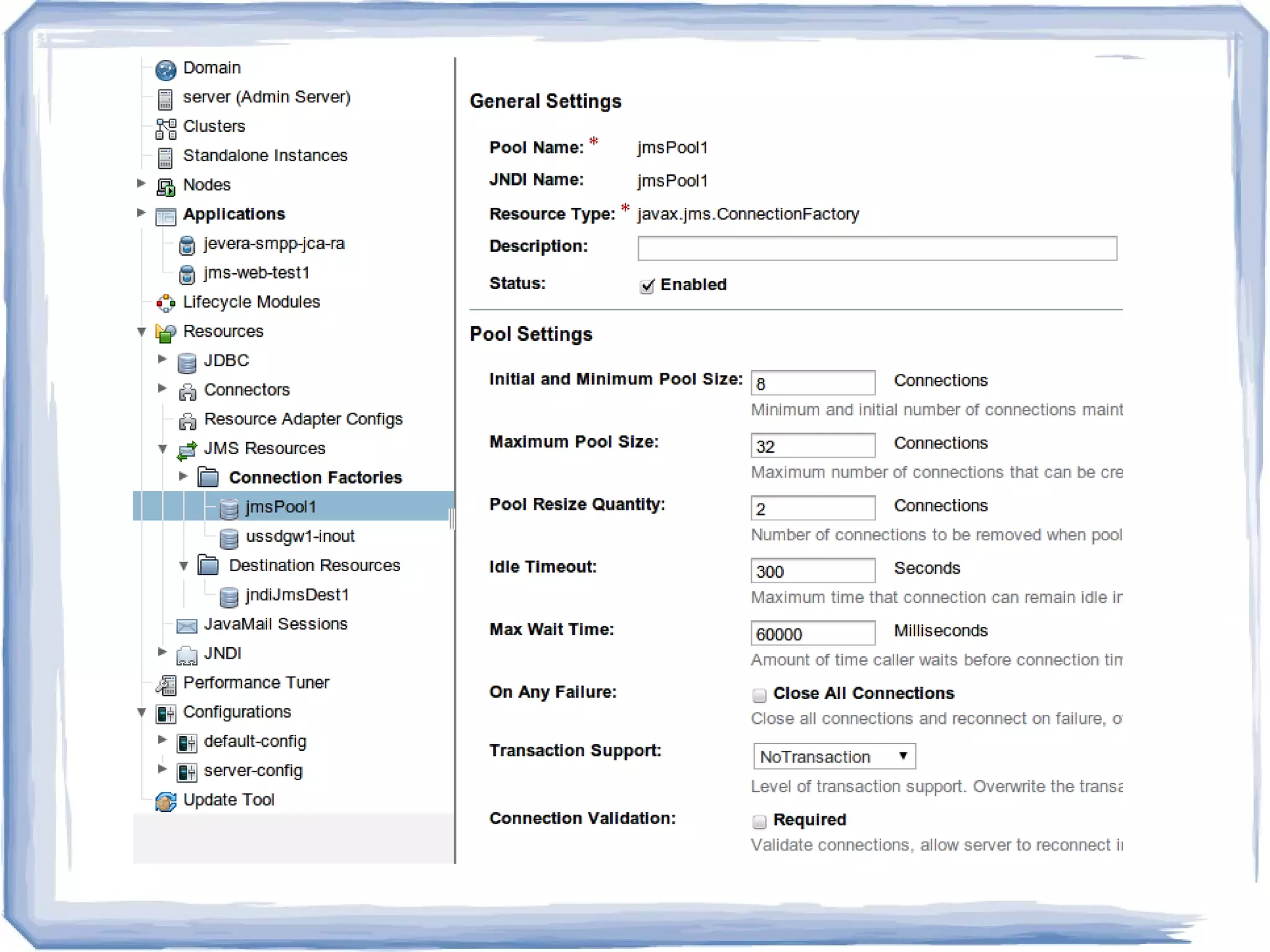
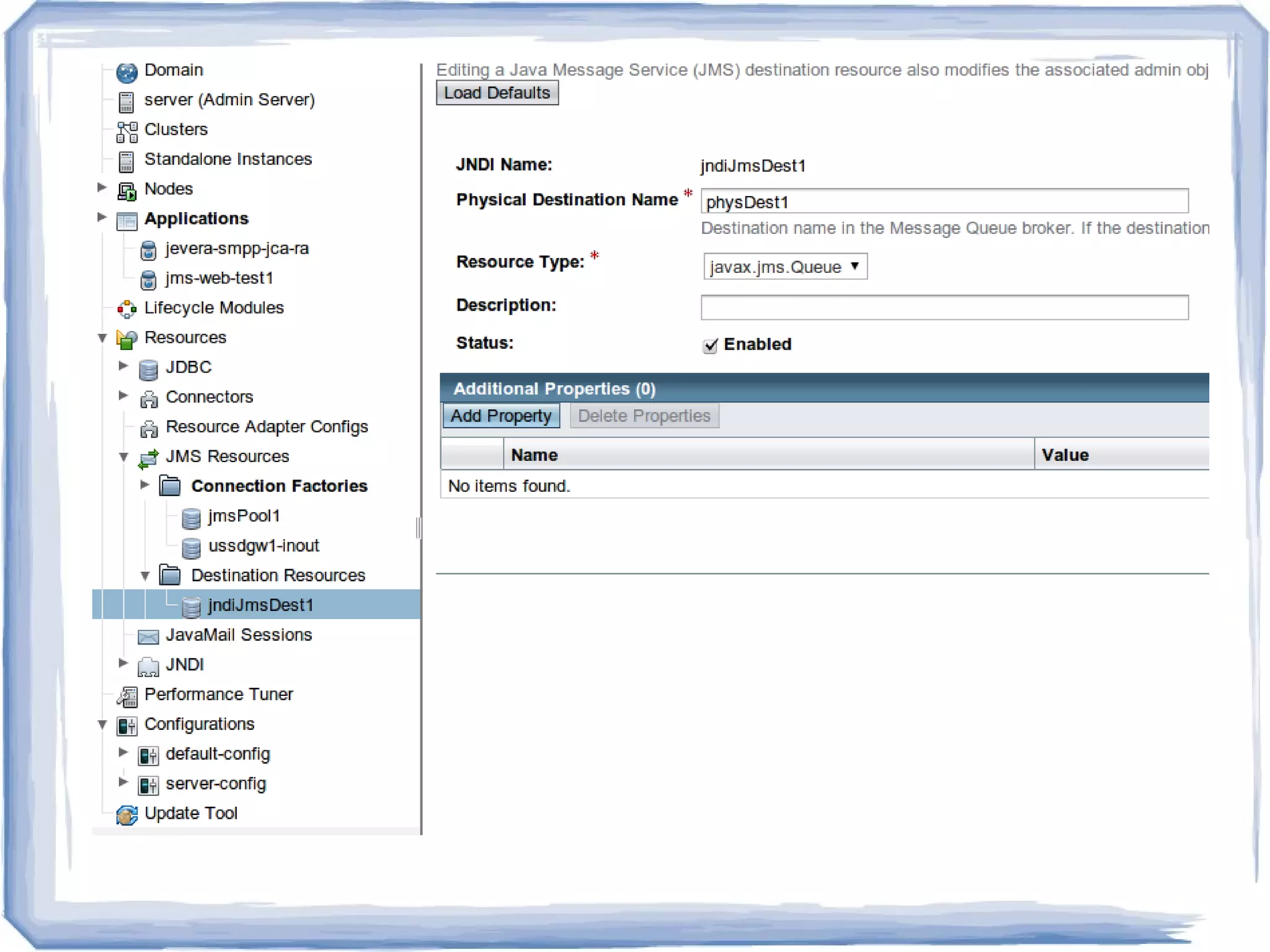
Where are Connection Factory and
          Destination?
JMS Application
A JMS application is composed of the following parts:


• JMS Clients - These are the Java language programs that send
and receive messages.
• Non-JMS Clients.
• Messages - Each application defines a set of messages that are
used to communicate information between its clients.
• JMS Provider - This is a messaging system that implements
JMS in addition to the other administrative and control
functionality required of a full-featured messaging product.
• Administered Objects - Administered objects are preconfigured
JMS objects created by an administrator for the use of clients.
Administered objects

Two types of JMS administered objects:


• ConnectionFactory - This is the object a client
uses to create a connection with a provider.
• Destination - This is the object a client uses to
specify the destination of messages it is sending
and the source of messages it receives.
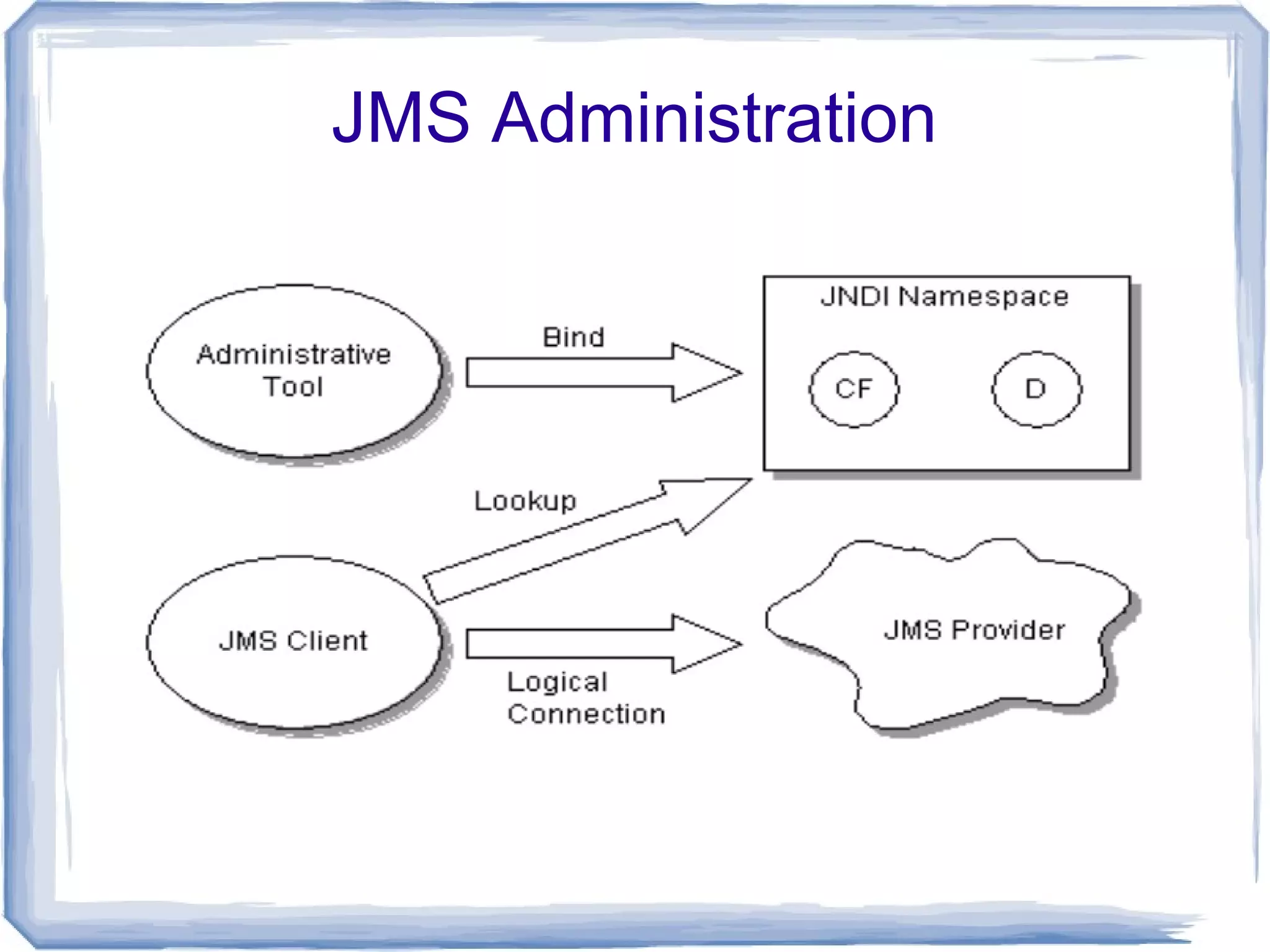
JMS Administration
Domains

There are two models of interaction:

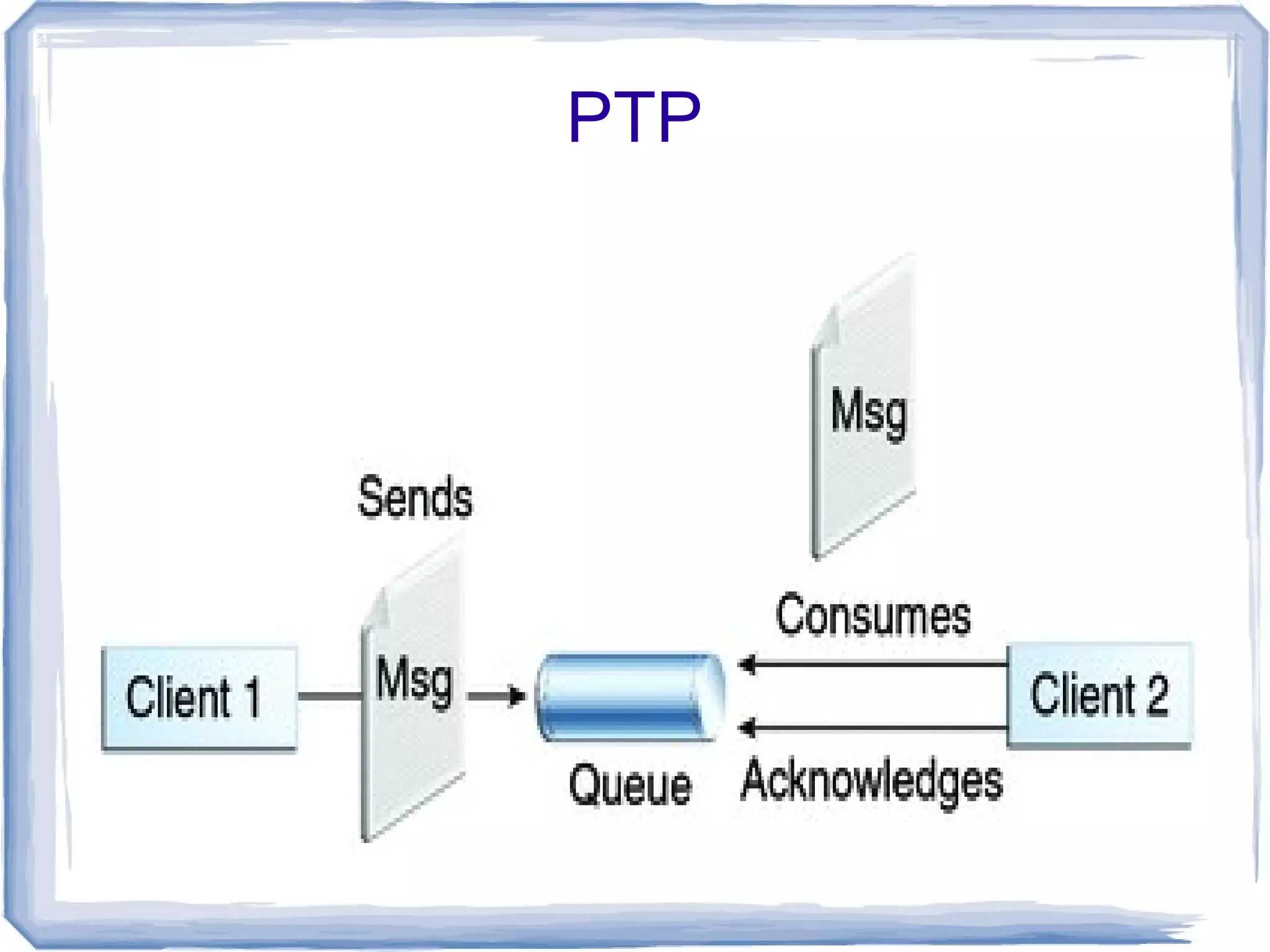
●   In the point-to-point (or PTP) messaging
    model, each message is delivered from a
    message producer to a single message
    consumer.
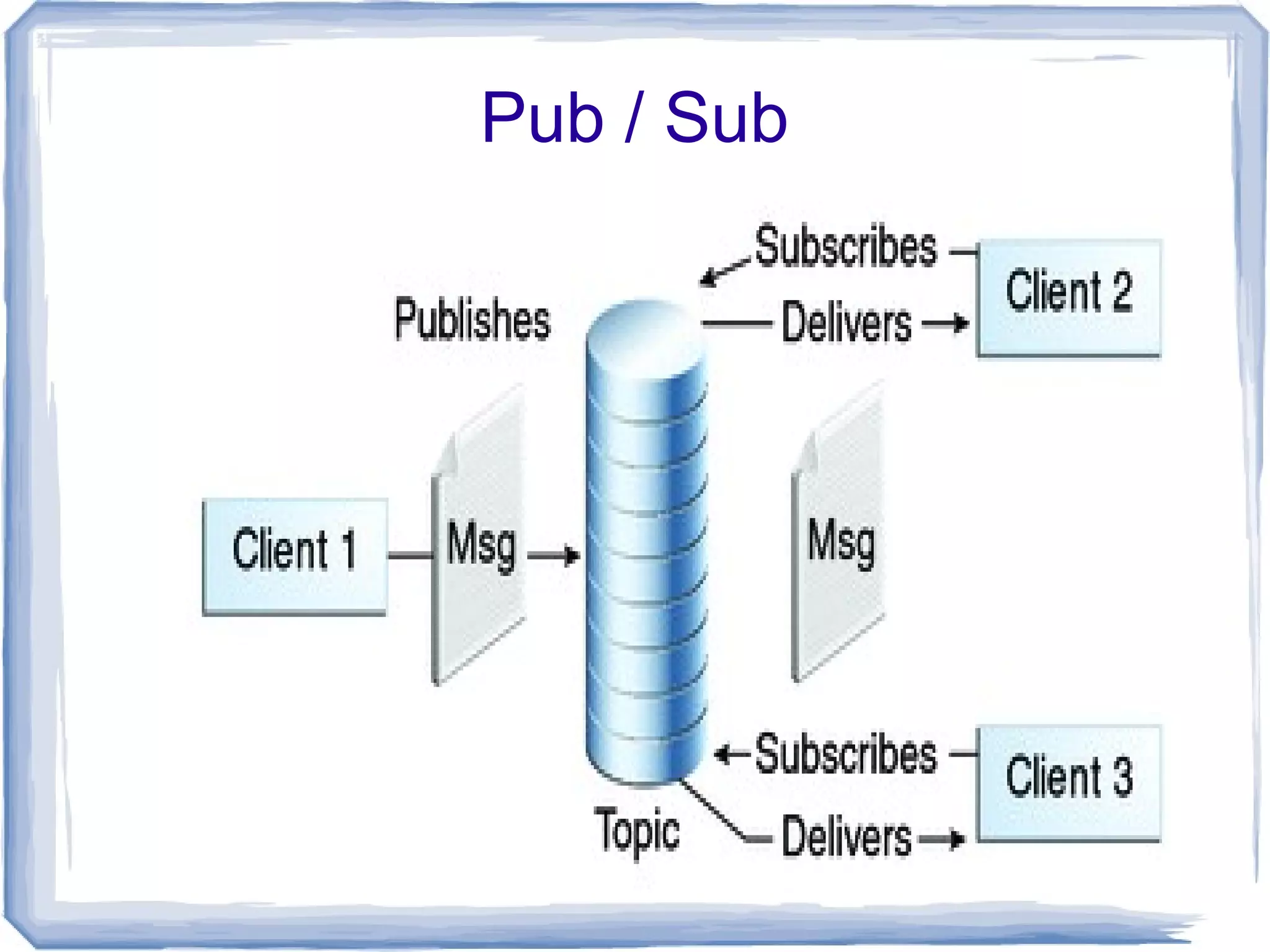
●   In the publish/subscribe (or pub/sub) model, a
    single message can be delivered from a
    producer to any number of consumers.
PTP
Pub / Sub
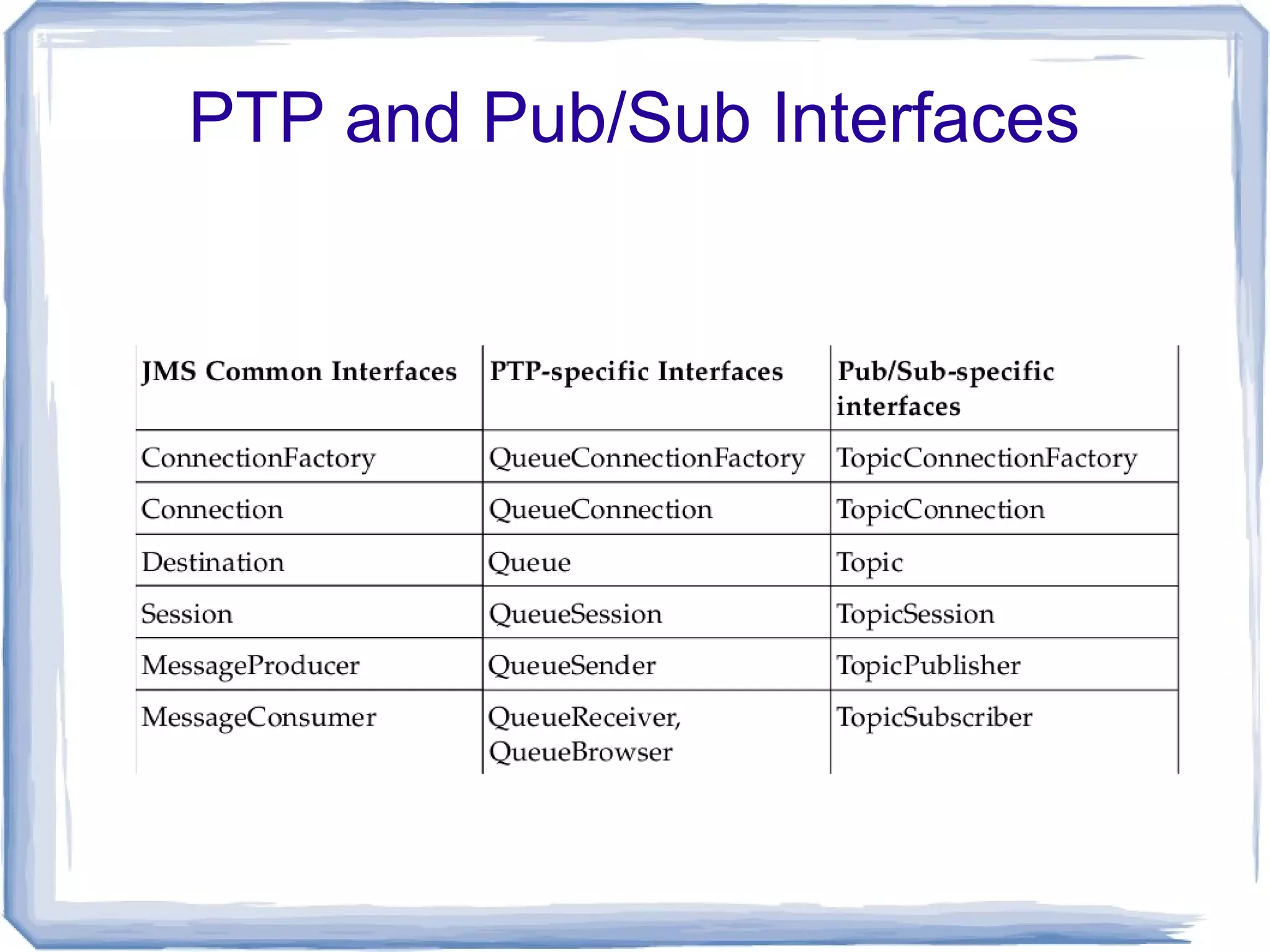
PTP and Pub/Sub Interfaces
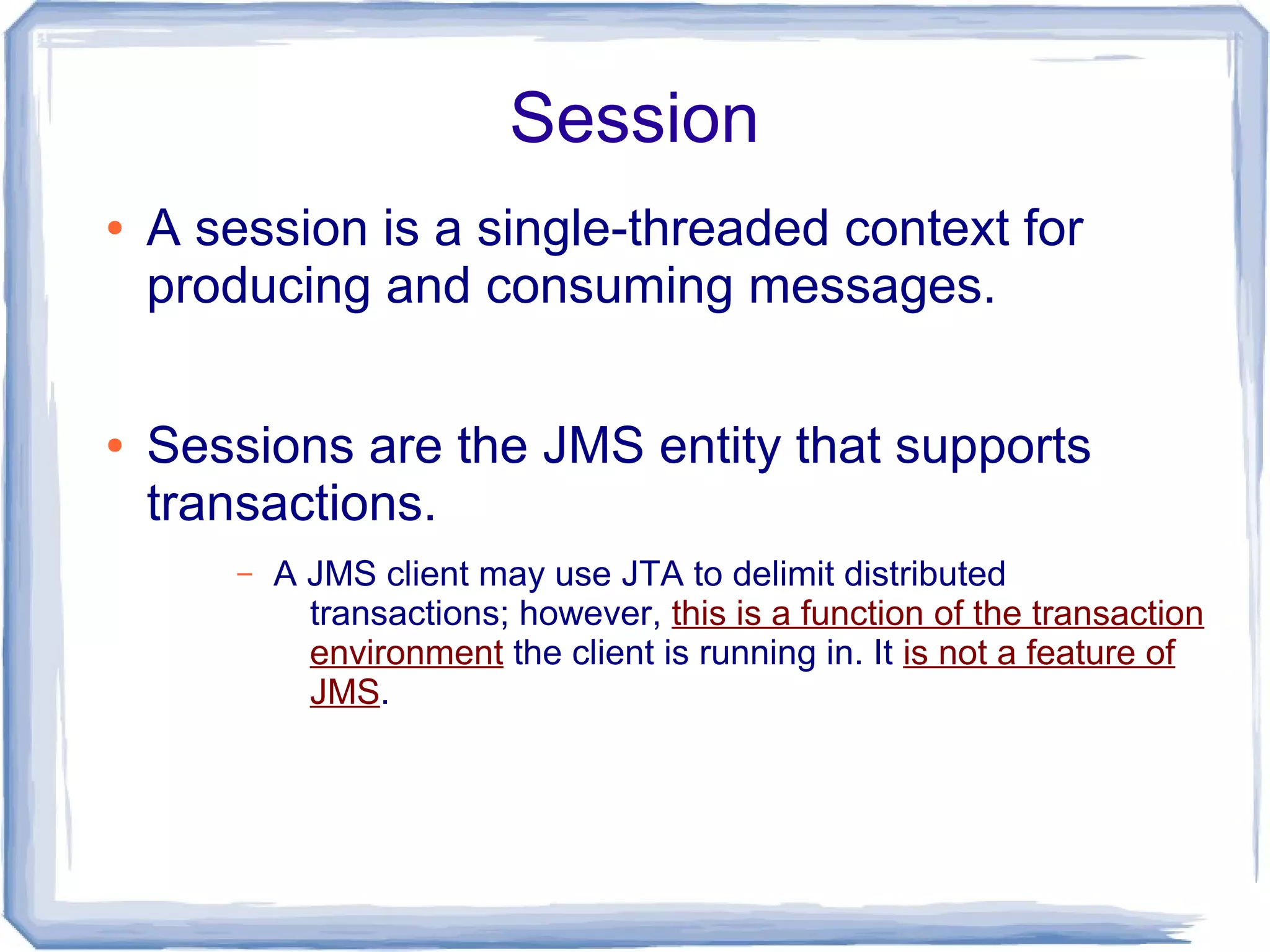
Session
●   A session is a single-threaded context for
    producing and consuming messages.

●   Sessions are the JMS entity that supports
    transactions.
        –   A JMS client may use JTA to delimit distributed
              transactions; however, this is a function of the transaction
              environment the client is running in. It is not a feature of
              JMS.
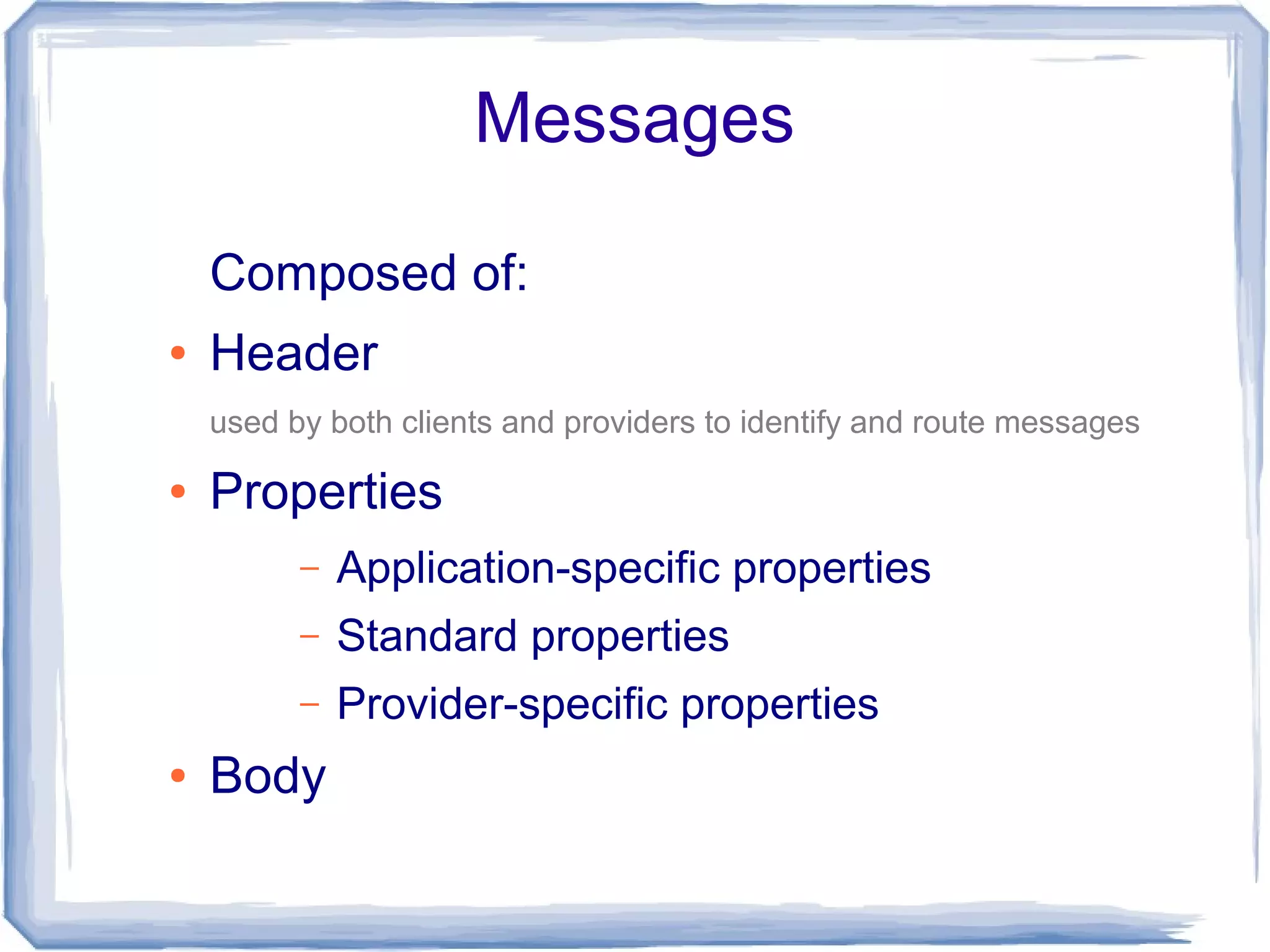
Messages

    Composed of:
●   Header
    used by both clients and providers to identify and route messages

●   Properties
          –   Application-specific properties
          –   Standard properties
          –   Provider-specific properties
●   Body
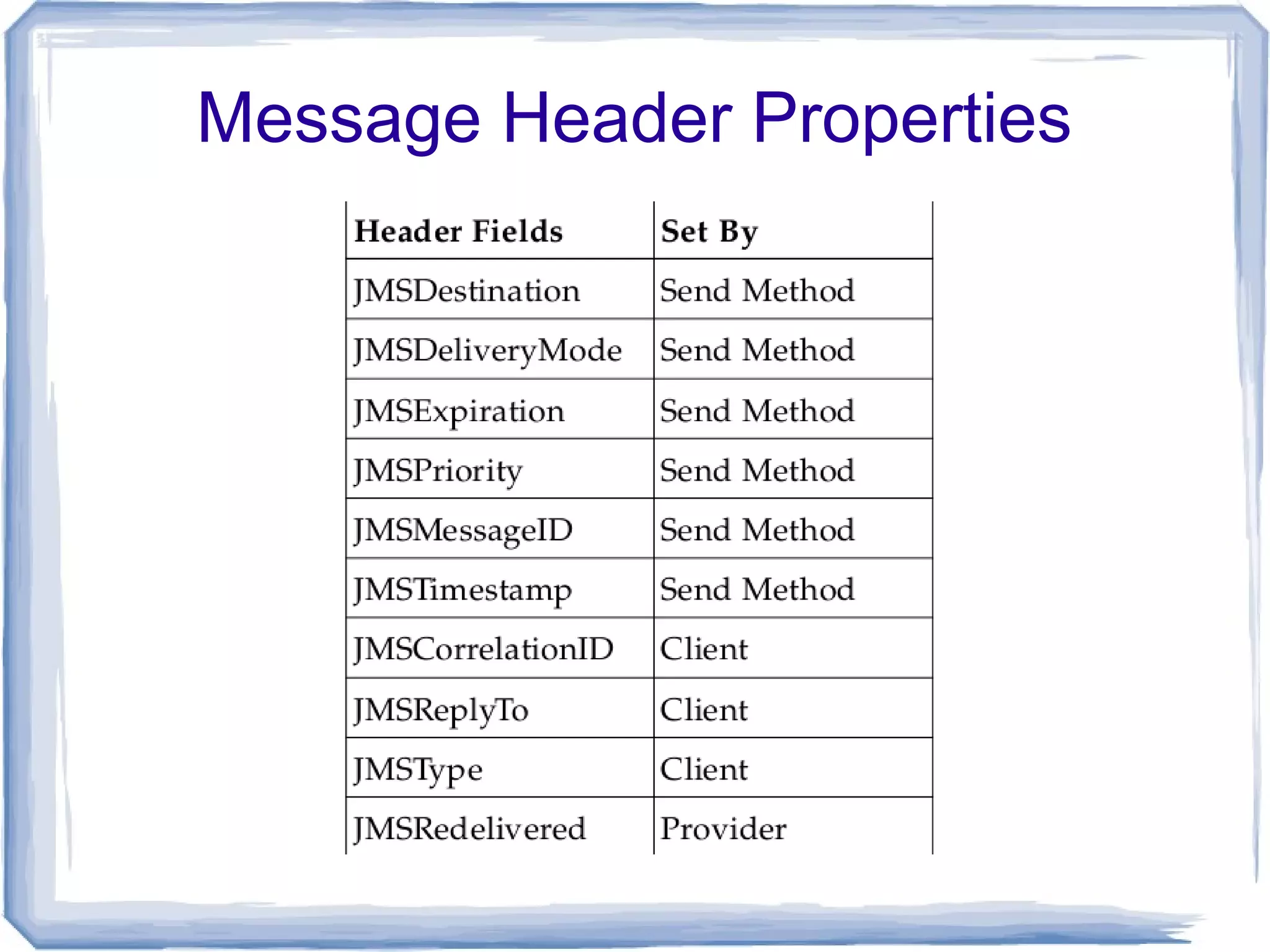
Message Header Properties
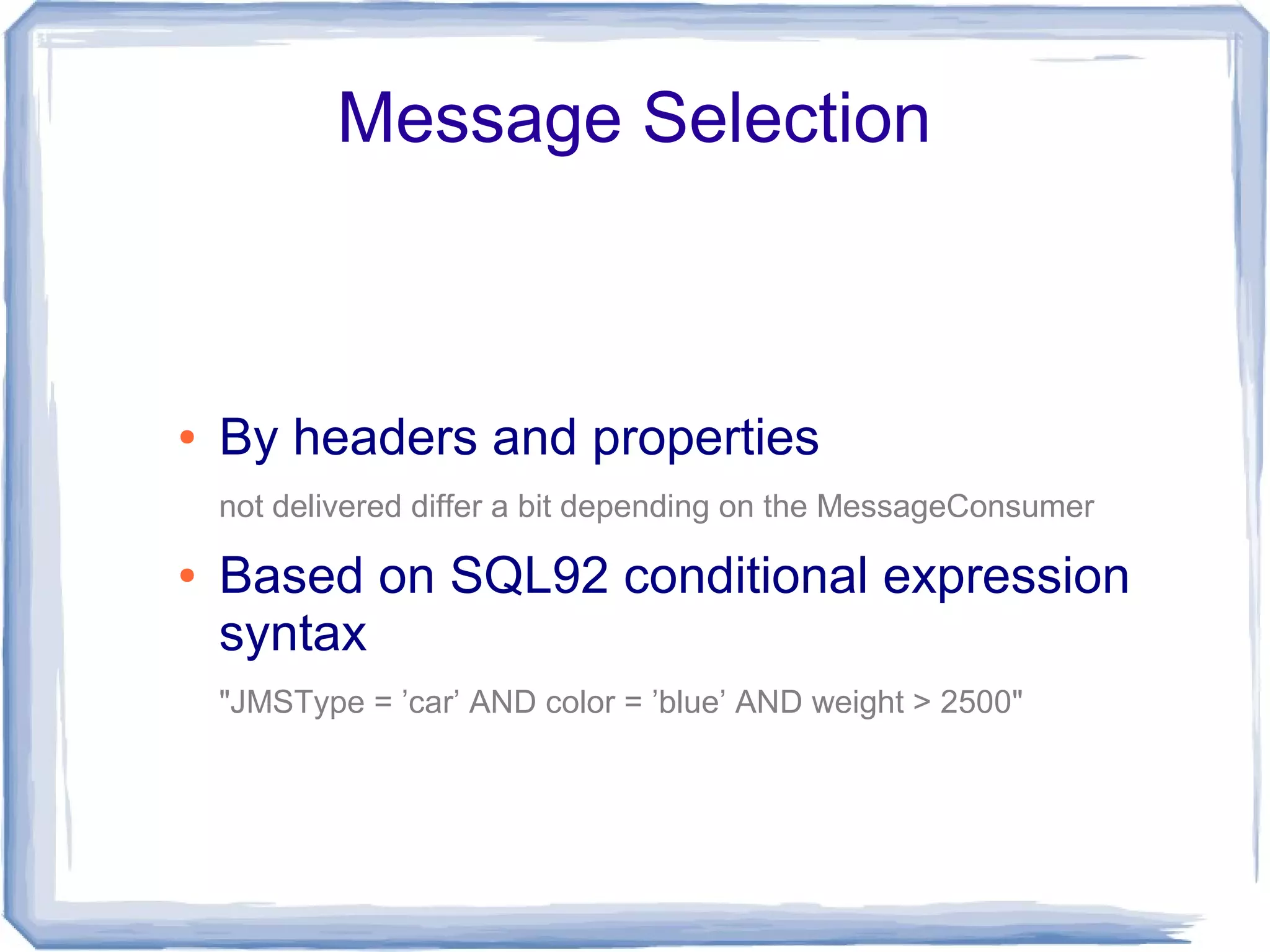
Message Selection


●   By headers and properties
    not delivered differ a bit depending on the MessageConsumer

●   Based on SQL92 conditional expression
    syntax
    "JMSType = ’car’ AND color = ’blue’ AND weight > 2500"
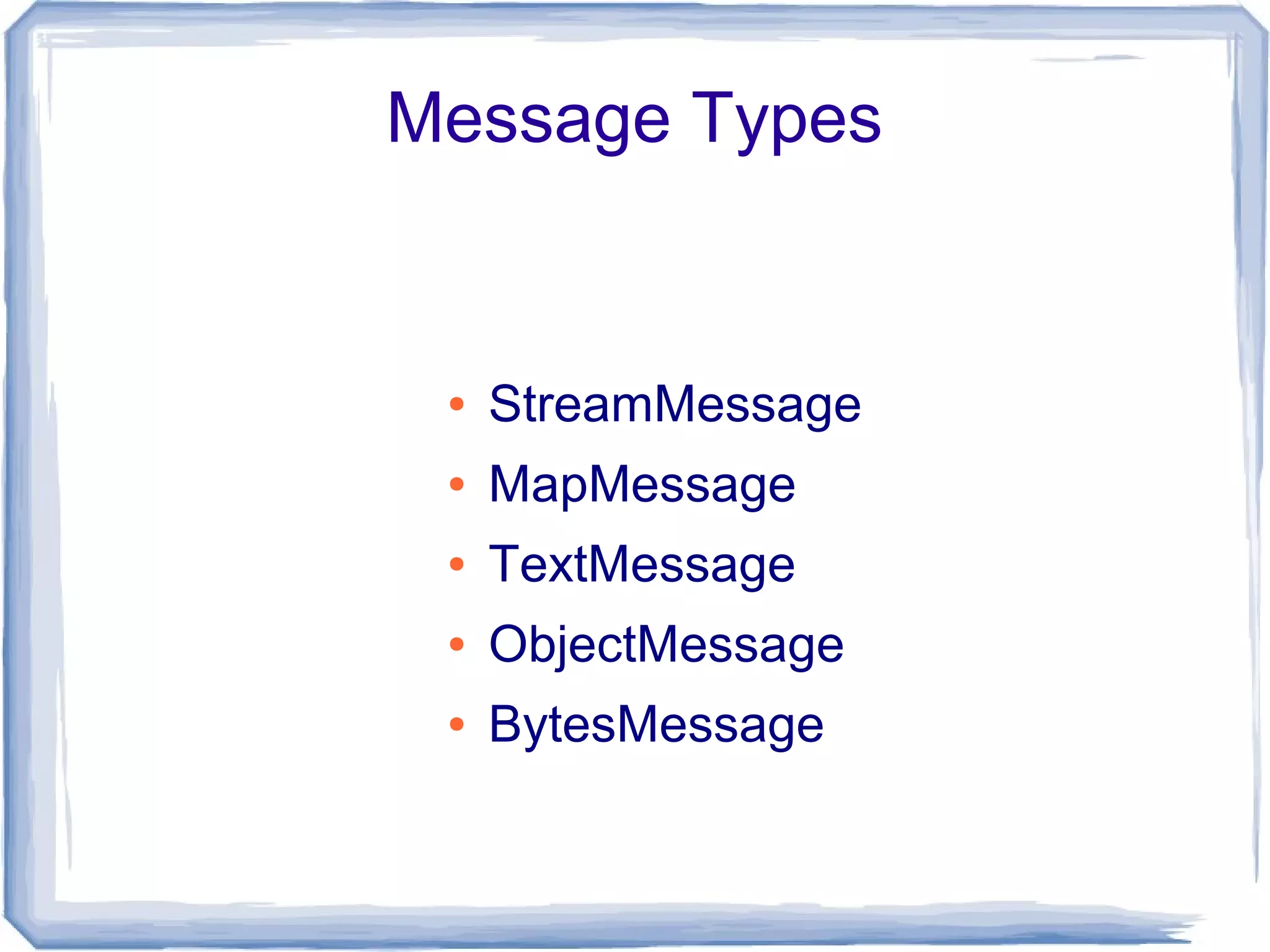
Message Types


 ●   StreamMessage
 ●   MapMessage
 ●   TextMessage
 ●   ObjectMessage
 ●   BytesMessage
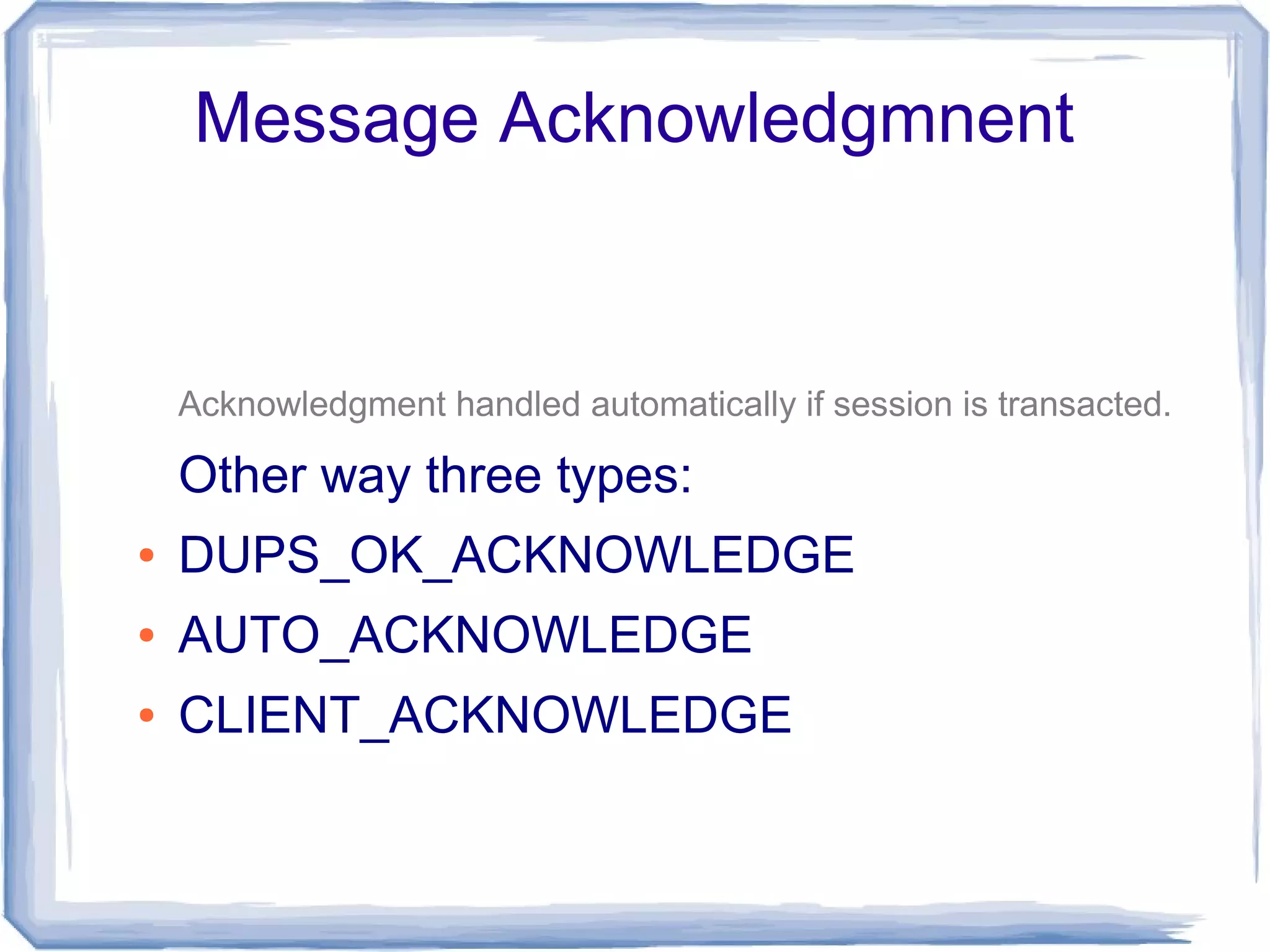
Message Acknowledgmnent


    Acknowledgment handled automatically if session is transacted.

    Other way three types:
●   DUPS_OK_ACKNOWLEDGE
●   AUTO_ACKNOWLEDGE
●   CLIENT_ACKNOWLEDGE
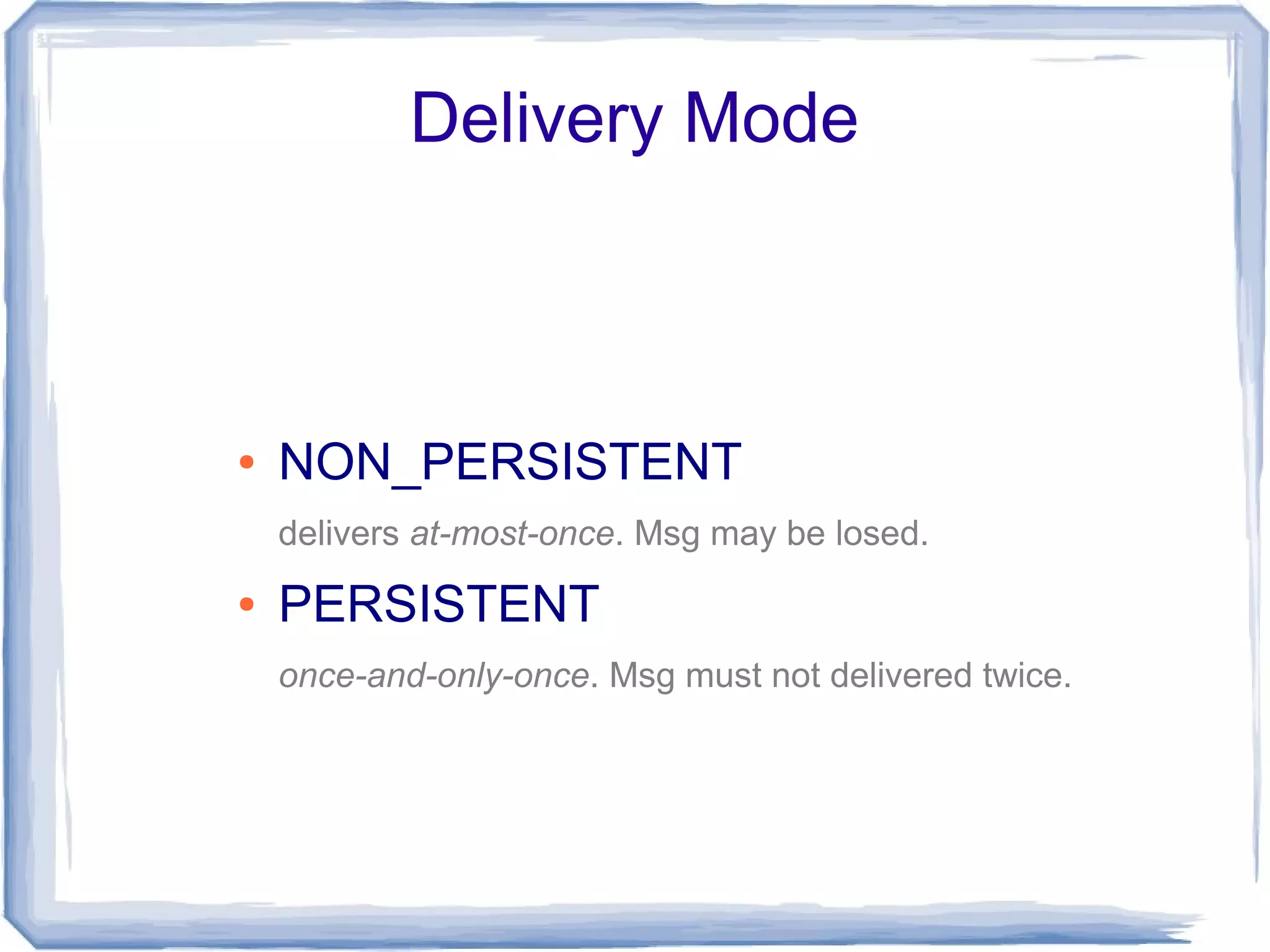
Delivery Mode


●   NON_PERSISTENT
    delivers at-most-once. Msg may be losed.
●   PERSISTENT
    once-and-only-once. Msg must not delivered twice.
Message Scheduling
Message Scheduling


●   No message scheduling in specification!
Apache ActiveMQ
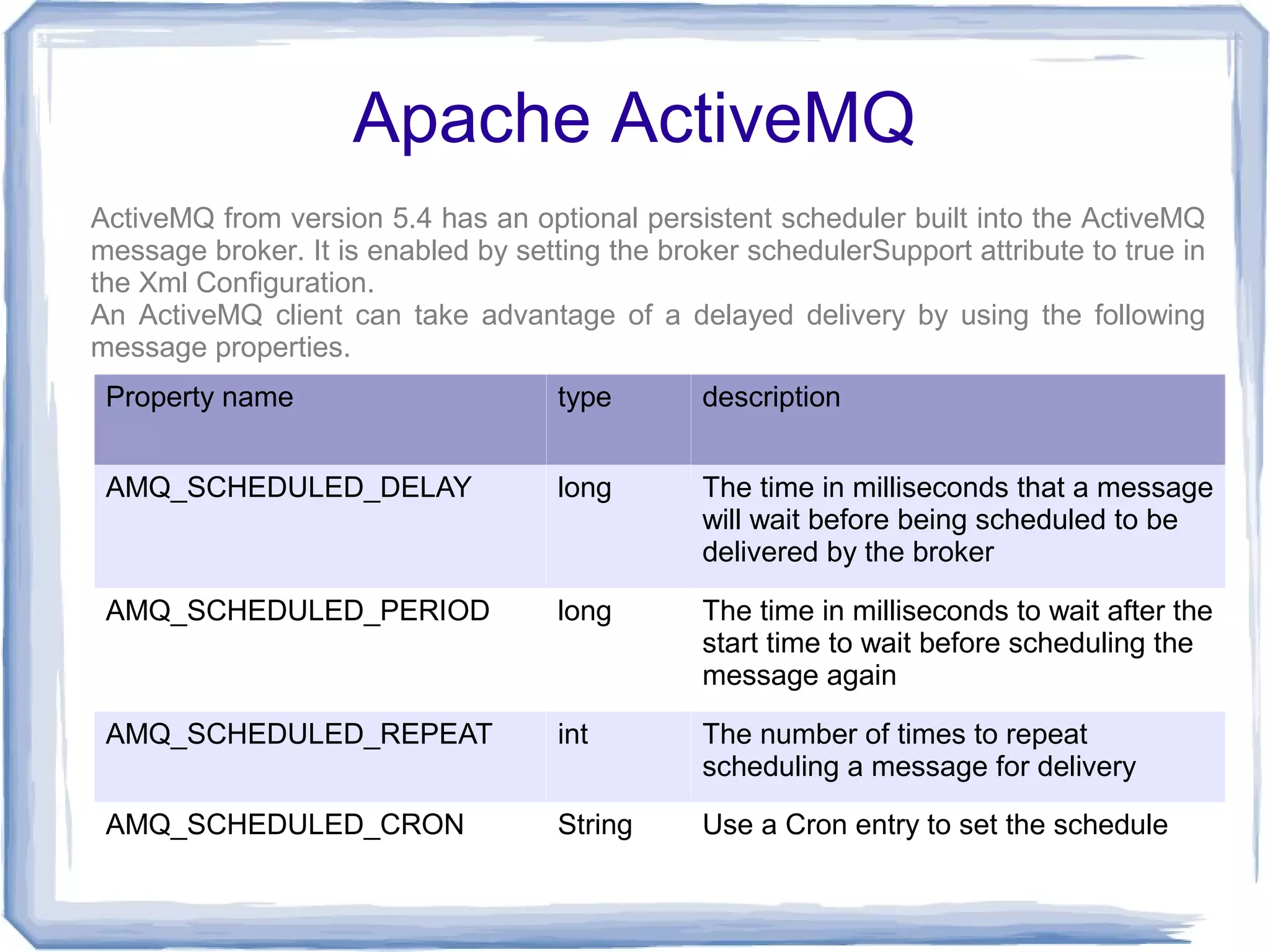
ActiveMQ from version 5.4 has an optional persistent scheduler built into the ActiveMQ
message broker. It is enabled by setting the broker schedulerSupport attribute to true in
the Xml Configuration.
An ActiveMQ client can take advantage of a delayed delivery by using the following
message properties.
 Property name                       type       description


 AMQ_SCHEDULED_DELAY                 long       The time in milliseconds that a message
                                                will wait before being scheduled to be
                                                delivered by the broker

 AMQ_SCHEDULED_PERIOD                long       The time in milliseconds to wait after the
                                                start time to wait before scheduling the
                                                message again

 AMQ_SCHEDULED_REPEAT                int        The number of times to repeat
                                                scheduling a message for delivery

 AMQ_SCHEDULED_CRON                  String     Use a Cron entry to set the schedule
ActiveMQ Example


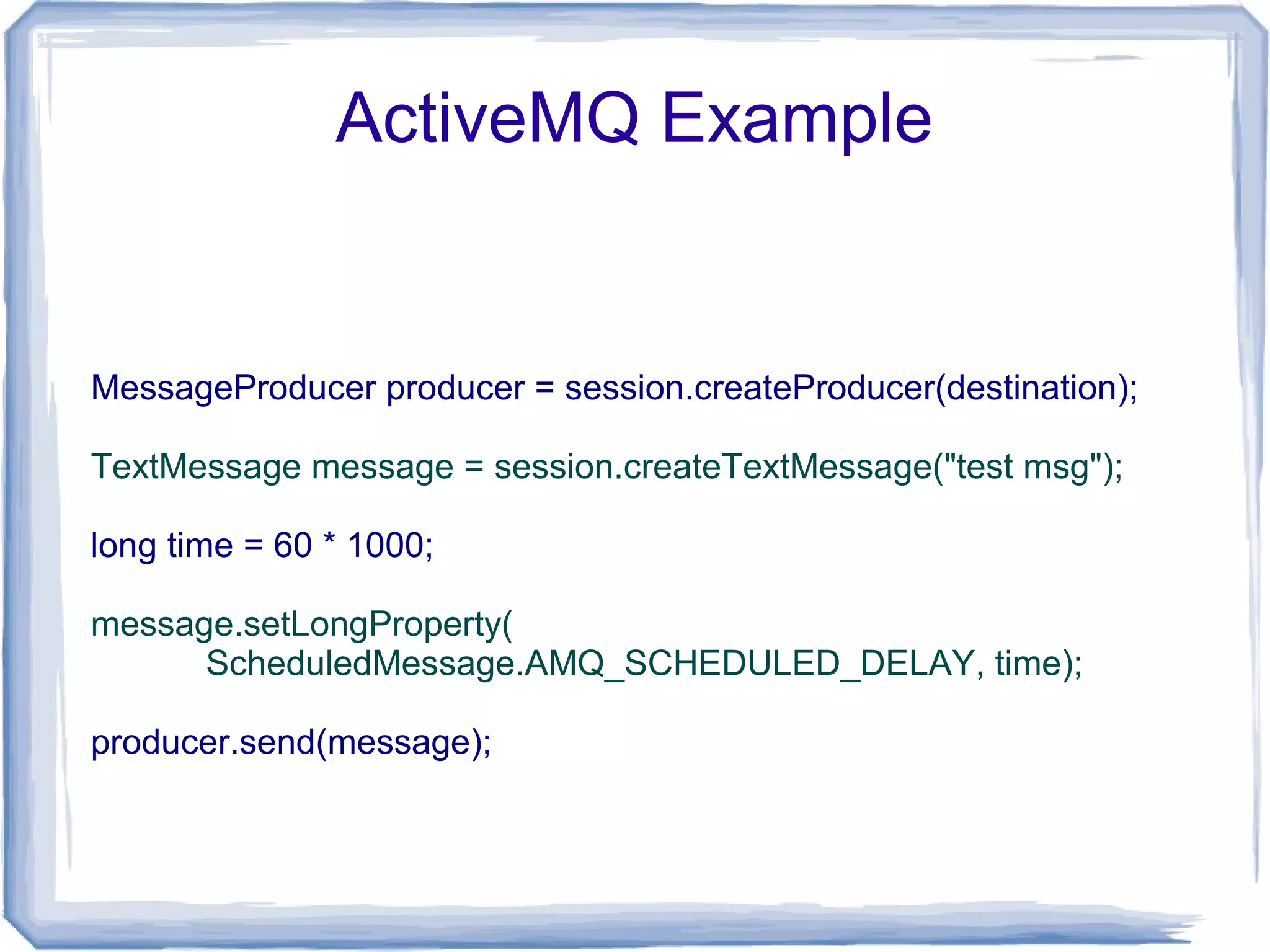
MessageProducer producer = session.createProducer(destination);

TextMessage message = session.createTextMessage("test msg");

long time = 60 * 1000;

message.setLongProperty(
      ScheduledMessage.AMQ_SCHEDULED_DELAY, time);

producer.send(message);
Questions

Jms

  • 1.
  • 2.
    What is JMS? ● A specification that describes a common way for Java programs to create, send, receive and read distributed enterprise messages; ● loosely coupled communication; ● Asynchronous messaging; ● Reliable delivery; – A message is guaranteed to be delivered once and only once. ● Outside the specification – Security services – Management services
  • 3.
    Goals ● Provide a single, unified message API ● Minimize knowledge needed for programmers needed to write clients ● Utilize concepts of message exchange applications ● Simplify portability of JMS clients
  • 4.
  • 5.
    JMS Concepts ● Connection factory ● Connection ● Session ● Message producer ● Destination ● Message consumer ● Message
  • 6.
    Responsibilities Client side: JMS Provider: ● Message producer ● Connection factory ● Message consumer ● Connection ● Message ● Destination ● Session
  • 7.
  • 8.
  • 9.
    @Resource(name = "jmsPool1") privateConnectionFactory connectionFactory; @Resource(name = "jndiJmsDest1") private Destination dest; @Override protected void doGet(...) { Connection connection = null; MessageProducer producer = null; try { connection = connectionFactory.createConnection(); Session session = connection.createSession(false, Session.AUTO_ACKNOWLEDGE); producer = session.createProducer(dest); TextMessage message = session.createTextMessage(); message.setText("Hello, JMS!!!"); producer.send(message); } catch (JMSException e) {...} try { connection.close(); } catch (JMSException e) {...} ...
  • 10.
    @Resource(name = "jmsPool1") privateConnectionFactory connectionFactory;
  • 11.
    @Resource(name = "jmsPool1") privateConnectionFactory connectionFactory; @Resource(name = "jndiJmsDest1") private Destination dest;
  • 12.
    @Resource(name = "jmsPool1") privateConnectionFactory connectionFactory; @Resource(name = "jndiJmsDest1") private Destination dest; @Override protected void doGet(...) { Connection connection = null; MessageProducer producer = null; try { 1 connection = connectionFactory.createConnection(); 2 Session session = connection.createSession(false, Session.AUTO_ACKNOWLEDGE); 3 producer = session.createProducer(dest); 4 TextMessage message = session.createTextMessage(); 5 message.setText("Hello, JMS!!!"); 6 producer.send(message); } catch (JMSException e) {...} try { connection.close(); } catch (JMSException e) {...} ...
  • 13.
  • 14.
    @Resource(name = "jmsPool2") privateConnectionFactory connectionFactory; @Resource(name = "jndiJmsDest1") private Destination dest;
  • 15.
    @Resource(name = "jmsPool2") privateConnectionFactory connectionFactory; @Resource(name = "jndiJmsDest1") private Destination dest; @Override protected void doGet(...) { Connection connection = null; Session session = null; MessageConsumer consumer = null; TextMessage message = null; try { 1 connection = connectionFactory.createConnection(); 2 session = connection.createSession(false, Session.AUTO_ACKNOWLEDGE); 3 consumer = session.createConsumer(dest); 4 connection.start(); 5 Message m = consumer.receive(); 6 message = (TextMessage) m; 7 LOG.info("Msg: " + message.getText()); } catch (JMSException e) {…} finally { connection.close(); } ...
  • 16.
    Where are ConnectionFactory and Destination?
  • 17.
    JMS Application A JMSapplication is composed of the following parts: • JMS Clients - These are the Java language programs that send and receive messages. • Non-JMS Clients. • Messages - Each application defines a set of messages that are used to communicate information between its clients. • JMS Provider - This is a messaging system that implements JMS in addition to the other administrative and control functionality required of a full-featured messaging product. • Administered Objects - Administered objects are preconfigured JMS objects created by an administrator for the use of clients.
  • 18.
    Administered objects Two typesof JMS administered objects: • ConnectionFactory - This is the object a client uses to create a connection with a provider. • Destination - This is the object a client uses to specify the destination of messages it is sending and the source of messages it receives.
  • 19.
  • 22.
    Domains There are twomodels of interaction: ● In the point-to-point (or PTP) messaging model, each message is delivered from a message producer to a single message consumer. ● In the publish/subscribe (or pub/sub) model, a single message can be delivered from a producer to any number of consumers.
  • 23.
  • 24.
  • 25.
    PTP and Pub/SubInterfaces
  • 26.
    Session ● A session is a single-threaded context for producing and consuming messages. ● Sessions are the JMS entity that supports transactions. – A JMS client may use JTA to delimit distributed transactions; however, this is a function of the transaction environment the client is running in. It is not a feature of JMS.
  • 27.
    Messages Composed of: ● Header used by both clients and providers to identify and route messages ● Properties – Application-specific properties – Standard properties – Provider-specific properties ● Body
  • 28.
  • 29.
    Message Selection ● By headers and properties not delivered differ a bit depending on the MessageConsumer ● Based on SQL92 conditional expression syntax "JMSType = ’car’ AND color = ’blue’ AND weight > 2500"
  • 30.
    Message Types ● StreamMessage ● MapMessage ● TextMessage ● ObjectMessage ● BytesMessage
  • 31.
    Message Acknowledgmnent Acknowledgment handled automatically if session is transacted. Other way three types: ● DUPS_OK_ACKNOWLEDGE ● AUTO_ACKNOWLEDGE ● CLIENT_ACKNOWLEDGE
  • 32.
    Delivery Mode ● NON_PERSISTENT delivers at-most-once. Msg may be losed. ● PERSISTENT once-and-only-once. Msg must not delivered twice.
  • 33.
  • 34.
    Message Scheduling ● No message scheduling in specification!
  • 35.
    Apache ActiveMQ ActiveMQ fromversion 5.4 has an optional persistent scheduler built into the ActiveMQ message broker. It is enabled by setting the broker schedulerSupport attribute to true in the Xml Configuration. An ActiveMQ client can take advantage of a delayed delivery by using the following message properties. Property name type description AMQ_SCHEDULED_DELAY long The time in milliseconds that a message will wait before being scheduled to be delivered by the broker AMQ_SCHEDULED_PERIOD long The time in milliseconds to wait after the start time to wait before scheduling the message again AMQ_SCHEDULED_REPEAT int The number of times to repeat scheduling a message for delivery AMQ_SCHEDULED_CRON String Use a Cron entry to set the schedule
  • 36.
    ActiveMQ Example MessageProducer producer= session.createProducer(destination); TextMessage message = session.createTextMessage("test msg"); long time = 60 * 1000; message.setLongProperty( ScheduledMessage.AMQ_SCHEDULED_DELAY, time); producer.send(message);
  • 37.