JetBrains ReSharper Absolute Software Dennis Loktionov
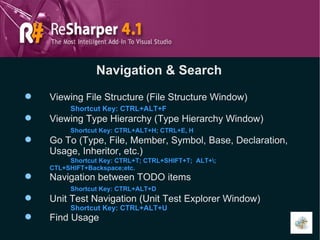
Navigation & Search Viewing File Structure (File Structure Window) Shortcut Key: CTRL+ALT+F Viewing Type Hierarchy (Type Hierarchy Window) Shortcut Key: CTRL+ALT+H; CTRL+E, H Go To (Type, File, Member, Symbol, Base, Declaration, Usage, Inheritor, etc.) Shortcut Key: CTRL+T; CTRL+SHIFT+T;  ALT+\;  CTL+SHIFT+Backspace;etc. Navigation between TODO items Shortcut Key: CTRL+ALT+D Unit Test Navigation (Unit Test Explorer Window) Shortcut Key: CTRL+ALT+U Find Usage
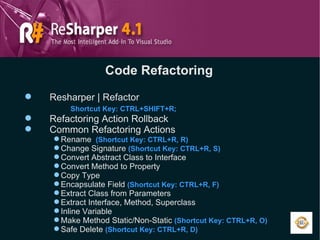
Code Refactoring Resharper | Refactor Shortcut Key: CTRL+SHIFT+R; Refactoring Action Rollback  Common Refactoring Actions Rename   (Shortcut Key: CTRL+R, R) Change Signature  (Shortcut Key: CTRL+R, S) Convert Abstract Class to Interface Convert Method to Property Copy Type Encapsulate Field  (Shortcut Key: CTRL+R, F) Extract Class from Parameters Extract Interface, Method, Superclass Inline Variable Make Method Static/Non-Static  (Shortcut Key: CTRL+R, O) Safe Delete  (Shortcut Key: CTRL+R, D)
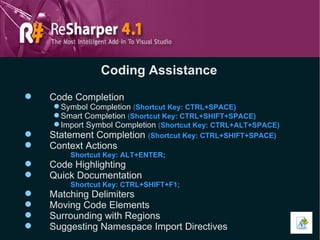
Coding Assistance Code Completion Symbol Completion  ( Shortcut Key: CTRL+SPACE) Smart Completion  ( Shortcut Key: CTRL+SHIFT+SPACE) Import Symbol Completion  ( Shortcut Key: CTRL+ALT+SPACE) Statement Completion  ( Shortcut Key: CTRL+SHIFT+SPACE) Context Actions Shortcut Key: ALT+ENTER; Code Highlighting Quick Documentation Shortcut Key: CTRL+SHIFT+F1; Matching Delimiters Moving Code Elements Surrounding with Regions Suggesting Namespace Import Directives
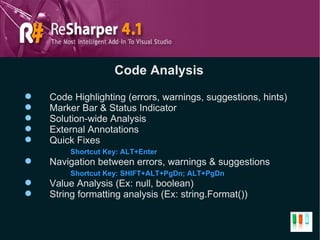
Code Analysis Code Highlighting (errors, warnings, suggestions, hints) Marker Bar & Status Indicator Solution-wide Analysis External Annotations Quick Fixes Shortcut Key: ALT+Enter Navigation between errors, warnings & suggestions Shortcut Key: SHIFT+ALT+PgDn; ALT+PgDn Value Analysis (Ex: null, boolean) String formatting analysis (Ex: string.Format())
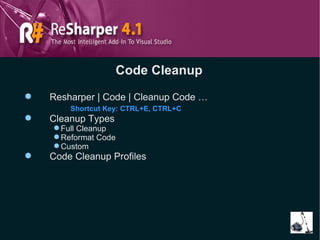
Code Cleanup Resharper | Code | Cleanup Code … Shortcut Key: CTRL+E, CTRL+C Cleanup Types Full Cleanup Reformat Code Custom Code Cleanup Profiles
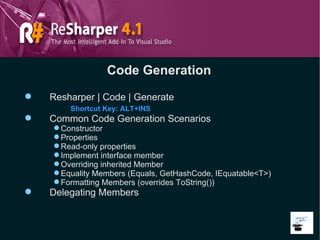
Code Generation Resharper | Code | Generate Shortcut Key: ALT+INS Common Code Generation Scenarios Constructor Properties Read-only properties Implement interface member Overriding inherited Member Equality Members (Equals, GetHashCode, IEquatable<T>) Formatting Members (overrides ToString()) Delegating Members
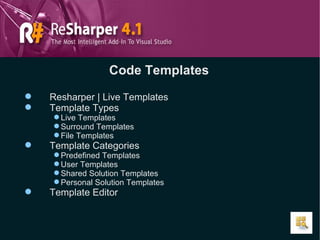
Code Templates Resharper | Live Templates Template Types Live Templates Surround Templates File Templates Template Categories Predefined Templates User Templates Shared Solution Templates Personal Solution Templates Template Editor
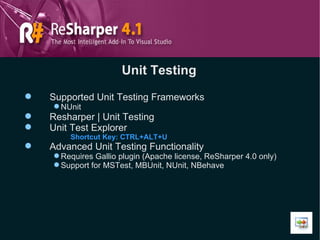
Unit Testing Supported Unit Testing Frameworks NUnit Resharper | Unit Testing Unit Test Explorer Shortcut Key: CTRL+ALT+U Advanced Unit Testing Functionality Requires Gallio plugin (Apache license, ReSharper 4.0 only) Support for MSTest, MBUnit, NUnit, NBehave
Supported Languages & Technologies C# (up to 3.0) VB.NET ASP.NET XML XAML MS Build & NAnt scripts
Plugins Scout plugin (Reflector integration) Gallio plugin (Advanced Unit Testing support) StyleCop plugin (Microsoft StyleCop integration) RGreatEx plugin (Advanced localizer, resource file manipulation, not free) NHibernate plugin (popular ORM framework integration) ARP (NHibernate, log4net support) Others … Custom (OpenAPI for plugin development)
Reasons To Use Developer’s productivity boost IntelliSense on steroids Enforcing code style best practices across teams Consistent code base that speeds up code reviews Useful plugins Chance to become a real ReSharper Jedi
Useful Links http://www.jetbrains.com/resharper  -  Resharper http://code.google.com/p/scoutplugin  -  Scout plugin http://www.codeplex.com/StyleCopForReSharper  -  StyleCop plugin http://www.gallio.org   –  Gallio plugin
THANKS

JetBrains ReSharper

  • 1.
    JetBrains ReSharper AbsoluteSoftware Dennis Loktionov
  • 2.
    Navigation & SearchViewing File Structure (File Structure Window) Shortcut Key: CTRL+ALT+F Viewing Type Hierarchy (Type Hierarchy Window) Shortcut Key: CTRL+ALT+H; CTRL+E, H Go To (Type, File, Member, Symbol, Base, Declaration, Usage, Inheritor, etc.) Shortcut Key: CTRL+T; CTRL+SHIFT+T; ALT+\; CTL+SHIFT+Backspace;etc. Navigation between TODO items Shortcut Key: CTRL+ALT+D Unit Test Navigation (Unit Test Explorer Window) Shortcut Key: CTRL+ALT+U Find Usage
  • 3.
    Code Refactoring Resharper| Refactor Shortcut Key: CTRL+SHIFT+R; Refactoring Action Rollback Common Refactoring Actions Rename (Shortcut Key: CTRL+R, R) Change Signature (Shortcut Key: CTRL+R, S) Convert Abstract Class to Interface Convert Method to Property Copy Type Encapsulate Field (Shortcut Key: CTRL+R, F) Extract Class from Parameters Extract Interface, Method, Superclass Inline Variable Make Method Static/Non-Static (Shortcut Key: CTRL+R, O) Safe Delete (Shortcut Key: CTRL+R, D)
  • 4.
    Coding Assistance CodeCompletion Symbol Completion ( Shortcut Key: CTRL+SPACE) Smart Completion ( Shortcut Key: CTRL+SHIFT+SPACE) Import Symbol Completion ( Shortcut Key: CTRL+ALT+SPACE) Statement Completion ( Shortcut Key: CTRL+SHIFT+SPACE) Context Actions Shortcut Key: ALT+ENTER; Code Highlighting Quick Documentation Shortcut Key: CTRL+SHIFT+F1; Matching Delimiters Moving Code Elements Surrounding with Regions Suggesting Namespace Import Directives
  • 5.
    Code Analysis CodeHighlighting (errors, warnings, suggestions, hints) Marker Bar & Status Indicator Solution-wide Analysis External Annotations Quick Fixes Shortcut Key: ALT+Enter Navigation between errors, warnings & suggestions Shortcut Key: SHIFT+ALT+PgDn; ALT+PgDn Value Analysis (Ex: null, boolean) String formatting analysis (Ex: string.Format())
  • 6.
    Code Cleanup Resharper| Code | Cleanup Code … Shortcut Key: CTRL+E, CTRL+C Cleanup Types Full Cleanup Reformat Code Custom Code Cleanup Profiles
  • 7.
    Code Generation Resharper| Code | Generate Shortcut Key: ALT+INS Common Code Generation Scenarios Constructor Properties Read-only properties Implement interface member Overriding inherited Member Equality Members (Equals, GetHashCode, IEquatable<T>) Formatting Members (overrides ToString()) Delegating Members
  • 8.
    Code Templates Resharper| Live Templates Template Types Live Templates Surround Templates File Templates Template Categories Predefined Templates User Templates Shared Solution Templates Personal Solution Templates Template Editor
  • 9.
    Unit Testing SupportedUnit Testing Frameworks NUnit Resharper | Unit Testing Unit Test Explorer Shortcut Key: CTRL+ALT+U Advanced Unit Testing Functionality Requires Gallio plugin (Apache license, ReSharper 4.0 only) Support for MSTest, MBUnit, NUnit, NBehave
  • 10.
    Supported Languages &Technologies C# (up to 3.0) VB.NET ASP.NET XML XAML MS Build & NAnt scripts
  • 11.
    Plugins Scout plugin(Reflector integration) Gallio plugin (Advanced Unit Testing support) StyleCop plugin (Microsoft StyleCop integration) RGreatEx plugin (Advanced localizer, resource file manipulation, not free) NHibernate plugin (popular ORM framework integration) ARP (NHibernate, log4net support) Others … Custom (OpenAPI for plugin development)
  • 12.
    Reasons To UseDeveloper’s productivity boost IntelliSense on steroids Enforcing code style best practices across teams Consistent code base that speeds up code reviews Useful plugins Chance to become a real ReSharper Jedi
  • 13.
    Useful Links http://www.jetbrains.com/resharper - Resharper http://code.google.com/p/scoutplugin - Scout plugin http://www.codeplex.com/StyleCopForReSharper - StyleCop plugin http://www.gallio.org – Gallio plugin
  • 14.