Groovy and Jenkins Pipelines
Sunil Kumar
sunilyadav0201@gmail.com
Topics
• Why we needs Jenkins, Architecture, Declarative vs Scripted pipelines.
• Groovy Topics :
• Basics :
• Variables
• comments
• Operators
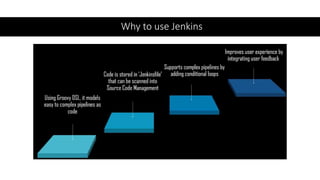
Why to use Jenkins
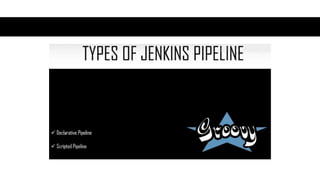
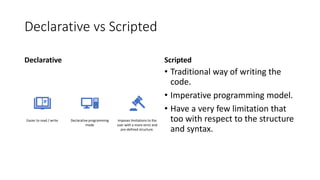
Declarative vs Scripted
Declarative
Easier to read / write Declarative programming
mode
Imposes limitations to the
user with a more strict and
pre-defined structure.
Scripted
• Traditional way of writing the
code.
• Imperative programming model.
• Have a very few limitation that
too with respect to the structure
and syntax.
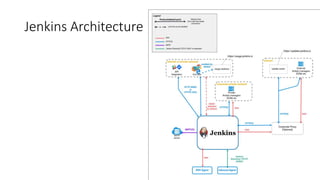
Jenkins Architecture
What is an Apache Groovy
Script?
• But what is Groovy? Well, Apache Groovy
is an object-oriented programming
language used for JVM platform. This
dynamic language has a lot of features
drawing inspiration from Python,
Smalltalk & Ruby. It can be used to
orchestrate your pipeline in Jenkins and it
can glue different languages together
meaning that teams in your project can
be contributing in different languages.
• https://groovy-lang.org/
• It also offers many productivity features
like DSL support, closures, and dynamic
typing. Unlike some other languages, it
functions as a companion, not a
replacement, for Java.
• Groovy is an agile and dynamic language.
• Groovy is Java without types, so without
defining the basic data types like int,
float, String, etc. Basically it’s the same as
Java.
• def str = "Hello world"
def num =0
More on Groovy ?
• Java like Syntax.
• First introduced in 2003.
• Stable release 4.0.7
• Dynamic, static
• Installation:
• https://groovy.jfrog.io/ui/native/
dist-release-local/groovy-
windows-installer/groovy-4.0.7/
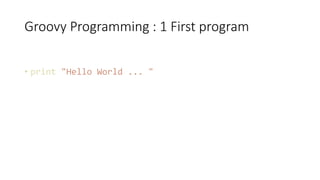
Groovy Programming : 1 First program
• print "Hello World ... "
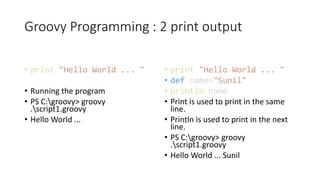
Groovy Programming : 2 print output
• print "Hello World ... "
• Running the program
• PS C:groovy> groovy
.script1.groovy
• Hello World ...
• print "Hello World ... "
• def name="Sunil"
• println name
• Print is used to print in the same
line.
• Println is used to print in the next
line.
• PS C:groovy> groovy
.script1.groovy
• Hello World ... Sunil
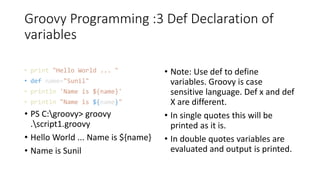
Groovy Programming :3 Def Declaration of
variables
• print "Hello World ... "
• def name="Sunil"
• println 'Name is ${name}'
• println "Name is ${name}"
• PS C:groovy> groovy
.script1.groovy
• Hello World ... Name is ${name}
• Name is Sunil
• Note: Use def to define
variables. Groovy is case
sensitive language. Def x and def
X are different.
• In single quotes this will be
printed as it is.
• In double quotes variables are
evaluated and output is printed.
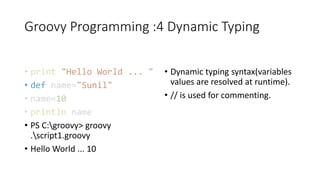
Groovy Programming :4 Dynamic Typing
• print "Hello World ... "
• def name="Sunil"
• name=10
• println name
• PS C:groovy> groovy
.script1.groovy
• Hello World ... 10
• Dynamic typing syntax(variables
values are resolved at runtime).
• // is used for commenting.
Groovy Programming :5 Multi variable
assignment
• def(String a, int b, Double
c)=[10,20,30]
• println a
• println b
• println c
• PS C:groovy> groovy
.script1.groovy
• 10
• 20
• 30.0
• Multiple variables
declarations/assignments in a single
statement
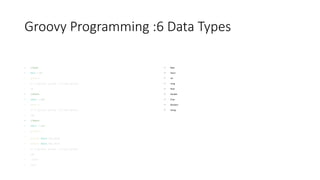
Groovy Programming :6 Data Types
• //byte
• byte b=10
• print b
• PS C:groovy> groovy .script1.groovy
• 10
• //Short
• short s=100
• print s
• PS C:groovy> groovy .script1.groovy
• 100
• //Short
• short s=100
• println s
•
println Short.MIN_VALUE
• println Short.MAX_VALUE
• PS C:groovy> groovy .script1.groovy
• 100
• -32768
• 32767
• Byte
• Short
• Int
• Long
• float
• Double
• Char
• Boolean
• string
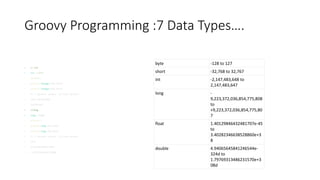
Groovy Programming :7 Data Types….
• // int
• int i=1029
• println i
• println Integer.MIN_VALUE
• println Integer.MAX_VALUE
• PS C:groovy> groovy .script1.groovy
• 1029-2147483648
• 2147483647
• //long
• long l=1245
• println l
• println Long.MAX_VALUE
• println Long.MIN_VALUE
• PS C:groovy> groovy .script1.groovy
• 1245
• 9223372036854775807
• -9223372036854775808
byte -128 to 127
short -32,768 to 32,767
int -2,147,483,648 to
2,147,483,647
long -
9,223,372,036,854,775,808
to
+9,223,372,036,854,775,80
7
float 1.40129846432481707e-45
to
3.40282346638528860e+3
8
double 4.94065645841246544e-
324d to
1.79769313486231570e+3
08d
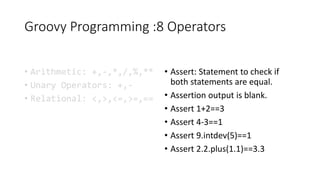
Groovy Programming :8 Operators
• Arithmetic: +,-,*,/,%,**
• Unary Operators: +,-
• Relational: <,>,<=,>=,==
• Assert: Statement to check if
both statements are equal.
• Assertion output is blank.
• Assert 1+2==3
• Assert 4-3==1
• Assert 9.intdev(5)==1
• Assert 2.2.plus(1.1)==3.3
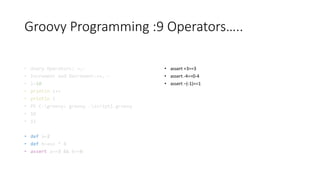
Groovy Programming :9 Operators…..
• Unary Operators: +,-
• Increment and Decrement:++,--
• i=10
• println i++
• println i
• PS C:groovy> groovy .script1.groovy
• 10
• 11
• def a=2
• def b=a++ * 3
• assert a==3 && b==6
• assert +3==3
• assert -4==0-4
• assert –(-1)==1
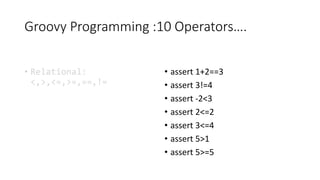
Groovy Programming :10 Operators….
• Relational:
<,>,<=,>=,==,!=
• assert 1+2==3
• assert 3!=4
• assert -2<3
• assert 2<=2
• assert 3<=4
• assert 5>1
• assert 5>=5
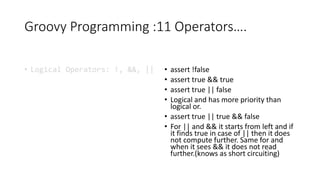
Groovy Programming :11 Operators….
• Logical Operators: !, &&, || • assert !false
• assert true && true
• assert true || false
• Logical and has more priority than
logical or.
• assert true || true && false
• For || and && it starts from left and if
it finds true in case of || then it does
not compute further. Same for and
when it sees && it does not read
further.(knows as short circuiting)
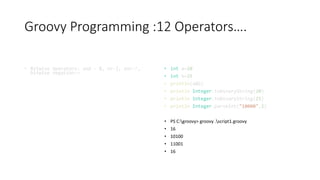
Groovy Programming :12 Operators….
• Bitwise Operators: and - &, or-|, xor-^,
bitwise negation-~
• int a=20
• int b=25
• println(a&b)
• println Integer.toBinaryString(20)
• println Integer.toBinaryString(25)
• println Integer.parseInt("10000",2)
• PS C:groovy> groovy .script1.groovy
• 16
• 10100
• 11001
• 16
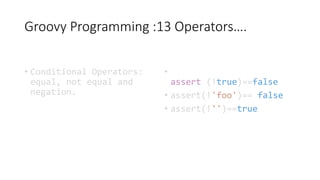
Groovy Programming :13 Operators….
• Conditional Operators:
equal, not equal and
negation.
•
assert (!true)==false
• assert(!'foo')== false
• assert(!'')==true
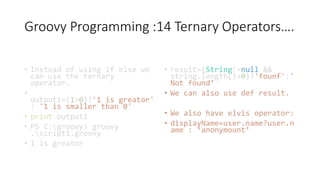
Groovy Programming :14 Ternary Operators….
• Instead of using if else we
can use the ternary
operator.
•
output1=(1>0)?'1 is greator'
: '1 is smaller than 0'
• print output1
• PS C:groovy> groovy
.script1.groovy
• 1 is greator
• result=(String!=null &&
string.length()>0)?'founf':'
Not found’
• We can also use def result.
• We also have elvis operator:
• displayName=user.name?user.n
ame : ‘anonymount’
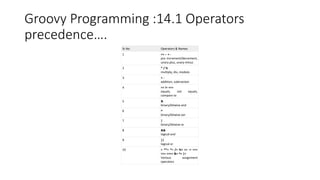
Groovy Programming :14.1 Operators
precedence….
Sr.No Operators & Names
1 ++ -- + -
pre increment/decrement,
unary plus, unary minus
2 * / %
multiply, div, modulo
3 + -
addition, subtraction
4 == != <=>
equals, not equals,
compare to
5 &
binary/bitwise and
6 ^
binary/bitwise xor
7 |
binary/bitwise or
8 &&
logical and
9 ||
logical or
10 = **= *= /= %= += -= <<=
>>= >>>= &= ^= |=
Various assignment
operators
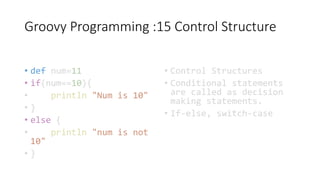
Groovy Programming :15 Control Structure
• def num=11
• if(num==10){
• println "Num is 10"
• }
• else {
• println "num is not
10"
• }
• Control Structures
• Conditional statements
are called as decision
making statements.
• If-else, switch-case
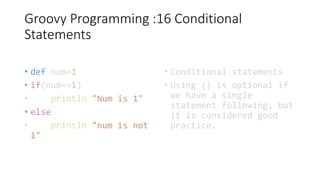
Groovy Programming :16 Conditional
Statements
• def num=1
• if(num==1)
• println "Num is 1"
• else
• println "num is not
1"
• Conditional statements
• Using {} is optional if
we have a single
statement following, but
it is considered good
practice.
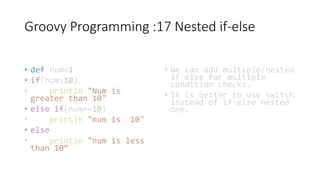
Groovy Programming :17 Nested if-else
• def num=1
• if(num>10)
• println "Num is
greater than 10"
• else if(num==10)
• println "num is 10"
• else
• println "num is less
than 10“
• We can add multiple/nested
if else for multiple
condition checks.
• If is better to use switch
instead of if-else nested
one.
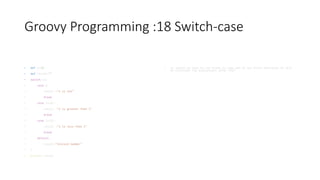
Groovy Programming :18 Switch-case
• def x=10
• def result=""
• switch(x){
• case 1:
• result ="x is one"
• break
• case {x>1}:
• result ="x is greater than 1"
• break
• case {x<1}:
• result ="x is less than 1"
• break
• default:
• result="Invlaid number"
• }
• println result
• In switch we have to use break to come out of any block otherwise it will
be continues the evaluations after that
Groovy Programming :19 For loop
• Looping is used to
repeat some task again
and again and stop based
on some condition.
• We can also initialize i
outside as well.
Groovy Programming :20 Other loops
• Upto
• 1.upto(6)
• {
• println "$it"
• }
• Times
• 5.times { println "$it"}
• Step
• 1.step(10,2) {println "$it"}
• def map=["name":"groovy",
"subject":"computers"]
• for (e in map){
• print e.key+":"
• println e.value
• }
• PS C:groovy> groovy
.script1.groovy
• name:groovy
• subject:computers
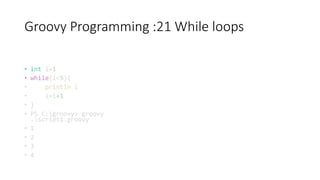
Groovy Programming :21 While loops
• int i=1
• while(i<5){
• println i
• i=i+1
• }
• PS C:groovy> groovy
.script1.groovy
• 1
• 2
• 3
• 4
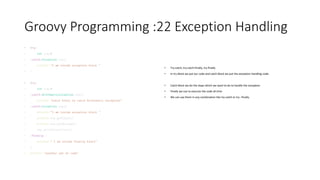
Groovy Programming :22 Exception Handling
• try{
• int i=1/0
• }catch(Exception exp){
• println "I am inside exception block "
• }
• try{
• int i=1/0
• }catch(ArithmeticException exp){
• println "Catch block to catch Arithmetic exception"
• }catch(Exception exp){
• println "I am inside exception block "
• println exp.getCause()
• println exp.getMessage()
• exp.printStackTrace()
• }finally {
• println " I am inside finally block"
• }
• println "another set of code"
• Try-catch, try-catch-finally, try-finally
• In try block we put our code and catch block we put the exception handling code.
• Catch block we do the steps which we want to do to handle the exception
• Finally we use to execute the code all time
• We can use them in any combination like try-catch or try –finally.
Groovy Programming :23 Strings
• def name="Sunil"
• println "My name is "+name
• println "My name is ".concat(name)
• println "My name is $name"
• println 'My name is $name'
• def s1="""This is a groovy script and
• we are learning strings"""
• println s1
• println name.length()
• println name[2]
• println name[-2]
• println name.indexOf('i')
• println name[0..2]
• println name[4..1]
• println name[0,2,4]
• String
• Single Quotes strings ’..’
• Double Quoted “..”
• Tripple Quoted ‘’’…’’’
• Tripple double quoted “””….”””
• Slashy /../
• Dollar Slashy $/…$/
• Interpolation does not work fine in single
quoted strings.
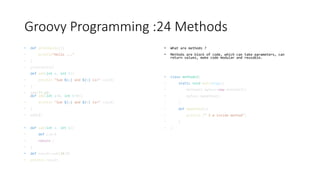
Groovy Programming :24 Methods
• def printhello(){
• println"Hello ..."
• }
• printhello()
def add(int a, int b){
• println "Sum ${a} and ${b} is=" +(a+b)
• }
• add(77,65)
def add(int a=6, int b=9){
• println "Sum ${a} and ${b} is=" +(a+b)
• }
• add(1)
• def sub(int a, int b){
• def c=a-b
• return c
• }
• def result=sub(10,9)
• println result
• What are methods ?
• Methods are block of code, which can take parameters, can
return values, make code modular and reusable.
• class methods2{
• static void main(args){
• methods2 myfunc=new methods2()
• myfunc.mymethod()
• }
• def mymethod(){
• println (" I m inside method")
• }
• }
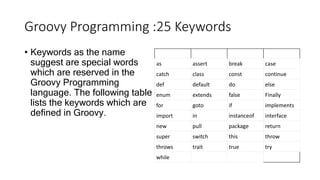
Groovy Programming :25 Keywords
• Keywords as the name
suggest are special words
which are reserved in the
Groovy Programming
language. The following table
lists the keywords which are
defined in Groovy.
as assert break case
catch class const continue
def default do else
enum extends false Finally
for goto if implements
import in instanceof interface
new pull package return
super switch this throw
throws trait true try
while
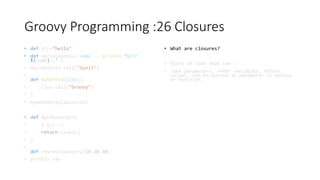
Groovy Programming :26 Closures
• def str="hello"
• def myclousure1={ name -> println "$str
${name}.." }
• myclousure1.call("Sunil")
•
def mymethod(clos){
• clos.call("Groovy")
• }
• mymethod(myclousure1)
• def myclousure2={
• a,b,c ->
• return (a+b+c)
• }
•
def res=myclousure2(10,20,30)
• println res
• What are closures?
• Block of code that can :
• Take parameters, refer variables, return
values, can be passed as parameter in method
or function.
Groovy Programming :27 Closures…
• def mylist1=["Apples", "Orange","Grapes"]
• println mylist1.each{
• it
• }
• def myMap=[
• 'subject': 'groovy',
• 'topic': 'closures'
• ]
•
println myMap.each {it}
•
def mylist=[1,2,3,4,5,6]
• println mylist.find { item->item==3}
• println mylist.findAll{item->item>3}
• println mylist.any{item->item>6}
• println mylist.every{item->item>0}
• println mylist.collect{item->item*2}
• Closures are used in other languages also e.x
javascript
• Closure make code compact.
Groovy Programming :28 Lists
• // // Lists
• def fruits=["Apples", "Oranges", "Grapes"]
• println fruits[1]
• println fruits.get(2)
•
def mylist=[1,2,3,['A','B','Groovy'],4]
• println mylist[3][2]
•
// Access using get method
• println mylist.get(3).get(2)
•
// access multiple elements
• println mylist[0..2]
•
// bakcward list
• println mylist[4..2]
•
//check if element exists
• println mylist[3].contains("Groovy")
•
// check list size
• println mylist.size()
• println mylist[3].size()
•
• List a structure to store collection of data items.
• Syntax : [obj1,obj2,obj3,…..]
Groovy Programming :29 Lists….
• //adding element to list
• mylist.add(10)
• println "after adding list is "+mylist
•
mylist<<20
• println "after adding list is "+mylist
•
//add at a position
• mylist.add(2,22)
• println mylist
•
//remove from the list
• mylist.remove(2)
• println mylist
•
//adding concat two list
• mylist=mylist+[30,40]
• println mylist
• mylist=mylist.plus([50])
• println mylist
•
Groovy Programming :30 Lists….
• //adding element to list
• mylist.add(10)
• println "after adding list is
"+mylist
•
mylist<<20
• println "after adding list is
"+mylist
•
//add at a position
• mylist.add(2,22)
• println mylist
•
• //remove from the list
• mylist.remove(2)
• println mylist
•
//adding concat two list
• mylist=mylist+[30,40]
• println mylist
• mylist=mylist.plus([50])
• println mylist
Groovy Programming :31 Maps….
• //Maps
•
def employee=[
• 'name':'John',
• 'age':40
• ]
•
//access values
• println employee
• println employee.name
• println employee['name']
• println employee.get('age')
• println employee.getAt('age')
•
println employee.size()
• //adding element to the map
• employee.put('city','Paris')
• println employee
• Key-value pair
• Unordered collection
• [key:value]
• [‘name’:’sunil’]
• [:] an empty map
Groovy Programming :32 Maps….
•
println employee.containsKey('city')
• println employee.containsValue('Paris')
•
println employee.getClass()
•
//clone the map
• def emp2=employee.clone()
• println emp2
•
employee.each {key,value->
• println "$key:$value"
• }
•
employee.eachWithIndex{ key, value, i ->
• println "$i | $key:$value"
• }
•
employee.eachWithIndex { entry, i ->
• println "$i | $entry.key : $entry.value"
• }
• Key-value pair
• Unordered collection
• [key:value]
• [‘name’:’sunil’]
• [:] an empty map
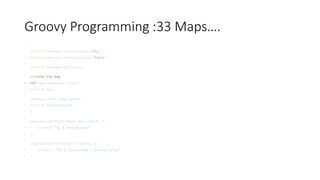
Groovy Programming :33 Maps….
•
println employee.containsKey('city')
• println employee.containsValue('Paris')
•
println employee.getClass()
•
//clone the map
• def emp2=employee.clone()
• println emp2
•
employee.each {key,value->
• println "$key:$value"
• }
•
employee.eachWithIndex{ key, value, i ->
• println "$i | $key:$value"
• }
•
employee.eachWithIndex { entry, i ->
• println "$i | $entry.key : $entry.value"
• }
Groovy Programming :34 Maps……
• def map1=['a':1,'b':2]
• def entries=map1.entrySet()
•
entries.each { entry ->
• assert entry.key in ['a','b']
• assert entry.value in [1,2]
• }
•
employee.clear()
• println employee
•
Groovy Programming :35 Range
• //Ranges:
• def range1=1..10
• println range1
• println range1.size()
• println range1.getFrom()
• println range1.getTo()
•
assert range1.from==1
• assert range1.to==10
•
println range1.get(3)
• println range1[3]
•
println range1.contains(6)
•
//Checkign is this a reverse range
• println range1.isReverse()
•
//Creating a range from a range
• def range2=range1.subList(3,7)
• println range2.getFrom()
• println range2.getTo()
• Create a sequential values denotes by first and last value of the sequence.
• 1..10
• ‘a’..’z’
• 10..1
• @ Types> inclusive & exclusive
• 1..10
• 1..<10
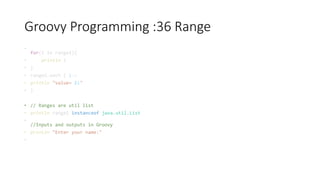
Groovy Programming :36 Range
•
for(i in range1){
• println i
• }
• range2.each { i->
• println "value= $i"
• }
• // Ranges are util list
• println range1 instanceof java.util.List
•
//Inputs and outputs in Groovy
• println "Enter your name:"
•
Groovy Programming :37 Inputs-Outputs
• // //Inputs and outputs in Groovy
• println "Enter your name:"
• def name=System.console().readLine()
• println "Hello $name"
•
//reading number, double etc
• print "Enter first number:"
• def num1=System.console().readLine().toInteger();
• print "Enter second number : "
• def num2=System.console().readLine().toInteger();
• print "$num1+$num2 ="+(num1+num2)
•
• // outputs
• def myname="Sunil"
• println "My name is $myname"
• printf "My name is %s n", myname
• printf "%s | %d | %.2f n",["Sunil",10,20.1203]
• //padding to the output
• printf "%s | %s | %d | %.2f n",["Sunil","Groovy",10,20.1203]
• printf "%-10s | %10s | %d | %.2f n",["Sunil","Groovy",10,20.1203]
•
• Readline() we can read the
Jenkins Installation
• Stable Version :
• https://www.jenkins.io/download/thank-you-downloading-windows-
installer-stable/
Jenkins Pipeline in Jenkins
File
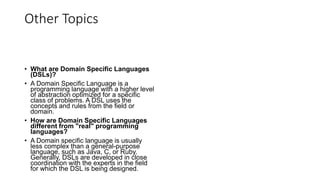
Other Topics
• What are Domain Specific Languages
(DSLs)?
• A Domain Specific Language is a
programming language with a higher level
of abstraction optimized for a specific
class of problems. A DSL uses the
concepts and rules from the field or
domain.
• How are Domain Specific Languages
different from "real" programming
languages?
• A Domain specific language is usually
less complex than a general-purpose
language, such as Java, C, or Ruby.
Generally, DSLs are developed in close
coordination with the experts in the field
for which the DSL is being designed.
Links
• https://www.jenkins.io/doc/developer/guides/
• https://www.jenkins.io/doc/pipeline/examples/
• https://www.jenkins.io/doc/book/pipeline/getting-started/
• https://www.jenkins.io/doc/pipeline/steps/#pipeline-steps-reference

Jenkins Pipelines [Autosaved].pptx

  • 1.
    Groovy and JenkinsPipelines Sunil Kumar sunilyadav0201@gmail.com
  • 2.
    Topics • Why weneeds Jenkins, Architecture, Declarative vs Scripted pipelines. • Groovy Topics : • Basics : • Variables • comments • Operators
  • 3.
    Why to useJenkins
  • 5.
    Declarative vs Scripted Declarative Easierto read / write Declarative programming mode Imposes limitations to the user with a more strict and pre-defined structure. Scripted • Traditional way of writing the code. • Imperative programming model. • Have a very few limitation that too with respect to the structure and syntax.
  • 6.
  • 7.
    What is anApache Groovy Script? • But what is Groovy? Well, Apache Groovy is an object-oriented programming language used for JVM platform. This dynamic language has a lot of features drawing inspiration from Python, Smalltalk & Ruby. It can be used to orchestrate your pipeline in Jenkins and it can glue different languages together meaning that teams in your project can be contributing in different languages. • https://groovy-lang.org/ • It also offers many productivity features like DSL support, closures, and dynamic typing. Unlike some other languages, it functions as a companion, not a replacement, for Java. • Groovy is an agile and dynamic language. • Groovy is Java without types, so without defining the basic data types like int, float, String, etc. Basically it’s the same as Java. • def str = "Hello world" def num =0
  • 8.
    More on Groovy? • Java like Syntax. • First introduced in 2003. • Stable release 4.0.7 • Dynamic, static • Installation: • https://groovy.jfrog.io/ui/native/ dist-release-local/groovy- windows-installer/groovy-4.0.7/
  • 9.
    Groovy Programming :1 First program • print "Hello World ... "
  • 10.
    Groovy Programming :2 print output • print "Hello World ... " • Running the program • PS C:groovy> groovy .script1.groovy • Hello World ... • print "Hello World ... " • def name="Sunil" • println name • Print is used to print in the same line. • Println is used to print in the next line. • PS C:groovy> groovy .script1.groovy • Hello World ... Sunil
  • 11.
    Groovy Programming :3Def Declaration of variables • print "Hello World ... " • def name="Sunil" • println 'Name is ${name}' • println "Name is ${name}" • PS C:groovy> groovy .script1.groovy • Hello World ... Name is ${name} • Name is Sunil • Note: Use def to define variables. Groovy is case sensitive language. Def x and def X are different. • In single quotes this will be printed as it is. • In double quotes variables are evaluated and output is printed.
  • 12.
    Groovy Programming :4Dynamic Typing • print "Hello World ... " • def name="Sunil" • name=10 • println name • PS C:groovy> groovy .script1.groovy • Hello World ... 10 • Dynamic typing syntax(variables values are resolved at runtime). • // is used for commenting.
  • 13.
    Groovy Programming :5Multi variable assignment • def(String a, int b, Double c)=[10,20,30] • println a • println b • println c • PS C:groovy> groovy .script1.groovy • 10 • 20 • 30.0 • Multiple variables declarations/assignments in a single statement
  • 14.
    Groovy Programming :6Data Types • //byte • byte b=10 • print b • PS C:groovy> groovy .script1.groovy • 10 • //Short • short s=100 • print s • PS C:groovy> groovy .script1.groovy • 100 • //Short • short s=100 • println s • println Short.MIN_VALUE • println Short.MAX_VALUE • PS C:groovy> groovy .script1.groovy • 100 • -32768 • 32767 • Byte • Short • Int • Long • float • Double • Char • Boolean • string
  • 15.
    Groovy Programming :7Data Types…. • // int • int i=1029 • println i • println Integer.MIN_VALUE • println Integer.MAX_VALUE • PS C:groovy> groovy .script1.groovy • 1029-2147483648 • 2147483647 • //long • long l=1245 • println l • println Long.MAX_VALUE • println Long.MIN_VALUE • PS C:groovy> groovy .script1.groovy • 1245 • 9223372036854775807 • -9223372036854775808 byte -128 to 127 short -32,768 to 32,767 int -2,147,483,648 to 2,147,483,647 long - 9,223,372,036,854,775,808 to +9,223,372,036,854,775,80 7 float 1.40129846432481707e-45 to 3.40282346638528860e+3 8 double 4.94065645841246544e- 324d to 1.79769313486231570e+3 08d
  • 16.
    Groovy Programming :8Operators • Arithmetic: +,-,*,/,%,** • Unary Operators: +,- • Relational: <,>,<=,>=,== • Assert: Statement to check if both statements are equal. • Assertion output is blank. • Assert 1+2==3 • Assert 4-3==1 • Assert 9.intdev(5)==1 • Assert 2.2.plus(1.1)==3.3
  • 17.
    Groovy Programming :9Operators….. • Unary Operators: +,- • Increment and Decrement:++,-- • i=10 • println i++ • println i • PS C:groovy> groovy .script1.groovy • 10 • 11 • def a=2 • def b=a++ * 3 • assert a==3 && b==6 • assert +3==3 • assert -4==0-4 • assert –(-1)==1
  • 18.
    Groovy Programming :10Operators…. • Relational: <,>,<=,>=,==,!= • assert 1+2==3 • assert 3!=4 • assert -2<3 • assert 2<=2 • assert 3<=4 • assert 5>1 • assert 5>=5
  • 19.
    Groovy Programming :11Operators…. • Logical Operators: !, &&, || • assert !false • assert true && true • assert true || false • Logical and has more priority than logical or. • assert true || true && false • For || and && it starts from left and if it finds true in case of || then it does not compute further. Same for and when it sees && it does not read further.(knows as short circuiting)
  • 20.
    Groovy Programming :12Operators…. • Bitwise Operators: and - &, or-|, xor-^, bitwise negation-~ • int a=20 • int b=25 • println(a&b) • println Integer.toBinaryString(20) • println Integer.toBinaryString(25) • println Integer.parseInt("10000",2) • PS C:groovy> groovy .script1.groovy • 16 • 10100 • 11001 • 16
  • 21.
    Groovy Programming :13Operators…. • Conditional Operators: equal, not equal and negation. • assert (!true)==false • assert(!'foo')== false • assert(!'')==true
  • 22.
    Groovy Programming :14Ternary Operators…. • Instead of using if else we can use the ternary operator. • output1=(1>0)?'1 is greator' : '1 is smaller than 0' • print output1 • PS C:groovy> groovy .script1.groovy • 1 is greator • result=(String!=null && string.length()>0)?'founf':' Not found’ • We can also use def result. • We also have elvis operator: • displayName=user.name?user.n ame : ‘anonymount’
  • 23.
    Groovy Programming :14.1Operators precedence…. Sr.No Operators & Names 1 ++ -- + - pre increment/decrement, unary plus, unary minus 2 * / % multiply, div, modulo 3 + - addition, subtraction 4 == != <=> equals, not equals, compare to 5 & binary/bitwise and 6 ^ binary/bitwise xor 7 | binary/bitwise or 8 && logical and 9 || logical or 10 = **= *= /= %= += -= <<= >>= >>>= &= ^= |= Various assignment operators
  • 24.
    Groovy Programming :15Control Structure • def num=11 • if(num==10){ • println "Num is 10" • } • else { • println "num is not 10" • } • Control Structures • Conditional statements are called as decision making statements. • If-else, switch-case
  • 25.
    Groovy Programming :16Conditional Statements • def num=1 • if(num==1) • println "Num is 1" • else • println "num is not 1" • Conditional statements • Using {} is optional if we have a single statement following, but it is considered good practice.
  • 26.
    Groovy Programming :17Nested if-else • def num=1 • if(num>10) • println "Num is greater than 10" • else if(num==10) • println "num is 10" • else • println "num is less than 10“ • We can add multiple/nested if else for multiple condition checks. • If is better to use switch instead of if-else nested one.
  • 27.
    Groovy Programming :18Switch-case • def x=10 • def result="" • switch(x){ • case 1: • result ="x is one" • break • case {x>1}: • result ="x is greater than 1" • break • case {x<1}: • result ="x is less than 1" • break • default: • result="Invlaid number" • } • println result • In switch we have to use break to come out of any block otherwise it will be continues the evaluations after that
  • 28.
    Groovy Programming :19For loop • Looping is used to repeat some task again and again and stop based on some condition. • We can also initialize i outside as well.
  • 29.
    Groovy Programming :20Other loops • Upto • 1.upto(6) • { • println "$it" • } • Times • 5.times { println "$it"} • Step • 1.step(10,2) {println "$it"} • def map=["name":"groovy", "subject":"computers"] • for (e in map){ • print e.key+":" • println e.value • } • PS C:groovy> groovy .script1.groovy • name:groovy • subject:computers
  • 30.
    Groovy Programming :21While loops • int i=1 • while(i<5){ • println i • i=i+1 • } • PS C:groovy> groovy .script1.groovy • 1 • 2 • 3 • 4
  • 31.
    Groovy Programming :22Exception Handling • try{ • int i=1/0 • }catch(Exception exp){ • println "I am inside exception block " • } • try{ • int i=1/0 • }catch(ArithmeticException exp){ • println "Catch block to catch Arithmetic exception" • }catch(Exception exp){ • println "I am inside exception block " • println exp.getCause() • println exp.getMessage() • exp.printStackTrace() • }finally { • println " I am inside finally block" • } • println "another set of code" • Try-catch, try-catch-finally, try-finally • In try block we put our code and catch block we put the exception handling code. • Catch block we do the steps which we want to do to handle the exception • Finally we use to execute the code all time • We can use them in any combination like try-catch or try –finally.
  • 32.
    Groovy Programming :23Strings • def name="Sunil" • println "My name is "+name • println "My name is ".concat(name) • println "My name is $name" • println 'My name is $name' • def s1="""This is a groovy script and • we are learning strings""" • println s1 • println name.length() • println name[2] • println name[-2] • println name.indexOf('i') • println name[0..2] • println name[4..1] • println name[0,2,4] • String • Single Quotes strings ’..’ • Double Quoted “..” • Tripple Quoted ‘’’…’’’ • Tripple double quoted “””….””” • Slashy /../ • Dollar Slashy $/…$/ • Interpolation does not work fine in single quoted strings.
  • 33.
    Groovy Programming :24Methods • def printhello(){ • println"Hello ..." • } • printhello() def add(int a, int b){ • println "Sum ${a} and ${b} is=" +(a+b) • } • add(77,65) def add(int a=6, int b=9){ • println "Sum ${a} and ${b} is=" +(a+b) • } • add(1) • def sub(int a, int b){ • def c=a-b • return c • } • def result=sub(10,9) • println result • What are methods ? • Methods are block of code, which can take parameters, can return values, make code modular and reusable. • class methods2{ • static void main(args){ • methods2 myfunc=new methods2() • myfunc.mymethod() • } • def mymethod(){ • println (" I m inside method") • } • }
  • 34.
    Groovy Programming :25Keywords • Keywords as the name suggest are special words which are reserved in the Groovy Programming language. The following table lists the keywords which are defined in Groovy. as assert break case catch class const continue def default do else enum extends false Finally for goto if implements import in instanceof interface new pull package return super switch this throw throws trait true try while
  • 35.
    Groovy Programming :26Closures • def str="hello" • def myclousure1={ name -> println "$str ${name}.." } • myclousure1.call("Sunil") • def mymethod(clos){ • clos.call("Groovy") • } • mymethod(myclousure1) • def myclousure2={ • a,b,c -> • return (a+b+c) • } • def res=myclousure2(10,20,30) • println res • What are closures? • Block of code that can : • Take parameters, refer variables, return values, can be passed as parameter in method or function.
  • 36.
    Groovy Programming :27Closures… • def mylist1=["Apples", "Orange","Grapes"] • println mylist1.each{ • it • } • def myMap=[ • 'subject': 'groovy', • 'topic': 'closures' • ] • println myMap.each {it} • def mylist=[1,2,3,4,5,6] • println mylist.find { item->item==3} • println mylist.findAll{item->item>3} • println mylist.any{item->item>6} • println mylist.every{item->item>0} • println mylist.collect{item->item*2} • Closures are used in other languages also e.x javascript • Closure make code compact.
  • 37.
    Groovy Programming :28Lists • // // Lists • def fruits=["Apples", "Oranges", "Grapes"] • println fruits[1] • println fruits.get(2) • def mylist=[1,2,3,['A','B','Groovy'],4] • println mylist[3][2] • // Access using get method • println mylist.get(3).get(2) • // access multiple elements • println mylist[0..2] • // bakcward list • println mylist[4..2] • //check if element exists • println mylist[3].contains("Groovy") • // check list size • println mylist.size() • println mylist[3].size() • • List a structure to store collection of data items. • Syntax : [obj1,obj2,obj3,…..]
  • 38.
    Groovy Programming :29Lists…. • //adding element to list • mylist.add(10) • println "after adding list is "+mylist • mylist<<20 • println "after adding list is "+mylist • //add at a position • mylist.add(2,22) • println mylist • //remove from the list • mylist.remove(2) • println mylist • //adding concat two list • mylist=mylist+[30,40] • println mylist • mylist=mylist.plus([50]) • println mylist •
  • 39.
    Groovy Programming :30Lists…. • //adding element to list • mylist.add(10) • println "after adding list is "+mylist • mylist<<20 • println "after adding list is "+mylist • //add at a position • mylist.add(2,22) • println mylist • • //remove from the list • mylist.remove(2) • println mylist • //adding concat two list • mylist=mylist+[30,40] • println mylist • mylist=mylist.plus([50]) • println mylist
  • 40.
    Groovy Programming :31Maps…. • //Maps • def employee=[ • 'name':'John', • 'age':40 • ] • //access values • println employee • println employee.name • println employee['name'] • println employee.get('age') • println employee.getAt('age') • println employee.size() • //adding element to the map • employee.put('city','Paris') • println employee • Key-value pair • Unordered collection • [key:value] • [‘name’:’sunil’] • [:] an empty map
  • 41.
    Groovy Programming :32Maps…. • println employee.containsKey('city') • println employee.containsValue('Paris') • println employee.getClass() • //clone the map • def emp2=employee.clone() • println emp2 • employee.each {key,value-> • println "$key:$value" • } • employee.eachWithIndex{ key, value, i -> • println "$i | $key:$value" • } • employee.eachWithIndex { entry, i -> • println "$i | $entry.key : $entry.value" • } • Key-value pair • Unordered collection • [key:value] • [‘name’:’sunil’] • [:] an empty map
  • 42.
    Groovy Programming :33Maps…. • println employee.containsKey('city') • println employee.containsValue('Paris') • println employee.getClass() • //clone the map • def emp2=employee.clone() • println emp2 • employee.each {key,value-> • println "$key:$value" • } • employee.eachWithIndex{ key, value, i -> • println "$i | $key:$value" • } • employee.eachWithIndex { entry, i -> • println "$i | $entry.key : $entry.value" • }
  • 43.
    Groovy Programming :34Maps…… • def map1=['a':1,'b':2] • def entries=map1.entrySet() • entries.each { entry -> • assert entry.key in ['a','b'] • assert entry.value in [1,2] • } • employee.clear() • println employee •
  • 44.
    Groovy Programming :35Range • //Ranges: • def range1=1..10 • println range1 • println range1.size() • println range1.getFrom() • println range1.getTo() • assert range1.from==1 • assert range1.to==10 • println range1.get(3) • println range1[3] • println range1.contains(6) • //Checkign is this a reverse range • println range1.isReverse() • //Creating a range from a range • def range2=range1.subList(3,7) • println range2.getFrom() • println range2.getTo() • Create a sequential values denotes by first and last value of the sequence. • 1..10 • ‘a’..’z’ • 10..1 • @ Types> inclusive & exclusive • 1..10 • 1..<10
  • 45.
    Groovy Programming :36Range • for(i in range1){ • println i • } • range2.each { i-> • println "value= $i" • } • // Ranges are util list • println range1 instanceof java.util.List • //Inputs and outputs in Groovy • println "Enter your name:" •
  • 46.
    Groovy Programming :37Inputs-Outputs • // //Inputs and outputs in Groovy • println "Enter your name:" • def name=System.console().readLine() • println "Hello $name" • //reading number, double etc • print "Enter first number:" • def num1=System.console().readLine().toInteger(); • print "Enter second number : " • def num2=System.console().readLine().toInteger(); • print "$num1+$num2 ="+(num1+num2) • • // outputs • def myname="Sunil" • println "My name is $myname" • printf "My name is %s n", myname • printf "%s | %d | %.2f n",["Sunil",10,20.1203] • //padding to the output • printf "%s | %s | %d | %.2f n",["Sunil","Groovy",10,20.1203] • printf "%-10s | %10s | %d | %.2f n",["Sunil","Groovy",10,20.1203] • • Readline() we can read the
  • 47.
    Jenkins Installation • StableVersion : • https://www.jenkins.io/download/thank-you-downloading-windows- installer-stable/
  • 48.
    Jenkins Pipeline inJenkins File
  • 49.
    Other Topics • Whatare Domain Specific Languages (DSLs)? • A Domain Specific Language is a programming language with a higher level of abstraction optimized for a specific class of problems. A DSL uses the concepts and rules from the field or domain. • How are Domain Specific Languages different from "real" programming languages? • A Domain specific language is usually less complex than a general-purpose language, such as Java, C, or Ruby. Generally, DSLs are developed in close coordination with the experts in the field for which the DSL is being designed.
  • 50.
    Links • https://www.jenkins.io/doc/developer/guides/ • https://www.jenkins.io/doc/pipeline/examples/ •https://www.jenkins.io/doc/book/pipeline/getting-started/ • https://www.jenkins.io/doc/pipeline/steps/#pipeline-steps-reference