

Security Overview
• JD Edwards EnterpriseOne security enables a security administrator
to control security for individual users and for groups of users.
• Setting up security correctly ensures that users in the system have permission
to perform only those actions that are essential to the completion of their jobs
• The User Security application (P98OWSEC) uses the F98OWSEC table
to manage the JD Edwards EnterpriseOne user IDs and system (database) user IDs
• The Security Workbench application (P00950) enables you to secure
JD Edwards EnterpriseOne objects, such as applications, forms, rows, tabs.
It stores all objects security records in the F00950 table.
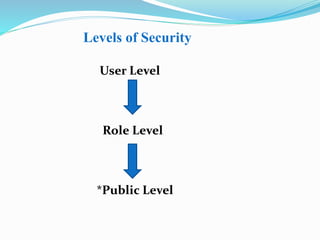
Levels of Security
User Level
Role Level
*Public Level
Two Security Approaches
E1 system is designed to support two basic approaches to security
 User –based security
 System based security
One of these approaches to security must be selected before you design and
implement a Security model for your system
Object Level Security
 E1 security is at Object Level.
 You can secure specific objects within JD Edwards EnterpriseOne,
which provides flexibility and integrity for your security.
 You can secure single objects at a time or all objects at a time.
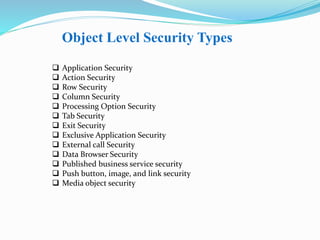
Object Level Security Types
 Application Security
 Action Security
 Row Security
 Column Security
 Processing Option Security
 Tab Security
 Exit Security
 Exclusive Application Security
 External call Security
 Data Browser Security
 Published business service security
 Push button, image, and link security
 Media object security
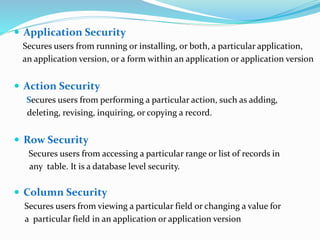
 Application Security
Secures users from running or installing, or both, a particular application,
an application version, or a form within an application or application version
 Action Security
Secures users from performing a particular action, such as adding,
deleting, revising, inquiring, or copying a record.
 Row Security
Secures users from accessing a particular range or list of records in
any table. It is a database level security.
 Column Security
Secures users from viewing a particular field or changing a value for
a particular field in an application or application version
 Processing Option Security
Secures users from viewing or changing the values of processing options, or
from prompting for versions and prompting for values for specific applications
or application versions.
 Tab Security
Secures users from viewing or changing fields in a tab or tabs on a given
form.You define Tab security at the application, version, and form level.
 Exit Security
Secures users from menu bar exits on JD Edwards EnterpriseOne
formsThese exits call applications and allow users to manipulate data.Exit
security also restricts use of the same menu options.
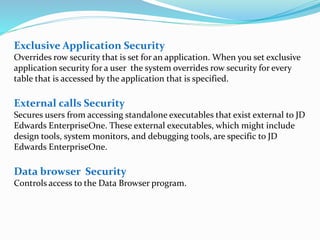
Exclusive Application Security
Overrides row security that is set for an application. When you set exclusive
application security for a user the system overrides row security for every
table that is accessed by the application that is specified.
External calls Security
Secures users from accessing standalone executables that exist external to JD
Edwards EnterpriseOne. These external executables, which might include
design tools, system monitors, and debugging tools, are specific to JD
Edwards EnterpriseOne.
Data browser Security
Controls access to the Data Browser program.
Published business service security
Controls access to published business services. JD Edwards EnterpriseOne uses
a "secure by default" security model which means that users cannot access a
published business service unless a security record exists that authorizes access
For all other objects in JD Edwards EnterpriseOne, access is granted unless
otherwise secured or restricted.
Push button, image, and link security
Controls whether users can user or view push button, link, and image controls.
Media object security
Controls whether users can add, change, delete, or view media objects within
interactive applications, forms, or application versions.
JDEdwards E1 Security

JDEdwards E1 Security

  • 2.
    Security Overview • JDEdwards EnterpriseOne security enables a security administrator to control security for individual users and for groups of users. • Setting up security correctly ensures that users in the system have permission to perform only those actions that are essential to the completion of their jobs • The User Security application (P98OWSEC) uses the F98OWSEC table to manage the JD Edwards EnterpriseOne user IDs and system (database) user IDs • The Security Workbench application (P00950) enables you to secure JD Edwards EnterpriseOne objects, such as applications, forms, rows, tabs. It stores all objects security records in the F00950 table.
  • 3.
    Levels of Security UserLevel Role Level *Public Level
  • 4.
    Two Security Approaches E1system is designed to support two basic approaches to security  User –based security  System based security One of these approaches to security must be selected before you design and implement a Security model for your system
  • 7.
    Object Level Security E1 security is at Object Level.  You can secure specific objects within JD Edwards EnterpriseOne, which provides flexibility and integrity for your security.  You can secure single objects at a time or all objects at a time.
  • 8.
    Object Level SecurityTypes  Application Security  Action Security  Row Security  Column Security  Processing Option Security  Tab Security  Exit Security  Exclusive Application Security  External call Security  Data Browser Security  Published business service security  Push button, image, and link security  Media object security
  • 9.
     Application Security Securesusers from running or installing, or both, a particular application, an application version, or a form within an application or application version  Action Security Secures users from performing a particular action, such as adding, deleting, revising, inquiring, or copying a record.  Row Security Secures users from accessing a particular range or list of records in any table. It is a database level security.  Column Security Secures users from viewing a particular field or changing a value for a particular field in an application or application version
  • 10.
     Processing OptionSecurity Secures users from viewing or changing the values of processing options, or from prompting for versions and prompting for values for specific applications or application versions.  Tab Security Secures users from viewing or changing fields in a tab or tabs on a given form.You define Tab security at the application, version, and form level.  Exit Security Secures users from menu bar exits on JD Edwards EnterpriseOne formsThese exits call applications and allow users to manipulate data.Exit security also restricts use of the same menu options.
  • 11.
    Exclusive Application Security Overridesrow security that is set for an application. When you set exclusive application security for a user the system overrides row security for every table that is accessed by the application that is specified. External calls Security Secures users from accessing standalone executables that exist external to JD Edwards EnterpriseOne. These external executables, which might include design tools, system monitors, and debugging tools, are specific to JD Edwards EnterpriseOne. Data browser Security Controls access to the Data Browser program.
  • 12.
    Published business servicesecurity Controls access to published business services. JD Edwards EnterpriseOne uses a "secure by default" security model which means that users cannot access a published business service unless a security record exists that authorizes access For all other objects in JD Edwards EnterpriseOne, access is granted unless otherwise secured or restricted. Push button, image, and link security Controls whether users can user or view push button, link, and image controls. Media object security Controls whether users can add, change, delete, or view media objects within interactive applications, forms, or application versions.