

CLAY SMITH
Javascript apps as a build artifact
clay@pagerduty.com
@smithclay
May 6, 2014 at EmpireJS
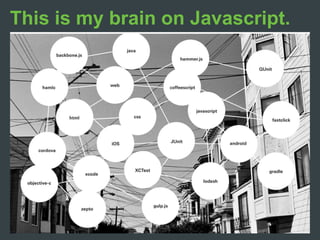
This is my brain on Javascript.
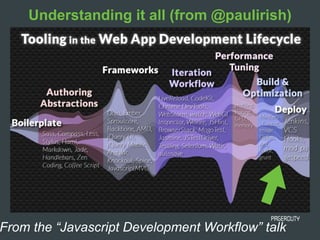
From the “Javascript Development Workflow” talk
Understanding it all (from @paulirish)
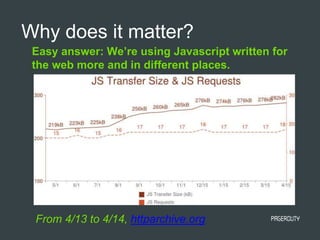
Easy answer: We’re using Javascript written for
the web more and in different places.
Why does it matter?
From 4/13 to 4/14, httparchive.org
Now for a 5-minute Overview of the Raging
Javascript Battles of Today
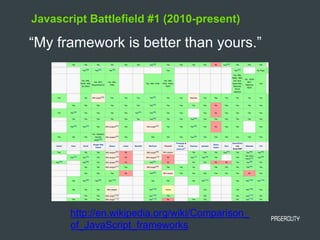
Javascript Battlefield #1 (2010-present)
“My framework is better than yours.”
http://en.wikipedia.org/wiki/Comparison_
of_JavaScript_frameworks
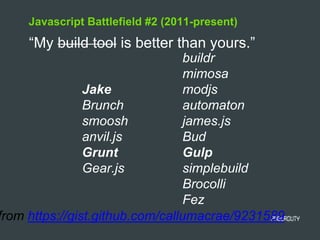
from https://gist.github.com/callumacrae/9231589
Jake
Brunch
smoosh
anvil.js
Grunt
Gear.js
buildr
mimosa
modjs
automaton
james.js
Bud
Gulp
simplebuild
Brocolli
Fez
Javascript Battlefield #2 (2011-present)
“My build tool is better than yours.”
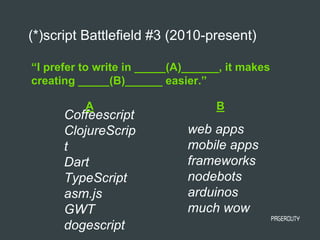
“I prefer to write in _____(A)______, it makes
creating _____(B)______ easier.”
(*)script Battlefield #3 (2010-present)
Coffeescript
ClojureScrip
t
Dart
TypeScript
asm.js
GWT
dogescript
A B
web apps
mobile apps
frameworks
nodebots
arduinos
much wow
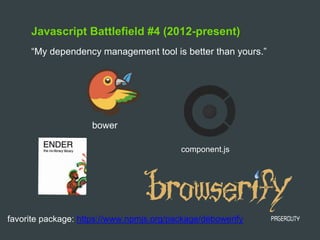
Javascript Battlefield #4 (2012-present)
“My dependency management tool is better than yours.”
bower
component.js
favorite package: https://www.npmjs.org/package/debowerify
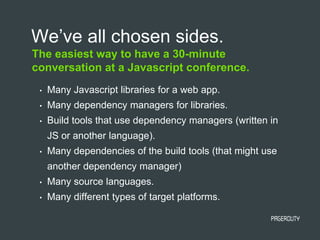
The easiest way to have a 30-minute
conversation at a Javascript conference.
We’ve all chosen sides.
• Many Javascript libraries for a web app.
• Many dependency managers for libraries.
• Build tools that use dependency managers (written in
JS or another language).
• Many dependencies of the build tools (that might use
another dependency manager)
• Many source languages.
• Many different types of target platforms.
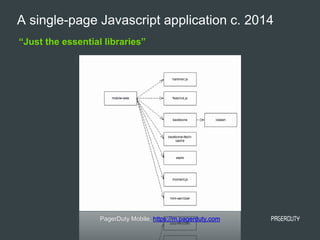
“Just the essential libraries”
A single-page Javascript application c. 2014
PagerDuty Mobile, https://m.pagerduty.com
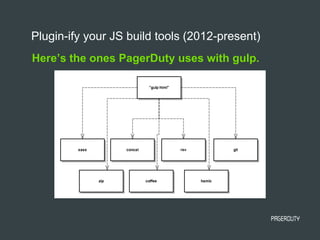
Here’s the ones PagerDuty uses with gulp.
Plugin-ify your JS build tools (2012-present)
When you realize you need to make it work in mobile web views.
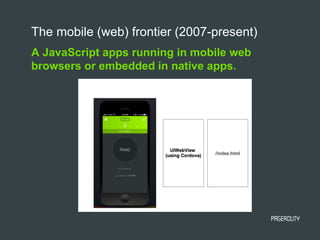
A JavaScript apps running in mobile web
browsers or embedded in native apps.
The mobile (web) frontier (2007-present)
Put all the things in git (or any VCS)
Attempt #1
• well understood workflow (just commit!)
• “easy” mobile builds - git clone to see JS source
• git submodule purgatory (whoops, I forgot!)
• merge conflict hell (Pull Requests broken)
• compiled, concatenated, transformed code in VCS (not
good)
Good:
Bad:
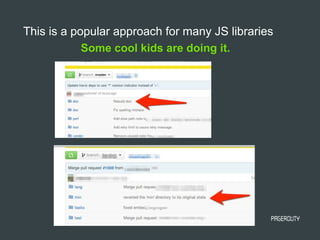
Some cool kids are doing it.
This is a popular approach for many JS libraries
Well… how about using ?
Attempt #2
• well-understood workflow (npm install FTW)
• represents an ideal of JS dependency management
• gives us a way to avoid git submodules and get
*.min.js files out of source control
kudos: npm mentions it in the docs
“The advantage of doing [compilation, transformation,
etc] at prepublish time instead of preinstall or install
time is that they can be done once, in a single place,
and thus greatly reduce complexity and variability.
Additionally, this means that:
You can depend on coffee-script as a devDependency,
and thus your users don't need to have it installed.”
https://www.npmjs.org/doc/misc/npm-scripts.html
Warning! May not do what you expect!
https://github.com/npm/npm/search?q=prepublish&ref=cmdform&type=Issues
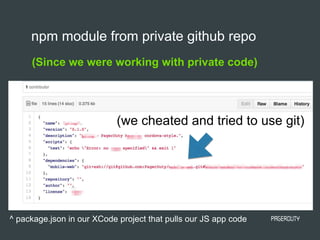
(Since we were working with private code)
npm module from private github repo
(we cheated and tried to use git)
^ package.json in our XCode project that pulls our JS app code
npm that pulls a package from git didn’t get us
all the way there
Sadly…
• we need to check in the transformed JS code (and
css, and HTML)
• we introduce lots of complexity into (native) builds
processes. XCode suddenly needs to know how to
gulp (or grunt).
If we want simple native application build….
If we don’t want to check in transformed code…
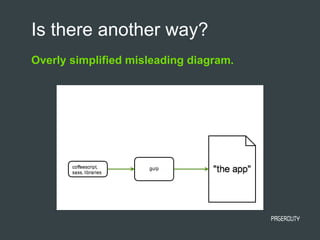
Overly simplified misleading diagram.
Is there another way?
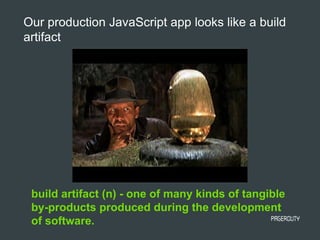
build artifact (n) - one of many kinds of tangible
by-products produced during the development
of software.
Our production JavaScript app looks like a build
artifact
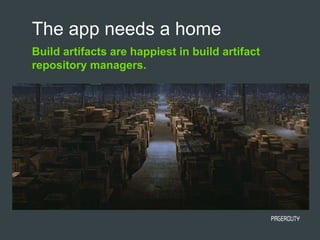
Build artifacts are happiest in build artifact
repository managers.
The app needs a home
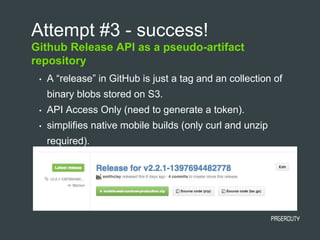
Github Release API as a pseudo-artifact
repository
Attempt #3 - success!
• A “release” in GitHub is just a tag and an collection of
binary blobs stored on S3.
• API Access Only (need to generate a token).
• simplifies native mobile builds (only curl and unzip
required).
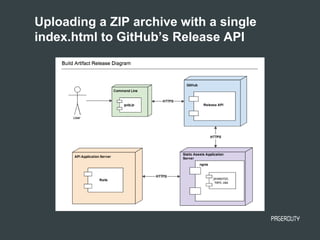
Uploading a ZIP archive with a single
index.html to GitHub’s Release API
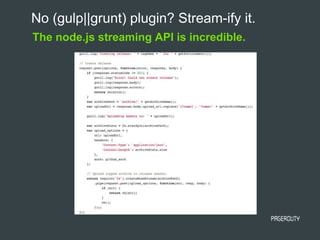
No (gulp||grunt) plugin? Stream-ify it.
The node.js streaming API is incredible.
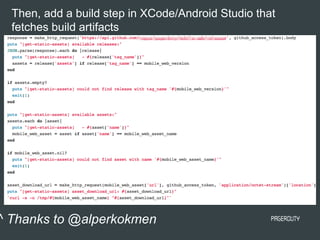
Then, add a build step in XCode/Android Studio that
fetches build artifacts
^ Thanks to @alperkokmen
Is there (or should there be) a better tool out
there?
It’s a decent option for hybrid apps
* Sonatype Nexus -> NPM bridge
https://issues.sonatype.org/browse/NEXUS-5852
* Private NPM/“CommonJS Repositories” that are
optimized for build artifacts?
* [insert your solution here]
https://pagerduty.com
Thank you.
Clay Smith
clay@pagerduty.com
@smithclay
Don’t check-in *.min.js files please.
http://blog.pagerduty.com/2014/05/reliable-mobile-
build/

Javascript Apps at Build Artifacts

  • 1.
    CLAY SMITH Javascript appsas a build artifact clay@pagerduty.com @smithclay May 6, 2014 at EmpireJS
  • 2.
    This is mybrain on Javascript.
  • 3.
    From the “JavascriptDevelopment Workflow” talk Understanding it all (from @paulirish)
  • 4.
    Easy answer: We’reusing Javascript written for the web more and in different places. Why does it matter? From 4/13 to 4/14, httparchive.org
  • 5.
    Now for a5-minute Overview of the Raging Javascript Battles of Today
  • 6.
    Javascript Battlefield #1(2010-present) “My framework is better than yours.” http://en.wikipedia.org/wiki/Comparison_ of_JavaScript_frameworks
  • 7.
  • 8.
    “I prefer towrite in _____(A)______, it makes creating _____(B)______ easier.” (*)script Battlefield #3 (2010-present) Coffeescript ClojureScrip t Dart TypeScript asm.js GWT dogescript A B web apps mobile apps frameworks nodebots arduinos much wow
  • 9.
    Javascript Battlefield #4(2012-present) “My dependency management tool is better than yours.” bower component.js favorite package: https://www.npmjs.org/package/debowerify
  • 10.
    The easiest wayto have a 30-minute conversation at a Javascript conference. We’ve all chosen sides. • Many Javascript libraries for a web app. • Many dependency managers for libraries. • Build tools that use dependency managers (written in JS or another language). • Many dependencies of the build tools (that might use another dependency manager) • Many source languages. • Many different types of target platforms.
  • 11.
    “Just the essentiallibraries” A single-page Javascript application c. 2014 PagerDuty Mobile, https://m.pagerduty.com
  • 12.
    Here’s the onesPagerDuty uses with gulp. Plugin-ify your JS build tools (2012-present)
  • 13.
    When you realizeyou need to make it work in mobile web views.
  • 14.
    A JavaScript appsrunning in mobile web browsers or embedded in native apps. The mobile (web) frontier (2007-present)
  • 15.
    Put all thethings in git (or any VCS) Attempt #1 • well understood workflow (just commit!) • “easy” mobile builds - git clone to see JS source • git submodule purgatory (whoops, I forgot!) • merge conflict hell (Pull Requests broken) • compiled, concatenated, transformed code in VCS (not good) Good: Bad:
  • 16.
    Some cool kidsare doing it. This is a popular approach for many JS libraries
  • 17.
    Well… how aboutusing ? Attempt #2 • well-understood workflow (npm install FTW) • represents an ideal of JS dependency management • gives us a way to avoid git submodules and get *.min.js files out of source control
  • 18.
    kudos: npm mentionsit in the docs “The advantage of doing [compilation, transformation, etc] at prepublish time instead of preinstall or install time is that they can be done once, in a single place, and thus greatly reduce complexity and variability. Additionally, this means that: You can depend on coffee-script as a devDependency, and thus your users don't need to have it installed.” https://www.npmjs.org/doc/misc/npm-scripts.html Warning! May not do what you expect! https://github.com/npm/npm/search?q=prepublish&ref=cmdform&type=Issues
  • 19.
    (Since we wereworking with private code) npm module from private github repo (we cheated and tried to use git) ^ package.json in our XCode project that pulls our JS app code
  • 20.
    npm that pullsa package from git didn’t get us all the way there Sadly… • we need to check in the transformed JS code (and css, and HTML) • we introduce lots of complexity into (native) builds processes. XCode suddenly needs to know how to gulp (or grunt). If we want simple native application build…. If we don’t want to check in transformed code…
  • 21.
    Overly simplified misleadingdiagram. Is there another way?
  • 22.
    build artifact (n)- one of many kinds of tangible by-products produced during the development of software. Our production JavaScript app looks like a build artifact
  • 23.
    Build artifacts arehappiest in build artifact repository managers. The app needs a home
  • 24.
    Github Release APIas a pseudo-artifact repository Attempt #3 - success! • A “release” in GitHub is just a tag and an collection of binary blobs stored on S3. • API Access Only (need to generate a token). • simplifies native mobile builds (only curl and unzip required).
  • 25.
    Uploading a ZIParchive with a single index.html to GitHub’s Release API
  • 26.
    No (gulp||grunt) plugin?Stream-ify it. The node.js streaming API is incredible.
  • 27.
    Then, add abuild step in XCode/Android Studio that fetches build artifacts ^ Thanks to @alperkokmen
  • 28.
    Is there (orshould there be) a better tool out there? It’s a decent option for hybrid apps * Sonatype Nexus -> NPM bridge https://issues.sonatype.org/browse/NEXUS-5852 * Private NPM/“CommonJS Repositories” that are optimized for build artifacts? * [insert your solution here]
  • 29.
    https://pagerduty.com Thank you. Clay Smith clay@pagerduty.com @smithclay Don’tcheck-in *.min.js files please. http://blog.pagerduty.com/2014/05/reliable-mobile- build/