Managing errors andexception:
Exception Handling in Java is one of the effective means to handle runtime errors so that
the regular flow of the application can be preserved. Java Exception Handling is a mechanism
to handle runtime errors such as ClassNotFoundException, IOException, SQLException,
RemoteException, etc.
3.
What are JavaExceptions?
In Java, Exception is an unwanted or unexpected event, which occurs during the execution of a program, i.e. at run time, that disrupts the normal flow of the program’s instructions. Exceptions can be caught and handled by the program. When an
exception occurs within a method, it creates an object. This object is called the exception object. It contains information about the exception, such as the name and description of the exception and the state of the program when the exception occurred
4.
Major reasons whyan exception Occurs
Invalid user input
Device failure
Loss of network connection
Physical limitations (out-of-disk memory)
Code errors
Out of bound
Null reference
Type mismatch
Opening an unavailable file
Database errors
Arithmetic errors
5.
Errors:
Errors represent irrecoverableconditions such as Java virtual machine (JVM) running out of
memory, memory leaks, stack overflow errors, library incompatibility, infinite recursion, etc.
Errors are usually beyond the control of the programmer, and we should not try to handle errors.
6.
Difference between Errorand Exception
Error: An Error indicates a serious problem that a reasonable application should not try to catch.
Exception: Exception indicates conditions that a reasonable application might try to catch.
7.
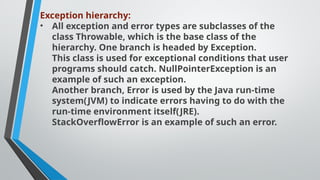
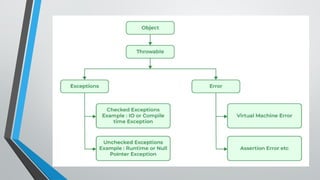
Exception hierarchy:
• Allexception and error types are subclasses of the
class Throwable, which is the base class of the
hierarchy. One branch is headed by Exception.
This class is used for exceptional conditions that user
programs should catch. NullPointerException is an
example of such an exception.
Another branch, Error is used by the Java run-time
system(JVM) to indicate errors having to do with the
run-time environment itself(JRE).
StackOverflowError is an example of such an error.
9.
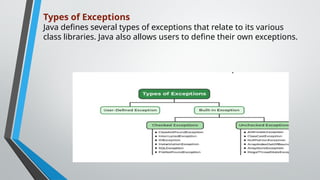
Types of Exceptions
Javadefines several types of exceptions that relate to its various
class libraries. Java also allows users to define their own exceptions.
10.
Built-in Exceptions
Checked Exception
UncheckedException
1. Built-in Exceptions
Built-in exceptions are the exceptions that are available in Java libraries.
Checked Exceptions: Checked exceptions are called compile-time exceptions because these exceptions are checked at compile-time by the compiler.
11.
Unchecked Exceptions:
The uncheckedexceptions are just opposite to the checked exceptions. The compiler will not check these exceptions at compile time. In simple words, if a program throws an unchecked exception, and even if we didn’t handle or declare it, the program would not give a compilation error.
User-Defined Exceptions:
Sometimes, the built-in exceptions in Java are not able to describe a certain situation. In such cases, users can also create exceptions, which are called ‘user-defined Exceptions’.
12.
The advantages ofException Handling in Java are as follows:
Provision to Complete Program Execution
Easy Identification of Program Code and Error-Handling Code
Propagation of Errors
Meaningful Error Reporting
Identifying Error Types
13.
Applet programming
What isApplet?
• An applet is a Java program that can be embedded into a web page. It runs inside the web
browser and works at client side. An applet is embedded in an HTML page using the APPLET
or OBJECT tag and hosted on a web server.
• Applets are used to make the website more dynamic and entertaining.
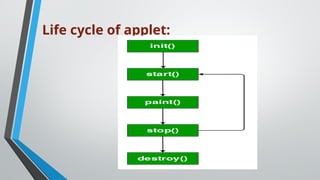
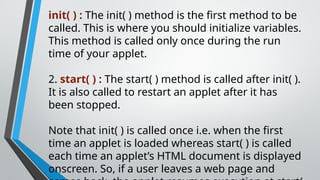
init( ) :The init( ) method is the first method to be
called. This is where you should initialize variables.
This method is called only once during the run
time of your applet.
2. start( ) : The start( ) method is called after init( ).
It is also called to restart an applet after it has
been stopped.
Note that init( ) is called once i.e. when the first
time an applet is loaded whereas start( ) is called
each time an applet’s HTML document is displayed
onscreen. So, if a user leaves a web page and
16.
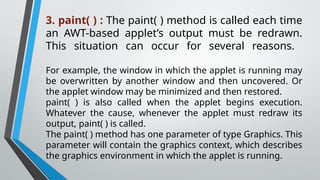
3. paint( ): The paint( ) method is called each time
an AWT-based applet’s output must be redrawn.
This situation can occur for several reasons.
For example, the window in which the applet is running may
be overwritten by another window and then uncovered. Or
the applet window may be minimized and then restored.
paint( ) is also called when the applet begins execution.
Whatever the cause, whenever the applet must redraw its
output, paint( ) is called.
The paint( ) method has one parameter of type Graphics. This
parameter will contain the graphics context, which describes
the graphics environment in which the applet is running.
17.
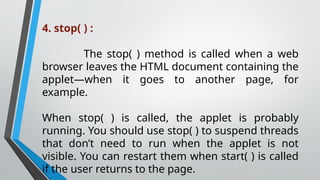
4. stop( ):
The stop( ) method is called when a web
browser leaves the HTML document containing the
applet—when it goes to another page, for
example.
When stop( ) is called, the applet is probably
running. You should use stop( ) to suspend threads
that don’t need to run when the applet is not
visible. You can restart them when start( ) is called
if the user returns to the page.
18.
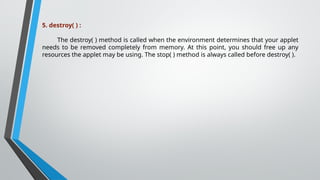
5. destroy( ):
The destroy( ) method is called when the environment determines that your applet
needs to be removed completely from memory. At this point, you should free up any
resources the applet may be using. The stop( ) method is always called before destroy( ).
19.
There are twostandard ways in which you can run an applet :
• Executing the applet within a Java-compatible web browser.
• Using an applet viewer, such as the standard tool, applet-viewer. An applet viewer executes
your applet in a window. This is generally the fastest and easiest way to test your applet.
20.
Graphics programming
Graphics isan abstract class provided by Java AWT
which is used to draw or paint on the components.
It consists of various fields which hold information like
components to be painted, font, color, XOR mode, etc.,
and methods that allow drawing various shapes on the
GUI components.
Graphics is an abstract class and thus cannot be
initialized directly.
Objects of its child classes can be obtained in the
following two ways.
21.
1. Inside paint()or update() method
It is passed as an argument to paint and update methods and therefore can be accessed inside these methods. paint()
and update() methods are present in the Component class and thus can be overridden for the component to be painted.
void paint(Graphics g)
void update(Graphics g)
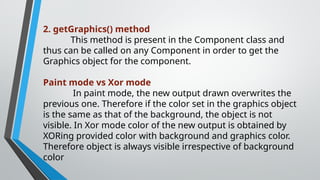
2. getGraphics() method
Thismethod is present in the Component class and
thus can be called on any Component in order to get the
Graphics object for the component.
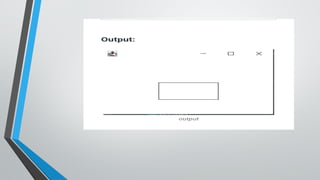
Paint mode vs Xor mode
In paint mode, the new output drawn overwrites the
previous one. Therefore if the color set in the graphics object
is the same as that of the background, the object is not
visible. In Xor mode color of the new output is obtained by
XORing provided color with background and graphics color.
Therefore object is always visible irrespective of background
color
26.
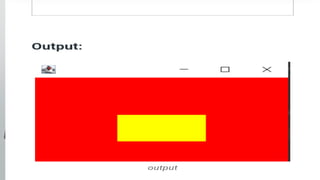
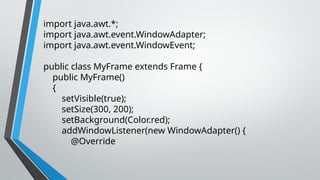
import java.awt.*;
import java.awt.event.WindowAdapter;
importjava.awt.event.WindowEvent;
public class MyFrame extends Frame {
public MyFrame()
{
setVisible(true);
setSize(300, 200);
setBackground(Color.red);
addWindowListener(new WindowAdapter() {
@Override
27.
public void windowClosing(WindowEvente) {
System.exit(0);
}
});
}
public void paint(Graphics g) {
g.setColor(Color.green);
g.setXORMode(Color.black);
g.fillRect(100, 100, 100, 50);
} public static void main(String[] args) {
new MyFrame();
}
}




![Example
import java.awt.*;
import
java.awt.event.WindowAdapt
er;
import
java.awt.event.WindowEvent;
public class MyFrame
extends Frame {
public MyFrame()
{
setVisible(true);
setSize(300, 200);
addWindowListener(new
WindowAdapter() {
@Override
public void
windowClosing(WindowEvent e)
{
System.exit(0);
}
});
}
public void paint(Graphics g) {
g.drawRect(100, 100, 100, 50);
}
public static void main(String[] args)
{
new MyFrame();
}
}](https://image.slidesharecdn.com/javaunit4-251123165933-b8c78a2a/85/Java-Unit-4-Erros-and-applets-powrepoint-pptx-22-320.jpg)
![{
System.exit(0);
}
});
}
public void paint(Graphics g) {
g.drawRect(100, 100, 100, 50);
}
public static void main(String[] args)
{
new MyFrame();
}
}](https://image.slidesharecdn.com/javaunit4-251123165933-b8c78a2a/85/Java-Unit-4-Erros-and-applets-powrepoint-pptx-23-320.jpg)
![public void windowClosing(WindowEvent e) {
System.exit(0);
}
});
}
public void paint(Graphics g) {
g.setColor(Color.green);
g.setXORMode(Color.black);
g.fillRect(100, 100, 100, 50);
} public static void main(String[] args) {
new MyFrame();
}
}](https://image.slidesharecdn.com/javaunit4-251123165933-b8c78a2a/85/Java-Unit-4-Erros-and-applets-powrepoint-pptx-27-320.jpg)