JavaScript
M.Rishi Vinthiya
M.Sc(info.tech)
Nadar Saraswathi College Of Arts & Science,Theni
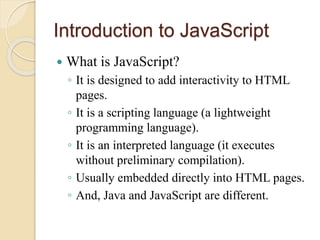
Introduction to JavaScript
 What is JavaScript?
◦ It is designed to add interactivity to HTML
pages.
◦ It is a scripting language (a lightweight
programming language).
◦ It is an interpreted language (it executes
without preliminary compilation).
◦ Usually embedded directly into HTML pages.
◦ And, Java and JavaScript are different.
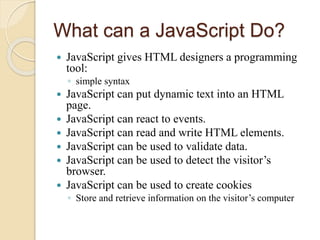
What can a JavaScript Do?
 JavaScript gives HTML designers a programming
tool:
◦ simple syntax
 JavaScript can put dynamic text into an HTML
page.
 JavaScript can react to events.
 JavaScript can read and write HTML elements.
 JavaScript can be used to validate data.
 JavaScript can be used to detect the visitor’s
browser.
 JavaScript can be used to create cookies
◦ Store and retrieve information on the visitor’s computer
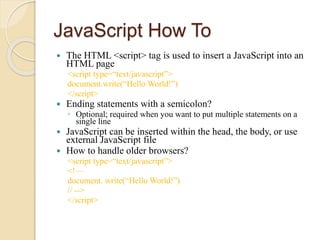
JavaScript How To
 The HTML <script> tag is used to insert a JavaScript into an
HTML page
<script type=“text/javascript”>
document.write(“Hello World!”)
</script>
 Ending statements with a semicolon?
◦ Optional; required when you want to put multiple statements on a
single line
 JavaScript can be inserted within the head, the body, or use
external JavaScript file
 How to handle older browsers?
<script type=“text/javascript”>
<!—
document. write(“Hello World!”)
// -->
</script>
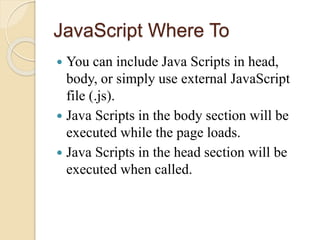
JavaScript Where To
 You can include Java Scripts in head,
body, or simply use external JavaScript
file (.js).
 Java Scripts in the body section will be
executed while the page loads.
 Java Scripts in the head section will be
executed when called.
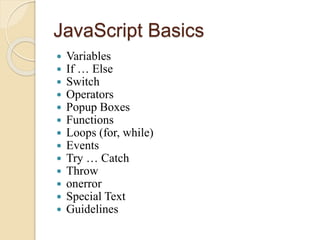
JavaScript Basics
 Variables
 If … Else
 Switch
 Operators
 Popup Boxes
 Functions
 Loops (for, while)
 Events
 Try … Catch
 Throw
 onerror
 Special Text
 Guidelines
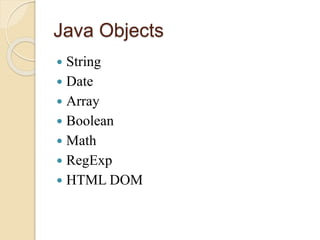
Java Objects
 String
 Date
 Array
 Boolean
 Math
 RegExp
 HTML DOM
Regular Expression
 Two ways to define regular expression:
◦ new RegExp(“[xyz]”)
◦ or, /[xyz]/
 String object methods that supports regular
expressions:
◦ search: search a string for a specified value.
Returns the position of the value
◦ match: search a string for a specified value.
Returns an array of the found value(s)
◦ replace: replace characters with other characters
◦ split: split a string into an array of strings
Using JavaScript Objects
 When you load a document in your web
browser, it creates a number of JavaScript
objects.
 These objects exist in a hierarchy that
reflects the structure of the HTML page.
Java Advanced
 Browser
 Cookies
 Validation
 Animation
 Timing
 Create your own object

Java script

  • 1.
  • 2.
    Introduction to JavaScript What is JavaScript? ◦ It is designed to add interactivity to HTML pages. ◦ It is a scripting language (a lightweight programming language). ◦ It is an interpreted language (it executes without preliminary compilation). ◦ Usually embedded directly into HTML pages. ◦ And, Java and JavaScript are different.
  • 3.
    What can aJavaScript Do?  JavaScript gives HTML designers a programming tool: ◦ simple syntax  JavaScript can put dynamic text into an HTML page.  JavaScript can react to events.  JavaScript can read and write HTML elements.  JavaScript can be used to validate data.  JavaScript can be used to detect the visitor’s browser.  JavaScript can be used to create cookies ◦ Store and retrieve information on the visitor’s computer
  • 4.
    JavaScript How To The HTML <script> tag is used to insert a JavaScript into an HTML page <script type=“text/javascript”> document.write(“Hello World!”) </script>  Ending statements with a semicolon? ◦ Optional; required when you want to put multiple statements on a single line  JavaScript can be inserted within the head, the body, or use external JavaScript file  How to handle older browsers? <script type=“text/javascript”> <!— document. write(“Hello World!”) // --> </script>
  • 5.
    JavaScript Where To You can include Java Scripts in head, body, or simply use external JavaScript file (.js).  Java Scripts in the body section will be executed while the page loads.  Java Scripts in the head section will be executed when called.
  • 6.
    JavaScript Basics  Variables If … Else  Switch  Operators  Popup Boxes  Functions  Loops (for, while)  Events  Try … Catch  Throw  onerror  Special Text  Guidelines
  • 7.
    Java Objects  String Date  Array  Boolean  Math  RegExp  HTML DOM
  • 8.
    Regular Expression  Twoways to define regular expression: ◦ new RegExp(“[xyz]”) ◦ or, /[xyz]/  String object methods that supports regular expressions: ◦ search: search a string for a specified value. Returns the position of the value ◦ match: search a string for a specified value. Returns an array of the found value(s) ◦ replace: replace characters with other characters ◦ split: split a string into an array of strings
  • 9.
    Using JavaScript Objects When you load a document in your web browser, it creates a number of JavaScript objects.  These objects exist in a hierarchy that reflects the structure of the HTML page.
  • 10.
    Java Advanced  Browser Cookies  Validation  Animation  Timing  Create your own object