Xtext & JavaFX
Tom Schindl <tom.schindl@bestsolution.at>
Twitter: @tomsontom
Blog: http://tomsondev.bestsolution.at
Website: http://www.bestsolution.at
(c) BestSolution.at - Licensed under Creative Commons Attribution-NonCommerical-ShareAlike 3.0
About Me
‣ CTO BestSolution.at Systemhaus GmbH
‣ Eclipse Committer
‣ e4
‣ Platform
‣ EMF
‣ Project lead
‣ e(fx)clipse
‣ Twitter: @tomsontom
‣ Blog: tomsondev.bestsolution.at
‣ Cooperate: http://bestsolution.at
(c) BestSolution.at - Licensed under Creative Commons Attribution-NonCommerical-ShareAlike 3.0
What is JavaFX
‣ JavaFX is a scenegraph based graphics toolkit
‣ Provides
‣ 2d graphic primitives like Rectangle, Circle, Path, …
‣ Controls built on top of it like TextField, TableView,
…
‣ 3d graphic primitives like a Mesh, Cube, …
(c) BestSolution.at - Licensed under Creative Commons Attribution-NonCommerical-ShareAlike 3.0
What is JavaFX
‣ JavaFX comes with FULL CSS support
‣ All properties of scenegraph elements can be styled
with CSS
‣ Support for CSS2 selectors (CSS3 is only supported
partially)
‣ Has a Java API so it can be targeted by ANY jvm-language
(Java, Groovy, Xtend, JavaScript, …)
‣ Has an OPTIONAL declarative way to define UIs named FXML
(c) BestSolution.at - Licensed under Creative Commons Attribution-NonCommerical-ShareAlike 3.0
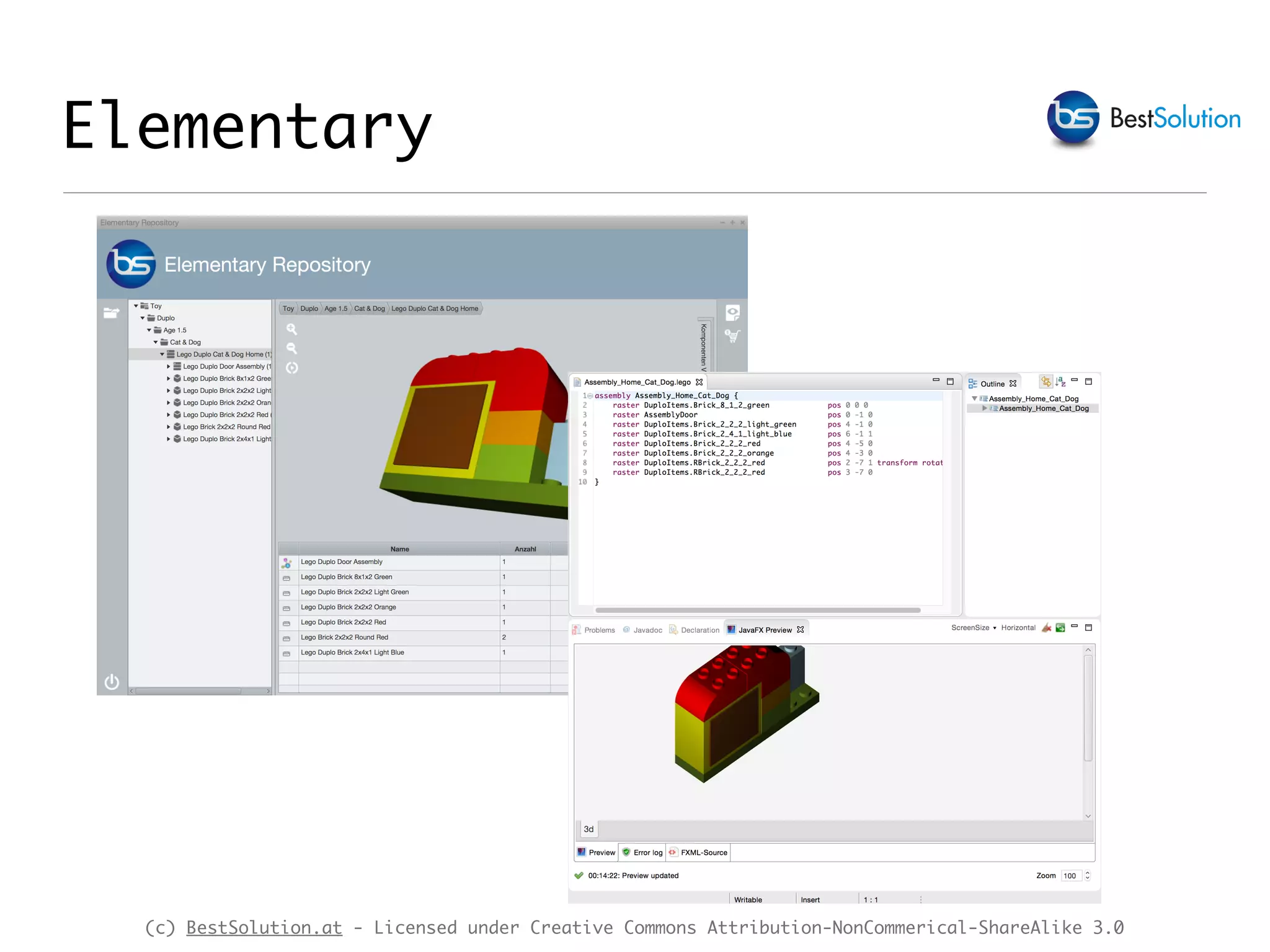
Elementary
(c) BestSolution.at - Licensed under Creative Commons Attribution-NonCommerical-ShareAlike 3.0
Demo JavaFX apps
‣Elementary
‣ e4 + JavaFX application
‣ highlights 3d support
‣ 3d model defined with a Xtext-DSL
(c) BestSolution.at - Licensed under Creative Commons Attribution-NonCommerical-ShareAlike 3.0
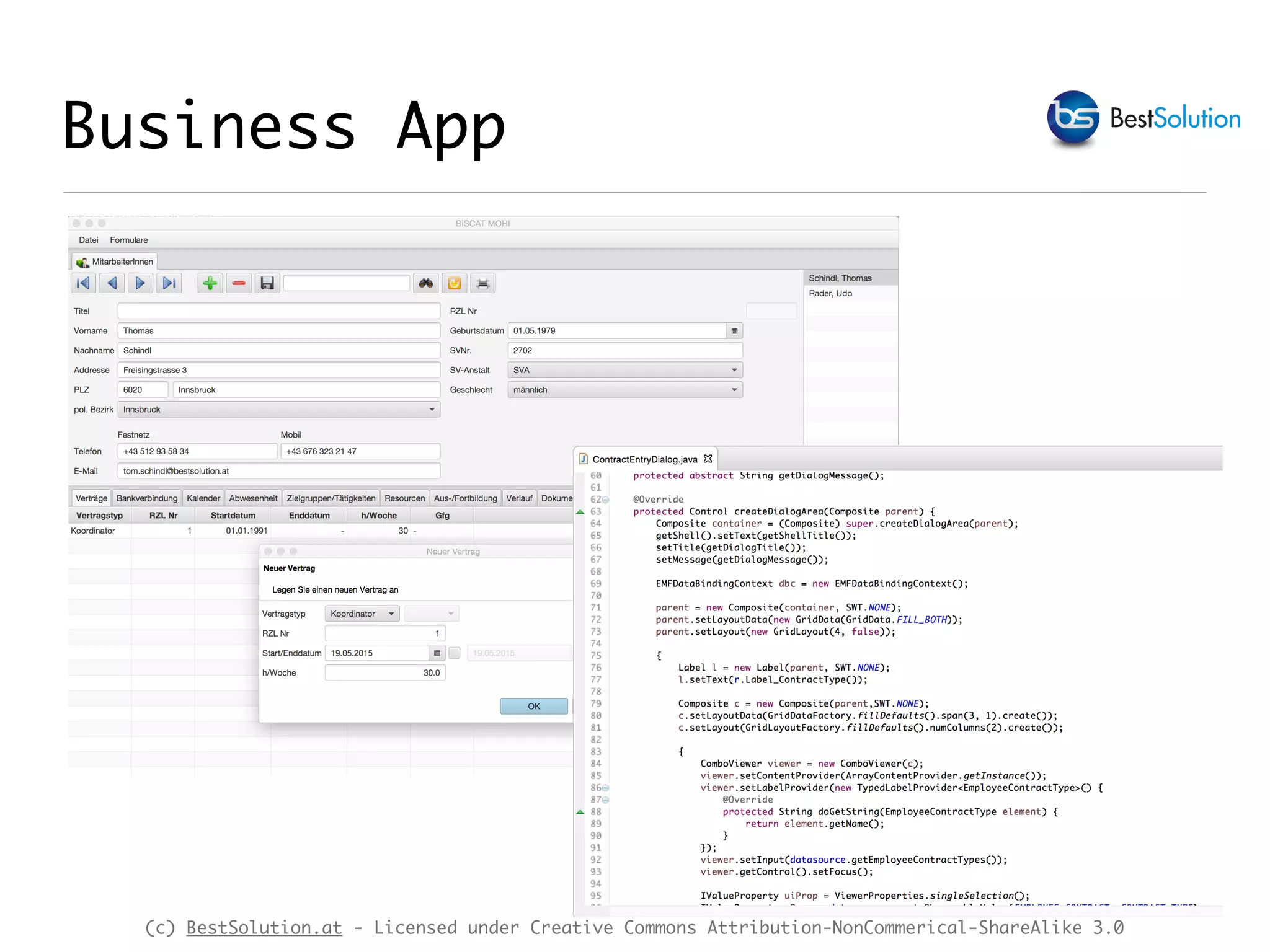
Business App
(c) BestSolution.at - Licensed under Creative Commons Attribution-NonCommerical-ShareAlike 3.0
Demo JavaFX apps
‣BiSCAT
‣ e4 + JavaFX + SWT on JavaFX application
‣ Formbased business UI
‣ Highlights direct reuse of old SWT-Code in a JavaFX
environment
(c) BestSolution.at - Licensed under Creative Commons Attribution-NonCommerical-ShareAlike 3.0
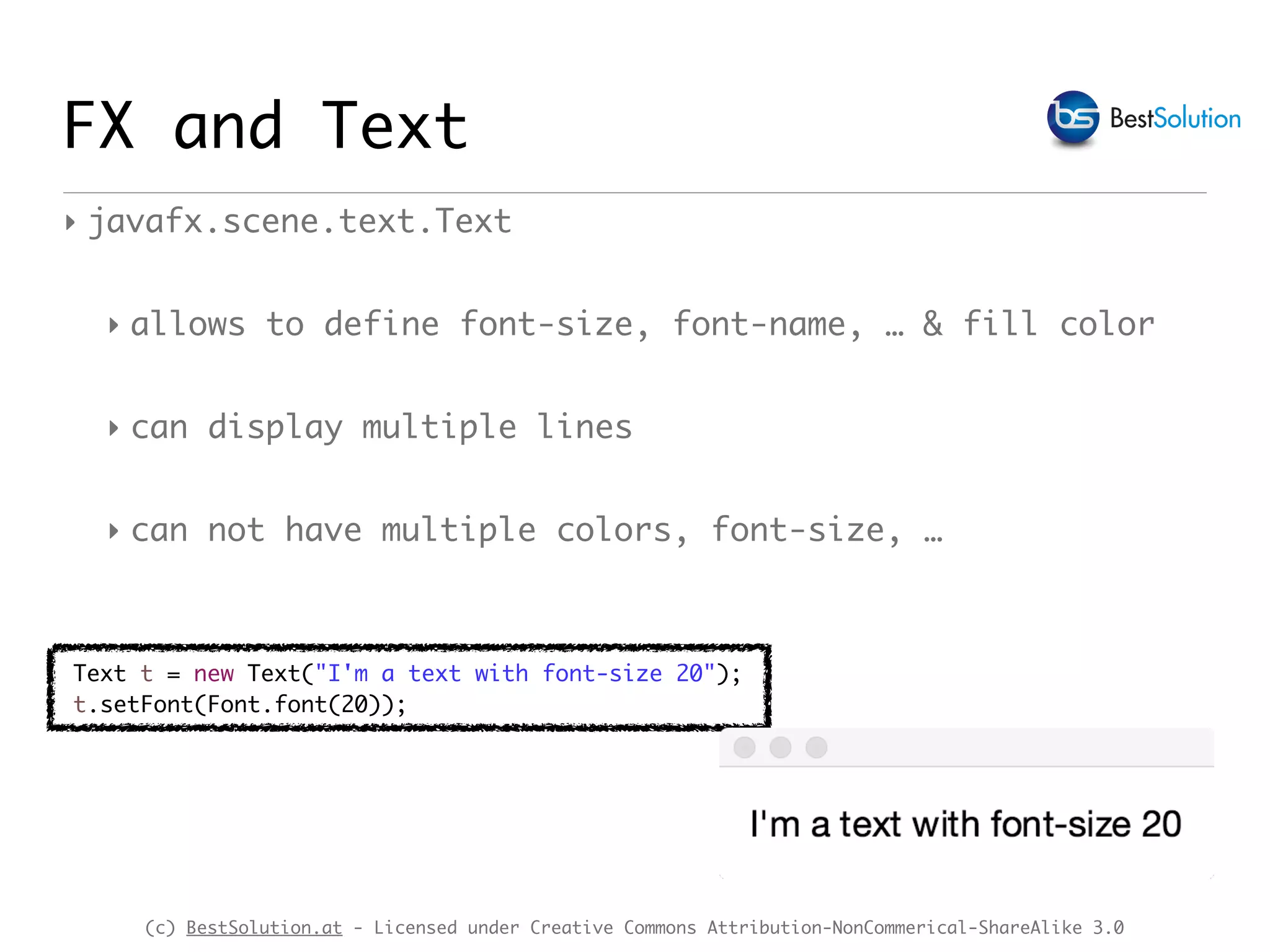
FX and Text
‣ javafx.scene.text.Text
‣ allows to define font-size, font-name, … & fill color
‣ can display multiple lines
‣ can not have multiple colors, font-size, …
Text t = new Text("I'm a text with font-size 20");
t.setFont(Font.font(20));
(c) BestSolution.at - Licensed under Creative Commons Attribution-NonCommerical-ShareAlike 3.0
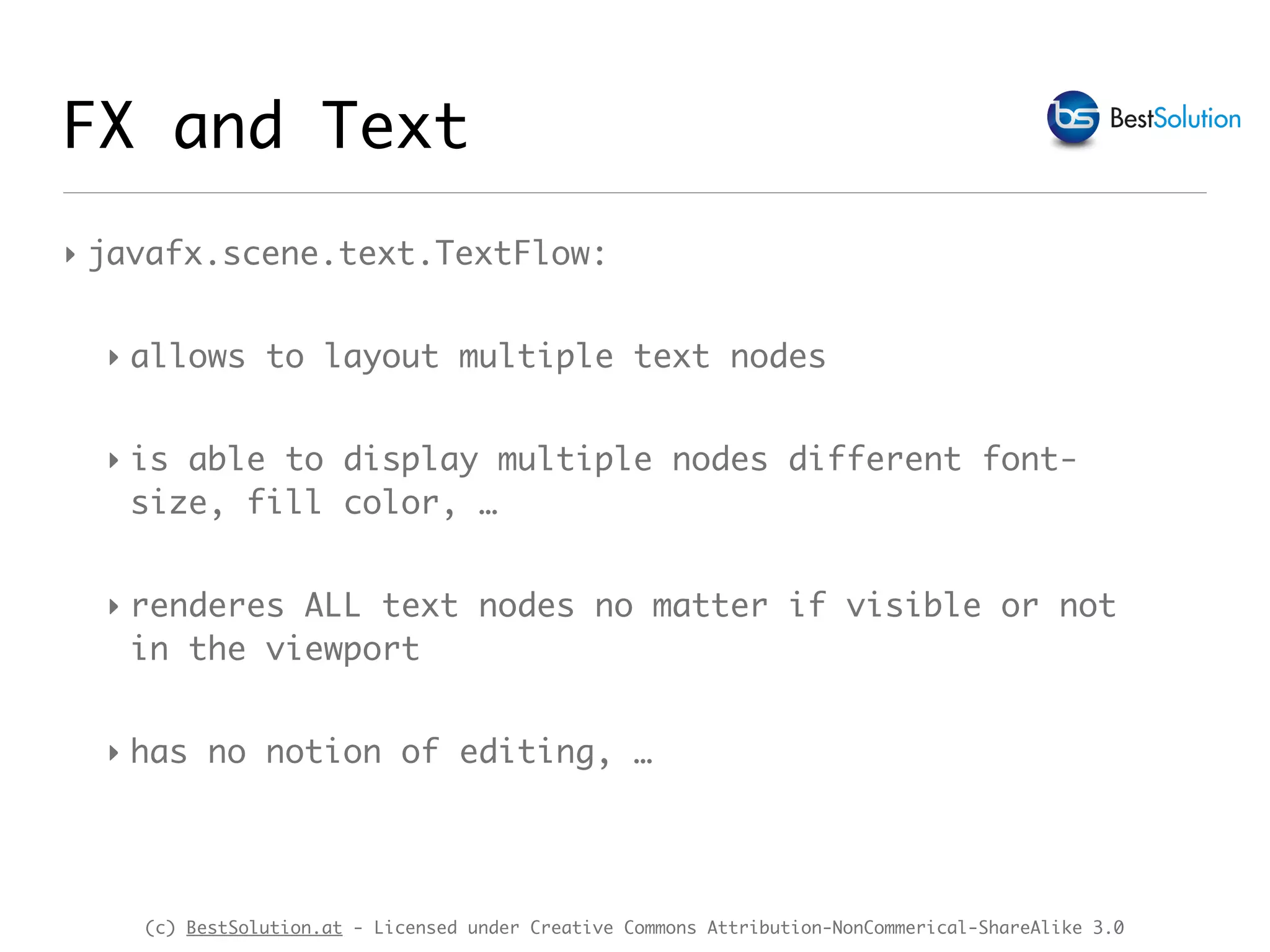
‣ javafx.scene.text.TextFlow:
‣ allows to layout multiple text nodes
‣ is able to display multiple nodes different font- 

size, fill color, …
‣ renderes ALL text nodes no matter if visible or not 

in the viewport
‣ has no notion of editing, …
FX and Text
(c) BestSolution.at - Licensed under Creative Commons Attribution-NonCommerical-ShareAlike 3.0
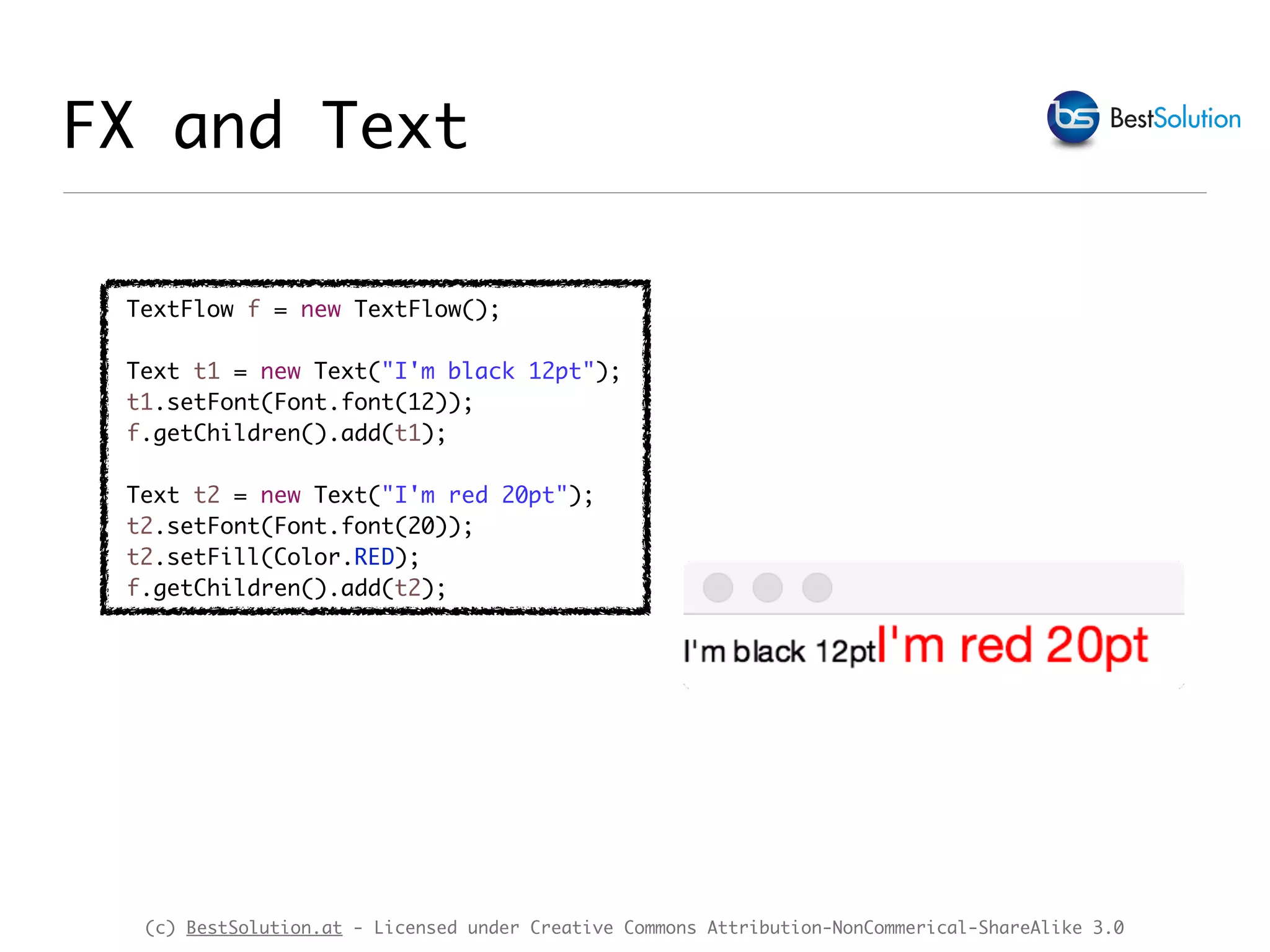
TextFlow f = new TextFlow();
Text t1 = new Text("I'm black 12pt");
t1.setFont(Font.font(12));
f.getChildren().add(t1);
Text t2 = new Text("I'm red 20pt");
t2.setFont(Font.font(20));
t2.setFill(Color.RED);
f.getChildren().add(t2);
FX and Text
(c) BestSolution.at - Licensed under Creative Commons Attribution-NonCommerical-ShareAlike 3.0
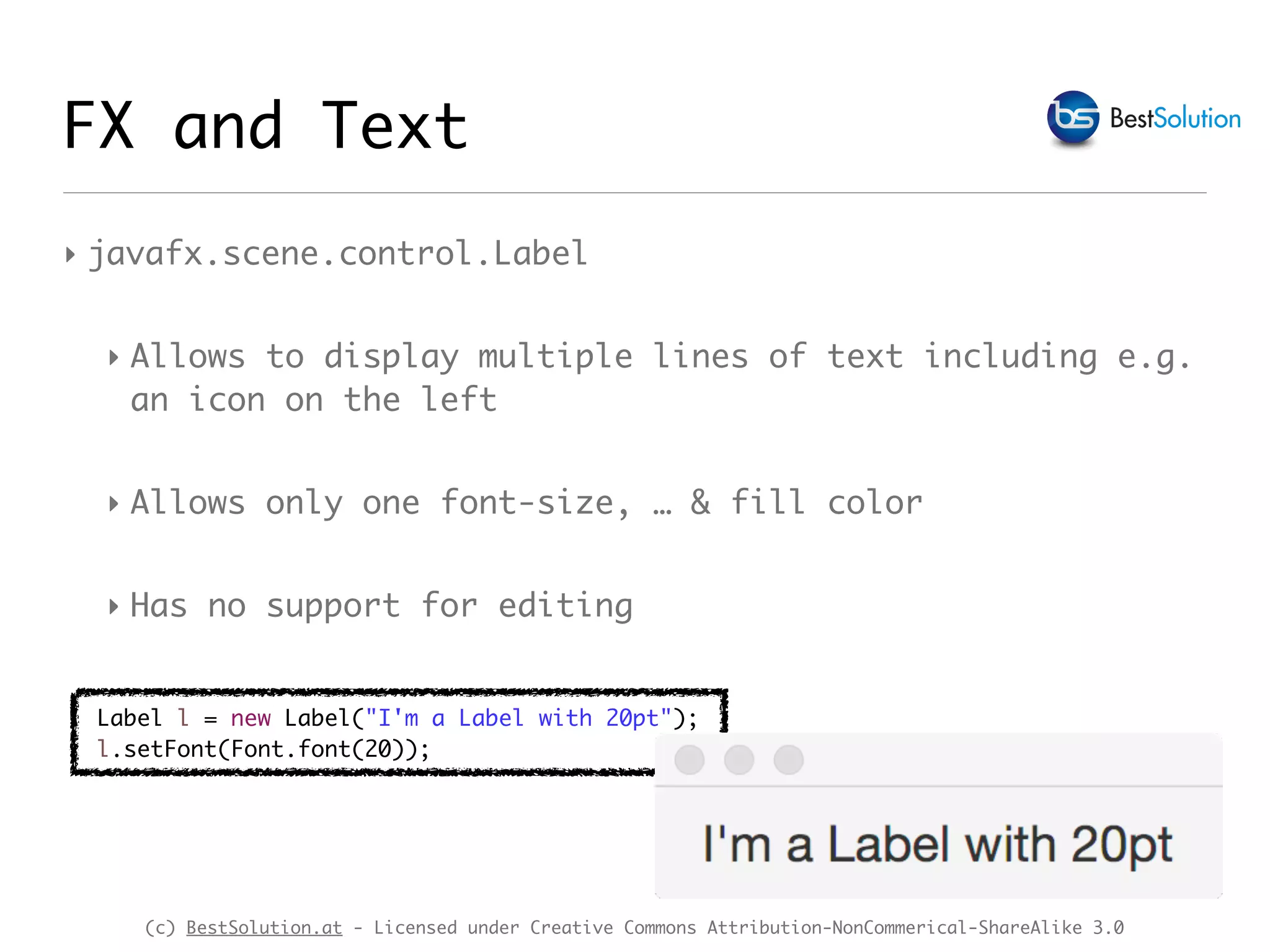
‣ javafx.scene.control.Label
‣ Allows to display multiple lines of text including e.g.
an icon on the left
‣ Allows only one font-size, … & fill color
‣ Has no support for editing
FX and Text
Label l = new Label("I'm a Label with 20pt");
l.setFont(Font.font(20));
(c) BestSolution.at - Licensed under Creative Commons Attribution-NonCommerical-ShareAlike 3.0
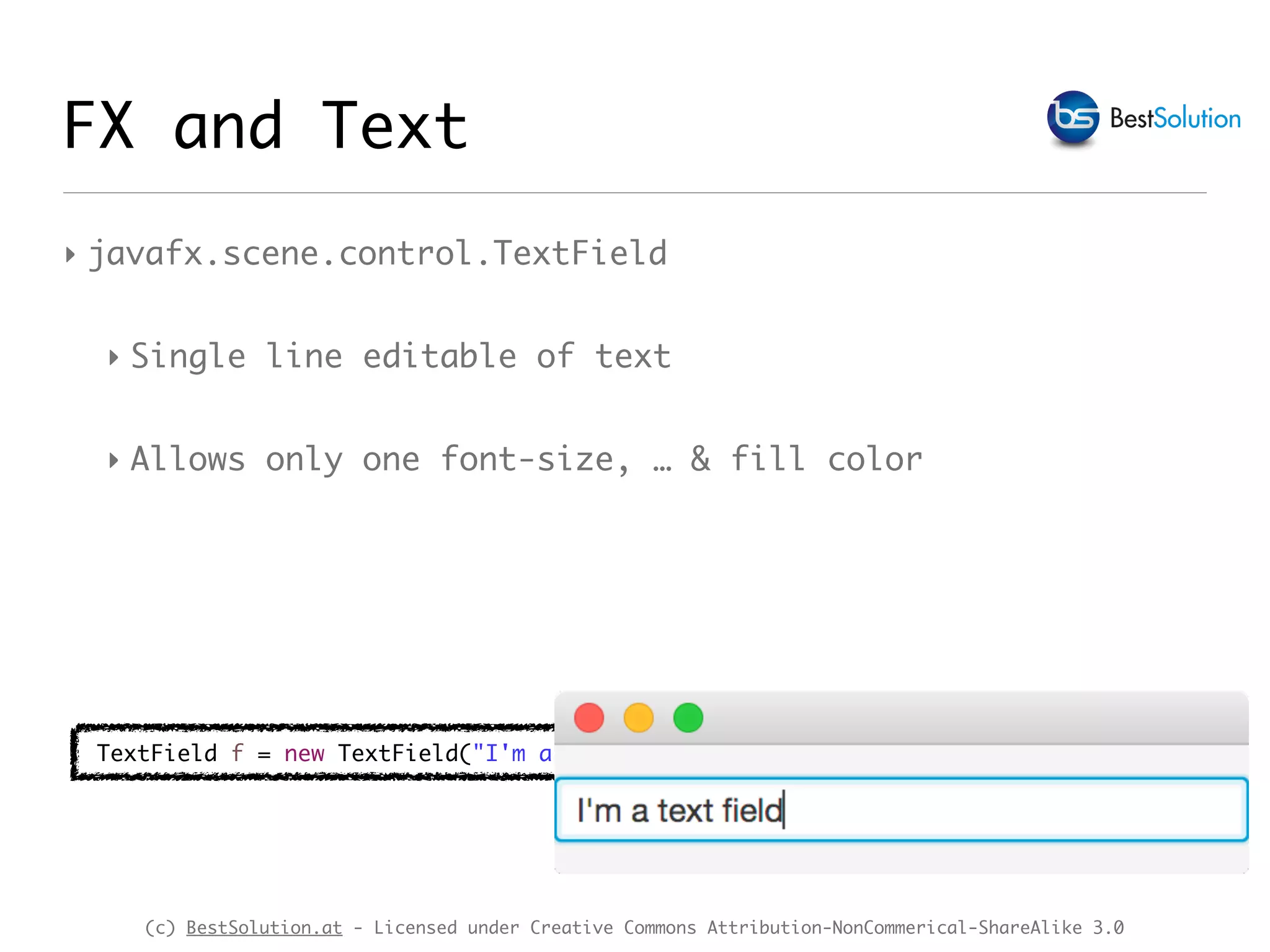
‣ javafx.scene.control.TextField
‣ Single line editable of text
‣ Allows only one font-size, … & fill color
FX and Text
TextField f = new TextField("I'm a text field");
(c) BestSolution.at - Licensed under Creative Commons Attribution-NonCommerical-ShareAlike 3.0
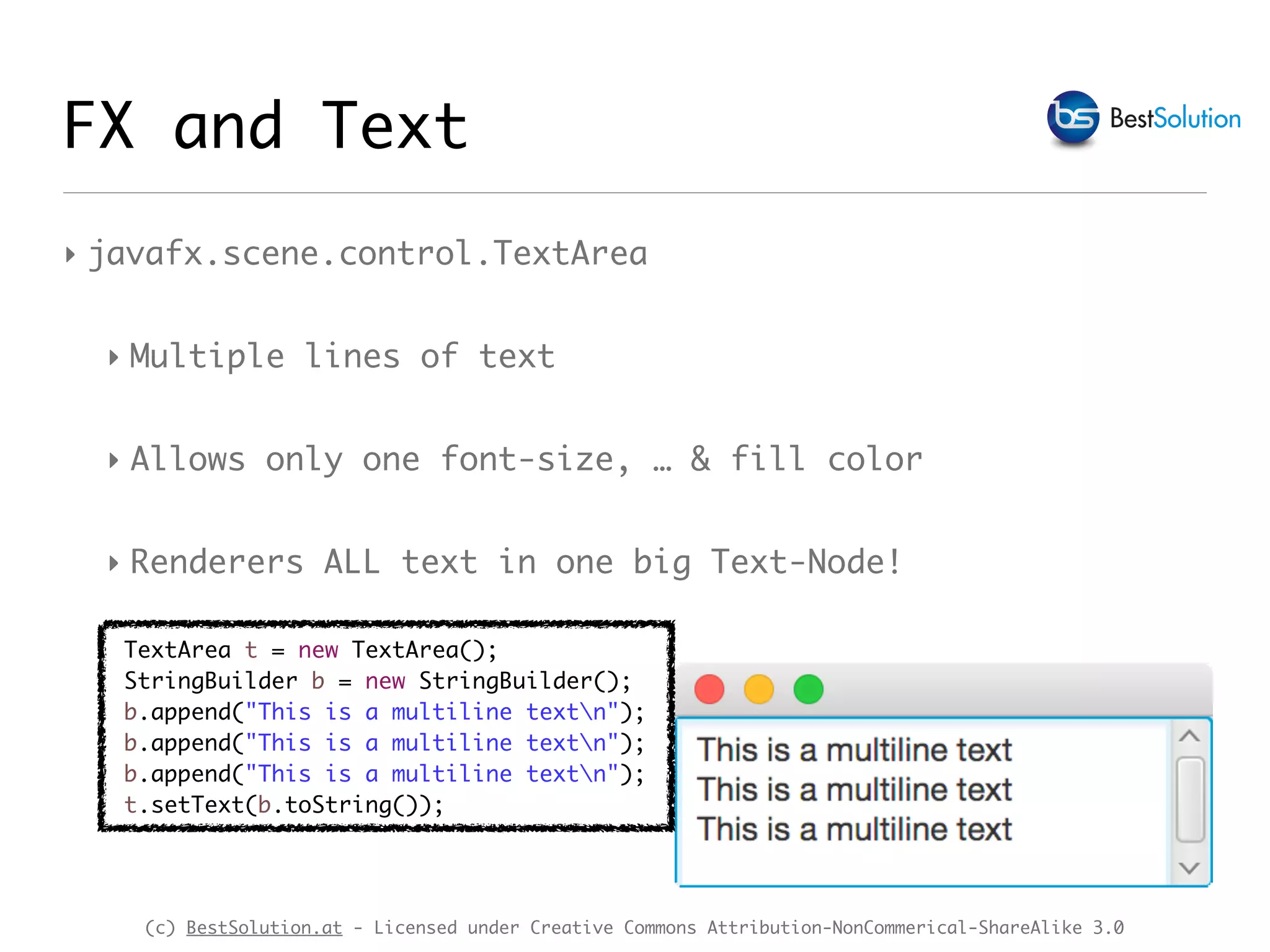
‣ javafx.scene.control.TextArea
‣ Multiple lines of text
‣ Allows only one font-size, … & fill color
‣ Renderers ALL text in one big Text-Node!
FX and Text
TextArea t = new TextArea();
StringBuilder b = new StringBuilder();
b.append("This is a multiline textn");
t.setText(b.toString());
(c) BestSolution.at - Licensed under Creative Commons Attribution-NonCommerical-ShareAlike 3.0
FX & efx text controls
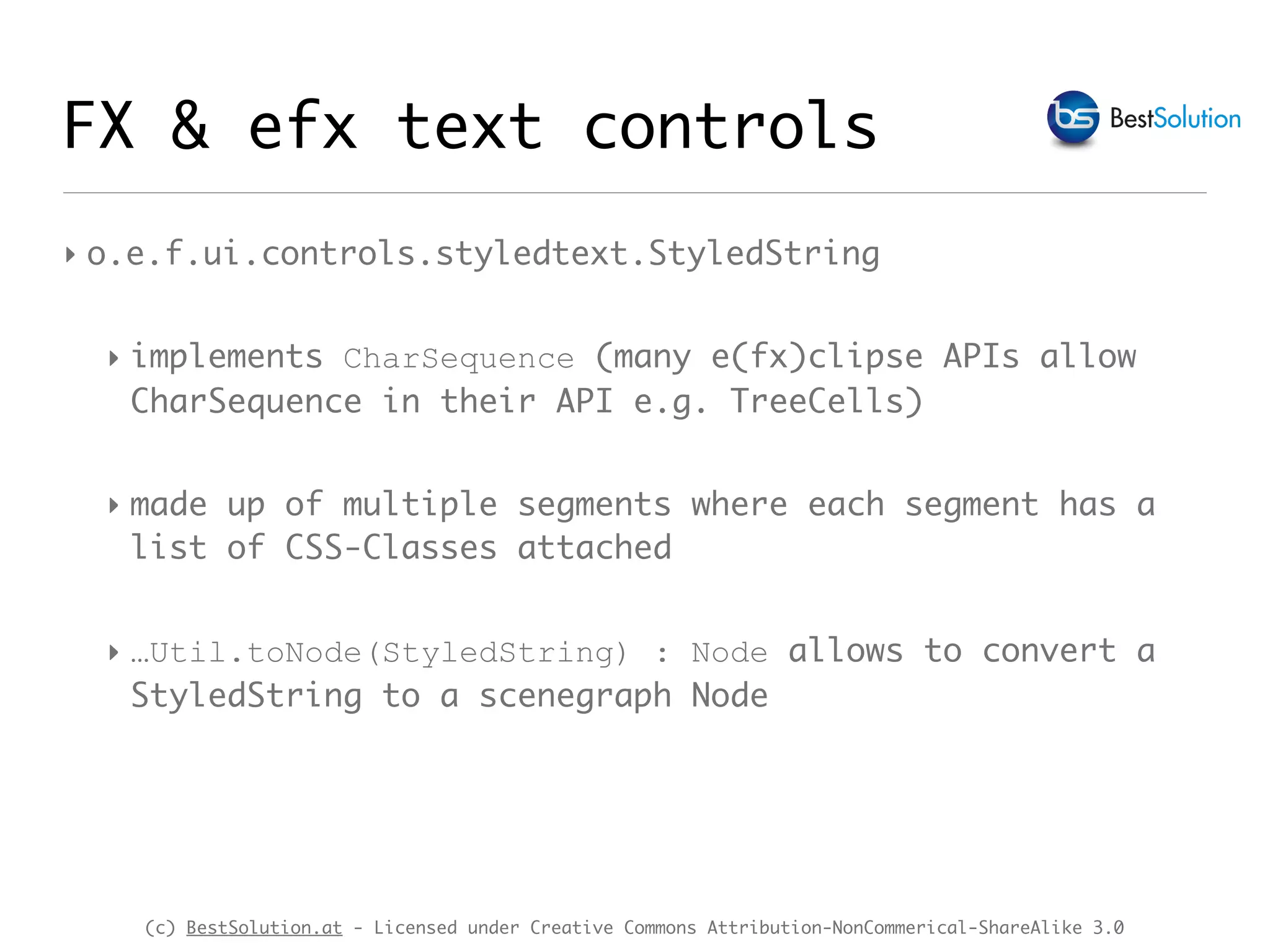
‣ o.e.f.ui.controls.styledtext.StyledString
‣ implements CharSequence (many e(fx)clipse APIs allow
CharSequence in their API e.g. TreeCells)
‣ made up of multiple segments where each segment has a
list of CSS-Classes attached
‣ …Util.toNode(StyledString) : Node allows to convert a
StyledString to a scenegraph Node
(c) BestSolution.at - Licensed under Creative Commons Attribution-NonCommerical-ShareAlike 3.0
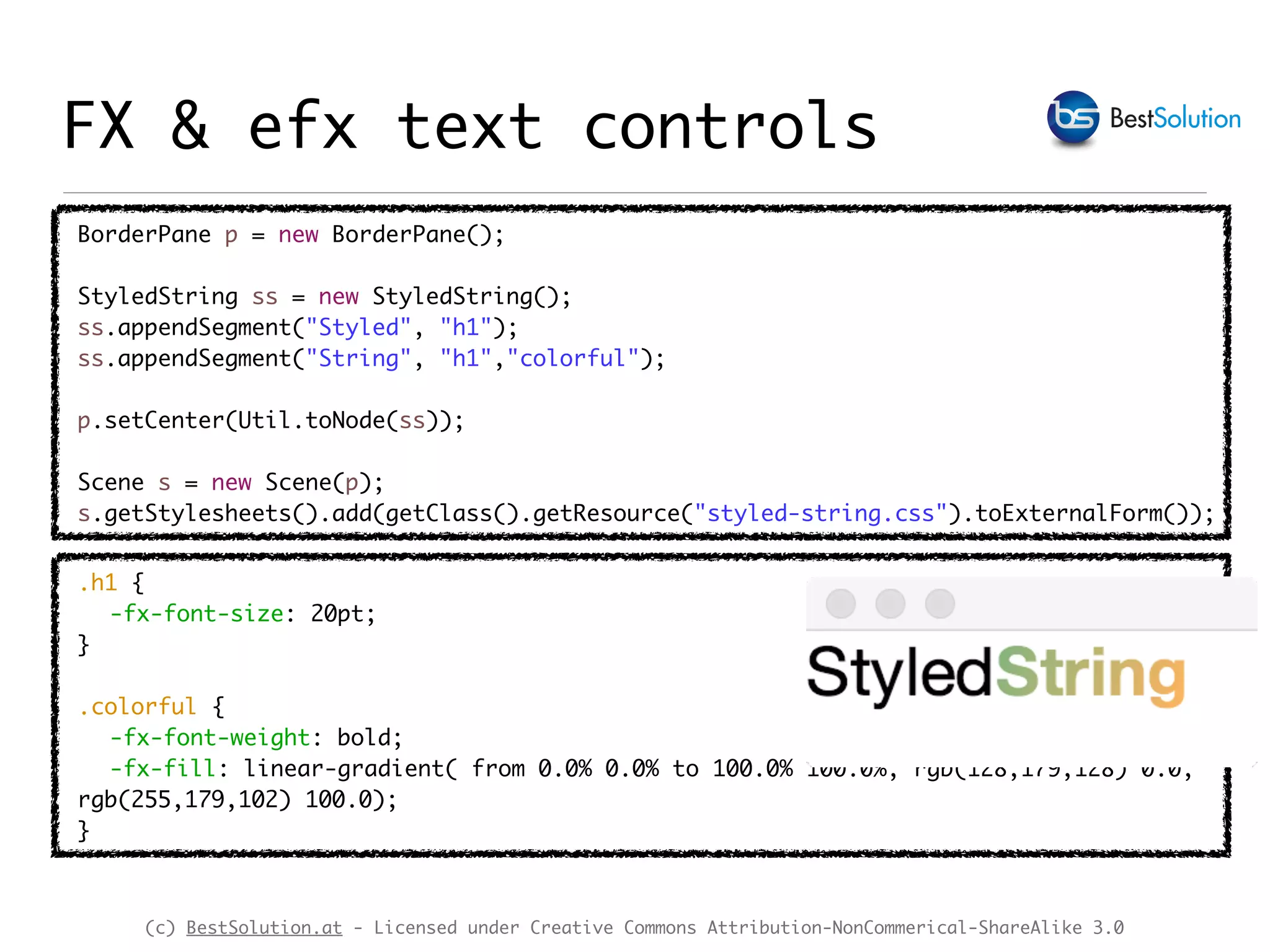
BorderPane p = new BorderPane();
StyledString ss = new StyledString();
ss.appendSegment("Styled", "h1");
ss.appendSegment("String", "h1","colorful");
p.setCenter(Util.toNode(ss));
Scene s = new Scene(p);
s.getStylesheets().add(getClass().getResource("styled-string.css").toExternalForm());
FX & efx text controls
.h1 {
-fx-font-size: 20pt;
}
.colorful {
-fx-font-weight: bold;
-fx-fill: linear-gradient( from 0.0% 0.0% to 100.0% 100.0%, rgb(128,179,128) 0.0,
rgb(255,179,102) 100.0);
}
(c) BestSolution.at - Licensed under Creative Commons Attribution-NonCommerical-ShareAlike 3.0
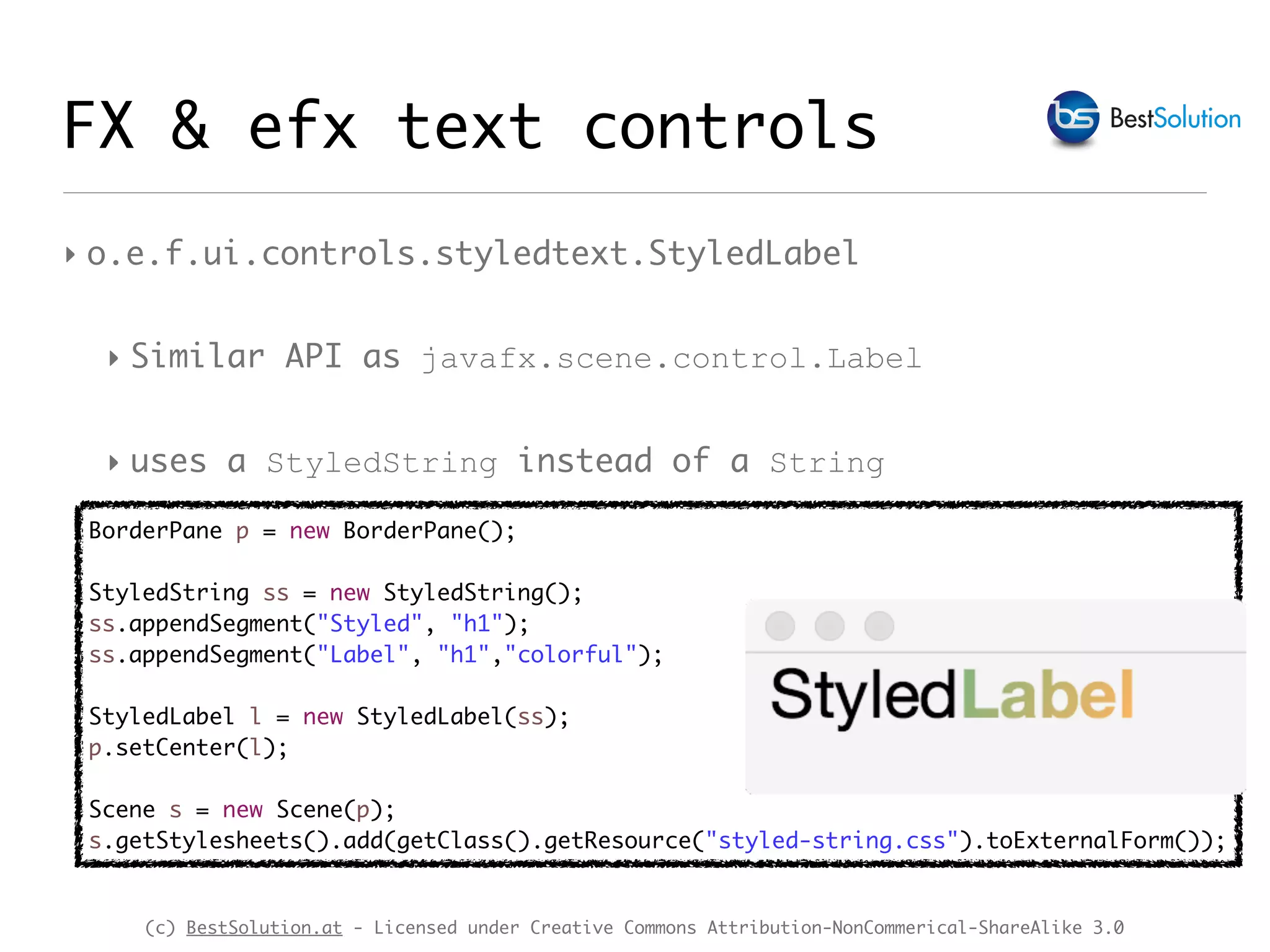
‣ o.e.f.ui.controls.styledtext.StyledLabel
‣ Similar API as javafx.scene.control.Label
‣ uses a StyledString instead of a String
FX & efx text controls
BorderPane p = new BorderPane();
StyledString ss = new StyledString();
ss.appendSegment("Styled", "h1");
ss.appendSegment("Label", "h1","colorful");
StyledLabel l = new StyledLabel(ss);
p.setCenter(l);
Scene s = new Scene(p);
s.getStylesheets().add(getClass().getResource("styled-string.css").toExternalForm());
(c) BestSolution.at - Licensed under Creative Commons Attribution-NonCommerical-ShareAlike 3.0
‣ o.e.f.ui.controls.styledtext.StyledTextArea
‣ Allows to edit multiple lines of text
‣ Allows to display different colors, fonts, …
‣ VIRTUAL rendering - only text visible in the view port
is rendered
‣ Content is kept in StyledTextContent class
FX & efx text controls
(c) BestSolution.at - Licensed under Creative Commons Attribution-NonCommerical-ShareAlike 3.0
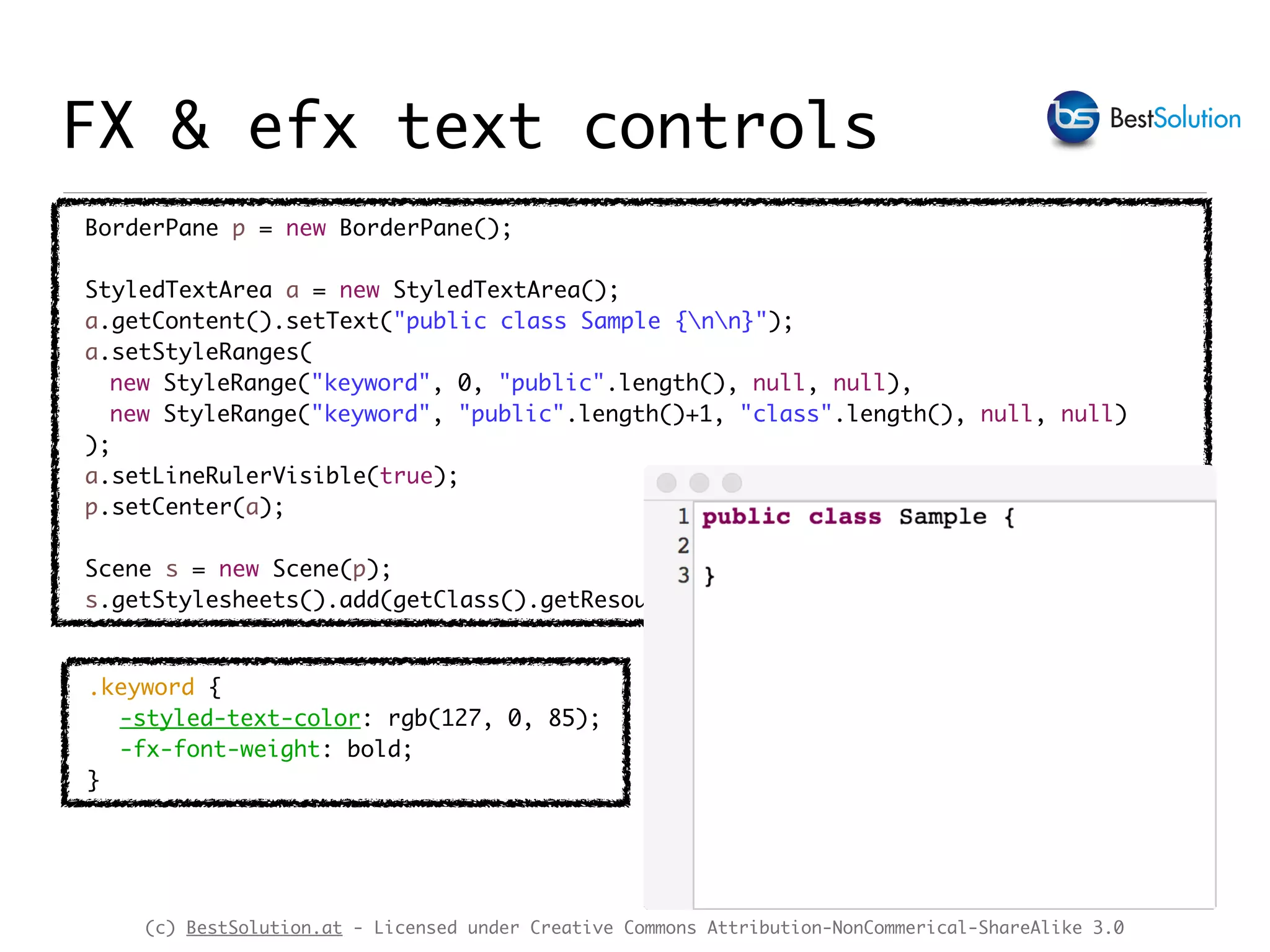
BorderPane p = new BorderPane();
StyledTextArea a = new StyledTextArea();
a.getContent().setText("public class Sample {nn}");
a.setStyleRanges(
new StyleRange("keyword", 0, "public".length(), null, null),
new StyleRange("keyword", "public".length()+1, "class".length(), null, null)
);
a.setLineRulerVisible(true);
p.setCenter(a);
Scene s = new Scene(p);
s.getStylesheets().add(getClass().getResource("styled-text.css").toExternalForm());
.keyword {
-styled-text-color: rgb(127, 0, 85);
-fx-font-weight: bold;
}
FX & efx text controls
(c) BestSolution.at - Licensed under Creative Commons Attribution-NonCommerical-ShareAlike 3.0
FX, efx & Eclipse Text
‣ org.eclipse.text is UI neutral Code/Text Framework
‣ Provides document abstraction
‣ Provides tokenizing
‣ org.eclipse.jface.text
‣ Built on top of org.eclipse.text
‣ Uses SWT to visualize information provided by o.e.text
(c) BestSolution.at - Licensed under Creative Commons Attribution-NonCommerical-ShareAlike 3.0
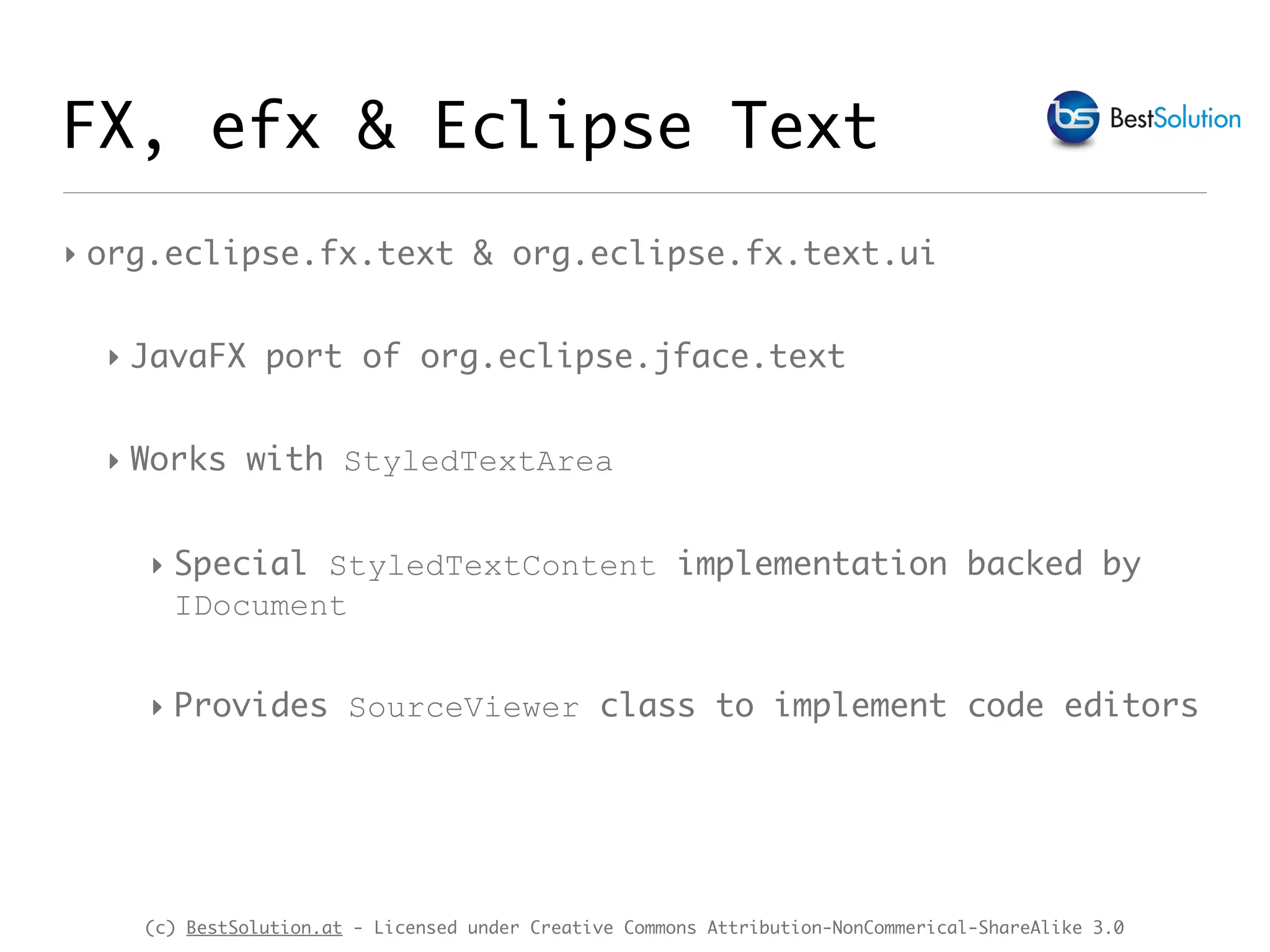
‣ org.eclipse.fx.text & org.eclipse.fx.text.ui
‣ JavaFX port of org.eclipse.jface.text
‣ Works with StyledTextArea
‣ Special StyledTextContent implementation backed by
IDocument
‣ Provides SourceViewer class to implement code editors
FX, efx & Eclipse Text
(c) BestSolution.at - Licensed under Creative Commons Attribution-NonCommerical-ShareAlike 3.0
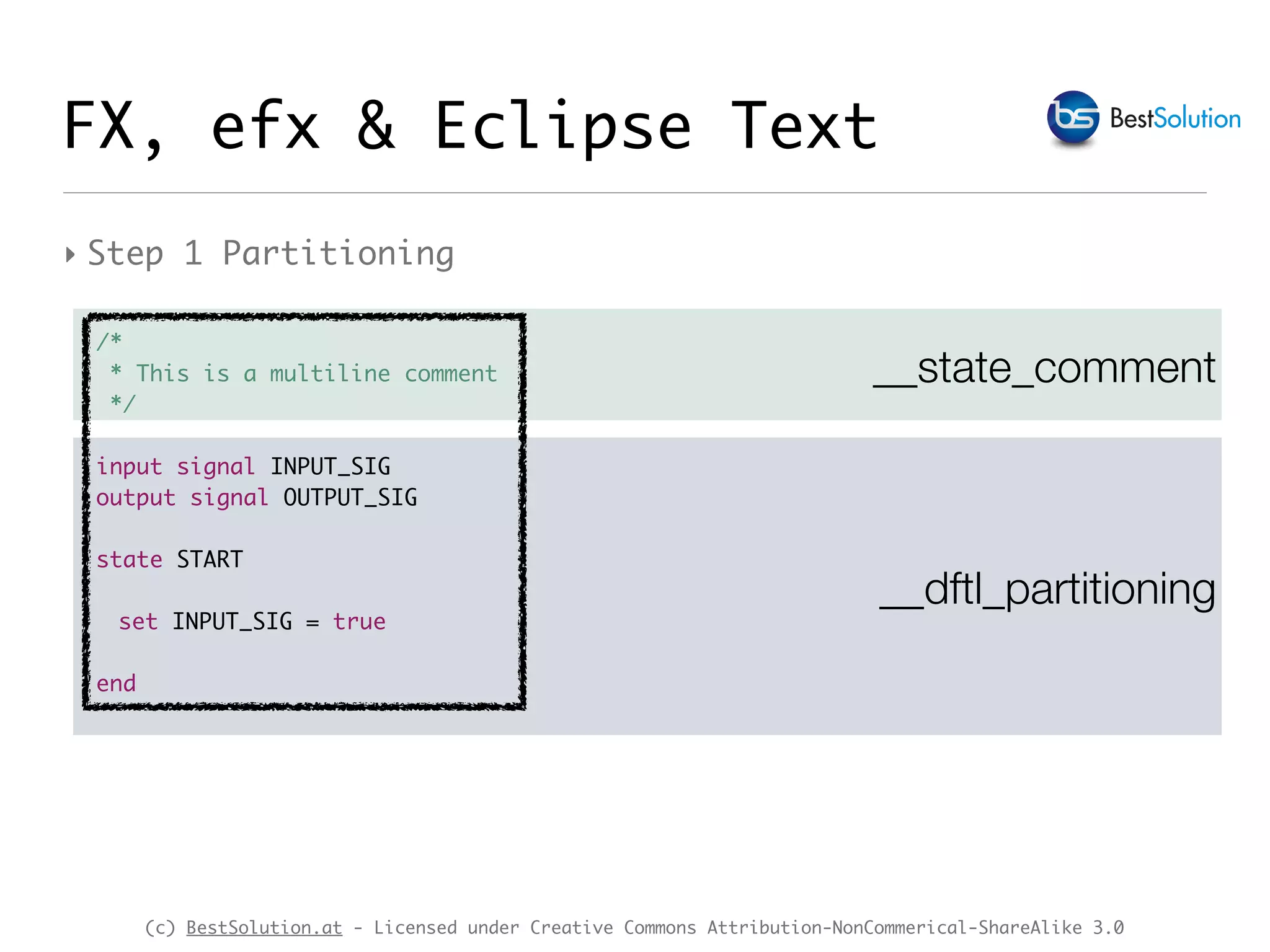
__state_comment
FX, efx & Eclipse Text
‣ Step 1 Partitioning
__dftl_partitioning
/*
* This is a multiline comment
*/
input signal INPUT_SIG
output signal OUTPUT_SIG
state START
set INPUT_SIG = true
end
(c) BestSolution.at - Licensed under Creative Commons Attribution-NonCommerical-ShareAlike 3.0
FX, efx & Eclipse Text
‣ Step 1 Partitioning
Document document = new Document();
FastPartitioner partitioner = new FastPartitioner(
new StatemachinePartitionScanner(), "__state_comment");
document.setDocumentPartitioner("__dftl_paritioning", partitioner);
partitioner.connect(document);
public class StatemachinePartitionScanner extends RuleBasedPartitionScanner {
public StatemachinePartitionScanner() {
IPredicateRule[] pr = new IPredicateRule[1];
pr[0] = new MultiLineRule("/*", "*/",
new Token("__state_comment"), (char)0, false);
setPredicateRules(pr);
}
}
(c) BestSolution.at - Licensed under Creative Commons Attribution-NonCommerical-ShareAlike 3.0
FX, efx & Eclipse Text
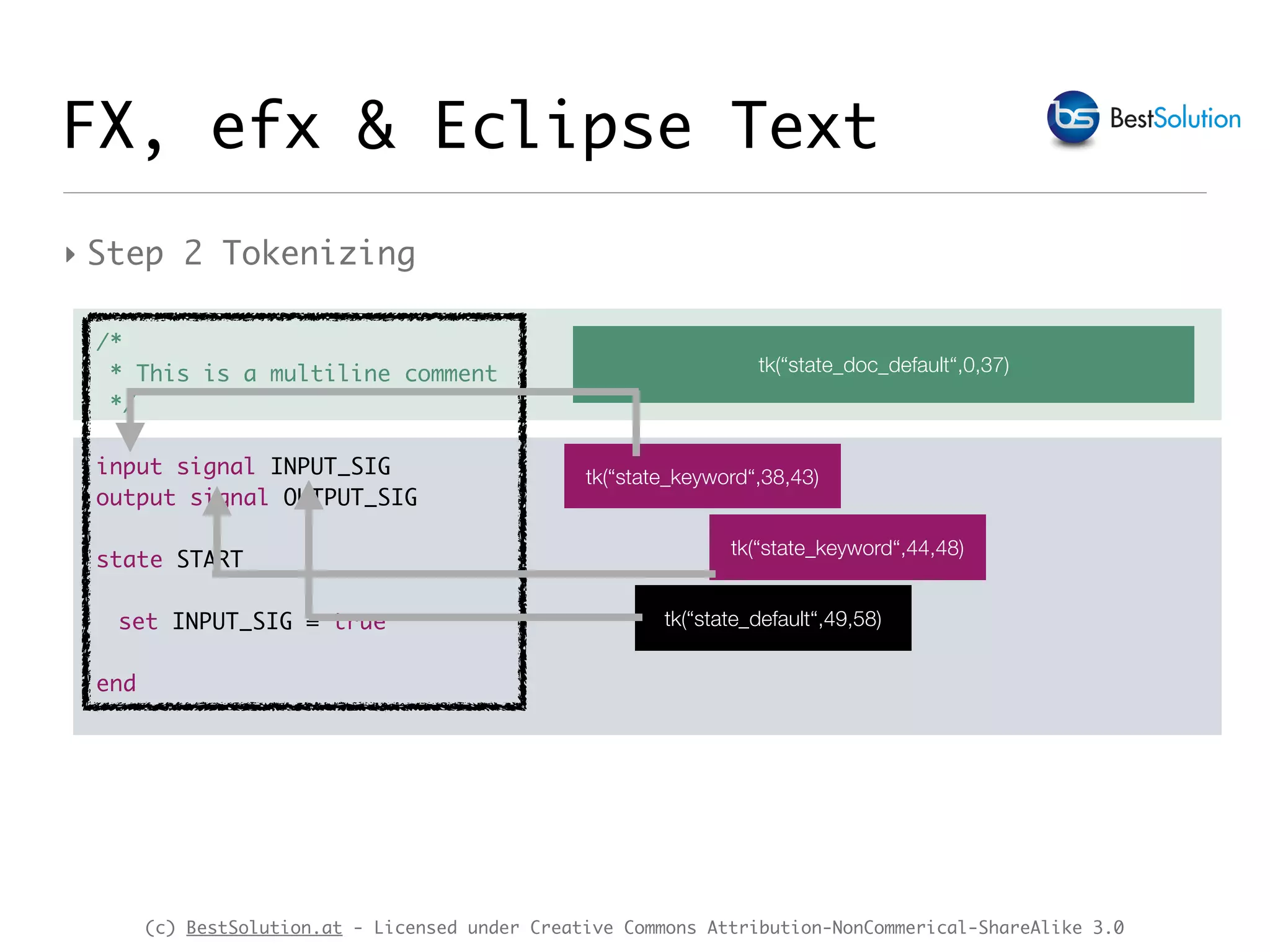
‣ Step 2 Tokenizing
/*
* This is a multiline comment
*/
input signal INPUT_SIG
output signal OUTPUT_SIG
state START
set INPUT_SIG = true
end
tk(“state_doc_default“,0,37)
tk(“state_keyword“,38,43)
tk(“state_keyword“,44,48)
tk(“state_default“,49,58)
(c) BestSolution.at - Licensed under Creative Commons Attribution-NonCommerical-ShareAlike 3.0
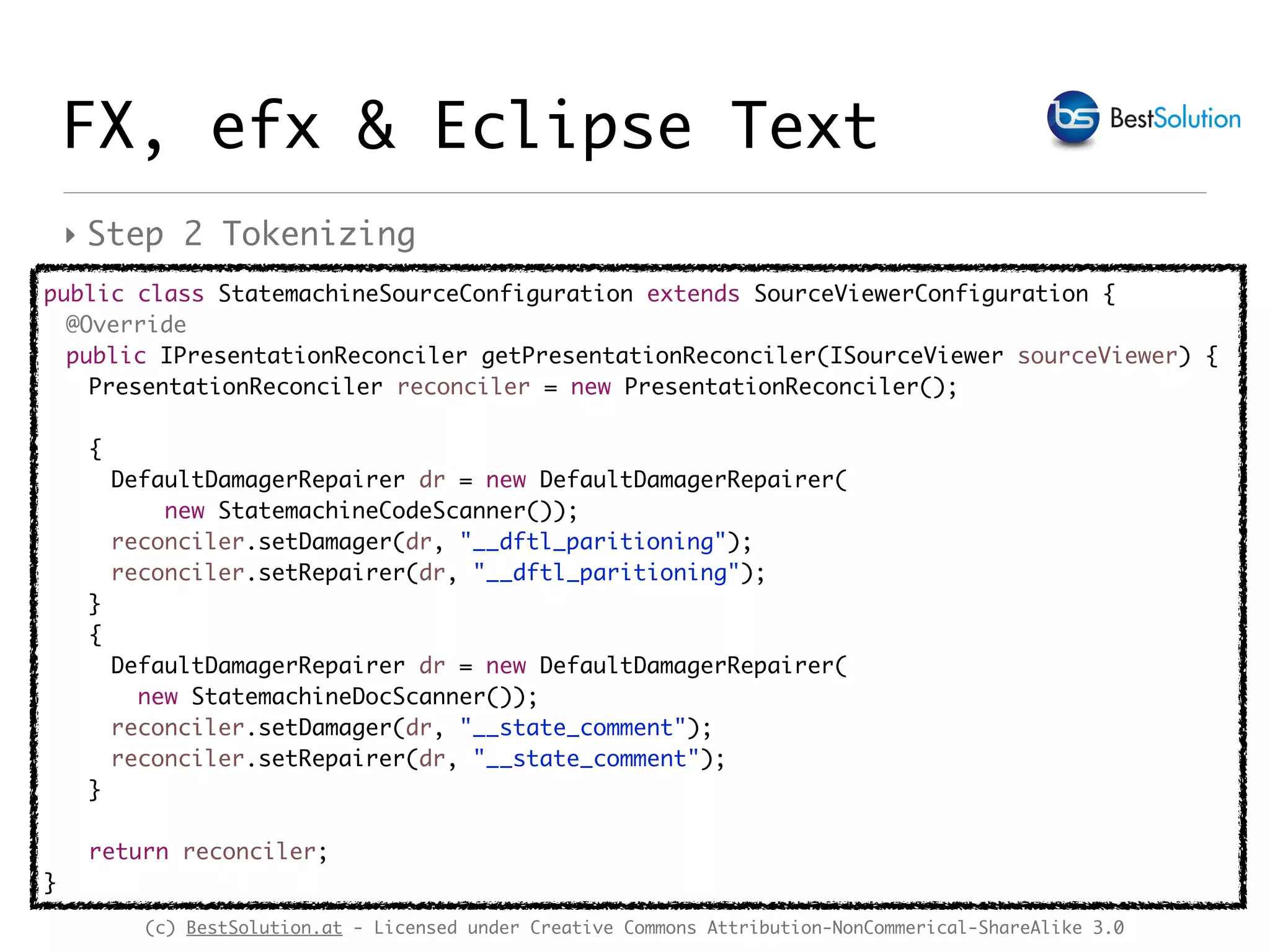
‣ Step 2 Tokenizing
FX, efx & Eclipse Text
public class StatemachineSourceConfiguration extends SourceViewerConfiguration {
@Override
public IPresentationReconciler getPresentationReconciler(ISourceViewer sourceViewer) {
PresentationReconciler reconciler = new PresentationReconciler();
{
DefaultDamagerRepairer dr = new DefaultDamagerRepairer(
new StatemachineCodeScanner());
reconciler.setDamager(dr, "__dftl_paritioning");
reconciler.setRepairer(dr, "__dftl_paritioning");
}
{
DefaultDamagerRepairer dr = new DefaultDamagerRepairer(
new StatemachineDocScanner());
reconciler.setDamager(dr, "__state_comment");
reconciler.setRepairer(dr, "__state_comment");
}
return reconciler;
}
(c) BestSolution.at - Licensed under Creative Commons Attribution-NonCommerical-ShareAlike 3.0
FX, efx & Eclipse Text
public class StatemachineCodeScanner extends RuleBasedScanner {
public StatemachineCodeScanner() {
Token keywordToken = new Token(new TextAttribute("state_keyword"));
Token defaultToken = new Token(new TextAttribute("state_default"));
setDefaultReturnToken(defaultToken);
IRule[] rules = new IRule[1];
JavaLikeWordDetector wordDetector= new JavaLikeWordDetector();
CombinedWordRule combinedWordRule= new CombinedWordRule(wordDetector, defaultToken);
CombinedWordRule.WordMatcher wordRule= new CombinedWordRule.WordMatcher();
wordRule.addWord("signal", keywordToken);
// …
wordRule.addWord("false", keywordToken);
combinedWordRule.addWordMatcher(wordRule);
rules[0] = combinedWordRule;
setRules(rules);
}
}
‣ Step 2 Tokenizing
(c) BestSolution.at - Licensed under Creative Commons Attribution-NonCommerical-ShareAlike 3.0
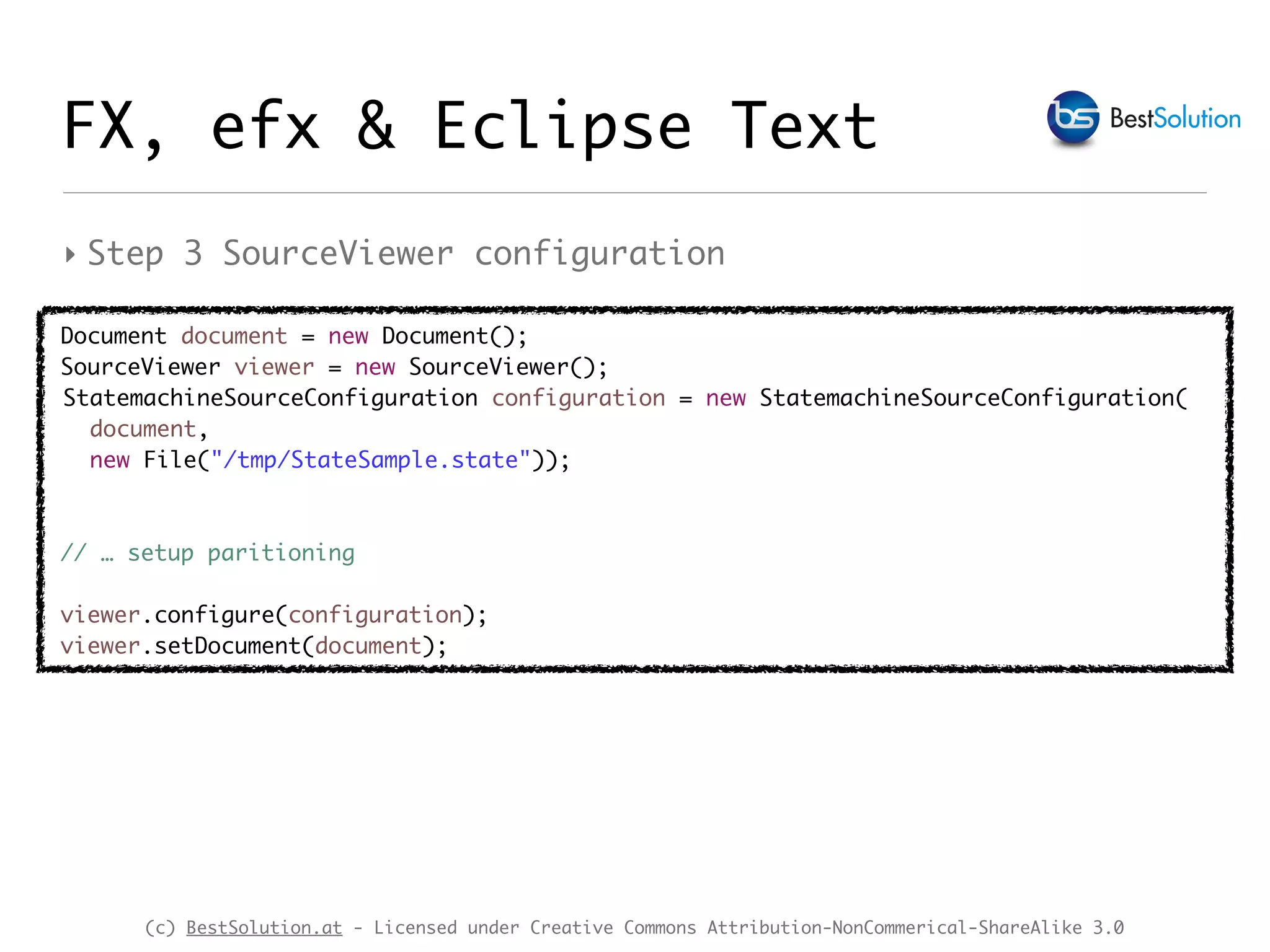
‣ Step 3 SourceViewer configuration
FX, efx & Eclipse Text
Document document = new Document();
SourceViewer viewer = new SourceViewer();
StatemachineSourceConfiguration configuration = new StatemachineSourceConfiguration(
document,
new File("/tmp/StateSample.state"));
// … setup paritioning
viewer.configure(configuration);
viewer.setDocument(document);
(c) BestSolution.at - Licensed under Creative Commons Attribution-NonCommerical-ShareAlike 3.0
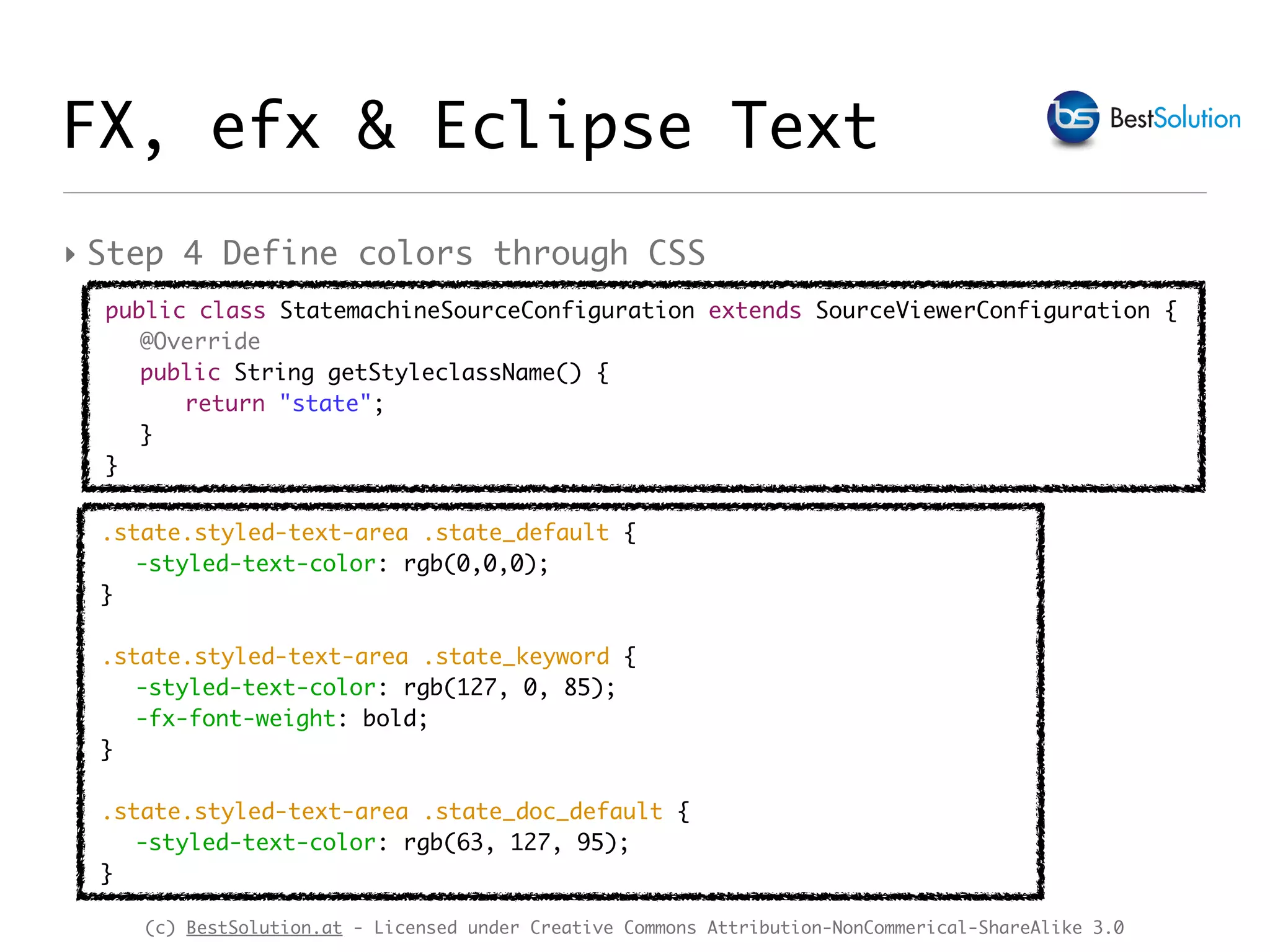
‣ Step 4 Define colors through CSS
.state.styled-text-area .state_default {
-styled-text-color: rgb(0,0,0);
}
.state.styled-text-area .state_keyword {
-styled-text-color: rgb(127, 0, 85);
-fx-font-weight: bold;
}
.state.styled-text-area .state_doc_default {
-styled-text-color: rgb(63, 127, 95);
}
public class StatemachineSourceConfiguration extends SourceViewerConfiguration {
@Override
public String getStyleclassName() {
return "state";
}
}
FX, efx & Eclipse Text
(c) BestSolution.at - Licensed under Creative Commons Attribution-NonCommerical-ShareAlike 3.0
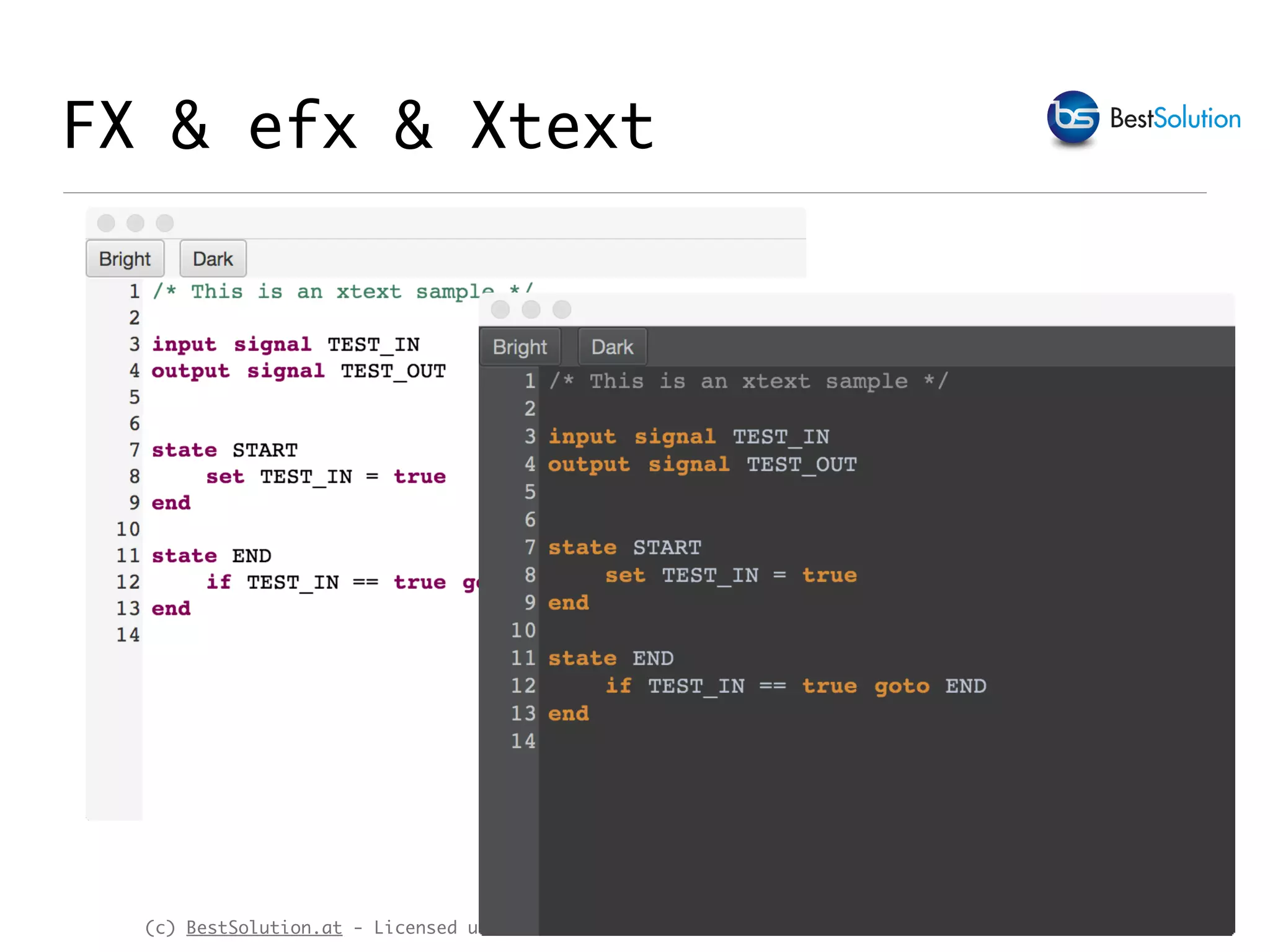
FX & efx & Xtext
(c) BestSolution.at - Licensed under Creative Commons Attribution-NonCommerical-ShareAlike 3.0
FX & efx & Xtext
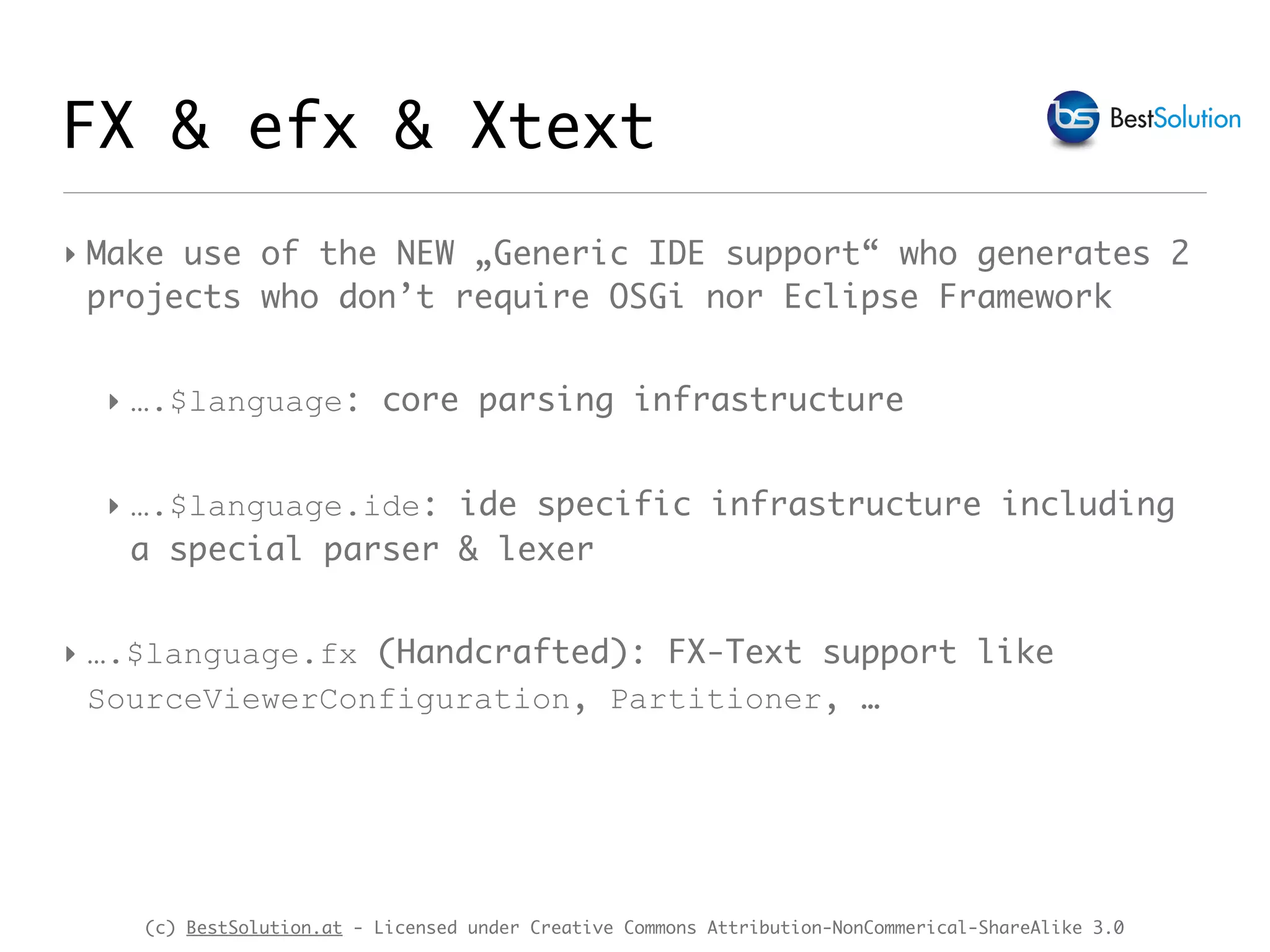
‣ Make use of the NEW „Generic IDE support“ who generates 2
projects who don’t require OSGi nor Eclipse Framework
‣ ….$language: core parsing infrastructure
‣ ….$language.ide: ide specific infrastructure including
a special parser & lexer
‣ ….$language.fx (Handcrafted): FX-Text support like
SourceViewerConfiguration, Partitioner, …
(c) BestSolution.at - Licensed under Creative Commons Attribution-NonCommerical-ShareAlike 3.0
FX & efx & Xtext
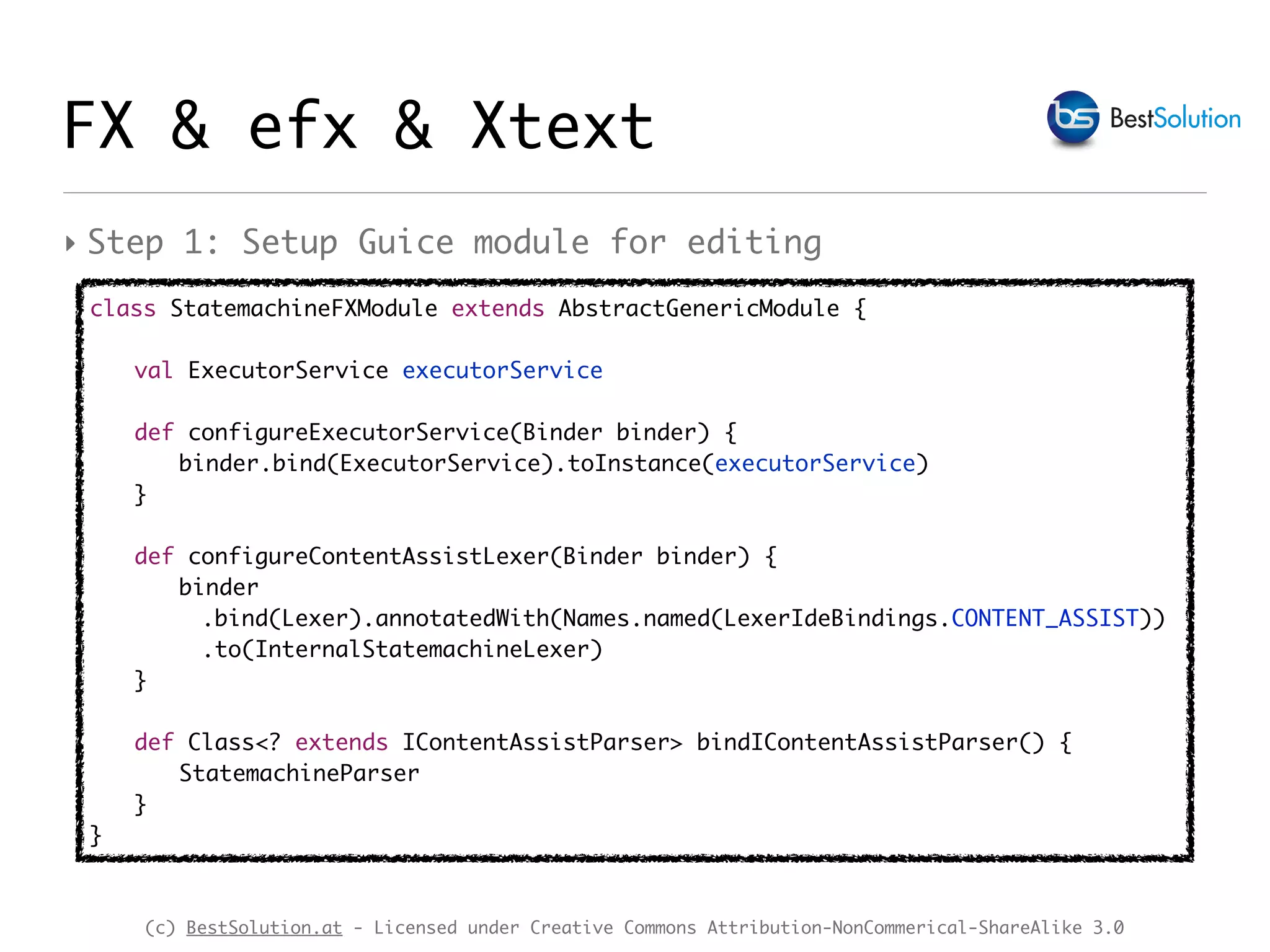
class StatemachineFXModule extends AbstractGenericModule {
val ExecutorService executorService
def configureExecutorService(Binder binder) {
binder.bind(ExecutorService).toInstance(executorService)
}
def configureContentAssistLexer(Binder binder) {
binder
.bind(Lexer).annotatedWith(Names.named(LexerIdeBindings.CONTENT_ASSIST))
.to(InternalStatemachineLexer)
}
def Class<? extends IContentAssistParser> bindIContentAssistParser() {
StatemachineParser
}
}
‣ Step 1: Setup Guice module for editing
(c) BestSolution.at - Licensed under Creative Commons Attribution-NonCommerical-ShareAlike 3.0
FX & efx & Xtext
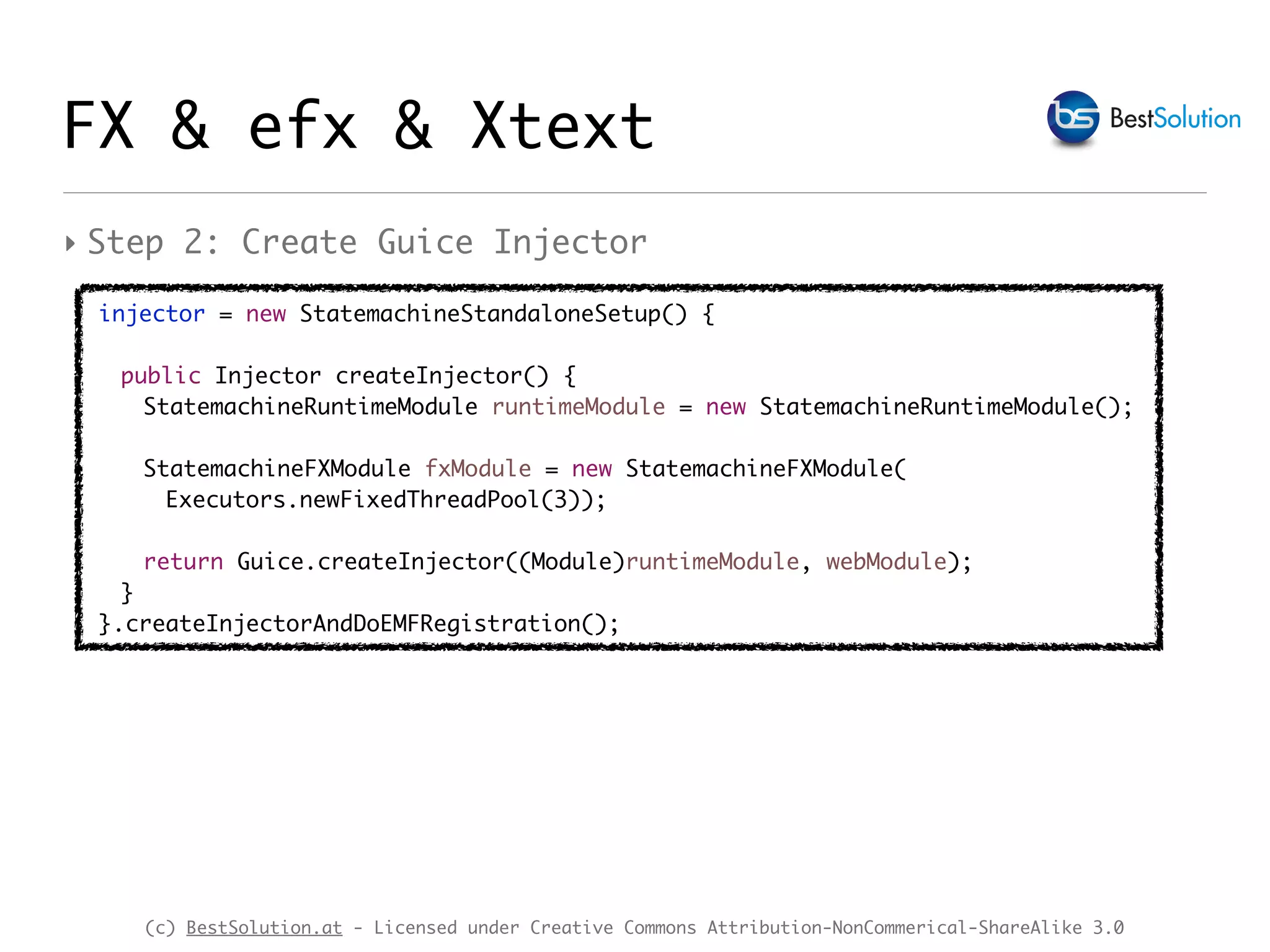
‣ Step 2: Create Guice Injector
injector = new StatemachineStandaloneSetup() {
public Injector createInjector() {
StatemachineRuntimeModule runtimeModule = new StatemachineRuntimeModule();
StatemachineFXModule fxModule = new StatemachineFXModule(
Executors.newFixedThreadPool(3));
return Guice.createInjector((Module)runtimeModule, webModule);
}
}.createInjectorAndDoEMFRegistration();
(c) BestSolution.at - Licensed under Creative Commons Attribution-NonCommerical-ShareAlike 3.0
FX & efx & Xtext
‣ Step 3: Create a content assist provider
@Singleton
public class ContentAssistProvider {
@Inject
Provider<ContentAssistContextFactory> contextFactoryProvider;
@Inject
Provider<XtextResourceSet> resourceSetProvider;
@Inject
ExecutorService pool;
public List<ICompletionProposal> doContentAssist(String content, String uri, Integer offset) {
XtextResource resource = getResource(uri);
ContentAssistContextFactory contextFactory = contextFactoryProvider.get();
contextFactory.setPool(pool);
ContentAssistContext[] contexts = contextFactory.create(content, new TextRegion(0, 0), offset, resource);
List<ICompletionProposal> proposal = new ArrayList<>();
for (int i = 0; i < contexts.length; i++) {
for (AbstractElement abstractElement : contexts[i].getFirstSetGrammarElements()) {
createProposals(contexts[i], abstractElement, offset, proposal);
}
}
return proposal;
}
(c) BestSolution.at - Licensed under Creative Commons Attribution-NonCommerical-ShareAlike 3.0
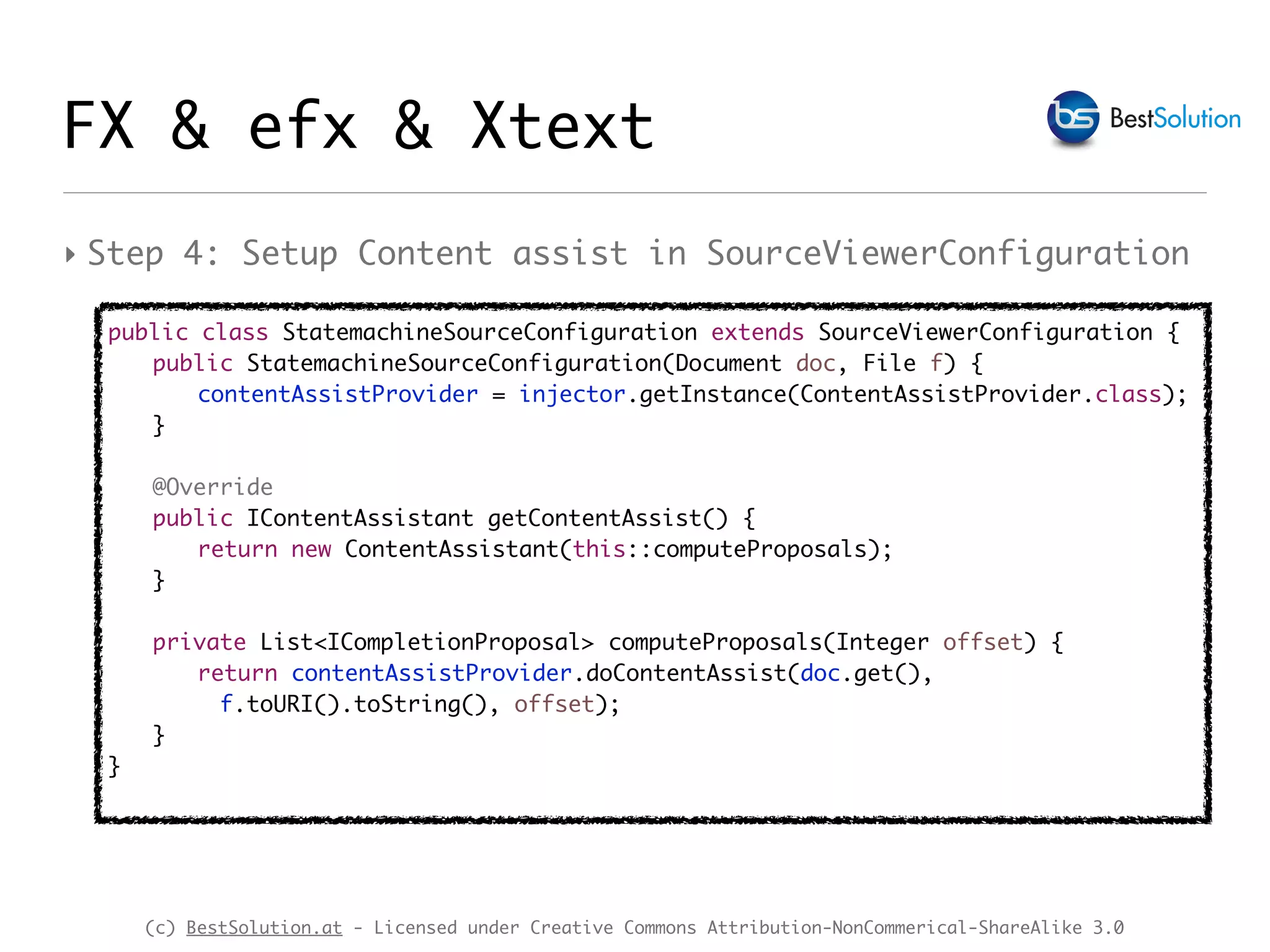
‣ Step 4: Setup Content assist in SourceViewerConfiguration
public class StatemachineSourceConfiguration extends SourceViewerConfiguration {
public StatemachineSourceConfiguration(Document doc, File f) {
contentAssistProvider = injector.getInstance(ContentAssistProvider.class);
}
@Override
public IContentAssistant getContentAssist() {
return new ContentAssistant(this::computeProposals);
}
private List<ICompletionProposal> computeProposals(Integer offset) {
return contentAssistProvider.doContentAssist(doc.get(),
f.toURI().toString(), offset);
}
}
FX & efx & Xtext
(c) BestSolution.at - Licensed under Creative Commons Attribution-NonCommerical-ShareAlike 3.0
FX & efx & Xtext
(c) BestSolution.at - Licensed under Creative Commons Attribution-NonCommerical-ShareAlike 3.0
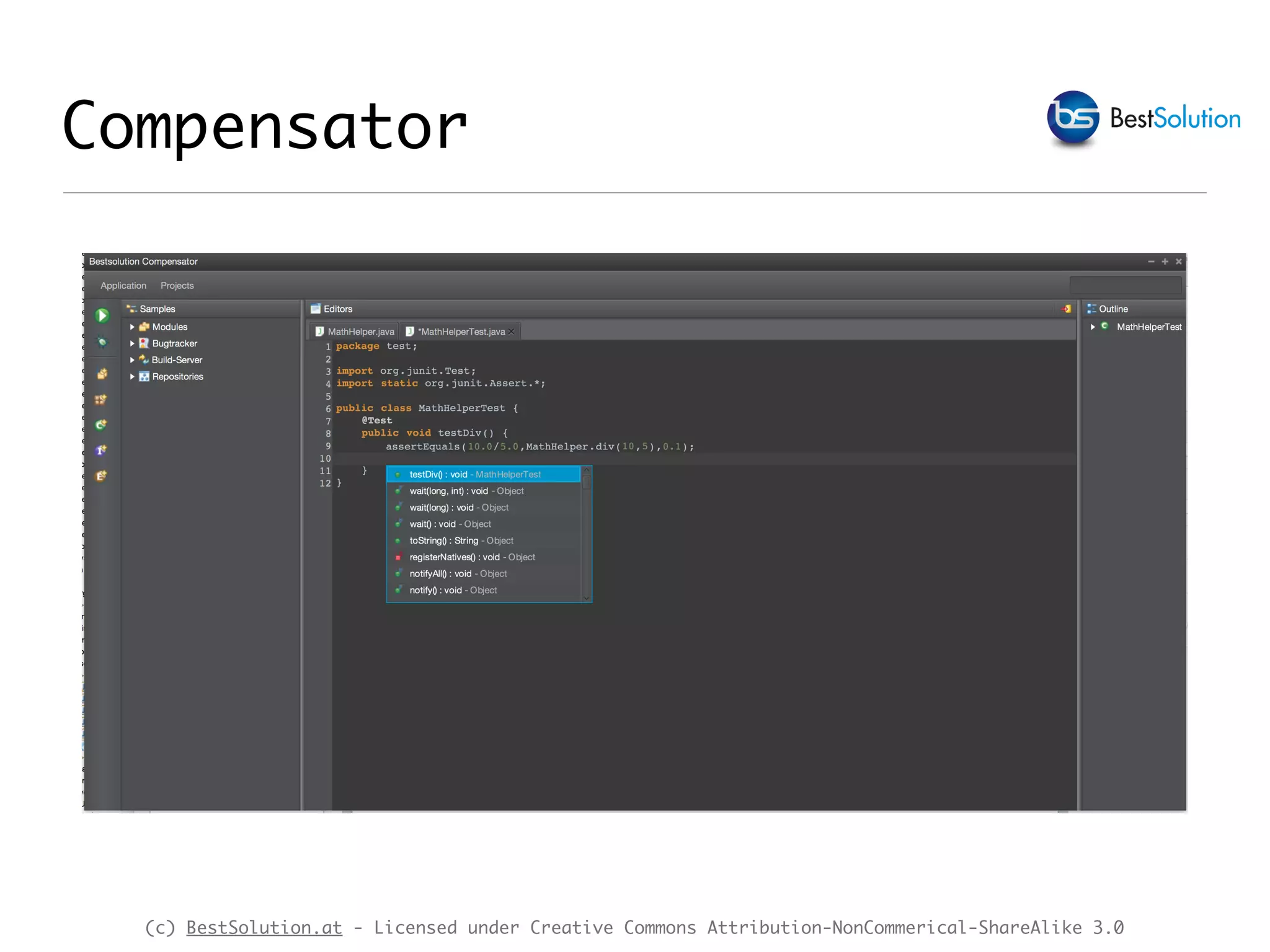
Compensator
(c) BestSolution.at - Licensed under Creative Commons Attribution-NonCommerical-ShareAlike 3.0
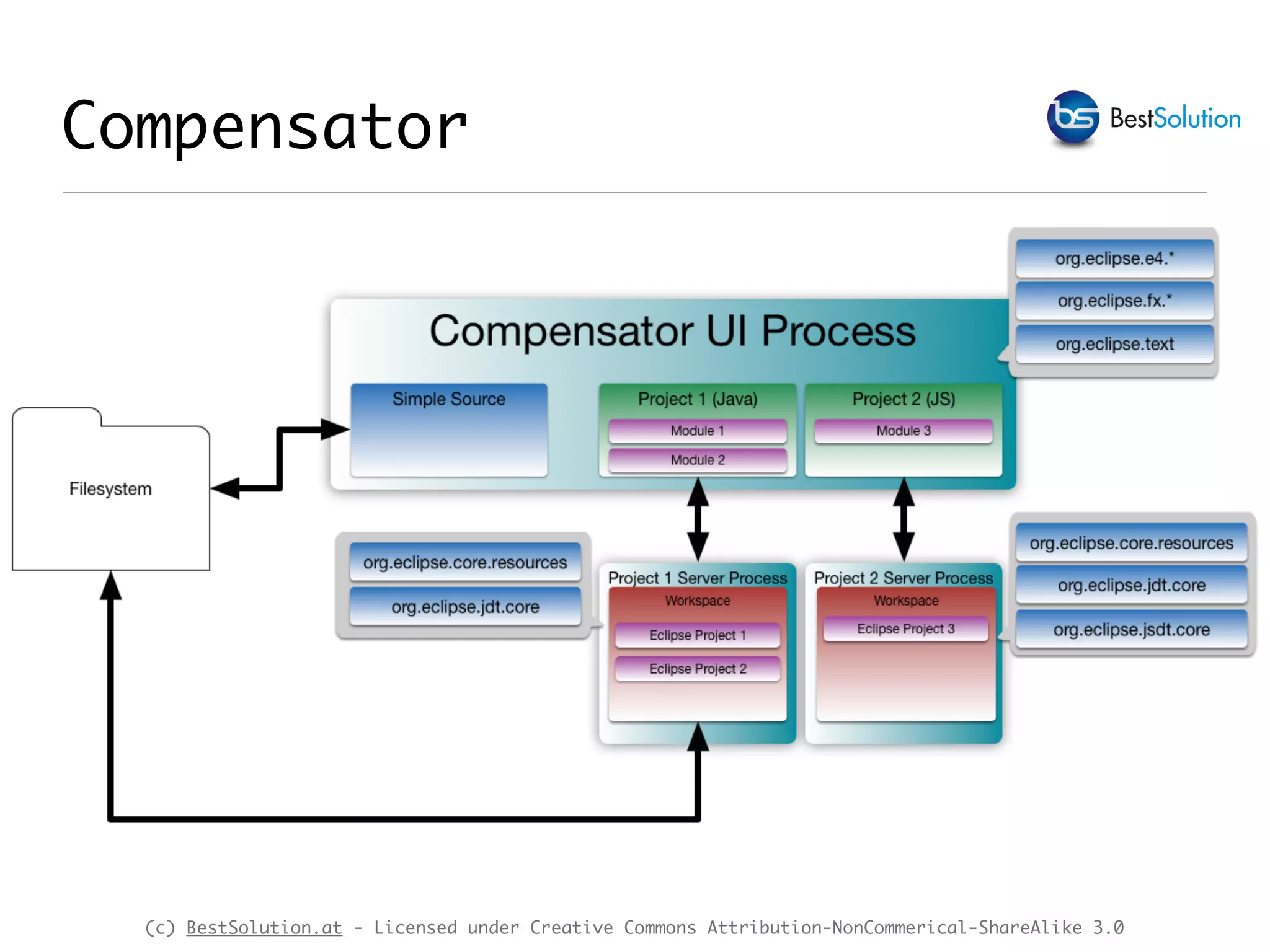
Compensator
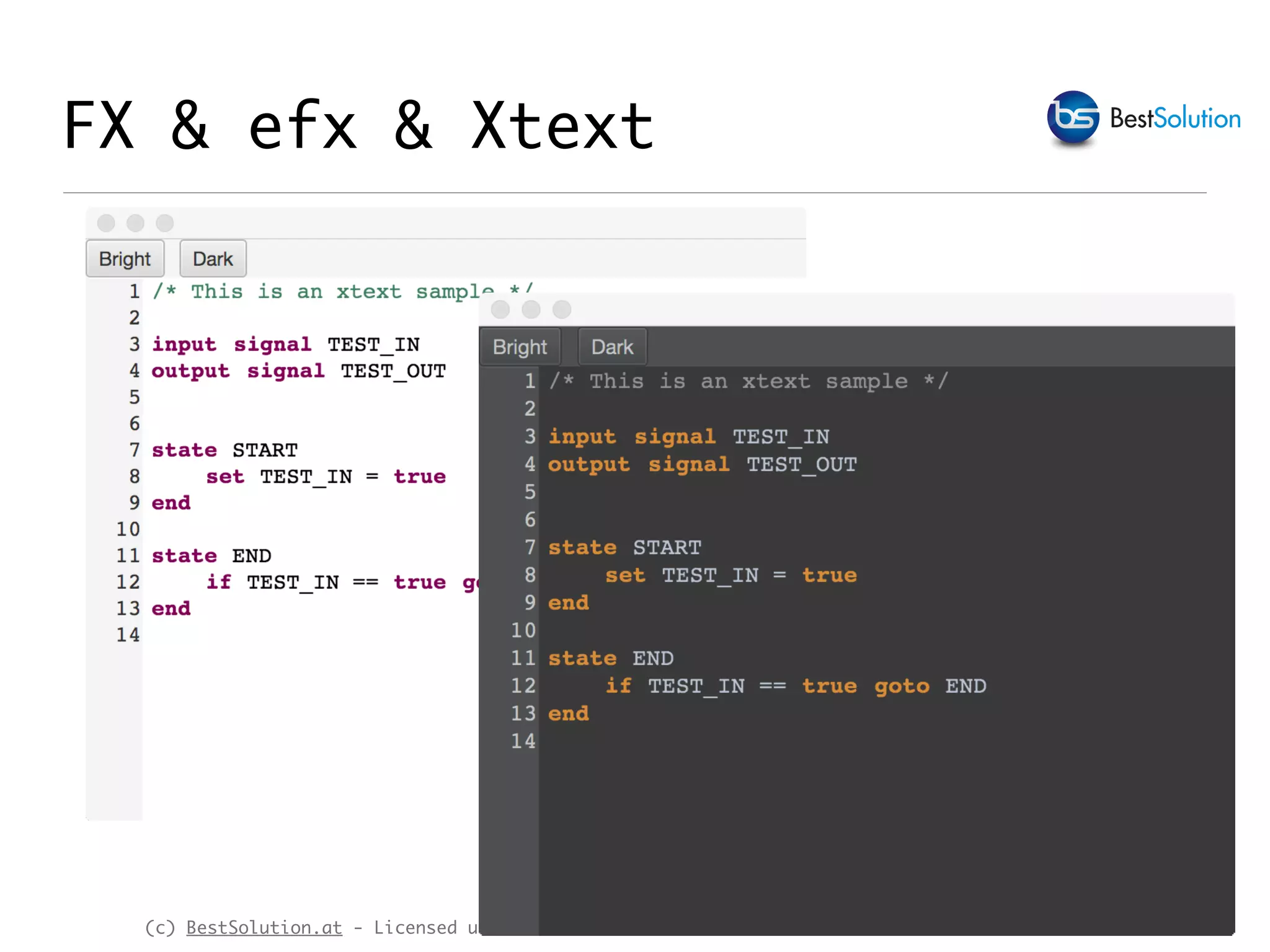
‣ Mission 0: Must look slick!
‣ Mission 1: Create a simple source editor like Notepad++
who:
‣ Is process light-weight
‣ Makes it easy to add new language highlightings
‣ Mission 2: Allow the simple source editor to expand to a
(simple) IDE:
‣ where Source-Editor, VCS (git), Ticketsystem (eg.
github), CI (eg. travis) are core components fully
integrated with each other
‣ Easy to integrate: Does not depend on core.resources
(c) BestSolution.at - Licensed under Creative Commons Attribution-NonCommerical-ShareAlike 3.0
Compensator
(c) BestSolution.at - Licensed under Creative Commons Attribution-NonCommerical-ShareAlike 3.0
Python {
partition __dftl_partition_content_type
partition __python_multiline_comment
partition __python_singleline_comment
partition __python_string
rule_damager rule_damager __dftl_partition_content_type {
default token python_default
token python_string
token python_operator
token python_bracket
token python_keyword_return
token python_keyword
keywords python_keyword_return [ "return" ]
keywords python_keyword [
"and", "as", „assert", /* … */]
}
rule_damager __python_singleline_comment {
default token python_single_line_comment
}
/* … */
rule_partitioner {
single_line __python_string '"' => '"'
single_line __python_singleline_comment "#"
multi_line __python_multiline_comment "'''" => "'''"
single_line __python_string "'" => "'"
}
} for "text/python"
Compensator - HSL+CSS
/* */
.Python.styled-text-area .python_doc_default {
-styled-text-color: rgb(63, 95, 191);
}
.Python.styled-text-area .python_single_line_comment {
-styled-text-color: rgb(63, 127, 95);
}
/* */
(c) BestSolution.at - Licensed under Creative Commons Attribution-NonCommerical-ShareAlike 3.0
Demo
(c) BestSolution.at - Licensed under Creative Commons Attribution-NonCommerical-ShareAlike 3.0
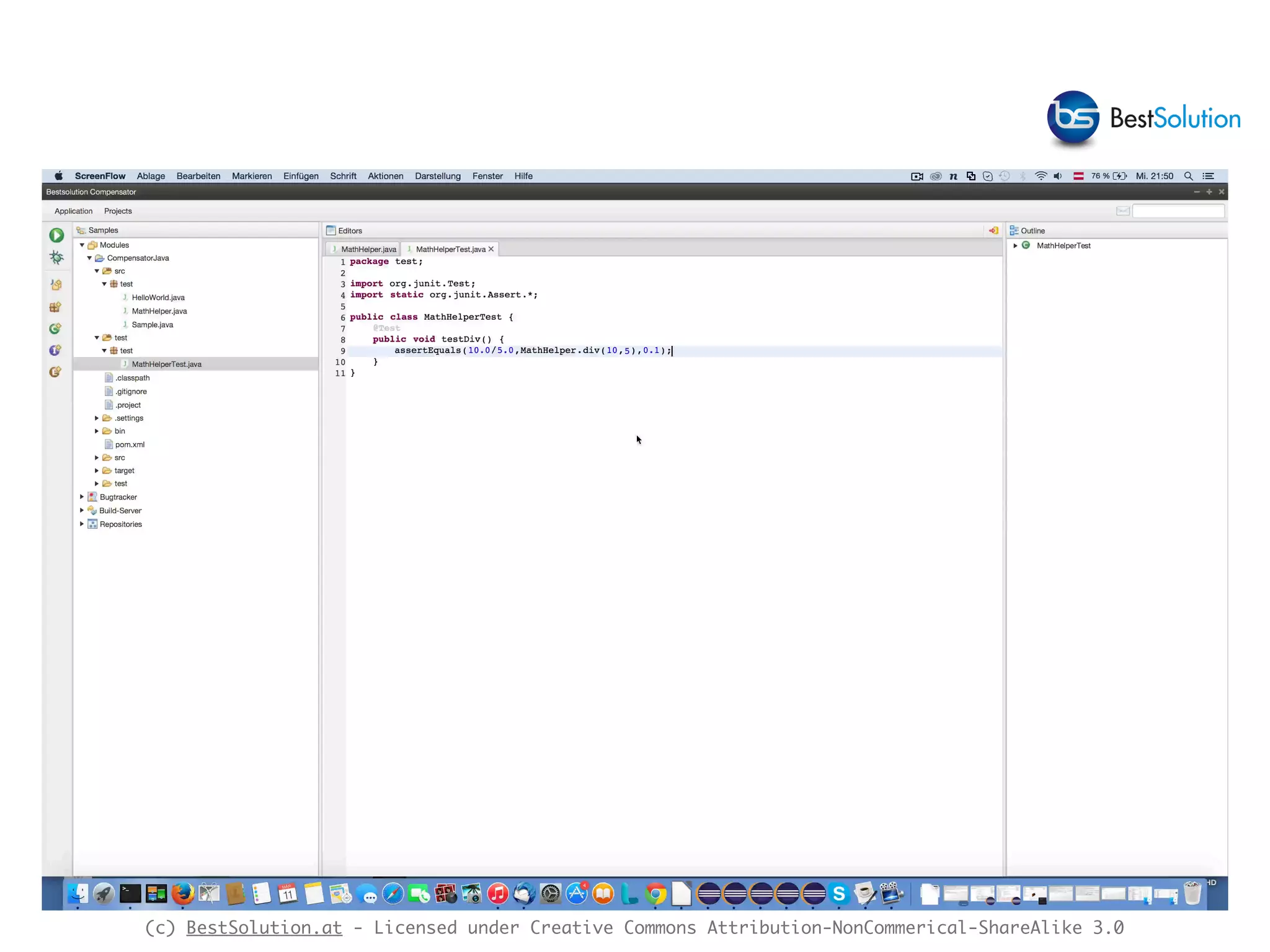
Compensator
(c) BestSolution.at - Licensed under Creative Commons Attribution-NonCommerical-ShareAlike 3.0
Future
‣ Add MWE Addon to
‣ Generate pure JavaFX integration
‣ Generate Compensator integration
‣ Add support for more services as they get available
through the IDE-Agnostic APIs

Java fx & xtext

  • 1.
    Xtext & JavaFX TomSchindl <tom.schindl@bestsolution.at> Twitter: @tomsontom Blog: http://tomsondev.bestsolution.at Website: http://www.bestsolution.at
  • 2.
    (c) BestSolution.at -Licensed under Creative Commons Attribution-NonCommerical-ShareAlike 3.0 About Me ‣ CTO BestSolution.at Systemhaus GmbH ‣ Eclipse Committer ‣ e4 ‣ Platform ‣ EMF ‣ Project lead ‣ e(fx)clipse ‣ Twitter: @tomsontom ‣ Blog: tomsondev.bestsolution.at ‣ Cooperate: http://bestsolution.at
  • 3.
    (c) BestSolution.at -Licensed under Creative Commons Attribution-NonCommerical-ShareAlike 3.0 What is JavaFX ‣ JavaFX is a scenegraph based graphics toolkit ‣ Provides ‣ 2d graphic primitives like Rectangle, Circle, Path, … ‣ Controls built on top of it like TextField, TableView, … ‣ 3d graphic primitives like a Mesh, Cube, …
  • 4.
    (c) BestSolution.at -Licensed under Creative Commons Attribution-NonCommerical-ShareAlike 3.0 What is JavaFX ‣ JavaFX comes with FULL CSS support ‣ All properties of scenegraph elements can be styled with CSS ‣ Support for CSS2 selectors (CSS3 is only supported partially) ‣ Has a Java API so it can be targeted by ANY jvm-language (Java, Groovy, Xtend, JavaScript, …) ‣ Has an OPTIONAL declarative way to define UIs named FXML
  • 5.
    (c) BestSolution.at -Licensed under Creative Commons Attribution-NonCommerical-ShareAlike 3.0 Elementary
  • 6.
    (c) BestSolution.at -Licensed under Creative Commons Attribution-NonCommerical-ShareAlike 3.0 Demo JavaFX apps ‣Elementary ‣ e4 + JavaFX application ‣ highlights 3d support ‣ 3d model defined with a Xtext-DSL
  • 7.
    (c) BestSolution.at -Licensed under Creative Commons Attribution-NonCommerical-ShareAlike 3.0 Business App
  • 8.
    (c) BestSolution.at -Licensed under Creative Commons Attribution-NonCommerical-ShareAlike 3.0 Demo JavaFX apps ‣BiSCAT ‣ e4 + JavaFX + SWT on JavaFX application ‣ Formbased business UI ‣ Highlights direct reuse of old SWT-Code in a JavaFX environment
  • 9.
    (c) BestSolution.at -Licensed under Creative Commons Attribution-NonCommerical-ShareAlike 3.0 FX and Text ‣ javafx.scene.text.Text ‣ allows to define font-size, font-name, … & fill color ‣ can display multiple lines ‣ can not have multiple colors, font-size, … Text t = new Text("I'm a text with font-size 20"); t.setFont(Font.font(20));
  • 10.
    (c) BestSolution.at -Licensed under Creative Commons Attribution-NonCommerical-ShareAlike 3.0 ‣ javafx.scene.text.TextFlow: ‣ allows to layout multiple text nodes ‣ is able to display multiple nodes different font- 
 size, fill color, … ‣ renderes ALL text nodes no matter if visible or not 
 in the viewport ‣ has no notion of editing, … FX and Text
  • 11.
    (c) BestSolution.at -Licensed under Creative Commons Attribution-NonCommerical-ShareAlike 3.0 TextFlow f = new TextFlow(); Text t1 = new Text("I'm black 12pt"); t1.setFont(Font.font(12)); f.getChildren().add(t1); Text t2 = new Text("I'm red 20pt"); t2.setFont(Font.font(20)); t2.setFill(Color.RED); f.getChildren().add(t2); FX and Text
  • 12.
    (c) BestSolution.at -Licensed under Creative Commons Attribution-NonCommerical-ShareAlike 3.0 ‣ javafx.scene.control.Label ‣ Allows to display multiple lines of text including e.g. an icon on the left ‣ Allows only one font-size, … & fill color ‣ Has no support for editing FX and Text Label l = new Label("I'm a Label with 20pt"); l.setFont(Font.font(20));
  • 13.
    (c) BestSolution.at -Licensed under Creative Commons Attribution-NonCommerical-ShareAlike 3.0 ‣ javafx.scene.control.TextField ‣ Single line editable of text ‣ Allows only one font-size, … & fill color FX and Text TextField f = new TextField("I'm a text field");
  • 14.
    (c) BestSolution.at -Licensed under Creative Commons Attribution-NonCommerical-ShareAlike 3.0 ‣ javafx.scene.control.TextArea ‣ Multiple lines of text ‣ Allows only one font-size, … & fill color ‣ Renderers ALL text in one big Text-Node! FX and Text TextArea t = new TextArea(); StringBuilder b = new StringBuilder(); b.append("This is a multiline textn"); b.append("This is a multiline textn"); b.append("This is a multiline textn"); t.setText(b.toString());
  • 15.
    (c) BestSolution.at -Licensed under Creative Commons Attribution-NonCommerical-ShareAlike 3.0 FX & efx text controls ‣ o.e.f.ui.controls.styledtext.StyledString ‣ implements CharSequence (many e(fx)clipse APIs allow CharSequence in their API e.g. TreeCells) ‣ made up of multiple segments where each segment has a list of CSS-Classes attached ‣ …Util.toNode(StyledString) : Node allows to convert a StyledString to a scenegraph Node
  • 16.
    (c) BestSolution.at -Licensed under Creative Commons Attribution-NonCommerical-ShareAlike 3.0 BorderPane p = new BorderPane(); StyledString ss = new StyledString(); ss.appendSegment("Styled", "h1"); ss.appendSegment("String", "h1","colorful"); p.setCenter(Util.toNode(ss)); Scene s = new Scene(p); s.getStylesheets().add(getClass().getResource("styled-string.css").toExternalForm()); FX & efx text controls .h1 { -fx-font-size: 20pt; } .colorful { -fx-font-weight: bold; -fx-fill: linear-gradient( from 0.0% 0.0% to 100.0% 100.0%, rgb(128,179,128) 0.0, rgb(255,179,102) 100.0); }
  • 17.
    (c) BestSolution.at -Licensed under Creative Commons Attribution-NonCommerical-ShareAlike 3.0 ‣ o.e.f.ui.controls.styledtext.StyledLabel ‣ Similar API as javafx.scene.control.Label ‣ uses a StyledString instead of a String FX & efx text controls BorderPane p = new BorderPane(); StyledString ss = new StyledString(); ss.appendSegment("Styled", "h1"); ss.appendSegment("Label", "h1","colorful"); StyledLabel l = new StyledLabel(ss); p.setCenter(l); Scene s = new Scene(p); s.getStylesheets().add(getClass().getResource("styled-string.css").toExternalForm());
  • 18.
    (c) BestSolution.at -Licensed under Creative Commons Attribution-NonCommerical-ShareAlike 3.0 ‣ o.e.f.ui.controls.styledtext.StyledTextArea ‣ Allows to edit multiple lines of text ‣ Allows to display different colors, fonts, … ‣ VIRTUAL rendering - only text visible in the view port is rendered ‣ Content is kept in StyledTextContent class FX & efx text controls
  • 19.
    (c) BestSolution.at -Licensed under Creative Commons Attribution-NonCommerical-ShareAlike 3.0 BorderPane p = new BorderPane(); StyledTextArea a = new StyledTextArea(); a.getContent().setText("public class Sample {nn}"); a.setStyleRanges( new StyleRange("keyword", 0, "public".length(), null, null), new StyleRange("keyword", "public".length()+1, "class".length(), null, null) ); a.setLineRulerVisible(true); p.setCenter(a); Scene s = new Scene(p); s.getStylesheets().add(getClass().getResource("styled-text.css").toExternalForm()); .keyword { -styled-text-color: rgb(127, 0, 85); -fx-font-weight: bold; } FX & efx text controls
  • 20.
    (c) BestSolution.at -Licensed under Creative Commons Attribution-NonCommerical-ShareAlike 3.0 FX, efx & Eclipse Text ‣ org.eclipse.text is UI neutral Code/Text Framework ‣ Provides document abstraction ‣ Provides tokenizing ‣ org.eclipse.jface.text ‣ Built on top of org.eclipse.text ‣ Uses SWT to visualize information provided by o.e.text
  • 21.
    (c) BestSolution.at -Licensed under Creative Commons Attribution-NonCommerical-ShareAlike 3.0 ‣ org.eclipse.fx.text & org.eclipse.fx.text.ui ‣ JavaFX port of org.eclipse.jface.text ‣ Works with StyledTextArea ‣ Special StyledTextContent implementation backed by IDocument ‣ Provides SourceViewer class to implement code editors FX, efx & Eclipse Text
  • 22.
    (c) BestSolution.at -Licensed under Creative Commons Attribution-NonCommerical-ShareAlike 3.0 __state_comment FX, efx & Eclipse Text ‣ Step 1 Partitioning __dftl_partitioning /* * This is a multiline comment */ input signal INPUT_SIG output signal OUTPUT_SIG state START set INPUT_SIG = true end
  • 23.
    (c) BestSolution.at -Licensed under Creative Commons Attribution-NonCommerical-ShareAlike 3.0 FX, efx & Eclipse Text ‣ Step 1 Partitioning Document document = new Document(); FastPartitioner partitioner = new FastPartitioner( new StatemachinePartitionScanner(), "__state_comment"); document.setDocumentPartitioner("__dftl_paritioning", partitioner); partitioner.connect(document); public class StatemachinePartitionScanner extends RuleBasedPartitionScanner { public StatemachinePartitionScanner() { IPredicateRule[] pr = new IPredicateRule[1]; pr[0] = new MultiLineRule("/*", "*/", new Token("__state_comment"), (char)0, false); setPredicateRules(pr); } }
  • 24.
    (c) BestSolution.at -Licensed under Creative Commons Attribution-NonCommerical-ShareAlike 3.0 FX, efx & Eclipse Text ‣ Step 2 Tokenizing /* * This is a multiline comment */ input signal INPUT_SIG output signal OUTPUT_SIG state START set INPUT_SIG = true end tk(“state_doc_default“,0,37) tk(“state_keyword“,38,43) tk(“state_keyword“,44,48) tk(“state_default“,49,58)
  • 25.
    (c) BestSolution.at -Licensed under Creative Commons Attribution-NonCommerical-ShareAlike 3.0 ‣ Step 2 Tokenizing FX, efx & Eclipse Text public class StatemachineSourceConfiguration extends SourceViewerConfiguration { @Override public IPresentationReconciler getPresentationReconciler(ISourceViewer sourceViewer) { PresentationReconciler reconciler = new PresentationReconciler(); { DefaultDamagerRepairer dr = new DefaultDamagerRepairer( new StatemachineCodeScanner()); reconciler.setDamager(dr, "__dftl_paritioning"); reconciler.setRepairer(dr, "__dftl_paritioning"); } { DefaultDamagerRepairer dr = new DefaultDamagerRepairer( new StatemachineDocScanner()); reconciler.setDamager(dr, "__state_comment"); reconciler.setRepairer(dr, "__state_comment"); } return reconciler; }
  • 26.
    (c) BestSolution.at -Licensed under Creative Commons Attribution-NonCommerical-ShareAlike 3.0 FX, efx & Eclipse Text public class StatemachineCodeScanner extends RuleBasedScanner { public StatemachineCodeScanner() { Token keywordToken = new Token(new TextAttribute("state_keyword")); Token defaultToken = new Token(new TextAttribute("state_default")); setDefaultReturnToken(defaultToken); IRule[] rules = new IRule[1]; JavaLikeWordDetector wordDetector= new JavaLikeWordDetector(); CombinedWordRule combinedWordRule= new CombinedWordRule(wordDetector, defaultToken); CombinedWordRule.WordMatcher wordRule= new CombinedWordRule.WordMatcher(); wordRule.addWord("signal", keywordToken); // … wordRule.addWord("false", keywordToken); combinedWordRule.addWordMatcher(wordRule); rules[0] = combinedWordRule; setRules(rules); } } ‣ Step 2 Tokenizing
  • 27.
    (c) BestSolution.at -Licensed under Creative Commons Attribution-NonCommerical-ShareAlike 3.0 ‣ Step 3 SourceViewer configuration FX, efx & Eclipse Text Document document = new Document(); SourceViewer viewer = new SourceViewer(); StatemachineSourceConfiguration configuration = new StatemachineSourceConfiguration( document, new File("/tmp/StateSample.state")); // … setup paritioning viewer.configure(configuration); viewer.setDocument(document);
  • 28.
    (c) BestSolution.at -Licensed under Creative Commons Attribution-NonCommerical-ShareAlike 3.0 ‣ Step 4 Define colors through CSS .state.styled-text-area .state_default { -styled-text-color: rgb(0,0,0); } .state.styled-text-area .state_keyword { -styled-text-color: rgb(127, 0, 85); -fx-font-weight: bold; } .state.styled-text-area .state_doc_default { -styled-text-color: rgb(63, 127, 95); } public class StatemachineSourceConfiguration extends SourceViewerConfiguration { @Override public String getStyleclassName() { return "state"; } } FX, efx & Eclipse Text
  • 29.
    (c) BestSolution.at -Licensed under Creative Commons Attribution-NonCommerical-ShareAlike 3.0 FX & efx & Xtext
  • 30.
    (c) BestSolution.at -Licensed under Creative Commons Attribution-NonCommerical-ShareAlike 3.0 FX & efx & Xtext ‣ Make use of the NEW „Generic IDE support“ who generates 2 projects who don’t require OSGi nor Eclipse Framework ‣ ….$language: core parsing infrastructure ‣ ….$language.ide: ide specific infrastructure including a special parser & lexer ‣ ….$language.fx (Handcrafted): FX-Text support like SourceViewerConfiguration, Partitioner, …
  • 31.
    (c) BestSolution.at -Licensed under Creative Commons Attribution-NonCommerical-ShareAlike 3.0 FX & efx & Xtext class StatemachineFXModule extends AbstractGenericModule { val ExecutorService executorService def configureExecutorService(Binder binder) { binder.bind(ExecutorService).toInstance(executorService) } def configureContentAssistLexer(Binder binder) { binder .bind(Lexer).annotatedWith(Names.named(LexerIdeBindings.CONTENT_ASSIST)) .to(InternalStatemachineLexer) } def Class<? extends IContentAssistParser> bindIContentAssistParser() { StatemachineParser } } ‣ Step 1: Setup Guice module for editing
  • 32.
    (c) BestSolution.at -Licensed under Creative Commons Attribution-NonCommerical-ShareAlike 3.0 FX & efx & Xtext ‣ Step 2: Create Guice Injector injector = new StatemachineStandaloneSetup() { public Injector createInjector() { StatemachineRuntimeModule runtimeModule = new StatemachineRuntimeModule(); StatemachineFXModule fxModule = new StatemachineFXModule( Executors.newFixedThreadPool(3)); return Guice.createInjector((Module)runtimeModule, webModule); } }.createInjectorAndDoEMFRegistration();
  • 33.
    (c) BestSolution.at -Licensed under Creative Commons Attribution-NonCommerical-ShareAlike 3.0 FX & efx & Xtext ‣ Step 3: Create a content assist provider @Singleton public class ContentAssistProvider { @Inject Provider<ContentAssistContextFactory> contextFactoryProvider; @Inject Provider<XtextResourceSet> resourceSetProvider; @Inject ExecutorService pool; public List<ICompletionProposal> doContentAssist(String content, String uri, Integer offset) { XtextResource resource = getResource(uri); ContentAssistContextFactory contextFactory = contextFactoryProvider.get(); contextFactory.setPool(pool); ContentAssistContext[] contexts = contextFactory.create(content, new TextRegion(0, 0), offset, resource); List<ICompletionProposal> proposal = new ArrayList<>(); for (int i = 0; i < contexts.length; i++) { for (AbstractElement abstractElement : contexts[i].getFirstSetGrammarElements()) { createProposals(contexts[i], abstractElement, offset, proposal); } } return proposal; }
  • 34.
    (c) BestSolution.at -Licensed under Creative Commons Attribution-NonCommerical-ShareAlike 3.0 ‣ Step 4: Setup Content assist in SourceViewerConfiguration public class StatemachineSourceConfiguration extends SourceViewerConfiguration { public StatemachineSourceConfiguration(Document doc, File f) { contentAssistProvider = injector.getInstance(ContentAssistProvider.class); } @Override public IContentAssistant getContentAssist() { return new ContentAssistant(this::computeProposals); } private List<ICompletionProposal> computeProposals(Integer offset) { return contentAssistProvider.doContentAssist(doc.get(), f.toURI().toString(), offset); } } FX & efx & Xtext
  • 35.
    (c) BestSolution.at -Licensed under Creative Commons Attribution-NonCommerical-ShareAlike 3.0 FX & efx & Xtext
  • 36.
    (c) BestSolution.at -Licensed under Creative Commons Attribution-NonCommerical-ShareAlike 3.0 Compensator
  • 37.
    (c) BestSolution.at -Licensed under Creative Commons Attribution-NonCommerical-ShareAlike 3.0 Compensator ‣ Mission 0: Must look slick! ‣ Mission 1: Create a simple source editor like Notepad++ who: ‣ Is process light-weight ‣ Makes it easy to add new language highlightings ‣ Mission 2: Allow the simple source editor to expand to a (simple) IDE: ‣ where Source-Editor, VCS (git), Ticketsystem (eg. github), CI (eg. travis) are core components fully integrated with each other ‣ Easy to integrate: Does not depend on core.resources
  • 38.
    (c) BestSolution.at -Licensed under Creative Commons Attribution-NonCommerical-ShareAlike 3.0 Compensator
  • 39.
    (c) BestSolution.at -Licensed under Creative Commons Attribution-NonCommerical-ShareAlike 3.0 Python { partition __dftl_partition_content_type partition __python_multiline_comment partition __python_singleline_comment partition __python_string rule_damager rule_damager __dftl_partition_content_type { default token python_default token python_string token python_operator token python_bracket token python_keyword_return token python_keyword keywords python_keyword_return [ "return" ] keywords python_keyword [ "and", "as", „assert", /* … */] } rule_damager __python_singleline_comment { default token python_single_line_comment } /* … */ rule_partitioner { single_line __python_string '"' => '"' single_line __python_singleline_comment "#" multi_line __python_multiline_comment "'''" => "'''" single_line __python_string "'" => "'" } } for "text/python" Compensator - HSL+CSS /* */ .Python.styled-text-area .python_doc_default { -styled-text-color: rgb(63, 95, 191); } .Python.styled-text-area .python_single_line_comment { -styled-text-color: rgb(63, 127, 95); } /* */
  • 40.
    (c) BestSolution.at -Licensed under Creative Commons Attribution-NonCommerical-ShareAlike 3.0 Demo
  • 41.
    (c) BestSolution.at -Licensed under Creative Commons Attribution-NonCommerical-ShareAlike 3.0
  • 42.
    (c) BestSolution.at -Licensed under Creative Commons Attribution-NonCommerical-ShareAlike 3.0 Compensator
  • 43.
    (c) BestSolution.at -Licensed under Creative Commons Attribution-NonCommerical-ShareAlike 3.0 Future ‣ Add MWE Addon to ‣ Generate pure JavaFX integration ‣ Generate Compensator integration ‣ Add support for more services as they get available through the IDE-Agnostic APIs