Building Human-Friendly Scheduled Tasks
LED BY
Giancarlo Gomez
SESSION
Giancarlo Gomez
SPEAKER AT ITB2023
• Proud father of 3
• Web Developer since 1999
• Freelance since 2001
• Owner of Fuse Developments and CrossTrackr, Inc.
• South Florida ColdFusion User Group Co-Manager
The Pros and Cons - Adobe ColdFusion
Scheduled Tasks on your engine of choice
PROS
• Cool Features ( Enterprise Only )
• mode
Allows to define Application level tasks
• eventHandler
Simple Event Handlers
• action
create and modify options added in 2018.
modify allows to update an existing task while
retaining its old values.
• cronTime
* custom cronTime format
http://www.quartz-scheduler.org/documentation/quartz-2.2.2/tutorials/
tutorial-lesson-06.html
CONS
• The cool features come at a hefty cost $$$
• Although you can track in code
• tasks can be created / edited
* server tasks
• tasks can be removed
* server and application level
The Pros and Cons - Lucee
Scheduled Tasks on your engine of choice
PROS
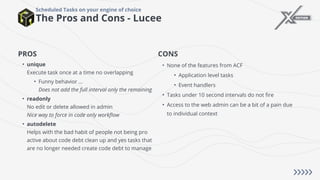
• unique
Execute task once at a time no overlapping
• Funny behavior ...
Does not add the full interval only the remaining
• readonly
No edit or delete allowed in admin
Nice way to force in code only workflow
• autodelete
Helps with the bad habit of people not being pro
active about code debt clean up and yes tasks that
are no longer needed create code debt to manage
CONS
• None of the features from ACF
• Application level tasks
• Event handlers
• Tasks under 10 second intervals do not fire
• Access to the web admin can be a bit of a pain due
to individual context
Biggest Pain Point ...
Scheduled Tasks on your engine of choice
• If managed in code
Switching an engine will require some refactoring
based on features and attributes
• If not managed in code
Good luck, I just went thru this for a project with
over 150 scheduled tasks split over 2 servers with
absolutely no pattern.
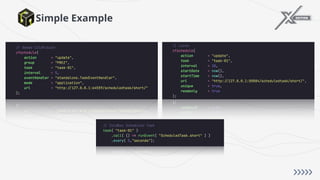
Why ColdBox Scheduled Tasks?
• Code First!!!!
Based on your workflow, this can make it easier to manage, track and understand why a task exists
• A fresh, programmatic and human approach to scheduling tasks
Chainable DSL with a human readable touch
• Complete control over lifecycle
Globally and at the individual task level - better event handlers!
• No issue if switching engines
• Cool features at no cost!!!!
• Limitless opportunities!
Simple Example
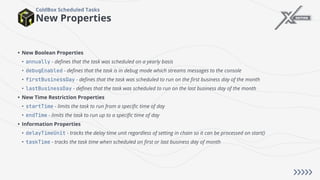
New Properties
ColdBox Scheduled Tasks
• New Boolean Properties
• annually - defines that the task was scheduled on a yearly basis
• debugEnabled - defines that the task is in debug mode which streams messages to the console
• firstBusinessDay - defines that the task was scheduled to run on the first business day of the month
• lastBusinessDay - defines that the task was scheduled to run on the last business day of the month
• New Time Restriction Properties
• startTime - limits the task to run from a specific time of day
• endTime - limits the task to run up to a specific time of day
• Information Properties
• delayTimeUnit - tracks the delay time unit regardless of setting in chain so it can be processed on start()
• taskTime - tracks the task time when scheduled on first or last business day of month
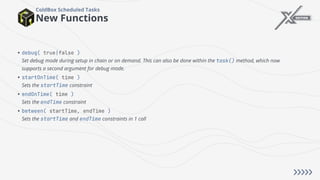
New Functions
ColdBox Scheduled Tasks
• debug( true|false )
Set debug mode during setup in chain or on demand. This can also be done within the task() method, which now
supports a second argument for debug mode.
• startOnTime( time )
Sets the startTime constraint
• endOnTime( time )
Sets the endTime constraint
• between( startTime, endTime )
Sets the startTime and endTime constraints in 1 call
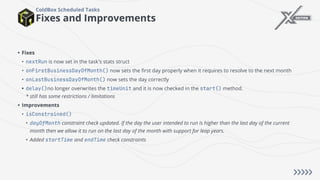
Fixes and Improvements
ColdBox Scheduled Tasks
• Fixes
• nextRun is now set in the task's stats struct
• onFirstBusinessDayOfMonth() now sets the first day properly when it requires to resolve to the next month
• onLastBusinessDayOfMonth() now sets the day correctly
• delay()no longer overwrites the timeUnit and it is now checked in the start() method.
* still has some restrictions / limitations
• Improvements
• isConstrained()
• dayOfMonth constraint check updated. If the day the user intended to run is higher than the last day of the current
month then we allow it to run on the last day of the month with support for leap years.
• Added startTime and endTime check constraints
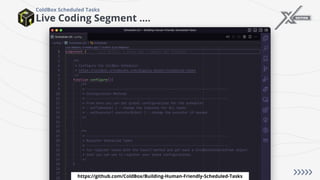
Live Coding Segment ....
ColdBox Scheduled Tasks
https://github.com/ColdBox/Building-Human-Friendly-Scheduled-Tasks
How to get in touch with me ...
! https://giancarlogomez.dev
" giancarlo.gomez@gmail.com
! @GiancarloGomez
" https://github.com/GiancarloGomez
# https://www.linkedin.com/in/giancarlogomez
How did I do?
THANK YOU
Thanks to our sponsors

ITB_2023_Human-Friendly_Scheduled_Tasks_Giancarlo_Gomez.pdf

  • 1.
    Building Human-Friendly ScheduledTasks LED BY Giancarlo Gomez SESSION
  • 2.
    Giancarlo Gomez SPEAKER ATITB2023 • Proud father of 3 • Web Developer since 1999 • Freelance since 2001 • Owner of Fuse Developments and CrossTrackr, Inc. • South Florida ColdFusion User Group Co-Manager
  • 4.
    The Pros andCons - Adobe ColdFusion Scheduled Tasks on your engine of choice PROS • Cool Features ( Enterprise Only ) • mode Allows to define Application level tasks • eventHandler Simple Event Handlers • action create and modify options added in 2018. modify allows to update an existing task while retaining its old values. • cronTime * custom cronTime format http://www.quartz-scheduler.org/documentation/quartz-2.2.2/tutorials/ tutorial-lesson-06.html CONS • The cool features come at a hefty cost $$$ • Although you can track in code • tasks can be created / edited * server tasks • tasks can be removed * server and application level
  • 5.
    The Pros andCons - Lucee Scheduled Tasks on your engine of choice PROS • unique Execute task once at a time no overlapping • Funny behavior ... Does not add the full interval only the remaining • readonly No edit or delete allowed in admin Nice way to force in code only workflow • autodelete Helps with the bad habit of people not being pro active about code debt clean up and yes tasks that are no longer needed create code debt to manage CONS • None of the features from ACF • Application level tasks • Event handlers • Tasks under 10 second intervals do not fire • Access to the web admin can be a bit of a pain due to individual context
  • 6.
    Biggest Pain Point... Scheduled Tasks on your engine of choice • If managed in code Switching an engine will require some refactoring based on features and attributes • If not managed in code Good luck, I just went thru this for a project with over 150 scheduled tasks split over 2 servers with absolutely no pattern.
  • 7.
    Why ColdBox ScheduledTasks? • Code First!!!! Based on your workflow, this can make it easier to manage, track and understand why a task exists • A fresh, programmatic and human approach to scheduling tasks Chainable DSL with a human readable touch • Complete control over lifecycle Globally and at the individual task level - better event handlers! • No issue if switching engines • Cool features at no cost!!!! • Limitless opportunities!
  • 8.
  • 9.
    New Properties ColdBox ScheduledTasks • New Boolean Properties • annually - defines that the task was scheduled on a yearly basis • debugEnabled - defines that the task is in debug mode which streams messages to the console • firstBusinessDay - defines that the task was scheduled to run on the first business day of the month • lastBusinessDay - defines that the task was scheduled to run on the last business day of the month • New Time Restriction Properties • startTime - limits the task to run from a specific time of day • endTime - limits the task to run up to a specific time of day • Information Properties • delayTimeUnit - tracks the delay time unit regardless of setting in chain so it can be processed on start() • taskTime - tracks the task time when scheduled on first or last business day of month
  • 10.
    New Functions ColdBox ScheduledTasks • debug( true|false ) Set debug mode during setup in chain or on demand. This can also be done within the task() method, which now supports a second argument for debug mode. • startOnTime( time ) Sets the startTime constraint • endOnTime( time ) Sets the endTime constraint • between( startTime, endTime ) Sets the startTime and endTime constraints in 1 call
  • 11.
    Fixes and Improvements ColdBoxScheduled Tasks • Fixes • nextRun is now set in the task's stats struct • onFirstBusinessDayOfMonth() now sets the first day properly when it requires to resolve to the next month • onLastBusinessDayOfMonth() now sets the day correctly • delay()no longer overwrites the timeUnit and it is now checked in the start() method. * still has some restrictions / limitations • Improvements • isConstrained() • dayOfMonth constraint check updated. If the day the user intended to run is higher than the last day of the current month then we allow it to run on the last day of the month with support for leap years. • Added startTime and endTime check constraints
  • 12.
    Live Coding Segment.... ColdBox Scheduled Tasks https://github.com/ColdBox/Building-Human-Friendly-Scheduled-Tasks
  • 13.
    How to getin touch with me ... ! https://giancarlogomez.dev " giancarlo.gomez@gmail.com ! @GiancarloGomez " https://github.com/GiancarloGomez # https://www.linkedin.com/in/giancarlogomez
  • 14.
  • 15.
    THANK YOU Thanks toour sponsors